I gave Lovable ($13.3B) to three AI models. Same prompt, three apps, three bills.
By Gencay
Published: 2026-10-28
URL: https://www.learnwithmeai.com/p/lovable-clone-opus-gpt-kimi
OpenAI released GPT-6.1 Terra and calls it fast, capable, and efficient, at a lower price.
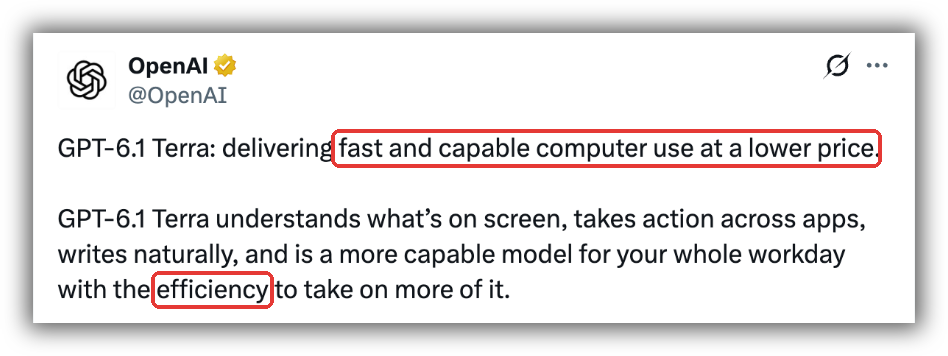
\OpenAI's launch tweet for GPT-6.1 Terra. 4.3M views.\
At that point, you might wonder which model you should use.
Yesterday it was Kimi K3.1, today it is Terra, tomorrow maybe Opus 5.6.
Let me compare them side by side, as I did with Kimi K3.1 Pro vs Opus 5.5.
This time, I’ll do it with three models: GPT-6.1 Terra, Opus 5.5, and Kimi K3.1 Pro.
And I’ll build Lovable, which is at a $13.3B valuation in August.
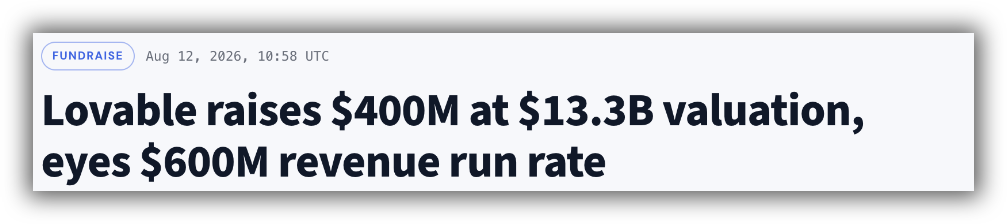
\Dealroom, August 12, 2026.\
To do that, first, I reverse-engineered Lovable without opening a Lovable account and logged 51 features of it
Then I gave that same prompt to Opus 5.5, GPT-6.1 Terra, and Kimi K3.1 Pro.
Each one built different apps. (Brisk, Filednote, and Nook Studio)
Next, I tested these apps to build the same habit tracker.
What Opus vs GPT-6.1 vs Kimi Built From One Prompt
To test this, I need to let these versions build another app.
I let all three build the habit tracker, using the same prompt with High effort, each model in its maker's app.
Claude Code, the Codex app, and the Kimi app.
After the paywall, you'll see what each model built, with a video of every clone and the bill of every run.
Then I plug a real model into all three clones. You'll see the bugs it found and the winner on price, speed, and the first real call.
Then you get the build prompt, the skill that wrote it, and every click to run the same race on your machine.
Opus 5.5: Building Brisk in 14 Minutes
Opus made a 6-step plan and wrote 118 KB of code in 13 minutes 46 seconds.
It wrote 18 tests, opened the app in its own browser, and fixed a toolbar that wrapped at mid-widths.
Brisk. Prompt, edit, history, restore, download.
The bill was $4.49 at API list price, most of it cache reads. (My Claude Code loads 107K tokens of my own setup before it reads a single word.)
GPT-6.1 Terra: Building fieldnote in 4 Minutes
Terra wrote 38.6 KB of code with 13,356 output tokens, and the model itself worked for 3 minutes 47 seconds.
The Codex app stopped four times to ask permission. I missed the first card for 28 minutes, and that wait is mine, not Terra's.
fieldnote. The smallest codebase of the three.
The bill was $0.29.
Kimi K3.1 Pro: Building Nook Studio in 25 Minutes
Kimi took 24 minutes 37 seconds and wrote 79.6 KB. It passed its own 7 tests and said its browser test stayed unverified. (It did not claim a win it could not see.)
Nook Studio. The best-looking home screen of the three.
The bill was $0.83.
Who Won, and Who Sent the Biggest Bill?
All three clones passed the six features in mock mode, a fake model built into each clone. So I plugged GPT-6.1 Terra's API into all three and asked each one for the same habit tracker.
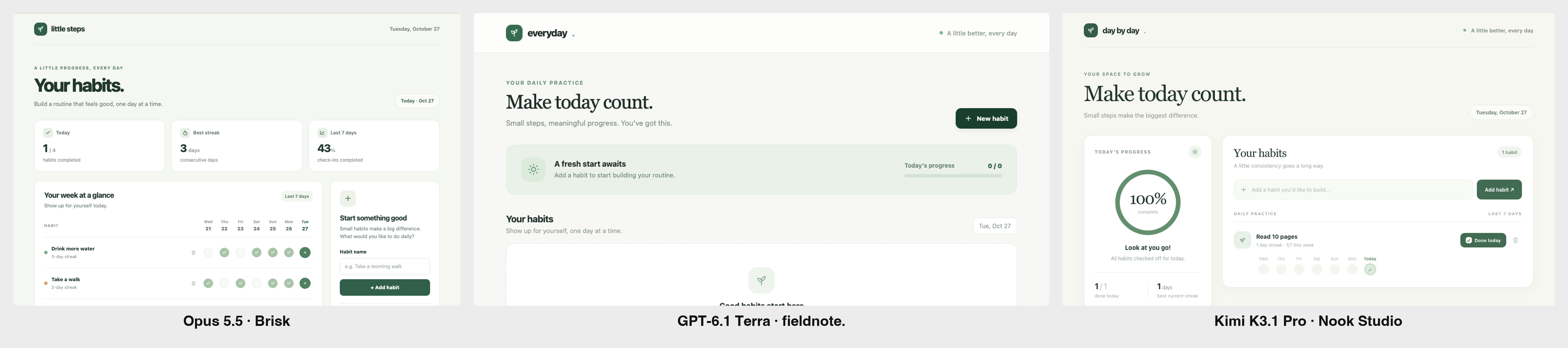
\One prompt, one model, three Lovable clones. Each clone's own system prompt makes the difference.\
Kimi's clone failed on the first real call. It sent temperature 0.35, Terra only accepts 1, and one pasted error fixed it in 2 minutes 25 seconds.
fieldnote crashes when you press Enter on its home screen, and the button works. Brisk had zero bugs and logs the tokens of every version.
- GPT-6.1 Terra is the cheapest and the fastest, $0.29 and 3 minutes 47 seconds. That is 15x cheaper than Opus on this build. OpenAI's launch post says about 9x per task. My run says more.
- Opus 5.5 is the most solid. 18 tests, and the only clone with zero bugs in the real-model test.
All three apps came from one prompt. The pipeline wrote it after reading Lovable's docs.
I'll give you the prompt and the skill below, with every click to run the same race on your machine.
Here are the prompt and the skill.
- The reverse engineering pipeline skill. Download the folder and paste one-prompt.md into Claude Code to install it.
The Lovable Prompt
Paste it as it is. It works in any of the three apps.
Build a working "prompt to app" builder in this folder, from scratch, in one session.
The reference is Lovable (lovable.dev): you describe an app in one sentence, an AI writes it, a live preview runs next to the chat, follow-up messages edit the same app, every change becomes a version you can restore, and you can download the result. Copy the behavior. Do not copy Lovable's name, logo, colors, copy or code. Pick your own product name and your own visual design.
Work alone. Do not ask me questions. When something is unclear, make a sensible choice and write it down in README.md. Stop when every check in "Done means" passes.
## Stack (keep it exactly like this)

- Node.js 18+ with built-in modules only (http, fs, path, crypto, url). No npm install, no package dependencies, no build step.

- Frontend in plain HTML, CSS and JavaScript under /public.

- Start command: `node server.js`. Editor on PORT (default 4321). Preview server on PORT+1 (default 4322).

- Data on disk: `data/projects/<id>.json`.
## The AI backend (how your builder writes apps)

- Talk to any OpenAI-compatible Chat Completions endpoint: `POST {LLM_BASE_URL}/chat/completions` with `stream: true`.

- Read `LLM_BASE_URL`, `LLM_API_KEY` and `LLM_MODEL` from environment variables only. Never write a key into any file, log or response. Add `.env.example` with empty values.

- If `LLM_BASE_URL` is not set, run in MOCK mode: a built-in fake model that streams a small working demo app for a new prompt, and for an edit returns the current app with one visible change that mentions the instruction. Show a "Mock mode" badge in the UI. The whole product must work end to end in mock mode.

- Write your own system prompt for generation. It must make the model return a one-line summary on the first line (`SUMMARY: ...`) and then ONE complete, self-contained HTML document (inline CSS and JS, no external URLs, responsive, data saved in localStorage under a key unique to the app).

- Edits send the current full HTML plus the user's instruction and get the full updated HTML back.

- Parse the HTML out of the reply even when the model wraps it in ```html fences. If no valid document comes back, show the error in the chat with a Retry button and create no version.
## The six features (all required)
1. Prompt box. Home screen with one big centered box ("What do you want to build?"), three example chips that fill the box when clicked, and a list of recent projects. Submitting creates a project and opens the editor.
2. AI writes the app. The first message generates version 1. While it streams, the chat shows "Working… 12s" with a live timer and the code arriving in the Code tab. Enter sends, Shift+Enter adds a new line. A Stop button aborts the request.
3. Live preview. Right side of the editor. A sandboxed iframe: `sandbox="allow-scripts allow-forms allow-modals allow-same-origin"`, loaded from the preview server on the other port (`http://localhost:PORT+1/p/<projectId>/<version>`), so the generated app runs on a different origin and cannot touch the editor. Preview | Code tabs above it. Device toggle: Desktop, Tablet (768 px), Mobile (390 px). Refresh and "Open in new tab".
4. Chat edits. Every follow-up message ("make the button blue") edits the same app and creates the next version. The chat keeps the full conversation, and each AI reply shows its summary, the version it created, and how long it took.
5. Version history. A History button opens a panel with every version, newest first: number, the message that made it, time. Clicking a version shows that snapshot in the preview with a banner: "Viewing v2 · Back to latest · Restore this version". Restore never deletes anything. It creates a new version with the old code, labelled "Restored from v2".
6. Export. A Download button saves the version on screen as a standalone `<project-name>.html` that works when opened from disk.
## API (your server)

- `GET /api/projects` list, `POST /api/projects` create from a prompt, `GET /api/projects/:id` full project.

- `POST /api/projects/:id/messages` send a prompt or edit, streams progress (Server-Sent Events).

- `POST /api/projects/:id/restore/:version`, `GET /api/projects/:id/export/:version`.

- Project JSON keeps: id, name, createdAt, messages[], versions[] (n, html, prompt, summary, createdAt, restoredFrom, durationMs, usage if the API returns it).
## Done means
1. `node test.js` passes. It is your own test script, built-ins only, and it starts the server in mock mode and checks through the API: create a project gives v1, an edit gives v2, restoring v1 gives v3 with exactly v1's HTML, export returns HTML as a download, the preview port serves the version HTML, and no key appears in any file in the folder.
2. `node server.js` starts with no errors and prints both URLs.
3. In a browser, in mock mode: type a prompt, the preview shows an app, send an edit, the preview changes, restore v1, download the file.
4. README.md says the product name, how to run it (mock and real), which env vars it reads, the choices you made, and what you left out.
## Leave out
Accounts and login, payments, publishing or hosting, GitHub sync, databases for the generated apps, multi-file React projects, image generation, visual click-to-edit on the preview, Plan and Chat modes.
When you finish, reply with: the product name, the file list, the test output, and any check that did not pass.
Run the Same Race Yourself
Make an empty folder first. All three apps build into the folder you open, so give each model its own folder or run them one by one.
Opus 5.5 in Claude Code
Open a Claude Code session in the empty folder. Pick Opus 5.5 and High effort, paste the prompt, and press Enter.

\Claude Code with Opus 5.5 at High and Bypass permissions. The prompt goes in the box.\
Opus asks nothing if you run it with Bypass permissions. Mine finished in 13 minutes 46 seconds. If Claude Code is new to you, start with the beginners course.
GPT-6.1 Terra in the Codex App
Open the Codex app, add your folder under Projects, and start a new chat in it. Click the model name next to the send button and pick GPT-6.1 Terra with High effort.
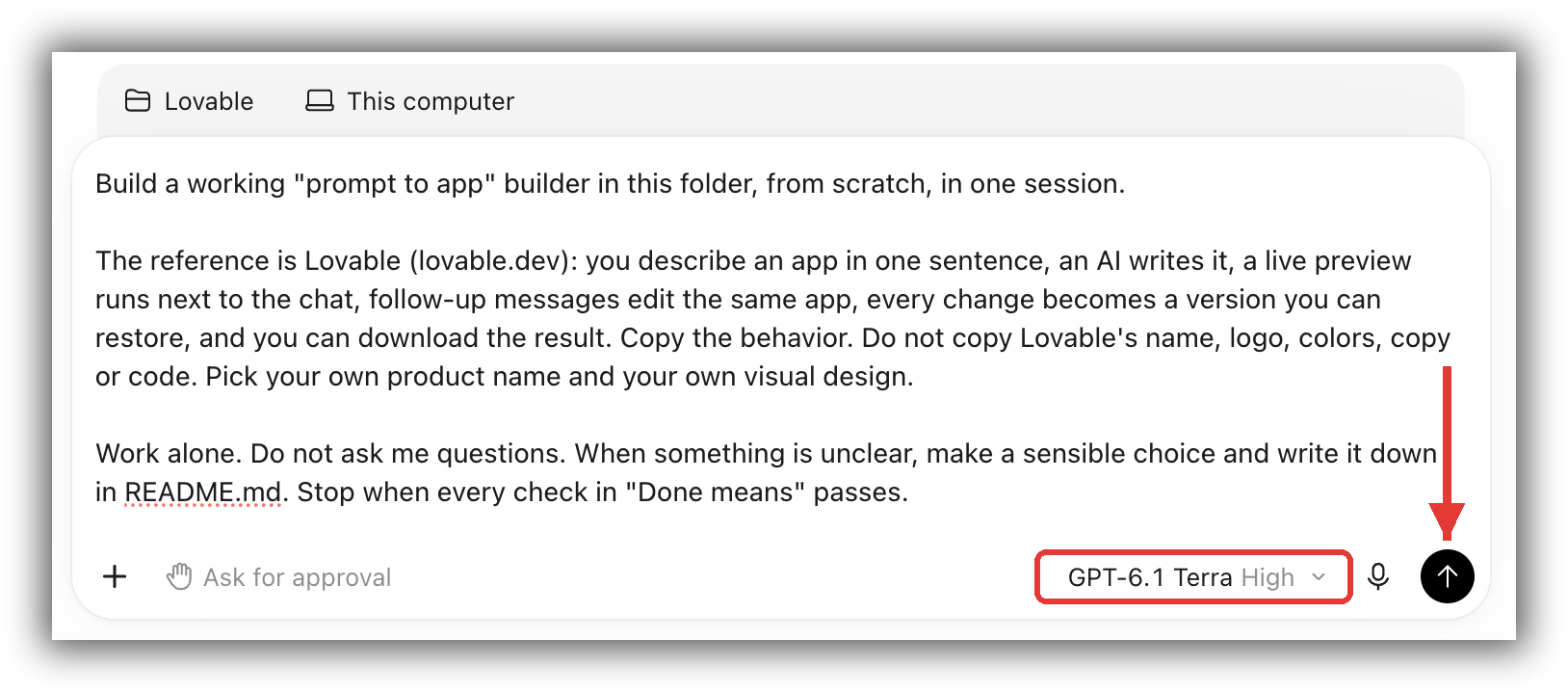
\Codex app, project folder, GPT-6.1 Terra High.\
Paste the prompt and send. Codex runs inside a sandbox, so it asks before it starts a server or opens localhost. Click Allow once on every card.
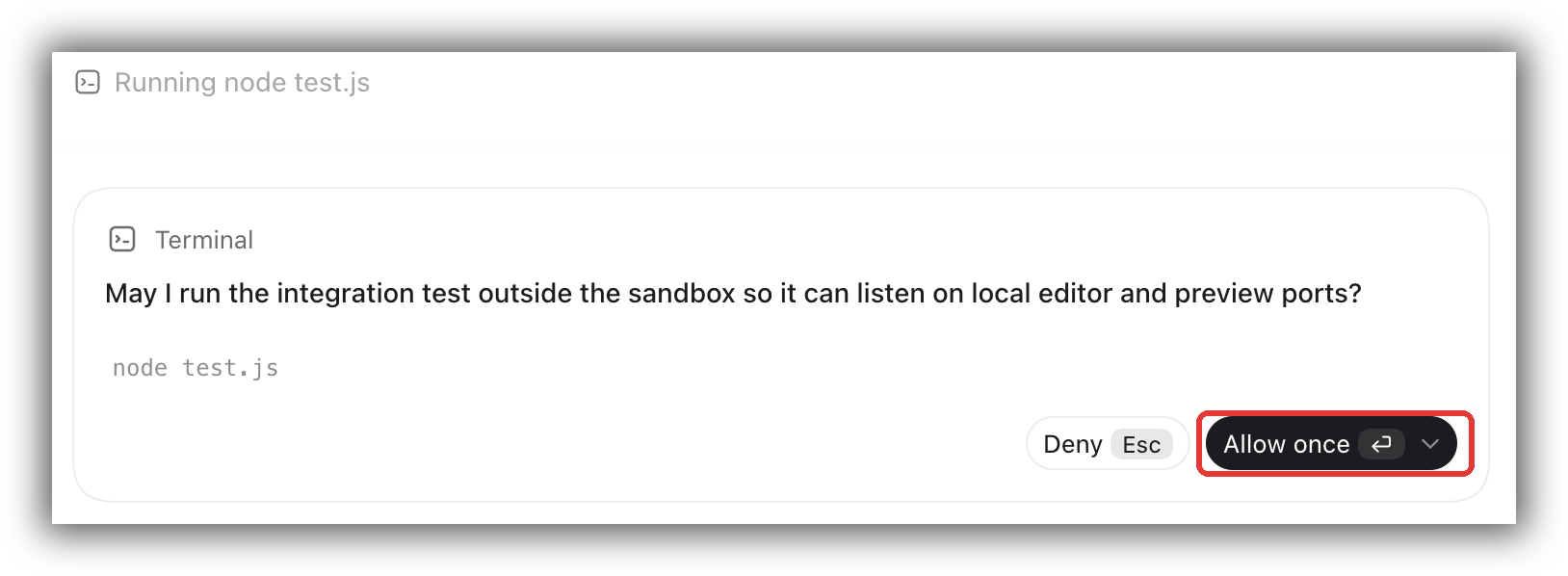
\Codex asks to run the tests outside the sandbox. Allow once.\
Watch the window. Terra needs about 4 minutes of model time, and every card it waits on adds to that.
Kimi K3.1 Pro in the Kimi App
Open the Kimi app and stay on the Work tab. Add your folder under Projects, hover it and click the plus for a new chat.
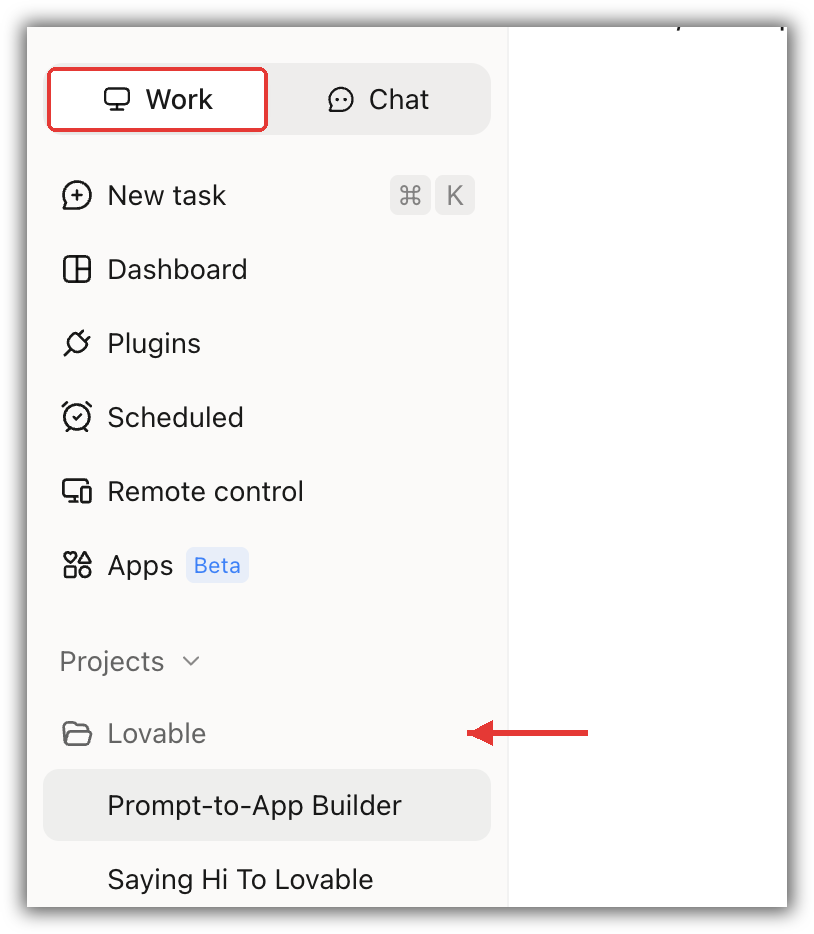
\Kimi app, Work tab, Projects, New chat.\
Check K3.1 Pro and High under the box, paste the prompt and send.
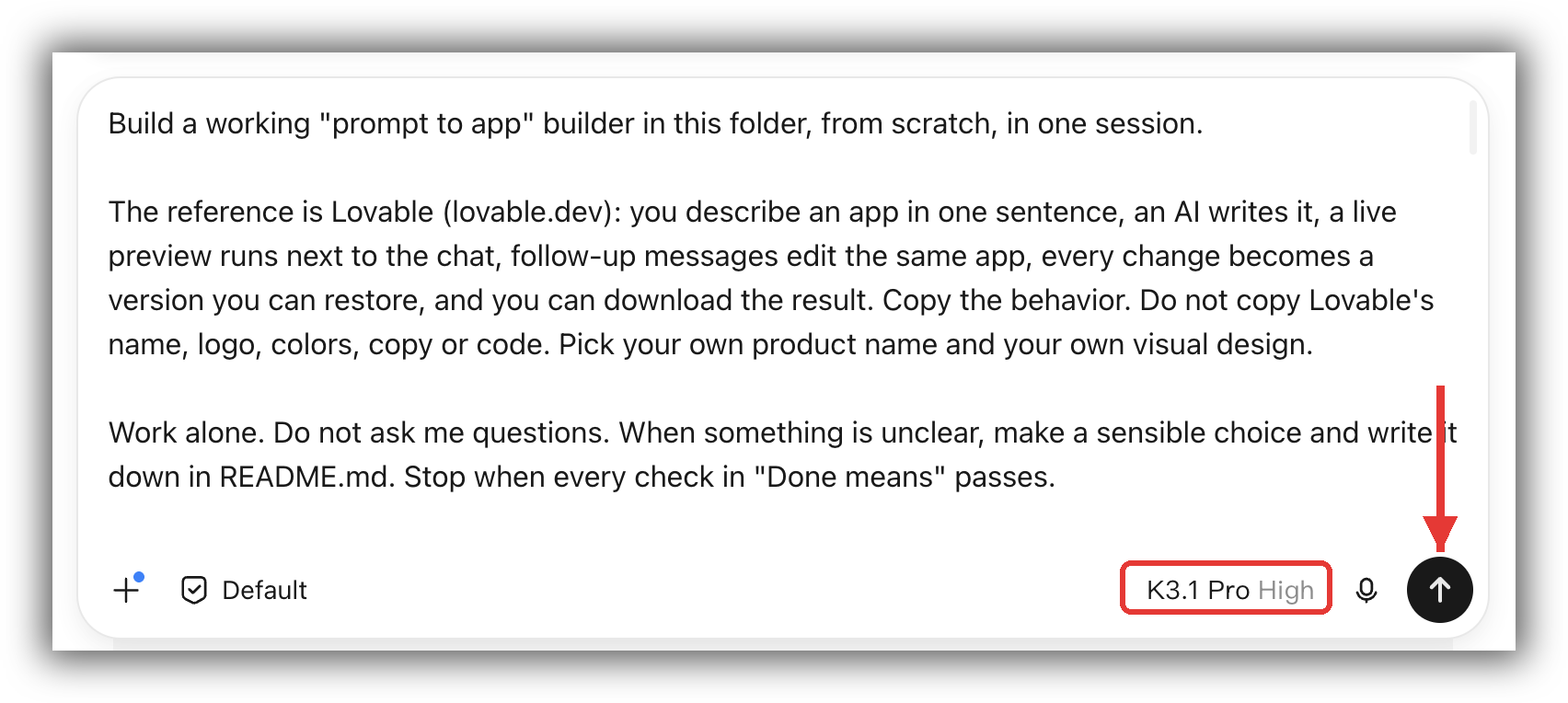
\K3.1 Pro, High. Send.\
Kimi took 24 minutes 37 seconds here. It works without asking.
Final Thoughts
I just took a $13.3B app apart and rebuilt its engine three times.
The cheapest build cost $0.29.
Pick Terra when the bill matters, Opus when the clone has to work on the first real call, Kimi when you want the nicest screen for under a dollar.
Thanks for reading.