Can an open-source AI model compete with Claude? I put Kimi K3.1 Pro to the test by building an app, a game, and a 3D website with both models, then compared the results.
By Gencay
Published: 2026-10-26
URL: https://www.learnwithmeai.com/p/kimi-k3-1-claude-code
Claude Opus 5.5 is the best model you can run inside Claude Code right now, yet it can be quite expensive.
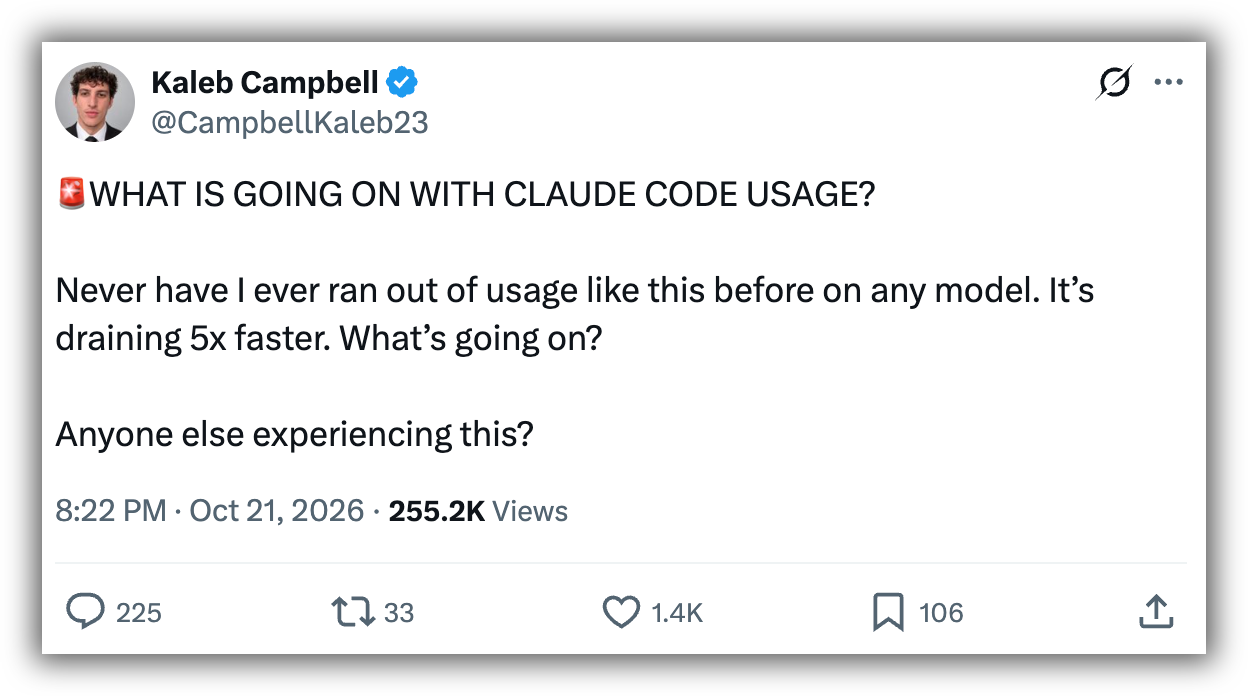
\"It's draining 5x faster." 255K views.\
Look at what Boris Cherny, the creator of Claude Code, answered.
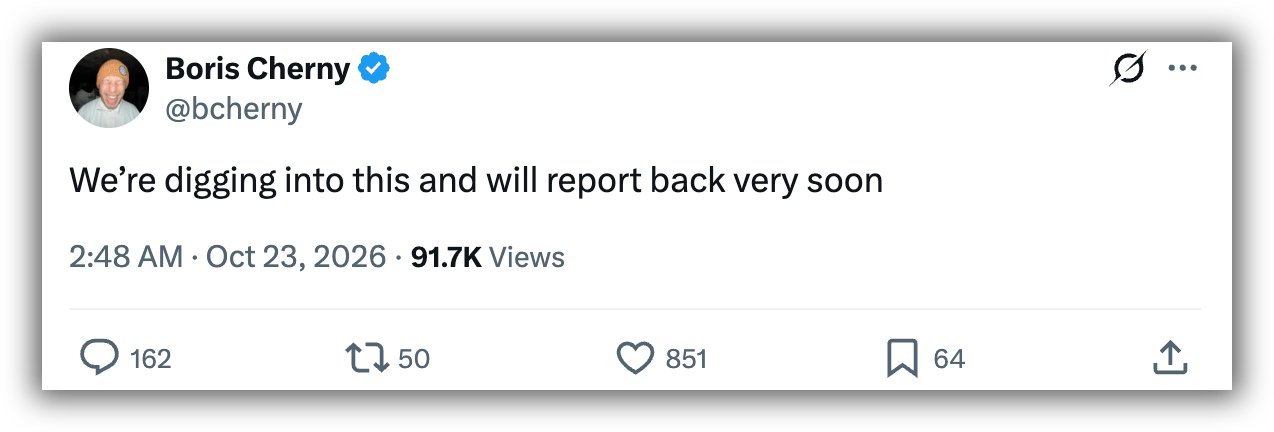
\Boris Cherny under the same post.\
A day later, he replied, "Still digging."
So even the creator of Claude Code cannot tell you yet where your usage went.
In the meantime, Claude's Chinese rival Kimi released K3.1 Pro.
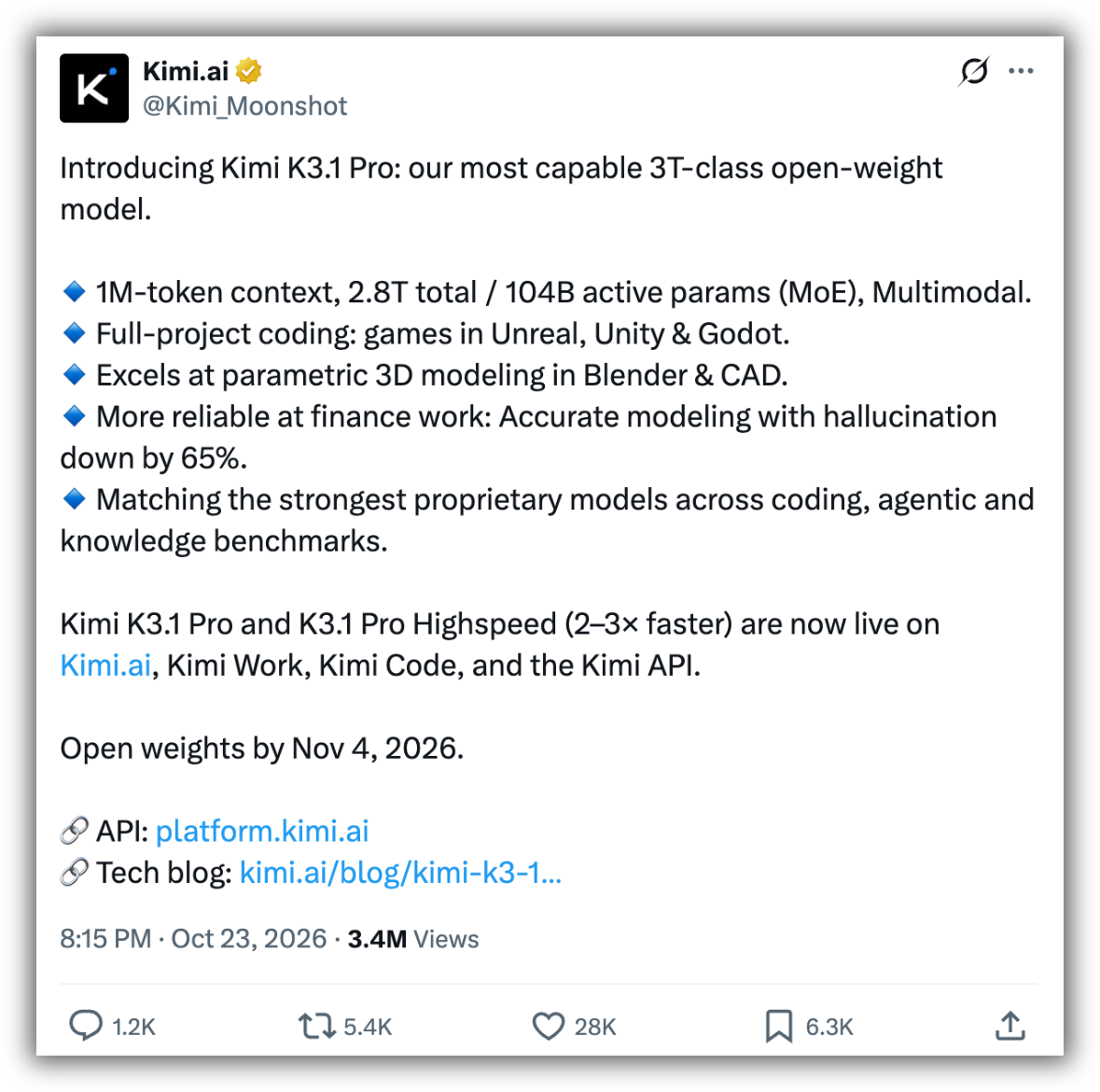
\Moonshot's launch post for Kimi K3.1 Pro. 3.4M views.\
And on paper, it is almost as good as Opus.
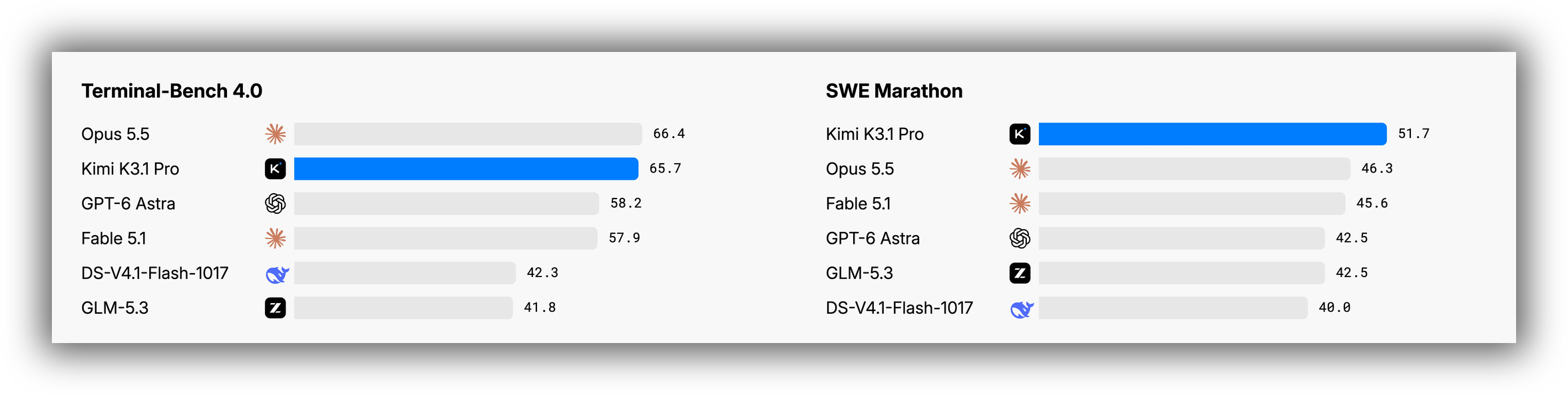
\Terminal-Bench 4.0, from Moonshot's release post.\
Interestingly, it’s also open source, and Moonshot expects to release the full model by November 4.
That means you can run it locally, though you’ll probably need a smaller version. The full model requires a huge amount of computing power.
So I searched on X to see some fancy use cases and explore great use cases.
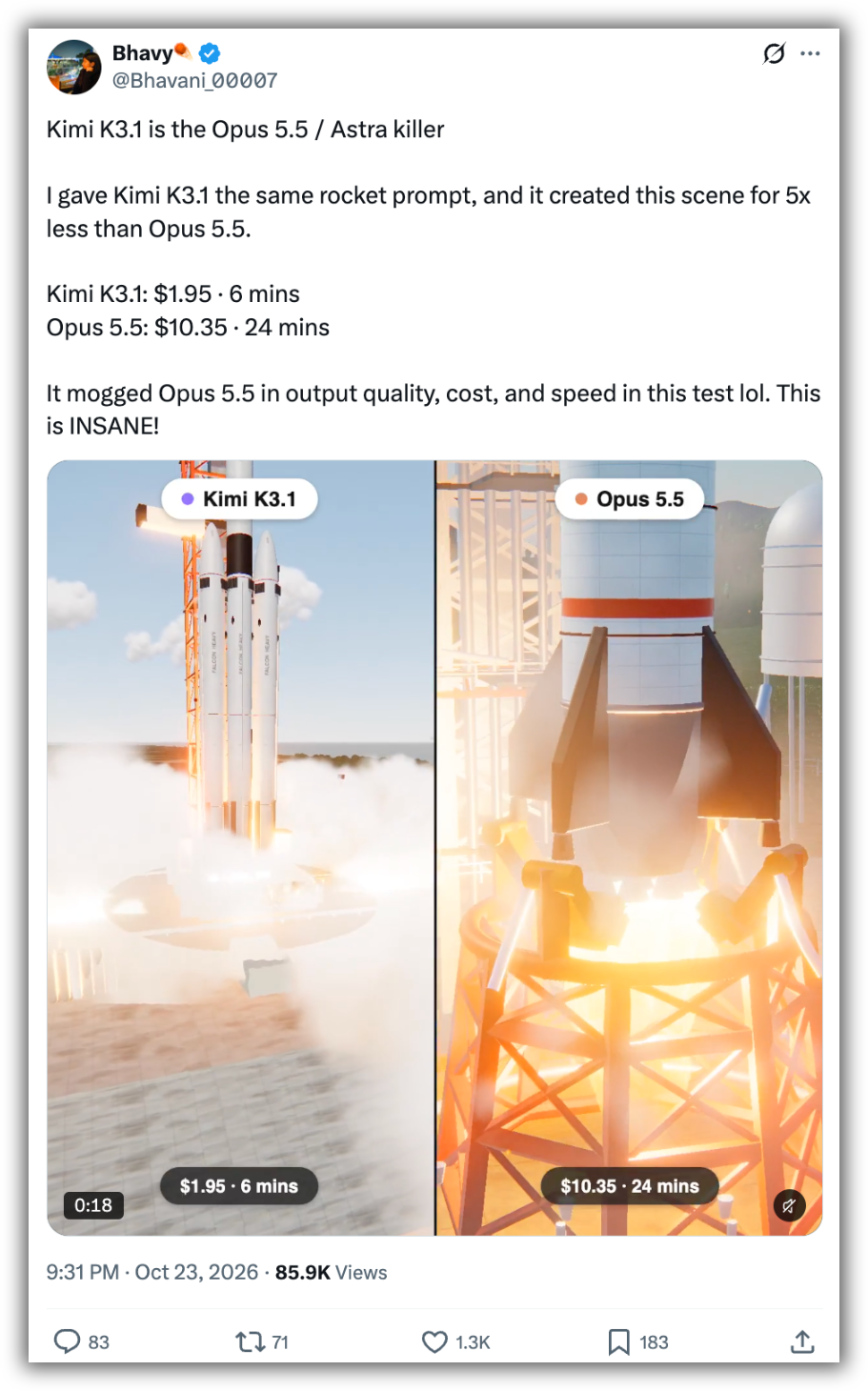
\Same prompt, two models.\
And it runs inside Claude Code, in the terminal you already have open.

\Claude Code v2.1.310 running on moonshotai/kimi-k3.1-pro through OpenRouter.\
Now I am going to show you how.
As use cases, I chose 3 things:
- 3D Website
- Game
- Application.
These are some of the most popular use cases right now, and you can actually make money from them.
Remember Pieter Levels? I told you how he made $1 million in ARR in just 17 days from a game he built in 3 hours.
You can do the same. You can sell the websites you build, or add a subscription model and turn your apps into SaaS businesses.
Kimi K3.1 vs Opus 5.5, Same Three Prompts
Kimi K3.1 on the left, Opus 5.5 on the right.
3D Web Page
The first one is a 3D Web Page.
Kite 75. Kimi $0.78 in 18.5 minutes, Opus $8.33 in 32 minutes.
Game
The second one is Game.
You get 60 seconds, a neon city, and a line of rings to fly through.
Neon Drone. Kimi $0.76 in 16 minutes, Opus $6.32 in 22 minutes.
An App
The third one is an App, Grove, a focus timer.
The tree grows as long as you focus. Leave the tab, and it dies.
Grove. Kimi $0.64 in 14 minutes, Opus $5.26 in 21 minutes.
Opus got all three right on the first prompt.
Kimi K3.1 needed a second prompt on two of them.
The first Neon Drone flashed white on every ring, and the first Grove tree never withered.
One short fix prompt each, $0.23 and $0.13.
The cost?
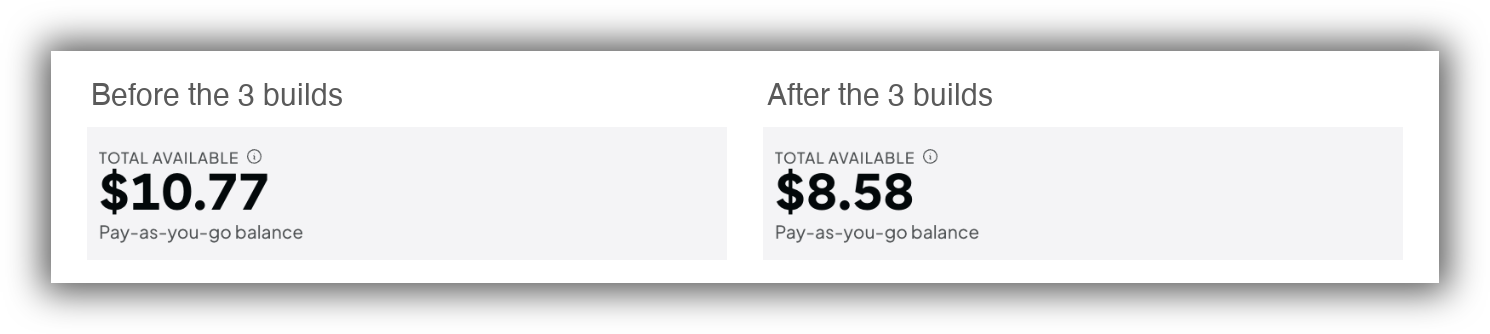
\OpenRouter balance before and after the three Kimi builds.\
$2.17 for all three Kimi K3.1 apps.
What Is Kimi K3.1?
\kimi.ai\
Kimi K3.1 Pro is the newest model from Moonshot AI.
It has a 1 million token context window like Claude, but the difference is that it can be downloaded to your computer.
But the entire model needs a lot of computing power, and it’ll be available on Nov 4, so we use it through OpenRouter at Moonshot's own $2 and $10 per million tokens. (Still half the price of Claude.)
I ran Kimi K3 the same way in July and built a CV builder for $0.402.
How Do I Run Kimi K3.1 Inside Claude Code?
You can do it in just three steps. I’ll walk you through each one.
You can also download the game, app, or 3D website.
Plus, I’ll share the exact prompts you need to build them yourself.
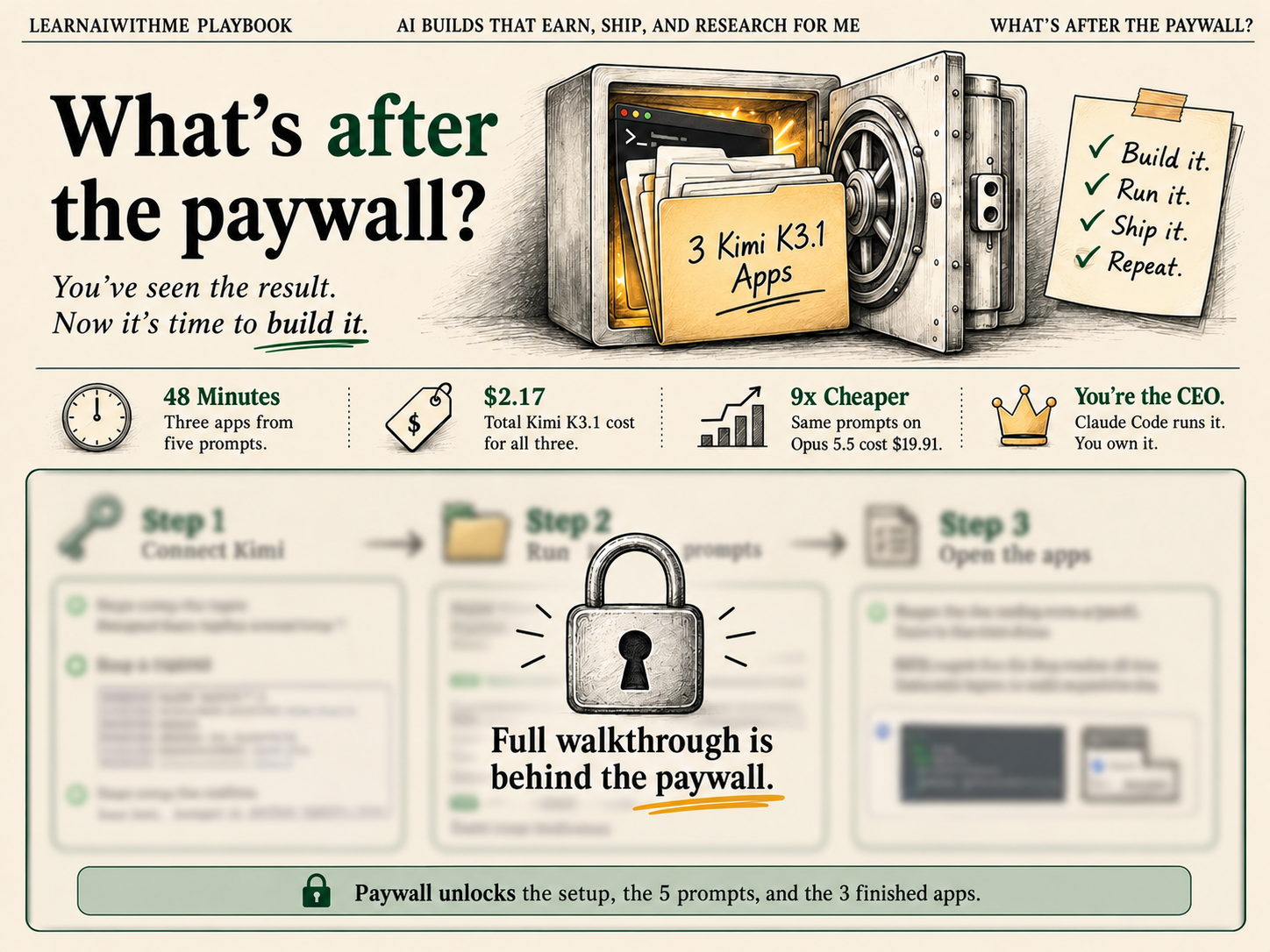
\What is after the paywall?\
Step 1: Connect Kimi K3.1 to Claude Code
Go to OpenRouter, buy a few dollars of credits, and create a new key.
Open the terminal and paste this.
Put your key on the second line.
ANTHROPIC_BASE_URL="https://openrouter.ai/api" \
ANTHROPIC_AUTH_TOKEN="your-openrouter-key" \
ANTHROPIC_API_KEY="" \
ANTHROPIC_MODEL="moonshotai/kimi-k3.1-pro" \
ANTHROPIC_DEFAULT_OPUS_MODEL="moonshotai/kimi-k3.1-pro" \
ANTHROPIC_DEFAULT_SONNET_MODEL="moonshotai/kimi-k3.1-pro" \
ANTHROPIC_DEFAULT_HAIKU_MODEL="moonshotai/kimi-k3.1-pro" \
ANTHROPIC_SMALL_FAST_MODEL="moonshotai/kimi-k3.1-pro" \
CLAUDE_CODE_SUBAGENT_MODEL="moonshotai/kimi-k3.1-pro" \
CLAUDE_CODE_MAX_CONTEXT_TOKENS=1000000 \
claude --strict-mcp-config
Claude Code opens with moonshotai/kimi-k3.1-pro under the logo.
The last line before Claude gives Kimi its full 1 million token window.
Step 2: Build the three apps
Make a new folder for each app, open Claude Code inside it with the command above, and paste one prompt.
Kite 75, the exploding keyboard
Build a premium 3D product page for a fictional mechanical keyboard called "Kite 75". It should look like an Apple or Nothing launch page.
Tech: one folder with index.html, main.js and a package.json that says {"type":"module"}. No build step. Three.js 0.160.0 and its addons (OrbitControls, RoomEnvironment, EffectComposer, RenderPass, UnrealBloomPass, OutputPass) from jsdelivr via an importmap. Google Fonts (Inter and Space Grotesk). No other libraries and no asset files.
The keyboard: model it from geometry with real detail. Anodized aluminium case with rounded edges, a brass weight on the back, plate, PCB with traces, foam layer, 84 switches with stems, 84 keycaps with legends drawn on canvas textures, a knob with a ring light, a USB-C port and 8 screws. PBR materials with RoomEnvironment reflections, ACES tone mapping and a soft contact shadow.
Scroll story (sticky full-screen canvas, short text blocks that fade in on the left):
1. Hero. The keyboard floats at a 3/4 angle on a slow turntable. Headline "Kite 75. Every layer, engineered."
2. The keycaps lift off in a wave, row by row.
3. Switches rise, then the plate, foam, PCB and case separate into a clean exploded view with thin leader lines and labels.
4. The camera orbits around the exploded stack.
5. Everything snaps back together with a smooth ease, then the price and a "Pre-order" button.
Show a live counter with the real number of parts (count the meshes you made). Buttons for Explode, X-ray and Wireframe. Three colourways (Graphite, Glacier, Ember) that change the case and keycap colours.
Add ?autoplay=1, which scrolls the whole story by itself in about 20 seconds, for screen recording.
Polish: eased motion everywhere, subtle bloom on the knob light, smooth on a laptop, usable on a phone.
Check your JavaScript with: node --check main.js
Do not ask me questions. Make sensible choices and keep going. End with a one-line summary.
Neon Drone
Build a polished 3D browser game called "Neon Drone", a 60-second time attack through a floating neon city at night. It should look like a game trailer, not a demo.
Tech: one folder with index.html, main.js and a package.json that says {"type":"module"}. No build step. Three.js 0.160.0 and its addons (EffectComposer, RenderPass, UnrealBloomPass, OutputPass) from jsdelivr via an importmap. No other libraries and no asset files.
World: a procedural city of 80+ towers with emissive window grids, cyan and magenta neon trims, a wet reflective ground, fog, a distant skyline and floating particles. A route of 25 glowing rings that weaves between the towers.
Drone: built from geometry, four spinning rotors, it banks into turns and leaves a light trail.
Controls: WASD or arrow keys, Space to boost with a boost meter, a touch joystick on phones. A chase camera with lag and a small FOV kick on boost.
Rules: each ring gives +1 point and +2 seconds, with a ring burst effect and a rising chime on combos. Hitting a tower shakes the screen, throws sparks and slows the drone for 3 seconds.
UI: a start screen with the drone hovering, a HUD (score, time, combo, best score in localStorage), a game over screen with stats, R to restart.
Sound: Web Audio API synth (rotor hum tied to speed, ring chime, crash) with a mute button.
Add ?demo=1, where the drone flies the ring route by itself on an autopilot, for screen recording.
Check your JavaScript with: node --check main.js
Do not ask me questions. Make sensible choices and keep going. End with a one-line summary.
If the first Neon Drone flashes white on every ring, send this fix.
Two problems in Neon Drone.
1. The browser console shows "ERROR: 'color' : redefinition" from two ShaderMaterials, so the particles and the crash sparks never render. Fix it.
2. When the drone flies through a ring, the whole screen turns white for about a second. Keep the glow, but cap the bloom and the ring burst so the city stays visible.
Make sure the drone stays clearly visible in the chase camera during ?demo=1.
Check your JavaScript with: node --check main.js
Do not ask me questions. End with a one-line summary of what you changed.
Grove, the Forest clone
Build a beautiful 3D focus timer inspired by Forest, called "Grove". It should feel calm and premium, like a Monument Valley level.
Tech: one folder with index.html, main.js and a package.json that says {"type":"module"}. No build step. Three.js 0.160.0 and its addons (OrbitControls, EffectComposer, RenderPass, UnrealBloomPass, OutputPass) from jsdelivr via an importmap. Google Fonts allowed. No other libraries and no asset files.
Scene: a floating low-poly island at golden hour with soft shadows, a small pond, rocks, grass tufts, drifting clouds and fireflies. A gentle camera drift.
Loop: pick 10, 25 or 50 minutes and a tree (Pine, Oak, Cherry Blossom), then press Start. The tree grows in 3D in sync with the timer: seed, sprout, sapling, full tree. Leaves sway, and the cherry drops petals. A ring timer in the UI.
If the user leaves the tab for more than 10 seconds, the tree withers. It turns grey-brown, droops, drops its leaves, and the session fails with a gentle message.
A finished tree is planted on the island with a small burst of light. All trees are saved in localStorage and appear next time, so the island fills up over the weeks.
Extras: coins (1 per focused minute), today's focus minutes and a day streak.
Testing: ?speed=60 makes one second count as one minute. ?demo=1 starts a 10-minute Cherry Blossom session at speed 60 by itself, for screen recording.
Check your JavaScript with: node --check main.js
Do not ask me questions. Make sensible choices and keep going. End with a one-line summary.
If the tree does not wither when you come back, send this fix.
Two problems in Grove.
1. ?demo=1 should also turn on speed 60, but the timer still runs in real seconds unless ?speed=60 is added too. Make ?demo=1 imply speed 60.
2. When the user comes back after more than 10 seconds away, the message shows but the tree never withers. It stays green and full. Make the wither animation play: the tree turns grey-brown, droops, drops its leaves, then disappears.
Check your JavaScript with: node --check main.js
Do not ask me questions. End with a one-line summary of what you changed.
Step 3: Open the apps
Inside each folder, run npx serve . in the terminal and open the link it prints.
Kite 75 plays its whole story with ?autoplay=1 at the end of the link. Neon Drone flies itself with ?demo=1. Grove runs a full session in 10 seconds with ?demo=1.
The three finished apps, the exact prompts that built them and a README are in this Google Drive folder.