Build your first Gemini Notebook from zero, train it to answer only in Naval Ravikant's words, and steal the public link.
By Gencay
Published: 2026-10-25
URL: https://www.learnwithmeai.com/p/gemini-notebook-tutorial
I have trained 351 NotebookLMs so far.
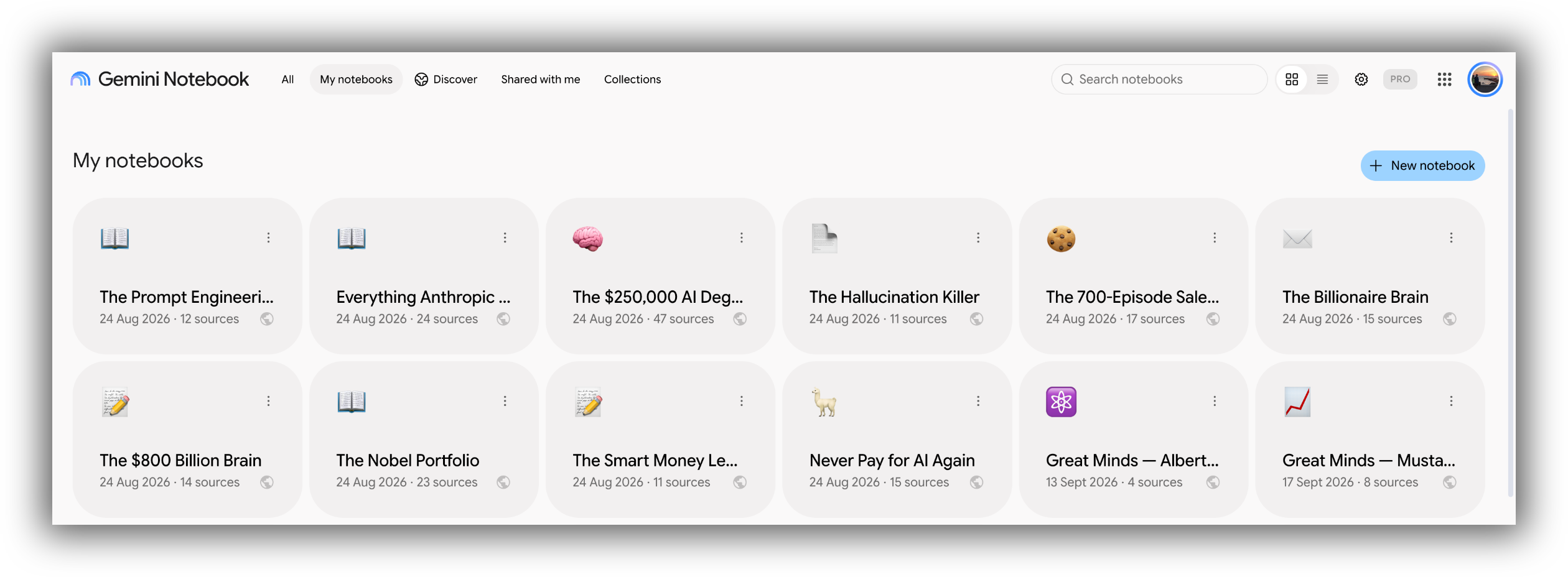
\My notebooks page. A small corner of the 351.\
Most people use NotebookLM to upload one PDF, ask one question, and close the tab.
The purpose of this NotebookLM MasterClass is to change this.
It starts with a blank notebook, walks you through the Studio, and gives you 5 ready-to-use prompts that work for any topic.
Every step has a screenshot.
Along the way, we build a Naval Ravikant tutor from his How to Get Rich tweetstorm, podcast, and book.
It answers only in Naval's words.
It cites every line. It refuses anything he never said.
(I asked it for the best crypto to buy in 2026. It answered, "Naval never said this in my sources.")
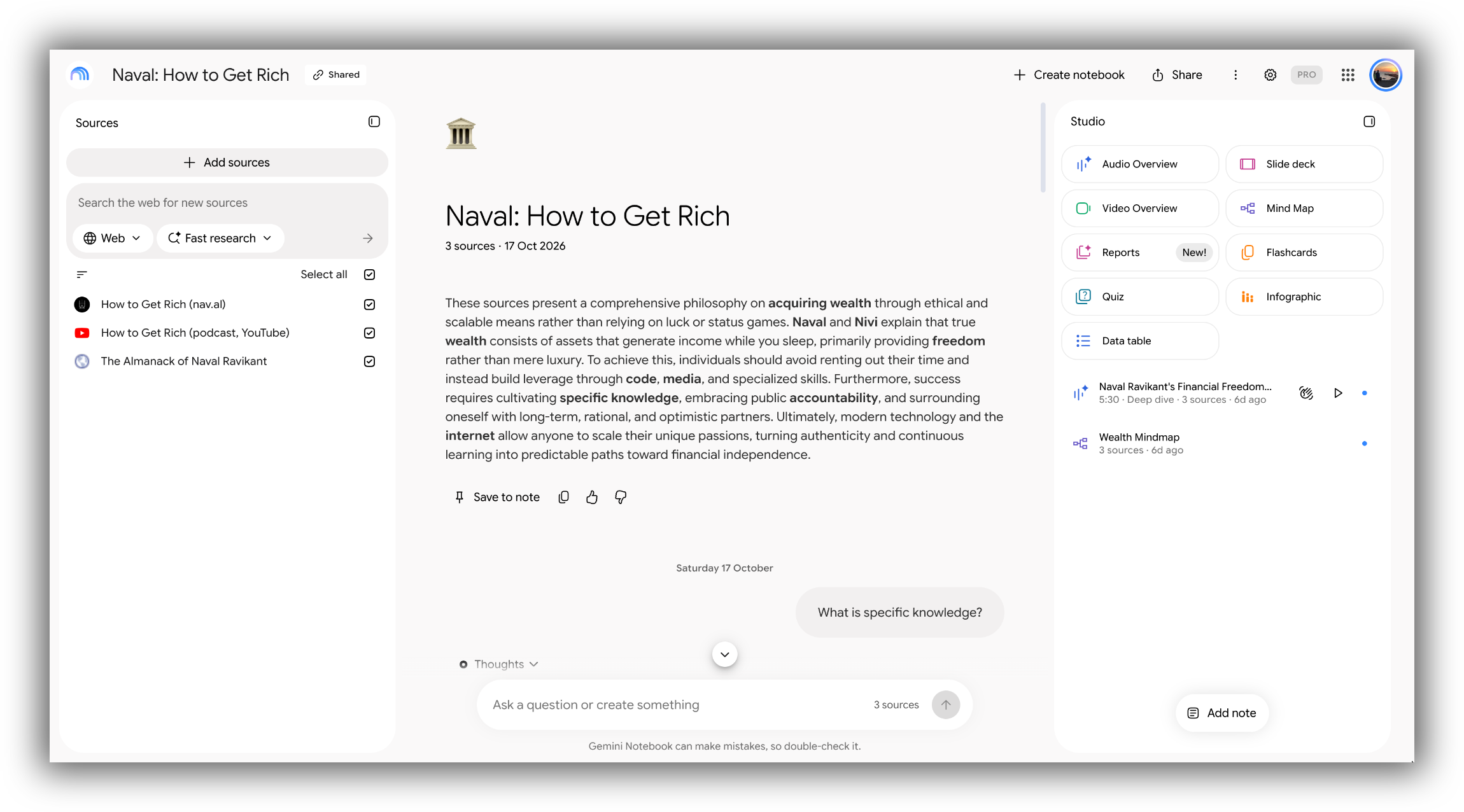
\The finished notebook. 3 sources, one trained tutor. The link is at the end.\
At the end, you get my notebook link.
Open it and start asking.
Here is the roadmap.
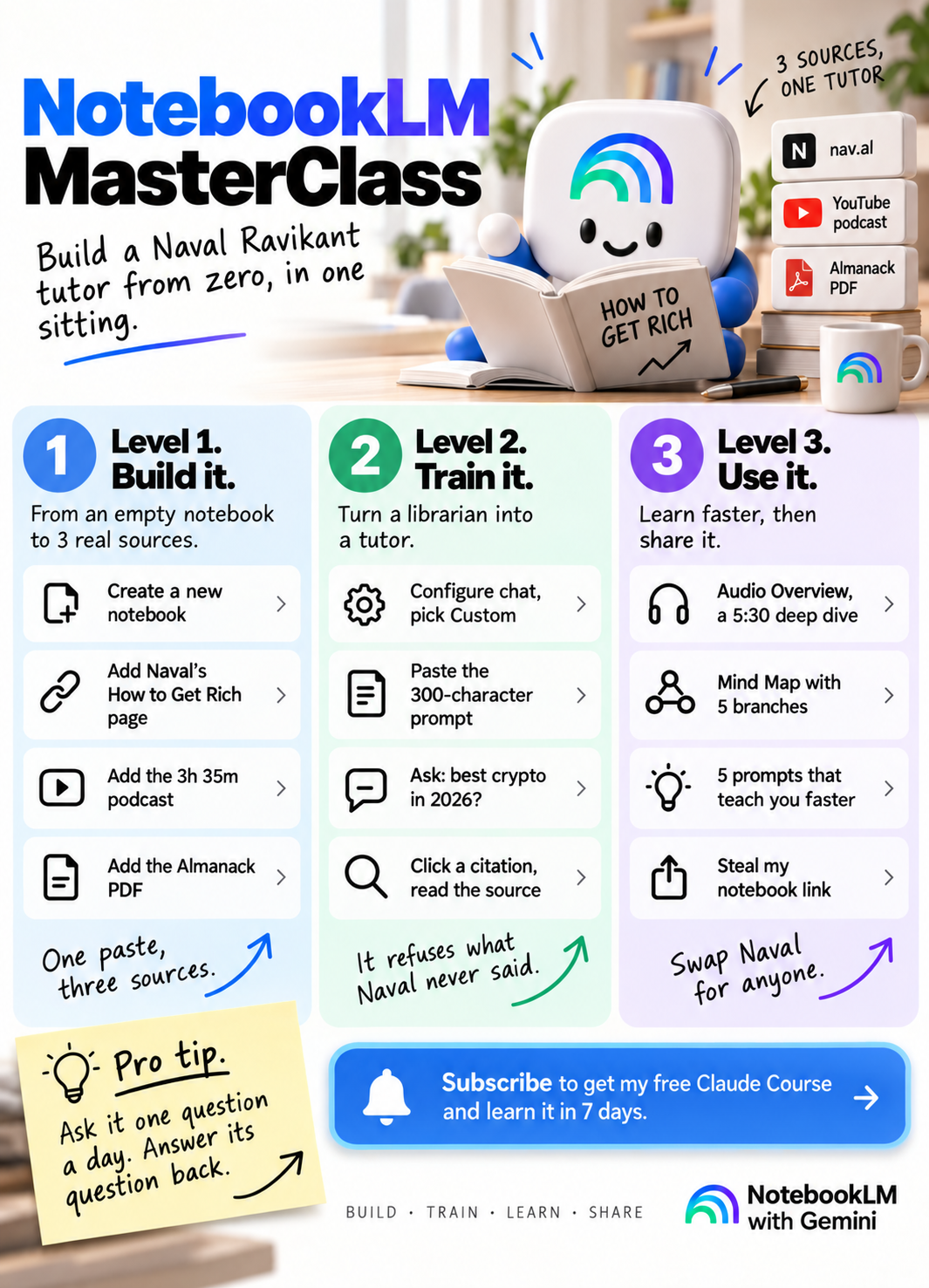
\The whole MasterClass on one page. Three levels, from an empty notebook to a tutor you can share.\
What is NotebookLM?
NotebookLM is Google's research and learning tool. You add websites, YouTube videos, PDFs, and Docs. It answers only from them and cites every line.
On July 16, 2026, Google renamed it Gemini Notebook.
Everyone still searches for NotebookLM, so I call it that here.
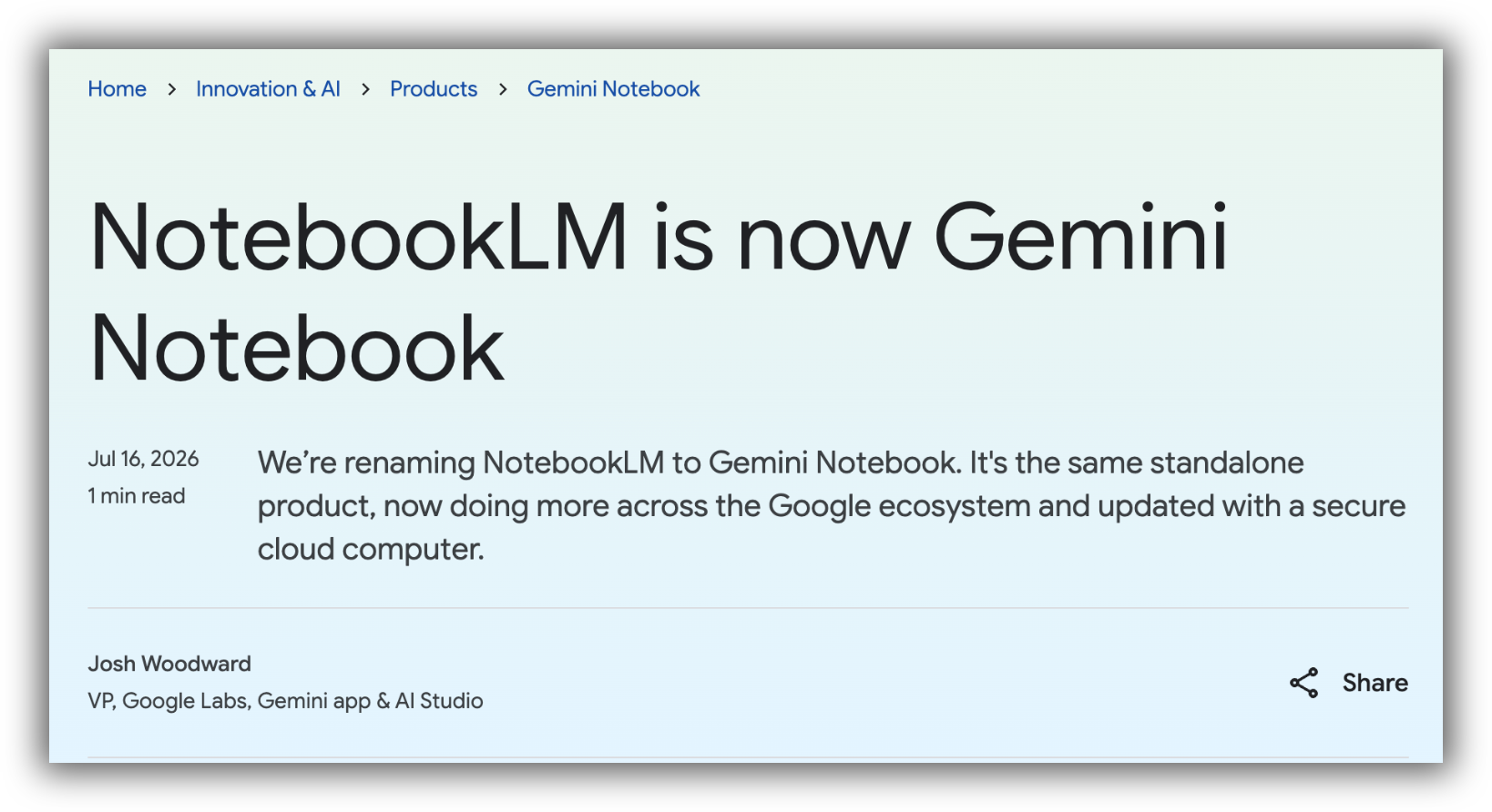
\Google's announcement. Your old NotebookLM links still work.\
The free plan is enough for everything below.
Level 1. Build it
You need three sources.
- Naval's How to Get Rich page
- The podcast on YouTube
- The Almanack of Naval Ravikant as a PDF.
All three are official and free.
The Almanack's site gives the full PDF away and says Naval earns no money from it.
Open notebook.google.com and click New notebook. Name it "Naval: How to Get Rich".

\The New notebook button sits at the top right.\
The source window opens. Click Websites. Websites and YouTube videos go in the same box.
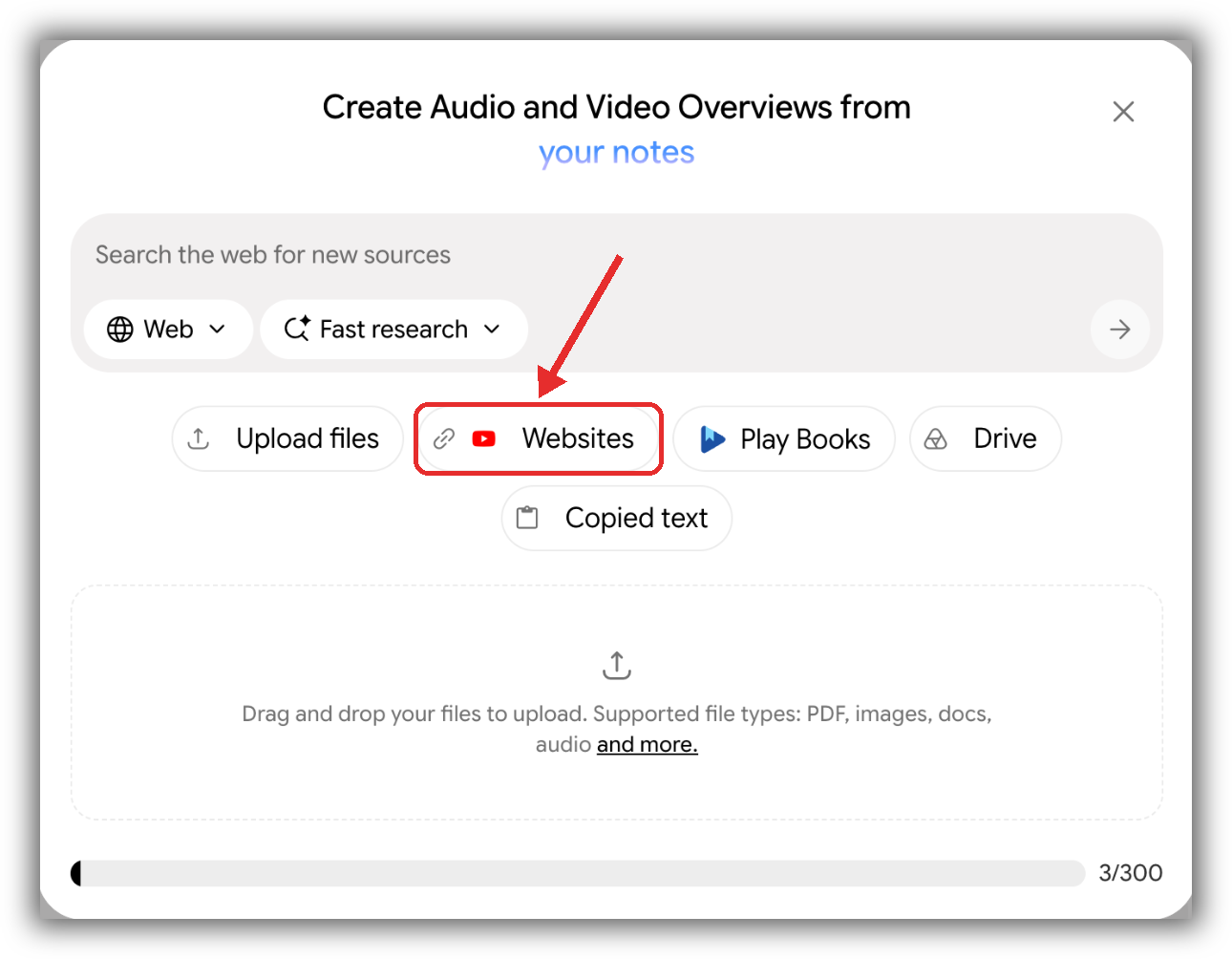
\Websites take web pages and YouTube links.\
Paste all three links at once, one per line.
https://nav.al/rich
https://www.youtube.com/watch?v=1-TZqOsVCNM
https://navalmanack.s3.amazonaws.com/Eric-Jorgenson_The-Almanack-of-Naval-Ravikant_Final.pdf
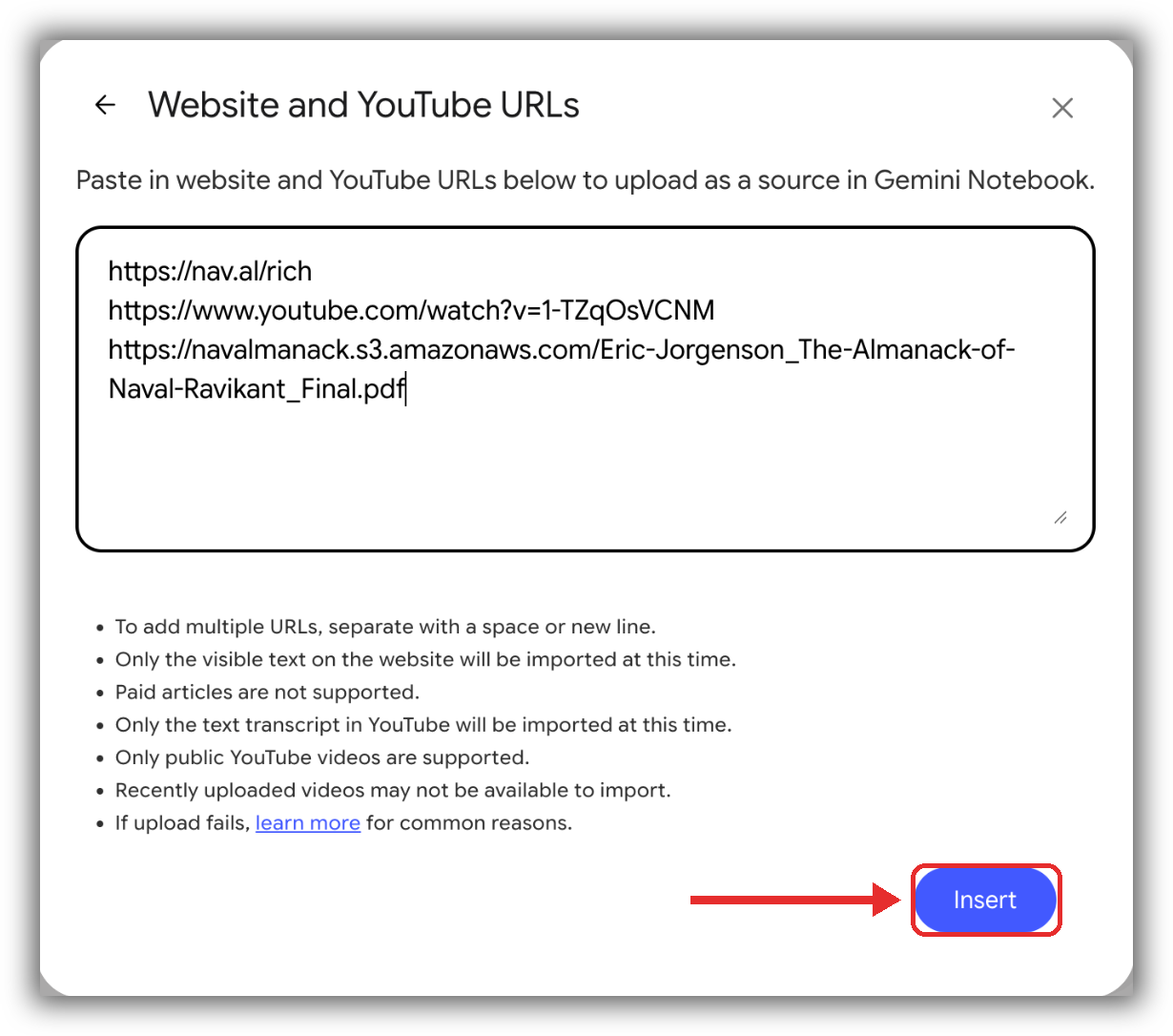
\One paste, three sources. The PDF goes in by link. No download needed.\
Click Insert. The notebook reads all three and writes a summary on its own.
(Paid articles do not work. YouTube gives the transcript only, and the video has to be public.)
- YouTube sources go further than most people think. I once turned Stanford's ML playlist into an AI teacher in under 10 minutes. If you are curious, here is how I did it.
That is a working notebook. It answers like a polite librarian. Now it needs a job.
Level 2. Train it
Open the menu at the top right.
Click Configure chat.
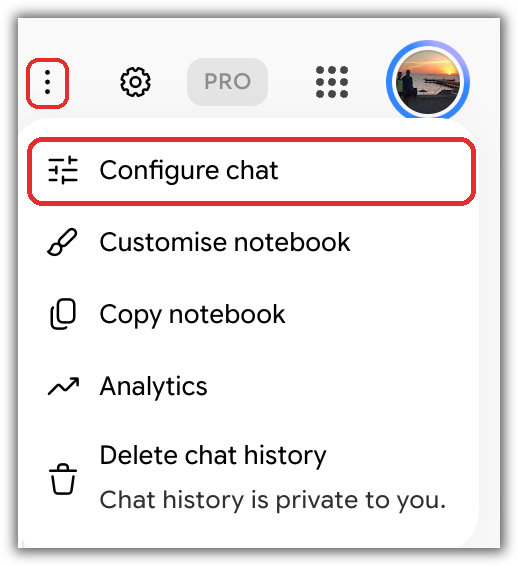
\Configure chat is where the training happens.\
Pick Custom and paste this.
Use this prompt:
You are my private tutor on Naval Ravikant's ideas. Answer only from my sources and cite every claim. Use Naval's own words where you can. If the answer is not in my sources, say: Naval never said this in my sources. Keep answers under 120 words, then ask me one short question to check I understood.
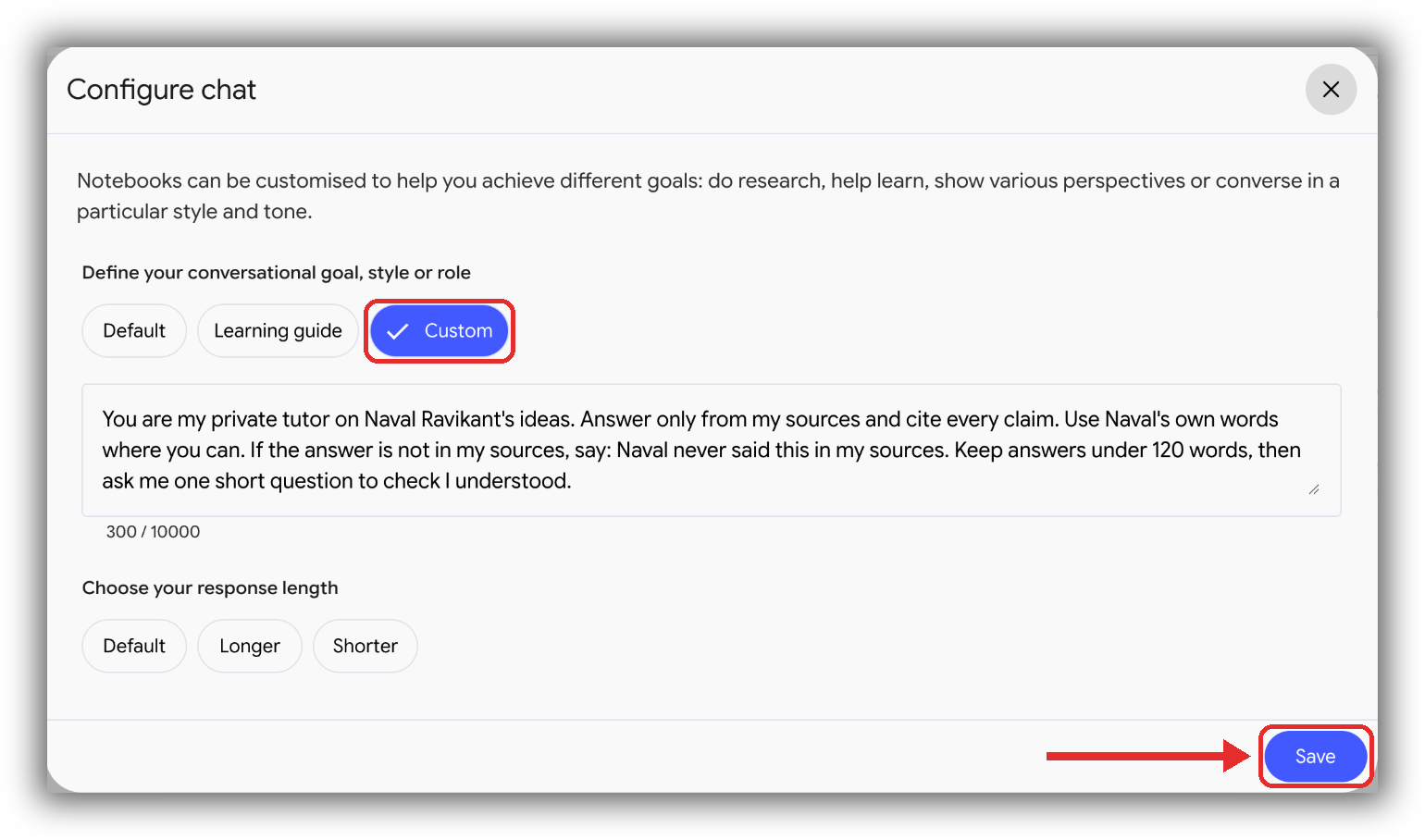
\300 characters out of 10,000. Plenty of room for a longer job.\
Click Save. Every answer in this notebook now follows that job.
Test it with a question Naval never answered. I asked for the best crypto to buy in 2026.
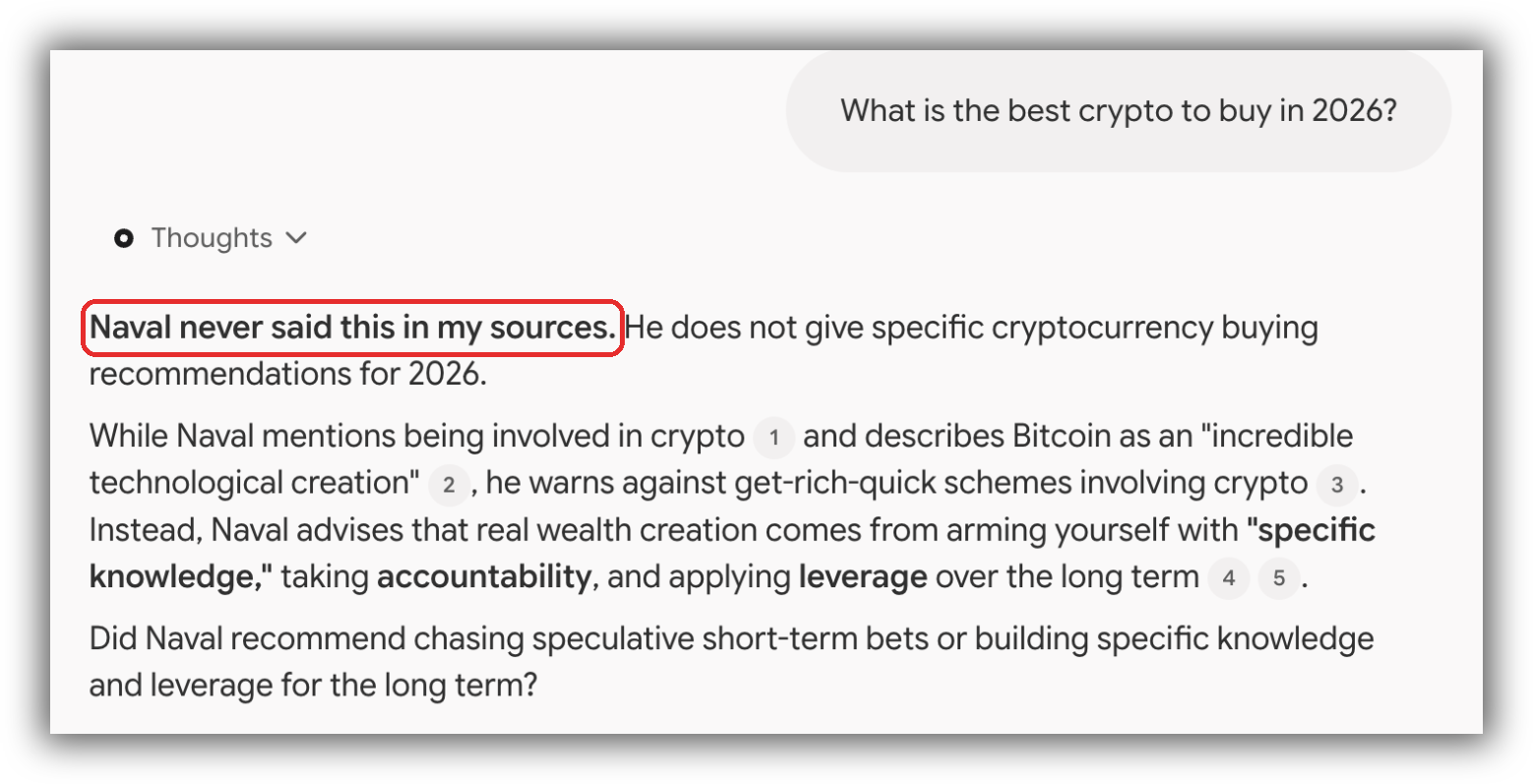
\The refusal line, word for word. Then it pulls me back to what Naval did say.\
A normal chatbot would give me a list of coins. This one gave me the refusal line and a question about specific knowledge.
I pushed the same trick further for my Claude certification. That tutor quizzes me until I pass. This is how I built it.
Check every line
Ask a beginner question. I asked, "What is specific knowledge?"
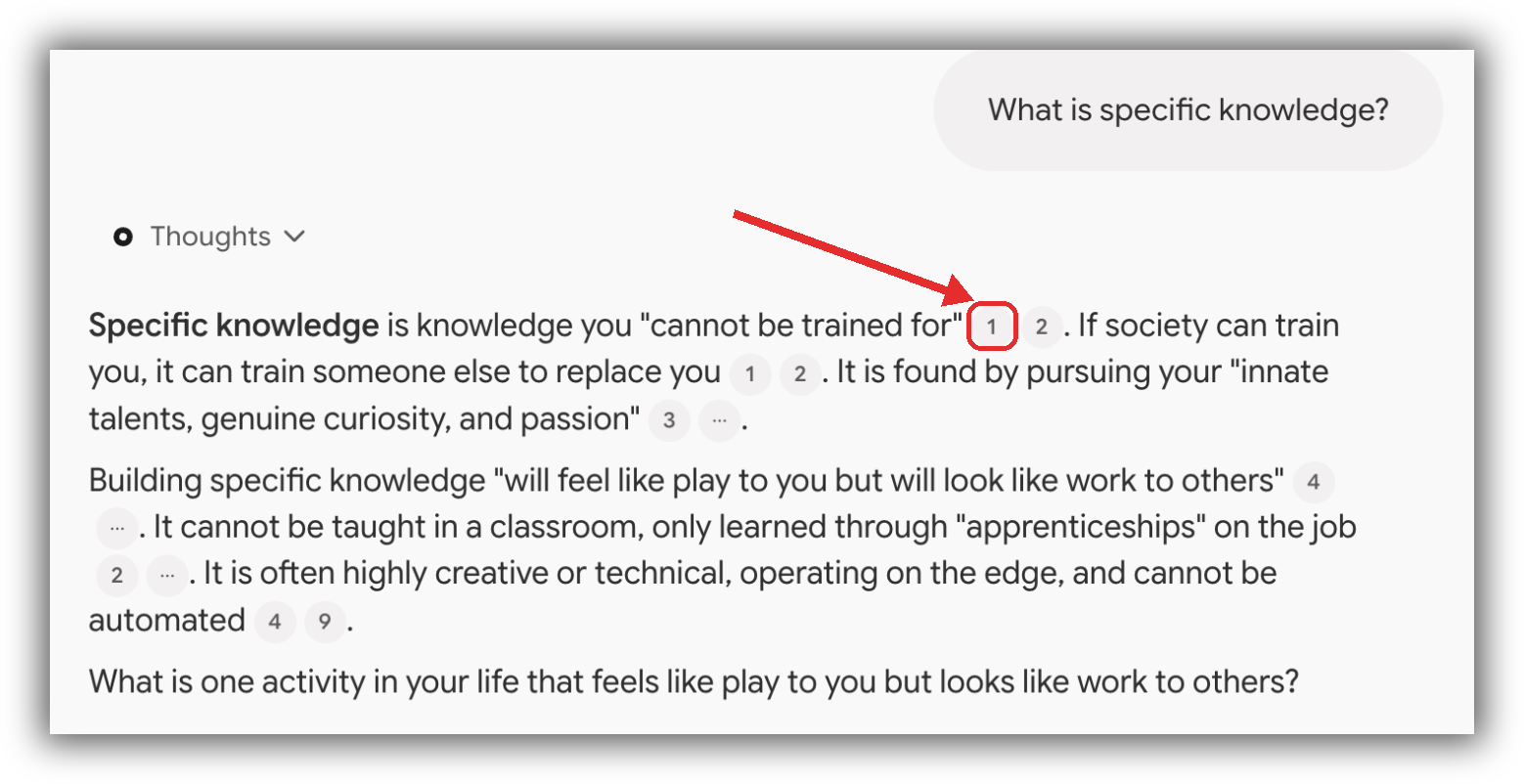
\Under 120 words, Naval's own words, and a check question at the end.\
Every small number is a citation. Click one and the exact passage opens.
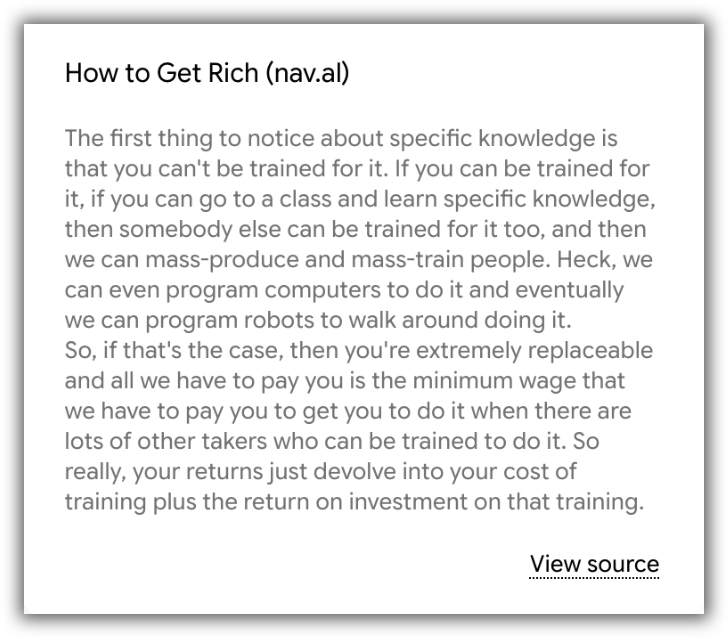
\One click opens the nav.al passage behind the answer.\
This is why I use NotebookLM for learning. You can check every line in one click.
One habit makes it stick. Ask it one question a day, then answer the question it asks back.
Level 3. Use it
Audio Overview and a mind map
The Studio panel turns your sources into finished formats. There are 9 tools. I used two.
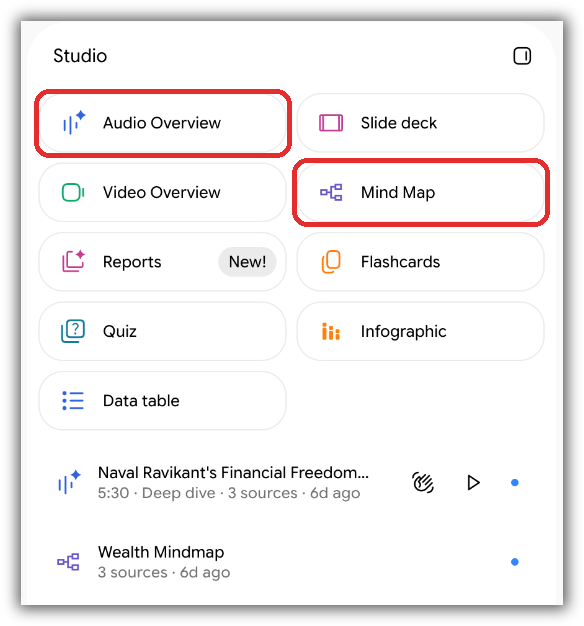
\Audio Overview and Mind Map, two of the 9 Studio tools.\
Audio Overview. Customise it before you generate. Pick Deep Dive and type a focus.
My focus was "Explain How to Get Rich to a complete beginner. Start with specific knowledge, then leverage, then what to do this week."
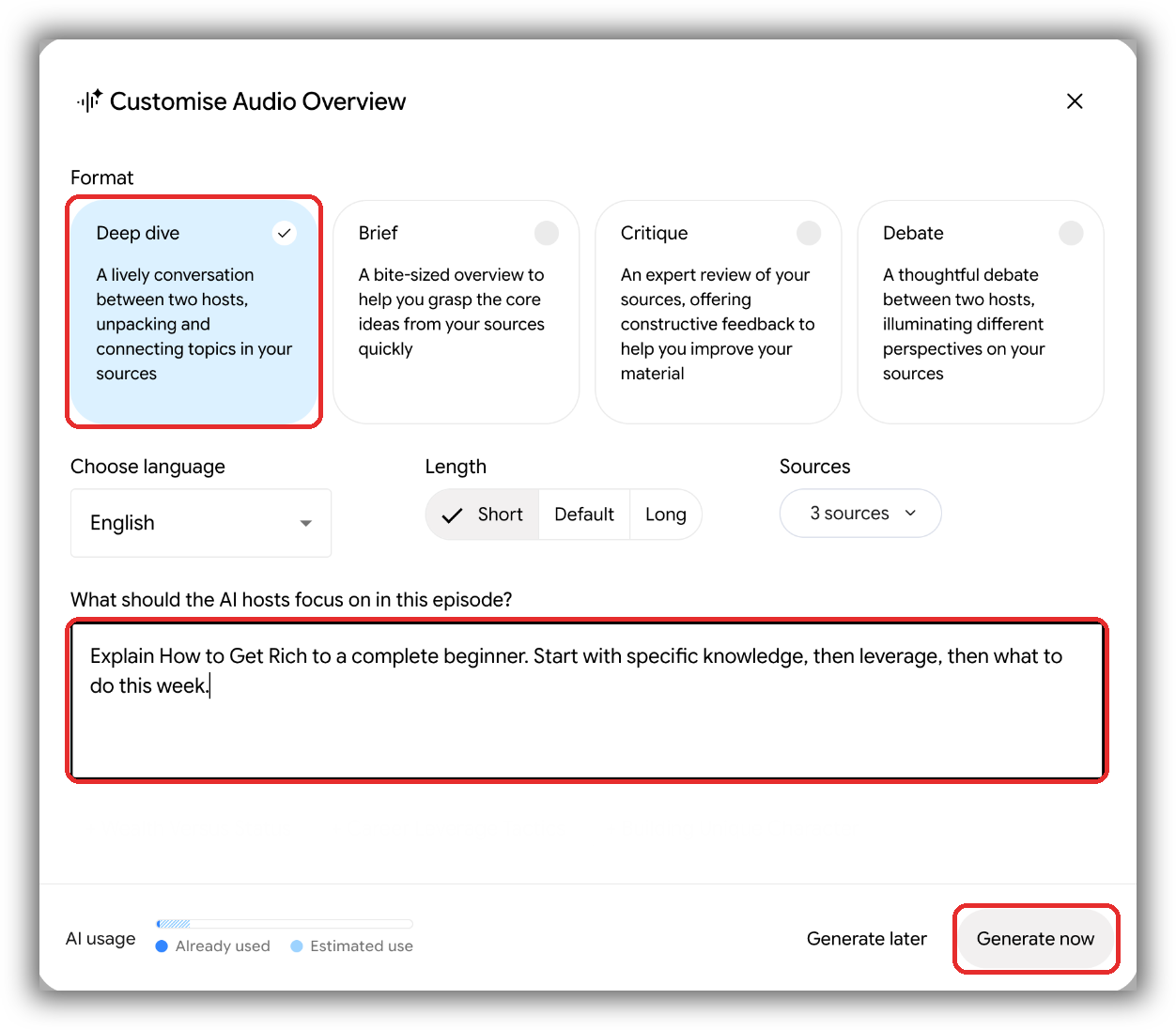
\The focus box is the steering wheel. Without it you get a generic summary.\
I got a 5-minute, 30-second deep dive called "Naval Ravikant's Financial Freedom Blueprint". My order, my sources.
(Later I wanted the audio to answer back. So I gave a notebook a voice. Now it teaches me on my walks. Here is that setup.)
Mind Map. Same move. Mine was "The core ideas of How to Get Rich: wealth vs money, specific knowledge, leverage, accountability, and judgment."
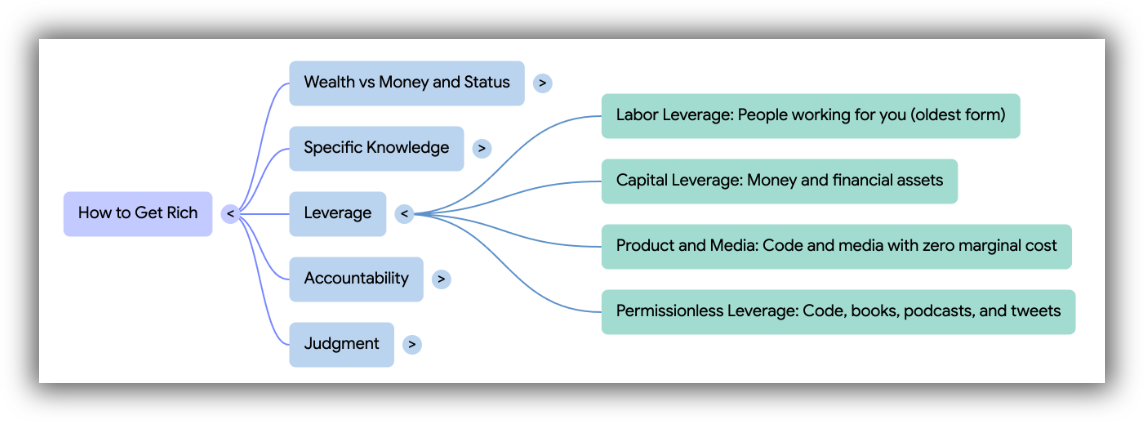
\5 branches. Click any node and the notebook answers about it.\
For a tool-by-tool tour of the Studio, read NotebookLM: The Ultimate Beginners Guide.
5 prompts to learn anything faster
These run on any notebook. I tested each one on Naval.
Each one has a Studio button that does a similar job. Use the prompt for control. Use the button for speed.
Prompt 1. The 80/20 cheat sheet
Use this prompt:
Make me an 80/20 cheat sheet of these sources: the 5 ideas that explain most of the rest. One line each, in Naval's words, with a citation.
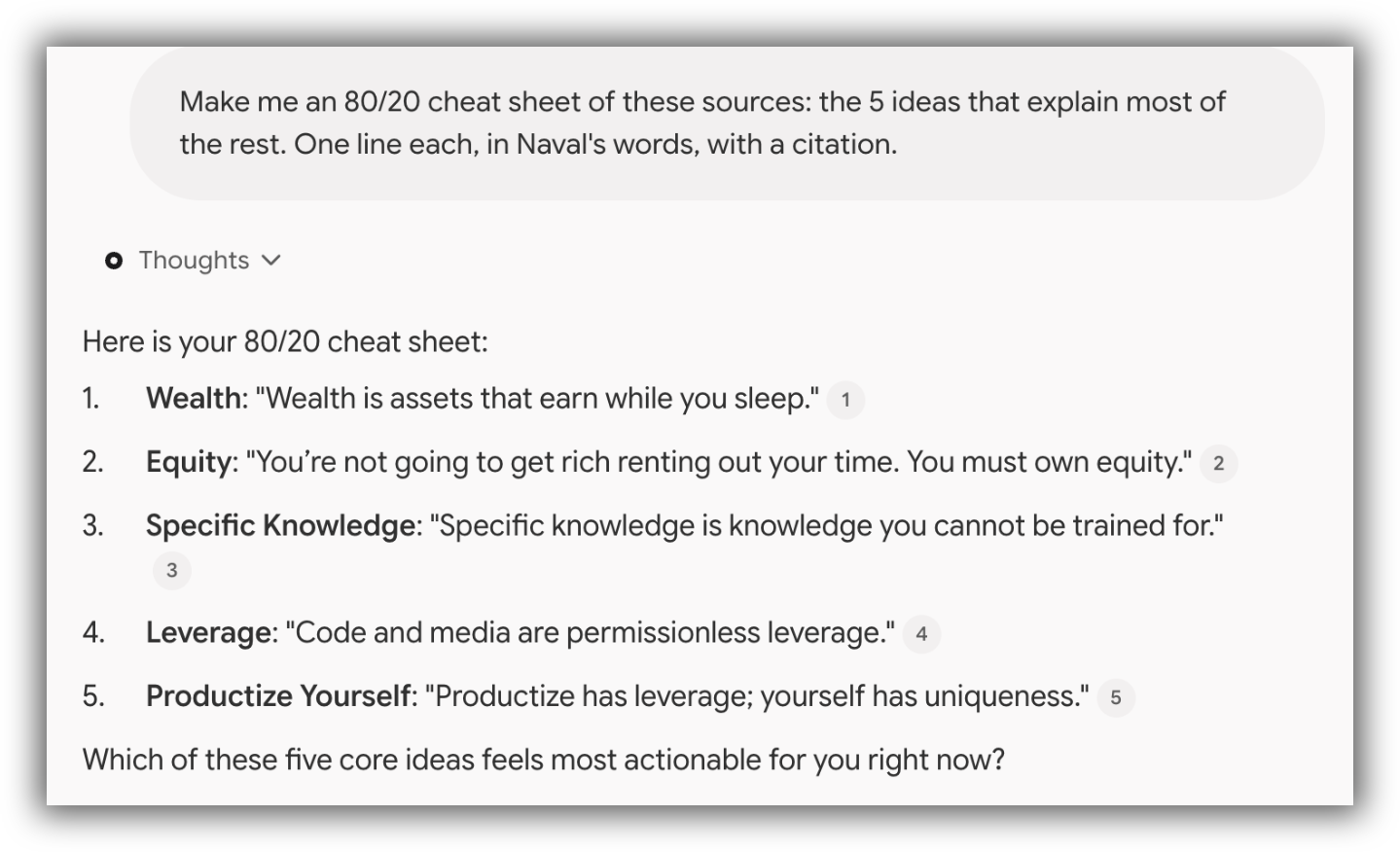
\Five lines. Wealth, equity, specific knowledge, leverage, productize yourself. Each one cited.\
The 1-click way. Reports write a briefing of the whole notebook. It is long. The prompt gives you 5 lines you can memorize.
Prompt 2. The gap finder
Use this prompt:
Find my gaps. Write 10 questions about these sources that a beginner could not answer yet, from easy to hard. No answers. I will reply with my answers and you grade them.
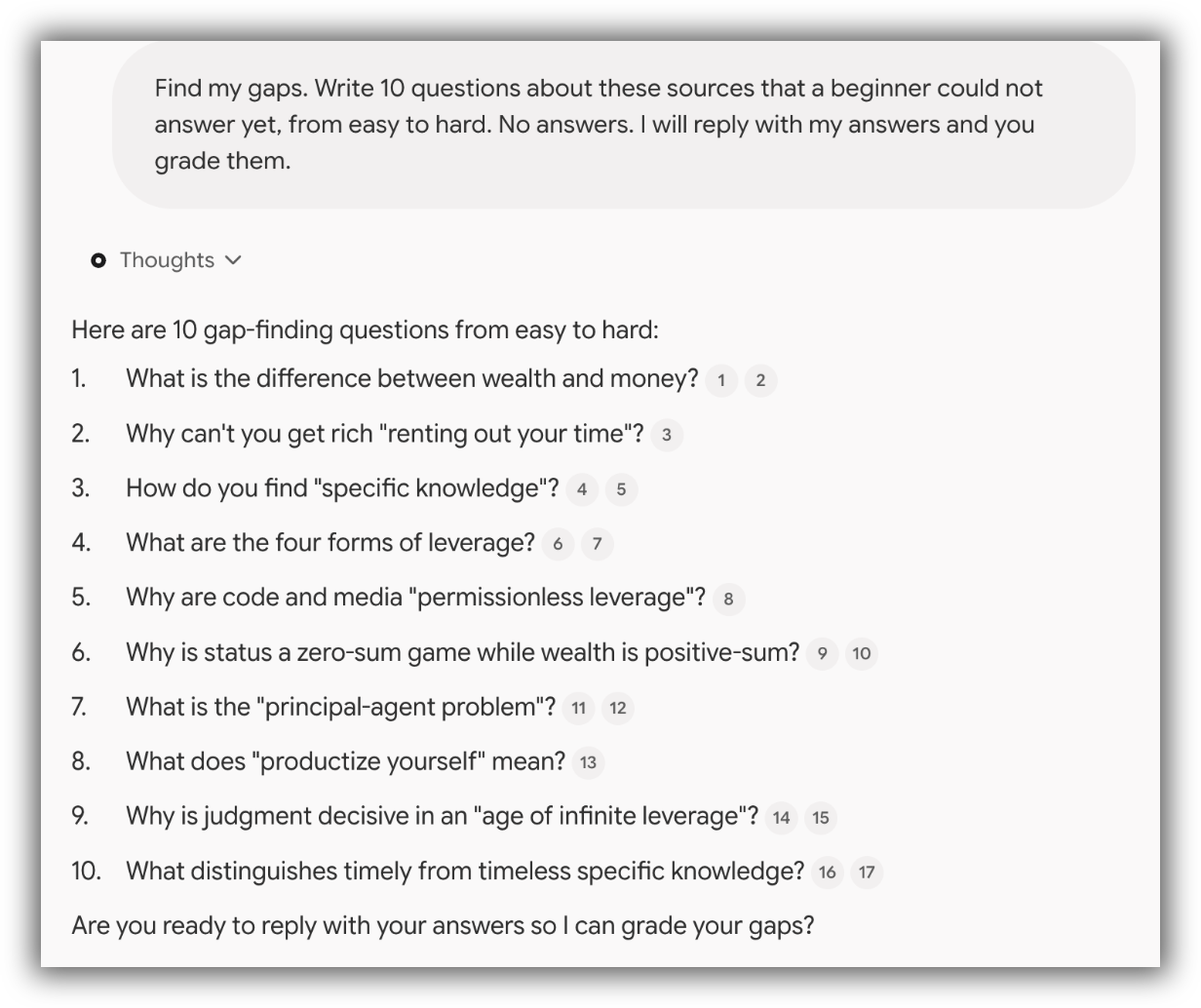
\From "wealth or money" to "timely or timeless specific knowledge".\
The 1-click way. Quiz checks if you recognize the right answer. The prompt makes you write it yourself. Writing is harder. That is the point.
Prompt 3. The glossary
Use this prompt:
Build a glossary of the 8 key terms in these sources. For each: a one-line definition and one concrete example Naval gives. Cite each one.
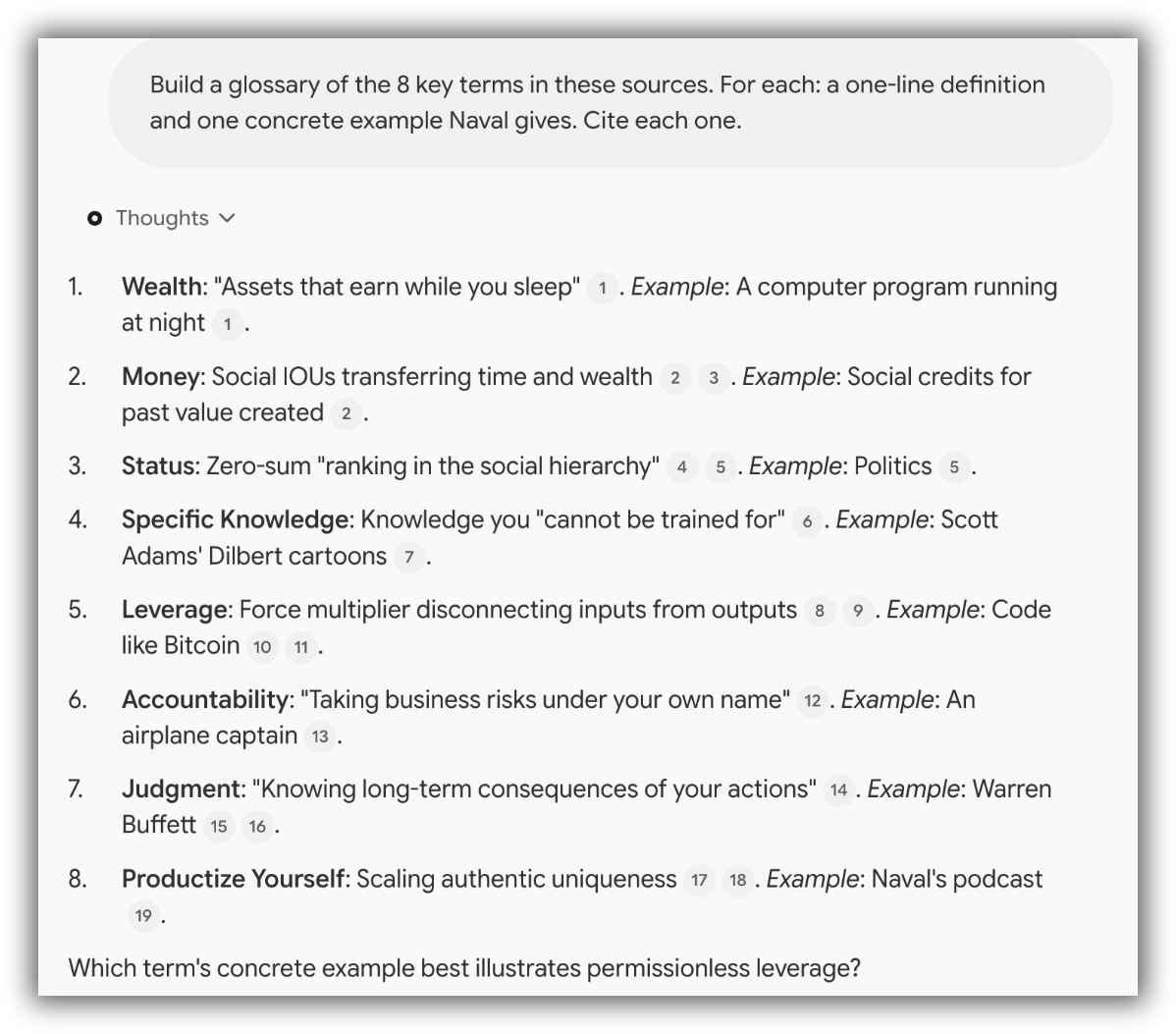
\8 terms. Dilbert for specific knowledge, an airplane captain for accountability.\
The 1-click way. Data table gives you the same terms as columns. Use it when the source has 30 terms and you want them in Sheets.
Prompt 4. The 15-minute lesson
Use this prompt:
Teach me leverage in a 15-minute lesson. Give me the plan in 4 short steps with minutes for each, then end with one question I must answer before moving on.
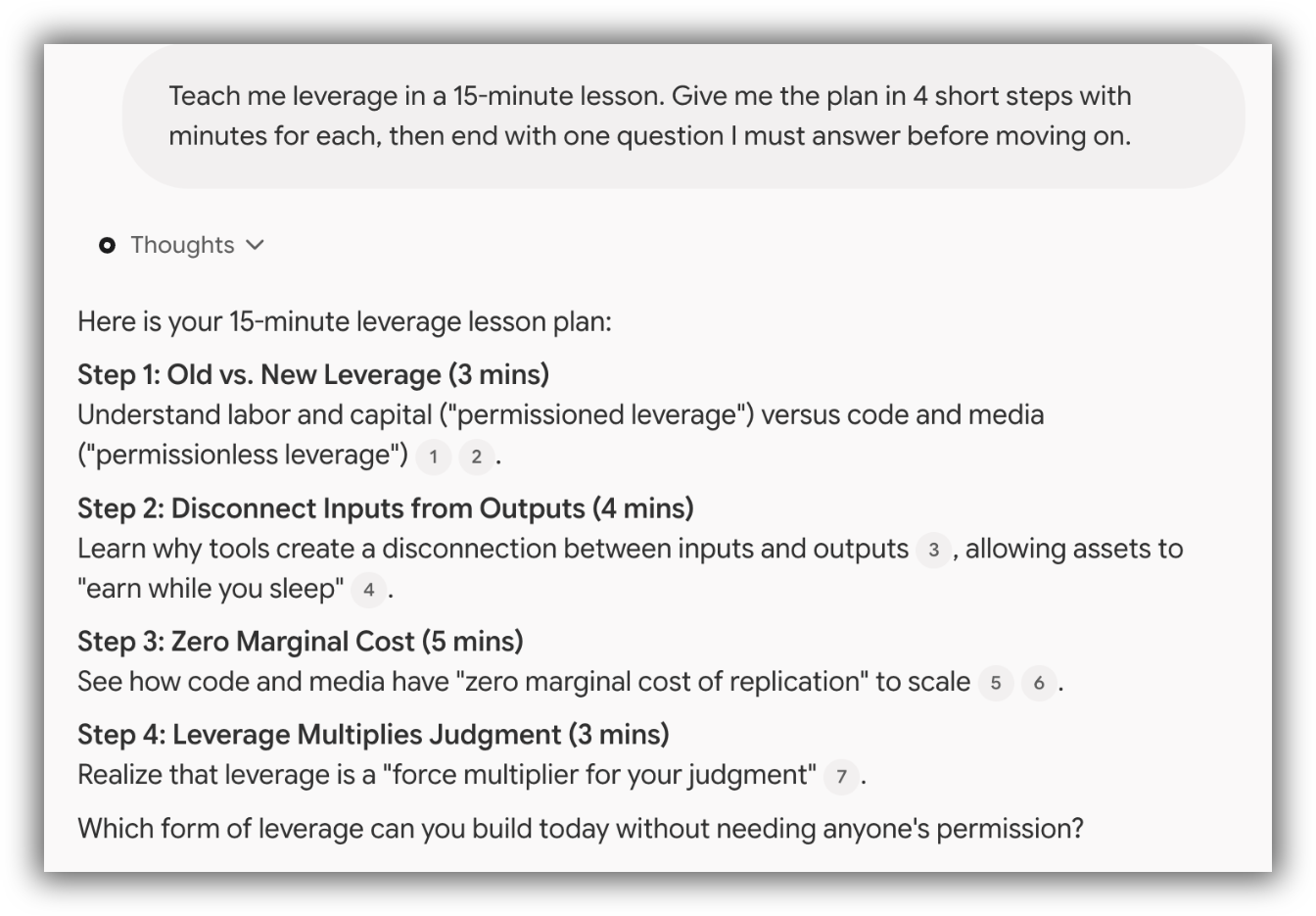
\3 + 4 + 5 + 3 minutes. Then one question before you move on.\
The 1-click way. Audio Overview with the topic in the focus box. Audio is for the walk. The lesson plan is for the desk.
Prompt 5. This week's 3 actions
Use this prompt:
Turn the 3 biggest ideas in these sources into 3 actions I can do this week. Each action needs one short Naval quote behind it and a citation.
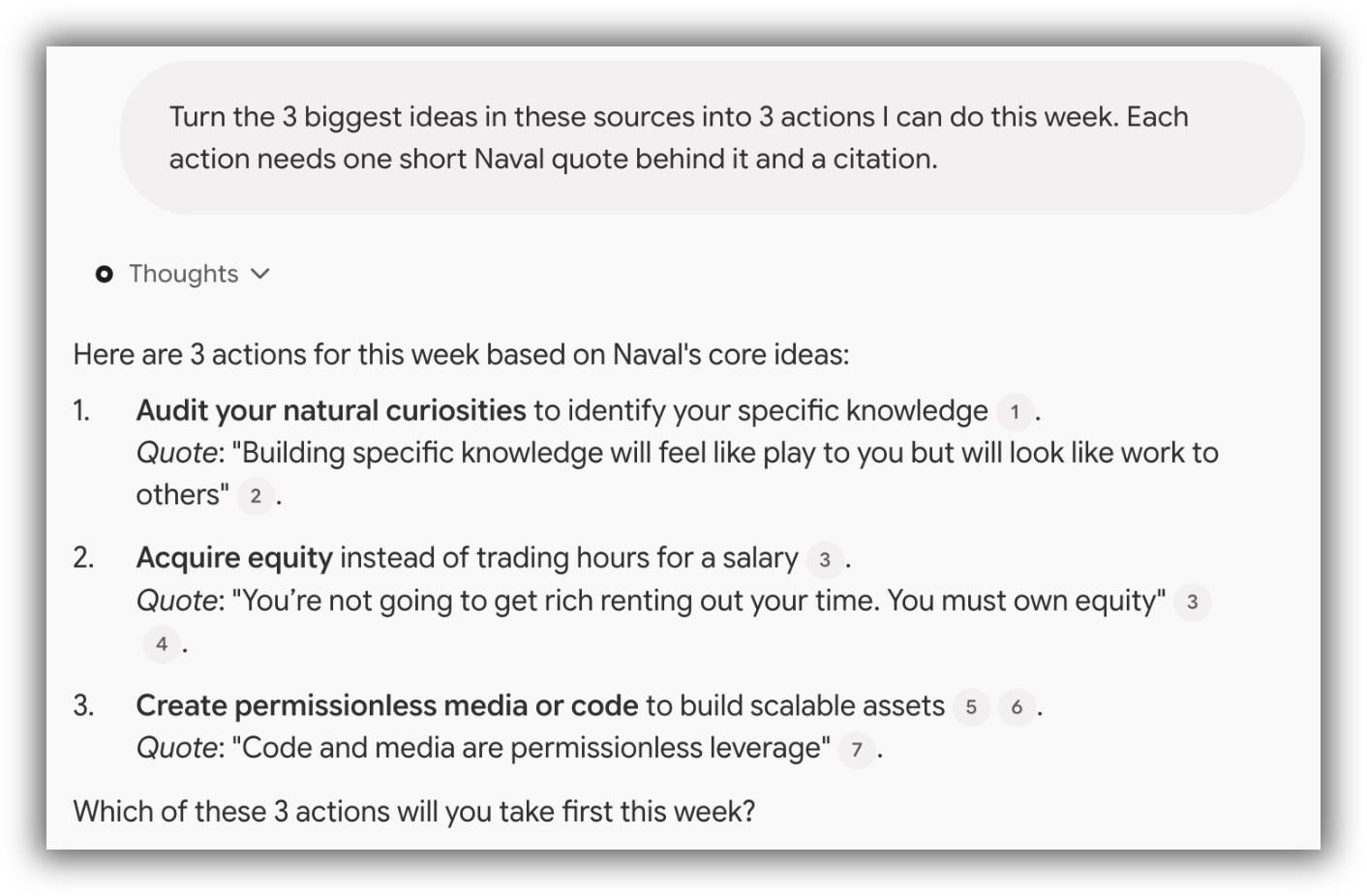
\Audit your curiosities, own equity, build with code or media.\
The 1-click way. There is no button for this one. Run it last, once you know the ideas.
For more, read 10 NotebookLM Prompts to Learn Anything Faster and 7 Gemini Notebook Prompts That Put You Ahead of 99% of Users.
Steal my Naval tutor
Anyone with the link can open it, and copies are on.
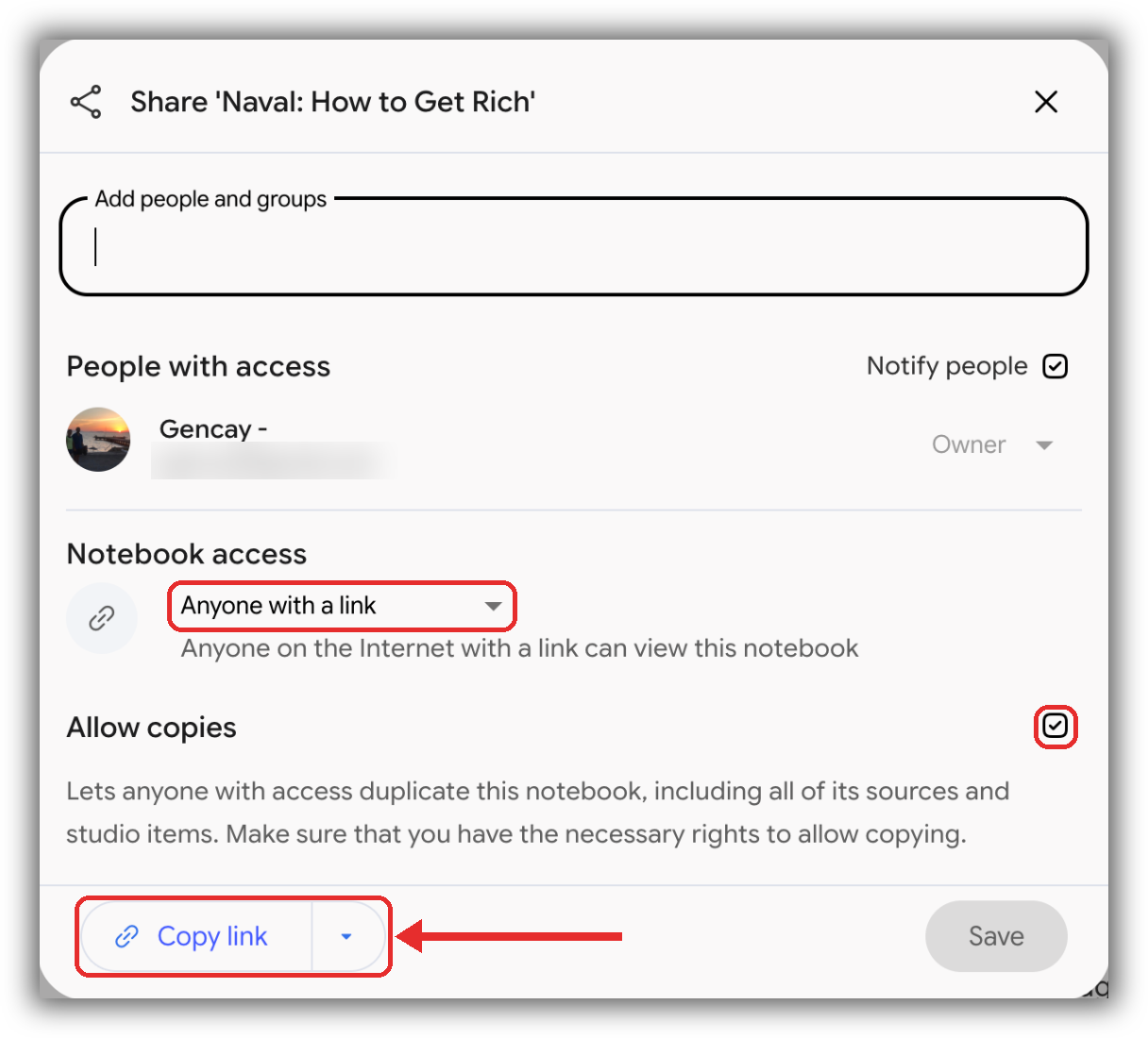
\Anyone with a link, copies allowed.\
Ask it these three first.
- "What is the difference between wealth and money?"
- "Why does Naval say code and media are permissionless leverage?"
- "What is one thing I should do this week?"
To make it yours, open the menu and click Copy notebook. Then change the tutor prompt and add your own sources.
Want it to reason like Naval, not only quote him? Read I Cloned Tesla, Isaac Newton and Warren Buffett's Mind into NotebookLM.
For 10 more ready notebooks, steal the links in I Built 10 NotebookLMs From MIT, Hormozi and Buffett.
Final Thoughts
You started with an empty page. Now you have a Naval tutor, an audio lesson, a mind map, and 5 prompts that work on any topic.
Swap Naval for anyone. A professor's lectures. Your company's docs. A book you never finished.
Once a notebook knows a topic, it can build for you too.
I turn YouTube videos and PDFs into working apps that way, and the full pipeline is in How to use NotebookLM better than 99% of People.
What Is Inside AI Academy Now?
Most of my Claude skills now live inside AI Academy, in two classrooms.
MoneyTalks is where you learn to earn with AI. Unfair Advantage is where you become hard to replace with it.
Every skill in both classrooms comes with three things.
A 180-second video
Each skill opens with a 180-second video that shows what it does before you install anything.
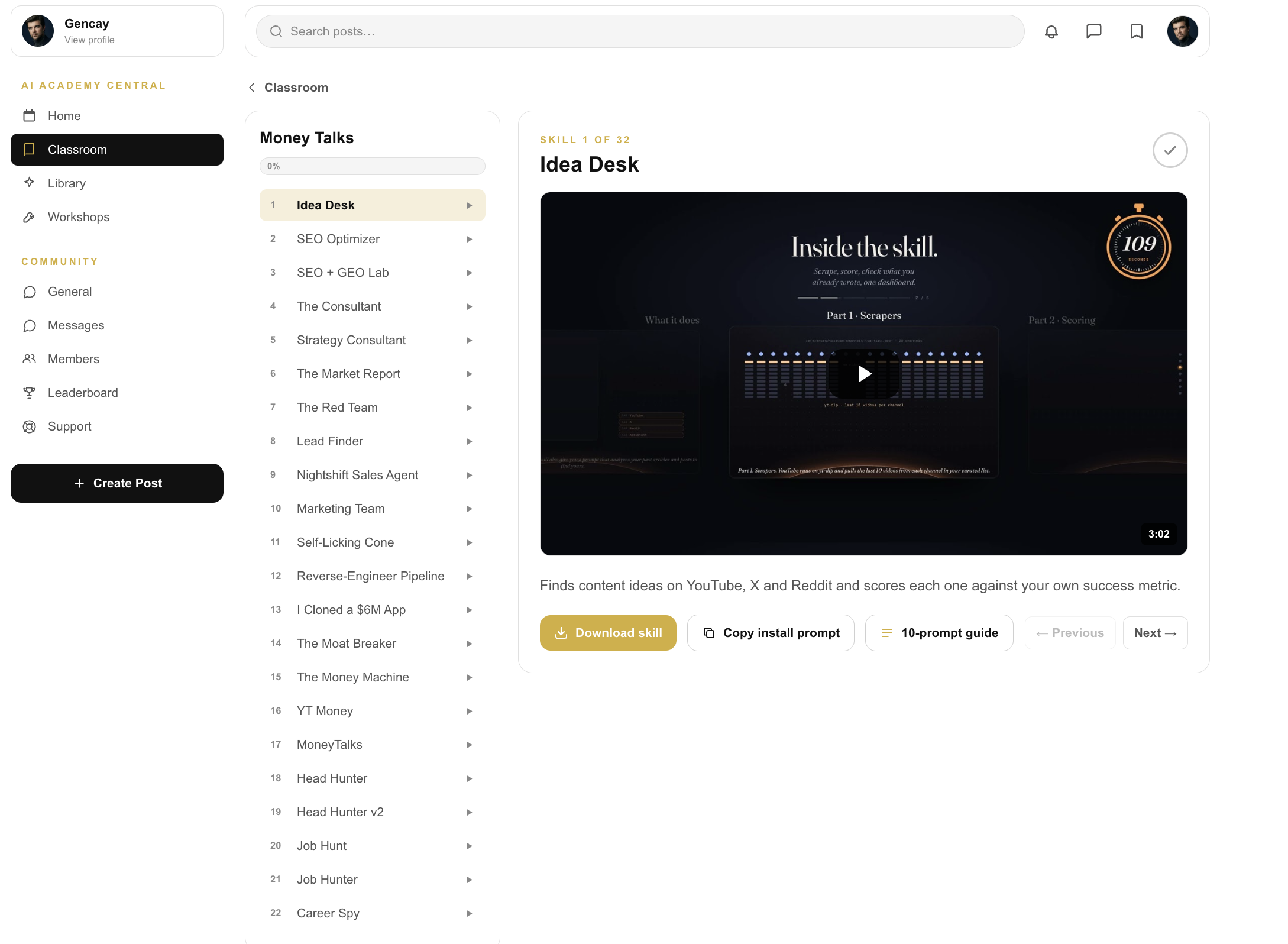
\The MoneyTalks classroom. Every skill opens with its 180-second video.\
A 10-prompt guide
The guide takes you from the install to running the skill every week. Copy the prompts one by one, or hand the page to your agent and let it run them.
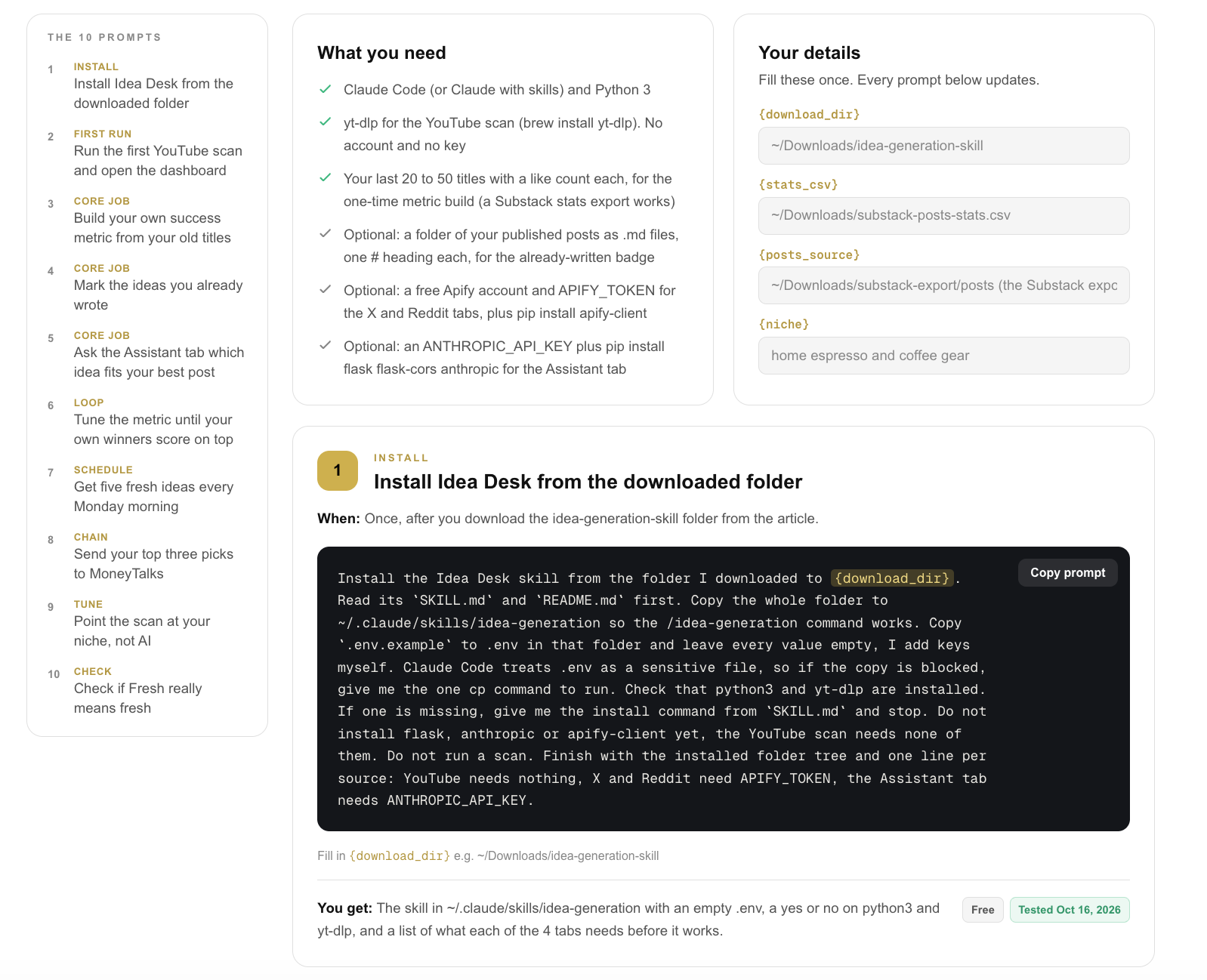
\Ten prompts, from the install to the weekly check.\
A 3-minute install
One button downloads the skill. The other copies the install prompt. Upload the folder to your agent, paste the prompt, and the skill is ready.
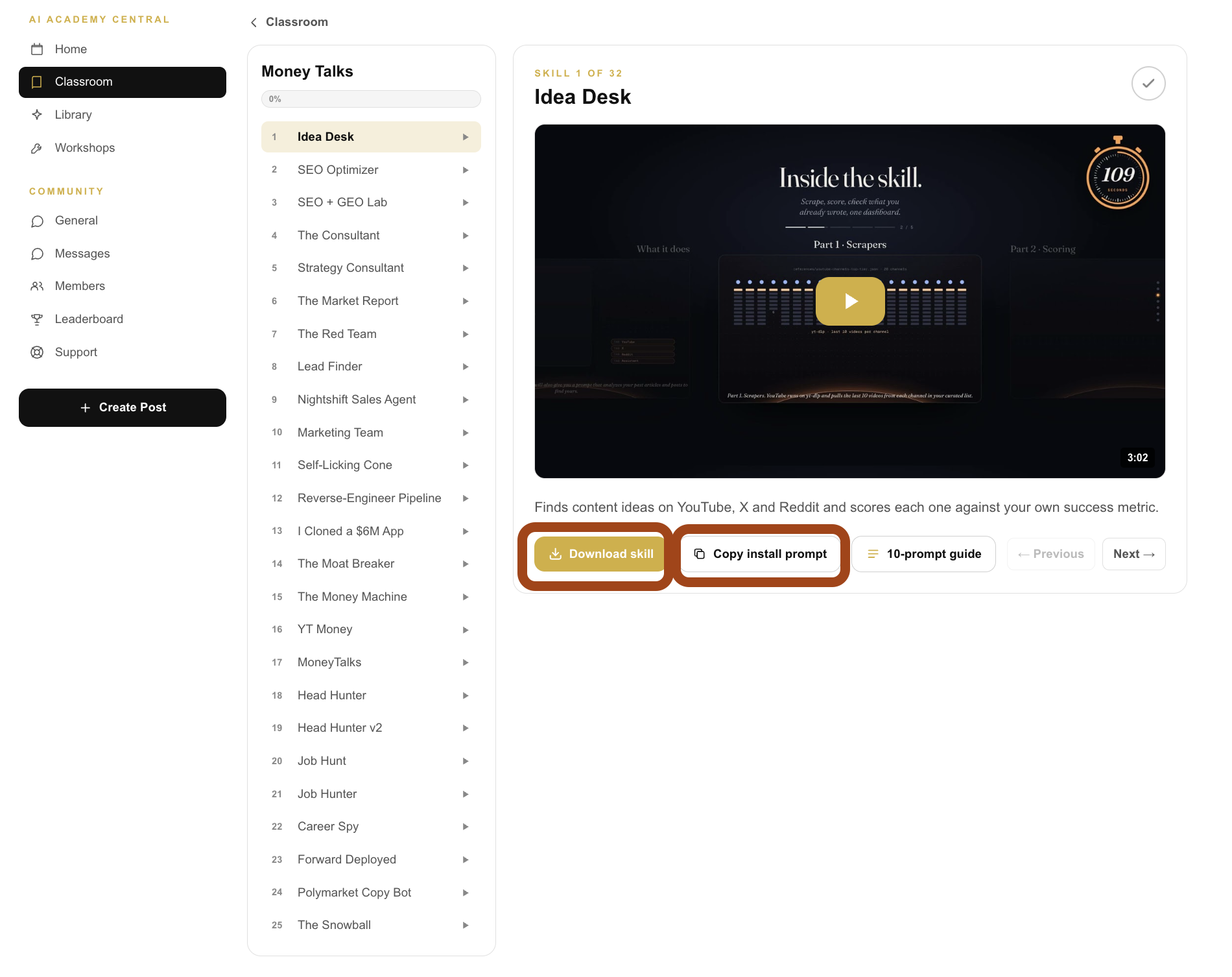
\Download skill, copy install prompt. That is the setup.\
Building with me
If you get stuck, post the issue or your build in the community, and I review it myself.
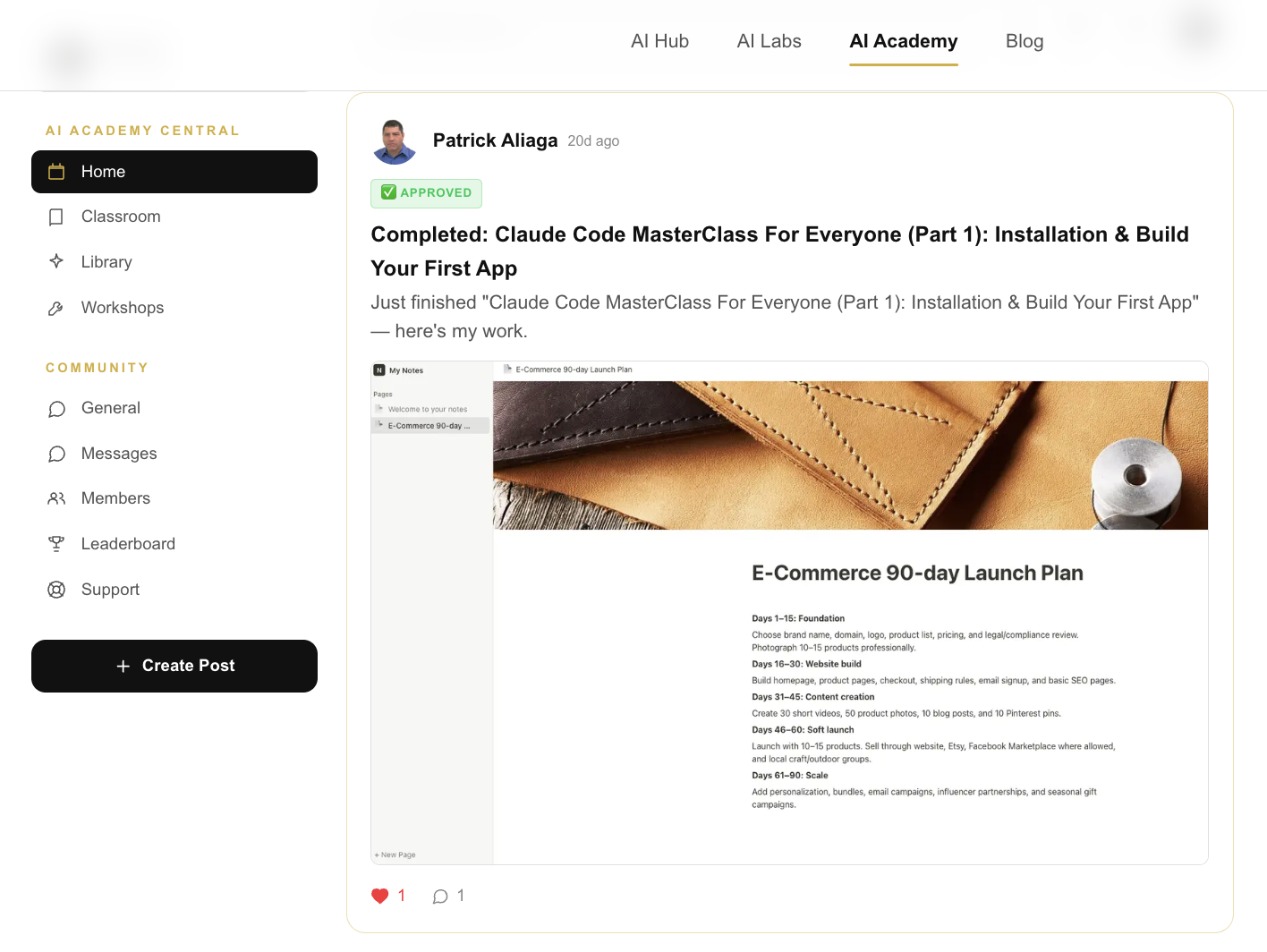
\A member posted a finished Claude Code MasterClass build in the community.\
The Early Black Friday Price
LearnAIWithMe hit #5 on Substack's Rising in Technology list again.
This is my thank-you for it, so Black Friday starts early.
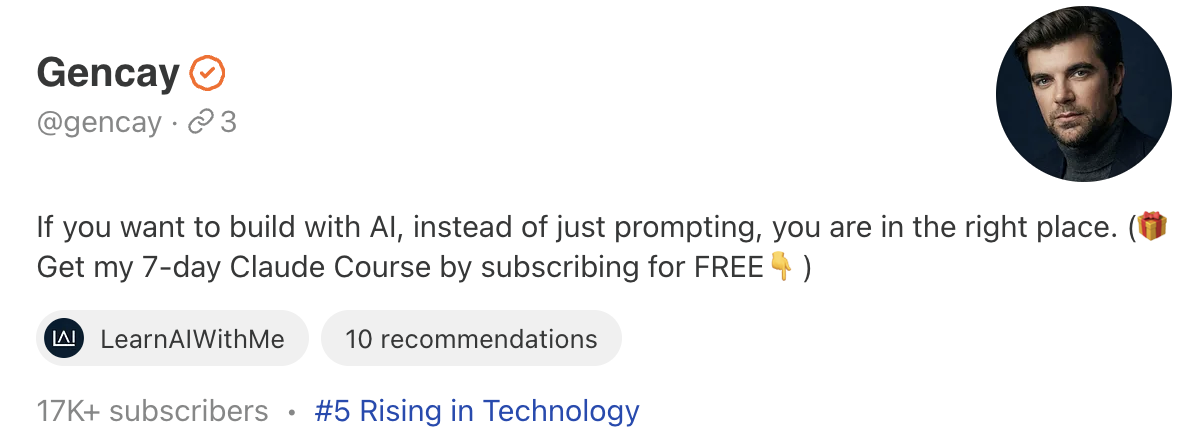
\17K+ subscribers and #5 Rising in Technology.\
- AI Academy (Inner Circle) goes from $300 to $200 a year.
- AI Labs (Annual) goes from $150 to $100 a year.
Here is a summary of what you get in 90 seconds.
Both plans include every Substack article and the Vault.
Annual comes with AI Labs and 1,000+ prompts. Inner Circle adds AI Academy.
Inner Circle seats are limited.
If you joined Inner Circle in August at $200, nobody gets in cheaper than you.
New here?
The welcome email has a free course, Claude Code in 7 Days.
Thanks for reading!