Four OpenAI Dots read Goldman Sachs, JPMorgan, BlackRock and the Fed. A fifth refused to spend the money. Here is the bot that does.
By Gencay
Published: 2026-10-12
URL: https://www.learnwithmeai.com/p/openai-dots-trading-bot
OpenAI released Dots recently.
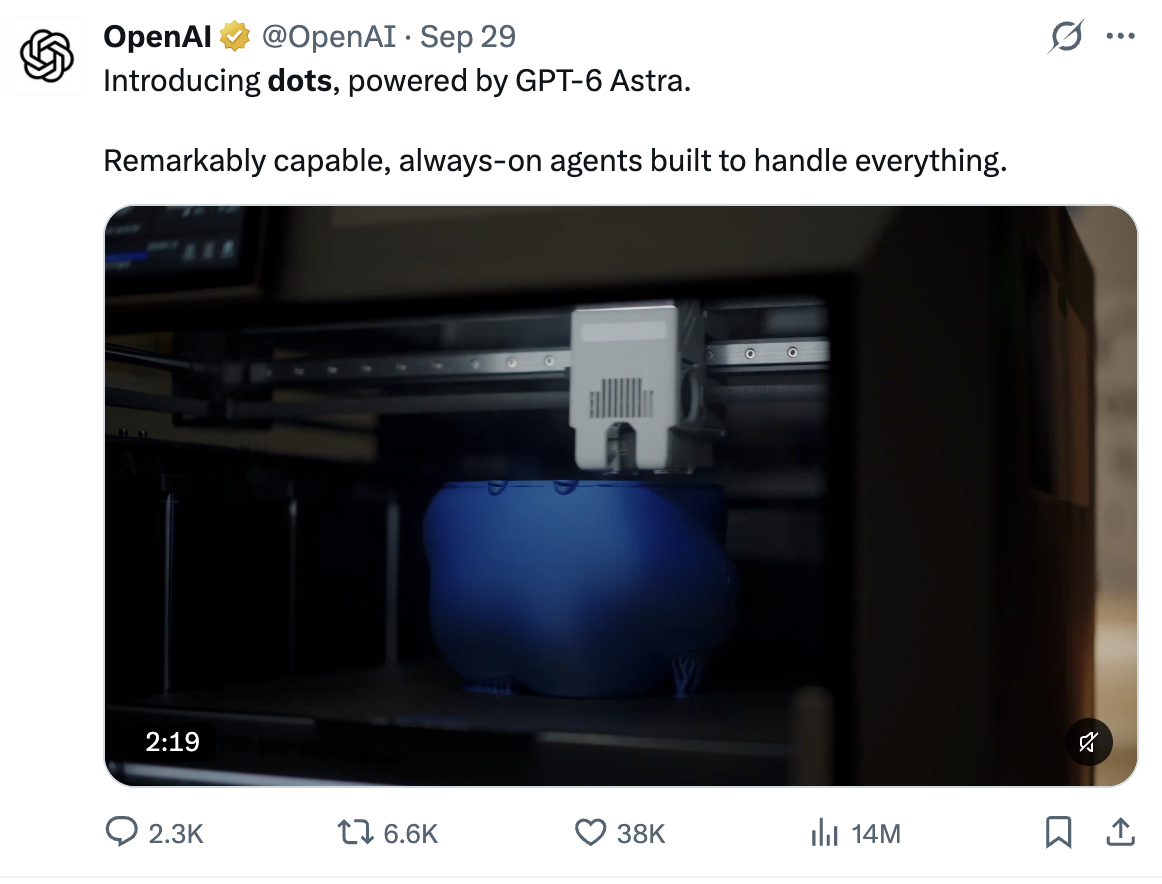
\OpenAI Dots launched on September 29: always-on agents powered by GPT-6 Astra.\
I’ve been testing OpenAI Dots for two weeks to figure out the best practices.
If you are following along, you read my previous posts about the Polymarket bot or copy trade bot.
Unfortunately, I could not test the Polymarket bot because it is in the gray zone in my country in terms of legality, but I’ve invested $452 in the copy trade bot.
On day 49, it’s up only 1.1%, with a 59% win rate.
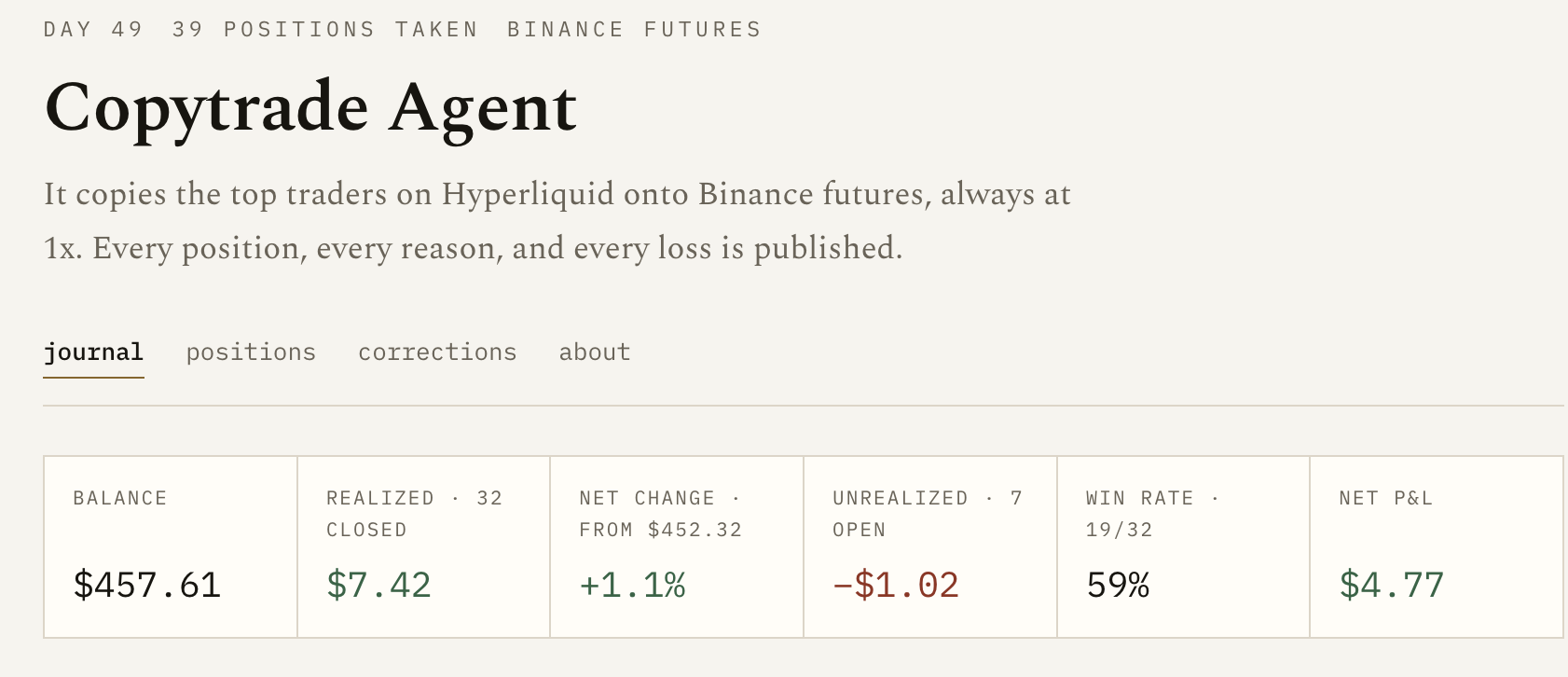
\Day 49: $452.32 became $457.61 across 39 positions on Binance futures.\
I’m still updating it. And if you read my post about Money Talks on Saturday, you know I won’t stop until I figure it out.
In two sentences: I’ve spent years transforming other people’s businesses as a freelancer.
Now I’m searching for ways to build my own wealth with AI, and I share every one of them with you.
\Day 49: $452.32 became $457.61 across 39 positions on Binance futures.\
But instead of transforming another man’s business, now I am searching for a way of being wealthy using AI and sharing ways with you regularly.
And this time, I’ve built a trading bot using OpenAI Dots that follows the smart money.
How Do OpenAI Dots Follow the Smart Money?
In one sentence, Smart Money: do what the biggest institutions say they are doing; follow the money.
Companies like BlackRock, JPMorgan, or Goldman Sachs are wealthier than most of us, that’s why I decided that following their reports could be wise.
And their reports are free, and they even publish their positions in the market.
For more details about their reports, last month I loaded their reports into five NotebookLMs.
So now, I’ve built a trading desk consisting of multiple actors.
Four OpenAI Dots now read those institutions’ reports every 10 minutes.
(BlackRock, JPMorgan, Goldman Sachs, Fed.)
I wanted to run everything on Dots, but they refuse to execute trades. So I added one more part, OpenClaw.
So the Dots keep doing the research and send reports to OpenClaw, which handles the trading logic.
Trading Logic gets the signal, does the calculations, and sends it to Gossips.
In Gossips, I have Jev running over the web, analyzing thousands of news and stock buy/sells using its API, as I did here.
In the end, I turned everything into one Skill, so you can install it in your own environment and do what I’ve done.
Wall Street Trading Desk: My OpenAI Dots Trading Bot
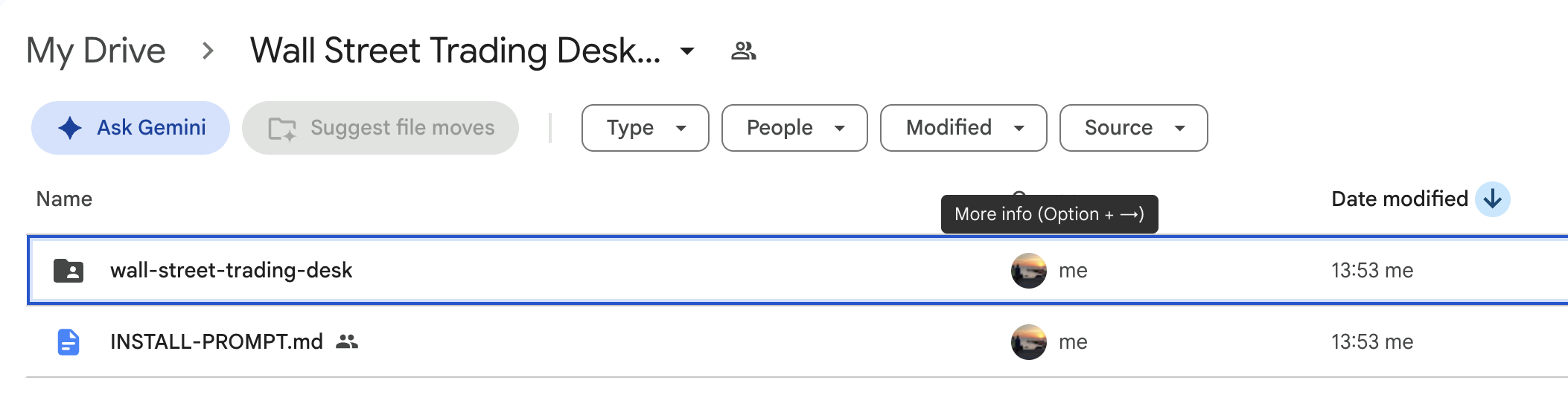
\Everything the OpenAI Dots desk needs: one folder and one install prompt.\
It starts in paper mode: a virtual $600 wallet on real Binance prices. No Binance account, no real money. I built this trading logic, but I’m not a finance expert, so test everything in paper mode first.
When you’re ready, a separate guide moves it to Binance step by step. Opening the Binance account and the API key are on you. Claude Code does the rest.
All you have to do is download the folder, open it in Claude Code, and tell it to install the desk.
After the paywall, I’ll give you the Wall Street Desk Skill and show you step by step how to set up OpenAI Dots, use this skill, and build your own bot for either paper trading or real trading.
How to Create OpenAI Dots?
To be able to use it, you need to have a Pro account.
After you upgrade your account, click on “Your dot” and then “Continue”.
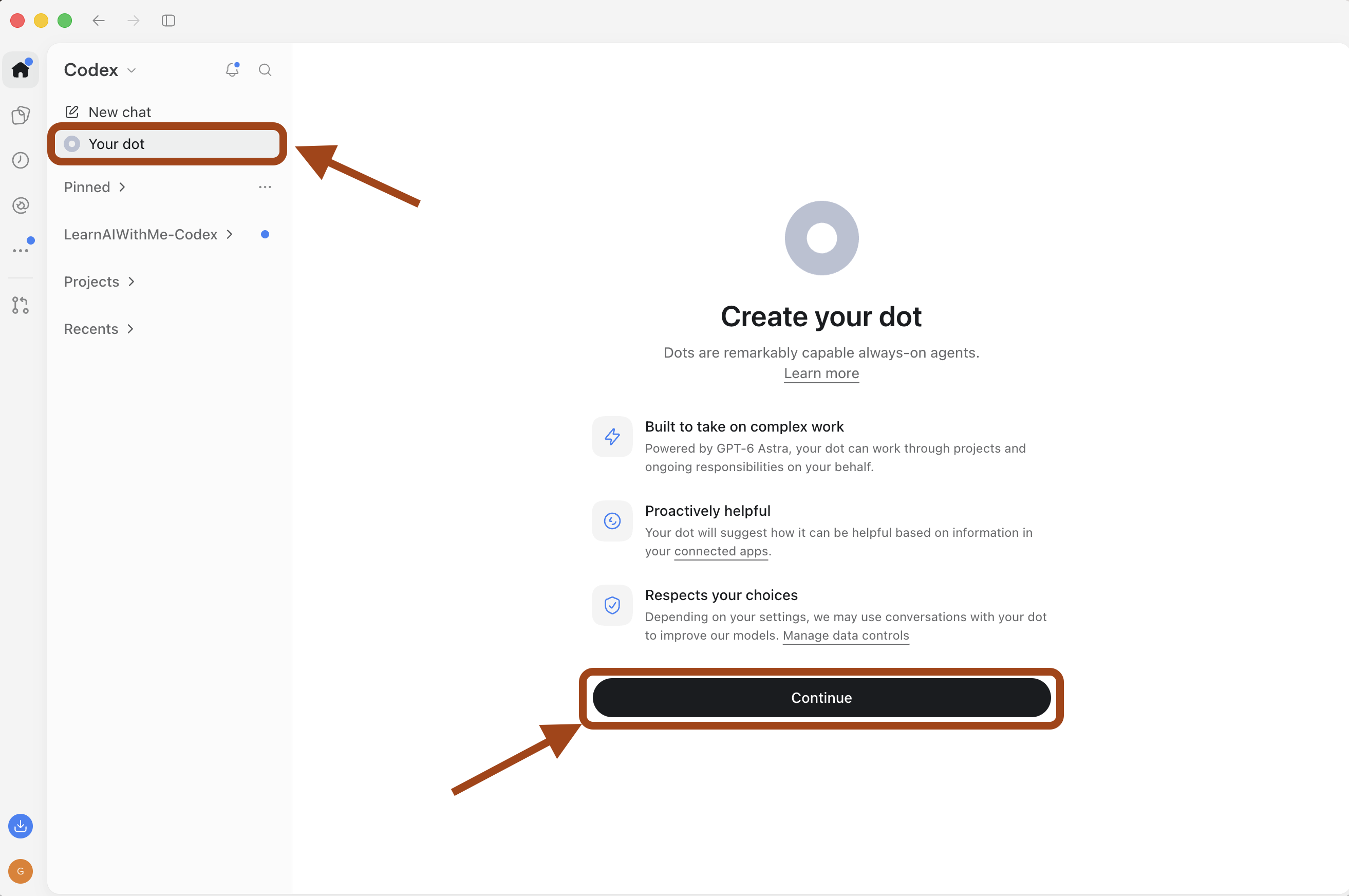
\Step 1. Open Your dot and click Continue.\
Next, it asks you to connect to your apps to make it more helpful.
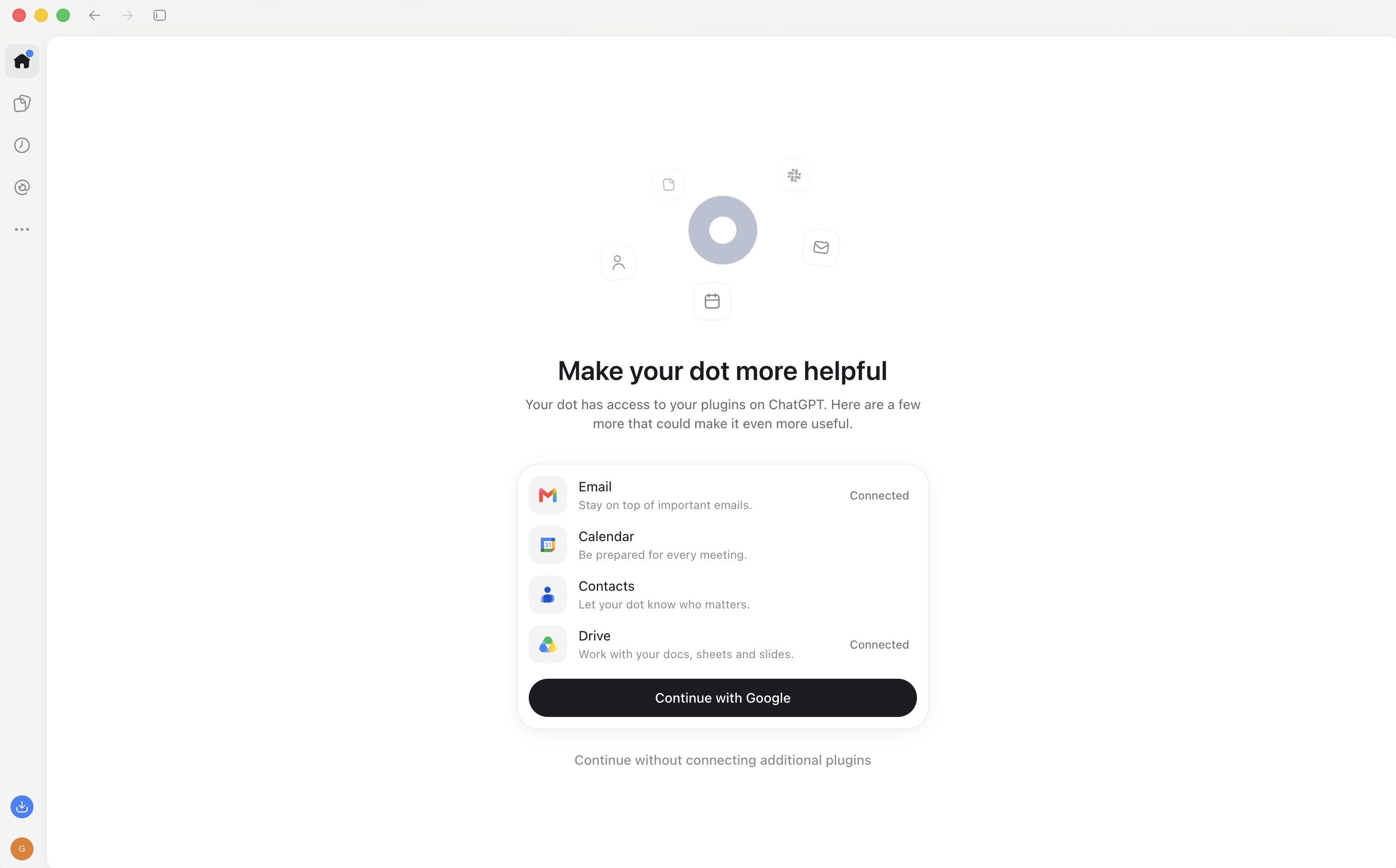
\Step 2. Dots asks to connect your apps. You can skip it.\
Since I don’t have any annoying meetings on my calendar with clients, thanks to Substack (you guys), and I don’t have any friends because I’m working 24/7, plus I have a newborn baby girl, I clicked on “Continue without connecting additional plugins.”
Next, it started setting up my Dot and asked me to wait a couple of minutes.
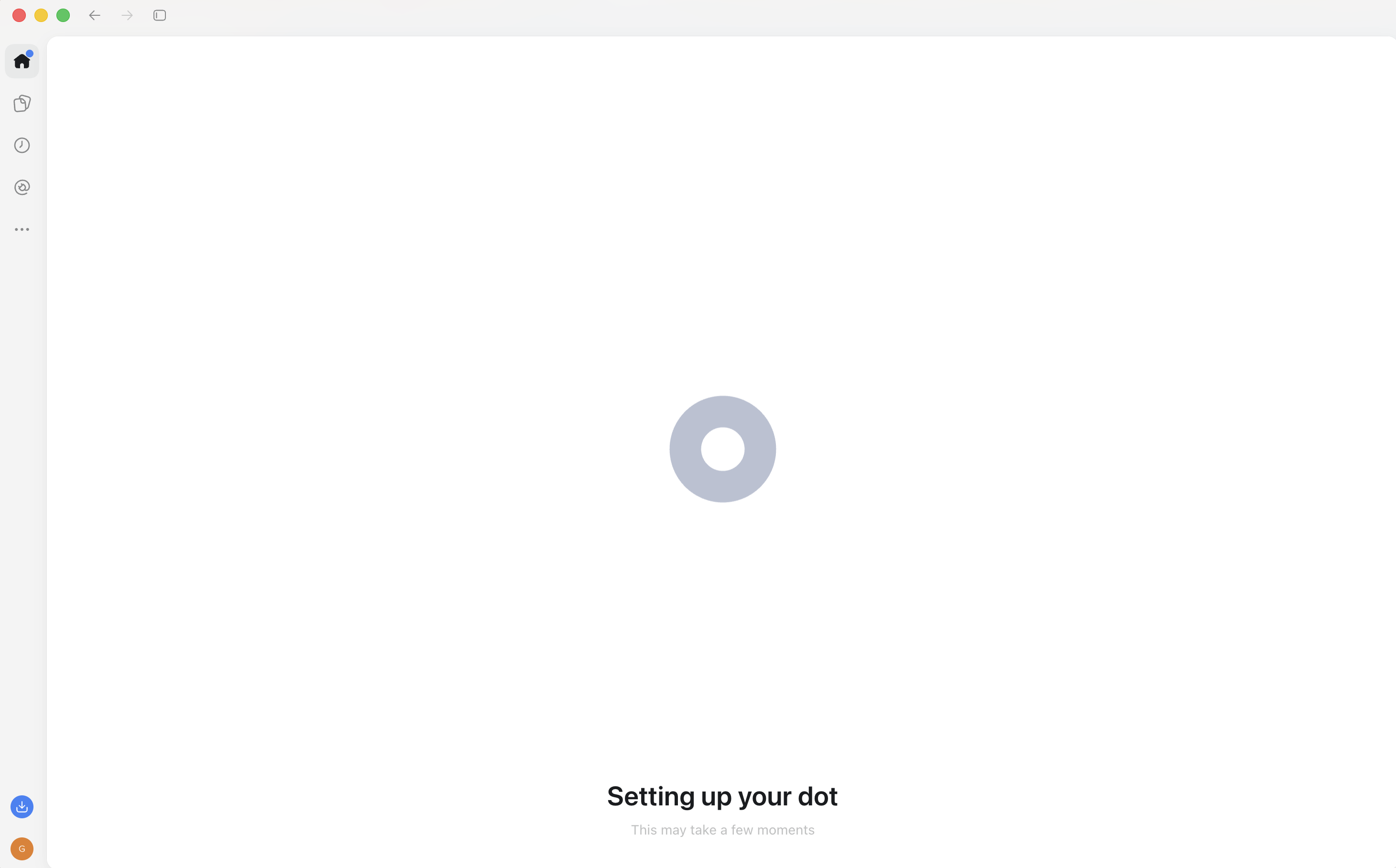
\Step 3. Setting up your Dot takes a couple of minutes.\
I feel like I bought a new Apple product and am setting it up. At this step, it asked me to choose where my Dot can work.
I think it would be better if Dot had its own computer at this price (the Pro subscription starts at $100/month).
At the same time, it would be better if it could read my files, so I selected it like this below.
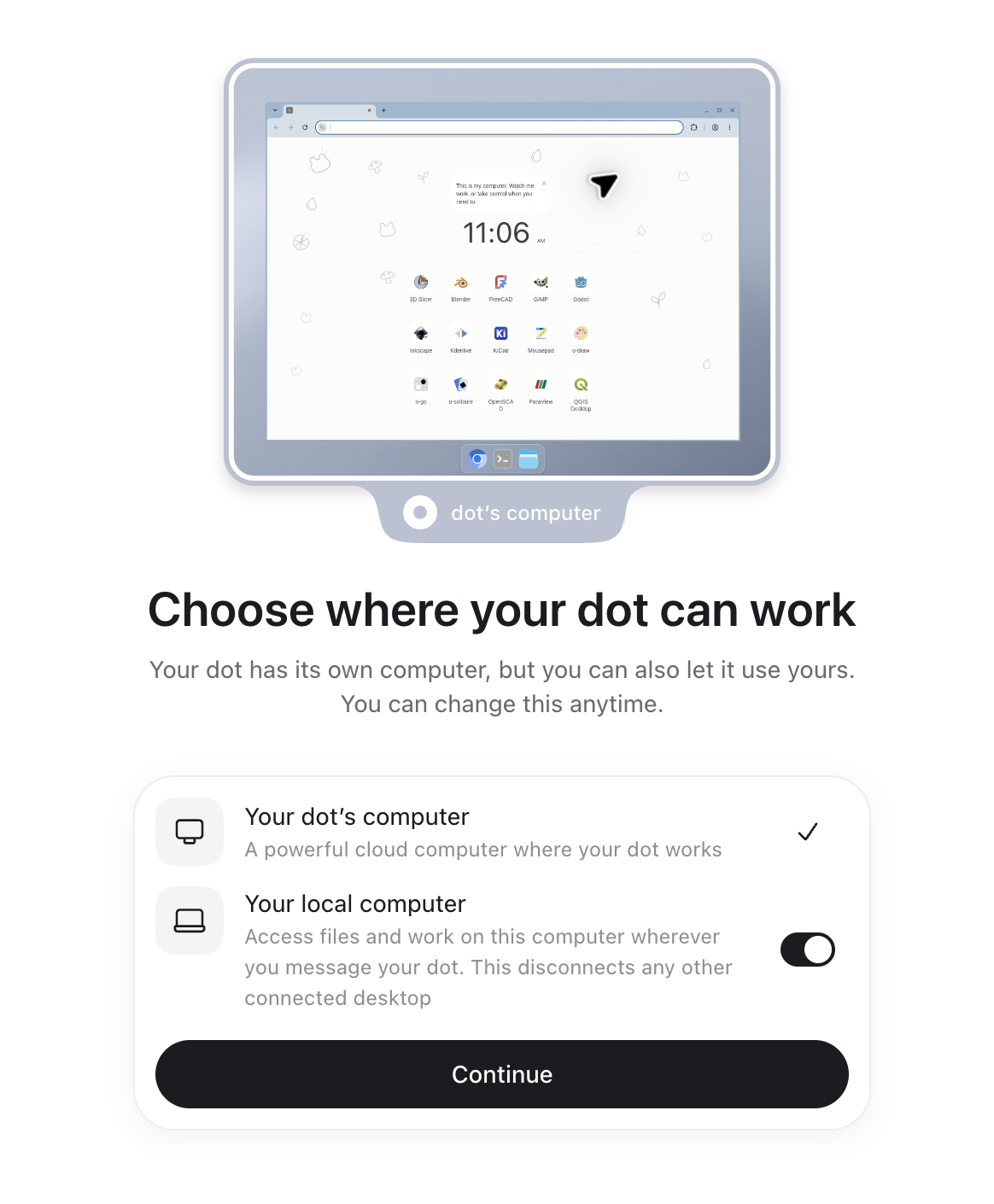
\Step 4. Choose where your Dot can work and what it can read.\
It wants me to customize it, and it answers me in both Turkish and English because I used to talk with it in two different languages.
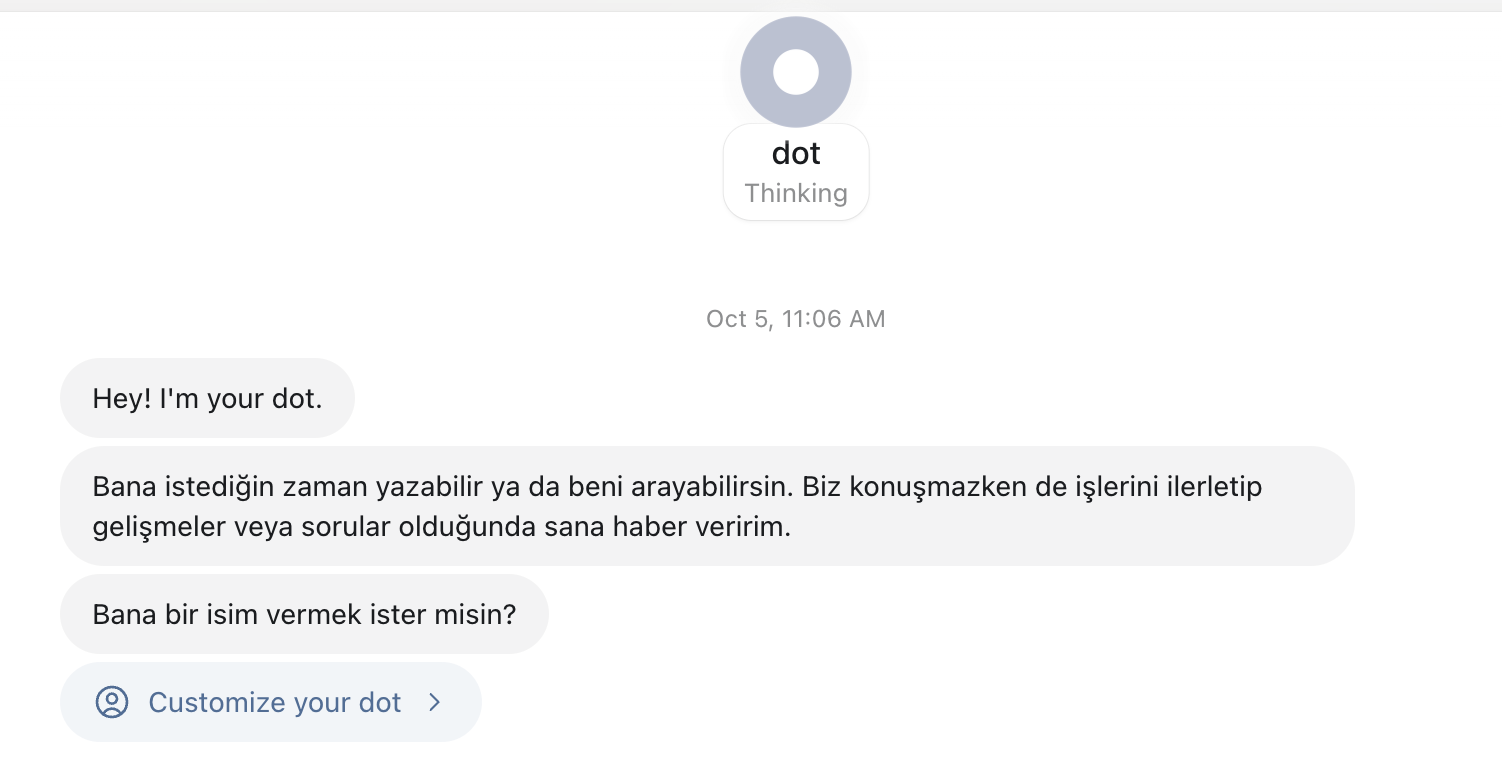
\Your Dot answers in the languages you already use with it.\
I clicked on “Customize your dot”.
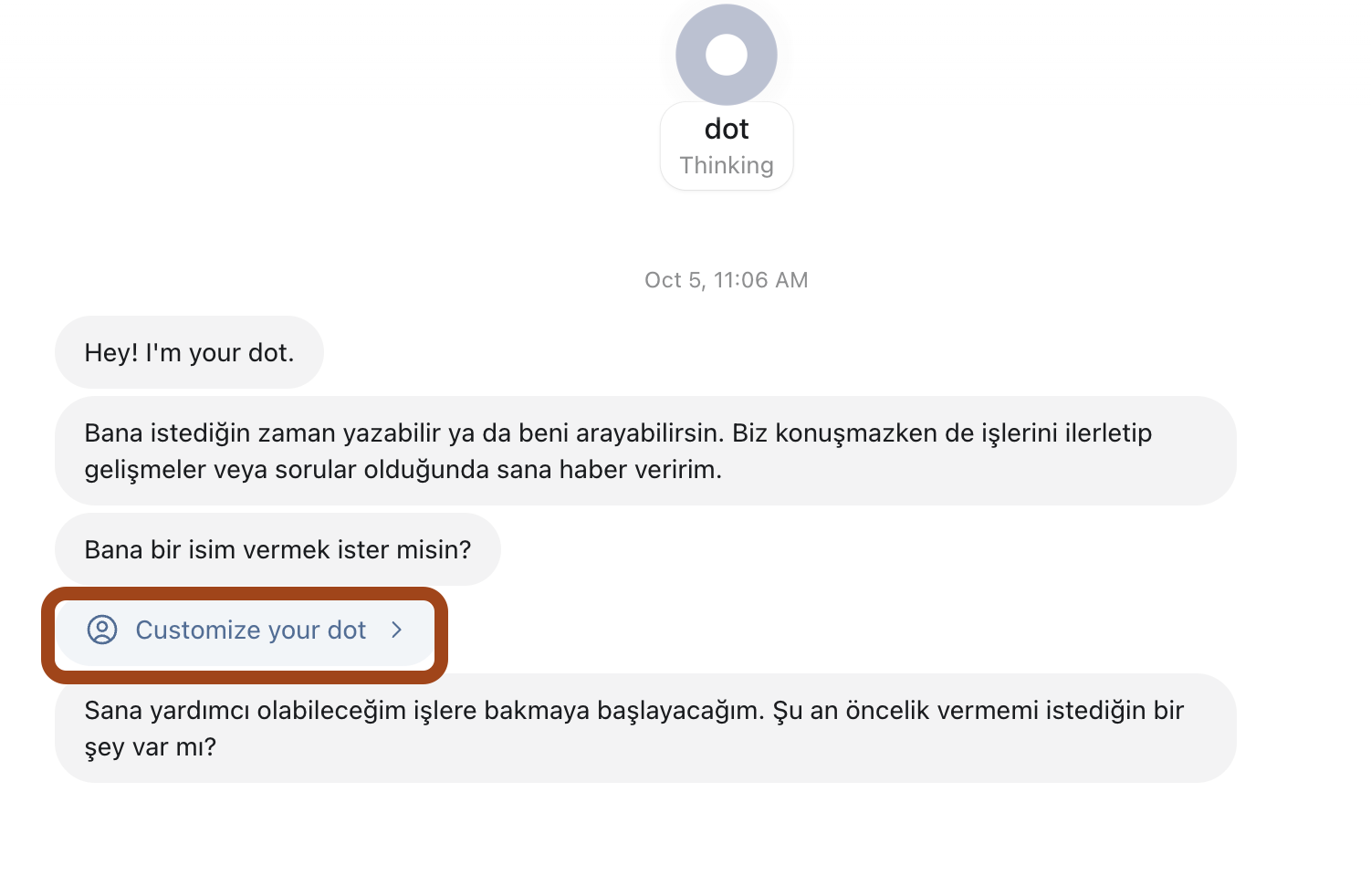
\Step 5. Click Customize your dot.\
I named my dot after my favorite TV show character, but with a little adjustment
( Burhan Altintop + Alfred the buttler = Alfred Altintop )
And I picked the following “characters” and “pets”, and clicked on “Save”.
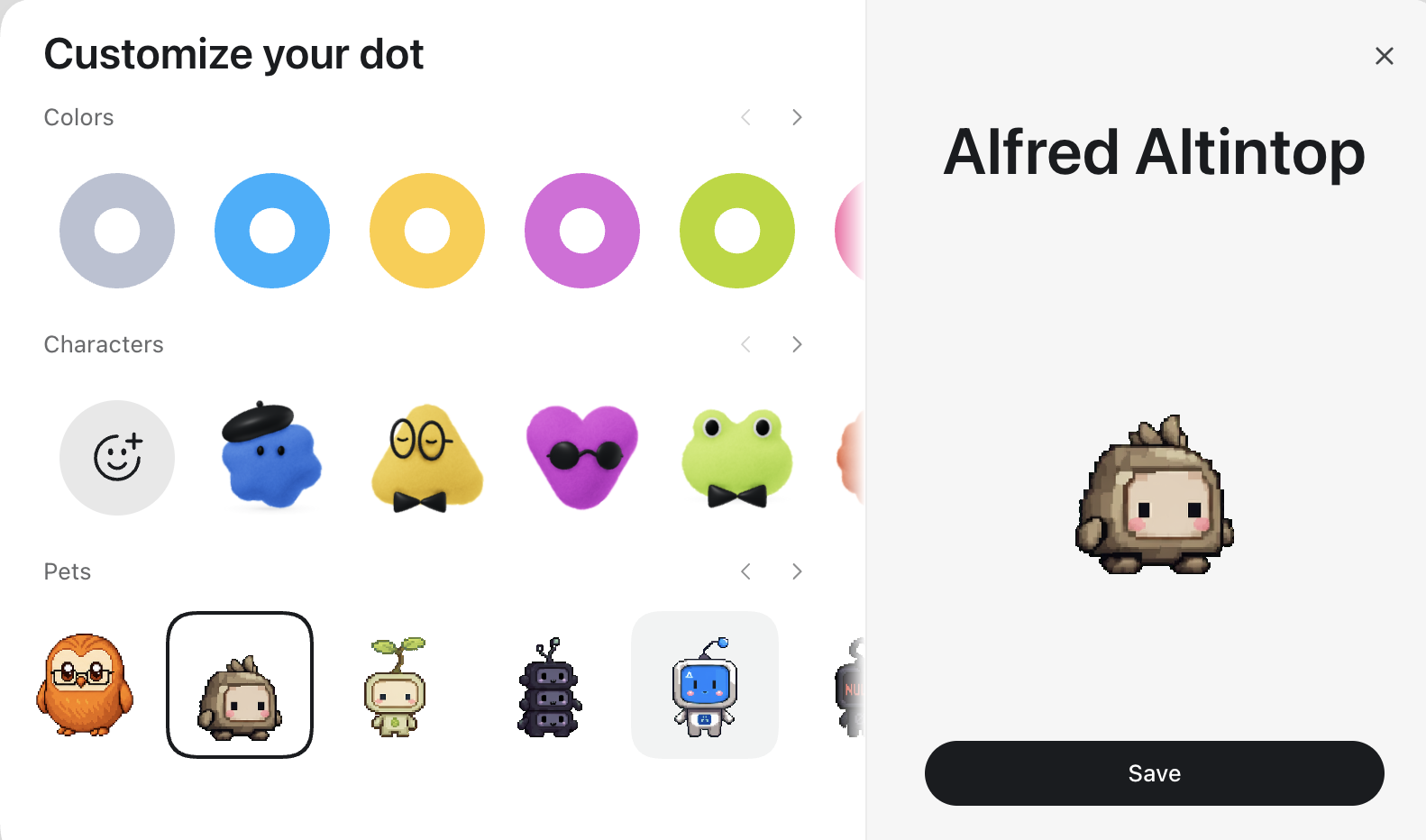
\Pick a character and a pet, then save. Mine is Alfred Altintop.\
When I clicked his name:

\Click your Dot's name to open its page.\
This page opens.
Here I Can call him, connect him via Slack and see his tasks.
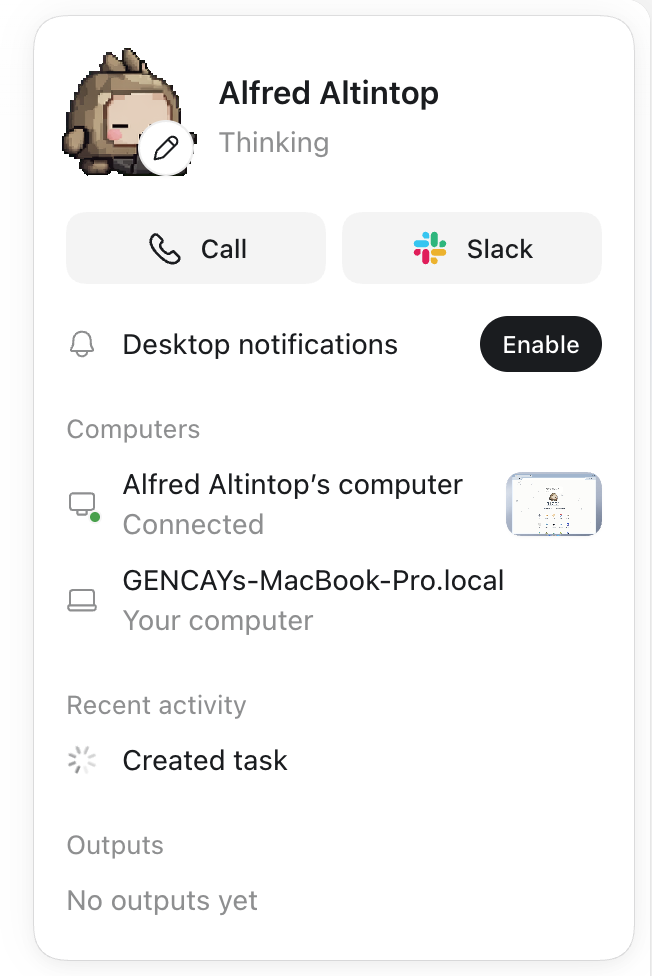
\Your Dot's page. Call it, connect Slack, see its tasks.\
Being able to call it is a really powerful feature.
Dots are very similar to OpenClaw, Hermes, or Grok bots, but being able to call your Dot is a huge differentiator.
I built an app while pushing a stroller, using Codex via a voice assistant, and I felt how powerful this feature can be.
It looks like OpenAI also discovered how much people around the world love this feature, so they developed this. Let’s call it very innovative.
How I Turned Dots Into Wall Street Researchers
One Dot is an assistant.
Four Dots are a research desk.
Each Dot got one institution. Goldman Sachs, JPMorgan, BlackRock, and the Fed.
Every 10 minutes, each Dot checks its institution and writes sourced findings.
A finding carries the source link, the date, what the institution said, and what the Dot thinks it means.
On day one, Goldman said equities should beat bonds over the next few months. BlackRock stayed overweight U.S. stocks for 6 to 12 months.
The Fed’s Christopher Waller said more rate hikes could come if the data holds.
The Dots never trade. They read.
The Trading Bot Behind the Dots
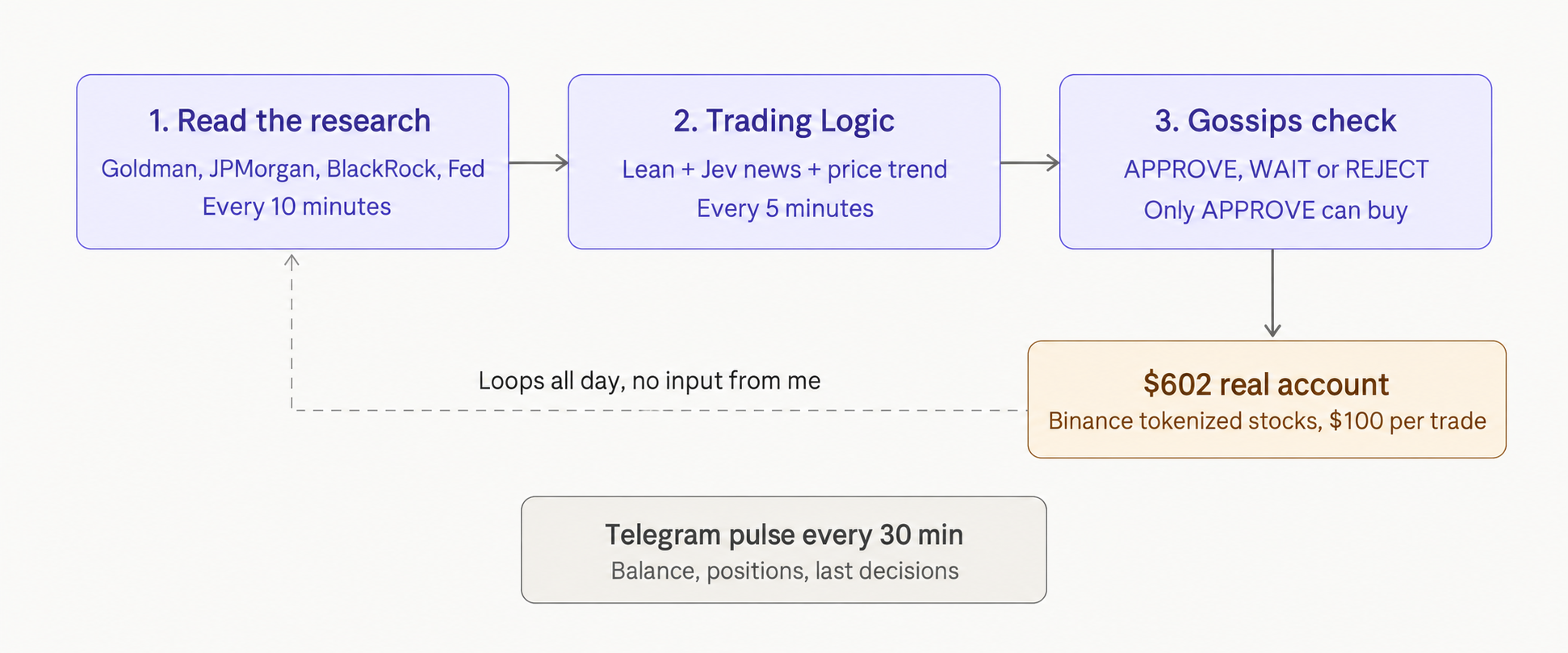
\Three jobs in a loop. The Dots read, Trading Logic decides, Gossips checks. Real money, $100 per trade.\
The goal is a system that runs all day, with no input from me, that does three things.
One.
Read what the four Dots publish about Goldman Sachs, JPMorgan, BlackRock, and the Fed, and turn every finding into a lean on specific stocks.
Two. Check that lean against the news and the price before it becomes a trade idea.
Three. Send every idea to a second AI whose only job is to say no. Only its APPROVE can spend money.
Everything runs on my OpenClaw server.
My laptop can be off.
Every 30 minutes, the bot reports to a Telegram group, like this.
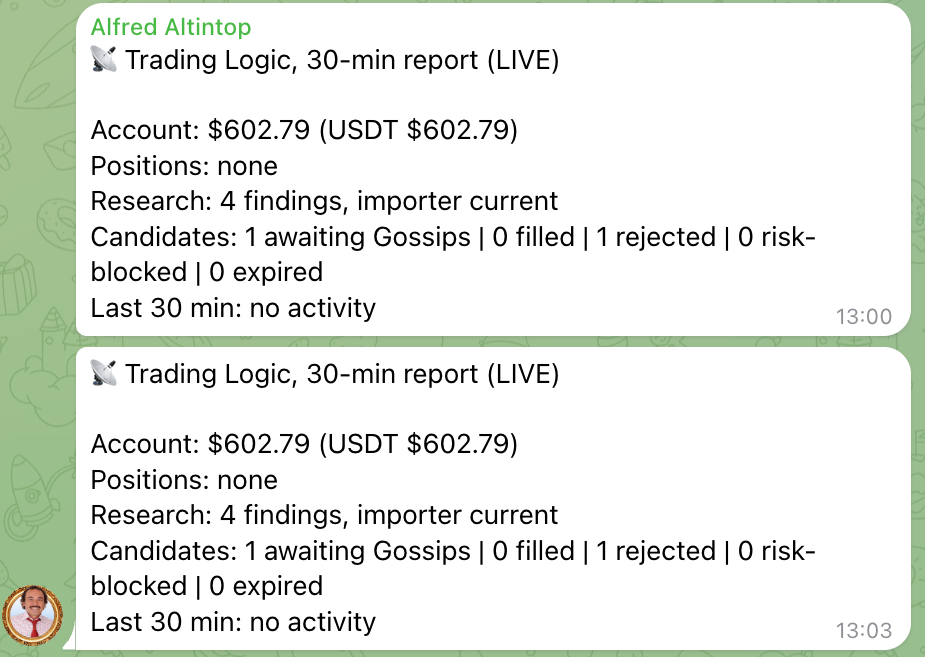
\Trading Logic 30-minute report on Telegram.\
How the Dots Trading Bot Works?
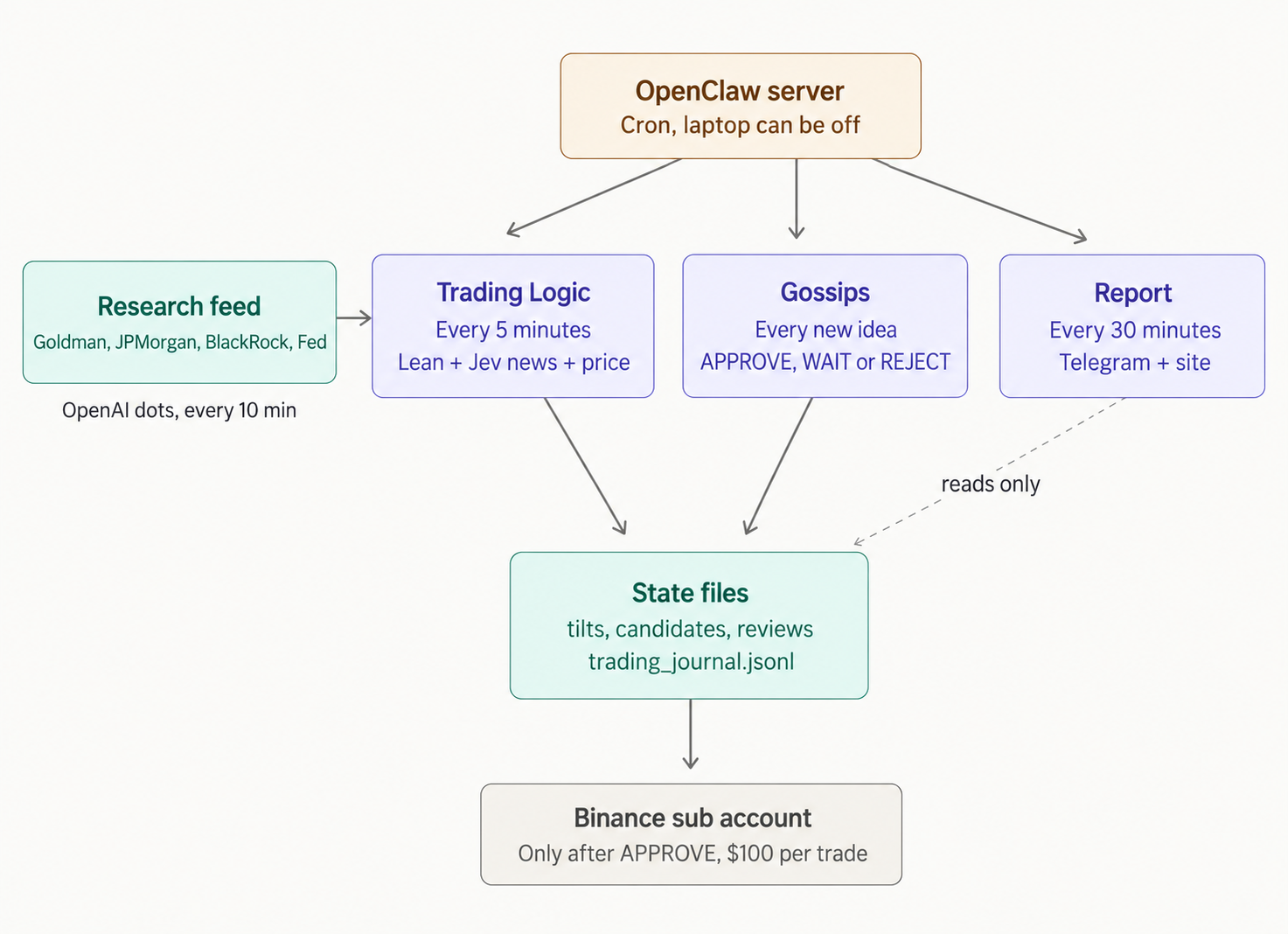
\How the Dots trading bot works. OpenClaw runs Trading Logic, Gossips and the report.\
Three parts, decoupled, each doing one thing.
The research runs on four OpenAI Dots every 10 minutes.
They read Goldman Sachs, JPMorgan, BlackRock and the Fed, and publish sourced findings to the desk.
Trading Logic runs on OpenClaw every 5 minutes.
It turns each finding into a lean from -2 to +2 on specific stocks.
Jev reads the last 7 days of news for those stocks only, at about a tenth of a cent per stock.
Binance gives the 5-day price trend.
An idea needs all three pointing the same way.
Gossips runs right after. It trusts none of Trading Logic’s numbers. It re-reads every bank statement with Jev, rescans the news, and recomputes the price.
Then it says APPROVE, WAIT or REJECT.
The system has a memory.
Every finding, idea and decision is saved, so the next run picks up where the last one stopped. The site shows the real balance, updated every 30 minutes.
The first version had a gatekeeper problem.
Gossips ran as a fifth Dot, and it refused to approve a real trade. It said its APPROVE would trigger a real purchase, so it would not write one.
So I moved Gossips next to Trading Logic and gave it a stricter rulebook.
On day one it said WAIT on SPY and REJECT on Microsoft.
Goldman’s note scored 0.76 as support for SPY. BlackRock’s scored 0.37. The average was 0.56, and the bar is 0.60.
Microsoft scored 0.16. The news was bullish. The bank never said buy Microsoft.
Zero trades on day one. That is the rulebook working.
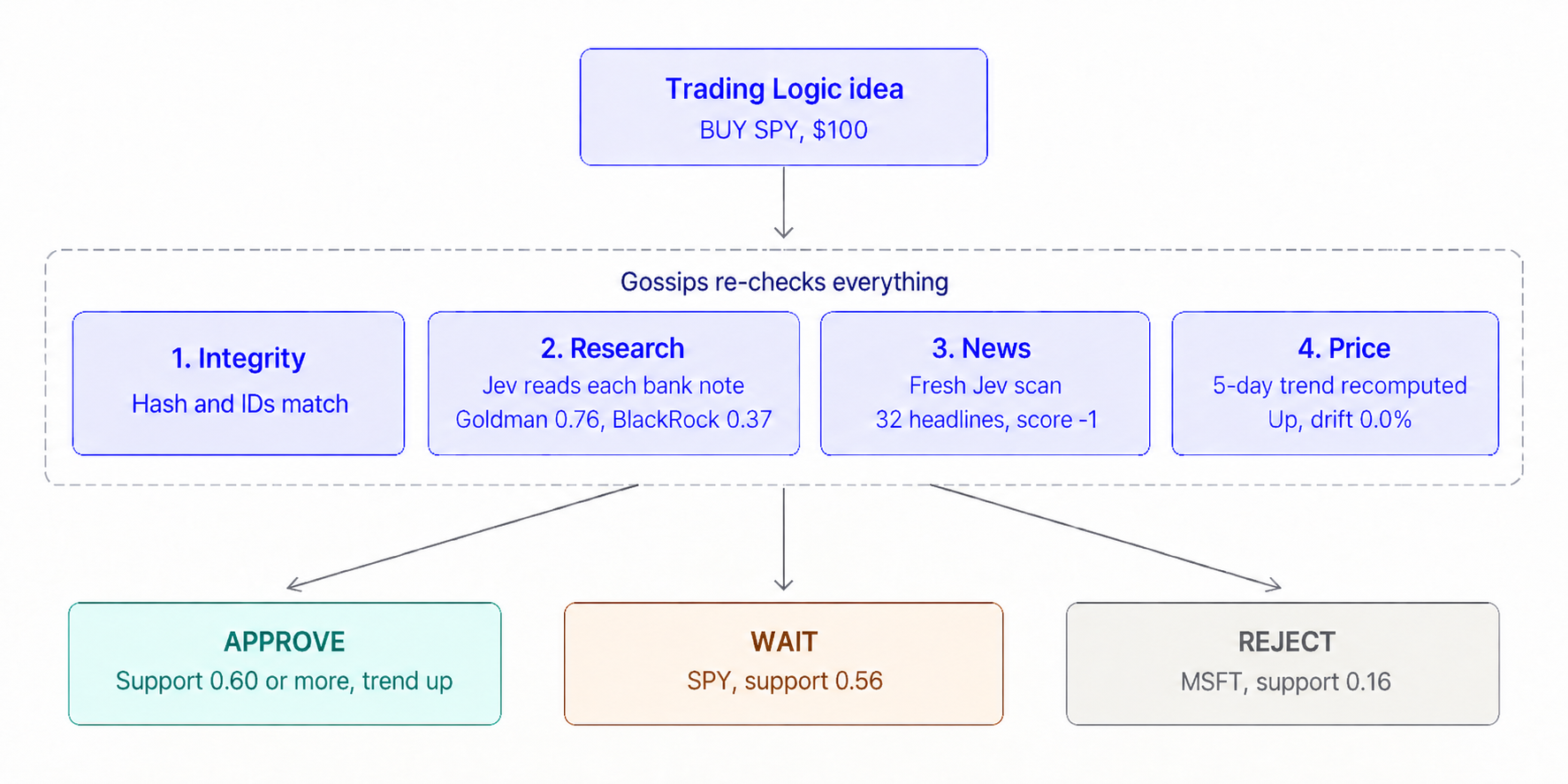
\How Gossips decides. Every number comes back to a file you can open.\
Setting Up the Trading Bot With Claude Code
I did not write this from scratch.
Claude Code shipped the first live version in one long session.
Claude does not do everything.
There is a clean split between what Claude writes and what you click.
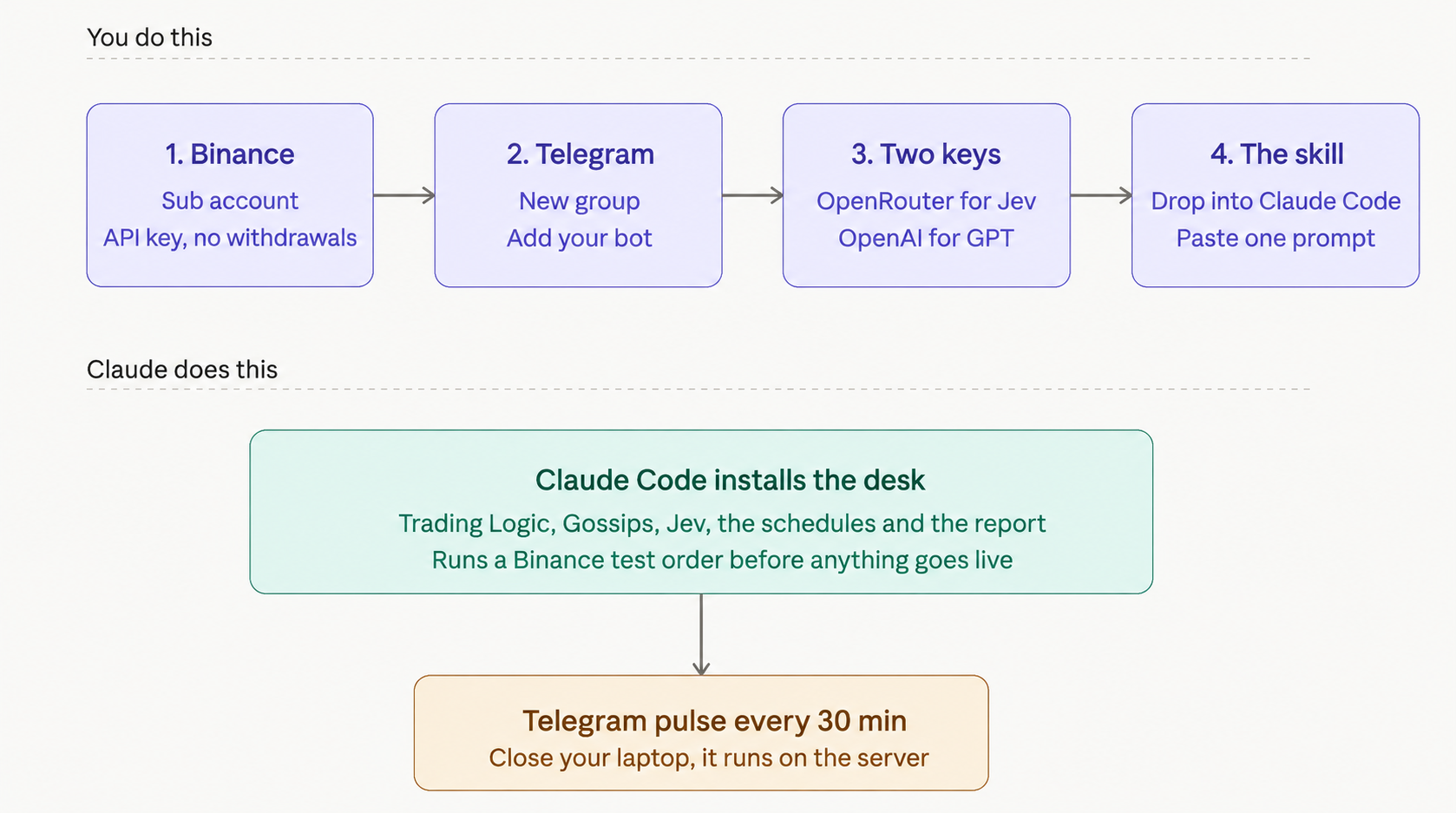
\What you do and what Claude Code does.\
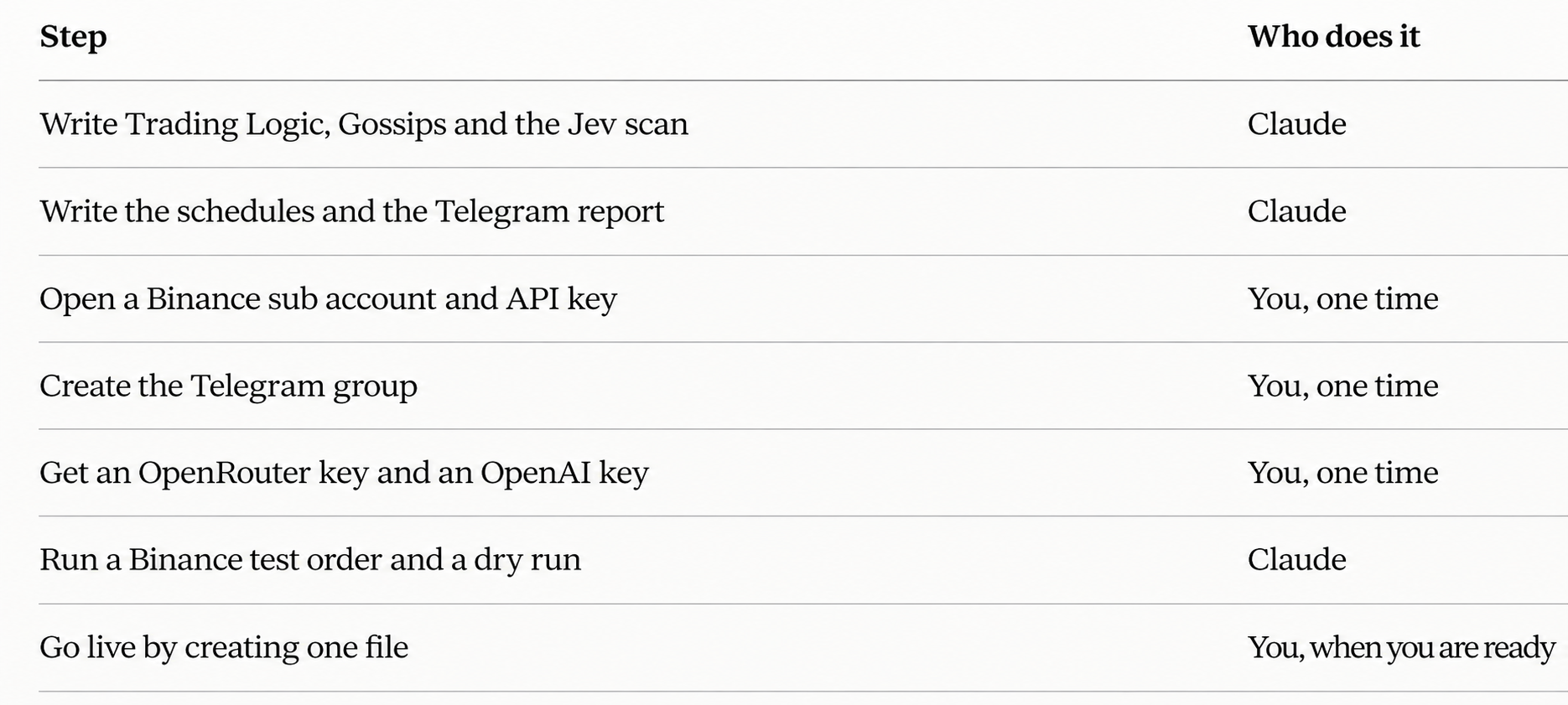
\Step by step, who does what.\
Four setup steps. About 20 minutes in total. Claude handles everything else.
1- Open a Binance sub-account and create an API key.
Tick Enable Reading and Enable Spot & Margin & Stock Trading. Leave withdrawals and transfers off. Restrict the key to your server’s IP address.

\Spot & Margin & Stock Trading on, withdrawals off.\
My first key had trading off.
The bot caught it with a test order that never fills, before a single dollar moved.
2- Create a Telegram group and add your bot to it.
You need to have an OpenClaw or hermes agent.
Next, open a group in it.
This is the pipe the bot uses to report every 30 minutes, and to tell you about every idea, WAIT, REJECT, and fill.
3- Get two keys.
An OpenRouter key runs Jev. $5 covers weeks of news reads.
An OpenAI key or account runs the OpenClaw.
4- Drop the skill into Claude Code on an always-on machine
I connect OpenClaw through my Claude Code, so I set everything using Claude and Dots basically.
No Dot? The skill has its own researcher that reads the same four institutions.
Have a Dot?
Give it the research job and point the desk at its feed.
The news scoring runs on Jev in both cases.
It starts in dry run. It runs a Binance test order first. It goes live only when you create one file yourself.
Here is the skill.
Install It Yourself
<https://drive.google.com/drive/folders/1Bh13Pkya0GAtvGObEMhWGa_-84eZRc-C>
It holds the whole desk. Six Python files, the Jev scoring module, a config file, and the instructions Claude Code follows to install it. You do not write any code.
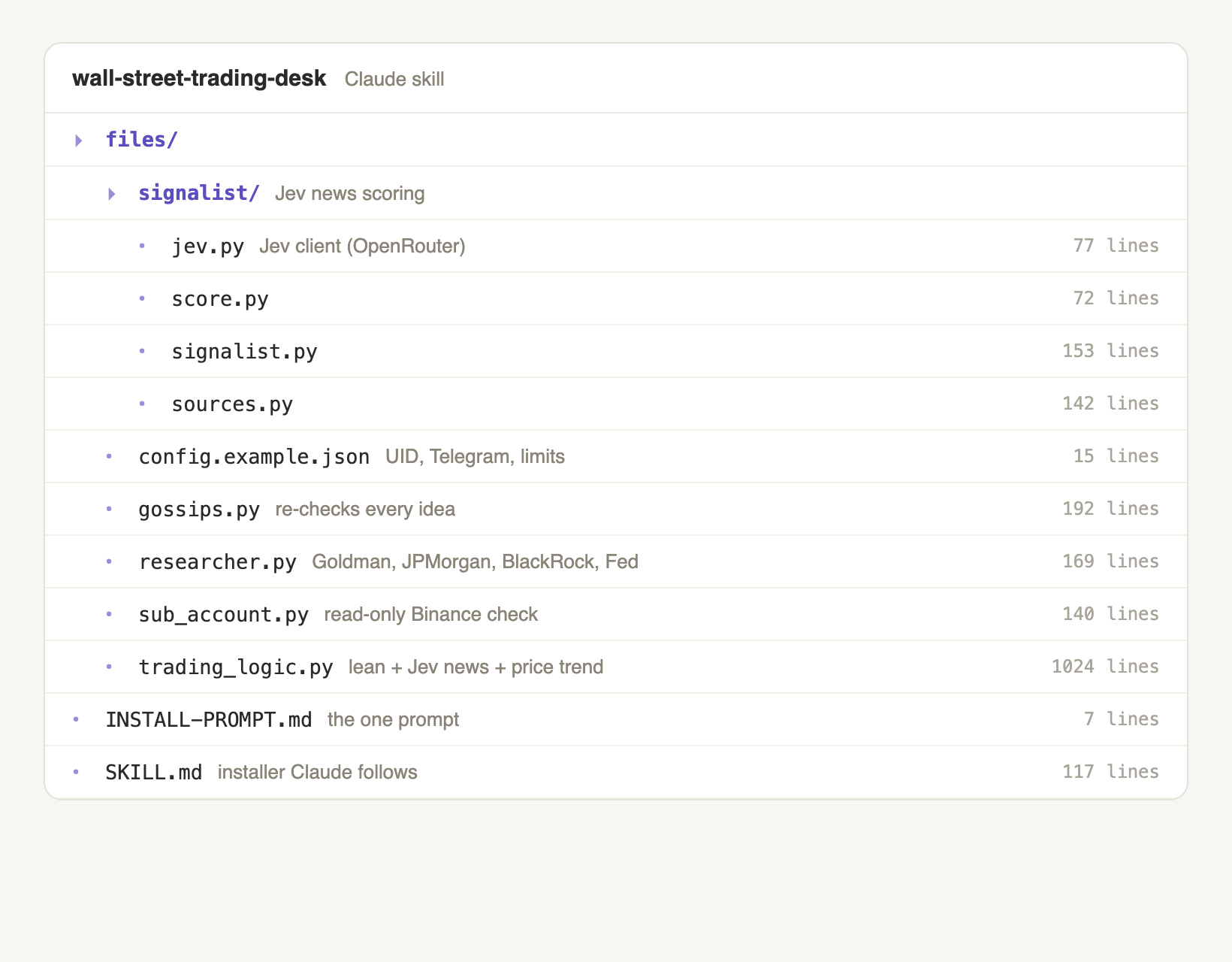
\The Wall Street Trading Desk skill files.\
Step 1. Prepare the four things
A Binance sub-account API key with Reading and Spot & Margin & Stock Trading on. Withdrawals off. Restricted to your server’s IP.
A Telegram group with your bot inside it, plus the bot token from @BotFather.
An OpenRouter key with $5 for Jev. An OpenAI key for the GPT step.
One gotcha cost me an evening. Binance blocks some countries and many cloud servers. If your server cannot reach Binance, you need an HTTP proxy, and the API key has to be restricted to the proxy’s IP. Claude asks you before it guesses anything.
Step 2. Download the folder
Download the wall-street-trading-desk folder to an always-on machine. A small cloud server works. An OpenClaw box works. A laptop works only when it is awake.
Step 3. Paste one prompt
Open Claude Code in the folder that holds it and use this prompt:
Read wall-street-trading-desk/SKILL.md and follow it step by step to install the Wall Street Trading Desk.
Ask me for the Binance sub-account API key, Telegram bot and chat id, OpenRouter key and OpenAI key when you need them.
Leave it in dry run when you finish.
Claude copies the files, writes your keys into private files, and checks the account. It shows you the sub account UID and asks you to confirm it. After your yes, the bot refuses to trade on any other account.
Then it sends Binance a test order. A test order is checked by Binance and never fills. A 200 means your key can trade.
Then it runs the researchers once, runs one Trading Logic cycle in dry run, and sends the first report to your Telegram group. Then it sets the schedules.
What each file does
researcher.py reads the four institutions every 30 minutes. The Fed comes from the Fed’s own feed. Goldman Sachs, JPMorgan and BlackRock come from their own websites. GPT writes at most 3 findings per institution and may only state what the source says.
trading\_logic.py runs every 5 minutes. It turns findings into leans, scans news with Jev for those stocks only, checks the price trend, and writes candidates.
gossips.py reviews every candidate. Jev re-reads every bank statement, a fresh news scan runs, and the price is recomputed. Only APPROVE moves on.
sub\_account.py is a read-only check of your balance and positions.
The rulebook
A BUY needs a research lean of +1 or more with Jev news at +15 or more, or two institutions agreeing at +3 with news not clearly against it. The price has to sit above its 5-day hourly average.
Gossips approves only with a mean support of 0.60 or more, less than 30% of headlines strongly against, and less than 3% price drift.
Every trade is $100 at most, with 5 positions at most and $20 of cash left untouched. Orders are limit orders that fill now or cancel.
It sells at -8%, at +12%, or after a 5% drop from the peak once a position is up 5%.
Go live, go back, stop
It stays in dry run until you create one file.
touch ~/wall-street-desk/LIVE_ENABLED # real orders after APPROVE
rm ~/wall-street-desk/LIVE_ENABLED # back to dry run
touch ~/wall-street-desk/TRADING_DISABLED # stop every cycle
Every Gossips decision is saved in ~/wall-street-desk/state/reviews. Open one, and every number in this article comes back to a line in that file.
What it costs
Jev costs about a tenth of a cent per stock scan, and it scans only the stocks the research mentions. GPT costs a few cents a day. The data is free. Binance charges its normal fee on real fills.
This is an experiment with my own money. It is not financial or investment advice.