The AI therapist I built with Claude reads 3 years of my ChatGPT history. The export steps, the profiling prompt, and the full app you can build today.
By Gencay
Published: 2026-08-04
URL: https://www.learnwithmeai.com/p/build-ai-therapist-claude
I catch myself asking AI how I should feel.
I asked it about conflicts with my neighbor, my family, and sometimes even shared my own thoughts.
Yet, I never thought about building something about this.
I assumed not many people were doing it.
It turns out I was wrong.
According to a 2026 review in Digital Public Health, roughly one in four AI users do the same.
So you also asked about it.
But one wrong message can cause chaos during a crisis.
That’s why I always follow a pattern.
When I’m angry, I turn to Stoic philosophy.
And I try not to focus on what I cannot control.
Today, I turned it into a system.
I built my own Sigmund Freud with Claude.
Let me show you.
What Does This AI Therapist Actually Do?
I named my Sigmund Freud the Mind Mirror.
Because AI will analyze all my conversations and profile me, using its methods.
(I’ll show you how.)
At the beginning, it asks you to choose your preference.
Because let’s face it, there are many different belief systems.
You don’t have to fit into just one.
That’s why I added a custom option.
You can use it to turn the system into your own digital Sigmund Freud, or anything else you choose.
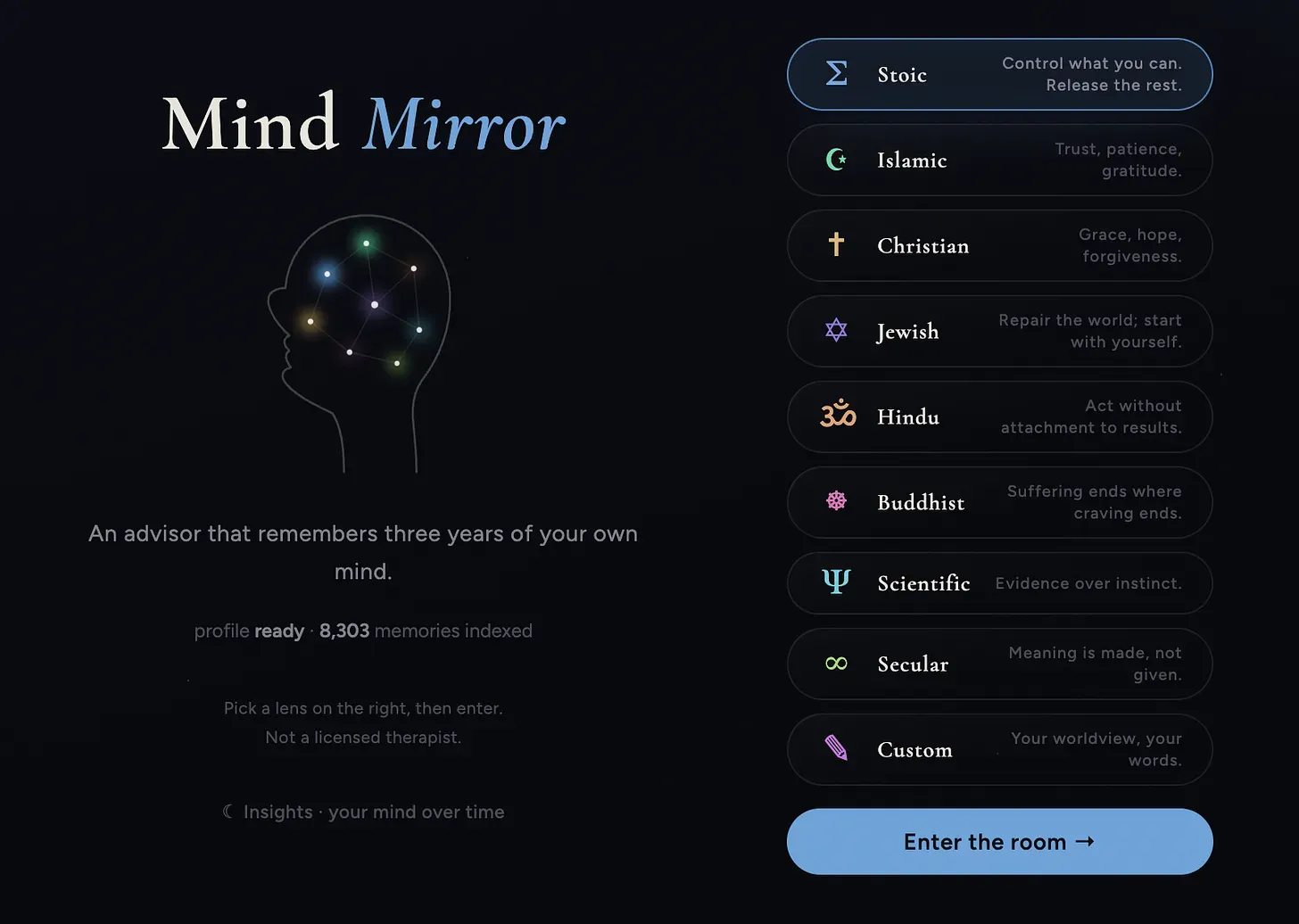
\Pick your lens, enter the room. 8,303 memories indexed behind this screen.\
But to make it accurate and help it understand you better, it needs a lot of data.
So, where can you get that data?
If you keep a diary, that’s perfect.
Use it.
I used my conversations with AI because it already stores every chat you’ve ever had.
Three years of mine were sitting there.
You just need to export them, and I’ll show you how in a moment.
Now, let me show you a real conversation from a day when I was struggling.
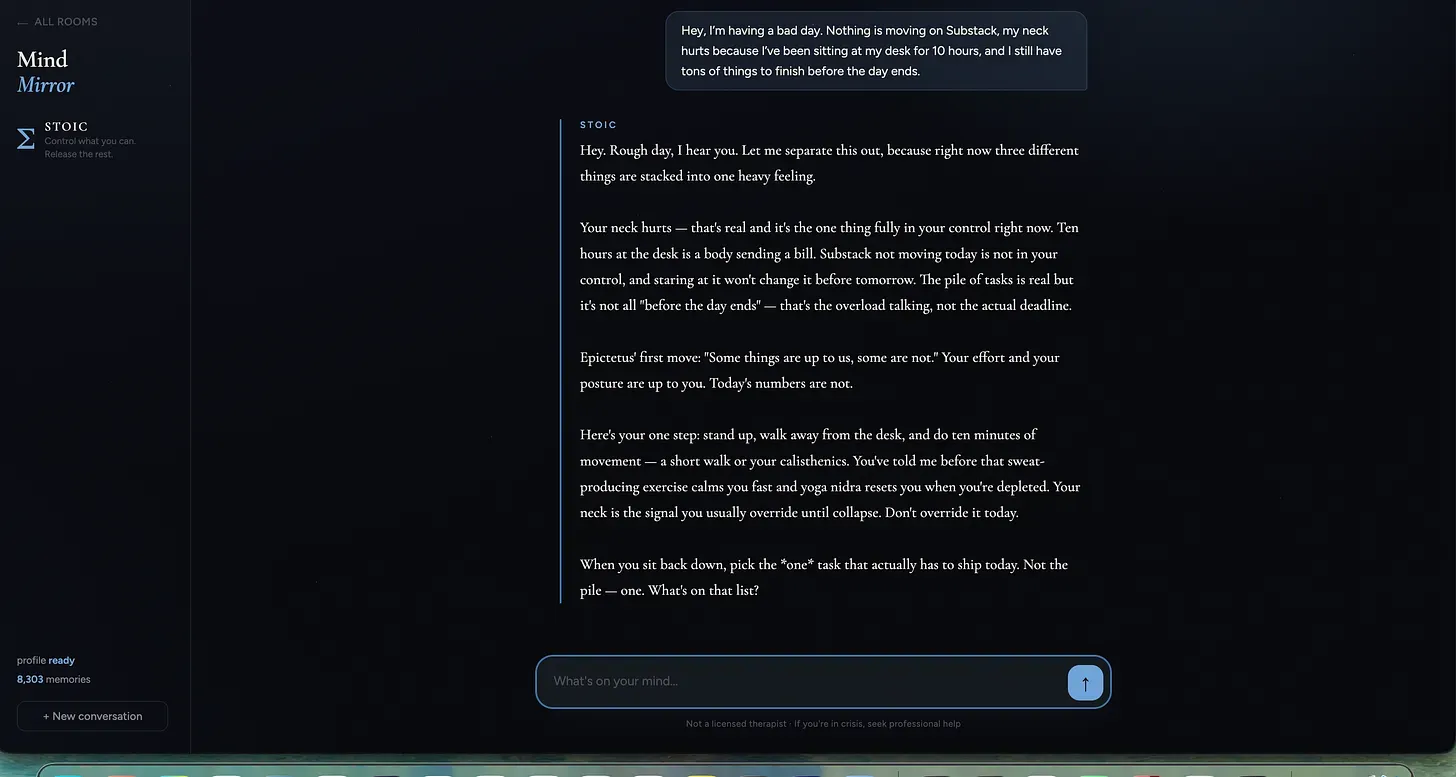
\It knows exercise calms me fast. I never said it in this chat.\
Now read the answer again. It directly quotes what I told it months ago when I was feeling anxious:
Sweat-producing exercise calms me.
It knows that I ignore my neck pain until I collapse.
I never said any of that in this chat.
It pulled this information from three years of my history and 8,303 indexed memories.
How the AI Therapist Reads 32 Months of Chat History?
I’m going to show you how to access your memories, but first, let me show you another feature.
This second screen shows how your mind has changed over time.
It creates charts based on every message I’ve sent to AI since August 2023.
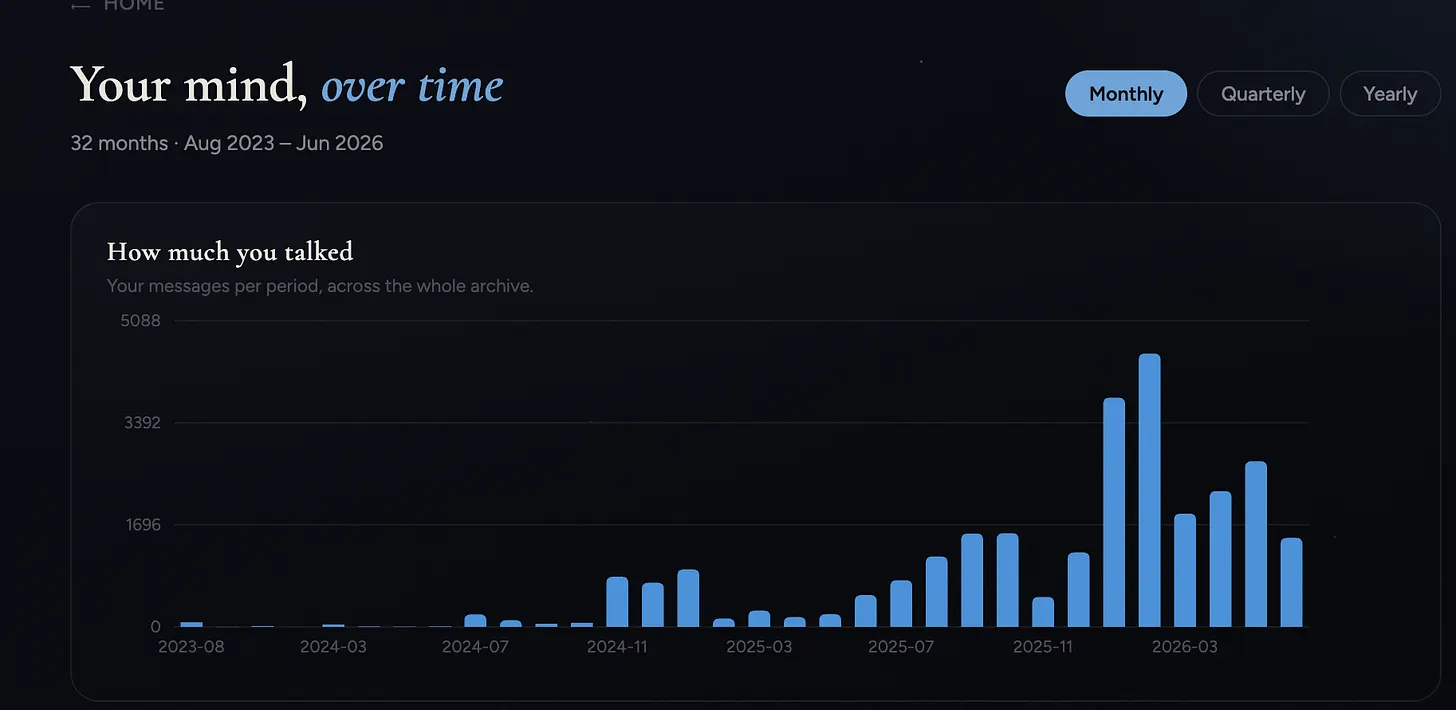
\32 months of my mind in one graph. Every point is a message I actually sent.\
That’s 32 months of my mind in one graph.
Also, it summarizes each year with a couple of sentences.
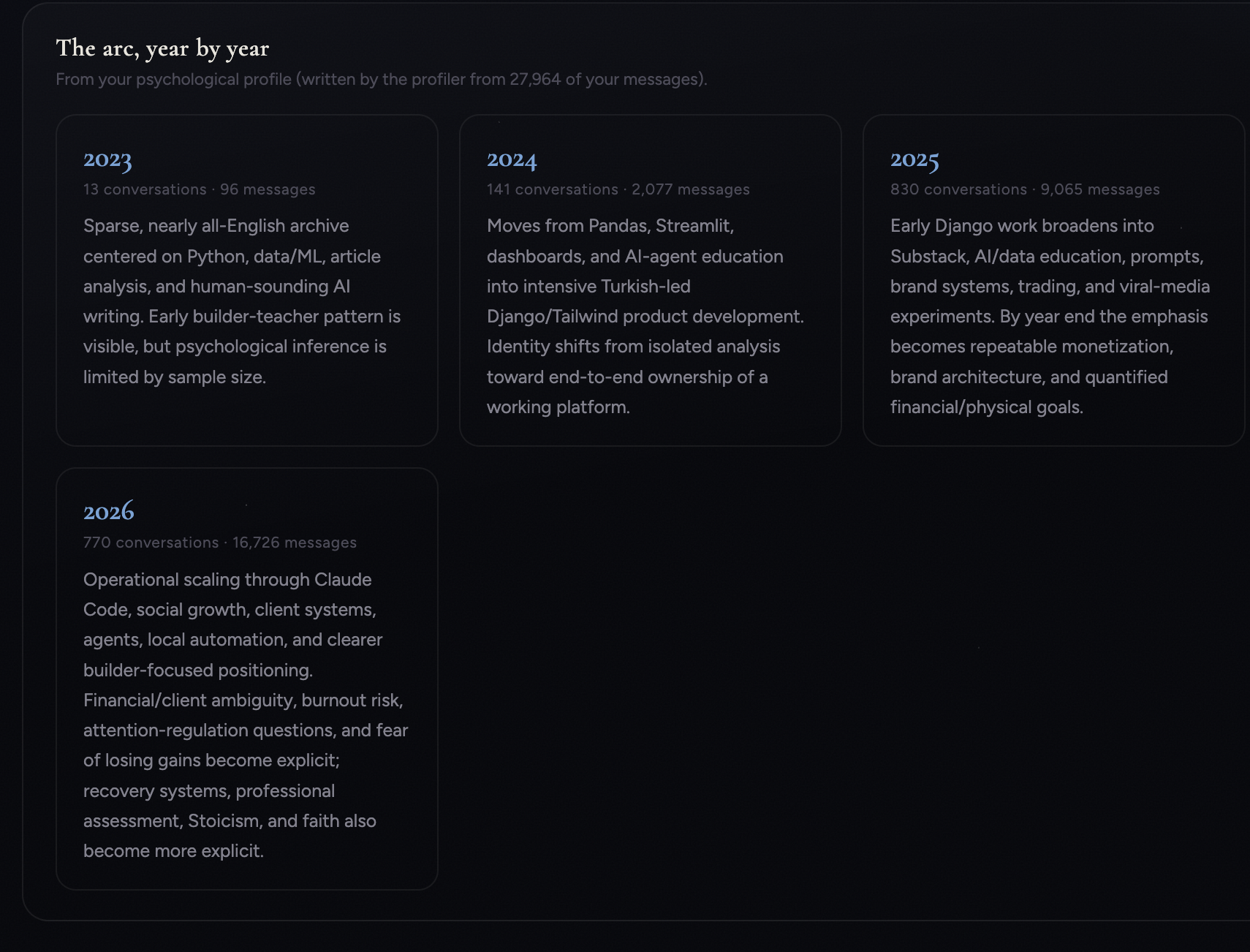
\I did not write a single word of these cards. My chat history did.\
I even forgot what I’ve done in 2023 :)
All of these were written by AI, which analyzes my conversations from my chat history.
How to Build Your Own AI Therapist
First, we’ll export the chat conversation history.
And we’ll profile yours using one prompt and a psychological method you prefer.
Next, we’ll build an app using only one prompt.
If you have built with me before, this is the same one-prompt method from $30M App Clone.
And this prompt is inside the Google Drive.
Here it is.

\After the paywall\
https://drive.google.com/drive/folders/14pR5iovR-Dx1mEzcOsxIlaO\_BII-JMWR?usp=sharing
Step-by-step Setup
But before that, you need to export your Conversation data, let me show you how.
Step 1: How to export your Data?
For ChatGPT, Settings > Data Controls > Export > Confirm export.
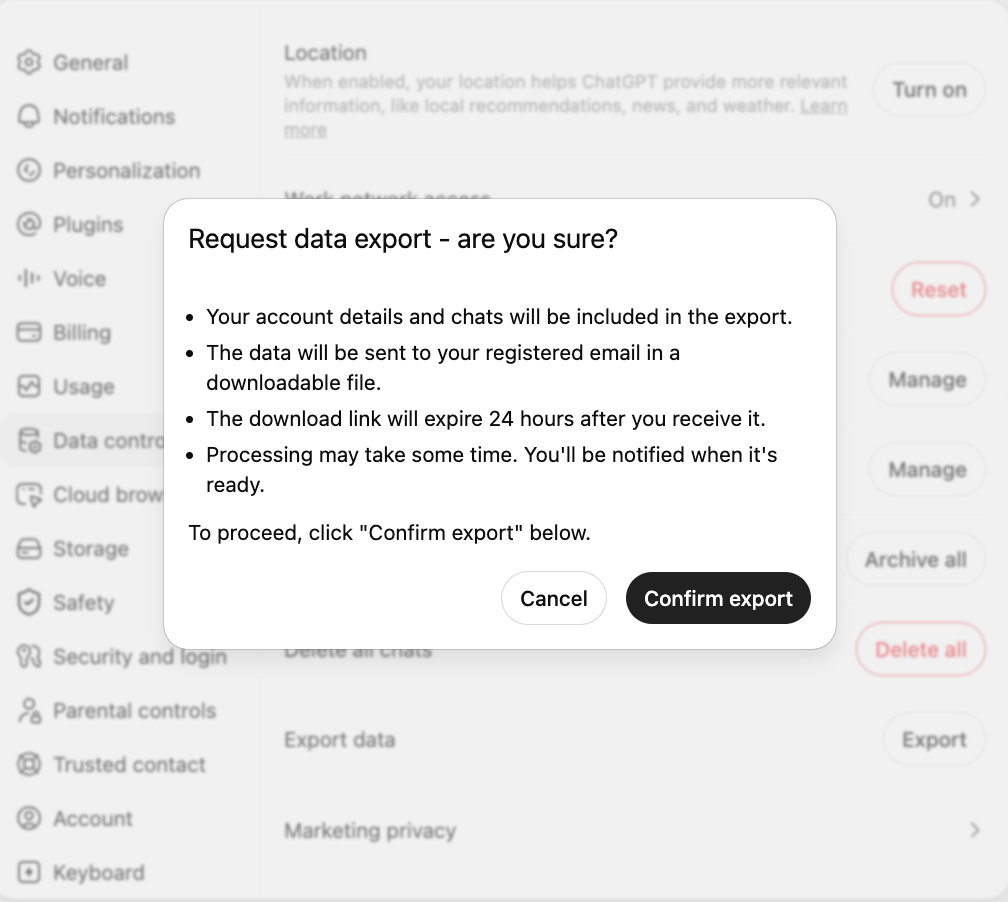
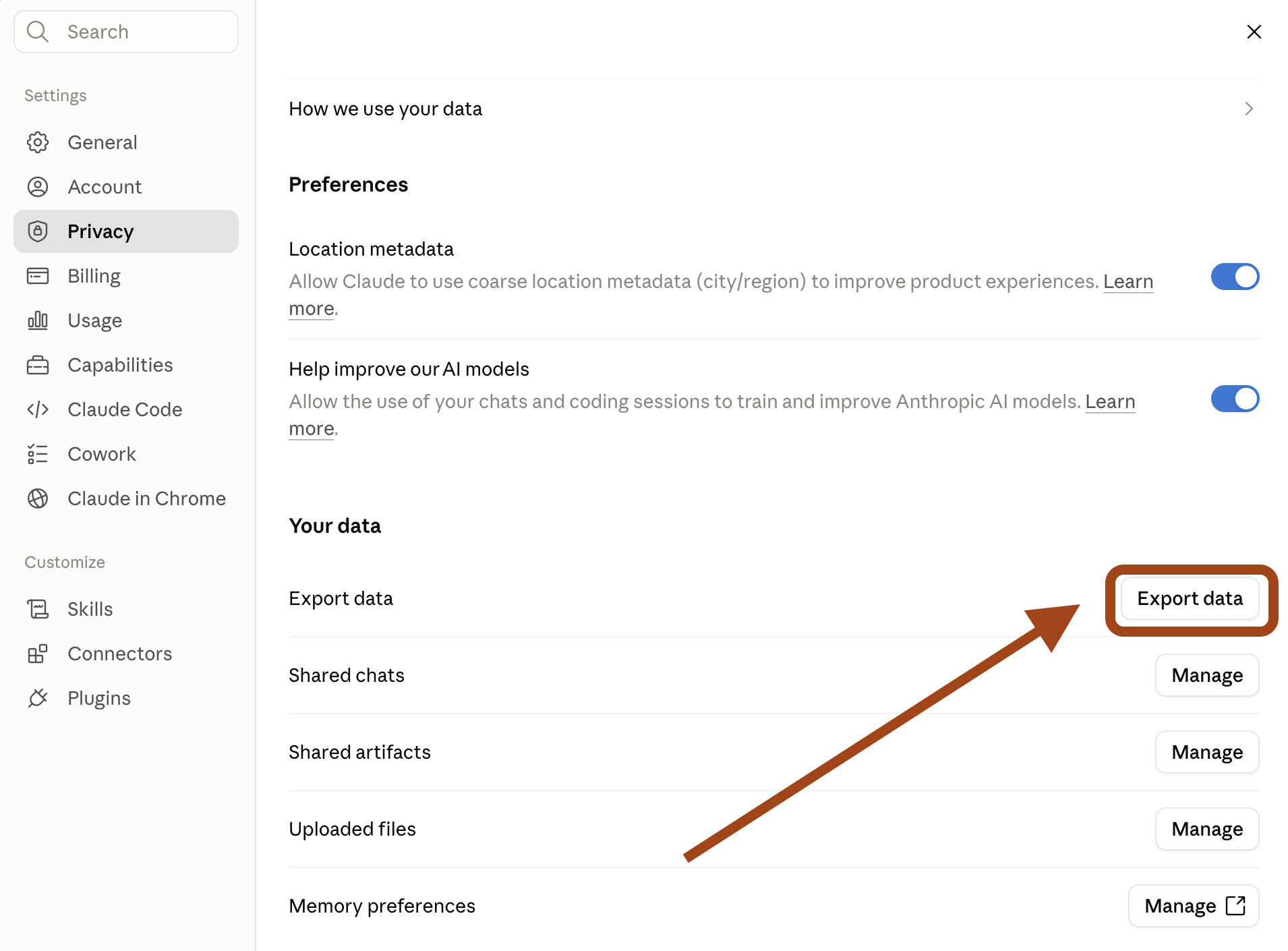
For Claude, first Settings > Privacy and click on “Export Data”.
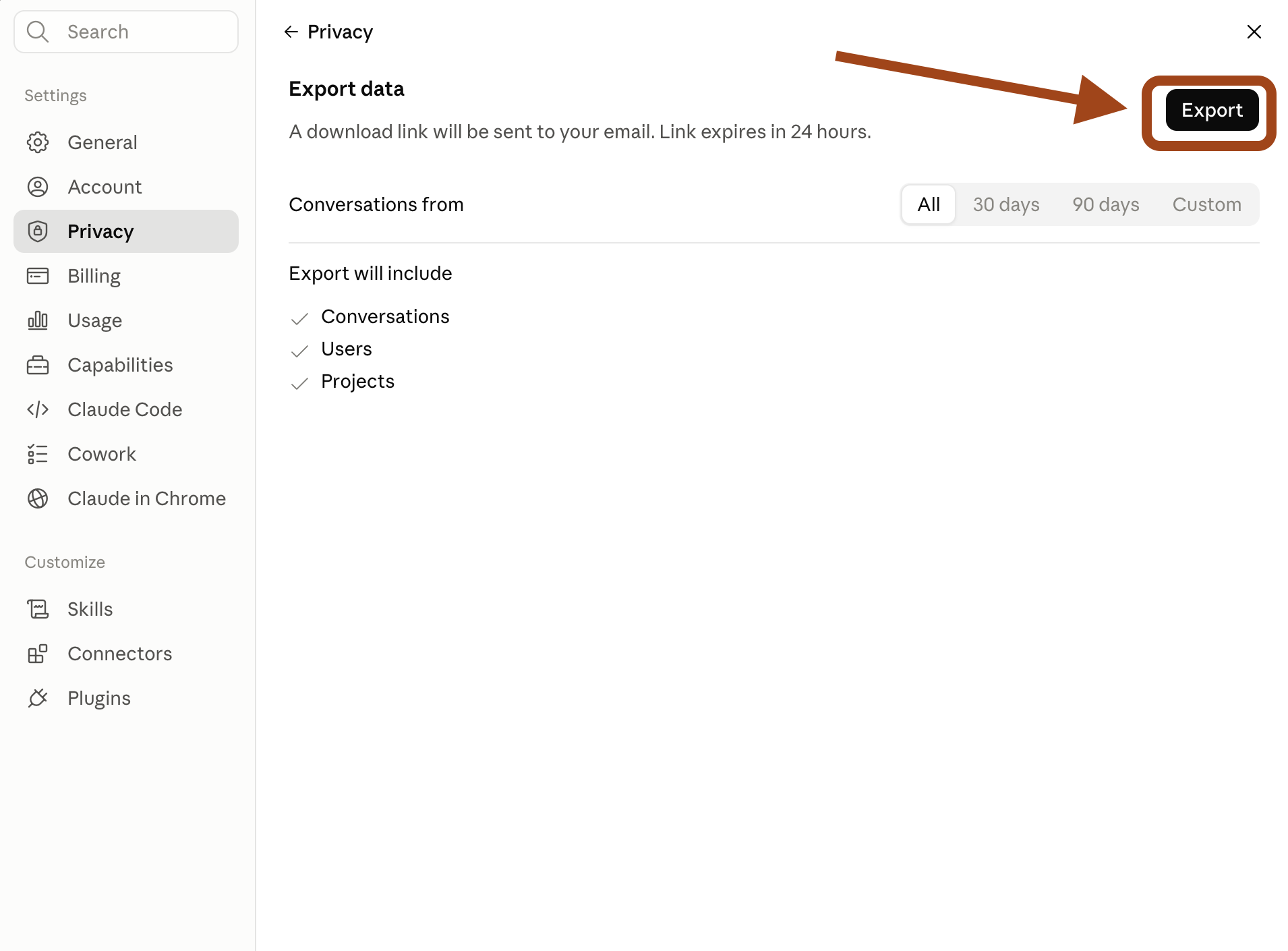
And next, you can select the time period(30days-60 days) or custom time.
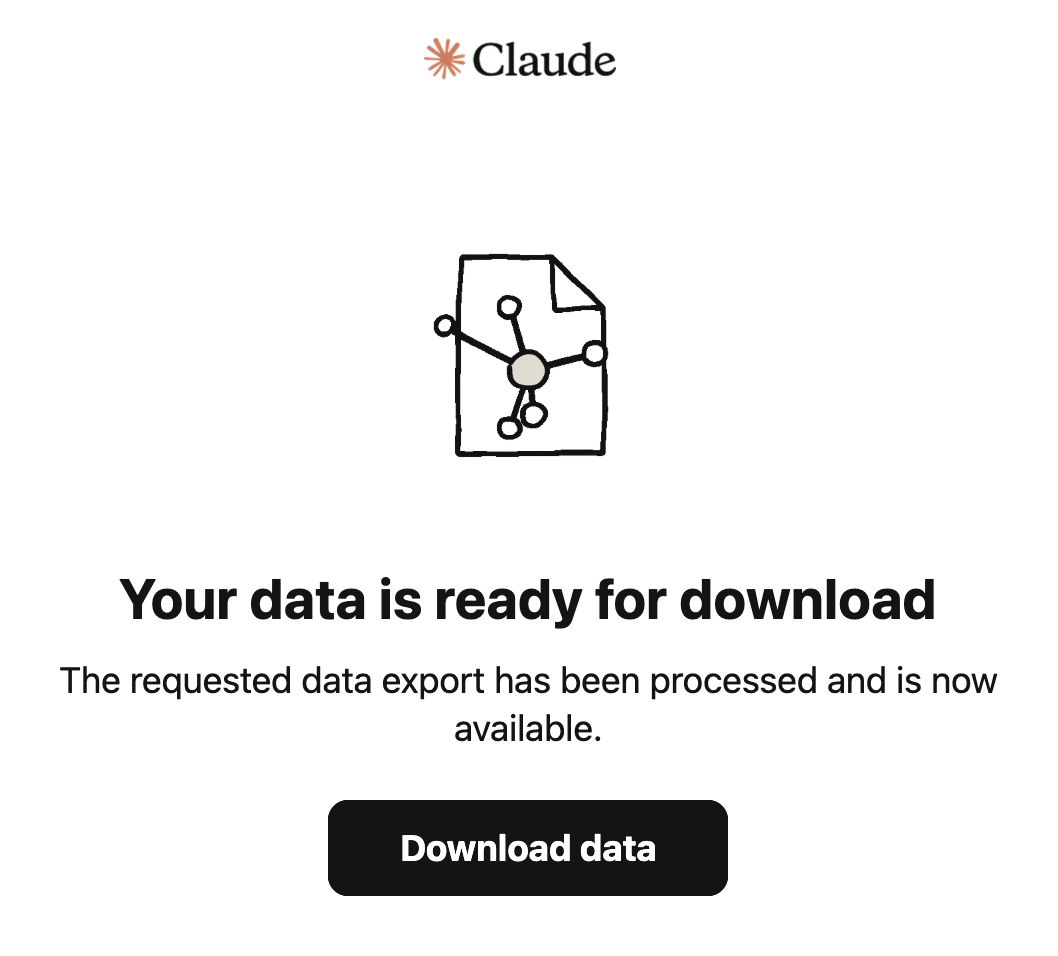
Next, you’ll get an email, like this.
Step 2: Codex Inside Claude Code
You can simply analyze your conversation using the prompt in step 3, but I also want to show you a trick.
You can use Codex inside Claude Code.
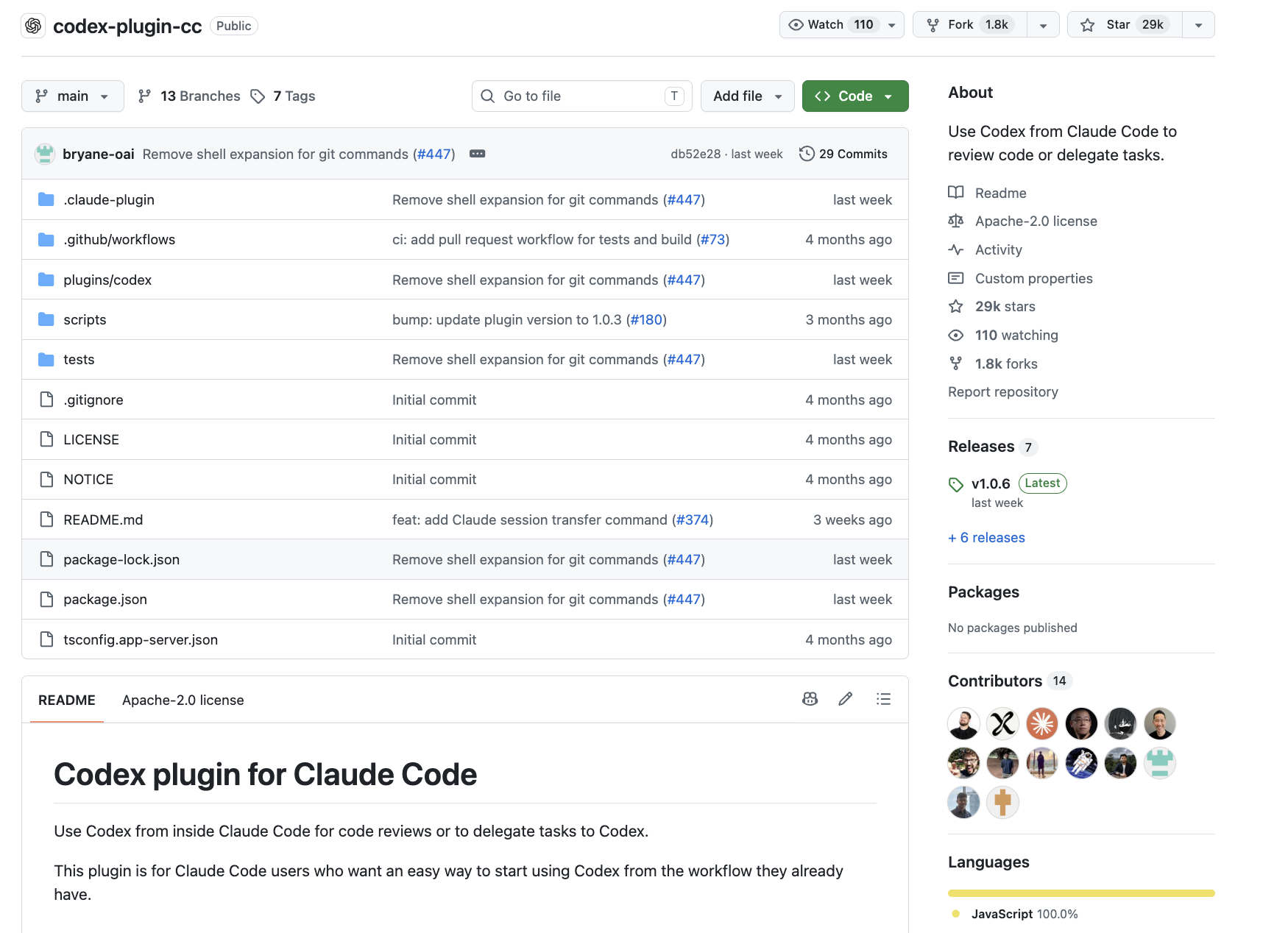
This will help your Claude Code limit run more, and you can pass simpler tasks to Codex.
To do that, use this prompt:
Download this repository: https://github.com/openai/codex-plugin-cc
Then authenticate using my existing account. If that is not possible, let me authenticate through Codex so you can use it for sub-agent tasks in the future.
After making sure, it is now time to profile.
Step 3: Profiling
Now tell Claude to assing sub-agent as a Codex using this plug-in and analyze your previous ChatGPT and/or Claude conversations, using this prompt.
Based on everything we have discussed so far, create a comprehensive psychological profile of me using [YOUR PREFERRED PSYCHOLOGICAL FRAMEWORK].
Analyze my personality, strengths, weaknesses, blind spots, communication style, decision-making process, motivations, emotional patterns, learning style, and potential biases.
Base your conclusions only on evidence from our conversations, and clearly distinguish observations from assumptions.
Do not flatter me or soften uncomfortable conclusions. Be objective, honest, and practical.
Finally, summarize your findings and provide five actionable recommendations that would have the greatest positive impact on my personal and professional growth.
You can choose followings as a preferred psychological framework;
- Jungian psychology
- Freudian psychology
- Big Five personality traits
- Positive Psychology
- Neuro-Linguistic Programming
- Attachment theory
- Cognitive behavioral psychology
- A combination of multiple frameworks
Step 4: Building The App
Download the Google Drive files.
Open Claude Code inside that folder.
Paste the prompt inside BUILD-PROMPT.md.
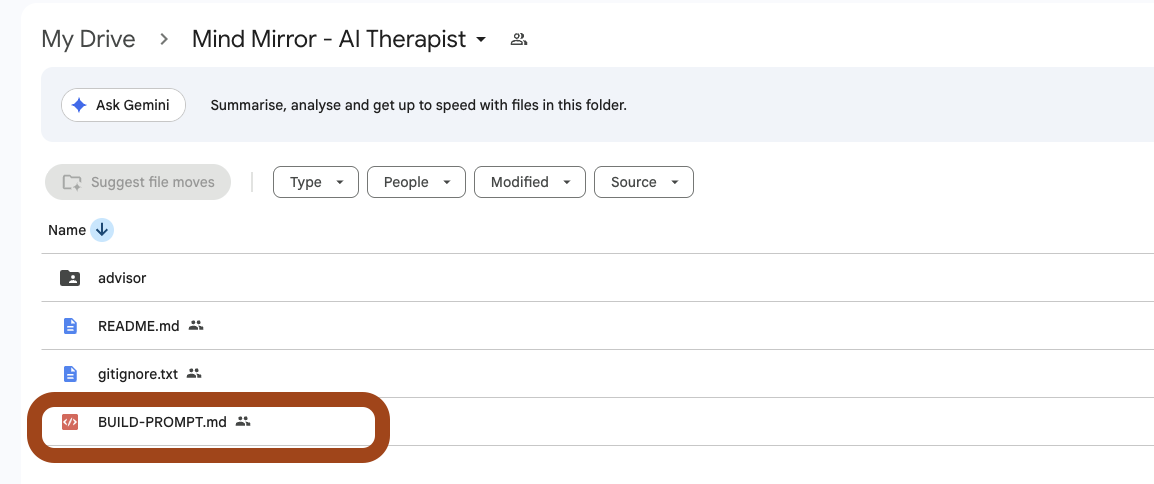
This will install the app, but you need to give it your conversation data and an API key to run it.
I set up this app to use Claude by default. If you want to use another API, just ask Claude to adjust the app for it.
To use api, you can use Openrouter. It has all different kind of different API’s, get it from there and give it to Claude, it’ll handle.
This is a build project, not therapy: it reads your old messages back to you, and if you are in crisis, talk to a person instead.
Next Steps
Next step, build yours!
Thanks for reading.