Set it up once. Get personalized AI news delivered to Slack every morning.
By Gencay
Published: 2026-03-19
URL: https://www.learnwithmeai.com/p/notebooklm-and-claude-schedule-my

Most people spend hours tracking AI news.
What if I tell you, you can do this without spending any minute?
And no, you won’t sacrifice the quality.
\Your morning brief\
What You’ll Build?
Each day, you’ll get an AI news report like this.
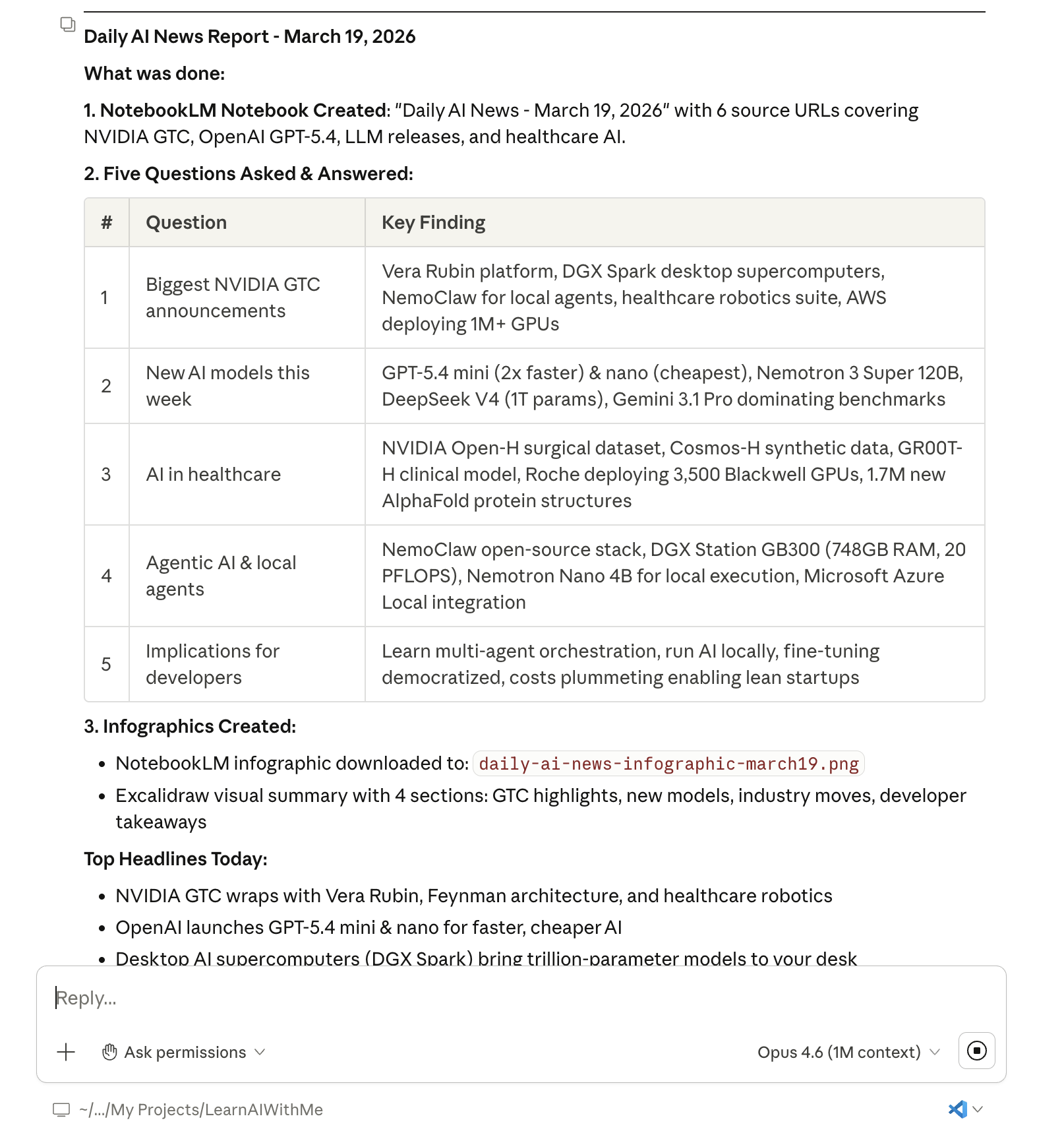
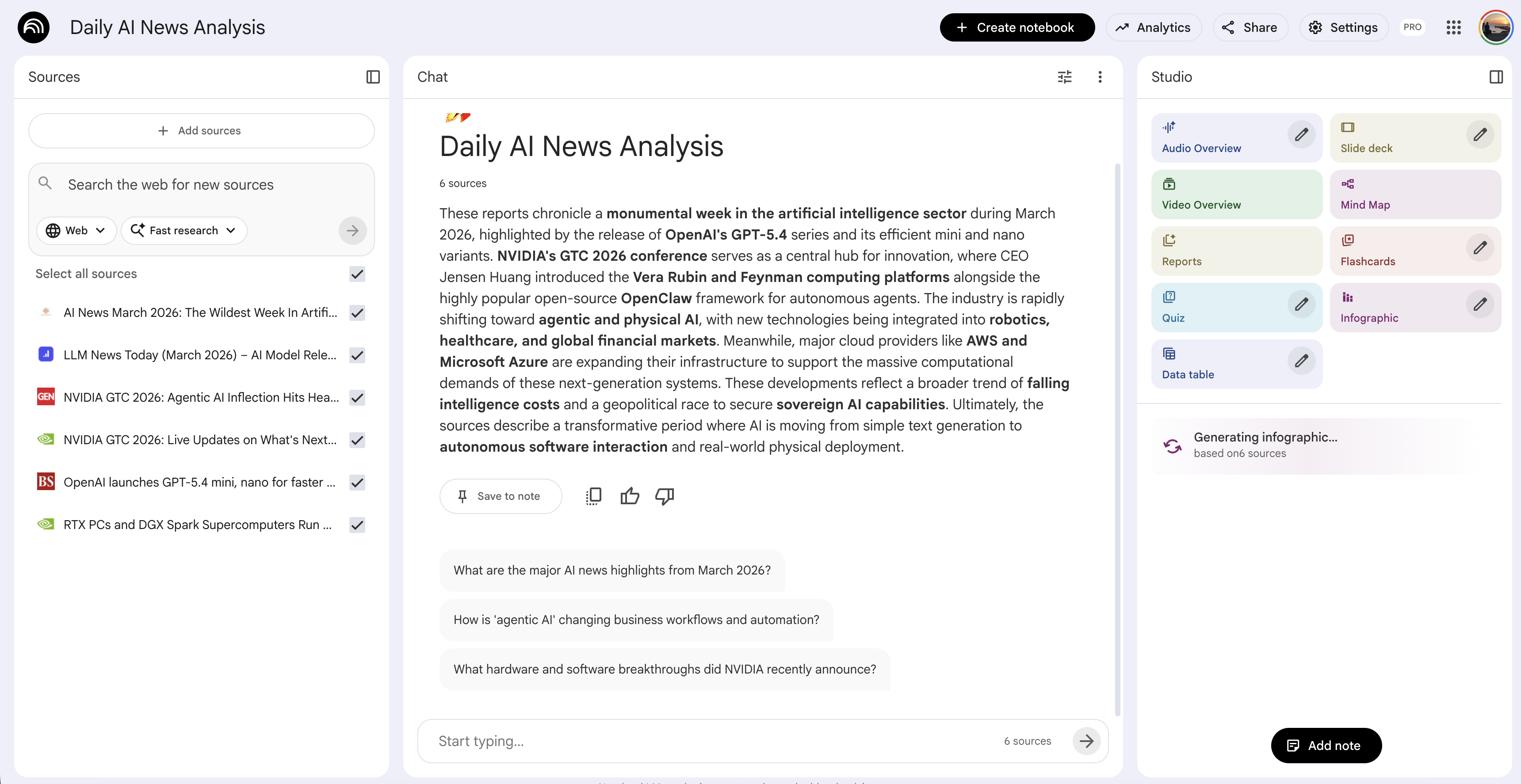
But not just that, you’ll also see the NotebookLM, trained on today’s news.
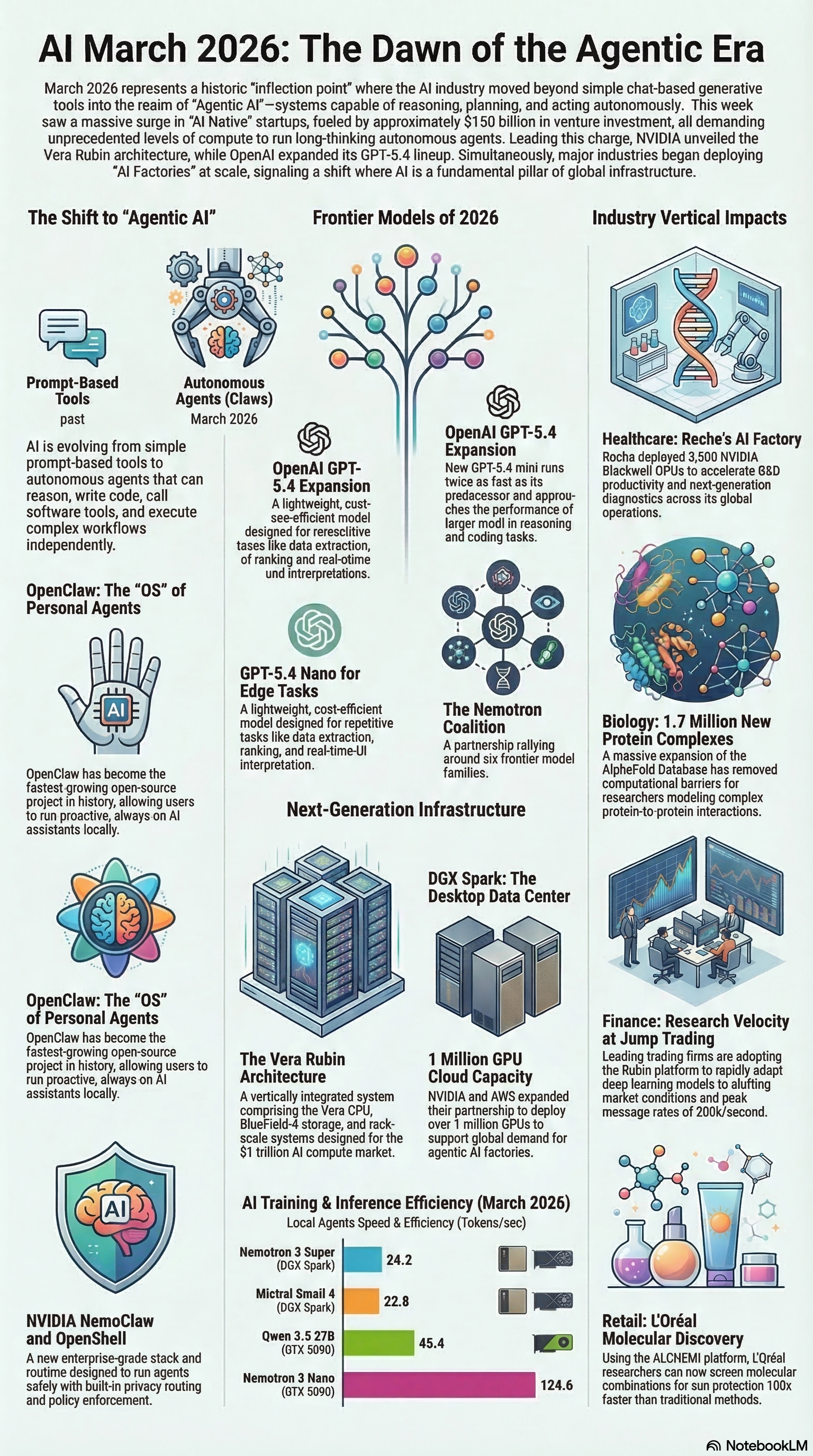
And also an infographic, generated with NotebookLM.
To be able to get this news, there is one condition:
- Your computer should be open.
Because Claude’s schedule feature is working like that.
Advance Setup
In the advanced setup, you’ll scrape from X and Reddit, using Apify API($5 free quota each month)
Tools You Need
You’ll need:
- Claude Code: To automate scheduling
- NotebookLM: To create a notebook of your research
- Optional: Apify
That’s it.
Step-by-Step Setup
What you’re about to build takes 10 minutes and runs forever, no more “did I miss something?” anxiety.
Step 1 - NotebookLM Set-up
Go to your Claude Code and send this prompt.
Visit here: https://github.com/teng-lin/notebooklm-py, and create a NotebookLM skill from it
Next, it will ask you to authorize by signing in.
Once you do it, then we’re good to go.
Step 2- Claude Code Schedule
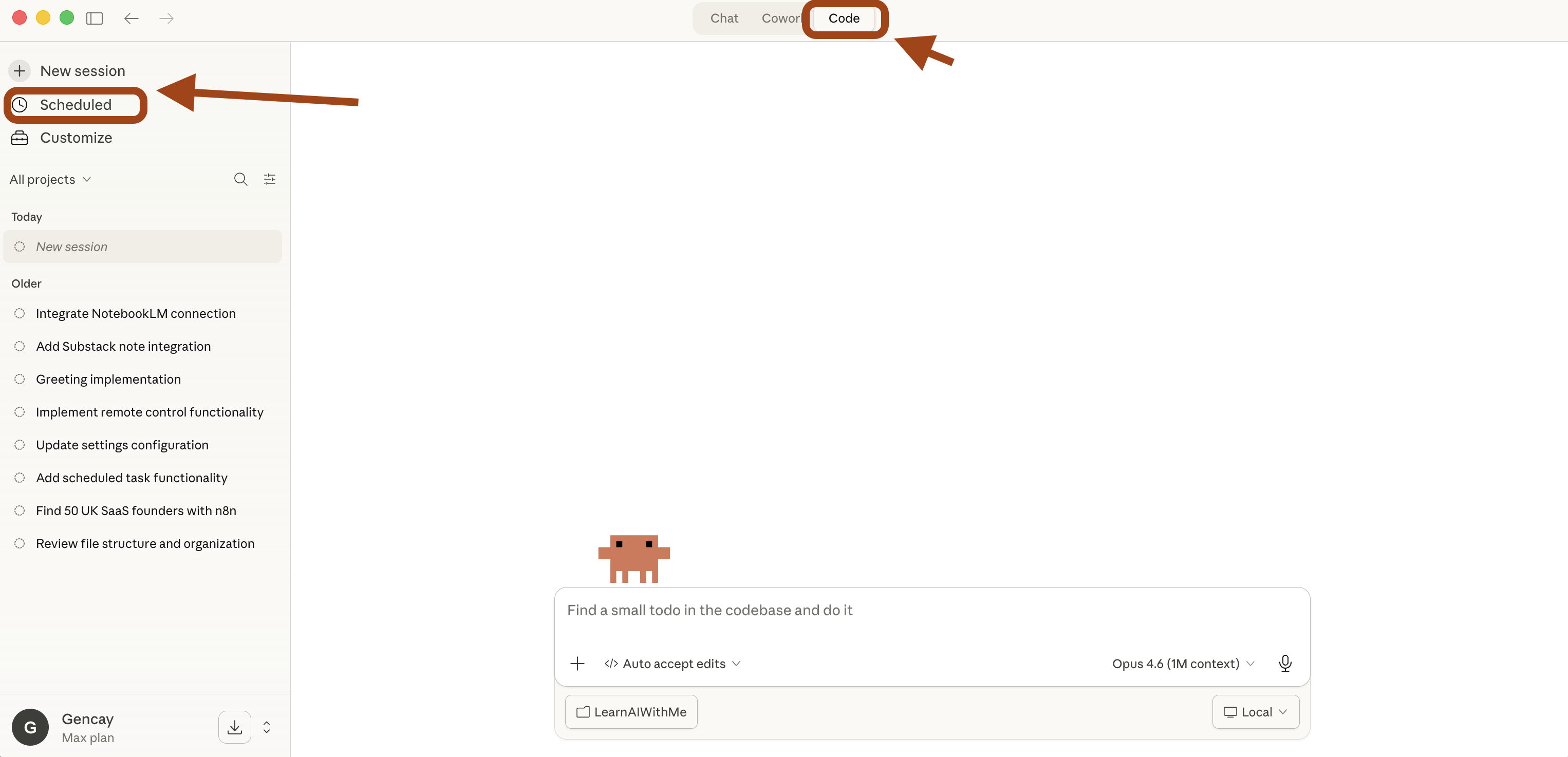
At this step, you should download the Claude Code from here.
Next, click on scheduled. (Check the ss above.)
Here, click on “New Task”.
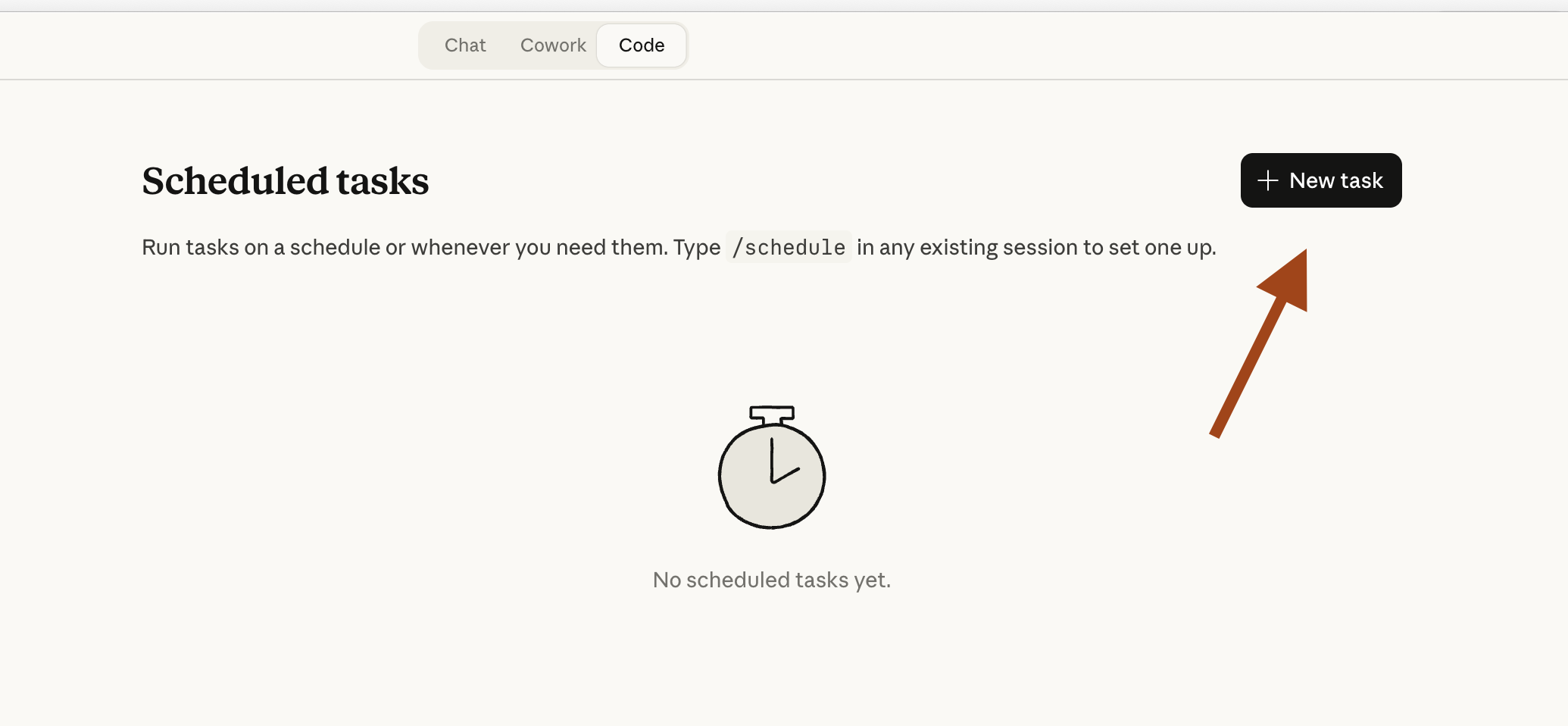
Next, you should fill in the following fields;
- Name: Daily AI News
- Description: Morning AI Brief
- Prompt: Paste your prompt here.
- Folder: Select the folder you want the output to be saved.
- Frequency: Daily / Manual / Hourly / Weekdays / Weekly
- Hour: Set the time
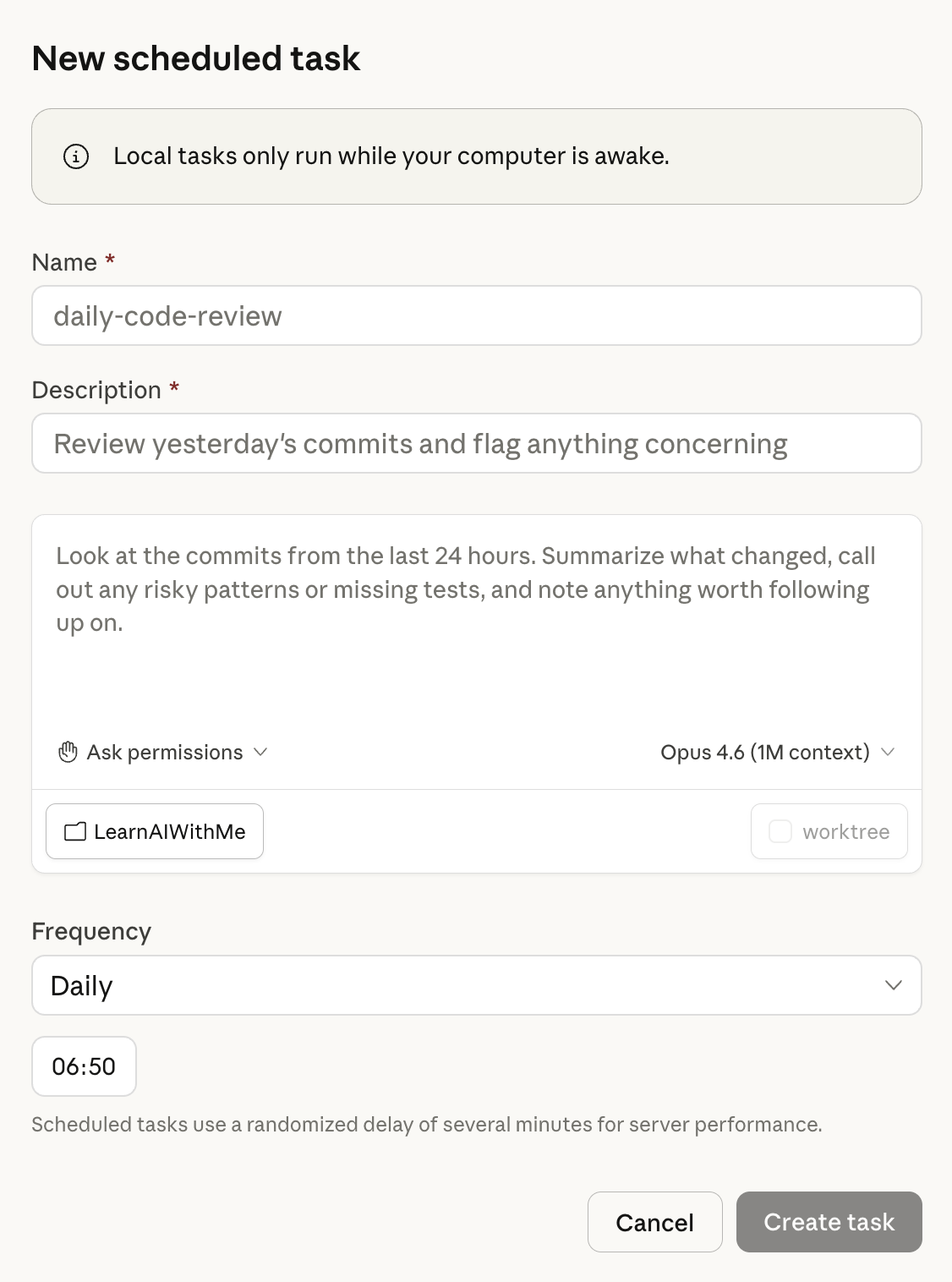
Here is our prompt.
Check out the daily AI news and create a notebookLM using notebookLM skills.
Ask 5 relevant questions, I would ask and send the output of the notebookLM to me, and create an infographic, summarizing daily news to me with NotebookLM
Here is what it looks like
After you set your task, here is what it looks like.
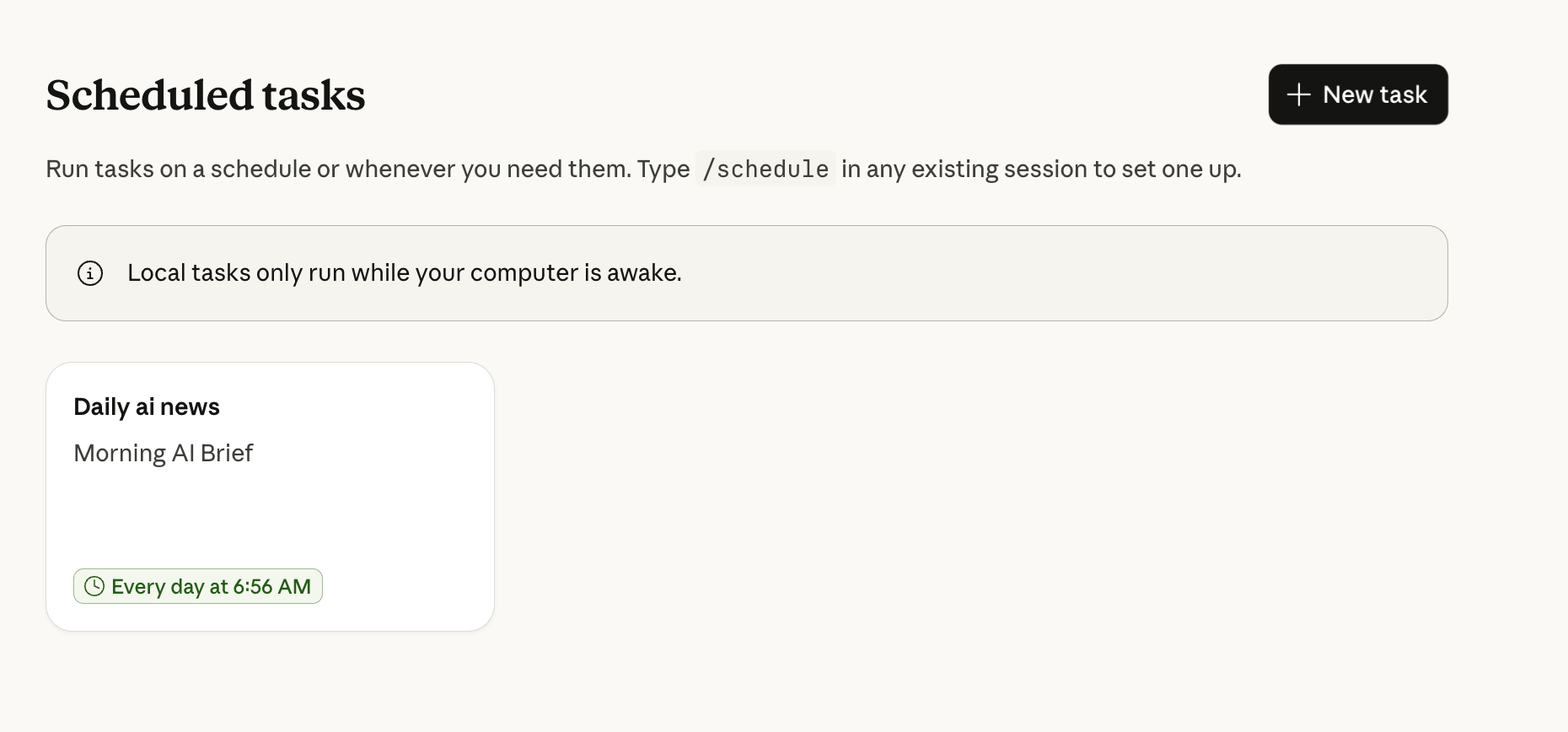
Now, let’s click on this task to test how it works.
It’ll run daily without your intervention, but let’s test it manually.
It starts, here how it looks like:
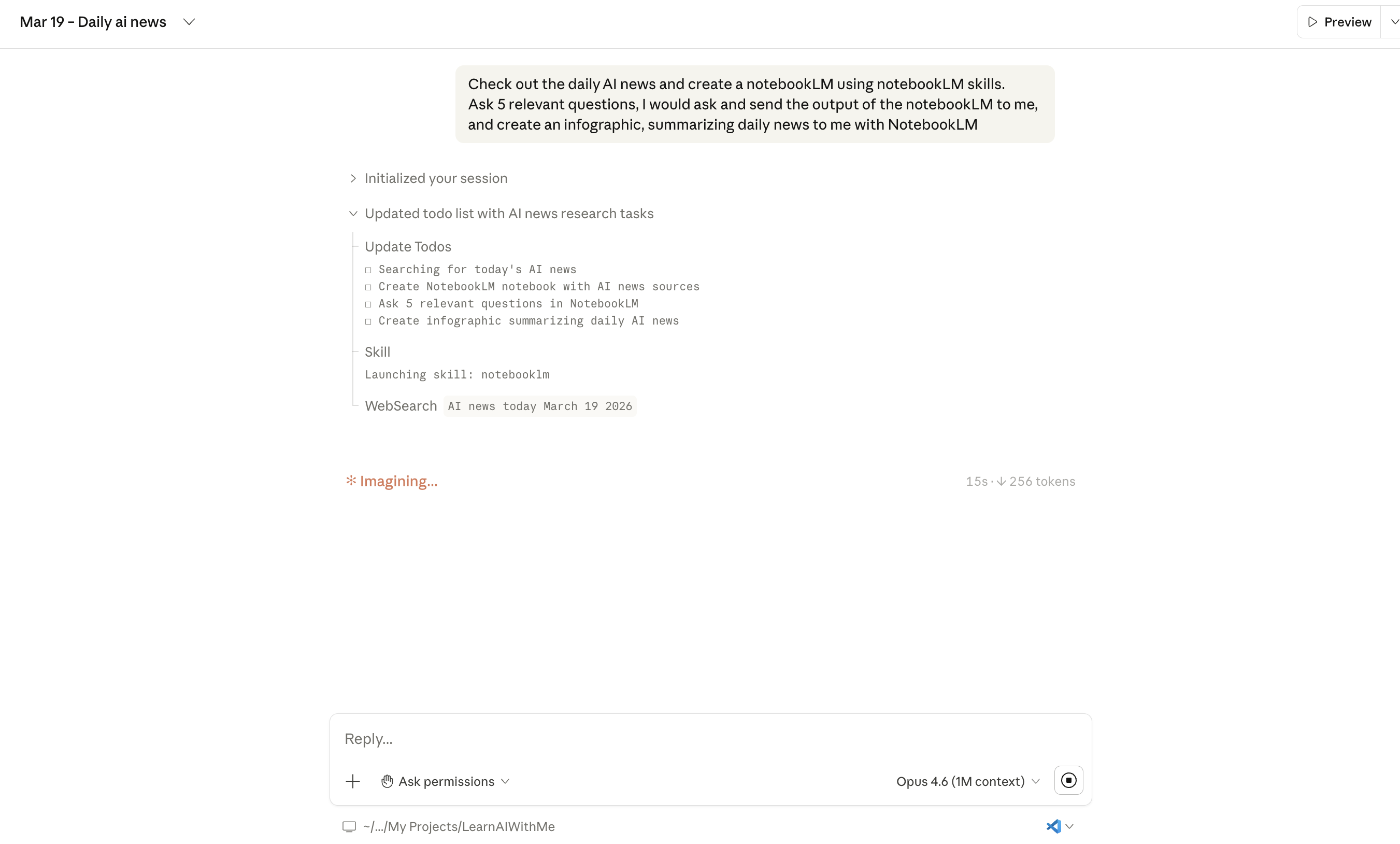
Step 3- Advanced Set-up
Let’s say you want more.
Scrape from X, Reddit.
To do that, we’ll use Apify.
It gives a $5 free quota each month.
So you can do pretty much anything using Apify.
Let me tell you the steps.
Step 1: Go to Apify and take your API.
Step 2: Use this prompt inside Claude Code.
Here is my API: [paste here], install Apify skill.
Step 3: Schedule AI news with a new prompt.
Check out the daily AI news and create a NotebookLM using notebooklm skills.
Use Apify to collect news from:

- Reddit AI communities (r/artificial, r/MachineLearning, r/OpenAI, r/LocalLLaMA)

- X/Twitter AI accounts (@sama, @karpathy, @AnthropicAI, @OpenAI, @ylecun, @goodfellow_ian)
Then use NotebookLM to:
1. Create a notebook called "Daily AI News Analysis"
2. Add the scraped data as a source
3. Ask these 5 questions:

- What are the biggest AI announcements from the last 24 hours?

- What new AI tools or features were released?

- What are researchers and developers saying about AI safety or ethics?

- What interesting AI use cases or applications are being discussed?

- What trends or topics should I pay attention to this week?
4. Generate a study guide artifact as infographic
5. Download and send me the NotebookLM output + infographic
Save everything to markdown files.
Here is the image.
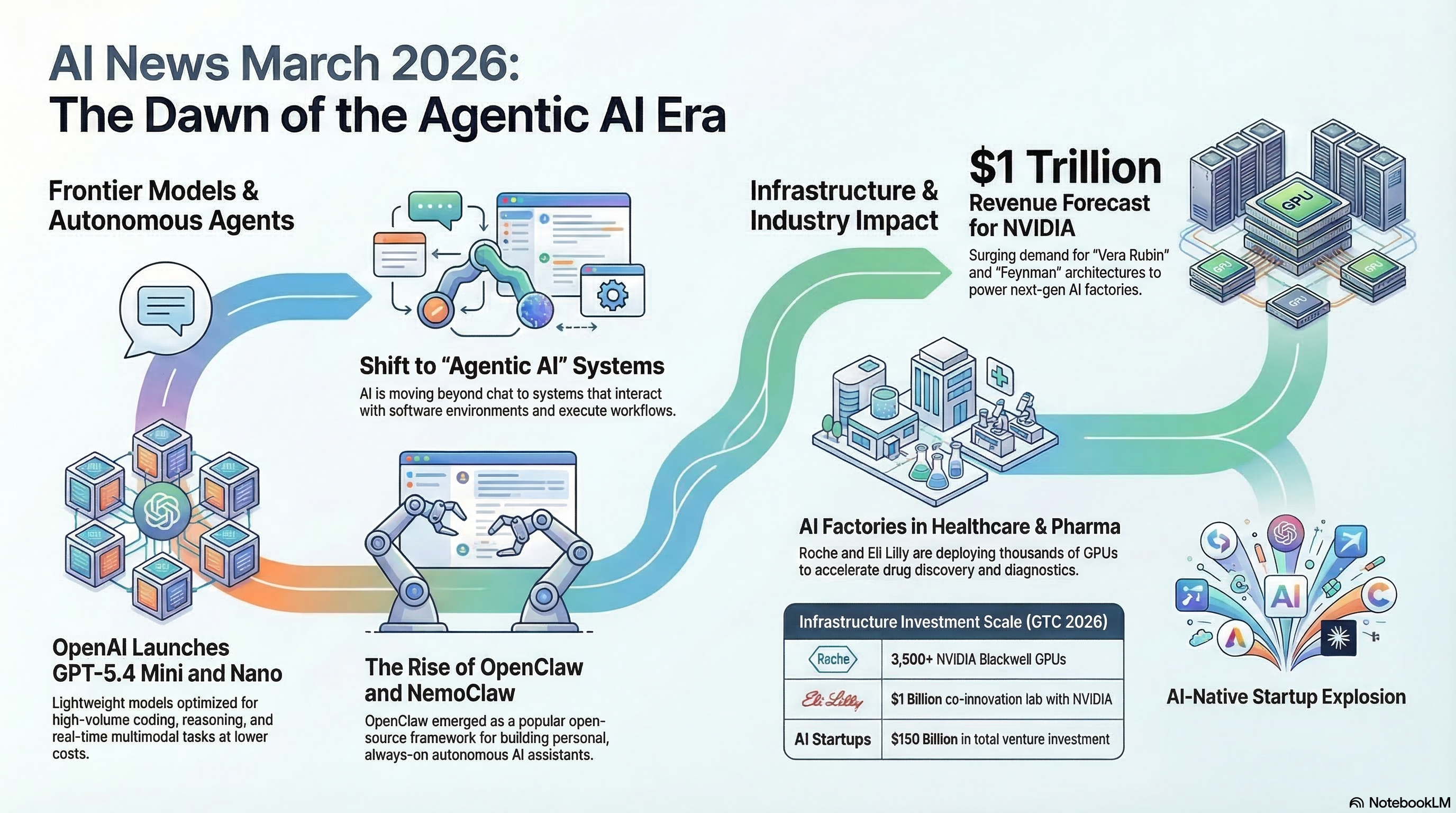
It also generates a report.
Next Step
You can customize the prompt and let it handle daily tasks based on your needs.
So this new collection is just an example.
With Claude Code + scheduling + NotebookLM, you can automate many things in a structured and efficient way.
Final Thoughts
You just automated what most people do manually every morning.
No more jumping between Reddit, X, and Discord.
Your computer scrapes while you sleep.
You wake up to a complete AI brief and a trained NotebookLM ready to answer questions.
(That’s when you realize automation isn’t about saving time, it’s about never missing what matters.)