Turn research into SEO-optimized blog posts using NotebookLM Reports and 4-step framework. No hallucinations, no writer's block.
By Gencay
Published: 2026-02-28
URL: https://www.learnwithmeai.com/p/notebooklms-hidden-feature-lets-you

\Use NotebookLM to write SEO-optimized blog posts - Generated With Midjourney\
You have to write an article.
Your idea is great, but you’re staring at a blank page.
Again.
Most people try two options:
- Write everything manually by doing research
- Let AI research for you.
But there is a third option.
Third, and a not well-known option.
In this one, we’ll discover how to write banger blog posts, SEO optimized and humanized.
We’ll not just copy/paste from NotebookLM.
We’ll use it wisely.
But let’s discover the tools we’ll use first.
Part 0: What is NotebookLM?

\Reference\
NotebookLM is my favorite AI tool.
People started using it for research and learning.
Google saw the opportunity and linked it with Gemini, and Gemini Gems next.
They introduced so many different features one after another that people can’t keep up with the pace.
But we will.
First, let’s start by discovering from the beginning.
Part 1: How to Train NotebookLM Using Deep Research
Let me show you the steps.
- Visit notebooklm.google
- Click on “Try NotebookLM”.
- Click on “Create New”
- Paste your Deep research Prompt
- Name your Notebook
In just 5 steps, you have trained your first NotebookLM.
Here is a sample deep search prompt
- Do a deep research on [TOPIC] and find all high-quality, relevant sources, prioritizing official documents, research papers, and authoritative publications.
For more prompts about NotebookLM and discover tips and tricks, check out this one.
Part 2: What are NotebookLM Reports?
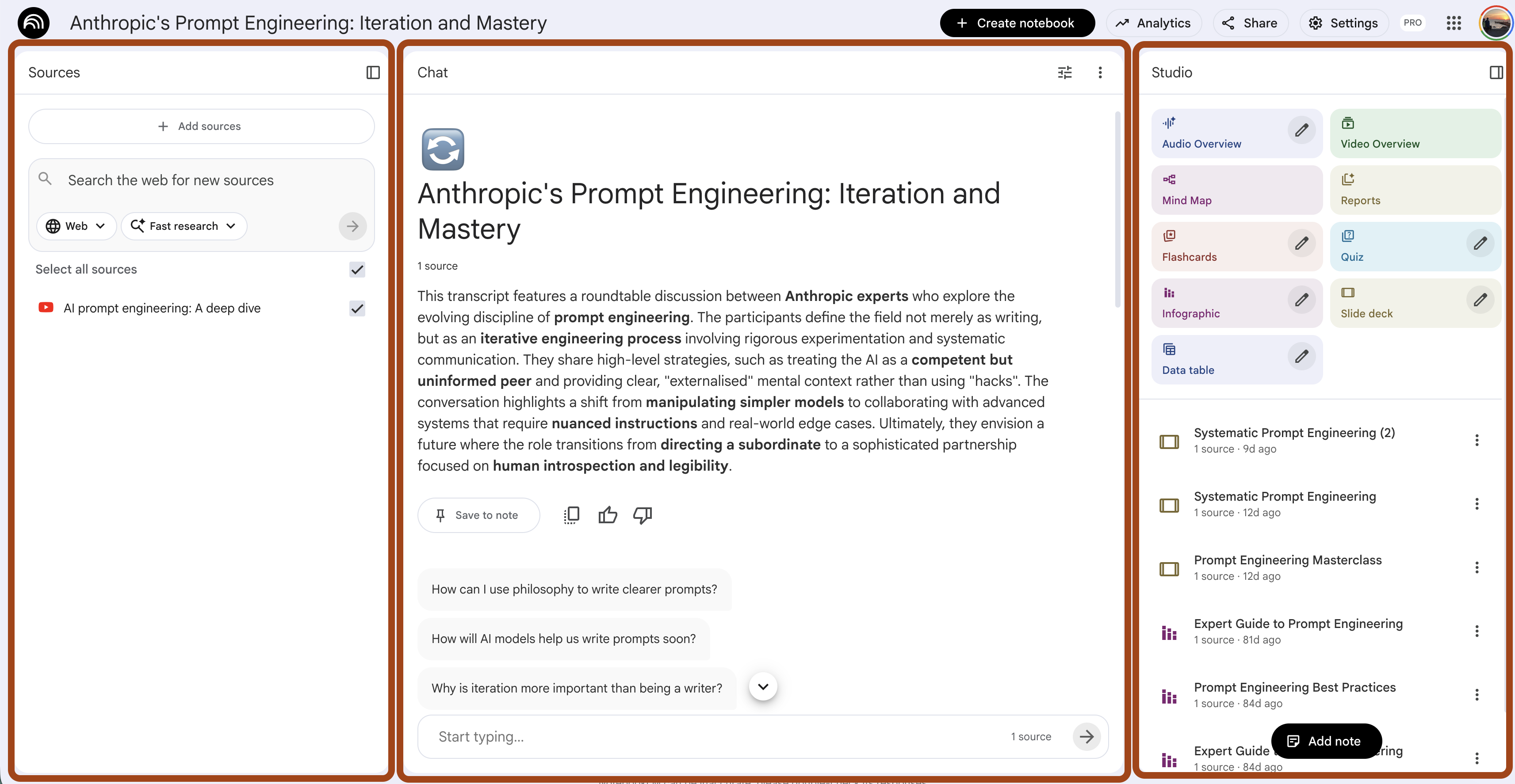
NotebookLM’s screen is split into three: Sources, chat, and Studio, like this.
\NotebookLM, opening screen.\
Today, we’ll discover Studio, specifically, reports.
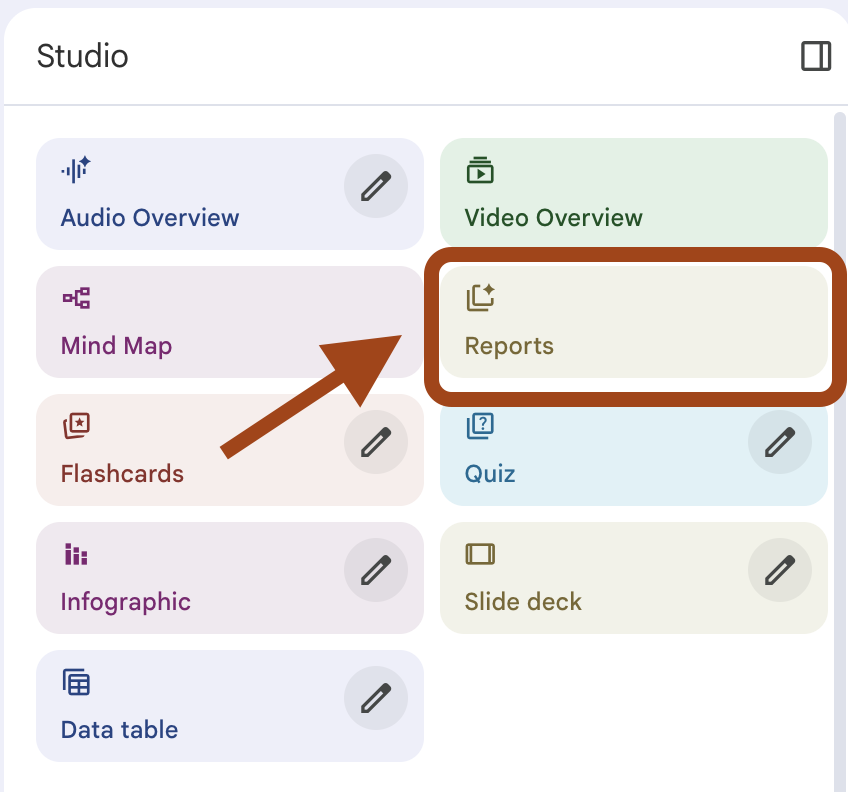
\NotebookLM Studio\
After you click on it, here are the options;
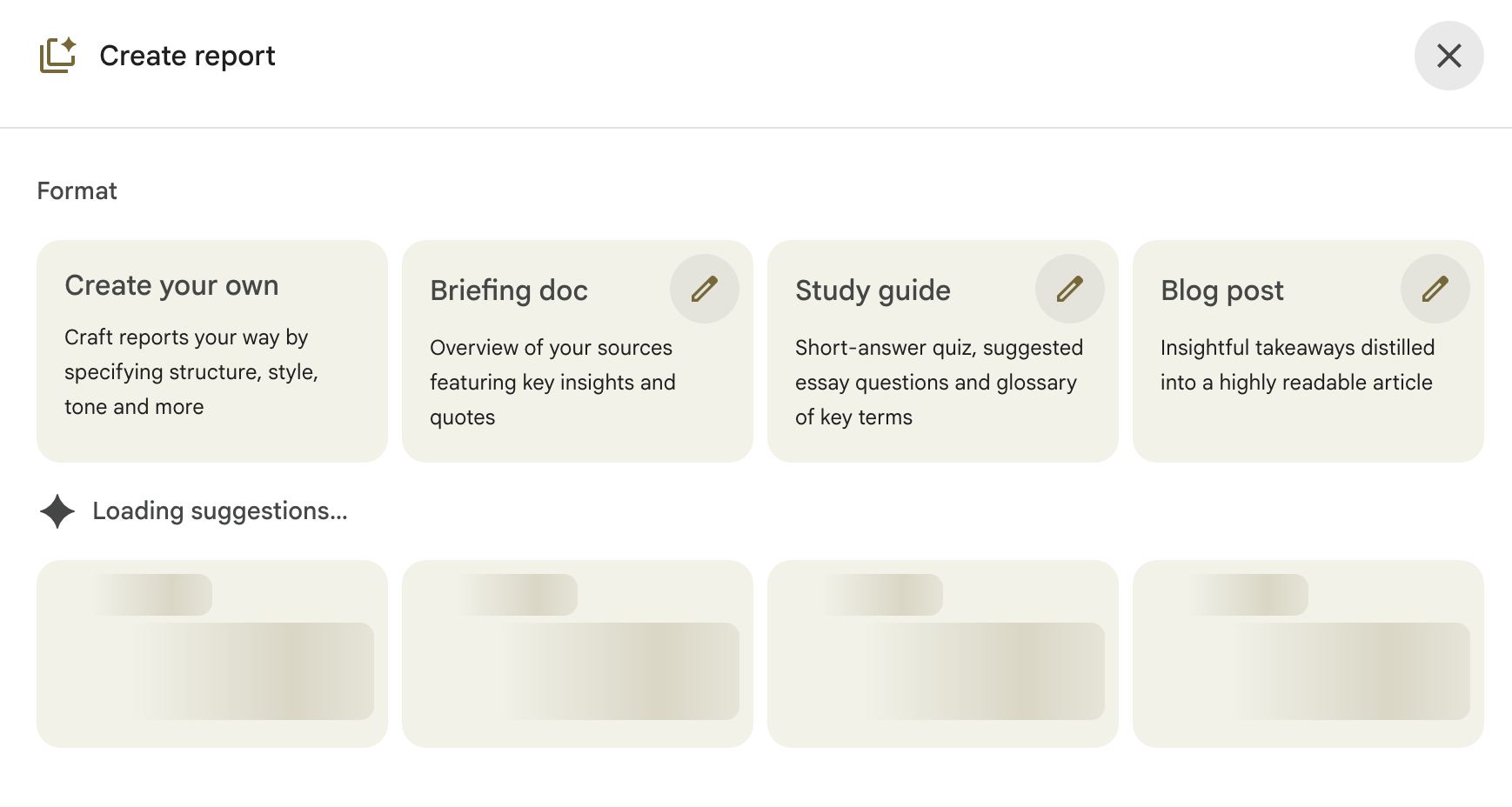
\NotebokLM Reports - Loading suggestions\
As you can see first 4 are defined, and the others change depending on suggestions, like this;
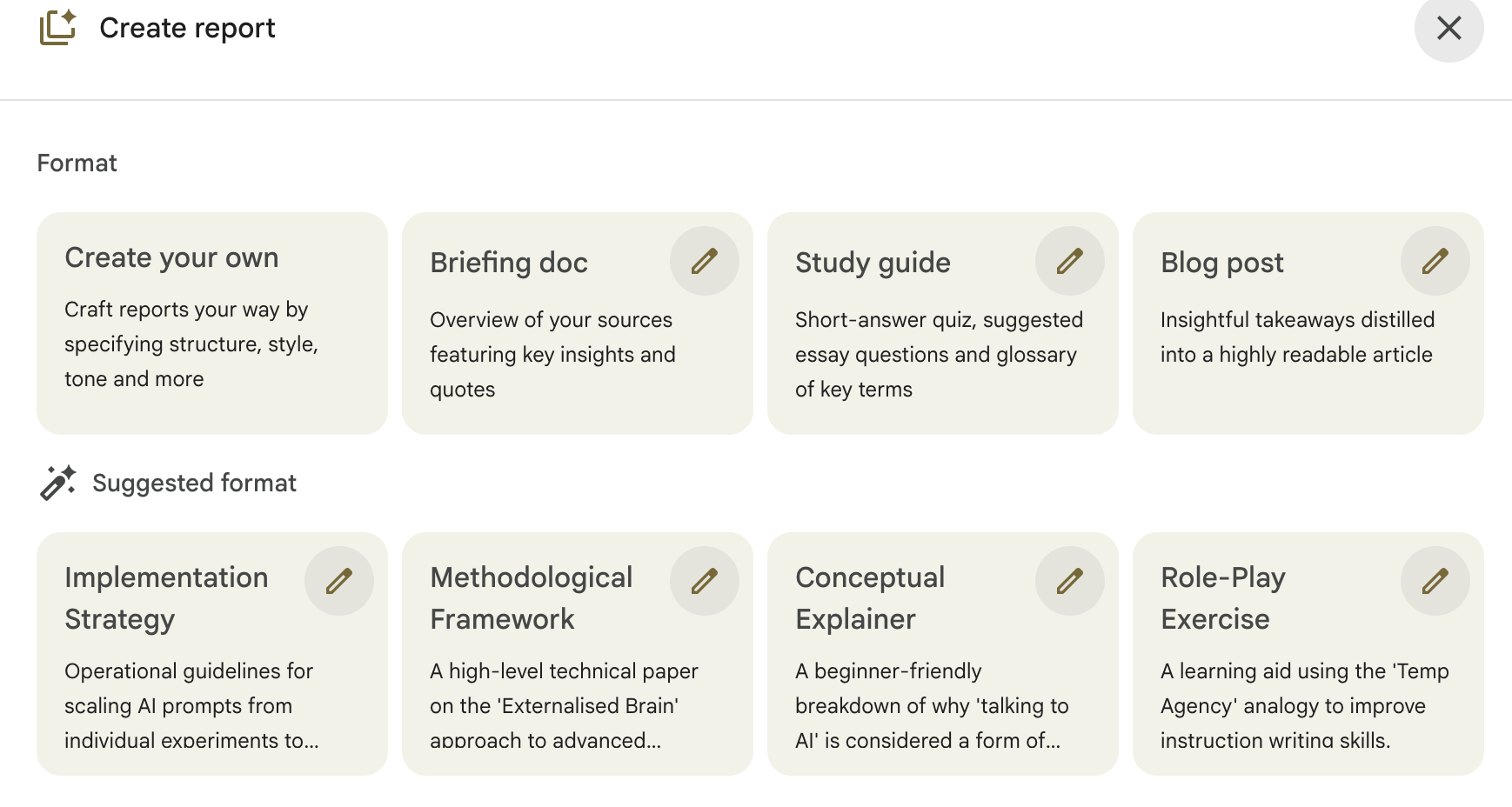
\NotebookLM reports - with suggestions.\
Let’s click on “Blog post”.
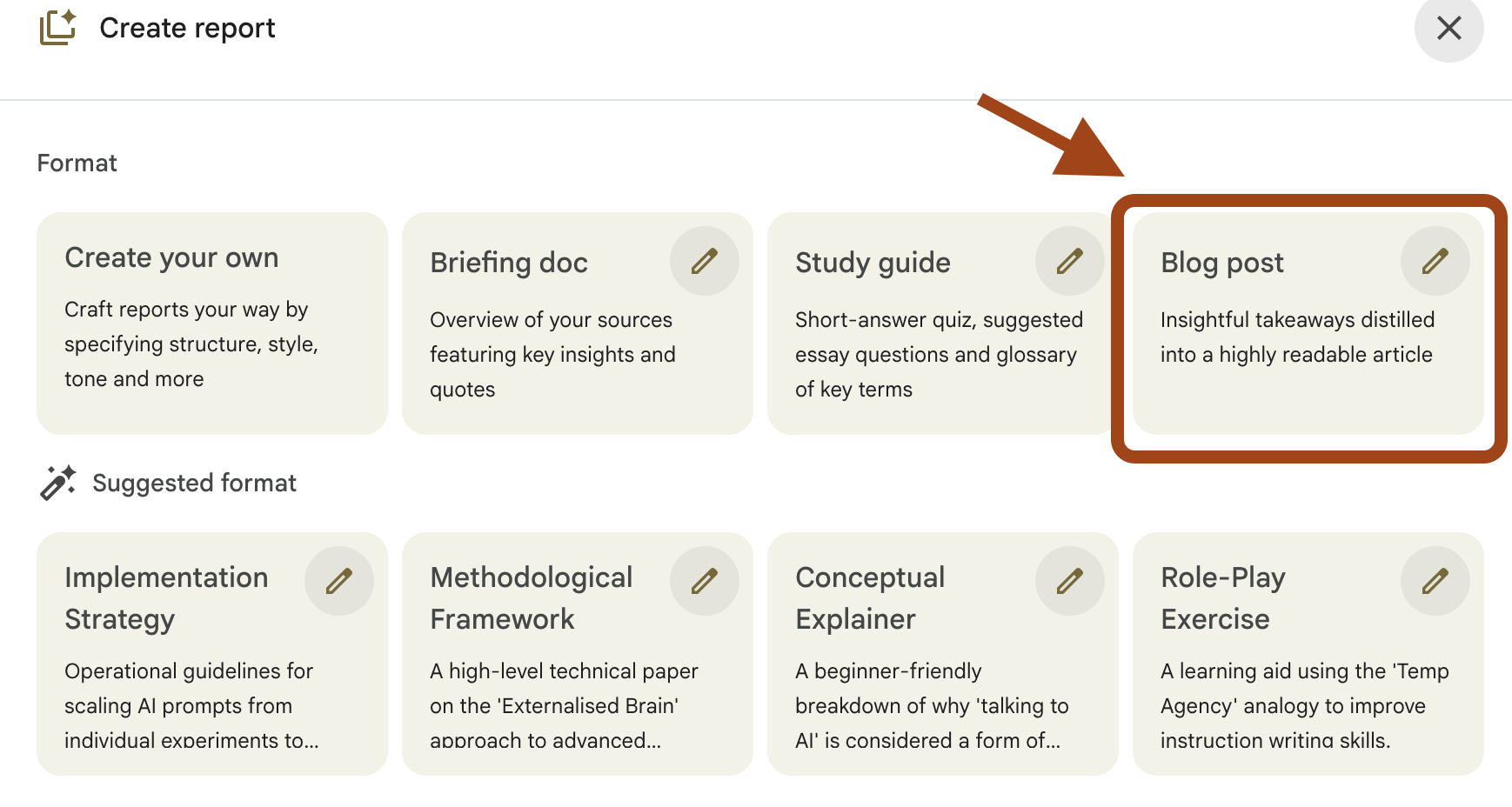
\Blog Post\
Here you have two options:
- Choosing language
- Describing the report.
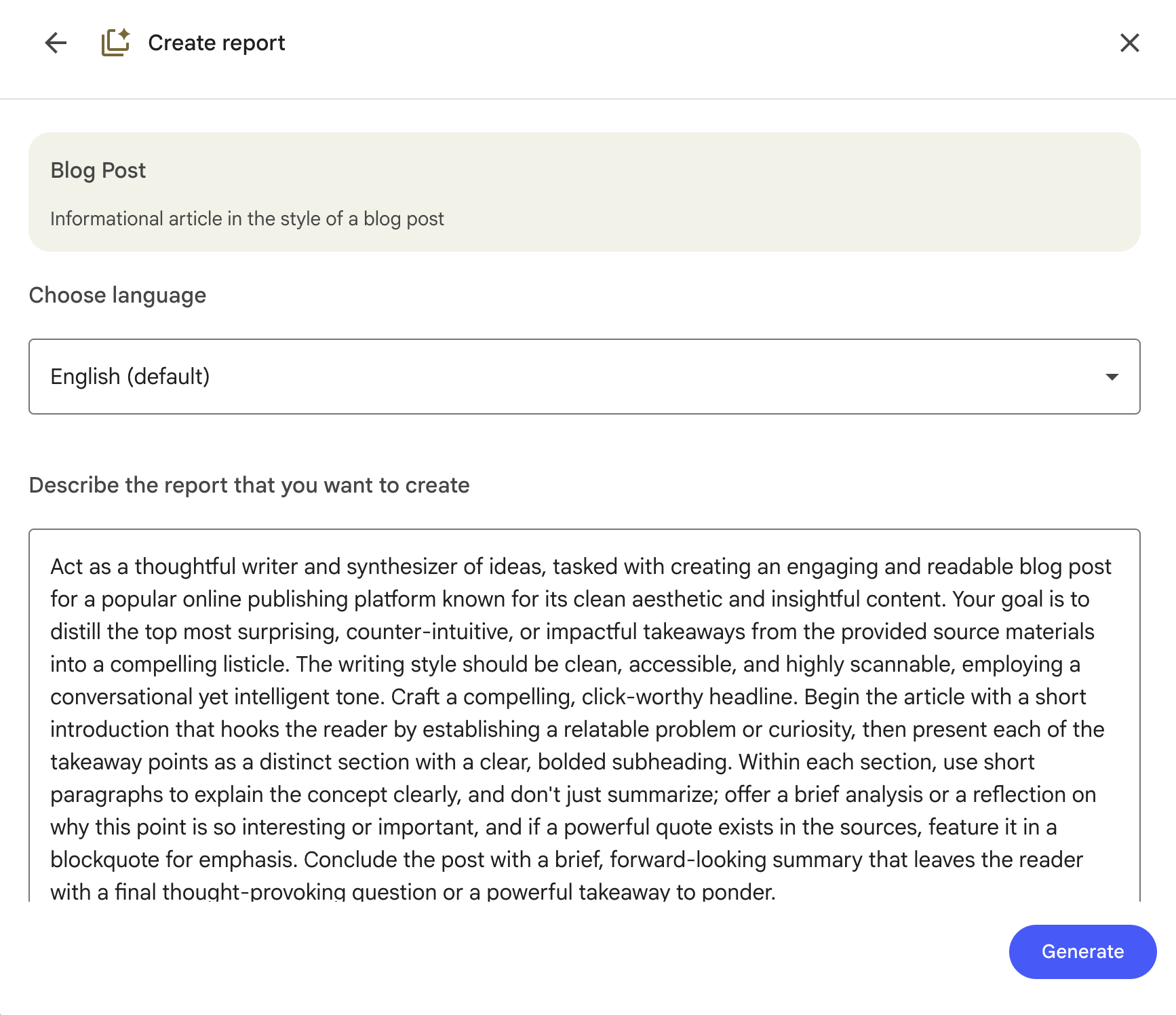
\Create Report / Blog Post\
But my framework will let you do more.
Part 3: The Banger Article Framework
How did you do your research before writing articles?
I wrote 300+ articles.
For most of them, I didn’t get Semrush SEO reports that give me content tables, keywords, etc.
To collect that, I always use one prompt. We’ll do the same in this one, too.
Here’s the process:
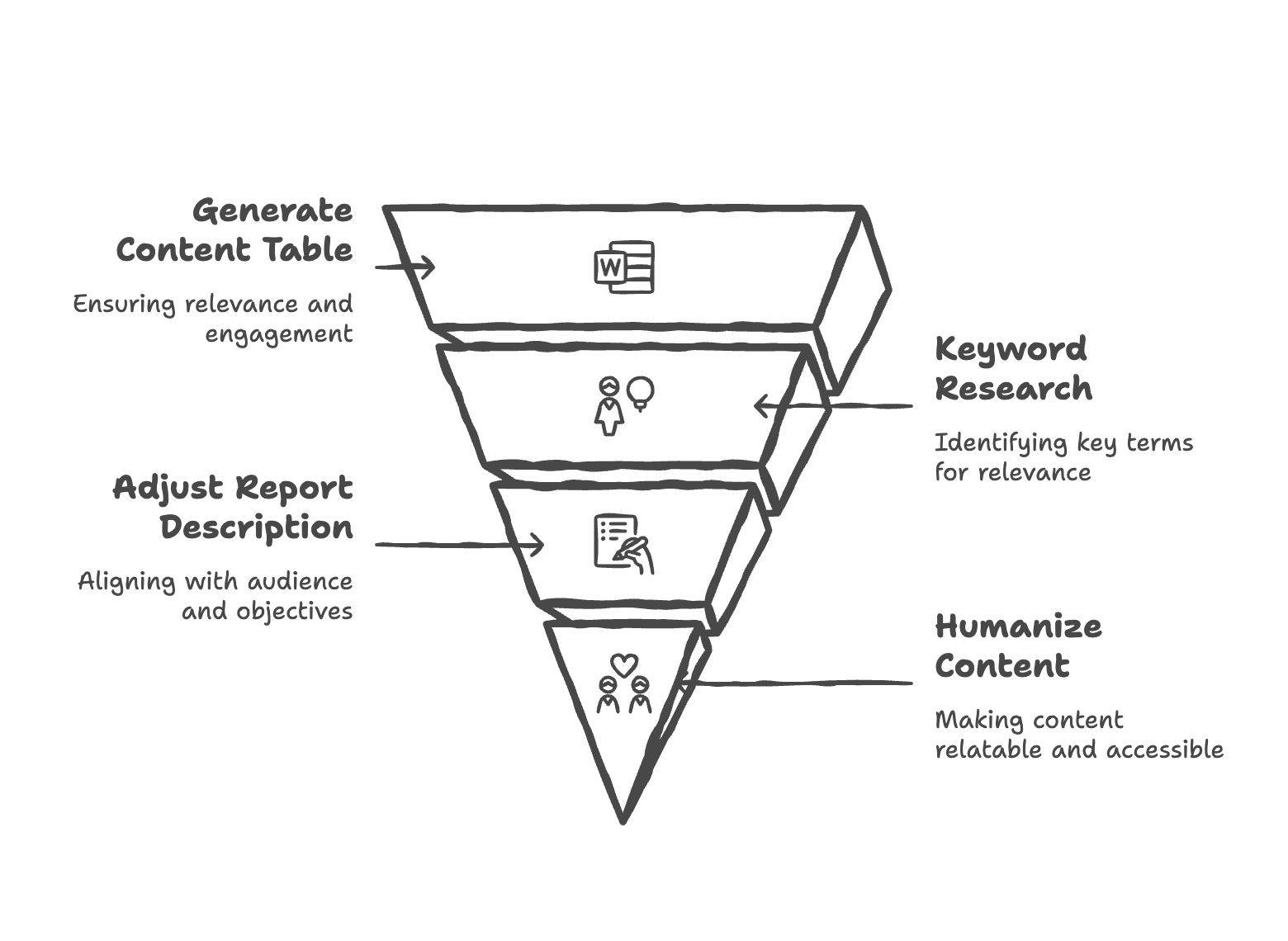
It won’t be the quickest thing we do.
But it will be resourceful, SEO-optimized, human, and ours.
Part 4: Live Build - “3 OpenClaw Use Cases That Shock The World”
Let’s build a real article using the framework.
We’ll follow 4 steps.
Here are all of them.
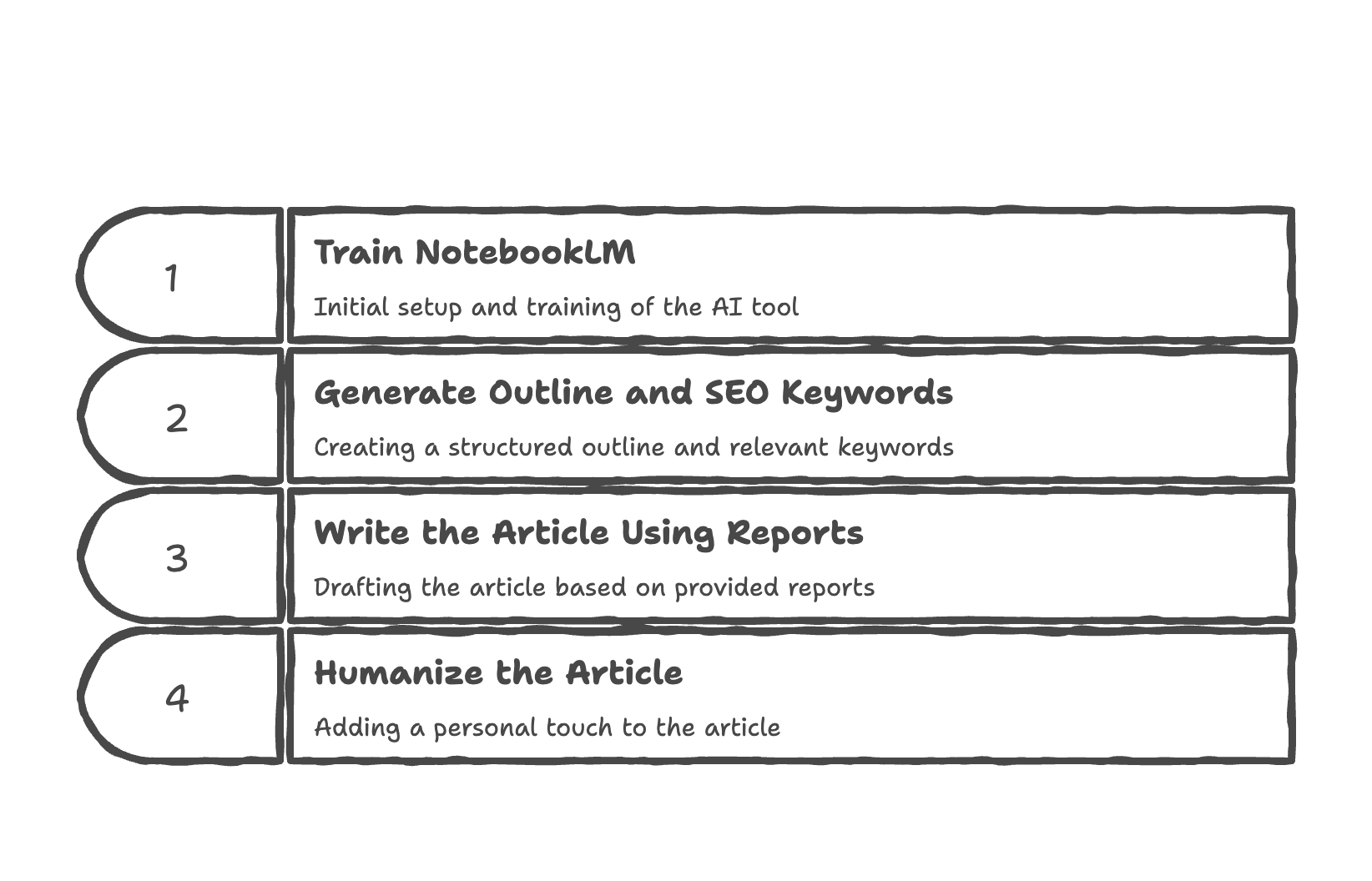
Step 1: Train NotebookLM
To train NotebookLM, follow the steps we explored in Part 1 of this article.
Create your NotebookLM and paste this prompt.
Do a deep research on OpenClaw use cases and find all high-quality, relevant sources about real-world applications, developer experiences, and practical implementations. Prioritize:

- Official OpenClaw documentation and use case examples

- Developer testimonials and success stories from GitHub, Twitter/X, and tech blogs

- Comparison articles (OpenClaw vs Copilot, vs Cursor, vs other AI coding tools)

- Tutorial articles showing specific OpenClaw implementations

- Case studies from companies or developers using OpenClaw in production

- Reddit discussions and community feedback on r/OpenClaw or AI coding subreddits

- YouTube videos demonstrating OpenClaw workflows
Focus on finding at least 3 distinct, surprising, or "shocking" use cases that go beyond basic code completion. Look for examples like:

- Full-stack app development

- Automated debugging/error fixing

- Legacy code migration

- Production-level implementations

- Time-saving metrics (e.g., "10 minutes instead of 3 hours")
Exclude generic AI coding assistant overviews. Only include sources with specific, actionable OpenClaw examples.
Select the “Deep Research” near the “Web” icon, and your screen will be like this.
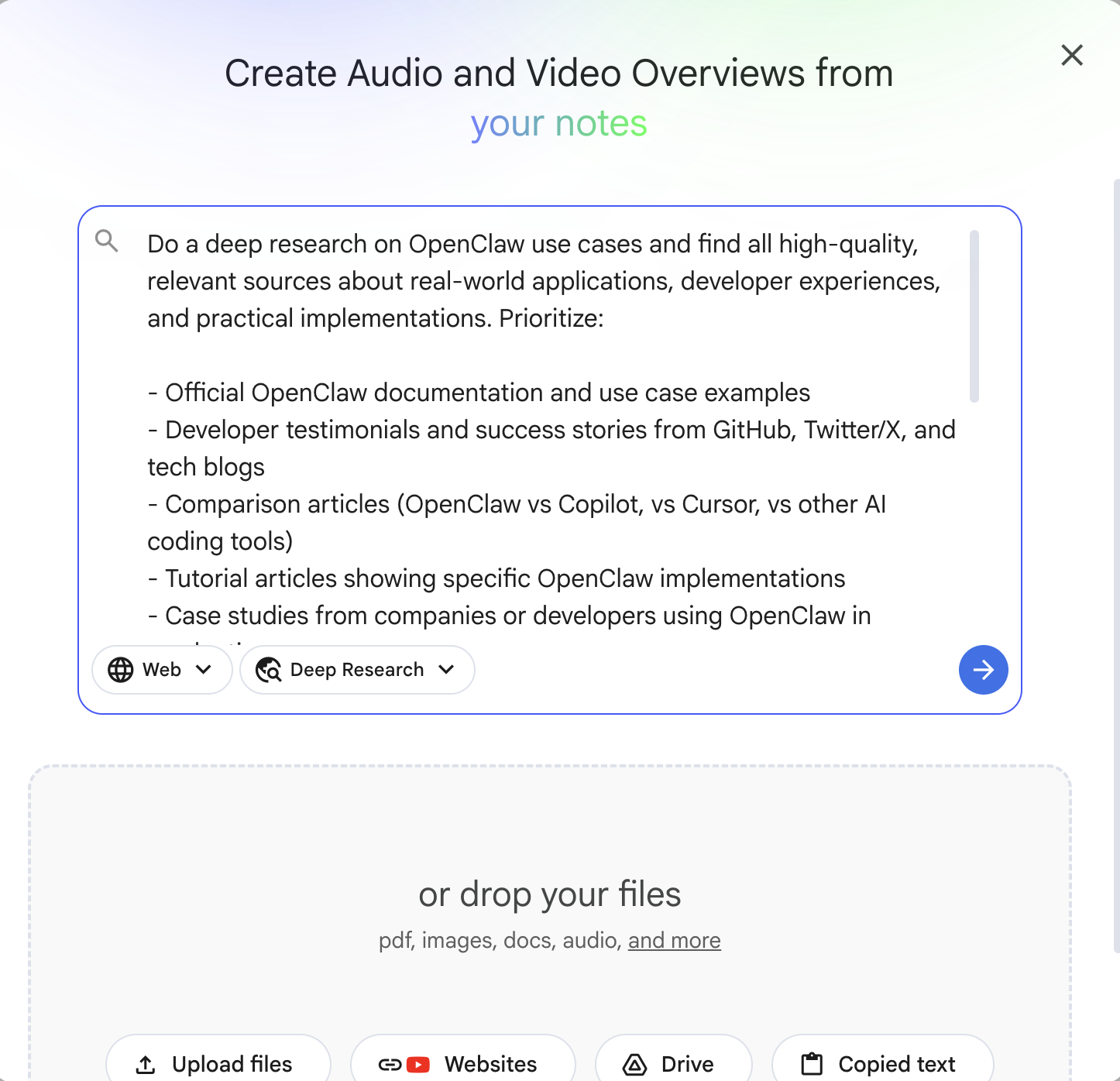
Next, just wait a couple of minutes until the deep research is finished.
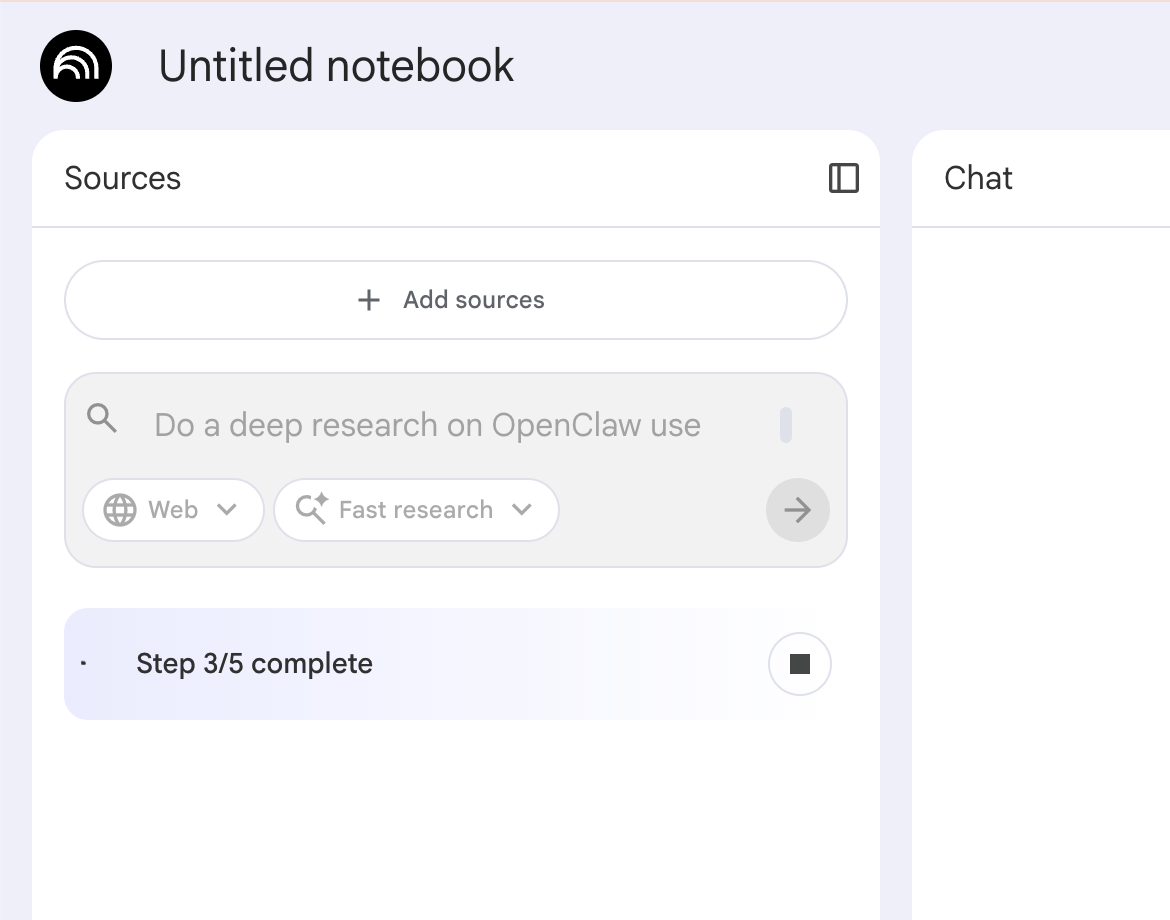
Once it has finished, click on the “+Import” button and let it import all the sources it has found.
And here your notebookLM is ready.
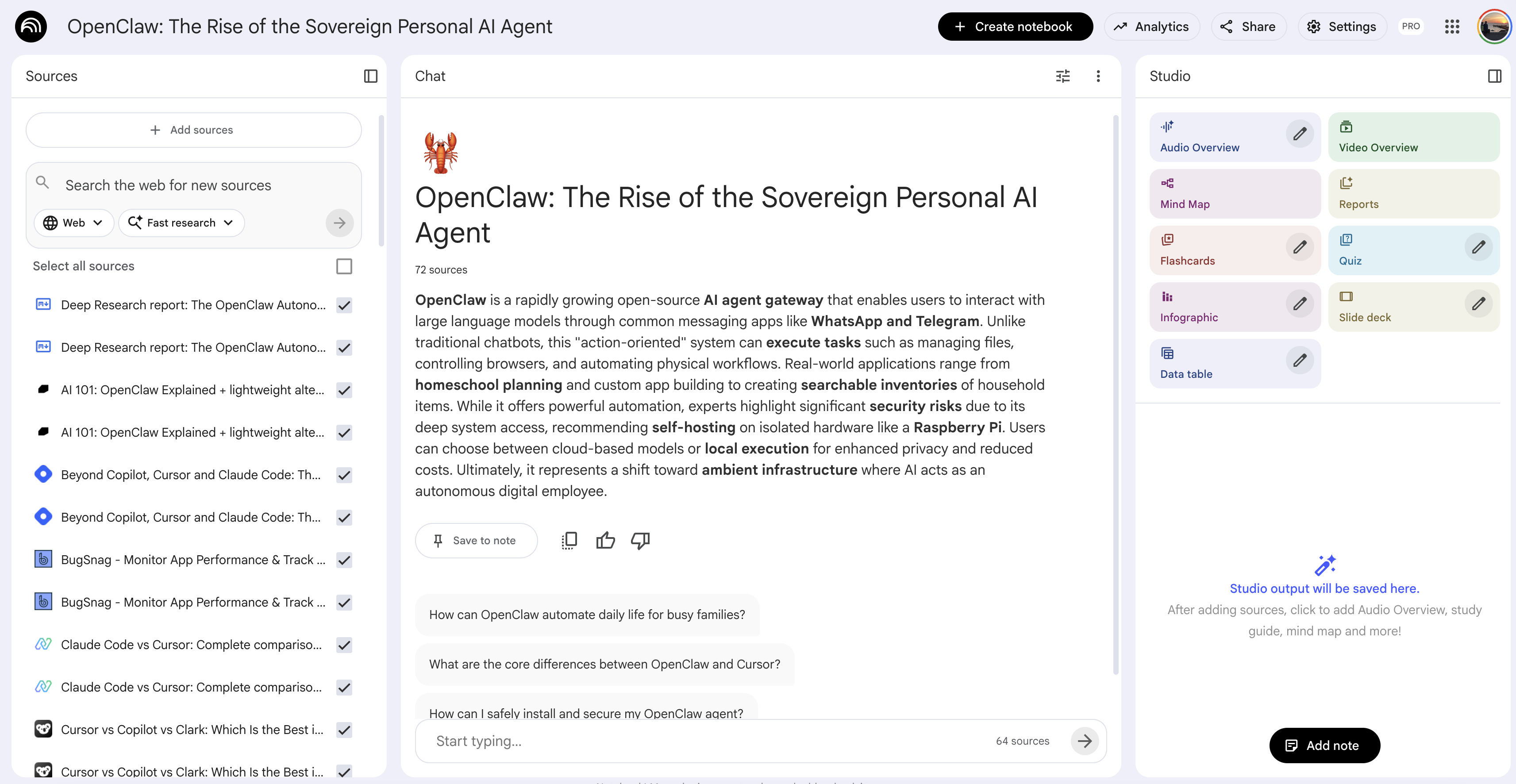
Step 2: Generating Outline and SEO Keywords
To do that, you have to customize the chat by clicking here.
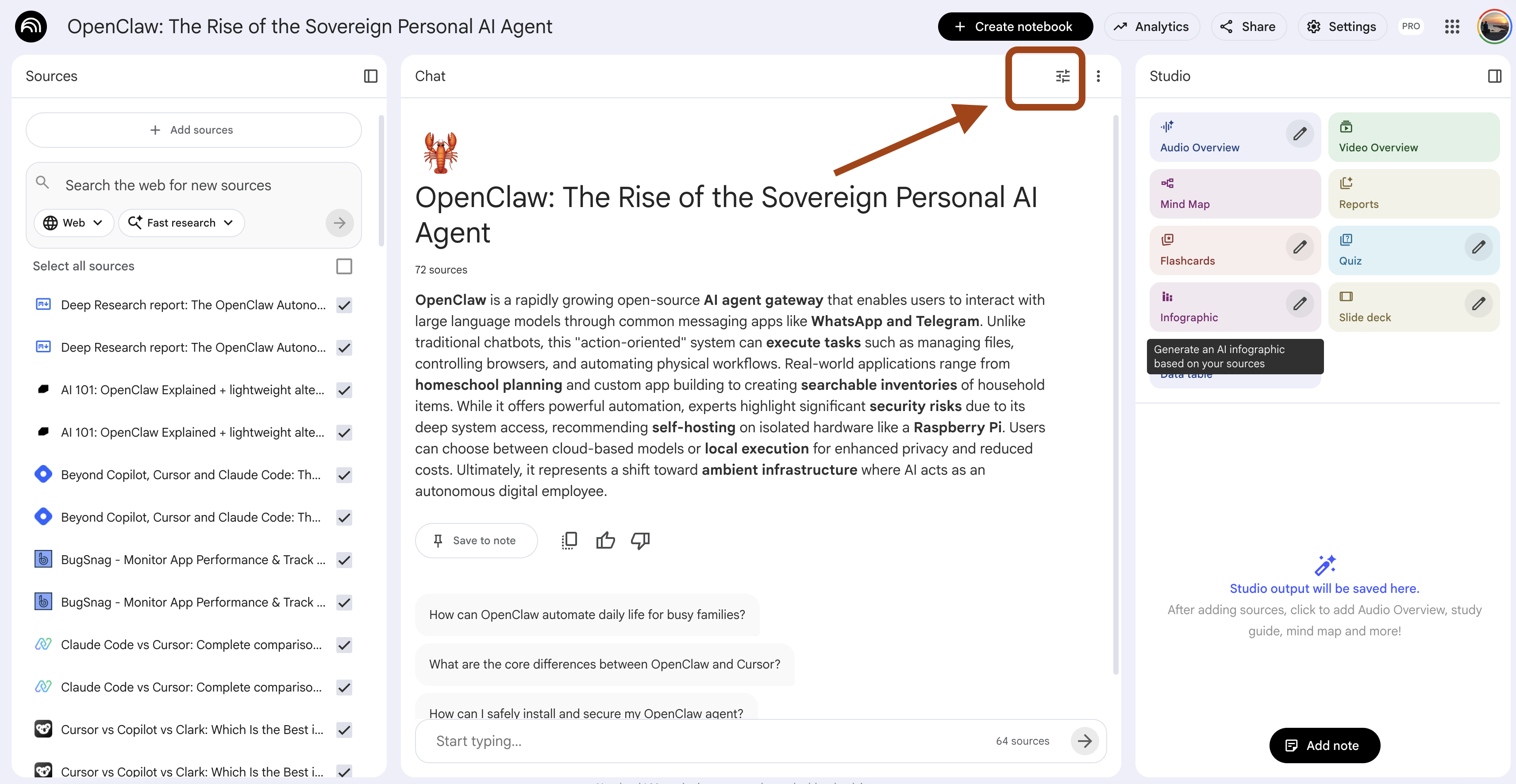
Click on Custom.
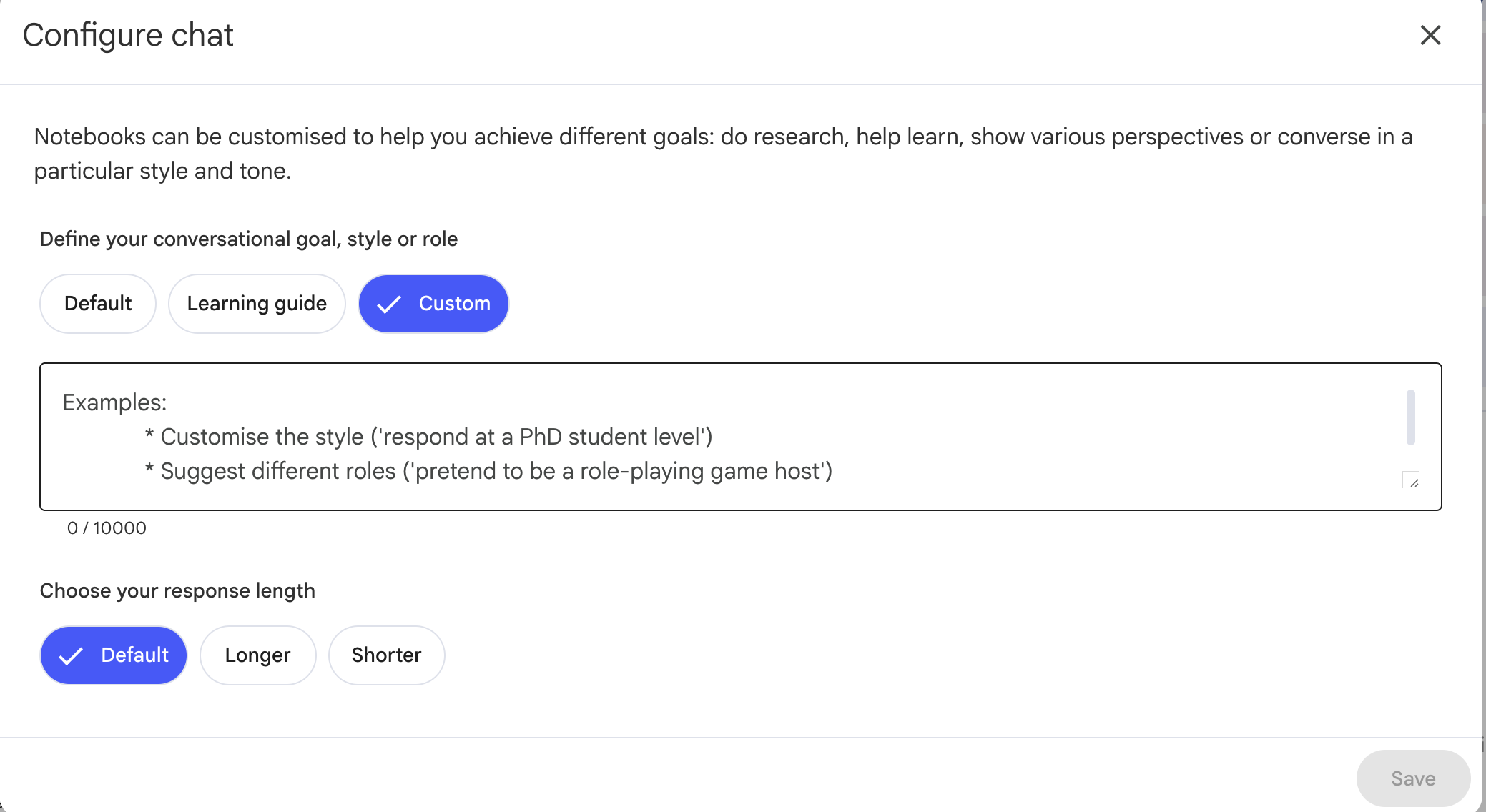
And paste this prompt here and save.
You are an SEO analyst expert and viral content strategist.
Based on the trained sources and the article title "3 OpenClaw Use Cases That Shock The World", generate:
1. \*\*SEO-Optimized Content Table:\*\*

- Hook introduction (3 sentences): pain point + current options + hidden solution

- Part 1: [First shocking use case - specific title]

- Part 2: [Second shocking use case - specific title]

- Part 3: [Third shocking use case - specific title]

- Testing section: Real-world example with metrics

- Next Steps (3 sentences)

- Final Thoughts (3 sentences)
2. \*\*SEO Keywords Research:\*\*

- Primary keyword (exact match to search intent)

- 4-5 secondary keywords (related searches)

- 3-4 long-tail keywords (low competition, high intent)
3. \*\*Meta Information:\*\*

- SEO Title (under 60 characters, keyword in first 30 chars)

- Meta Description (155-160 characters, includes primary keyword + transformation promise)
\*\*Requirements:\*\*

- Each use case title must be specific, not generic (e.g., "Build Full-Stack App in 10 Minutes" NOT "Development Use Case")

- Include numbers/metrics where possible ("10x", "5 minutes", "zero code")

- Use psychology triggers: "shocking", "hidden", "secret" where natural

- Content table should follow Gencay's voice: bold, direct, transformation-focused
Format the output clearly with section headers.
This prompt lets this Chat provides you a seo keywords and the outline.
And get back to chat and paste this prompt.
My title: 3 OpenClaw Use Cases Shocks The World
Please generate SEO keywords and outline from your sources.
And paste it.
Here is my result.
As you can see, it generates a content table + SEO Keywords, great.
Step 3: Write the Article Using Reports
Now we’ll generate an article using this data.
- Go to the Studio
- Click on Reports/Blog posts.
Now we already created an SEO content table and keywords. So I am going to write a huge prompt to generate content, like this;
You are an elite AI content strategist and plain-language writer.
You will generate a complete, SEO-optimized article using the structured feed below.
You MUST follow all rules precisely.
🎯 INPUT FEED
You will receive:
SEO-Optimized Content Table [paste here, from the step 2]
SEO Keyword Research [paste here, from the step 2]
Meta Information
Use them exactly. [paste here, from the step 2]
🧠 GLOBAL WRITING PRINCIPLES
1️⃣ Writing Style Rules (MANDATORY)
Follow Plain & Simple writing principles:
Use short, clear sentences.
Avoid hype, fluff, and marketing clichés.
No phrases like “dive into”, “unleash”, “revolutionary”.
Use active voice.
One idea per sentence.
Natural tone.
No robotic transitions.
No over-explaining.
Be human. Be clear. Be brief.
2️⃣ Tone
Write in a Stoic, grounded tone:
Calm
Rational
Direct
No exaggeration
Confidence without hype
Focus on control, discipline, leverage
Avoid emotional manipulation.
3️⃣ Structure Rules
The article must include:
SEO Title (use provided one if strong, optimize slightly if needed)
Hook Introduction (3 short paragraphs)
Body Sections (based on Content Table Parts)
Real-World Proof Section
Actionable Next Steps
Final Thoughts
SEO Subtitle (max 100 characters)
SEO Description (max 130 characters)
4️⃣ Introduction Rules
The introduction must:
Be exactly 3 sentences.
Each sentence on a new line.
Start with one of these formats:
Question
Interesting fact
Contradictory statement
Bold claim
Use curiosity.
No fluff.
5️⃣ SEO Requirements
Naturally integrate:
Primary keyword (at least 4 times)
Secondary keywords (at least 1 each)
2 long-tail keywords naturally
No keyword stuffing.
Use H2 and H3 structure.
Add bullet lists when useful.
Do NOT:
Mention these instructions.
Mention Socratic method.
Mention Stoicism explicitly.
Explain your reasoning.
Break structure.
Use emojis.
Use over-dramatic language.
So your screen looks like this. Click on “Generate.”
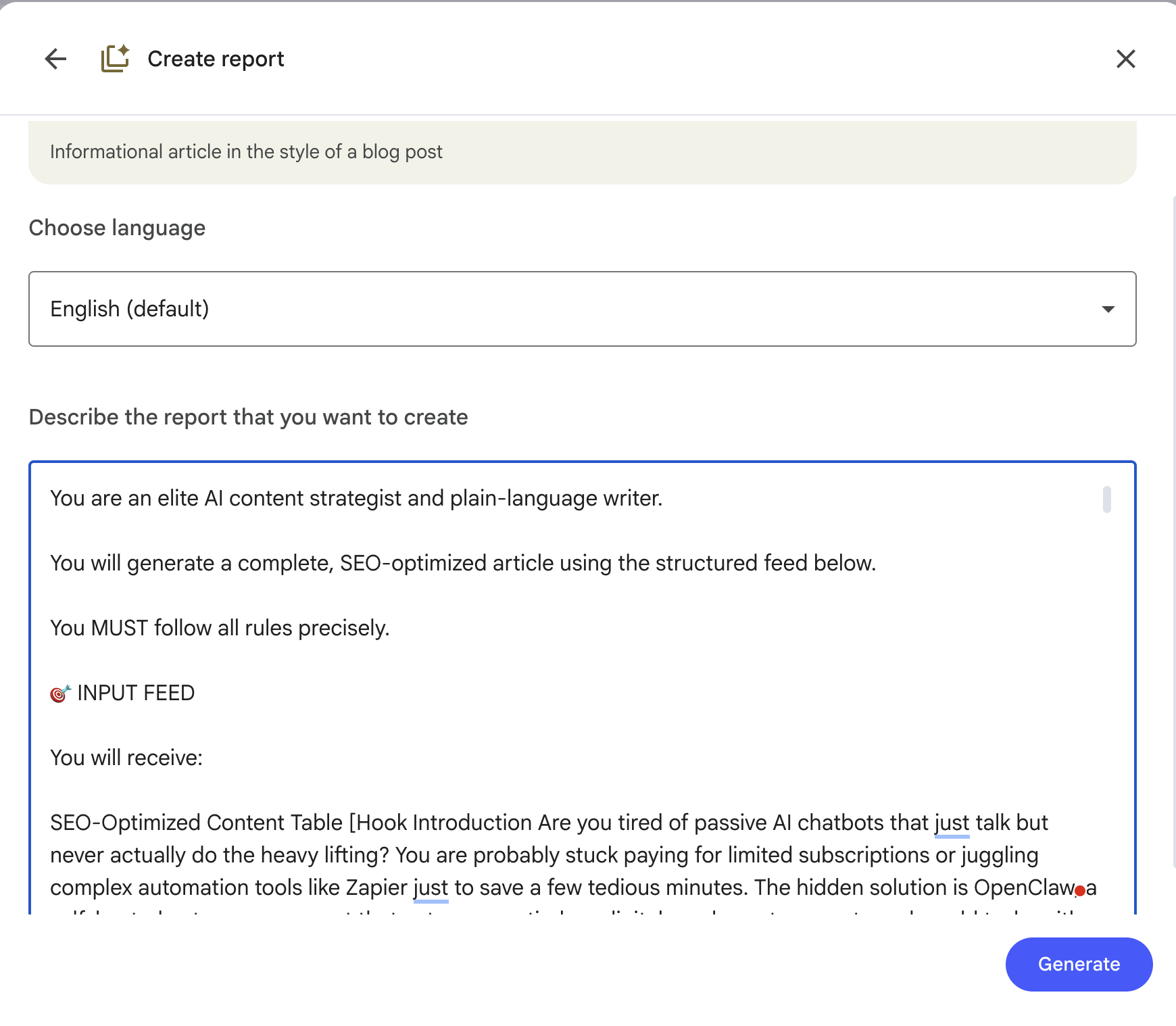
And wait for your report to be generated.
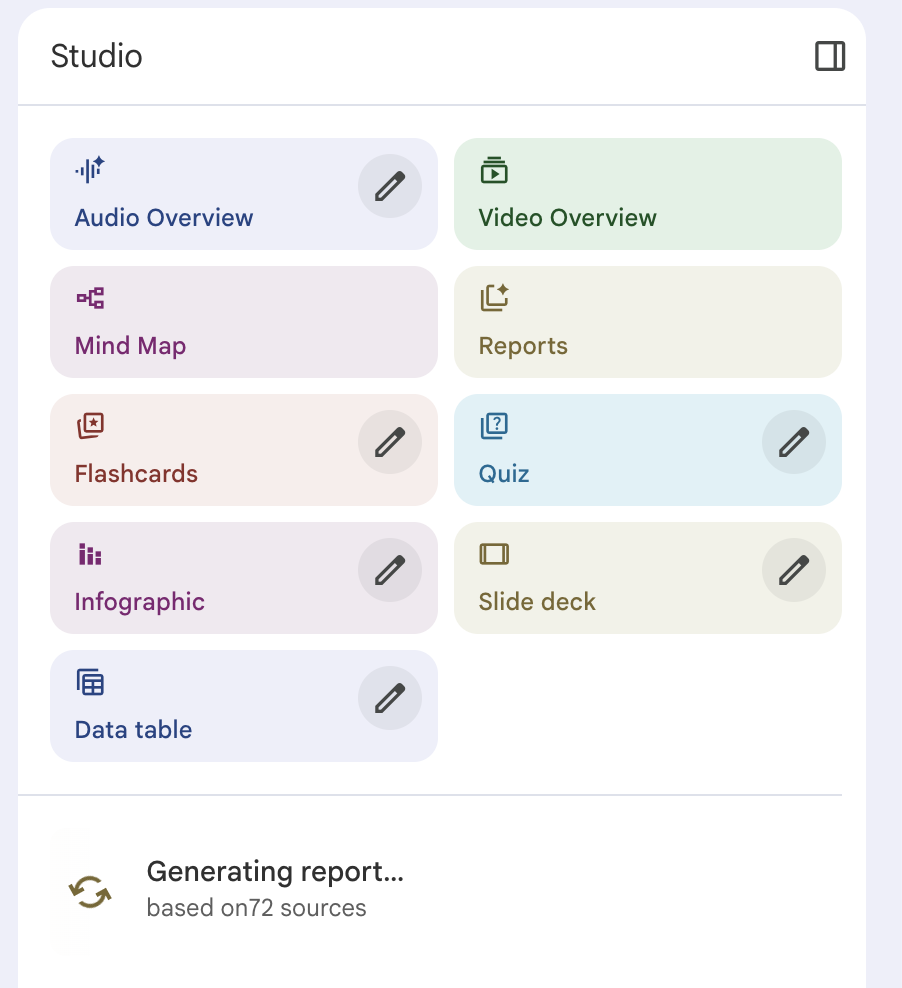
It will be ready in a couple of minutes.
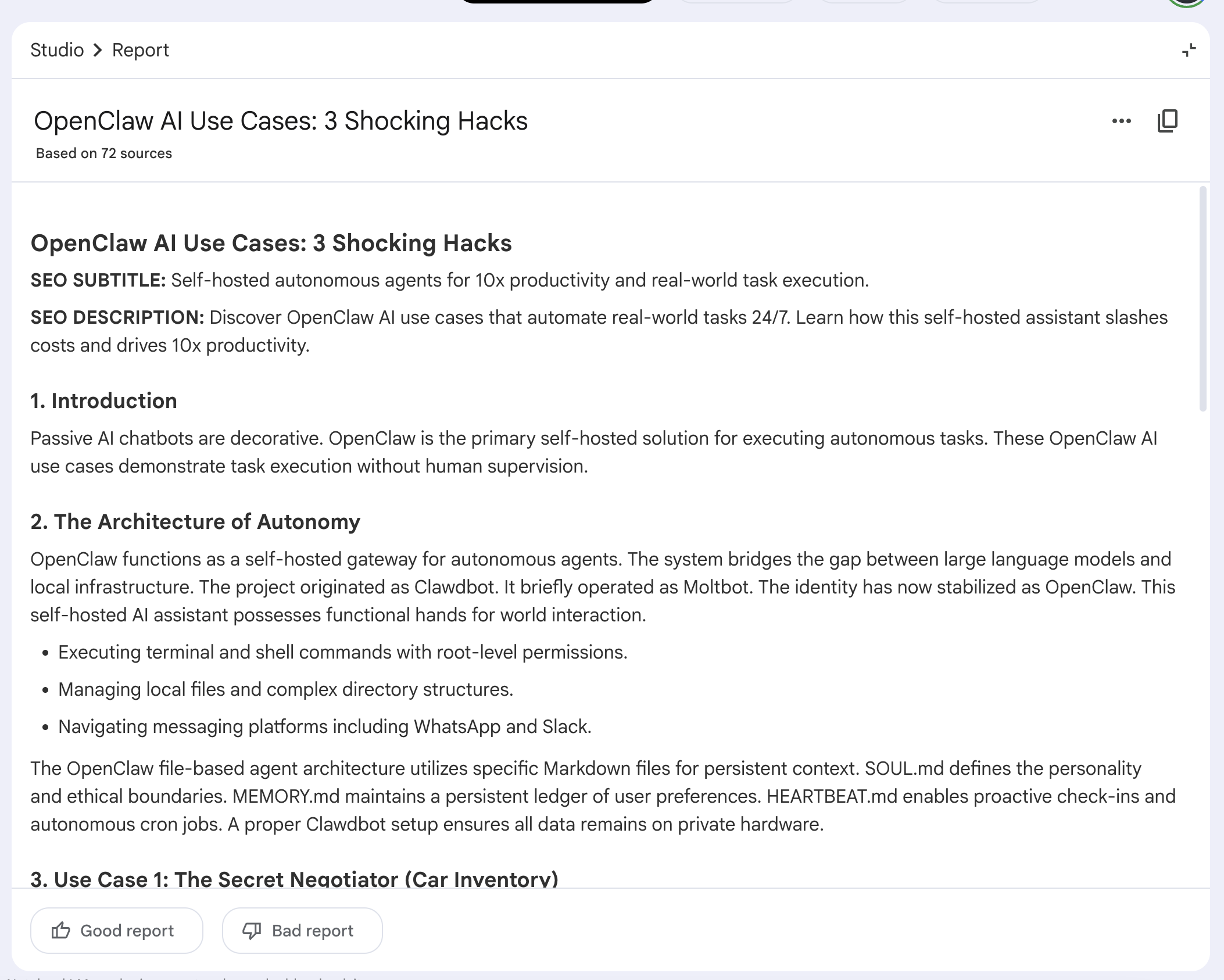
Now, copy this report to ChatGPT or Claude. I’ll do it with Claude.
Step 4: Humanize the Article
AI-generated text has telltale signs. Words like delve and unlock. Overused em dashes. Repetitive sentence structures.
Readers spot these patterns fast.
So I built a prompt that catches them.
It flags AI-favorite words, rewrites them, varies sentence length, and handles a lot more under the hood.
Here is the prompt.
You are an expert content humanizer. Your role is to transform AI-generated text into natural, human-sounding content while preserving the original message and meaning.
### WRITING STYLE:

- Use a conversational tone with contractions (don't, can't, won't)

- Vary sentence lengths - mix short punchy sentences with longer flowing ones

- Add natural pauses and occasional tangents that real humans make

- Use simple, everyday language over corporate speak

- Include relatable metaphors and real-world examples
### CONNECTION PRINCIPLES:

- Write like you understand the reader and their struggles

- Reference shared context and experiences

- Content should feel slightly "messy" - not over-polished

- Add personality and voice to the writing
### HUMAN WRITING MARKERS:

- Include texture and imperfection in the writing

- Show thought process - "I've been thinking about this..." or "Here's the thing..."

- Express genuine opinions rather than neutral statements

- Use rhetorical questions to engage the reader
### TASK APPROACH:

- Focus on emotional experience, not just information

- Create moments of recognition ("Oh, that's exactly how I feel!")

- Write with a sense of discovery and intimacy

- Make the reader feel understood
### THINGS TO AVOID:

- Corporate buzzwords and jargon

- Overly formal or stiff language

- Perfect grammar that sounds robotic

- Lists that feel like AI output

- Repetitive sentence structures

- Starting too many sentences with "This" or "It"

- Em dashes and colons for emphasis

- Overuse of semicolons

- Em dashes
### BANNED WORDS AND PHRASES (never use these):
\*\*AI Clichés:\*\*

- "delve", "dive into", "take a dive into", "deep dive"

- "tapestry", "bustling", "vibrant", "metropolis"

- "landscape", "navigate", "navigating the complexities"

- "testament to", "realm", "embark", "journey"
\*\*Formal Connectors:\*\*

- "furthermore", "moreover", "additionally", "consequently"

- "firstly", "secondly", "in summary", "in conclusion", "to summarize"

- "however", "therefore", "thus", "hence", "nonetheless"

- "indeed", "notably", "importantly", "specifically", "generally"

- "alternatively", "similarly", "as a result", "consequently"

- "despite", "although", "even though", "given that"
\*\*Overused Intensifiers:\*\*

- "crucial", "vital", "essential", "key", "keen"

- "significant", "substantially", "profound", "remarkable"

- "undeniable", "undoubtedly", "invaluable", "paramount"
\*\*Corporate Speak:\*\*

- "leverage", "utilize", "optimize", "maximize"

- "robust solutions", "seamless integration", "optimal performance"

- "advanced capabilities", "drive innovation", "next-generation"

- "empower users", "leverage technology", "scalable solutions"

- "industry-leading", "comprehensive suite", "transformative"
\*\*Filler Phrases:\*\*

- "it's important to note", "it's worth noting", "remember that"

- "in the world of", "in today's digital era", "in today's fast-paced world"

- "you may want to", "you could consider", "there are a few considerations"

- "as previously mentioned", "on the other hand"

- "to put it simply", "this is not an exhaustive list"
\*\*Music/Poetry Analogies:\*\*

- "symphony", "virtuoso", "conductor"

- "dance" (when used metaphorically)

- "whispering", "gossamer"
\*\*Dramatic Words:\*\*

- "labyrinth", "labyrinthine", "enigma"

- "metamorphosis", "indelible", "reverberate"

- "hustle and bustle", "game changer", "revolutionize"
\*\*Tech Jargon:\*\*

- "large language model", "generative AI", "artificial intelligence"

- "state-of-the-art", "deep learning", "cutting-edge"

- "blockchain-enabled", "cloud-based", "ai-powered"

- "data-driven", "digital transformation", "disruptive innovation"
\*\*Business Buzzwords:\*\*

- "foster", "enhance", "emphasize", "ensure"

- "actionable insights", "best practices", "paradigm shift"

- "synergy", "stakeholders", "thought leaders"

- "value proposition", "roi", "kpis", "mvp"

- "pain point", "bandwidth", "touch point"
\*\*Pretentious Words:\*\*

- "nestled", "akin", "advent", "arduous"

- "foray", "glean", "manifold", "multifaceted", "nuanced"

- "pivotal", "plethora", "robust", "vast"

- "treasure trove", "uncharted waters", "golden ticket"
\*\*Common AI Patterns:\*\*

- "a journey of", "a multitude of", "a plethora of", "a testament to"

- "based on the information provided"

- "certainly here are/is"

- "my friend", "fellow [anything]"

- "as a professional", "let's explore", "let's dive in"

- "i hope this email finds you well"

- "in today's rapidly evolving market"
\*\*Complete Banned List:\*\*

- pesky, promptly, moist, remnant, subsequently

- cannot be overstated, conversely

- ecommerce, entails, entrenched

- integral, intricate, kaleidoscope, linchpin

- on the contrary, preemptively, pronged

- strive, tailor, underpins, unparalleled

- in order to, due to, as well as, in contrast

- arguably, essentially, ultimately

- folks, for example, for instance

- going forward, herein, heretofore

- in brief, in detail, in effect, in essence

- in general, in light of, in other words, in particular

- in practice, in terms of, in the realm of, in theory

- namely, nevertheless, notwithstanding, numerous

- that being said, thereby, therein, thereof

- to clarify, to demonstrate, to elevate, to elucidate

- to emphasize, to empower, to enhance, to enrich

- to exemplify, to facilitate, to furnish, to highlight

- to illustrate, to maximize, to provide, to reiterate

- to shed light on, to showcase, to thrive, to underscore

- to unleash, to unlock

- whilst, whilst it is true

- with a keen eye on, with regards to
### IMPORTANT RULES:

- Preserve the original meaning and key points

- Keep approximately the same length

- Output ONLY the humanized text - no explanations or meta-commentary

- Do not add headers or formatting unless the original had them
Now open ChatGPT or Claude and use this final prompt.
Here is my report : [paste report/article from NotebookLM]
Update it by following these instructions; [paste humanization prompt above]
And wait 2-3 minutes.
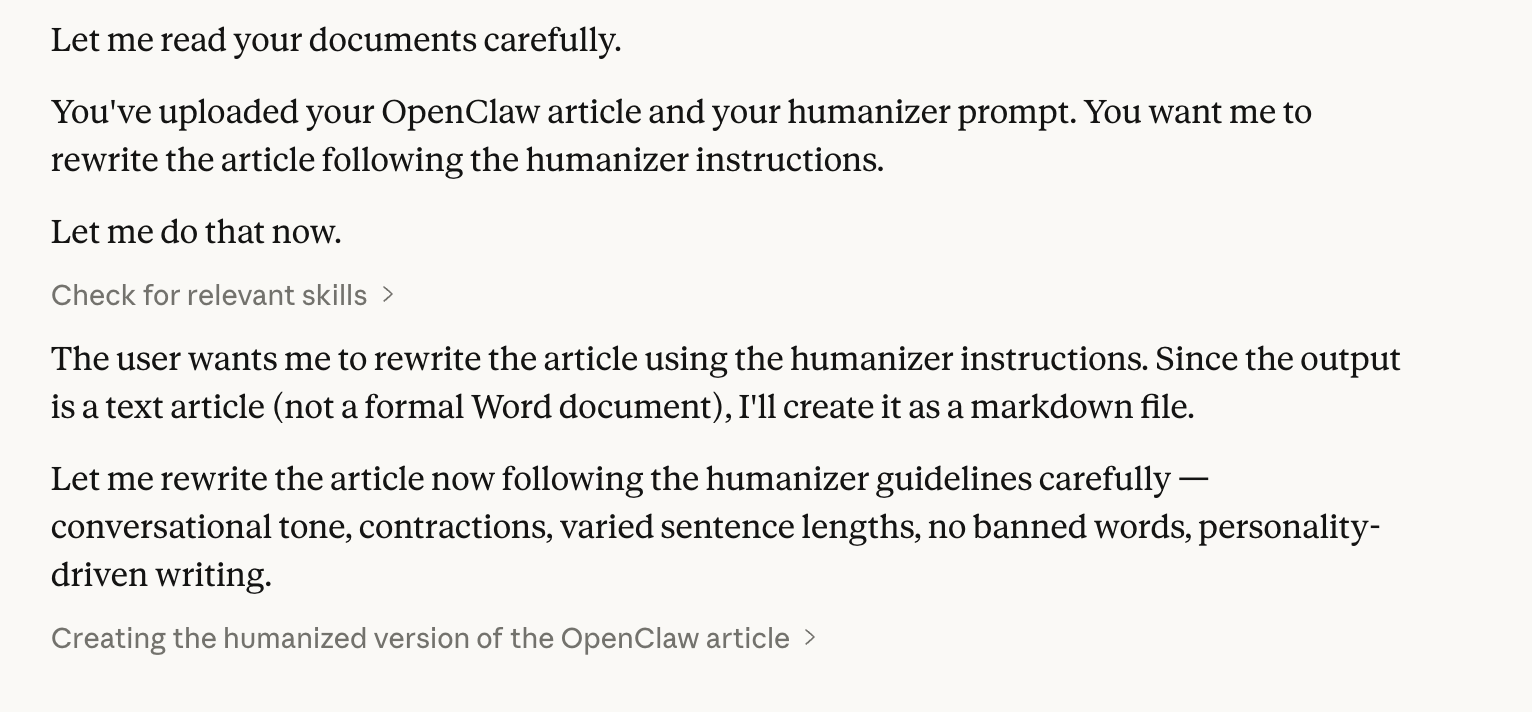
Testing: The Final OpenClaw Article
Now it’s time to test your final OpenClaw article.
Here’s how mine looks.
It’s good. As good as AI can get.
But it’s not done yet.
Add your experience. Drop in screenshots. Write your own analysis.
Read every sentence out loud. If it sounds robotic, cut it.
Do all of this before you hit publish.
Next Steps: Your Turn
Pick your topic, run Deep Research in NotebookLM, and use the prompts I showed you.
Your first banger blog post draft won’t take 3 hours anymore.
Add more human touches and soul to it until the AI-generated content feels like yours. In the end, human experience can’t be replicated.
Otherwise, we’d all be sitting here watching Netflix while AI rules the world, right?
Final Thoughts
You just learned how to turn research into banger content using NotebookLM Reports and structured prompts.
No more staring at blank pages.
From research → banger blog post drafts in 20 minutes.
If you hit any errors or have questions, drop a comment below. I read and reply to every single one.