Three Plug-ins That Turn Claude Code Into Your AI Development Team.
By Gencay
Published: 2026-02-25
URL: https://www.learnwithmeai.com/p/claude-code-masterclass-for-everyone-12a

Claude Code isn’t just for technical people.
It’s for everyone. (Yes, even if you’ve never written a line of code.)
That’s why I started this series, to prove it.
And you loved it.
So before we continue, let’s do a quick recap.
0. Previously in the Claude Code Master Class
In Part 1, we installed Claude.
Then we built notion like app.
In Part 2, we learned how to add skills to it.
And memory.
So now, we can build apps and teach Claude Code different skills.
And attached the brain to it.
But what if we want to boost the efficiency even more?
That’s where Plug-ins come in.
But first, what are those?
Let’s learn the fundamentals first and build upon.
1. What are Plug-ins?
Do you watch Matrix?
If so, you probably remember the scene where Neo learned kung fu.
They plugged him into the computer and taught him how to do kung-fu in seconds.

\Reference\
Plug-ins are just like these.
Teach anything to your AI.
Give them superpowers.
Kudos to my friend Sam, who explained how he imagined plug-ins like that.
How to install Plug-ins?
Just paste the code into either terminal or tell Claude to install them for you.
That's simple.
Let’s load one.
Front-end Plug-in
Download and install this plug-in, using this code.
claude plugin install frontend-design@claude-plugins-official
Now let’s discover its features.
Client Work
While writing this article, a client asked me to build a landing page demo.
I used this frontend-design plug-in to build this streamlit demo.
This app automates front-end page design.
I built this with this prompt.
Build a Streamlit landing page builder for therapy practices. Flow: intake form → AI generates copy (Claude) → editable copy → live HTML preview + download.
4 themes with completely different layouts (not just colors): Organic (blob shapes, serif), Clinical (grid, monochrome), Luxury (cinematic navy+gold), Bold (diagonal split). Use frontend-design plugin — no Inter/Roboto, each theme must be visually unmistakable.
Advanced options: custom colors, layout override, button shapes, section reorder. No CMS integration, exports raw HTML.
And let me show you how it works.
As you can see, after the form is filled, your HTML will be ready.
I built this in a couple of hours.
It’s not production-ready yet, but it is just a demo.
2. Three Plug-ins I use Daily to 10x My Workflow
Most people install Plug-ins once. Never touch them again.
I use three every single day.
Not because they’re “cool.”
Because they changed how I work.
- Playground will let you understand anything inside the Claude Code to use it better.
- Superpowers will let you build anything, with a very solid plan.
- And Ralph loop will give you the consistency.
Let’s start with Playground.
1. Playground Plug-in
This plug-in is a game-changer.
Trust me.
You can visualize everything in your environment you used Claude Code.
Let me show you how.
How to install a playground?
Use this prompt.
Install playground Plug-in: https://claude.com/plugins/playground
Playground Use Cases
Let me show you a few use cases that blow my mind.
a. Code Map Playground
Use this prompt.
It will visualize all your Code-map you are using with Claude code.
Could you explain our code base with a code map playground?
Here is what it looks like.
It explains everything that sits on your codebase: skills, stats, automations, and how they connect.
It’s incredibly powerful if you’re working with a complex codebase.
b. Visualize Memory
Let’s visualize our project’s memory.
Use the playground skill to review my claude.MD
Give me inline suggestions
I can approve reject or comment.
Here is what it looks like.
We explored Claude.MD in Chapter 2, so you already know it works as a brain.
And your brain needs to be well-structured.
Here’s what it looks like, so you can see what’s going on and improve it.
c. Content Evolution
I am not using Claude's code, just building.
I am also using it to curate content for you.
To analyze what you like most.
So I can help you better.
My structure;
- Article
- All published articles and their statistics.
- Note
- All published Notes and their statistics.
- Skills
- Using these statistics to suggest better contents
So let’s visualize every article, its statistics, using these skills.
All my articles on a timeline, ranked by likes, and grouped by performance.
If you’re a visual person, this is heaven.
2. SuperPowers
With the Superpowers plug-in, Claude builds with a plan now.
It thinks before it codes, and the code stays clean.
Features:
- Structured Workflow: Integrated steps for brainstorming, planning, and testing.
- Specialized Sub-agents: A multi-agent system for code reviews and task execution.
- Safe Sandboxing: Manages Git worktrees to isolate new features from the main branch.
- Easy Integration: One-click install via the official Anthropic marketplace.
How to install?
Run this code in the terminal.
claude plugin install superpowers@claude-plugins-official
Let’s see its use cases.
Use cases
Let’s first initiate superpowers, using this code:
/using-superpowers
Here is how it outputs on my local.
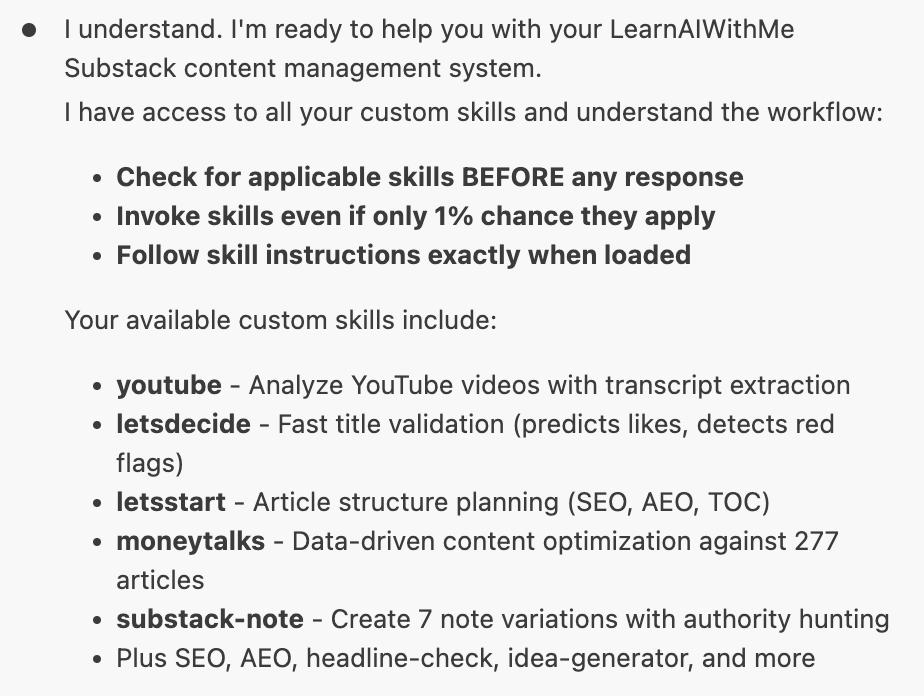
Great, let’s brainstorm a new article idea.
All I'm thinking about is creating better content for you.
And I love NotebookLM.
So let’s combine them. Run this command first.
/superpowers:brainstorm
It immediately starts exploring my content, which is wild.
This is one step further than Claude's memory.
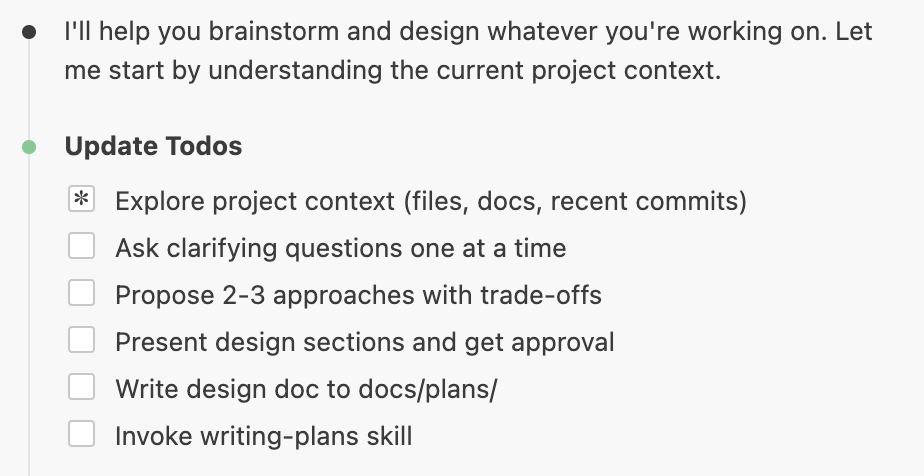
And it asks me clarifying questions.
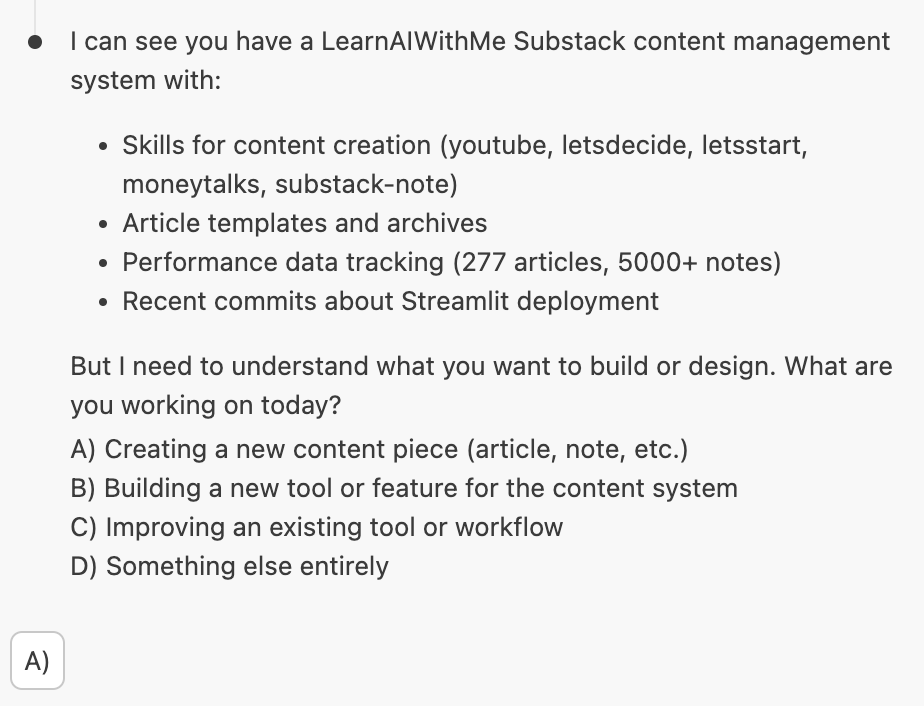
Great, let’s see if it can come up with an idea.
I think I’ve found my next article idea :)
Amazing.
It keeps asking questions.
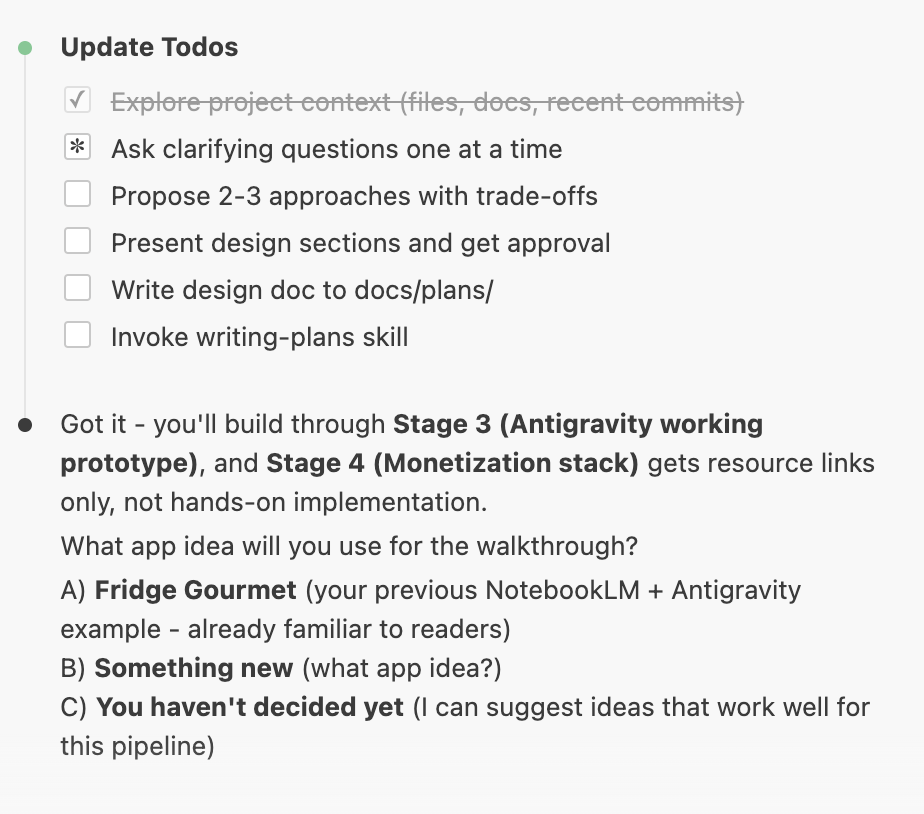
Incredible!
The article is finished.
Final Note (After a couple of days): I actually published this article, after doing a lot of polishing and reviews, but you know how I start.
3. Ralph Loop
This plug-in lets your Claude Code work on the same task until it finishes.
Here is the official document.
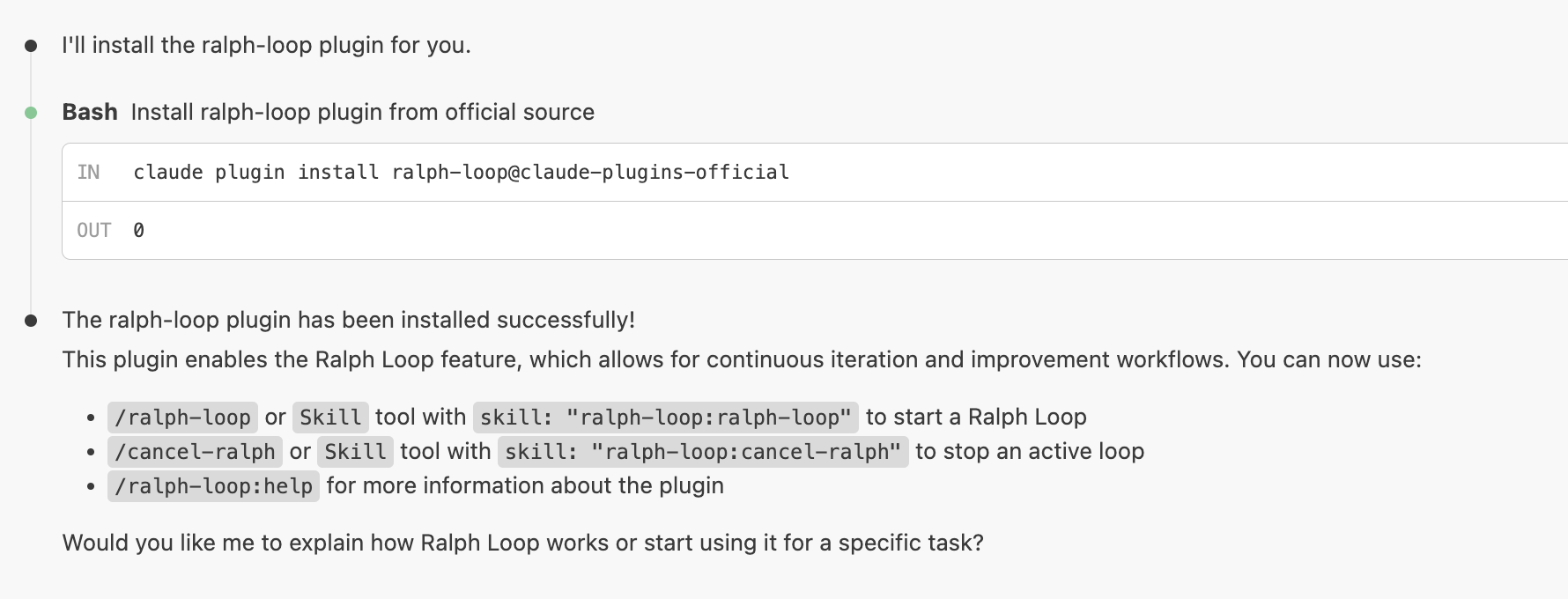
How to install?
Run this code in the terminal.
claude plugin install ralph-loop@claude-plugins-official
Or even better, ask Claude Code to run it for you like this.
Now, let’s test commands.
/ralph-loop:help

I use Claude Code to create better content for you.
All my article data and performance stats are loaded in.
So every decision is data-driven.
Now let's test the Ralph Loop to generate alternative titles.
I'll send a few versions to a couple of hundred readers at the same time.
Then I'll go with the winner.
But right now I only have this title: “Claude Code MasterClass For Everyone (Part 3): 3 Plug-ins 10x Your Claude Code Experience”
Here is my prompt:
/ralph-loop:ralph-loop Find me better title, use the article context under archive --max-iterations 3
Check the structure and fix your prompt because this will give you an error.
Here is the output.
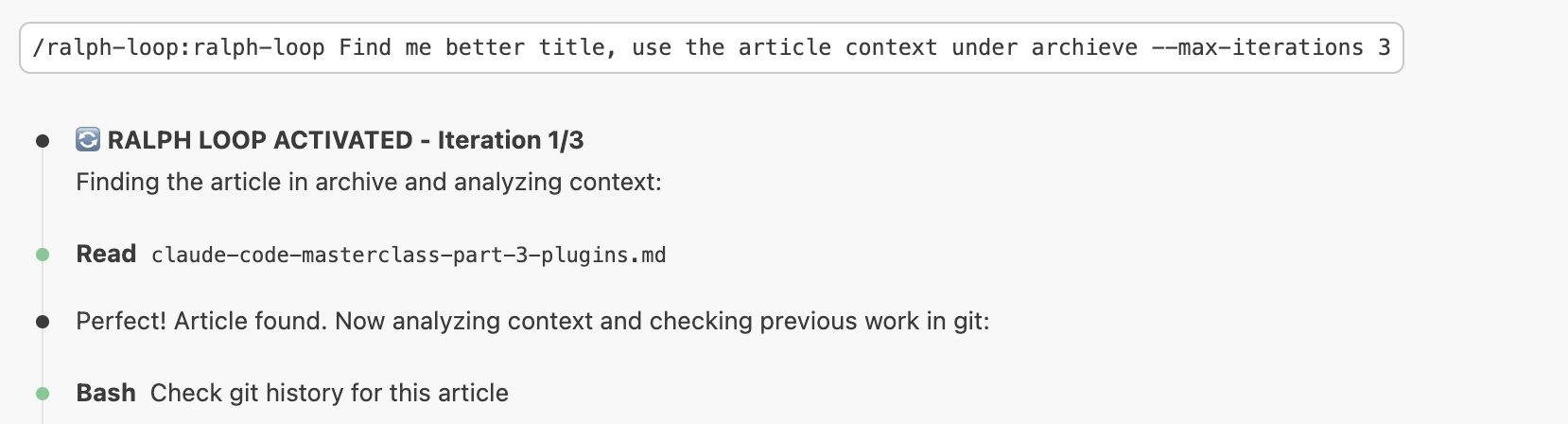
As you can see, I set the iteration to 3, so it finished sooner.
You can set it to 15 or 20.
But don’t forget to add max iterations.
Otherwise, it will put you in an infinite loop.
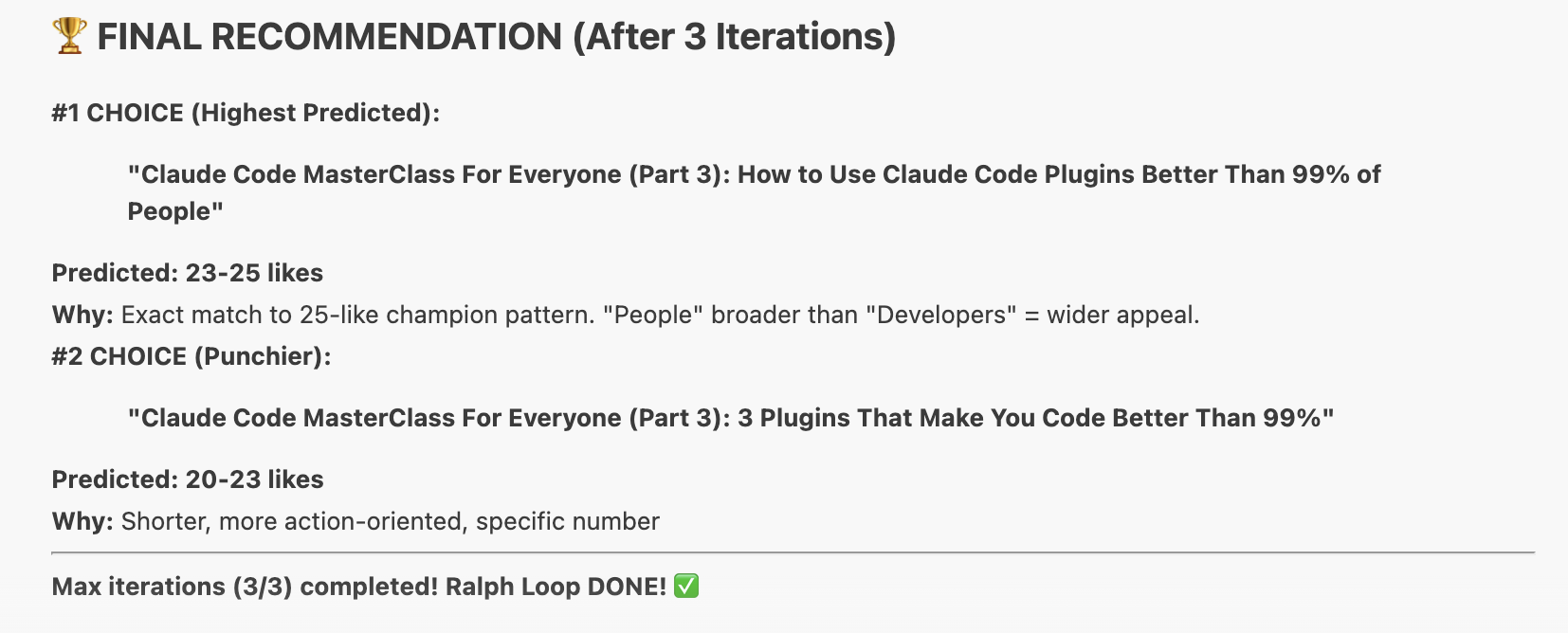
I’ll do the title test and you’ll see which one wins after reading this one.
Final Thoughts
You just learned how to use Claude Code like a professional.
With 3 Plug-ins that actually work.
- Playground lets you see what Claude Code is thinking.
- Superpowers turn Claude Code into a strategist.
- Ralph Loop makes Claude Code persistent. One task. Multiple iterations. Until it’s actually done.
These aren’t “nice to have” tools.
They’re the difference between:
- Building vs. shipping
- Coding vs. creating
- Using Claude Code vs. mastering it
Like if you actually learned something.
Share if you know someone building with Claude Code.
Comment if you get stuck installing these. (I read everyone.)
Thanks for reading.