A plain-English workflow for asking Codex to inspect one folder, show its evidence, and stop before making changes.
By The Agentic Teacher
Published: 2026-06-12
URL: https://theagenticteacher.substack.com/p/how-non-coders-can-use-codex-to-audit
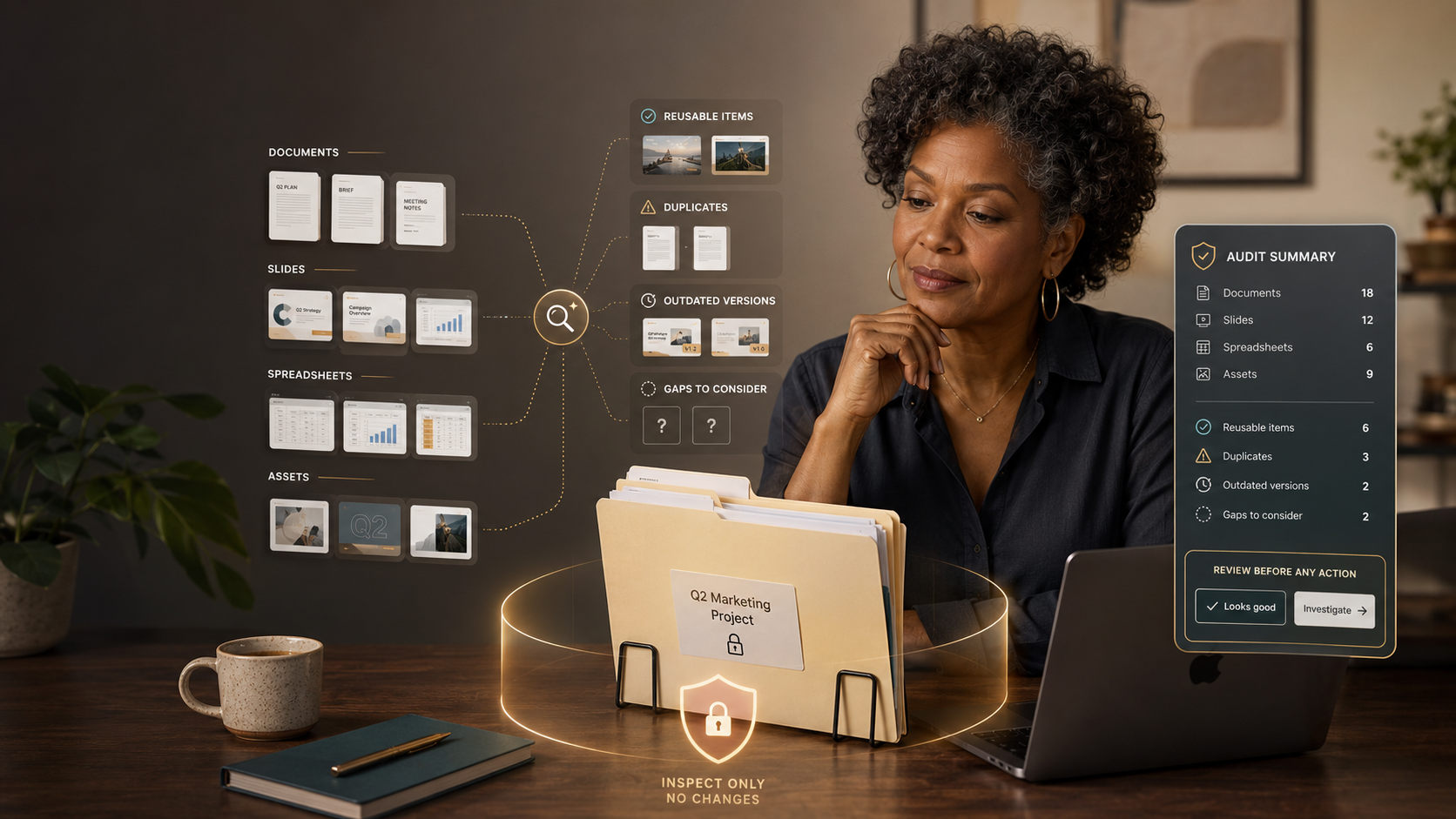
Week 1 of 4: Codex for non-coders. Use one bounded workflow to inspect a folder without changing it.
Most knowledge workers do not need AI to create something new every time.
Sometimes the useful material already exists. The problem is that it is buried inside a folder with old drafts, unclear filenames, duplicate versions, and documents you no longer remember creating.
That folder might contain lesson plans, client materials, research notes, workshop drafts, newsletter ideas, proposals, or product documents.
Opening files one by one is slow. Asking Codex to “organize everything” is too broad.
A better first workflow is smaller:
Ask Codex to audit one bounded folder without changing anything.
The goal is not to surrender control of your files. It is to understand what you already have before deciding what should happen next.
Catch up on the previous articles for this weeks lessons
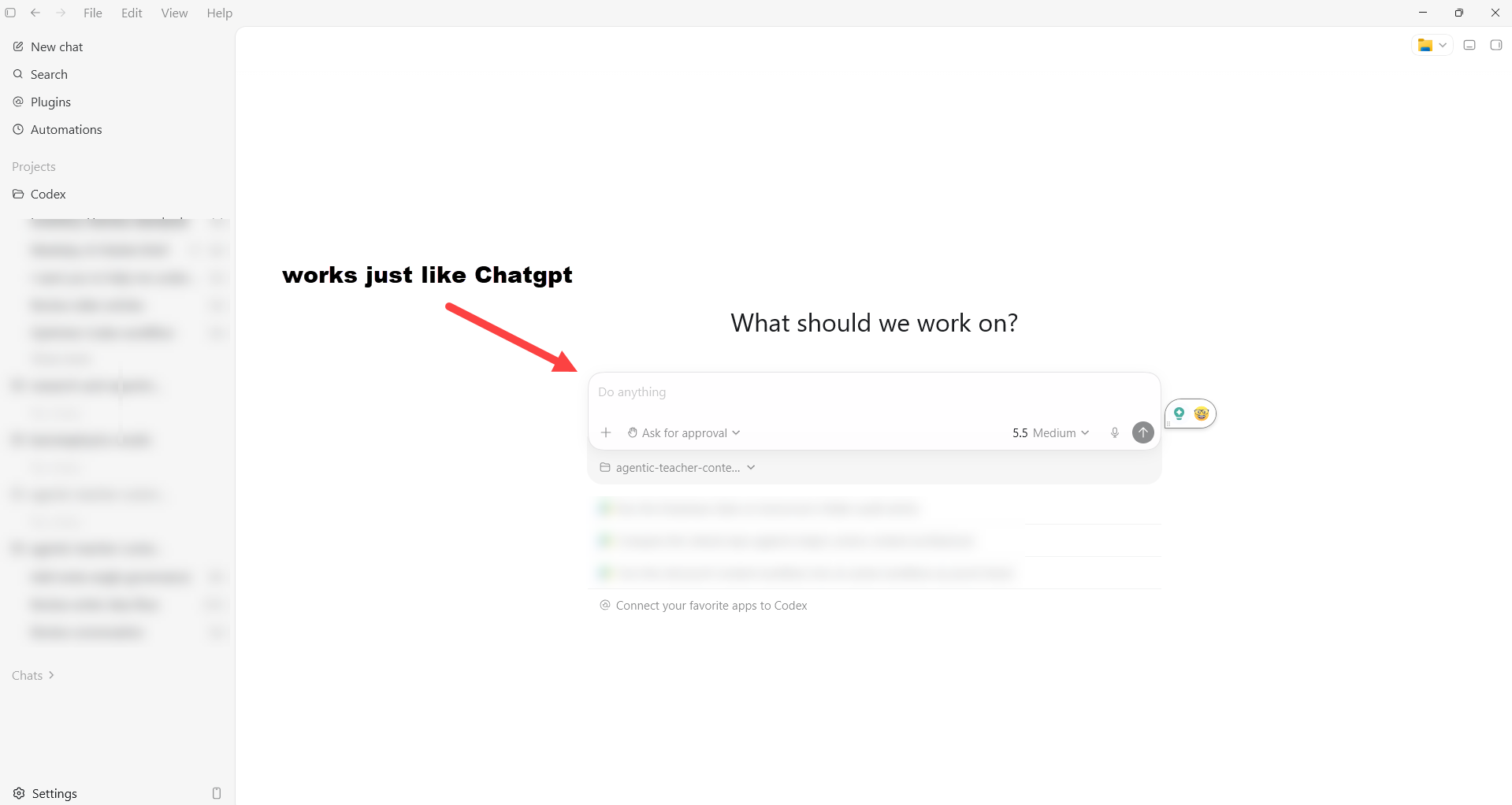
Start With One Folder, Not Your Entire Drive
Choose a folder connected to one real topic or project.
Good examples include:
- a teacher’s persuasive-writing materials,
- a consultant’s client-onboarding documents,
- a creator’s newsletter research,
- a coach’s workshop drafts,
- or a solopreneur’s offer-development files.
Avoid beginning with your entire document archive. A smaller folder makes the task easier to inspect, easier to verify, and less likely to produce a vague report.
Before you begin, make sure the folder does not contain sensitive material Codex should not access. You remain responsible for deciding what belongs in the workspace.
Tell Codex to Inspect Before It Acts
The first instruction should establish the boundary:
Inspect the files in this folder. Do not edit, move, rename, delete, or create any files.
This turns the assignment into an audit rather than a cleanup.
That distinction matters. You are not asking Codex to decide which version is correct or which file should be removed. You are asking it to gather evidence so you can make those decisions.
Ask Four Questions About the Folder
Your audit should help you understand four things.
1. What Is Here?
Ask for a plain-language inventory grouped by topic or purpose.
File names alone may not tell you much. A useful inventory should explain what the materials appear to contain and how they relate to one another.
2. What Can Be Reused?
Ask Codex to identify useful material that could support current work.
For a teacher, that might be an effective activity, rubric, explanation, or student example. For a consultant, it might be a discovery-question list, project checklist, or client email. For a creator, it might be an unfinished argument, strong example, or research summary.
The point is not merely to find files. It is to recover value.
3. What Appears Duplicated or Outdated?
Ask Codex to flag possible duplicates, competing versions, and dated material.
Use the word possible deliberately. Similar filenames do not prove that two files are identical, and a newer date does not always mean a better version.
Codex should report the evidence. You decide what is current.
4. What Seems to Be Missing?
Ask it to identify gaps that prevent the folder from supporting its apparent purpose.
A workshop folder may contain slides but no facilitator guide. A content folder may contain drafts but no audience notes. A lesson folder may have activities but no assessment.
This is not permission for Codex to invent the missing material. It is a request to make the gap visible.
Use This Complete Folder-Audit Prompt
Replace the bracketed text with your folder and purpose:
Audit the files in [folder name].
This folder is intended to support [project, topic, or type of work].
Do not edit, move, rename, delete, or create any files.
First, inspect the folder and report:
1. What files and types of material are present, grouped by topic or purpose.
2. Which materials appear useful and reusable, with a brief explanation of why.
3. Which files may be duplicates, competing versions, or outdated, including the evidence for that assessment.
4. What important information or materials appear to be missing.
Produce a concise audit summary with these sections:
- Folder overview
- Reusable materials
- Possible duplicates or outdated items
- Gaps and open questions
- Recommended next decisions
Cite the relevant filenames in your findings. Do not make any changes. Show me the audit and wait for my approval before continuing.
The filenames matter. They let you trace each finding back to the source instead of accepting a summary you cannot verify.
A Teacher Example That Applies Beyond Teaching
Imagine a retired teacher has a folder of persuasive-writing materials accumulated over several years.
Codex might report that the folder contains three unit outlines, two similar rubrics, several graphic organizers, four sample essays, and an unfinished slide deck. It might identify one evidence-sorting activity as reusable, flag two rubrics as possible competing versions, and note that the folder lacks a current three-day sequence.
The teacher then reviews the cited files.
Nothing has been deleted. Nothing has been rewritten. But the folder is no longer a mystery.
The same workflow works for client onboarding, workshop development, content planning, research, and offer creation. Only the folder and the criteria change.
The Audit Ends With Your Decision
An AI audit is not the final judgment.
Check the summary against the files it cites. Decide which materials are still accurate, which version reflects your current thinking, and which gaps actually matter.
Then choose one next action:
- Mark the current version of one important document.
- Move one reusable item into an active project.
- Investigate one possible duplicate.
- Create a brief for one genuinely missing asset.
Do not turn the audit into a weekend-long reorganization project. Its purpose is to help you recover one useful piece of knowledge and make one informed decision.
That is a practical way for a non-coder to begin using Codex: not by asking it to take over the workspace, but by asking it to inspect a bounded part of the work, show its evidence, and stop for human review.
The deeper skill is knowing how to scope different assignments, set safeguards, verify evidence, and design approval points for higher-stakes work. That is the next layer addressed by the Non-Technical AI Operator Method.
Part of the Codex for Non-Coders Series
This article is part of a four-week Agentic Teacher sequence on using Codex as a non-coder.
The series moves from understanding what Codex is, to organizing reusable context, to building your first Codex-usable knowledge repo.
The goal is simple: help you turn scattered AI use into a working system Codex can actually use.
Next in the series: Better Prompts Help Once. Reusable Context Helps Every Time.
This Substack is reader-supported. To receive new posts and support my work, consider becoming a free or paid subscriber.