Knowledge workers can start with five plain-English instructions that tell Codex what to read, what to protect, what to report, and when to stop.
By The Agentic Teacher
Published: 2026-06-10
URL: https://theagenticteacher.substack.com/p/five-instructions-knowledge-workers
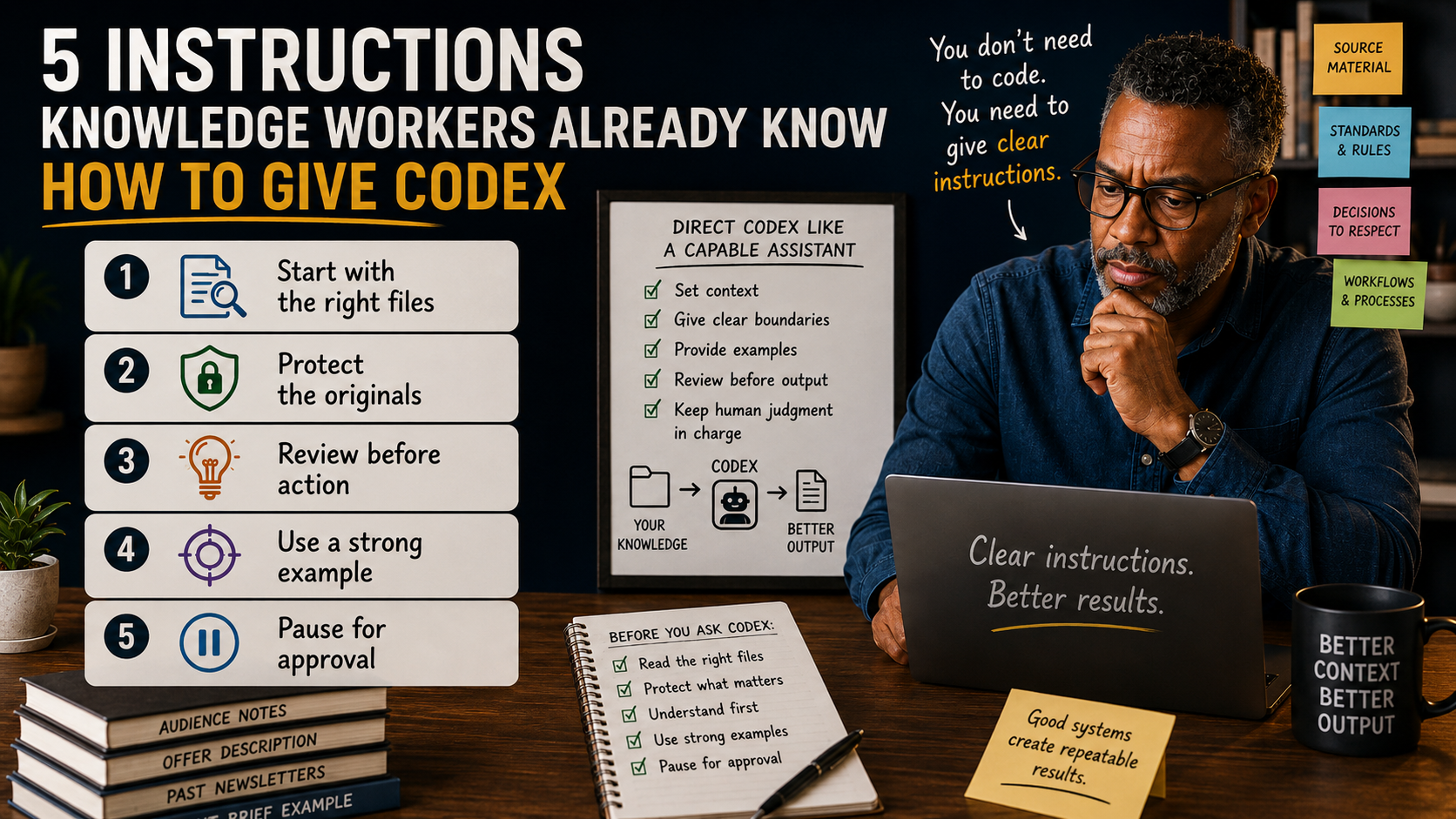
Week 1 of 4: Codex for non-coders. Give Codex five plain-English instructions before you ask it to do anything.
This quick win lets you use Codex without needing to write any code.
Codex can look intimidating when most examples come from programmers. But the first useful skill is not coding. It is giving clear instructions.
I learned this from my own frustration with AI work that looked helpful in the moment but did not reliably compound. I had article drafts, course notes, offer language, lead magnets, prompts, and strategy decisions spread across chats and files. When I asked AI for help, the answer could be polished but still disconnected from the actual work.
The win came when I stopped treating Codex like a magic writer and started treating it like a capable assistant inside a workspace. It needed the same things any good assistant needs: what to read, what not to change, what to report back, what example to follow, and when to pause for approval.
Teachers do this when they tell a student to read the rubric before reviewing an assignment. Consultants do it when they identify which client documents are current. Creators do it when they point an editor toward a strong example. Solopreneurs do it when they explain what must be approved before anything is published.
These are ordinary knowledge-work instructions. They are also useful Codex instructions.
You Already Know More Than You Think
When Codex works inside a folder or repository, it needs direction about what to read, what to protect, and when to stop. You do not need technical language to provide it.
Start with these five instructions.
1. Read These Files First
Do not make Codex guess which material matters.
Point it toward the source files on your computer that should guide the task:
Read the audience notes, current offer description, and last three newsletter drafts before suggesting new article angles.
A consultant might identify a project brief and meeting notes. A coach might choose a program outline and client FAQ. A teacher might provide a lesson plan and rubric. The principle is the same: establish the relevant context before asking for output.
2. Do Not Change the Originals
If you are worried something important will be overwritten, name the boundary directly:
Inspect these materials, but do not edit, move, rename, or delete the original files.
This does not replace careful review or backups. It tells Codex that the first job is to understand the workspace, not reorganize it without permission.
3. Show Me What You Found
Do not jump from inspection straight to execution.
Ask Codex to report what it sees:
Identify the recurring themes, useful examples, missing information, and conflicting decisions. Show me your findings before creating anything.
This keeps your judgment in the loop. You can correct a misunderstanding before it becomes a polished but misguided deliverable.
4. Use This Example
If you have an example that represents good work, use it.
You might say:
Use this completed client brief as the quality reference. Follow its level of detail and organization, but do not copy its client-specific content.
An example helps Codex understand what words such as “clear,” “professional,” or “practical” mean in your work. It could be a strong article, proposal, lesson, workshop outline, or customer email.
5. Wait for My Approval Before Continuing
Some tasks should happen in stages. Tell Codex where the pause belongs:
First, propose the structure and list the files you would create. Wait for my approval before drafting or changing anything.
This is especially useful for source material, public-facing content, client work, or a large number of files. The pause is part of a well-directed workflow.
Try One Bounded Task
Choose one real task involving a small set of files.
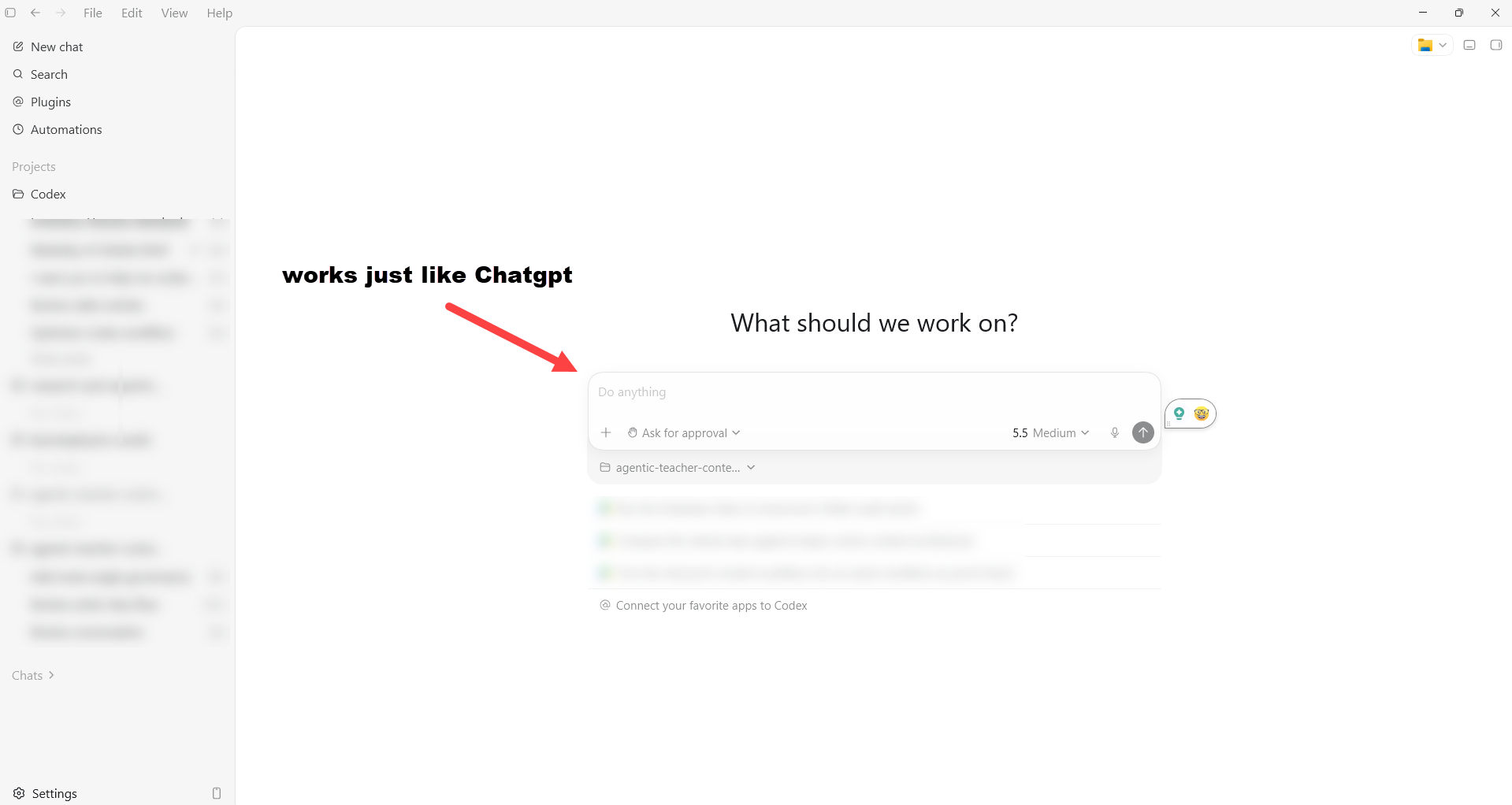
You are going to type or speak these instructions into the chat interface shown above.
Then combine the five instructions:
- Read these files first.
- Do not change the originals.
- Show me what you find.
- Use this example as the quality reference.
- Wait for my approval before creating anything.
That is not a coding prompt. It is a clear assignment from someone who understands the work.
Teachers are an easy example because giving instructions, setting boundaries, and reviewing work are visible parts of teaching. But the same skills belong to anyone whose work depends on documents, decisions, examples, standards, and judgment.
You do not need to become a developer to begin using Codex. You need to direct an AI assistant inside a workspace while keeping human judgment in charge.
The deeper skill is turning instructions like these into a repeatable operating method for scoping work, checking evidence, and approving changes. That is the territory of the Non-Technical AI Operator Method.
Part of the Codex for Non-Coders Series
This article is part of a four-week Agentic Teacher sequence on using Codex as a non-coder.
The series moves from understanding what Codex is, to organizing reusable context, to building your first Codex-usable knowledge repo.
The goal is simple: help you turn scattered AI use into a working system Codex can actually use.
Next in the series: How Non-Coders Can Use Codex to Audit One Folder Without Changing the Files
This Substack is reader-supported. To receive new posts and support my work, consider becoming a free or paid subscriber.