How Flow by ServiceNow Uses AI to Put Company Knowledge to Work
By TechTiff
Published: 2026-10-01
URL: https://techtiff.substack.com/p/ai-project-context
Your AI shouldn’t need a full reintroduction every time you bring it into a project. Give it the project information, the current decisions, the instructions, and the boundaries, and it has something solid to work from. That’s the idea behind an AI Office, a workspace where your instructions, references, and AI work together.
When I talked with the ServiceNow team about Flow, they showed me how that looks inside an organization. Flow works through Slack or Teams using information the company has already connected.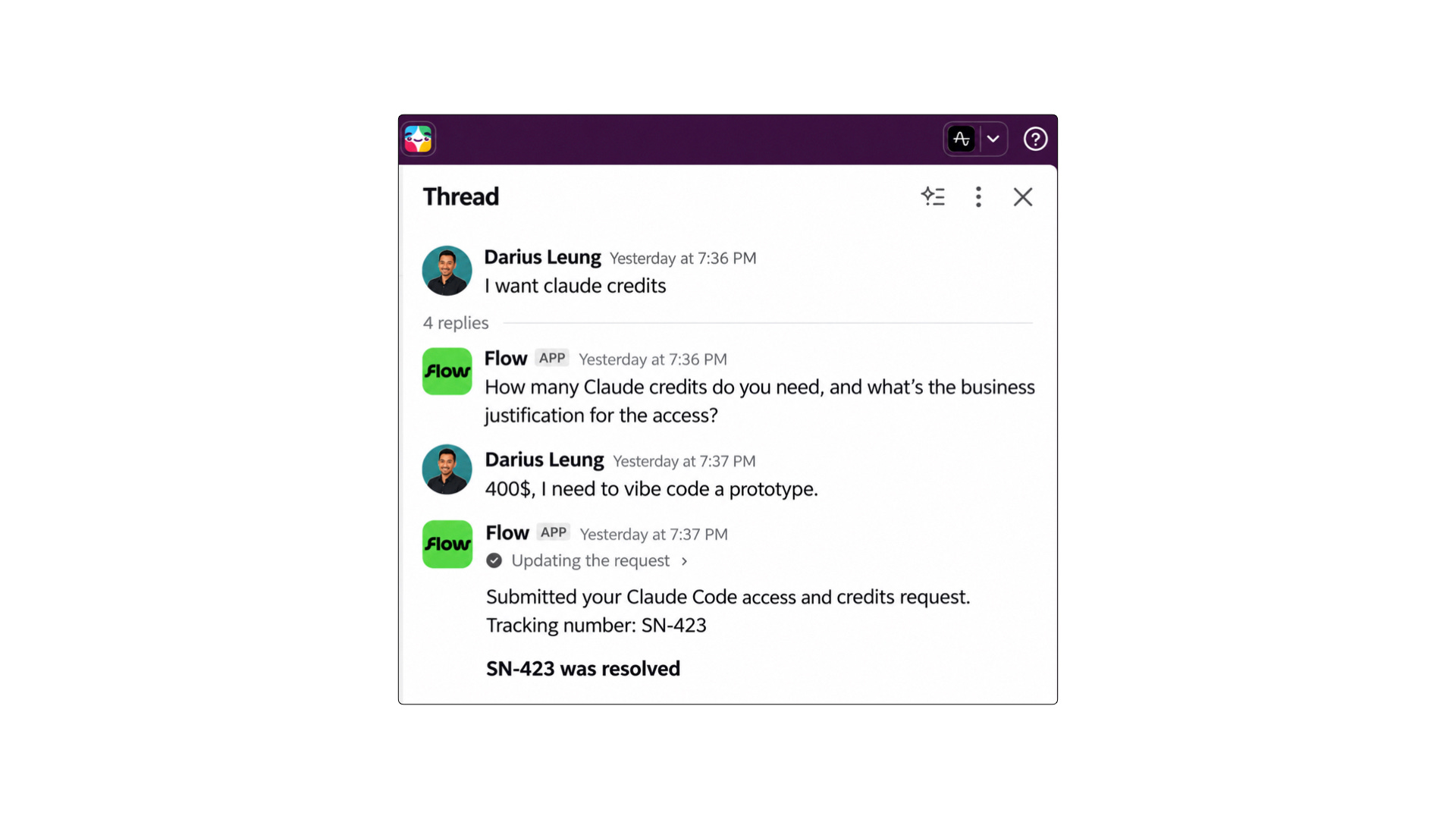
So employees can ask about policies, product information, internal processes, or current projects without having to know where the right document lives.
The Short Version
-
Flow by ServiceNow answers questions using connected company information and handles supported requests through Slack or Teams.
-
Access is rolling out in stages, with early-access signup available at letsflow.ai.
-
Your own AI Office gives your AI project information, instructions, examples, and boundaries to work from.
-
The AI Office tells AI which files it’s allowed to change, which actions need approval, and what to do when information is missing.
The Project Gets a Planner
Flow gives those questions a common starting point. Tell it what you’re trying to do and it uses the knowledge available to it to respond. When the answer or action needs a person, it escalates the request with its context.
During my conversation with the ServiceNow team, they showed examples ranging from IT questions to product information. Employees were asking about company holidays, release notes, product pricing, software access, and internal processes.
And they shared how one company was using it to support an office move for about 300 employees.
The team had packing instructions, moving dates, desk locations, contact information, and other details people needed during the move. They put that information where Flow could use it, added Flow to a dedicated Slack channel, and employees asked their questions there.
That move had its own AI Office. The project got its own information, its own channel, and an AI that knew where everything lived, so employees got answers in the same place they asked. Your AI Office works the same way. Give your project its own information, instructions, rules, and boundaries so your AI has somewhere to work from instead of waiting for you to explain the assignment again.
Giving Your AI a Brain
Your AI Office needs the same kind of structure. Give the project its own information, instructions, rules, and boundaries so the AI has somewhere to work from instead of waiting for you to explain the assignment again.
To build a brain for your AI, start by gathering the information someone would need to work on a task. Add the current instructions, decisions you’ve already made, reference material, examples, deadlines, and anything else that affects the work.
Tell the AI what each source covers, when it should use that source, and which information takes priority when two documents disagree.
Because dumping files into a folder and hoping AI develops organizational instincts is a strategy. Just not a particularly good one.
Context Runs the System
An AI office is a workspace where your instructions, references, and AI work together. Give each source a clear role so the AI knows where to look for deadlines, approved decisions, examples, and current project details.
Give your sources specific jobs:
-
Project plan: deadlines and current priorities
-
Decision log: approved choices and changes
-
Examples folder: expected format and style
-
Source priority: current documents override older drafts when they conflict
So you’re handing AI a map instead of dropping it into your file system and wishing it good luck.
Tell It What Its Job Is
Define what the AI is responsible for before you ask it to do anything. Be specific about the questions it should answer, which sources belong to that job, and what should stay outside its scope.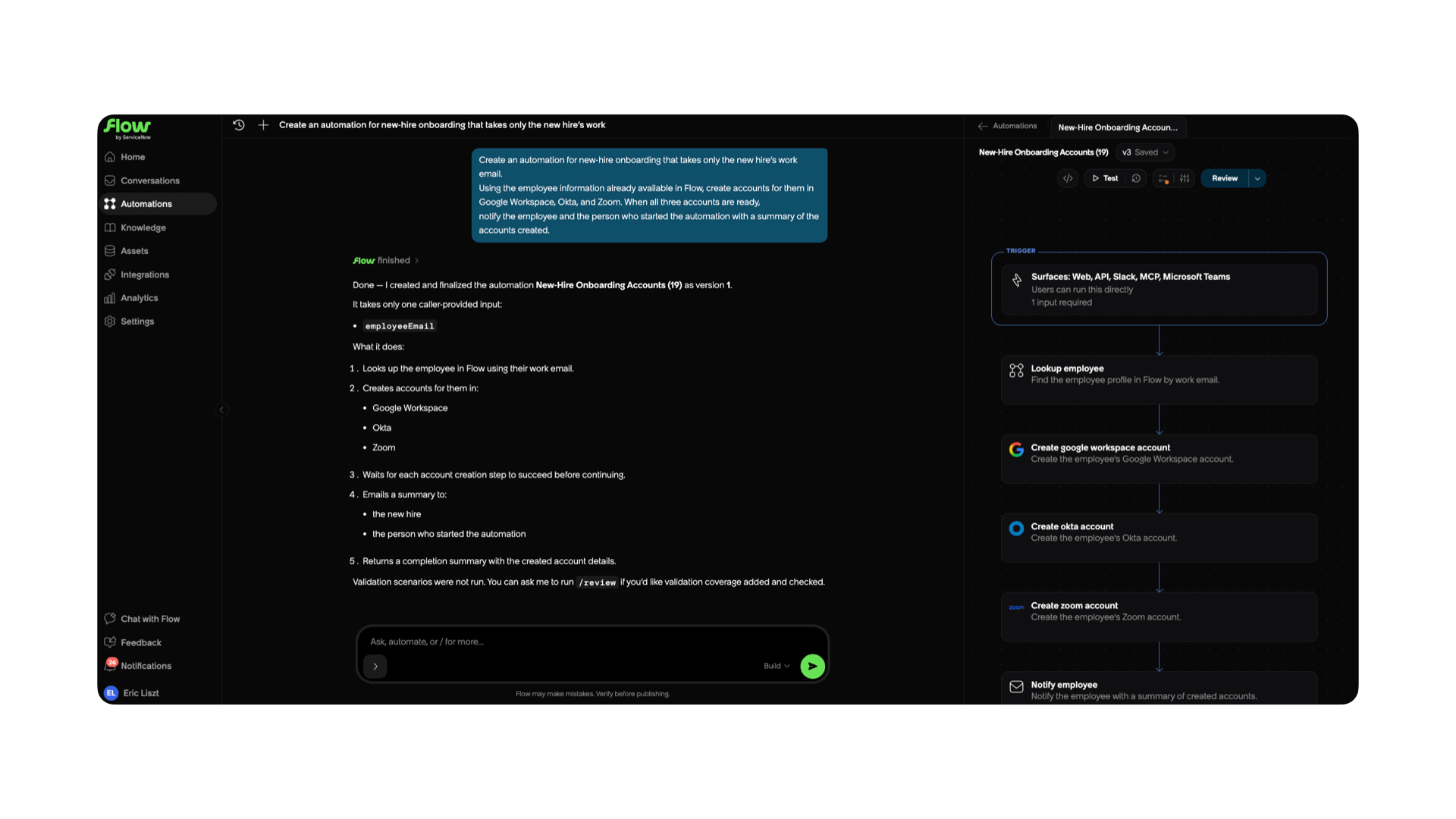
If it’s helping with a project, tell it exactly what kind of work belongs there, whether that’s answering questions, reviewing decisions, drafting updates, organizing notes, or checking the current plan before responding.
Then tell it what happens when the answer isn’t available.
Include when it should:
-
Ask for clarification
-
Say it doesn’t have enough information
-
Involve a person instead of filling in the blanks.
You also want to make clear which decisions it’s allowed to make on its own and which ones need confirmation first.
Your AI needs a clear job description, clear boundaries, and a clear next step when it reaches the edge of what it knows. The goal is to give the AI enough direction that it knows what belongs to the job, what doesn’t, and what to do when it runs into something outside the boundaries you set.
Your Work Has Somewhere to Go
Set a destination for the work your AI produces. Drafts, summaries, and research go into an Inbox inside your AI Office, where you review them and decide what to keep.
Keep approved instructions and reference material separate from those drafts. When a result is ready to become part of the project, file it with the related work and link it from the project note.
That gives you and your AI a shared place to pick up the assignment next time. The workspace holds the information you started with and the work you’ve completed along the way.
If you want Flow running in your company’s Slack or Teams, sign up for early access at letsflow.ai.
Build Your AI Office With Me
On October 12, I’m starting the Personal AI Office Challenge, where we’re building this system step by step.
You’ll organize the context your AI needs, define its responsibilities, set the boundaries, and build a workspace where AI actually knows what it’s doing when you show up with work.
Join the Personal AI Office Challenge
Give your AI the information, the instructions, the boundaries, and somewhere to work.
Then give it a job.
Subscribe for practical ways to give your technology something useful to manage.