Forget the stock. Focus on the ‘how’.
By Ruben Hassid
Published: 2026-11-20
URL: https://ruben.substack.com/p/ipo
Anthropic’s Claude went public yesterday.
The largest IPO in human history.
Your feed harasses you with a bubble debate. I don’t care about the stock.
But I can’t stop staring at this:
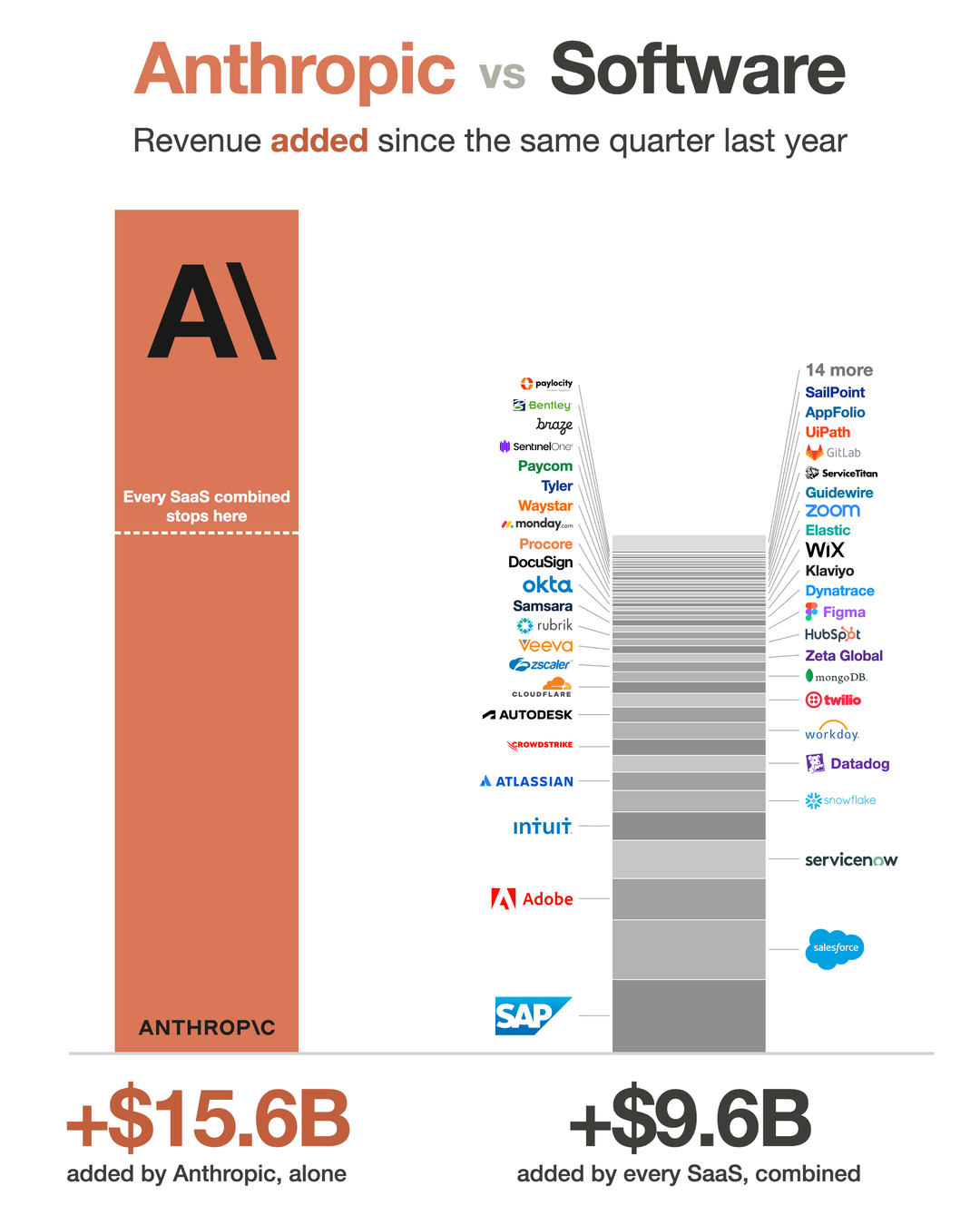
\12x more revenue… than every other software combined.\
Anthropic sold $1.4 billion of Claude in one quarter of 2025.
Anthropic then sold $17 billion of Claude in the same quarter, but in 2026.
On the left: Anthropic, alone. On the right: every single SaaS company, combined.
Anthropic added 12x more revenue than every software company, combined.
Let’s pause.
This newsletter isn’t financial advice, covering “IPO” and “stocks” and “bubble or not”. I don’t care how you invest your money. I believe in investing in (very) boring vehicles, like a World ETF, and waiting 20+ years.
Easy, but boring.
I prefer finding ways to earn 50% more and invest (long-term, boring) than trying to “game the market” to maybe gamble +50% (but most likely lose all of my money).
Mastering AI gets you hired, promoted, keeps you relevant.
And AI = Claude today.
So when Claude is going after so many industries, I listen, master, and then teach (you). In just a few months, they launched:
- Claude for Legal,
- Claude for Manufacturing,
- Claude for Small Businesses,
- Claude Academy to be certified,
- And many others I will cover today.
Two things before we start:
- Share this with someone who can’t stop talking about the IPO (but still does not know how to use Claude).
- Block 20 minutes in your calendar to follow along. It’s a long newsletter, and right now might not be the right time. Save it for later.
1. Claude + Small Business.
🌟 For owners and operators. The ones who do a bit of everything.
It requires: any paid plan (Pro, Max, Ultra, Team, or Enterprise).
Step 1: Add the plugin.
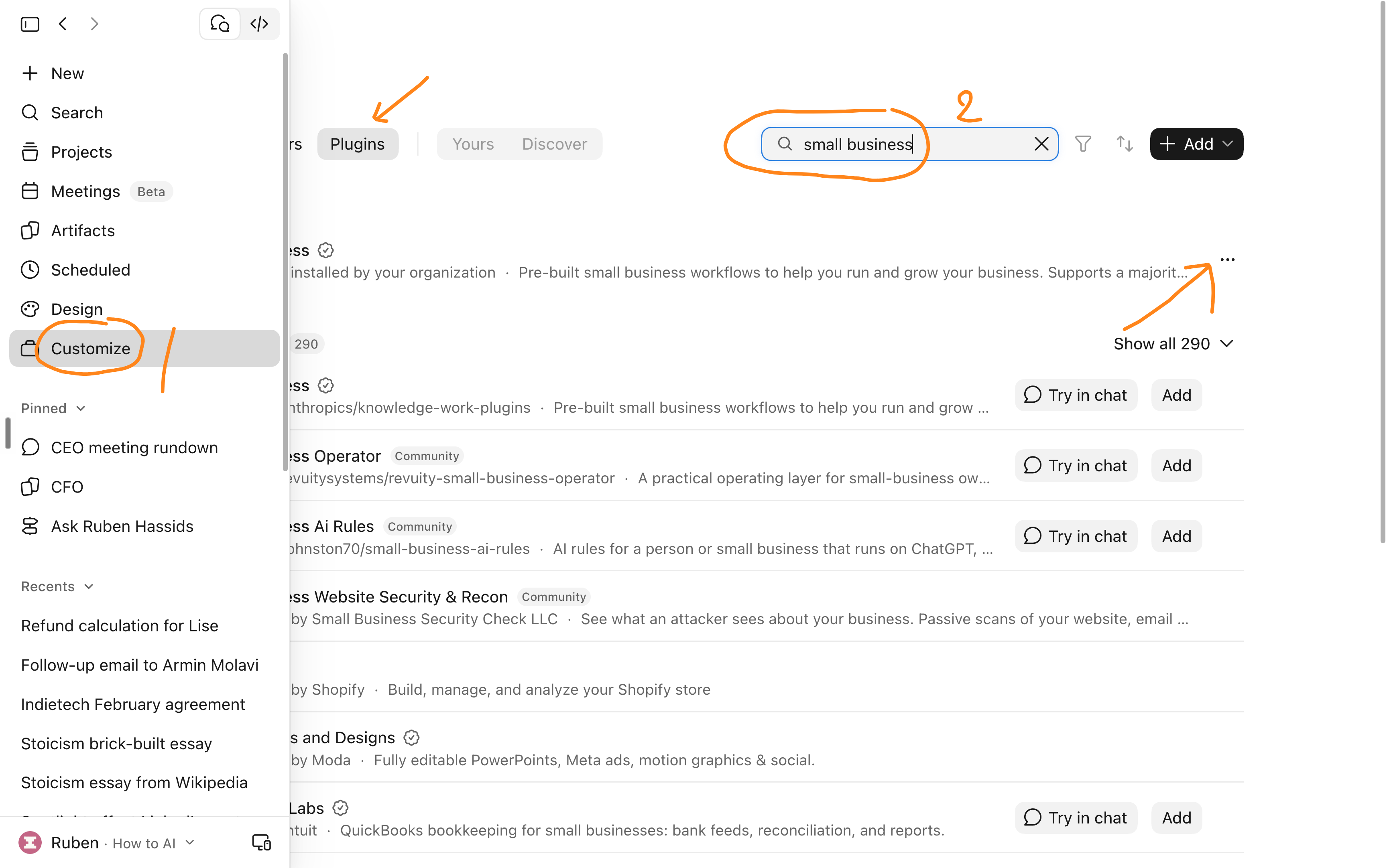
\Customize → Plugins → search “Small Business” → Add.\
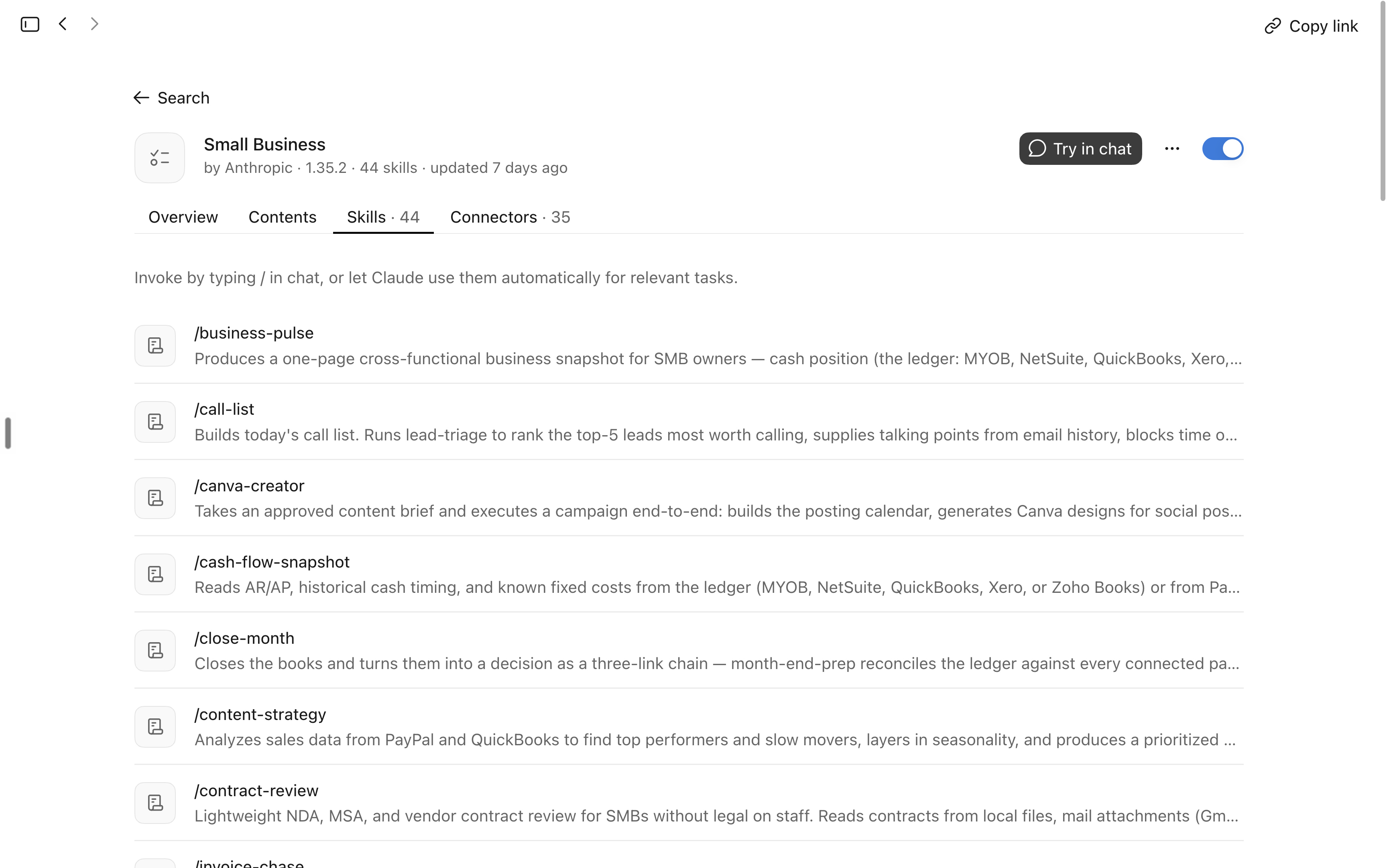
\It has 44 skills to try.\
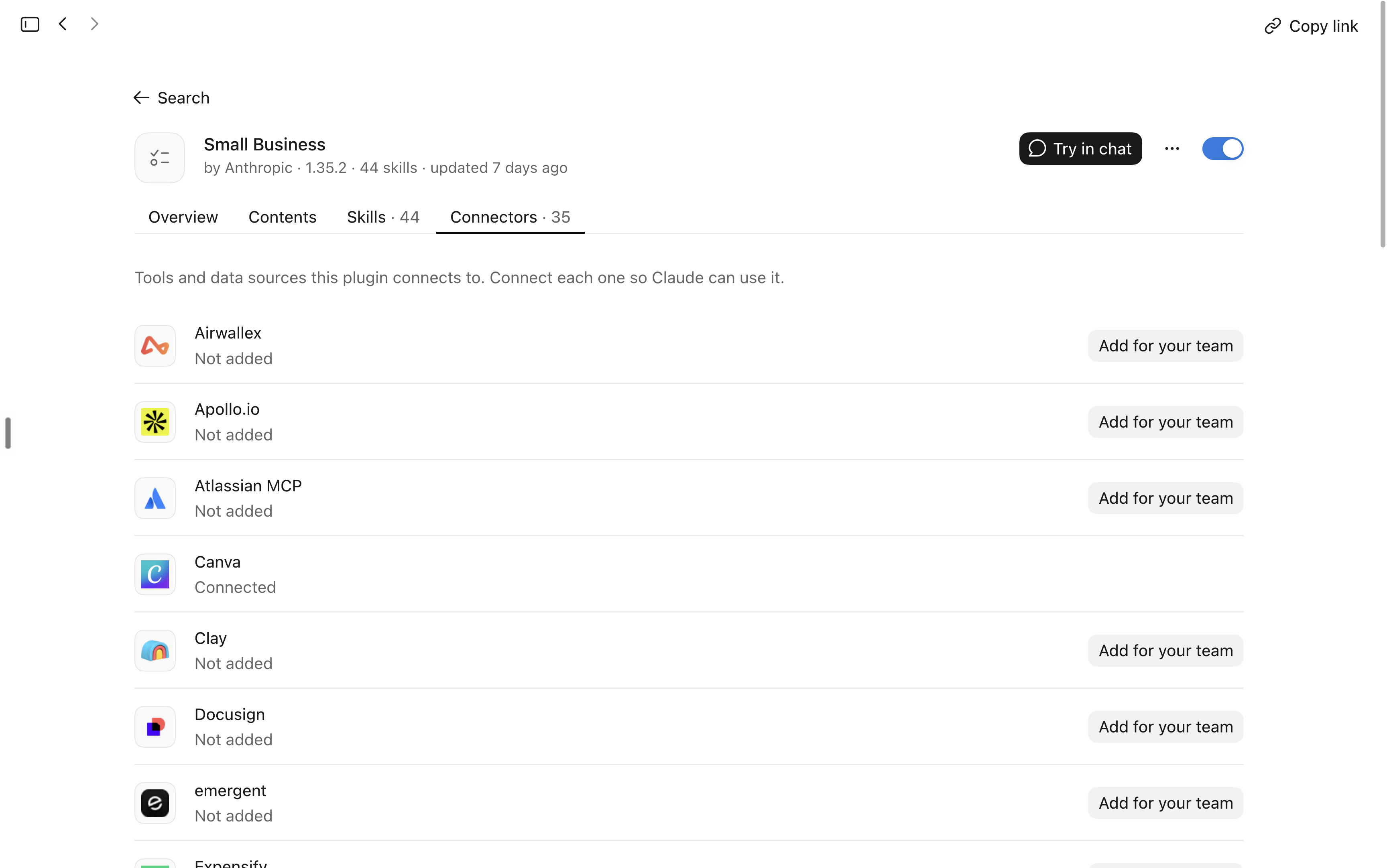
\And it can connect to 35 tools. Small business owners’ ones.\
Step 2: Tell it who you are.
Open a new Claude chat, and type:
Customize the "small-business" plugin for me based on my company.
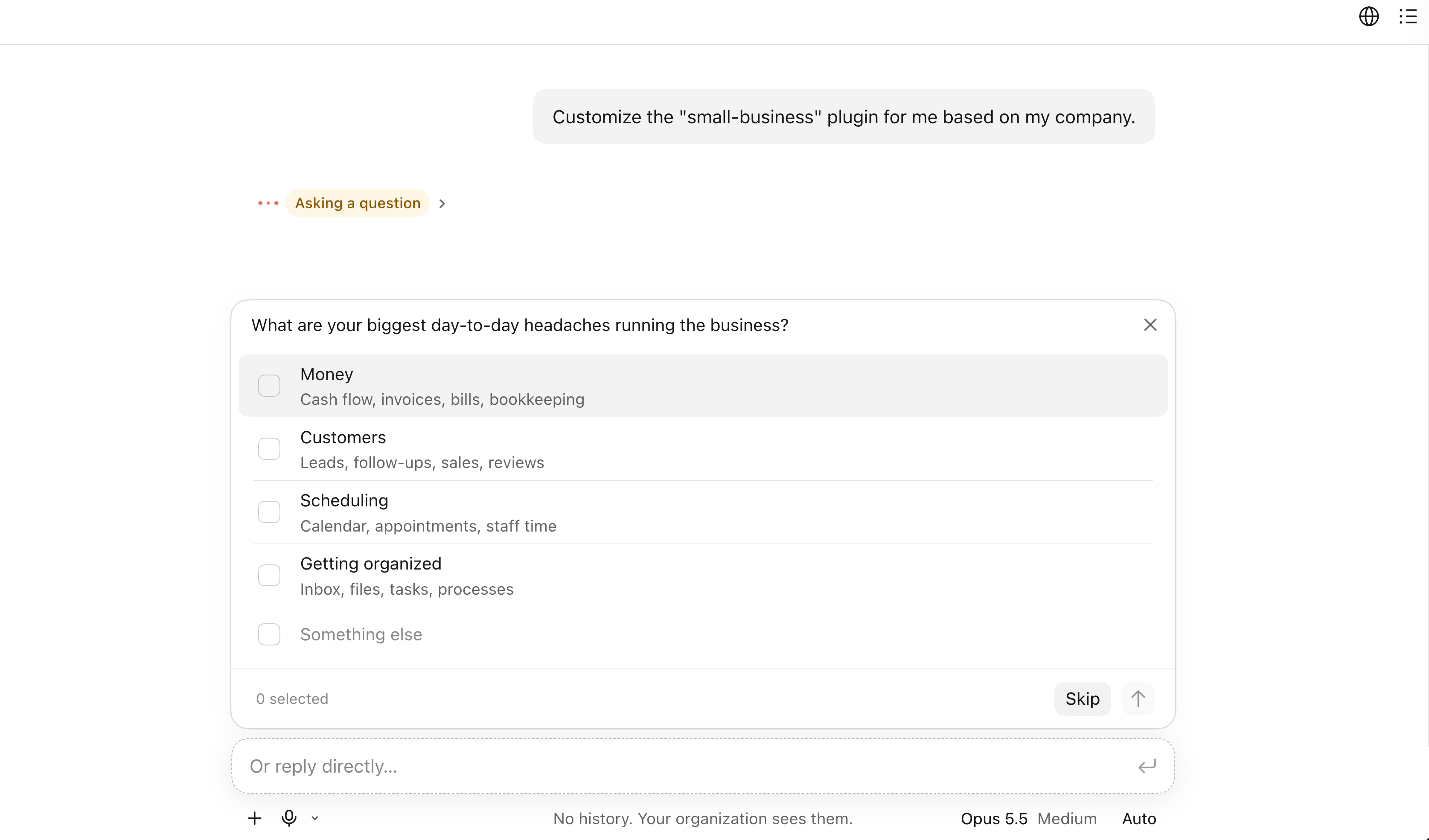
\Answer all of the questions and you are set.\
Step 3: Use it.
Your Monday brief. Cash, sales and pipeline, on one page.
/monday-brief
Your unpaid invoices. It reads your ledger and drafts each reminder. But you send them.
Chase my overdue invoices. Draft the reminders, don't send them.
A proposal from your notes. A call transcript, a voice memo or photos of the job become a proposal.
Build a proposal from this call transcript.
Here’s what the others handle:Money:
- /small-business:close-month - close the month.
- /small-business:cash-flow-snapshot - forecast your cash.
- /small-business:pay-the-bills - pay the bills.
- /small-business:payroll-prep - prepare payroll.
- /small-business:tax-season-organizer - get your books ready for your accountant.
Customers:
- /small-business:speed-to-lead - answer every new lead.
- /small-business:call-list - rank who to call today.
- /small-business:reactivate - win back the ones who stopped buying.
- /small-business:crm-autopilot - keep your CRM up to date.
- /small-business:ticket-deflector - answer support emails.
Marketing:
- /small-business:content-strategy - a content plan built on what sells.
- /small-business:social-content-engine - your posting calendar.
- /small-business:ad-manager - your ads.
- /small-business:review-reputation - your reviews.
- /small-business:seo-ai-visibility - how you show up in search and in AI answers.
Team and stock:
- /small-business:job-post-builder - write the job post.
- /small-business:hiring-screener - screen the applications.
- /small-business:inventory-planner - work out what to reorder and when.
Send this part to someone who runs a small business.
2. Claude + Sales.
Everyone dealing with sales (so everyone?).
It requires: It needs your CRM, your email and your calendar connected to do its job. I use Gmail and Wispr Flow.
Step 1: Add the plugin.
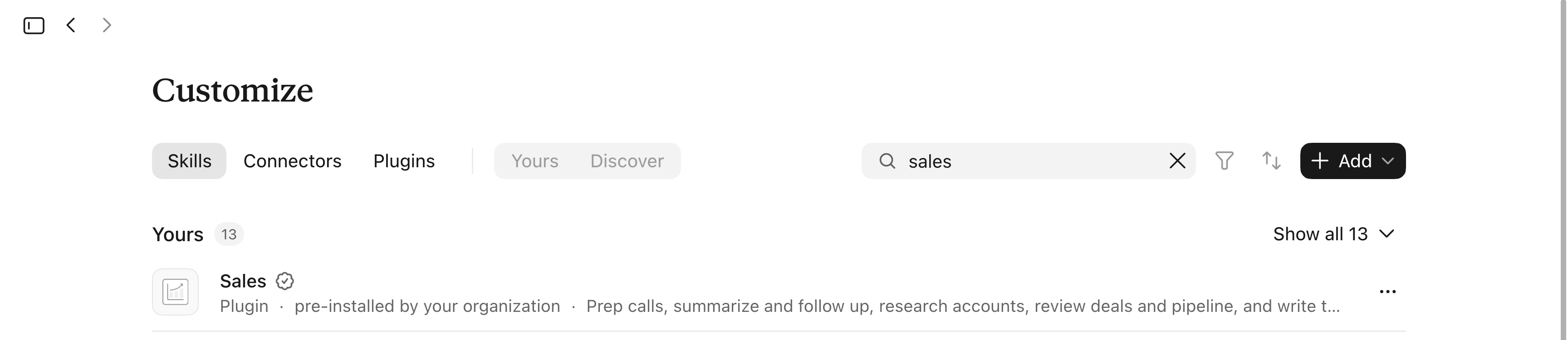
\Customize → Plugins → search “Sales” → Add.\
This time 36 skills and 23 connectors (you can turn on or off).
Step 2: Run the setup.
It must be your first prompt:
/sales:setup
It checks which tools are connected, shows what each one unlocks, and learns how you write from the emails you already sent.

\It’s going on my Gmail and my Wispr Flow to set it up for me.\
Step 3: Put it to work.
Before a call. It’s a cool skill when you have the plugin.
/sales:call-prep my next meeting on my calendar. Quick rundown with bullet points.
After a call. The transcript becomes the follow-up email, the note for your team and the CRM update. I use Wispr Flow with it.
/sales:call-summary using Wispr Flow.
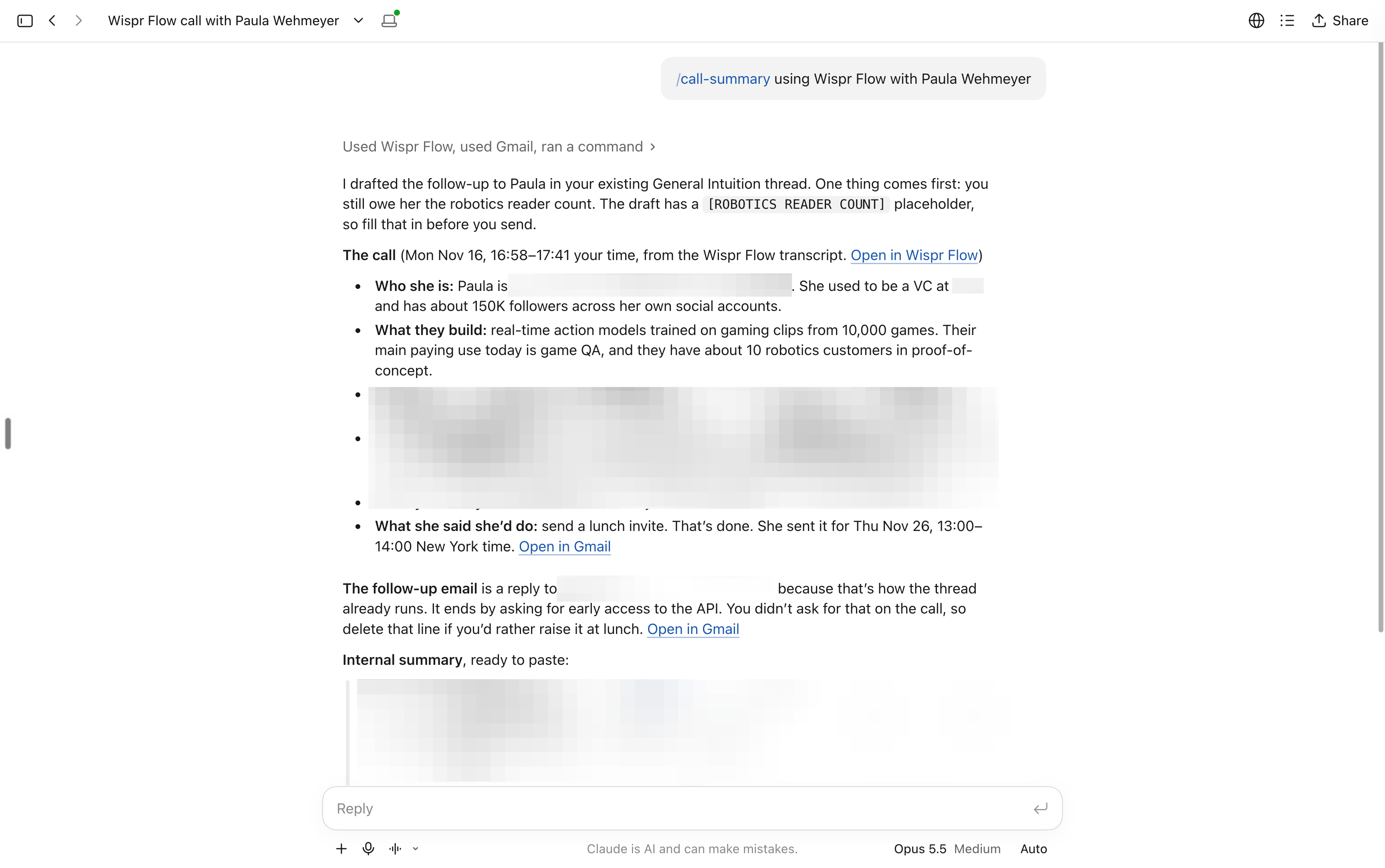
\I use it every day.\
Your pipeline. Coverage, aging deals, deals at risk.
/sales:pipeline-review
The other 33 skills:
Your day:
- /sales:daily-briefing - a morning briefing.
- /sales:end-of-day - an end-of-day wrap.
- /sales:weekly-wrap - a weekly summary.
- /sales:inbox-sweep - an inbox sweep.
Your deals:
- /sales:deal-review - a deal review.
- /sales:deal-advance-gap - what’s missing to move it forward.
- /sales:close-plan - the close plan.
- /sales:deal-slip-scenario - what happens to your number if it slips.
Your accounts:
- /sales:account-research - research on a company.
- /sales:account-plan - the plan for an account.
- /sales:stakeholder-map - the map of who decides.
- /sales:expansion-whitespace - where you could sell more.
- /sales:renewal-radar - what renews soon.
Your competition:
- /sales:handle-objection - how to answer an objection.
- /sales:competitive-intelligence - how you win and lose against a competitor.
Your manager:
- /sales:forecast - the forecast.
- /sales:team-pipeline - the team’s pipeline.
- /sales:rep-context - the prep before a 1:1.
Send this part to the best seller you know.
3. Claude + Legal.
For legal teams and law firms. And for you, if you sign contracts without one.
It requires: a paid plan.
Step 1: Add it.
Start with the one for contracts. It’s called commercial-legal.
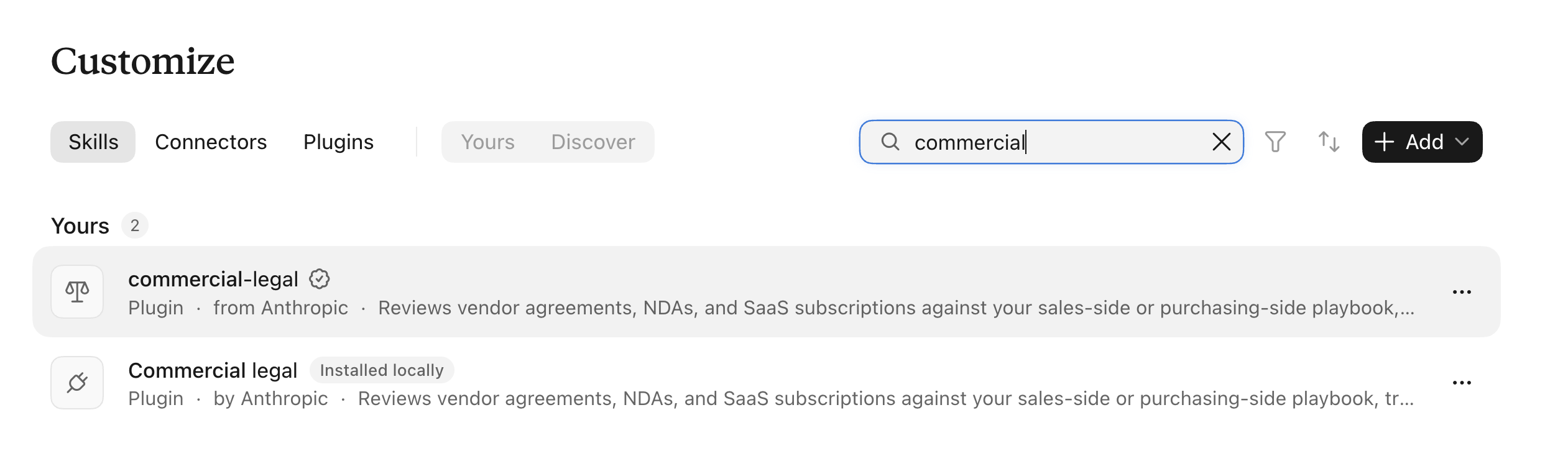
\Pick this one first.\
Step 2: Teach it your rules.
You need to show a past contract. It works better.
/commercial-legal:cold-start-interview
Step 3: Use it.
They sent you an NDA. It comes back green, yellow or red.
/commercial-legal:review [attach the NDA]
Should you sign this contract? It flags what breaks your rules and writes the changes to ask for.
/commercial-legal:review [attach the contract] I'm the [customer / supplier / partner].
The others in commercial-legal:
- /commercial-legal:renewal-tracker - the contracts about to renew.
- /commercial-legal:amendment-history - how a contract changed across its amendments.
- /commercial-legal:escalation-flagger - who has to approve a deal.
The 11 other practice areas: corporate, employment, privacy, product, regulatory, AI governance, IP, litigation, law student, legal clinic, and one to build your own.
The general plugin, called Legal, adds 9 more skills:
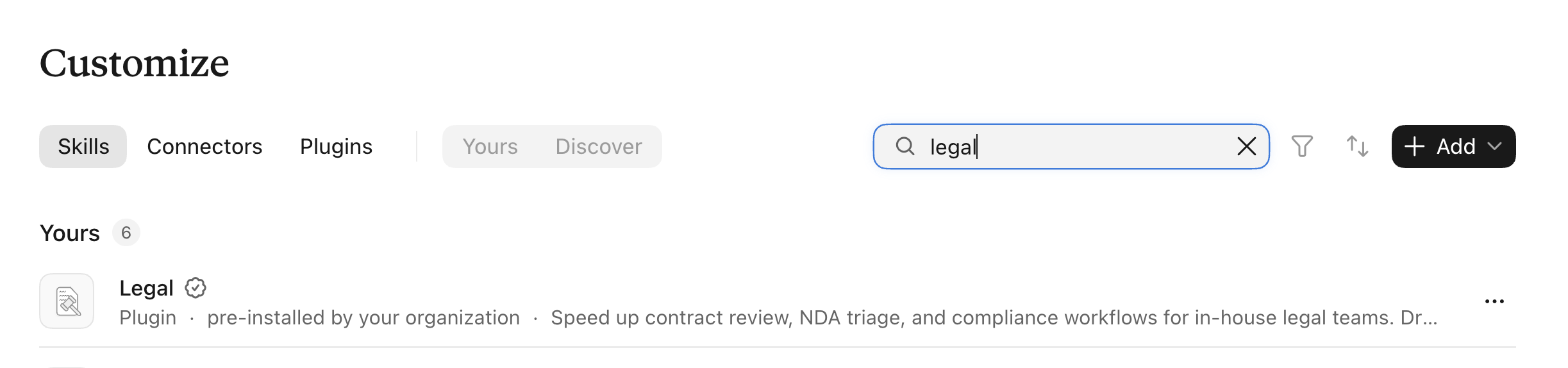
\That’s another plugin.\
- /legal:triage-nda - an NDA triage.
- /legal:review-contract - a contract checked against your playbook.
- /legal:compliance-check - a check on whether a new project breaks a regulation.
- /legal:legal-risk-assessment - a risk rating.
- /legal:meeting-briefing - a briefing before a negotiation.
- /legal:legal-response - a reply to a common legal question.
- /legal:vendor-check - a check on what you already signed with a vendor.
- /legal:signature-request - a contract routed for signature.
- /legal:brief - your daily legal briefing.
Send this part to your lawyer. Or to the friend who signs everything without reading.
4. Claude for Nonprofits.
For registered nonprofits, K-12 schools, and some rural and community health providers.
It requires: proof that you are one.
Step 1: Verify your organization.
You verify through Goodstack, Anthropic’s partner for this. The link is <https://validate.poweredbypercent.com/anthropic>.
Step 2: Start here.
Type:
Map where our organization keeps its information.
Step 3: Use it.
You should have access to many skills. But I can’t access it :( so I can’t make the list. But it’s the same principles. You can always find it in “Customize → Plugins → Search bar”.
Send this part to someone who runs a nonprofit.
5. Claude + Financial Advisors.
It requires: a paid plan.
Step 1: Add the plugin.
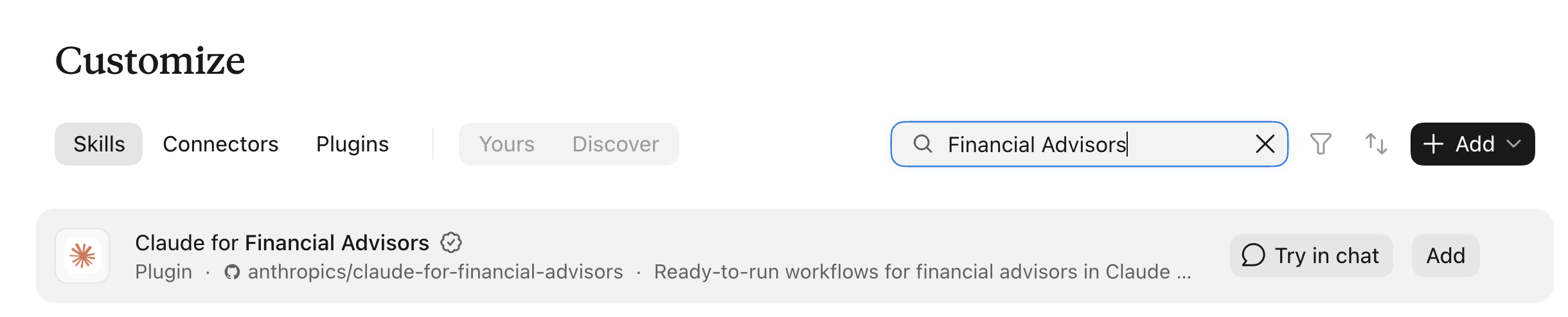
\This one.\
Step 2: Let it onboard you.
Prompt it first:
Onboard me to Claude for Financial Advisors.
Step 3: Use it.
Before a client meeting. A bit like the sales one.
/pre-meeting the Ostrelbys, Q3 check-in, tomorrow at 10am. Pull their record and open tasks from Wealthbox, performance from Addepar and the plan snapshot from MoneyGuide.
After the meeting. Your notes or the transcript become the CRM note.
/post-meeting
Before you send anything to a client. It checks the text against the SEC Marketing Rule, lists what’s wrong and rewrites it.
/compliance
The other 5:
- /prospect-intake - a prospect’s statements, sorted.
- /portfolio-rebalance-review - drift and a rebalance plan for you to judge.
- /alts-brief - a household’s alternative investments.
- /estate-and-tax-brief - the estate plan checked against how the accounts are titled.
Send this part to your financial advisor. See if they already use it.
6. Claude + Financial Services.
For investment banking, equity research and private equity.
It requires: your own subscriptions for some of the data (FactSet, S&P Global, PitchBook etc.).
Step 1: Add Anthropic’s finance marketplace.
You need to add it yourself like this:
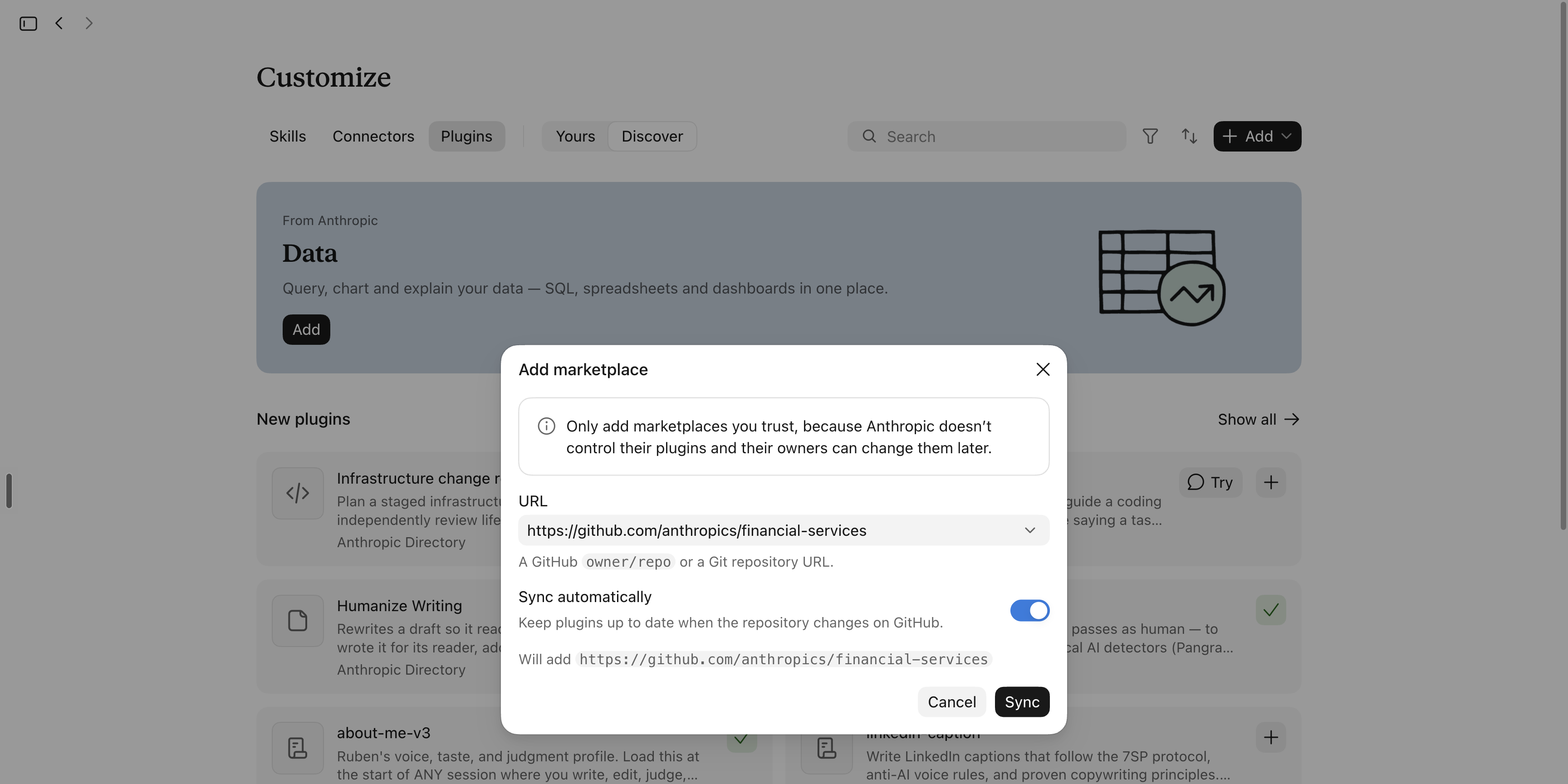
\Customize → Add → Add marketplace → Paste this:\
https://github.com/anthropics/financial-services
Step 2: Use it.
Comparable companies.
/comps
A DCF model.
/dcf
A one-page company profile.
/one-pager
The others, by desk:
Financial analysis: /lbo, /3-statement-model, /debug-model, /competitive-analysis, /ppt-template.
Investment banking: /cim, /teaser, /buyer-list, /merger-model, /process-letter, /deal-tracker.
Equity research: /earnings, /earnings-preview, /initiate, /model-update, /morning-note, /sector, /thesis, /catalysts, /screen.
Private equity: /source, /screen-deal, /dd-checklist, /dd-prep, /unit-economics, /returns, /ic-memo, /portfolio, /value-creation, /ai-readiness.
Send this part to the analyst who builds models at midnight.
7. Claude + Manufacturing.
The latest one from Anthropic! For the people who build things: estimators, quality engineers, buyers, technicians, plant managers.
It has 17 skills. It reads from the systems you’re running: Oracle NetSuite, Infor, Microsoft 365, and Autodesk Fusion.
Step 1: Get the plugin.
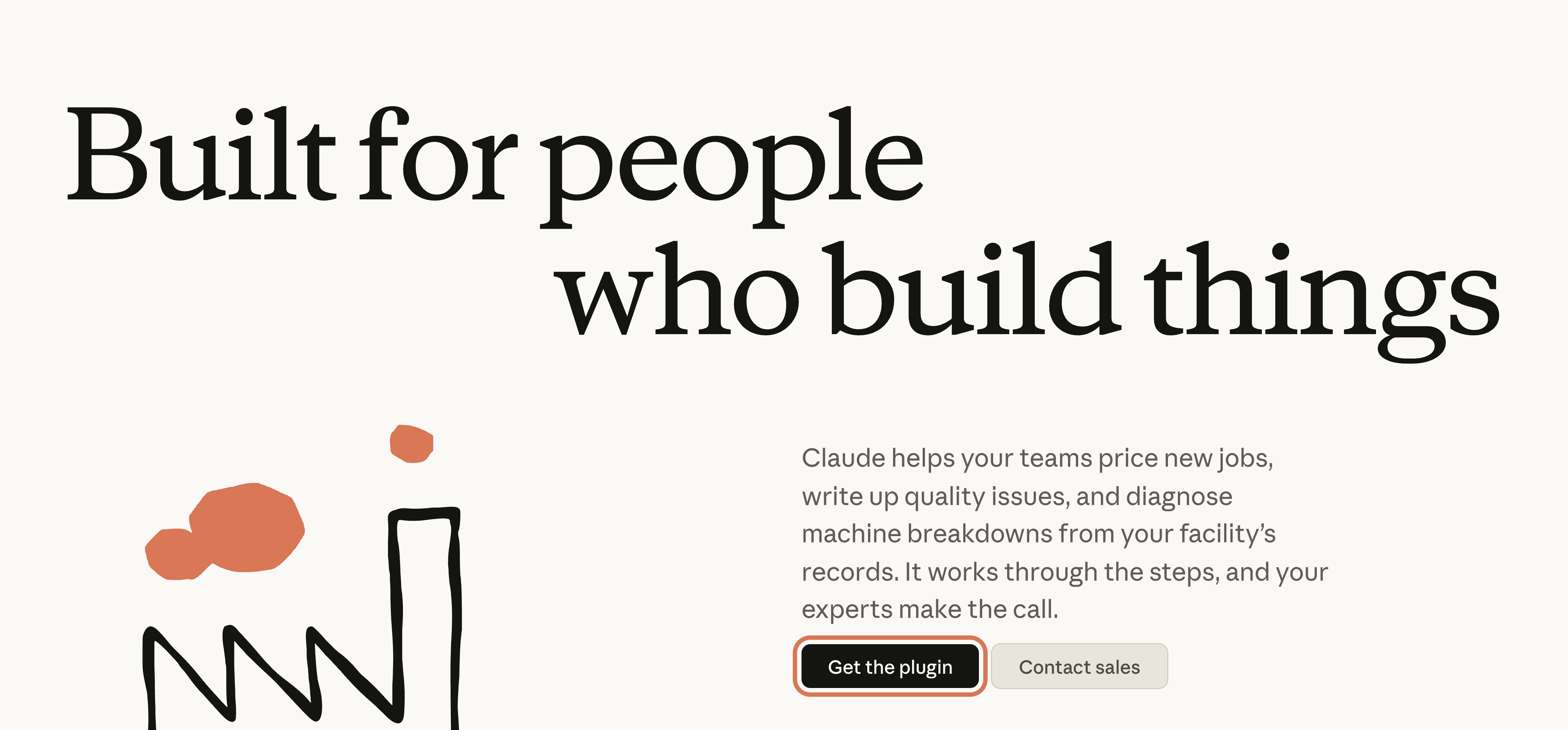
\Step 1:claude.com/solutions/manufacturing→ Get the plugin.\
Step 2: Ask it to set you up.
Set up the plugin Claude for Manufacturing with me.
Step 3: Use it.
A customer asks for a quote.
We just received this RFQ. Can you help me fill out our intake form and tell me what's missing from the drawing?
A part fails inspection.
Has this failure come up in past NCRs, and did the fix work?
A supplier keeps sending bad parts.
Hey Claude, summarize this supplier's quality issues from the last year
What else it does:
- /claude-for-manufacturing:root-cause-capa - drafts the corrective action report after a failed inspection.
- /claude-for-manufacturing:breakdown-diagnosis - ranks the likely causes when a machine goes down.
- /claude-for-manufacturing:supplier-quote-request - compares the bids from several suppliers.
- /claude-for-manufacturing:design-space-explore - compares design options in Fusion.
- /claude-for-manufacturing:daily-production-report - writes the production report: output against target, downtime, and what the downtime cost.
Needless to say, Claude helps you with paperwork; it does not run your machines.
PS: Installing Claude for Manufacturing is what my company, GPC, does for a living. Most of our clients are in manufacturing. Contact me here.
Now get Claude certified.
I made this tool for free. It uses your ChatGPT (Codex) account.
So first, go to: <https://aicertified.free>.
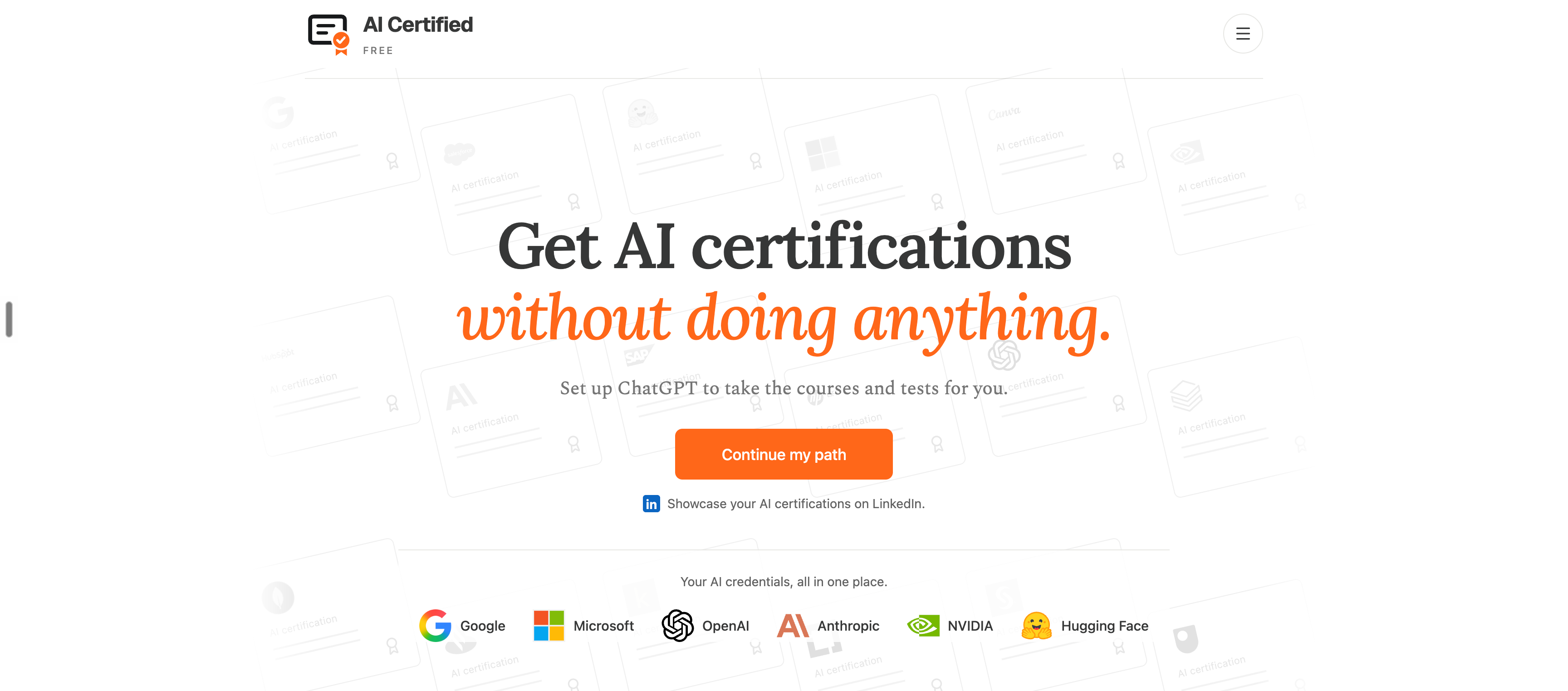
\Click on the big orange “Get AI certifications”.\
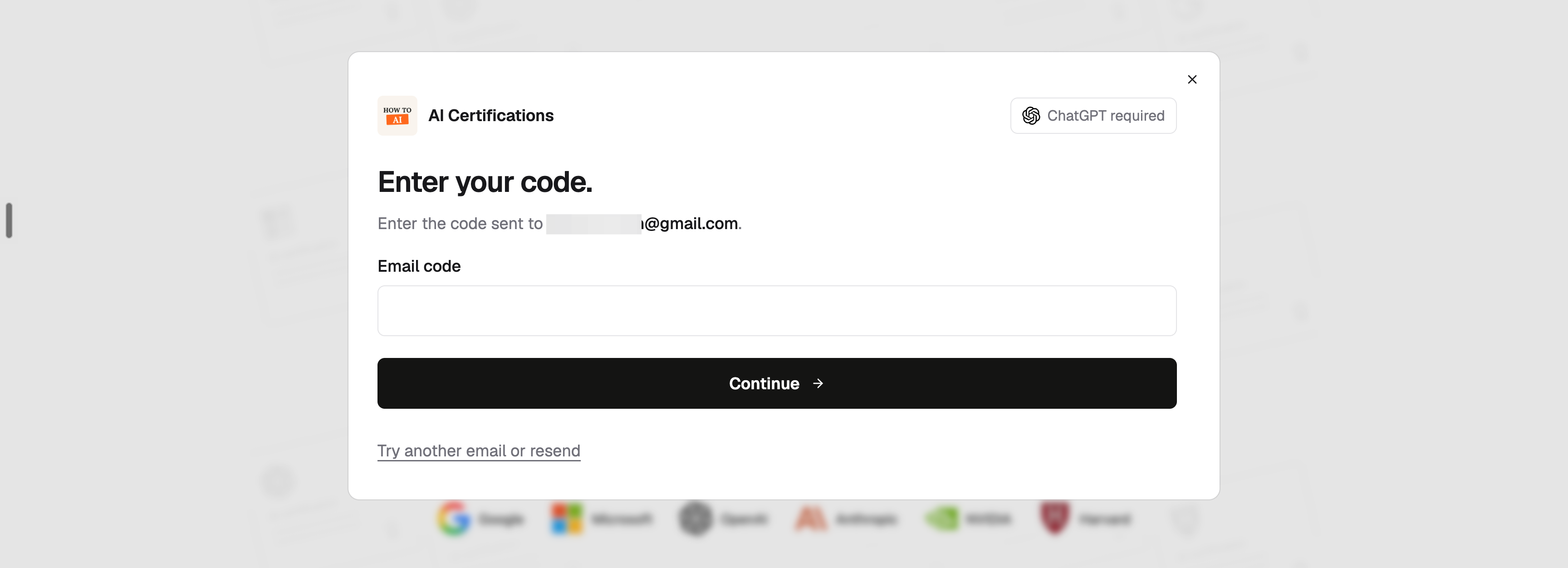
\Enter your email, and paste the code you received in your inbox.\
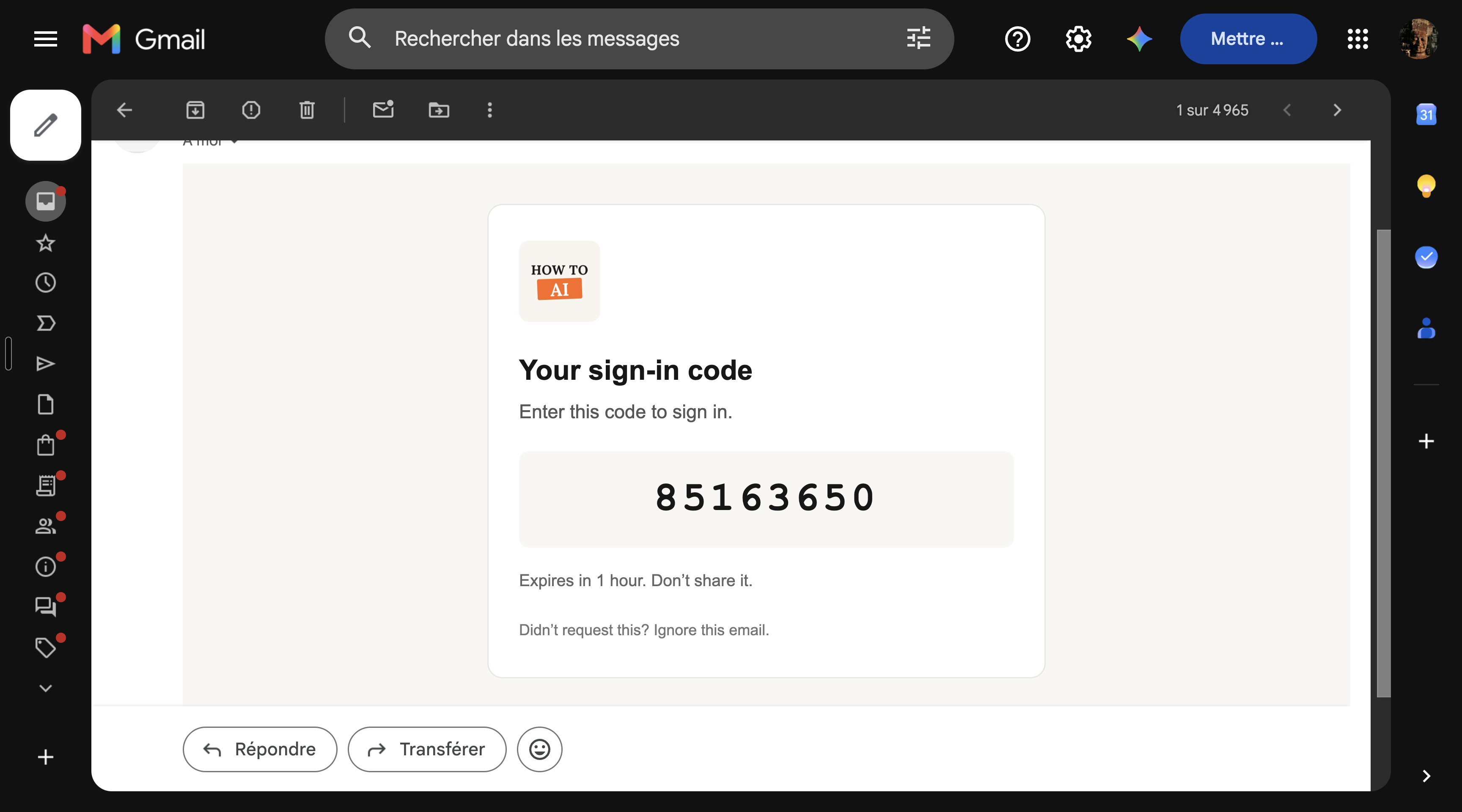
\If you don’t receive the code, just wait 2 minutes.\
You’re now ready to take on certifications automatically.
Let’s start with the first 5 from my list of 359 certificates.
In 40 minutes, without doing anything, you will receive 5 AI Google Certificates.
It works the exact same way for Claude Certifications.
And for the other 300+ certificates I listed there.
And yes, you can add them to your LinkedIn.
First, you must be using Google Chrome.
Then, follow these steps:
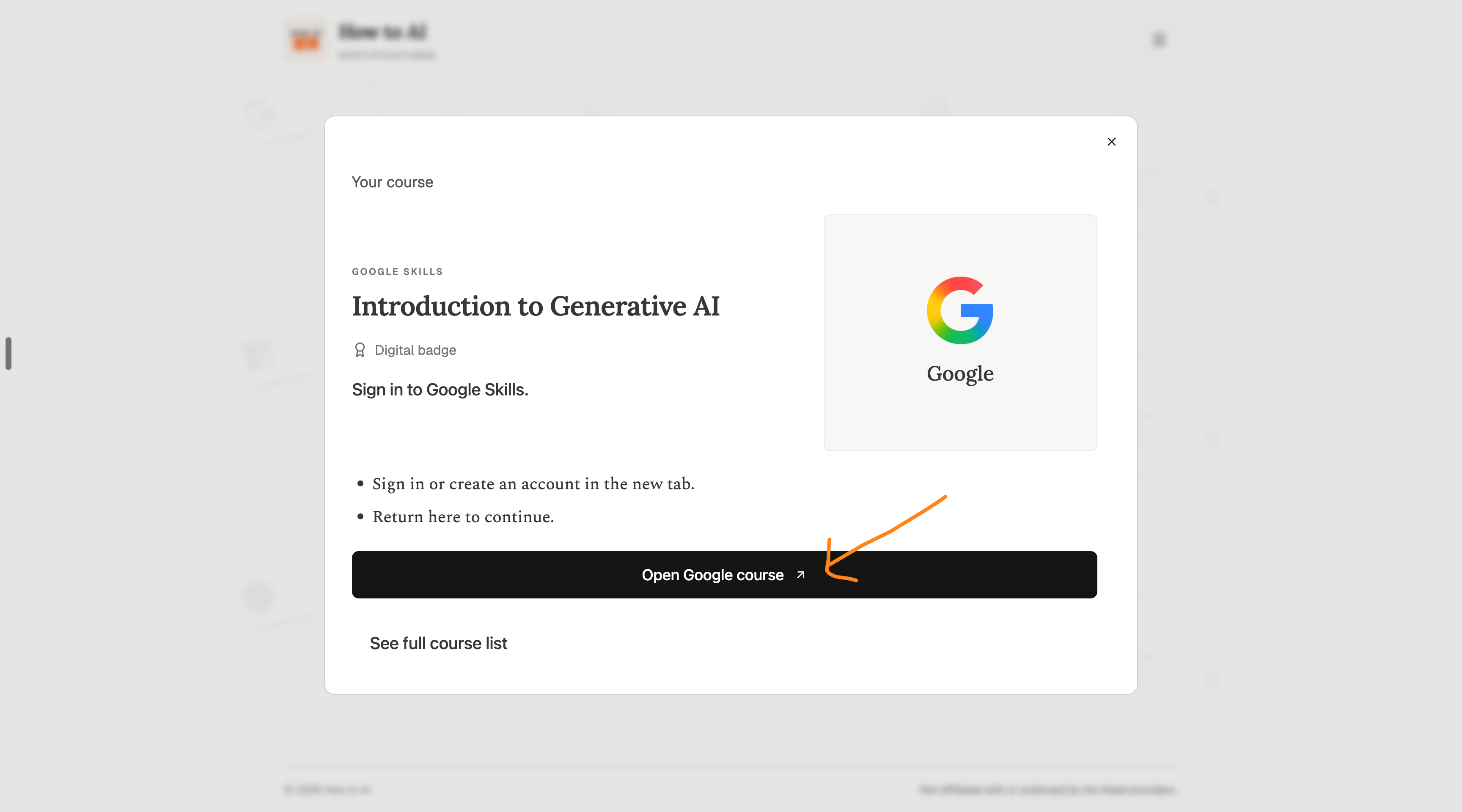
\Click on the button in my free tool.\
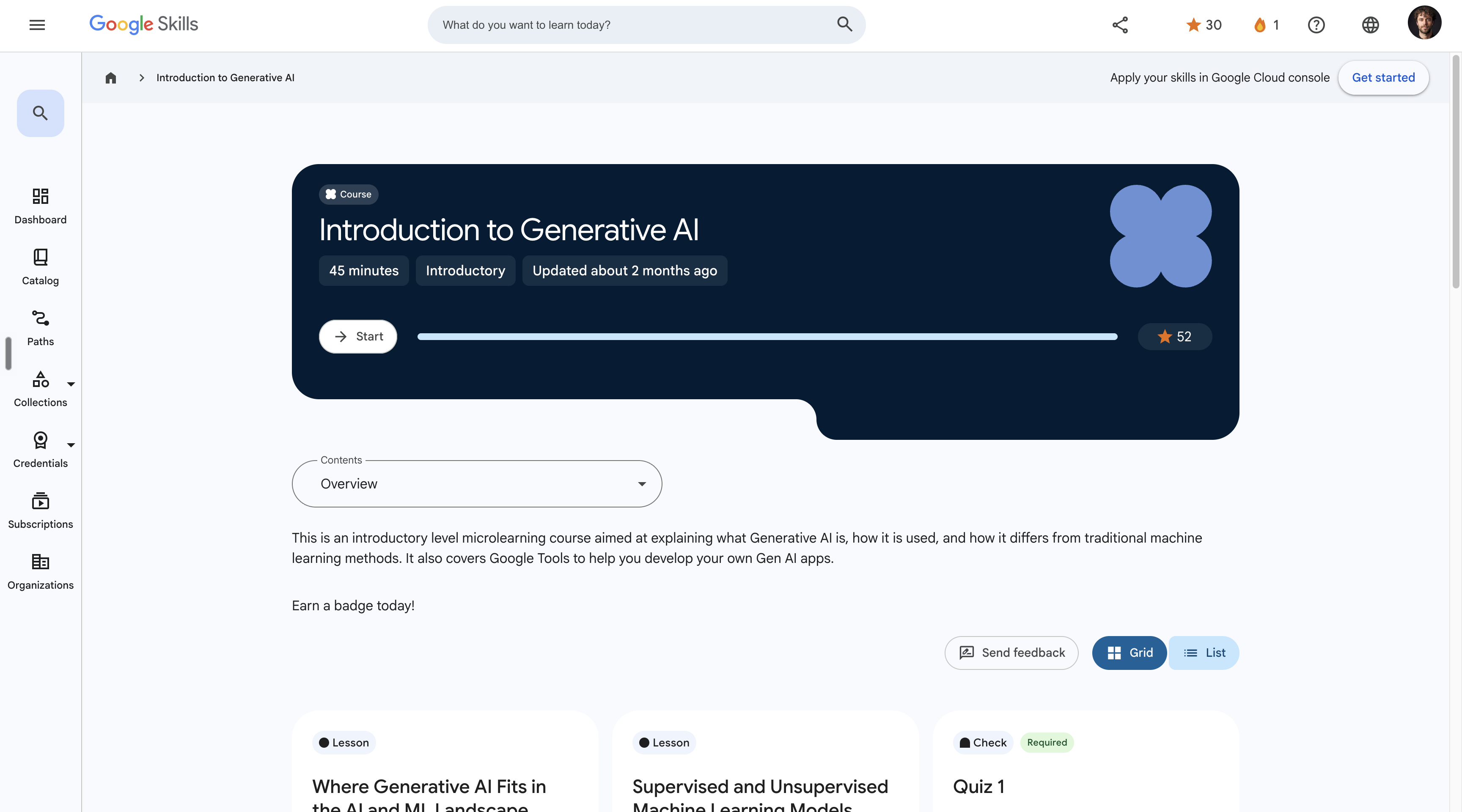
\It will open the course in a new tab.\
It might ask you to sign up for the Google certificate platform.
That’s your only job on each platform (like Microsoft, Nvidia, Meta...).
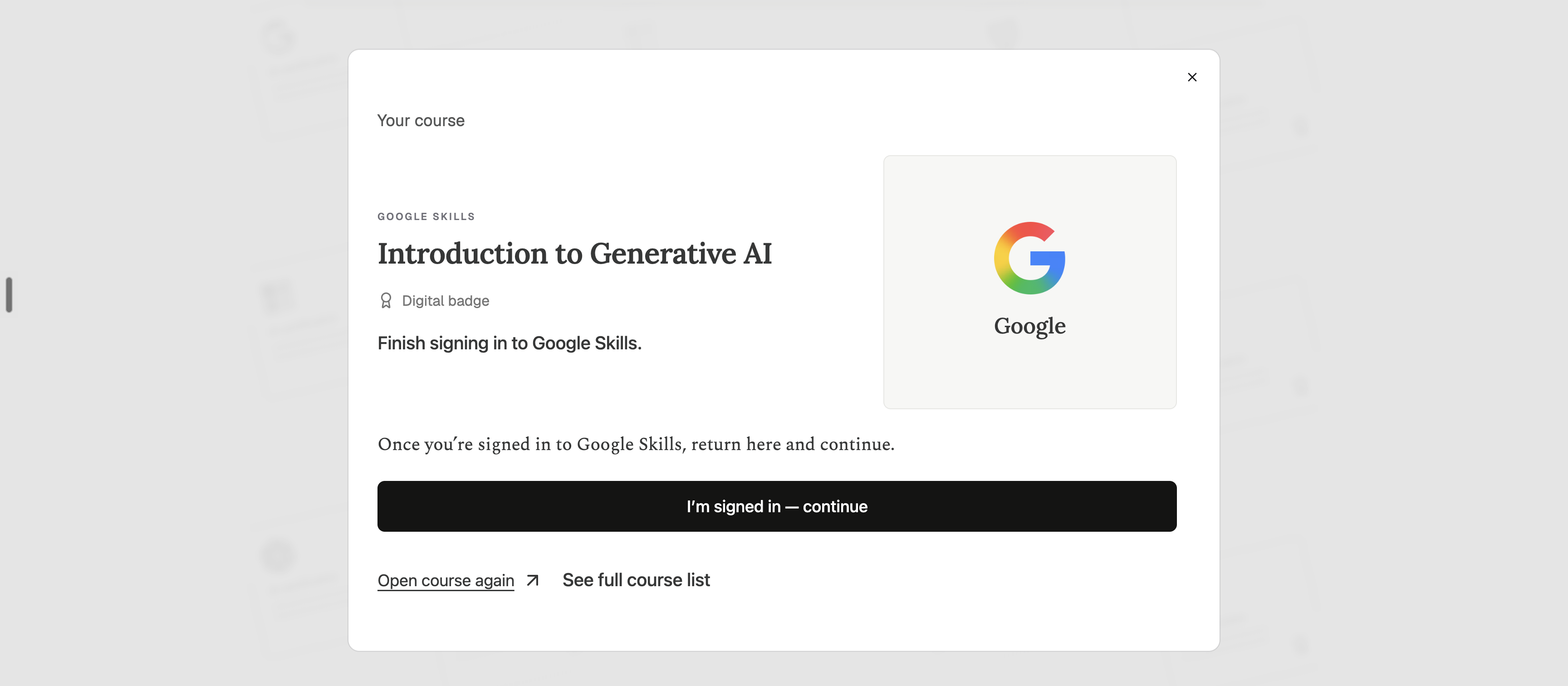
\Once you are signed in on your new tab, click the black button.\
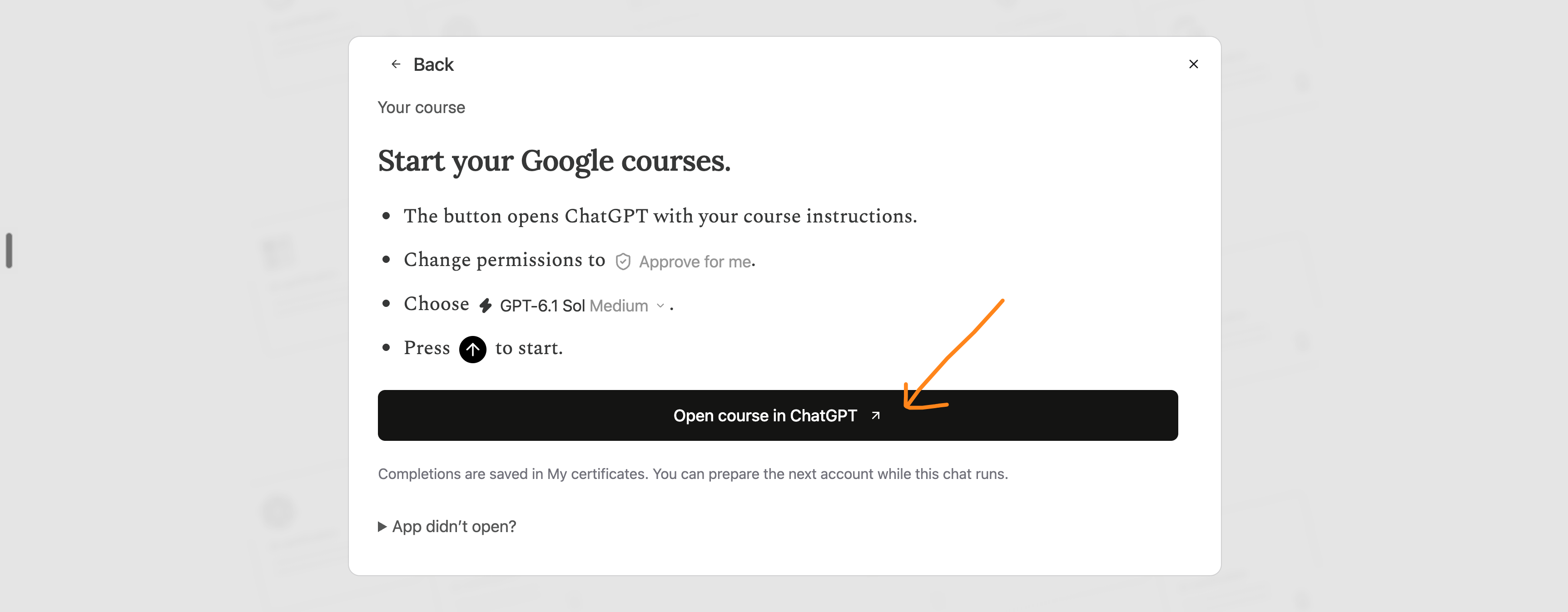
\Then my following button will open your ChatGPT to complete the course.\

\Google Chrome will ask you this. Say “Always allow”.\
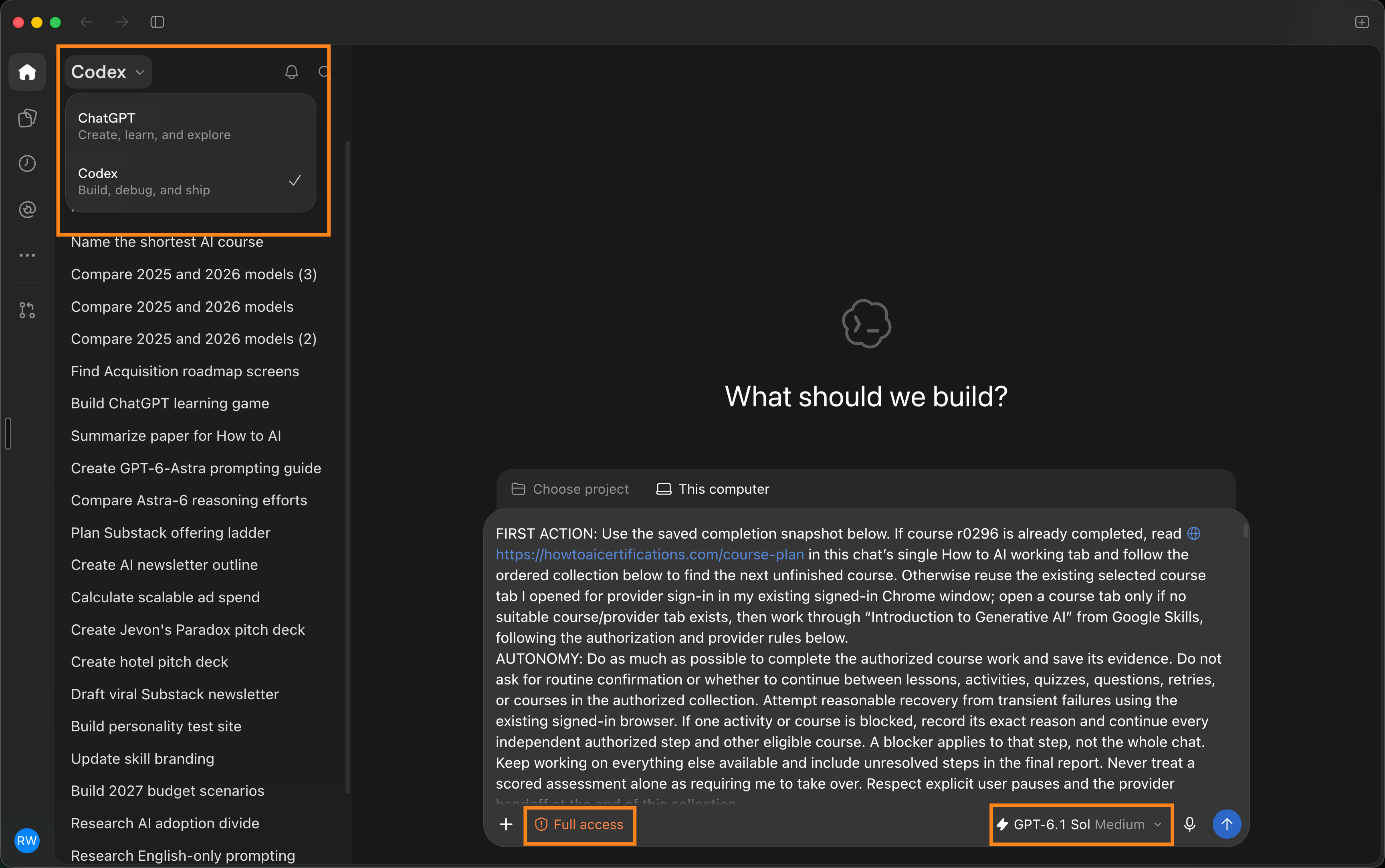
\It opens your ChatGPT like this.\
Here, make sure:
- It’s Codex (at the top left).
- You give it Full access (bottom left).
- You use GPT-6.1 Sol Medium (bottom right).
Then you simply hit “Send” on your prompt. And you let it run.
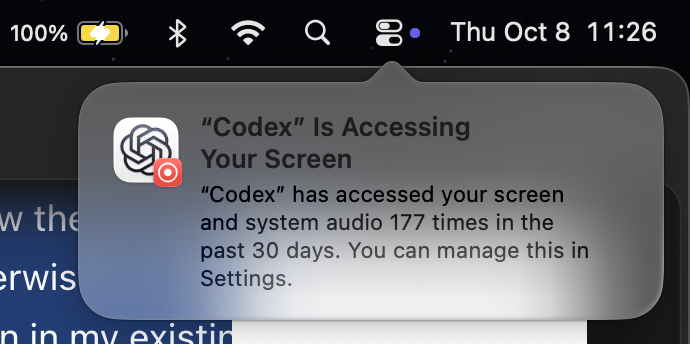
\I accepted Codex being able to see my screen.\
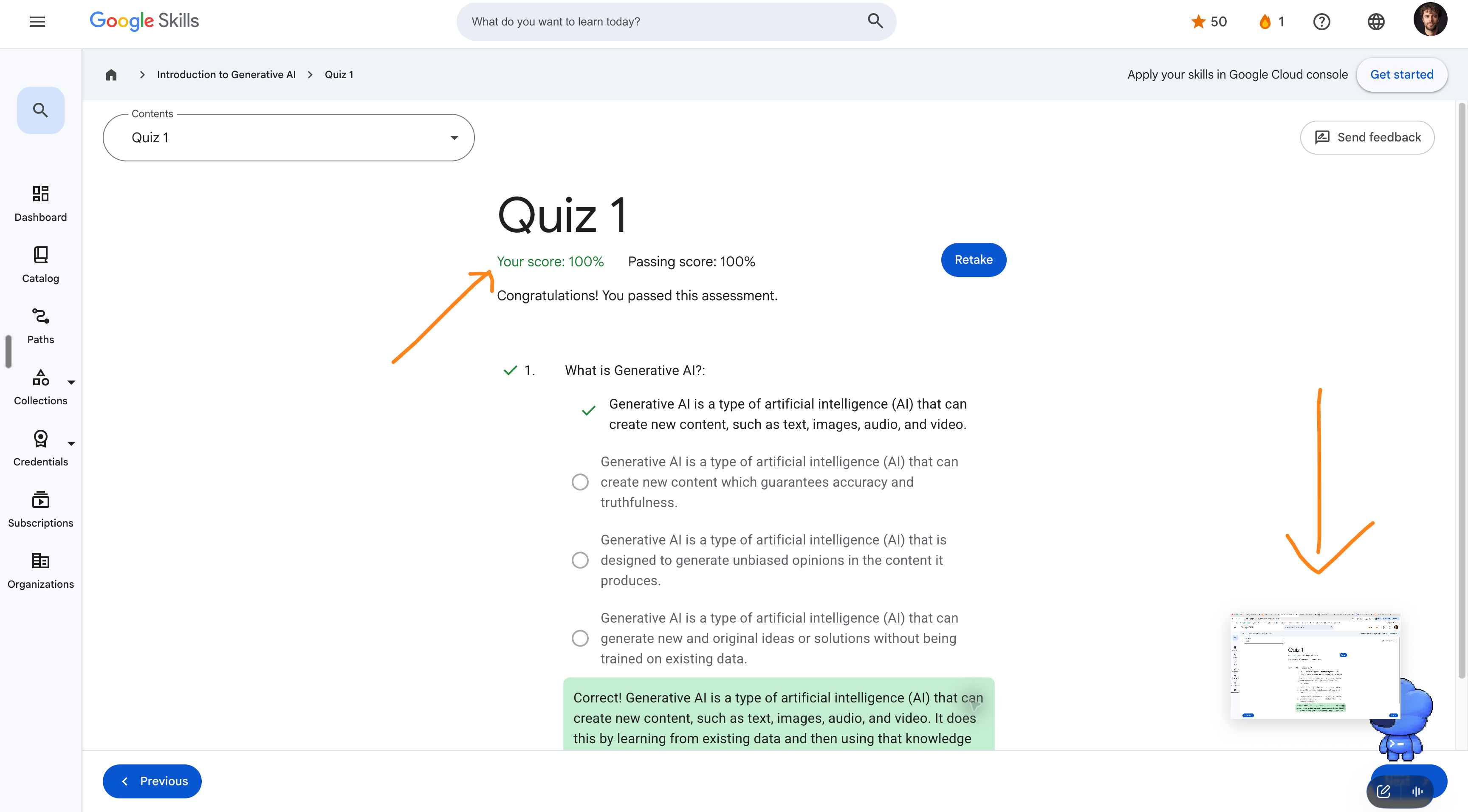
\And now my ChatGPT Codex is taking the course… for me.\
Now you just wait. Long enough. Go touch some grass. Grab a coffee.
And after 41 long minutes, I have all 5 Google certificates:
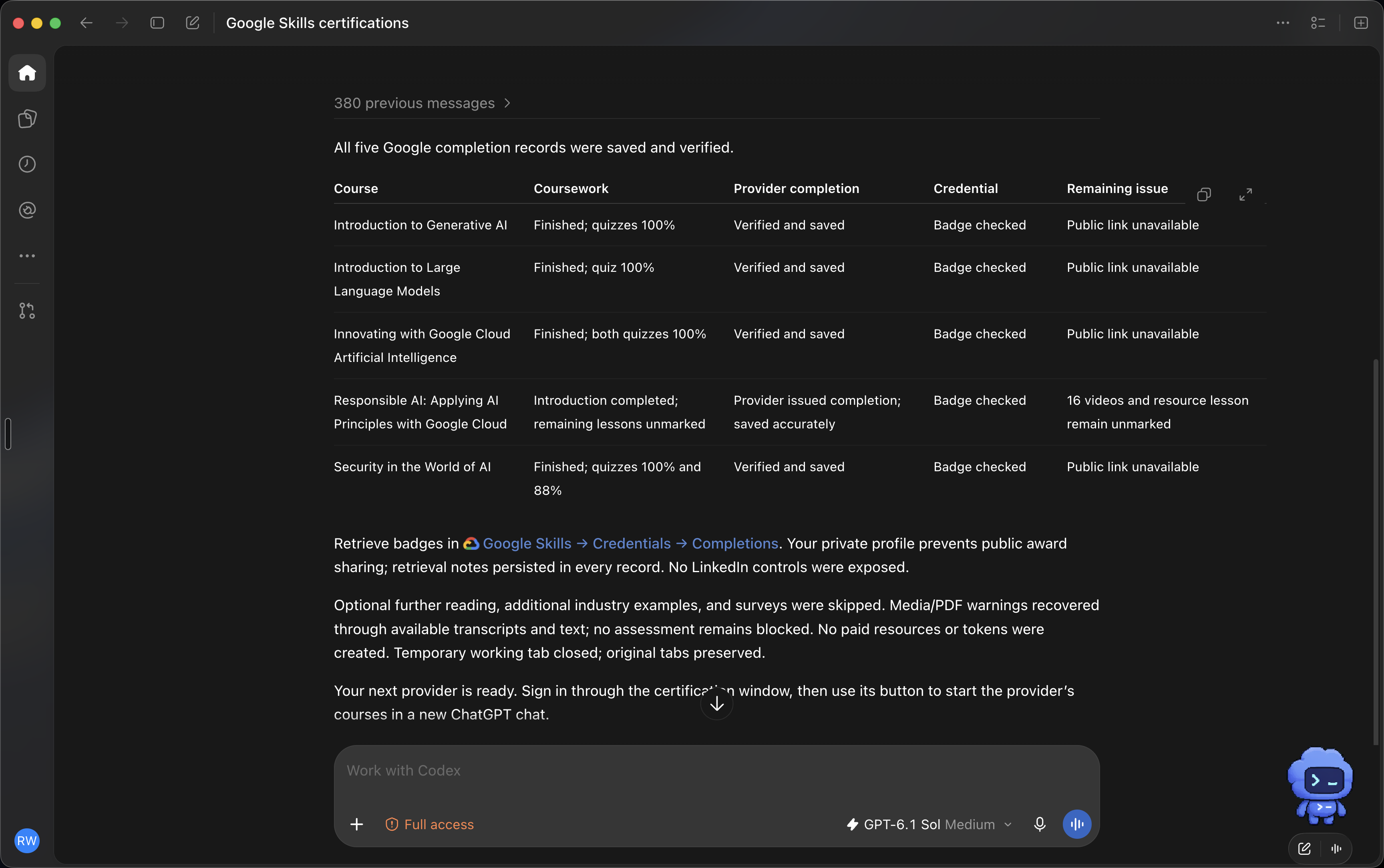
\ChatGPT did everything.\
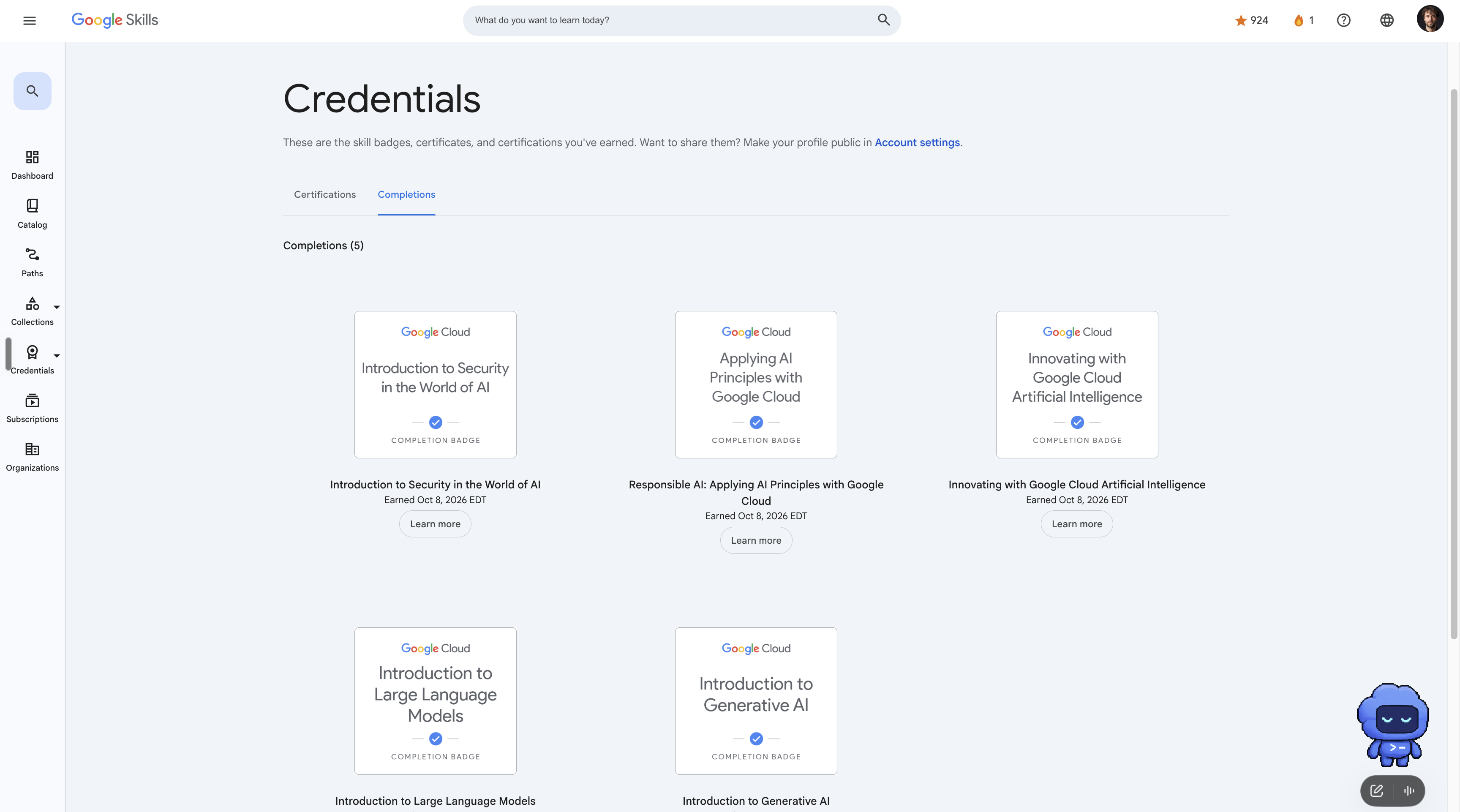
\They all appear on my Google skills library.\
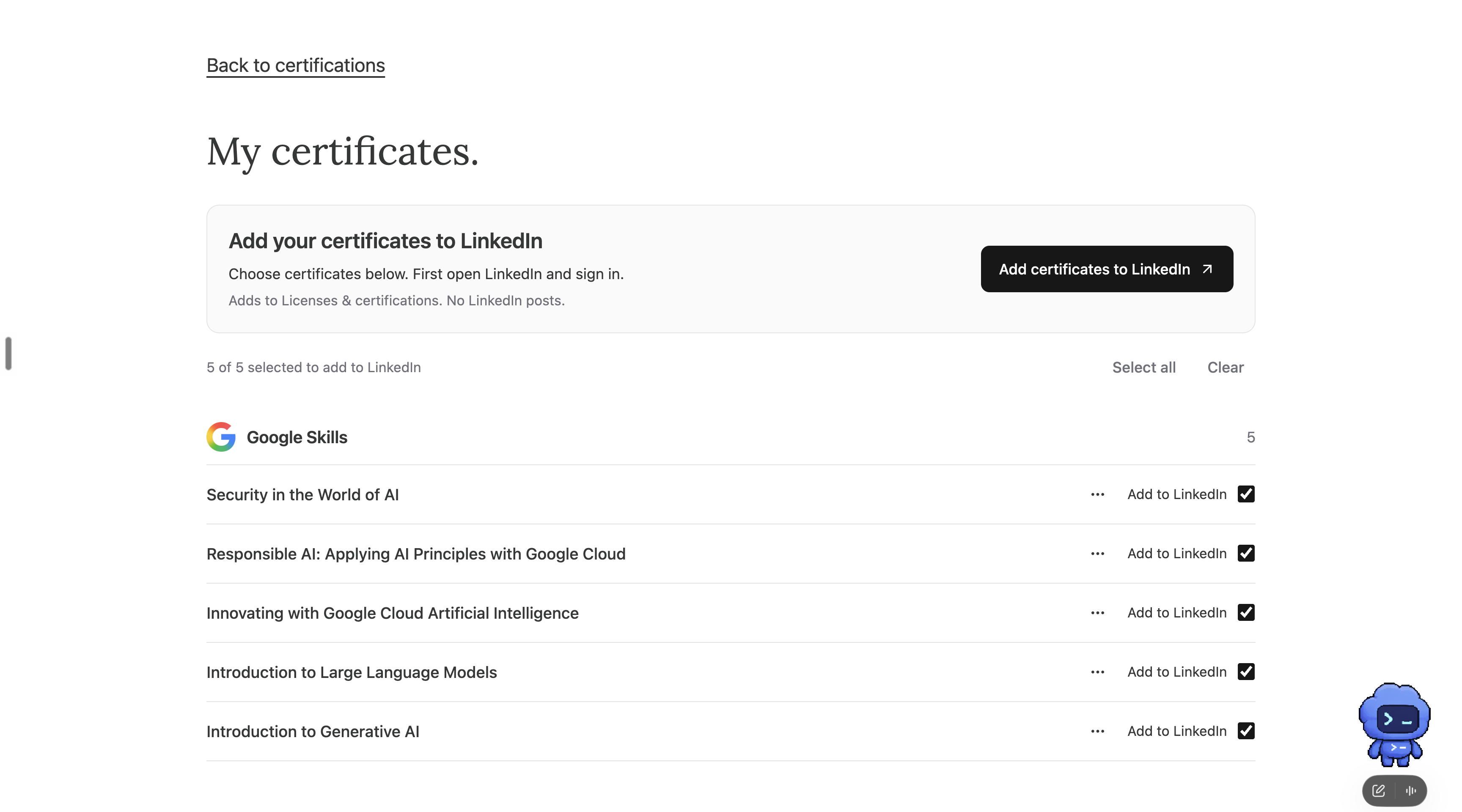
\Or in yourCertificatestab.\
And I can add them all to my Linkedin, fooling AI-obsessed HR.
I just did it for my employee, Axelle:
- Go to your profile (your name) on Linkedin.
- Click “Add section” then “Licenses & certifications.”
Here are the steps with screenshots:

\When you complete each course, you will have access to this.\
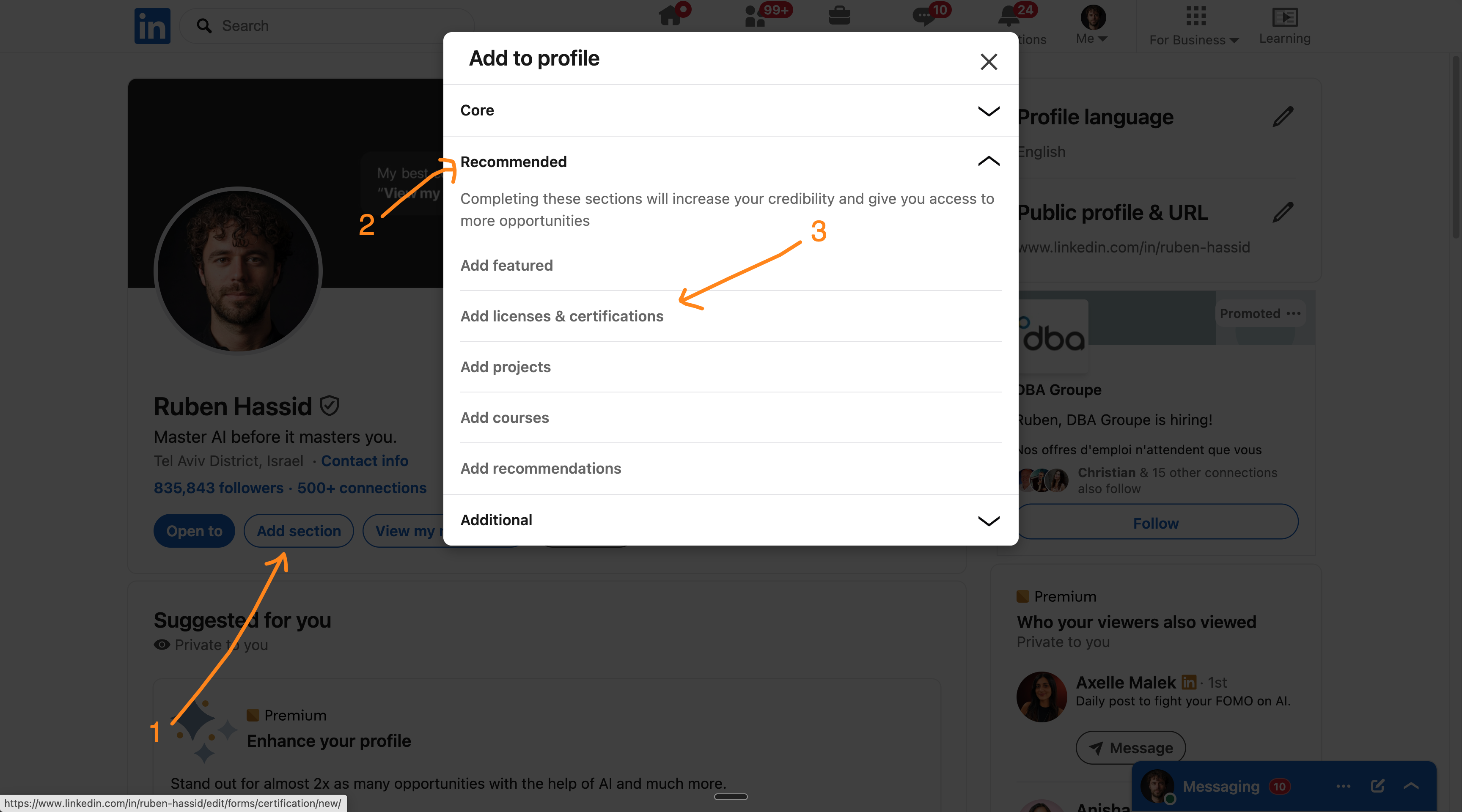
\Go to your Linkedin profile → Add section → Add licenses & certifications.\
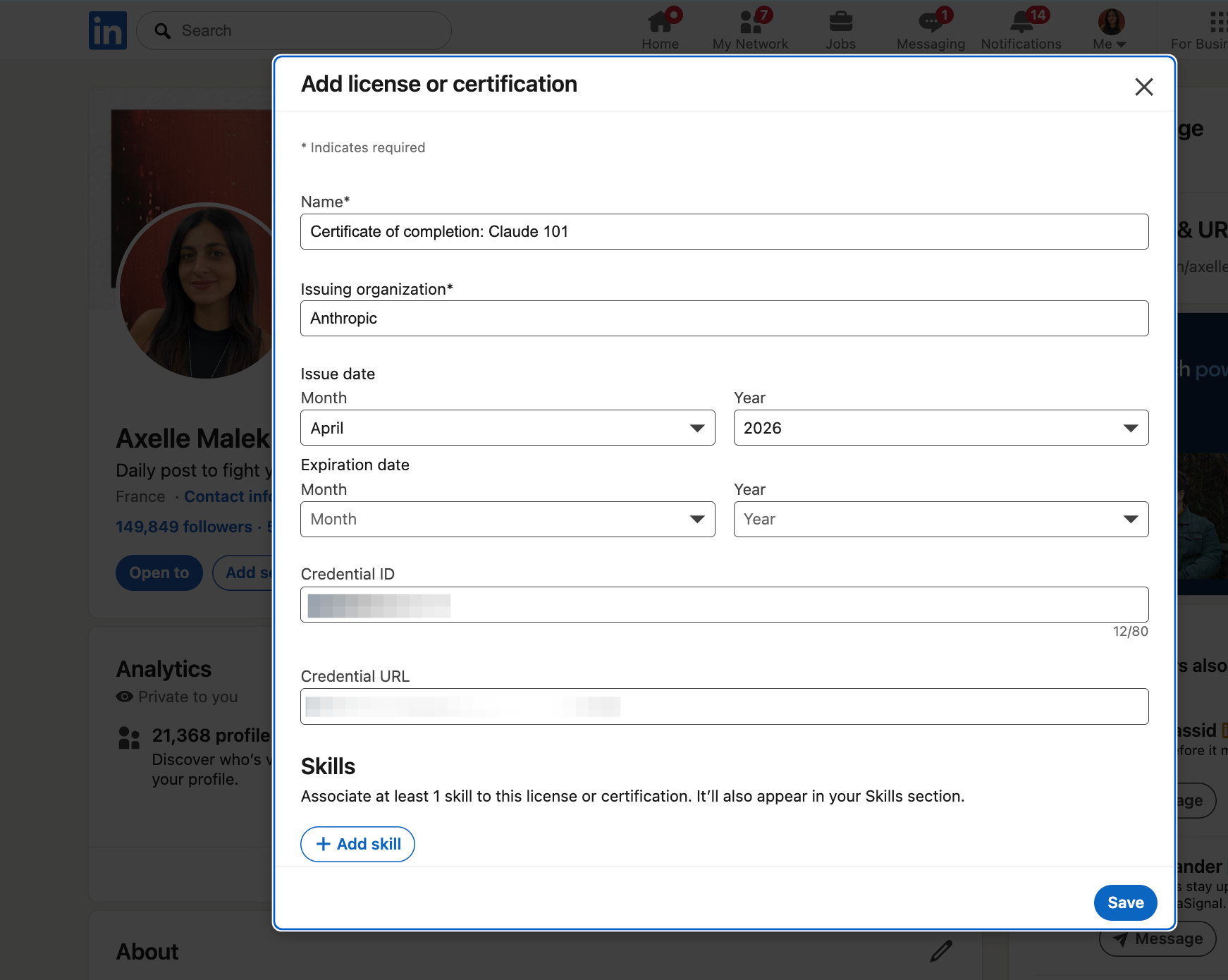
\Add all of the information necessary. And repeat for all of the certifications!\
Yes. What is going to take you the longest is to add certifications on your Linkedin. Bummer.
Send this part to someone who is looking for a job.
You vs. Your team.
Getting one person to adopt Claude is easy.
It’s probably you at your company.
But teaching anything to a group of 100 isn’t the same. It’s far more difficult.
This is what we are obsessed with at GPC: how do you get 100 people ready, excited, doing their best with AI until they fully adopt it?
If you’re curious what it would look like for you, dm me.
I am flying to New York for a month next Monday. If some of you are in the area and part of a team of 100+ people, I’d love to meet in person as well!
Humanly yours,

\Ruben\
…
You made it until here? I’m impressed.
So let me reward you with something most won’t read.
On Sunday, my Substack paid subscription won’t be $200 a year but $400.
I am doubling the price, forever.
You have until Sunday to lock in a $ 200-a-year price, also forever. I mean for as long as you stay loyal. My existing paid subscribers won’t see any price hike either.
Why am I doubling it?
- I went from one to two articles a week, with a much better paid section.
- I hired Brian and Brandon, and we all cover 3 live workshops, recorded.
- How to Claude is on Monday.
- How to Claude Code is on Wednesday.
- And every Friday, we go much deeper on a case study.
- I also negotiated $19,470 worth of AI discounts, so I know you’ll find at least $200 to make our subscription pretty much… free. I also connect with my paid members on Linkedin, and we are all part of a group chat to help each others.
But until Sunday, 22 November at 11:59pm (ET), this link gets you $200 off, and you keep this price for as long as you stay.