If you're a paid subscriber, my Mac dictation app YadaYada is now yours at no additional cost. Here's how to set it up.
By Michael Crist
Published: 2026-10-23
URL: https://michaelcrist.substack.com/p/yadayada-mac-dictation-app
Hey 👋
Typing is a funny way to get a thought out of your head, especially when the fastest keyboard you own is your mouth.
Say you’ve got a whole thought ready to go... a Slack reply, an email, a long prompt for Claude.
Then you start typing.
By the time you’re on the third sentence in your head, your fingers are still typing the first one.
There are apps that fix this.
Superwhisper and Wispr Flow are two good ones.
But both of them want an extra monthly fee.
And you probably have enough extra monthly fees already hiding on your credit card.
I didn’t want to pay an extra fee for this either, so I built my own.
And now I’ve got some great news for you:
As of today, my dictation app, YadaYada, comes included with a paid AI Chops subscription.
All you have to do is hold a key, talk, and your words land right where your cursor is blinking.
No more fingers lagging three sentences behind your brain.
I use this app literally all day.
I probably use it 50 times a day.
I’ve dictated almost 400,000 words into it so far. And the counter has reset a few times while I was building it.
Here’s everything YadaYada does for you:
-
Types what you say, anywhere you can type... email, Slack, a Claude chat
-
Keeps your dictation on your Mac and never sends your audio to the cloud
-
Checks for updates by itself, so you never have to think about it
-
Stays super minimal on purpose. No clutter.
And it’s one of the fastest transcription apps I’ve ever used.
That’s no exaggeration, and it’s entirely because it doesn’t send your audio to the cloud.
If you’re already a paid subscriber, it’s yours at no additional cost.
If you’re not a paid subscriber yet, stick around. I’ll show you exactly what you get if you become one.
Are you ready?
Let’s go 👇
What YadaYada is
Think of it like a walkie-talkie for your keyboard.
Push the button, talk, let go. Whatever you said gets typed wherever your cursor is blinking.
I built it to scratch my own itch. And I’m really pleased with how it turned out.
Before we begin
You need three things:
-
A Mac running macOS 15 or newer
-
The email you use for your AI Chops subscription
-
About 5 minutes
Here’s what happens with the speech model:
-
On macOS 26 or newer, YadaYada uses Apple’s built-in speech model. If your Mac has never used it before, macOS may download it once in the background.
-
On anything older than macOS 26, it downloads the Whisper model instead. That’s a one-time download of about 630 MB, so do it on good Wi-Fi.
Either way, it’s totally local, so your audio never goes to the cloud.
Set it up (5 minutes)
Step 1: Download it and drag it to Applications
Click here to download YadaYada:
Open the file, then drag the YadaYada icon into your Applications folder.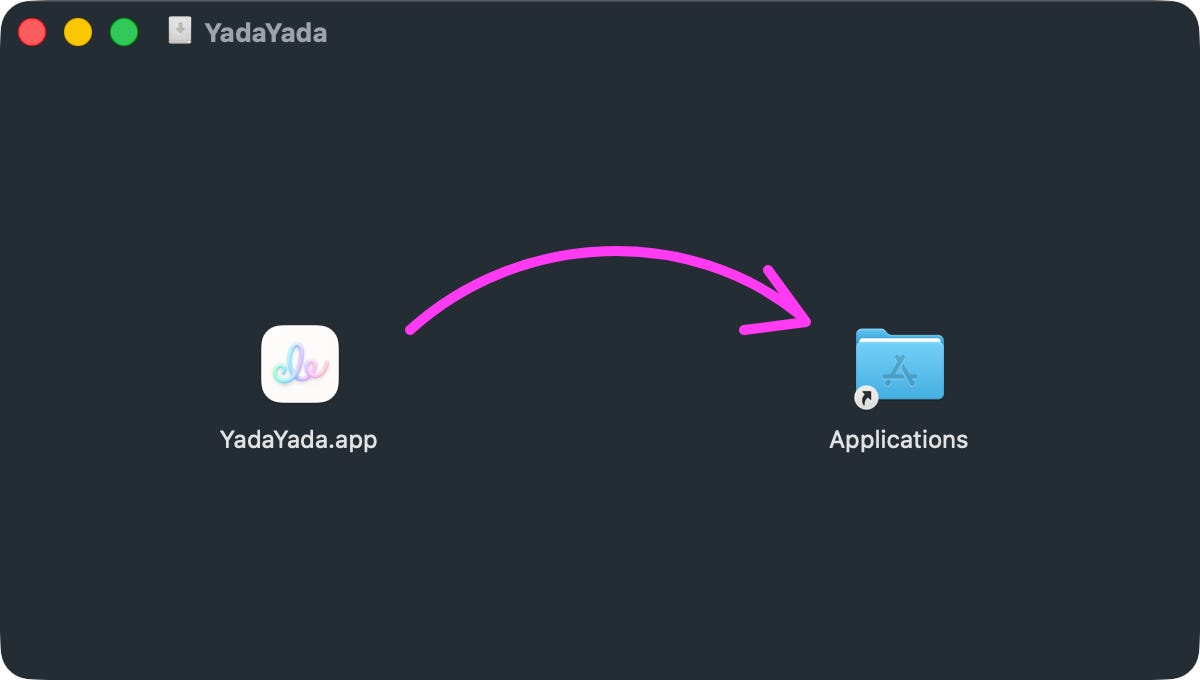
Step 2: Sign in with your Substack email
Open YadaYada from your Applications folder. If your Mac asks if you’re sure you want to open an app from the internet, click “Open.”
Then click “I’m already a subscriber.”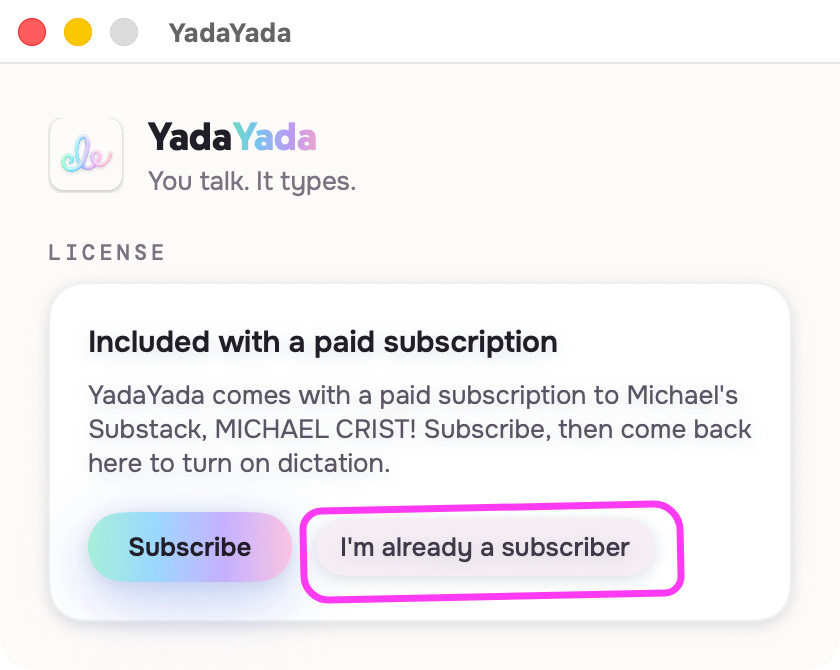
Type in the email you use for AI Chops and click “Send code.”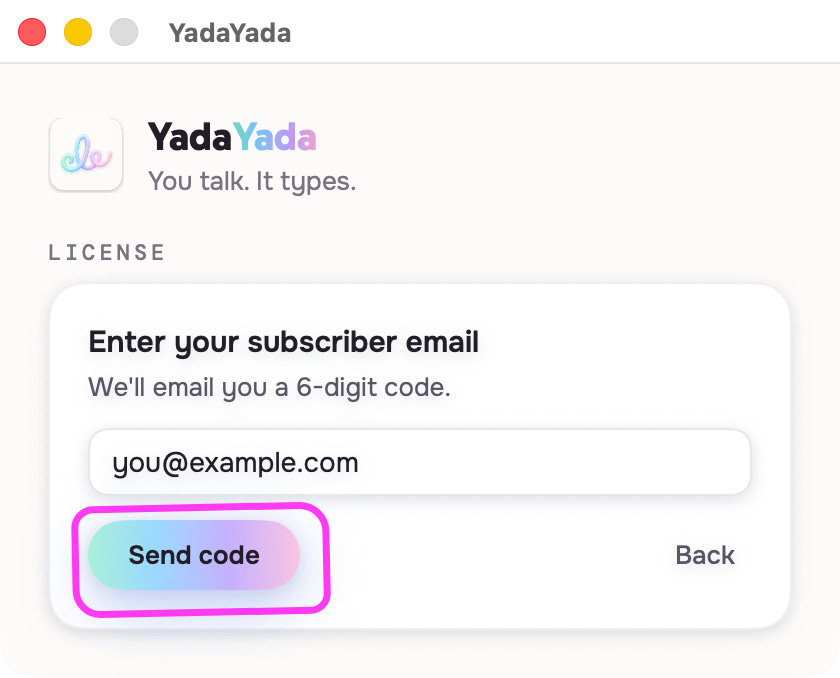
You’ll get an email with a 6-digit code from “Michael Crist” ([email protected]). Type the code into the app and click “Activate.” (Don’t see the email? Check your spam folder.)
The code expires after 10 minutes. If it runs out, click “Resend code” for a fresh one.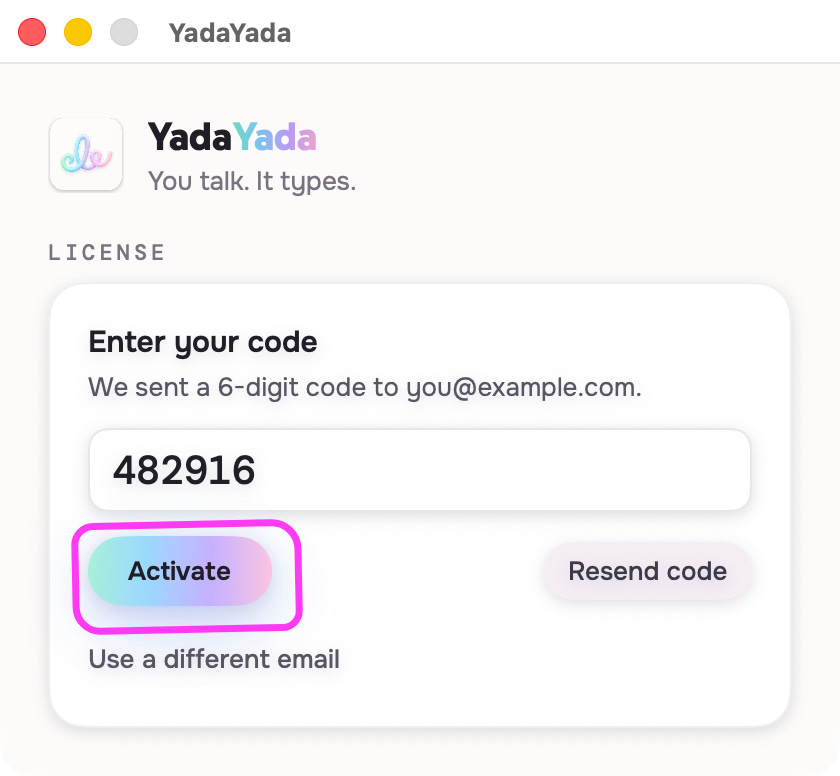
Step 3: Pick your hotkey, then allow Microphone and Accessibility
Once you’re in, a Setup window opens.
Start with the Hotkey row at the bottom. It’s set to ⌥T (Option+T), which is my hotkey. To use your own, click the keycaps and press the combo you want. Do this first, because the rows fold away once everything else is checked.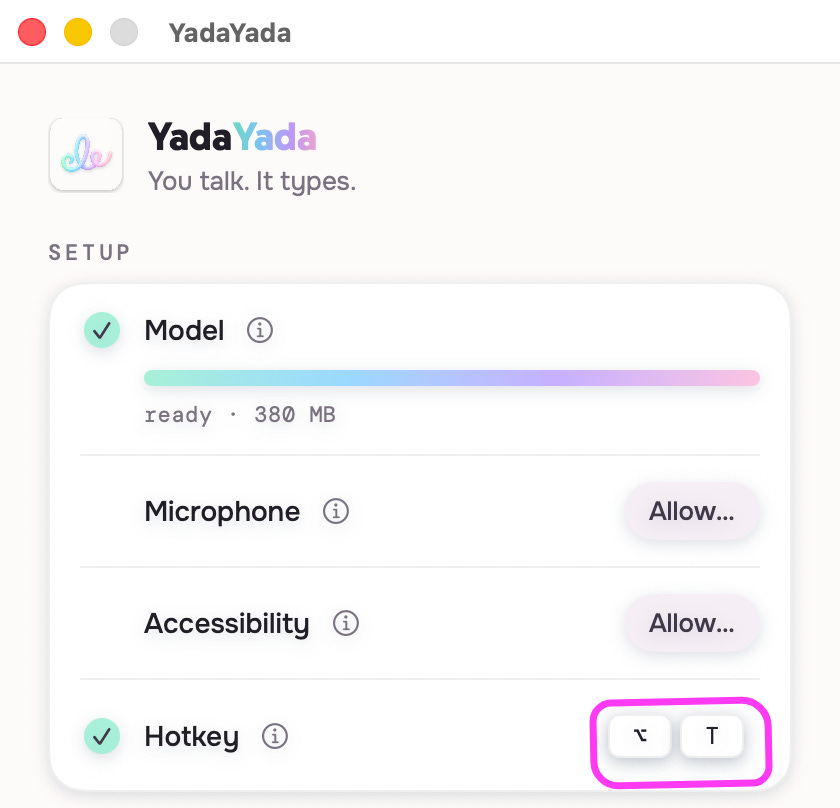
Next, click “Allow…” next to Microphone and say yes.
Then click “Allow…” next to Accessibility. Your Mac pops up a window that points you to System Settings. Open it, and flip YadaYada on. The row in YadaYada turns into a checkmark by itself.
Microphone lets YadaYada hear you. Accessibility lets it type the words at your cursor.
Miss the pop-up? The button changes to “Open System Settings.” Click it, and it opens the right page.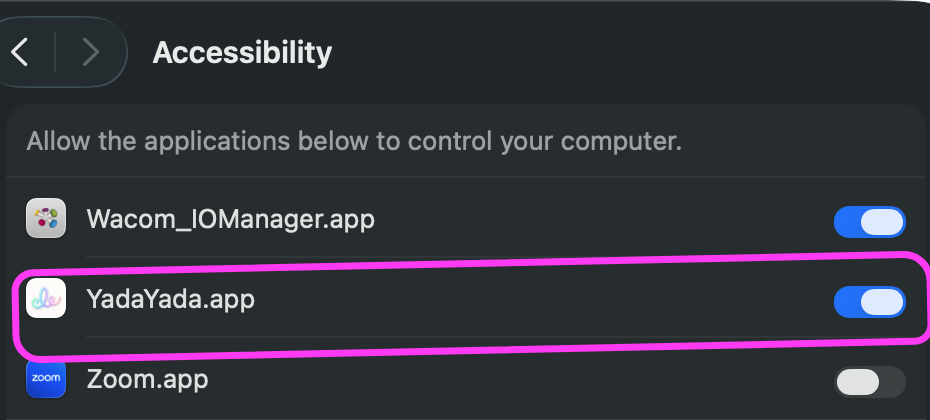
The Model row at the top gets the speech model ready. Once Model, Microphone, and Accessibility are all checked, click “Done.”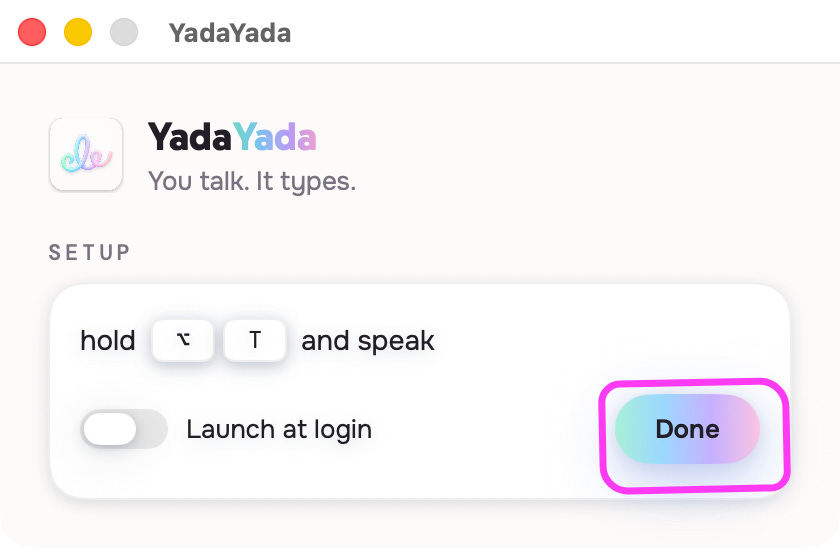
Step 4: Hold your hotkey, talk, let go
Click into any text box. Hold your hotkey, say what you want to say, and let go.
Your words show up.
That’s it.
You can change your hotkey anytime in Settings (click the YadaYada icon in your Dock). You can also switch from holding the key to tapping it to start and stop.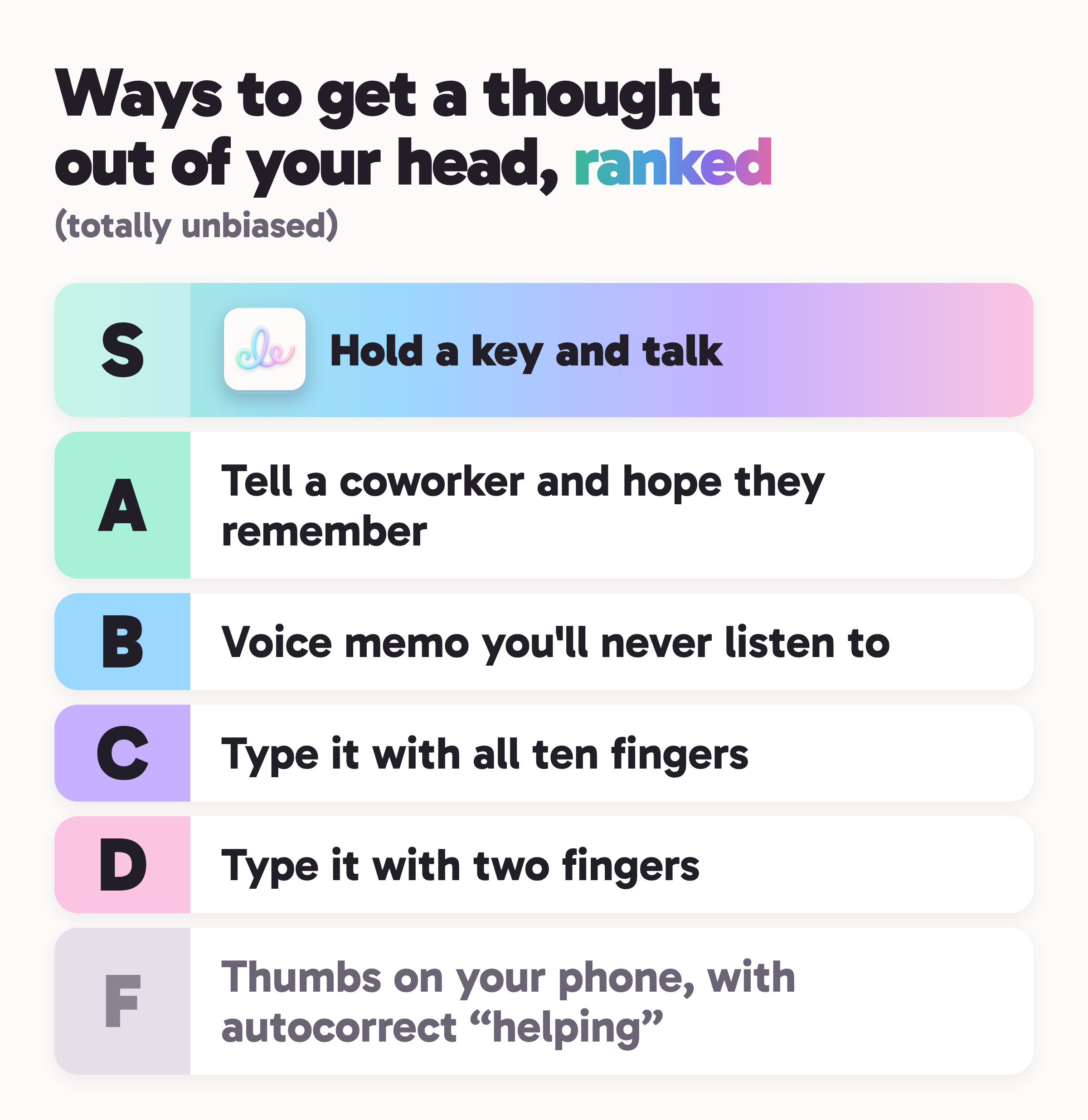
What happens after
You sign in once. As long as you’re subscribed, you won’t have to do it again.
About once a day, YadaYada quietly checks that your subscription is still active. If you’re offline, it keeps working for about 2 weeks.
If your subscription ends, the app locks at its next check. Re-subscribe and you’ll get a new code to sign back in.
It checks for updates on its own, too.
Your privacy
Your dictation stays on your Mac. It never goes to my server. (I don’t even have a server.)
The only thing about you that goes online is your email, so a small online service can check that your paid subscription is active. Nothing else.
Not a paid subscriber yet?
If you open YadaYada on a free subscription, you’ll see a Subscribe button that takes you straight to the subscribe page.
It’s $9 a month.
I send you workflows, skills, and prompts. And now you also get an app.
By the way, I’ve got plans to do this with a few more of the apps I’ve built. So you’ll get a whole app stack with your subscription.
Want to try it first? Start a 7-day free trial. YadaYada works during the trial too.
All that’s left
Woohoo, you’ve made it https://substackcdn.com/image/fetch/$s!aLnl!,fauto,qauto:good,flprogressive:steep/https%3A%2F%2Fsubstack-post-media.s3.amazonaws.com%2Fpublic%2Fimages%2F203b4536-ece6-443a-bd14-a49e2c28e3db_2400x1260.png)
If you’re a paid subscriber, go download it right now. Then write your next Slack reply out loud.
Talk it, let go, and watch it show up.
If anything breaks, or you think you should have access and don’t, just reply to this email.
If you found this helpful, would you mind if I asked a favor?
It would mean the world to me if you could leave a comment, re-stack this post, or send it to a friend. It’s FREE for you but a huge boost to my little Substack publication.
Thank you so much.
See you in the next one!
-Michael ✌️
P.S. This is an experiment, and I’ve not seen anything like this done with a Substack subscription before. If you run into any troubles, please respond to this email and we’ll get it figured out! Thank you 🙏