Give Claude a topic you’re struggling with and use this FREE copy-and-paste prompt to turn it into a lesson you can click through.
By Michael Crist
Published: 2026-11-17
URL: https://michaelcrist.substack.com/p/learn-anything-with-claude
For the last 20 years, I’ve lived with a condition called supraventricular tachycardia (SVT).
My heart spontaneously goes from a normal resting heart rate to over 130 beats per minute with no warning. It’ll stay at +130 bpm until I kick myself out of it (which took years to figure out how to do successfully).
For the most part, I’ve been able to live with it. But as I’ve gotten older, the episodes have become more frequent. On a bad day, it can happen up to 20 different times.
So, several weeks ago, I finally had a heart procedure to fix it.
Unfortunately for me, the procedure failed.
When the electrophysiologist tried to explain why, I couldn’t follow him. He talked about dual pathway physiology, AV nodes, the sinus node, bundle branches, and other things that I didn’t understand.
I’m the type of guy that likes to stay informed. I like to be smart enough to be dangerous.
But in this case, I was stuck. I mean, I literally didn’t know what to ask.
So I went looking for a way to understand it.
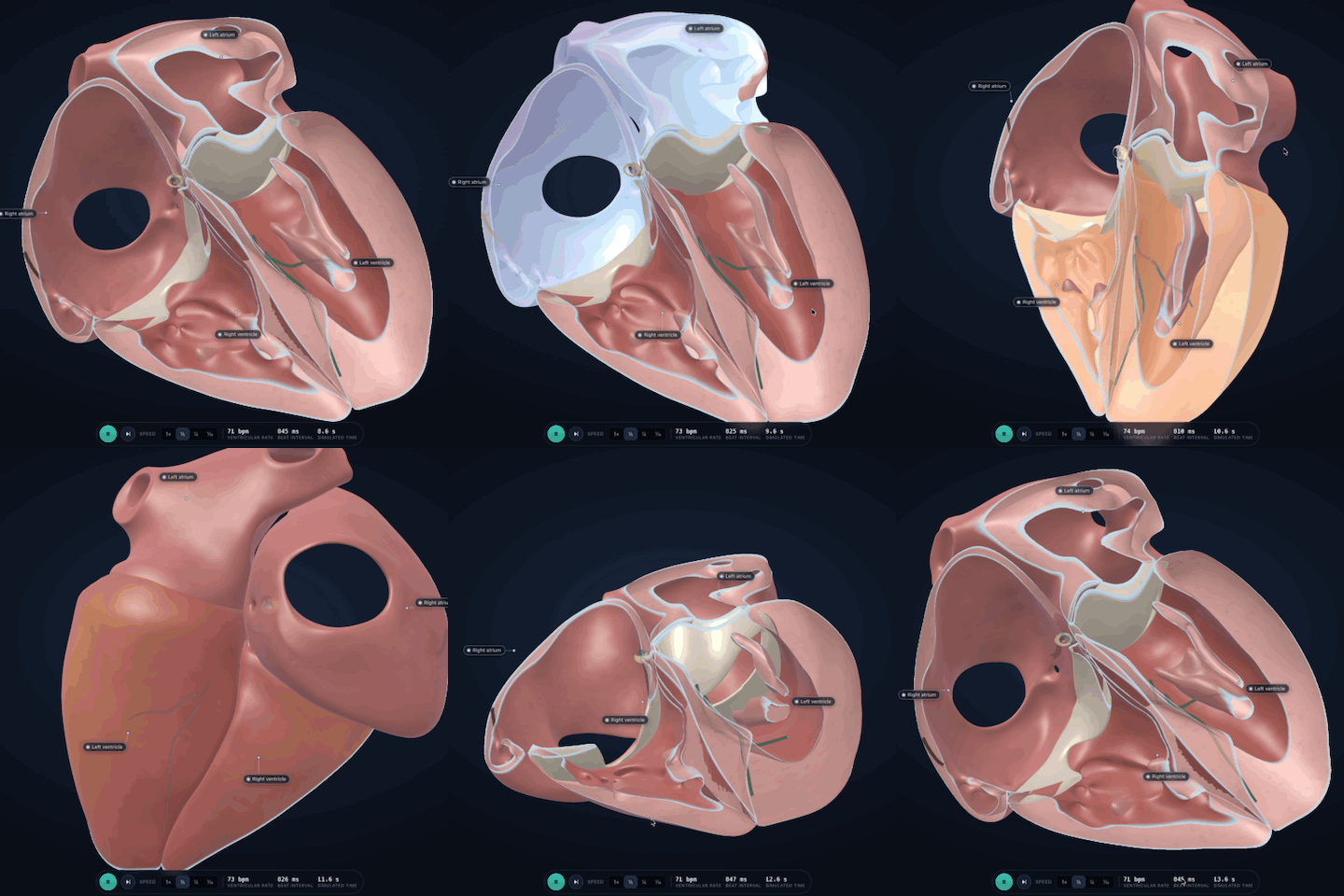
I had Claude build me an interactive lesson that I could click through to better understand the electrophysiology of the heart. It built a 3D model, step-by-step instructional tutorials, and more.
And what Claude built was so good, it blew my friggin’ mind and I knew I had to share it with others.
So, I created a FREE fill-in-the-blanks prompt you can copy to build your own “expert enough” style explainers on any subject you want.
You don’t need to be technical to use it either. If you can copy and paste, you can make something incredible.
Set aside about 20 minutes and I’ll walk you through the prompt and help you get your first lesson started.
Are you ready?
Let’s go 👇
How Claude helped me understand my heart condition
After talking with my doctor, I knew I needed a basic understanding of the electrophysiology of the heart if I wanted to follow anything he was saying.
I wanted something that would be interactive, animated, and clearly show cause and effect as electrical impulses travel the heart.
Most importantly:
I wanted real anatomy. A cartoon heart wasn’t going to help me understand what my doctor was saying. I needed to do my best to come up to his level.
So, I used ChatGPT’s deep research to dig into the electrophysiology and anatomy based on studies and scientific papers. Then I had it turn that research and my idea into a prompt for Claude Code.
I pasted the prompt in around 9 PM and left Claude working overnight.
In the morning, I was looking at an incredible 3D heart based on real anatomical models.
I could rotate it, zoom in, and cut it open to look inside. I could watch the electrical signal spread through the heart and watch it beat. I could switch between a normal rhythm and the abnormal ones.
“Holy crap! Wow,” I typed to Claude.
(Yes, I wasted actual tokens on that.)
I was just completely blown away. But after digging in for a few, I realized there was one problem.
It was WAY over my head.
I had to offer a few steering prompts. I explained to Claude that I didn’t even understand the basics, and asked it to create a lesson mode, where it would teach me step by step.
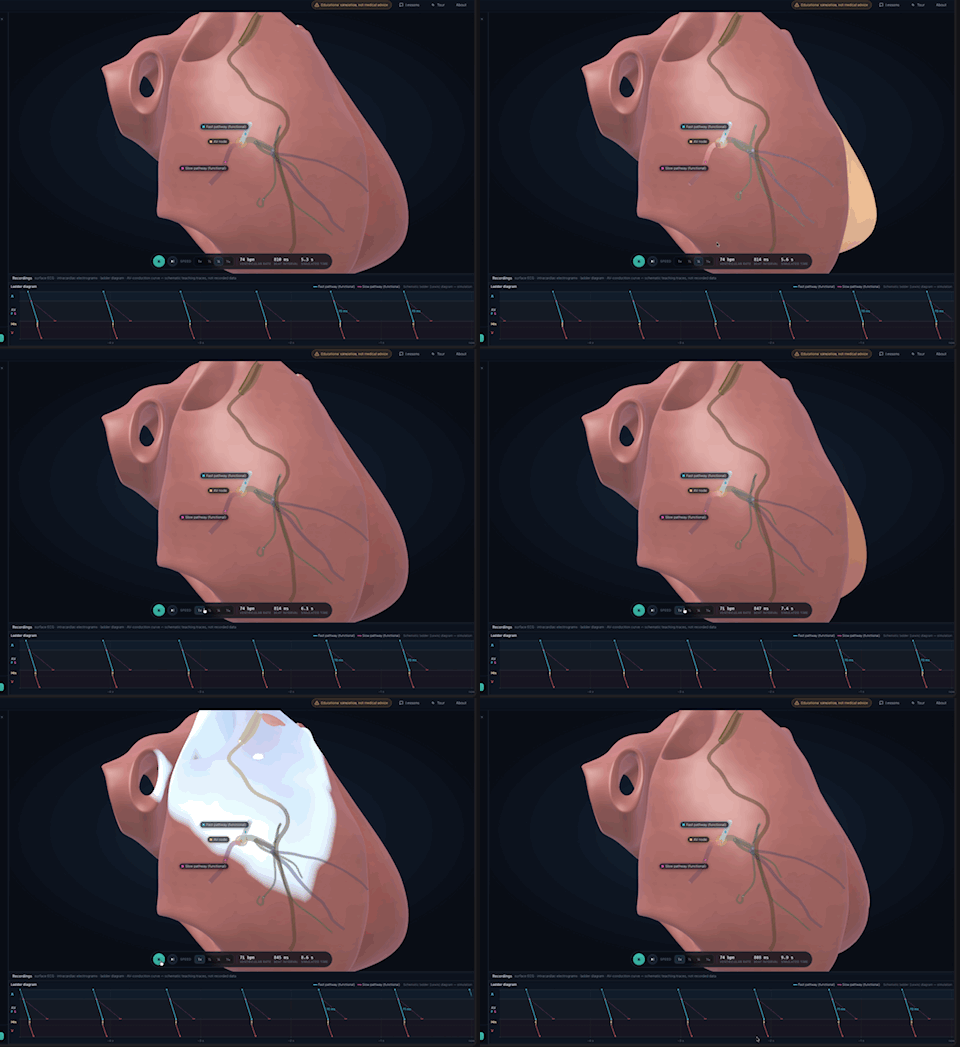
It cooked for a few hours and built 4 guided lessons, 38 steps in all. Each step has a plain-English card on one side, and the camera zooms right to the part of the heart it’s explaining.
That’s what finally made the whole thing click.
The SVT lesson walks you through the loop one beat at a time, slowed way down, and you can flip back to a normal heart whenever you get lost.
After I went through the lessons, I told Claude:
“I feel like I actually understand this now.”
You can check out the app yourself by clicking here.
What you can use these lessons for
Just think about work for a second:
Maybe there’s a contract you’re supposed to sign off on, or the company adopts a new financial model, or perhaps there’s another team that talks in acronyms you’ve never heard.
Just whip one of these bad boys up.
One key is to avoid asking for a summary. Ask for a lesson instead.
A summary is somebody’s notes from a class you skipped. It’s like eating food someone else chewed for you.
🤮
You need an experience that starts with the words you haven’t heard before and lets you slow down when you get lost.
A lesson can do all of that. Start with a few screens you can click through. Claude calls this an artifact, but it’s just the page your lesson lives on.
You can ask for definitions you can click, a short quiz, or a number you can change to see what happens. Save the elaborate 3D model for another day if you don’t need one.
Copy this prompt and make your own
If you’re using Claude at claude.ai, check this setting first:
- Open Claude and go to Settings.
- Click Capabilities.
- Turn on Cloud code execution and file creation. In the updated layout, look for Create and edit files.
On a Team or Enterprise account, your organization also controls whether this is available. Claude’s artifact help page has the current instructions.
Copy the prompt below, replace every [bracket] with your own words, and paste it into a new Claude chat. If you have other context (a report, a contract, a spreadsheet, whatever), paste it at the bottom or attach the file.
If you don’t know enough to fill in a blank, say so. Ask Claude to help you figure it out before it makes the lesson.
# Build me an interactive lesson on [TOPIC]
## Why I want this
I'm a [your role]. I need to understand [topic] because [what's coming up: a meeting, a decision, a deadline, a new job].
Right now I can't [what you can't do yet, e.g. follow the conversation / ask good questions / tell what's normal].
Here's what I already know:

- [something you already know]

- [something you've heard but don't really get]

- [a word or phrase that keeps coming up]
The one question I need answered: [your question].
## What great looks like

- One interactive page I can click through (an artifact), not a wall of text.

- It starts from what I already know and builds up one step at a time.

- It covers: [the 3 to 7 things you need to understand].

- It uses [my real document below / made-up example numbers] as the example, so I learn on something that looks like my real work.

- I can play with it: [what you want to click, change, or try, e.g. change a number and see what happens / click a word to see what it means / take a short quiz].

- It ends with [the payoff, e.g. the questions I should ask in my meeting / a one-page cheat sheet].

- I can get through it in about [20] minutes.
## The few things I care most about

- \*\*Accurate.\*\* Explain it the way an expert in [field] would. If you're not sure, say so.

- \*\*Honest.\*\* Don't make up facts or numbers that aren't in what I gave you. If something is a simplification, or works differently from company to company, tell me.

- \*\*Plain words.\*\* Explain every term the first time it shows up, with an everyday example.

- [One more thing you care about, e.g. "Short. I'd rather have 5 screens that land than 15 that don't."]
## Before you hand it to me
Review your code and redo every number and calculation. Check that each button has a working action and each screen leads somewhere. Test what your tools allow, and tell me what you could and couldn't test. Read it as someone who is new to this: is anything confusing or missing? Fix what you find. Then tell me plainly what the lesson can't do, and what facts or assumptions I should verify.
[Paste your document here, or attach it. Or delete this line if you want example numbers.]
The lesson should open next to the conversation. Click through it once before you start relying on it.
BAM.
A few tips
The line I’d spend the most time on is “The one question I need answered.” It gives the lesson somewhere to go. “Teach me finance” leaves Claude a lot of room to wander.
Prioritize making it educational over making it fancy. This is the part I missed with my heart app. I asked for something impressive before I asked for something I could understand.
If a screen goes over your head, reply in the same chat:
You lost me at [term]. Explain it with an everyday example, then add a short
step to the lesson so I understand it before moving on.
And if you want to see cause and effect:
Let me change one number, [the number you want to try], and see how it changes [the result]. Keep the original number visible too, so I can compare.
You can keep steering it. I needed a few prompts before my heart app became a teacher I could follow.
YOUR TURN 🫵
Pick one topic you need to understand and try the prompt.
Try it on something you’ve been putting off. Tell Claude where it loses you.
If you want more practical ways to use Claude like this, subscribe to AI Chops. I’ll walk you through them.
Take care & see you in the next one ✌️
-Michael
P.S. Know somebody who just got handed a topic they don’t understand yet? Send this to them, or restack it. It’s FREE for you.
P.P.S. If you liked this post, you may also like:
2 Prompts That Build Beautiful Dashboards (Cowork Tutorial)