Qwen 3.8 uncensored follows your instructions without refusing, 8x cheaper. It is open source, you can download it to your PC, and it comes close to Opus-level coding scores.
By Gencay
Published: 2026-08-21
URL: https://www.learnwithmeai.com/p/qwen-uncensored-free-claude
Today, I was working with Fable-5 and got this error:

\Claude Fable-5 error message: switching to Opus 4.8\
It switched itself to Opus 4.8 instantly.
The AI that I paid $200/month could not process my prompt.
This upset me, but I forgot it because I think I don’t have an option B.
A few hours later, I came across Qwen 3.8 uncensored while checking AI news on X.
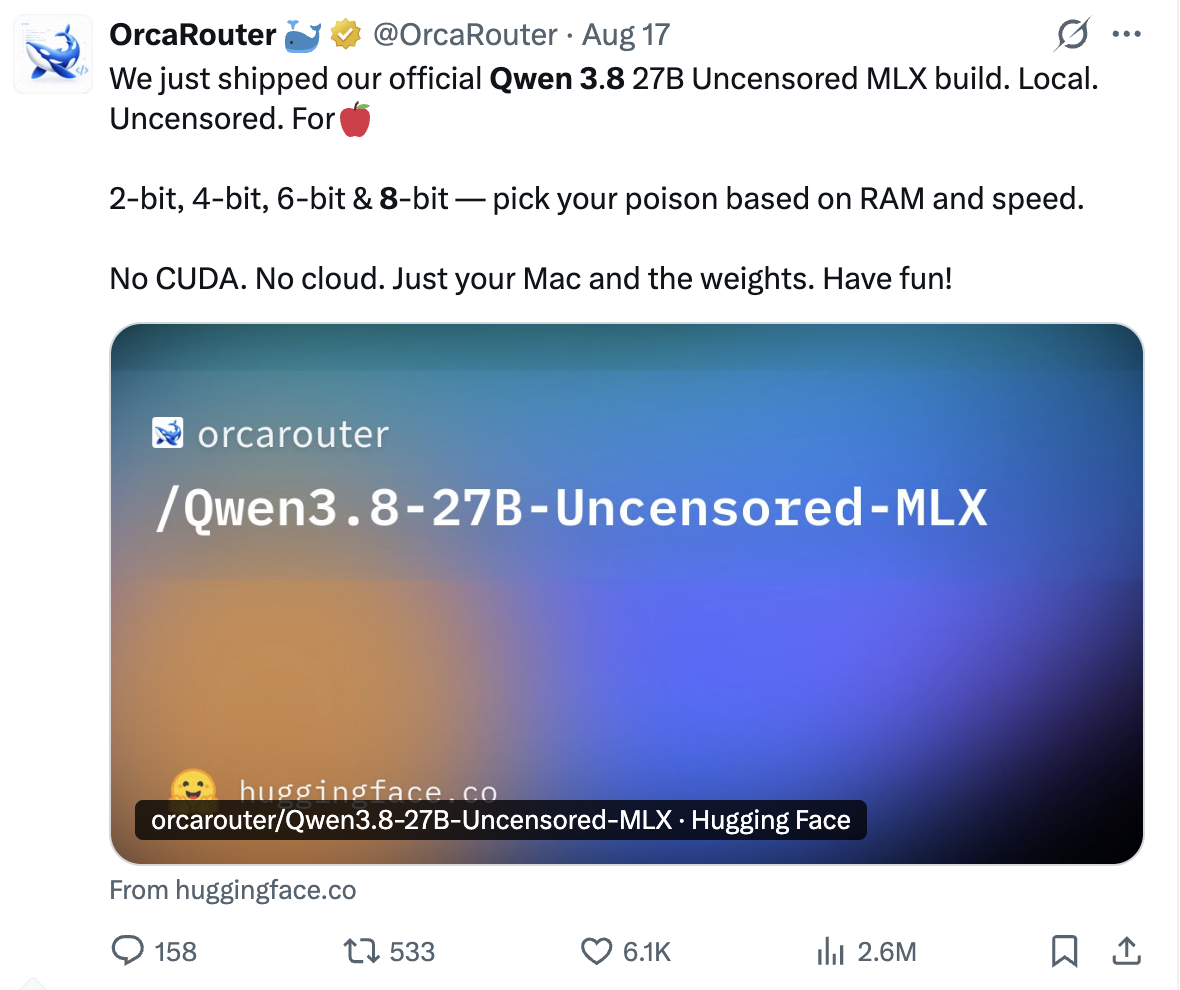
\X post announcing Qwen 3.8 uncensored\
Uncensored AI, meaning you can ask it anything.
But my first thought was this:
Okay, but is it intelligent enough?
The answer surprised me. On coding benchmarks, it is better than frontier models like Opus 4.8, GPT 5.6, or Gemini 3.7.
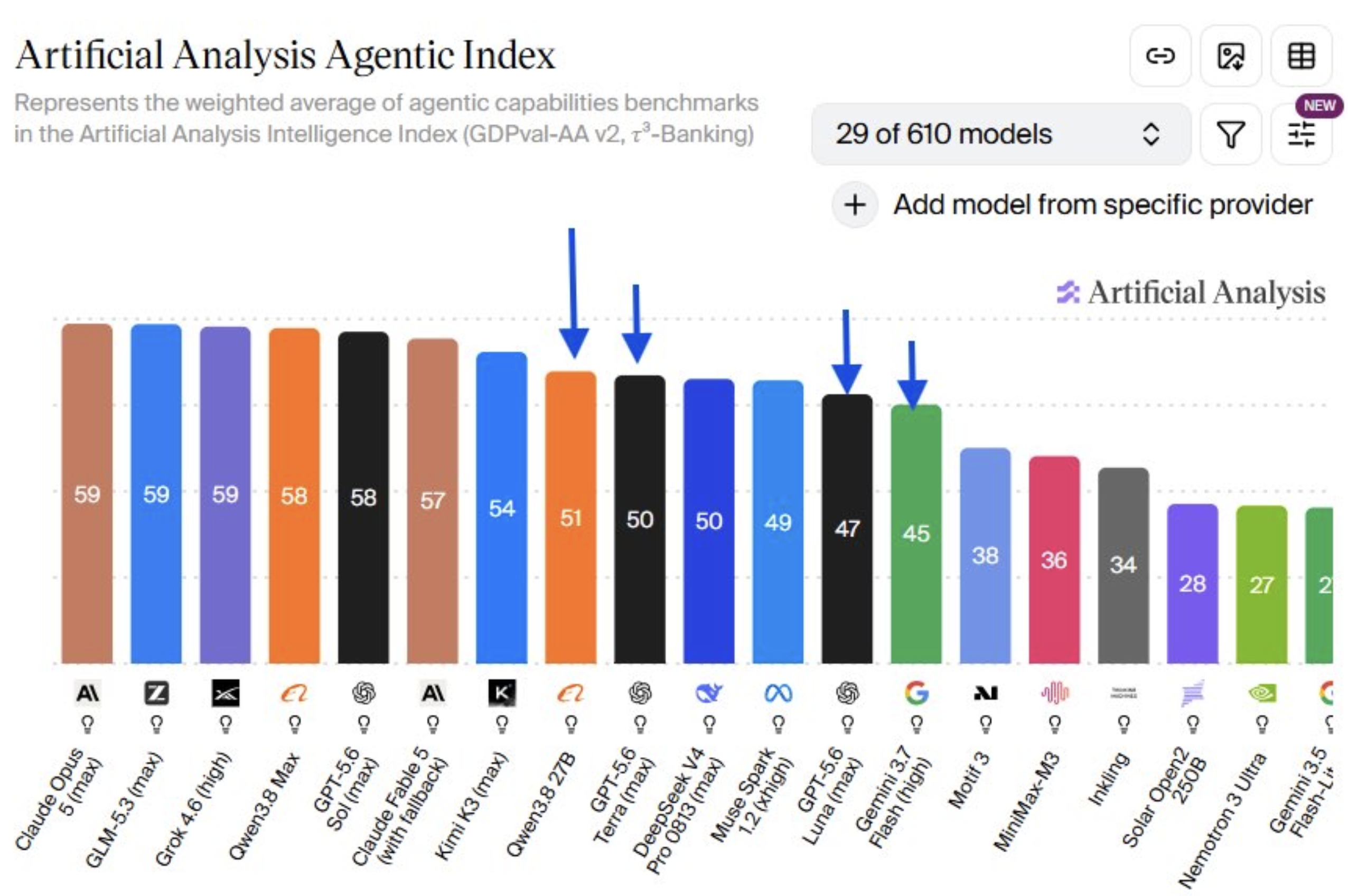
\Qwen 3.8 benchmark scores comparisons\
If you download it, does it become free?
This is so good to be true.
I thought, good, but I don’t have that much computing power.
Apparently they thought that too.
There are softer versions that can run on any computer.
But how can you install it?
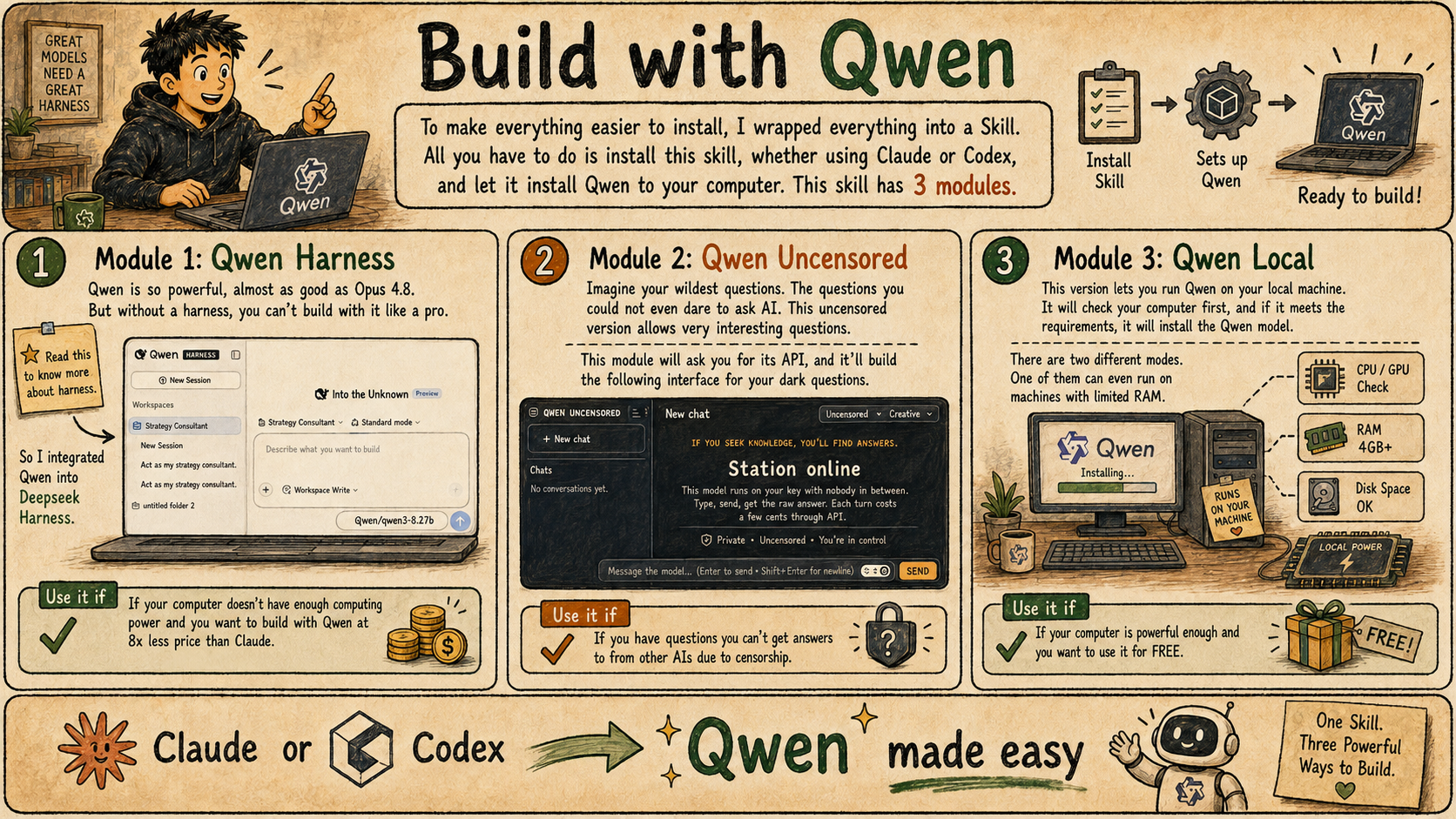
I did everything and put all the knowledge and my experience inside a skill.
Build with Qwen Skill
\Build with Qwen Skill\
To make everything easier to install, I wrapped everything into a Skill.
All you have to do is install this skill, whether using Claude or Codex, and let it install Qwen to your computer.
This skill has 3 modules.
Module 1: Qwen Harness
Qwen is so powerful, almost as good as Opus 4.8.
But without a harness, you can’t build with it like a pro.
Read this to know more about harness.
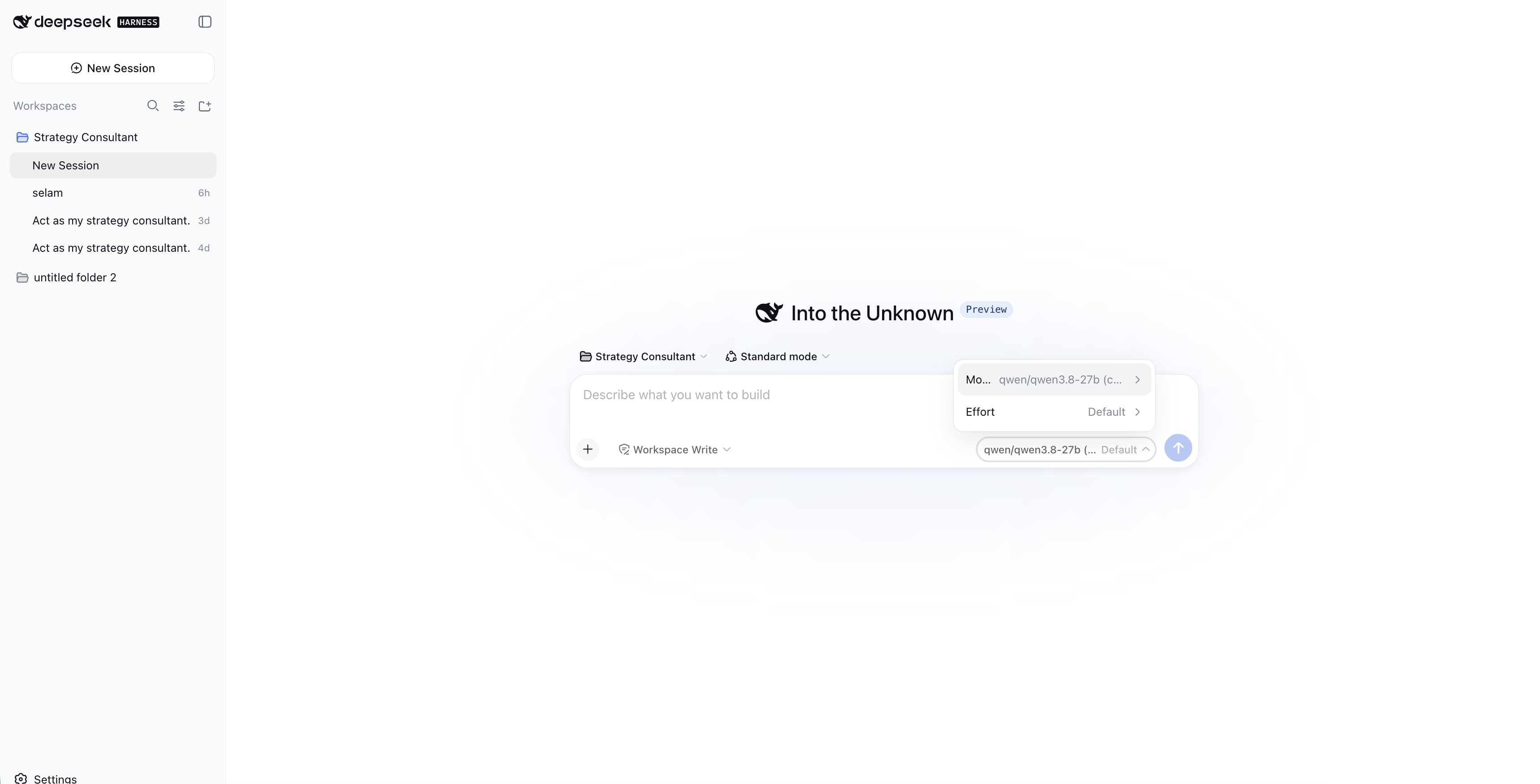
So I integrated the Qwen to Deepseek Harness.
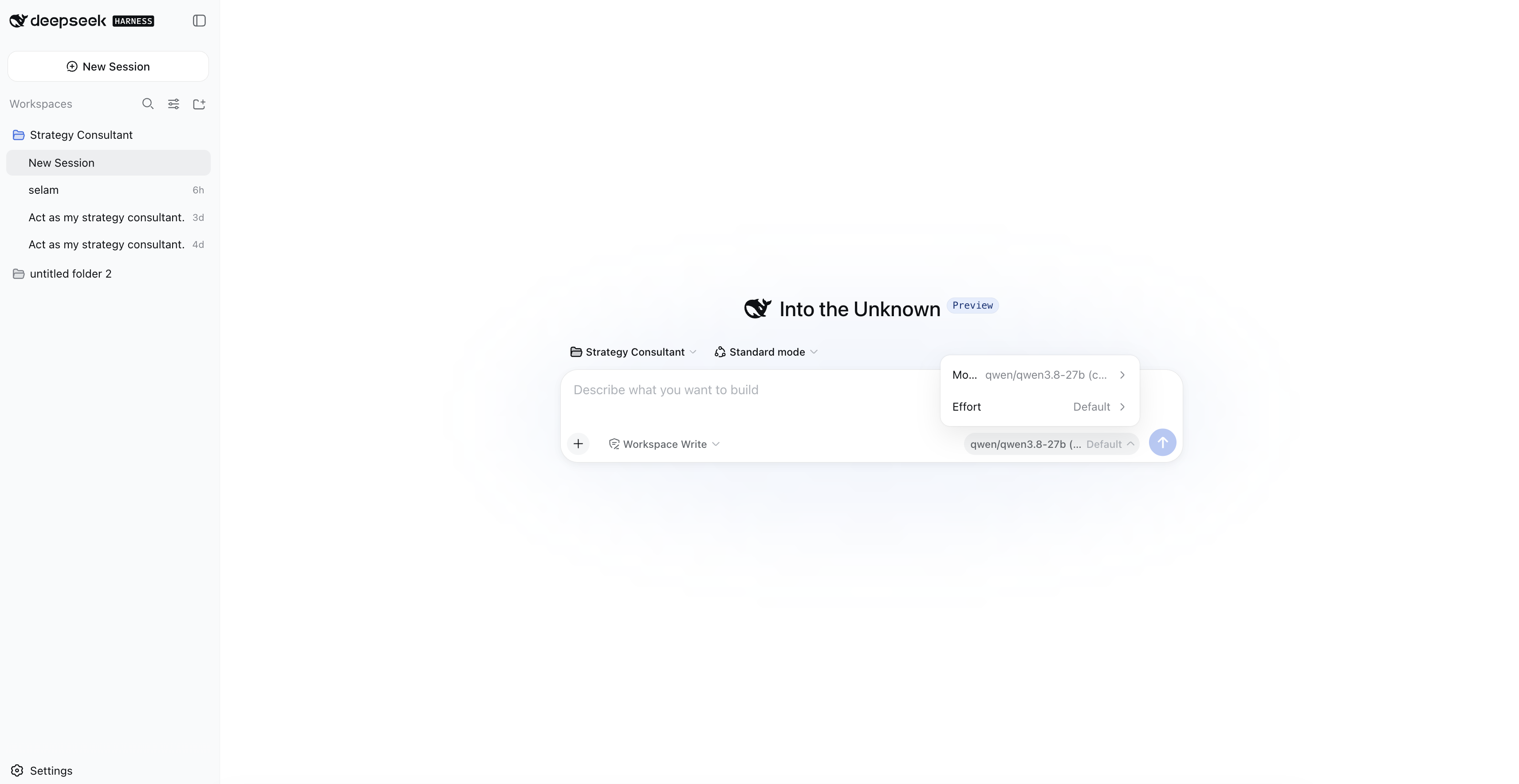
\Qwen 3.8 running inside the DeepSeek harness\
Use it if
- If your computer doesn’t have enough computing power and you want to build with Qwen at 8x less price than Claude.
Module 2: Qwen Uncensored
Imagine your wildest questions.
The questions you could not even dare to ask AI.
This uncensored version allows very interesting questions.
I don’t even want to name some of those.
This module will ask you for its API, and it’ll build the following interface for your dark questions.
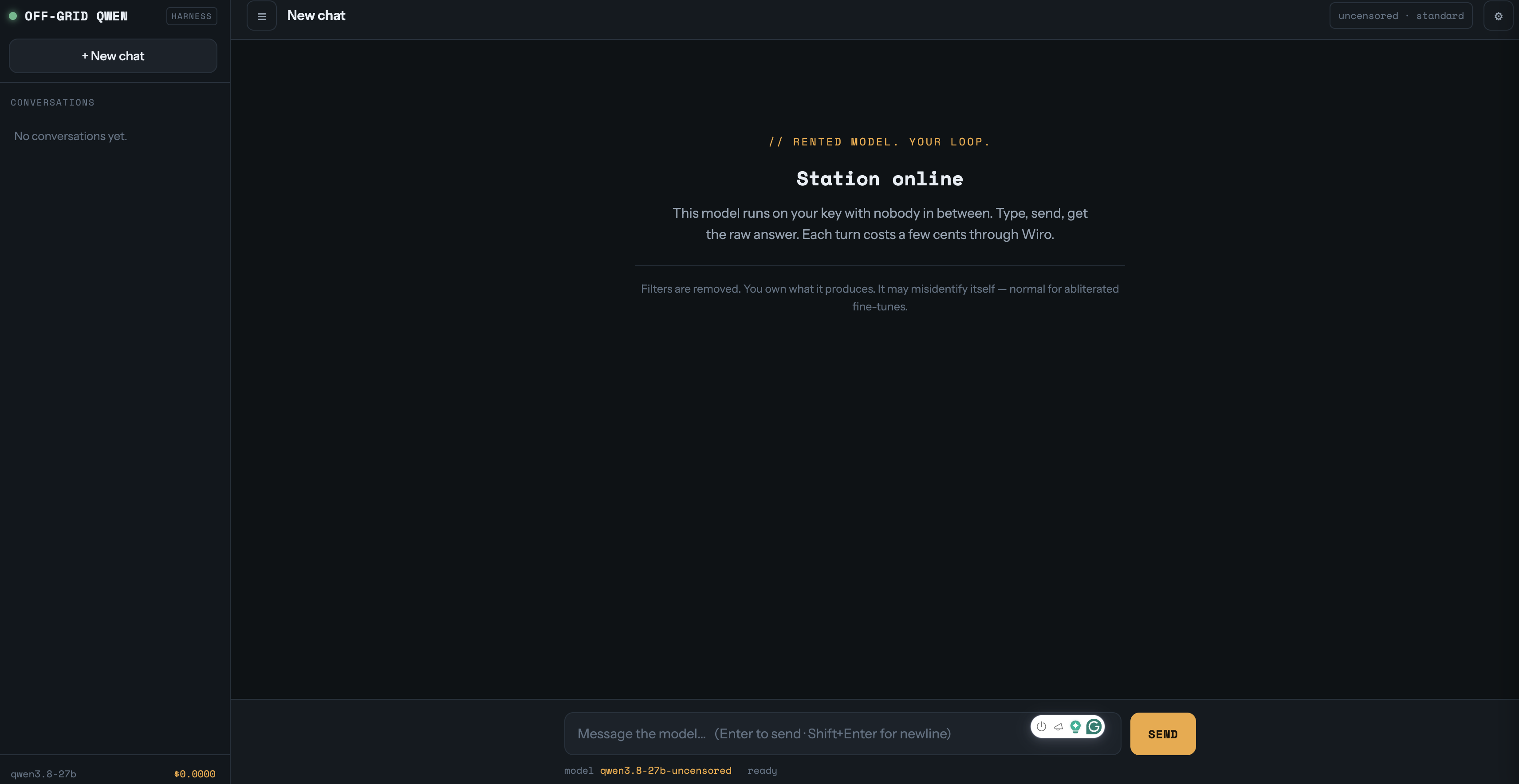
\Qwen 3.8 uncensored chat interface built by the skill\
Use it if
- If you have questions you can’t get answers to from other AIs due to censorship.
Module 3: Qwen Local
This version lets you run Qwen on your local machine.
It will check your computer first, and if it meets the requirements, it will install the Qwen model.
There are two different modes. One of them can even run on machines with limited RAM.
Use it if
- If your computer is powerful enough(this module will give you all the information needed) and you want to use it for FREE.
How to Install the Build with Qwen Skill
I’ll give you the Skill.md and one prompt.
To install Qwen on your computer, you need to follow the steps I included in the skill.
Some modules require APIs, while one module, the DeepSeek harness, also requires additional installation.
But you don’t have to build it yourself.
The skill will build it for you; you just need to approve and do what it says to you.
But if you bear with the setup, you can get Claude-level intelligence for around 8x cheaper with fewer restrictions, or even run it completely free.
Also, I’ll show you manually how I set up these, if you don’t want to use Skill and build it manually, you also have this option.
After the paywall
First, I’ll explain the hardware requirements, including how much RAM you need and different versions of it.
Then I’ll show you how to download it, run it locally, and use it completely free.
So, you’ll have a full roadmap for running it on your own computer.
If your computer isn’t powerful enough, I’ll also show you how to use it through its API inside Claude Code, at around 8x lower cost.
So by the end, you’ll run it on your computer or use the API and build whatever you want without rules.
Here are the files.
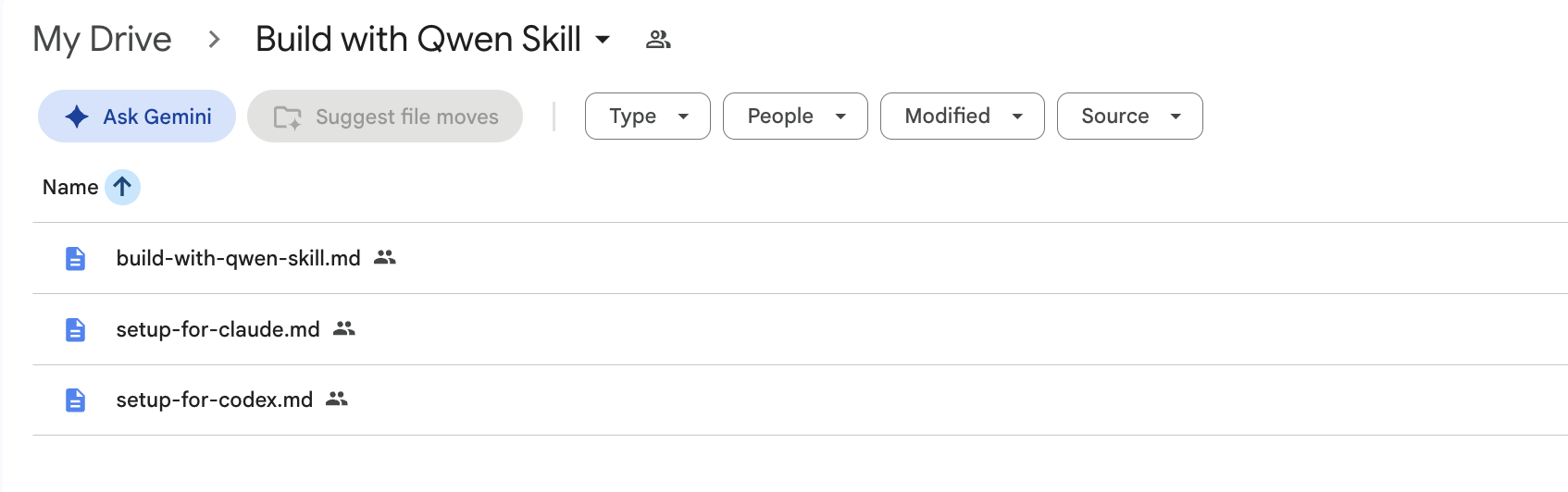
https://drive.google.com/drive/u/0/folders/1YdJopKQodqBxh0zr-2\lT\oXCWYhCT9c
You know the drill: open Claude or Codex, and install this skill using the prompts inside setup-for-claude.md
The Quickest Taste before installing the skill
I know most of you are super busy professionals.
But I want you to taste it.
The fastest way;
- Go to Hugging Face, create a free account, and head to: https://huggingface.co/Qwen/Qwen3.8-27B
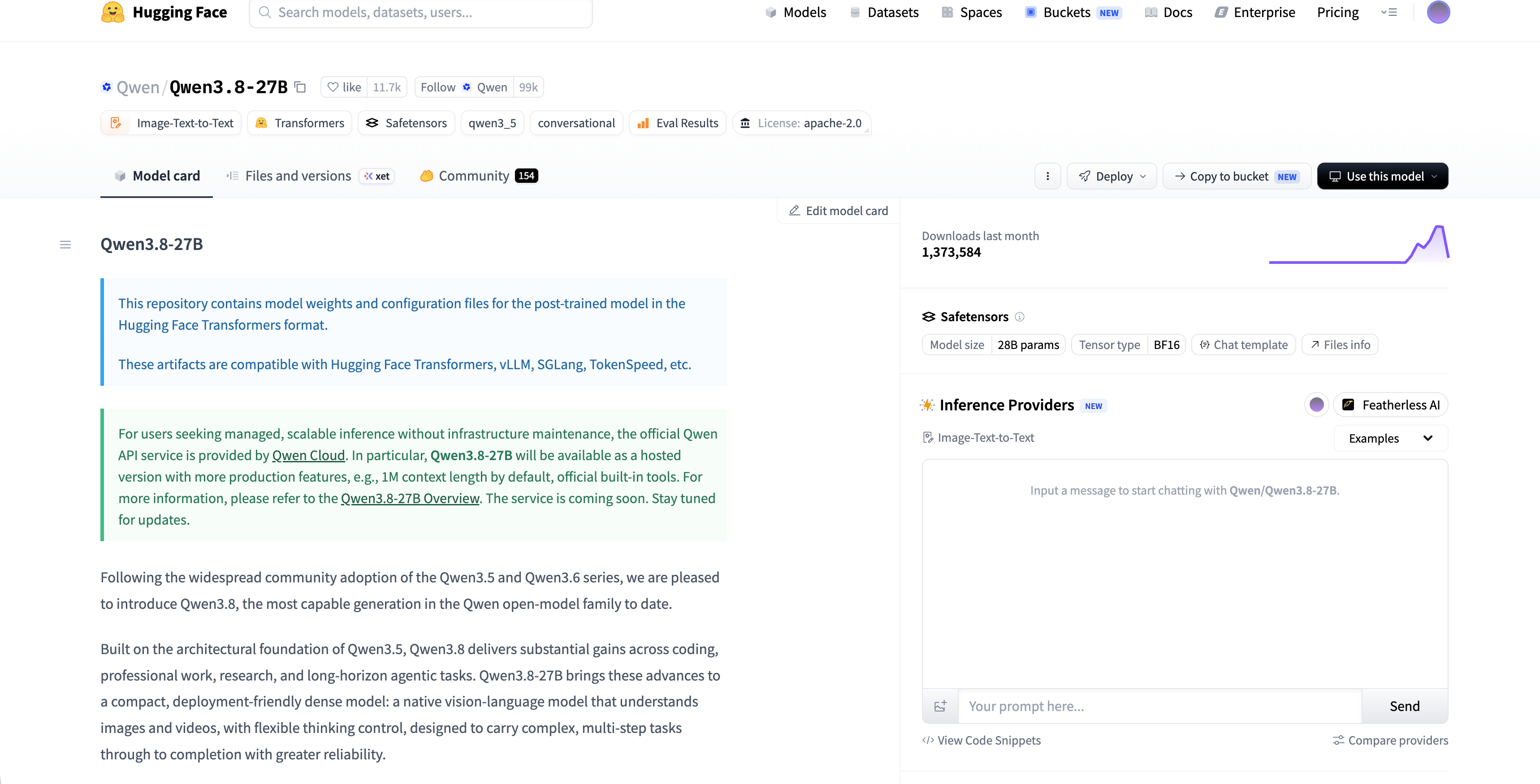
- Next, go to the “Inference Provider” section and try one of the online versions to get a feel for it.
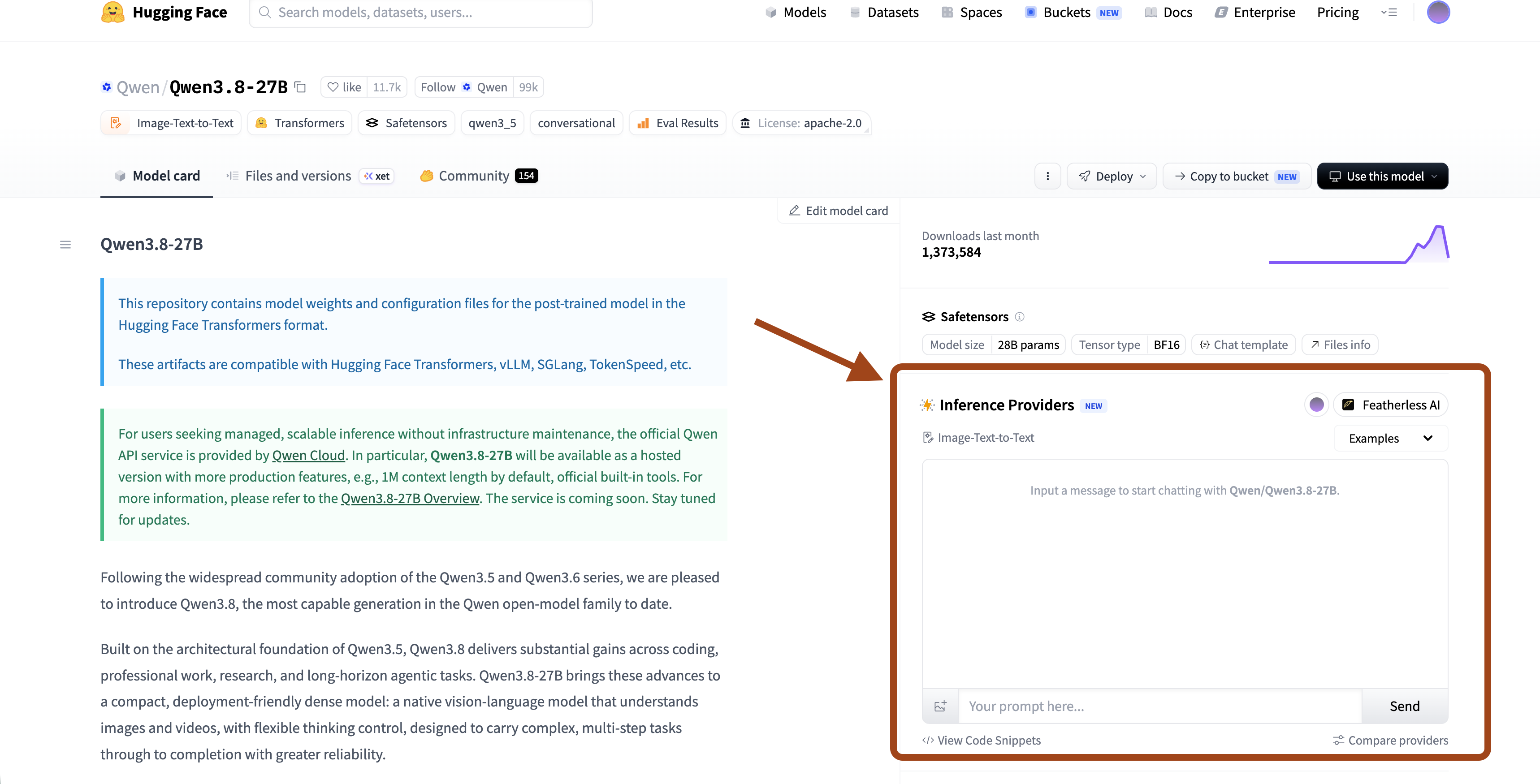
- Here you can prompt it to taste.
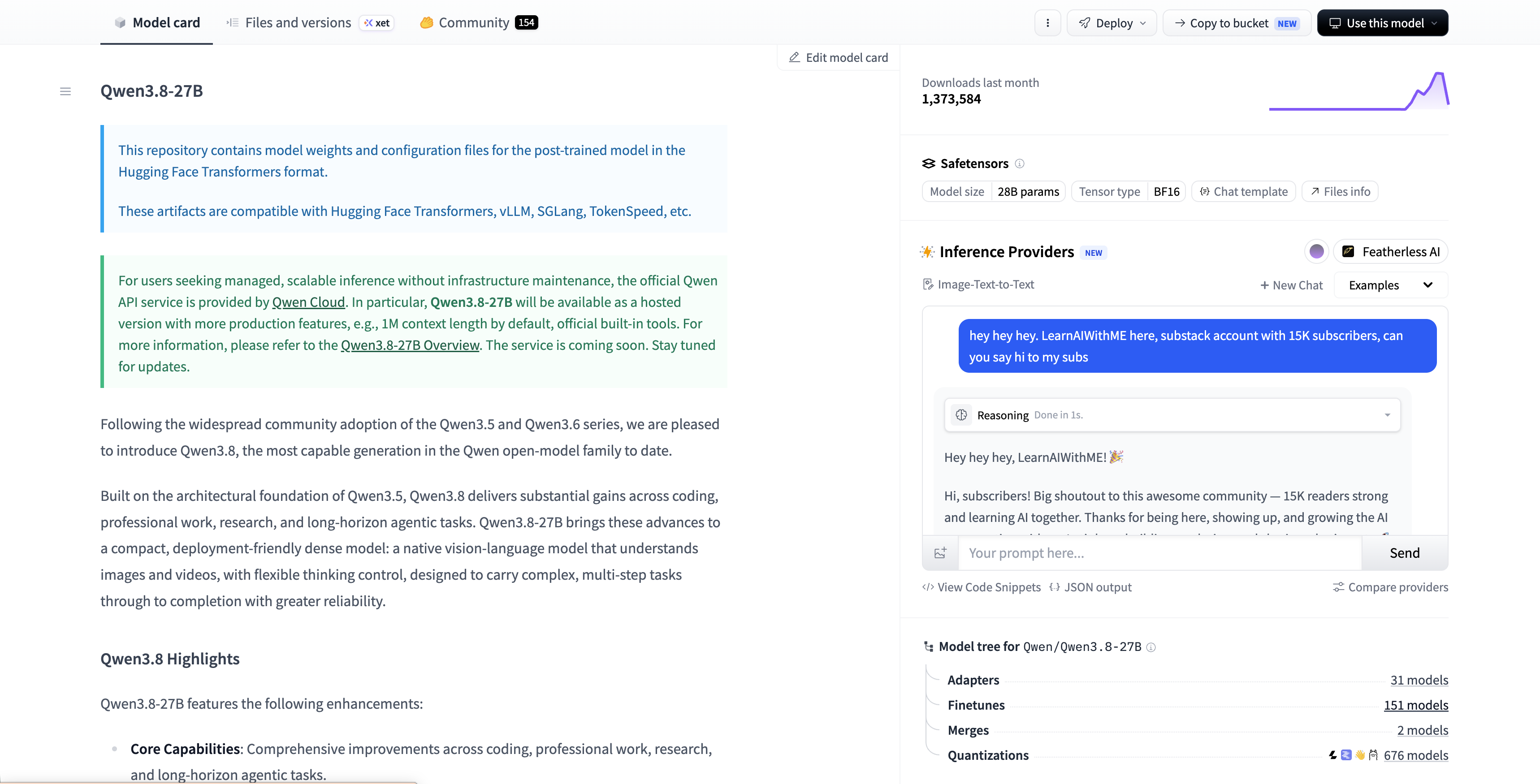
But this is only for testing.
Now let me show you the modules.
Module 1: Qwen Harness
Requirements:
- Qwen API
- To get one, you can use OpenRouter.
You can even add $5 as a credit inside OpenRouter
Once you do that, you now need to visit two different GitHubs.
I explained how to install the harness in this post; you can check it to see how it can be done.
But the “Build with Qwen skill” also knows how to do it.
So my suggestion is to install this skill, tell it to use Module 1, and let it install it for you.
After finishing the build, go to the OpenRouter app it installed and click on “Open Site”.
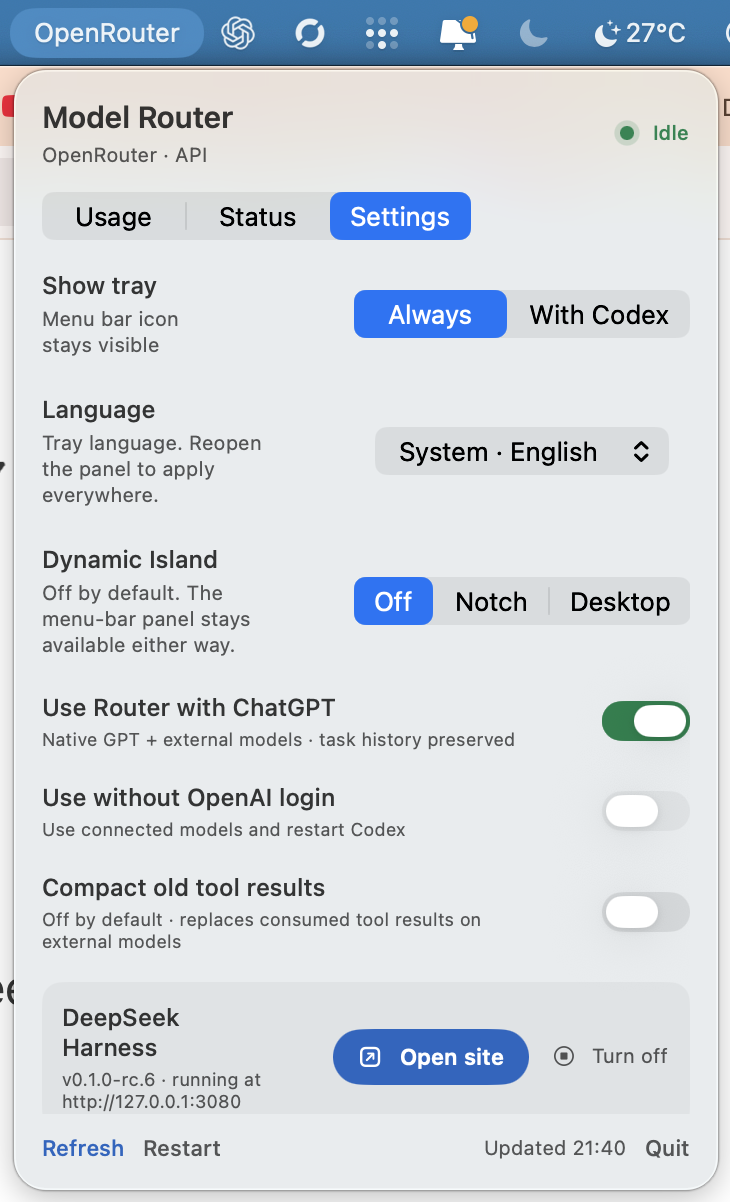
And you are ready to build anything.
Module 2: Qwen Uncensored
Requirements:
- You need a Qwen uncensored API.
- You can find it inside wiro.ai.
- wiro.ai is one way to get it, but you should add $20 credit to it.
This module lets you install an uncensored version of Qwen.
Tell your skill to use Module 2 and install the uncensored version of Qwen.
It’ll ask your API, and once you give it, it’ll build the uncensored interface that I built for you.
It uses your API and even answers your wildest questions
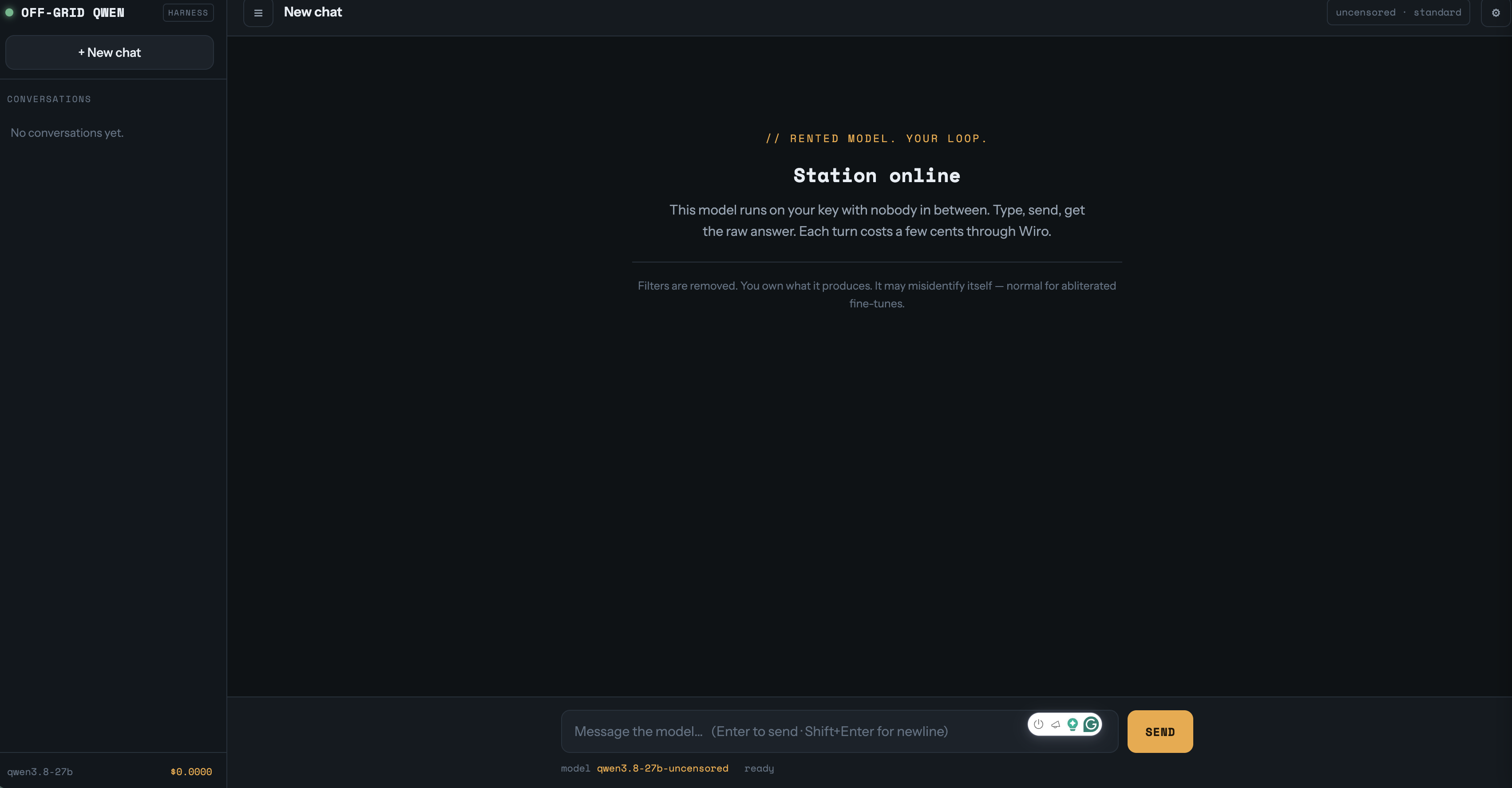
Module 3: Qwen Local
Download LM Studio.
Next, click on Discover.
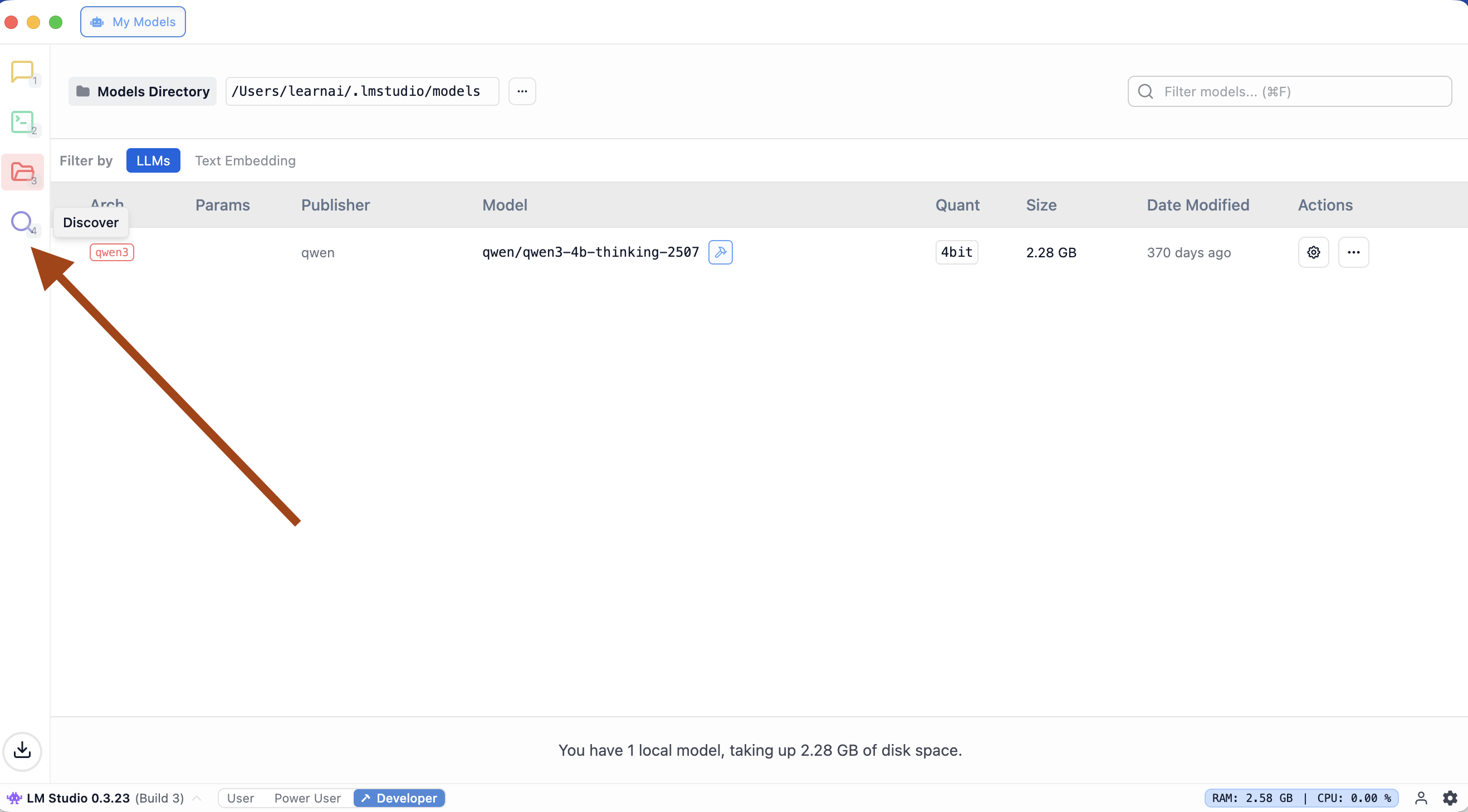
Here, you need to be careful.
If you already know how much RAM you have, great. If you don’t and you’re using a MacBook Pro, click the Apple icon, then About This Mac.
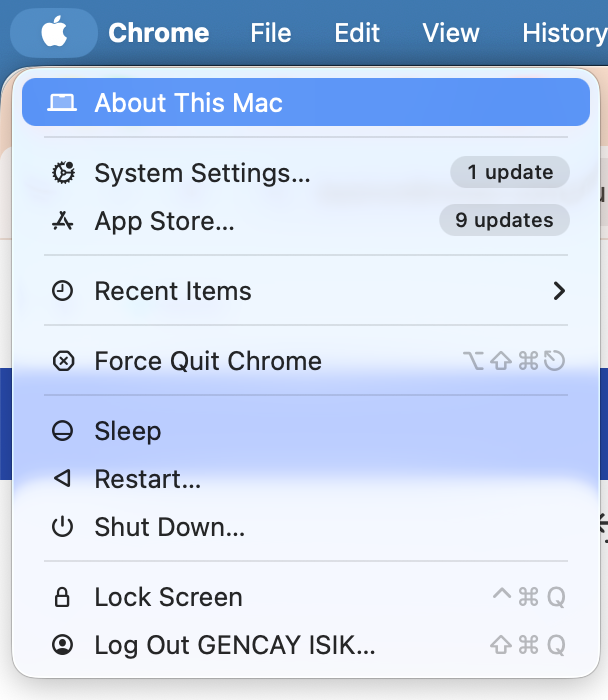
\Here\
Here, memory is your RAM; mine is 18 GB.
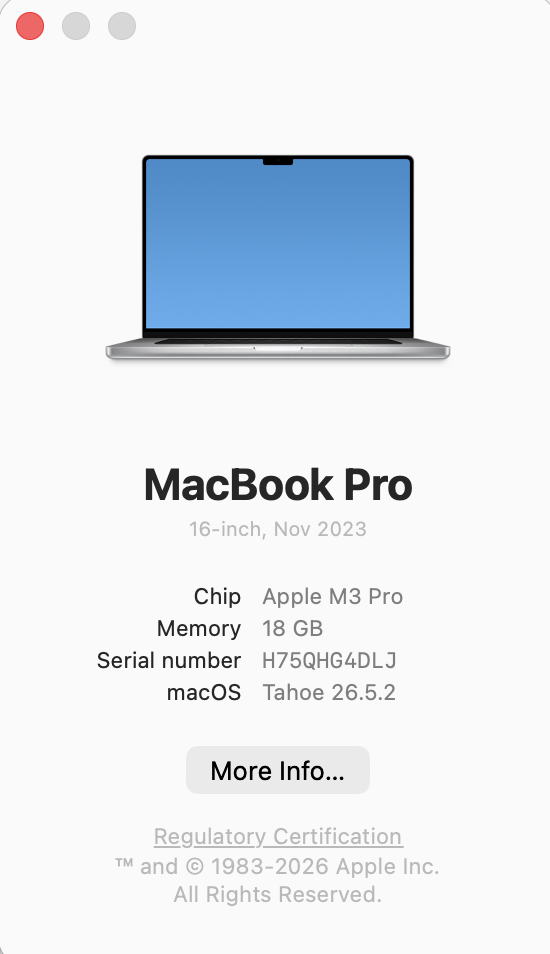
That’s why, when I type “Qwen 3.8 27B,” the model shows “likely too large.”
My computer has around 18 GB of RAM, and you shouldn’t choose a model that uses the same amount as your total RAM. You need to leave some memory available for the system.
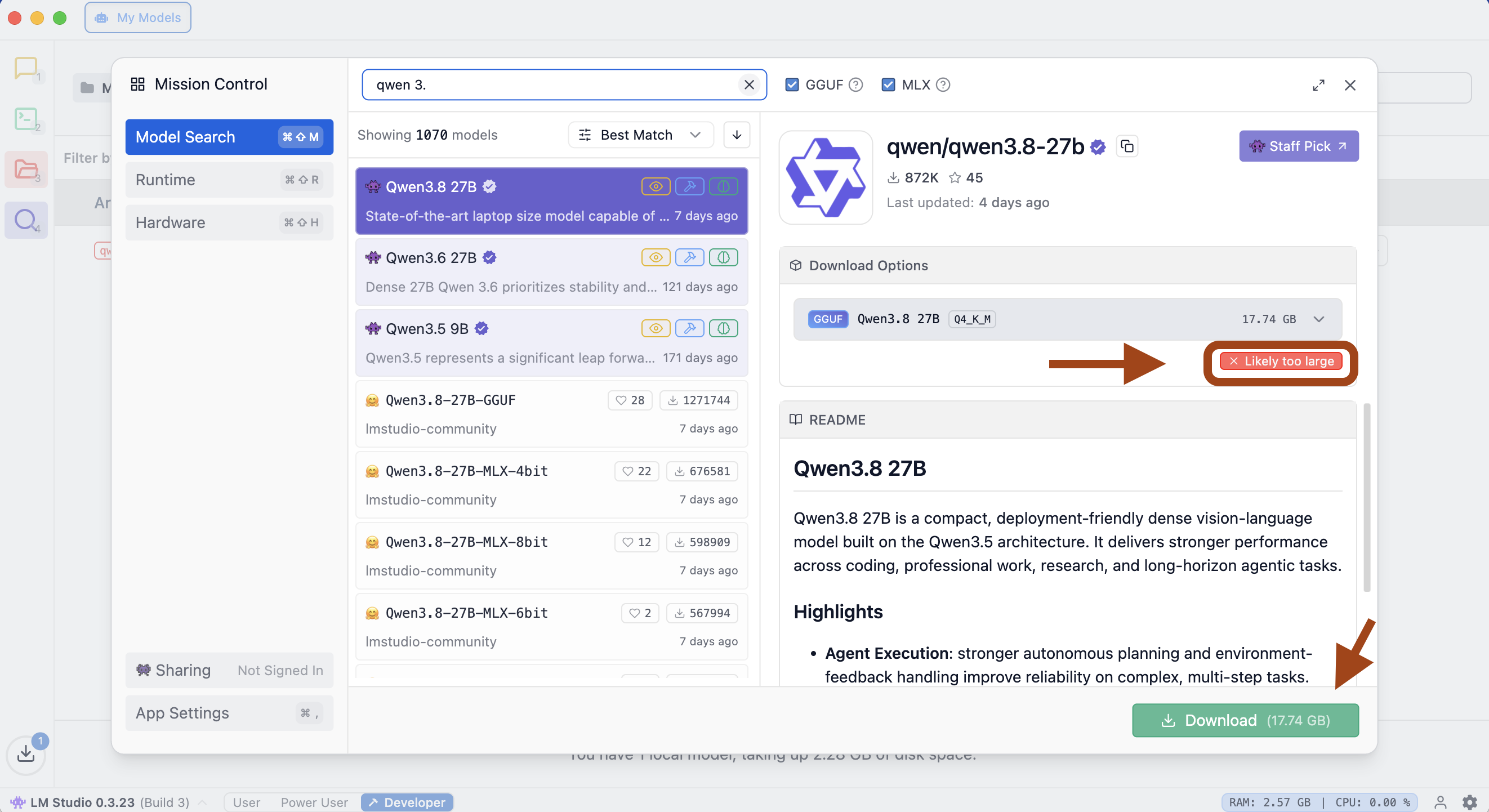
So it suggested me smaller version.
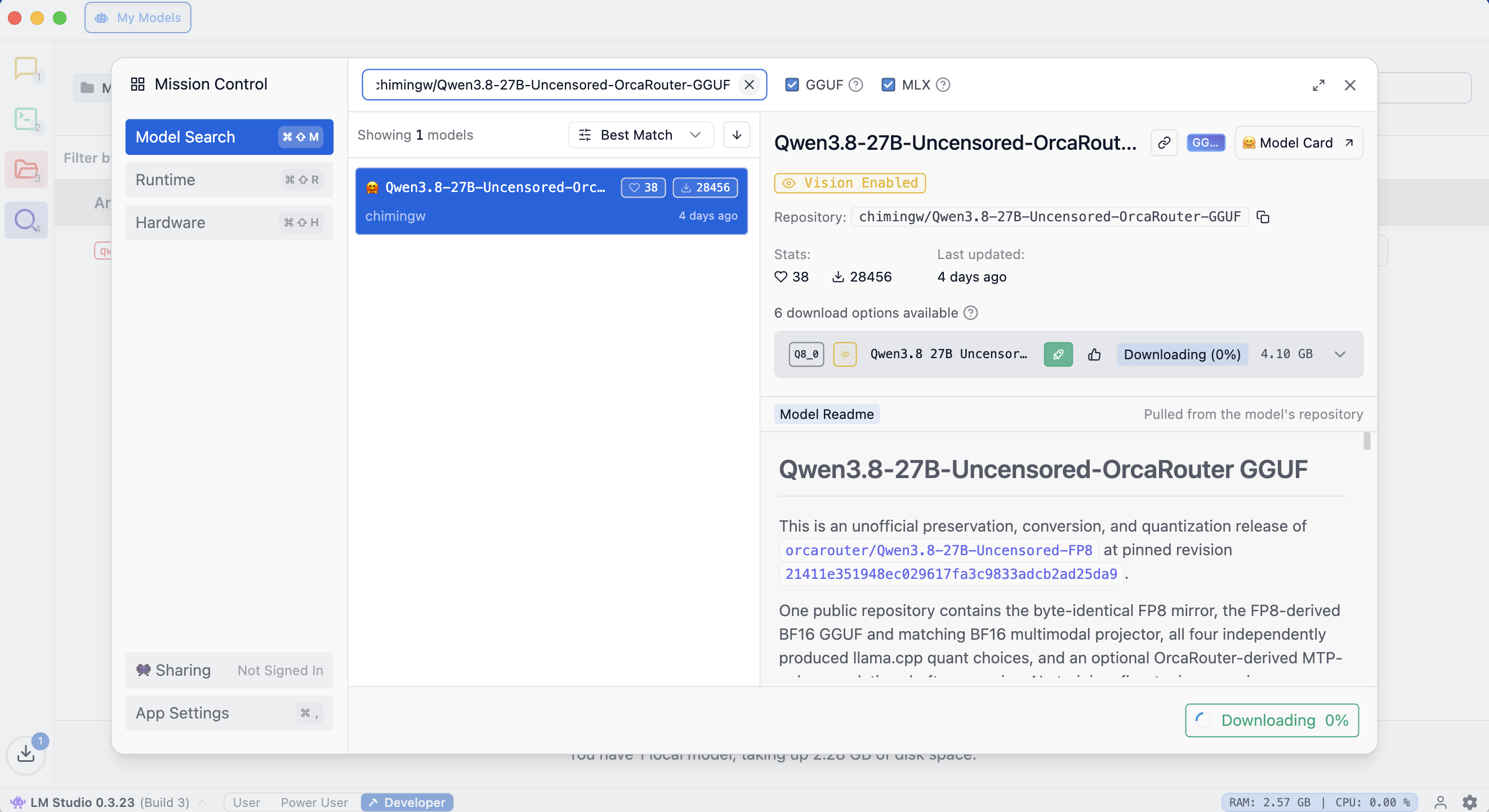
You get the idea, right?
After you finish downloading it, you can now use it for free via LM Studio.
Thanks for reading!
AI Academy
I keep saying this at the end of every post, and I won’t stop until September 1 because I’m genuinely excited to build with you.
The AI Academy is $200 until September 1. After that, it will be $300.
This is where we build together.
If you run into any issue while trying one of my builds, send me a screenshot and explain the problem. I comment on every build and help you fix it.
Note: Inner Circle is capped at 200 members because I comment on every build myself.
Join the academy, save $100, and let’s build together.