Set up the DeepSeek harness from zero, connect it to Codex and Claude Code, then run a Strategy Consultant Skill that does 80% of the job. Full guide inside.
By Gencay
Published: 2026-08-19
URL: https://www.learnwithmeai.com/p/deepseek-harness-consultant-skill
DeepSeek goes viral.
Because it is a lot cheaper yet effective.
Also, it is open source, meaning you can download it and use it for free.
(If you have a powerful computer.)
But there was one problem: they did not have a harness.
Meaning, you can use it like ChatGPT, but not Claude Code.
To learn more about harness, read this.
But recently, the DeepSeek harness landed on GitHub.
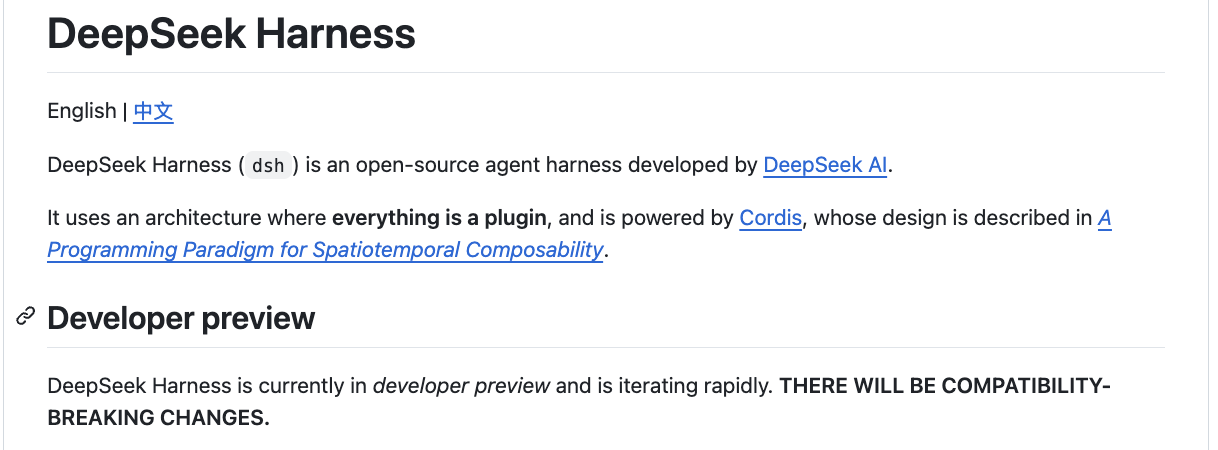
\DeepSeek harness repository on GitHub after release\
And no surprise, it became the fastest-growing GitHub repo, with 120K+ repos in 3 days.
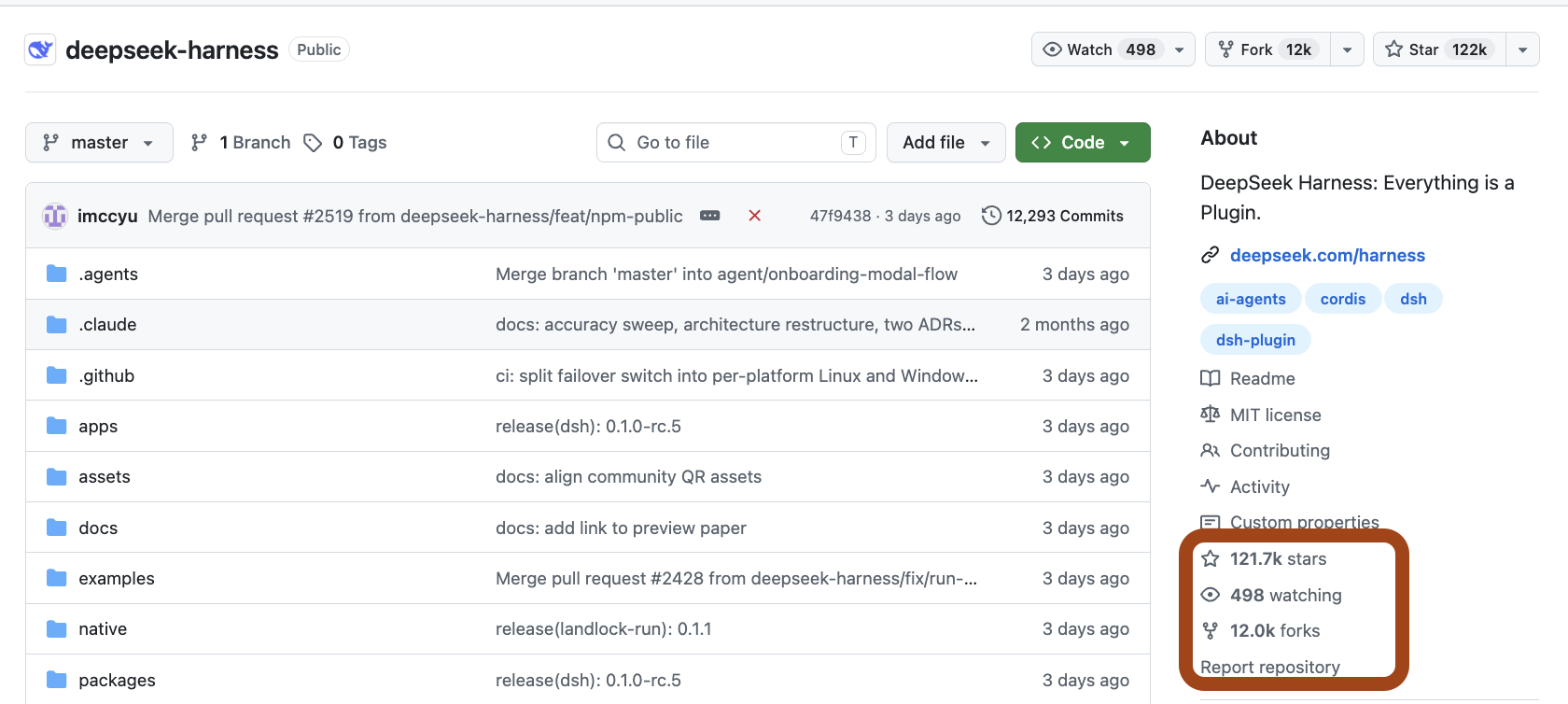
\DeepSeek harness GitHub growth chart showing 120K repos in 3 days\
OpenClaw used to hold this record, but now DeepSeek is becoming more popular.
So I installed this harness, so now I can open it with one click.
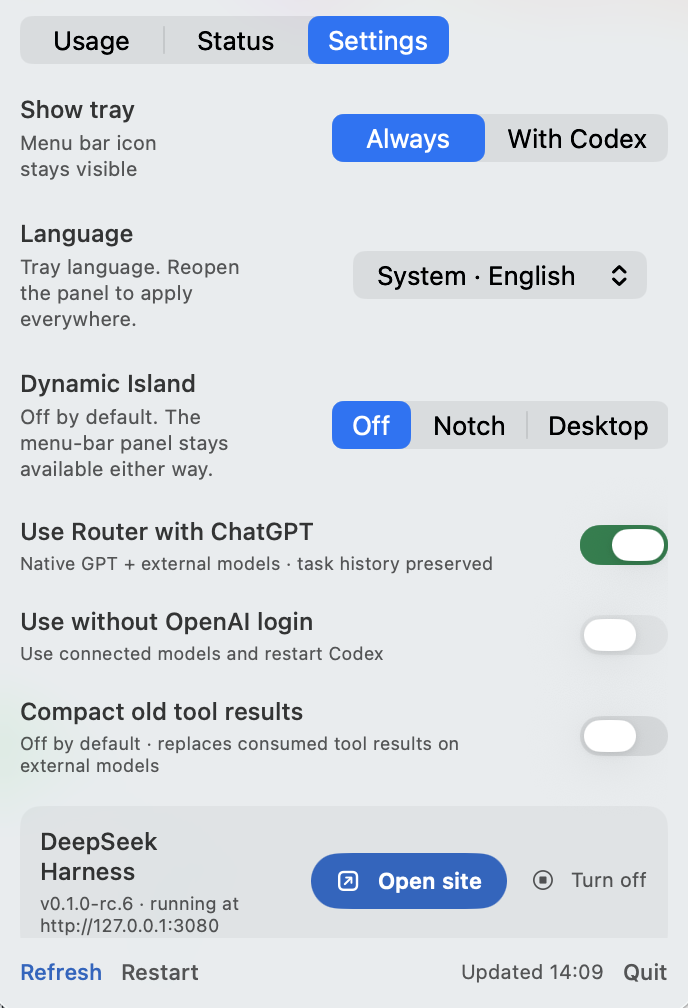
\DeepSeek harness app opening with one click from desktop\
So I can start building with it immediately.
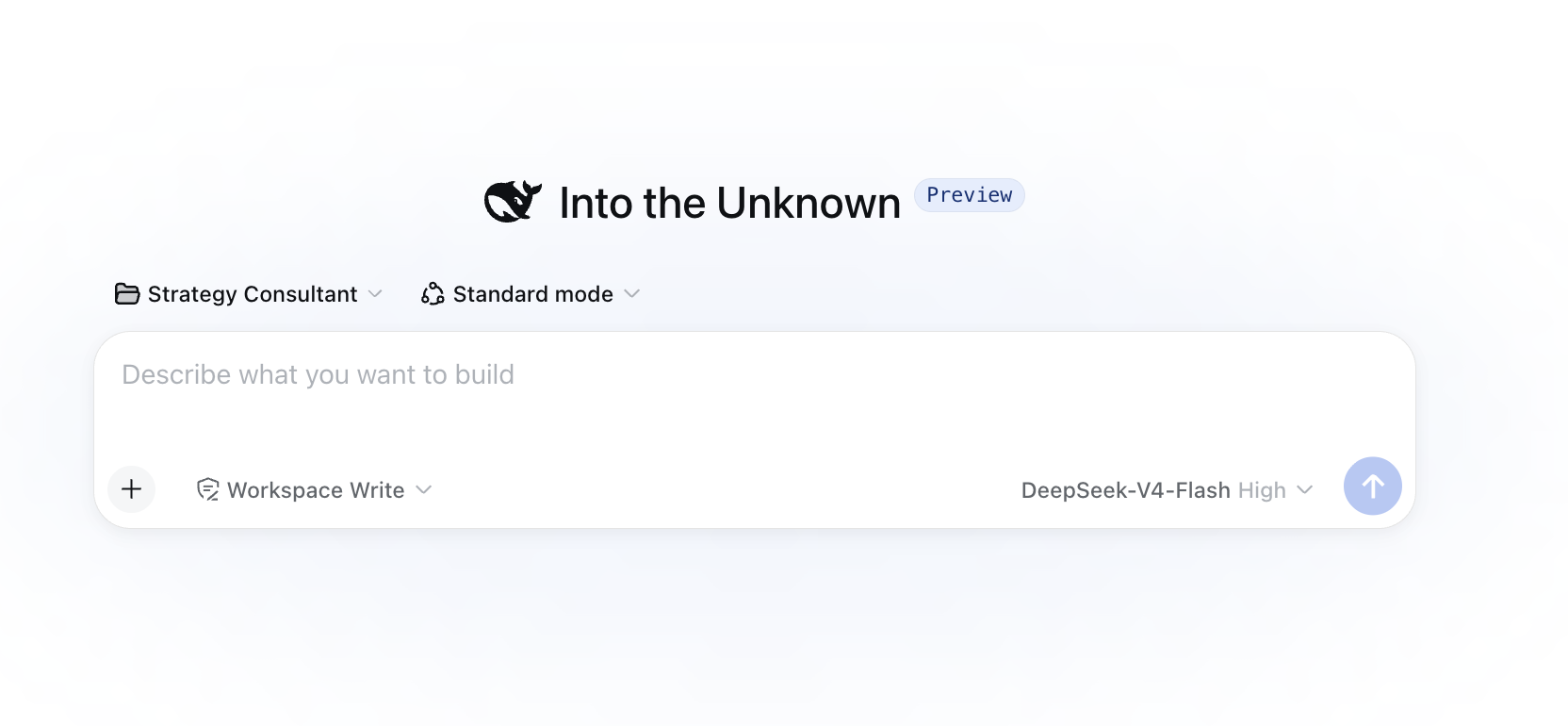
\DeepSeek harness interface ready for building\
Plus, I injected DeepSeek inside the Codex app, so now I can use it inside Codex.
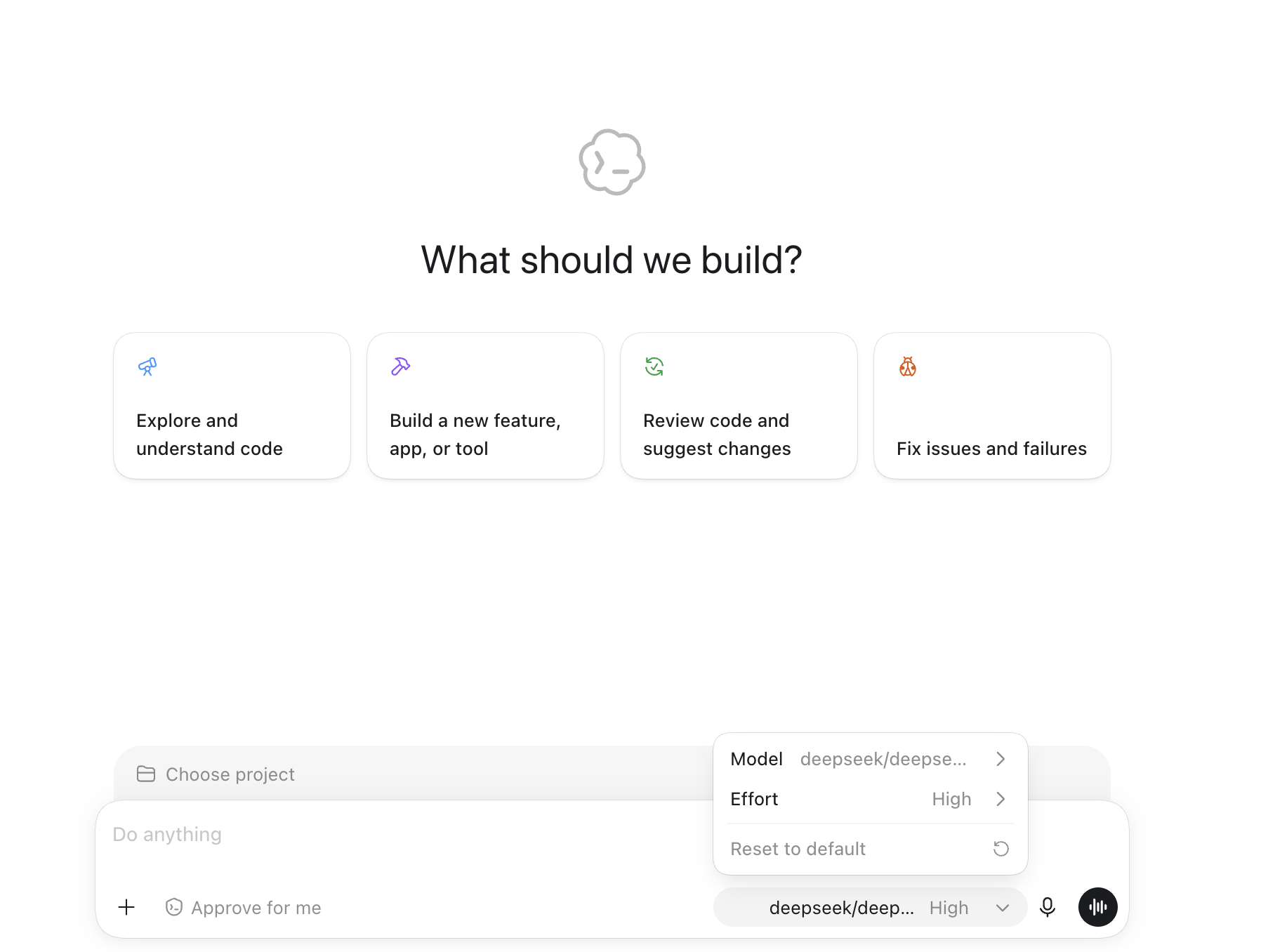
\DeepSeek model injected inside the Codex app settings\
And also, I can now use it inside Claude Code too.
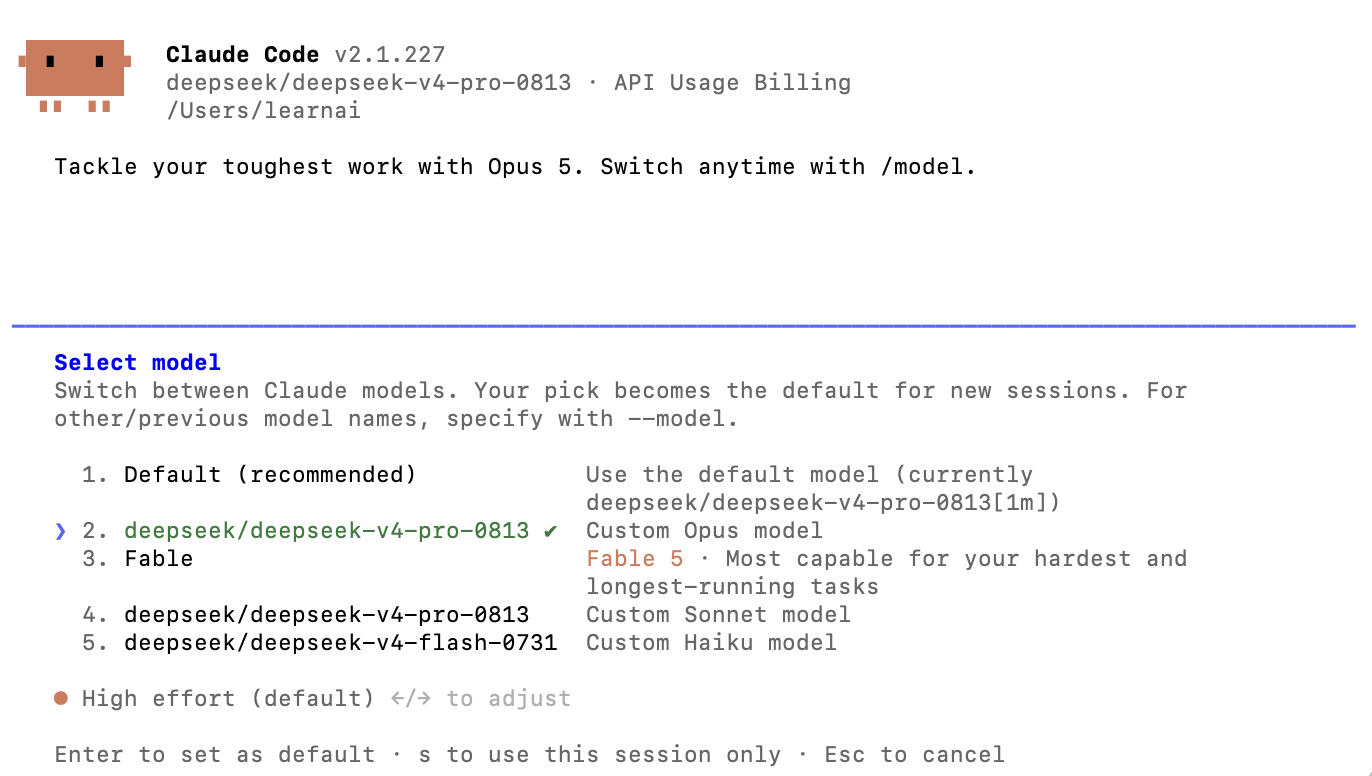
\DeepSeek running inside Claude Code terminal session\
I’ll explain everything to you step by step.
But of course, by solving another problem.
I have too many options, but what should I build?
What Should I Build With the DeepSeek Harness?
So I searched for business problems to build something with the DeepSeek harness.
And I came across this Reddit post.
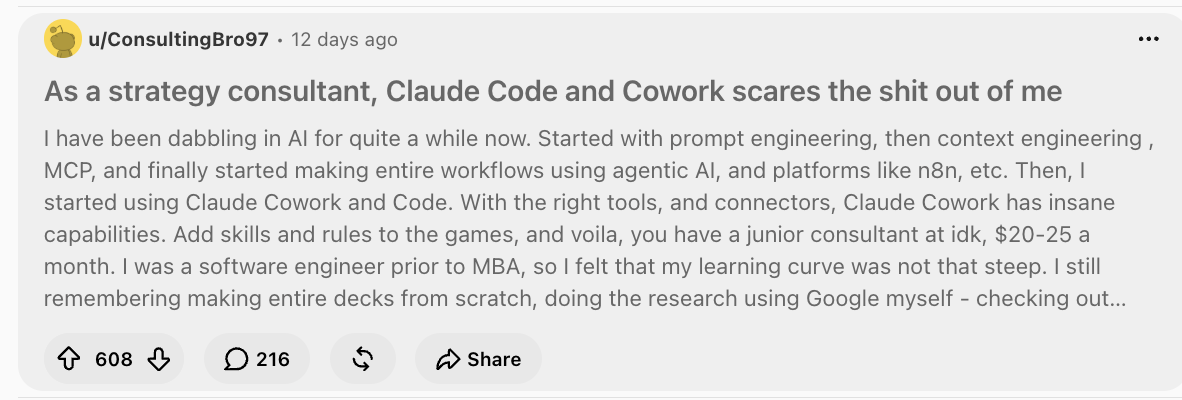
\Reddit post by a strategy consultant about Claude Code and Cowork\
A strategy consultant admits that Claude Code and Cowork scare him.
In the full post, he admits that Claude does everything with 80-85% accuracy.
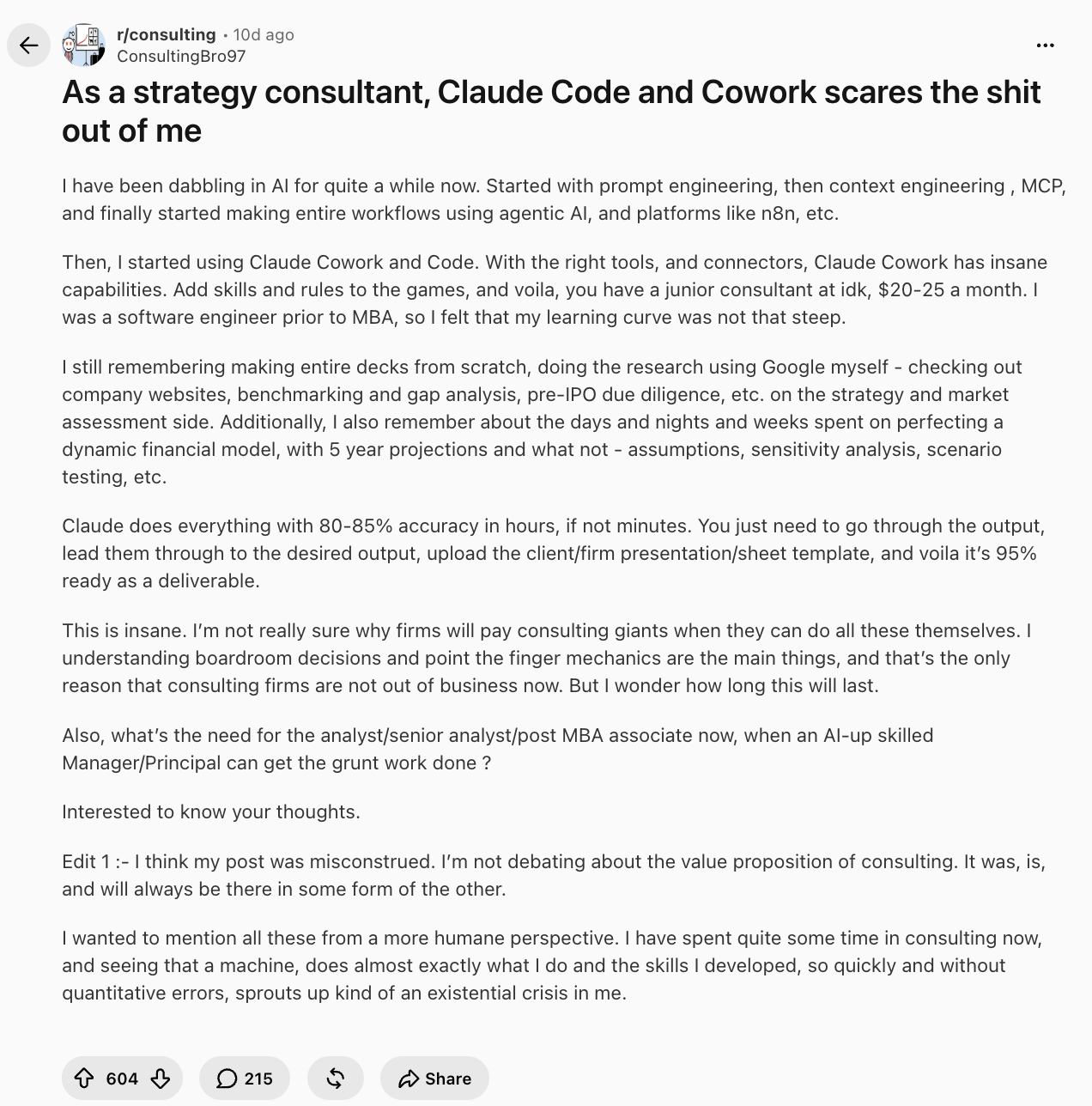
\Reddit consultant admitting Claude does his job with 80-85 percent accuracy\
It’s an honest confession.
That got me thinking: can I turn this into a Claude Skill?
But I also know that not everyone has a Claude subscription, and some of you may find it a little expensive.
So I created the skill to run on the DeepSeek harness.
Let me first show you what I built.
How the Strategy Consultant Skill Works on the DeepSeek Harness
I installed this Claude skill into the DeepSeek harness.
I’ll show you how.
Then I pasted my newsletter statistics and said I wanted to increase them 10x.
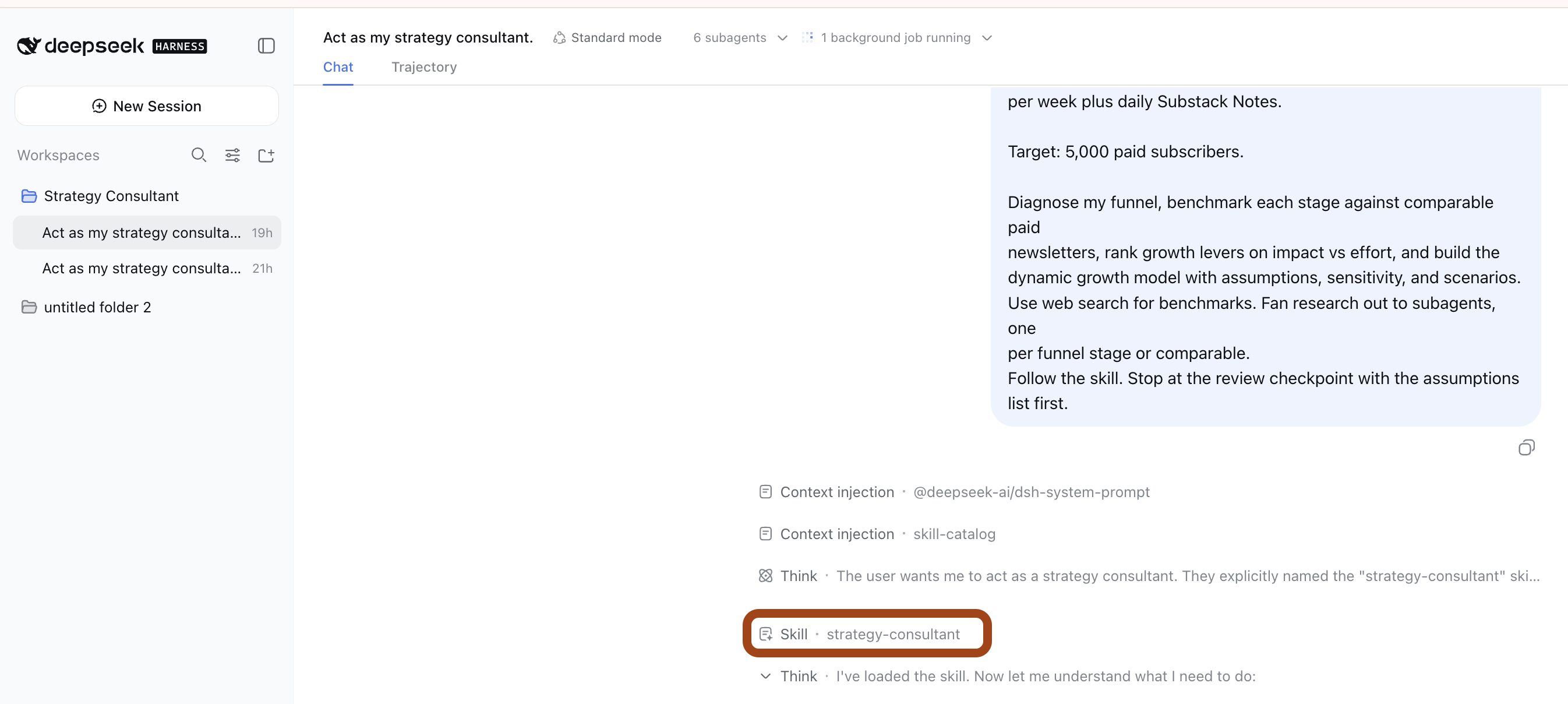
Just after I pasted the prompt, look how DeepSeek chose the right skill from the catalog, loaded it, and started working on the task.
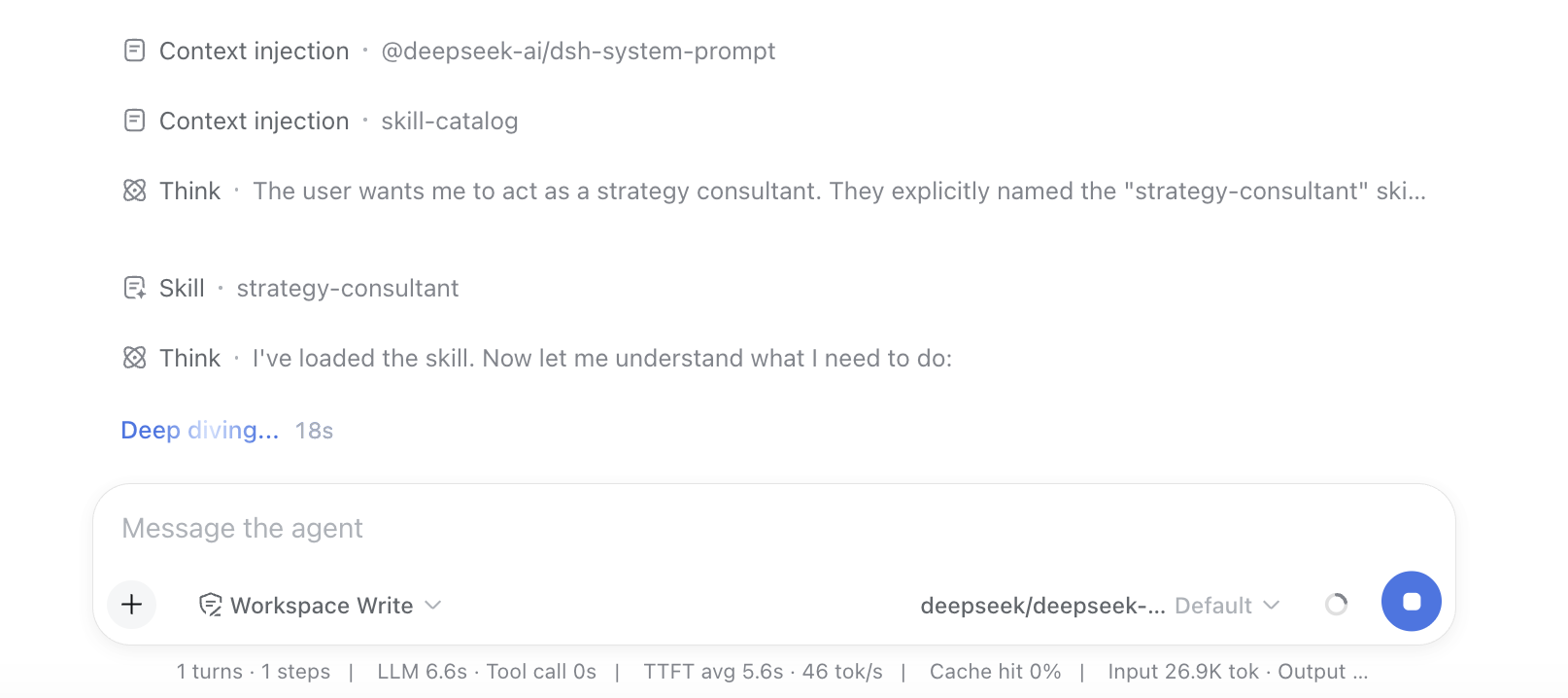
\DeepSeek Harness loading the Strategy Consultant Skill from the skill catalog\
This skill also uses harness capabilities like parallel subagents, plan mode, workspace file outputs, and session resume inside DeepSeek Harness.
Next, it asked me 7 different questions:
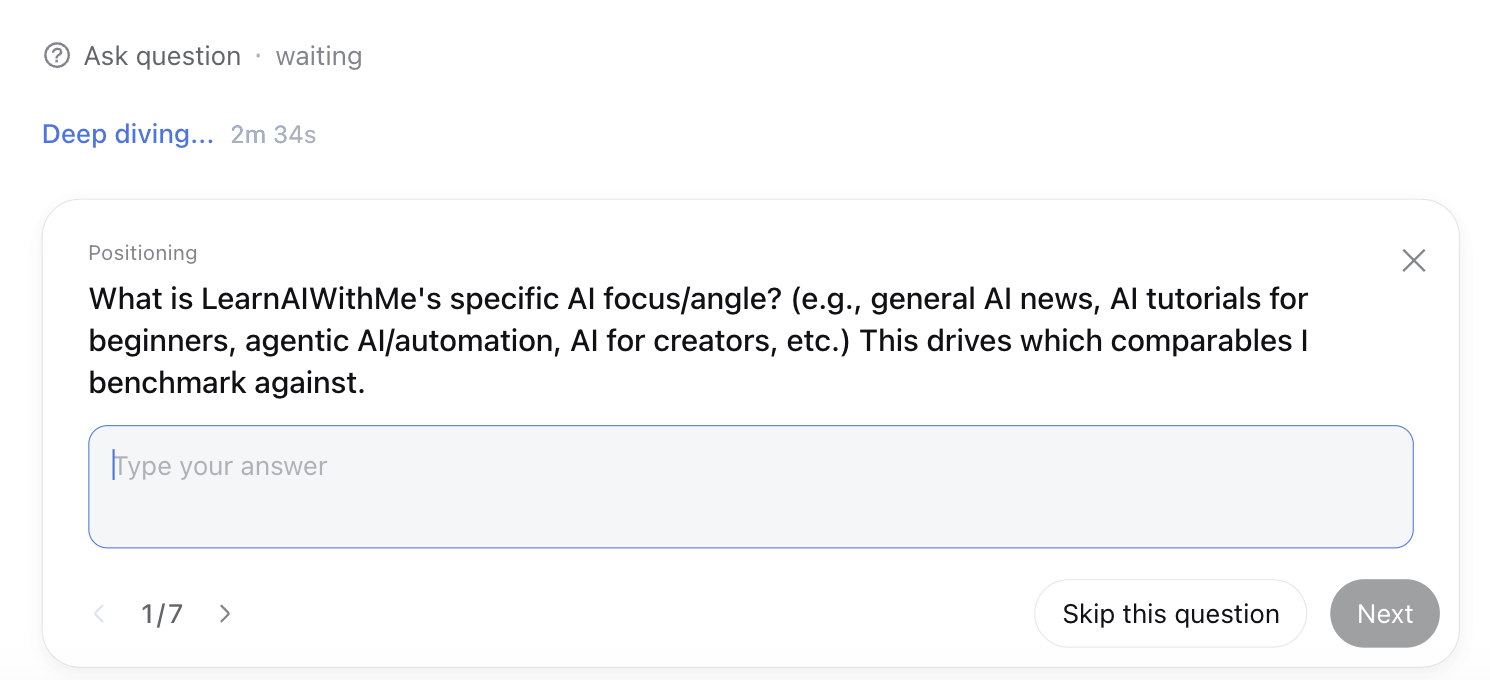
\Strategy Consultant Skill asking 7 engagement questions\
I answered them one by one, and now 6 subagents are working in the background.
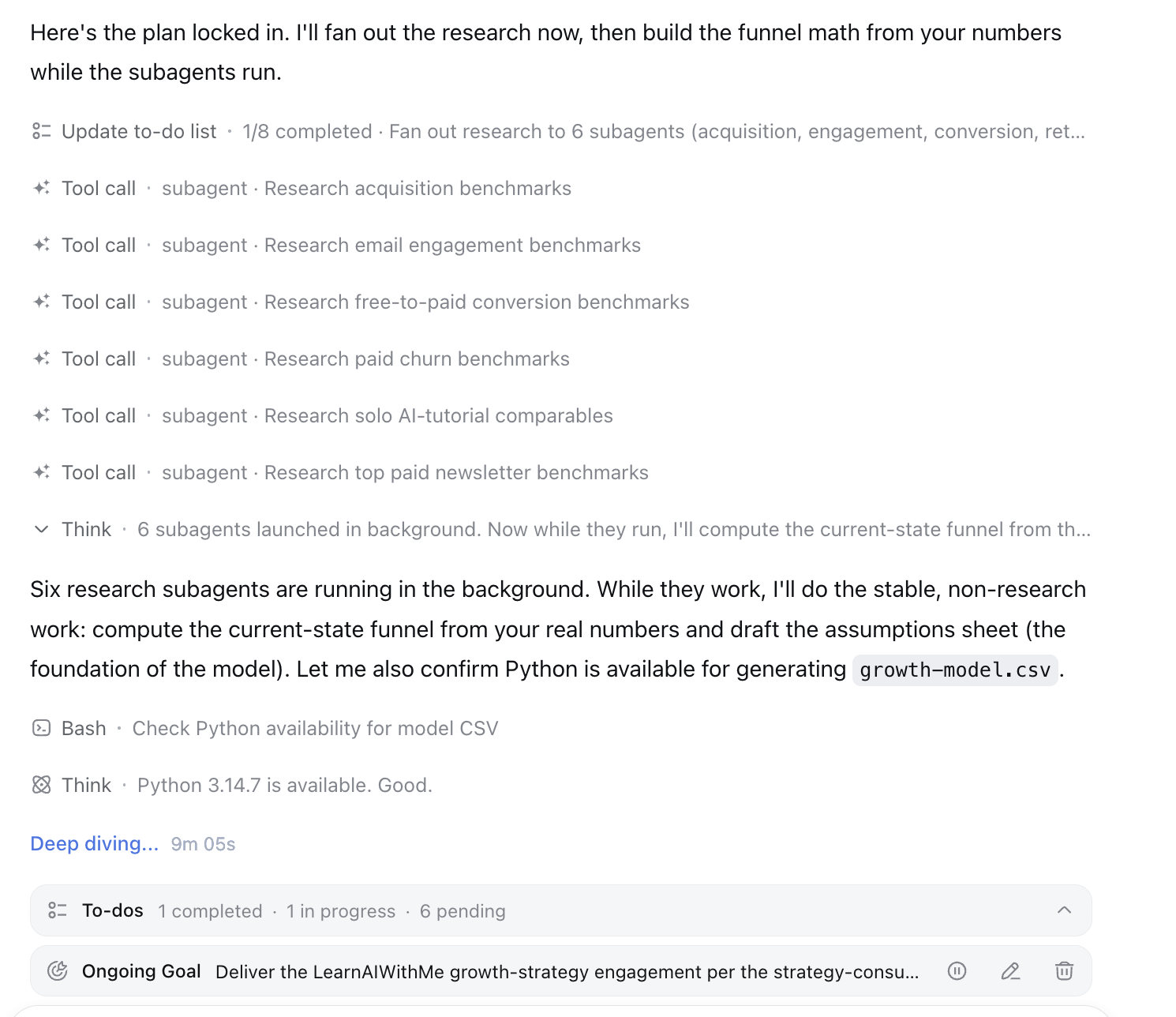
\Six parallel subagents working in the DeepSeek harness background\
After 40 minutes of dense work, it started writing my growth-strategy.md.
And turned it into a dashboard.
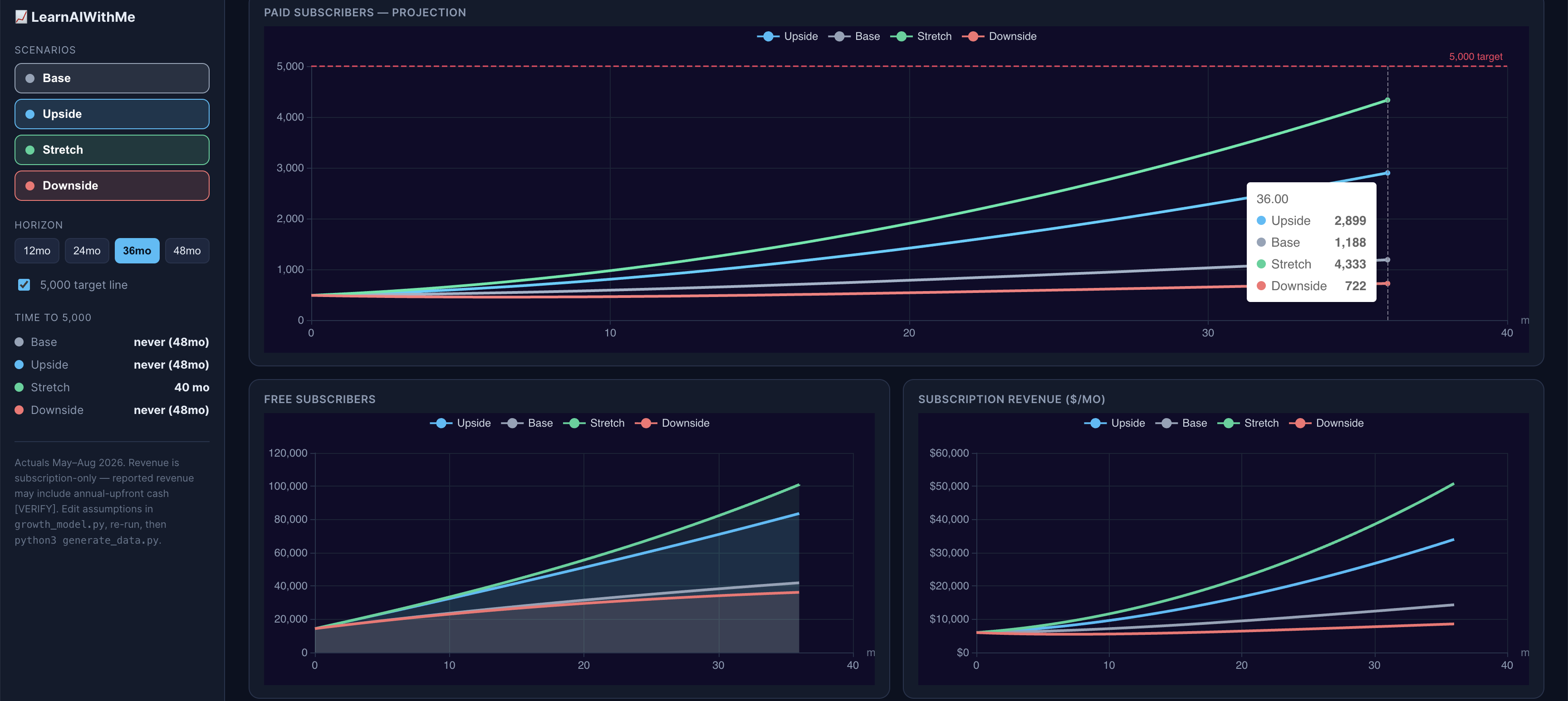
\Growth strategy dashboard generated from growth-strategy.md\
How the Strategy Consultant Skill Works
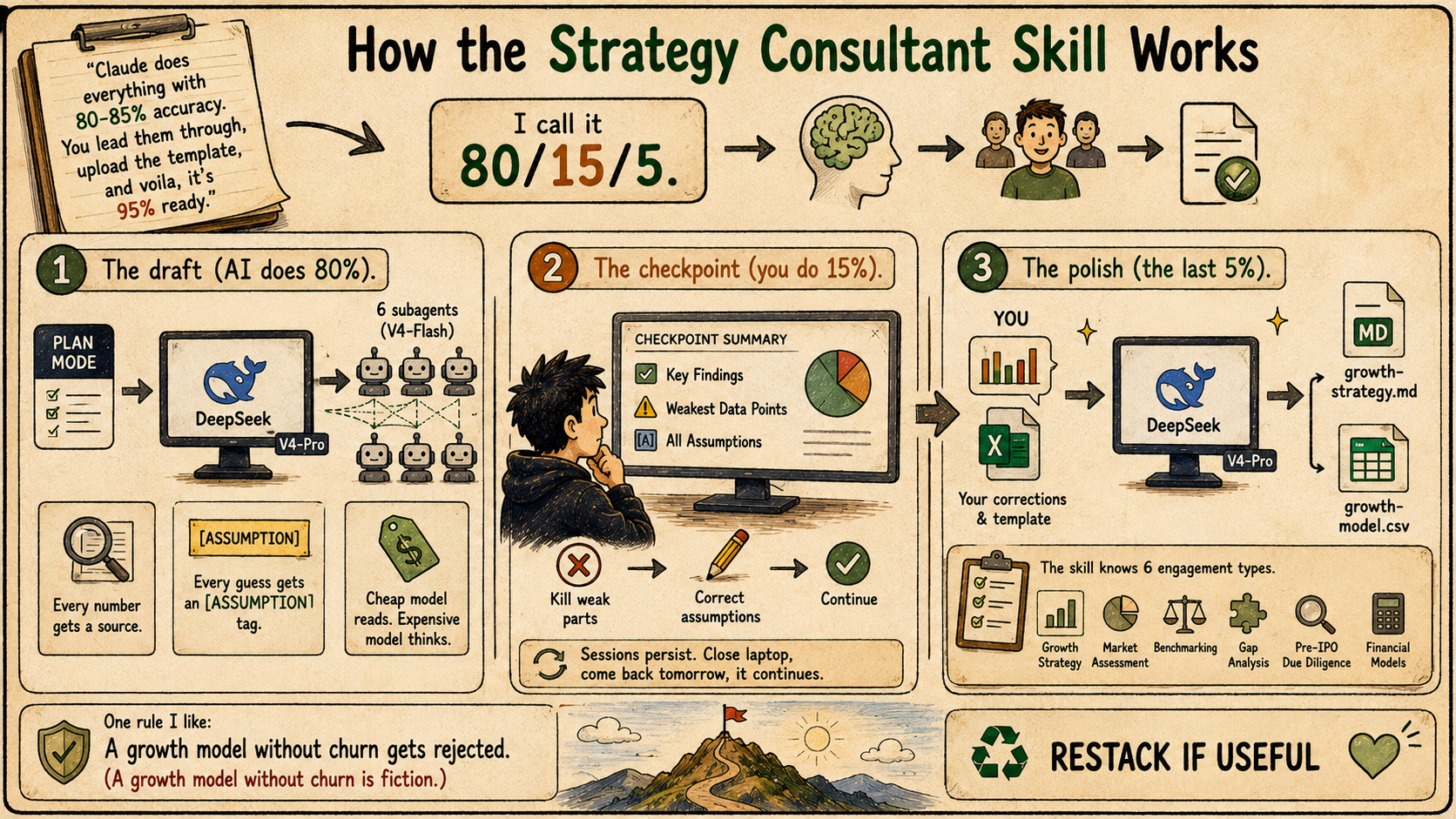
\Diagram of the three phases of the Strategy Consultant Skill\
In short, it has three phases.
In the first phase, this skill turns the DeepSeek into a junior consultant, actually multiple ones.
After collecting your agents, it creates 6 sub-agents. They run on v4-flash, the cheap version.
In the second phase, it stops and shows you a one-page summary.
In the third phase, it applies your corrections and writes the final files to your workspace: growth-strategy.md and growth-model.csv.
We are using harness features the whole way: plan mode for the kickoff, parallel subagents for research, session resume for the checkpoint, workspace files for the deliverable.
This is first issue of AI in Business. If you have a solid use case for AI in business, reach out to me via DM.
After the paywall, we will set up the DeepSeek harness from zero, connect it to Codex and Claude Code, and explore how to install the Strategy Consultant Skill.
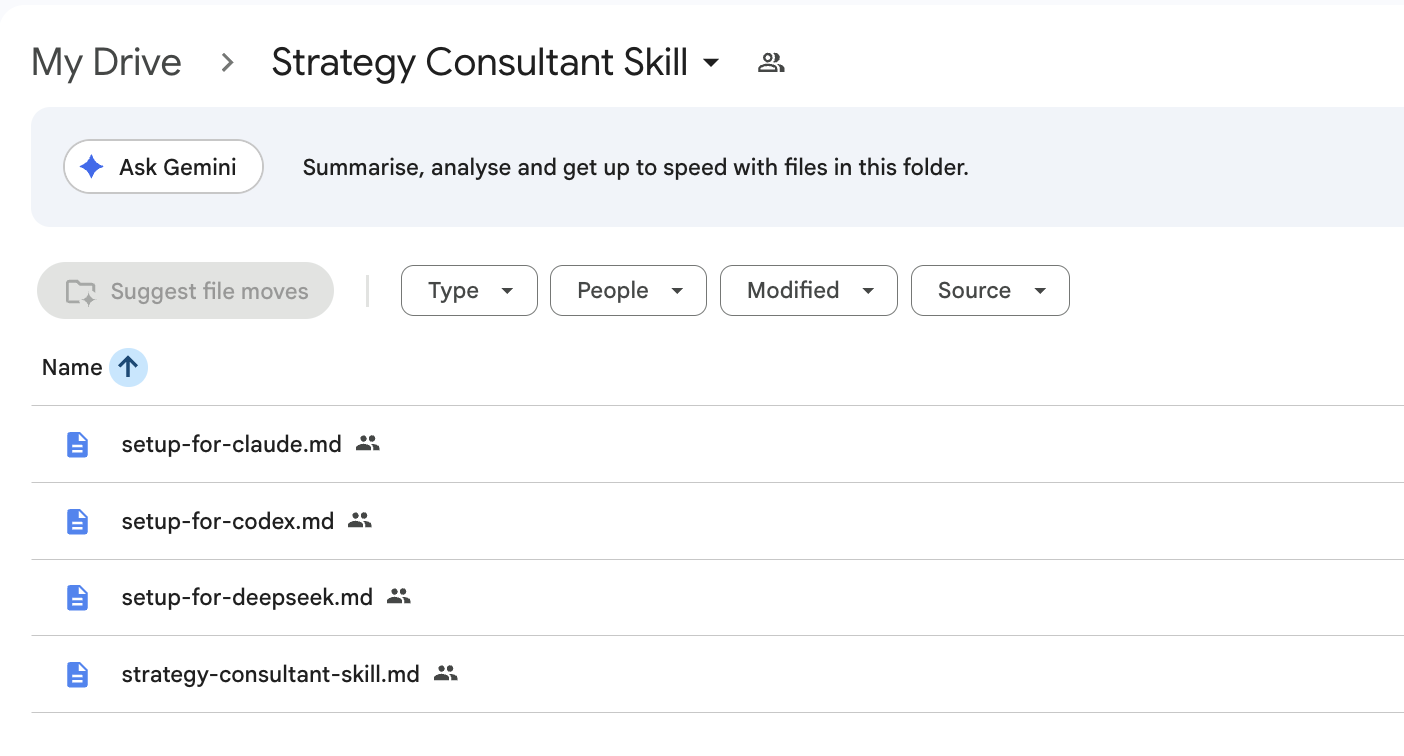
Here is the strategy consulting skill:
https://drive.google.com/drive/u/0/folders/1rP\_6DzRfV2uTp7eEzhqhZDVjb9F0PwX5
You can set up using the setup prompts, but before you can, you need to follow 5 steps.
Step 0: Folder Set-up
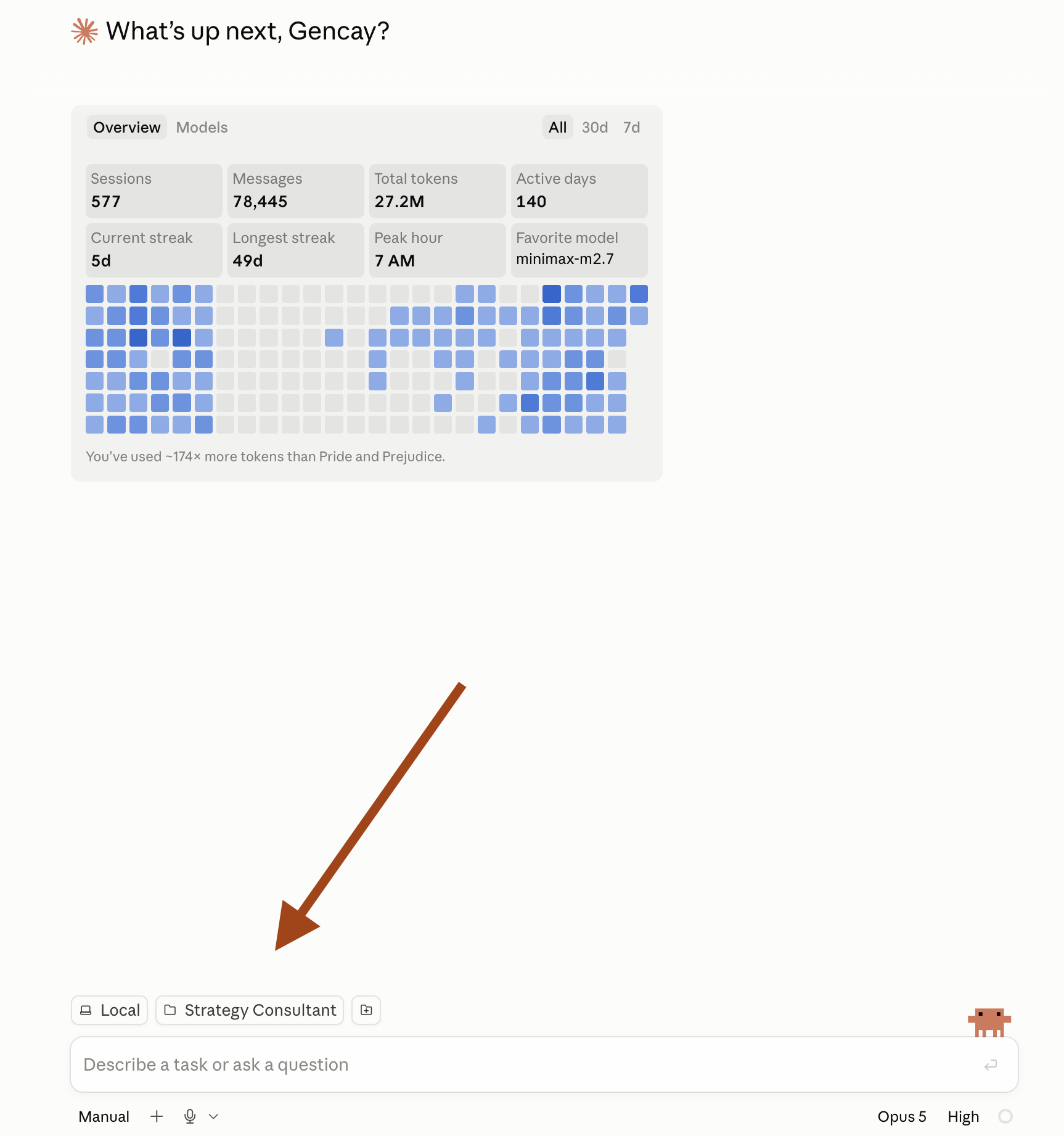
Create a new folder on the desktop.
Open your Claude app.
Set this folder.
Step 1: Setting Up the DeepSeek Harness from Zero
To be able to install, you need to install Homebrew and Node, and you need to have an OpenRouter account.
a- Homebrew
To install Homebrew and Node, use this prompt:
Intall Homebrew and Node, but first check if they are already installed.
Now install the model router and the harness. Use this prompt:
Here is the model router: https://github.com/duolahypercho/codex-router
Here is the harness: https://github.com/deepseek-ai/deepseek-harness
Install both of them
Show me any errors in full. Do not skip a failed step.
Now head to your OpenRouter account’s API page from this link: openrouter.ai/settings/keys
Add $5-10 of credits and create a key.
One warning from experience: if you set a spend limit on the key, set it higher than you think. Mine was $4.
The engagement died mid-run with “API key is invalid.” (The work survived. Still annoying.)
Next, copy your API key and use this prompt:
Here is my OpenRouter API key: [paste your key here]
Connect it to the model router. Then add these two DeepSeek models
and publish them to the harness:
deepseek/deepseek-v4-pro-0813
deepseek/deepseek-v4-flash-0731
Launch the harness and open it in my browser at 127.0.0.1:3080.
Confirm both models appear as (curated) before telling me it is done.
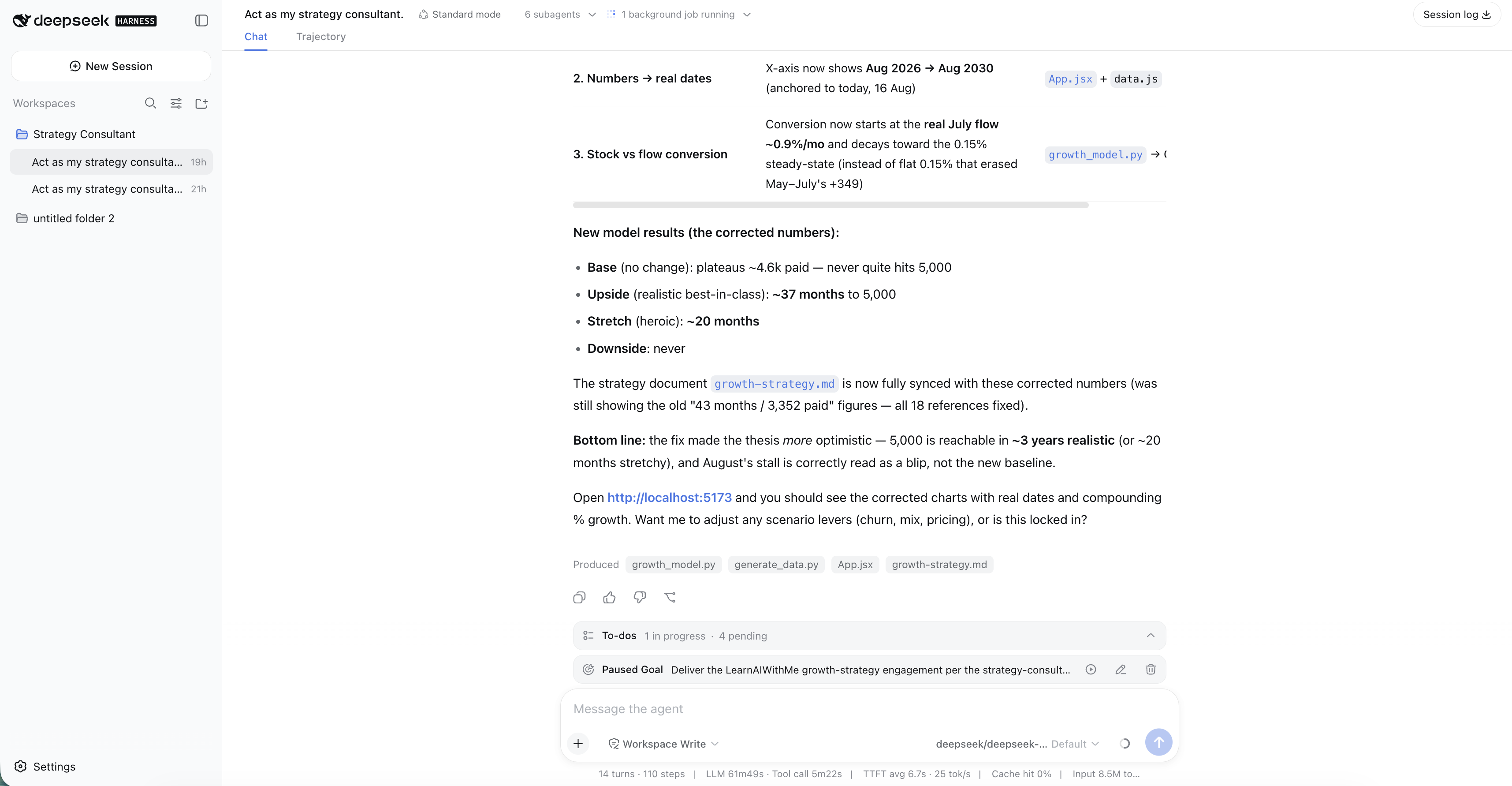
Now you’ll install the harness, and once you click on OpenRouter, from here;
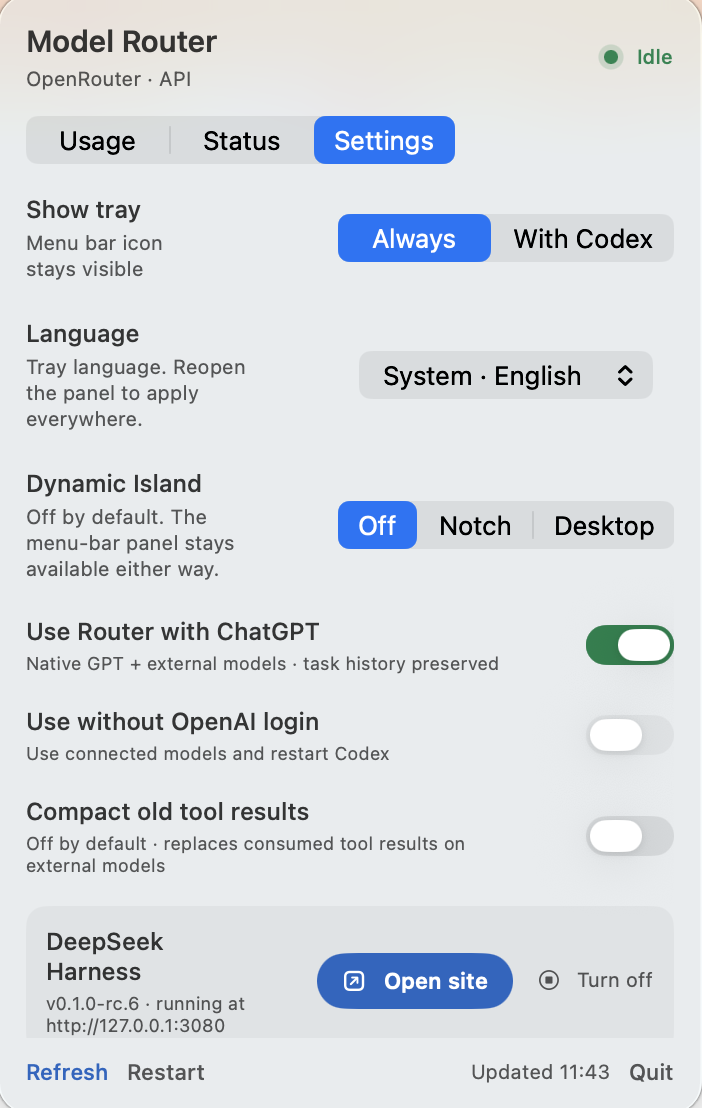
You’ll see the DeepSeek harness open.
Part 2: Inject DeepSeek Inside Codex
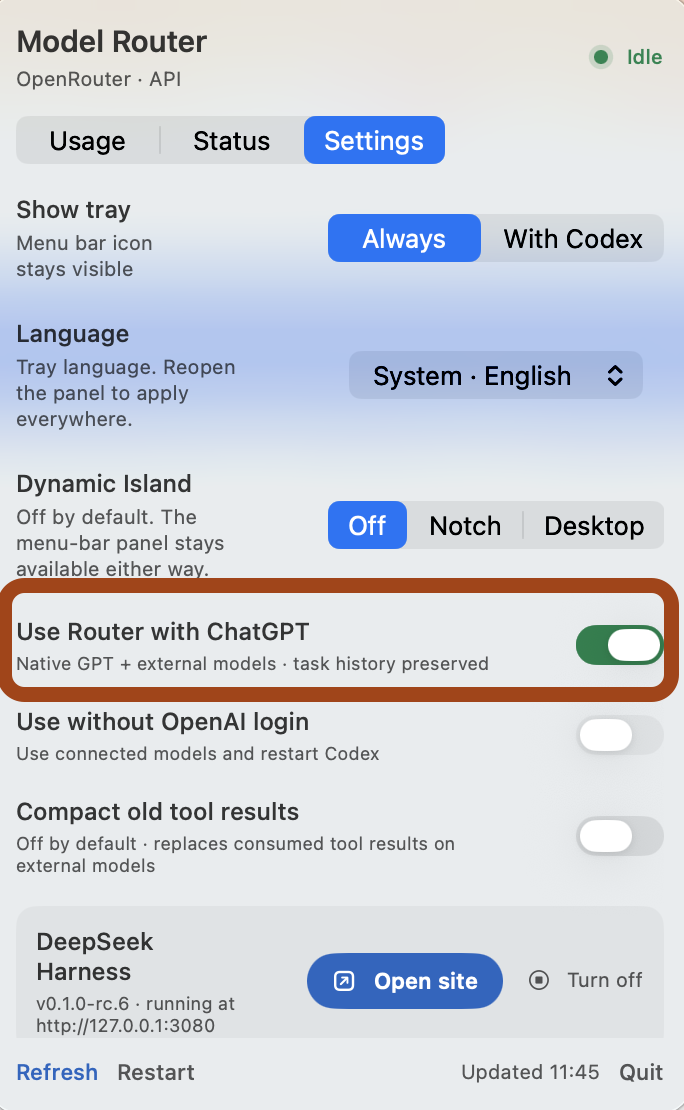
This part is the easiest one. If you already installed the Codex app, just head to “Settings” and toggle “Use Router with ChatGPT”.
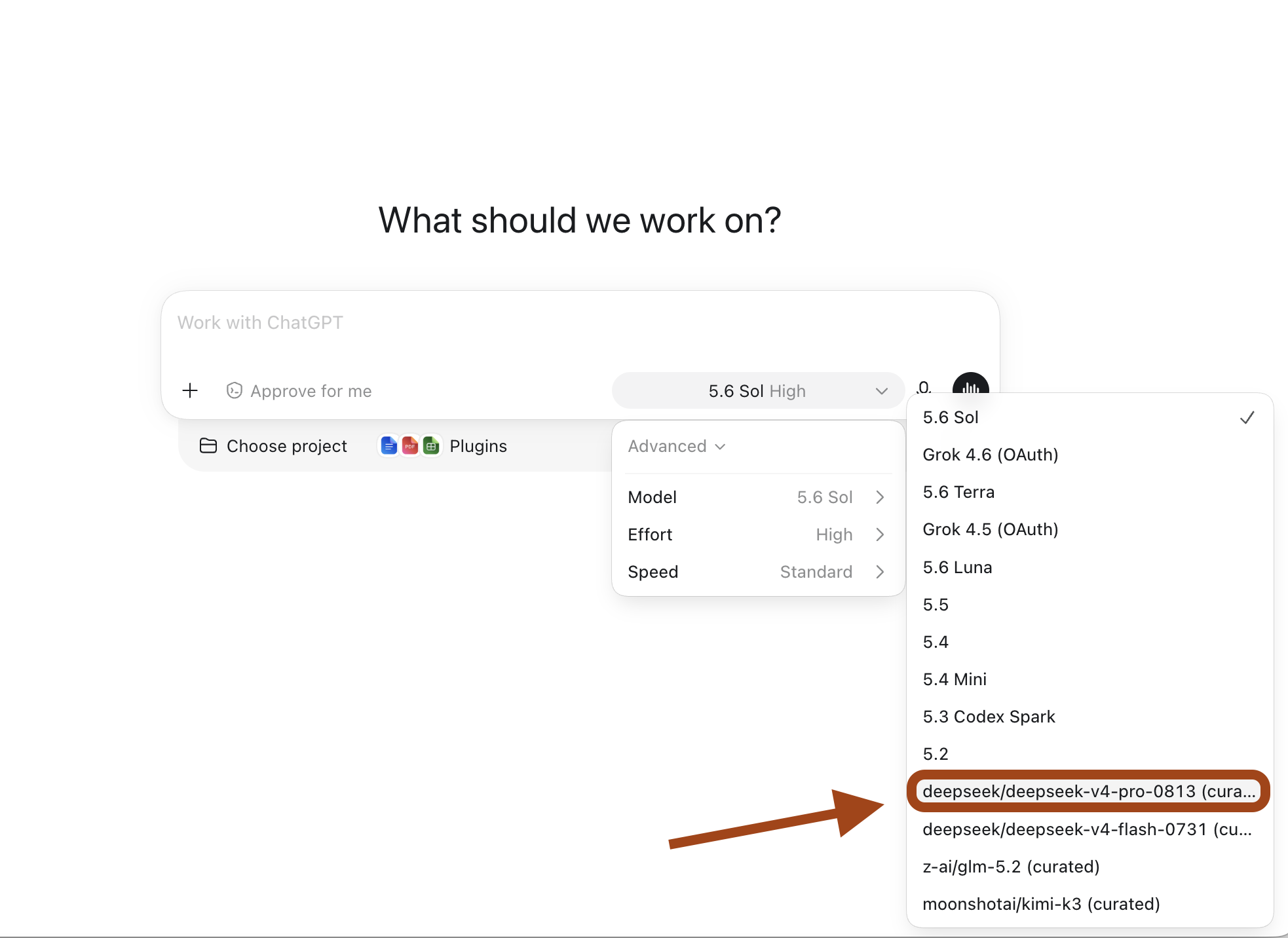
Now, close your Codex app and reopen. You’ll see DeepSeek as a model inside Codex.
Part 3: Use DeepSeek Inside Claude Code
Open the terminal and paste this prompt;
ANTHROPIC_BASE_URL="https://openrouter.ai/api" \
ANTHROPIC_AUTH_TOKEN="your-openrouter-key" \
ANTHROPIC_MODEL="deepseek/deepseek-v4-pro-0813" \
ANTHROPIC_DEFAULT_OPUS_MODEL="deepseek/deepseek-v4-pro-0813" \
ANTHROPIC_DEFAULT_SONNET_MODEL="deepseek/deepseek-v4-pro-0813" \
ANTHROPIC_DEFAULT_HAIKU_MODEL="deepseek/deepseek-v4-flash-0731" \
ANTHROPIC_SMALL_FAST_MODEL="deepseek/deepseek-v4-flash-0731" \
CLAUDE_CODE_SUBAGENT_MODEL="deepseek/deepseek-v4-flash-0731" \
claude --strict-mcp-config
Of course, you also need to customize “your-openrouter-key”.
And now, your Claude opens with DeepSeek in it, just for this time.
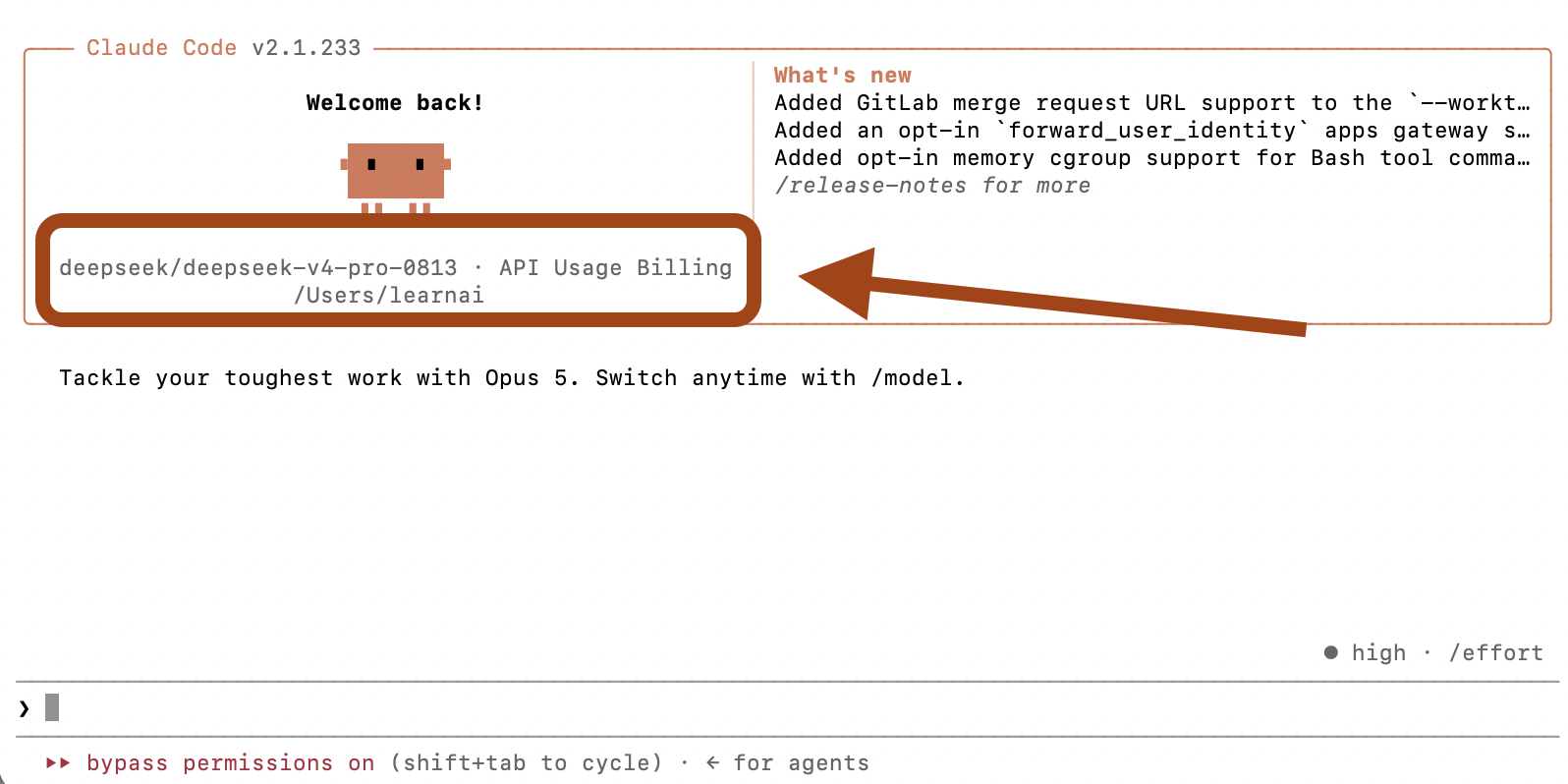
So don’t worry if you’re concerned that this might ruin your setup; this terminal is running DeepSeek inside Claude Code just for this session.
Part 4: Install the Strategy Consultant Skill
My suggestion is to install this Skill for Claude first.
And let it move your file from the Claude Code&Codex skill path to the DeepSeek harness.
Tı install the skill to your Claude.MD or Codex, you can use setup prompts.
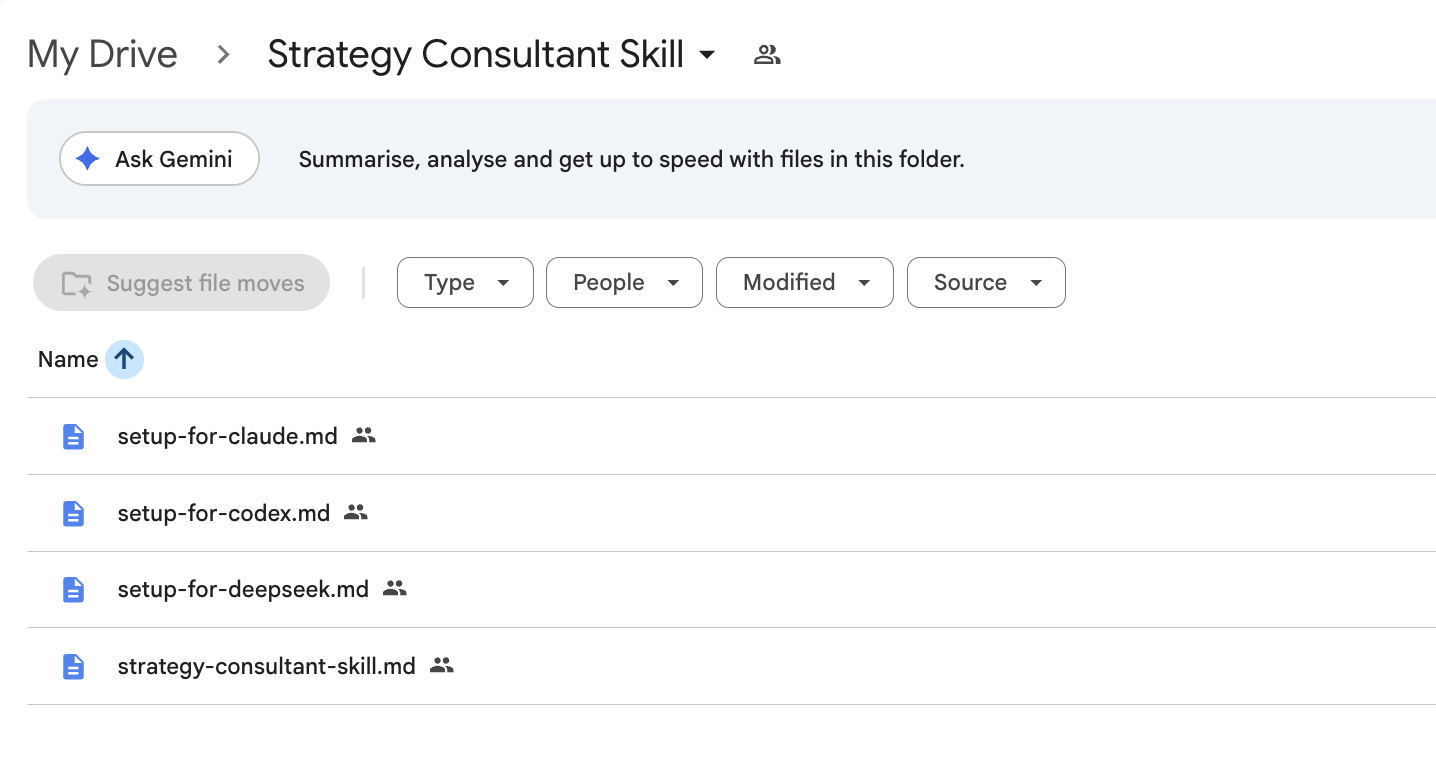
And use this prompt.
Read strategy-consultant-skill.md on my Desktop.
Install the files into ~/.agents/skills/strategy-consultant/
That is the DeepSeek Harness skill folder.
That’s it; now, after pasting the prompt, you’ll see this.
Part 5: Run the Full Engagement
Use this prompt with your numbers.
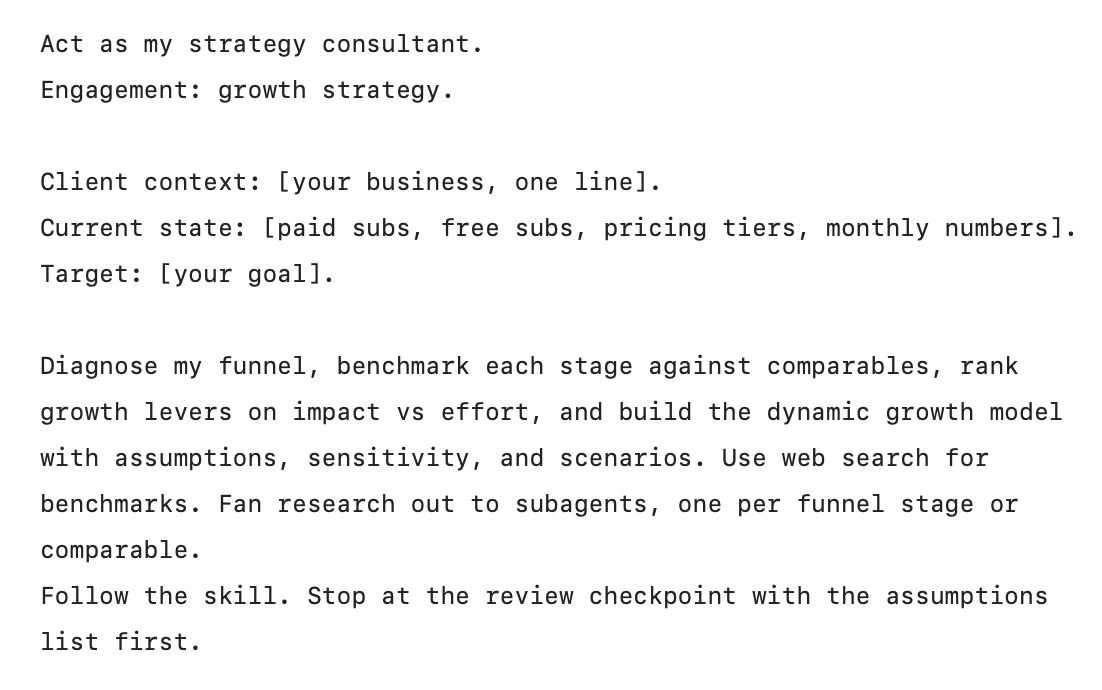
Here, customize your business, current state, and you’re good to go.
AI Academy
If you also want me to evaluate your build and correct what you did wrong, join the AI Academy, where we’re building together.
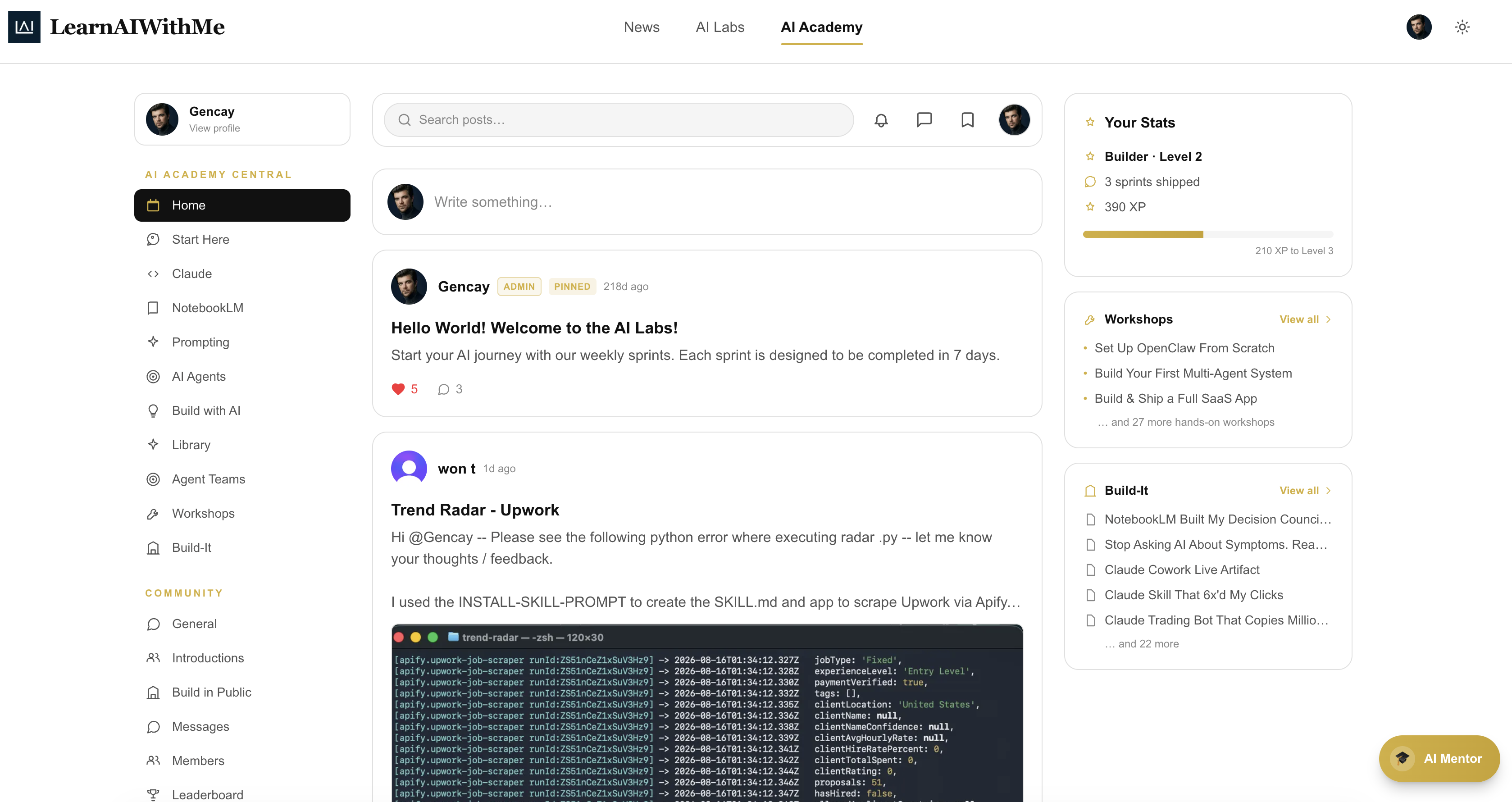
\How to access the AI Academy: read thisone.\
And I leave a comment on every post.
The price is currently $200/year.
So you only need to pay a little extra to get access for now.
After September 1, the Inner Circle price will increase to $300/year.
Thanks for reading!