NotebookLM is now Gemini Notebook. Same tool, but it just got its own computer. These prompts put it to work.
By Gencay
Published: 2026-08-09
URL: https://www.learnwithmeai.com/p/notebooklm-prompts-data-analyst
Google changed NotebookLM’s name to Gemini Notebook. Now, every notebook gets its own secure cloud computer, powered by Gemini 3.5 and Antigravity.
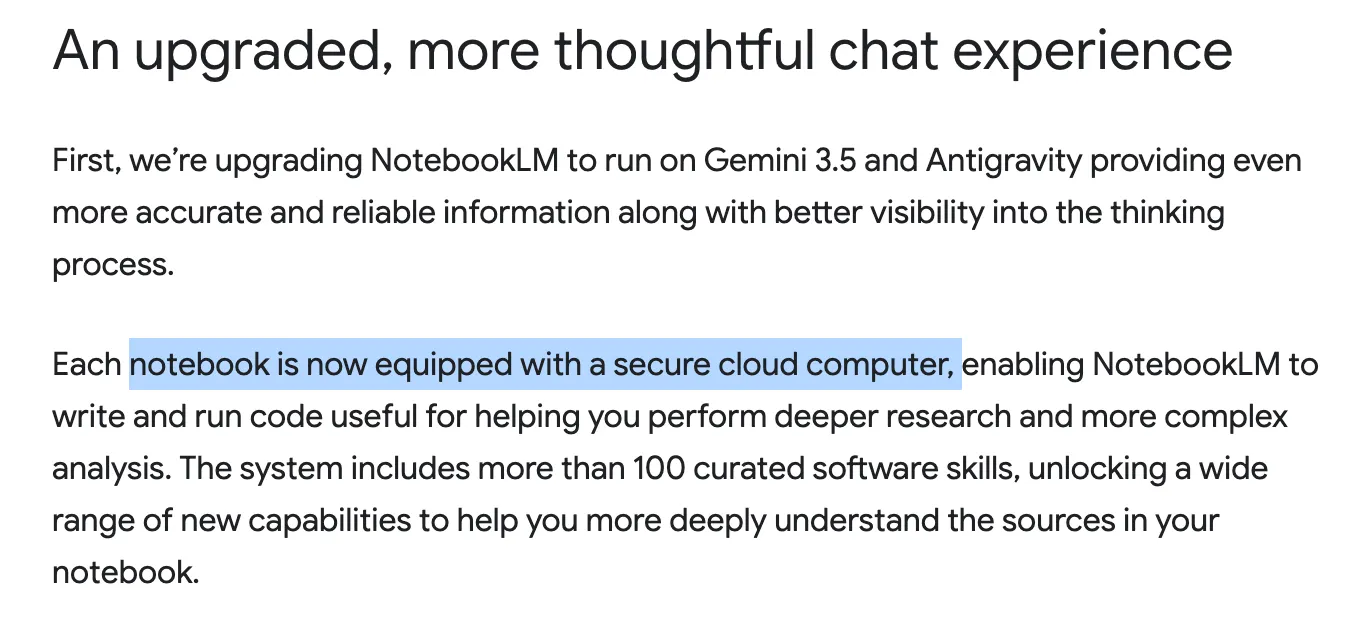
\Google's announcement. NotebookLM now runs on Gemini 3.5 and Antigravity, with a secure cloud computer in every notebook.\
Google first rolled out this to ultra users. Then, on Aug 4, it reached 100% of Pro users.
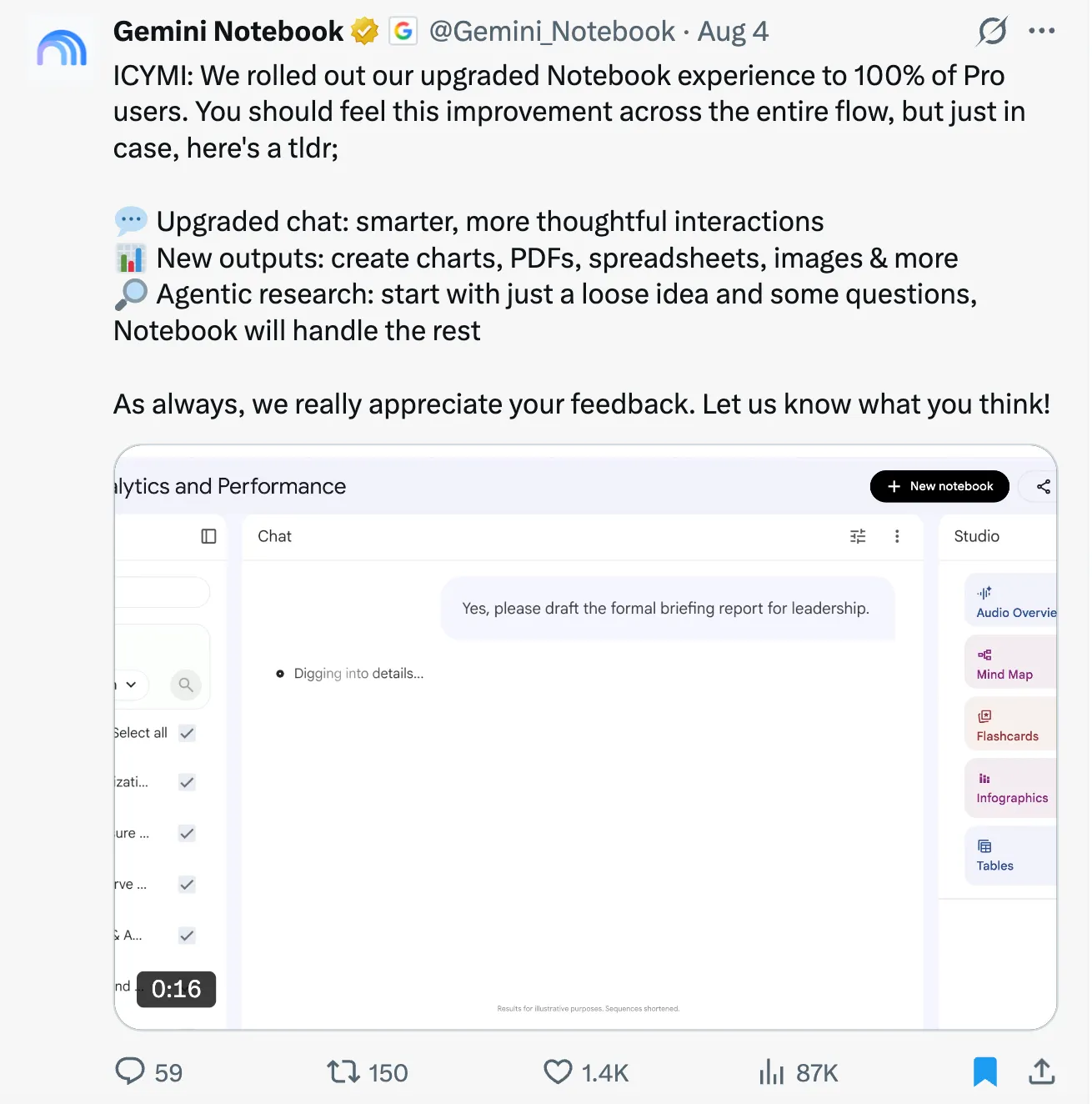
\The Aug 4 post confirming the upgrade reached 100% of Pro users.\
So, I wrote 10 prompts to test all of it on my own notebook.
But first, let me show you my Notebook, which I’ll use through entire post.
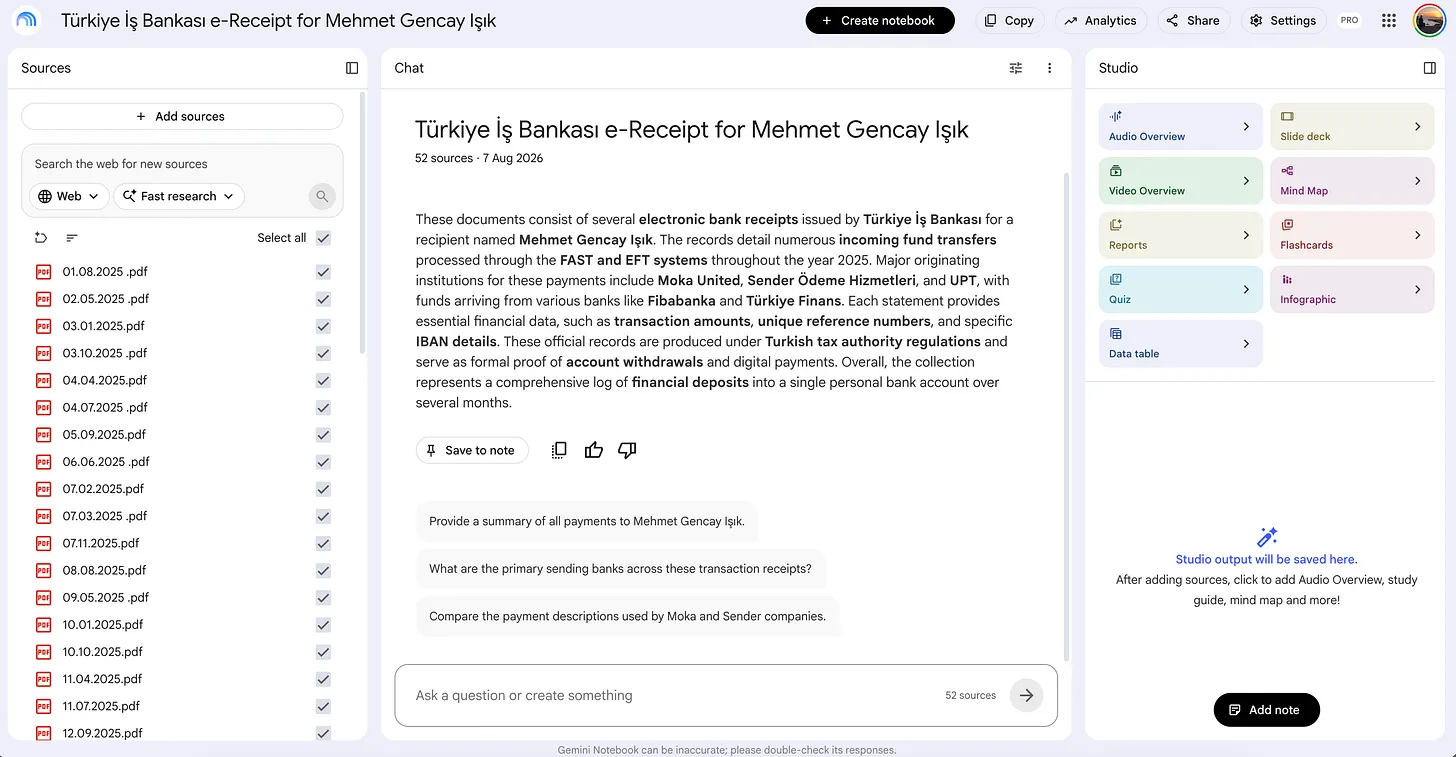
\The test notebook. 52 weeks of Upwork income receipts loaded as sources.\
This notebook contains 52 weeks of my income from Upwork, which I gave to my accountant for 2025.
Also, I uploaded all prompts here.
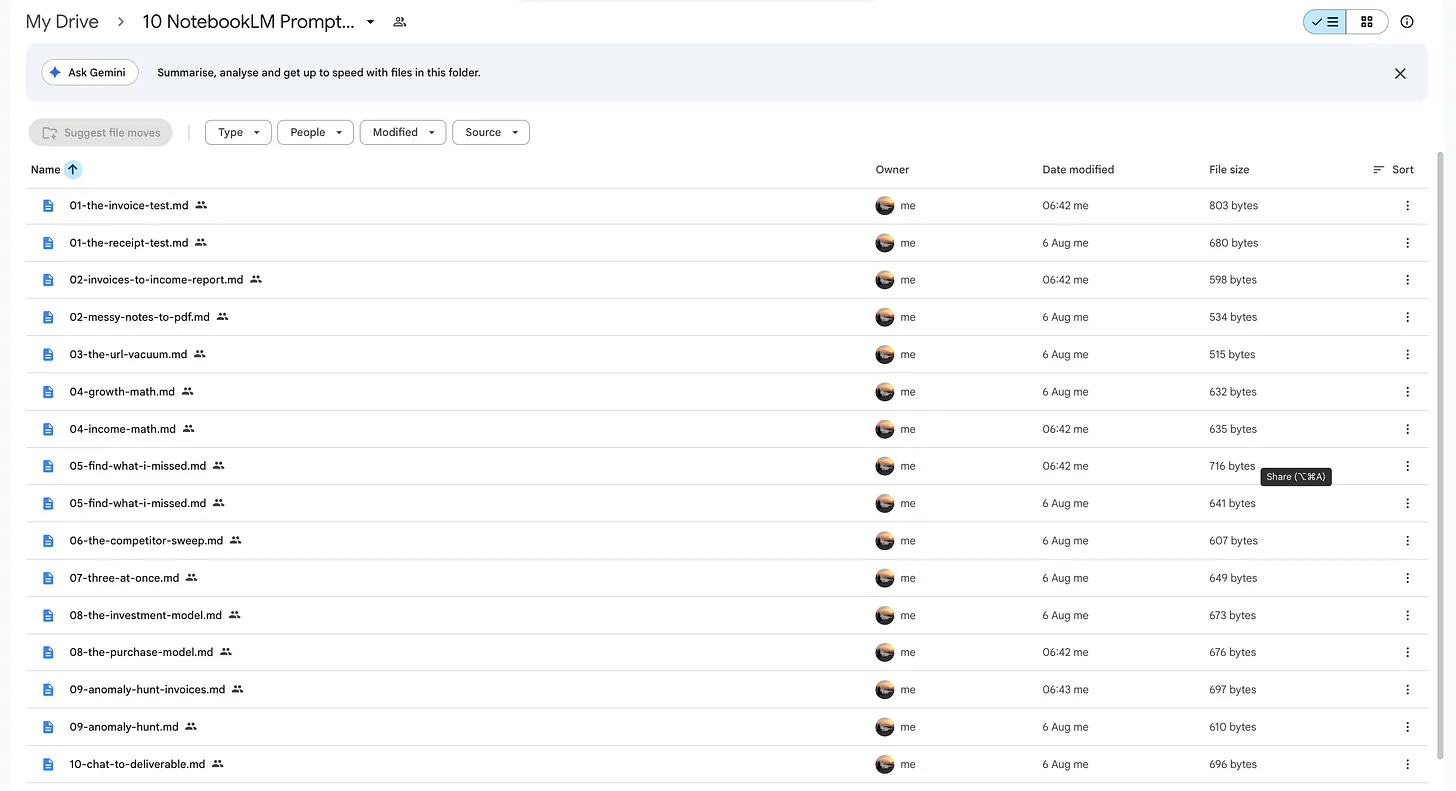
\All 10 NotebookLM prompts were saved as markdown files in a shared Drive folder.\
So you can easily save them.
1- Invoice Test
The first prompt shows how the new cloud computer works. I uploaded 52 PDFs and requested that it create a spreadsheet by analyzing them.
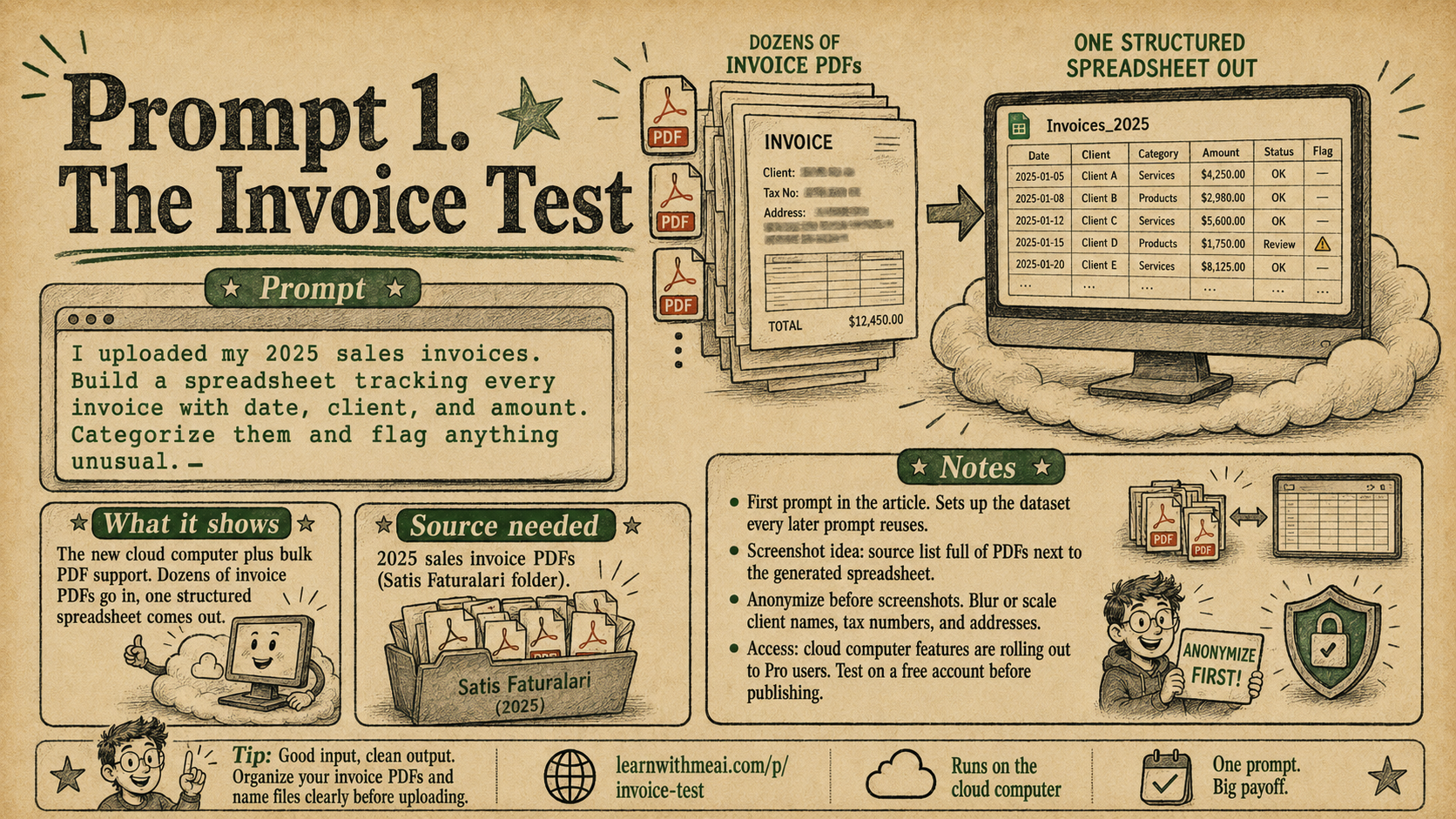
\Prompt 1, the Invoice Test. Turn 52 invoice PDFs into one structured spreadsheet.\
After pasting the first prompt, check what NotebookLM said; it said “Executed code”.
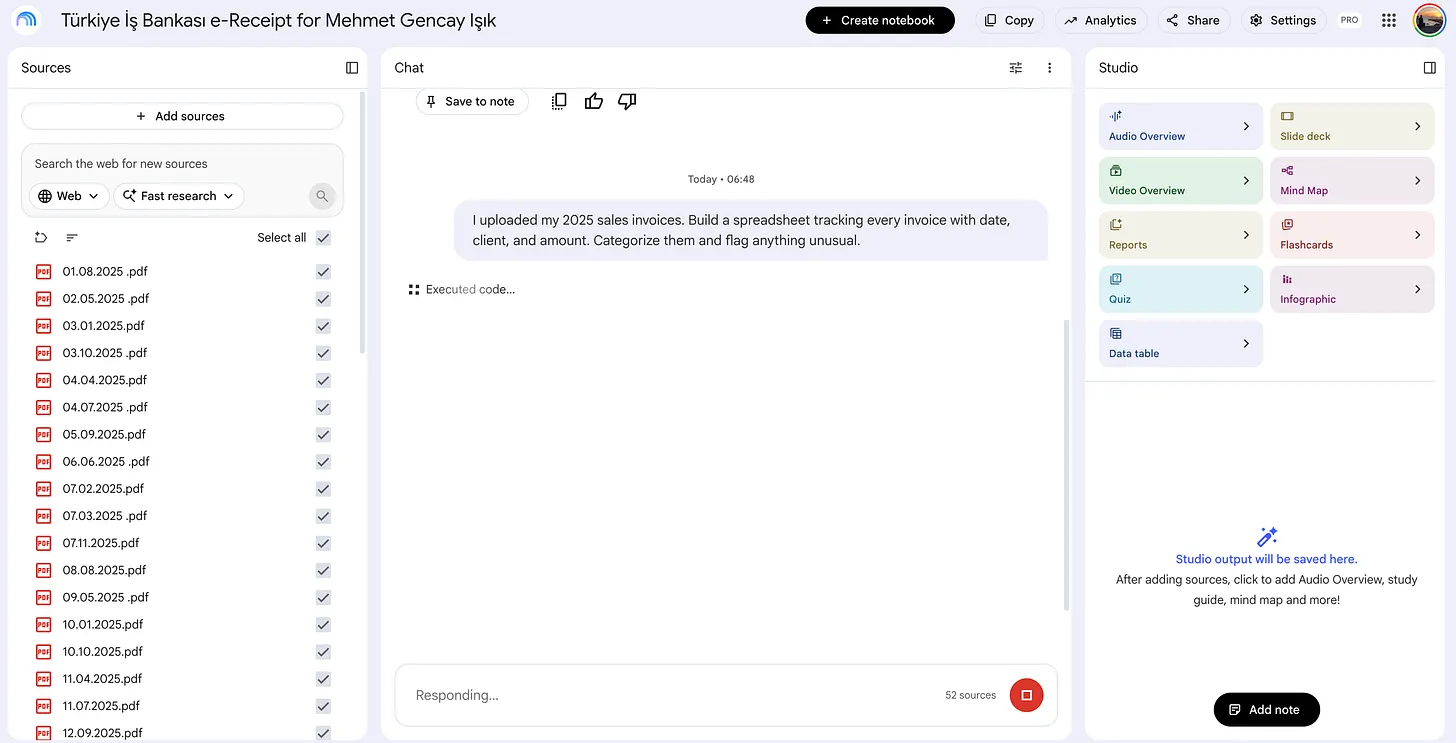
\Right after pasting the prompt, NotebookLM answers with "Executed code". The cloud computer is on.\
When you click on the “Executed code”, you see step by step what it does.
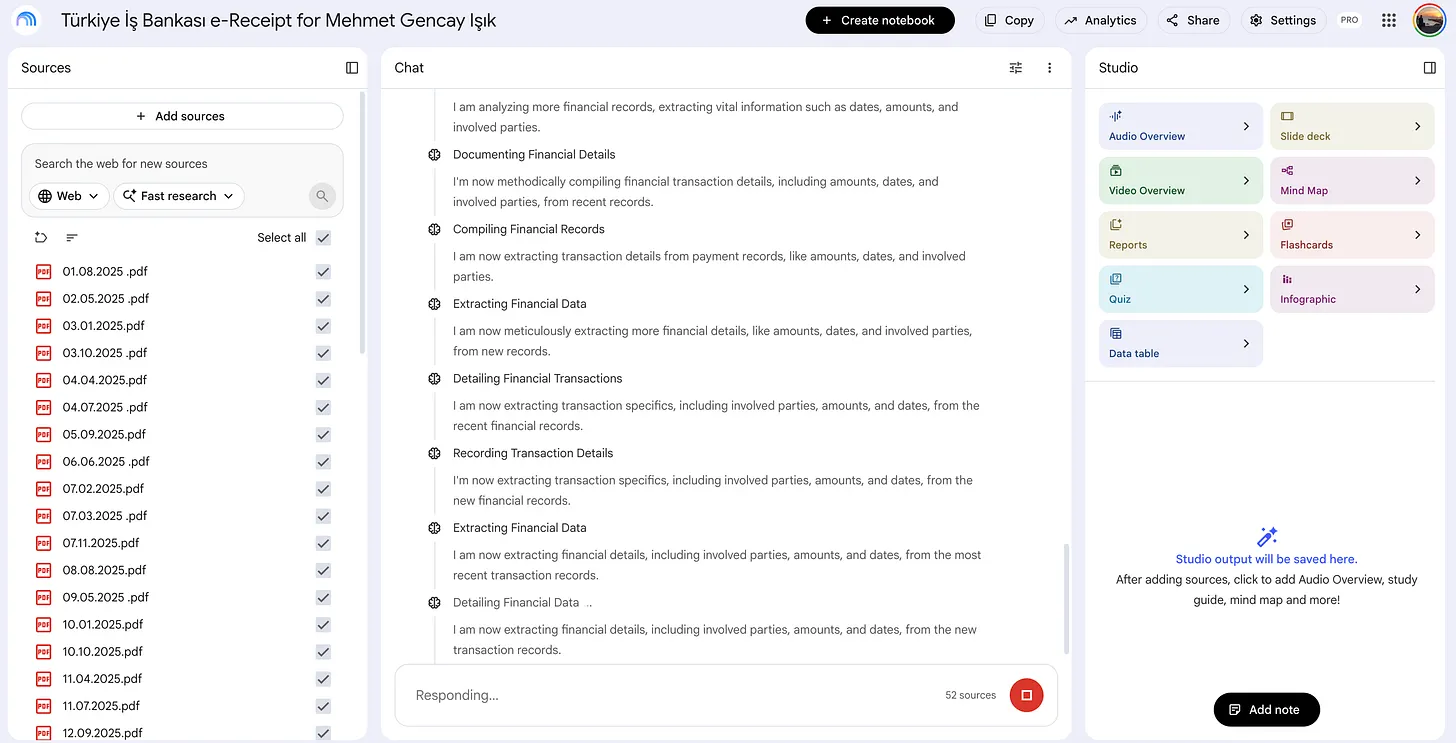
\Clicking "Executed code" reveals every step the cloud computer takes.\
Here, your personal cloud computer is working because this prompt triggers coding.
After 10 minutes, the task is finished.
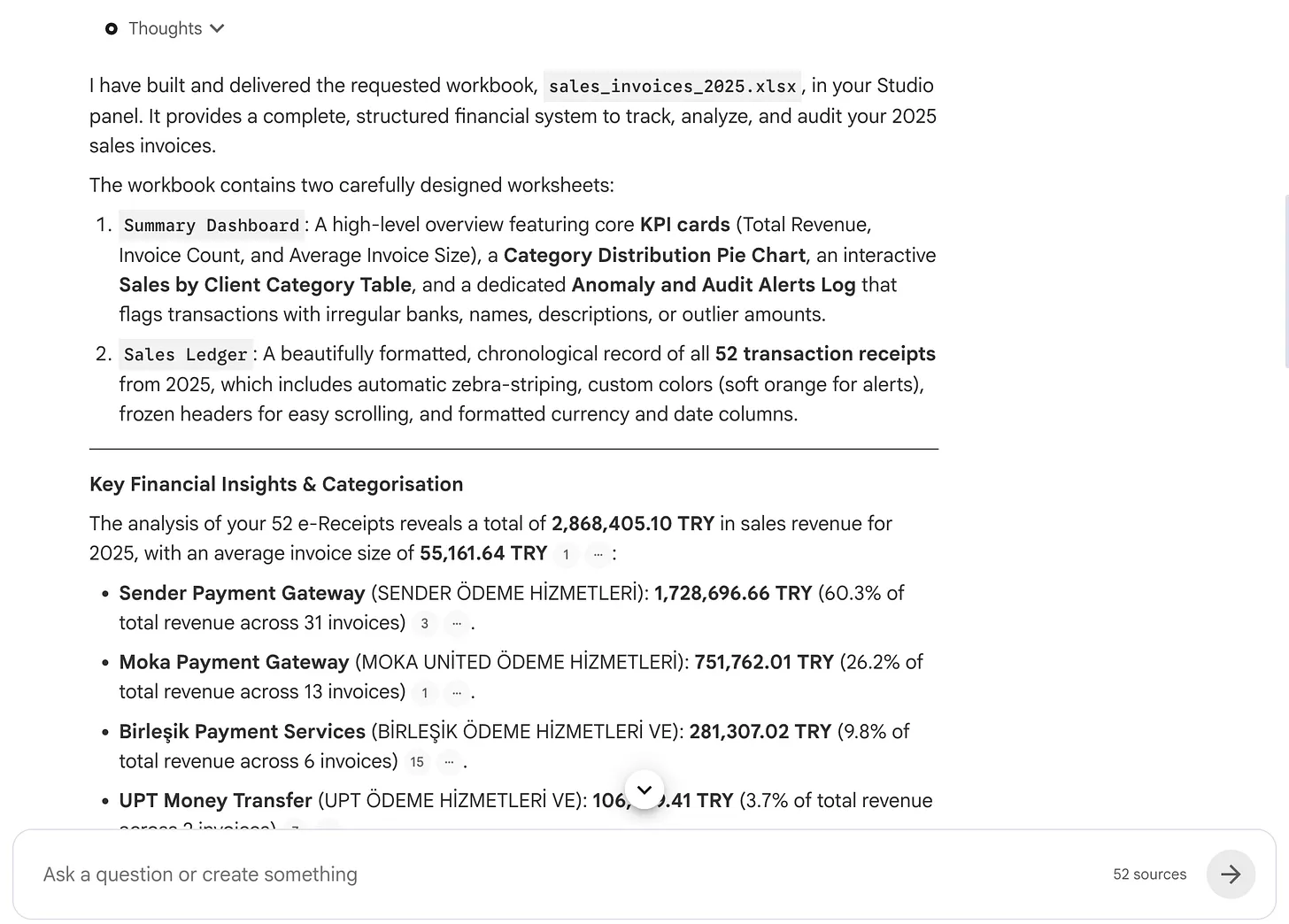
\Ten minutes later, sales\invoices\2025.xlsx is delivered with a KPI dashboard and a full transaction ledger.\
Also, I see the file was generated in the Studio.
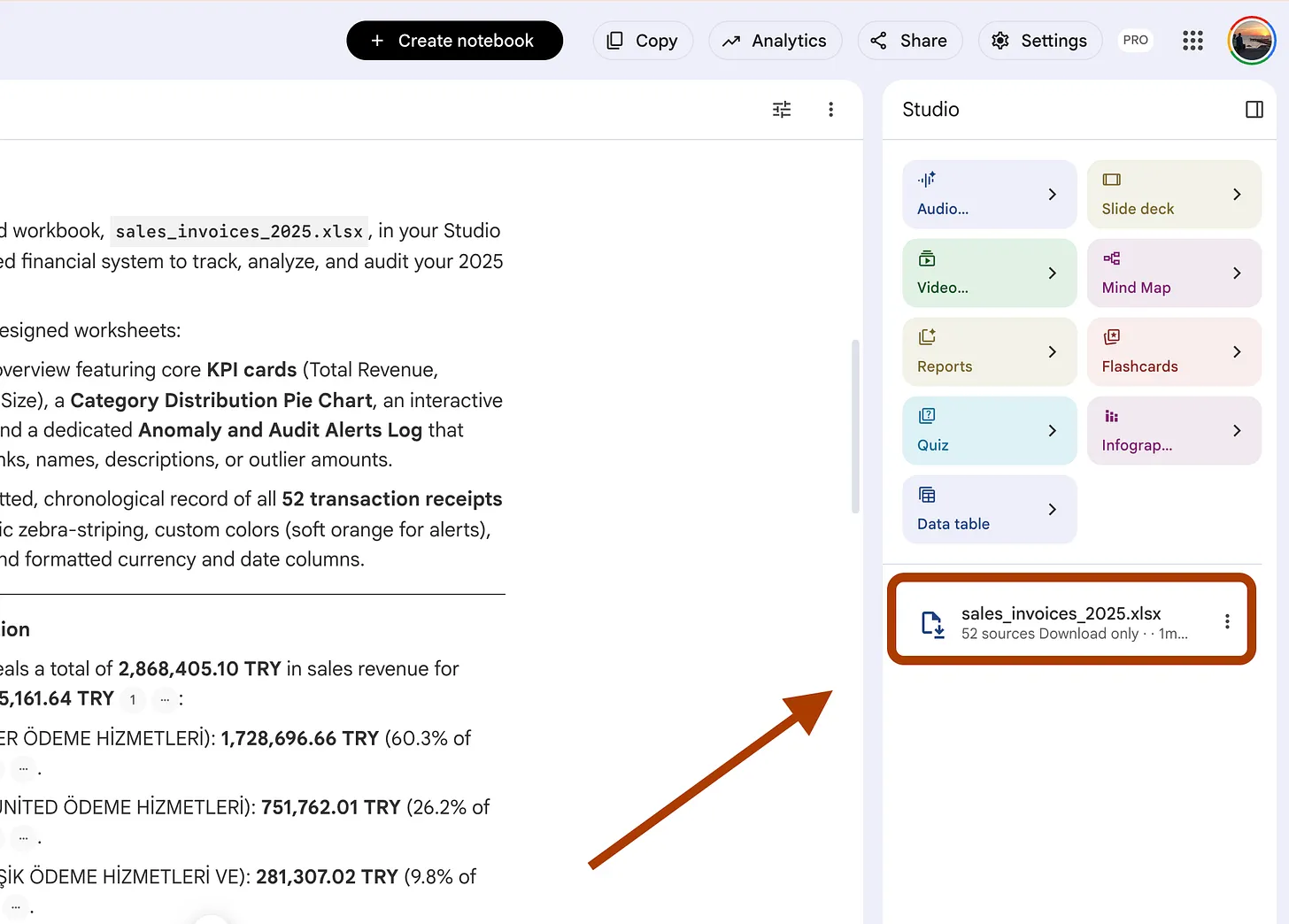
\The generated Excel file lands directly in the Studio panel, ready to download.\
But this time, we can see this inside the studio, so when I clicked on it, it downloaded, and after that, I opened it.
Here it is.
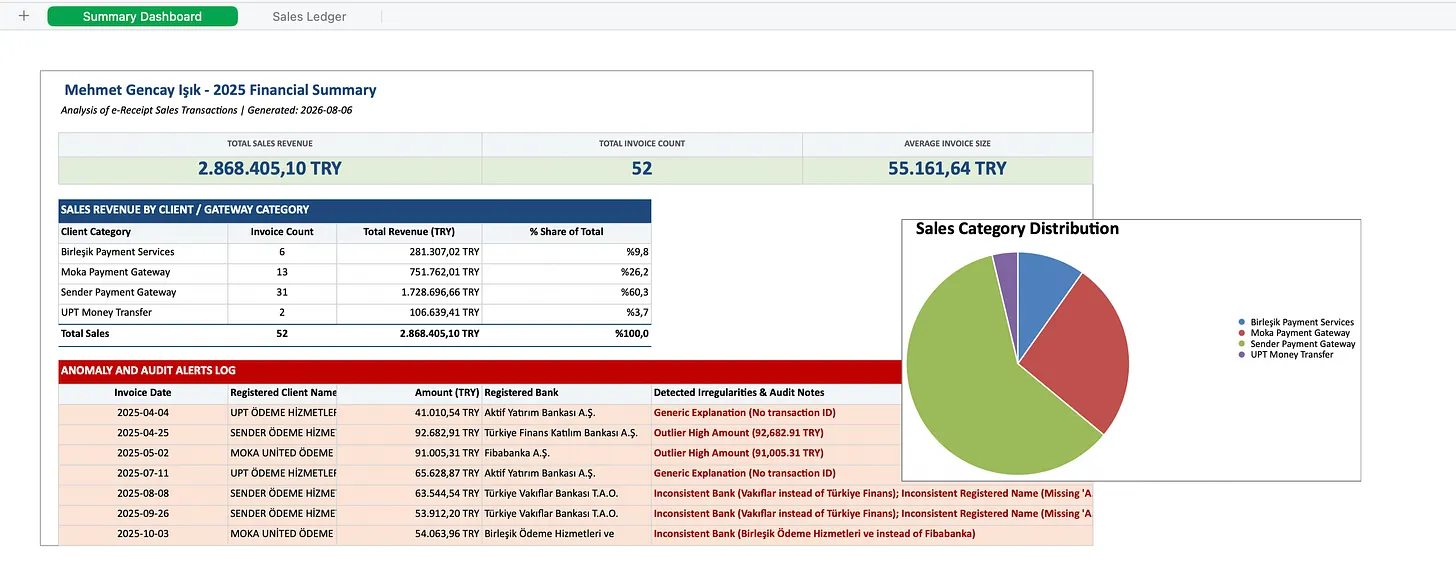
\The opened workbook. A 2025 financial summary with revenue by client category and a distribution chart.\
In 10 minutes, Antigravity inside NotebookLM analyzed 52 PDF invoices and generated a full Excel report.
I wonder how much work this could automate worldwide, especially in accounting and banking.
2- The Receipt Test
Here is the second prompt and what it shows.
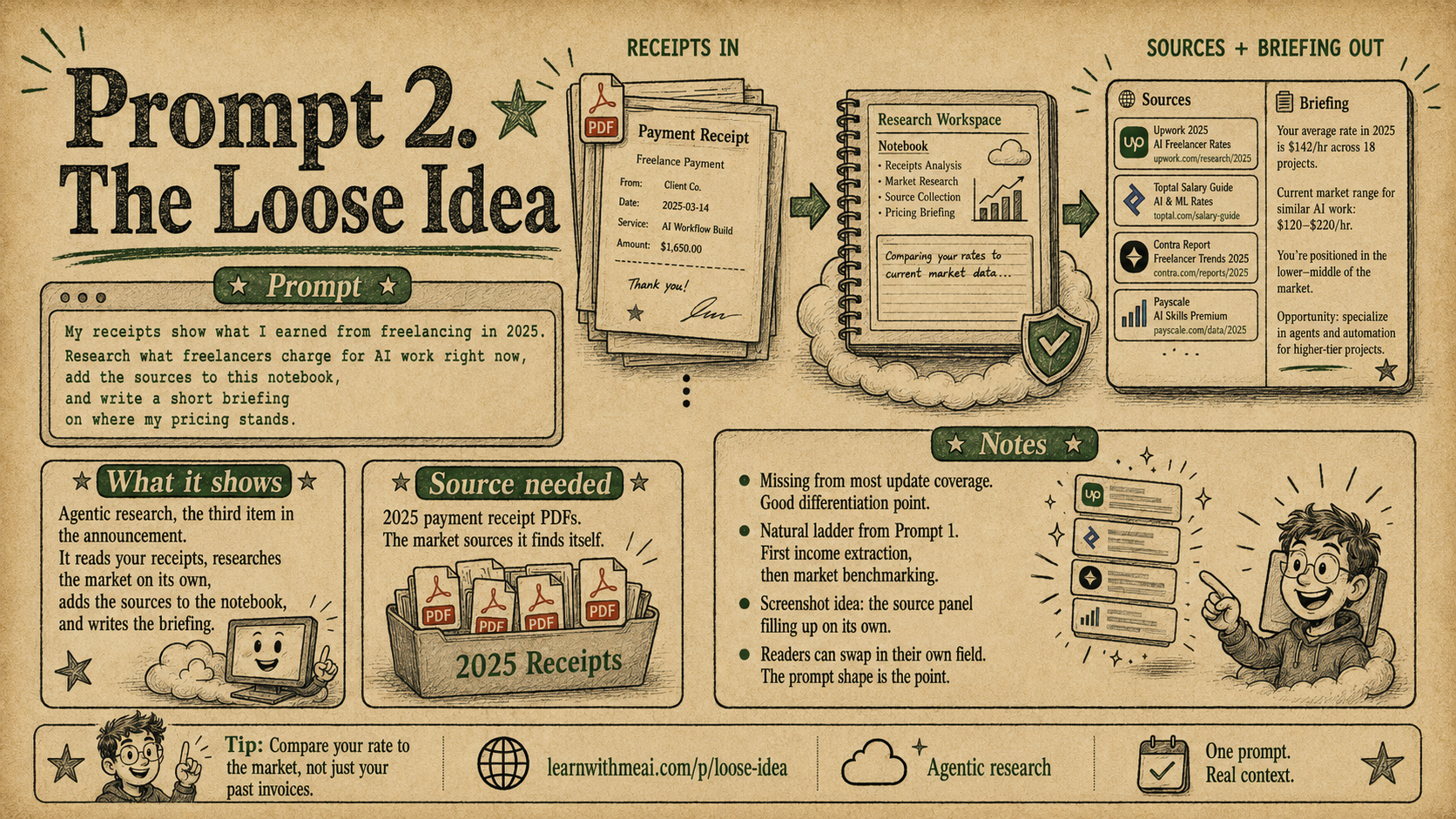
\Prompt 2, the Receipt Test. Read my receipts, research current AI freelance rates, report where my pricing stands.\
It shows a new feature, called agentic research.
It was the third item in the Gemini Notebook announcement. This feature basically do a market research and collects your data.
After pasting the prompt, look at the notifications.
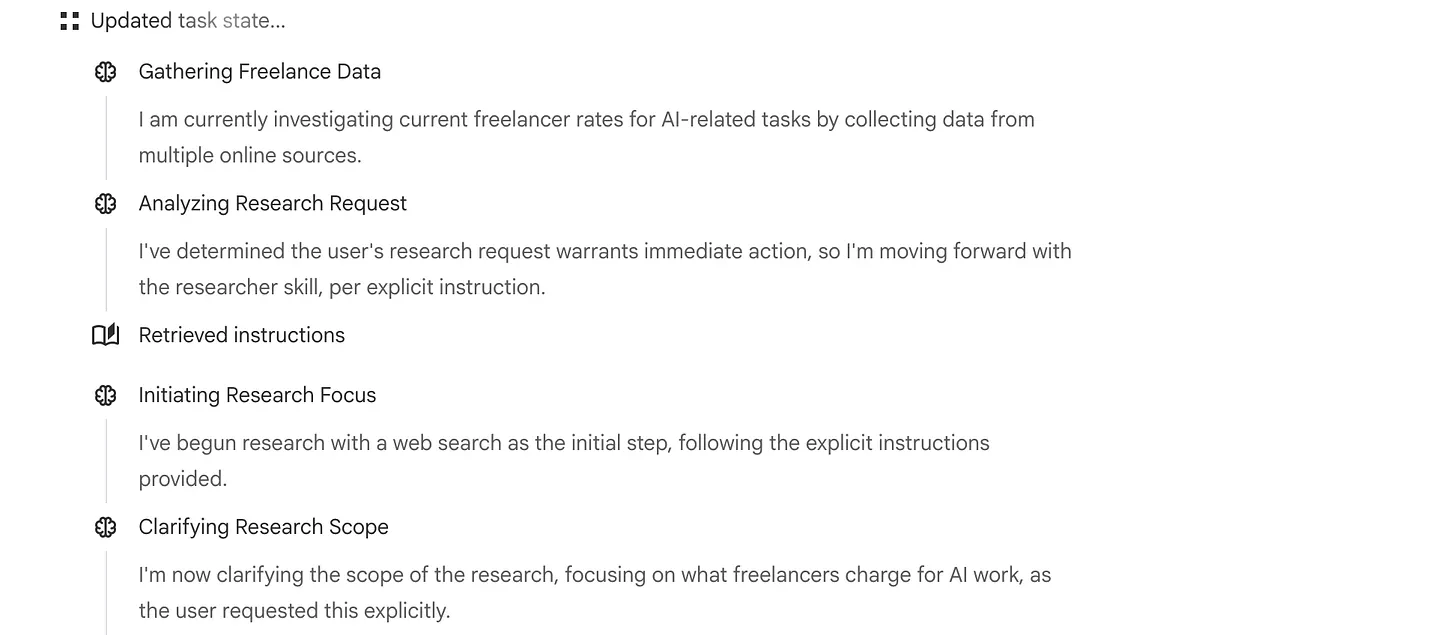
\Agentic research in action. NotebookLM plans and runs the market research on its own.\
It has already started doing market research.
It read my receipts and searched the web for current AI freelance rates.
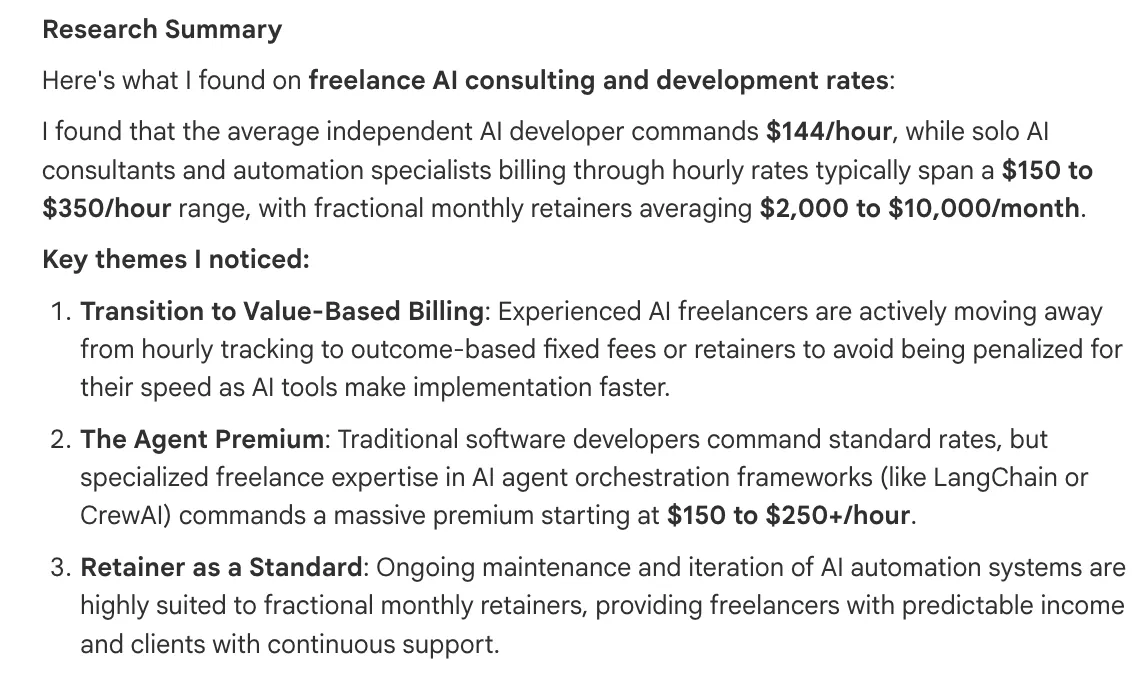
\The research output. Average AI developer rates, the agent premium, and the shift to retainers.\
And at the end, it suggest me to import these findings into the sources.
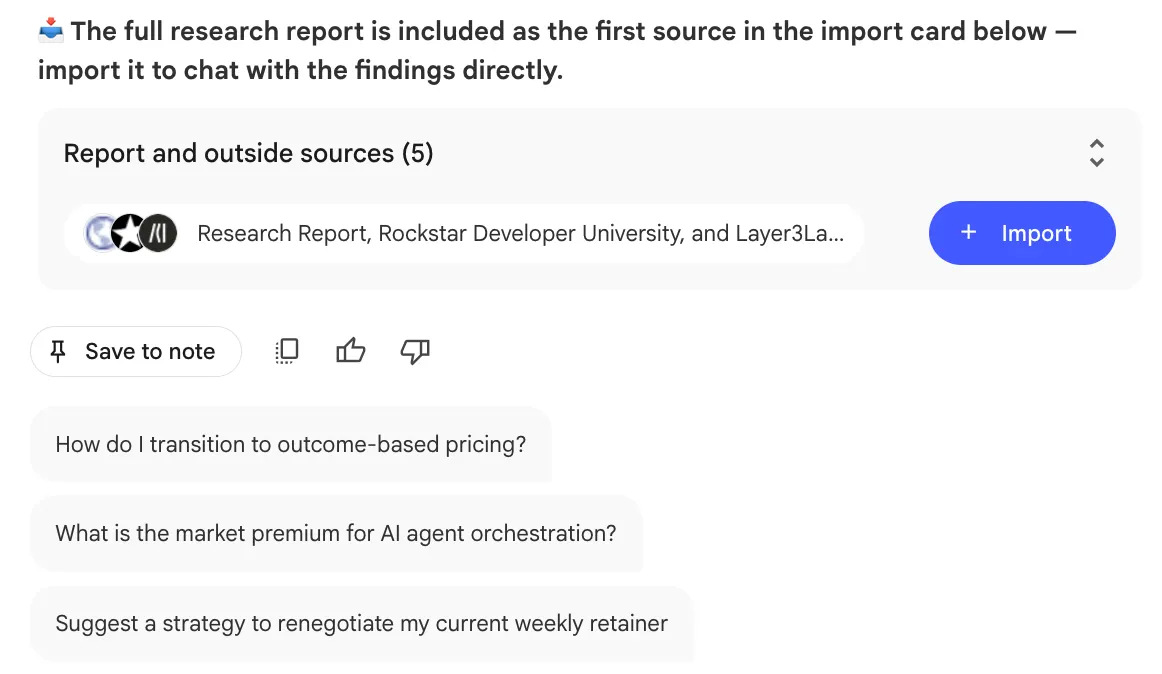
\At the end, NotebookLM offers to import the full research report and outside sources into the notebook.\
NotebookLM has changed a lot, so let’s check the next one.
3 - URL Vacuum
After Step 2, I realized I should raise my rate because market prices were higher than I expected.
So I researched the market, read a few articles, and saved everything in a Google Doc. The new URL Vacuum feature can pull sources directly from that document.
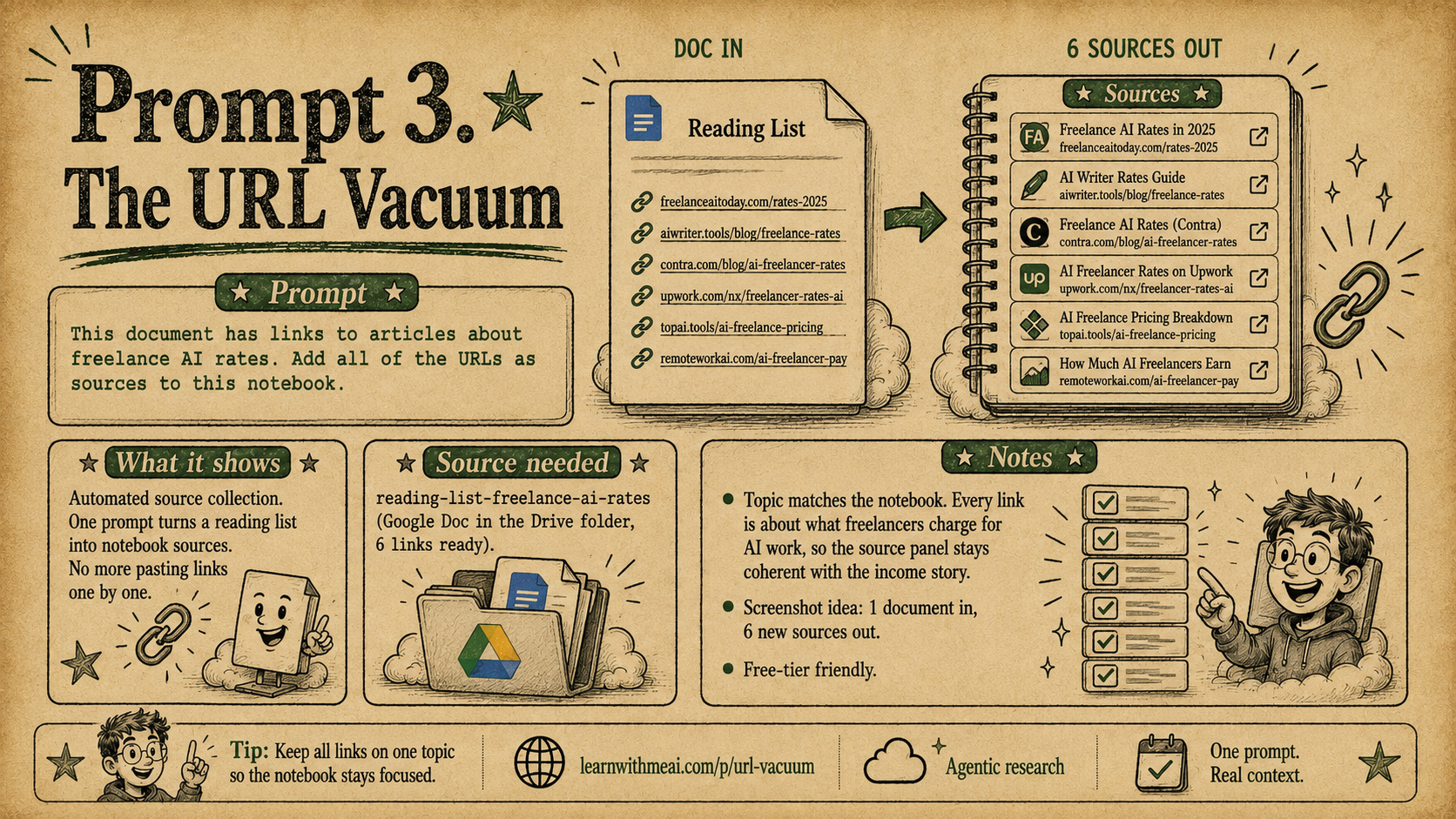
\Prompt 3, URL Vacuum. Pull every link out of an attached document and add them as sources.\
After pasting this prompt, here is what NotebookLM did.
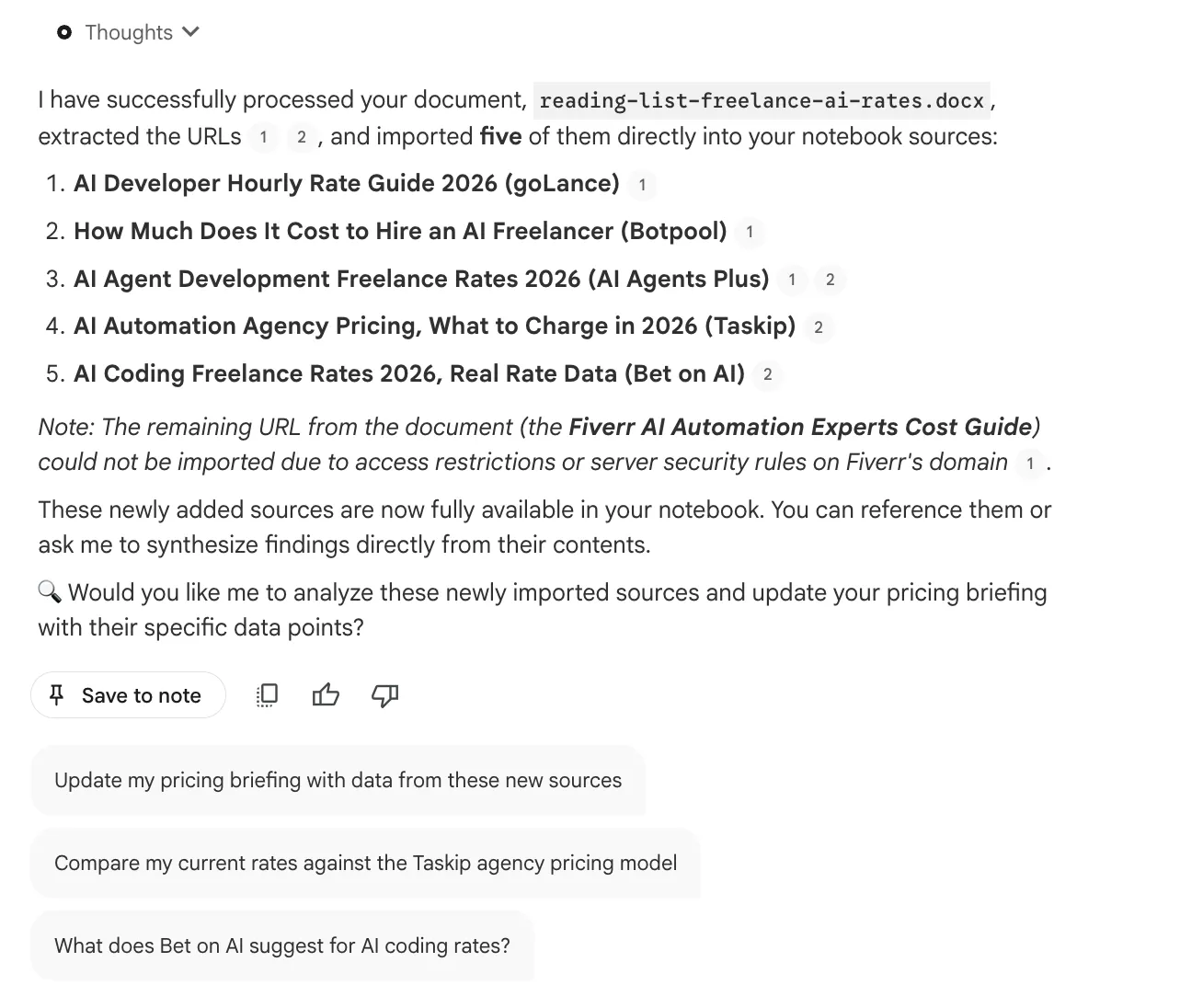
\NotebookLM extracts the URLs from the Google Doc and imports five of them as sources in one pass.\
And when I check the sources, I see that these were already uploaded.
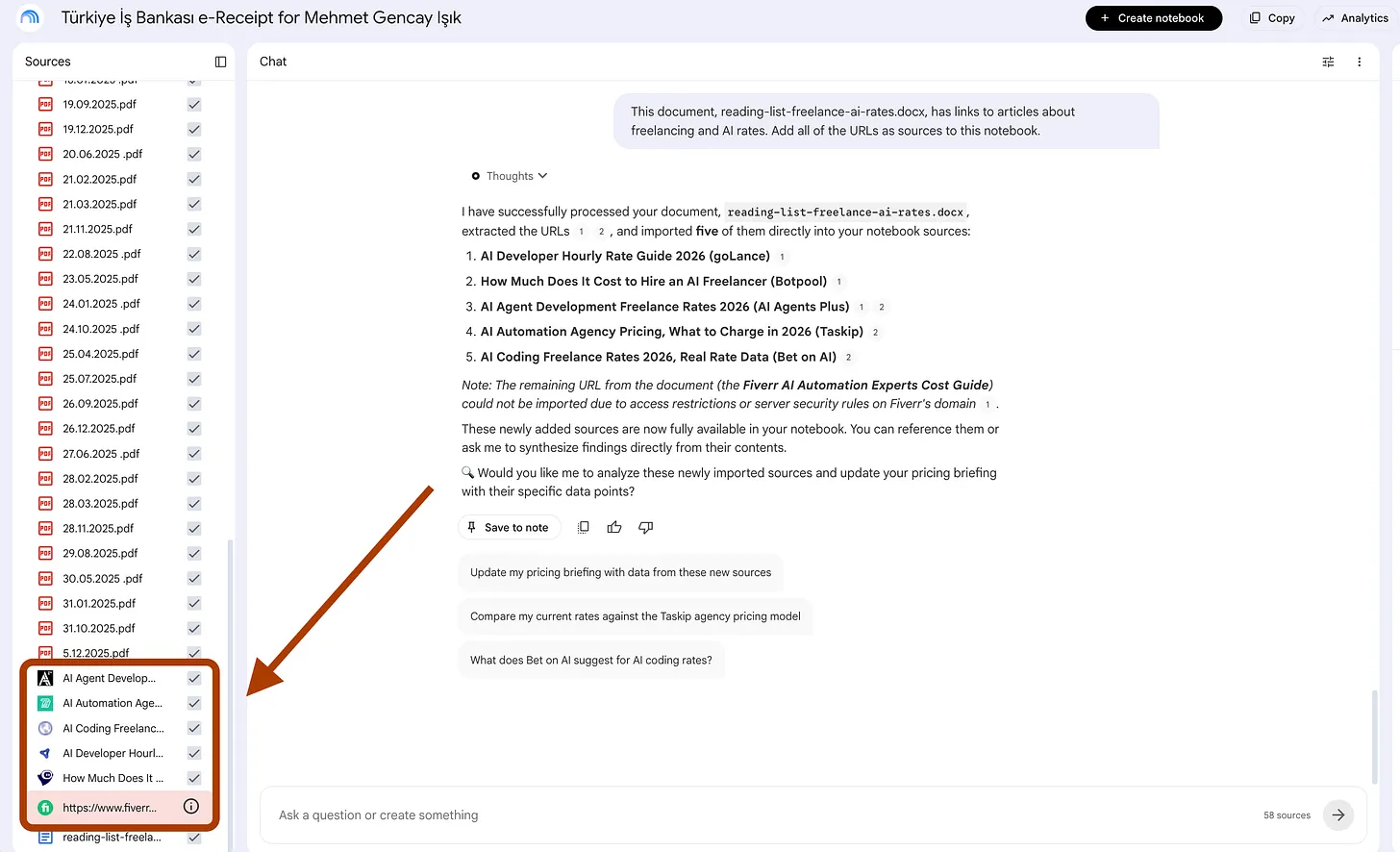
\The imported articles appear in the sources panel next to the 52 receipts.\
4- Income Math
Now let’s plot a graph by analyzing these PDF’s.
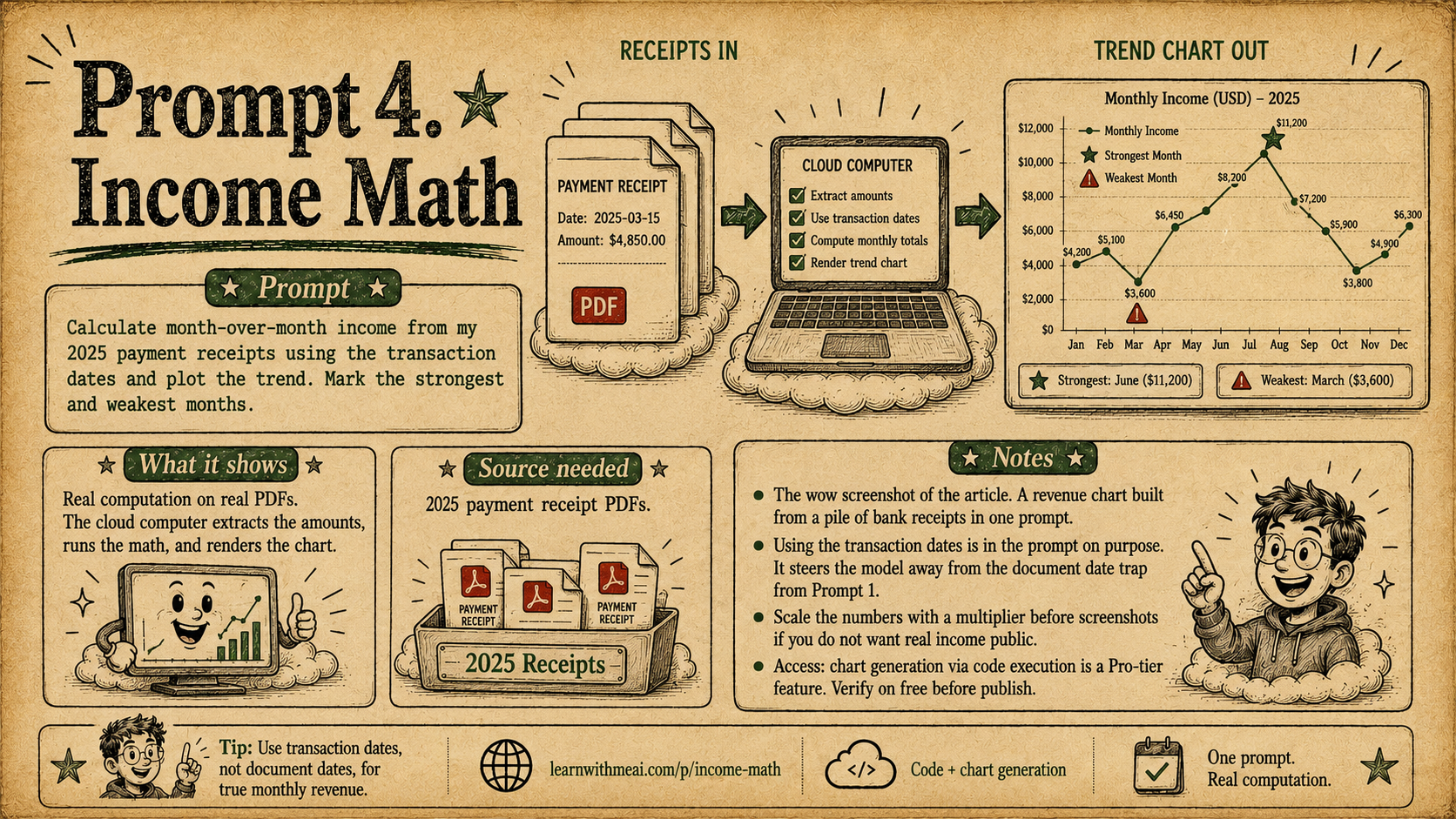
\Prompt 4, Income Math. Calculate month-over-month income and plot the trend.\
It did the calculation pretty fast.
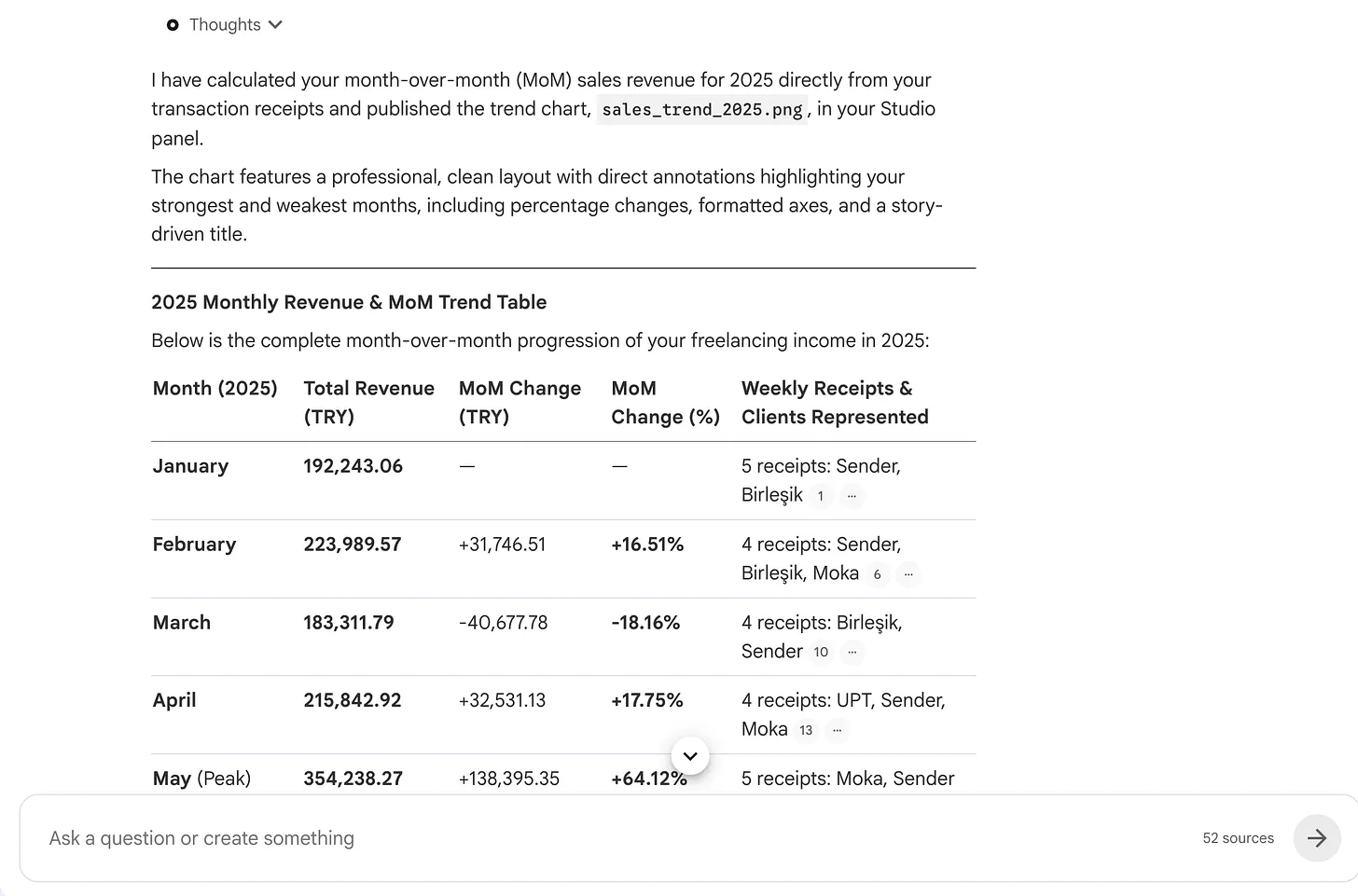
\The month-over-month table. Every month in 2025, with revenue, change, and the clients behind it.\
If you’ve used NotebookLM for data analysis before, you probably remember even simple analyses sometimes taking 20 to 25 minutes. Now, it finishes in minutes.
But of course, we want an actual plot, not an infographic.
And here it is.
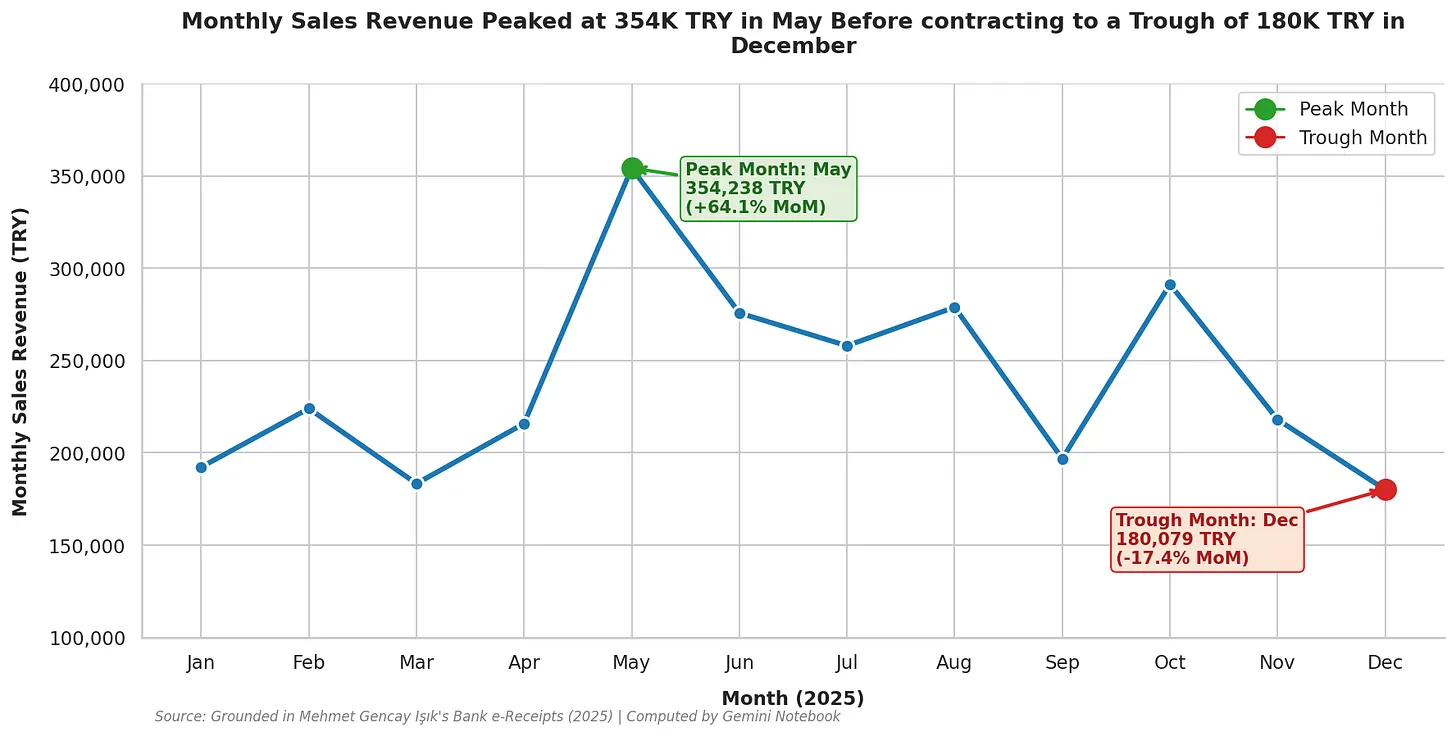
\The plot, not an infographic. Monthly revenue peaked in May and bottomed in December.\
It looks like my December should have been better, but these are the period where I decided to quit freelancing and fully focus on here, so no problem at all :)
5- Find What I Missed
This is the technique I used all the time when I am analyzing any data using AI.
Because the data analysis should show what’s being hidden.
Here is the prompt I used.
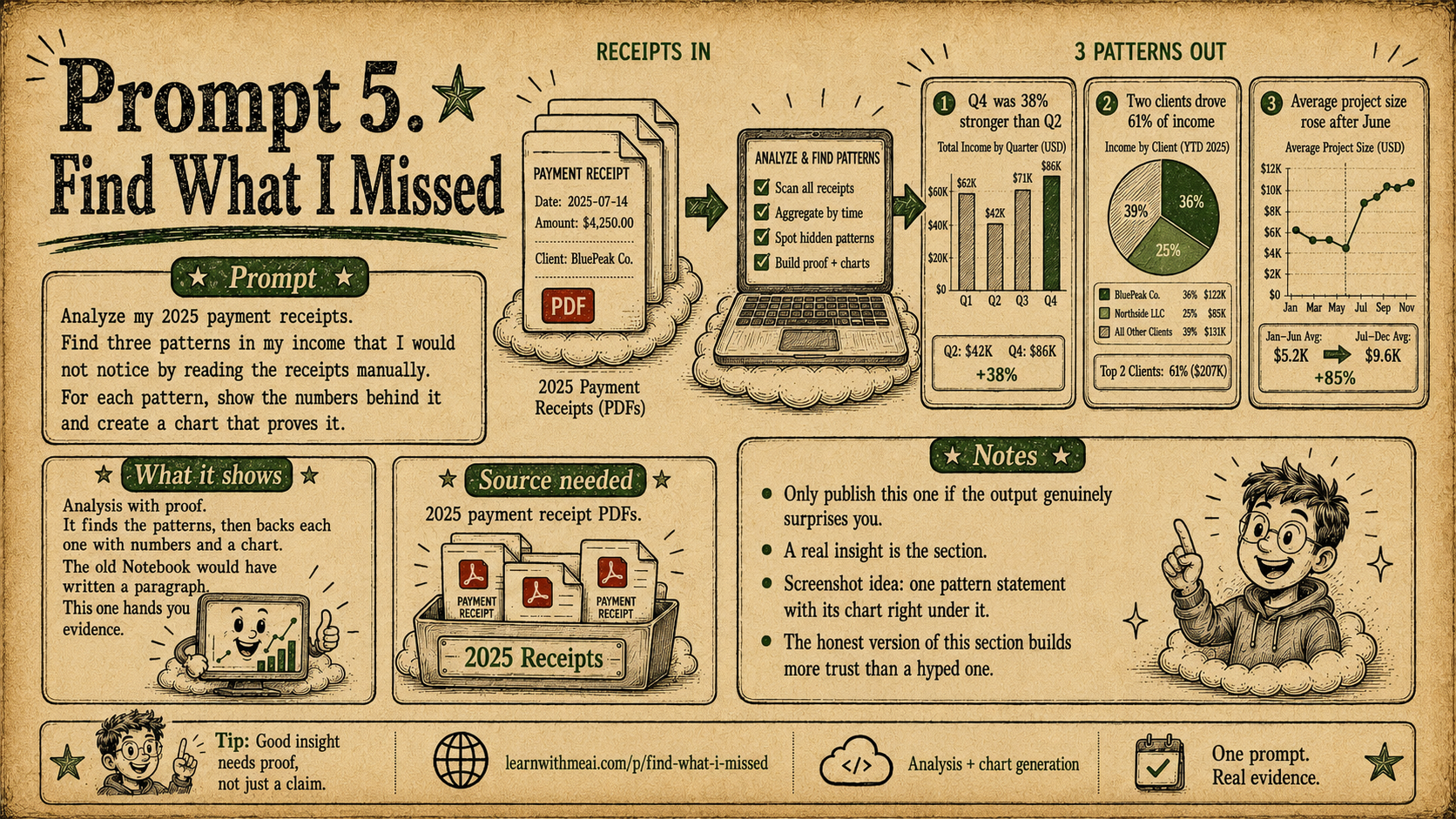
\Prompt 5, Find What I Missed. Surface the patterns I would never catch reading receipts manually.\
This will also create charts and analyze all the PDF’s. We really make sure our Cloud computer is tired today:)
It found 3 different patterns.
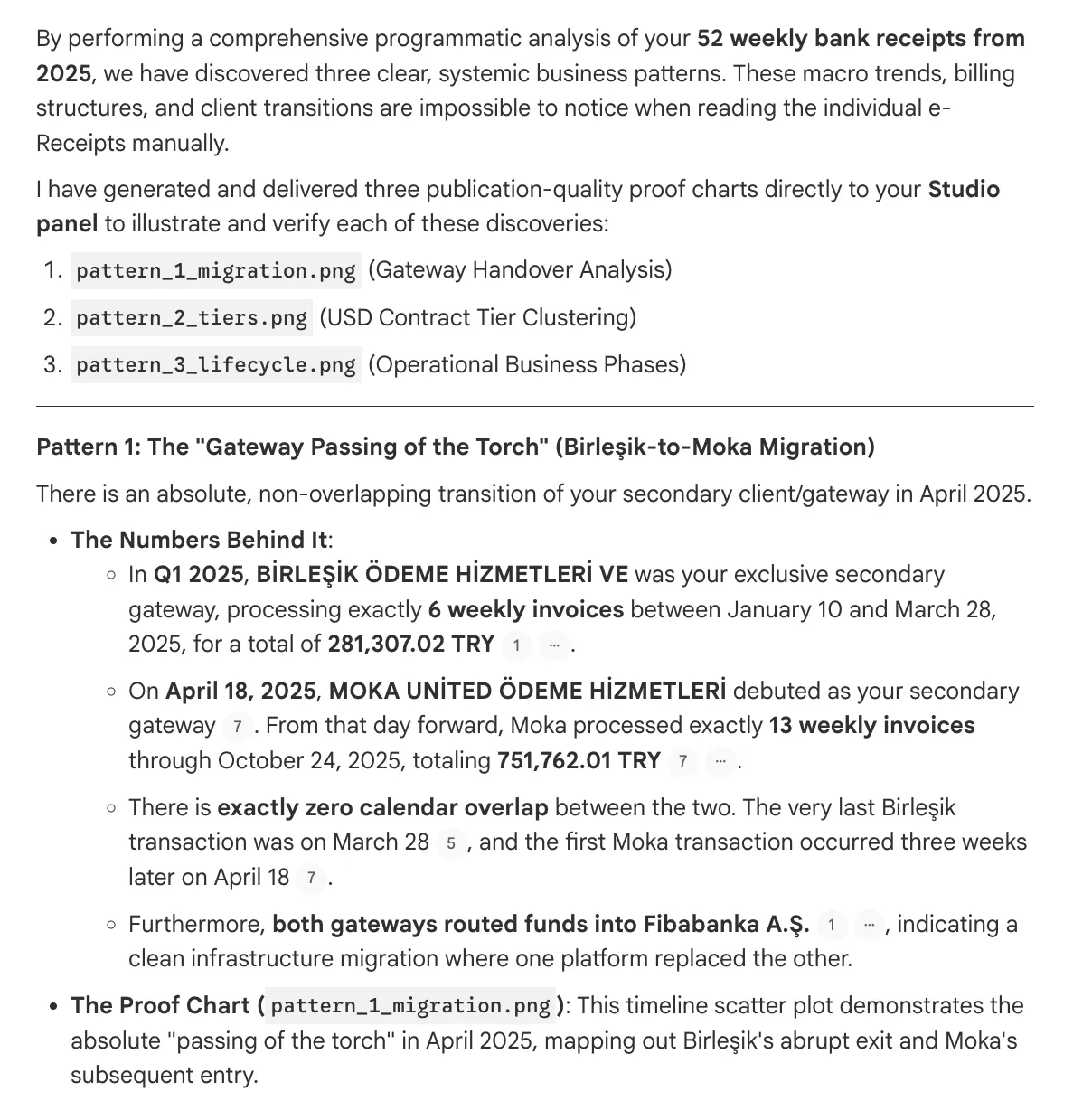
\Three hidden patterns were found, each with its own proof chart published to the Studio.\
And draw a graph for each of them.
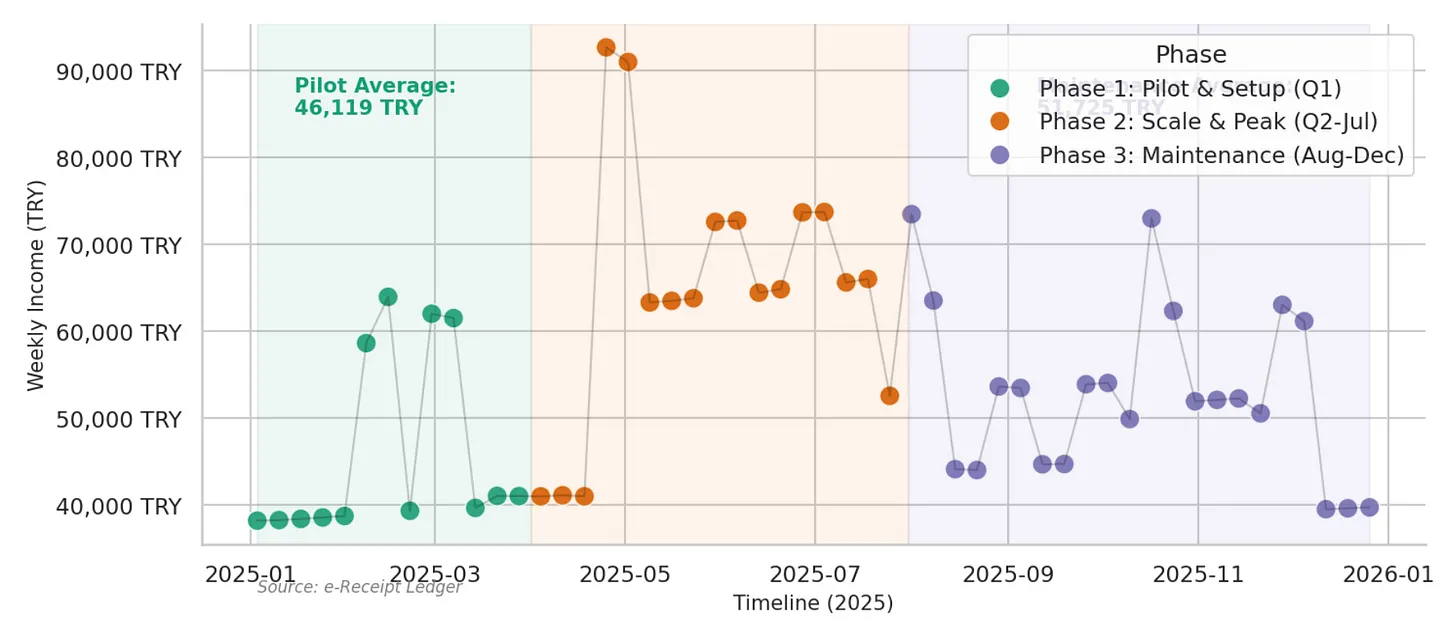
\One of the proof charts. Weekly income split into pilot, scale, and maintenance phases.\
And it did it in a couple of minutes.
Some of the texts of the graphs overlaps and I think they can be adjusted, let’s prompt this.
Fix the overlapping issues inside the graphs.
After a few minutes, here its answer.
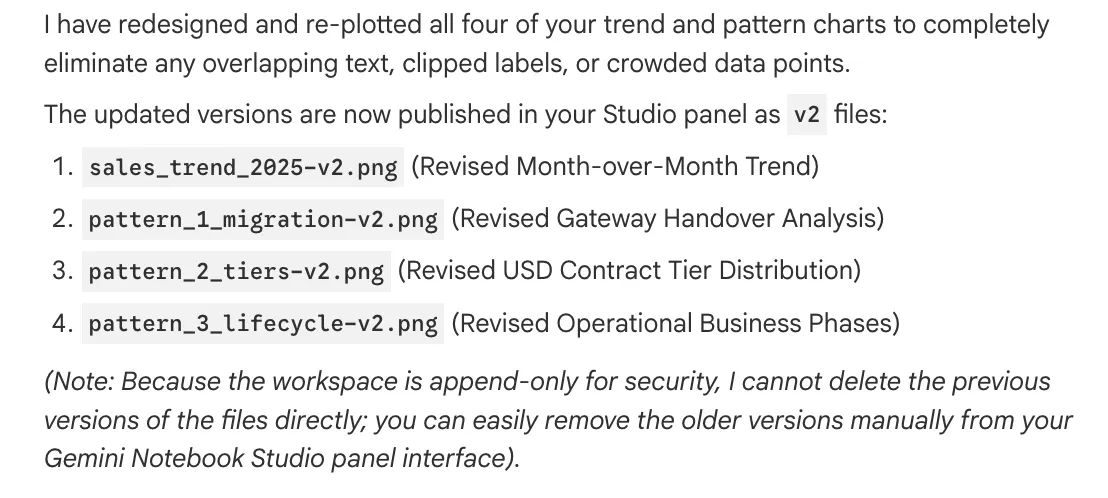
\One follow-up prompt later, all four charts are re-plotted without overlapping labels.\
Now let’s check one of these plots.
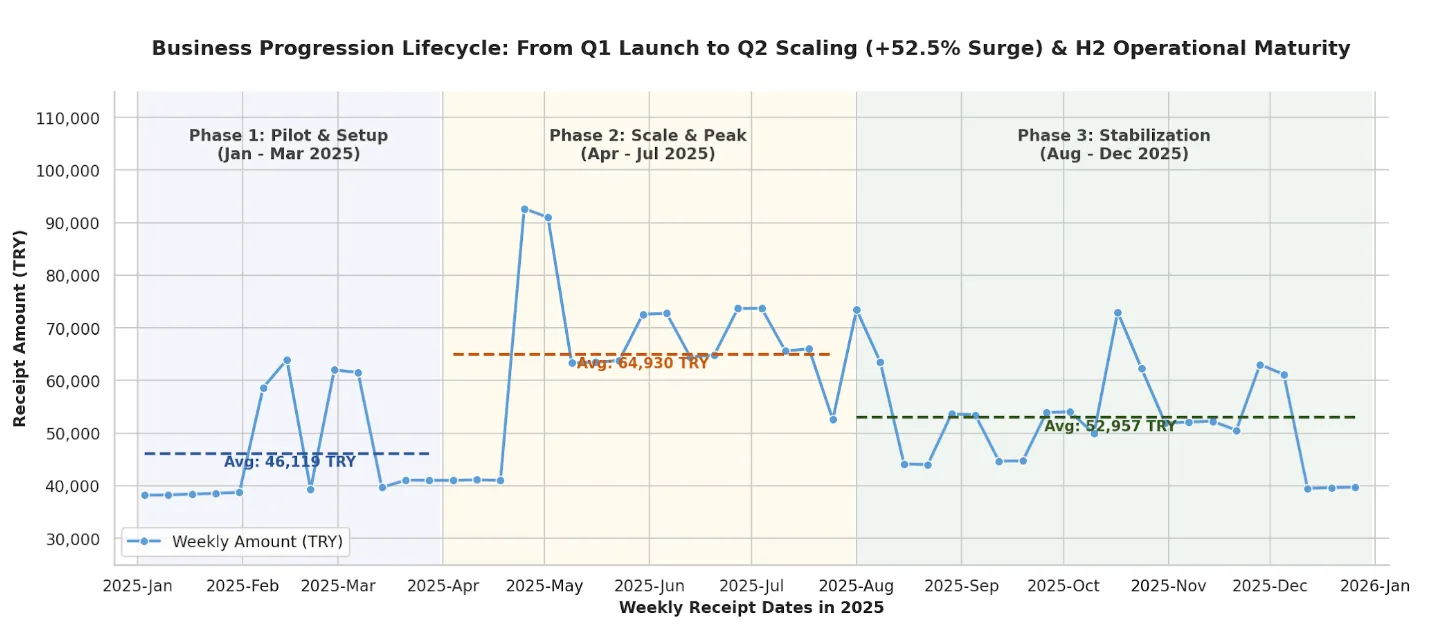
\The revised chart. Q1 launch, Q2 scaling surge, H2 operational maturity.\
It is better; it needs one more tweak for the numbers, but this version is also enough for now.
6 - The Single Point of Failure
This is the scariest part for me. Because I might have a clue of what it would find.
Here is the prompt.
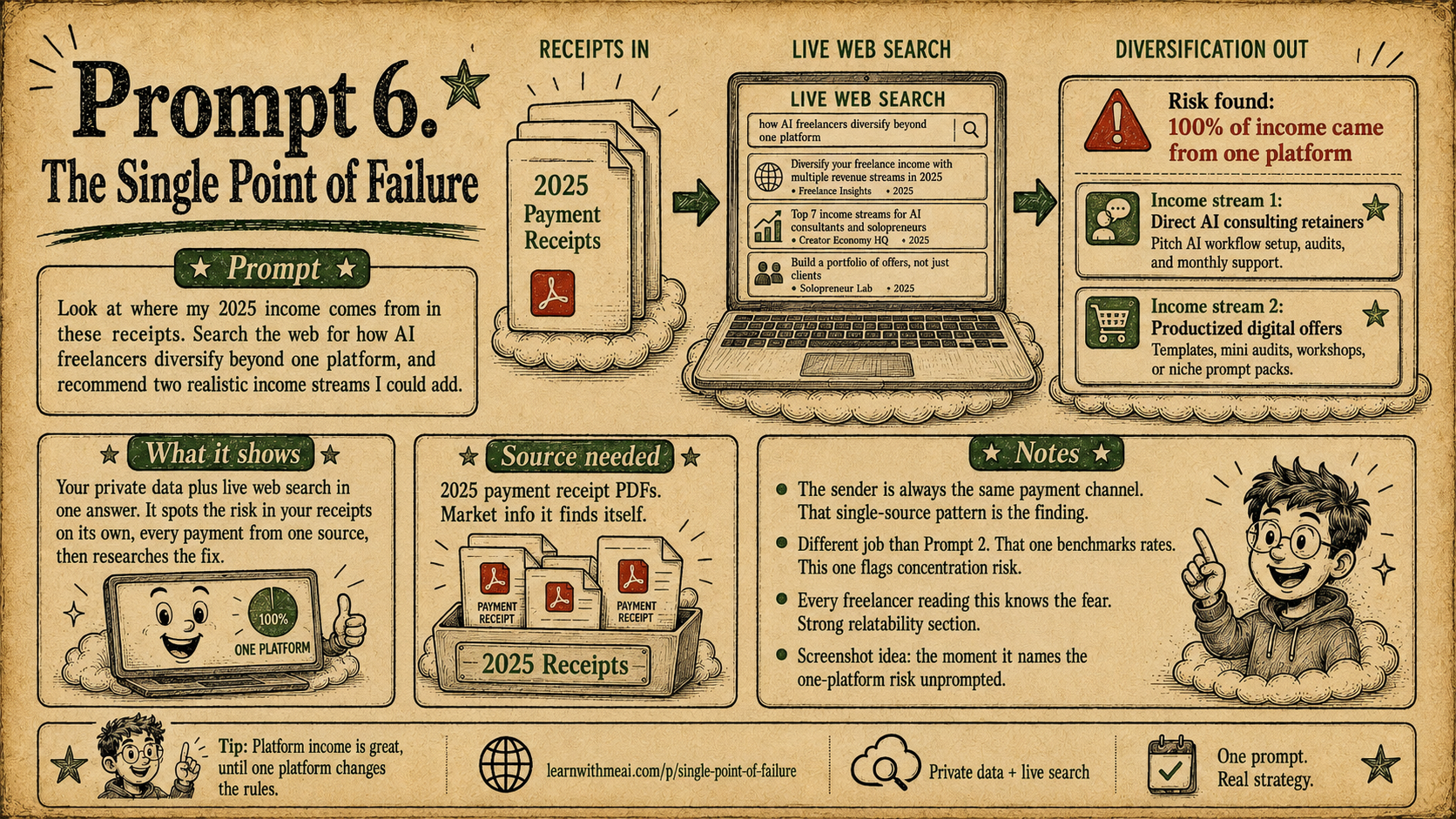
\Prompt 6, the Single Point of Failure. Find the concentration risk in my income and research the fix.\
Also, do you realize what Google aims? I feel that they are turning NotebookLM into a tool more like ChatGPT or Claude in sense. Because now it can collect data and do data analysis, it definitely becomes more than a research tool.
Here is the full report.
It is good and detailed.
I saved it as a Note by clicking here.
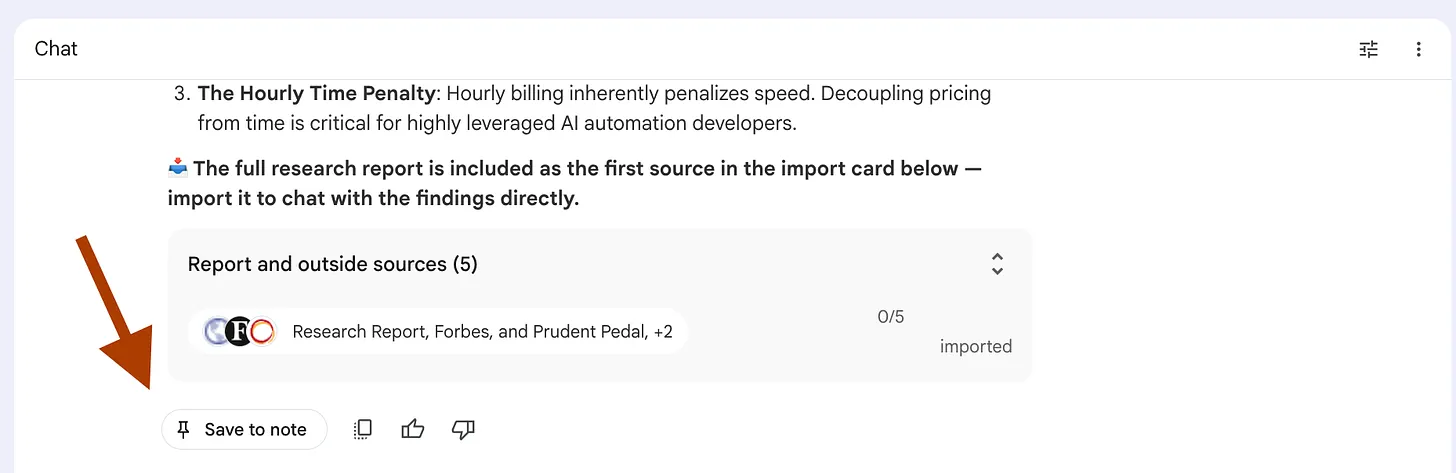
\The full risk report is saved as a note with one click.\
Next, I saved this note as a source by clicking here.
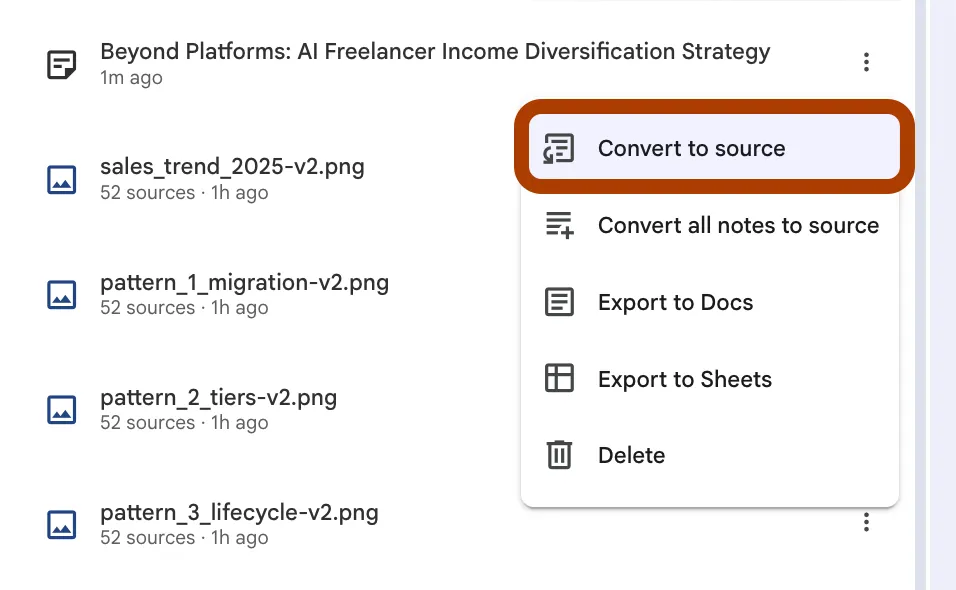
\Then the note becomes a source, so the next prompt can build on it.\
And next, I pasted this prompt;
Turn this into a 16:9, hand-drawn infographic. ( Beyond Platforms: AI Freelancer Income Diversification Strategy)
And here is the image.
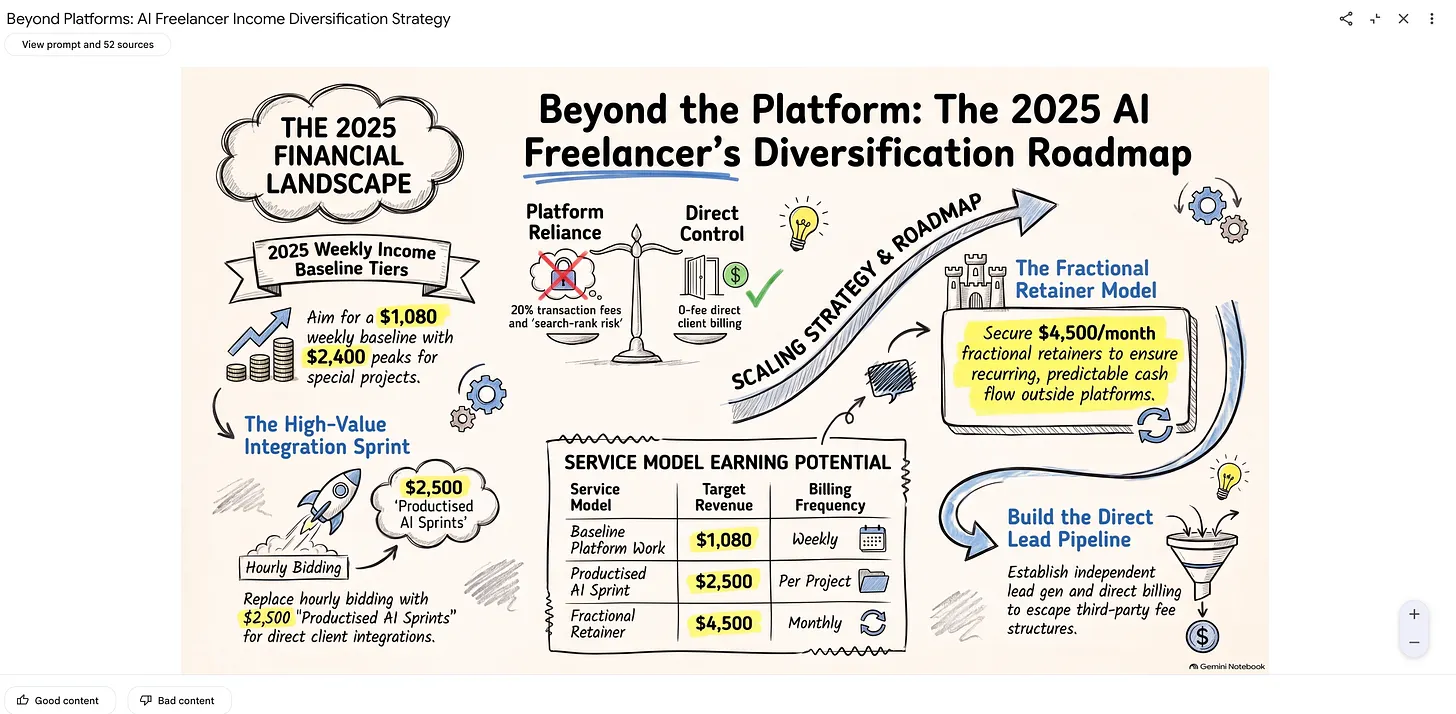
\One prompt, no Studio buttons. The diversification strategy as a 16:9 hand-drawn infographic.\
I did not click on “Generate infographic” in the studio or anything like this. Just one prompt, and the infographic is ready.
7 - Three At Once
Every file generated so far took its own prompt. This time I asked for three in one go.
Because with this new upgrade, they said that you can generate multiple at once.
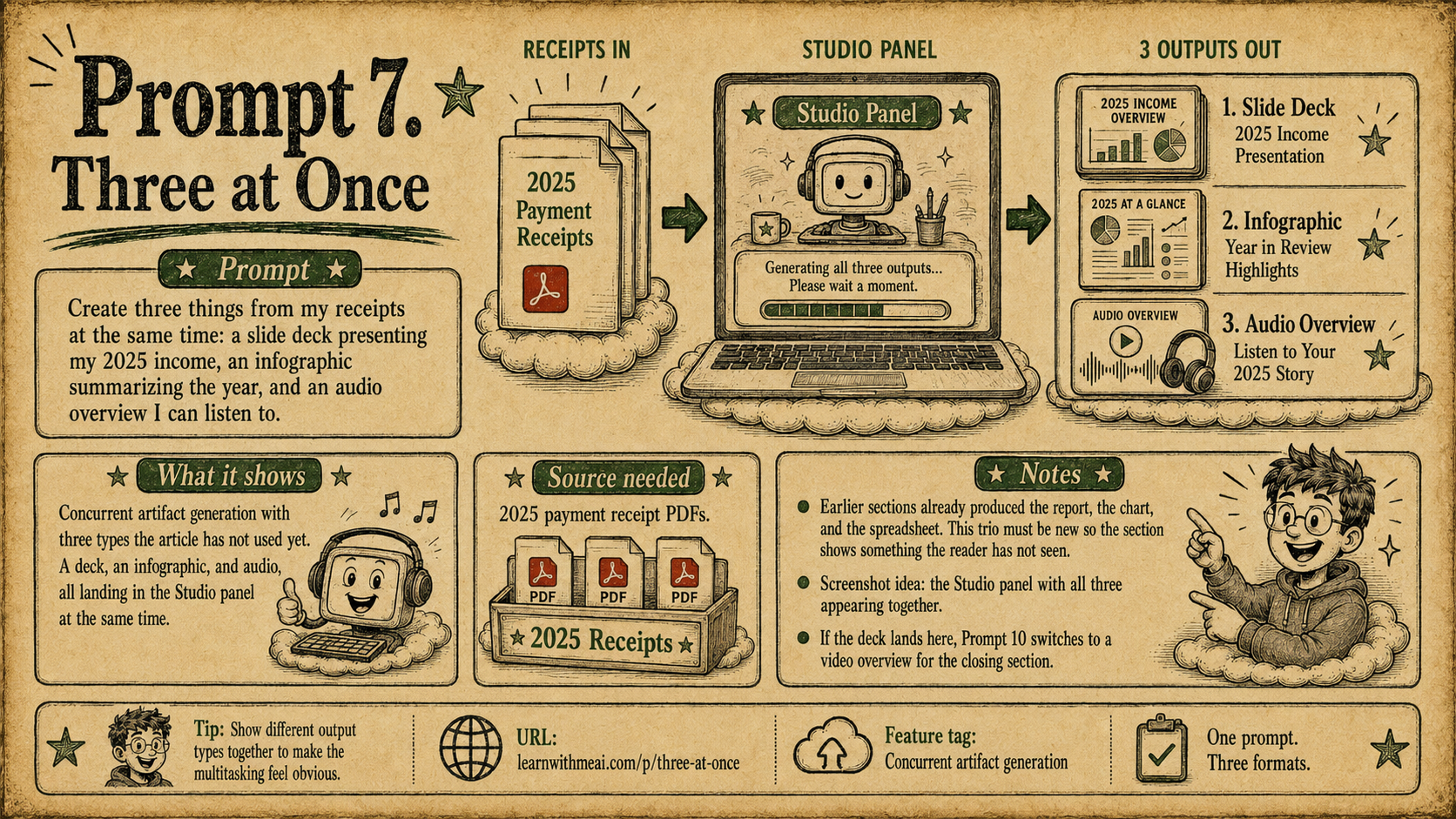
\Prompt 7, Three At Once. A slide deck, an infographic, and an audio overview in a single request.\
Look at what has happened, just after I pasted this prompt.
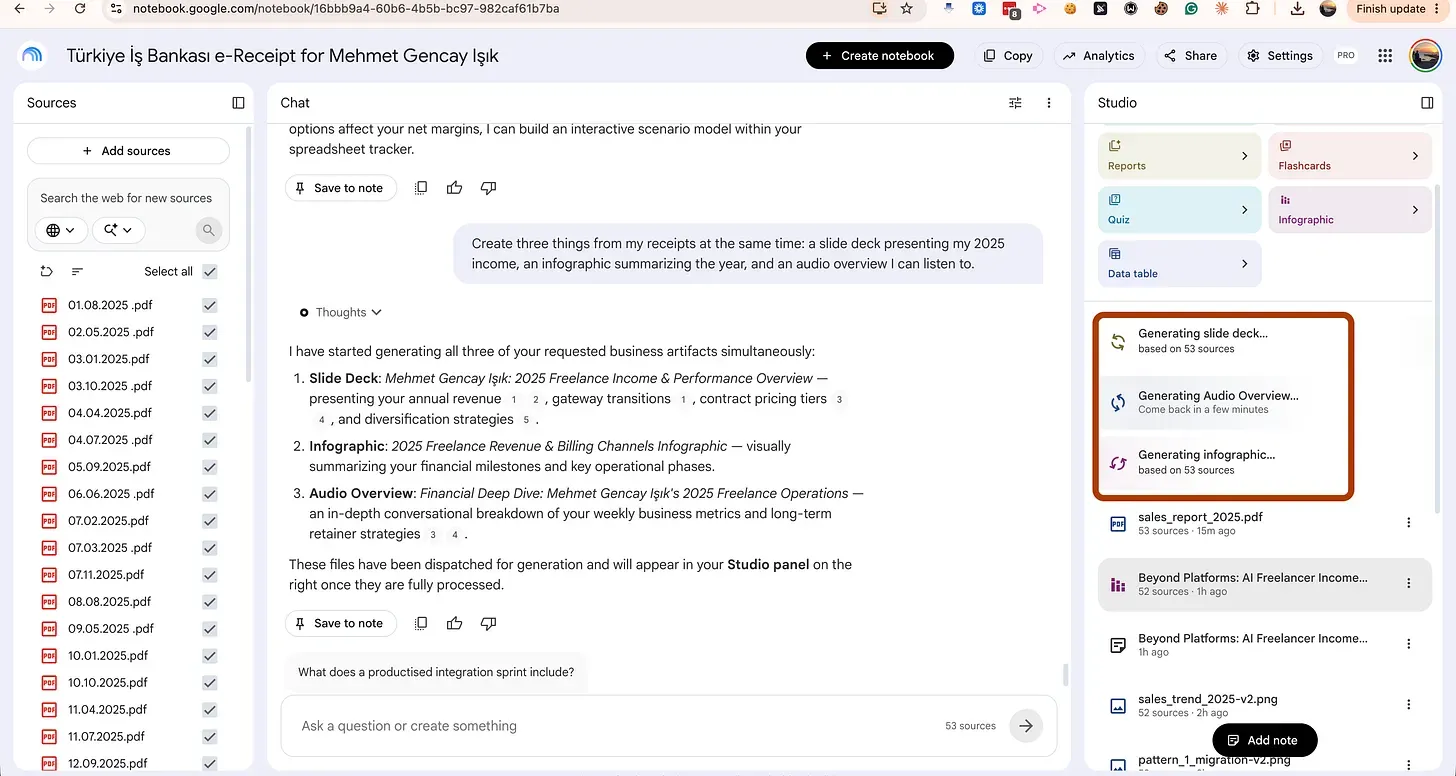
\All three artifacts are generated in parallel in the Studio panel.\
A slide deck, an audio overview, and an infographic are being generated at the same time.
Here is the infographic.
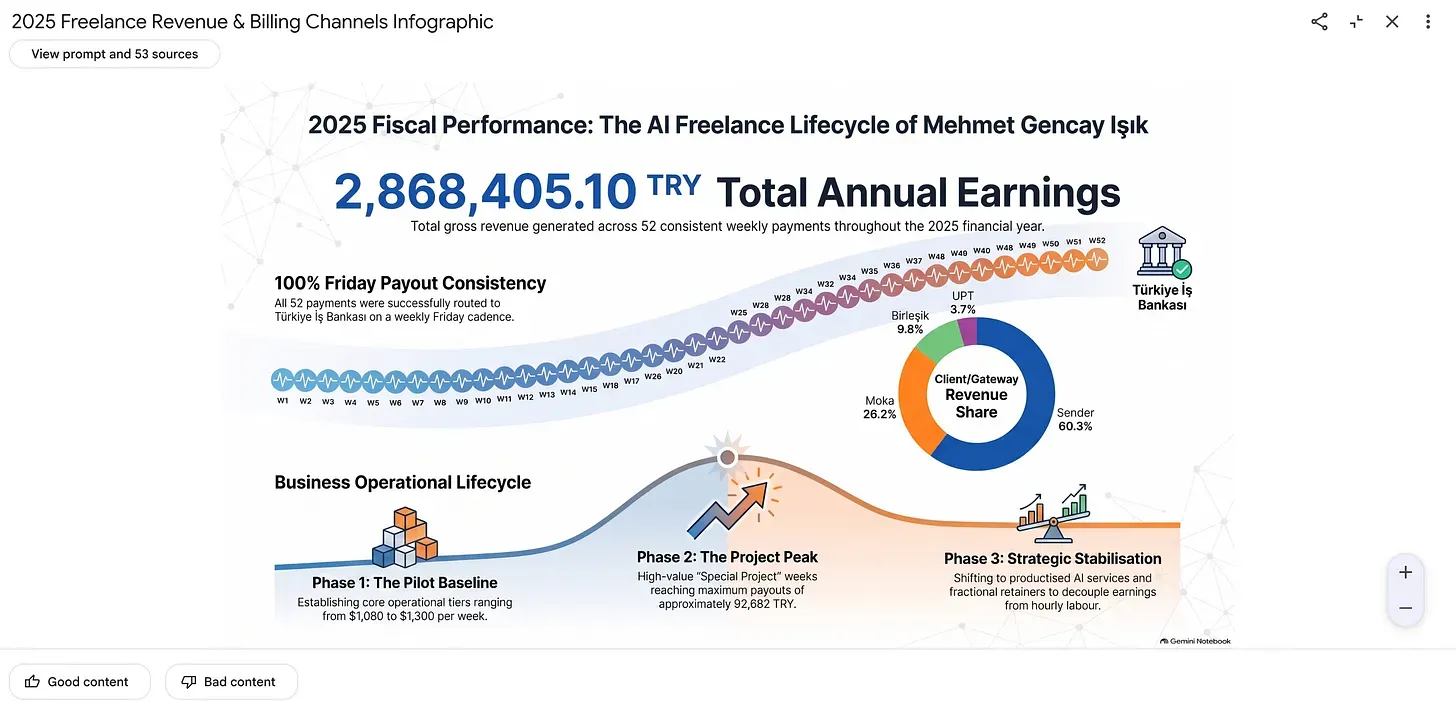
\The finished infographic. 2025 revenue, payout consistency, and the operational lifecycle on one canvas.\
You get the idea, that’s why I am not sharing the audio or slide deck.
Let’s continue.
8 - The Mac Mini Upgrade
I want to upgrade my Mac mini, it is good, but I need a better one because of Kimi K3 and Deepseek, actually :)
But I have to convince myself and my wife to buy it, that’s why I am using this prompt.
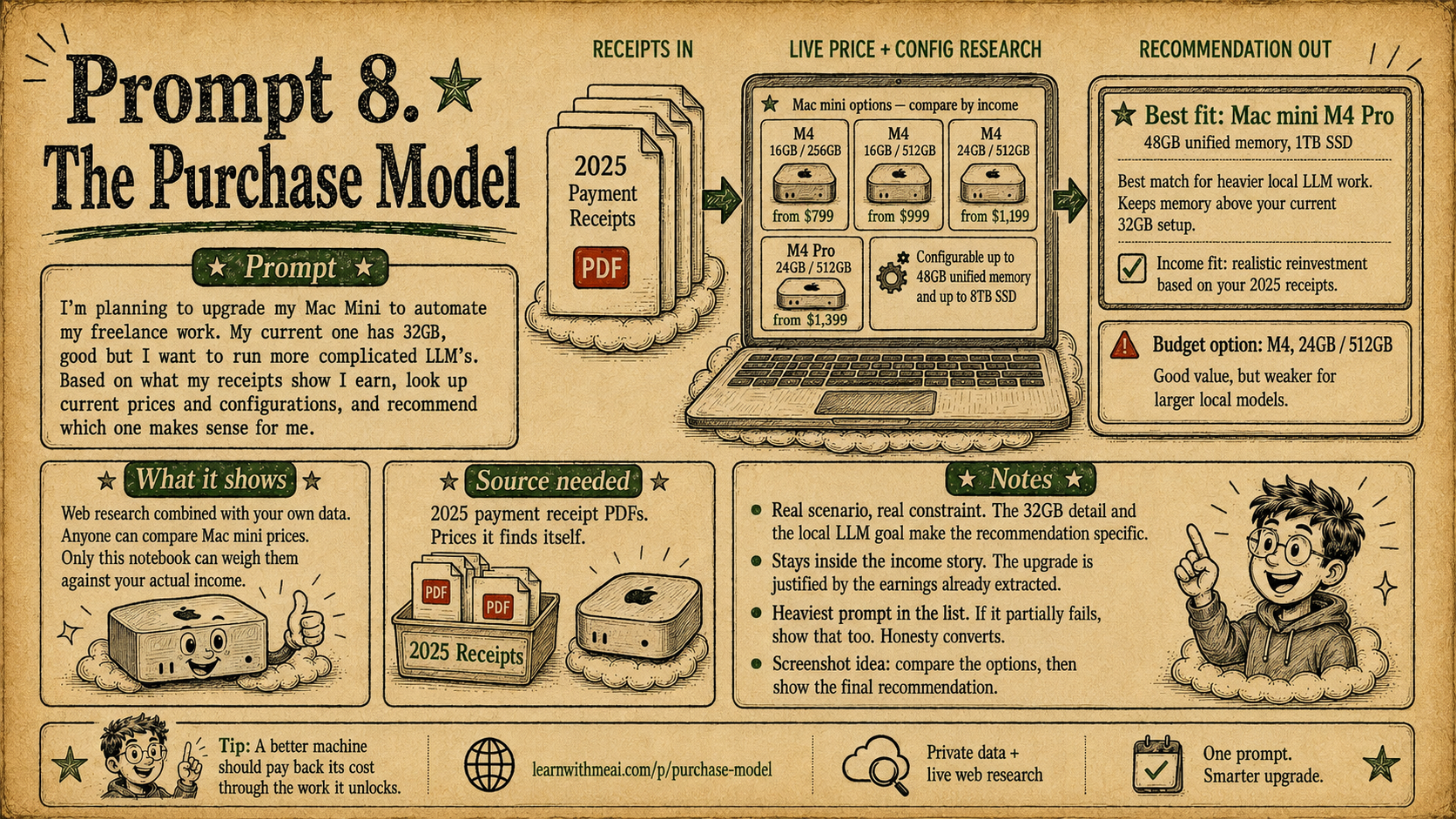
\Prompt 8, the Purchase Model. Weigh a Mac Mini upgrade against my actual income.\
The initial report suggest me to by new one.
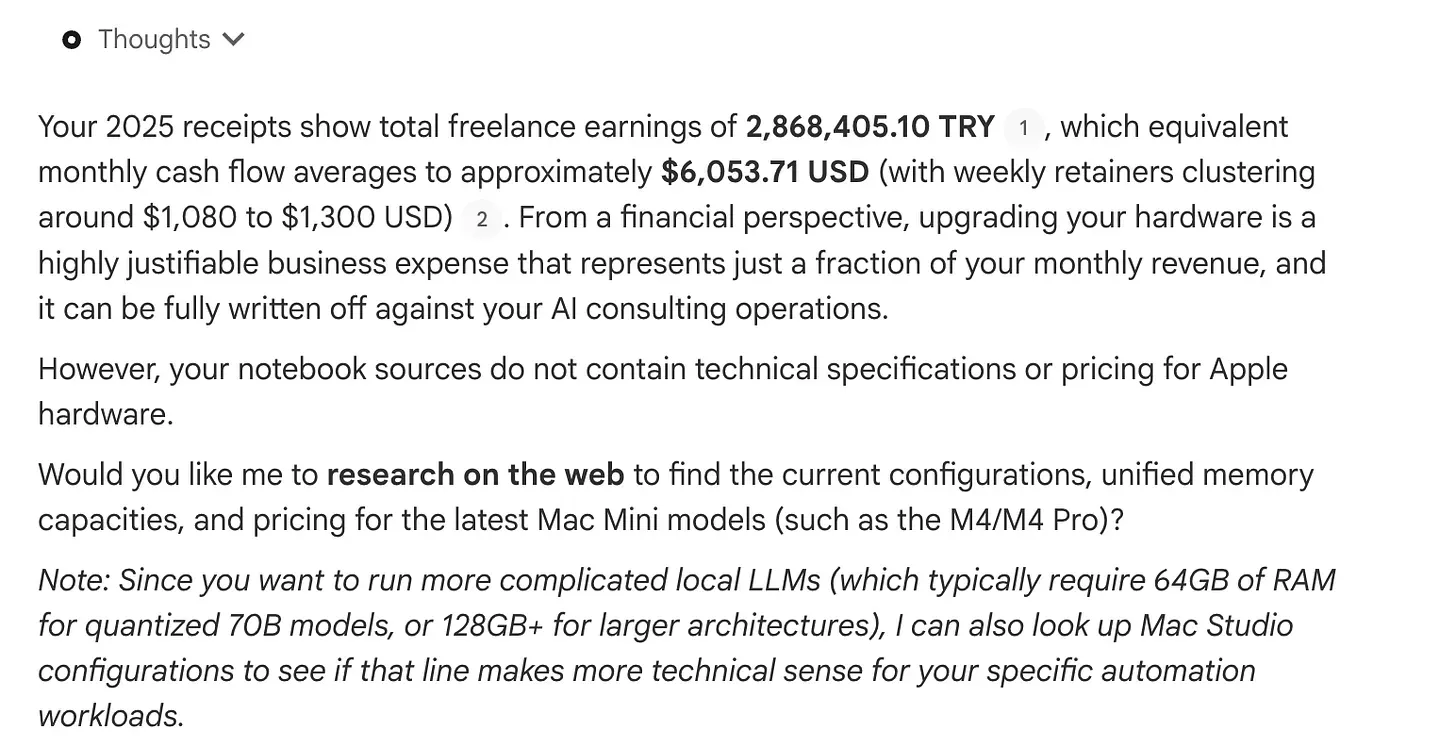
\The verdict. The upgrade is a justifiable business expense, and NotebookLM offers to research current Mac configs.\
But let’s ask it to research on the web, for the latest Mac mini models for more complicated LLMs.
And also, I want to see this report as an infographic. I am tired of reading long paragraphs.
Sure, also turn the research report whenever it’ll be ready, into a handwritten, 16x9 infographic.
Here is the image it created.
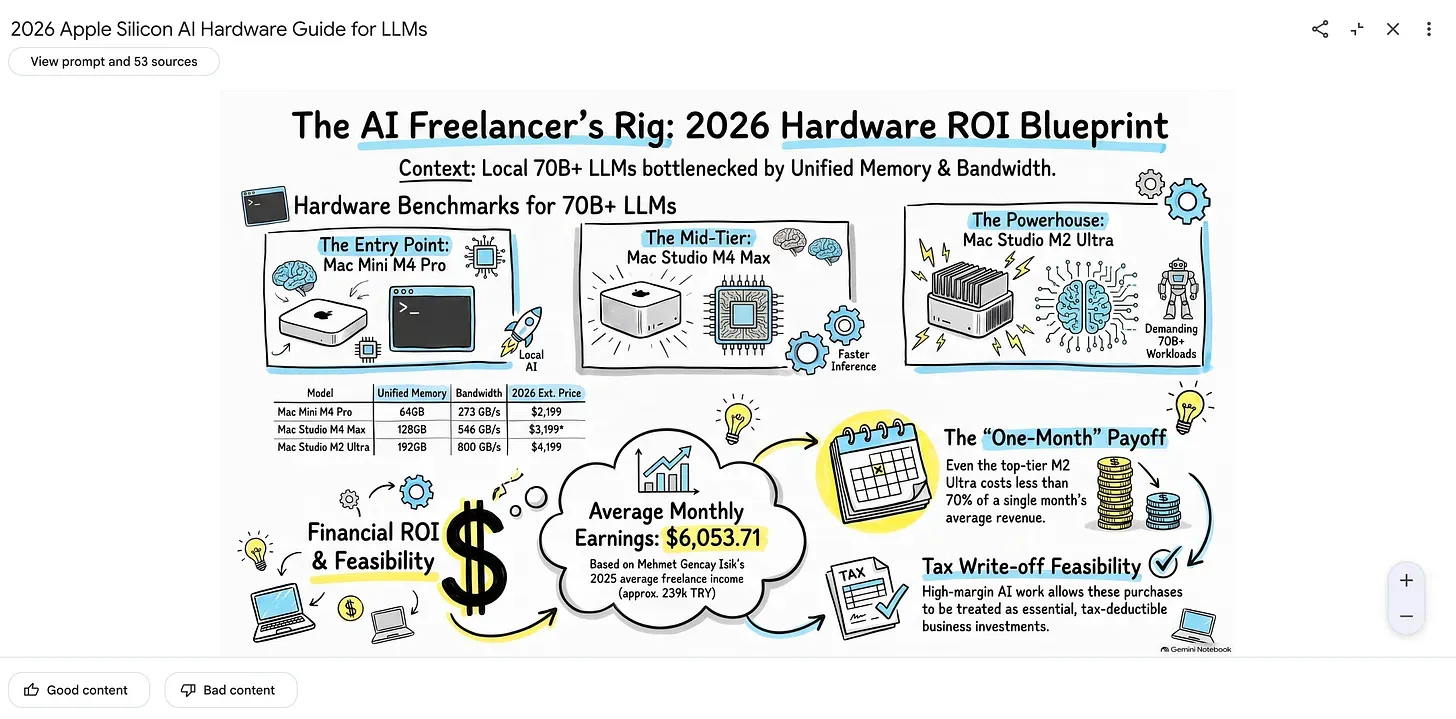
\The web research turned into a hand-drawn hardware ROI blueprint for local LLMs.\
Here is the full report.
9- Anomaly Hunt
Let’s check the anomalist.
Here is the prompt.
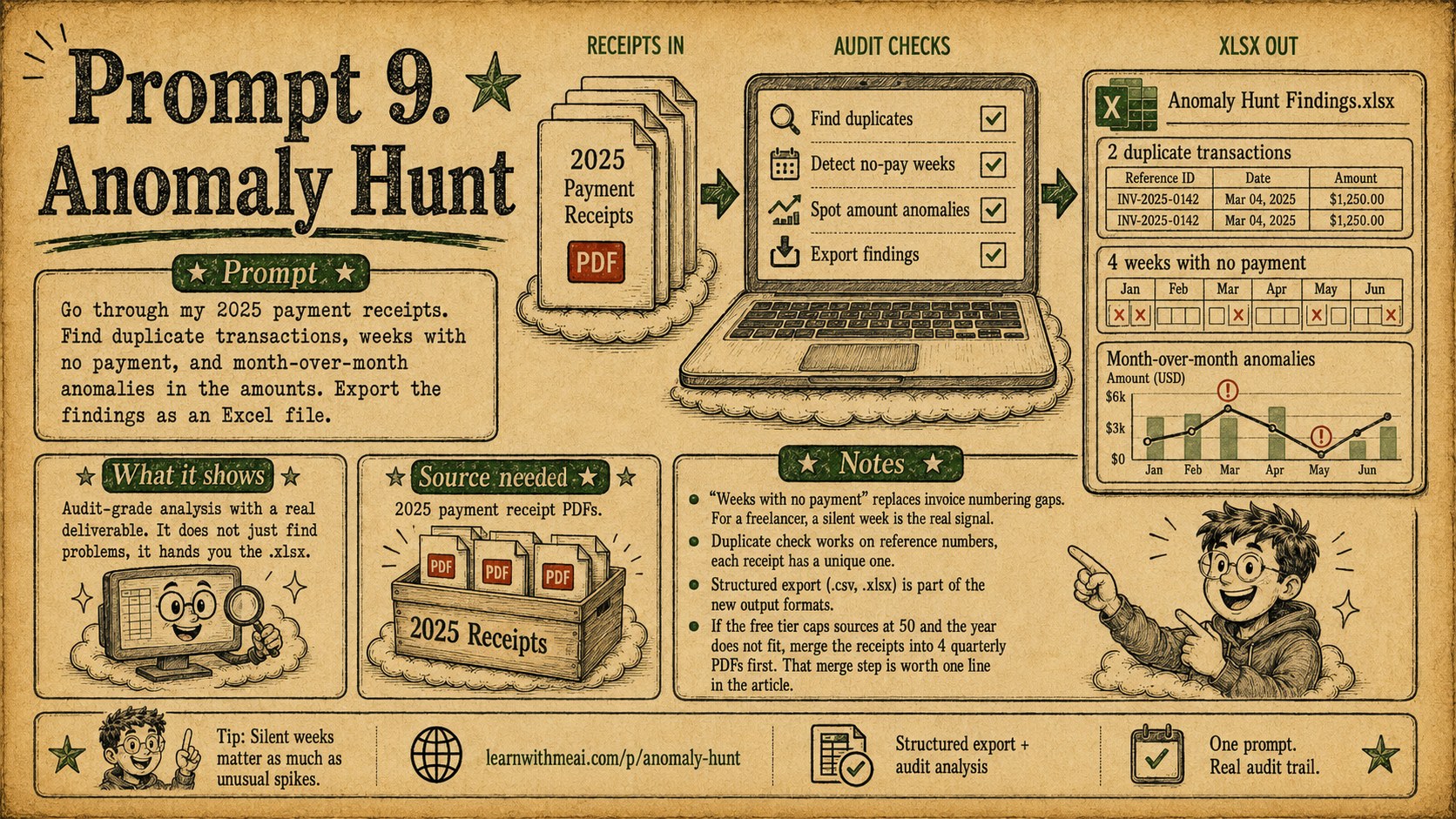
\Prompt 9, the anomaly hunt.\
After pasting the prompt, the xlsx generated inside the studio.
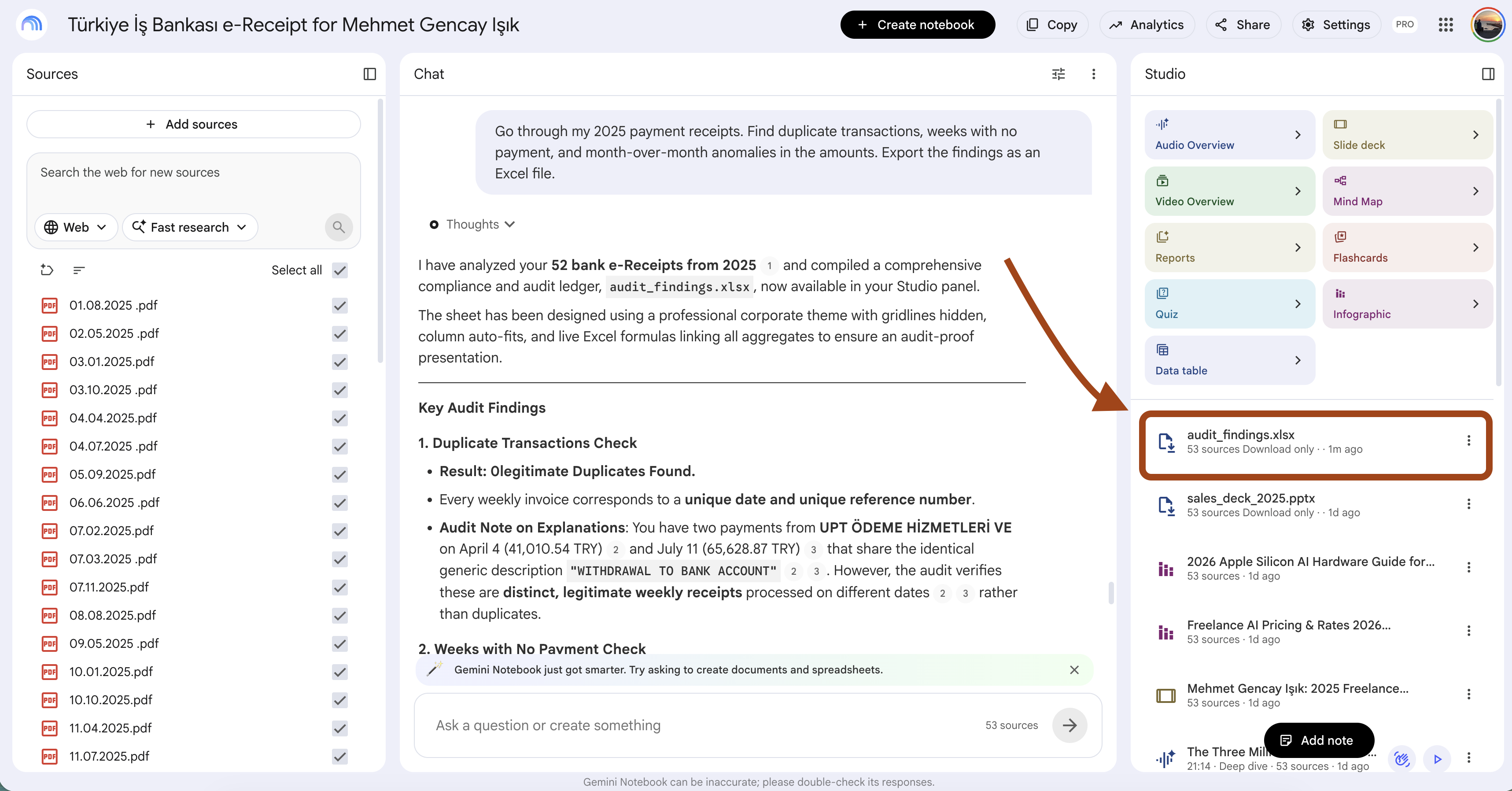
\spreadsheet generated, inside the NotebookLM studio\
I downloaded by clicking.
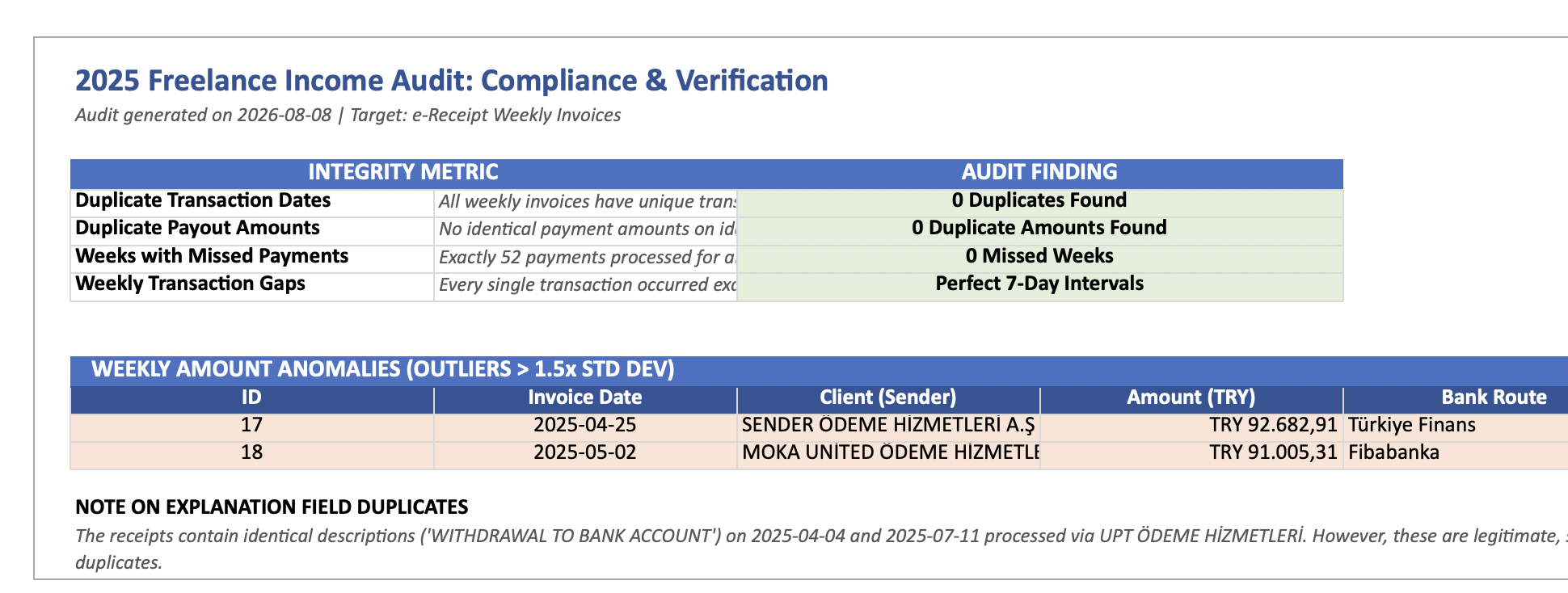
\2025 income report\
There is not any anomally detected, my accountant would love this.
10 - Chat to Deliverable
It’s time to wrap up.
Using this prompt, we’ll turn everything we just analyzed into an editable slide deck, so we don’t lose any of the insights.
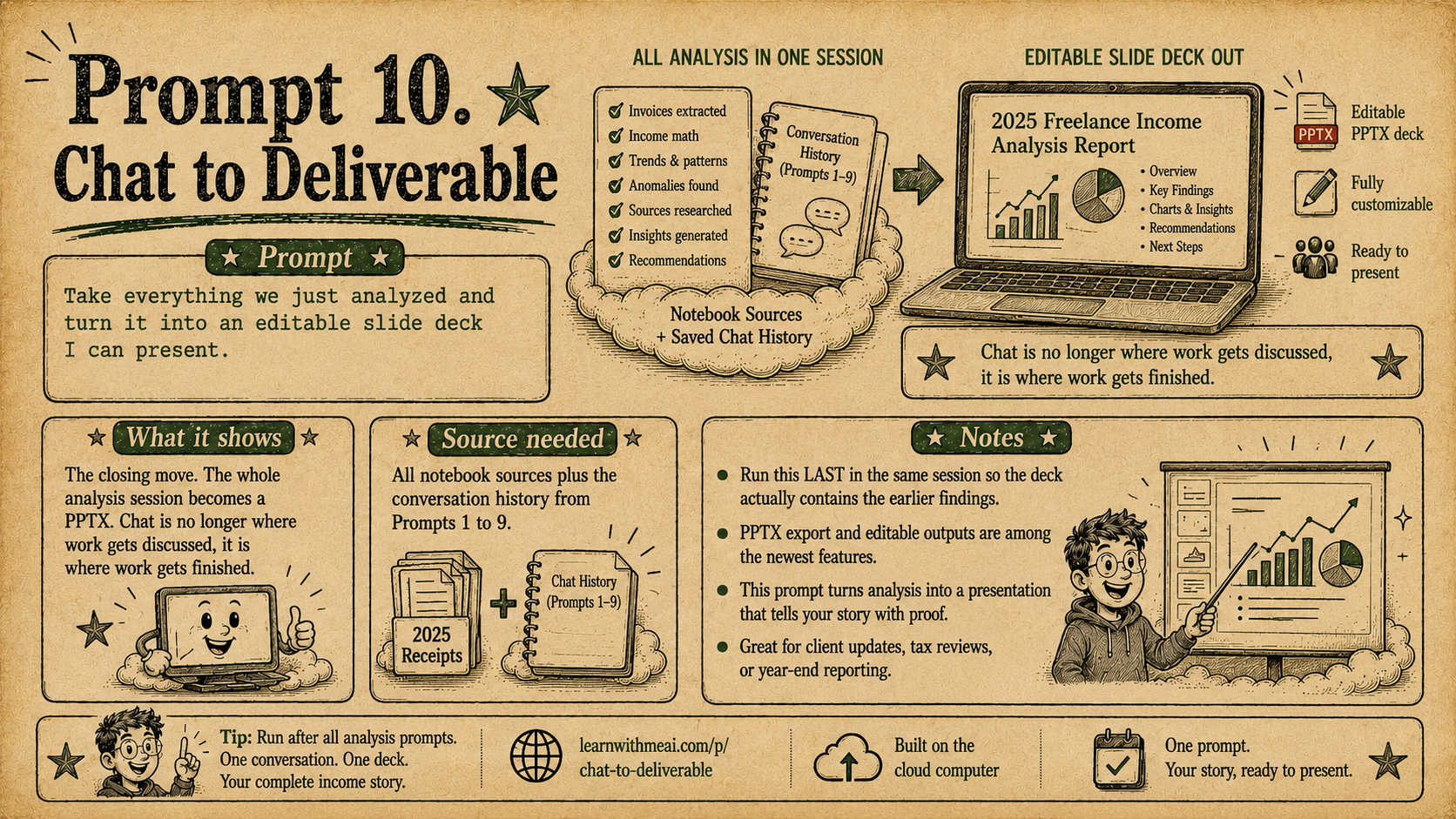
\Prompt 10, Chat to Deliverable. Turn the whole analysis session into an editable slide deck.\
In 1 minute, it generated PowerPoint slides.
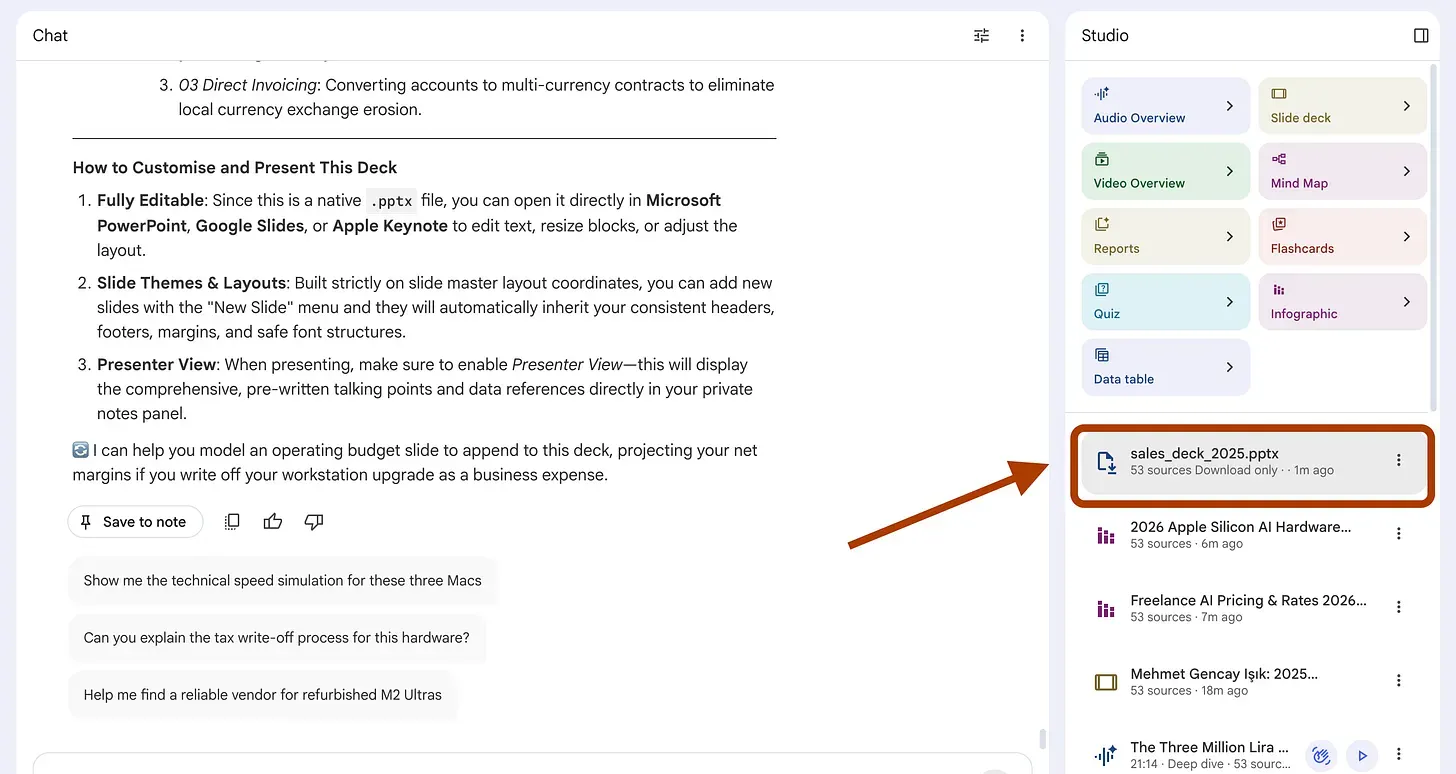
\One minute later, sales\deck\2025.pptx is sitting in the Studio panel.\
After downloading it, I opened it, and here it is.
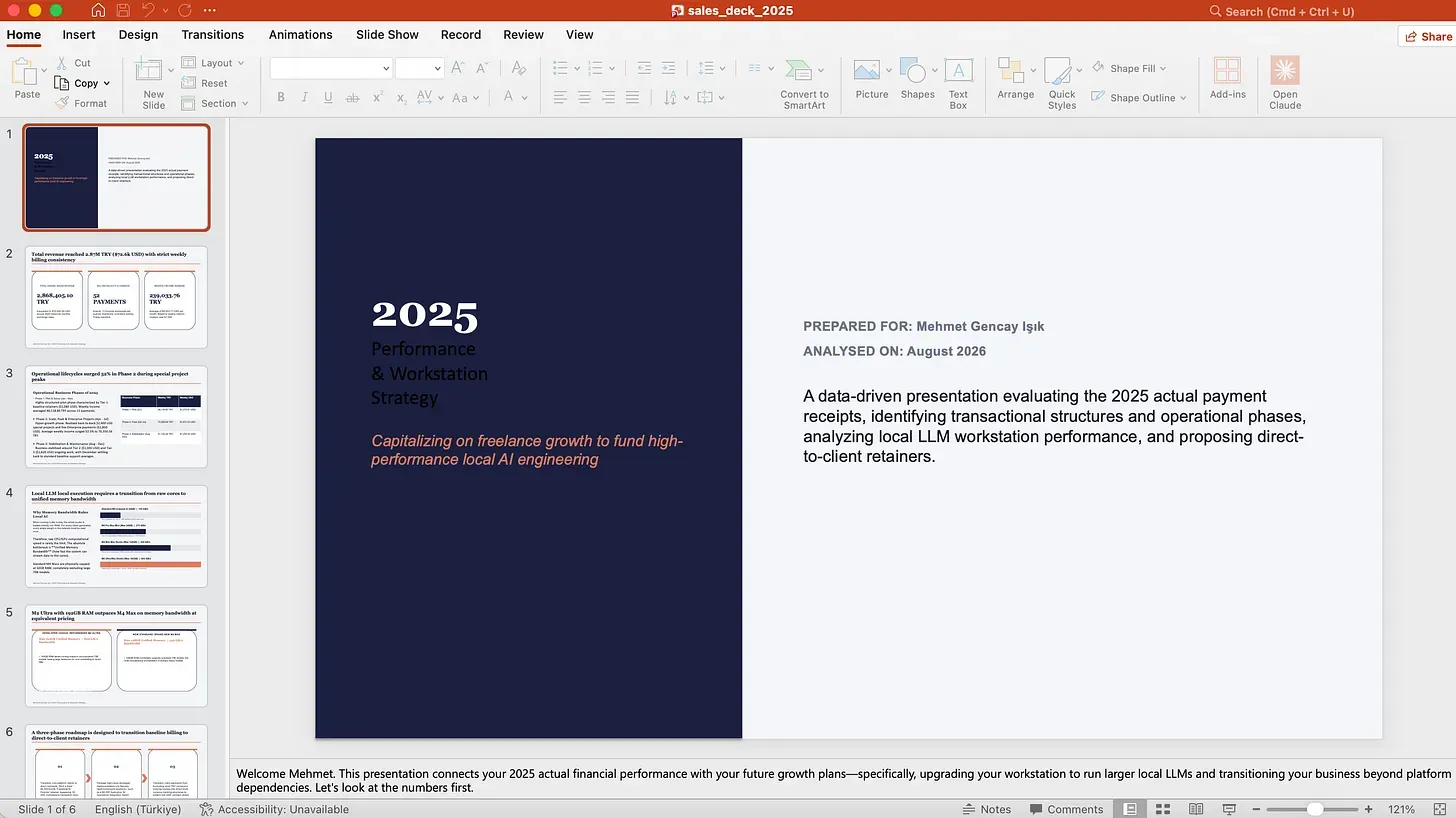
\The deck opened in PowerPoint. A native, fully editable .pptx file.\
It includes the latest analysis we did together.
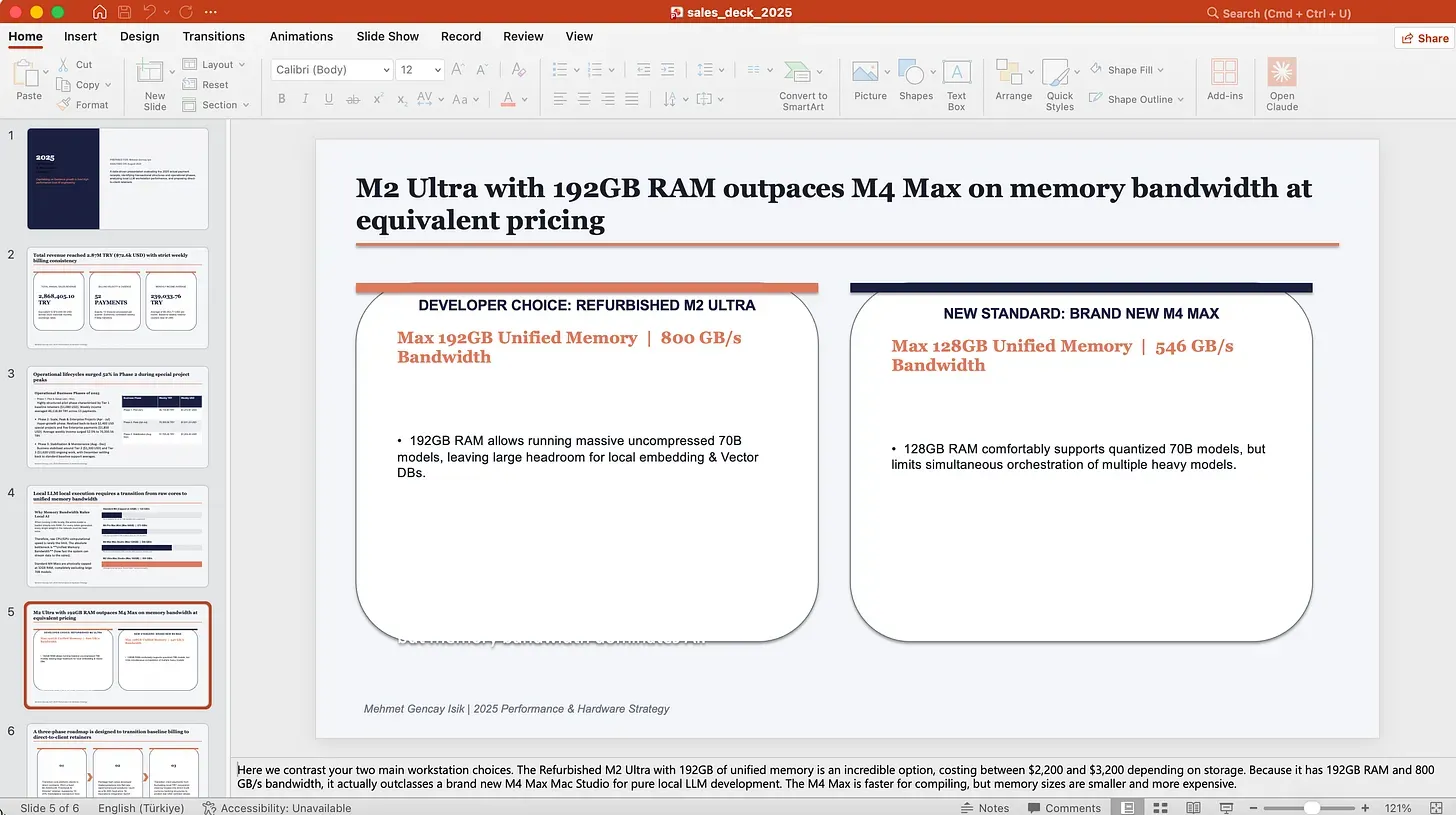
\The deck even carries the latest analysis. M2 Ultra vs M4 Max for local LLM work.\
Thanks for reading!
If you liked what you saw, I build AI systems that actually work every Monday, Wednesday, and Friday, and I share the full process, steps, and files with you.
Share it with your friends so more people can benefit from it.