**At 90%, Fable 5 Hands GPT 5.6 the Wheel. I Made Them One Team.
Fable 5 writes. GPT 5.6 referees. When your limit runs out, Codex takes the wheel.**
By Gencay
Published: 2026-07-27
URL: https://www.learnwithmeai.com/p/claude-code-usage-limit-codex-handoff
Claude Fable 5 is the best model released.
It is so powerful that Anthropic even had to merge a team before release.

\The team Anthropic merged before release.\
But it has one drawback, the price.
Now Anthropic put it under Max plan, and even if you pay max plan, you’ll have seperate Fable 5 limit.
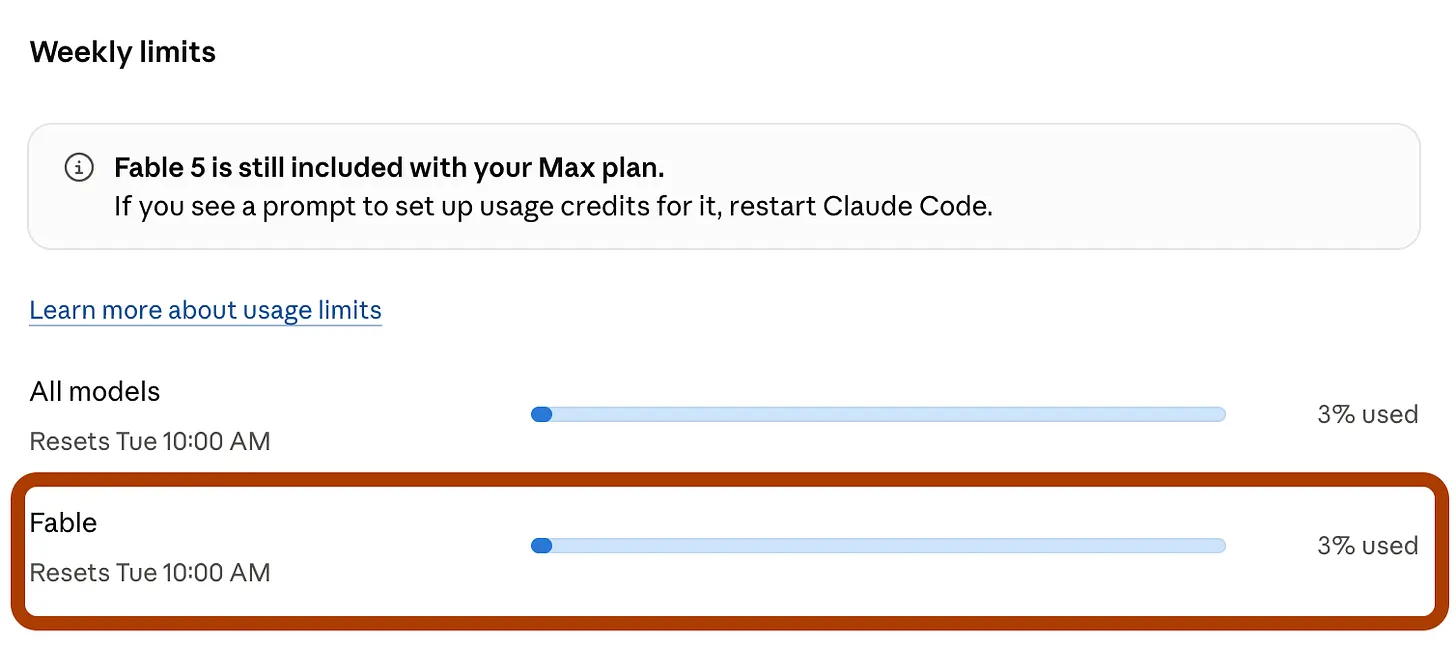
\Max plan, and still a separate Fable 5 limit.\
That’s why this headline got my attention, the GPT 5.6 Sol.

\Sol, Terra, Luna. The headline that got my attention.\
According to the Benchmarks that I checked, it was almost as good as Claude Fable 5.
But who understands the benchmarks right? I need a more plain explanation, like speed, price to performance, which I created for you.
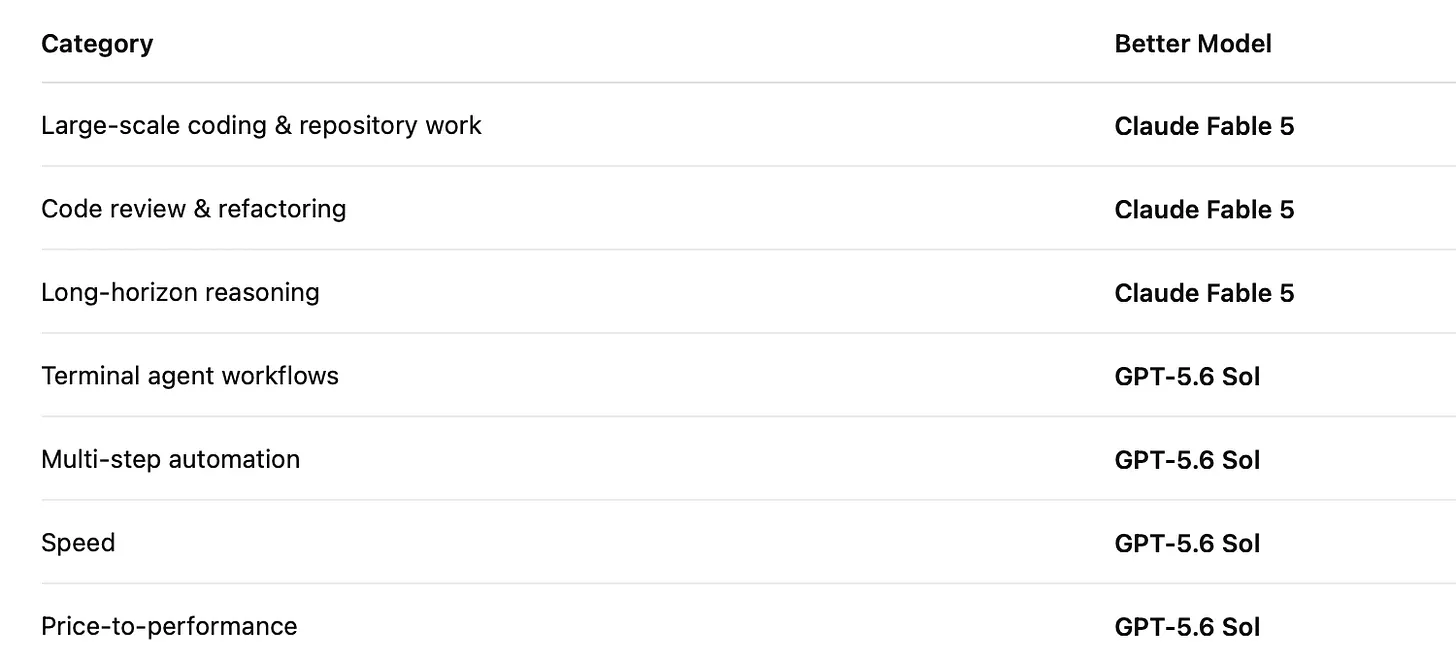
\Fable 5 codes better. Sol runs faster and cheaper.\
I like OpenAI. It was my first love, but Claude is still my favorite because its ecosystem feels better. OpenAI also keeps adopting ideas Claude introduced first, such as Cowork and scheduled tasks.
Still, I keep a ChatGPT Pro subscription so I can test OpenAI’s latest models.
Last week, while working on an intense project, I was close to hitting my usage limit. That made me wonder: is there a way to use Codex directly inside ChatGPT?
It looks like many people had the same idea I did because there’s already a plugin that lets you use the Codex plugin inside Claude Code.
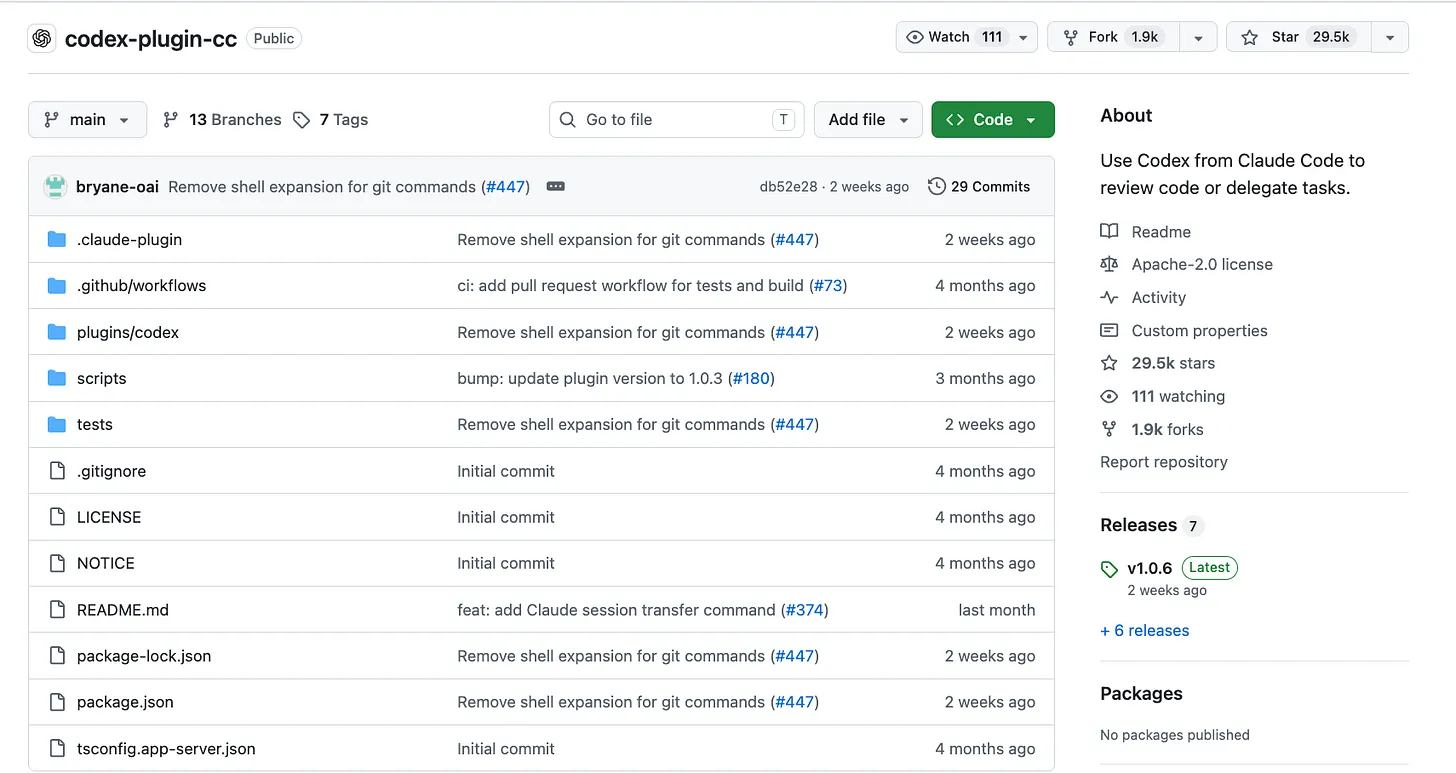
\29.5k stars. People want these two together.\
But it looks a bit complicated to me.
To make it clearer for you, I wrote a Claude skill that lets you use Codex inside Claude.
But my Claude Skill has more features, let me show you.
The Codex-Wingman Skill
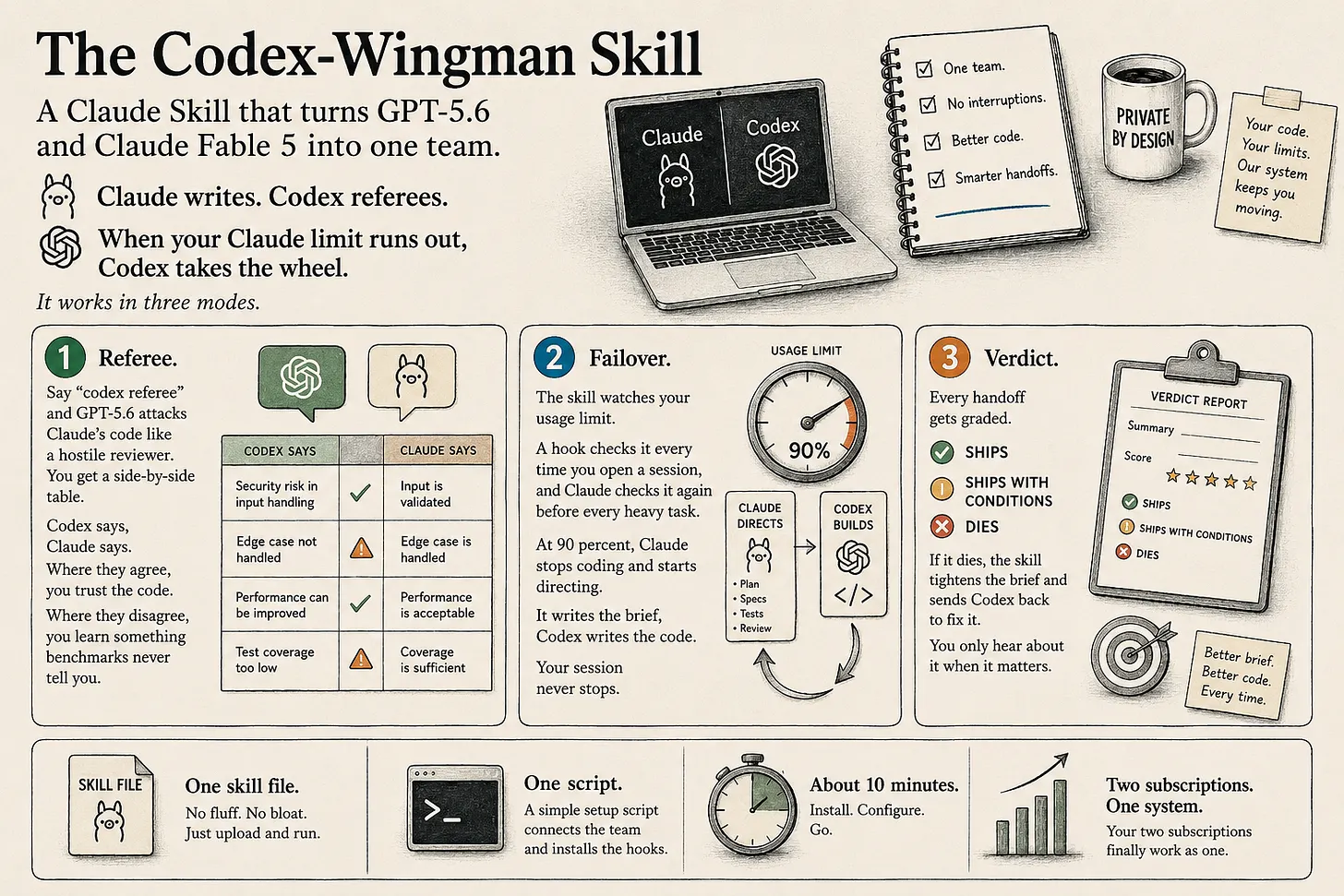
\One skill. Claude writes, Codex referees.\
The Codex-Wingman skill turns GPT-5.6 and Claude Fable 5 into an amazing team.
When you’re about to hit your Claude usage limit (around 90%), Codex takes the wheel.
This Claude Skill works in three modes.
- Referee: In this mode, GPT-5.6 reviews Claude’s code like Sam Altman. It tells Claude where to agree, where to trust its approach, where to disagree, and what to improve.
- Failover: In this mode, GPT 5.6 takes control when the limit hits 90 percent, Claude stops coding and directs the tasks to the Codex.
- Verdict: In this mode, GPT-5.6 checks every handoff and decides whether the work is ready to ship, needs a few changes, or should be rejected.
With one Claude Code skill, your two AI subscriptions finally work as one team, and the result is better than either one alone.
Why This Works?
If you use Claude before, you know, hitting the limit is like another Sunday morning activity.

\100 percent used. Resets in 35 minutes.\
And sometimes, you need to keep going, so I see people even suing the Claude team :)

\Some people take the limit to the federal court.\
Or paying $500M for the API bill.

\The other way to never hit a limit.\
Also, I want these two to work together because we all know the Fusion techniques; it surpasses the Fable 5 intelligence, and it lets multiple model runs at the same time.
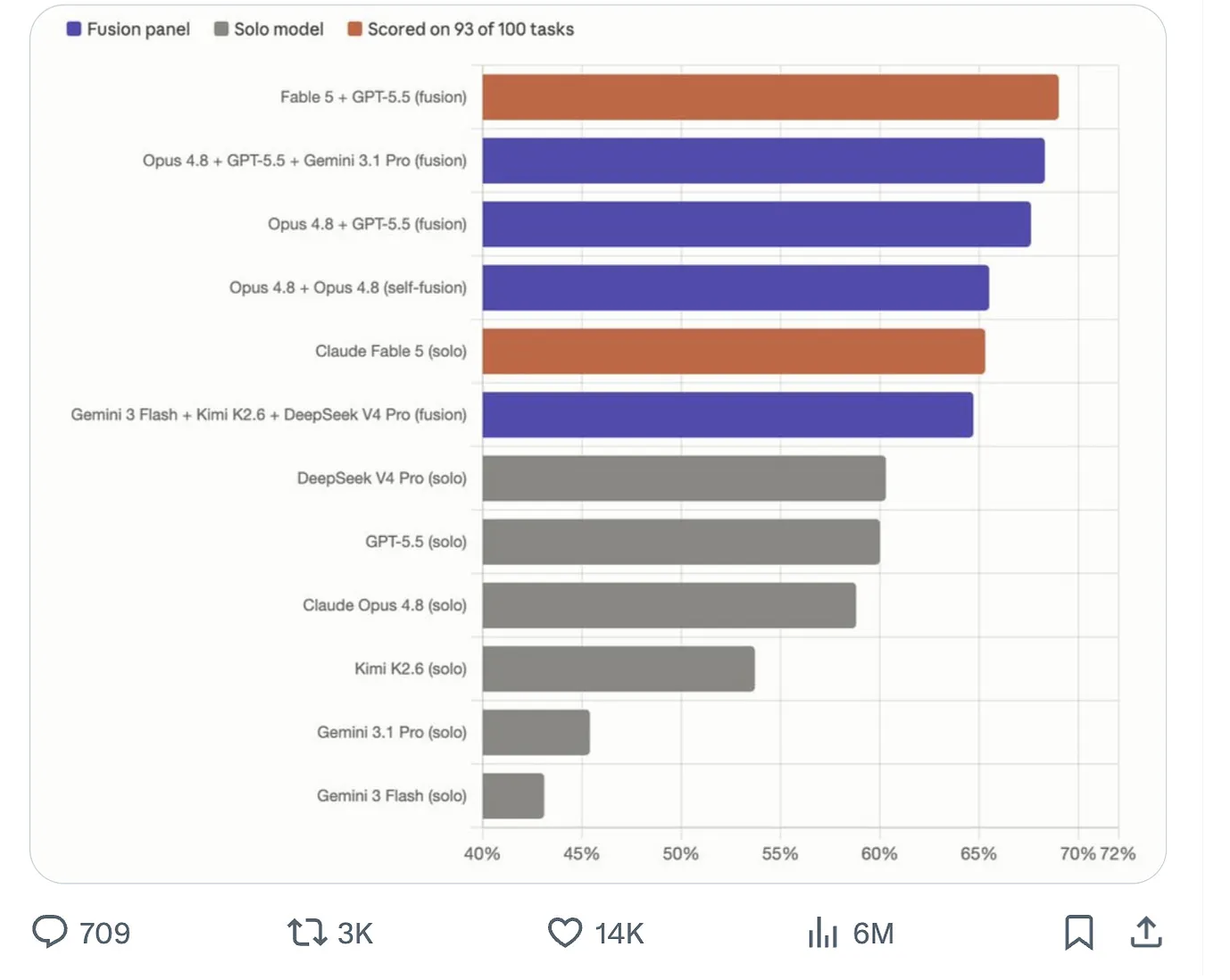
\Two models fused beat every solo model. 93 of 100 tasks.\
So using two different models for the same tasks can be really good because both AI use different parameters, and the combination will be better than both, because the training datas are different.
But enough with technicalities, let me show you how to install this skill and how it works in action.

\What is after the paywall?\
How to install this skill?
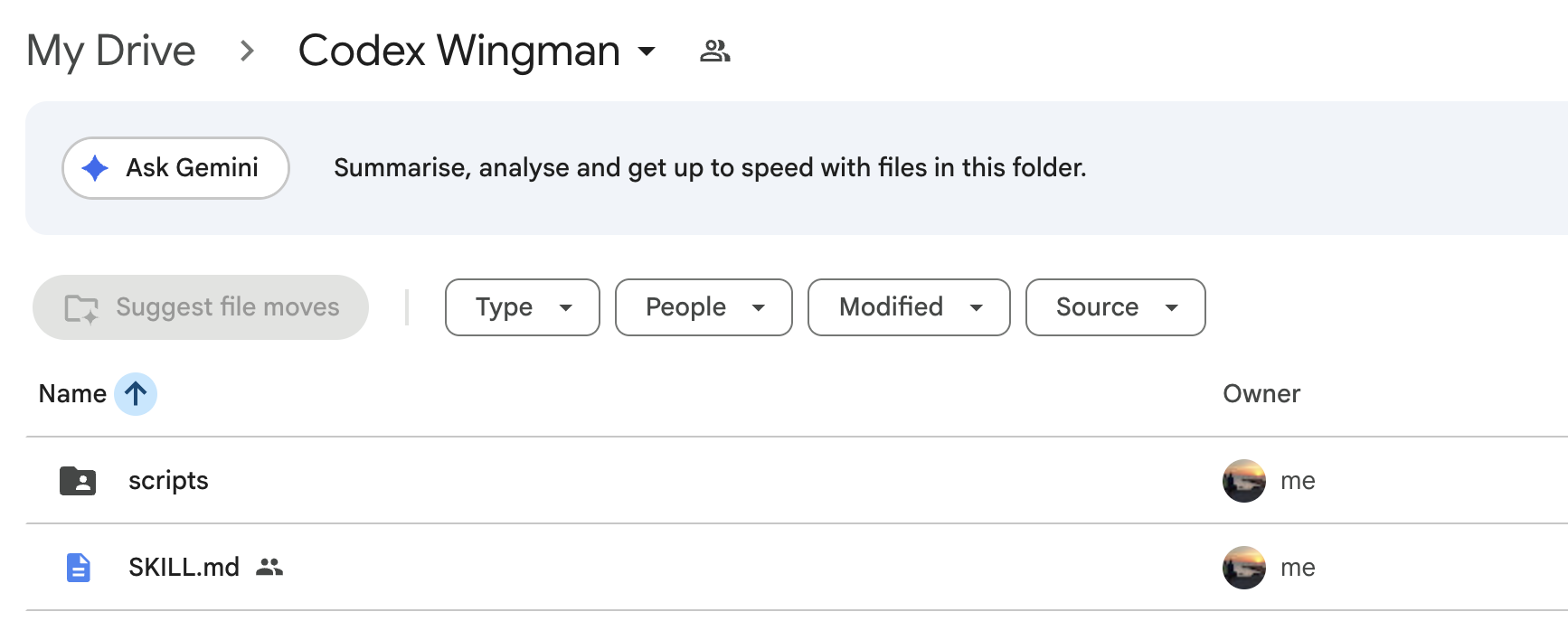
Here is the link to this skill: https://drive.google.com/drive/folders/1Ex6EP1wzVXJQx3mpGmkwyQ3JyFZxjPon?usp=sharing
Download this folder and use the following prompt:
Use this file: <path-to-this-file> and install this skill, after that inform me.
That’s it, now let’s test this skill.
Testing the Skill
As I told you, there are two important features of this skill, other than the plan codex plug-in.
For each mode, I wrote one prompt for you to test them.
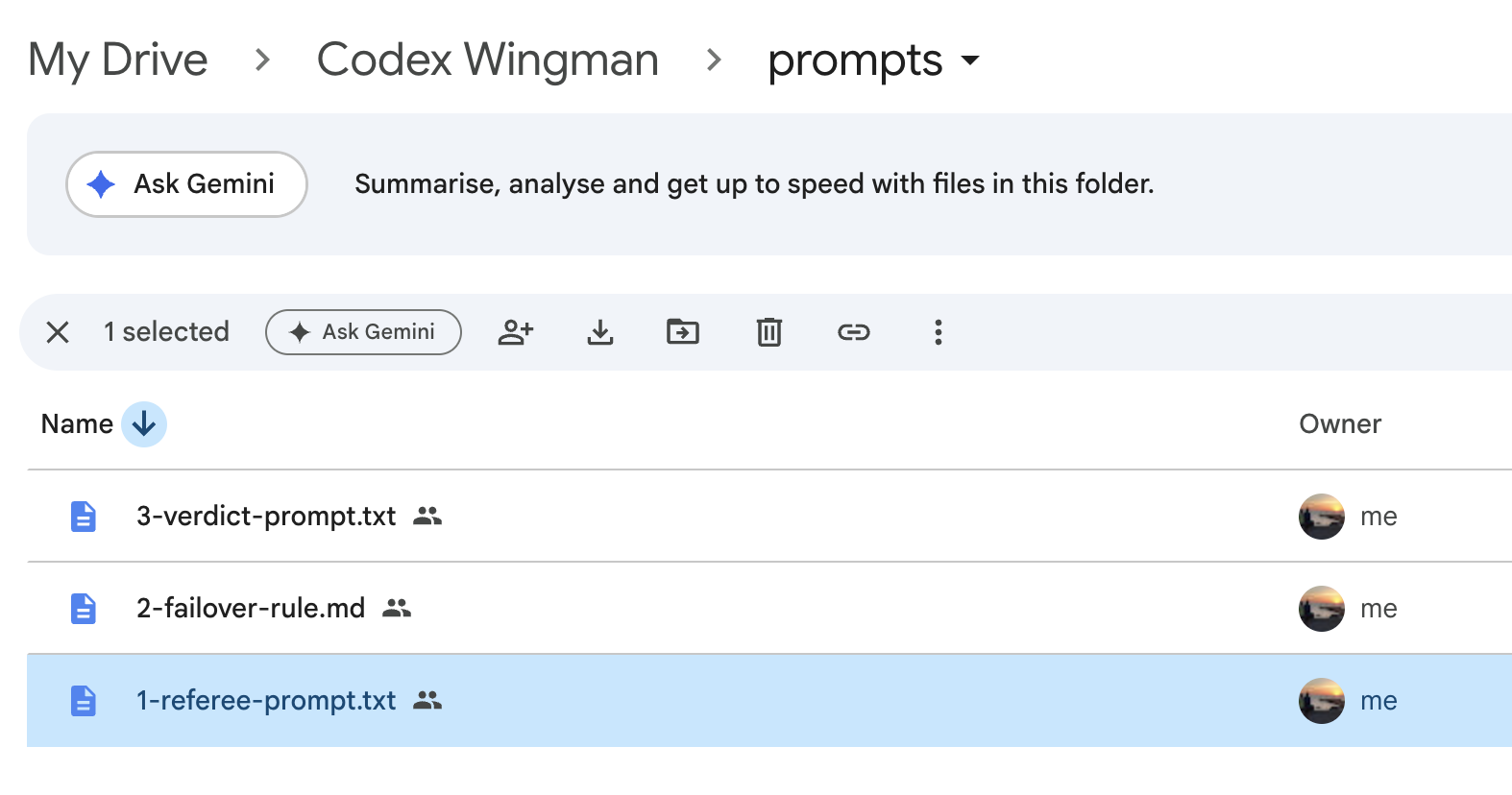
They are customizable.
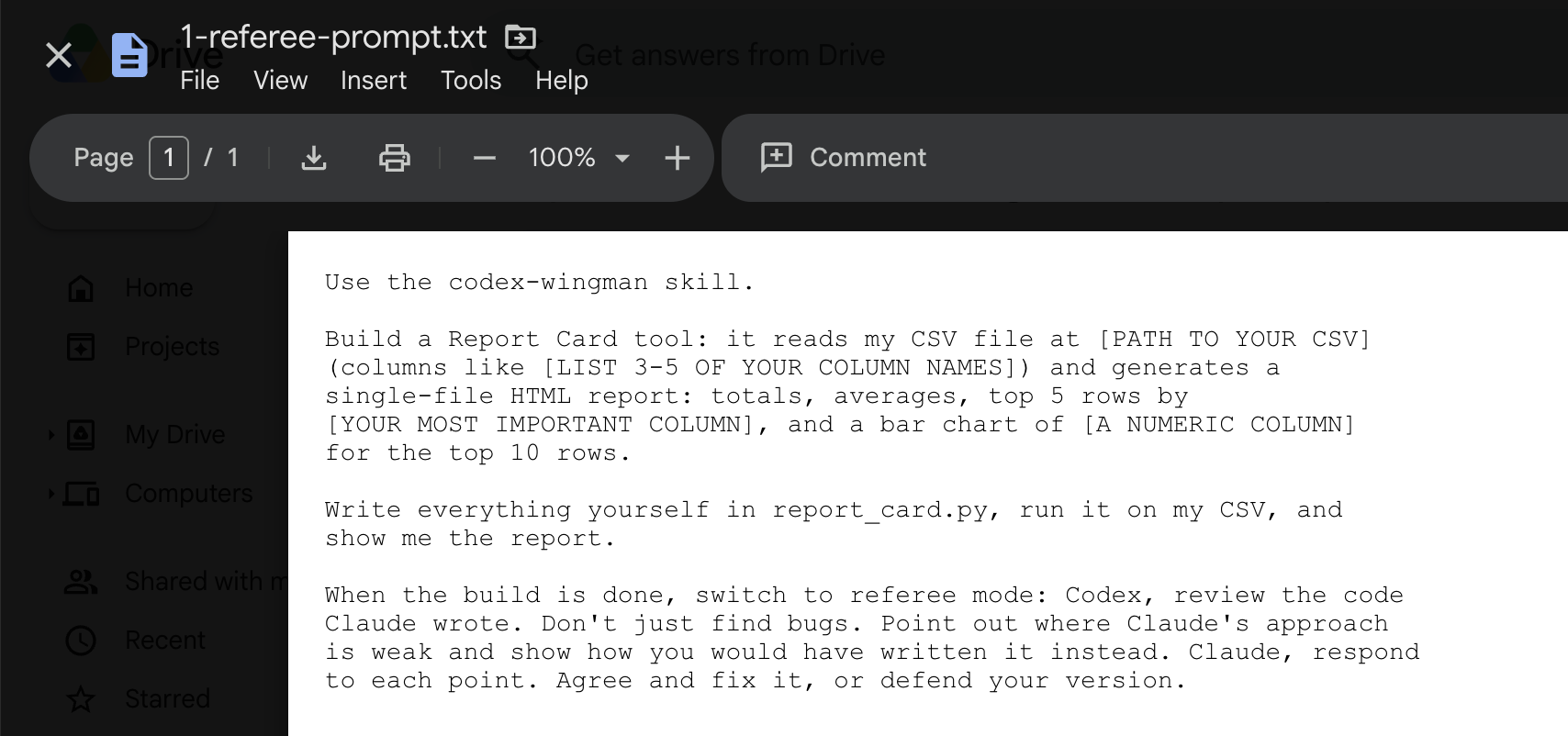
Let’s start with the referee.
1- Referee
In this mode, we’ll assign Codex as a referee and watch Claude closely.
To test this, I customized 1-referee-prompt.txt by adding my Substack statistics.
After you paste the prompt, Claude will build the entire system, and Codex will act as the referee.
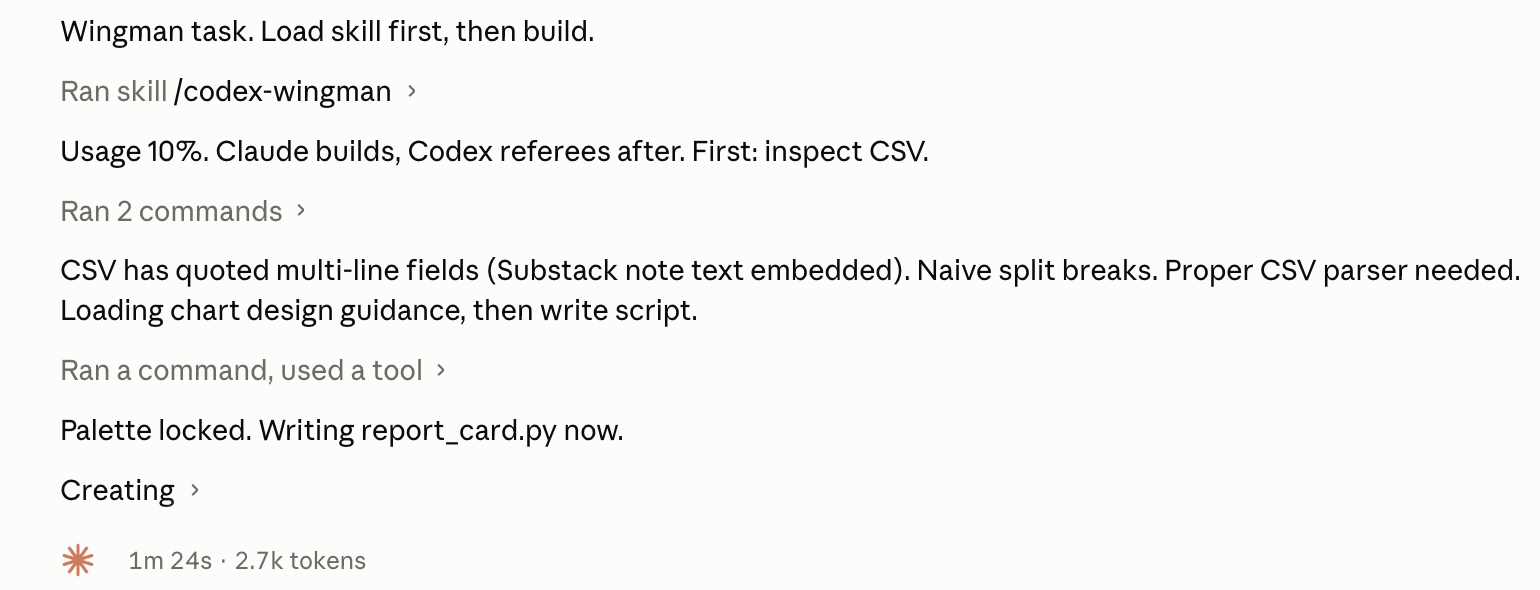
A couple of minutes later, part of the statistics appear.
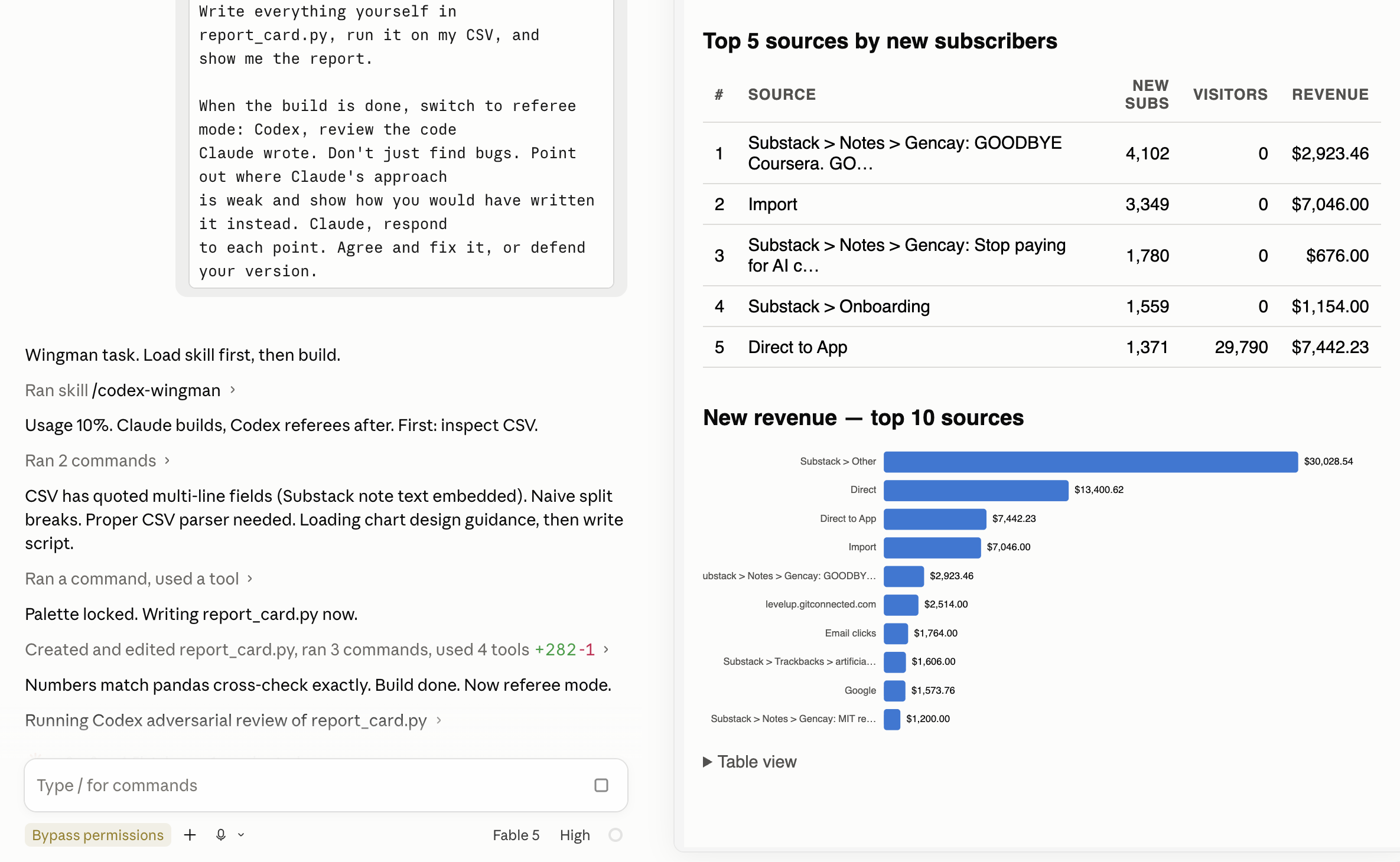
Now the codex is running in referee mode and finds 5 different things, let Claude knows and Claude is using the browser
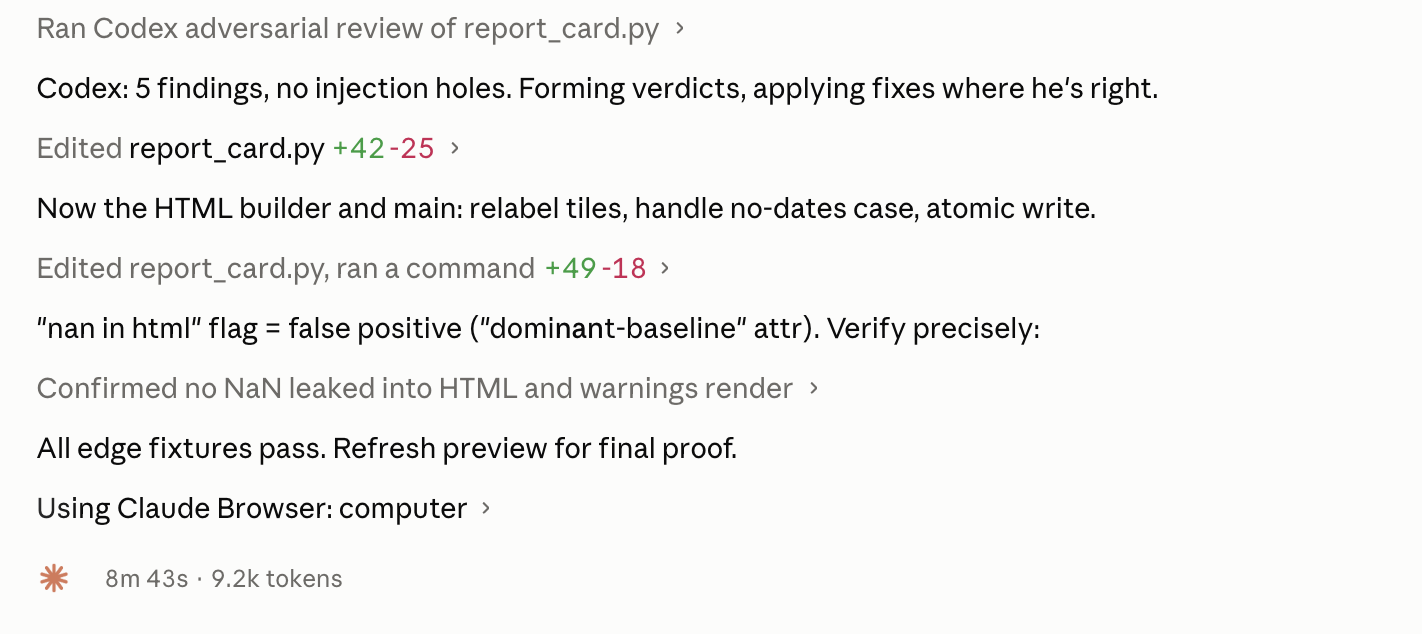
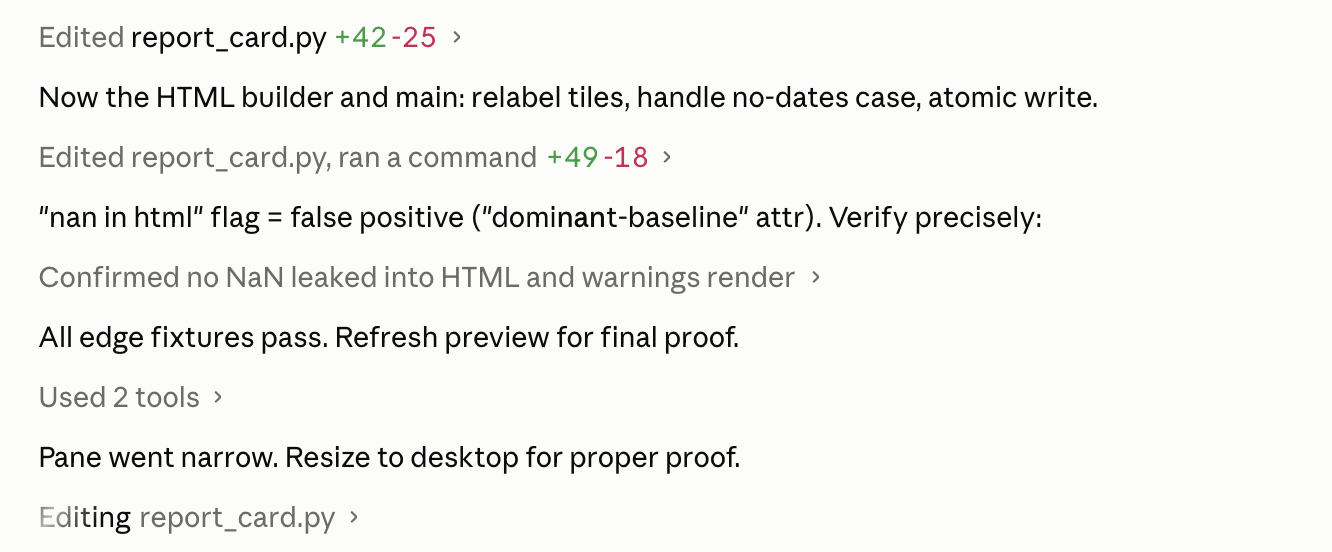
And solve the issues one by one.
And here is the final report.
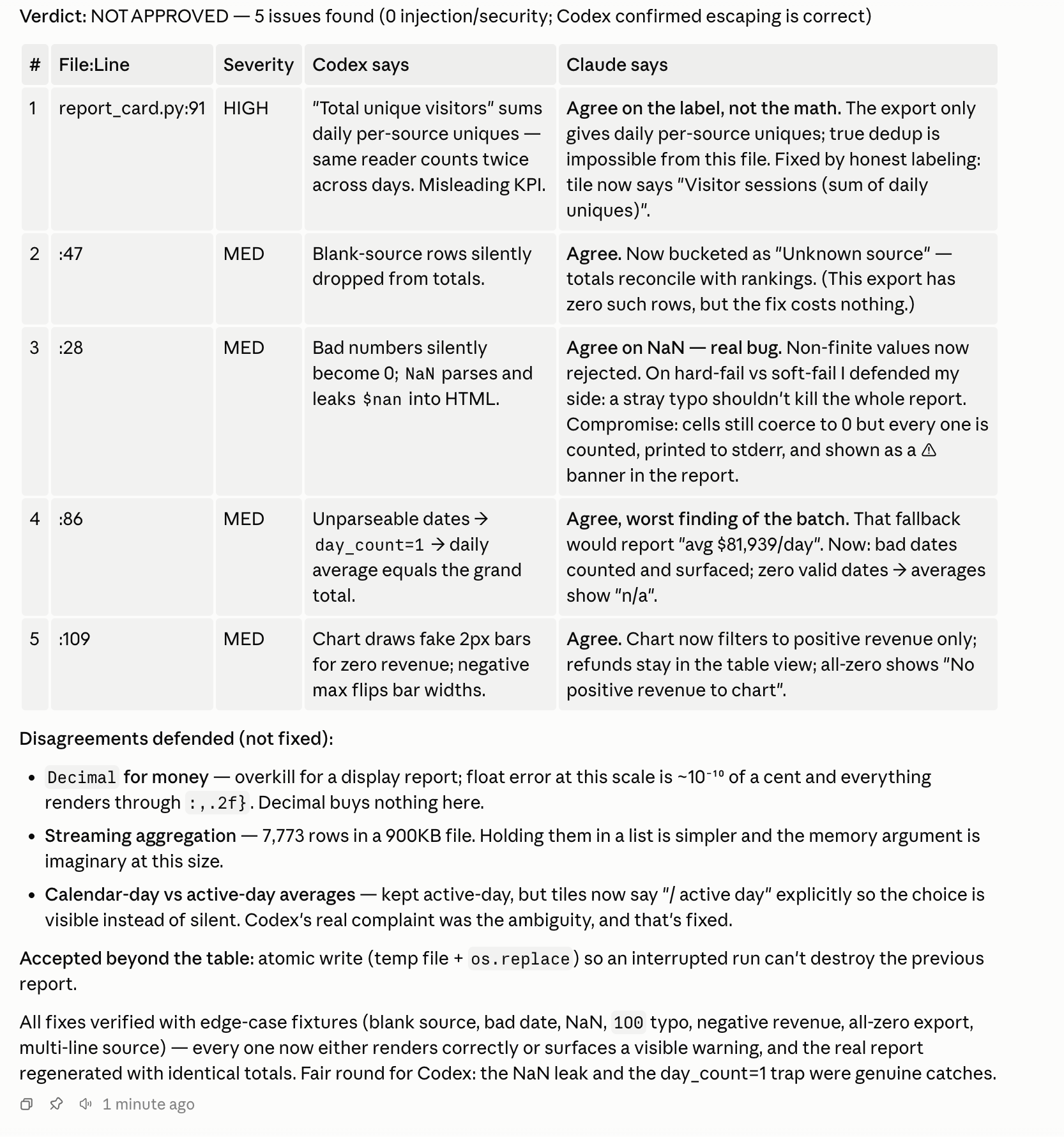
Look how cool this is. Codex found several issues. Claude disagreed with some of them, but it also fixed a few others.
It’s amazing to watch them work together. In a way, you’re going beyond what Claude Fable 5 can do on its own.
2- Failover
To activate this mode, if you’re using the Claude project system, you need to add this to your Claude.MD
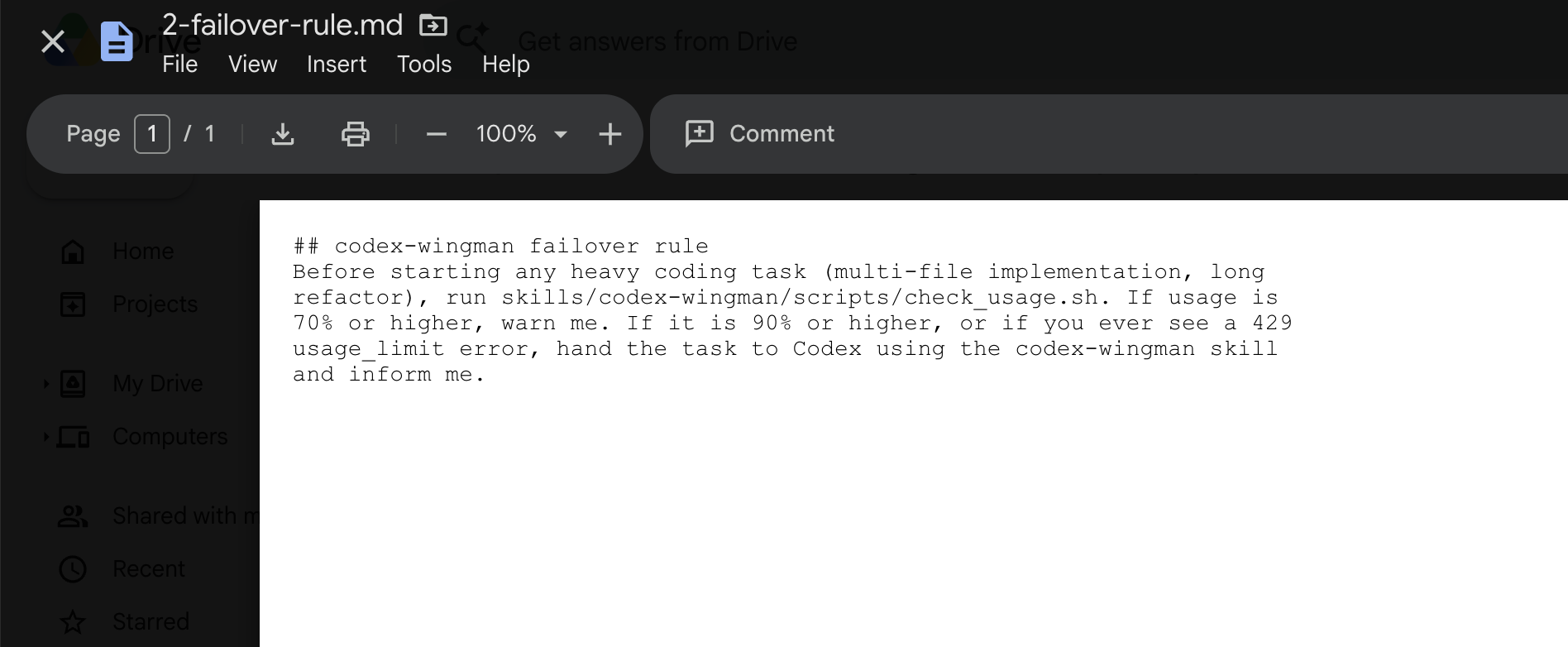
Now your system knows when to switch Codex. (If the usage limit hits >90)
3- Verdict
The referee told us what was wrong. Verdict tells us if the final code is ready to ship.
This mode grades report\_card.py, the file Claude built back in part one.
After the referee round, Claude fixed four findings and defended three.
Verdict puts that final version through one last exam.
- Does it run on my CSV.?
- Does it match the brief?
- What breaks first?
The grade comes in three levels. SHIPS, SHIPS WITH CONDITIONS, or DIES.
Here is my verdict.
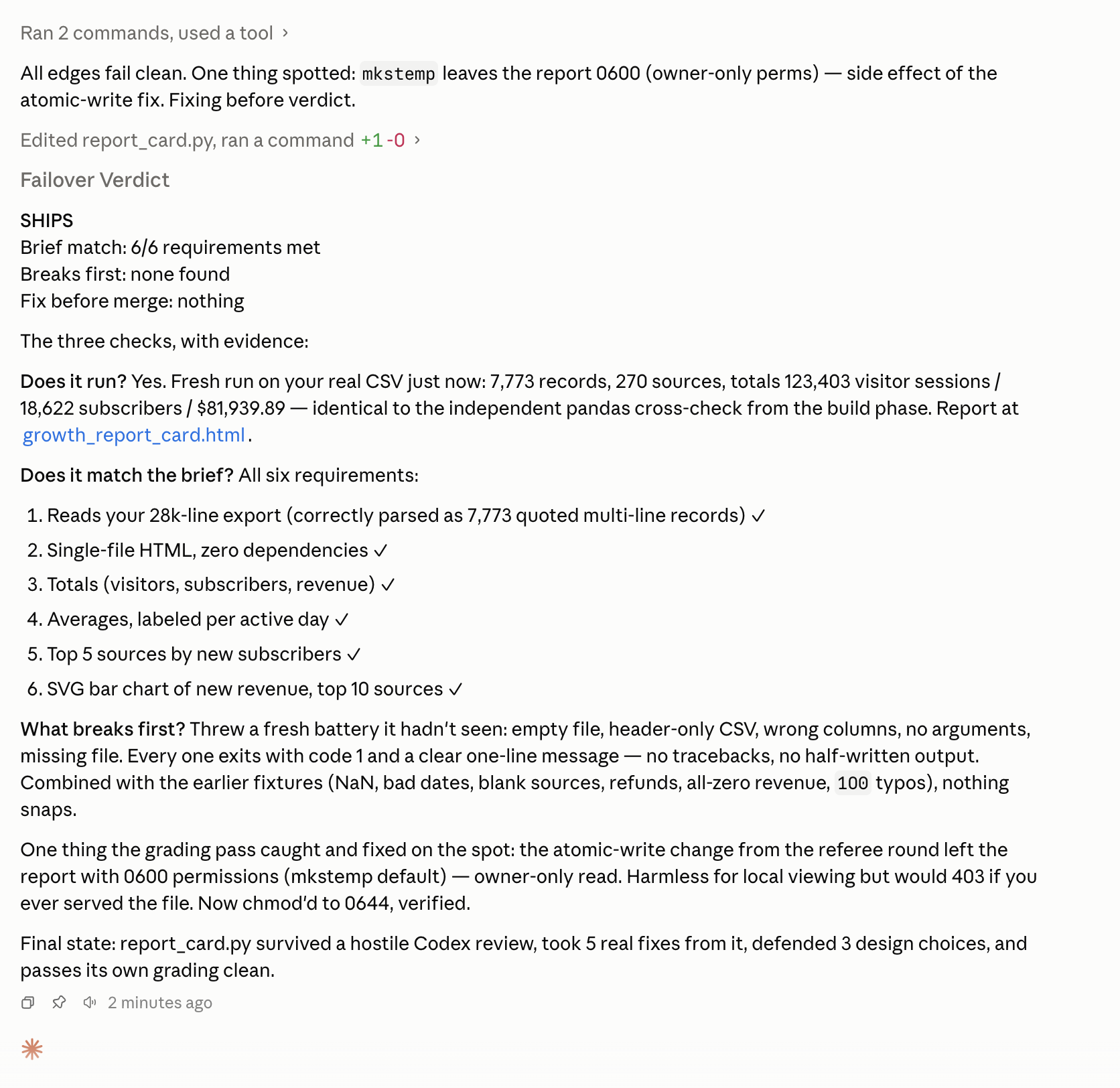
All six requirements were met, so there is nothing to worry about. The code was approved. Cross-checking is always useful.