A Claude Cowork and NotebookLM tutor that quizzes you until you pass. One prompt to build it.
By Gencay
Published: 2026-07-10
URL: https://www.learnwithmeai.com/p/ive-built-my-ai-tutor-with-claude
Finding a job has never been easier than in this era.
Yesterday, I was scrolling through jobs on Upwork when one title stopped me.
Claude Certified Architect. $25 to $60 an hour, 30 plus hours a week, 3 to 6 months.
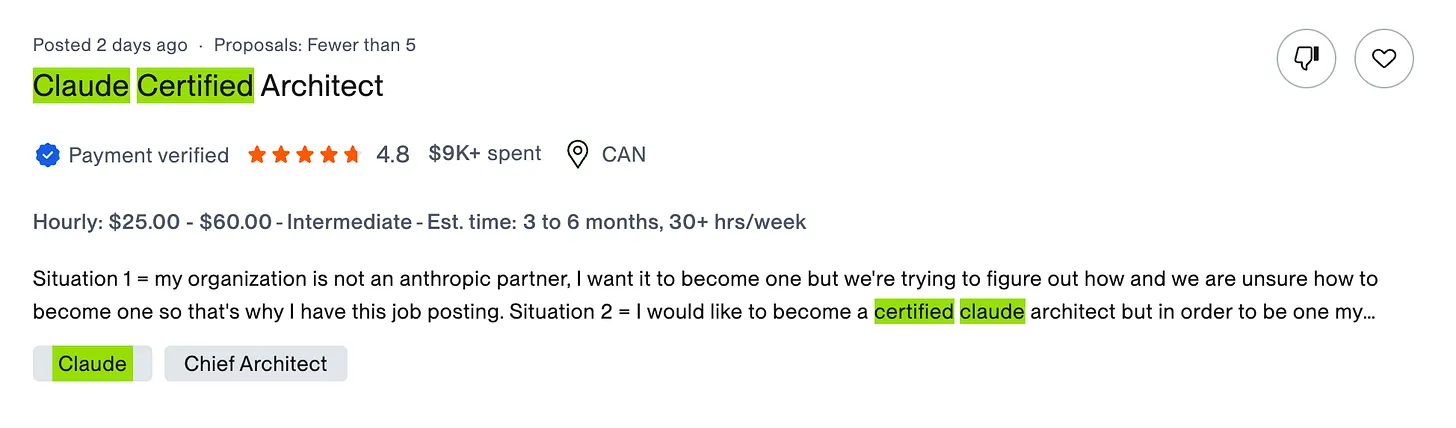
\One contract, sixteen weeks, twenty-four grand. That is why the title stopped me.\
Do the simple math. Call it $50 an hour, 30 hours a week, 16 weeks. That is $24,000 from one contract.
Good money. I noted it and moved on.
Then this landed in my inbox.
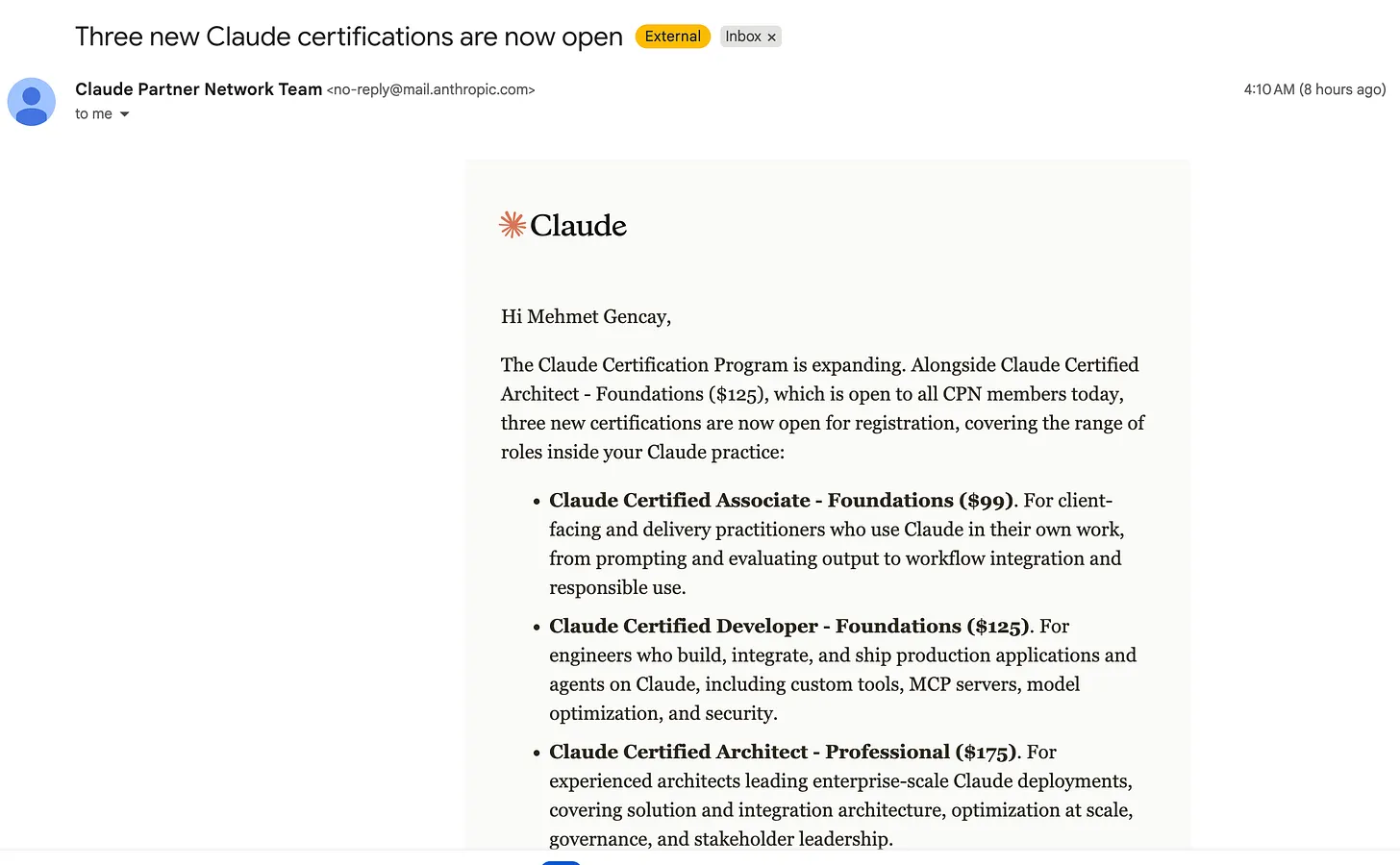
\Anthropic opened the exams. Knowing the tool and passing its test are different sports.\
Anthropic opened new Claude certifications.
I know Claude Code from A to Z.
But knowing a tool and passing its exam are different sports.
An exam wants structured prep, repetition, and a schedule that does not care about my mood.
If I want to learn something, I use NotebookLM, because grounding keeps the hallucinations out.
And if I want to keep showing up, I use a Claude routine, because it does not let me skip.
So I built my own tutor.
The AI Tutor I Built with Claude Cowork and NotebookLM
I have a quiz in 5 minutes.
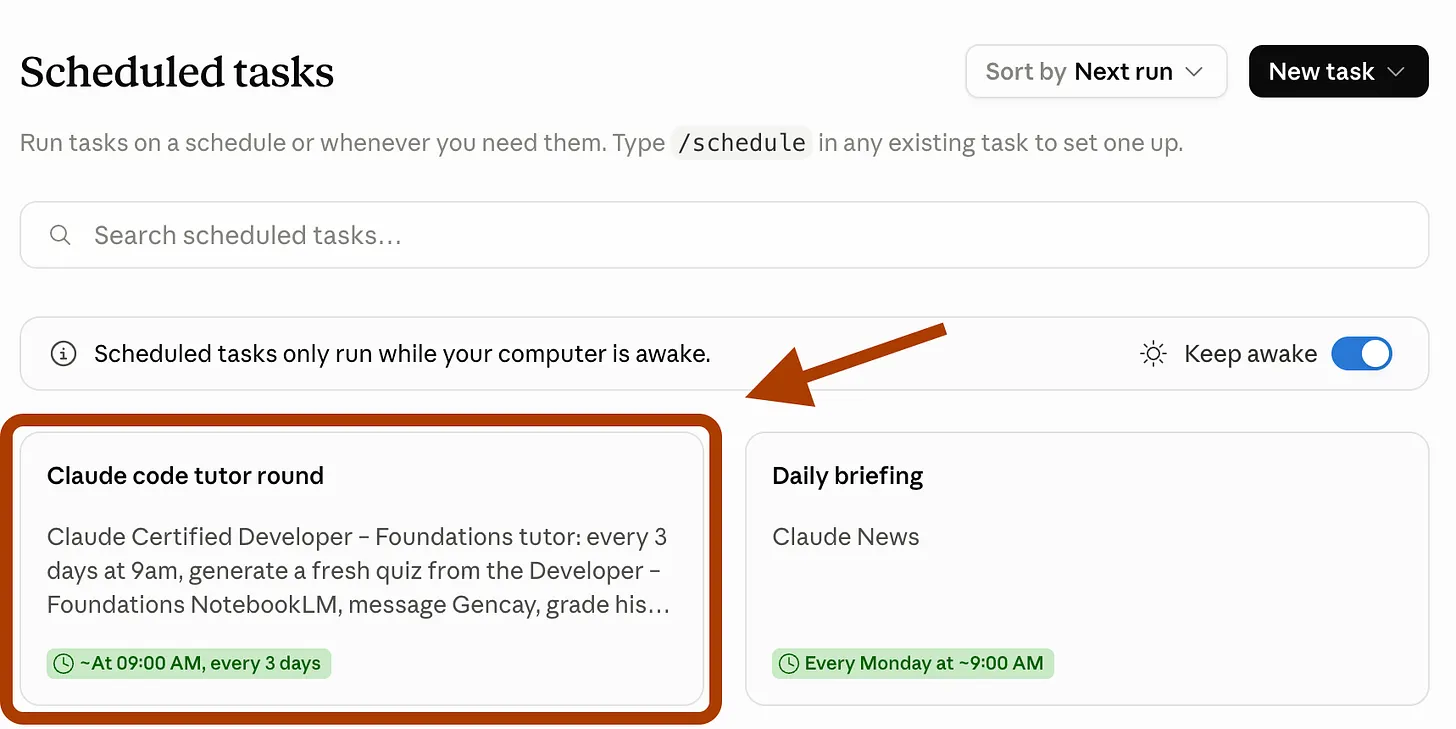
\The alarm clock. Every three days at nine, the Claude code tutor round fires on its own.\
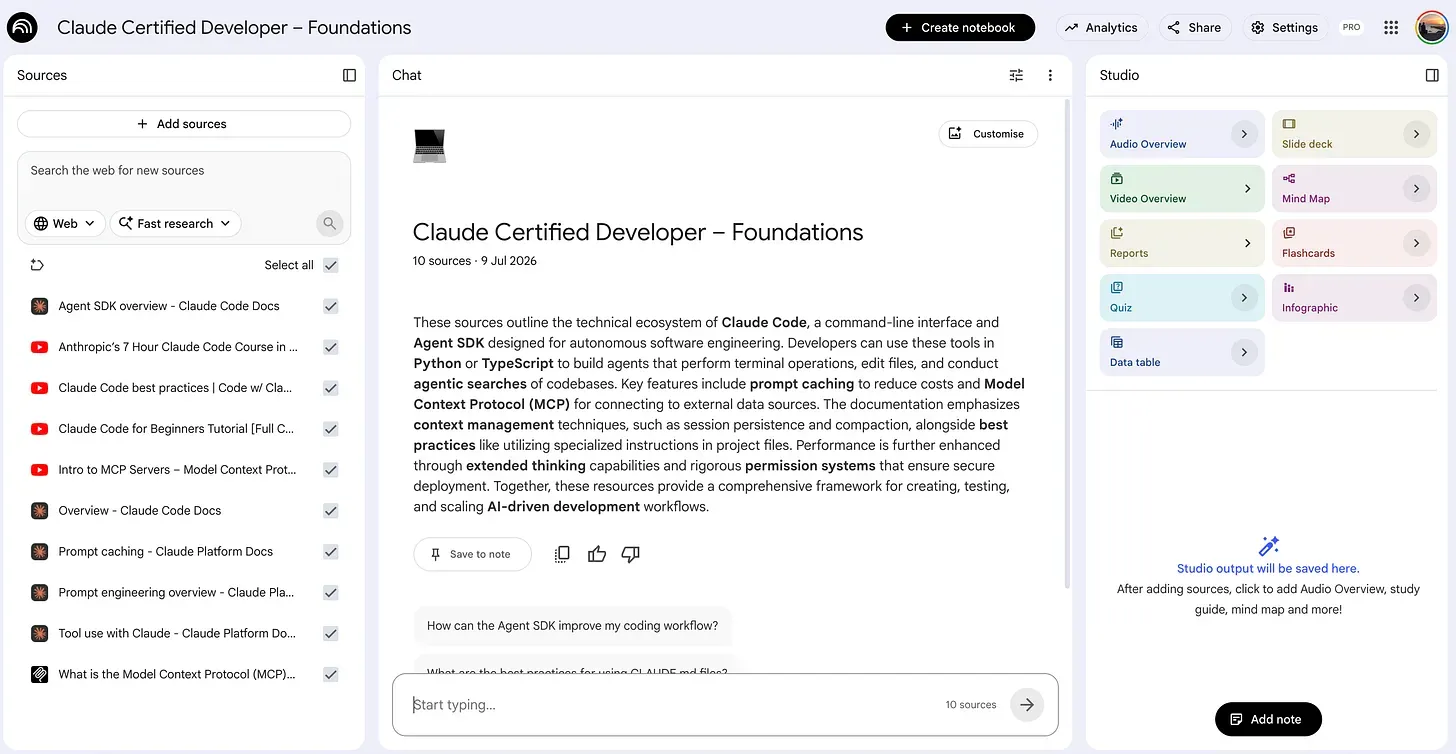
This quiz uses NotebookLM as a source, specifically this one.
\Everything lives in one folder. The instructions, the progress file, and each quiz round the tutor writes back.\
The wildest part, the Claude Cowork, creates a quiz through NotebookLM connection, send backs to you the questions.
My topic: Claude Certified Developer
You can choose any topic; heck, it can be your dream job, and you can also simulate an interview.
Mine started on Cowork.

Let’s check notebookLM once again. Here is the quiz that was generated.
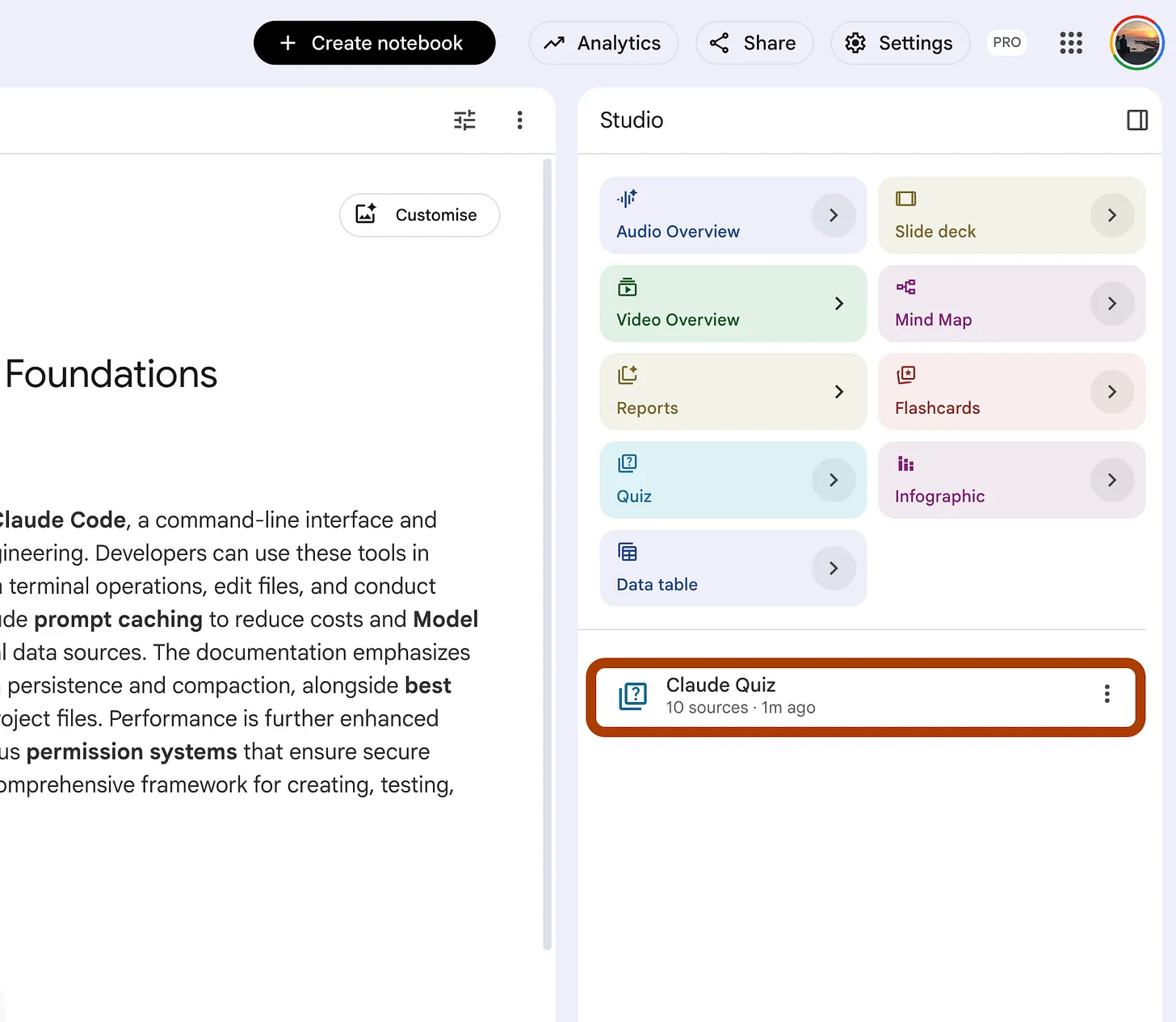
\Check NotebookLM, and there it is. The quiz is generated before I finish my coffee.\
But I can answer through Cowork.
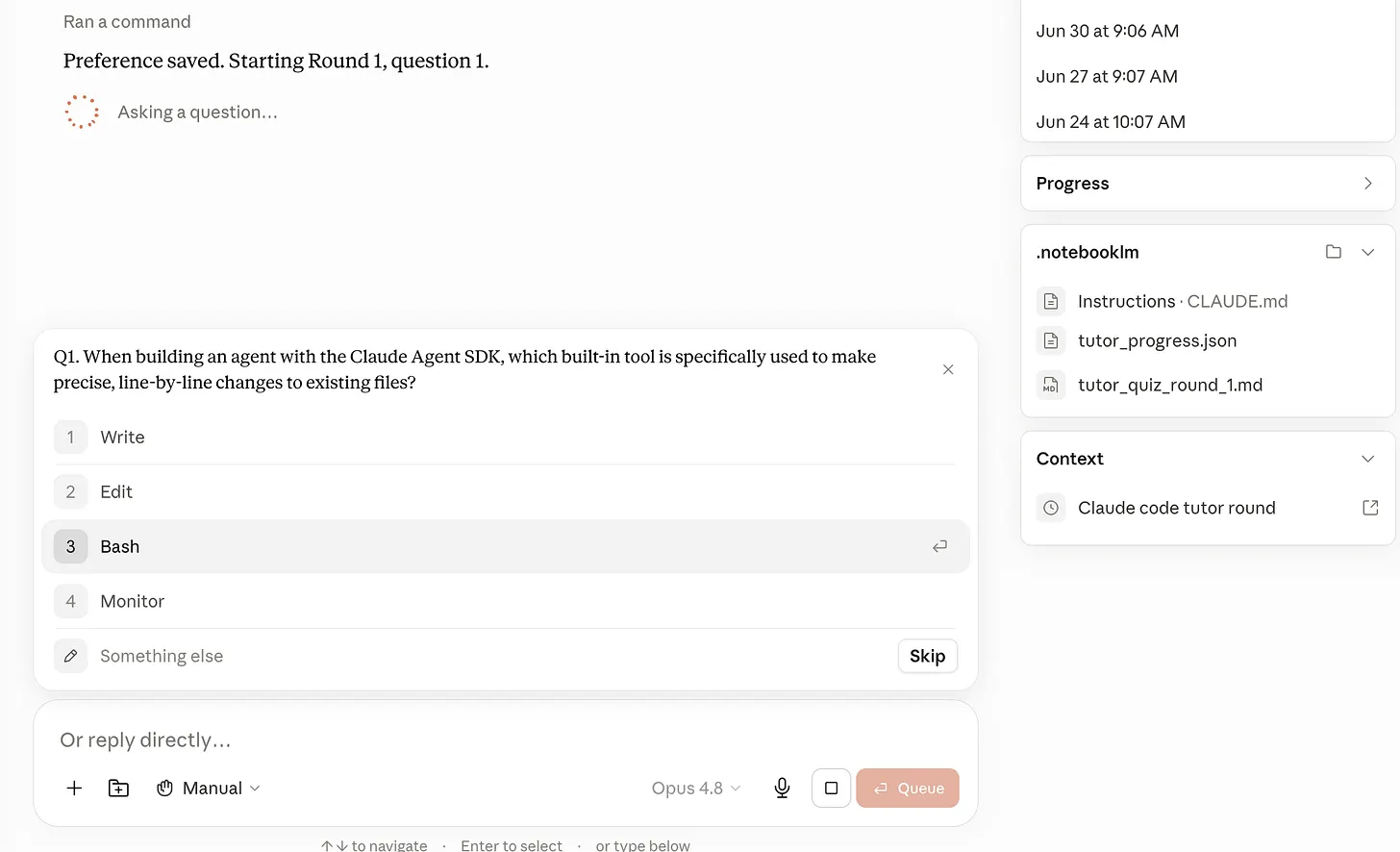
\I answer inside Cowork. Every response gets scored and written back to disk.\
And all of my questions/answers/right or wrong were saved as json file, named tutor\_progress.json.
At the end of each quiz, it’ll suggest a source to me.
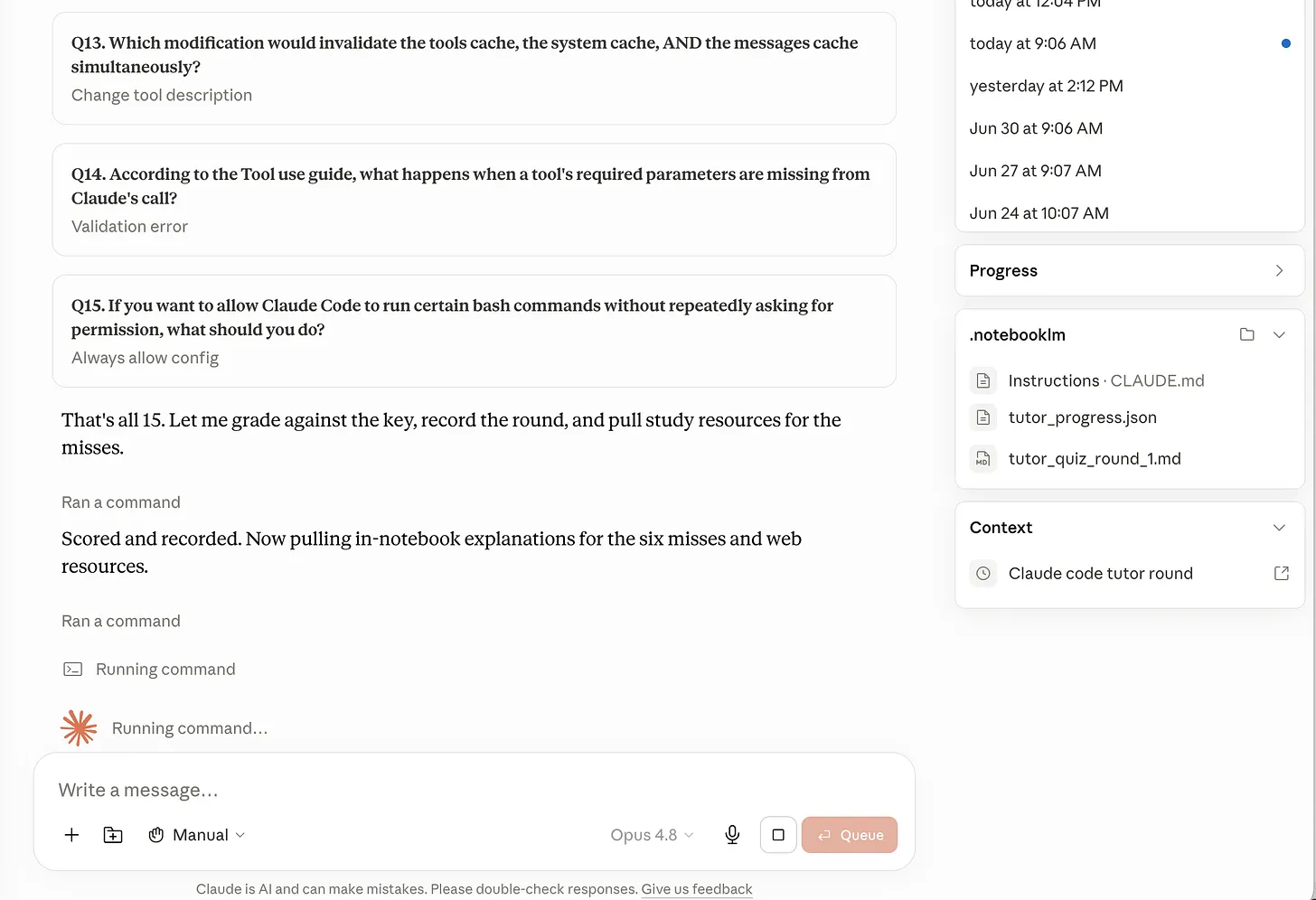
\The quiz has finished\
Here is my result.

\Sixty out of a hundred. Below the pass mark, so the streak stays at zero. No mercy.\
I don’t have too much time to finish, but that’s not my excuse :)
Also, here are the six misses that I have to address, and there is one official document for each of these errors, so I can check out and read by the next quiz.
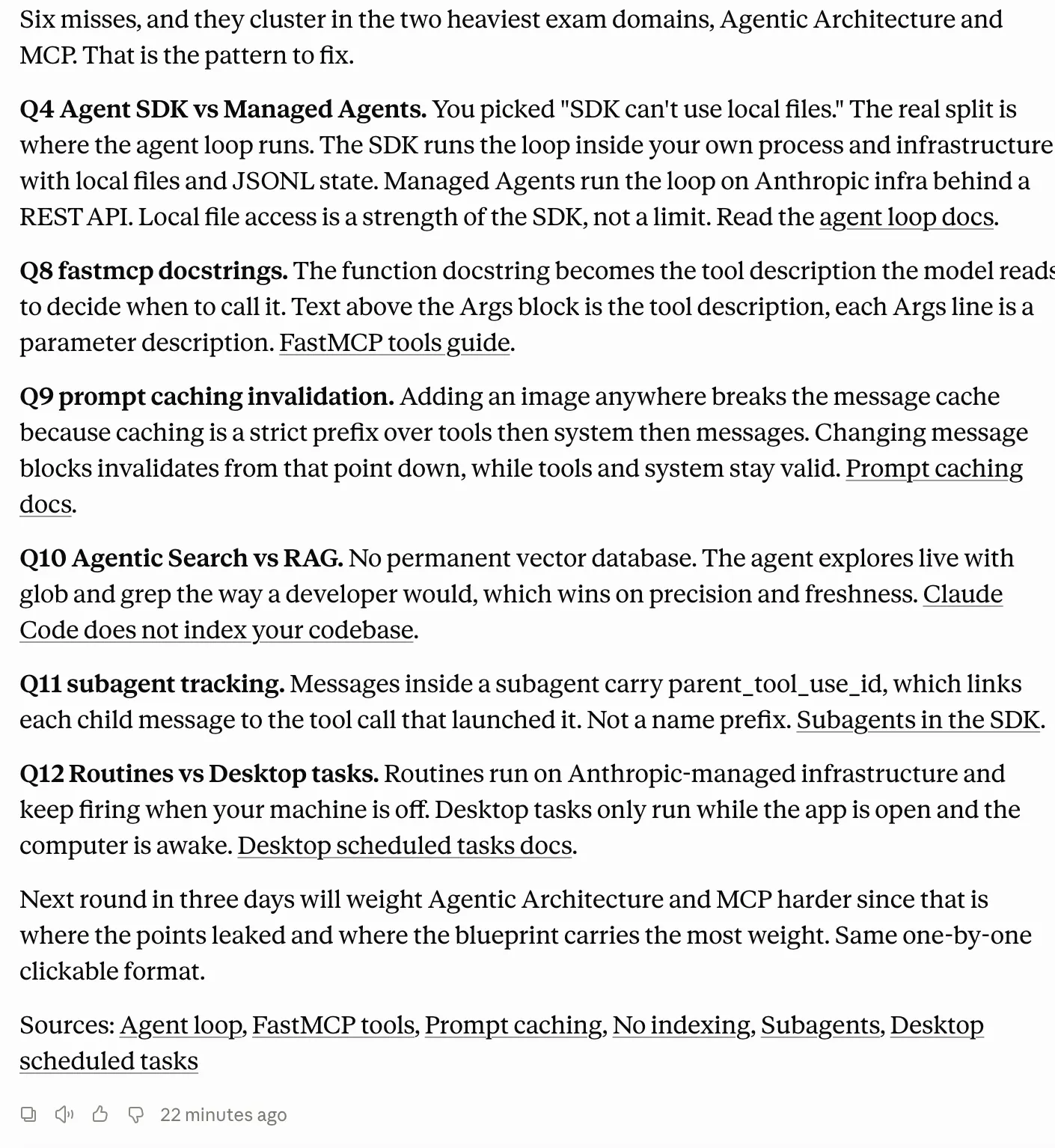
\Six misses, each mapped to one official doc. The tutor tells me exactly what to read next.\
And in the next quiz, it will create a new quiz using a custom prompt through NotebookLM.
The prompt will force it to focus on these subjects.
How does the AI Tutor work with NotebookLM and Claude?
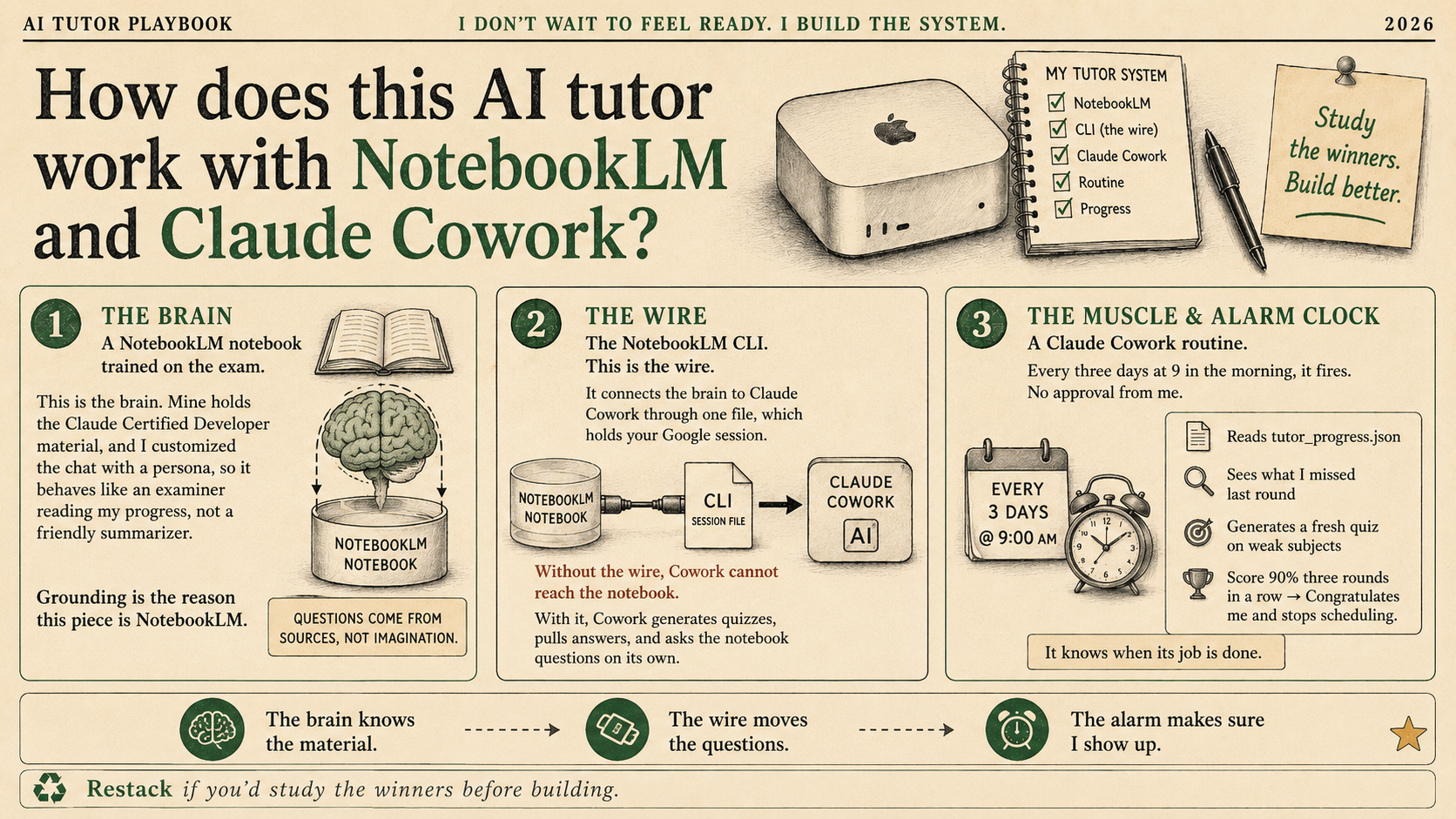
The whole thing runs on three pieces.
A NotebookLM notebook, trained on the topic. This is the brain. Mine holds the Claude Certified Developer material.
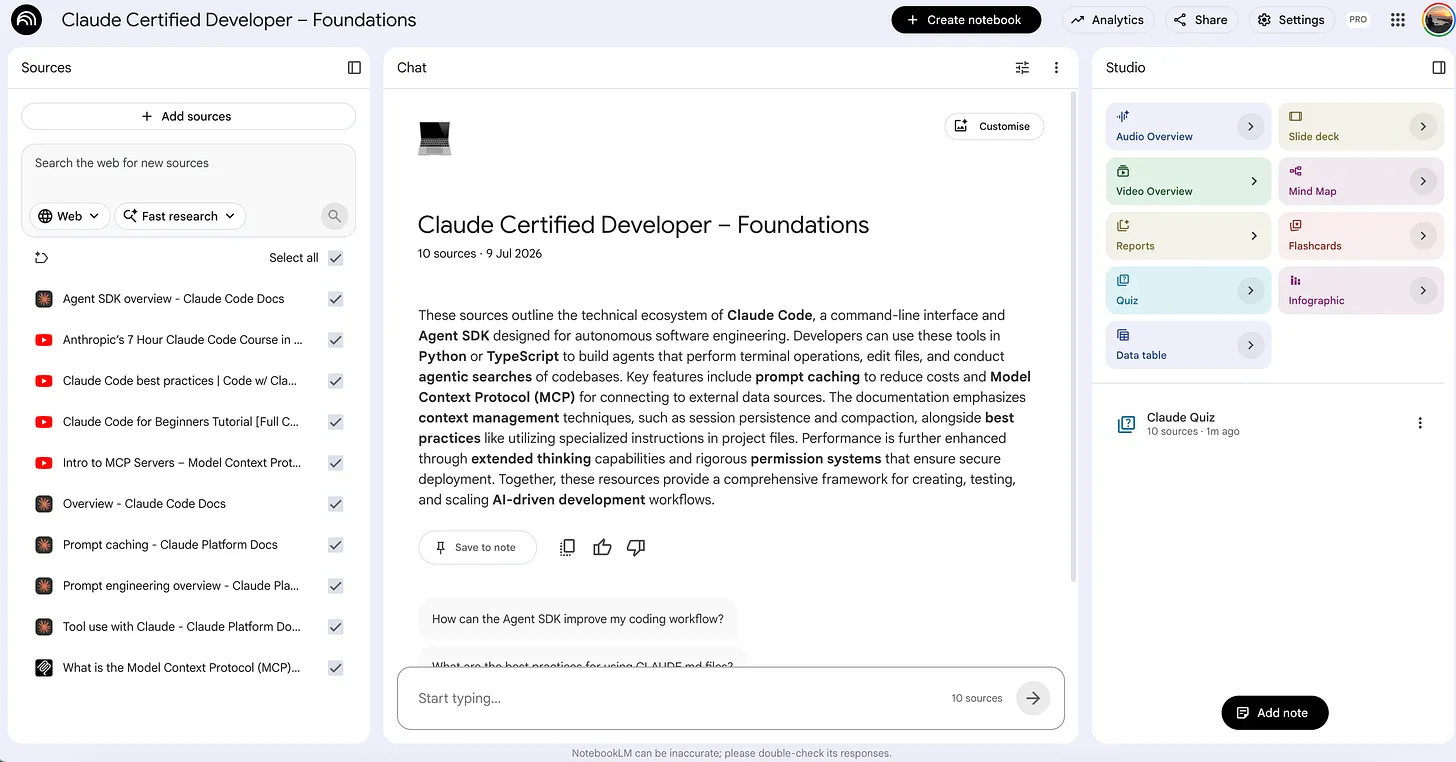
\The brain. A NotebookLM notebook trained on the exam, so questions come from sources, not imagination.\
The NotebookLM CLI. This is the wire. It connects the brain to Claude Cowork through one file, which holds your Google session.
Without the wire, Cowork cannot reach the notebook.
With it, Cowork generates quizzes, pulls answers, and asks the notebook questions on its own.
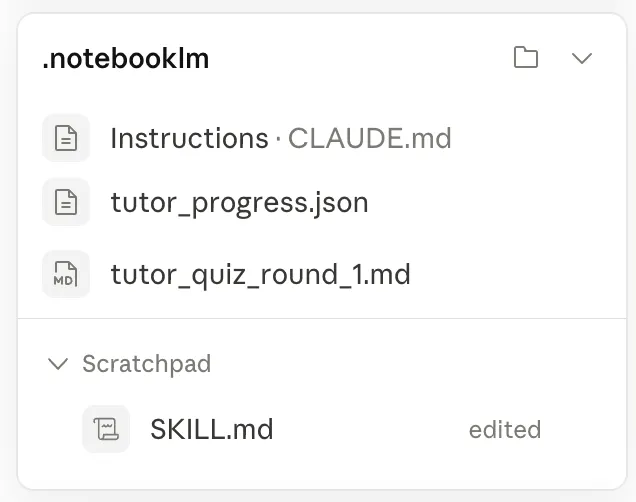
\Everything lives in one folder. The instructions, the progress file, and each quiz round Cowork writes back on its own.\
A Claude Cowork routine. This is the muscle and the alarm clock in one. Every three days at 9 in the morning, it fires. No approval from me. It reads tutor\_progress.json, sees what I missed last round, and generates a fresh quiz forced onto my weak subjects. Score 90% three rounds in a row, and the routine congratulates me, then stops scheduling. It knows when its job is done.
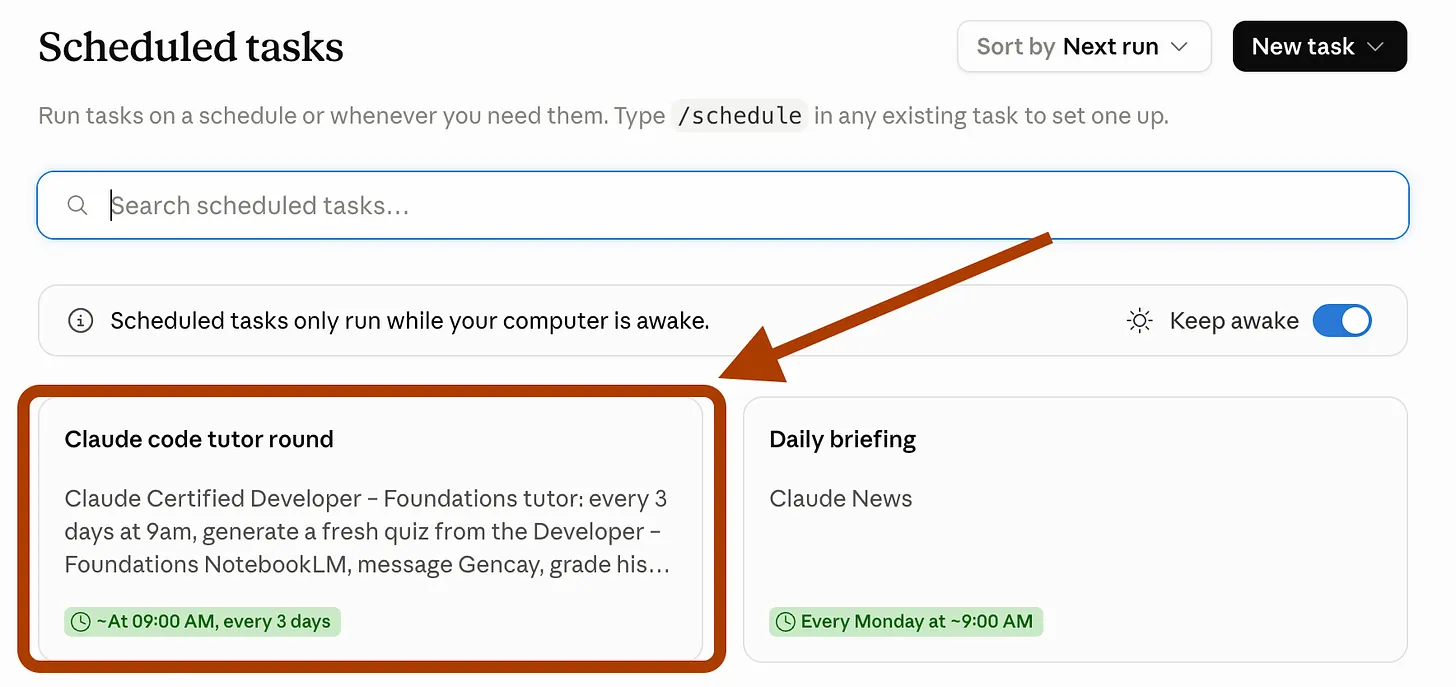
\The alarm clock. Every three days at nine, the Claude code tutor round fires on its own.\
The brain knows the material. The wire moves the questions. The alarm makes sure I show up.
Setting Up the Tutor
We’ll do it in 3 steps.
First, let me show you how to train notebookLM if you don’t know about it.
1. Train NotebookLM
Let me explain to you in 5 steps, very fast.
Visit here → Click on “Try”. → Click on Create a new notebooklm “+” → Click on Websites → Paste YT Video Link.
If you want to learn more about notebookLM, check this one.
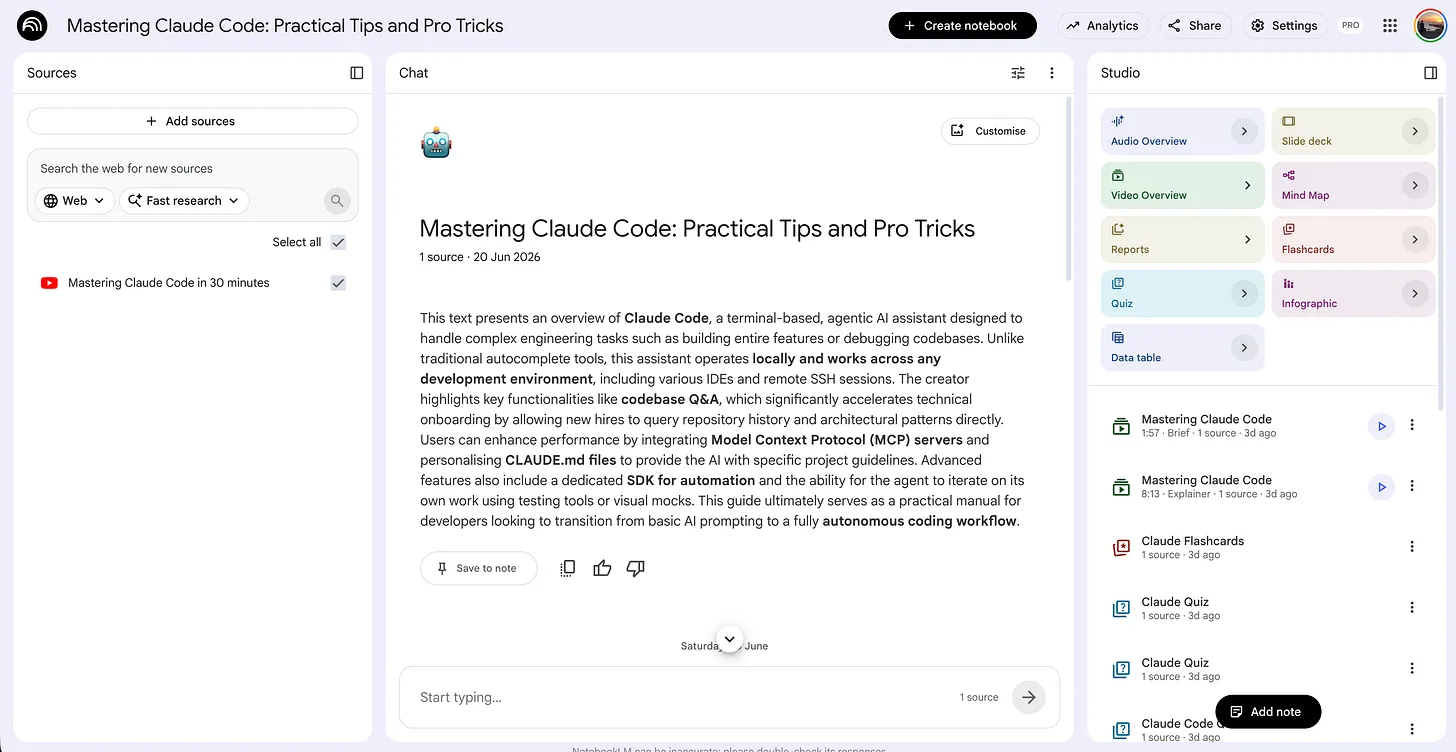
\The brain knows the material, the wire moves the questions, the alarm makes me show up. Now let us set it up.\
Good, now you have NotebookLM.
It is time to connect it with Claude Cowork.
2. Connect NotebookLM with Claude Cowork
To do that, you first need to connect NotebookLM with Claude Code.
Most people don’t know this is even possible.
You can actually connect Claude Code to NotebookLM through a CLI setup.
I didn’t know it either until recently.
The best part? It takes just two prompts.
Just two steps, and you’re ready to go.
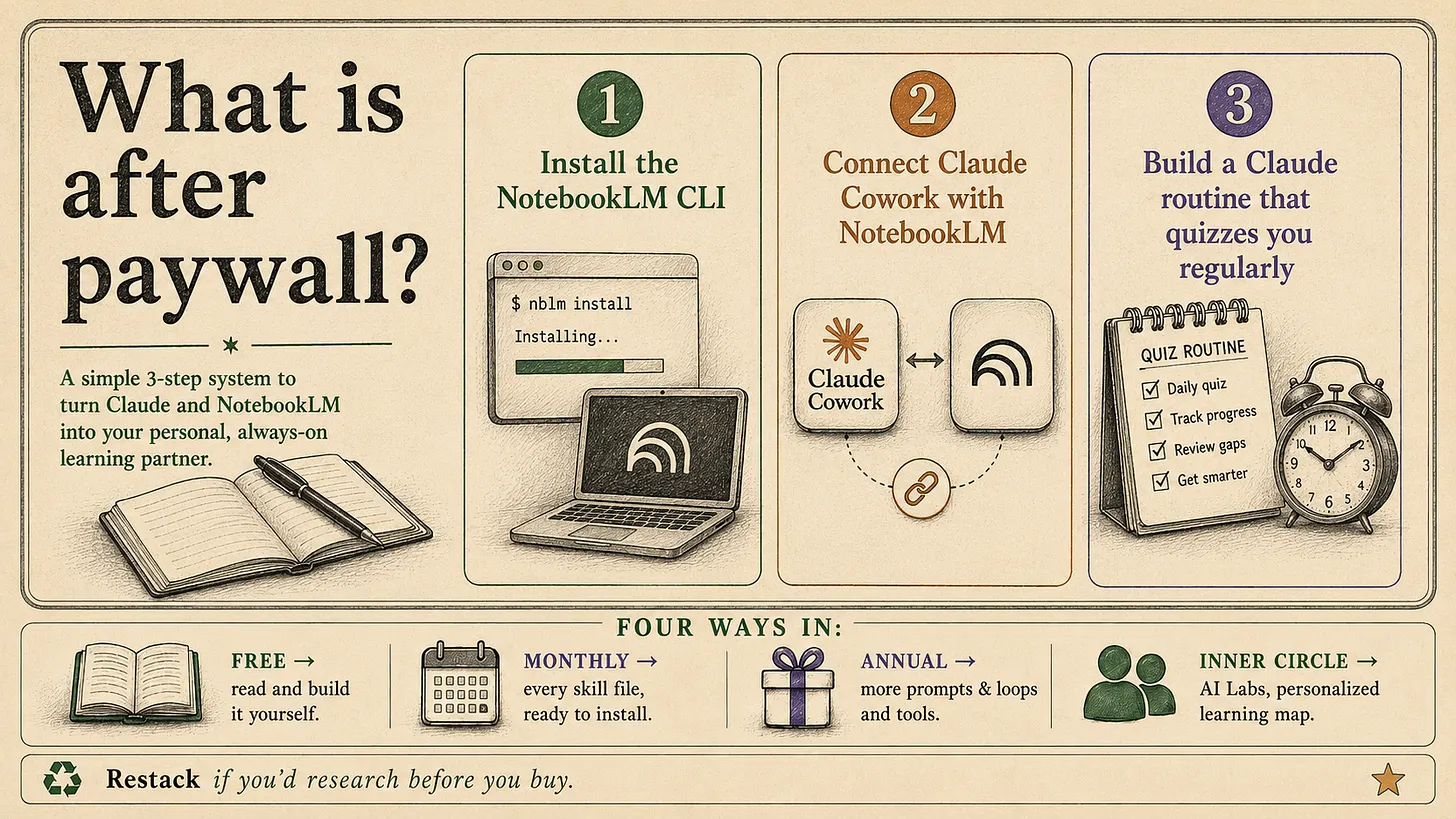
\Three steps turn Claude and NotebookLM into a tutor that quizzes you until you master the topic.\
a. Install the NotebookLM CLI and log in
This is the fastest way of downloading NotebookLM.
Open Claude Code in your Claude app.
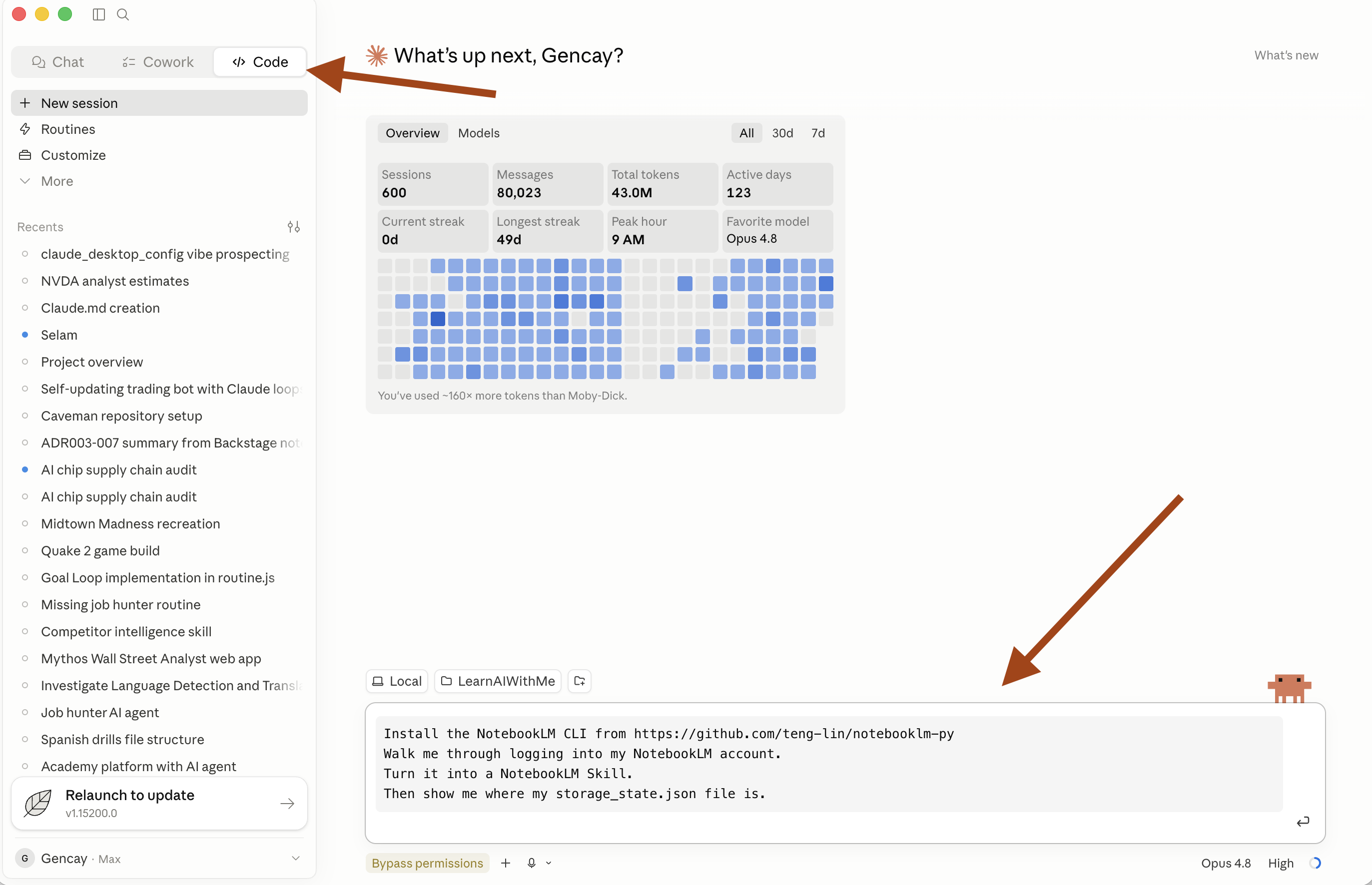
Next, paste this prompt:
Install the NotebookLM CLI from https://github.com/teng-lin/notebooklm-py
Walk me through logging into my NotebookLM account.
Turn it into a NotebookLM Skill.
Then show me where my storage_state.json file is.
Claude Code will install the CLI and ask you to log in.
After you log in, it will save your credentials to storage\_state.json.
That file holds your Google session. It is the key Cowork needs.
b. Connect Claude Cowork to NotebookLM
Next, open your Claude Cowork. Connect the folder that holds the storage\_state.json, or paste it to the place where you’ll work, and paste this prompt
Connect to NotebookLM using the installed CLI through the NotebookLM skill.
My storage_state.json is in the folder I just connected.
Then open this notebook: [paste your notebook link]
Cowork reads the file, authenticates, and loads your notebook.
Done.
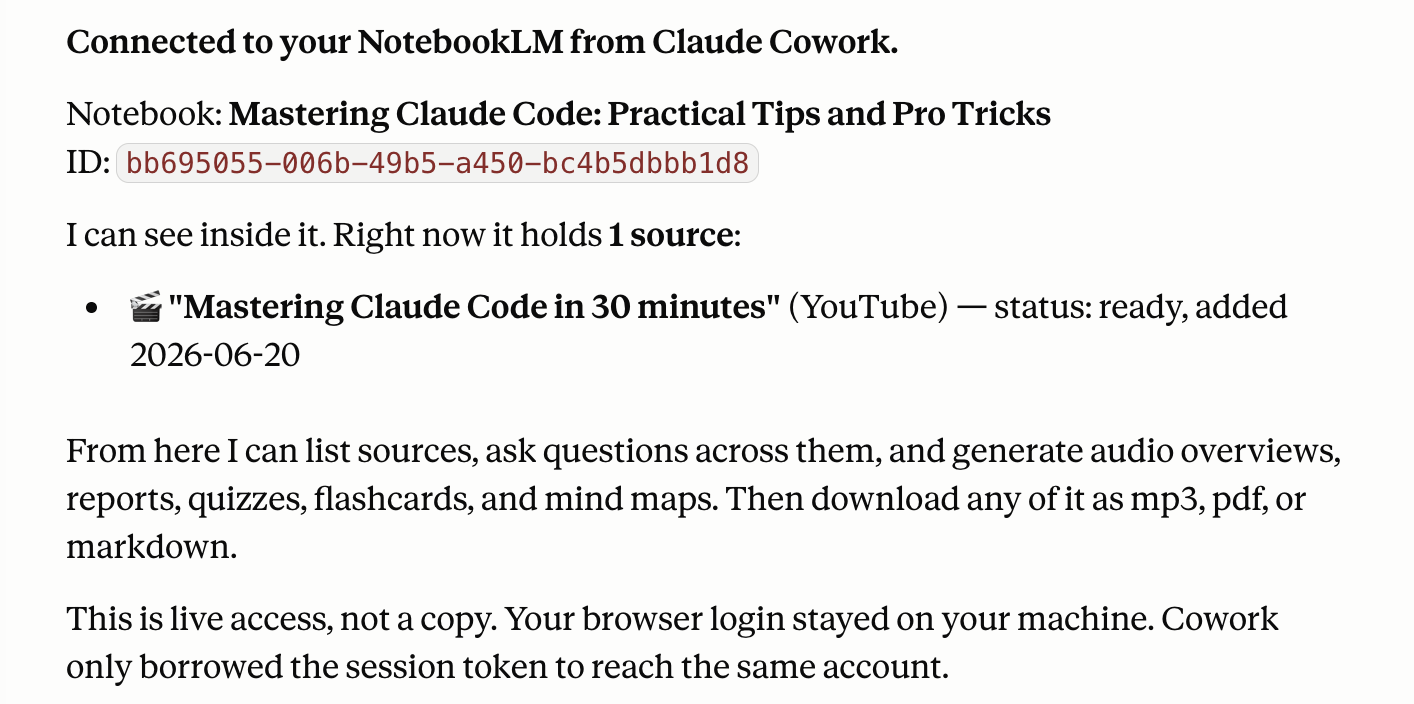
Now you run NotebookLM from Cowork.
It is time to build our Claude Cowork routine, so you’ll make your AI Tutor.
3. Build a Claude routine that quizzes you regularly
Here is the prompt that’ll build this Claude routine.
Build me a self-running, adaptive study tutor that quizzes me on the Claude Certified Developer – Foundations exam every 3 days and gets harder on exactly the things I keep getting wrong. Set the whole thing up end to end.
1. Knowledge source (NotebookLM)
Use the notebooklm skill/CLI (pip install notebooklm-py --break-system-packages). Auth lives at ~/.notebooklm/storage_state.json (in the sandbox: /sessions/\*/mnt/.notebooklm/storage_state.json). Export it as NOTEBOOKLM_AUTH_JSON before every command. Never ask me where auth is.
Create (or reuse) a notebook titled "Claude Certified Developer – Foundations" and add sources covering: Claude Agent SDK, Claude Code configuration & workflows, Prompt Engineering & structured output, Tool Design & MCP integration, and Context Management & reliability. Save its notebook_id.
2. Memory / state file
Create ~/.notebooklm/tutor_progress.json holding: notebook_id, topic, pass_threshold = 90, consecutive_passes_needed = 3, consecutive_passes = 0, mastered = false, an empty rounds[], a delivery_prefs object { "mode": "one_by_one", "use_clickable_options": true }, a next_quiz_focus string (empty at first), and the exam blueprint with domain weights (Agentic Architecture 27, Claude Code Config 20, Prompt Engineering 20, Tool Design & MCP 18, Context Management 15).
3. Behaviour each run
Read the state file first. If mastered, congratulate me and stop.
Focused quiz generation: read the last round's weak_topics + next_quiz_focus, then force NotebookLM to concentrate on them: notebooklm generate quiz "<focus text>" --difficulty hard --quantity more --notebook <id> --json. On a brand-new track with no prior round, generate a broad standard quiz across all 5 domains instead.
Poll until the quiz artifact is completed, then download it as markdown (notebooklm download quiz <path> --format markdown -n <id> -a <artifact_id>). Parse the [x] markers into an answer key and keep the key private.
Delivery: respect delivery_prefs. In one_by_one mode, post a short intro in my voice (analytical, tight sentences, no emojis, no colons in prose, no em dashes), then ask each question individually with clickable multiple-choice options via the question tool, never revealing the correct option.
Grading: after I answer, score it, list right/wrong, map every wrong answer to a short weak-topic label.
Resources: for each weak topic, get an in-notebook explanation (notebooklm ask "explain <topic>, practical and tight" --notebook <id>) plus one solid web link (YouTube or article).
Persist: append a round object (round, score, answers, correct[], wrong[], weak_topics, passed) to rounds[]. If passed (>= 90) increment consecutive_passes, else reset to 0. At 3 straight passes set mastered = true. Rewrite next_quiz_focus from this round's weak_topics so the next run auto-adapts.
Close with one line on what the next round will focus on.
4. Schedule
Create a recurring scheduled task named claude-code-tutor-round with cron 0 9 \*/3 \* \* (every 3 days at 9:00 AM local time), whose prompt is the routine above. Save the routine as a SKILL.md so it can be reused.
Confirm each piece as you build it, then do a dry run of step 1–2 (create notebook + state file) so I can verify before the first quiz fires.
After setting this, go to your Claude app, click on “Scheduled” and double-check your task.
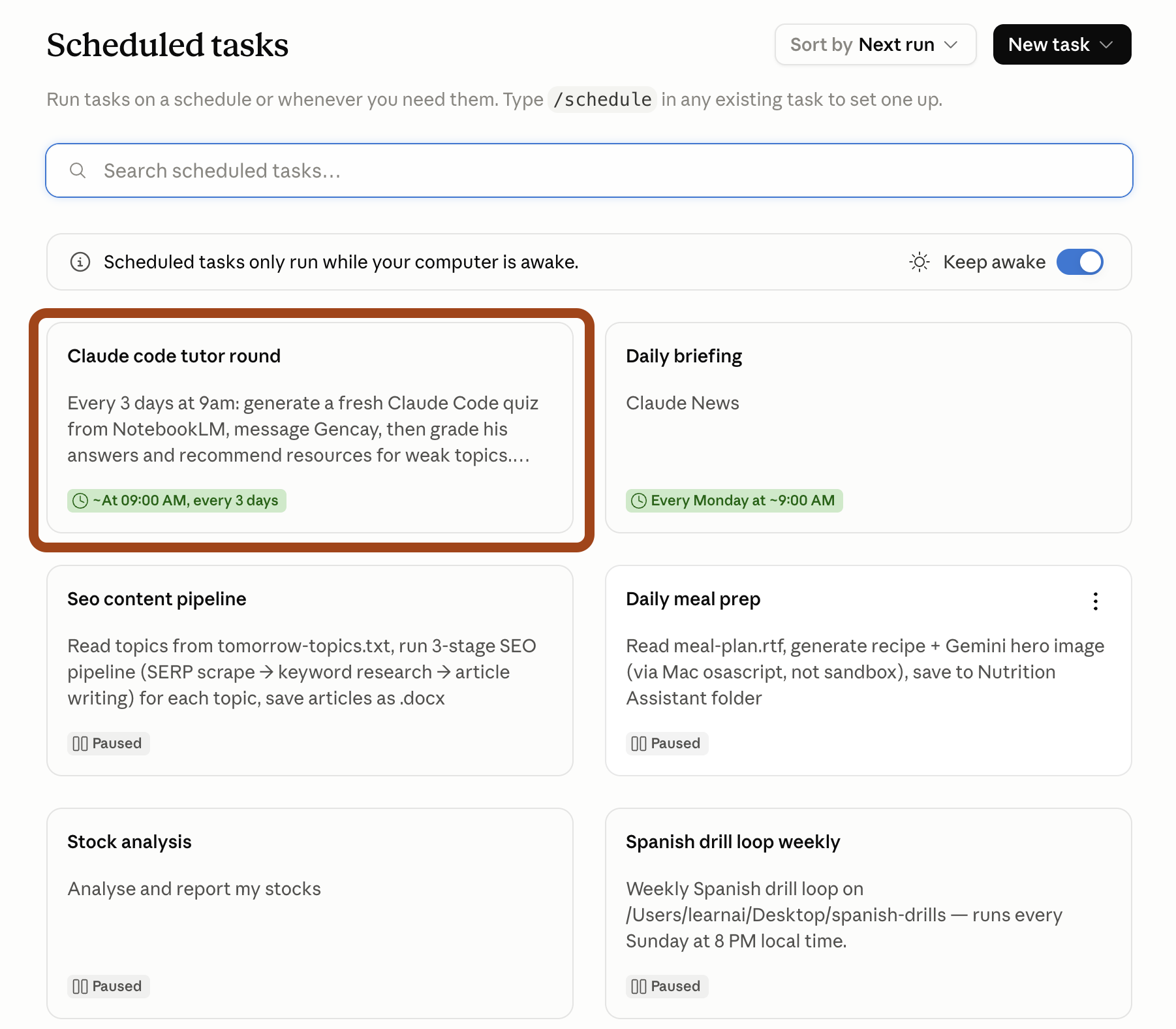
If you want to test it, click on it.
And click “Run now”.
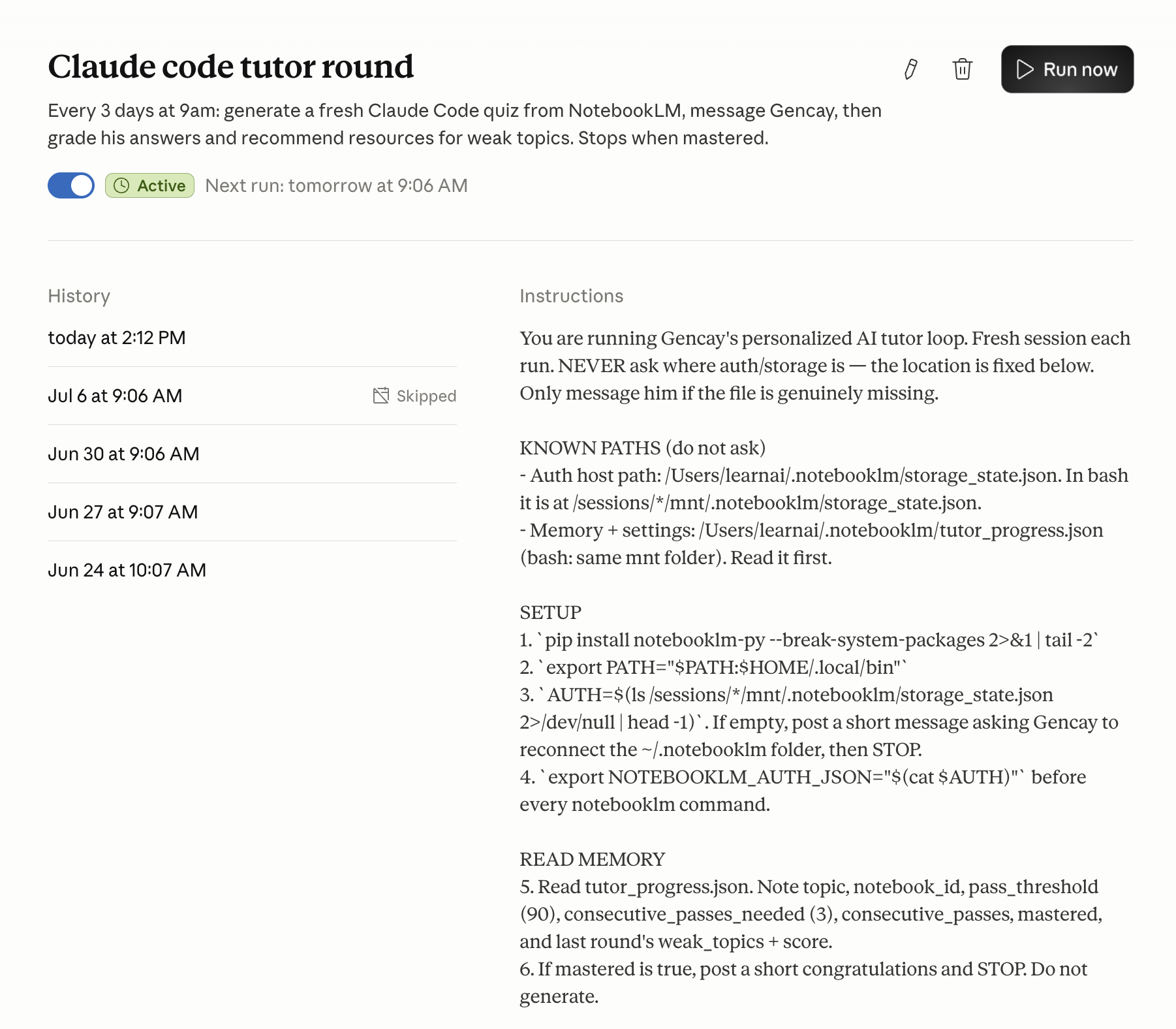
I uploaded my instructions to the Google Drive. You can download it from here;
https://drive.google.com/file/d/1F4j0-RhJsSJZHZ7hDnePdM865wRPuEbP/view?usp=sharing
Next Steps
You have the prompts. Here is the order.
Pick one topic you keep postponing, and feed the notebook one strong source. A single lecture is enough to start, because you can add more sources later.
Run the connection prompt, and take the first quiz today.
After the first real round in three days, open tutor\_progress.json. Watching your own weak topics shrink is the part no course sells.
One honest note. The tutor is only as sharp as the source you feed it. A thin source gives thin quizzes, so pick the lecture you would actually pay to be tested on.
Your next quiz is already scheduled. Show up.