A $50 camera, a Mac Mini, and Claude. It knows my family, knows my pets, and calls me when a stranger walks into the yard.
By Gencay
Published: 2026-07-08
URL: https://www.learnwithmeai.com/p/ai-security-camera-agent
My dog Pepe does not like uninvited guests in our yard.

\Pepe is enjoying the sea.\
He handles the barking, but he also likes sleeping.
I needed a guard that never sleeps and tells me what it sees, not a camera that says something moved.
And this guard should know my family.
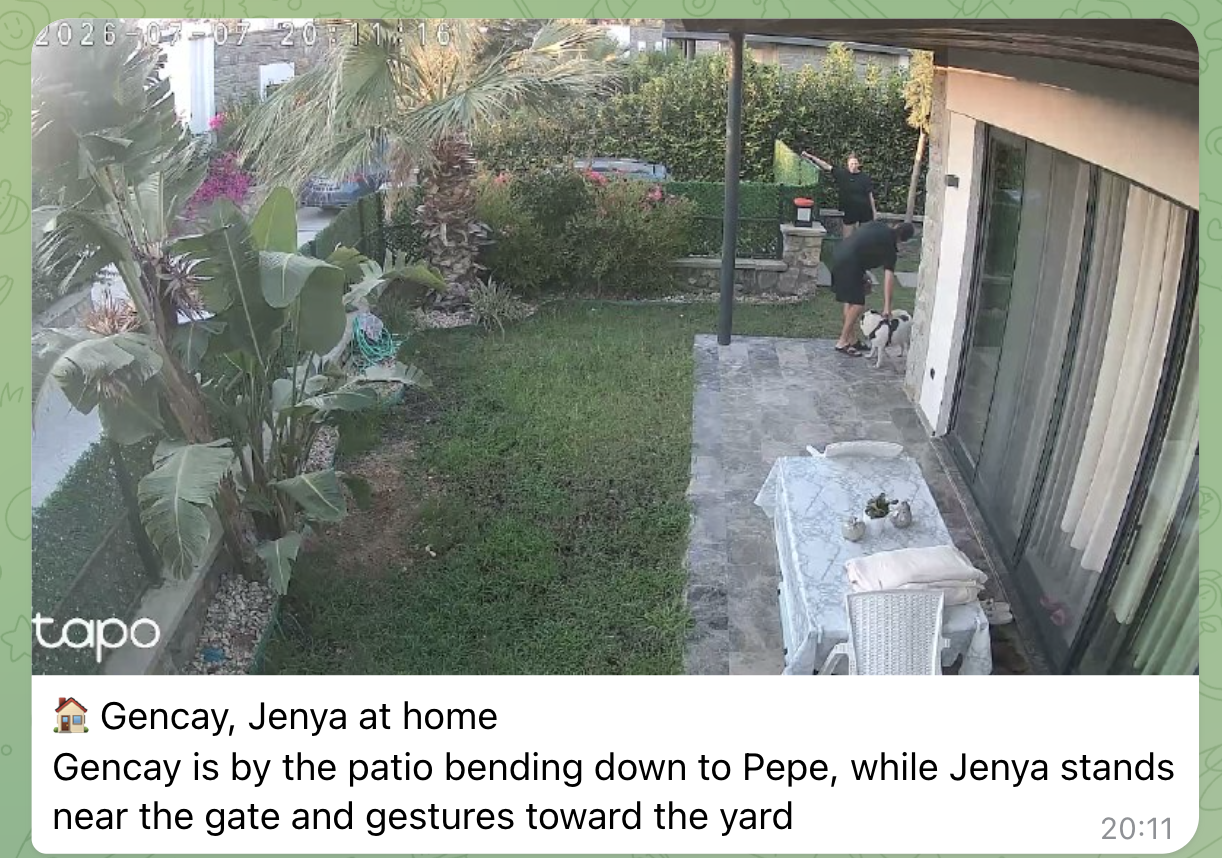
\The agent recognizes the family members\
And when a stranger walks in, I do not want a buzz in my pocket. I want my phone to ring.
So I built it.
What we’ll build
An AI agent that watches my yard through a $50 camera.
It runs on a Mac Mini. When the camera spots a person, the agent grabs a frame, looks at it, and explains it to me, like this.
It knows Pepe. It knows the cat.
It even knows my wife’s mother and my baby, Eva.
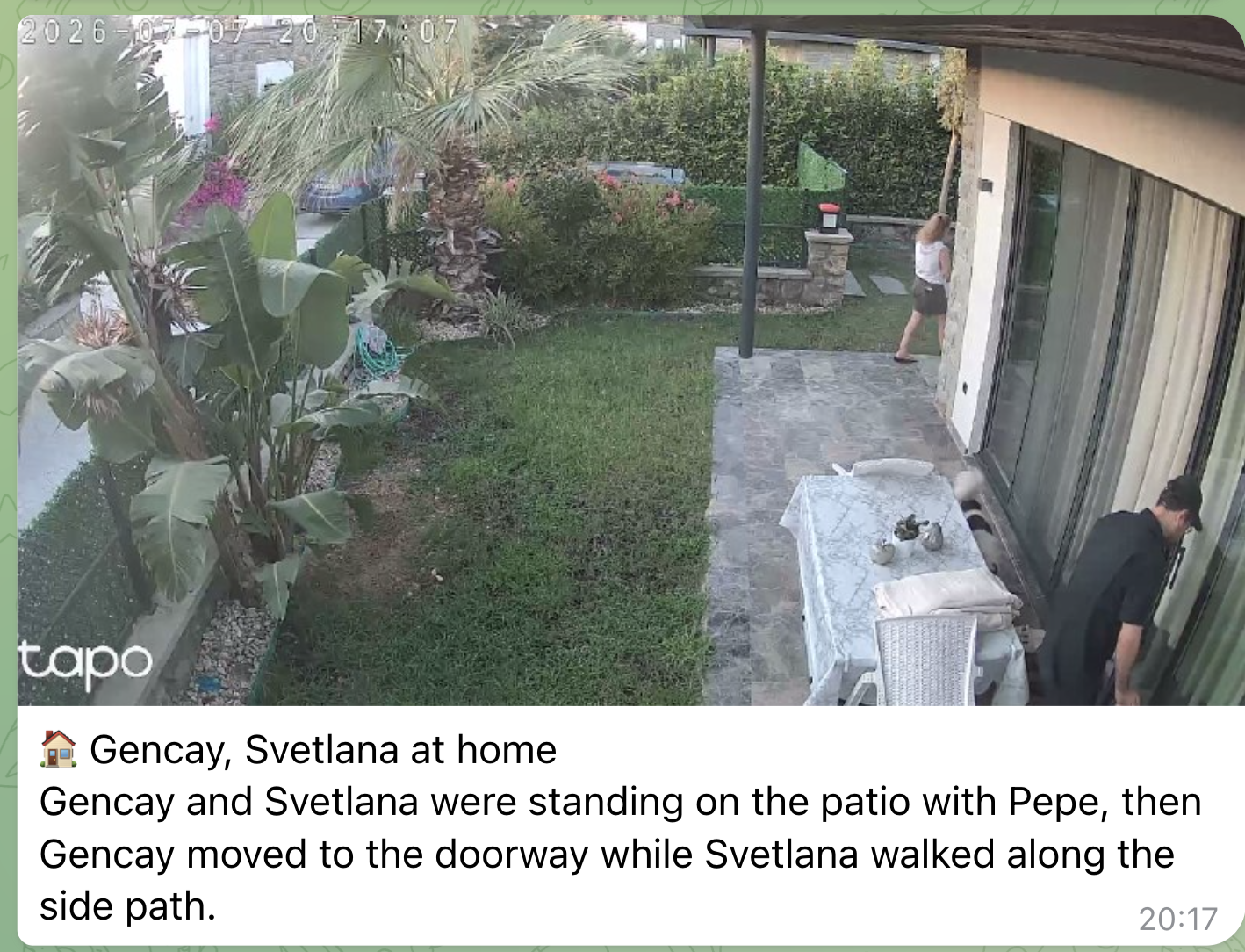
\Motion starts, and the agent is already awake. Photo and scene, same second.\
And it’s working when the motion started.
Setting up the House Guard
I’ll show you how I built it in five steps.
I’ll also share the exact scripts and prompts that do the job.
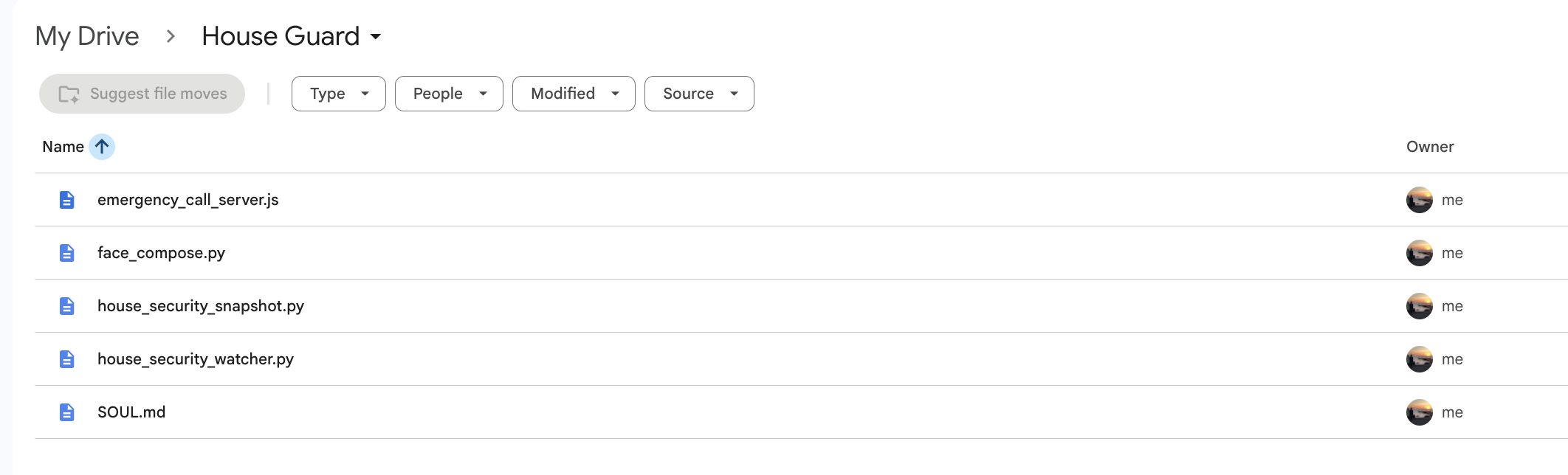
\Five files run the whole thing. The scripts and prompts are all here.\
For higher accuracy, you could use face recognition. But I kept my system intentionally simple. It only recognizes four people, two dogs, and one cat.
Everyone else is simply classified as a stranger.
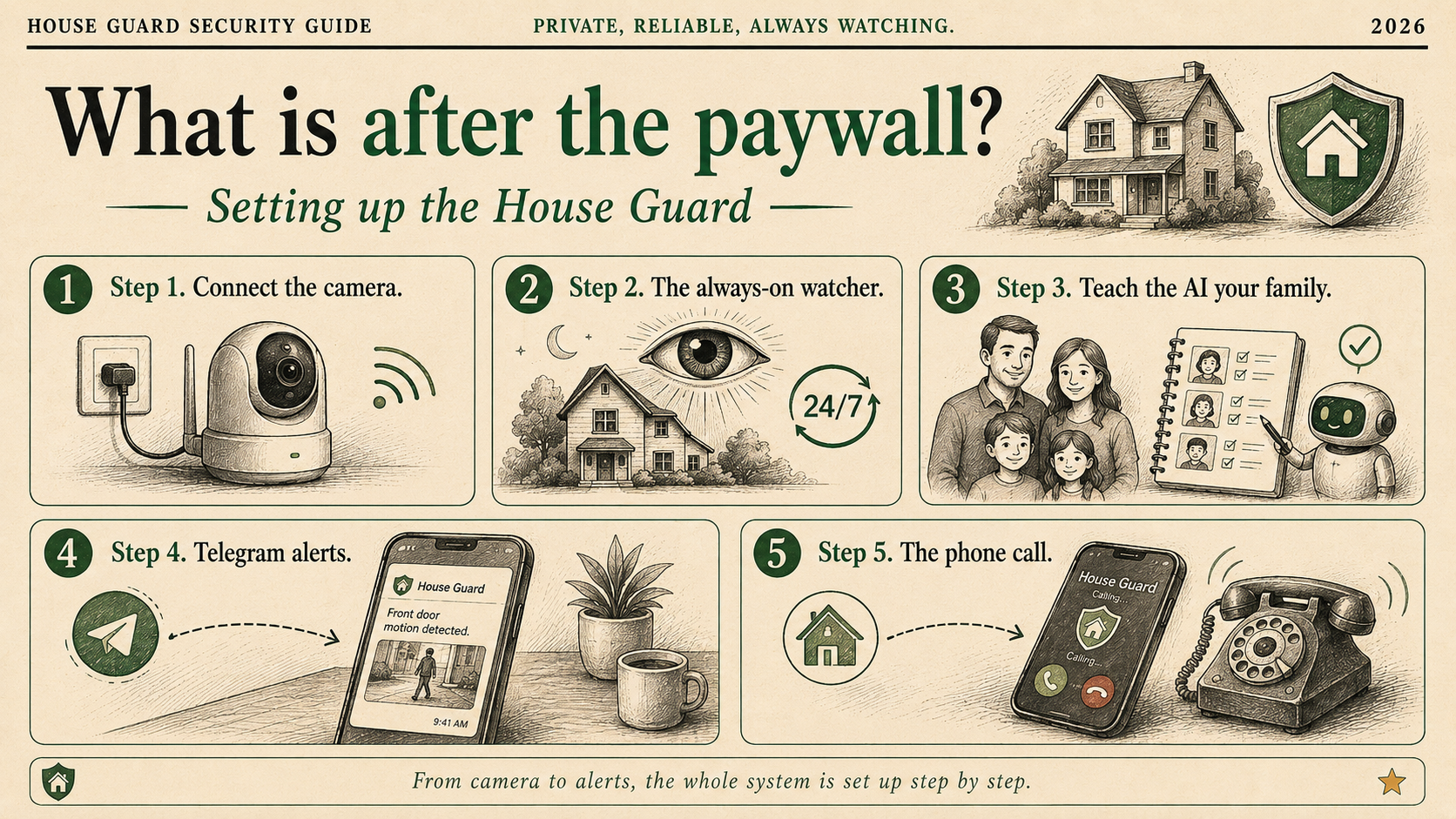
\Five steps. Camera, watcher, recognition, alerts, the call.\
Step 1. Connect the camera
There are two systems inside the camera. RTSP and ONVIF.
- RTSP is what opens your camera to the outside. It hands you the live video, so you can pull a frame from it whenever you want.
- ONVIF is the other half. It lets you see the camera’s events. The camera watches its own frame and fires a signal the moment a person walks in.
So the split is simple. ONVIF tells you WHEN. RTSP tells you WHAT.
One catch.
The Tapo app reaches the camera from anywhere, because it goes through Tapo’s cloud. RTSP and ONVIF are different. They are local.
The machine running this has to sit on the same network as the camera.
Mine runs on a Mac Mini in the house, on the camera’s WiFi.
The guard lives where the camera lives.
Step 2. The always-on watcher
When the IsPeople event fires, the watcher, a Hermes agent running on my mac mini, grabs a frame through RTSP and starts the analysis.
If all of this looks complicated, do not worry.
I show you the easy setup at the end, where I hand you the script and the instruction link for the Hermes agent.
Step 3. Teach the AI your family
This is the part that turns a camera into a guard.
When the watcher catches a person, it does not just save a clip. It sends the frame to a vision model and asks one question. Who is this, and what are they doing.
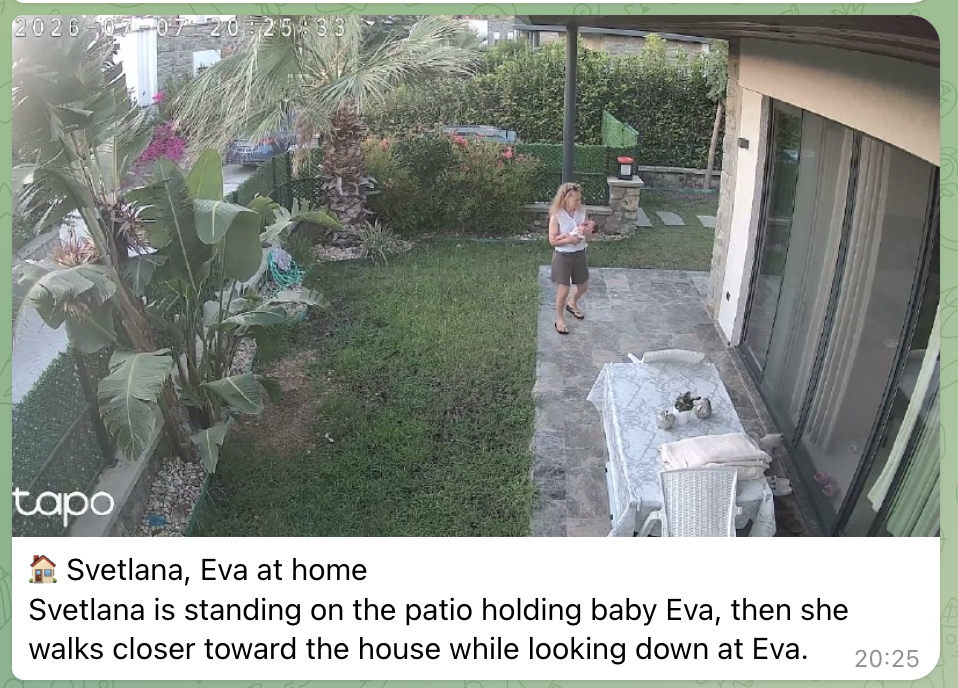
You do this by sending a photo to your Hermes agent and letting it match the people inside the frame.
I gave it plain descriptions along with the images. I am the only man in the house. My wife is the only young woman in the house, and her mother is a bit shorter and older than her. We have one baby, Eva.
We have two dogs. Pepe is a black-and-white border collie. Koko is almost fully black. And one cat, Mimi, is an Angora.
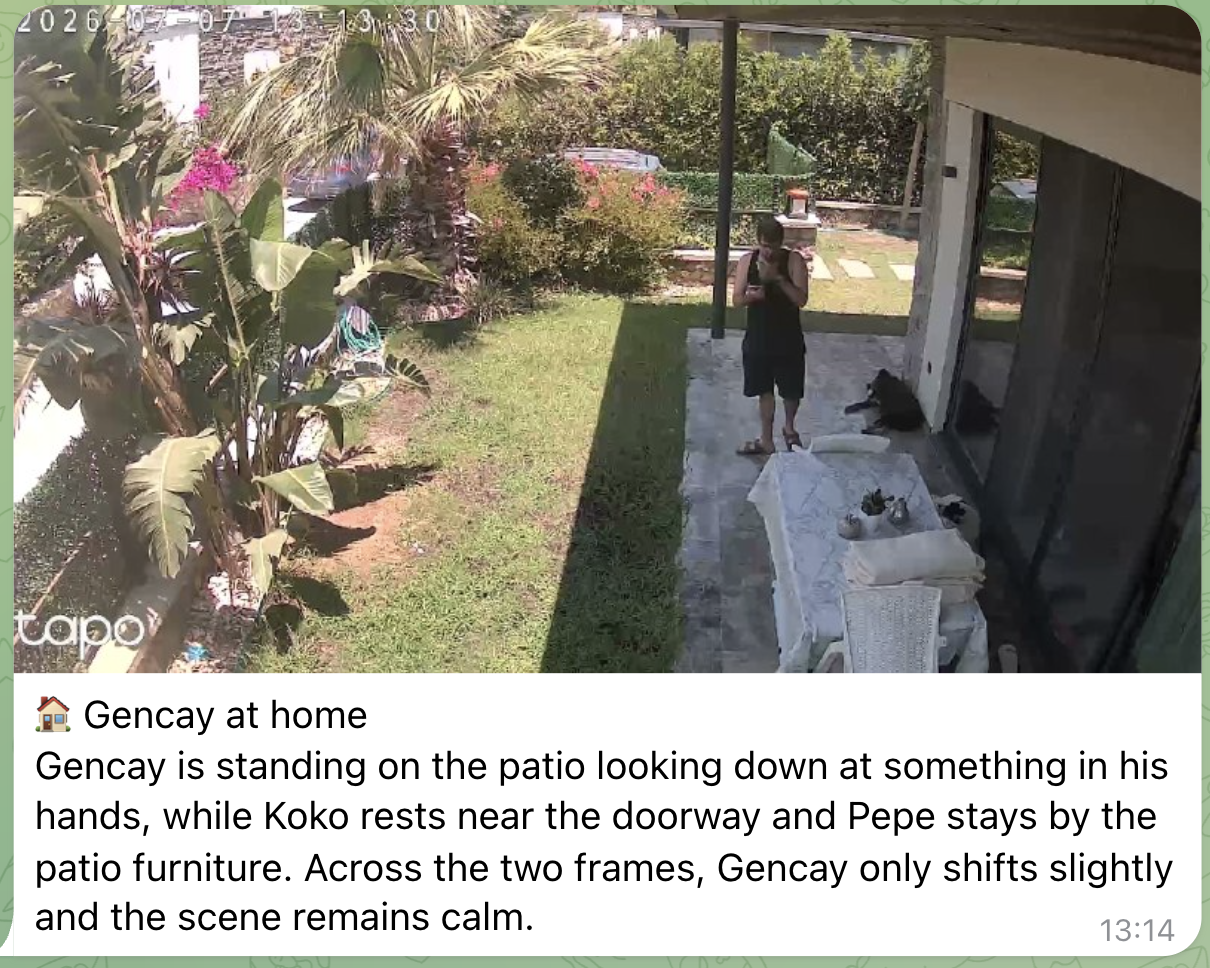
That roster is the whole trick. The model already knows how to see. It just did not know your family until you told it. Anyone who does not match the roster is a stranger. That single word is what decides whether your phone rings.
Step 4. Telegram alerts
That is where the Hermes agent does its work. It analyzes every event.
Family and pets get a calm note. “Gencay at home.” A stranger gets a flag. The photo is the newer of the two frames, so you see the latest position, not the first glimpse.
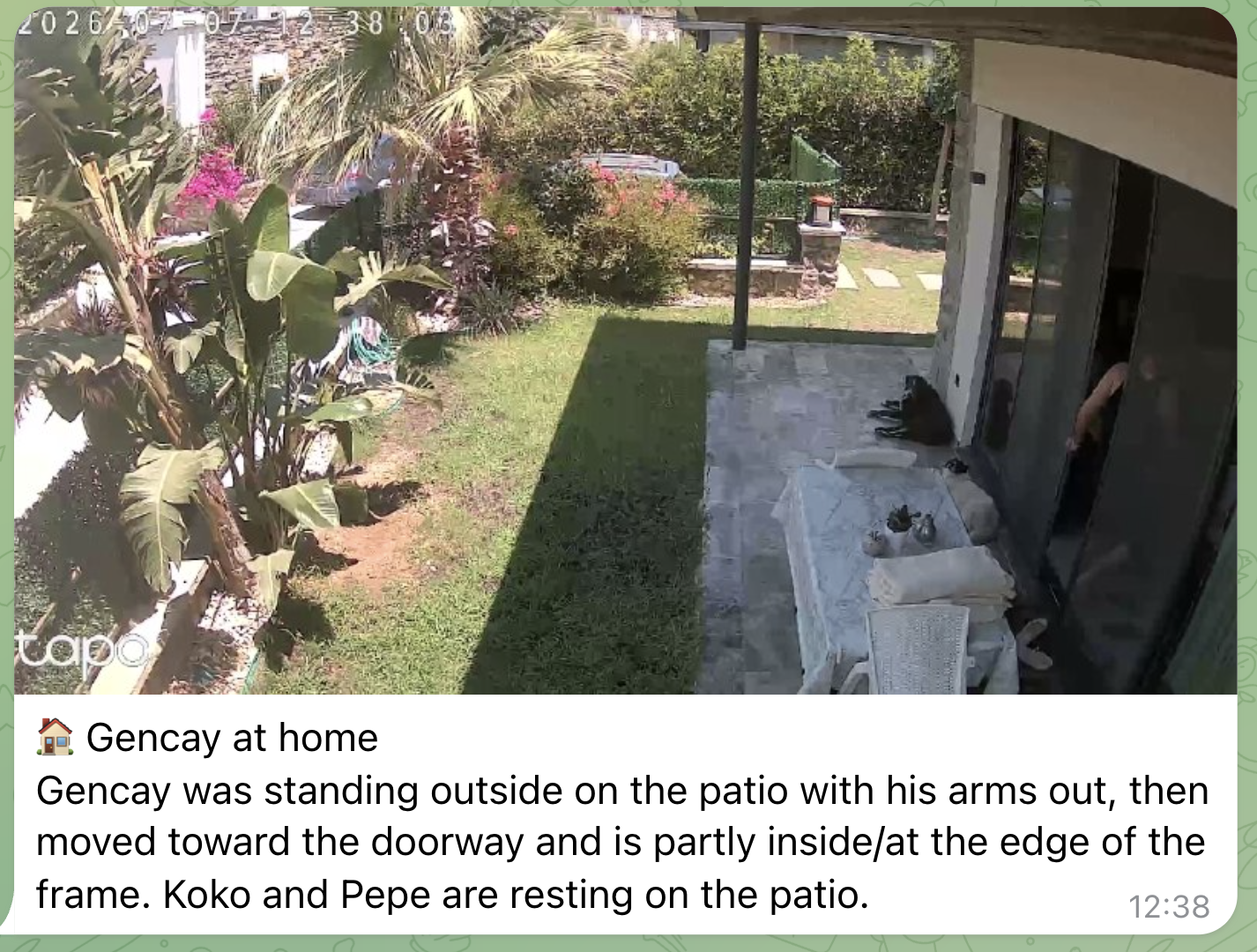
This is the quiet layer. Most of what a home camera sees is your own household walking around. You do not want a phone call for that. You want a log you can glance at. Telegram is the log. It is free, it is instant, and it holds the picture so you can check it later.
Step 5. The phone call
Here, two different pieces work at the same time. A real-time voice model and Twilio.
Twilio places the actual call to my phone. The voice model is the one talking to me on the line. It tells me what it saw. I can ask it questions, and it answers. I can say “look again” and it pulls a fresh frame off the camera mid-call and tells me what is happening right now.
The two never meet directly. A small bridge on the Mac Mini sits between them and passes the audio both ways.
There is one hard rule wired into it. It calls me. It never calls emergency services. Every emergency number is blocked at the code level, and the only number it is allowed to dial is mine.
A guard who panics and dials the police on a shadow is worse than no guard.
That is the whole system. The camera sees. The Hermes agent reads the scene and knows your family. Telegram keeps the log. And when something is actually wrong, the phone rings and you talk to it.
Fast setup
Here are the links to the scripts: https://drive.google.com/drive/folders/1ZWegdqC41QSM8IrZDhQdUNi9odtHuwU2?usp=sharing
You will not write any of this from scratch.
You point a Hermes agent at these files, and it wires the whole thing together for you.
First, what you need. Four things, and three of them are free to start.
- A Hermes agent. This is the brain that runs the whole thing on your machine.
- A Tapo camera. Any model with RTSP and ONVIF works. Mine is the C510W, $50.
- An OpenAI API key with Realtime access. This is the voice on the phone call. You get it from platform.openai.com. It bills per use, and a call costs a few cents.
- A Twilio account. This is what dials your phone. You get a number and a token from twilio.com. A test call runs under a dollar.
That is the shopping list. The camera is a one-time buy.
The two keys bill by usage, so an idle month costs almost nothing.
Here is how it goes.
You drop the scripts into a Hermes profile of their own.
- One is the watcher, the eye that listens for the camera event and pulls the frame.
- One is the snapshot grabber.
- One is the phone bridge that connects Twilio to the voice model.
There is a service file that keeps the watcher running day and night, and a persona file that tells the agent who it is.
Then you tell the agent three things.
- The camera credentials, so it can reach the stream.
- Your family roster, in plain words, the way I described mine.
- And your own phone number, the one it calls when a stranger shows up.
That is the setup.
Camera in, family described, phone number set.
The agent takes it from there.
It watches, it recognizes, it logs, and it calls.
Need this in your business?
You just read how I turned a $50 camera into a guard that knows my family and rings my phone.
I build agents like this for clients too, systems that watch, decide, and act on their own.
I built a production interview agent for a data platform used by 500K+ people.
I built 20+ AI agents for companies across finance, construction, marketing, even liquor brands.
I’m Top 1% on Upwork, Expert-Vetted, 7,000+ hours logged with international clients.
DM me, and we’ll talk.