A Claude routine that spies on 5 competitors every morning, files the report in Google Docs via skill. The full skill, prompt, and setup inside.
By Gencay
Published: 2026-05-29
URL: https://www.learnwithmeai.com/p/claude-routine-spy-competitors
Last month, a client sent me a message.
He told me that he loves Alex Hormozi’s style and strategies.
He wanted to create content the same way.
I did not know who Hormozi was at that point.
The task was simple. Watch him for a living.
That’s the job description, in two words. Watch competitors.
I built a Claude routine to do the watching.
What does watching competitors actually cost?
I checked the numbers later.
The average creator follows 8 competitors.
Opens their feeds 4 to 6 times a day.
That’s 40 minutes of scrolling, every day, before anyone has produced anything.
40 minutes a day is 240+ hours a year.
1.5 full work weeks.
Spent watching other people post.
I did the math once.
Then I stopped doing it.
What does the Claude routine look like? (Architecture)
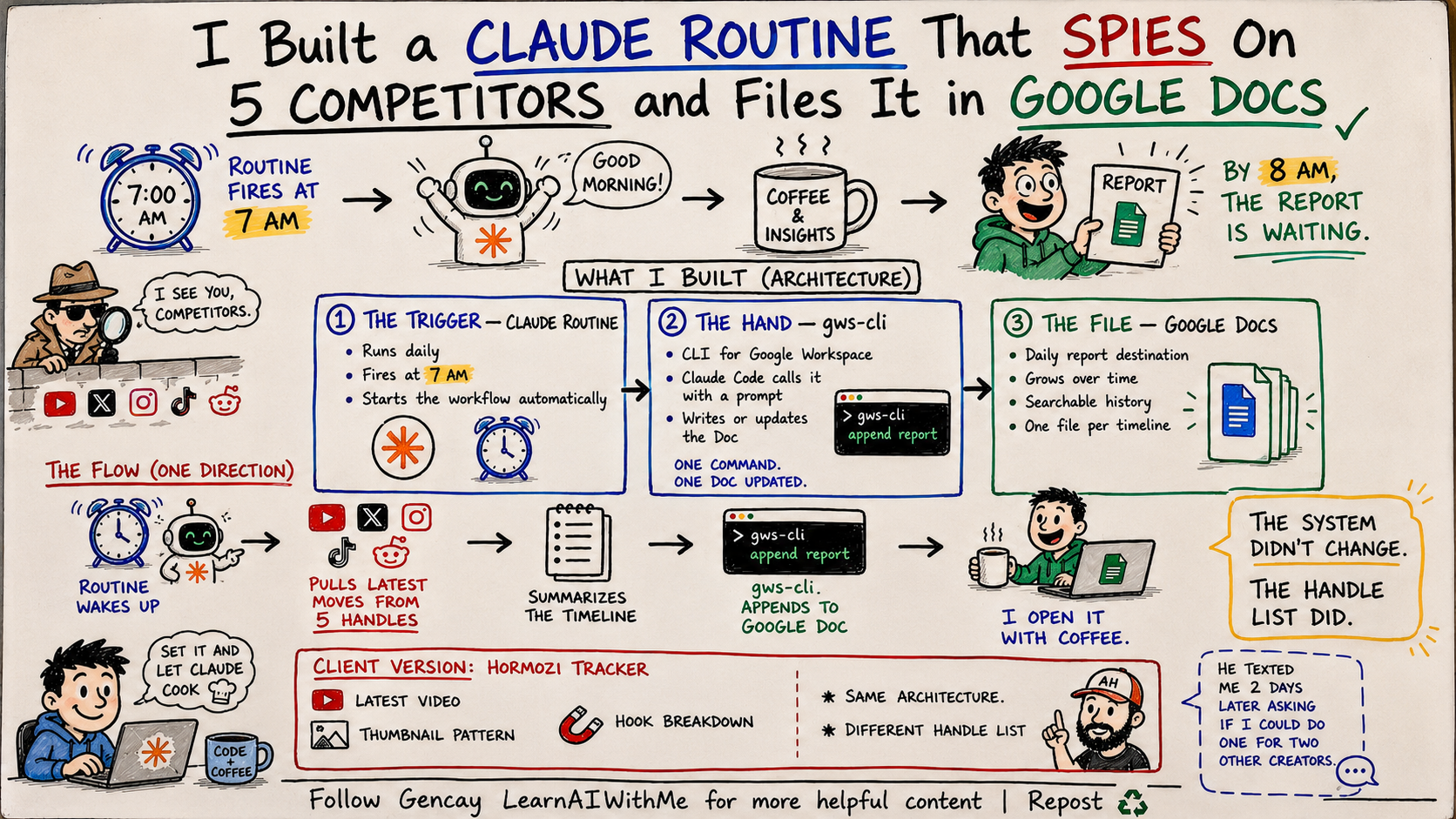
\Claude's routine architecture for spying on 5 competitors.\
The system we’ll build consists of 3 parts.
Part 1 is the trigger.
Claude Routine runs on a schedule.
Anthropic shipped routines while I was working on this. Lucky timing. The routine fires at 7 AM every morning.
Part 2 is the hand.
gws-cli is a CLI that talks to Google Workspace.
Claude Code calls it with a prompt, it writes a Doc.
One command line, one Doc updated.
Part 3 is the file.
Google Docs is the report destination.
A Doc that grows every day.
Searchable history.
One file per timeline.
How does the Claude routine fire every morning?
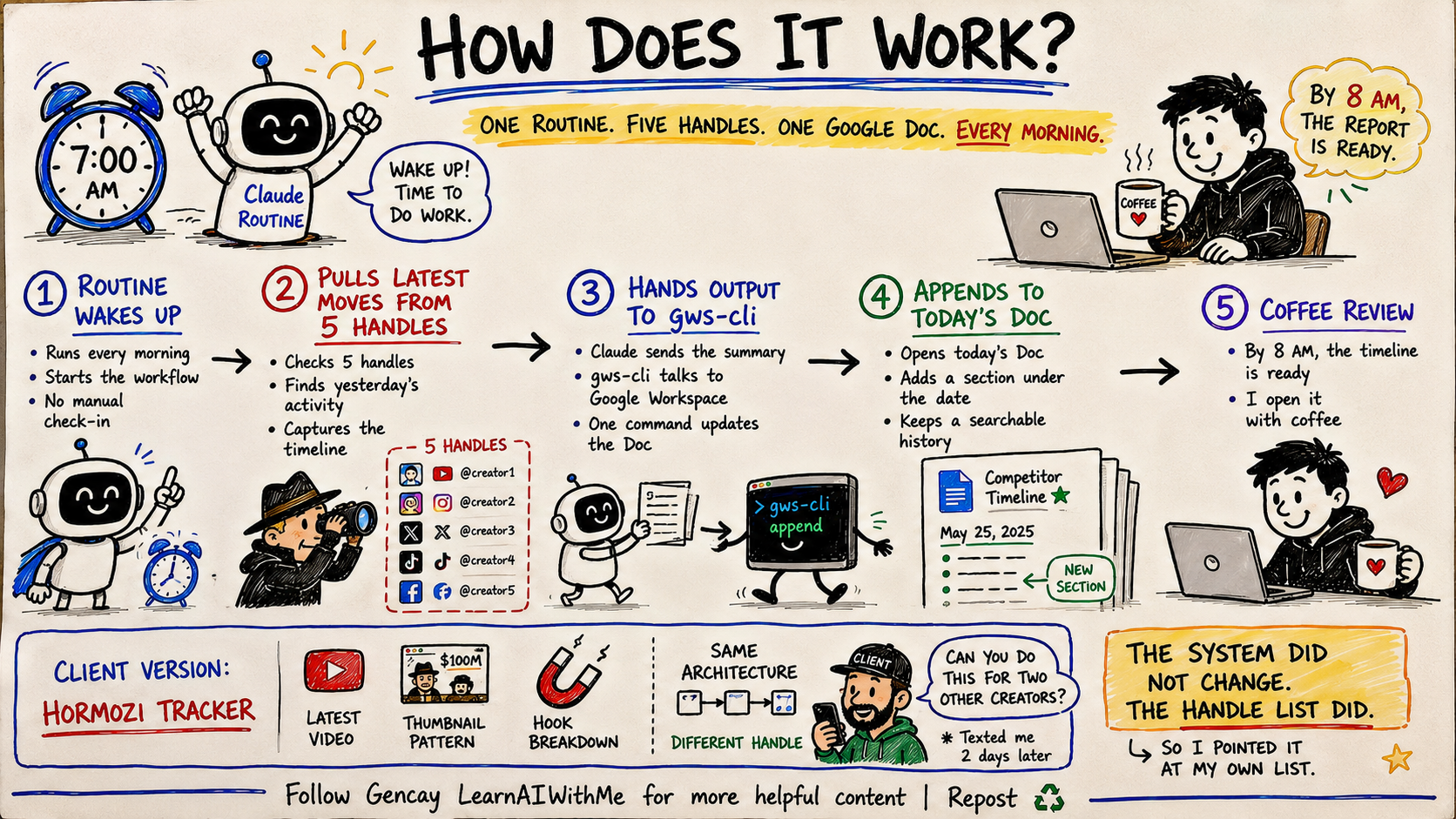
\How the Claude routine fires every morning.\
The flow is in one direction.
Routine wakes up, pulls the latest moves from 5 handles, and hands the output to gws-cli. gws-cli opens today’s Doc and appends a section under the date heading.
By 8 AM, the file has yesterday’s full timeline.
I open it with coffee.
The client got the Hormozi version.
Latest video, thumbnail pattern, hook breakdown.
Same architecture, different handle.
He texted me two days later asking if I could do one for two other creators.
The system did not change.
The handle list did.
So I pointed it at my own list.
What the report looks like
Here is today's report.
Today, only one of the 5 channels I track published a video, so there's only one.
You can track weekly to see more videos, or check daily like me

\The Competitor Intelligence report in Google Docs.\
And when I read the report, it includes everything about the script:
- Publish time, Views, Duration, Link, Hook, Top takeaways, Mentioned tools, Thumbnail strategy, Your take signal, Summary
Here is what the report looks like.
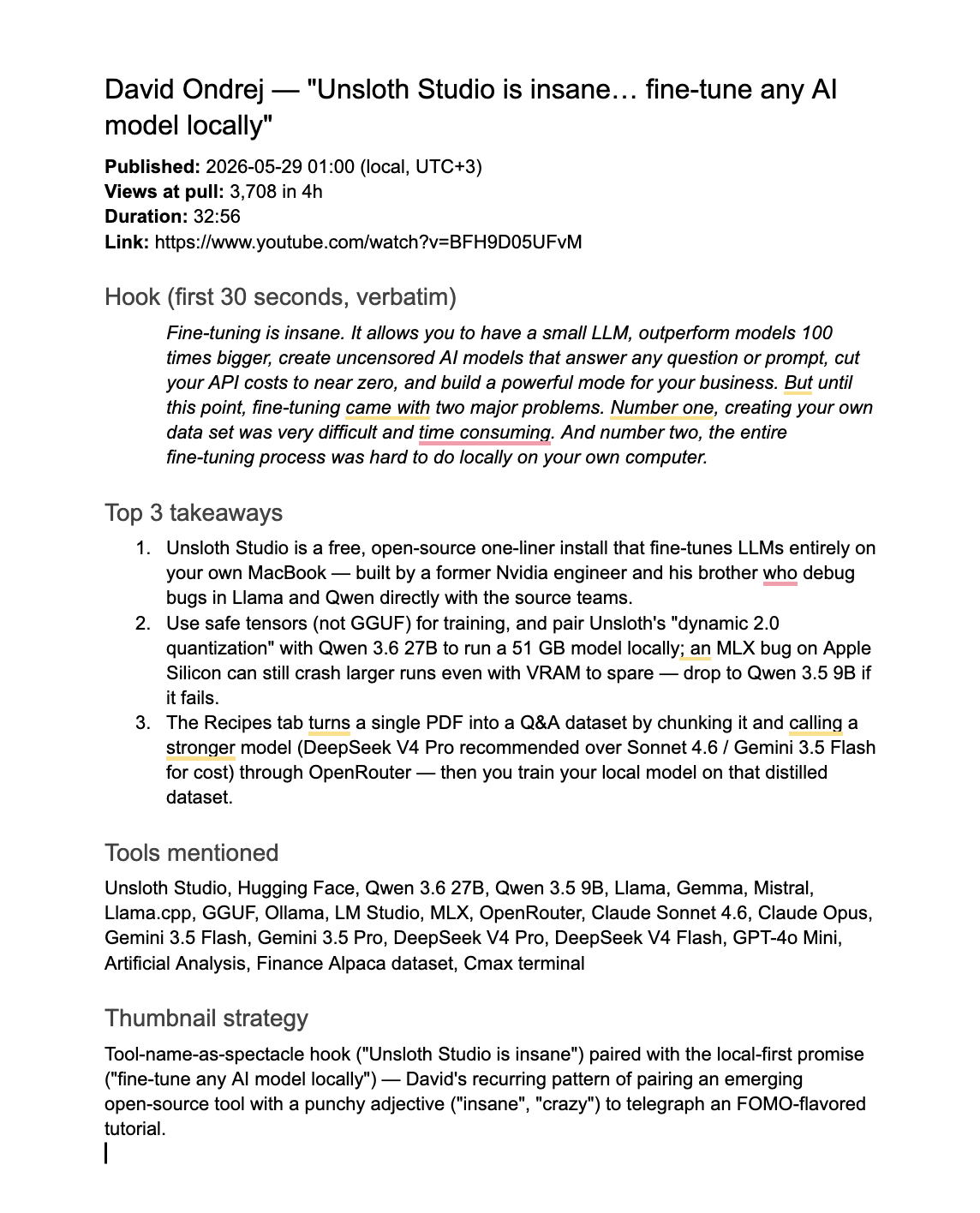
\Inside the Claude routine report. Hook, takeaways, tools.\
Here is today’s report’s GDrive link:
https://docs.google.com/document/d/1ESF4zwY2Uz6A2eVGnIzFDhl\_smyPzkPlFLjwEeSKT14/edit?usp=sharing
How to build the Claude routine?
Five steps. One Claude Skill. Claude Routine and prompts.
You’ll see everything step-by-step.
Copy, paste, spy on your competitors, and become better than them.
Quick Installation
Before starting, I saved the skill(Competitor Research Skill) here, so you can download it and use it.
After downloading this skill, paste this prompt.
Prompt
Here is the skill: (paste the path).
I want to customize it (interests, YT channels).
After my customization, schedule this skill so it'll run every day at 07:00 AM.
That’s it!
But for those who want to set this up step by step together, read these 5 steps below.
Step 0. Project Setup
Create a new project. I called it “Competitor Spy.”
Open your Claude app, click on Claude Code, and start a new session.
Click the “Add another folder” and choose the folder you just created.
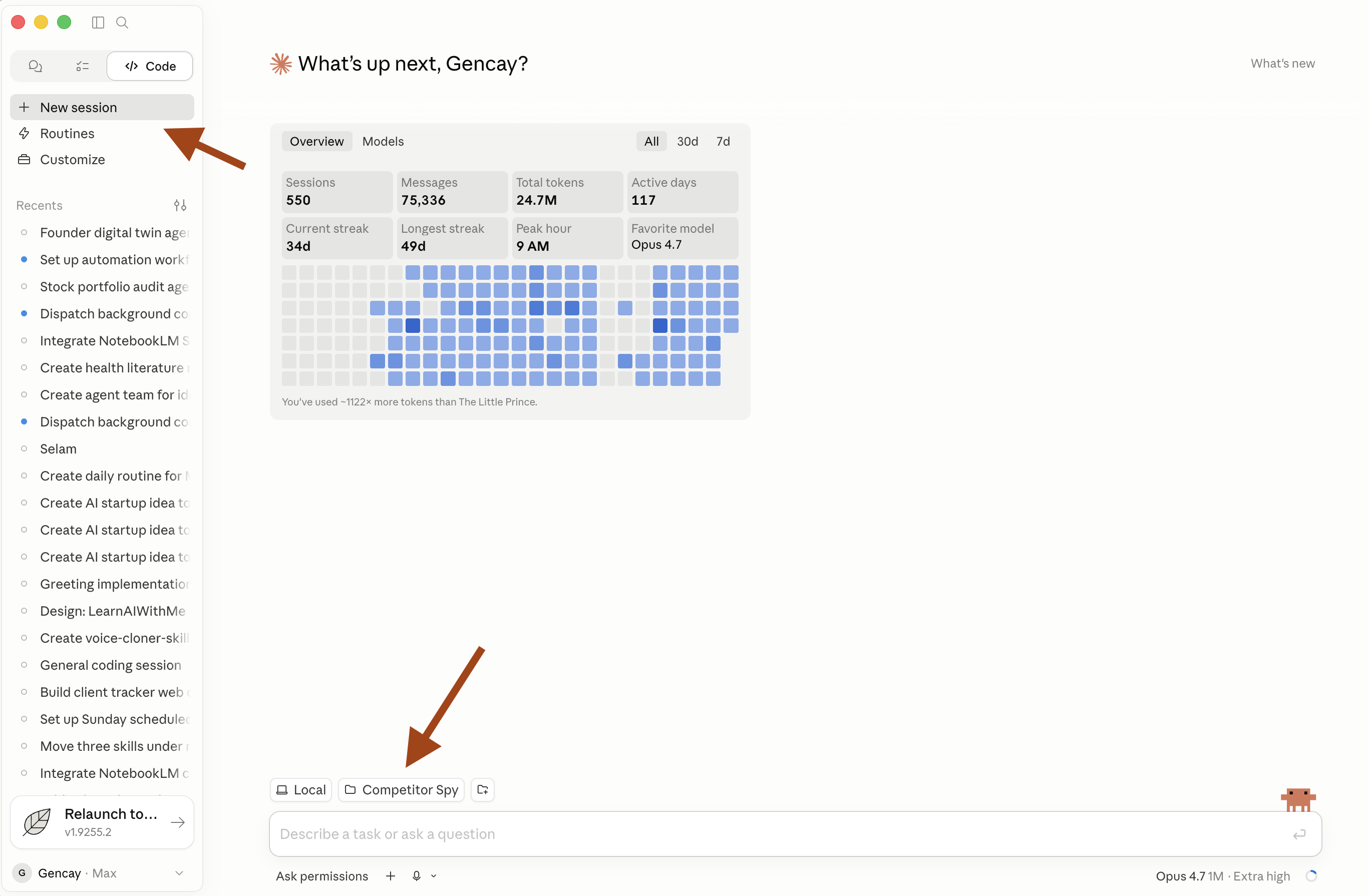
And paste this prompt.
You can customize the YT channels, add X, Reddit, Meta, or even IG accounts.
If you plan to scrape data from X, Reddit, Meta, or Instagram, use Apify. It’s a great way to scrape data from those platforms.
You are a competitor intelligence agent for AI content creators.
Your job: read the latest YouTube uploads from a list of channels,
summarize each video, and output a clean markdown report.
## Channels to track
Use yt-dlp to pull the latest 1-2 videos from each channel published
in the last 24 hours.
1. Matt Wolfe — https://www.youtube.com/@mreflow
2. AI Jason — https://www.youtube.com/@AIJasonZ
3. David Ondrej — https://www.youtube.com/@DavidOndrej
4. Greg Isenberg — https://www.youtube.com/@GregIsenberg
5. Yohei Nakajima — https://www.youtube.com/@yoheinakajima
## What to pull per video
For each new video, extract:

- Title

- Channel name

- Published date and time

- View count at time of pull

- Duration

- Full transcript (yt-dlp --write-auto-sub --skip-download)

- Thumbnail URL
If a channel has no new video in the last 24 hours, write
"No new video" under that channel name. Do not skip the channel.
## Report format
Output a markdown file with this exact structure. Do not deviate.
═══════════════════════════════════════
# Daily Competitor Report
\*\*Date:\*\* [YYYY-MM-DD]
\*\*Channels tracked:\*\* 5
\*\*New videos:\*\* [count]
---
## [Channel Name] — "[Video Title]"
\*\*Published:\*\* [YYYY-MM-DD HH:MM]
\*\*Views at pull:\*\* [N] in [hours since publish]h
\*\*Duration:\*\* [MM:SS]
\*\*Link:\*\* [video URL]
### Hook (first 30 seconds, verbatim)
> [Exact opening lines from transcript, max 3 sentences]
### Top 3 takeaways
1. [Key point. Tool or framework mentioned. 1-2 sentences.]
2. [Key point. Tool or framework mentioned. 1-2 sentences.]
3. [Key point. Tool or framework mentioned. 1-2 sentences.]
### Tools mentioned
[Comma-separated list of every named tool, model, or platform.]
### Thumbnail strategy
[One sentence describing color, layout, emotion. If the channel
has used a similar thumbnail pattern recently, note it.]
### Your take signal
[One line: is this worth your time? If yes, which timestamp range.
If no, why. If overlaps with a topic the user writes about
(Claude Code, AI agents, automation, NotebookLM, Substack growth),
flag it.]
---
[Repeat block for each video]
---
## Summary across all channels
\*\*Common theme today:\*\* [If 2+ channels covered the same topic,
name it. If not, write "No common theme."]
\*\*Outliers:\*\* [Channels that went in a different direction. One
sentence each.]
\*\*Highest signal video for the user today:\*\* [Pick one. Explain
in one sentence why.]
═══════════════════════════════════════
## Rules

- Use yt-dlp for everything. No browser, no Apify, no YouTube API.

- If transcript is missing, mark the video as "transcript
unavailable" and skip the hook + takeaways. Still list it.

- Never invent quotes. Hook lines must be verbatim from transcript.

- Never invent view counts or dates.

- Tools mentioned must come from the transcript, not from your
general knowledge.

- "Your take signal" must reference the user's actual topics:
Claude Code, Claude Routines, AI agents, automation,
NotebookLM, Substack growth, gws-cli, freelance workflows.

- Output is markdown only. No JSON, no HTML, no preamble.
Step 1. The Google skill
gws-cli is the bridge.
It is a CLI that wraps Gmail, Drive, Docs, Sheets, Calendar. One install. One auth. You can read or write any Google Workspace asset from your terminal. Claude Code calls it as a bash command, gets back JSON, and keeps going.
Google shipped it in March 2026. v0.22 by now. Stable enough for routines.
Hey Claude.
Install this : https://github.com/googleworkspace/cli
It’ll install it first.
Then you also need to do a few setup steps in Google Cloud Terminal.
Everything is free and can be done in 2–3 steps. Claude can help you with this, and it should take around 5–6 minutes.
Watch this video to see full setup, if you had trouble installing it.
Step 2. Testing the prompt that takes information
Before the routine, the prompt must work standalone.
This is the prompt that pulls the latest YouTube videos, reads the transcripts, and writes a markdown report. No Google Docs yet. No schedule yet. Just the report.
Paste this into Claude Code.
You are a competitor intelligence agent for AI content creators.
Your job: read the latest YouTube uploads from a list of channels,
summarize each video, and output a clean markdown report.
## Channels to track
Use yt-dlp to pull the latest 1-2 videos from each channel published
in the last 24 hours.
1. Matt Wolfe — https://www.youtube.com/@mreflow
2. AI Jason — https://www.youtube.com/@AIJasonZ
3. David Ondrej — https://www.youtube.com/@DavidOndrej
4. Greg Isenberg — https://www.youtube.com/@GregIsenberg
5. Yohei Nakajima — https://www.youtube.com/@yoheinakajima
## What to pull per video
For each new video, extract:

- Title

- Channel name

- Published date and time

- View count at time of pull

- Duration

- Full transcript (yt-dlp --write-auto-sub --skip-download)

- Thumbnail URL
If a channel has no new video in the last 24 hours, write
"No new video" under that channel name. Do not skip the channel.
## Report format
Output a markdown file with this exact structure. Do not deviate.
═══════════════════════════════════════
# Daily Competitor Report
\*\*Date:\*\* [YYYY-MM-DD]
\*\*Channels tracked:\*\* 5
\*\*New videos:\*\* [count]
---
## [Channel Name] — "[Video Title]"
\*\*Published:\*\* [YYYY-MM-DD HH:MM]
\*\*Views at pull:\*\* [N] in [hours since publish]h
\*\*Duration:\*\* [MM:SS]
\*\*Link:\*\* [video URL]
### Hook (first 30 seconds, verbatim)
> [Exact opening lines from transcript, max 3 sentences]
### Top 3 takeaways
1. [Key point. Tool or framework mentioned. 1-2 sentences.]
2. [Key point. Tool or framework mentioned. 1-2 sentences.]
3. [Key point. Tool or framework mentioned. 1-2 sentences.]
### Tools mentioned
[Comma-separated list of every named tool, model, or platform.]
### Thumbnail strategy
[One sentence describing color, layout, emotion. If the channel
has used a similar thumbnail pattern recently, note it.]
### Your take signal
[One line: is this worth your time? If yes, which timestamp range.
If no, why. If overlaps with a topic the user writes about
(Claude Code, AI agents, automation, NotebookLM, Substack growth),
flag it.]
---
[Repeat block for each video]
---
## Summary across all channels
\*\*Common theme today:\*\* [If 2+ channels covered the same topic,
name it. If not, write "No common theme."]
\*\*Outliers:\*\* [Channels that went in a different direction. One
sentence each.]
\*\*Highest signal video for the user today:\*\* [Pick one. Explain
in one sentence why.]
═══════════════════════════════════════
## Rules

- Use yt-dlp for everything. No browser, no Apify, no YouTube API.

- If transcript is missing, mark the video as "transcript
unavailable" and skip the hook + takeaways. Still list it.

- Never invent quotes. Hook lines must be verbatim from transcript.

- Never invent view counts or dates.

- Tools mentioned must come from the transcript, not from your
general knowledge.

- "Your take signal" must reference the user's actual topics:
Claude Code, Claude Routines, AI agents, automation,
NotebookLM, Substack growth, gws-cli, freelance workflows.

- Output is markdown only. No JSON, no HTML, no preamble.
After pasting this prompt, it asks for my approval.
And after my approval, it was saved here.
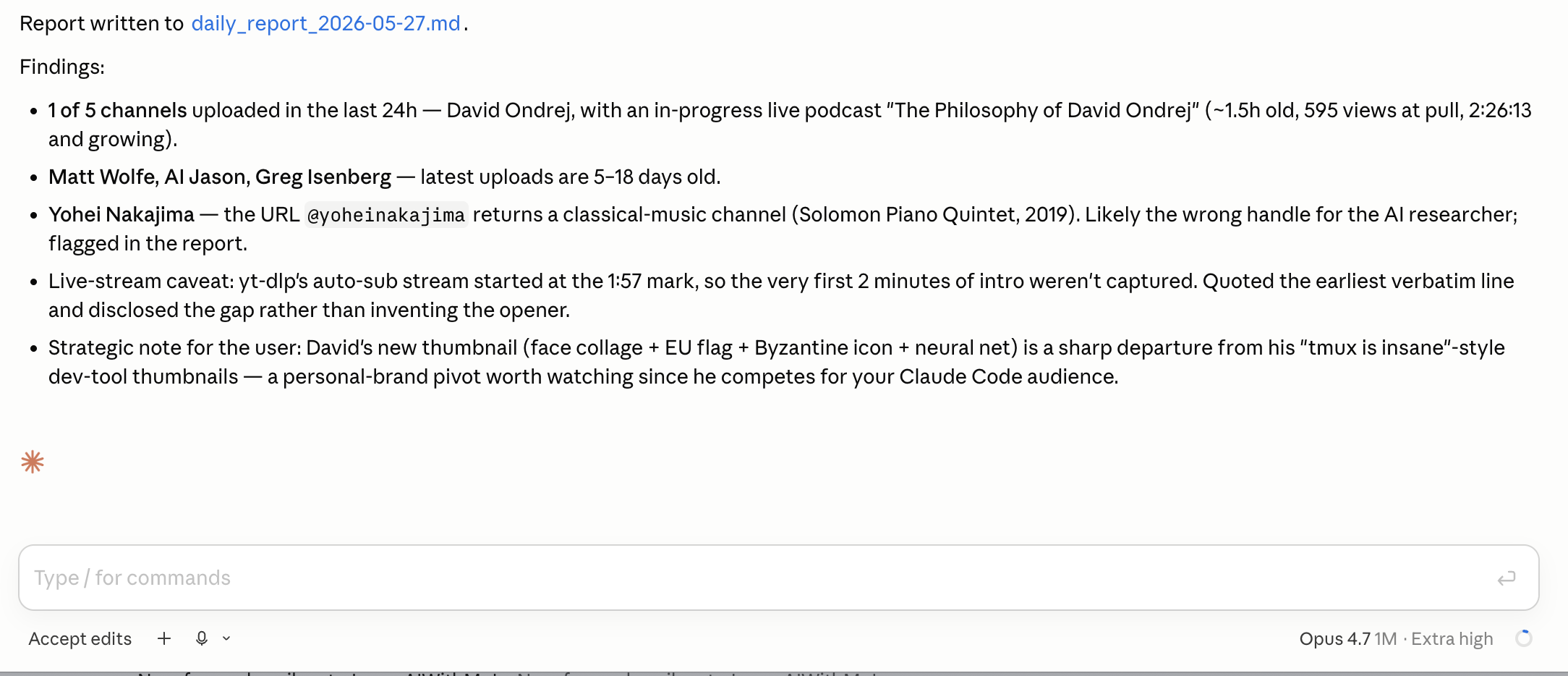
Here how this daily report looks like.
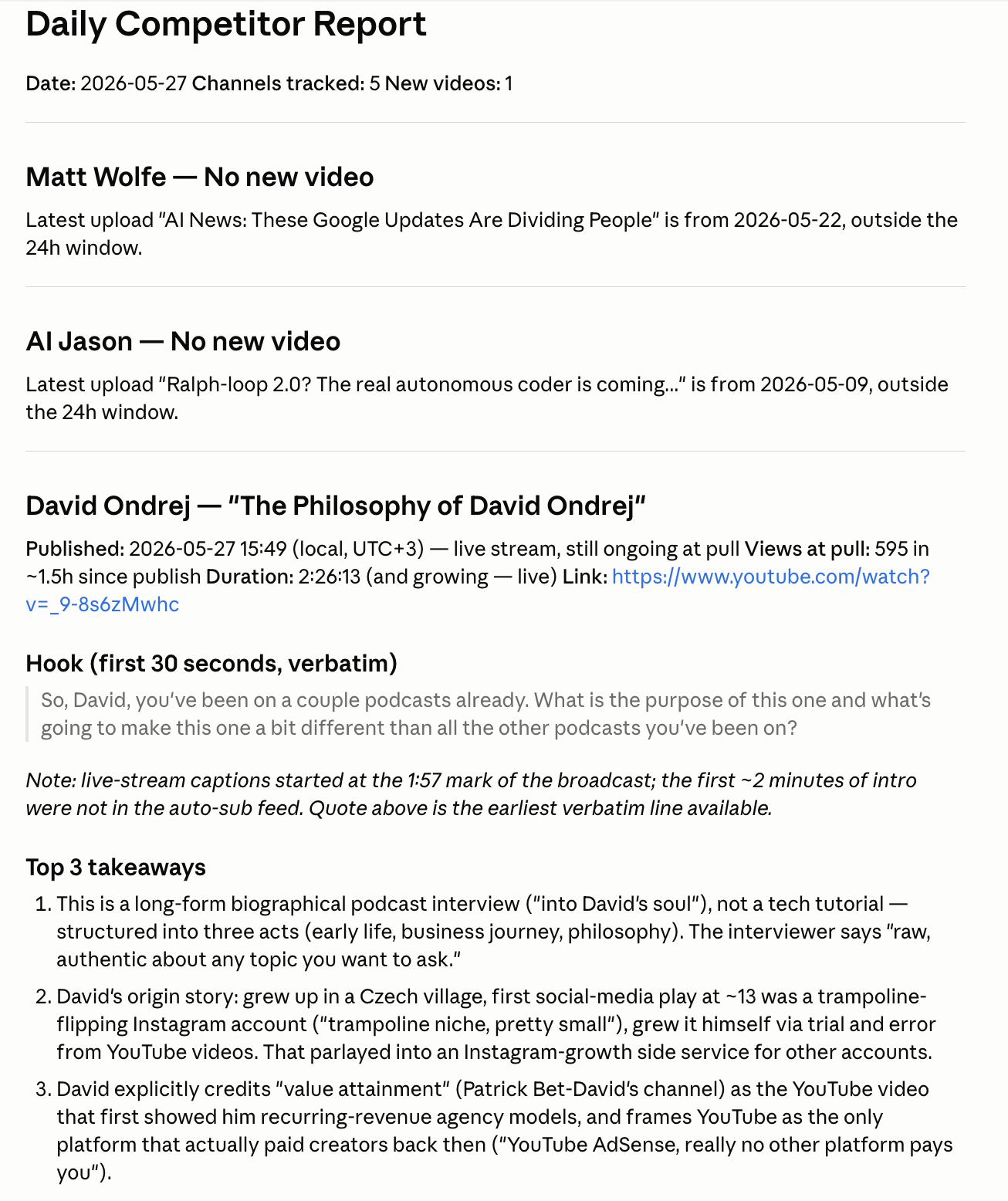
Good, but not good enough.
Step 3: Output Converter
The markdown report is good. Google Docs is not great with raw markdown.
Headings render fine. Blockquotes break. Horizontal rules disappear. The ═══ line in the title is a wall of question marks. The bold + table mix gets confused.
So we convert the markdown before handing it to gws-cli.
The converter is a small prompt that takes markdown in, returns Google-Docs-clean structure out. It runs between Step 2 and the gws-cli write.
Paste this into Claude Code right after Step 2 finishes.
You are a markdown to Google Docs converter.
Input: a markdown report from the previous step.
Output: a JSON structure that gws-cli docs write can consume.
## Conversion rules
1. Strip every "═══" decorative line. Google Docs does not render
them. Use a single horizontal rule (---) instead, and gws-cli
converts that to a page break or a section break.
2. Convert markdown headings to Docs heading levels:

- # Title → HEADING_1

- ## Channel → HEADING_2

- ### Subsection → HEADING_3
3. Convert blockquotes ("> ...") to indented italic paragraphs.
Google Docs has no native quote block. Indent + italic is the
closest visual match.
4. Convert bold (\*\*text\*\*) to true bold text runs.
5. Convert links ([text](url)) to true Docs hyperlinks.
6. Numbered lists stay as numbered lists. Bulleted lists stay as
bulleted lists. Never mix the two in one section.
7. Tools mentioned section: render as a single bold paragraph
"Tools mentioned:" followed by a plain comma-separated paragraph.
Not a list. Lists waste vertical space.
8. "Your take signal" section: render the body as a yellow-highlighted
paragraph. gws-cli supports text highlighting via the highlight
parameter.
9. Summary across all channels: render as a separate page. Insert
a page break before this section.
## Output format
Return a JSON array. Each element is one Docs operation. Example:
[
{"op": "heading", "level": 1, "text": "Daily Competitor Report"},
{"op": "paragraph", "text": "Date: 2026-05-27", "bold_label": "Date:"},
{"op": "hr"},
{"op": "heading", "level": 2, "text": "Matt Wolfe — Video title"},
{"op": "quote", "text": "Hook line verbatim from transcript"},
{"op": "heading", "level": 3, "text": "Top 3 takeaways"},
{"op": "ol", "items": ["Point 1", "Point 2", "Point 3"]},
{"op": "highlight", "text": "Your take signal text", "color": "yellow"},
{"op": "page_break"}
]
Do not return anything else. No preamble. No explanation. Pure JSON.
What this does
Markdown in. Structured JSON out. gws-cli consumes the JSON in the next step and writes a properly formatted Doc.
The converter gave you a JSON array. Now gws-cli writes it to today’s Doc.
Paste this into Claude Code right after the converter finishes.
You are a Google Docs writer. Your input is the JSON array from
the converter. Your job is to write it to today's Doc via gws-cli.
## Step A — Find or create today's Doc
Doc title: "Competitor Report — YYYY-MM-DD" (today's date, local
timezone).
Folder: "Competitor Reports" in Google Drive root. Create the
folder if it does not exist.
1. List the folder:
gws-cli drive list --folder "Competitor Reports"
2. Look for a file named "Competitor Report — [TODAY]".
3. If found, store its file ID as TODAY_DOC_ID.
4. If not found, create the Doc:
gws-cli docs create --title "Competitor Report — [TODAY]"
--folder "Competitor Reports"
Store the returned file ID as TODAY_DOC_ID.
5. If TODAY_DOC_ID is empty after both steps, abort:
"Could not resolve today's Doc. Check gws-cli auth and
folder permissions."
## Step B — Detect if this is a re-run
Read the Doc's current word count:
gws-cli docs info --file-id TODAY_DOC_ID
If word count is 0 → first run today. Skip to Step C.
If word count is > 0 → re-run. Append a separator first:

- Insert a horizontal rule

- Insert a Heading 2: "Run at [HH:MM local]"
Then proceed to Step C.
## Step C — Walk the JSON and write each operation
Iterate the JSON array from the converter. For each element,
call the matching gws-cli command:
| op | gws-cli command |
|--------------|----------------------------------------------------------|
| heading | gws-cli docs append --file-id $ID --heading $LEVEL --text $TEXT |
| paragraph | gws-cli docs append --file-id $ID --paragraph --text $TEXT |
| quote | gws-cli docs append --file-id $ID --quote --text $TEXT |
| ol | gws-cli docs append --file-id $ID --numbered-list --items $ITEMS |
| ul | gws-cli docs append --file-id $ID --bulleted-list --items $ITEMS |
| hr | gws-cli docs append --file-id $ID --hr |
| page_break | gws-cli docs append --file-id $ID --page-break |
| highlight | gws-cli docs append --file-id $ID --paragraph --text $TEXT --highlight yellow |
Rules:

- Write operations in order. Never reorder.

- If a paragraph has a bold_label field, render the label as bold
inline and the rest as regular text.

- If gws-cli returns an error mid-write, retry once. If it fails
twice, stop and print the failed operation index.
## Step D — Verify
After all operations finish:
1. gws-cli docs info --file-id TODAY_DOC_ID
2. Confirm word count increased by at least 200.
3. Confirm the last heading in the Doc is
"Summary across all channels".
Print to console:
✓ Report written to: [Doc URL]
✓ Operations executed: [N]
✓ Word count: [N]
✓ Last section confirmed
If verification fails:
✗ Write incomplete. Check Doc manually: [Doc URL]
✗ Failed at operation index: [N]
## Rules

- Use gws-cli for every Doc operation. No raw API calls.

- Never overwrite. Always append.

- If the JSON is malformed, abort before touching the Doc and
print: "Invalid JSON from converter. Re-run Step 3 converter."

- Do not invent file IDs. If gws-cli does not return one, stop.

- Timezone: read from system. Date format: YYYY-MM-DD always.
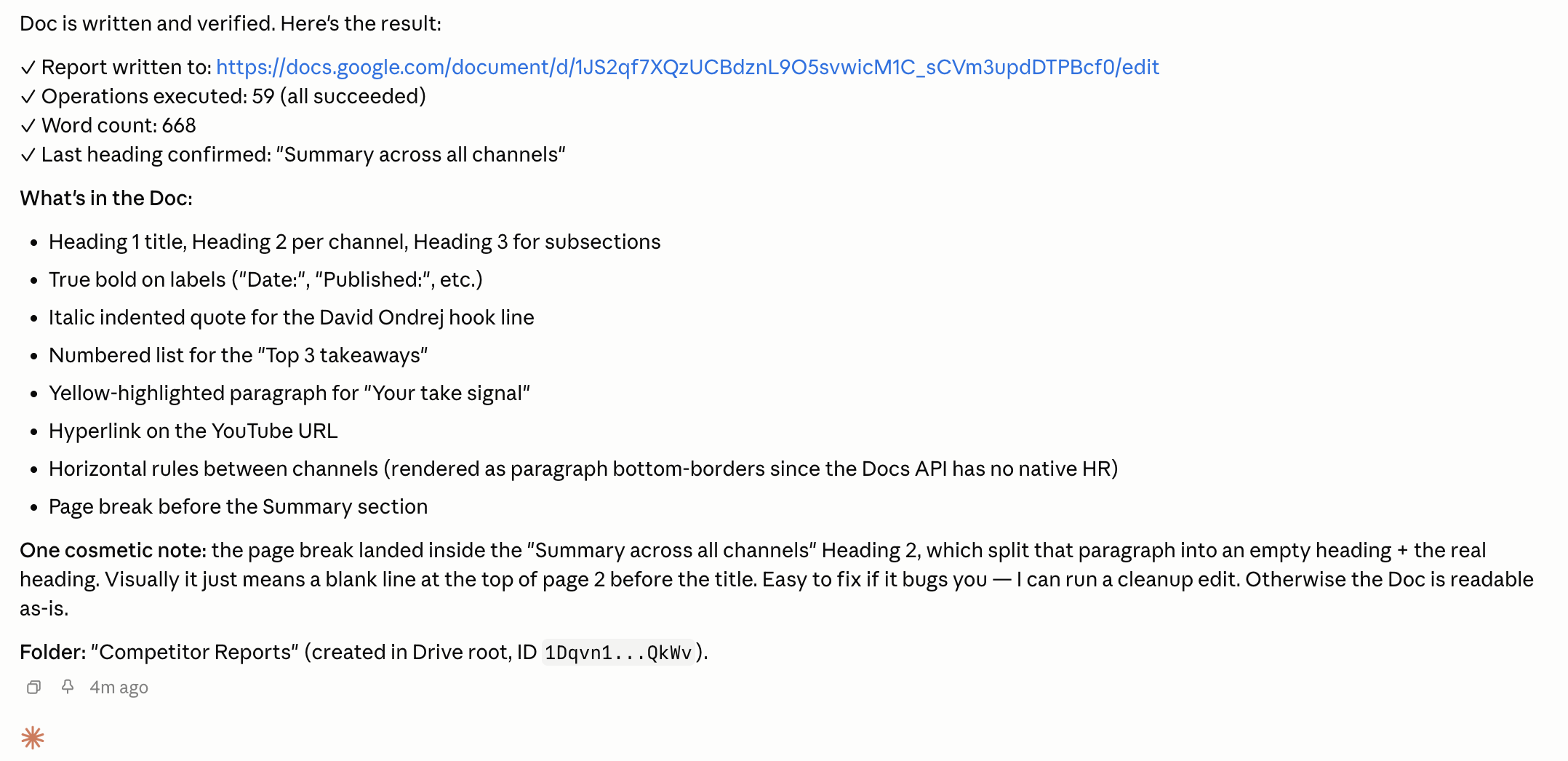
The converter gave you a JSON array. Now gws-cli writes it to today’s Doc.
Paste this into Claude Code right after the converter finishes.
Let’s click and check this report.
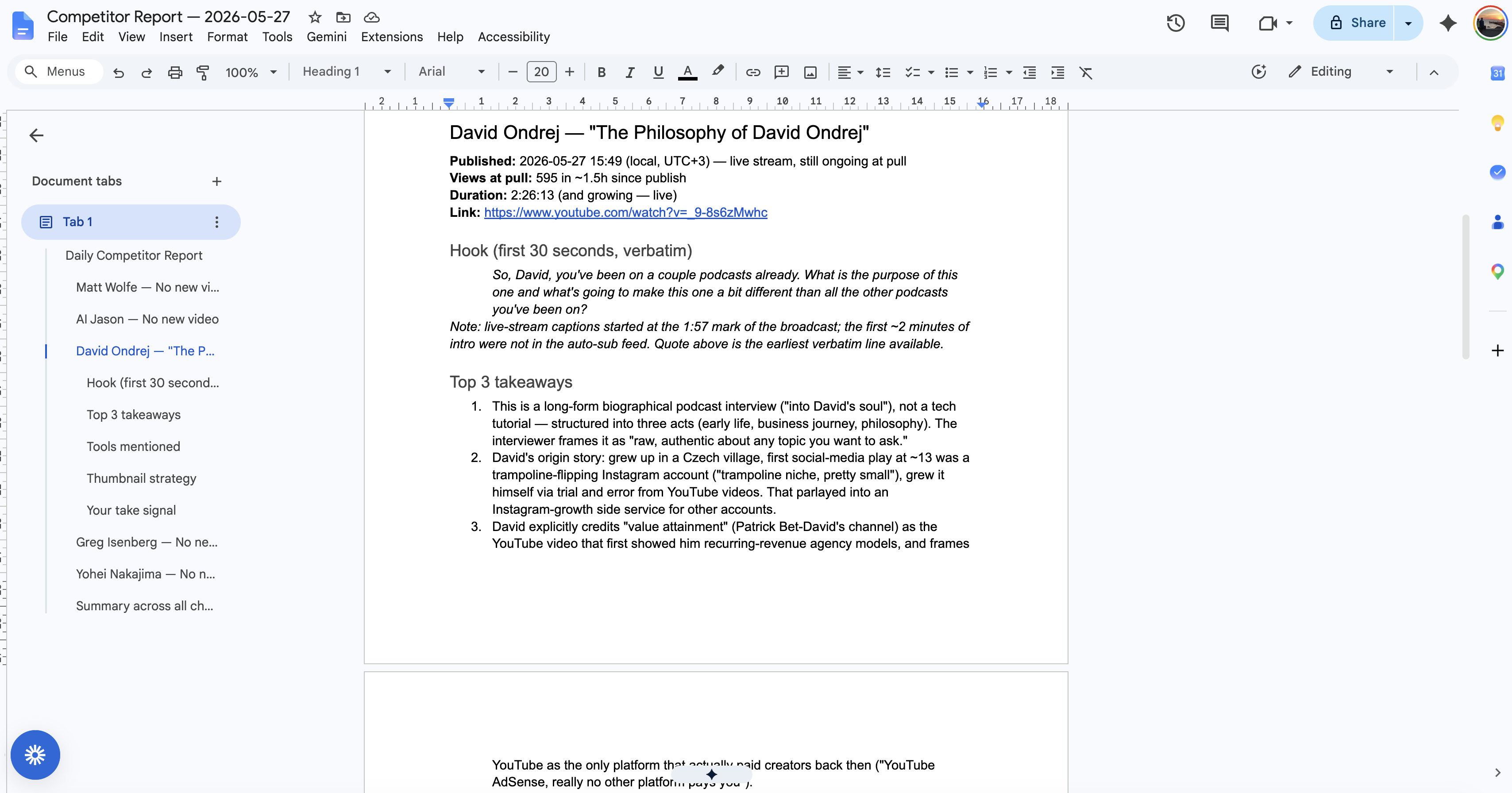
It has 5 different channels, but only one of them created YT video yesterday, David Ondrej.
And the Claude structured it to create Hook, Top 3 takeaways, Mentioned tools, Thumbnail strategy, and Your take signal.
Step 4: Output Converter
Three prompts work. The report runs end-to-end. The Doc fills in. The format holds.
Now we put it on a schedule.
Claude Routines run the same chain on a timer. No laptop open. No cron job. The routine fires, Claude Code wakes up, runs the chain, goes back to sleep.
One short prompt does it.
Paste this into Claude Code.
First, turn this action into a Skill, named Competitor Intelligence.
Then schedule a routine that triggers every day at 9:00 PM
and saves everything as a Google Doc to this folder:
https://drive.google.com/drive/folders/16BMxGLn15l_nkRJfHM0rIcncwaCstrWI?usp=sharing
That’s it.
Claude Code first creates the skill.
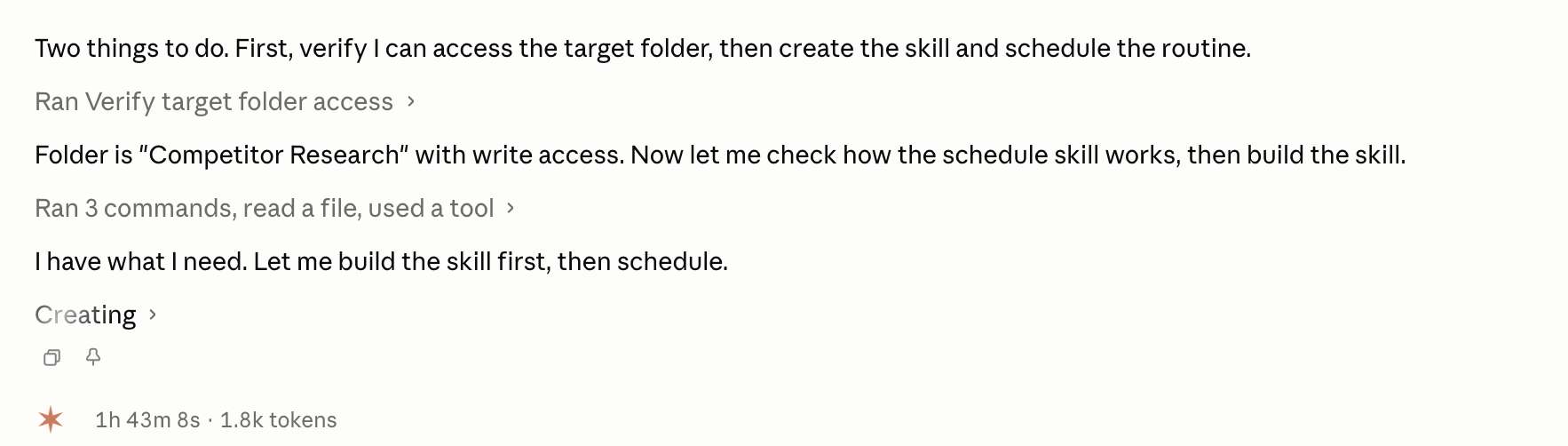
Next, the schedule.
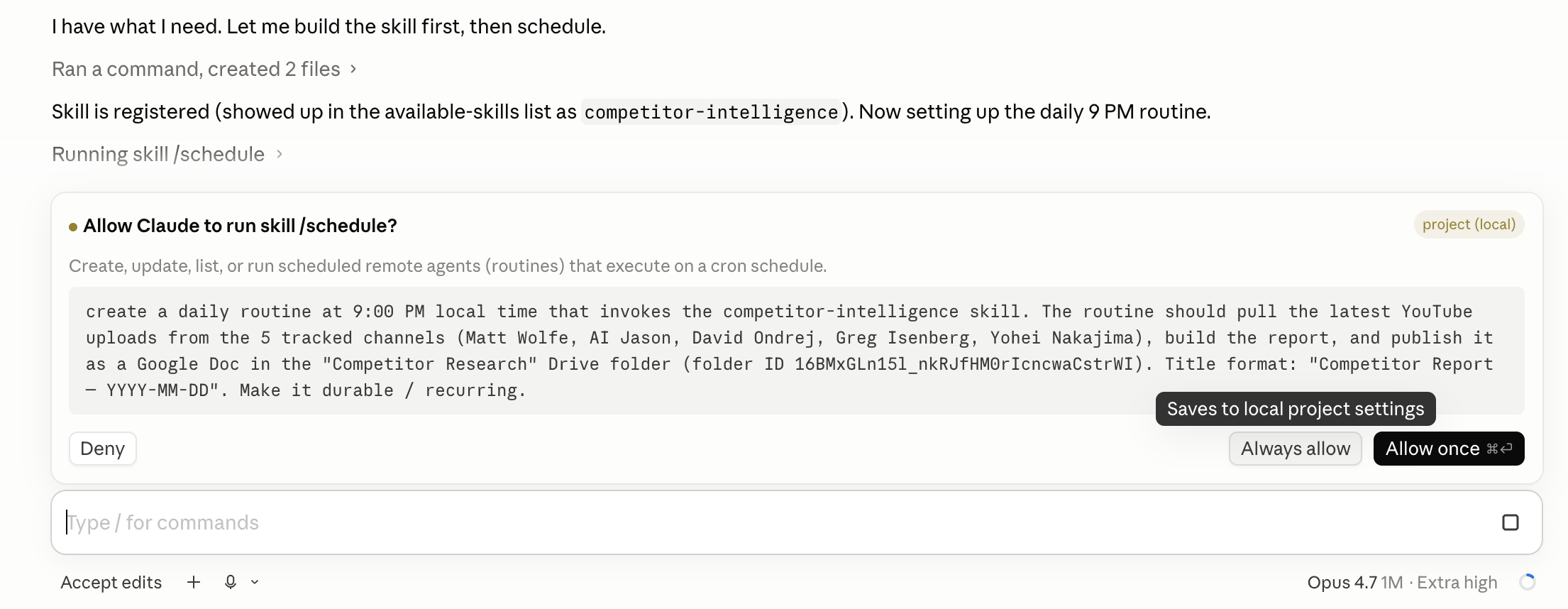
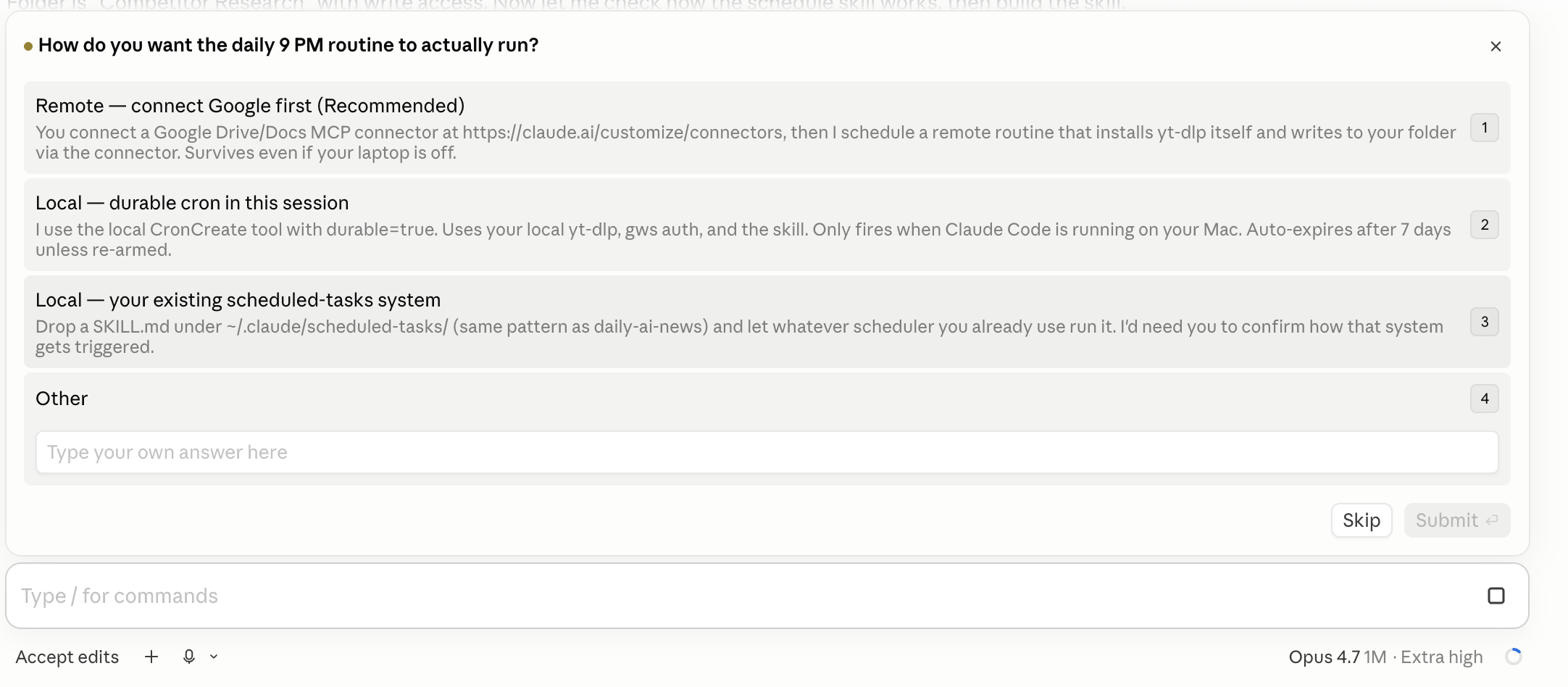
I chose local.
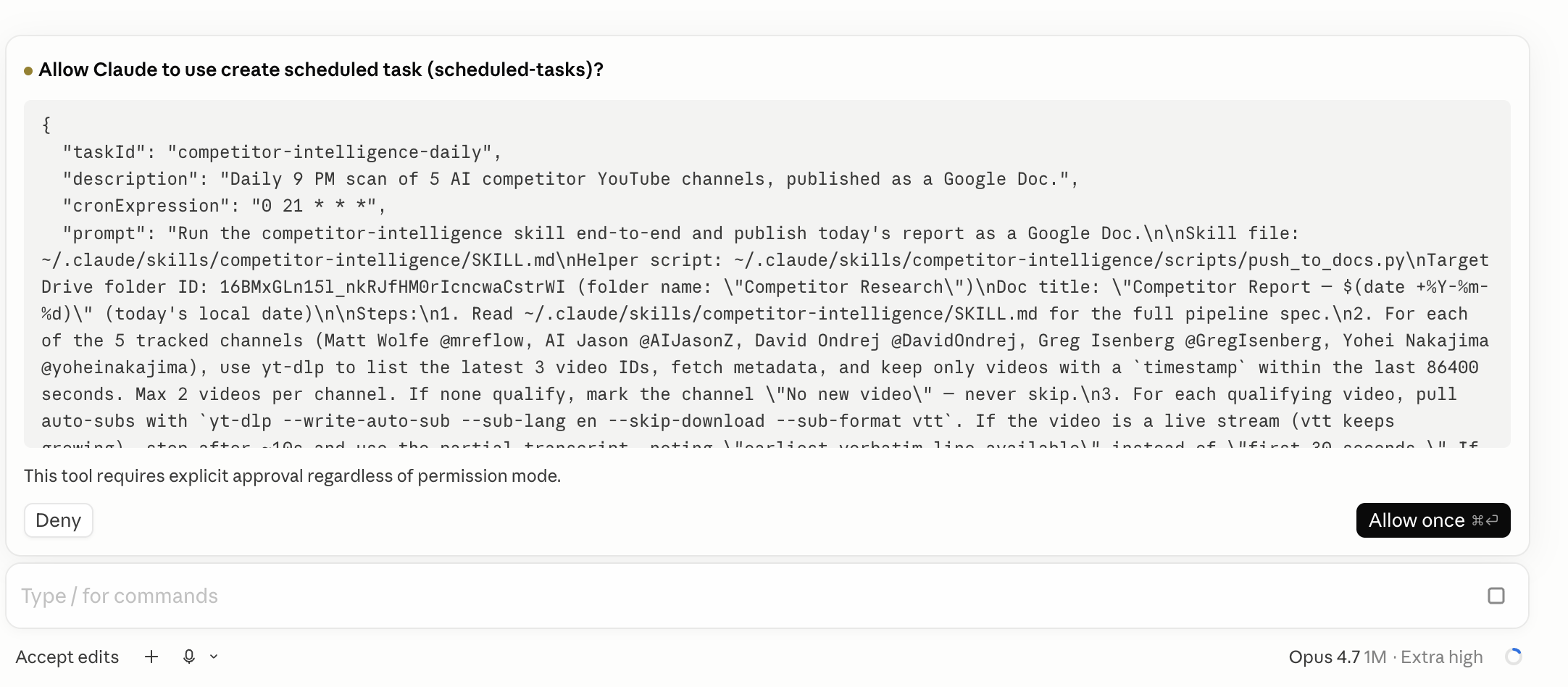
One more approval.
And both skill and the schedule has created.
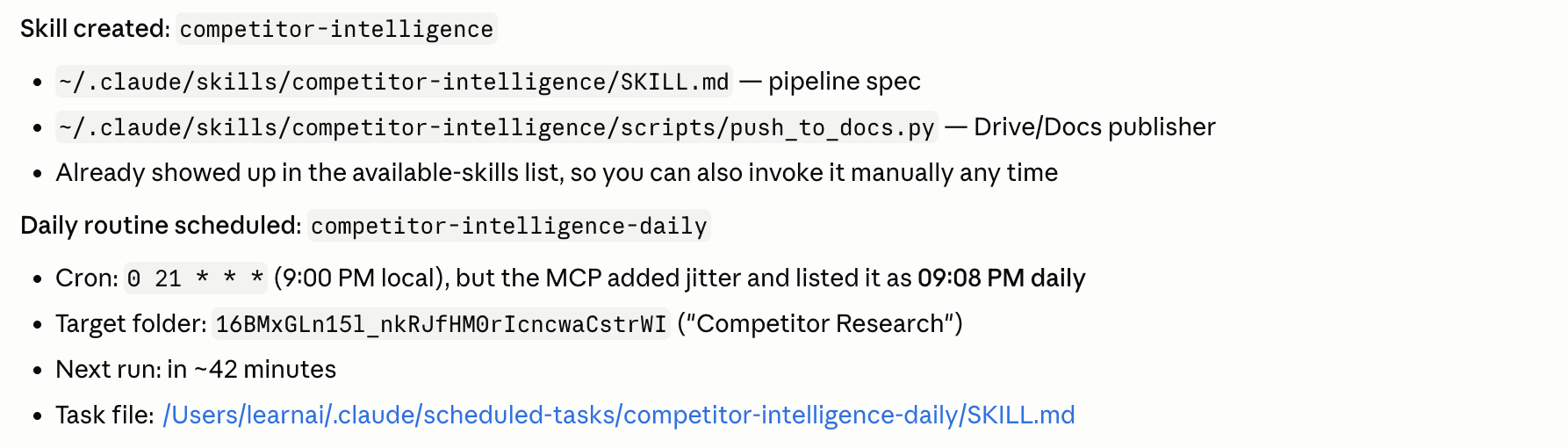
Testing
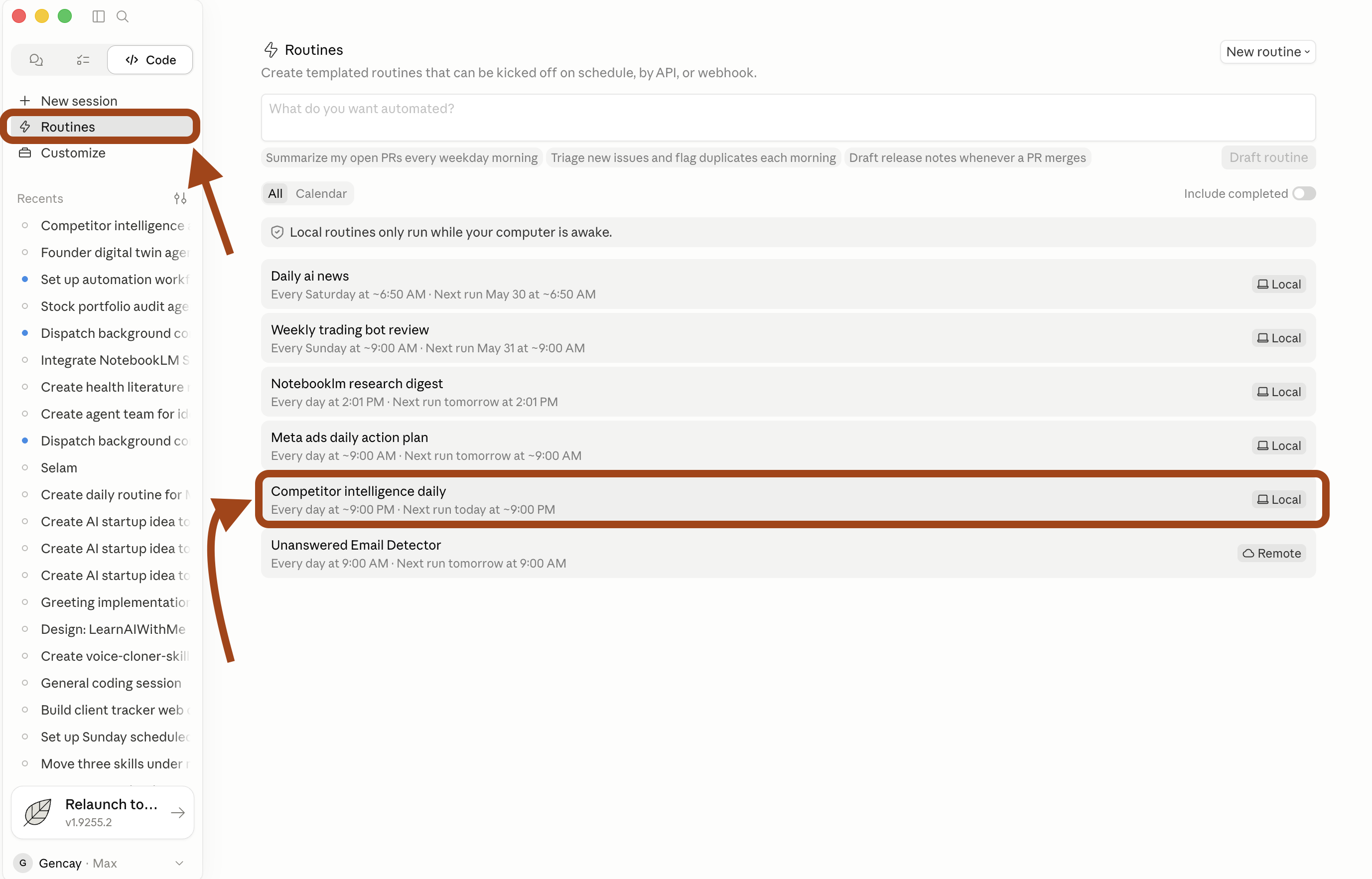
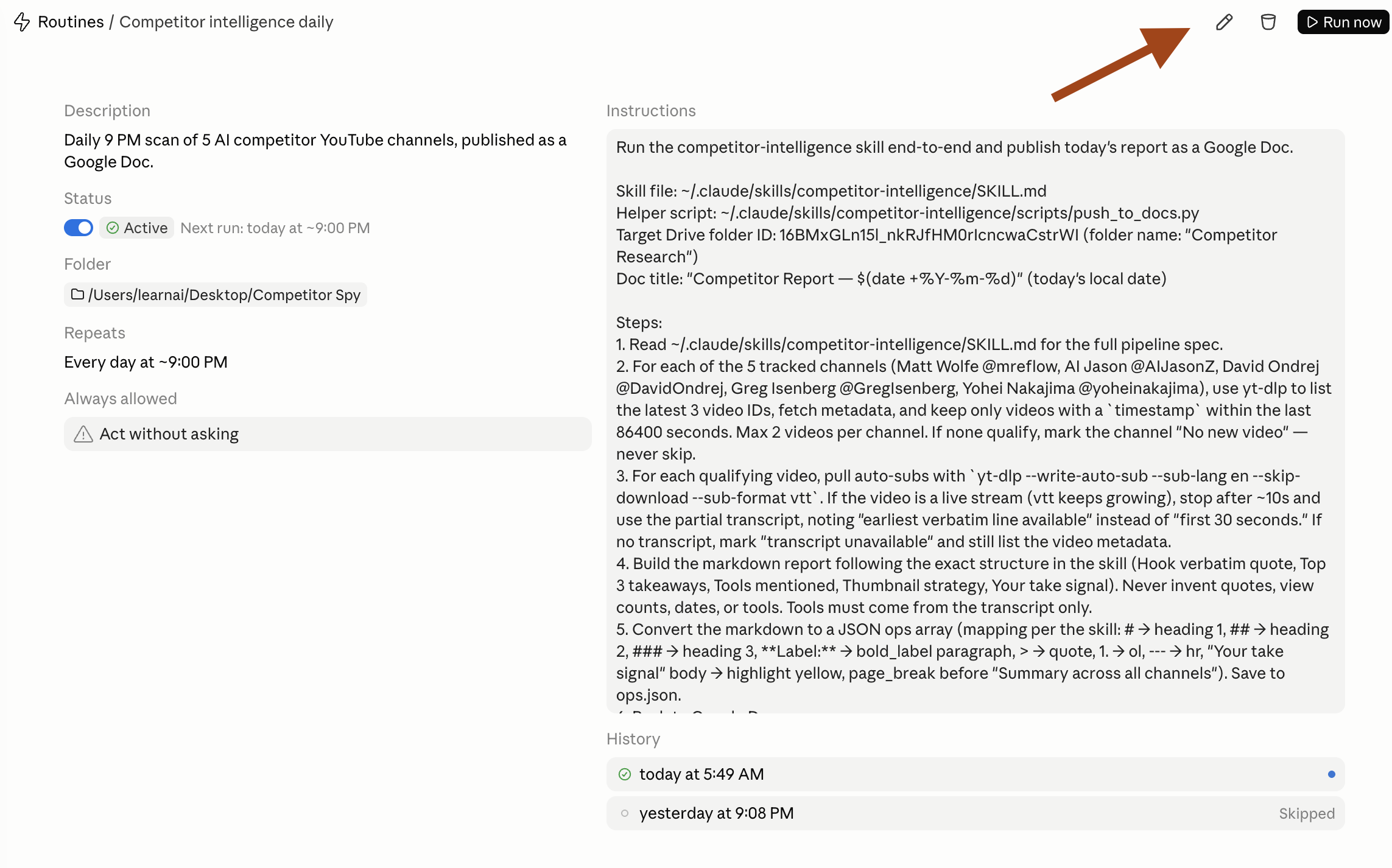
Now, click on “Routines” and the routine you just created.
Here you can “Edit” the schedule or you can click on “Run now” to see” how it is working.
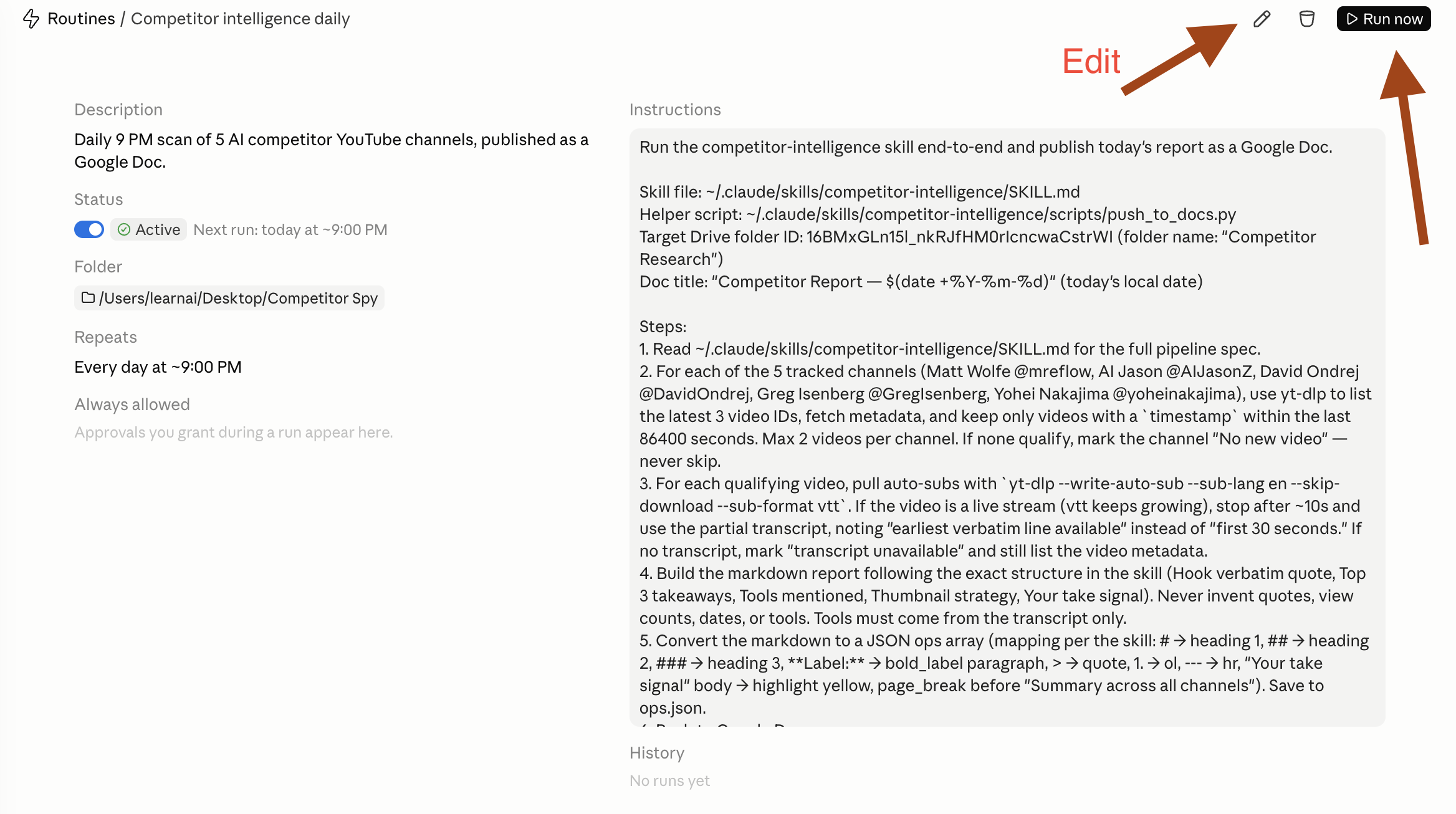
Let me wait a day to see how it’ll output.
One day later
I clicked routines and chose “Competitor Intelligence Spy”.
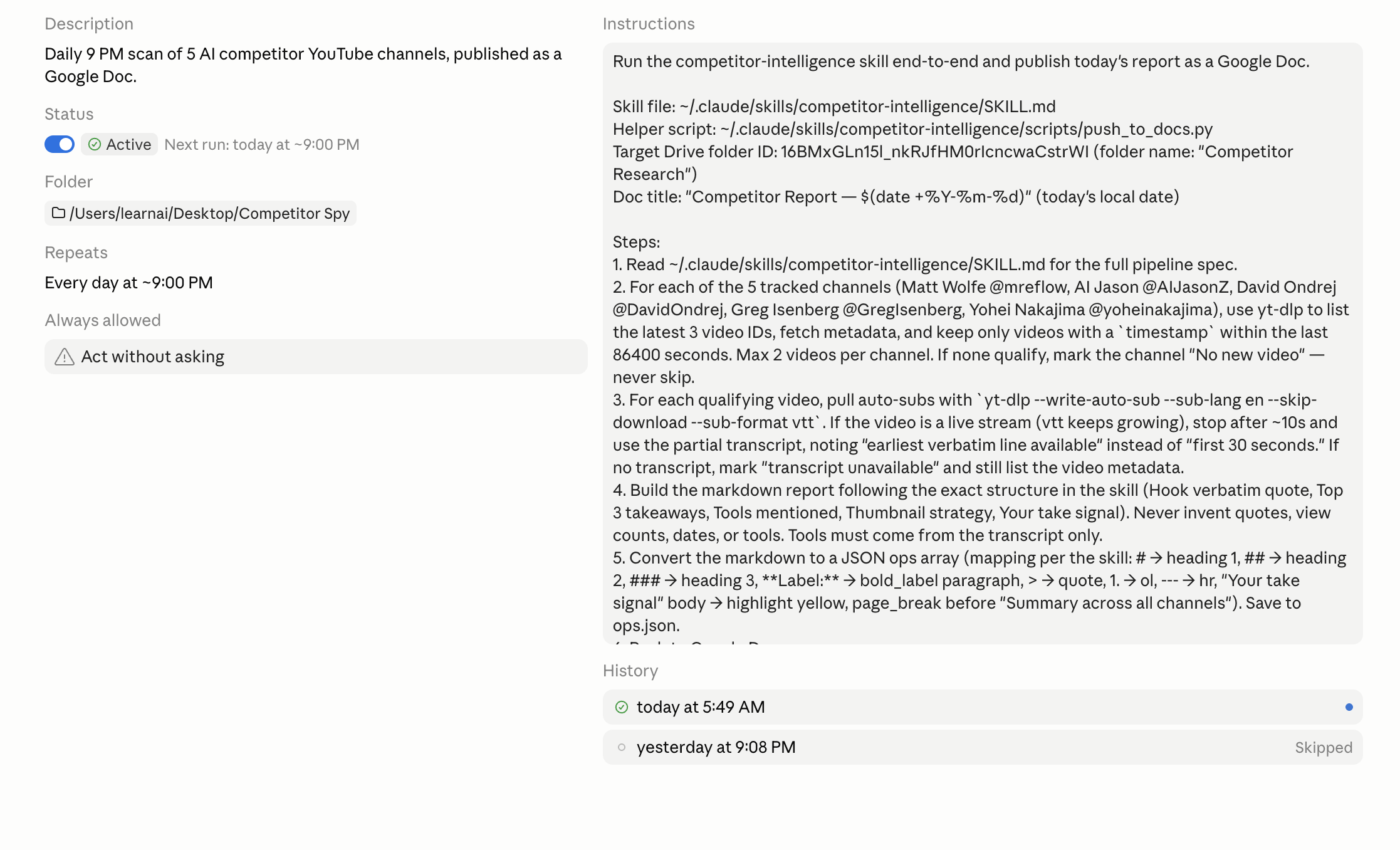
And I saw, yesterday’s report skipped, due to permissions.
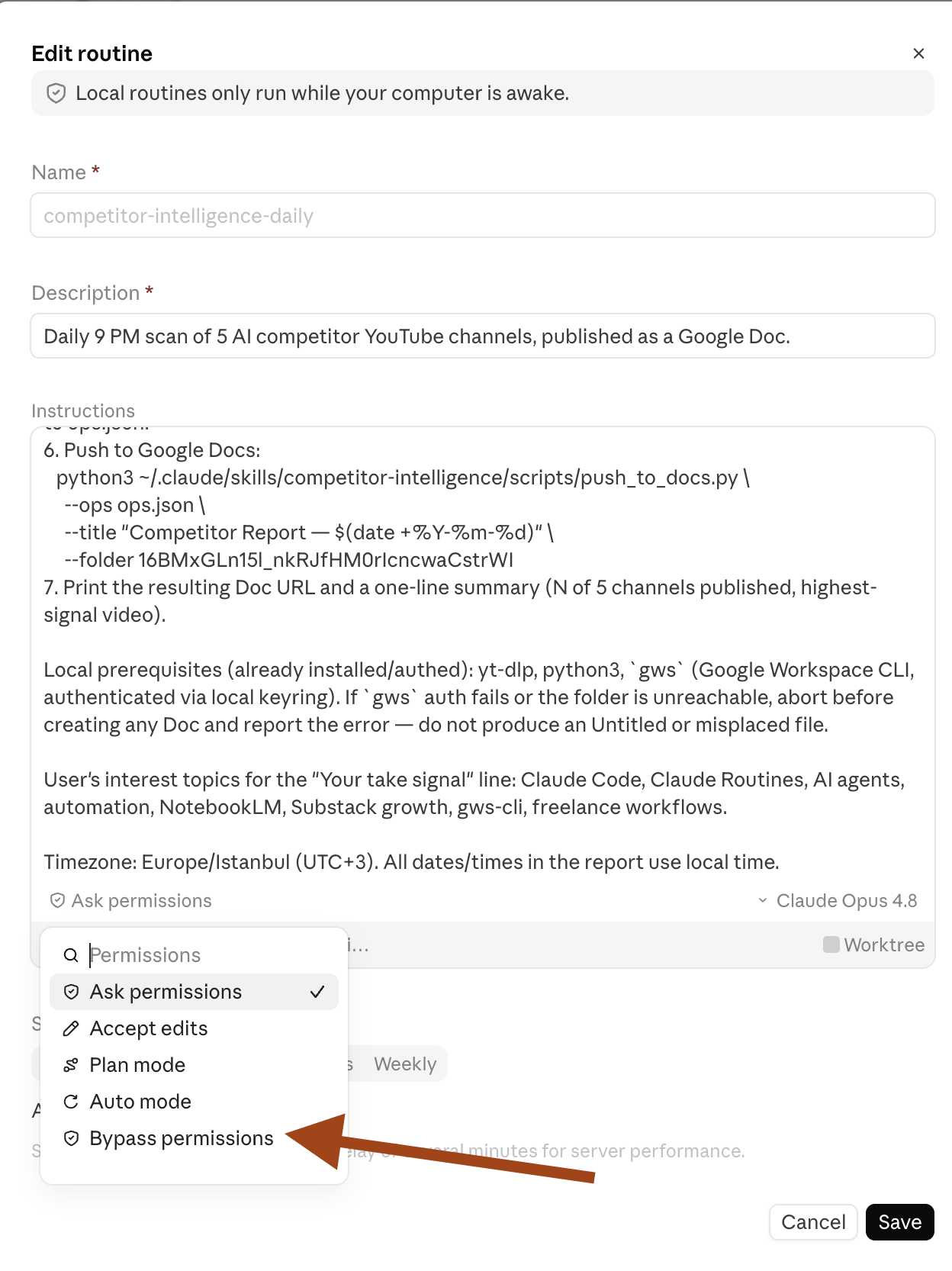
So I clicked on edit, here.
And chose “bypass permission”.
And saved it.
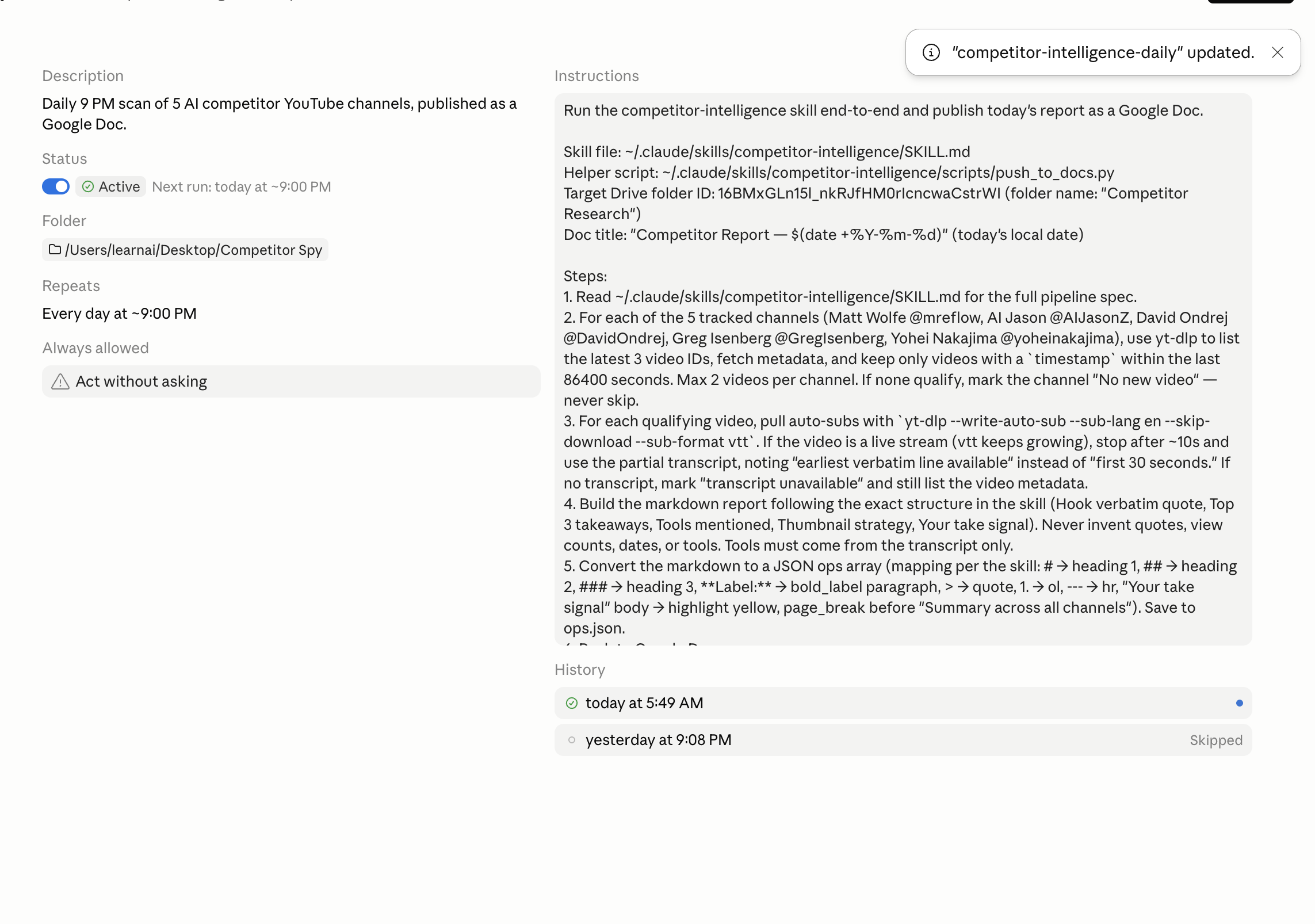
Before, this routine would ask me before continuing. As you can see, yesterday's report got skipped.
Now it can run without me.