Connect Apify to Claude Cowork and build 5 zero-code scrapers: LinkedIn, flights, Airbnb, leads, career intel. Full skills included.
By Gencay
Published: 2026-04-13
URL: https://www.learnwithmeai.com/p/apify-claude-cowork-agents

\Claude Cowork Apify agents web scraping LinkedIn flights Airbnb social media job boards zero code 2026 - (created with Midjourney)\
Apify has 23,000+ scrapers sitting in a store. Flights, LinkedIn, Airbnb, job boards, social media. You name it, someone built a scraper for it.
Claude Cowork connects to all of them through its Connectors panel. Web scraping with zero code.
One connector. One prompt. The data comes to you.
I built 5 agents this week. One plans my entire trip. One finds anyone’s social media accounts from a username. One scrapes LinkedIn profiles and writes in their style. One scans Glassdoor, Indeed, and Upwork for career intel. One finds 500 leads and saves them to Notion.
Each one took under 5 minutes to set up.
I’ll show you how I connected Apify to Claude Cowork, and the 5 agents I built with it.
But first, let me introduce you to Apify.
What is Apify?
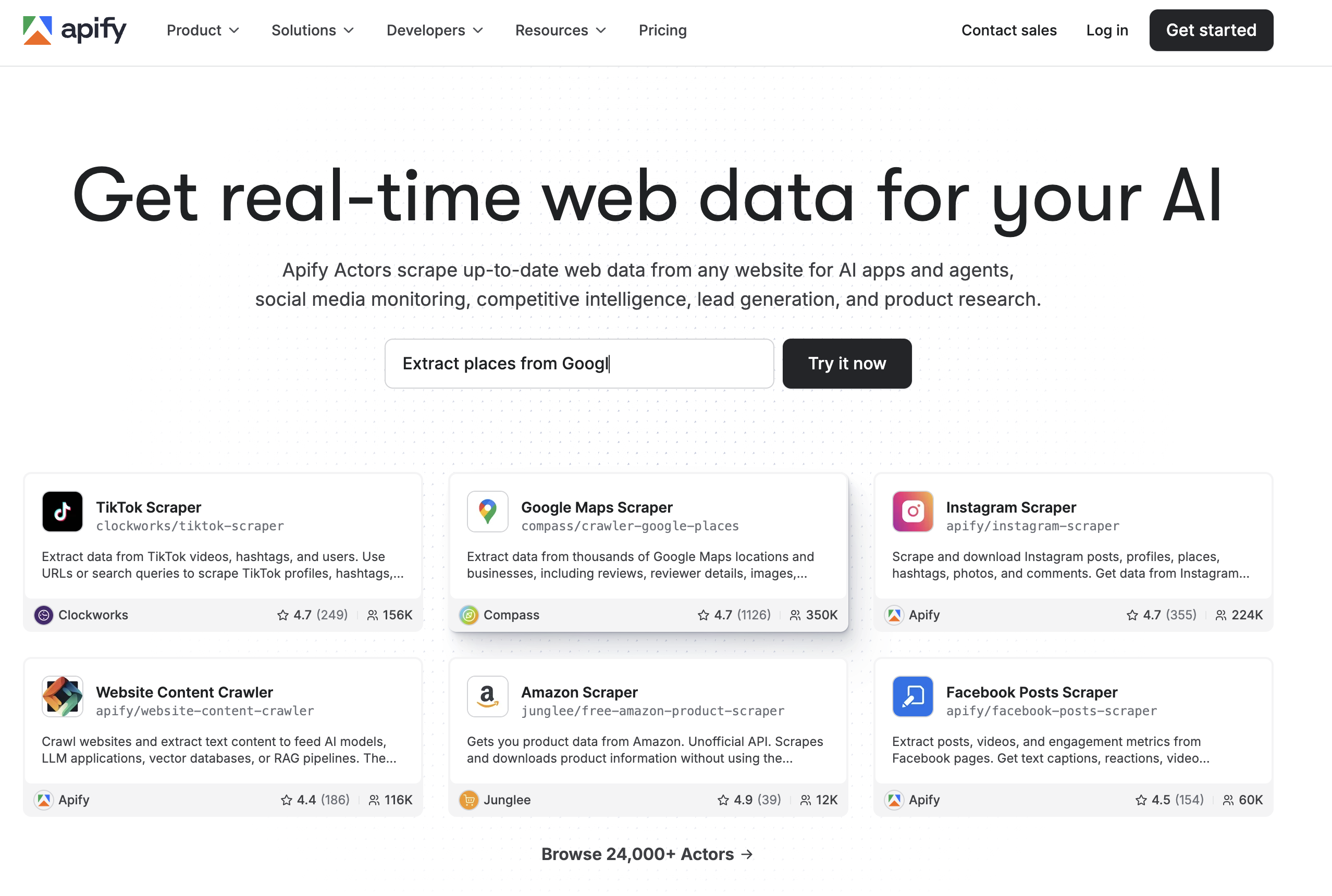
\Apify,Reference\
Apify is a web scraping platform with 24,000+ ready-made scrapers.
They call them actors. LinkedIn actor, Airbnb actor, Google Flights actor, and Indeed actor.
Each one scrapes a specific platform and returns structured data. You pick an actor, give it inputs, and get results. No code.
How to Get Your Apify API Token (Free)
Before connecting, you need a free Apify account and an API token.
Go to apify.com and sign up.
The free plan gives you $5 in monthly credits, which is enough for everything we are building today, and you don’t need to add your card or anything; they just give free credit.
After signing up, go to console.apify.com/settings/integrations.
You will see the API & Integrations page.
Your Personal API token is already created. Click the copy button next to it.
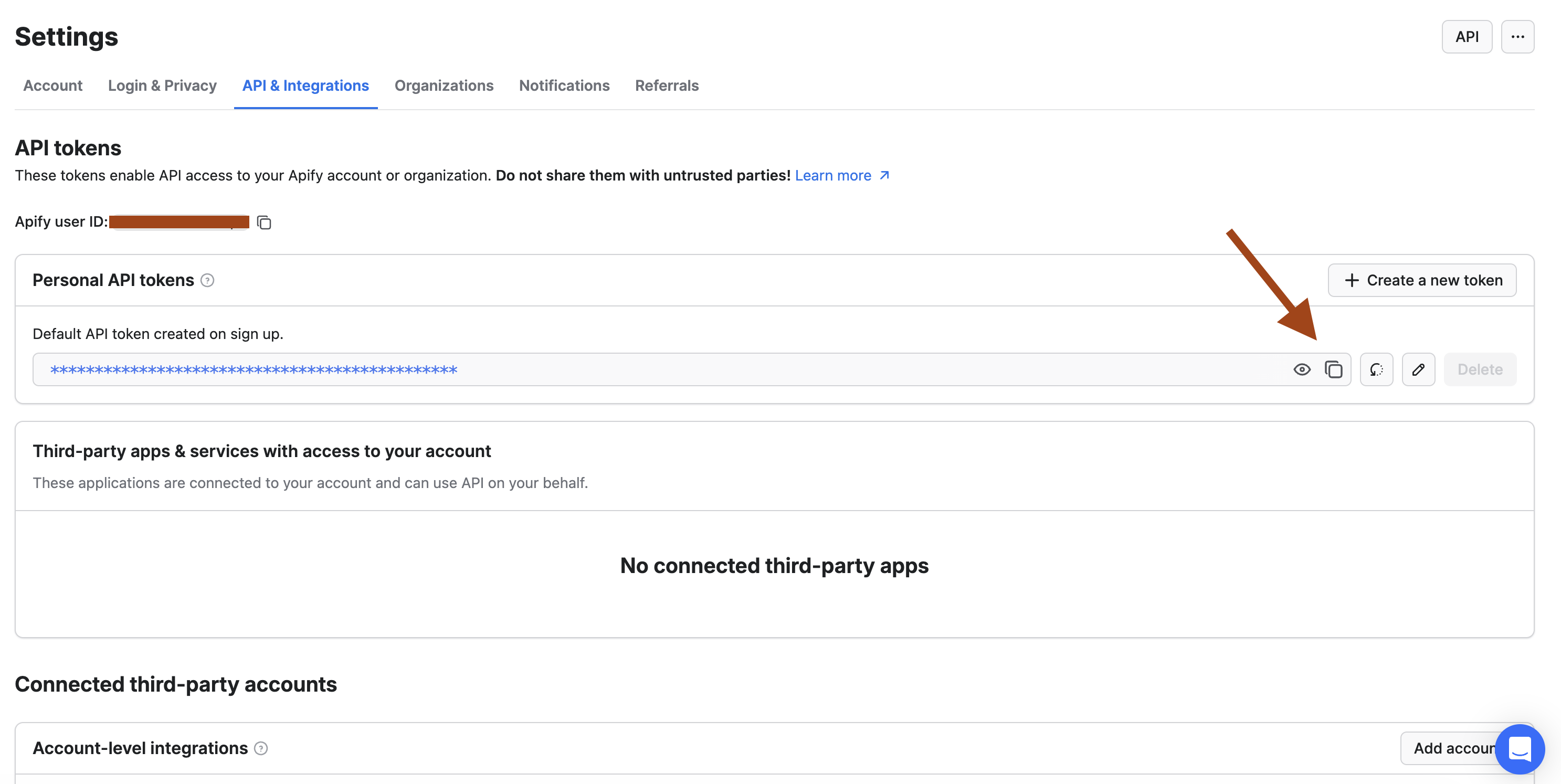
\Copy your Apify token\
That is your key to all scrapers. Keep it safe, do not share it with anyone.
Now let me show you how to connect it with Claude Cowork.
Connect Apify to Claude Cowork (Step-by-Step)
Open your Claude desktop app. You will connect Apify through the Connectors panel in Settings. Once connected, every agent we build from here will use this connection.
I also recorded a short video showing the exact steps.(above)
Here are the steps you must follow;
Step 1: Open your Claude desktop app and go to Settings.
Step 2: Click on Connectors in the left sidebar.
Step 3: Find the Apify MCP Server and click on it.
Step 4: Toggle it to "Enabled" and paste your Apify API token.
Step 5: Click Save.
Let me show you what we are building with them.
5 Apify Agents We’ll Build in Claude Cowork

\5 Apify Agent we’ll build\
Apify is like a candy shop for builders.
There are 24K+ scrapers on the platform. Yes, there are many options. For example, for LinkedIn alone, you can find dozens of scrapers.
This gives you flexibility. If one actor doesn’t work, you can switch to another.
In this one, we’ll build 5 different agents.
- LinkedIn Style Cloner → Scrape any LinkedIn profile and write content in their voice.
- Lead Finder → Find 500 people in any industry and save them to Notion.
- Social Media Stalker → Type a username, find every account they have.
- Trip Planner → Cheapest flights + best Airbnb listings in one prompt.
- Career Spy → Scan Glassdoor, Indeed, and Upwork for salary data, job listings, and freelance rates.
And turn each of them into a Claude Cowork skill, save them.
I’ll give you each of these skills and explain to you step by step how to build them.
Let’s start with the LinkedIn Style cloner, which can help you clone the voice of your favorites.
1- LinkedIn Style Cloner
You admire how certain people write on LinkedIn. Their tone, their structure, how they open a post, how they close it.
What if you could scrape their profile and have Claude write in their voice?
That is what this agent does.
Actor: LinkedIn Profile Scraper
This actor extracts profile data, posts, articles, and activity from any public LinkedIn profile.
The Prompt:
Use the Apify LinkedIn Profile Scraper, https://apify.com/dev_fusion/linkedin-profile-scraper, to scrape these 3 LinkedIn profiles:
[Profile URL 1]
[Profile URL 2]
[Profile URL 3]
Extract their recent posts and articles.
Analyze their writing style: how they open posts, sentence length,
tone, use of stories, hooks, and calls to action.
Then turn it into a LinkedIn skill.
Whenever I trigger this skill, ask me in what tone I should write
and offer one of these three profiles.
After my selection, blend my tone with this LinkedIn profile's tone
and write a LinkedIn post about my topic.
Let’s test it.
Here are the profiles I scrape;
- Simon Sinek
- Justin Welsh
- Sahil Bloom
I pasted the prompt with their profile URLs and let Cowork work.
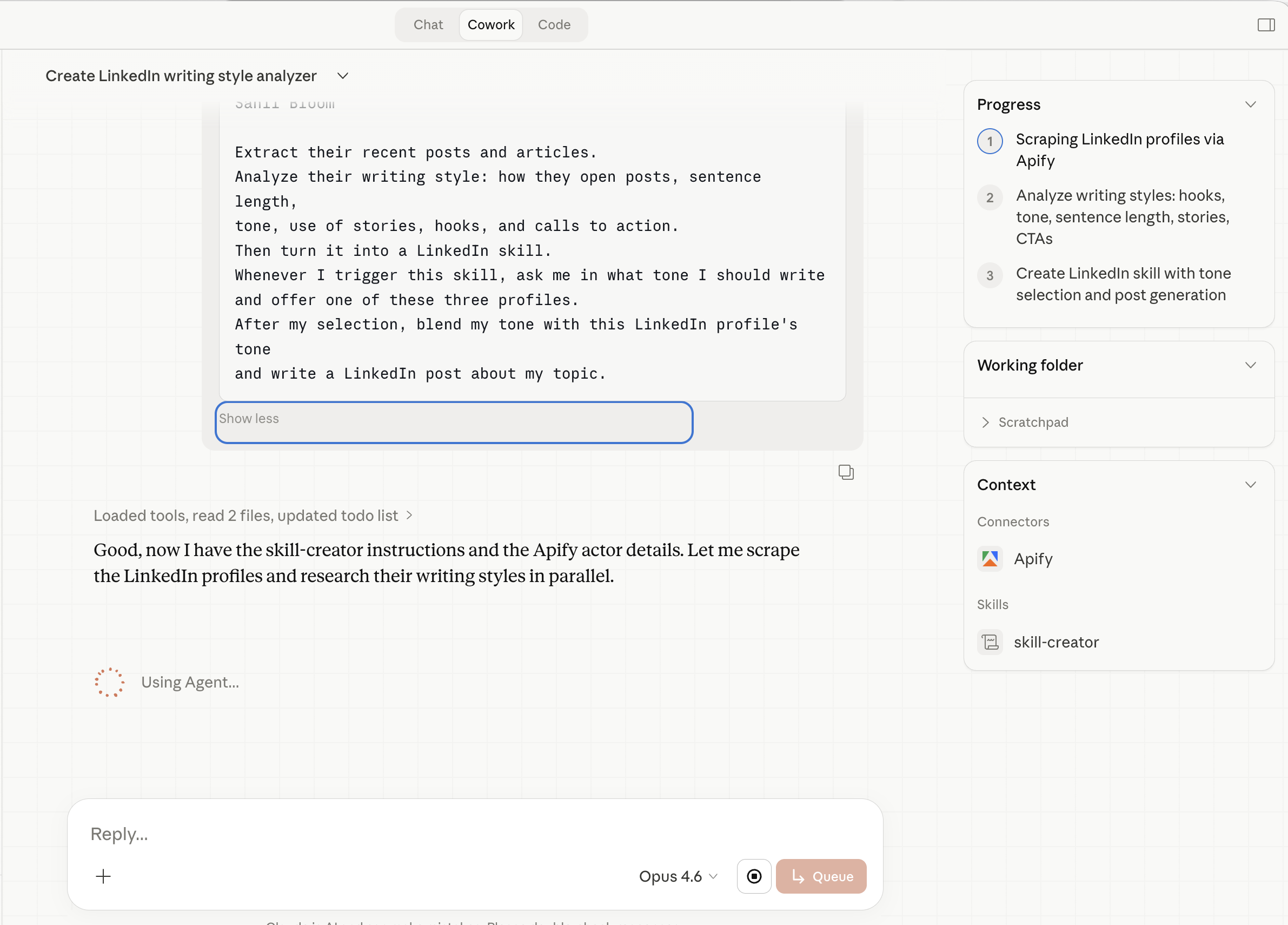
Five minutes later, the skill was ready.
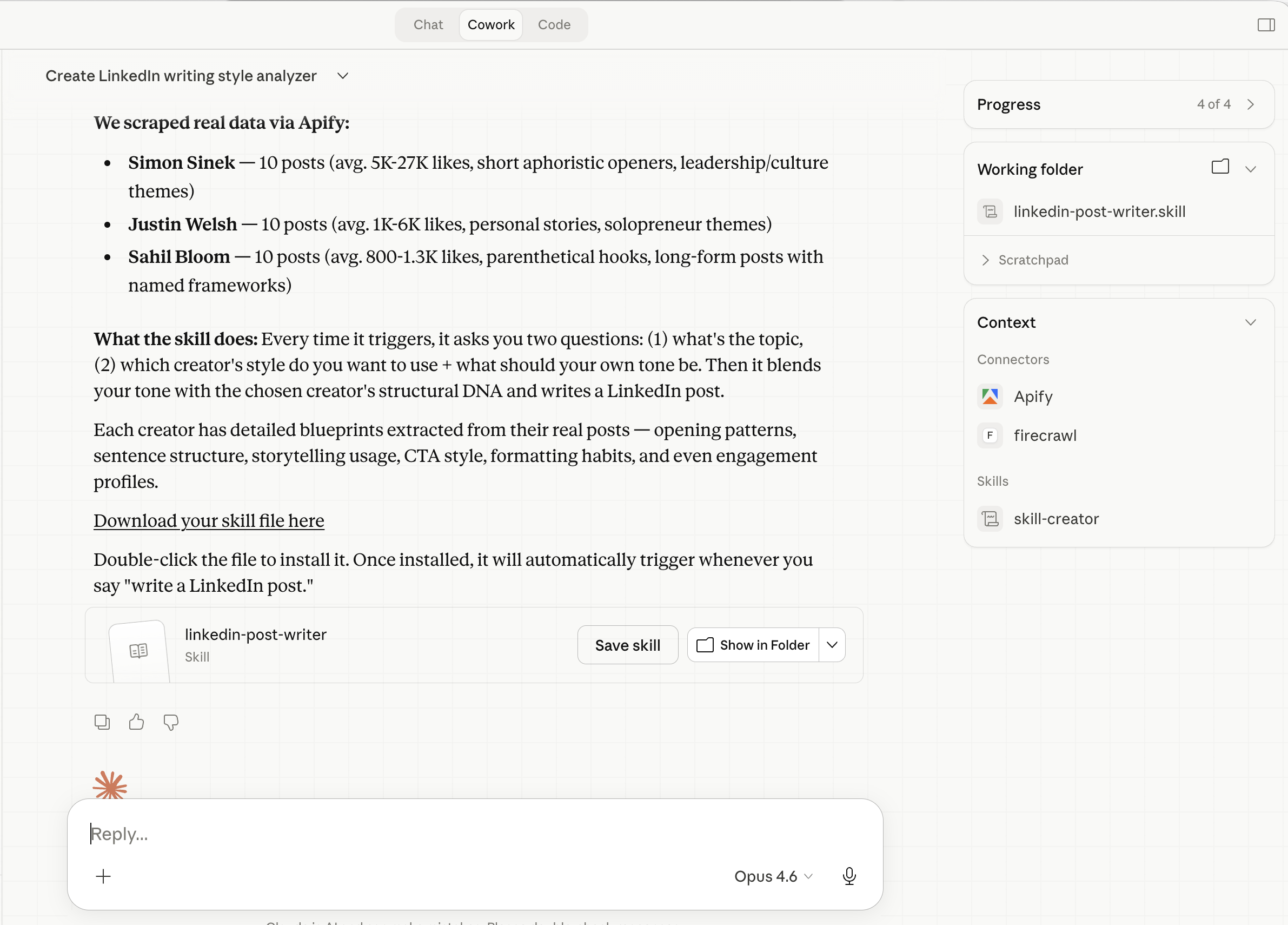
You can download it from here.
Now the test. I triggered the skill with a simple message:
I want to write a linkedin post about openclaw using linkedin post writer skill
Cowork asked me two things. First, which tone do I want: Sinek’s storytelling, Welsh’s punchy style, or Bloom’s framework approach.
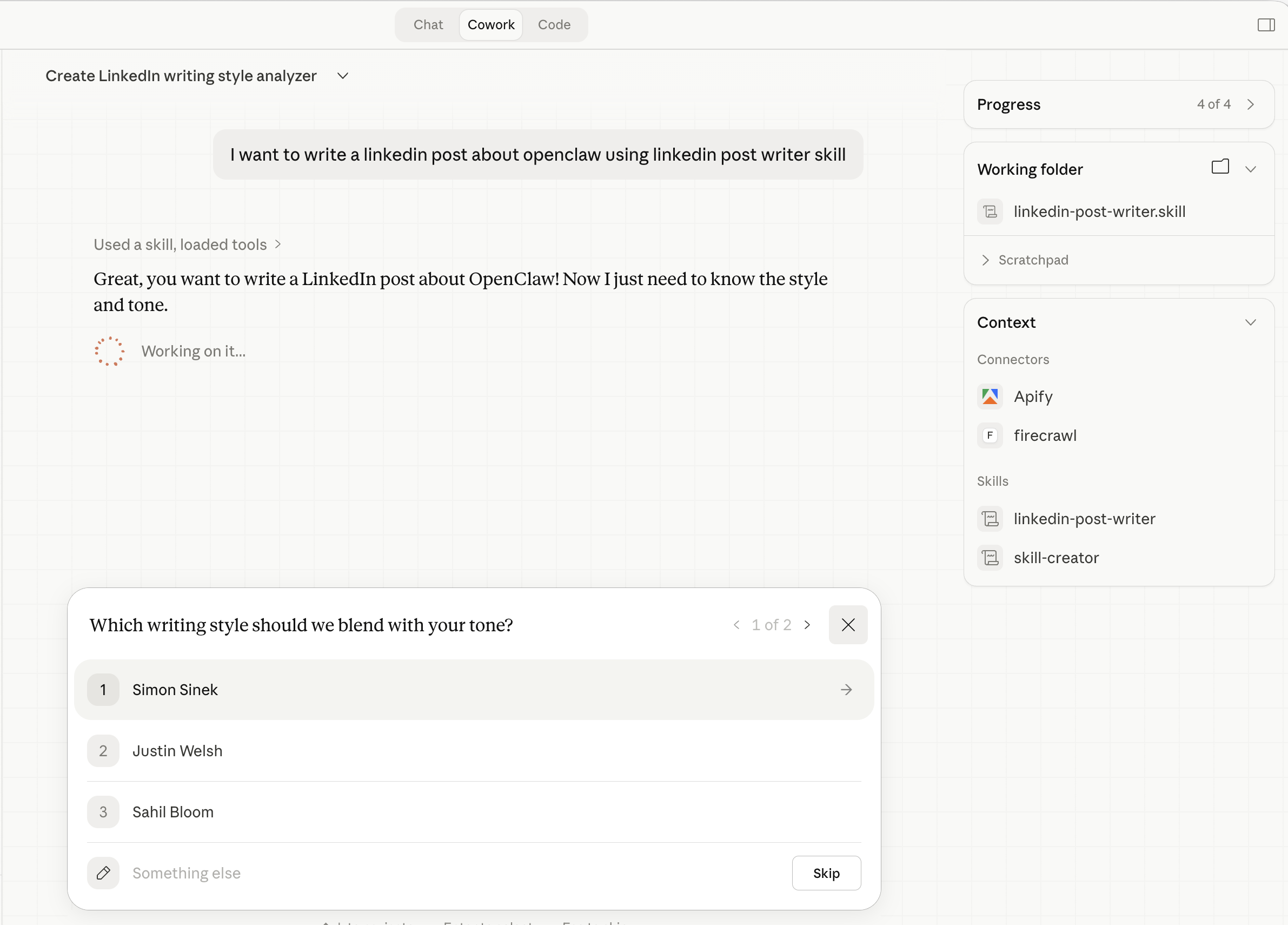
Then it asked me to describe my own voice so it could blend both.
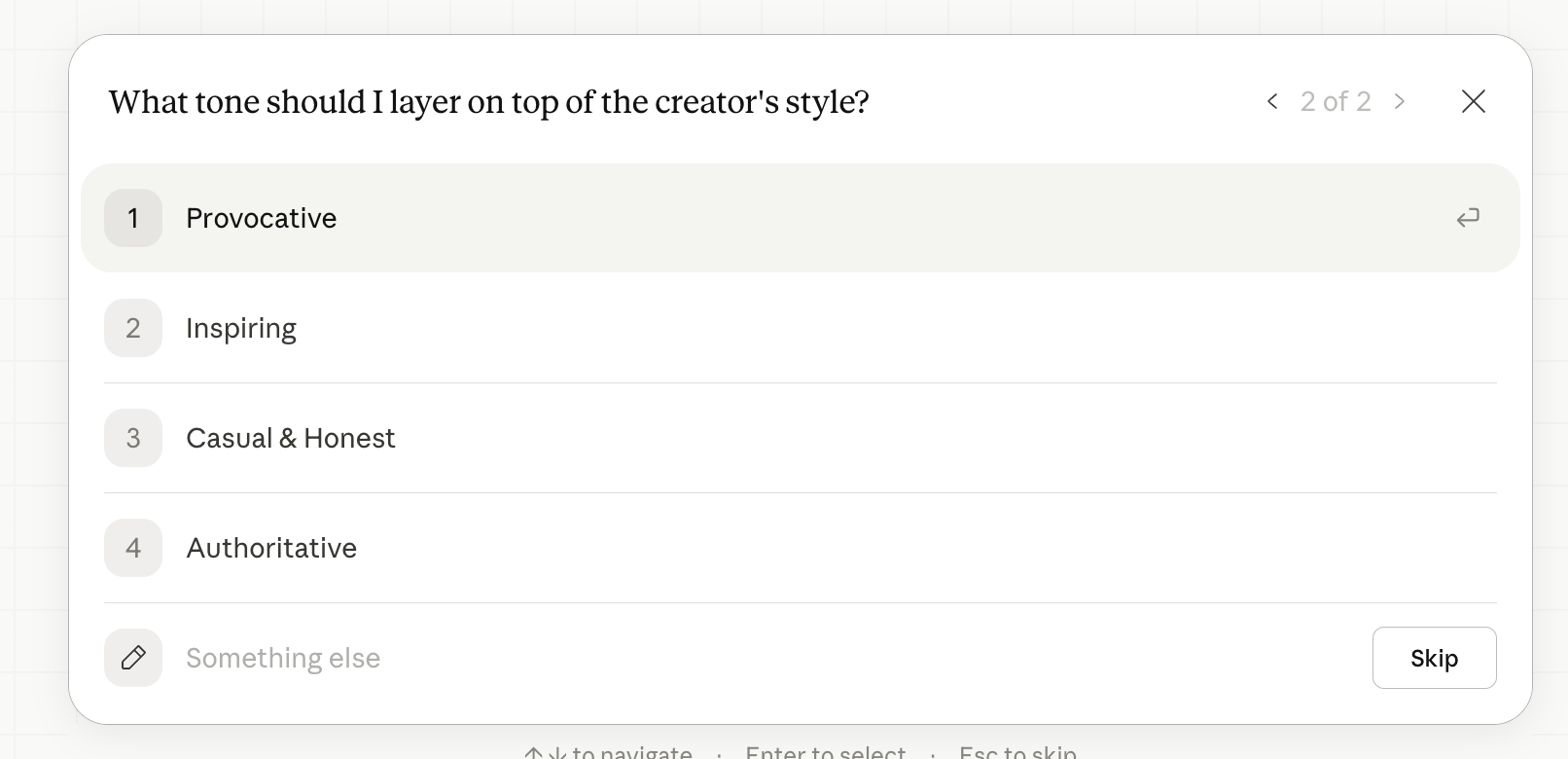
The result: a LinkedIn post about OpenClaw that sounded like me, but with the structural patterns of the creator I picked. Not a copy. A blend.
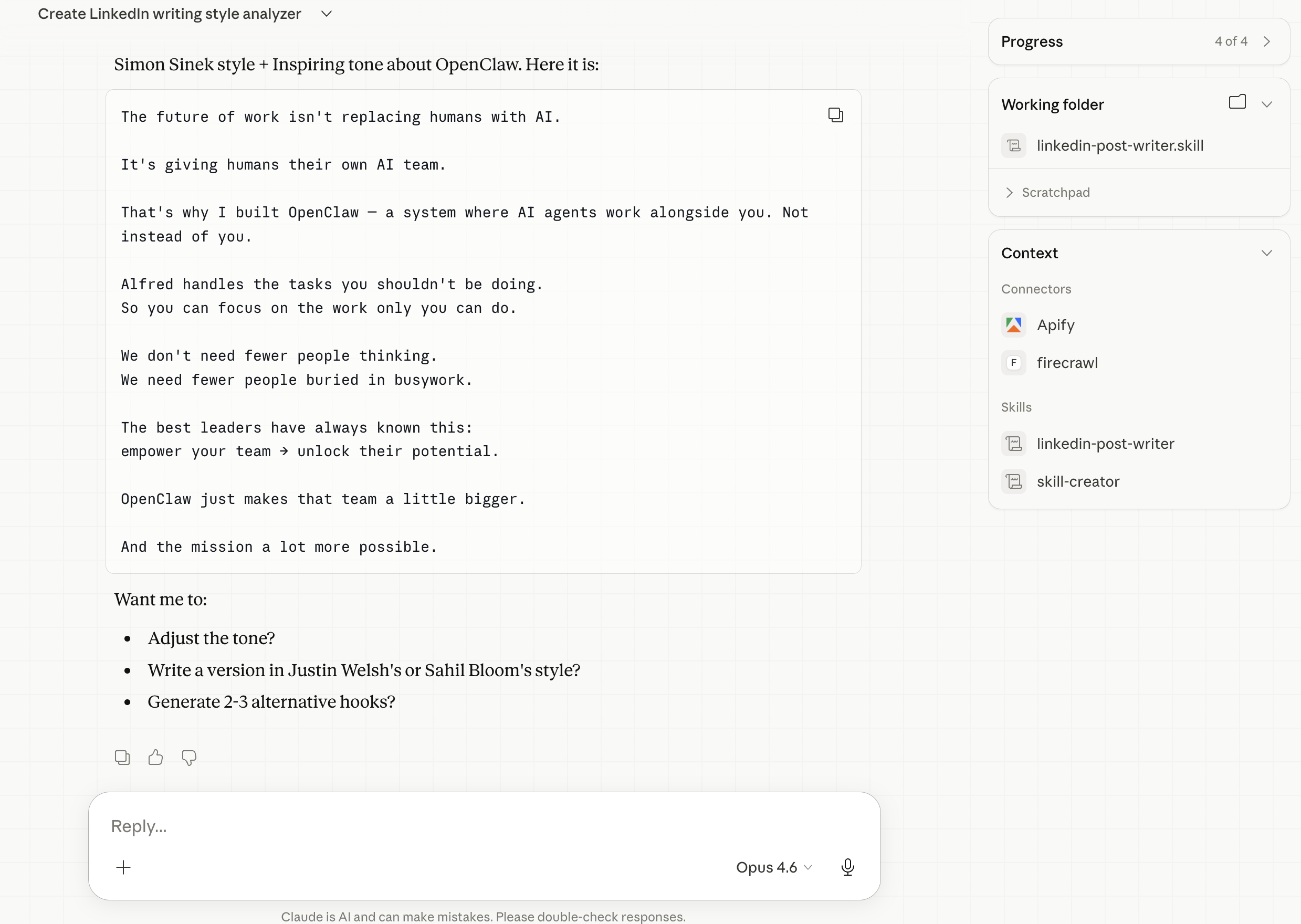
Swap the profiles with anyone you admire. Swap the topic with anything you want to write about. The skill stays the same, the output adapts every time.
2. Lead Finder →
You need 500 marketing managers in SaaS companies in California. Or 200 dentists in London. Or 100 startup founders in Berlin.
One prompt. Cowork finds them and saves them to Notion.
Actor: Leads Finder
This actor works like Apollo. Give it a job title, industry, and location. It returns names, companies, emails, and profile data.
The Prompt:
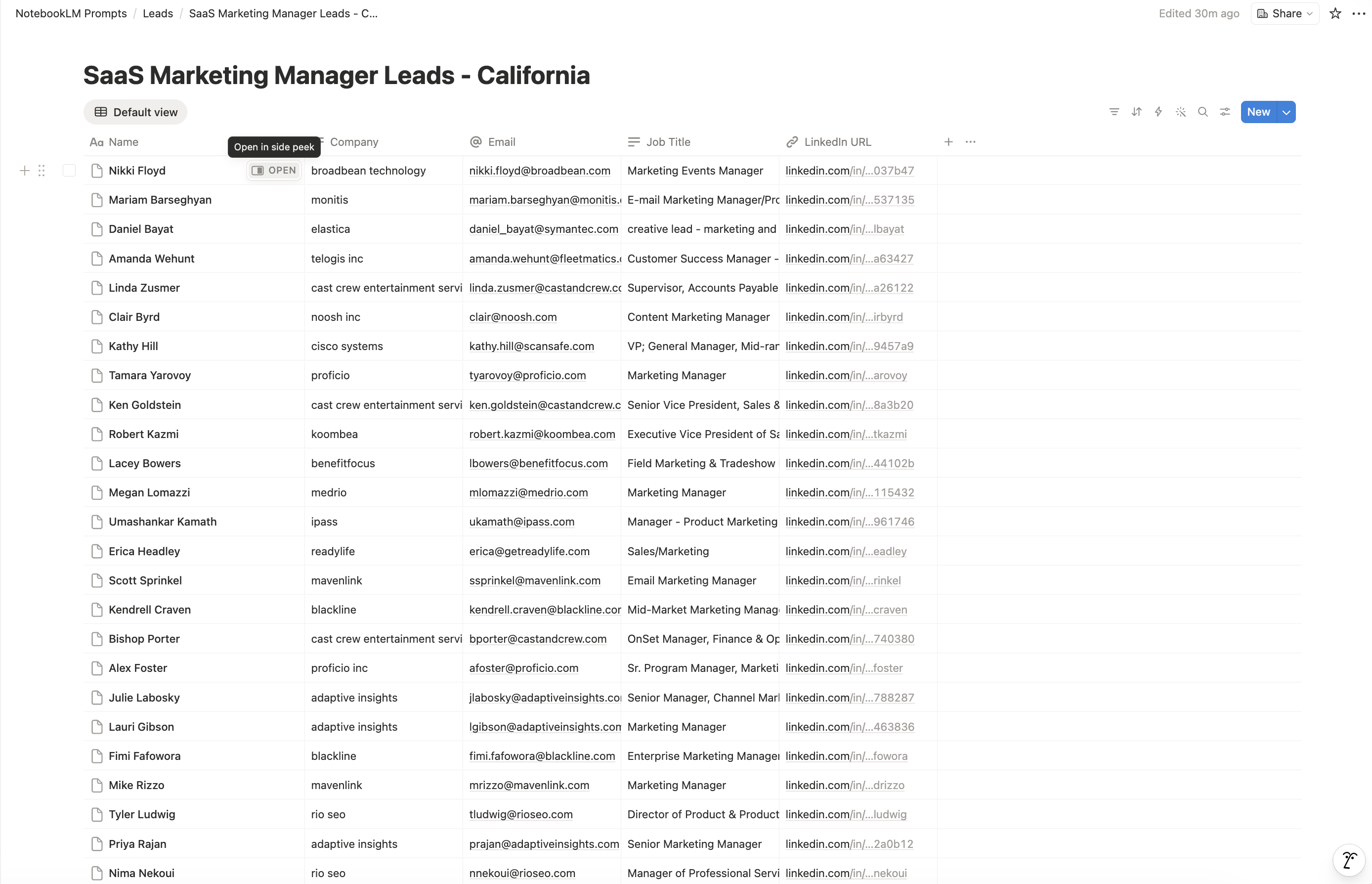
Use the Apify Leads Finder to find 500 marketing managers in SaaS companies in California.
(https://apify.com/code_crafter/leads-finder)
Extract name, company, job title, email, and LinkedIn URL.
Save all results to my Notion.
Turn this into a skill so I can reuse it with different job titles, industries, and locations.
After pasting, Cowork started working. It asked me three questions: job title, industry, and location. This is the skill in action. It does not assume. It confirms your inputs before scraping.
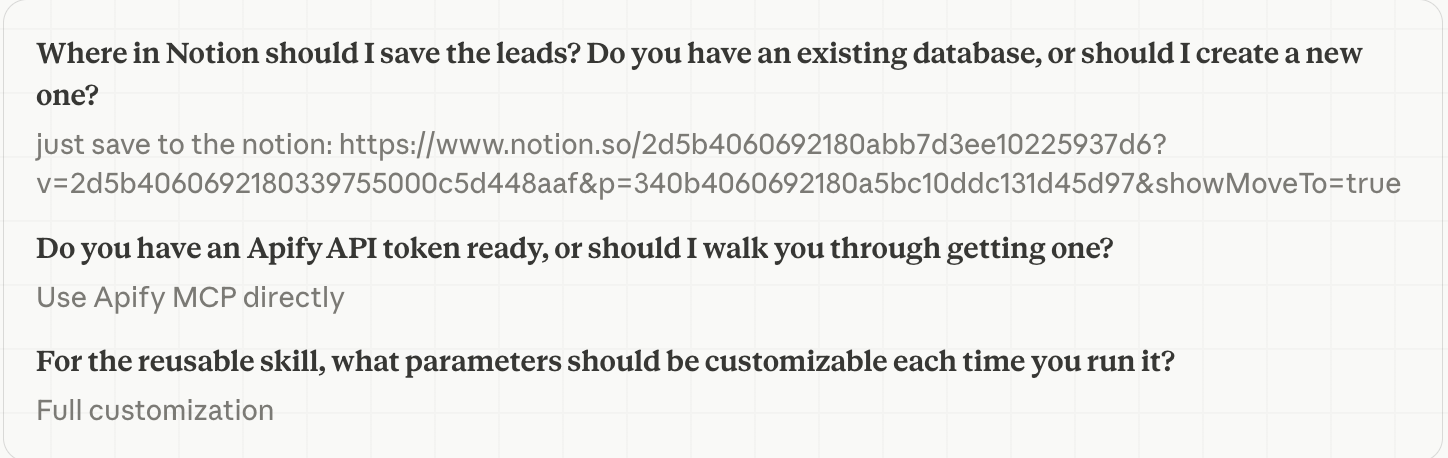
After answering, Cowork connected to Apify, pulled 500 contacts, and saved them directly to my Notion database. Names, companies, emails, LinkedIn URLs. All organized, ready for outreach.
Then it saved the entire workflow as a reusable skill.
Next time, trigger the skill, answer three questions, and get a fresh list.
Different city, different role, different industry. Same result every time.
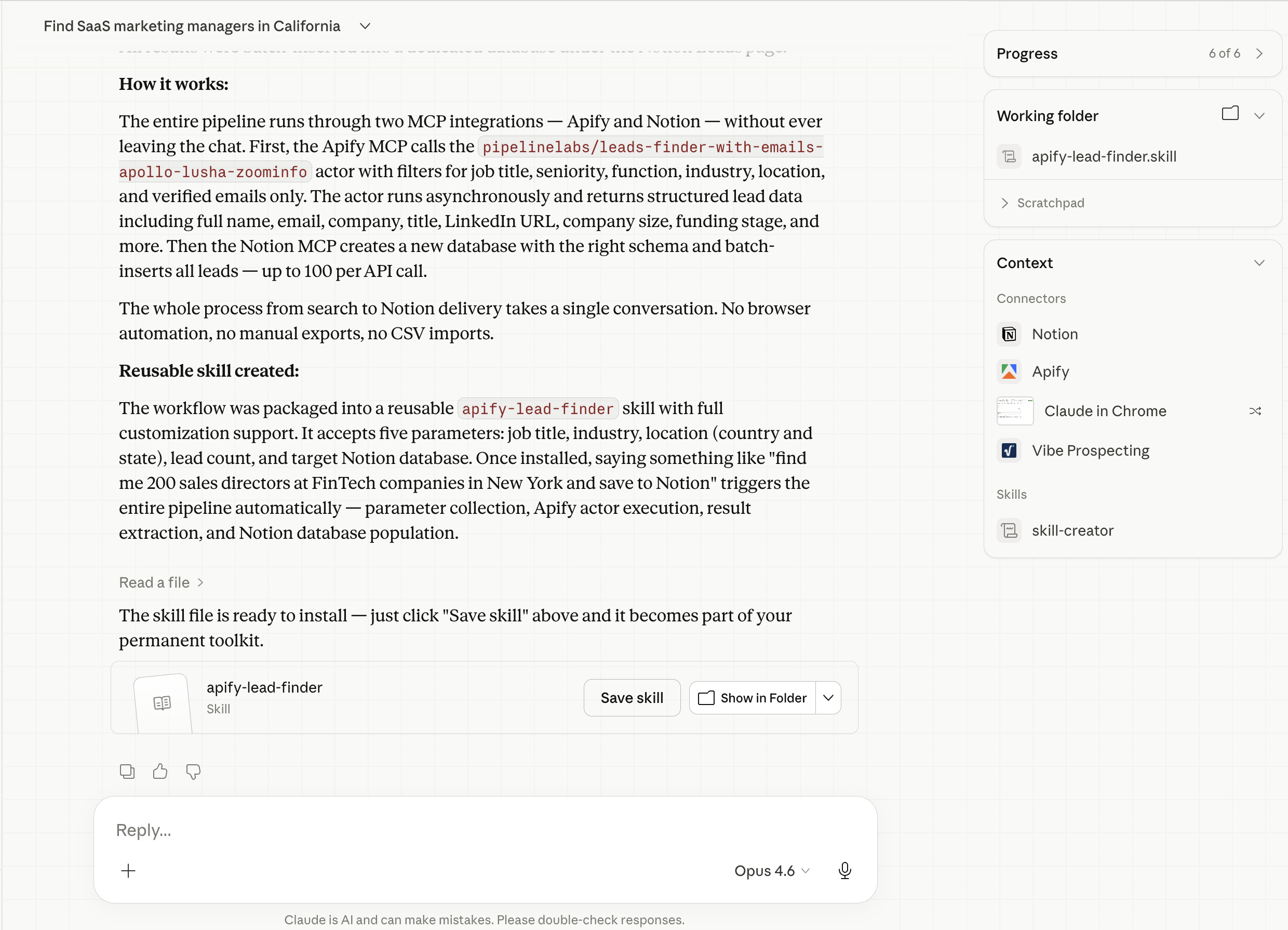
You can download this skill from here.
3. Social Media Stalker
You have a username. You want to know every platform they are on.
Instagram, Twitter, TikTok, GitHub, Reddit, YouTube, Pinterest. One username, one prompt, every account found.
Actor: Sherlock
This actor hunts down social media accounts by username across hundreds of platforms. Open source, based on the Sherlock project.
Use the Apify Sherlock actor to search for the username "[USERNAME]"
across all social media platforms.
Return every account found with the platform name and profile URL.
Organize results by platform category: social media, developer,
creative, forums, and other.
Turn this into a skill that asks me for a username when triggered.
After pasting this prompt, it starts testing the actor and creating the skill at the same time.
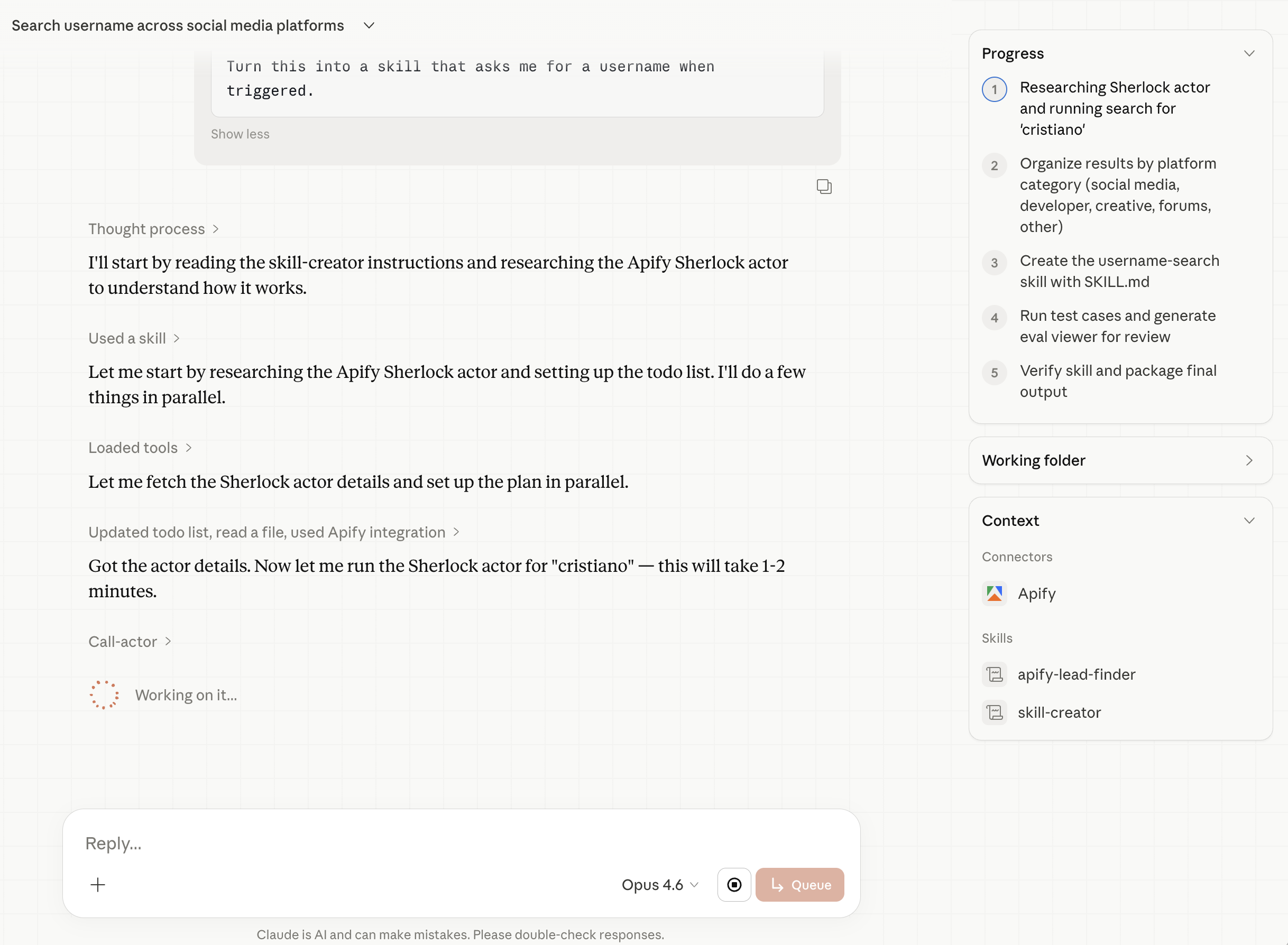
Now let’s test it, searching “Cristiano”, a.k.a. Cristiano Ronaldo.
Just under a minute, it will go through 400+ platforms and find the “Cristiano” user name from them.
It is good and scary at the same time.
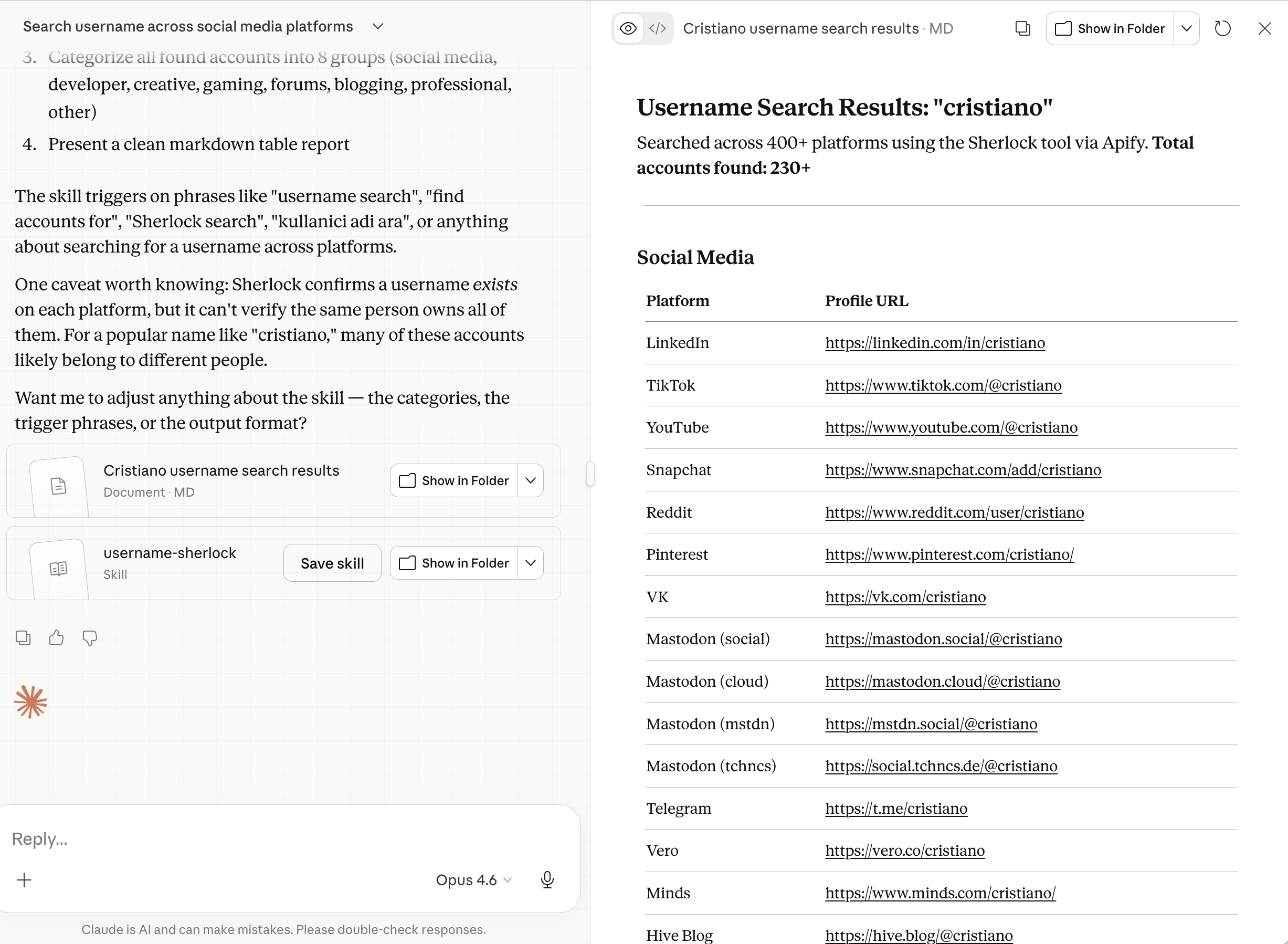
You can download this skill from here.
4. Trip Planner
You are planning a trip. You need the cheapest flight and the best place to stay. Two different websites, two different searches, usually an hour of tab switching.
One prompt handles both.
Actors: Google Flights Scraper + Airbnb Scraper
Google Flights actor finds the cheapest flights across dates and airlines. Airbnb actor scrapes listings with prices, ratings, and amenities.
Use the Apify Google Flights Scraper to find the cheapest round-trip
flights from TURKEY-BODRUM to UK-LONDON for 25/07/2026.
Show the top 5 cheapest options with airline, price, and stops.
Then use the Apify Airbnb Scraper to find the top 10 listings
in LONDON for the same dates.
Filter by rating above 4.5 and sort by price.
Calculate total trip cost: cheapest flight + top 3 Airbnb options.
Turn this into a skill that asks me for origin, destination, and dates.
Let’s paste this prompt to test it.
While I am watching another video about Hermes Agents, which is similar to Openclaw, it started planning my trip. Check it out.
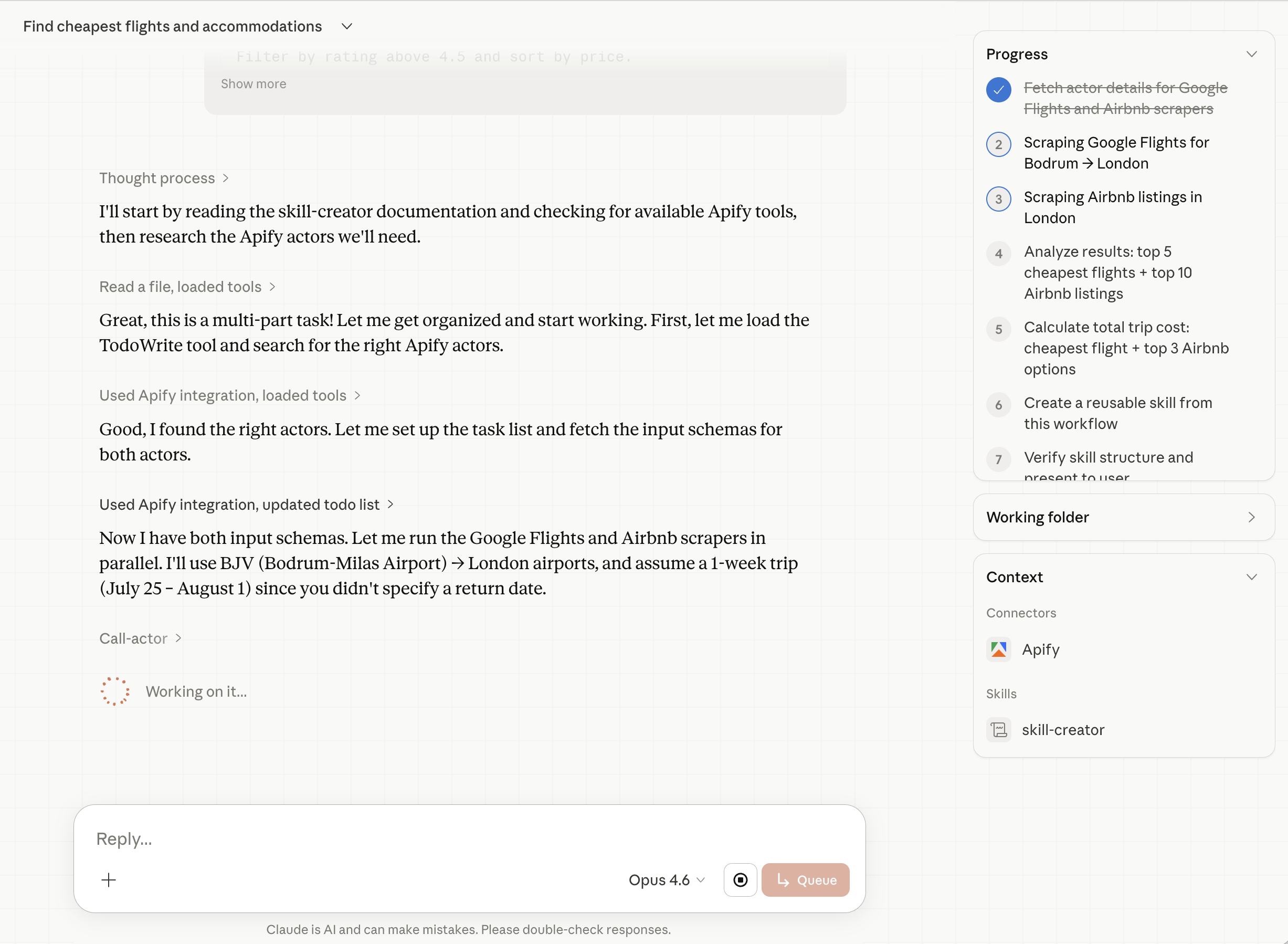
And here is the output.
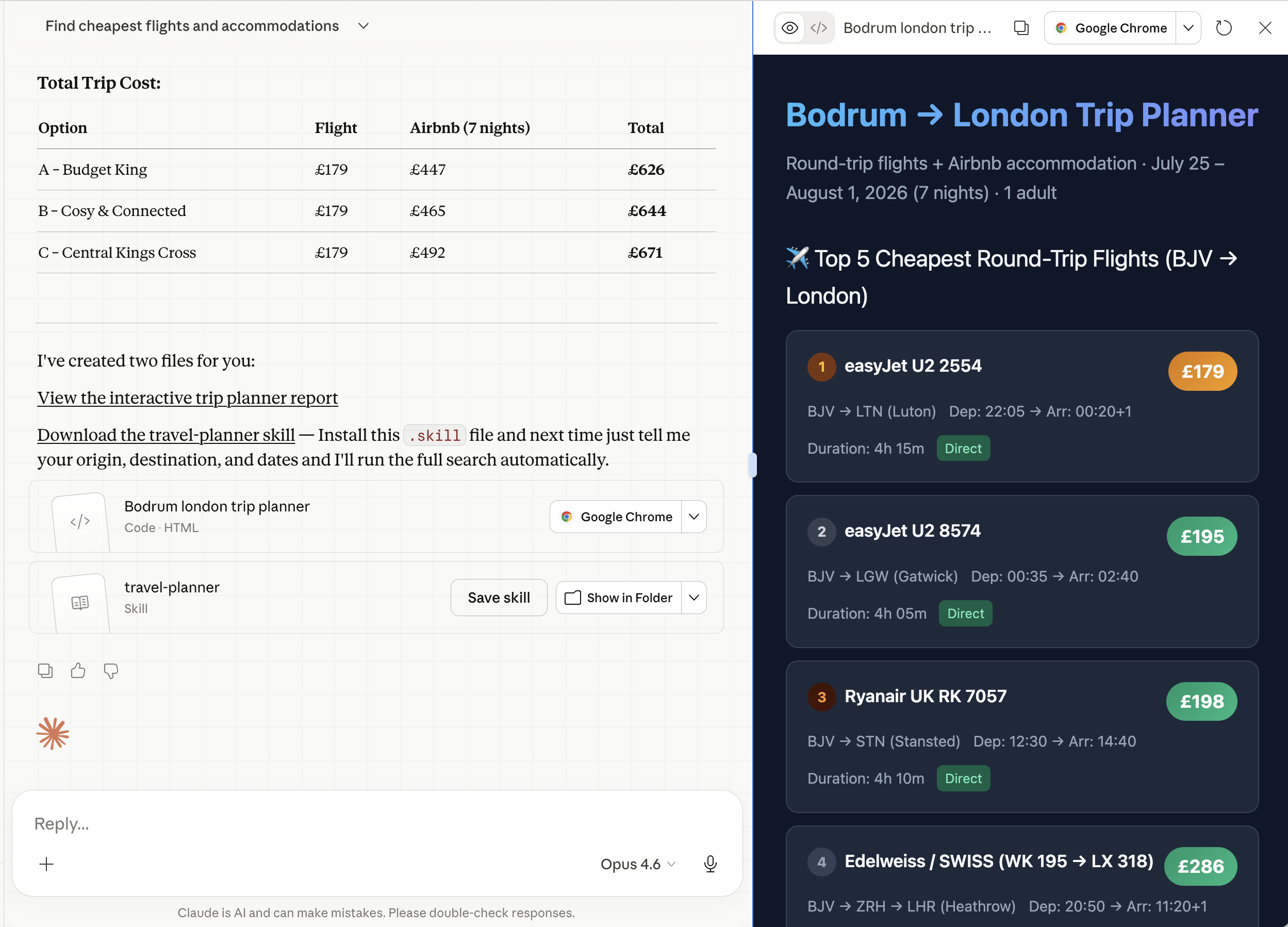
It scrapes all information and even turns it into an HTML file. Let me show you.
I tested Bodrum to London for June.
The skill saves everything. Next trip, you just trigger it with new dates and a new city.
You can download this skill from here.
5. Career Spy
You want to know what a specific role pays, who is hiring, and what freelancers charge for it. Three platforms, three different searches, usually a full afternoon of research.
One prompt scans all three.
Actors: Glassdoor Scraper + Indeed Scraper + Upwork Scraper
Glassdoor gives you salary data and company ratings. Indeed gives you job listings and requirements. Upwork gives you freelance rates and project budgets.
The Prompt:
Use the Apify Glassdoor Scraper to find salary data and company ratings
for AI Expert in Remote
Then use the Apify Indeed Scraper to find the 10 most recent job listings
for the same role. Extract company, salary range, and requirements.
Then use the Apify Upwork Scraper to find 10 freelance projects
for the same skill. Extract budget, duration, and client rating.
Compare all three: full-time salary vs freelance rates.
Give me a recommendation on which path pays more for this role.
Turn this into a skill that asks me for job title and location.
Let’s test it.
After pasting, it started working.
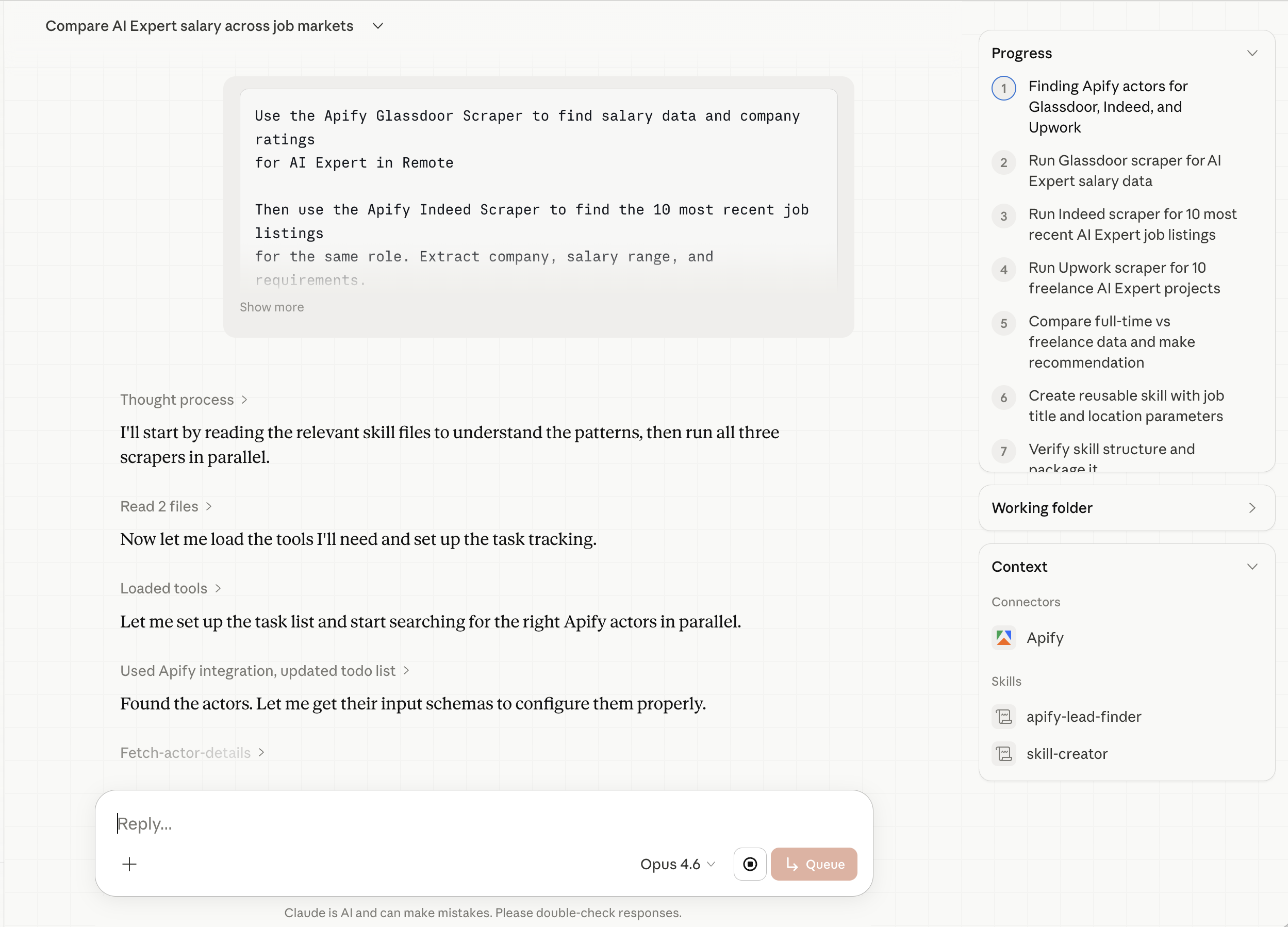
After 5 minutes, the full report landed.
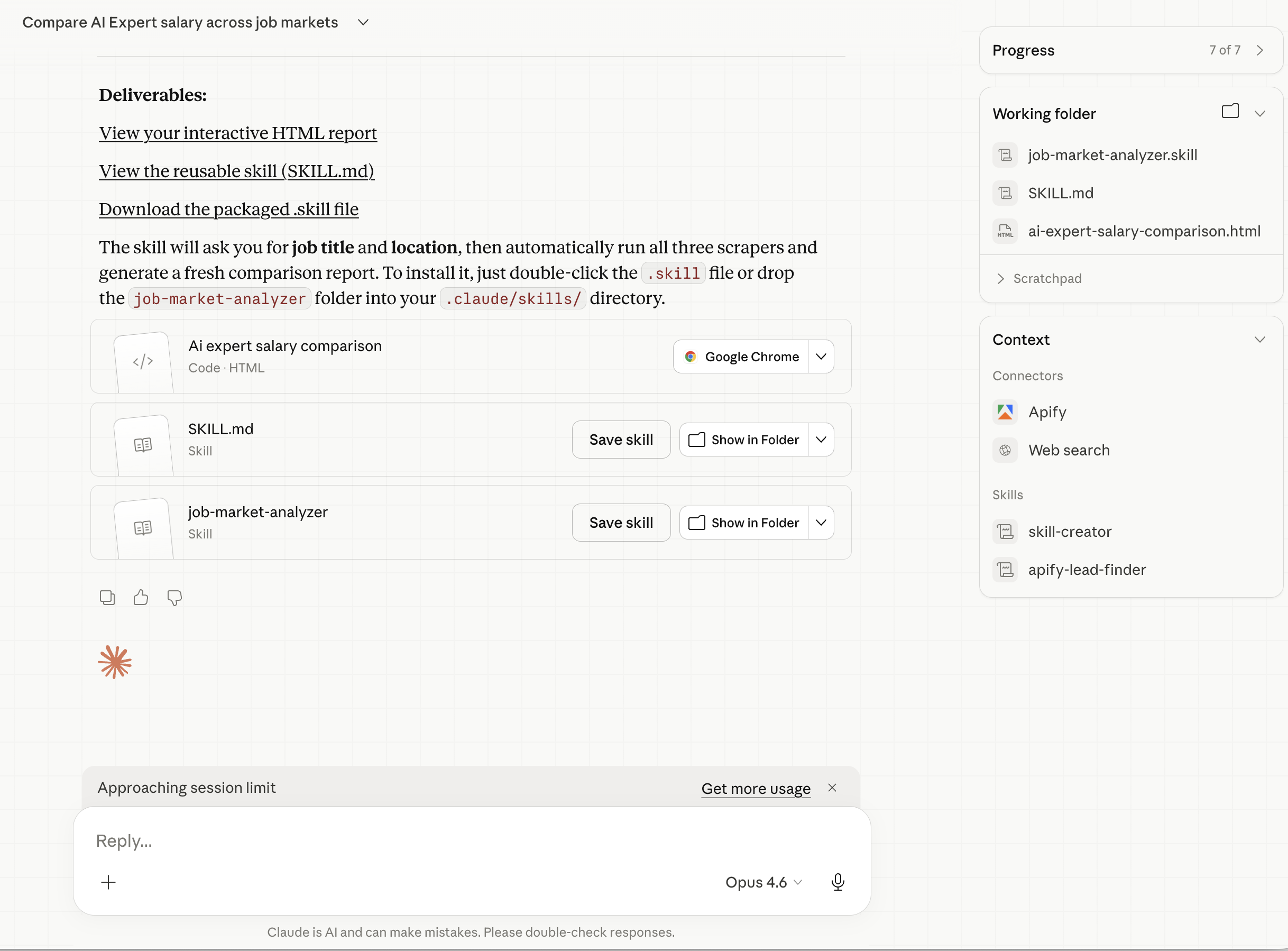
After 5 minutes, the full report landed. But it did not just dump raw data. Cowork built an interactive HTML dashboard comparing everything side by side.
Let me show you.
All of this from one prompt. Three platforms scanned, compared, and visualized in a single report.
The skill asks you two questions when triggered: job title and location. Try “Data Analyst in Berlin” or “Product Manager in New York.” Same skill, different career intelligence every time.
Here is the skill for you to download.
Final Thoughts
Five agents. Five different problems. Each one was built in under 5 minutes.
- A LinkedIn-style cloner that writes in any voice you want.
- A lead finder that pulls 500 contacts into Notion.
- A social media stalker that scans 400+ platforms from a username.
- A trip planner that finds cheap flights and Airbnb listings in one shot.
- A career spy that compares salaries across Glassdoor, Indeed, and Upwork.
Every single one is now saved as a Claude Cowork skill.
Trigger it anytime. Change the inputs. Get fresh results.
And this is just 5 out of 23,000+ Apify actors.
Pick any actor, connect it to Cowork, and build a skill.
The pattern is always the same.
You describe what you want. Apify scrapes it. Cowork delivers it.
Thanks for reading.