How to Connect Claude Code to External Tools: MCP Servers and CLI Integration Guide
By Gencay
Published: 2026-03-24
URL: https://www.learnwithmeai.com/p/claude-code-masterclass-for-everyone-bc2
\Claude Code MasterClass - 2 Ways to Connect Claude with the Outside World\
The best tools are invisible until you need them.
You’ve been using Claude Code wrong.
Not because you’re bad at it. Because you’re limiting it to what’s inside your editor.
Claude can write code. But what if it could also:
- Edit your Canva presentation while writing the pitch deck code?
- Update your Notion roadmap while generating the feature?
- Send Slack updates while deploying?
MCP (Model Context Protocol) is Anthropic's answer. Released November 2024.
CLI lets you connect them easily
They are like USB-C for AI, one protocol, infinite connections.
I spent hundreds of hours testing MCP servers and CLIs.
I’ll show you the ones that survived real work and the exact commands to install them.
Previously in Claude Code MasterClass For Everyone
- Part 1: Install Claude Code (just paste commands) and build your first agent, zero coding.
- Part 2: Stop repeating yourself with Skills (what to do) and CLAUDE.md (who you are).
- Part 3: Master 3 plugins that code better than most AI tools.
- Part 4: We explored Boris’s way of using Claude Code(Boris, the creator of Claude Code)
- Part 5: We explored how to build an Agent Orchestration.
You are at Part 6.
What is MCP?
Anthropic’s open standard that lets Claude Code connect to external tools and data sources through conversation.
Anthropic released MCP in November 2024.
How does it work?
You find all available MCPs here.
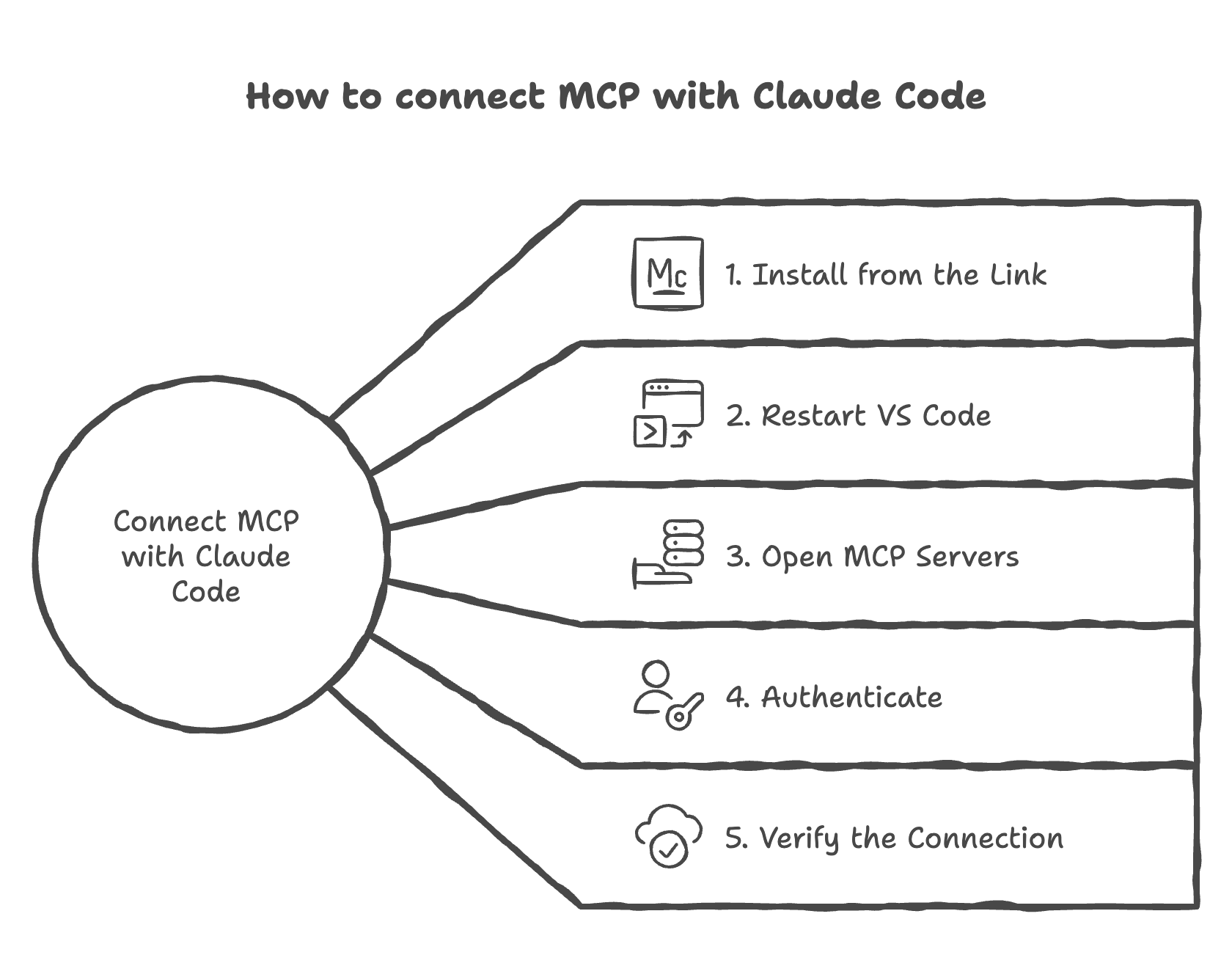
Step 1: Install from the link
Pick one, install it, and Claude can talk to it directly from your editor.
Let’s install one of them.
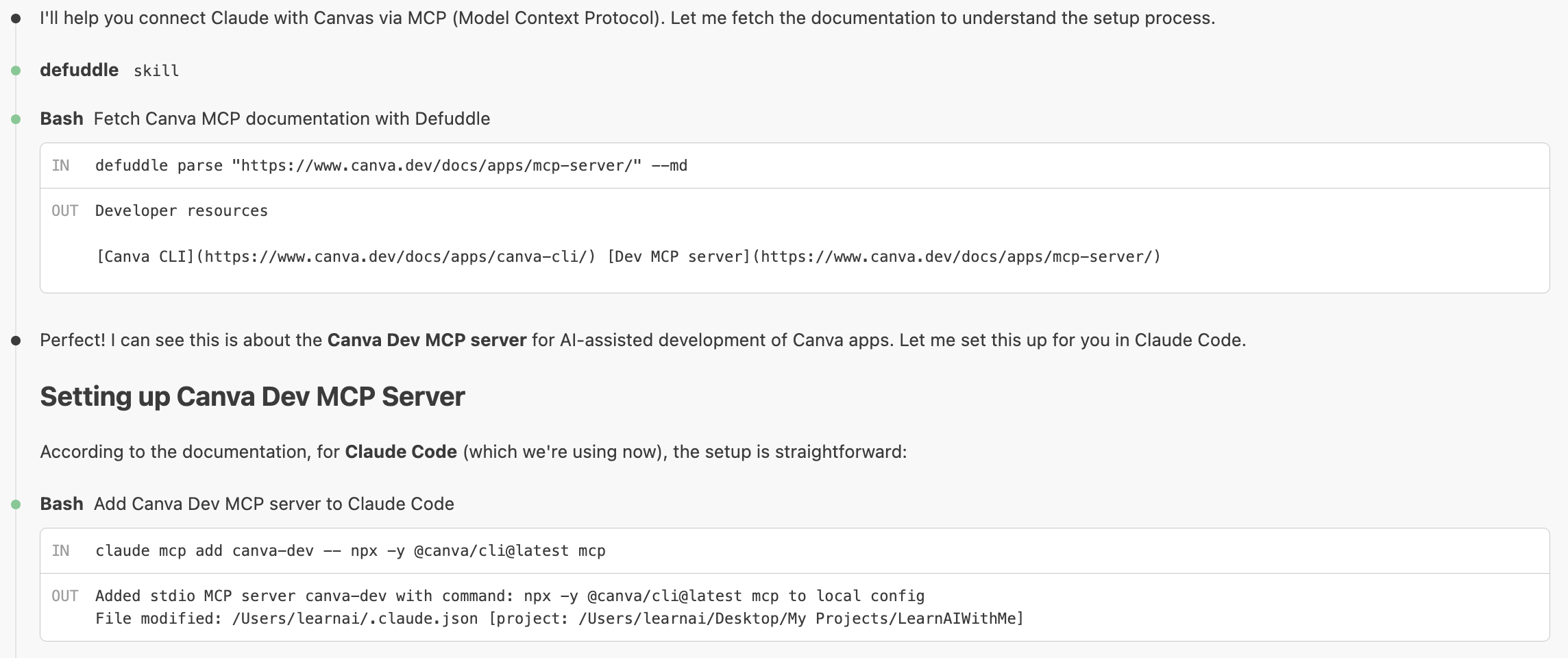
Let's connect Claude with Canvas.
Here is the link : https://www.canva.dev/docs/apps/mcp-server/
The settings are done now.
Step 2: Restart VS Code
Now, let’s connect this MCP with Claude Code. Close VS Code and reopen it.
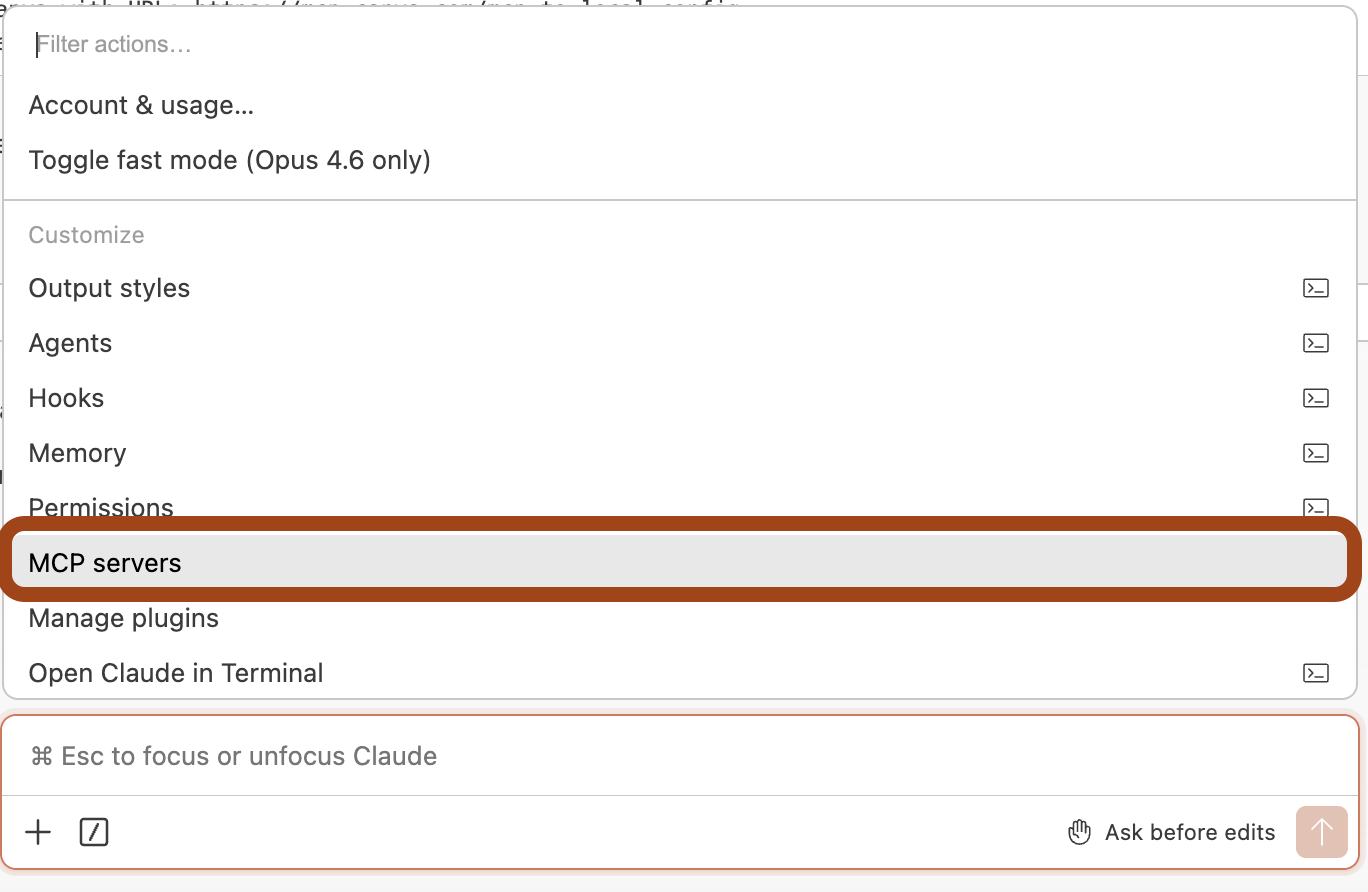
Step 3: Open MCP Servers
Then click the “/” button and click on “MCP Servers”.
All installed MCP servers appear in one place.
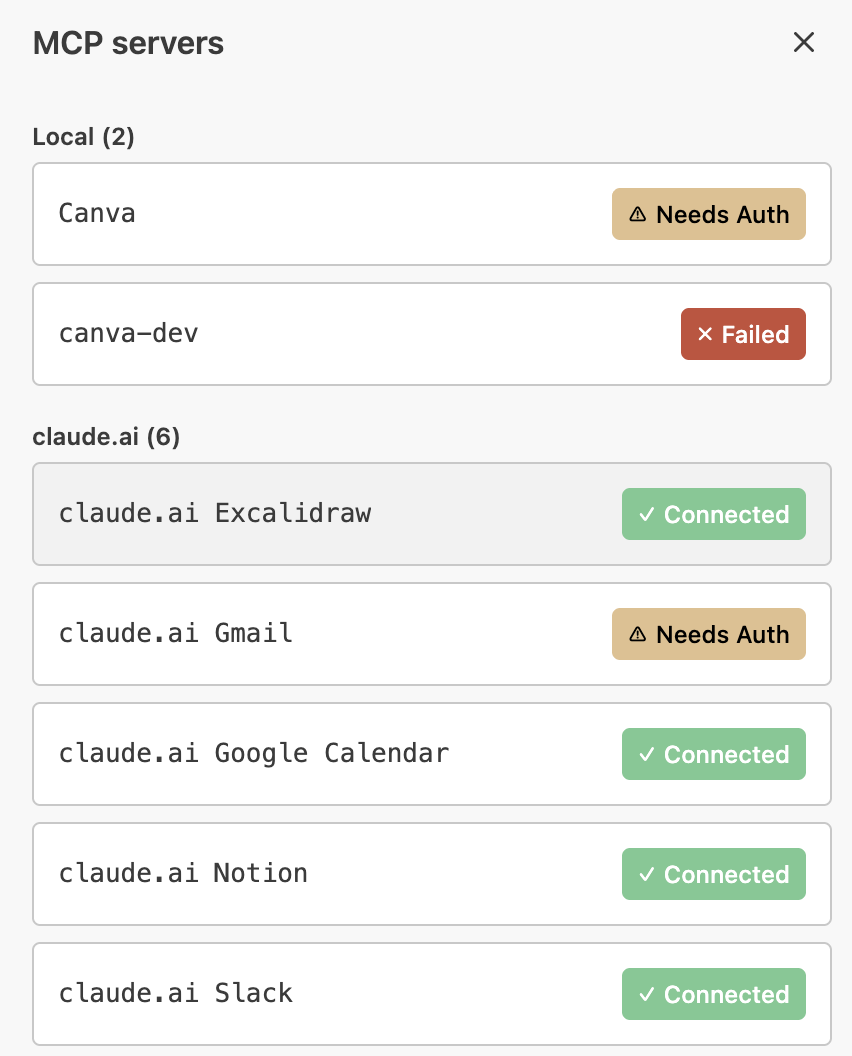
Step 4: Authenticate
Now, click ‘Needs Auth” and allow Claude Code to connect to this MCP.
And there we go.
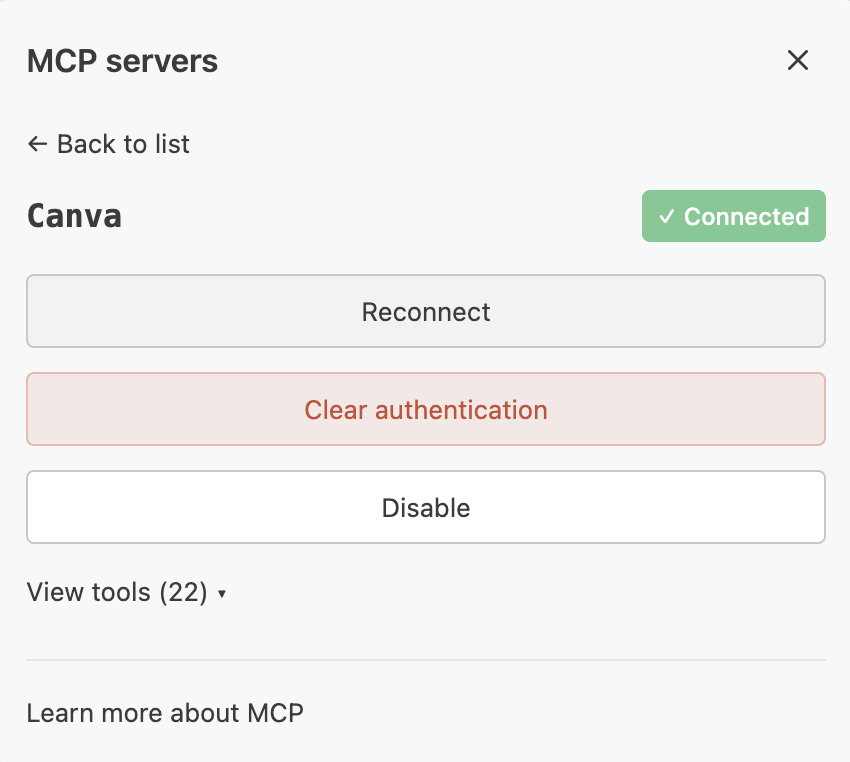
Step 5: Verify the connection
Ask Claude one more time to see the status.
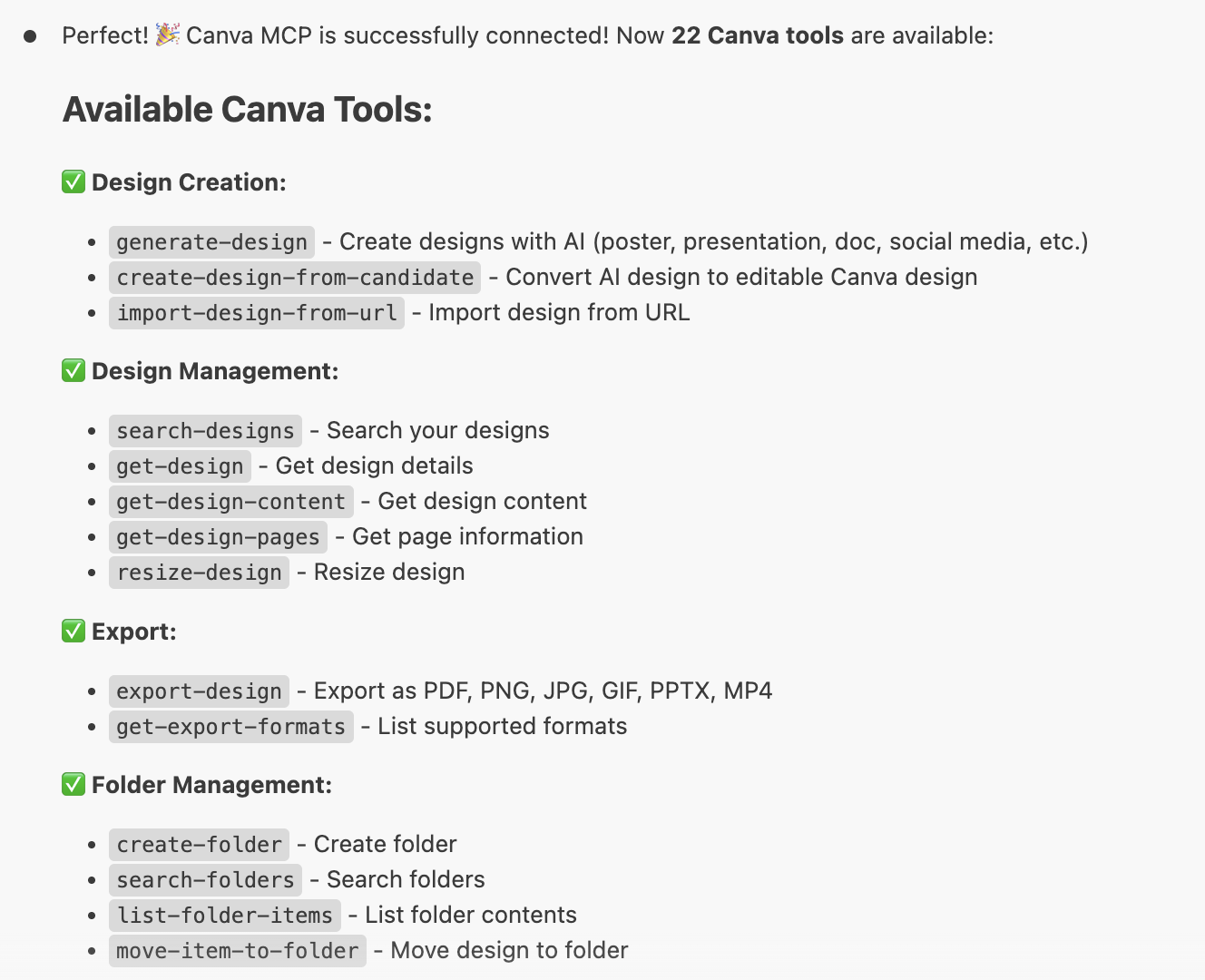
You can connect Canva with Claude Code to edit images, export designs, and do everything listed above.
What is CLI?
CLI means you connect to an app through the terminal.
Now, let’s connect Canvas via CLI and turn it into a skill.
This skill will use the CLI.
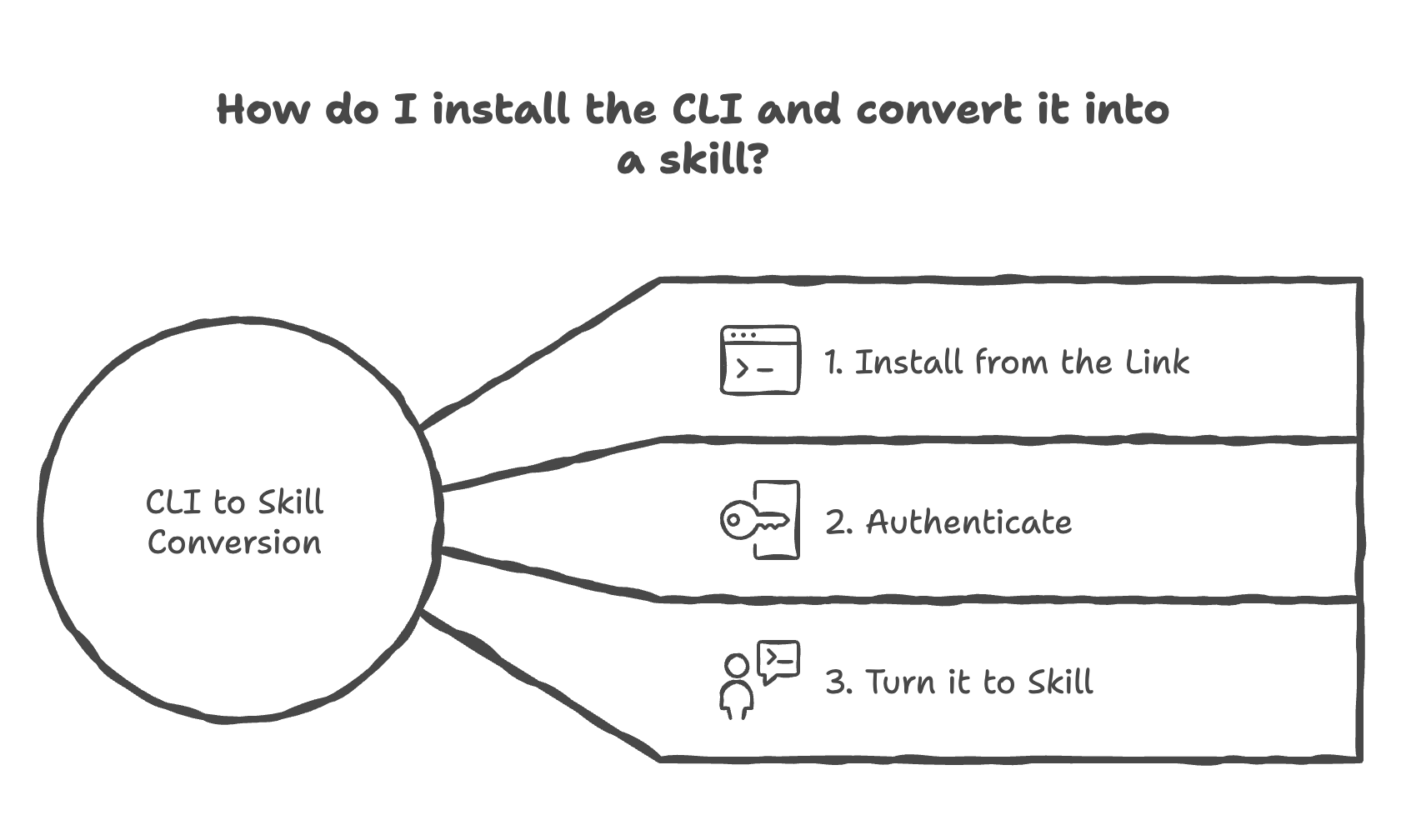
Step 1: Install from the link
To set up, use this prompt:
Now let's install the same thing using CLI
Here is the setup guide : https://www.canva.dev/docs/apps/canva-cli/
And wait for Claude’s answer.
Step 2: Authenticate
Now this screen will pop up.
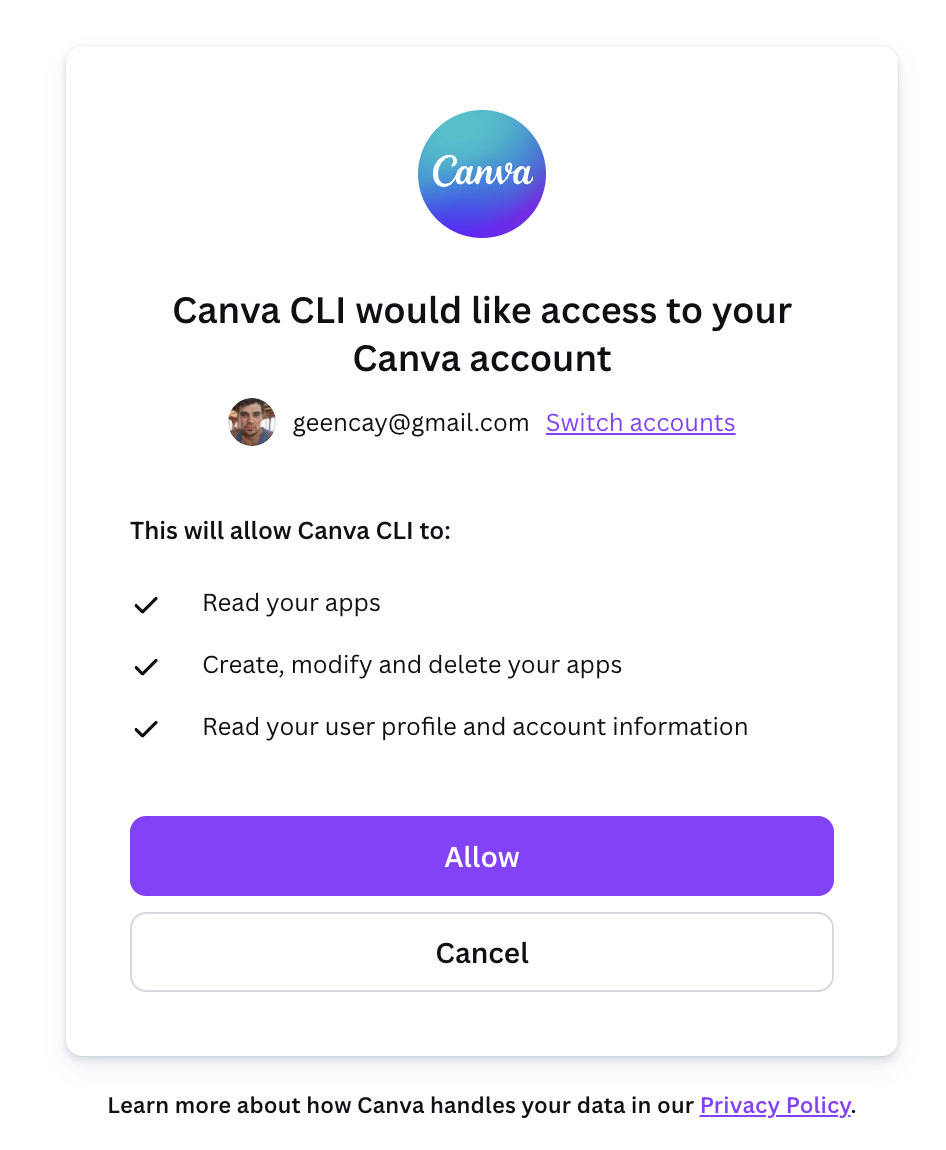
Allow it.
And it is done.
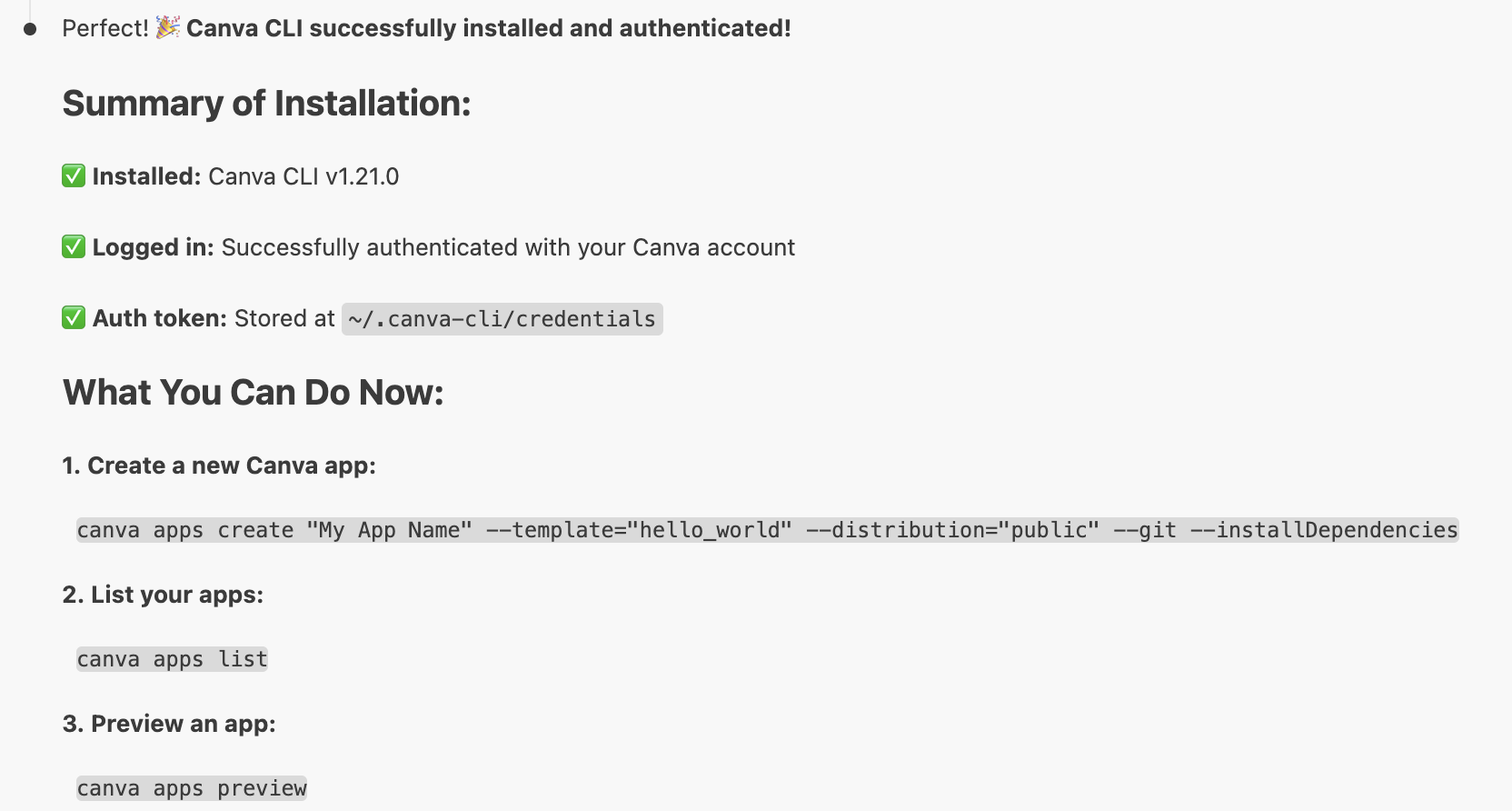
Step 3: Turn it to Skill
Now let’s turn to the Skill.
Use this prompt.
lets turn this Canva CLI as a canvas skill
Here how it looks like.
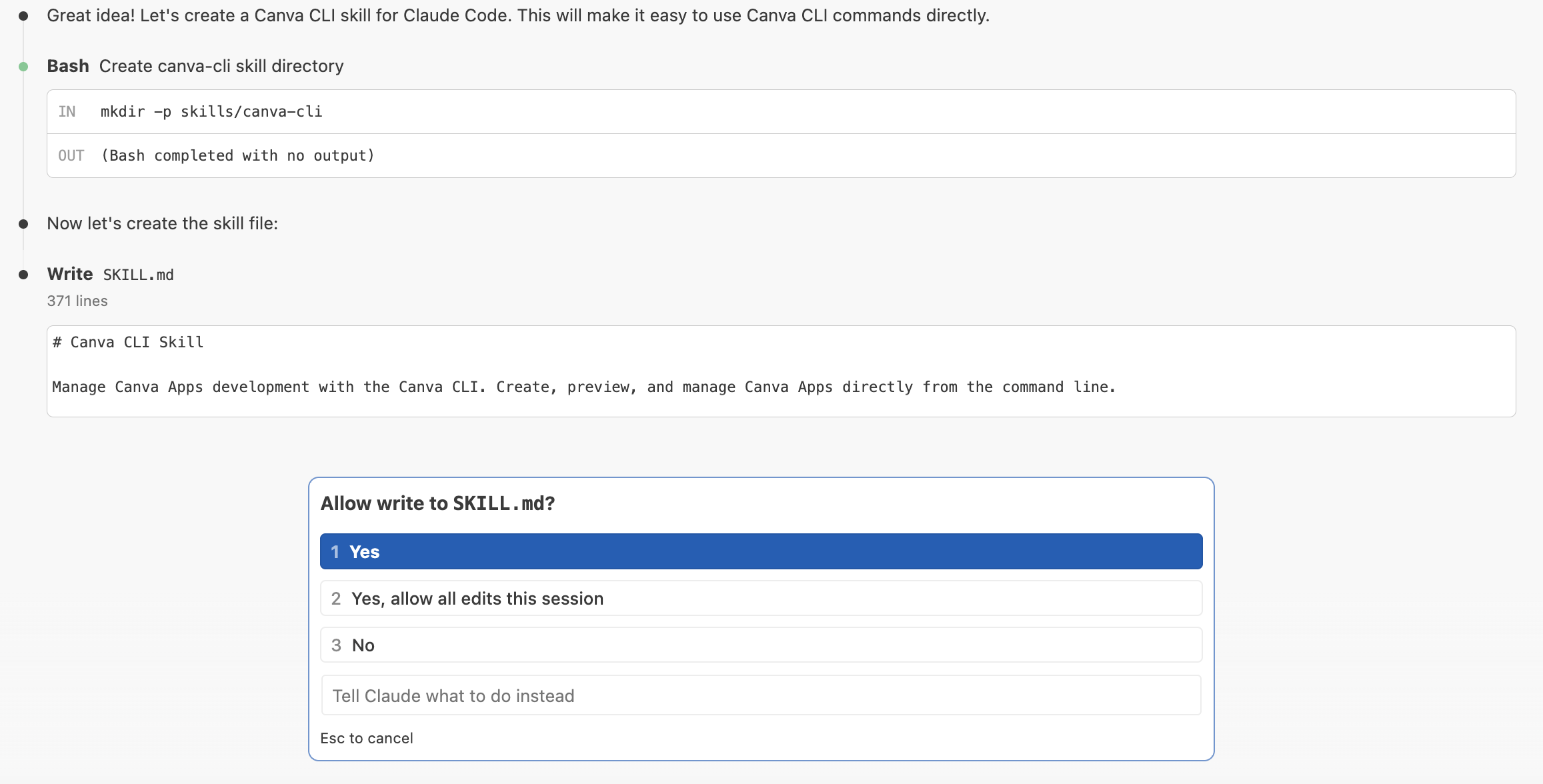
Allow this skill, and let it turn the entire thing into skills.
And here we go.
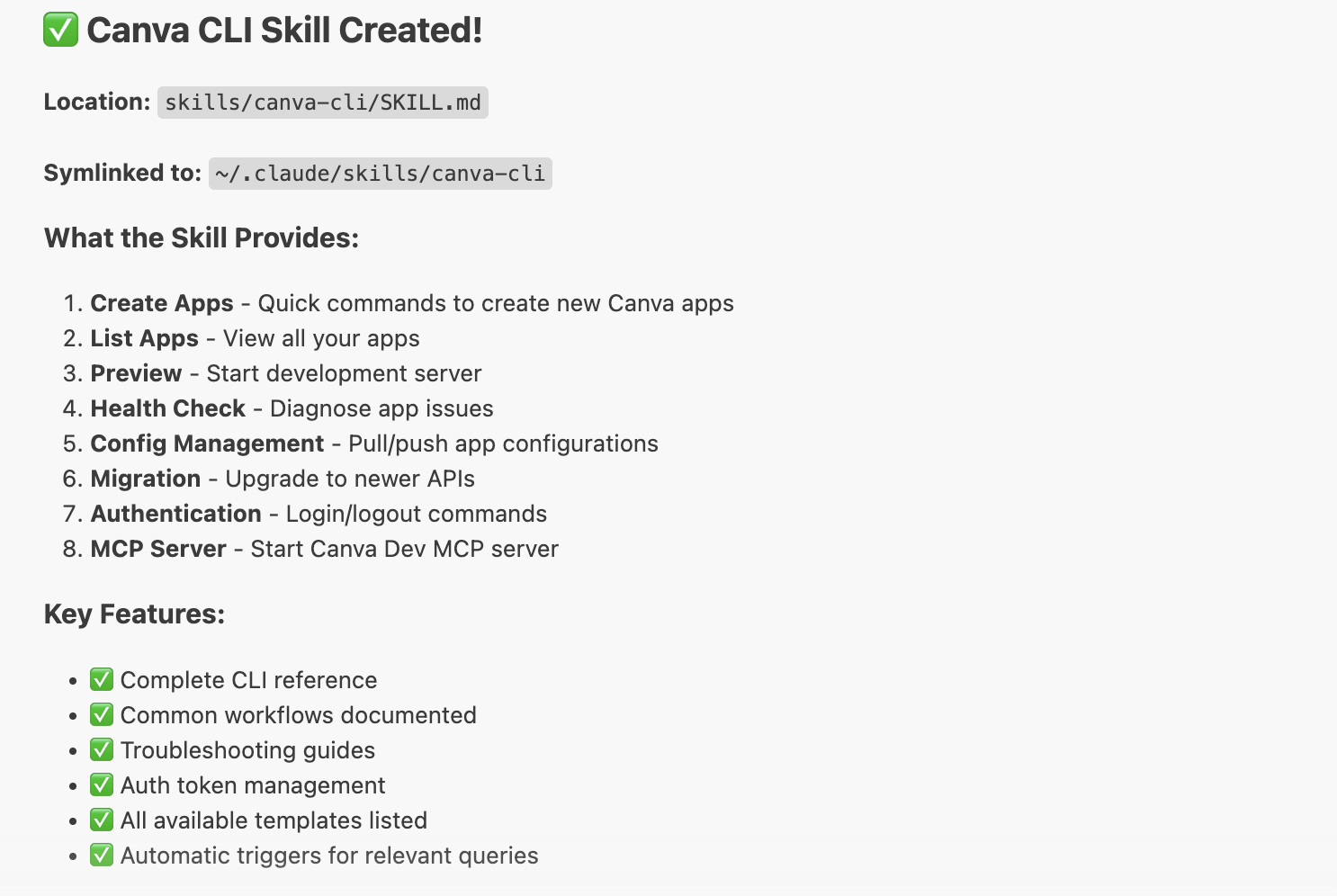
Pro tip: Don’t forget to restart your app after installing the MCP or skills.
MCPs & CLIs I use + No-Code Setup
I tested over 100 of them and spent a lot of time.
Now I will show you the best ones, so you don’t waste time as I did.
LearnAIWithMe Paid Perks
The Vault is now live, with 800+ prompts you can adjust, test (with Claude API, no extra cost), and customize.
- Annual ($100/yr) → Vault access (only Prompt Hub)
- Founding Member ($200/yr) → Vault + AI labs + all AI tools
- Monthly ($12/mo) → Full Substack content, no extras
Pick your tier. 👇
Here are the MCPs and CLI’s that I am using.
MCPs
- Excalidraw: Create visual diagrams and flowcharts in JSON format.
- Notion: Search, create, and edit Notion pages and databases.
- Slack: Send messages, read channels, and manage canvas documents.
CLIs
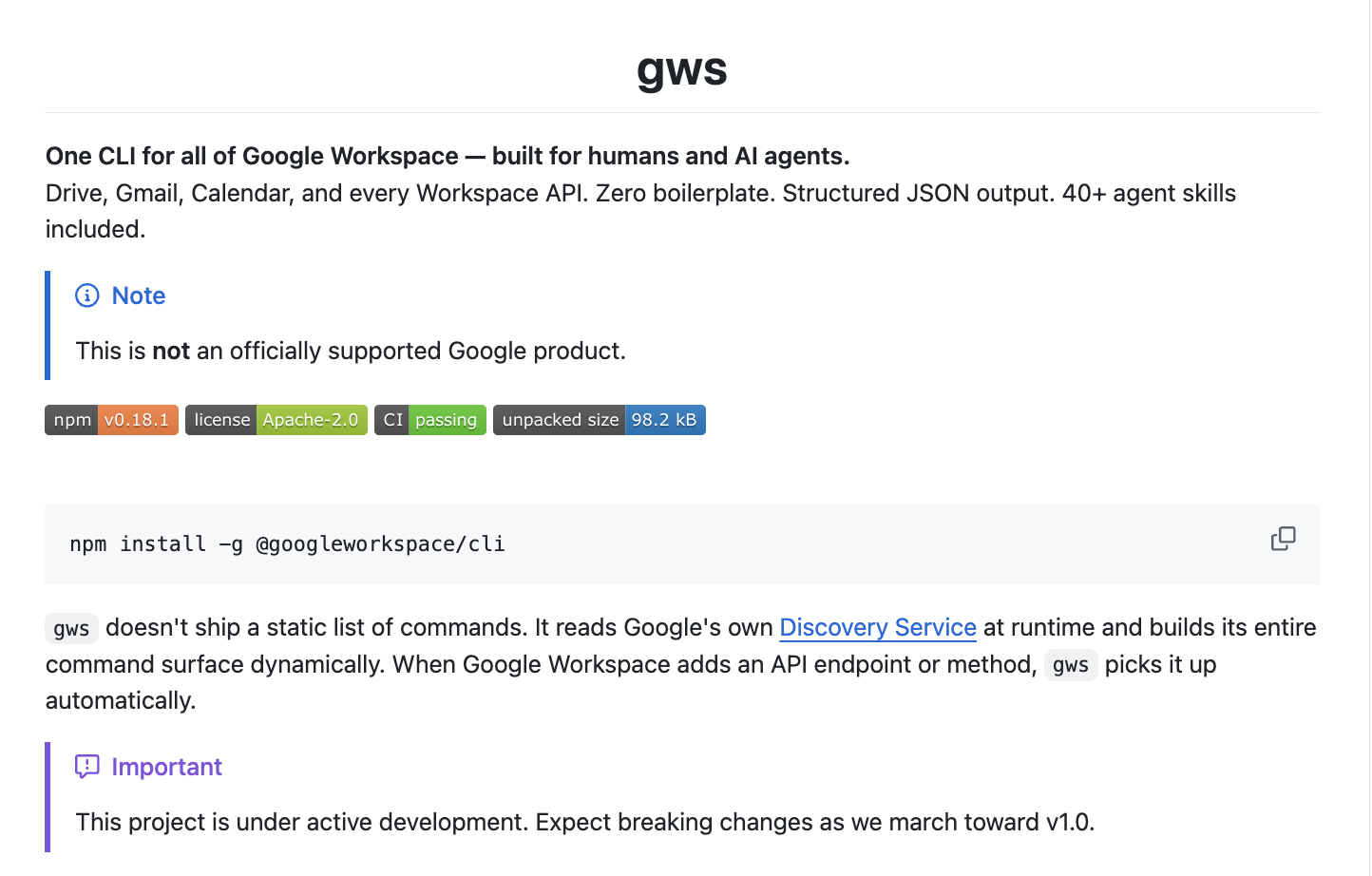
- Google Workspace: Access Drive, Docs, Sheets, Gmail, and Calendar from the command line.
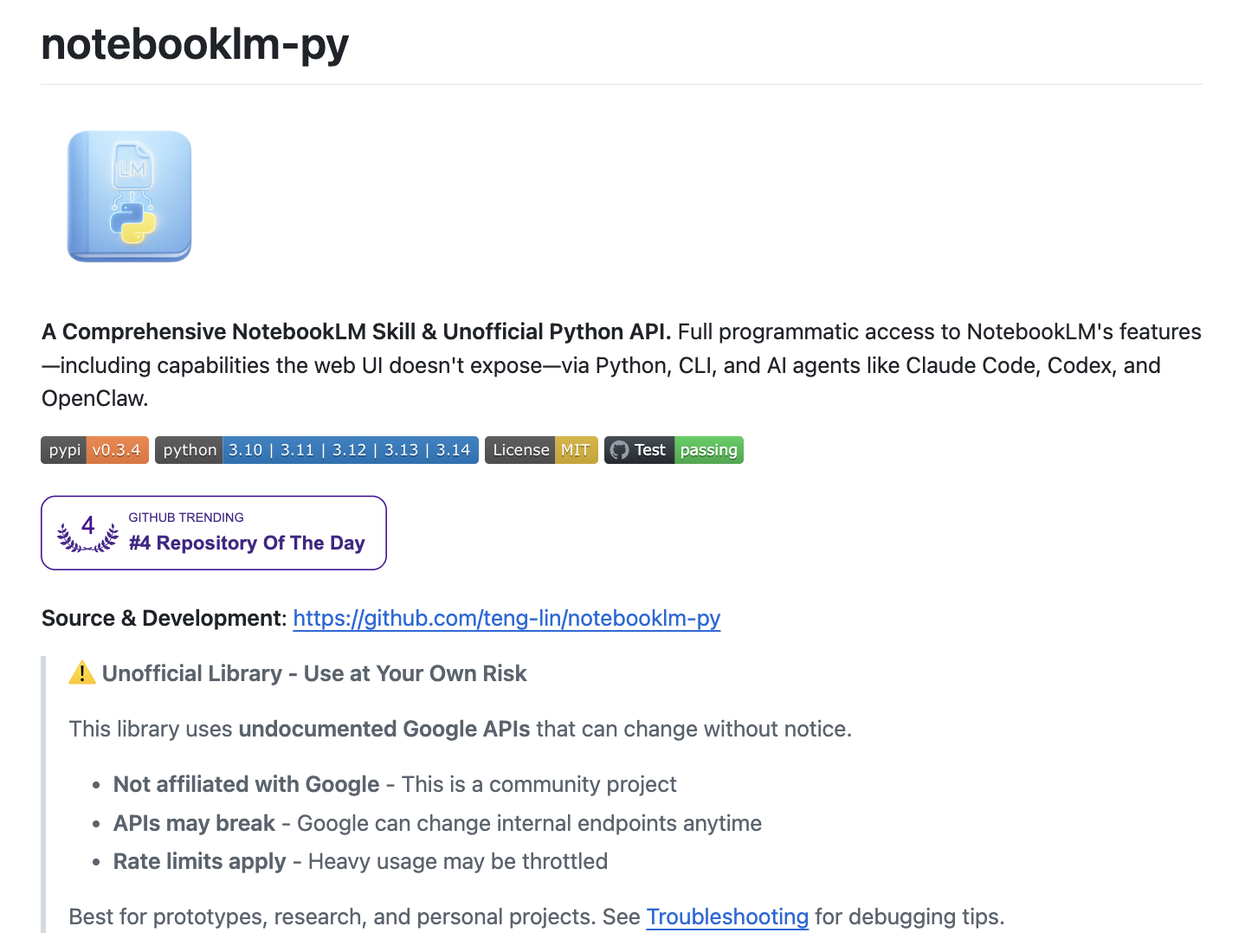
- NotebookLM: Generate NotebookLMs, manipulate them, and reach them via Claude Code.
- Apify: Use actors inside APIfy to reach more API’s.(20K+)
- YouTube: Extract transcripts and analyze videos using the Gemini API.
Let’s start with MCP's.
MCPs That Actually Work
I tested 10+ MCP’s, and here are the 3 MCPs that I like most.
Excalidraw
Create visual diagrams and flowcharts in JSON format.
Perfect for explaining architectures, workflows, or any concept that needs a visual.
Here is the Excalidraw MCP link.
How am I using it?
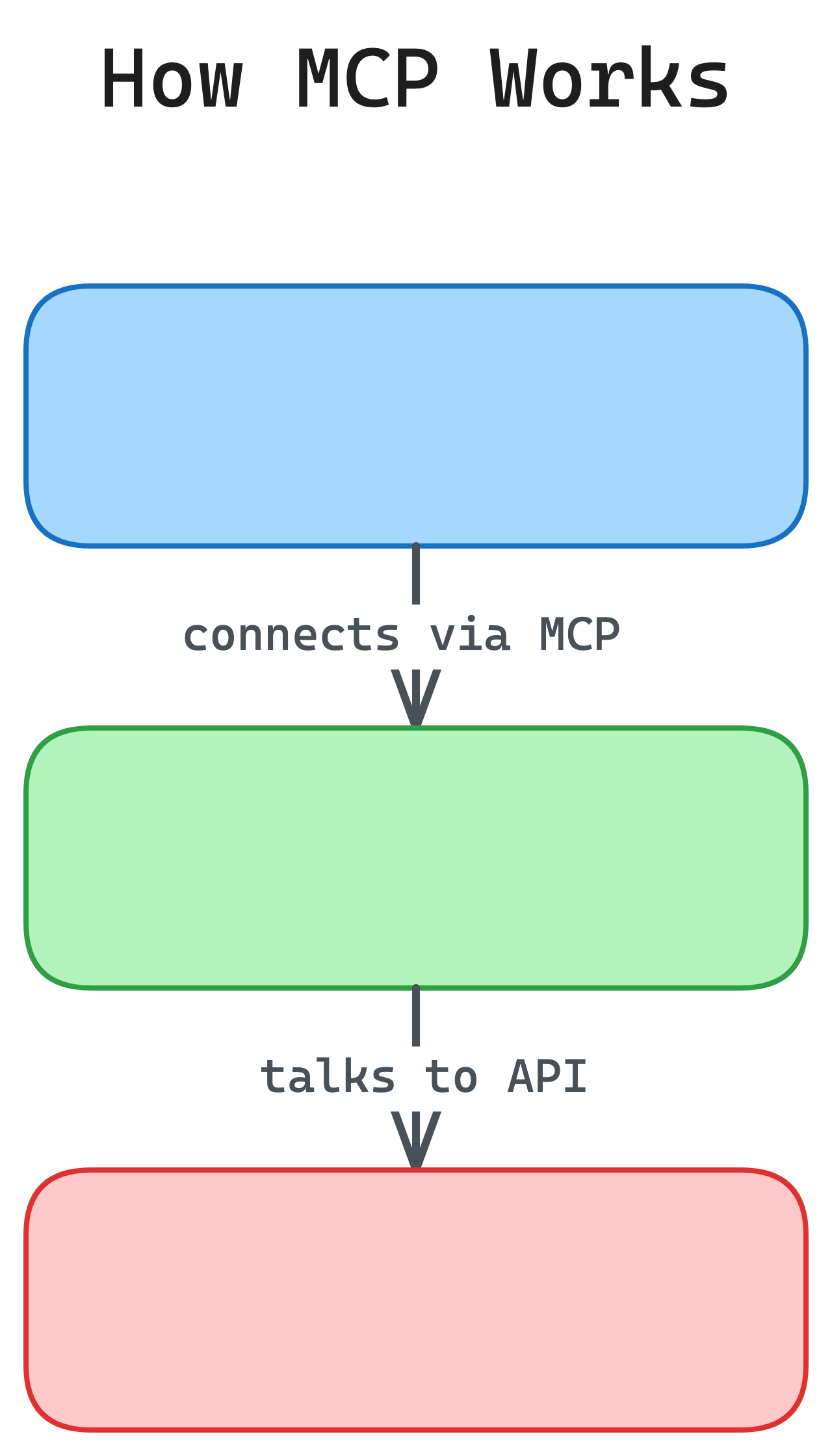
Create a diagram showing how MCP connects Claude Code to external tools like Notion and Slack. Use 3 boxes with arrows showing the flow: MCP Server → Claude Code → External Tool.
Result
Claude generated the diagram automatically. Just describe what you want to visualize.
Notion
Search, create, and edit Notion pages and databases directly from Claude Code.
Turn conversations into documented knowledge instantly.
Here is the documentation link.
How am I using it?
Prompt
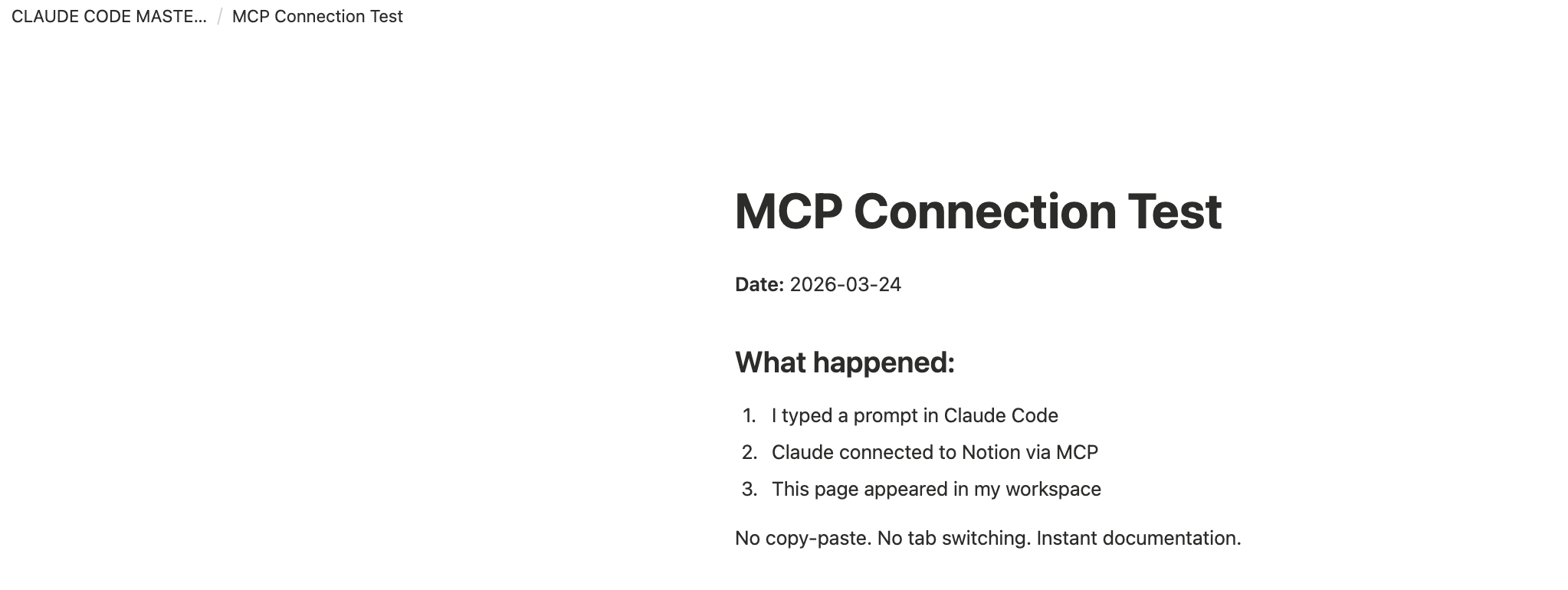
Create a new Notion page under my "CLAUDE CODE MASTERY GUIDE" with title "MCP Connection Test" and add content explaining how this page was created automatically.
Here is the test-page created.
Slack
Send messages, read channels, and manage canvas documents without leaving your editor. Automate team updates and collaboration
Here is the documentation link.
How am I using it?
Prompt
Send a message to #general in Slack explaining that this message was sent automatically by Claude Code via MCP.
Message sent:
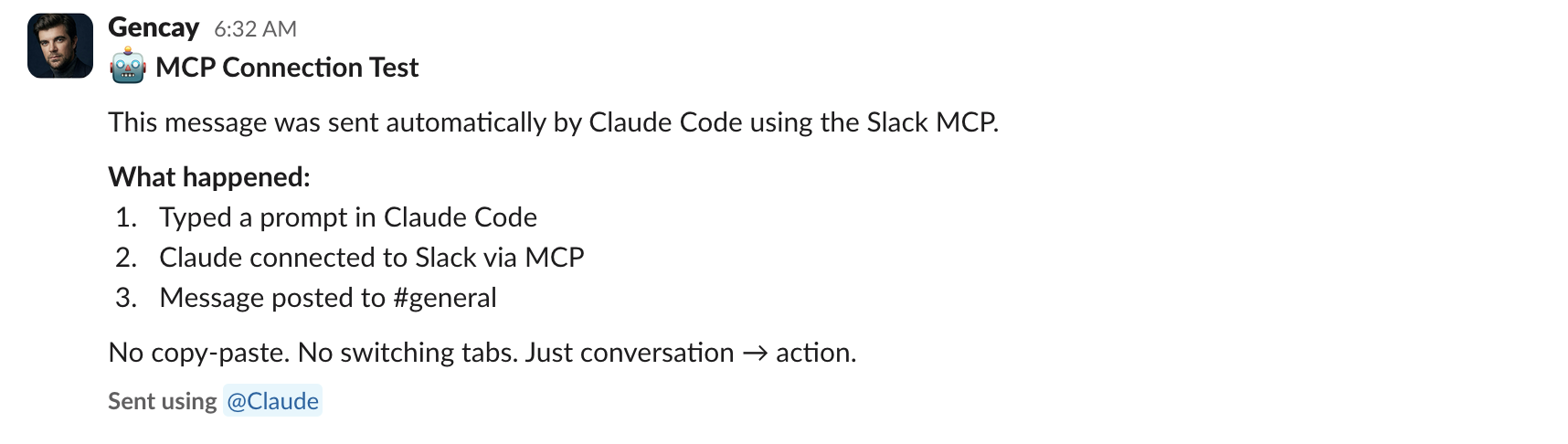
I typed one sentence. Claude found the channel, formatted the message, and posted it. All from the editor.
CLIs I Use Daily
These CLI tools extend Claude Code’s reach beyond the editor.
Google Workspace
\Reference\
Access Drive, Docs, Sheets, Gmail, and Calendar from the command line.
Automate document creation, email drafts, and calendar management.
Here is the GitHub repo; you can use it to download this.
Installation
The installation itself is straightforward, just one npm command.
But authentication?
That’s where things get tricky.
You’ll need a Google Cloud project, OAuth credentials, and properly configured API scopes.
Most people hit the “403 insufficient scopes” error right after setup.
I spent hours debugging this. Better watch this one for extended installation.
How am I using it?
Prompt
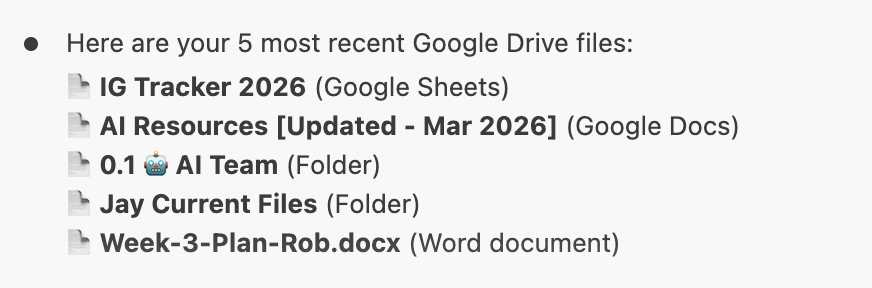
List my 5 most recent Google Drive files with their names, types, and IDs.
Format the output cleanly.
Here is the output.
But imagine this: your entire Google Workspace is talking directly with your Claude Code. That’s a huge opportunity.
I’ll write a full article about this soon.
NotebookLM
\Reference\
Here is the GitHub repo, you can use it to download this CLI.
How am I using it?
Prompt
Create a NotebookLM notebook titled "Claude Code MCP Test", add the MCP announcement URL as a source, and ask "What is MCP and why is it important?"
Here is the NotebookLM created.
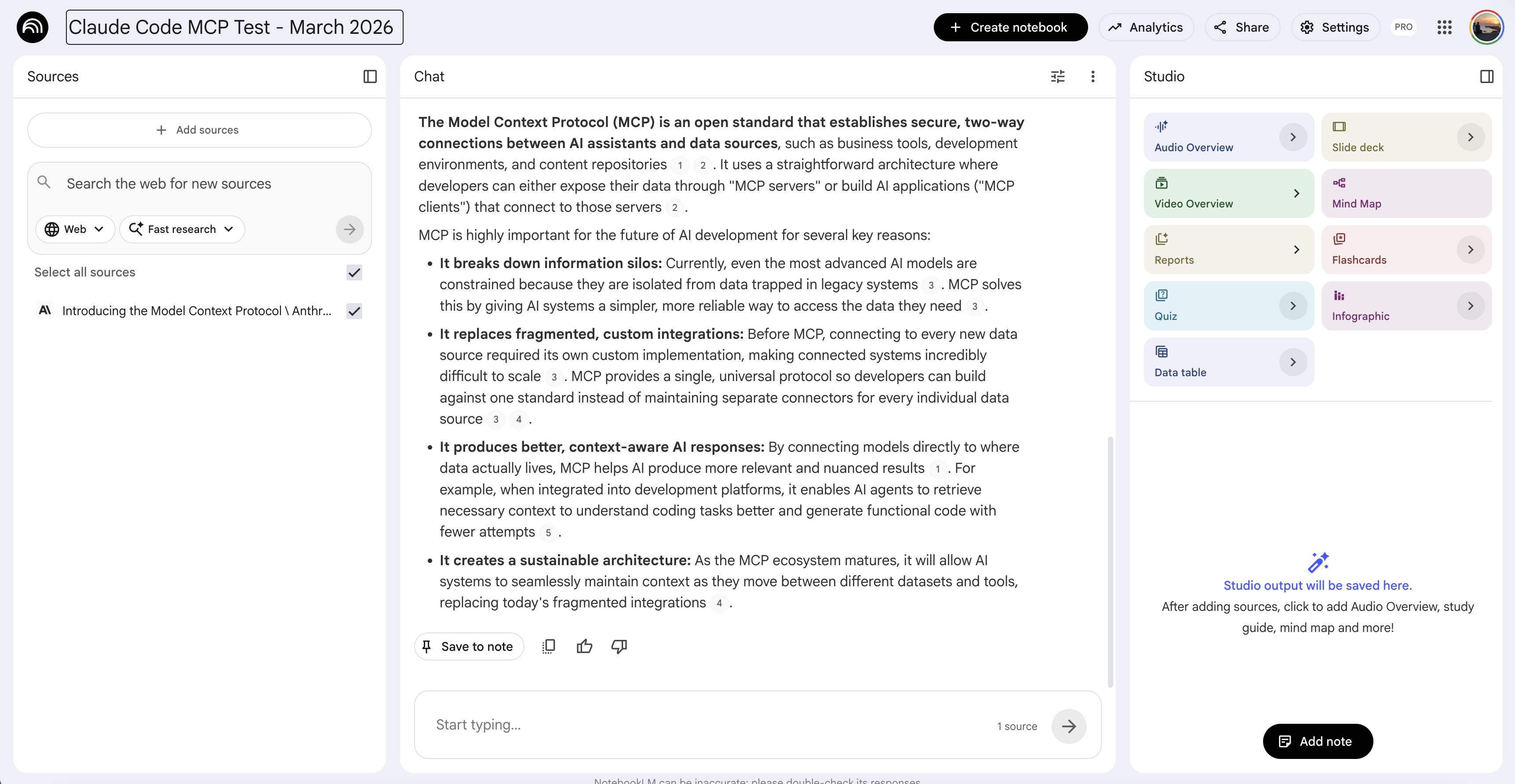
It even asked questions.
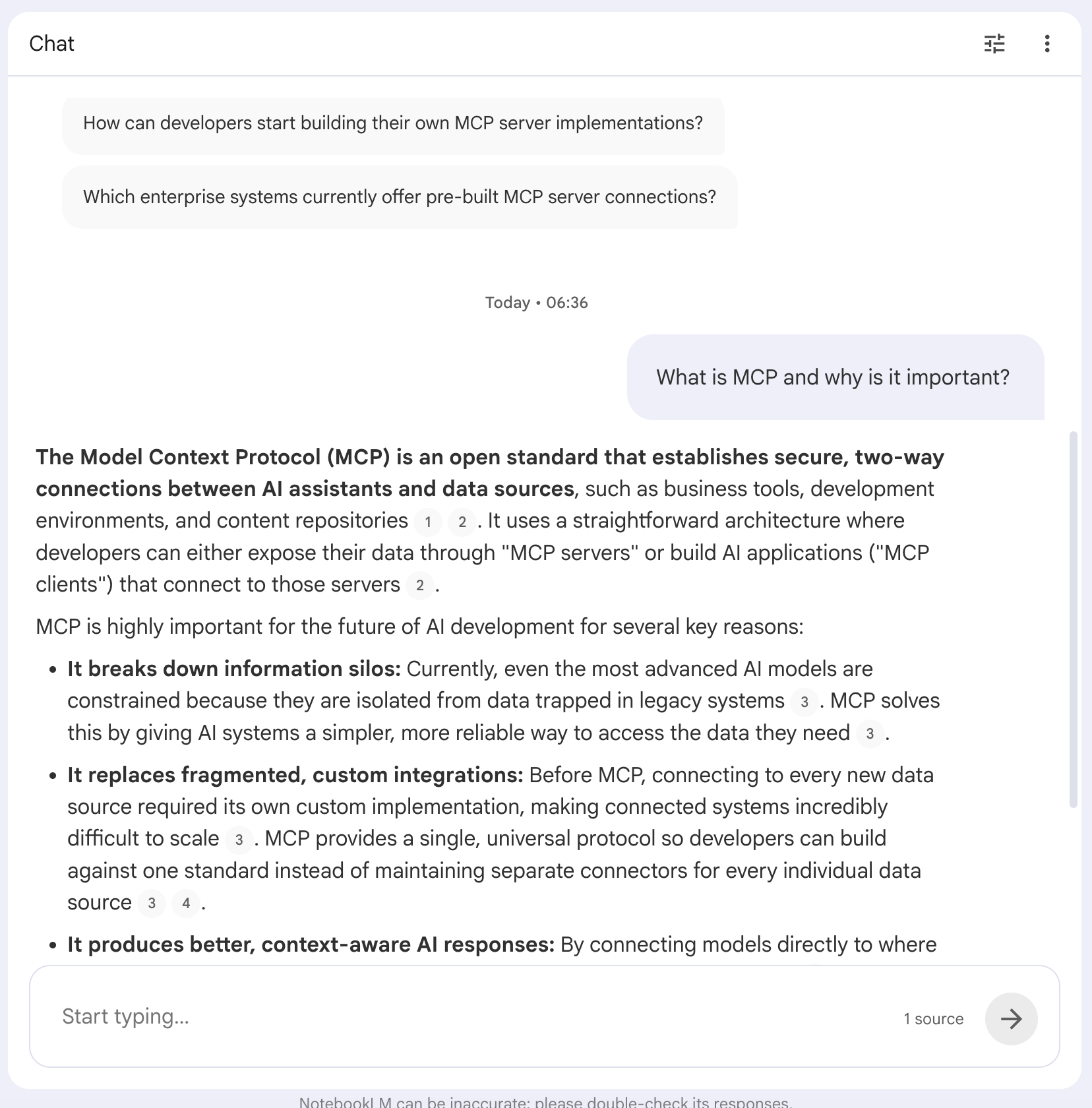
You can create an image, generate reports, basically do anything you used to do with NotebookLM.
Apify
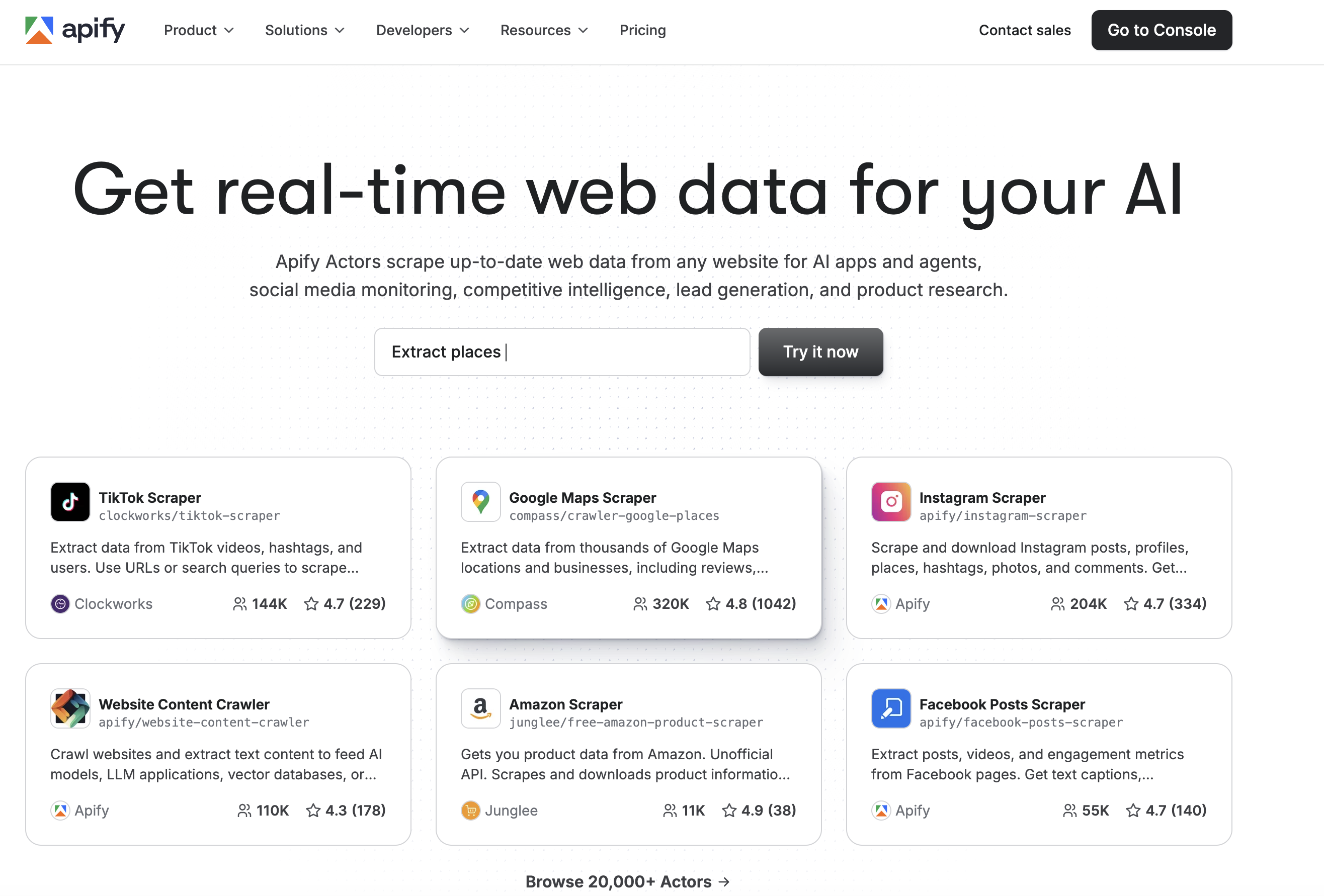
\Reference\
Here is the Apify CLI documentation.
How am I using it?
Use 20,000+ actors for web scraping, data extraction, and automation. Run actors directly from Claude Code.
Sample Prompt
Scrape the MCP announcement page and extract the title and first paragraph.
Here how the output looks like.
Today, we're open-sourcing the Model Context Protocol (MCP), a new standard for connecting AI assistants to the systems where data lives, including content repositories, business tools, and development.
You can do anything using those 20K actors.
Youtube CLI
I built a custom CLI by combining three separate tools:
Tools I used:
yt-dlp(CLI tool) - Gets video metadata from YouTube channelsyoutube-transcript-api(Python library) - Extracts video transcripts- (Gemini API) - Analyzes transcripts with AI
How I combined them:
I wrote a Python script (youtube\gemini\reader.py) that:
- Takes a YouTube URL as input
- Uses
youtube-transcript-apito extract the transcript - Sends transcript to Gemini API for analysis
- Outputs
astructured summary
Then I made it a CLI tool.
Now I can run it anywhere.
Tips: Here is the link where you can get your Gemini key to access
Second Tips: If you want to build the Same CLI, copy “Tools I used” and “How I combined them” to your Claude code and let it build this CLI for you.
How am I using it?
Prompt
Can you use the YouTube CLI to get the latest 5 videos from Andrej Karpath, extract their transcripts, and summarize them using the YouTube Analyzer CLI?
Let’s see the output.
First, it gets the latest 5 videos from Andrej.
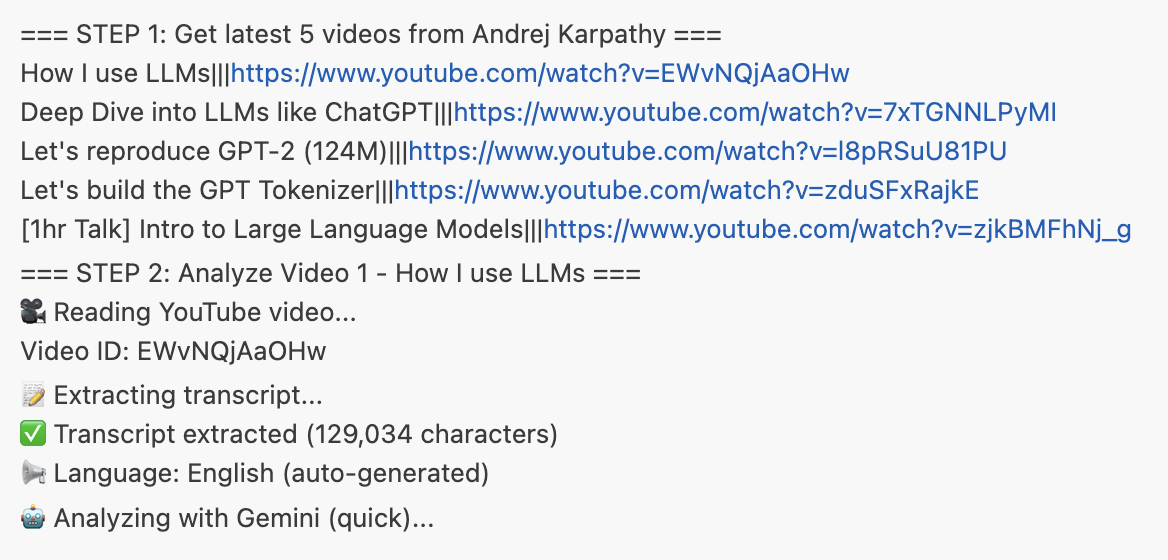
Next, Gemini analysed these videos, one by one.
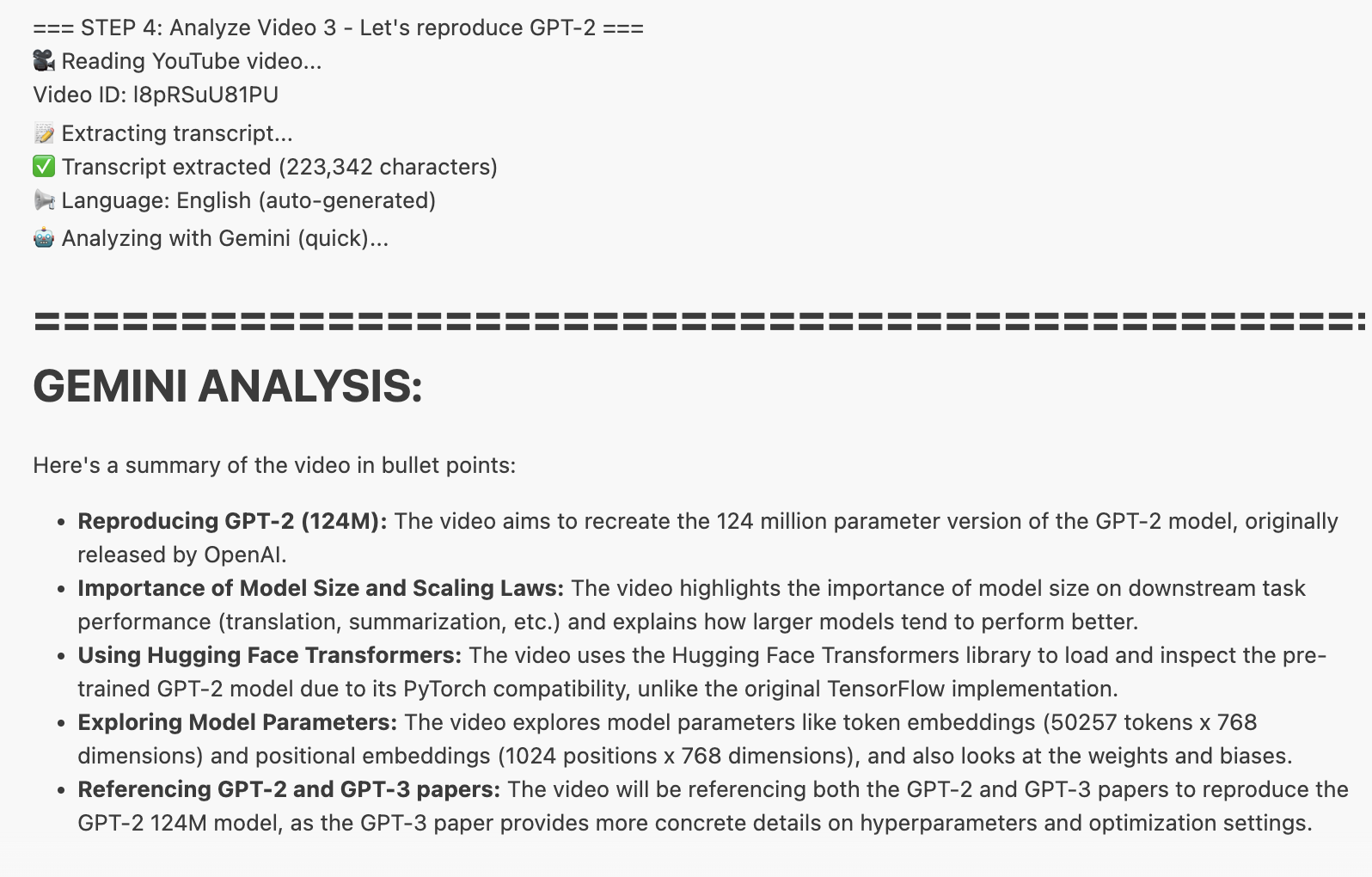
This is gold if you don’t have time to go through each video one by one, or if you want to analyze them at scale.
Final Thoughts
You just learned how to break Claude Code out of its editor prison.
MCP for instant connections. CLI for deeper control.
I gave you 7 tools that actually work:
- MCPs: Excalidraw, Notion, Slack
- CLIs: Google Workspace, NotebookLM, Apify, YouTube
Most people will bookmark this and never install a single one.
You? Install one today. Connect Notion or Slack. Watch Claude go from “smart assistant” to “team member.”
The invisible tools become visible when you need them.
Now you know how to make them visible.