How I Used OpenAI’s Free Codex App to Build a Multi-Model AI Chatbot Manager, Using Gemini, ChatGPT, and Claude in One App.
By Gencay
Published: 2026-02-07
URL: https://www.learnwithmeai.com/p/gpt-53-codex-and-codex-app-one-prompt

Want to build apps using AI coding agents?
You need a $20/month Pro subscription.
No Pro account = No access to AI coding agents.
OpenAI just solved this problem.
They released the Codex App with GPT 5.3-Codex inside.
Free. No subscription. 1M+ users now testing.
Today, we’ll build a full-stack AI Chatbot Manager.
But first, let’s cover the fundamentals.
What is GPT 5.3-Codex?
OpenAI launched it in February 2026.
It can build entire apps.
It’s 25% faster than before.
OpenAI also released an app; let’s discover it too.
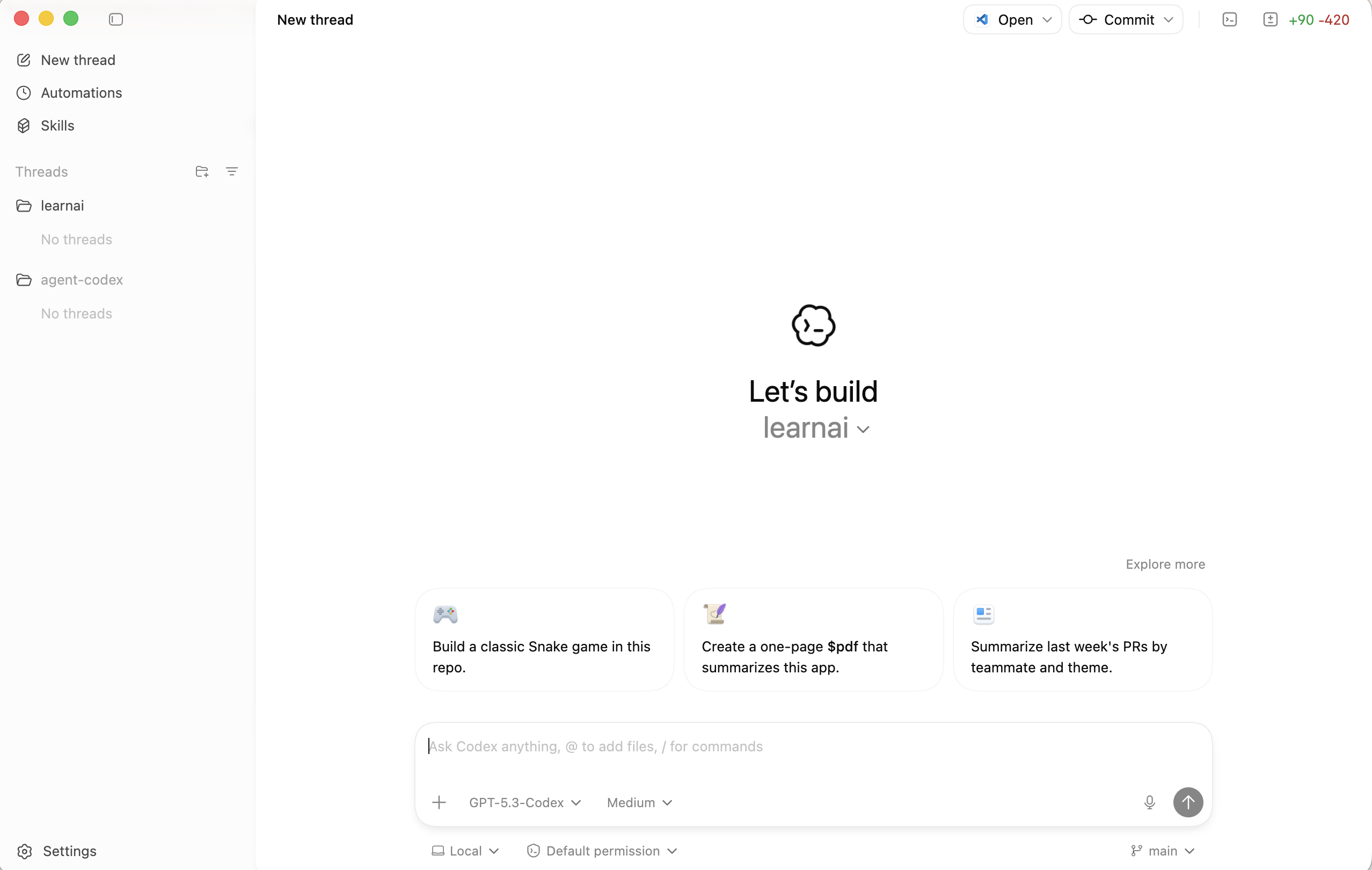
What is Codex App?
\OpenAI Codex App\
OpenAI’s new app for GPT Codex models.
It has 3 features:
- New thread: You can run more than one task at the same time.
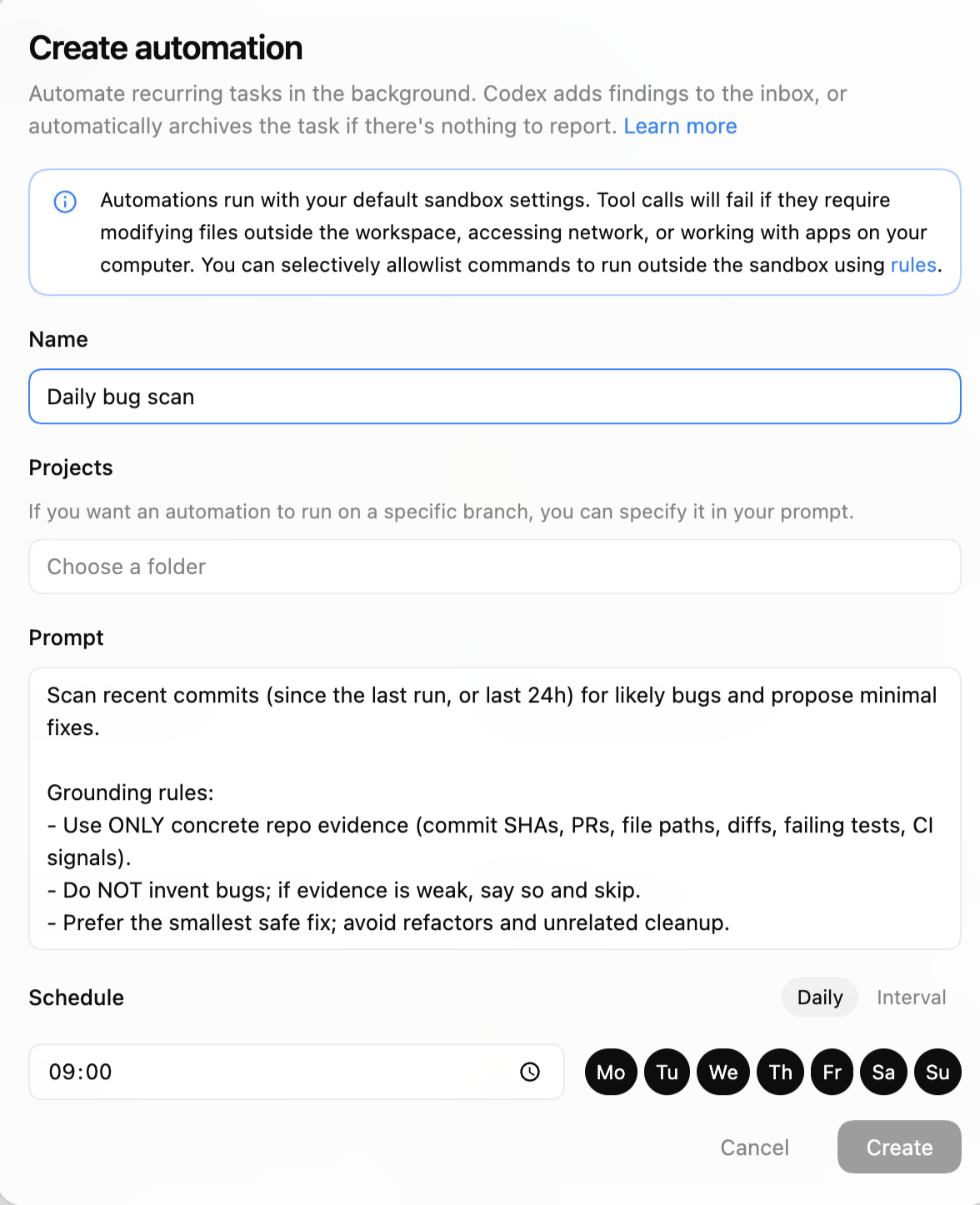
- Automations: Set automation, and these agents do tasks for you, like
- Scan recent commits
\OpenAI Codex App- Automation\
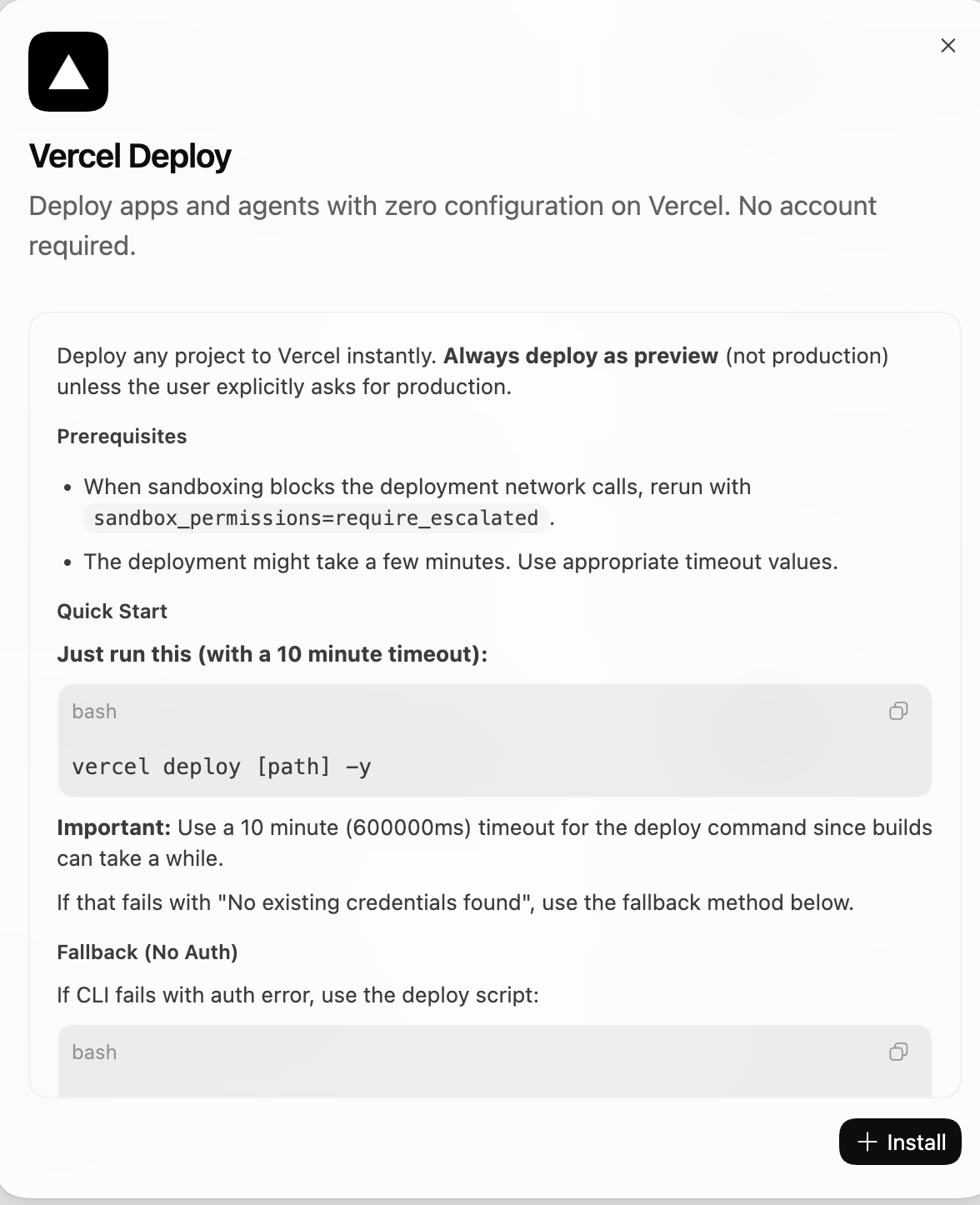
- Skills: Using preset skills, you can build agents, apps, and better frontends.
\Open AI Codex App - Skills\
Using the OpenAI Codex App, we’ll build an AI Chatbot Manager.
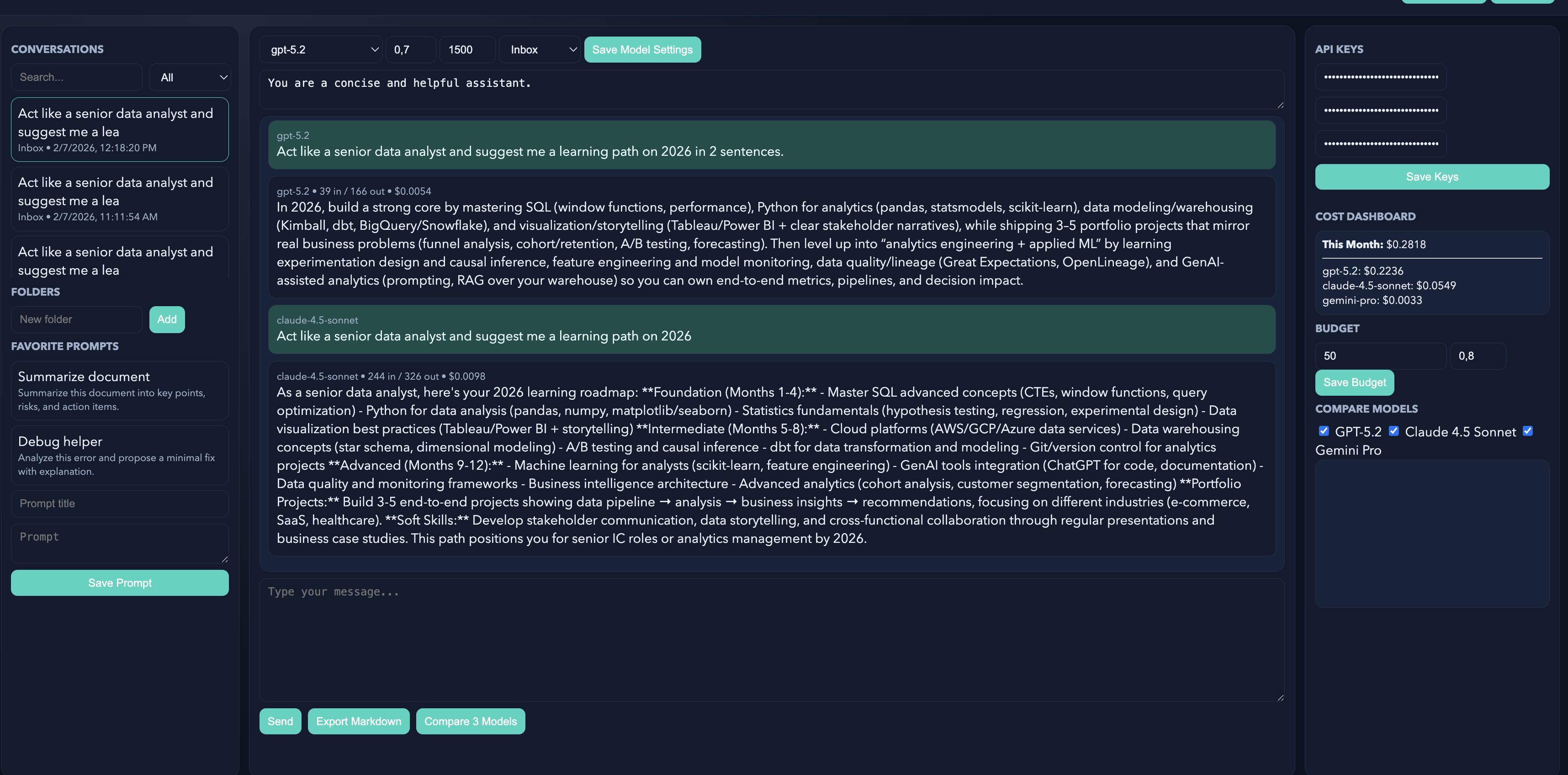
AI Chatbot Manager - Simple Overview
The Problem is paying $60/month for ChatGPT Plus, Claude Pro, and Gemini Advanced separately.
Our solution is building a single app with a single prompt.
It connects to all three major LLM services using their APIs for a fraction of the cost.
So, you can use all major AI models by adding their API’s, and see the cost at the same time.(ChatGPT, Claude, Gemini.)
\AI Chatbot Manager\
Fast-forward to what it looks like
Let’s check the app we’ll build in this one.
Building With Codex
Now it is time to build.
Let’s build something meaningful.
To do that, I headed to the vault.
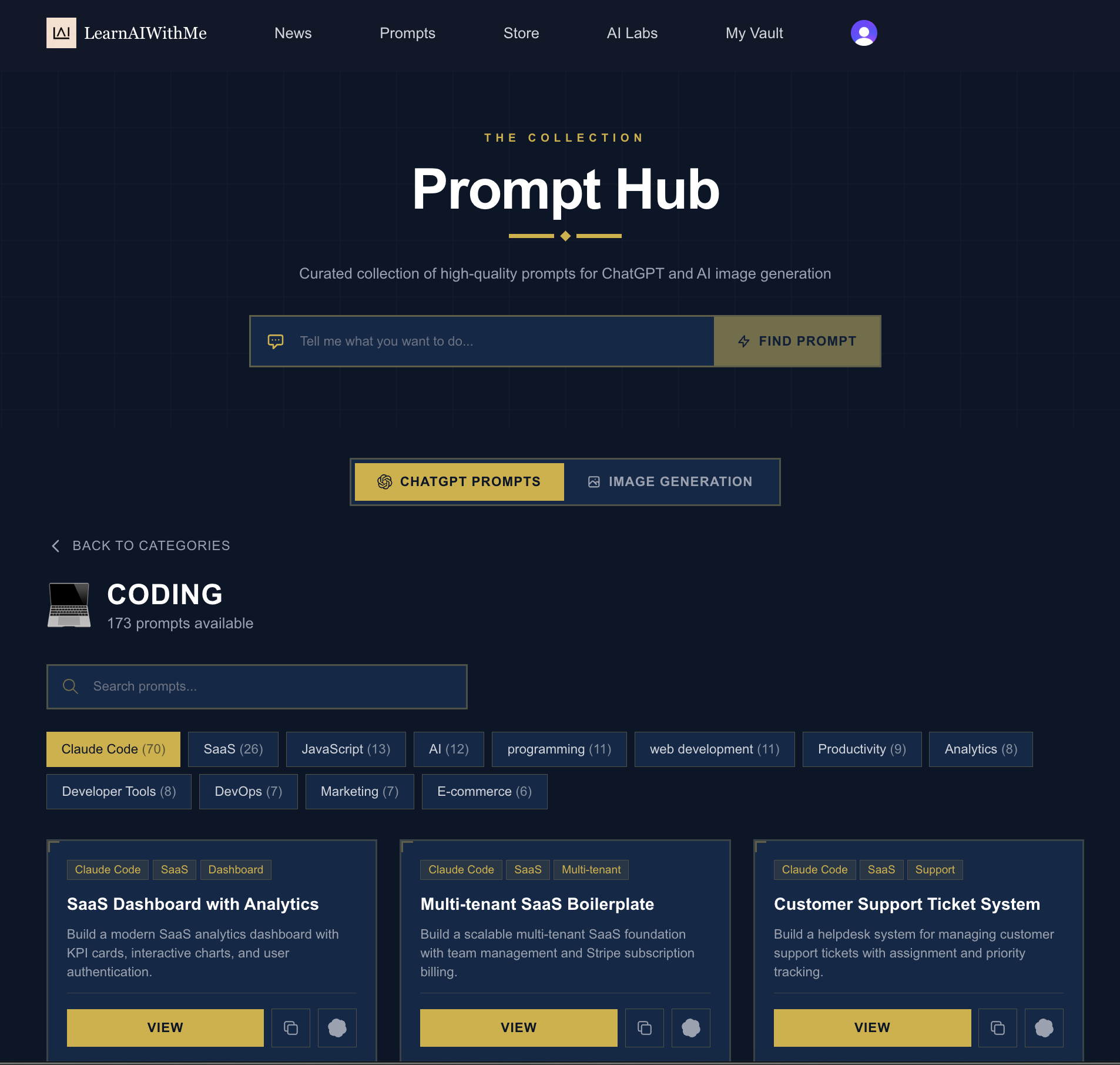
\Vaultis open for Inner Circle paid subscribers & founder paid subs( Founder paid subs= paid subscribers who subscribed before Jan 20, 2026). More infohere.\
Let’s check “Personal AI Chatbot Manager”, prompt, and copy it.
There are 70 Claude Code prompts here, for you to build, btw.
It started building.
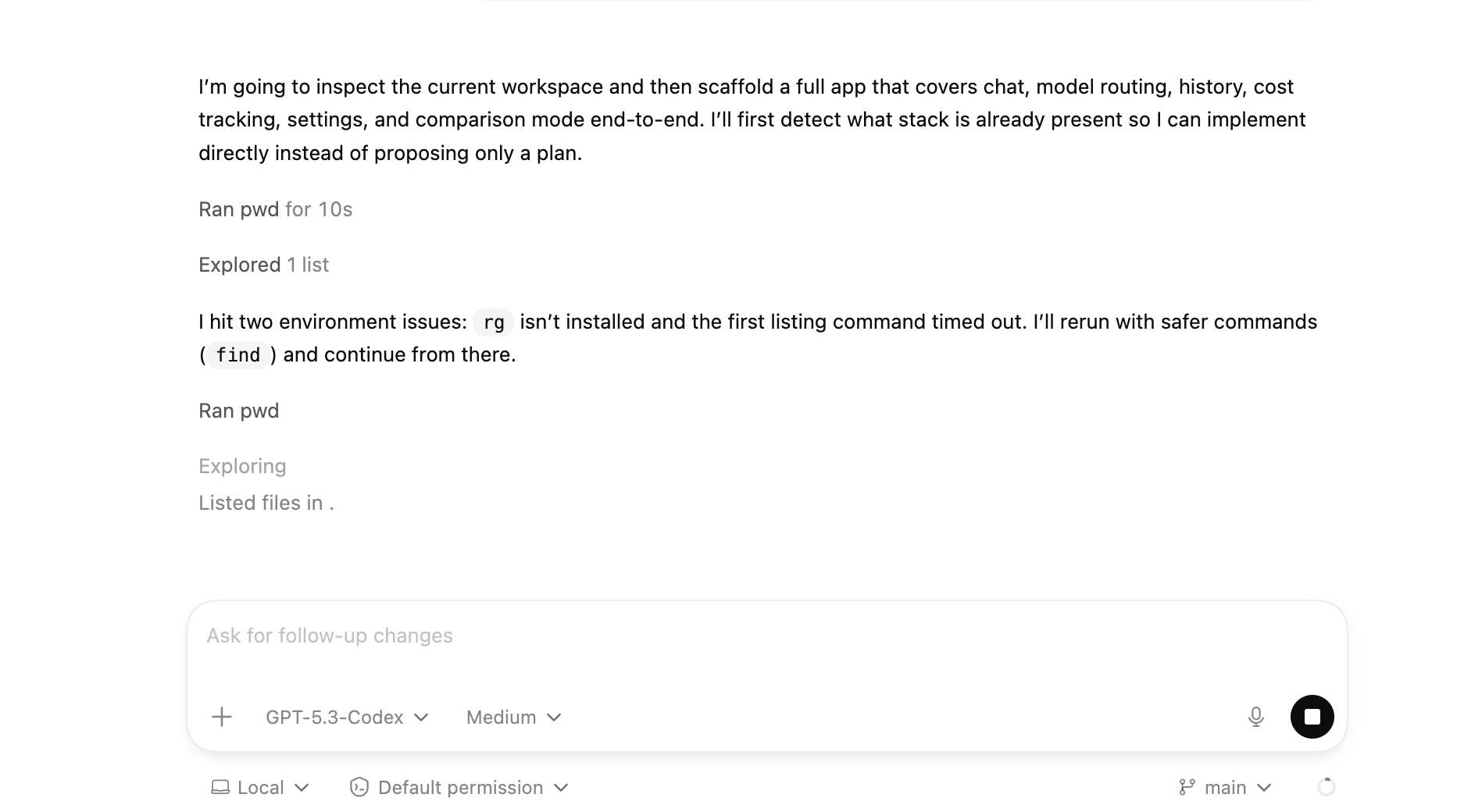
\Codex is building.\
This is the best part.
It is building, I opened a movie and keep building while watching.
Before discovering all of the Codex features, let me remind you that LearnAIWithMe paid perks.
LearnAIWithMe Paid Perks
The standard subscription ($12/mo or $100/year) gives you full access to all my articles and posts on Substack
The Founding Member tier ($200/year) includes everything above PLUS access to The Vault, 800+ prompts, projects, AI tools, and AI labs.
Step 1: Building an Entire App with One Prompt
Let me share you the initial prompt to build this app.
<role>You are an expert in building personal productivity tools and multi-model AI integrations with Ruby and vanilla JavaScript.</role>
<context>I want to build my own chatbot manager where I can chat with GPT-5.2, Claude 4.5 Sonnet, and Gemini 3 Flash - all in one place. I want to use APIs directly instead of paying for ChatGPT Plus ($20/mo), Claude Pro ($20/mo), and Gemini Advanced ($20/mo).</context>
<task>
Build a personal AI chatbot manager with:

- Single dashboard to chat with GPT-5.2, Claude 4.5 Sonnet, and Gemini 3 Flash Preview

- Model switcher (easily switch between models mid-conversation)

- Conversation history with search and folders (stored in JSON files)

- Custom system prompts, temperature, and token limits per model

- Cost tracker showing usage per model and total monthly spend with budget alerts

- API key management for OpenAI, Anthropic, and Google AI (persisted in data/keys.json)

- Export conversations to markdown

- Favorite prompts library

- Dark/light mode

- \*\*Separate comparison page\*\* (ask same question to all 3 models in parallel with 3-column layout)

- \*\*Thinking animations\*\* during API calls on comparison page

- \*\*Markdown rendering\*\* for model responses (headers, lists, bold text)

- \*\*Conversation memory\*\* (last 14 messages sent as context to maintain conversation history)

- Monthly budget alerts with configurable thresholds
</task>
<tech-stack>

- Backend: Ruby with WEBrick server

- Frontend: Vanilla JavaScript (no frameworks)

- Storage: JSON files (conversations.json, keys.json, settings.json, etc.)

- Styling: Plain CSS with CSS variables for theming

- No database required - file-based storage
</tech-stack>
<integrations>

- OpenAI API (GPT-5.2, GPT-4 Turbo, GPT-3.5-turbo) with max_completion_tokens for GPT-5

- Anthropic API (Claude 4.5 Sonnet, Claude 3 Opus, Claude 3 Haiku) with model name mapping

- Google AI API (Gemini 3 Flash Preview, Gemini Pro) using v1beta endpoint

- All API keys stored securely in data/keys.json

- Automatic token counting and cost estimation per model
</integrations>
<architecture>
Project structure:
/ai-chatbot-manager
├── app.rb # Main Ruby server with all API endpoints
├── lib/
│ ├── providers.rb # API integrations for OpenAI, Anthropic, Google
│ └── storage.rb # JSON file storage handler
├── data/
│ ├── conversations.json # All chat history
│ ├── keys.json # API keys (gitignored)
│ ├── settings.json # User preferences
│ ├── folders.json # Conversation folders
│ └── favorites.json # Saved prompts
├── public/
│ ├── index.html # Main chat interface
│ ├── compare.html # 3-column comparison page
│ ├── app.js # Main page logic
│ ├── compare.js # Comparison page logic with thinking animations
│ └── styles.css # All styling with CSS variables
└── uploads/ # (Removed - file upload feature deprecated)
</architecture>
<key-features>
1. \*\*Main Chat Page (index.html)\*\*:

- Left sidebar: Conversation list with search and folder filter

- Center: Chat messages with markdown rendering

- Right sidebar: Model settings, API keys, cost tracking, favorites

- Large textarea (8 rows) for message input

- "Compare Models" button to navigate to comparison page
2. \*\*Comparison Page (compare.html)\*\*:

- 3-column layout (GPT-5.2 | Claude 4.5 Sonnet | Gemini 3 Flash Preview)

- Parallel API calls to all models simultaneously

- Thinking animation (3 dots) while waiting for responses

- Markdown formatting for all responses

- Token count and cost display per model

- Clear button to reset all columns

- No conversation memory (each query is independent)
3. \*\*Backend (app.rb + providers.rb)\*\*:

- `/api/state` - Returns models, conversations, settings, costs

- `/api/chat` - Handles single model chat with conversation memory (last 14 messages)

- `/api/keys` - GET/POST for API key management

- `/api/settings` - Update model settings and budget

- `/api/folders` - Manage conversation folders

- `/api/favorites` - Save/load favorite prompts

- `/api/export` - Export conversation as markdown

- Model-specific token parameter handling (GPT-5 uses max_completion_tokens)

- Automatic model name mapping (e.g., claude-4.5-sonnet → claude-sonnet-4-20250514)
4. \*\*Storage (storage.rb)\*\*:

- All data stored in JSON files in `/data` directory

- Atomic writes to prevent corruption

- Automatic folder creation

- Cost calculations by model and time period
5. \*\*UI/UX\*\*:

- No file upload (feature removed)

- Clean, minimal interface

- Real-time token counting

- Cost tracking with budget warnings

- Dark/light theme toggle

- Responsive design
</key-features>
<output>

- Clean chat interface with model selector dropdown

- Separate 3-column comparison page for side-by-side model evaluation

- Conversation management with folders and search

- API key configuration with auto-loading

- Cost dashboard with daily/monthly breakdowns and budget alerts

- Settings panel for temperature/tokens/system prompts per model

- Export to markdown functionality

- Favorite prompts library

- Thinking animations on comparison page

- Markdown rendering (headers, lists, bold)

- Conversation context (last 14 messages) on main page

- No external dependencies (vanilla JS, no npm, no webpack)
</output>
Paste it.
And go to the Gemini, Claude, and ChatGPT, get your API keys.
Now your app will be ready in a couple of minutes.
And voila!
Step 2: Threads
Threads let you run multiple AI agents simultaneously on separate tasks—without merge conflicts or context pollution.
Each agent works in an isolated “worktree” (an isolated copy of your code). You can have up to 30 agents running at once, each working for up to 30 minutes.
Real-world use:
- Agent 1: Building the Ruby backend (app.rb, providers.rb, storage.rb)
- Agent 2: Creating the frontend UI (index.html, compare.html, styles.css)
- Agent 3: Writing tests and documentation
All three agents run in parallel. No conflicts. No waiting.
Step 3: Automations
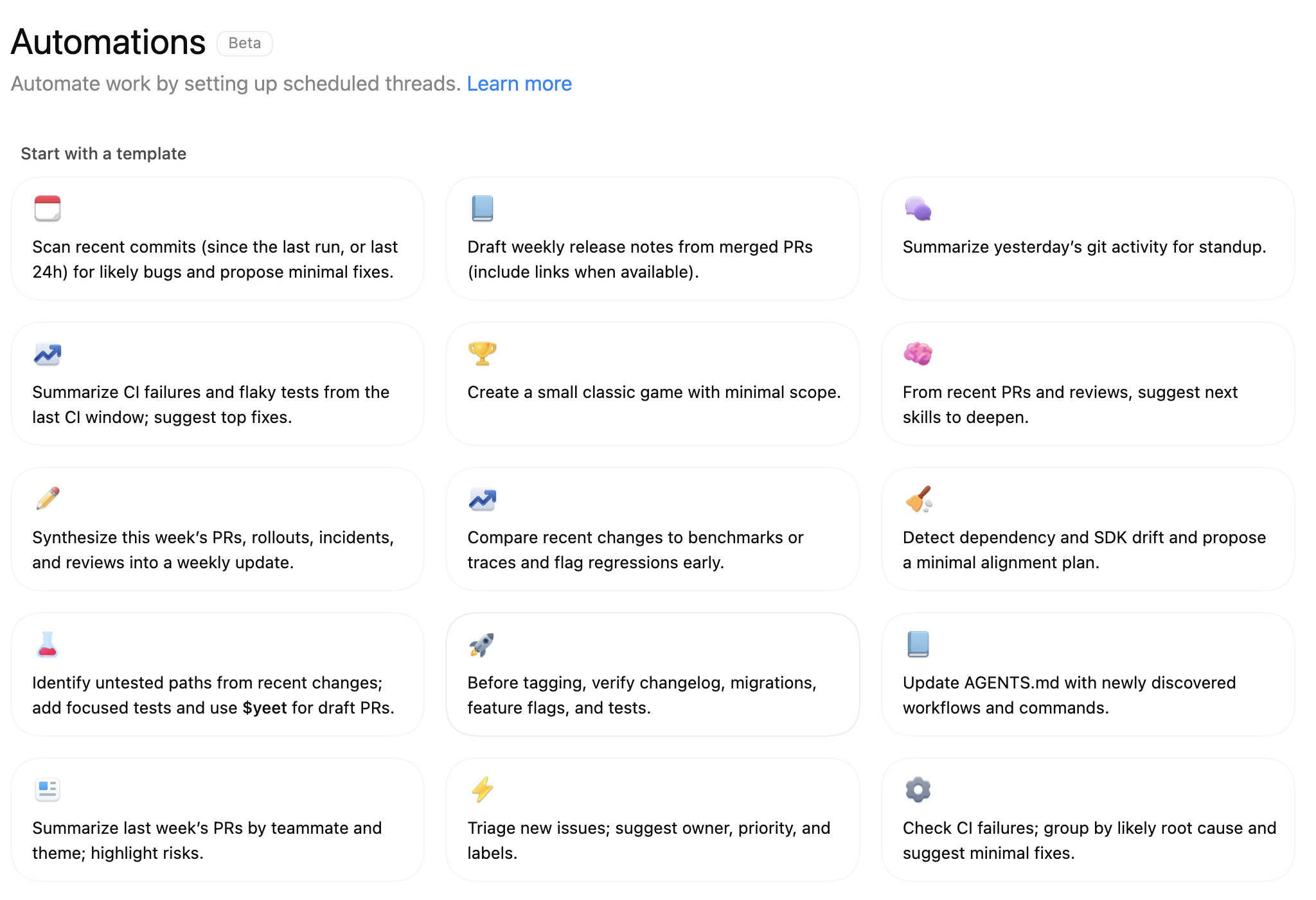
Automations run Codex agents on a schedule you define.
They handle repetitive tasks automatically while you sleep.
When an automation finishes, results land in your review queue. You can approve, reject, or continue working on them.
How does it work?
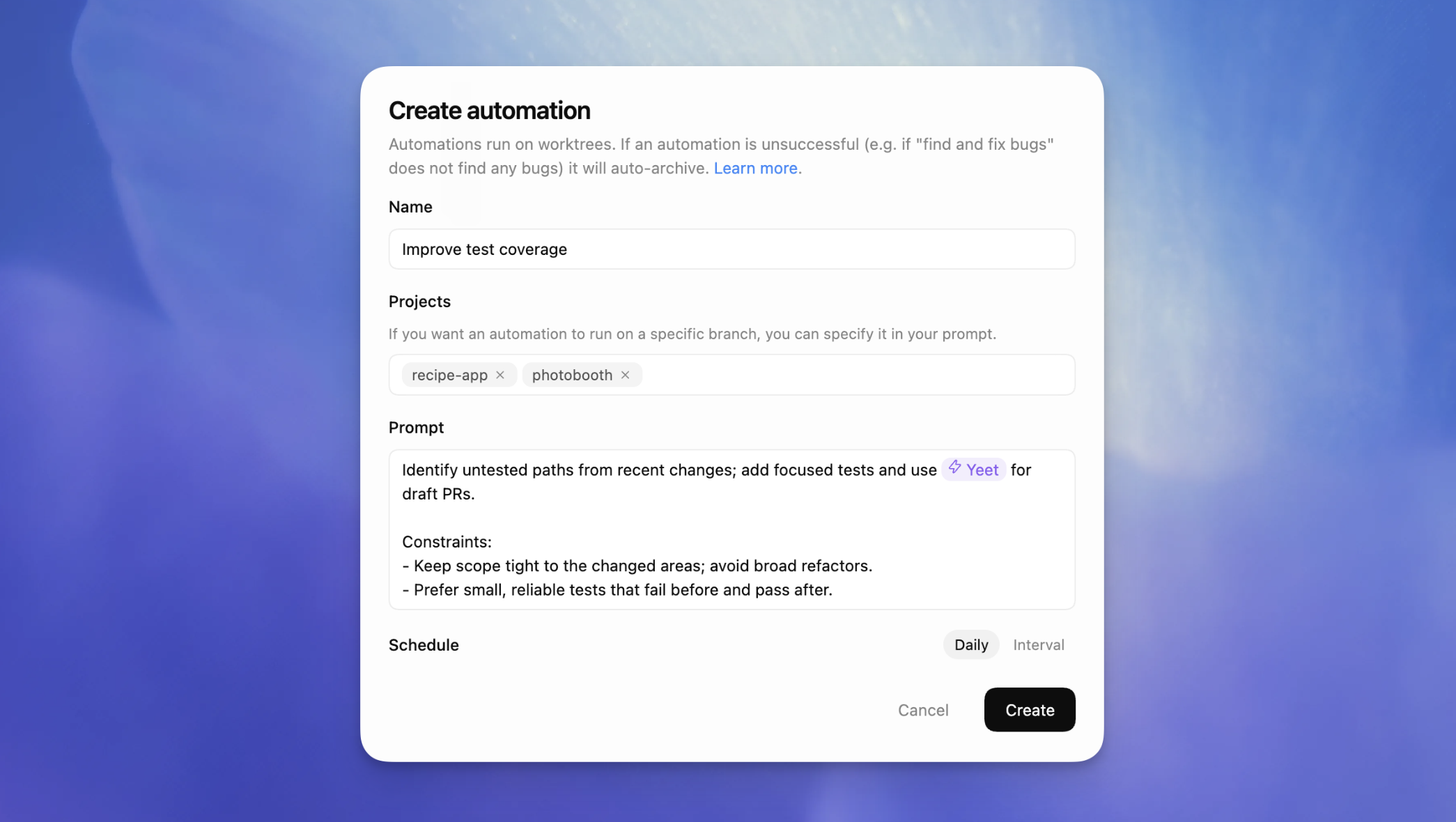
- Set a schedule (daily, weekly, on events)
- Define the task (using skills or custom instructions)
- Codex runs locally in the background
- Results appear in your inbox
Step 4: Skills
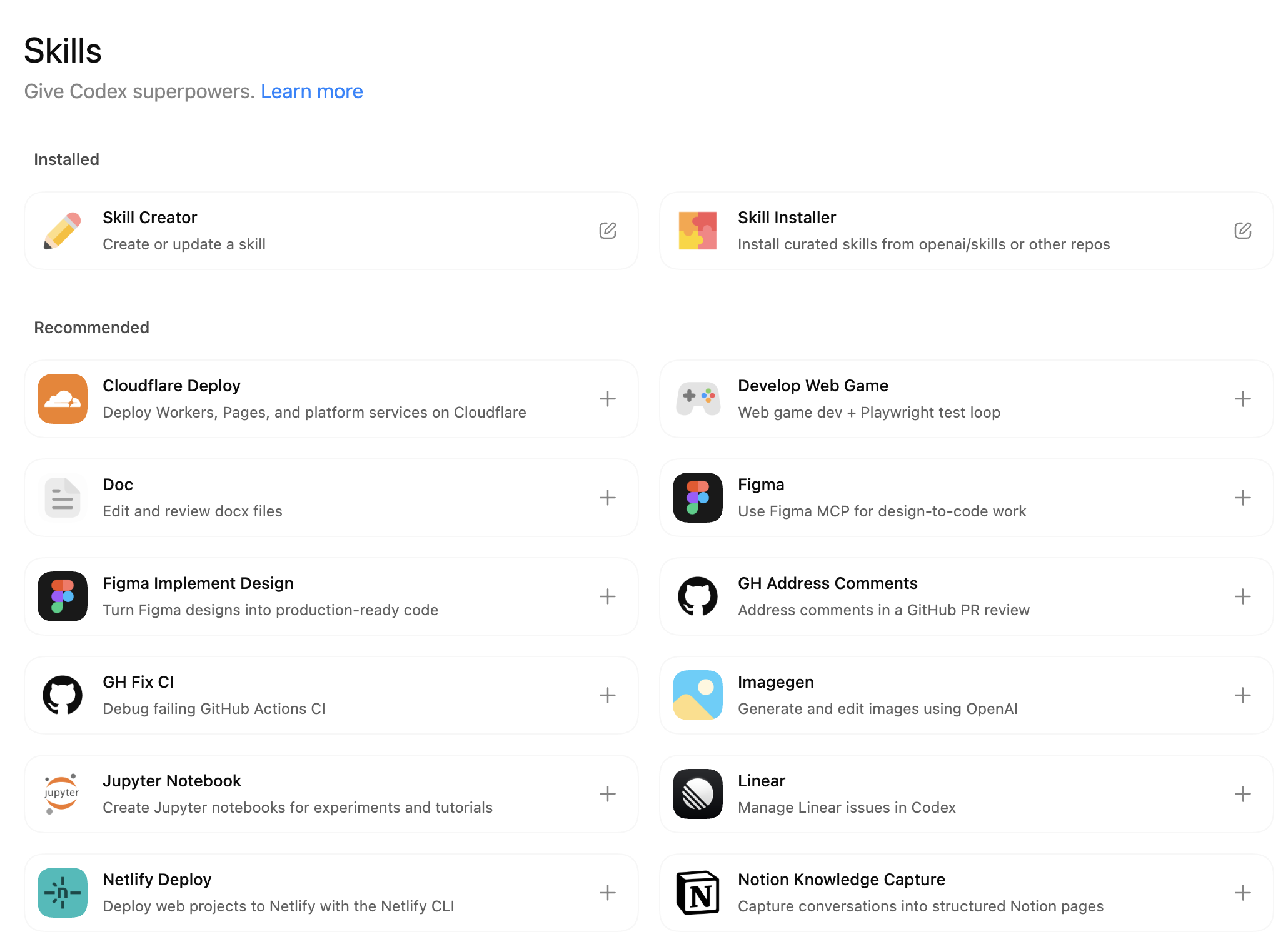
Skills are pre-built prompt templates that bundle instructions, resources, and scripts. Instead of writing 200-word prompts every time, you call a skill with 2 words.
A skill is a folder with a SKILL.md file + optional scripts and references.
How do they work?
- OpenAI built hundreds of internal skills for common tasks
- You can create custom skills for your team’s workflows
- Skills integrate with Automations
- Codex automatically selects the right skill based on context
Final Thoughts
GPT-5.3 Codex + the Codex app are free, and I built it in 10 minutes.
If you want to build apps without spending money, Codex is a solid choice.
If you want perfection, consider Claude Code.