10 tested NotebookLM prompts that save 10 hours a week. Extract insights, create slides, generate quizzes, all from your documents. Copy-paste ready.
By Gencay
Published: 2026-01-17
URL: https://www.learnwithmeai.com/p/10-notebooklm-prompts-that-save-you

Most people use NotebookLM wrong.
They upload a PDF. Ask a basic question. Get a basic answer, maybe create a few cool infographics, that’s it.
That’s like buying a Ferrari to drive to the grocery store.
NotebookLM is Google’s most underrated tool.
It reads your documents, understands context, and generates insights, but only if you know how to ask.
How Do You Get Started with NotebookLM?
NotebookLM, for those who still don’t know what it is, is Google’s free tool to learn anything.
That was the idea first.
It analyzes your documents and answer your questions based only on what you upload.
It is an AI tool, that less hallucinate which I wrote my post that I explained how to avoid %90 of hallucination.
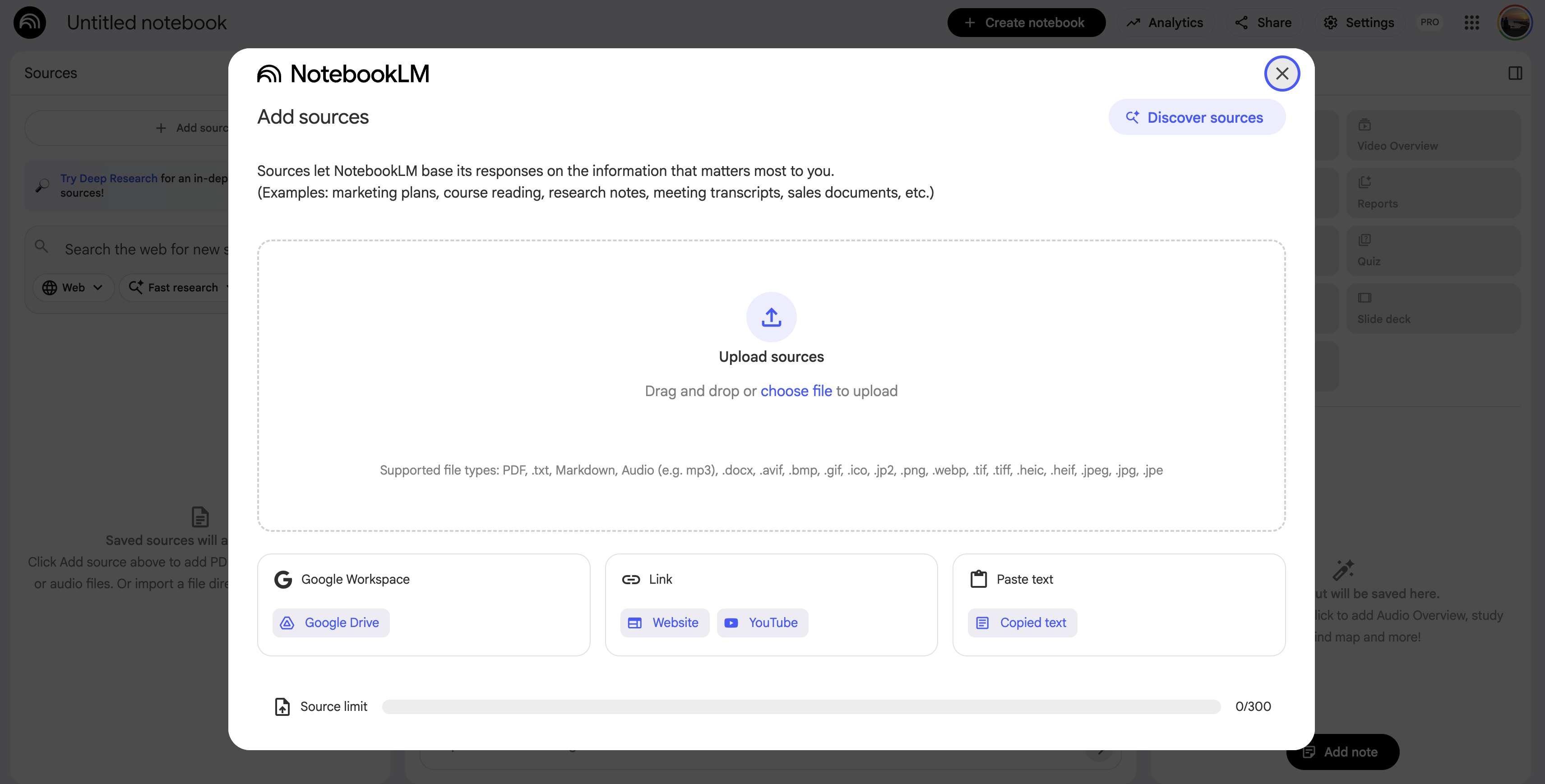
You can add PDF, Google Document, text, YT Videos or even do a deep research and add results.
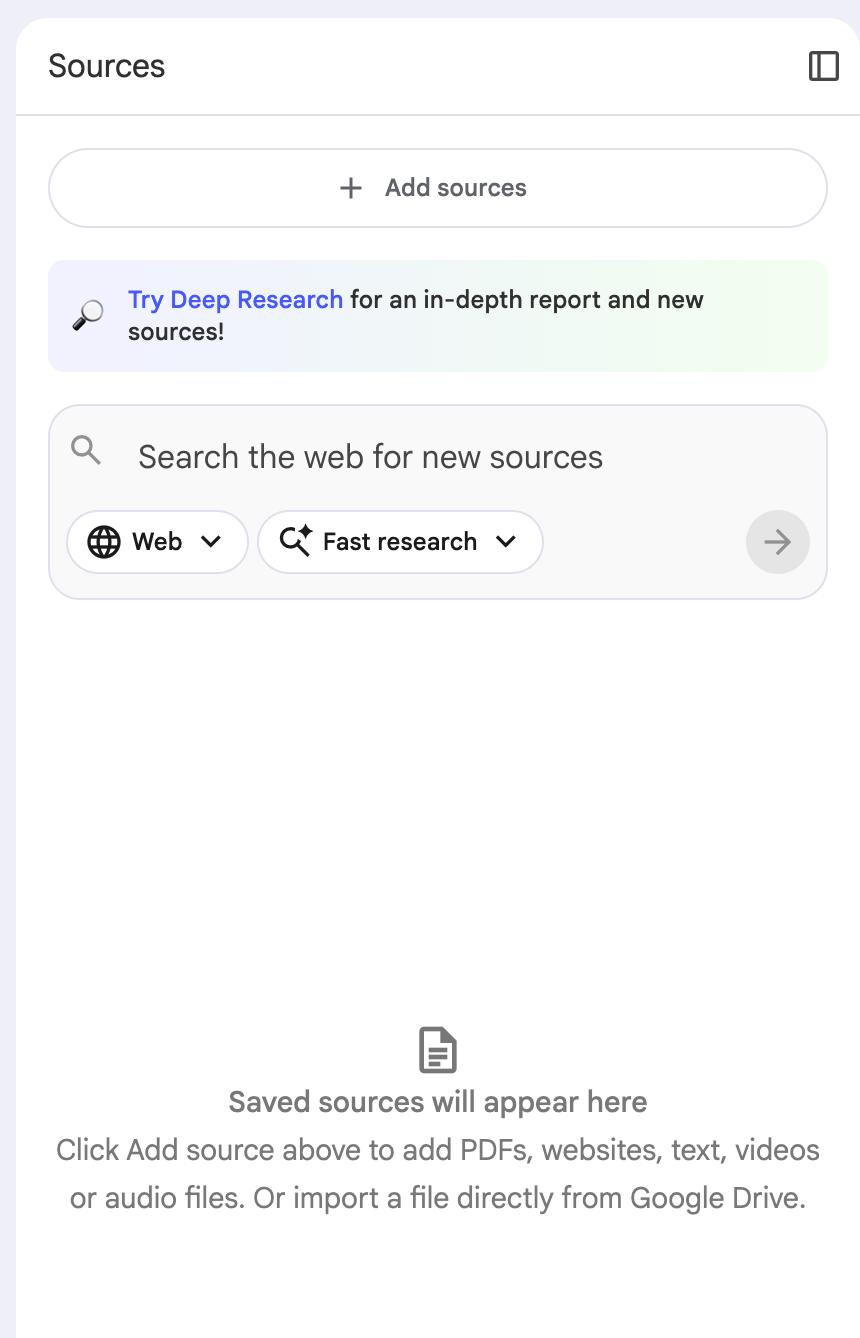
Setup takes 30 seconds. How?
- Go to notebooklm.google.com.
- Click on “Create new”
- Upload your sources.
That’s it. You’re ready.
Pro tip: NotebookLM can connect to Gemini. I showed how to combine them in this one.
What Are the Best Simple NotebookLM Hacks?
The fastest way to get value from NotebookLM is with simple, direct prompts and simple hacks.
NotebookLM : MIT Deep Learning Course
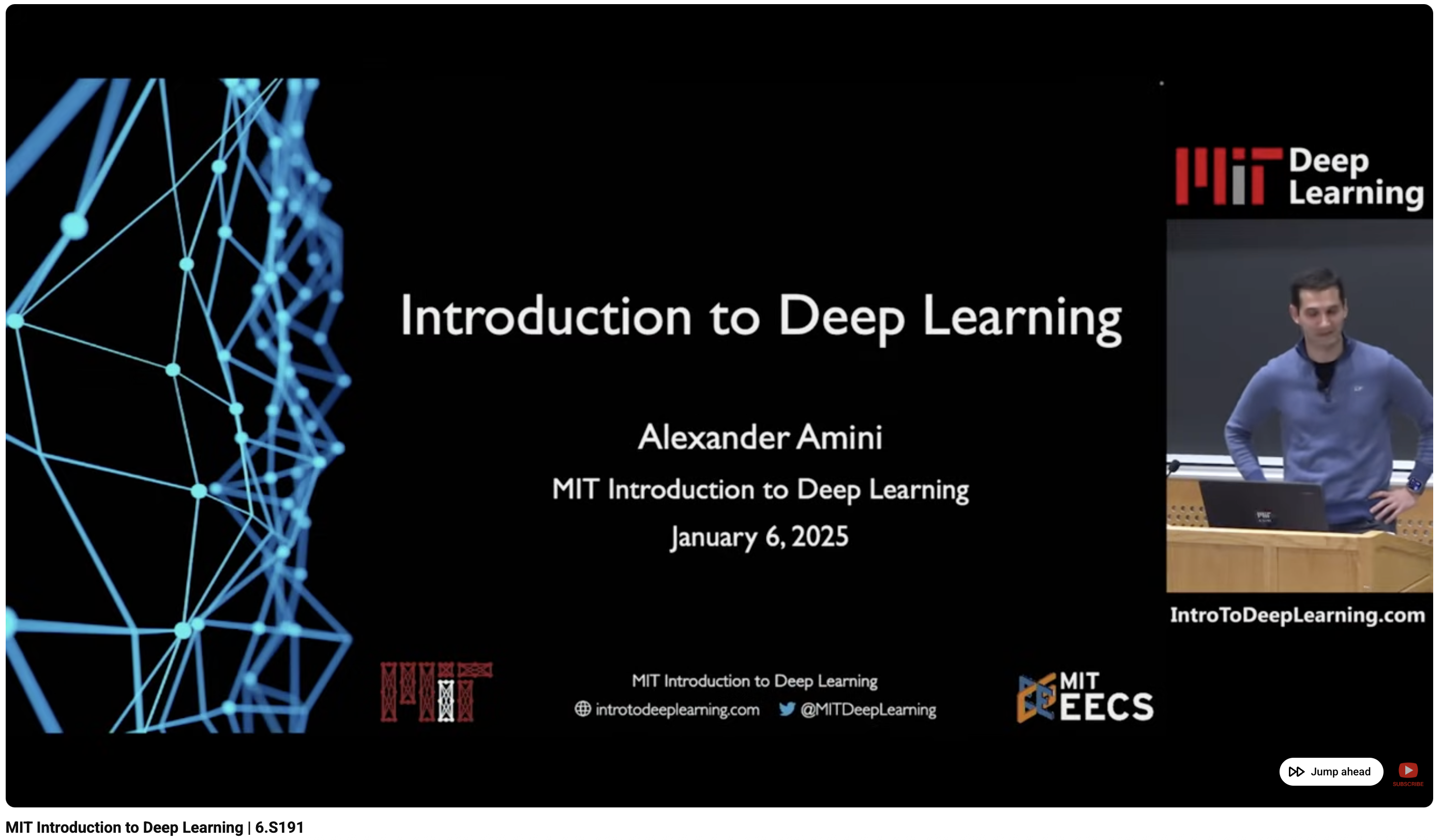
To test this prompts and methods, let’s train a notebookLM from MIT’s deep learning course, here.
Quick overview: “Summarize this in 3 bullet points”
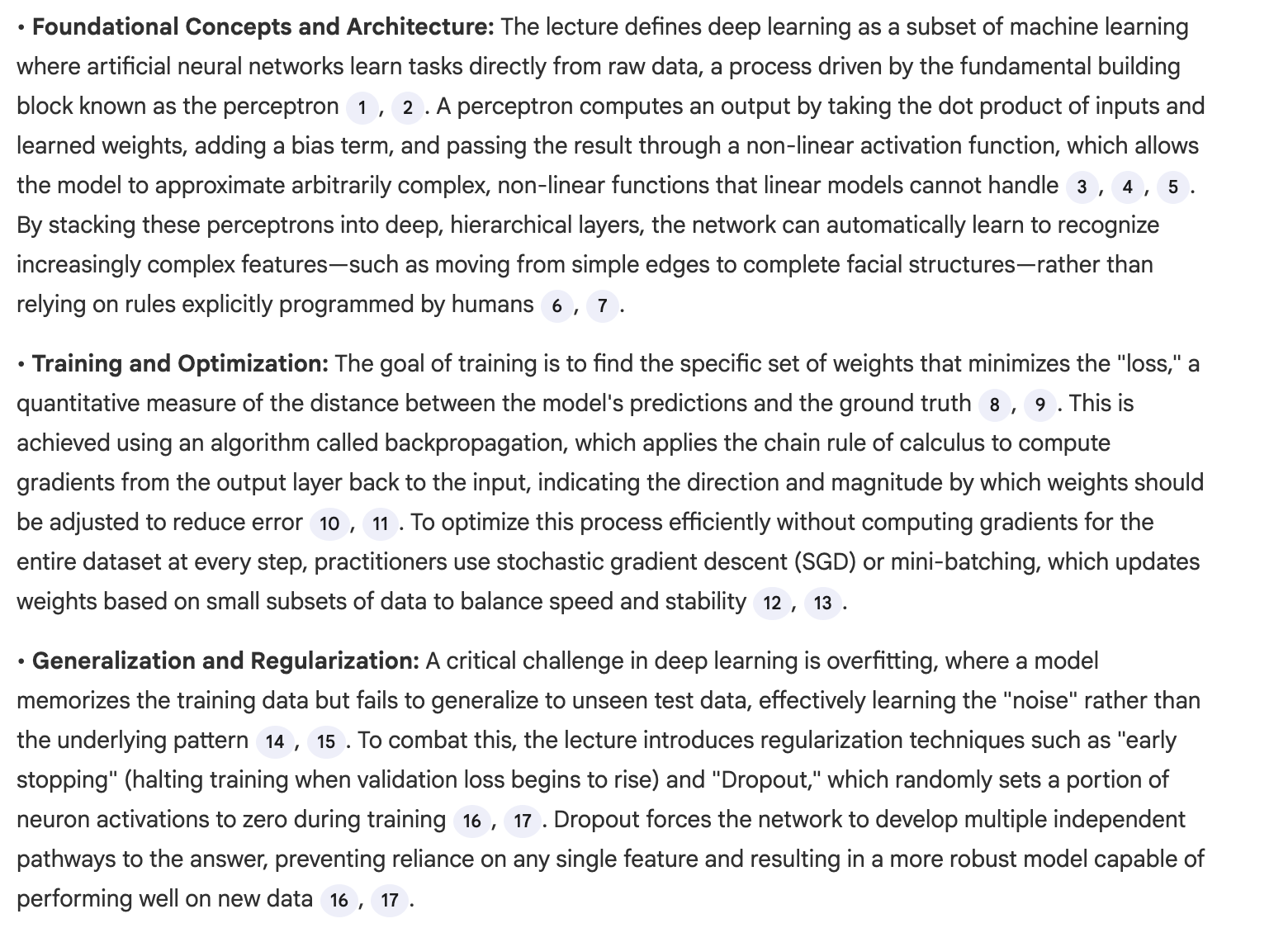
But these might be too complex, so let’s simplify this.
Simplify complex topics: “Explain this like I’m 12”
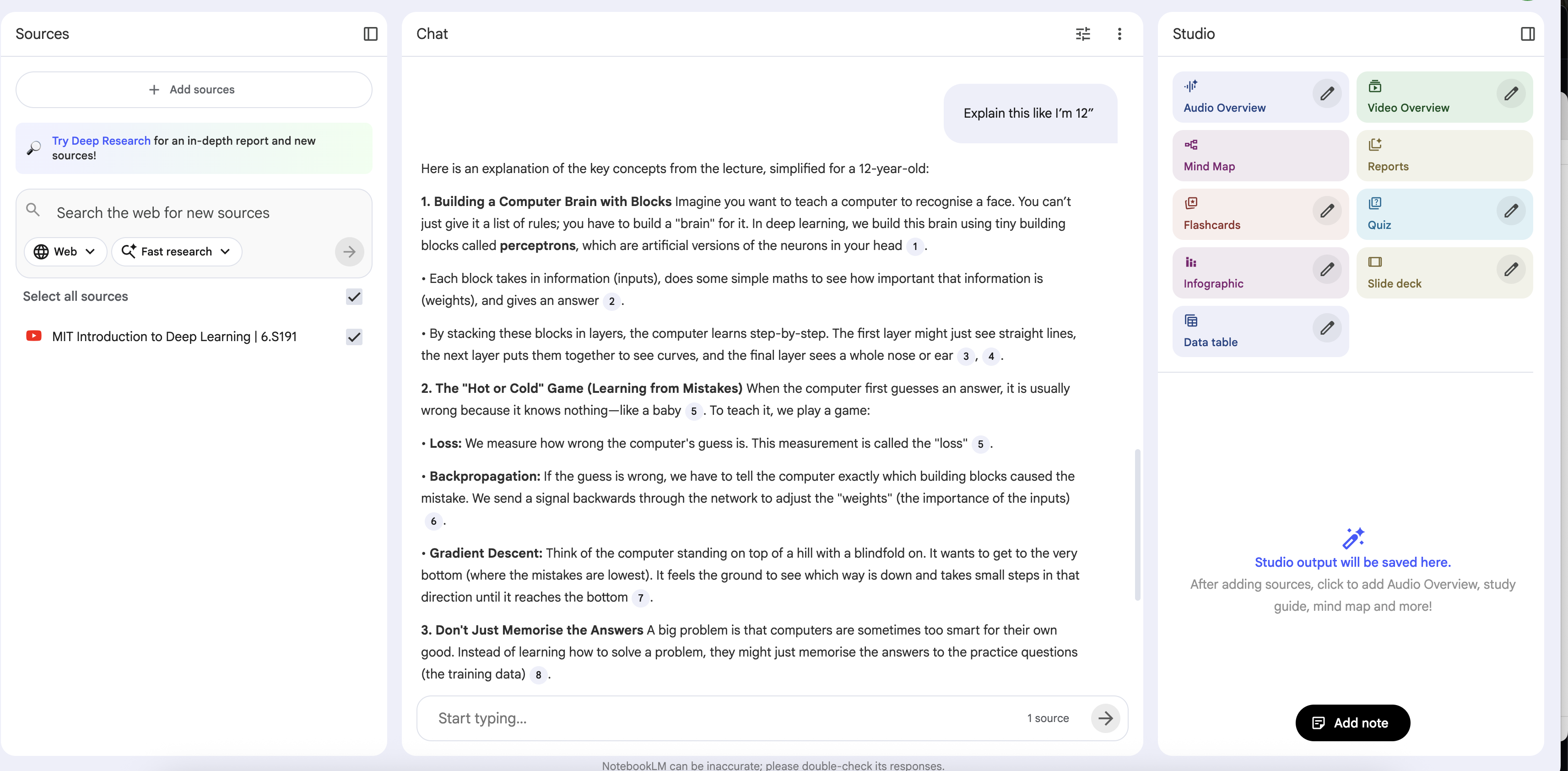
You understand how it works right? But let’s customize the NotebookLM a little bit more. Click on here.
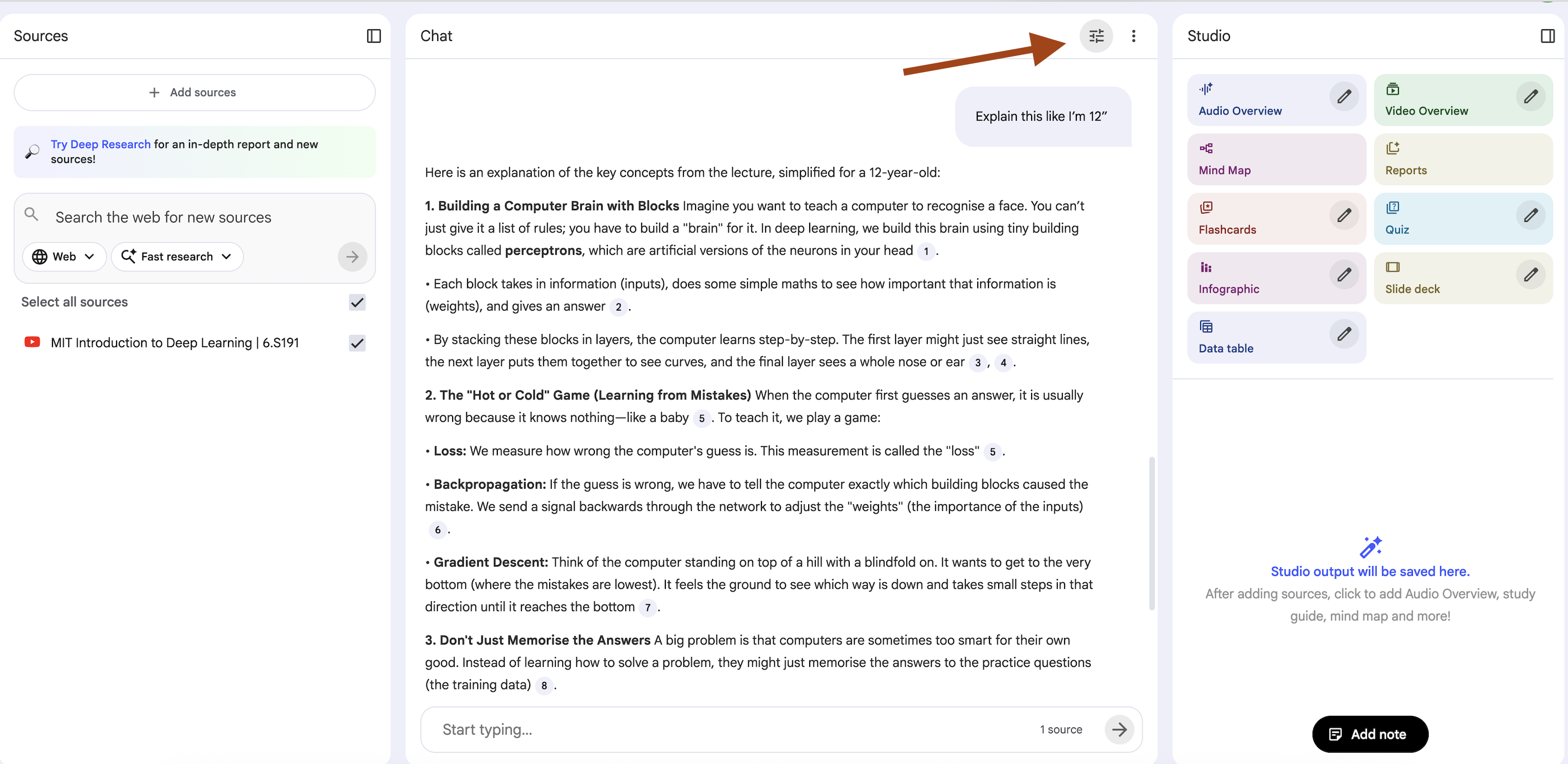
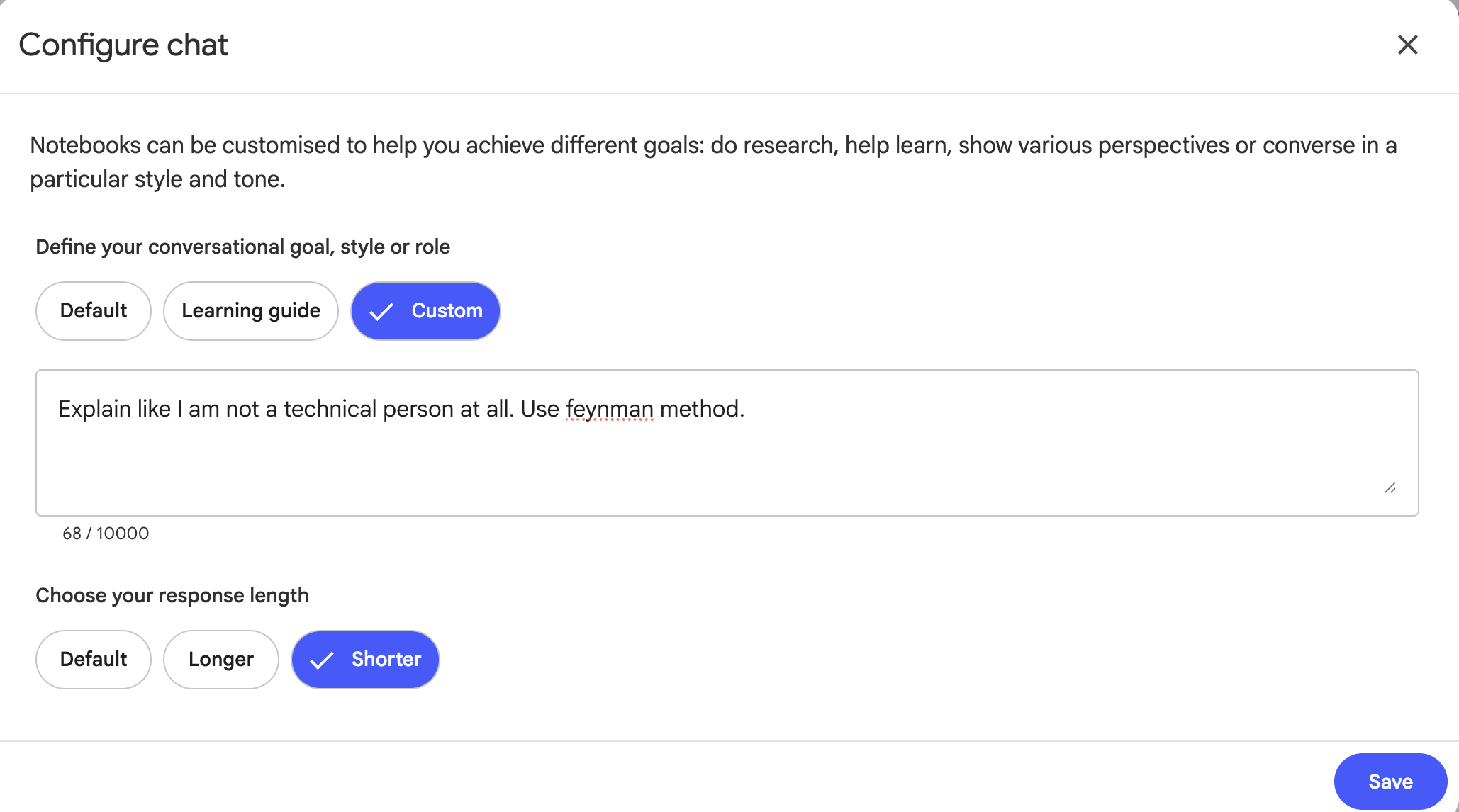
Select Custom and use this prompt:
Explain like I am not a technical person at all. Use feynman method.
Here how it looks like.
Now let’s use this prompt.
Main insights: “What are the key takeaways?”
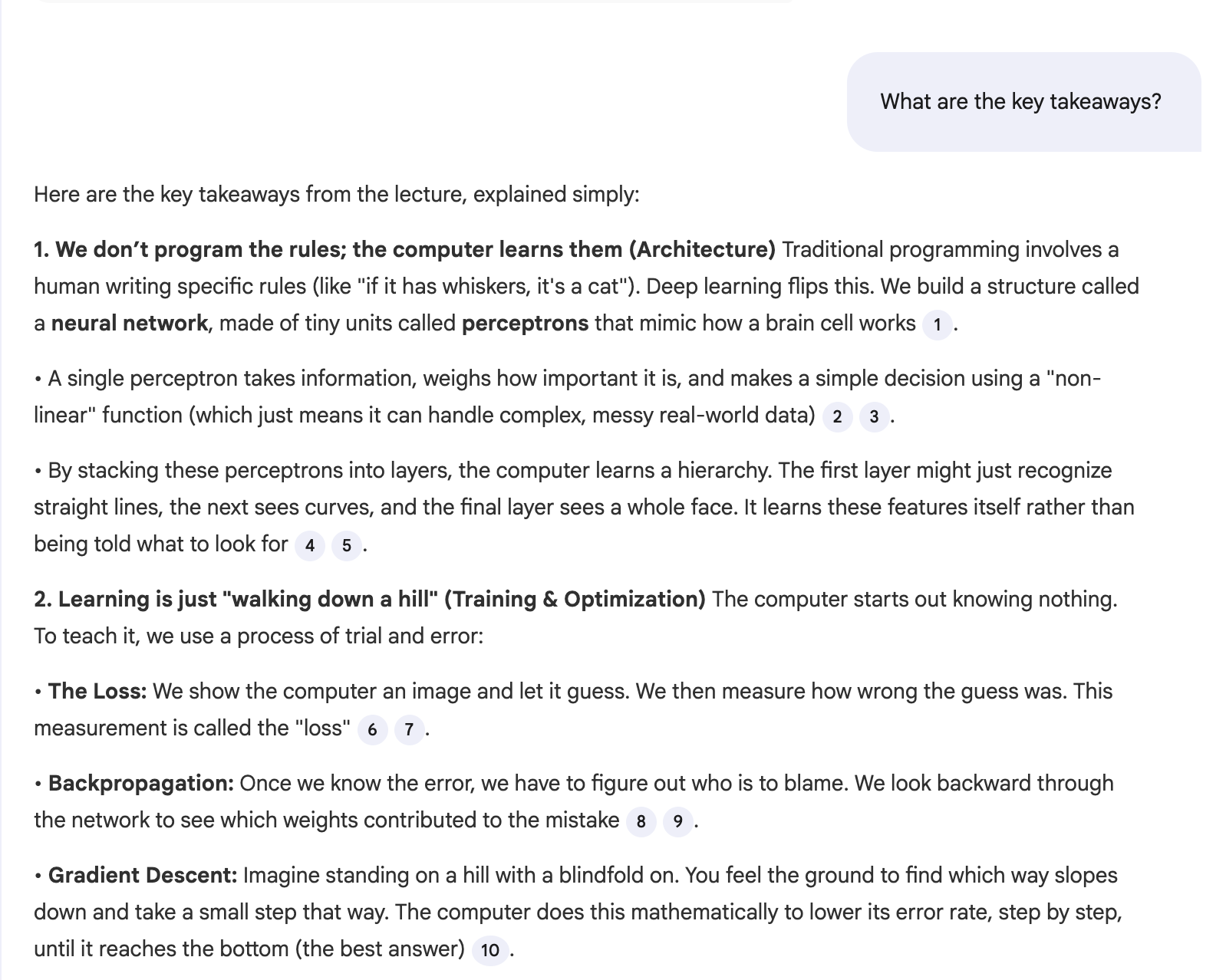
Did you see how the tone has changed?
But what if the source is not enough for you? Simple, add more sources.
Let me show you new way to do it. Use research and choose the source as web like this.
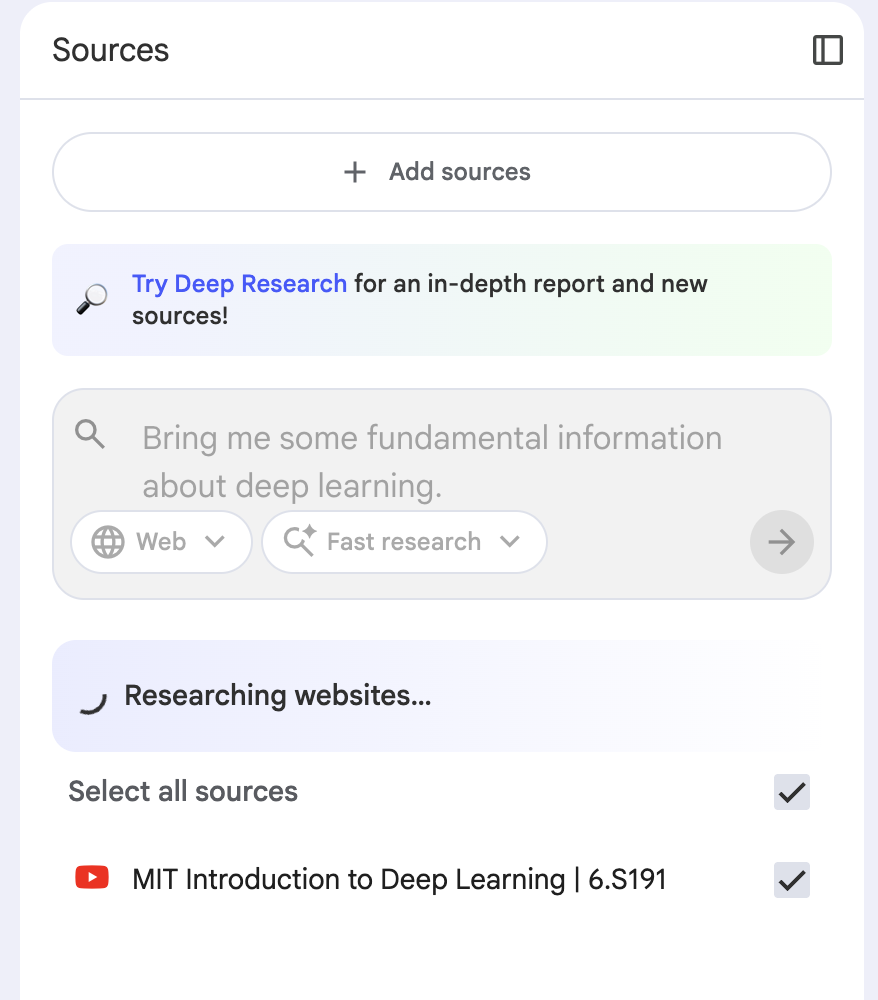
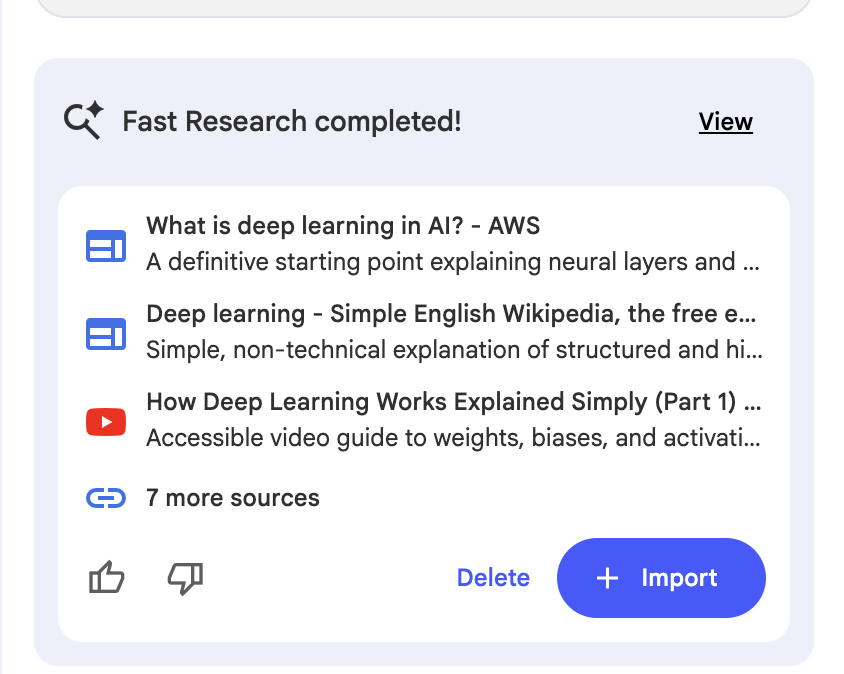
The research is completed. Now import them.
Let’s ask it to explain us Deep Learning one more time!
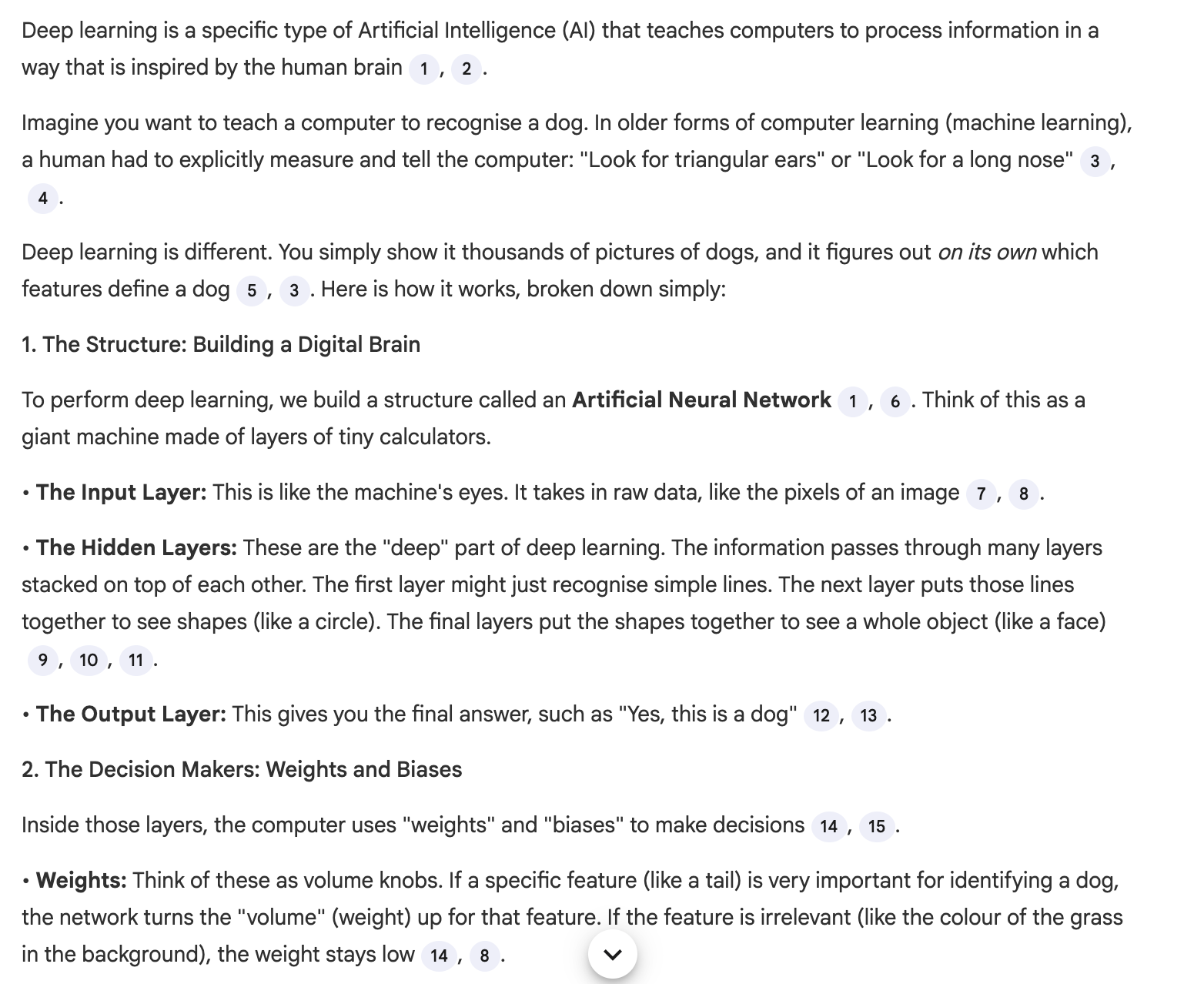
These alone will save you hours. For more simple prompts like these, see my research prompts.
All 6 prompts above are available in the Vault with advanced versions.
But the real power comes from structured prompts. I covered the basics in this one. This guide goes deeper.
Because, I spent my entire week testing 50+ well performed prompts across Reddit, X, and research communities.
These 10 consistently saved me the most time.
1. How Do You Use NotebookLM to Extract Essential Questions?
This prompt turns any long document into 5 focused questions that capture the core meaning. Instead of reading 300 pages, you answer 5 questions and understand everything. It works because essential questions force you to engage with main ideas, not details.
The Prompt:
Analyze all inputs and generate 5 essential questions that, when answered, capture the main points and core meaning of all inputs.
Why It Works?
Instead of reading everything, you get the 5 questions that matter. Answer those, and you understand the document.
2. How Do You Find Surprising Information in Your Sources?
This prompt surfaces the unexpected facts you’d miss on a normal read.
It comes from NotebookLM’s director Steven Johnson and focuses on pulling out “wow factor” moments with exact quotes.
Perfect for content creators, researchers, and anyone who needs to find the hook in dense material.
The Prompt:
What are the most surprising or interesting pieces of information in these sources?
Include key quotes.
Why It Works?
This prompt comes from NotebookLM’s director, Steven Johnson. It pulls out what you’d miss on a normal read.
3. How Do You Generate Debates from Documents?
This prompt forces NotebookLM to find contradictions and opposing viewpoints within your sources.
It creates a structured debate between two fictional scholars, each citing specific passages.
The synthesis at the end reveals nuances you’d never spot reading alone.
The Prompt:
Create a debate between two scholars who interpret this differently. Each must cite at least 3 passages.
End with a synthesis comparing strengths.
Why It Works?
Forces NotebookLM to find contradictions and nuance you’d never spot yourself.
4. How Do You Use NotebookLM to Create Slides Instantly?
This prompt converts any document into presentation-ready slides with clear titles and bullet points. No more staring at blank PowerPoint slides. Just copy the output and paste into your presentation software. Works for reports, research papers, and meeting notes.
The Prompt:
Summarize this document into 5-7 PowerPoint slides.
Each slide should have a clear title and 3-5 bullet points.
Why It Works?
Copy-paste ready. No staring at blank slides.
5. How Do You Synthesize a Literature Review?
This prompt identifies recurring themes across multiple papers and presents them in a structured table with citations.
What takes a PhD student a weekend takes NotebookLM 30 seconds.
It shows which papers discuss each theme and whether concepts are debated, assumed, or tested.
The Prompt
From papers on [TOPIC], identify 5-10 most recurring themes. For each theme provide:
1. Short definition in your own words
2. Which papers mention it (with citations)
3. One sentence on how it’s treated (debated, assumed, tested)
Present as structured table.
Why It Works?
What takes a PhD student a weekend takes NotebookLM 30 seconds.
6. How Do You Find Gaps in Your Analysis?
This prompt identifies blind spots in your work by asking NotebookLM to find what’s missing.
It’s simple but devastating, two sentences that reveal unanswered questions and overlooked areas.
Use it before submitting any analysis, report, or paper.
The Prompt:
What’s missing from this analysis? What questions remain unanswered?
Why It Works?
Simple but devastating. Finds the blind spots you didn’t know you had.
7. How Do You Challenge the Author’s Thesis?
This prompt constructs the opposite of what the author argues and finds evidence that accidentally supports it.
It uncovers biases, weak arguments, and one-sided reasoning.
Essential for critical thinking and academic work where you need to see both sides.
The Prompt:
Construct the reverse of the author’s thesis.
1. State the reversed thesis in ≤25 words.
2. List evidence the author would need (≥3 points).
3. Quote any lines that accidentally support the reversal.
Why It Works?
Uncovers biases. Finds weak arguments. Shows you the other side.
8. How Do You Summarize Meetings Automatically?
This prompt turns meeting transcripts into actionable summaries with decisions, owners, and deadlines.
Upload the transcript, run the prompt, and get a structured output in seconds.
No more “what did we decide?” emails.
Everyone leaves aligned.
The Prompt:
Create a meeting summary:

- Goal of meeting

- Key Decisions

- Action Items with owners

- Next Steps with deadlines
Why It Works?
Upload the transcript. Get actionable output in seconds.
9. How Do You Use NotebookLM to Generate Quizzes?
This prompt creates multiple-choice questions that test your understanding of the material.
It reveals what you actually learned versus what you think you learned.
Perfect for studying, training materials, or self-assessment before presentations.
The Prompt:
Generate 15 multiple-choice questions covering the key concepts.
Include correct answers and explanations.
Why It Works?T
ests your understanding. Reveals what you missed.
10. How Do You Map Connections Across Sources?
This prompt shows how concepts relate across multiple documents by identifying prerequisites, applications, and common misconceptions.
It builds the mental map you need to understand complex topics.
Shows relationships between ideas, not just isolated facts.
The Prompt:
How do concepts connect across these sources? Show:

- Prerequisites

- Applications

- Common misconceptions to avoid
Why It Works?
Builds the mental map you need.
Shows relationships, not just facts.
Where Can You Get More NotebookLM Prompts?
I’ve added 36 NotebookLM prompts to the Vault, including advanced versions of each prompt above, plus persona-based prompts, podcast generators, and academic research tools.
685+ prompts. All tested. Ready to copy-paste.
Just sign-up with the same email you did here and reach content.
Join the Vault → learnwithmeai.com/vault