Learn the NotebookLM to Gemini to Claude Code pipeline. Turn any YouTube video, PDF, or document into a working app. I built one with zero coding.
By Gencay
Published: 2026-01-13
URL: https://www.learnwithmeai.com/p/how-to-use-notebooklm-better-than

NotebookLM is not just a learning tool anymore.
Most people use it to summarize PDFs. Generate audio overviews. Maybe create a few flashcards.
That’s only a fraction of its power. NotebookLM connects to Gemini. Gemini connects to Claude Code. Together, they form a pipeline that turns any YouTube video, PDF, or document into a working application.
I built a live app using this workflow. You don’t need to know how to code; copy/paste the prompts, that’s it.
In this guide, you’ll learn the complete pipeline. By the end, you’ll know how to build apps from any content you consume.
1. What Is NotebookLM and How Does It Work?
NotebookLM might be Google's best AI product.
It processes your uploaded sources like PDFs, YouTube videos, Google Docs, and URLs.
Unlike ChatGPT, it only answers from your data. (less hallucination possibility).
You create a notebook by adding multiple sources. (up to 50)
It generates summaries, comparisons, flashcards, and infographics(using Nanobanana pro), and data tables from your content.
Before you build apps, you need to master the basics.
How to Create a Notebook?
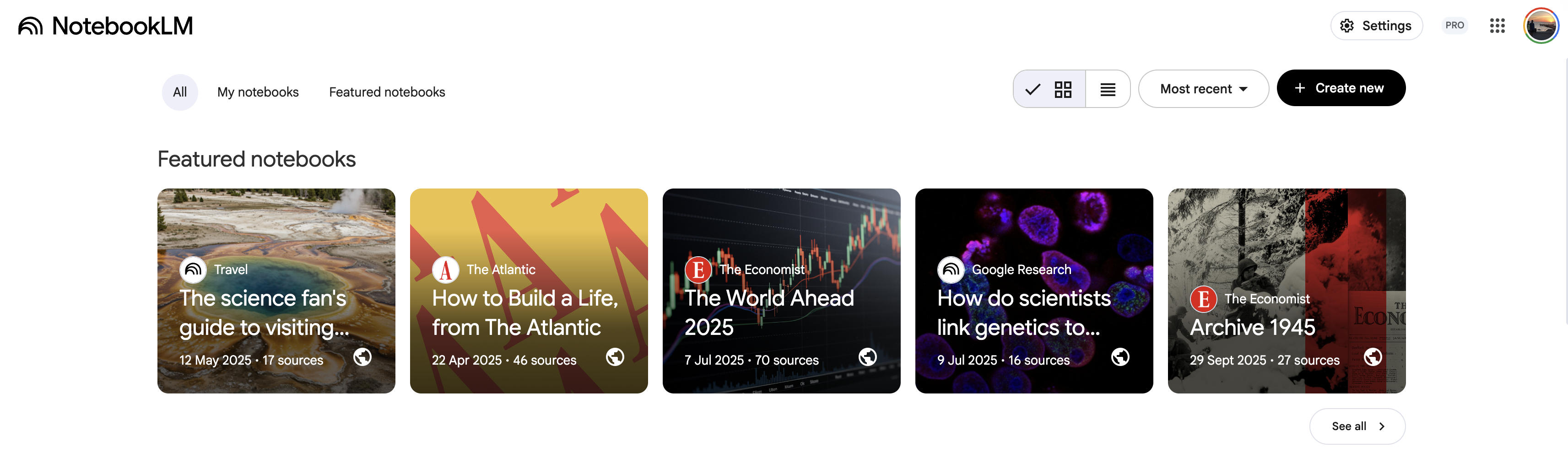
Visit notebooklm.google.com.
- Click “Try”
- Next, click on “Create New.”
- Add your sources: PDFs, Google Docs, URLs, or YouTube videos
- Name your notebook
That’s it.
NotebookLM now understands your content.
Quick Prompts That Work
These prompts work because NotebookLM only answers from your sources. No hallucination. No random internet results. Just your data.
- For summaries
Summarize the key points from all sources in bullet format.
- For comparisons
Compare the main arguments across these sources. What do they agree on? Where do they differ?
- For extraction
Extract all actionable steps mentioned in these sources.
- For teaching
Explain [concept] from these sources as if I’m a beginner.
2. How Do You Connect NotebookLM to Gemini?
Most people use NotebookLM in isolation.
Google quietly shipped something powerful. NotebookLM notebooks can be uploaded directly into Gemini. Your processed sources become a live AI app.
How to Connect?
- Create your NotebookLM with sources
- Open Gemini
- Click the “+” button
- Select NotebookLM as a source
- Choose your notebook
- Prompt: “Develop app from attached Notebook”
After doing this, your sources become the brain, and Gemini becomes the interface.
Real Examples
I built two apps in under 10 minutes each using only prompts.
Prompt Advisor App
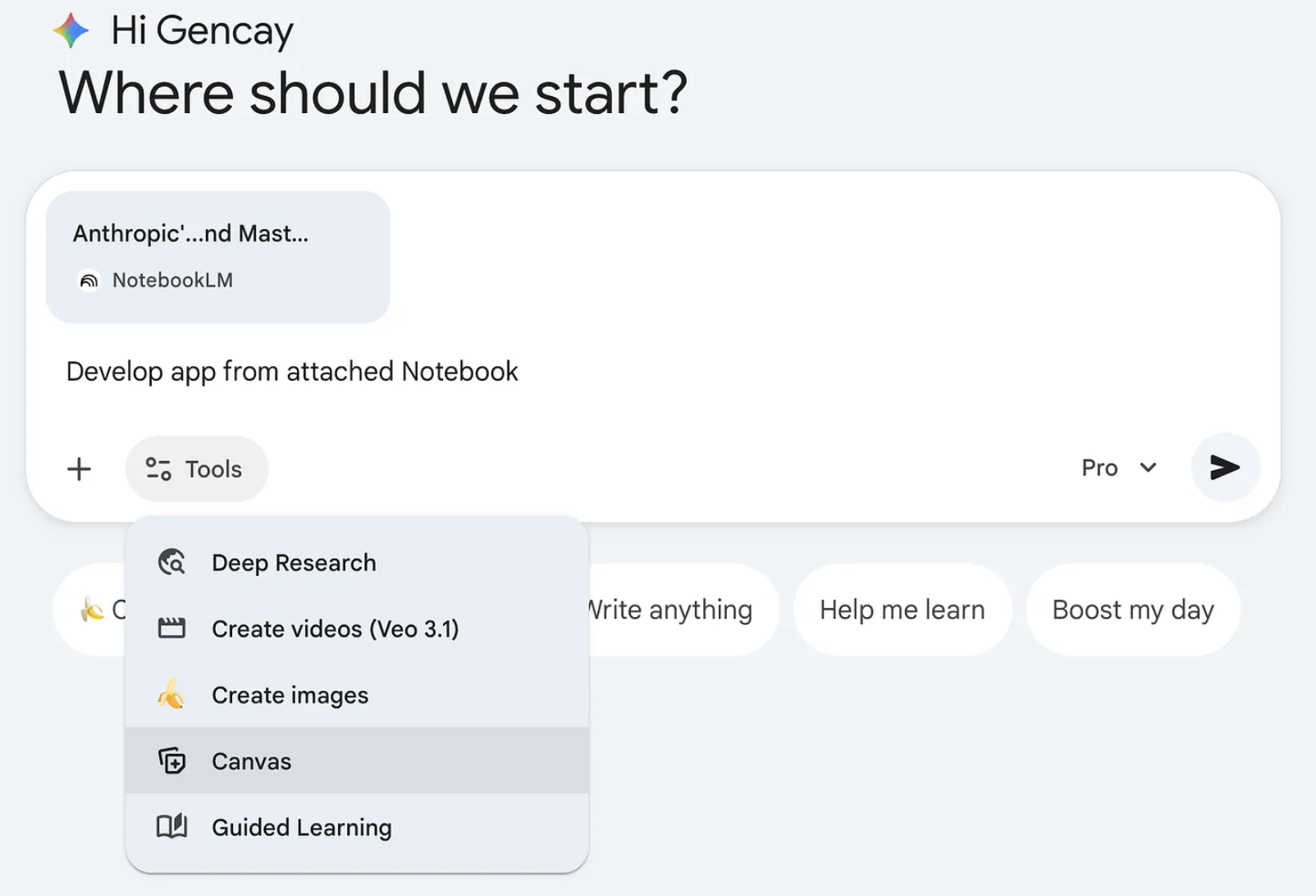
I used Anthropic’s Prompt Engineering course as the source.
NotebookLM prompt
Develop Prompt Adviser from attached Notebook.
Gemini built an app that analyzes, fixes, and improves prompts using techniques from Claude’s creators.
Added feature:
Add a Play button next to Copy so I can test the output using the Gemini API.
Now you can test prompts inside the app.
AI Teacher App
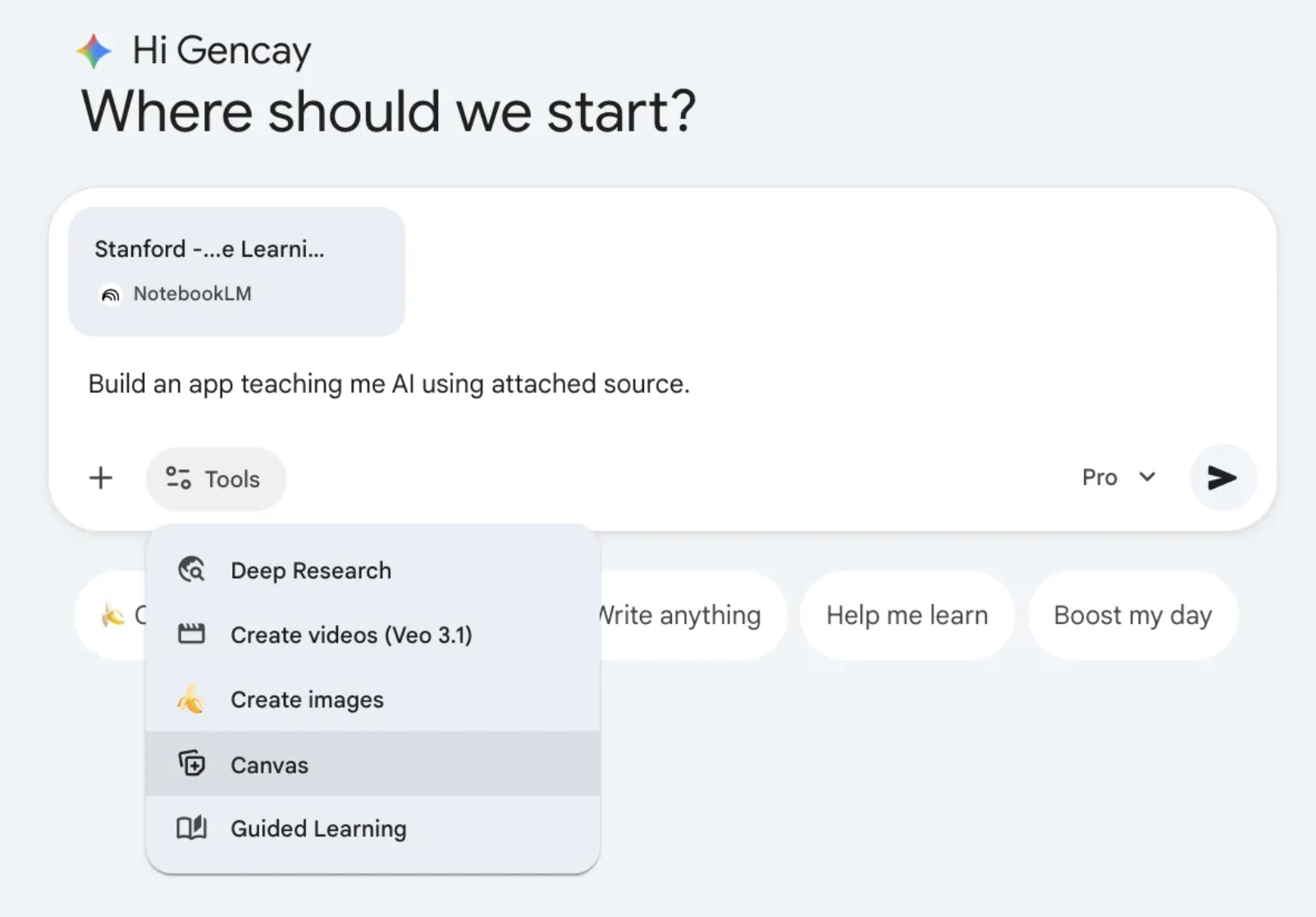
Source: Stanford’s Machine Learning playlist (20 videos).
Initial prompt:
Build an app teaching me AI using attached source.
Refinement:
First introduce key concepts. Before the quiz, use flashcards for memorization. Add infographics for each section.
Result: A personalized AI teacher built from Stanford lectures. Zero code.
Building Real Apps with Claude Code
NotebookLM + Gemini gives you a prototype. Claude Code turns it into a production app.
From Prototype to Product
Your Gemini app understands your project. But it has limits.
Claude Code removes those limits.
Ask your Gemini app to describe itself:
I'll build this app as a real product.
Explain this app clearly so I can build it end to end.
Include features, user flow, tech stack, and deployment details.
Copy that output. Open Claude Code. Paste the specification. Claude Code builds.
What I Built?
I built Digital Mentor. Historical figures as AI motivators. Marcus Aurelius. Nikola Tesla. 20 influential minds from history.
The idea came from a YouTube video. I trained NotebookLM with it. Connected to Gemini. Built a simple app.
But I wanted more. Different voices. Real conversations. A product people could use.
Claude Code made it possible.
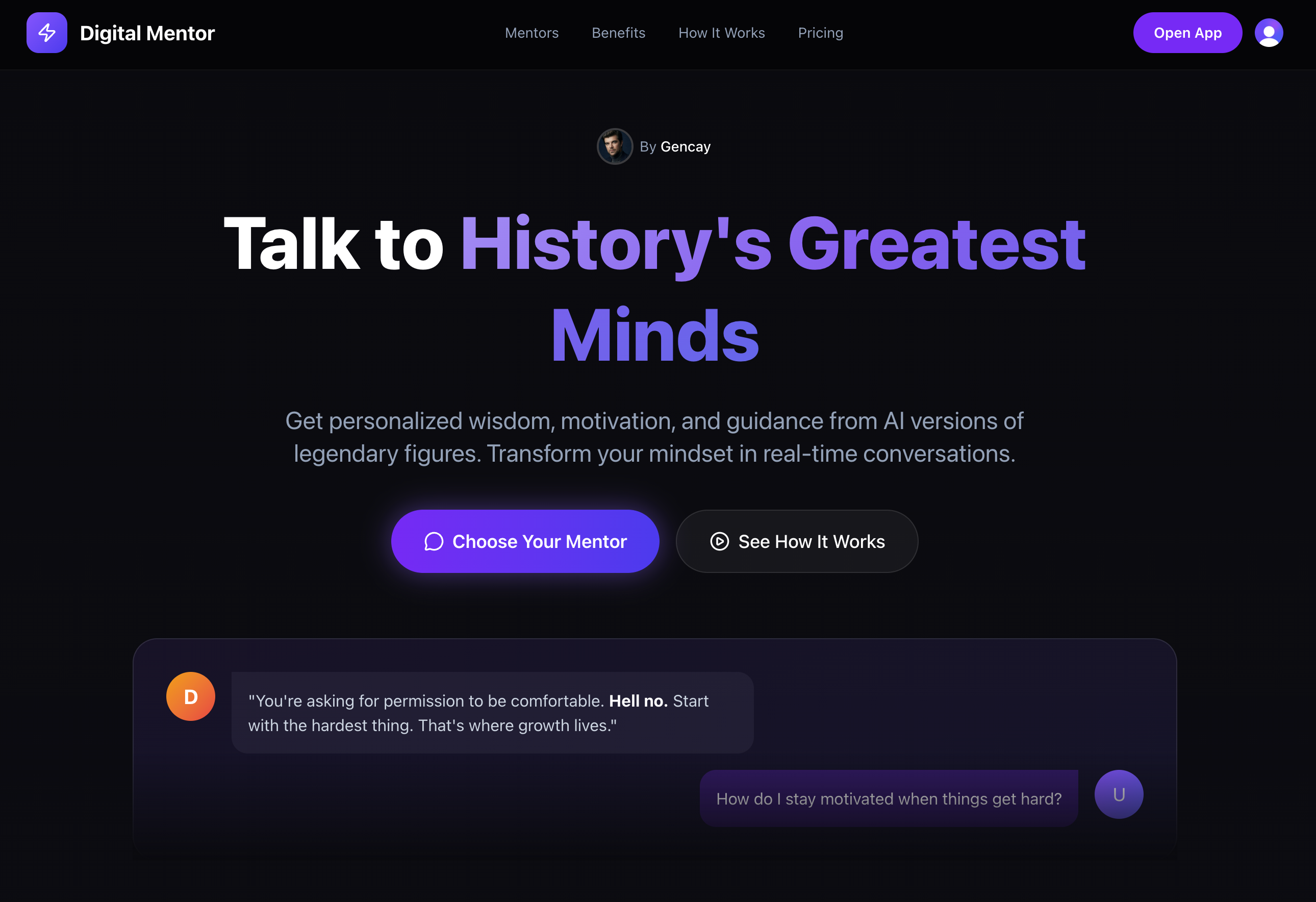
\Test it, 10 conversations in free limit, digitalment.org\
Once the base app works, you can extend it:
- User authentication: Add Clerk. Users can sign in and save their preferences.
- Database: Add Supabase. Store conversation history. Track user progress.
- Payments: Add Stripe. Turn your app into a business.
- Custom features: Voice integration with Eleven Labs. Custom AI personas. Whatever your app needs.
Each extension is a prompt away. Copy your API keys. Tell Claude Code what you want. It handles the integration.
I went from zero motivation to live app in five days. I'm not a developer. I had the right pipeline.
Team Training and Knowledge Base
NotebookLM answers the questions that fill your meetings.
Upload your company documents: onboarding guides, sales scripts, product specs, and FAQ documents.
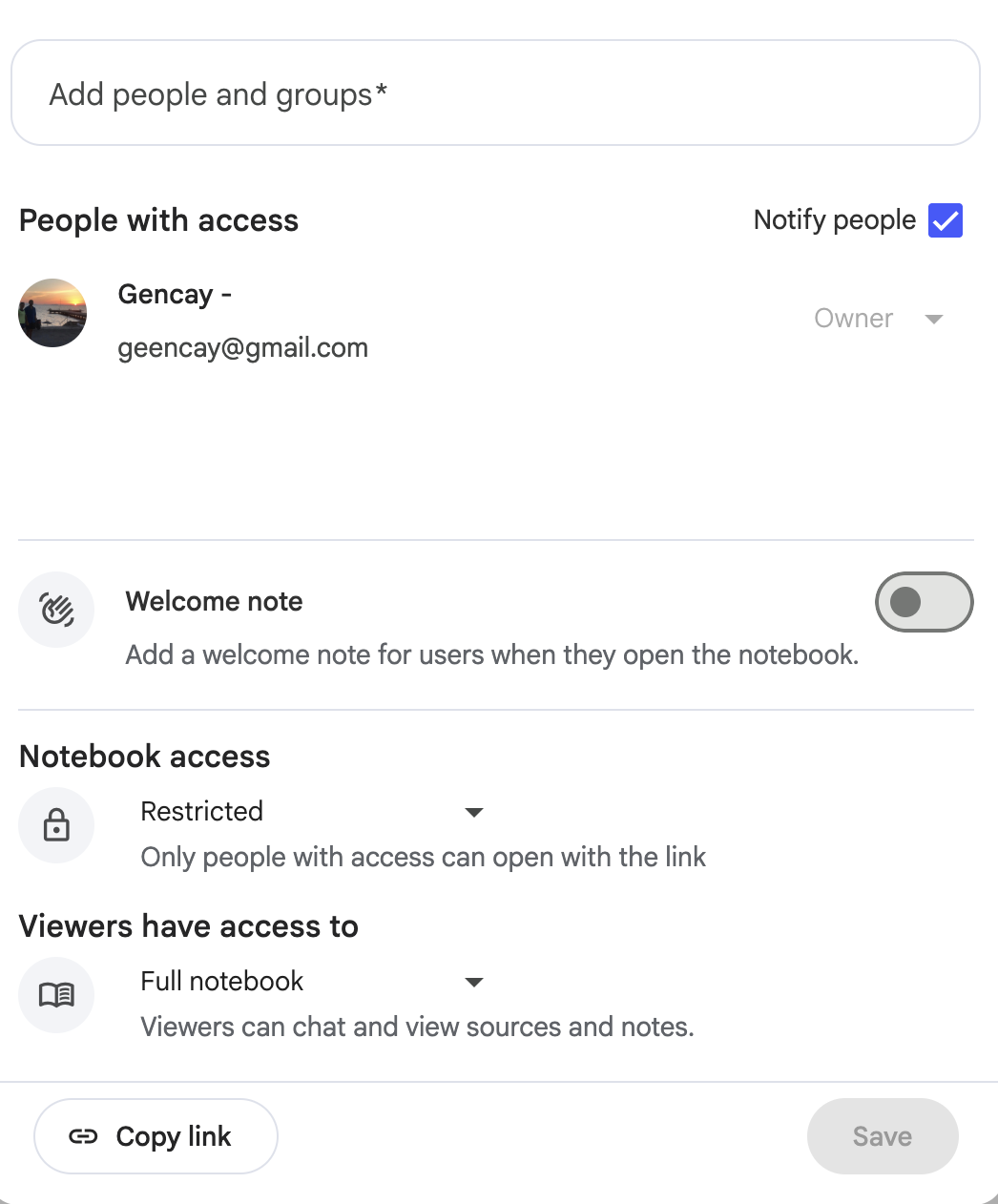
Share the notebook link with your team.
Custom Personas
Instruct NotebookLM to act in a specific role. How?
Click on the configure notebook.

Next, you’ll see the following screen.
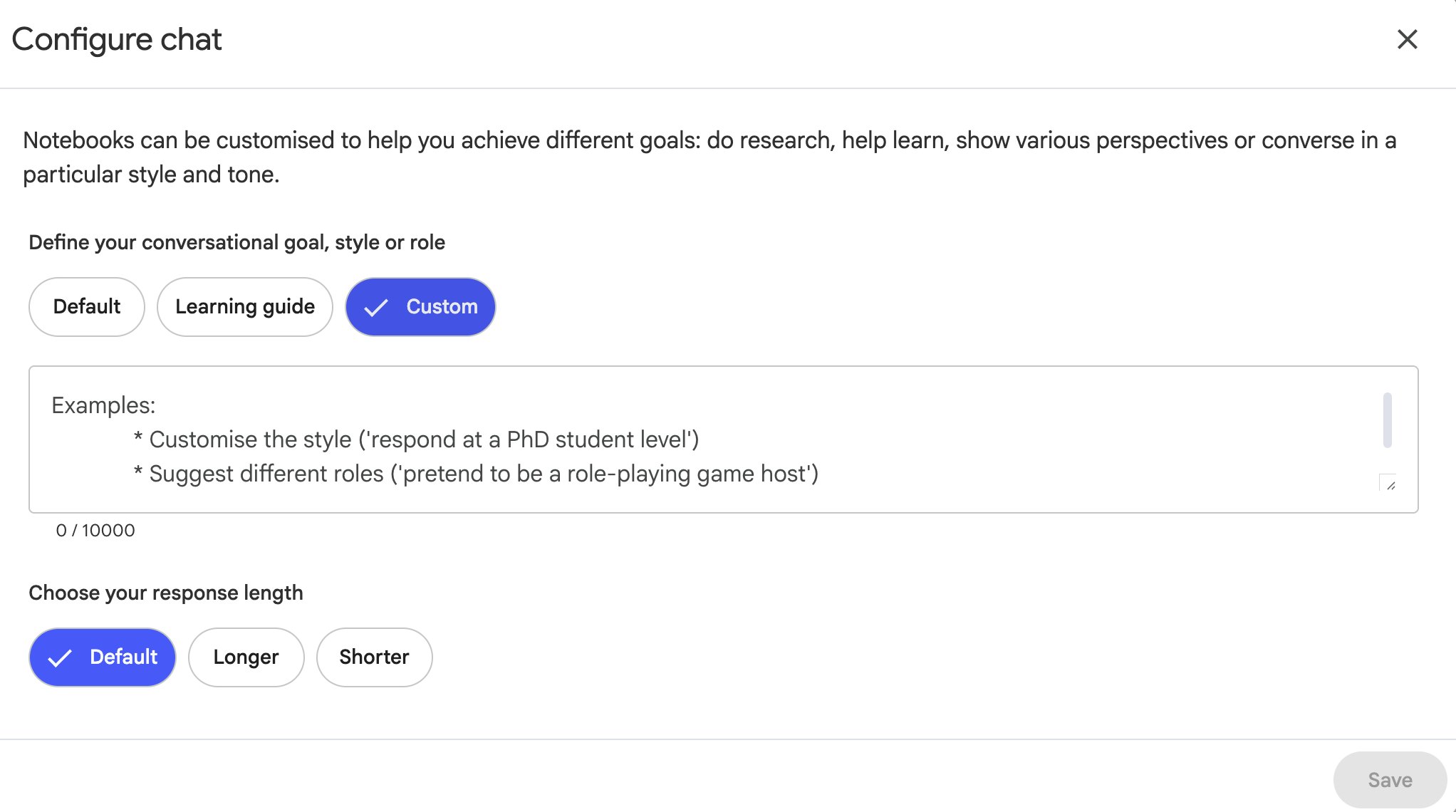
You can add different personas; check out these examples.
- Sales Trainer
Act as a Sales Trainer.
Answer questions using only the uploaded sales materials.
Be direct and practical.
- AI Automation Expert
Act as an AI Automation Expert.
Help team members build workflows based on our internal documentation.
Instant Support
Team members ask questions.
NotebookLM answers from your documents.
- “What are our pricing packages?”
- “How do we handle refunds?”
- “What’s the onboarding process for enterprise clients?”
Immediate answers.
Collaboration Features
- Invite people as viewers or editors.
- Give full access to sources and notes.
- Or limit access to the chat interface only.
- Publish notebooks publicly if needed.
Conclusion
The pipeline is simple:
- NotebookLM: Distill information from any source
- Gemini: Turn that information into an interactive prototype
- Claude Code: Build a production app with authentication, database, and payments
Most people stop at step one. Now you know all three.
What will you build?