I've built 60+ AI agents for companies worldwide. Now I'm showing you the exact method, 3 production-ready agents, step-by-step, zero code.
By Gencay
Published: 2025-12-30
URL: https://www.learnwithmeai.com/p/i-built-20k-worth-of-ai-agents-zero

I’ve built 60+ AI agents for 20+ companies around the globe. Most charged $5K-$15K per agent.
Today, I’m giving away the fastest and best method. 3 production-ready agents. Step-by-step. Zero code.
All you need is 30 minutes, and setting up terminal-based agents like Claude Code, Gemini CLI(free), or Codex.
1. Setting Up Terminal-Based Agents as a Team
We have 3 options: Claude Code, Gemini CLI, and Codex.
These agents can do anything for you, because you will initiate these agents on your terminal.
These copy/paste codes will be the only code you’ll run.
Option A: Claude Code
1- Install Claude code.
npm install -g @anthropic-ai/claude-code
2 - Initiate Claude using the following code.
claude
3 - Sign in to your Claude account. If you have not already, sign in here.
Option B: Gemini CLI
1- Install Gemini CLI.
npm install -g @google/gemini-cli
2- Initiate Gemini CLI, using the following code.
gemini
3 - Sign in to your Google account.
Option C: Codex
1- Install Codex.
npm i -g @openai/codex
2 - Initiate Claude using the following code.
codex
3 - Sign in to your ChatGPT account.
2. Three Agents Worth $20K+ (We're Building All Three)
Now we’ll build 3 agents and implement an interface to all of these agents one-by-one.
- Agent 1: Book Writer, $5K
Writes entire books. Outline → chapters → edits → done.
Example: Generated “The Future of AI” — 10 chapters, 15,000 words, 5 minutes.
Clients: Authors, agencies, ghostwriters. Build time: 20 min.
- Agent 2: Study Partner, $7K
Finds syllabus from the web. Then teaches you through conversation.
You learn by talking, not watching.
Clients: EdTech, course creators, students. Build time: 30 min.
- Agent 3: Stock Analyzer — $8K
Pulls market data. Analyzes financials. Gives hold/buy/sell with reasoning.
Example output: “PLTR: Hold. Strong revenue growth, high P/E risk, contract dependency.” Clients: Trading firms, advisors, investors. Build time: 30 min.
Build time: 30 min each tops.
Do you have 30 minutes?
Because we’re about to write a book, automate stock analysis, and install a 24/7 working study partner!
3. Suggested Setup
You need a solid setup to make the entire journey better.
First, create folders for each agent, and I highly recommendthat you download VS Code for free. Why?
VS Code has an extension for each of these terminal-based agents, as you can see in this screenshot.
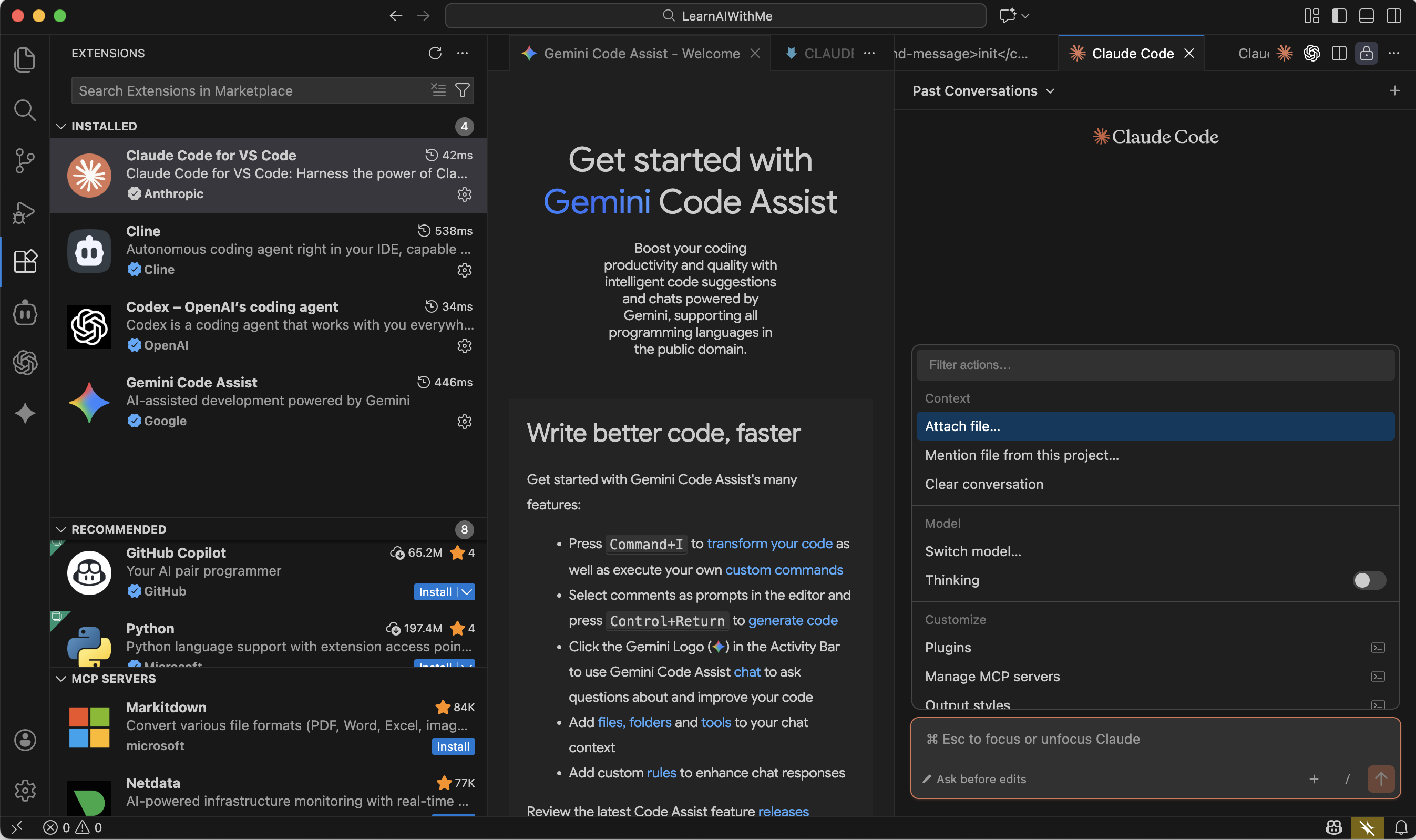
By using these extensions, your experience becomes more prompt-driven. You can attach files, switch models, and manage plugins and MCP servers as well.
4. Source - Github
Visit here: https://github.com/ashishpatel26/500-AI-Agents-Projects?tab=readme-ov-file.
You can select any of them. They are ready-to-use agents.
We’ll build 3, starting with Book Writer Agent.
1. Book Writer Agent
I selected this one.

Here is the link to this agent.
https://github.com/ashishpatel26/500-AI-Agents-Projects?tab=readme-ov-file
Prompt
We need a simple prompt.
Here is the GitHub link: https://github.com/crewAIInc/crewAI-examples/tree/main/flows/write_a_book_with_flows
I want you to build this agent, implement a frontend to run it, and create a .env file so I can add my OpenAI API key and SerpAPI key.
API Keys
- Serper API- Link: http://serpapi.com/ # Free tier
Instructions
Open Visual Studio Code.
Open a new project by selecting the folder you just created.
Paste the prompt we crafted above.
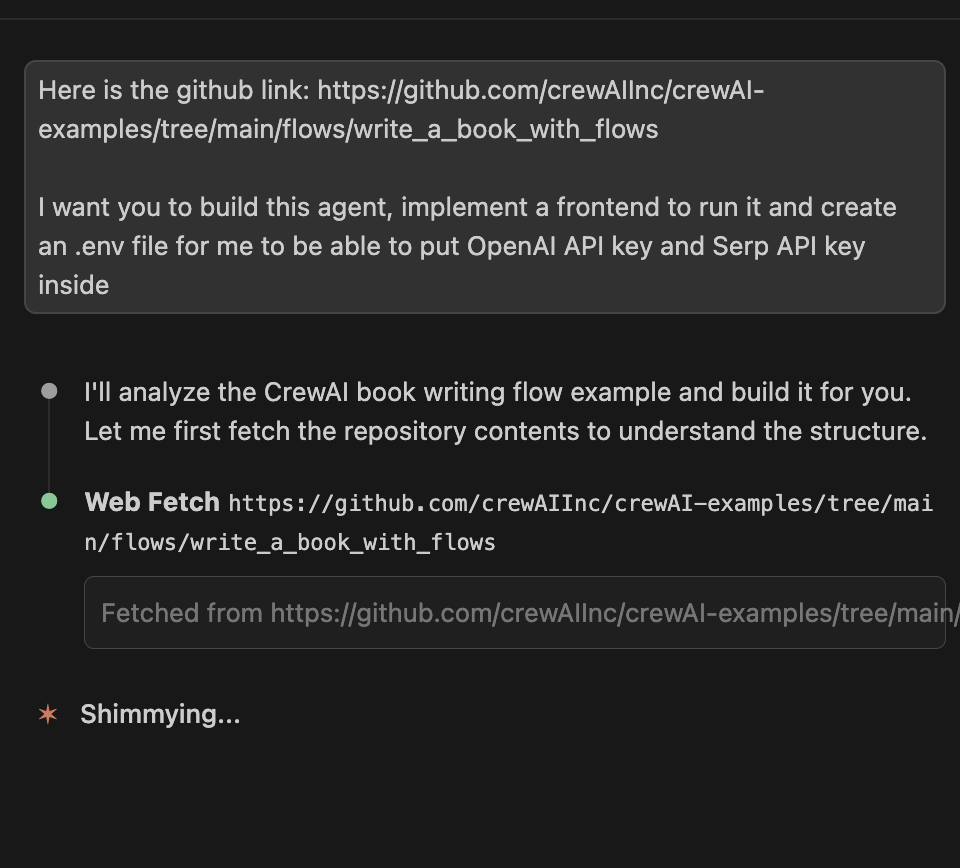
During that time, after it creates .env a file, fill it with your API keys.
And it is done!
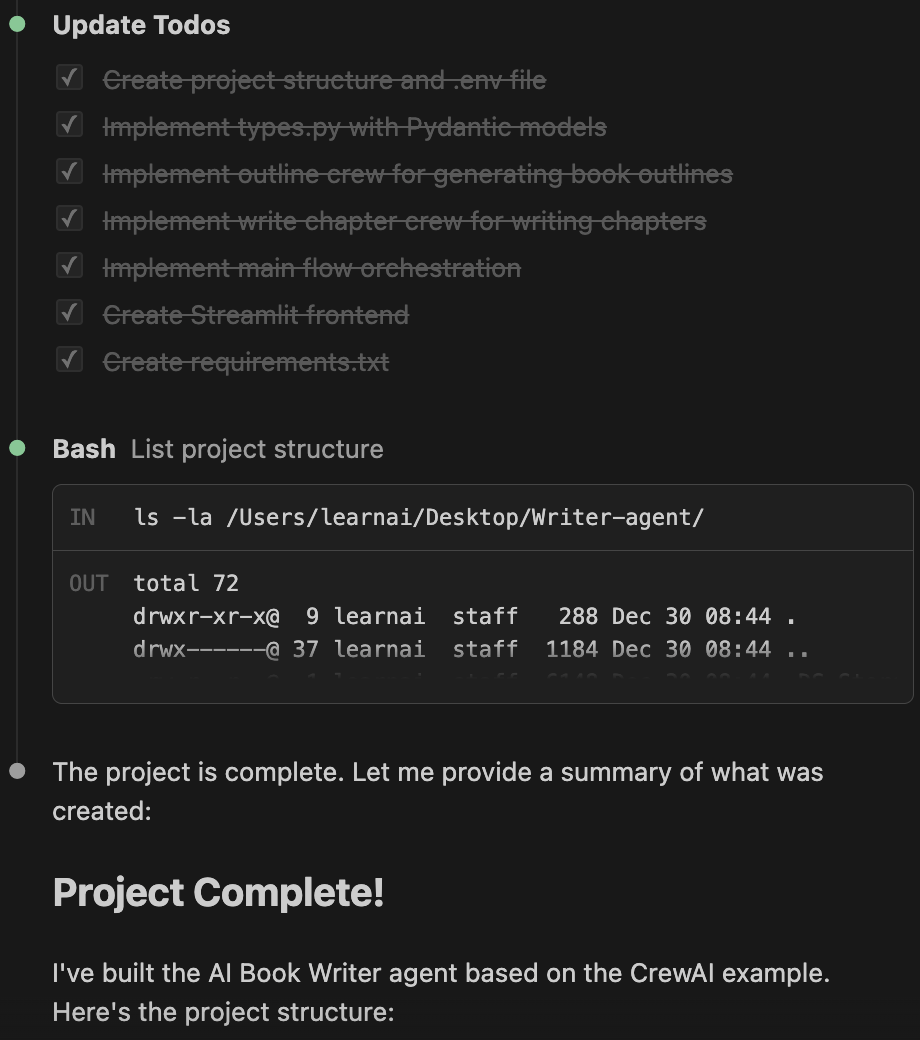
Let’s test it!
Note: The entire process took 5 min long, but I edited the video so you can watch it faster.
It writes an entire book in just 5 minutes.
2. Stock Analysis Agent
Next, let’s build a stock analysis agent.

You know how to build it, so if you want to learn how to build agents like me, stop here and try building yourself. You have a very intelligent system at your disposal; ask AI if you can not.
Prompt
Here is the GitHub link: https://github.com/crewAIInc/crewAI-examples/tree/main/crews/stock_analysis
I want you to build this agent, implement a frontend to run it, and create a .env file so I can add my OpenAI API key.
Select the Model GPT 5.2 instead of ChatGPT 3.5.
API Keys
- SERPER\API\KEY=KEY # https://serper.dev/ (free tier)
- BROWSERLESS\API\KEY=KEY # https://www.browserless.io/ (free tier)
- SEC\API\API\_KEY=KEY # https://sec-api.io/ (free tier)
- OPENAI\API\KEY=K
Instructions
- Open Visual Studio Code.
- Open a new project by selecting the folder you just created.
- Initiate the Claude Code
- Paste the prompt we crafted above.
Next, it will ask your permission to fetch knowledge from the web and generate a plan to fulfill this task.
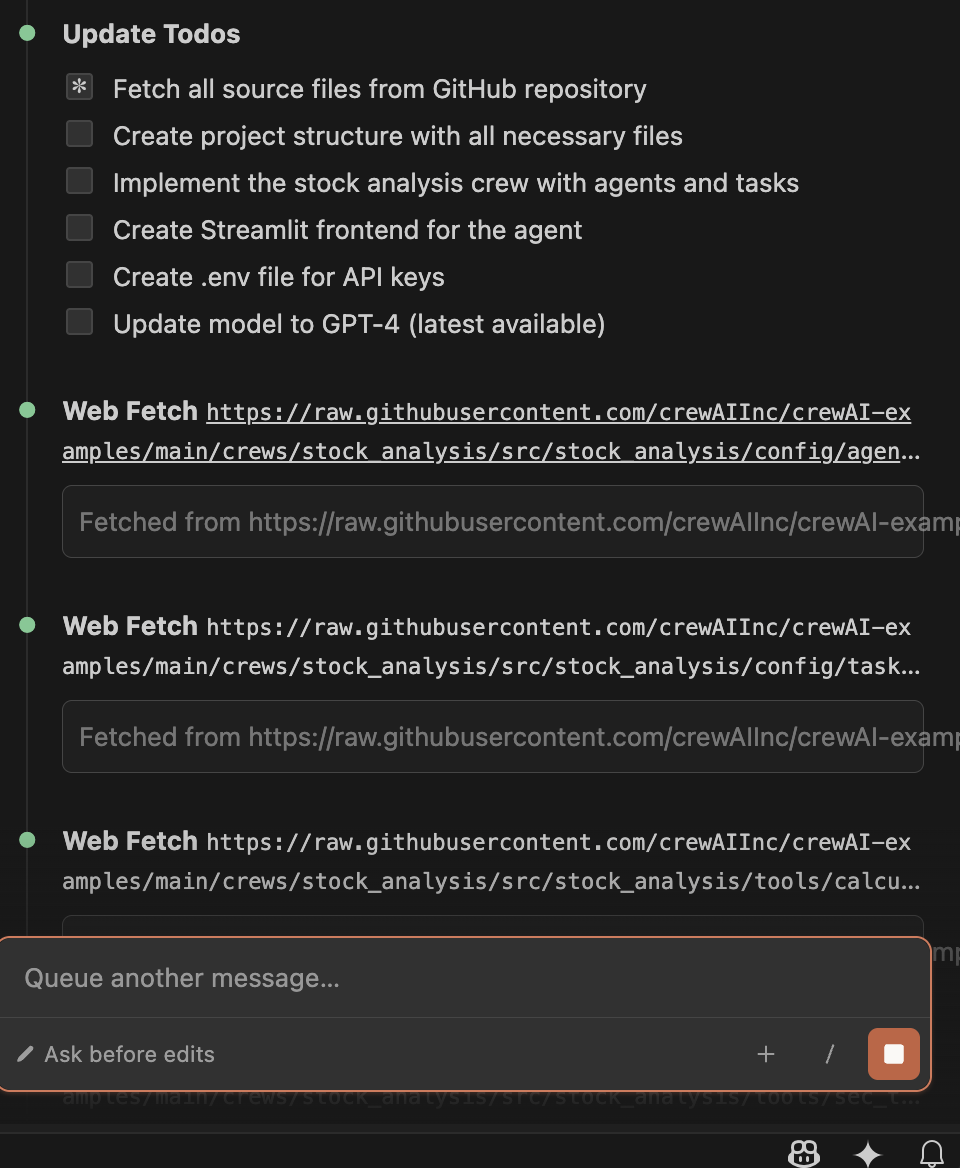
Fill the .env file with the API keys you collected.
Let’s see how it is working.
3- Study Partner
Let’s select this one to learn anything using AI.

Prompt
I want to build agent from this repo:
https://github.com/hqanhh/EduGPT
Create .env file so I can put my OpenAI API and you go to this github learn how we built this agent and implement a simple frontend for this agent so I can run it
API Keys
- OPENAI\API\KEY=K
Instructions
- Open Visual Studio Code.
- Open a new project by selecting the folder you just created.
- Initiate the Claude Code
- Paste the prompt we crafted above.
Next, it will ask your permission to fetch knowledge from the web and generate a plan to fulfill this task.
During that time, after it creates .env a file, fill it with your API key.
Now it is ready, let’s see.
Final Thoughts
Three agents. Under 90 minutes total. Zero code.
Book Writer. Stock Analyzer. Study Partner.
These are the same systems companies pay $5K-$15K for.
The difference? They hire developers. You used a prompt.
Claude Code, Gemini CLI, Codex—pick your tool. The method is the same:
- Find the repo
- Write the prompt
- Let the agent build itself
Stop learning AI. Start deploying it.
The 500+ agent repo is your playground now. Pick the next one and build.