What I learned from OpenAI's official documentation (and why most people are missing it)
By Gencay
Published: 2025-09-16
URL: https://www.learnwithmeai.com/p/gpt-5-is-breaking-every-prompting

If you're still using GPT-4 prompting techniques, you're not using GPT-5's true potential. OpenAI's new model isn't just smarter, it requires a completely different approach.
Here's the shocking truth: Your previous prompts might actually be hurting GPT-5's performance. Forget your old mindset of "be thorough," "gather all information," and "explain everything." GPT-5 is so intelligent that over-guidance is slowing it down.
In this article, I'll share changes extracted from OpenAI's official documentation. We'll build this knowledge into a real Reply Assistant, something you can actually use daily for Slack, Email, and WhatsApp responses.
Ready? Because most of what you know is now obsolete.
What do we offer to the paid subscribers?
We don’t just give you articles; we offer far more resources:
Price: $8 per month or $80 per year until November.
- (Price increases by 40% starting in November.)
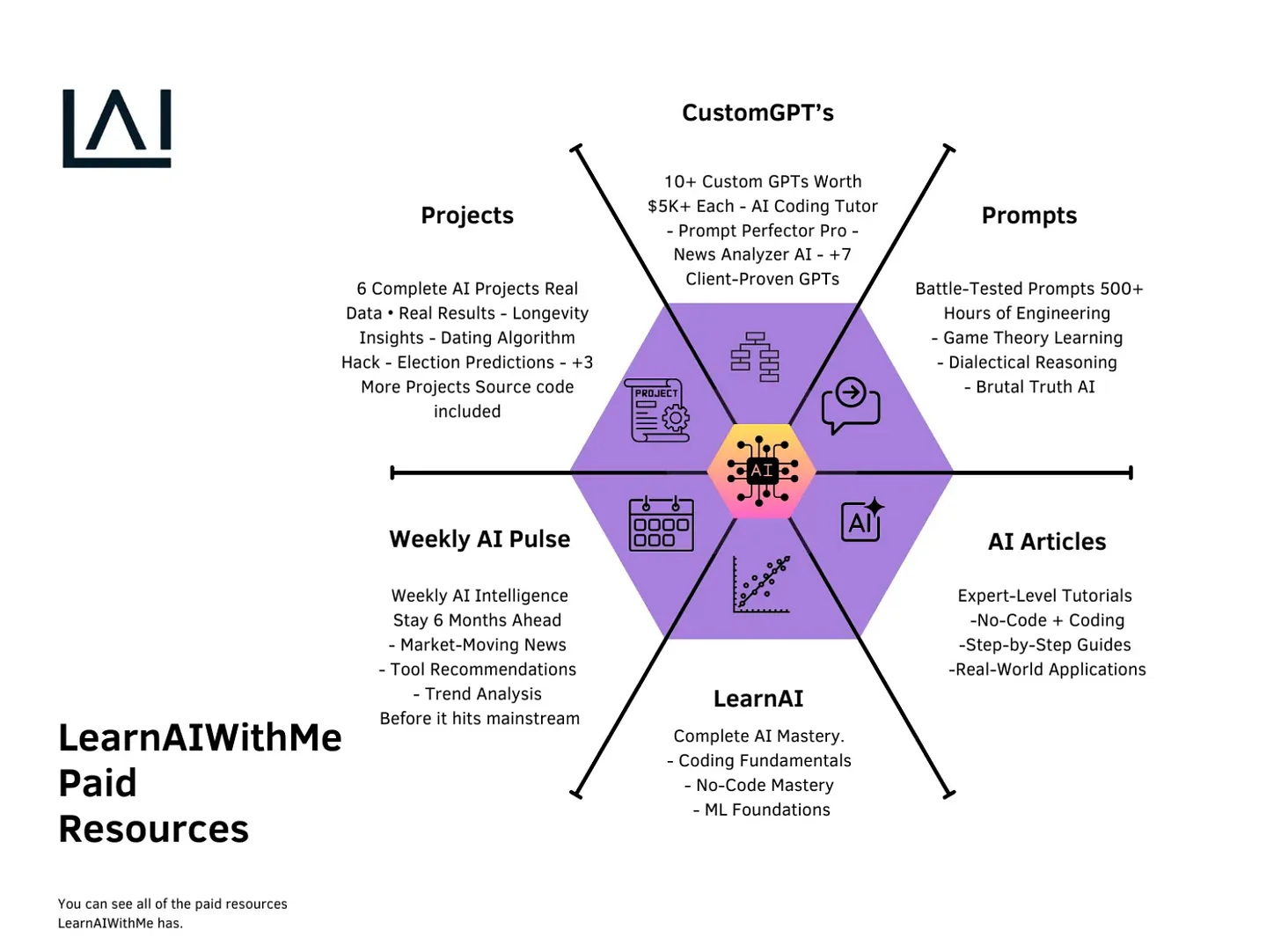
What’s included?
- Learn AI: Weekly tutorials covering both no-code and coding approaches. I publish every Thursday.
- Weekly AI Pulse: The most important AI news, tools, and practical prompts each week
- AI Projects: Complete project walkthroughs with source code, including data analysis projects likeLife Longevity Factors, Election Prediction, and Obesity Analysis.
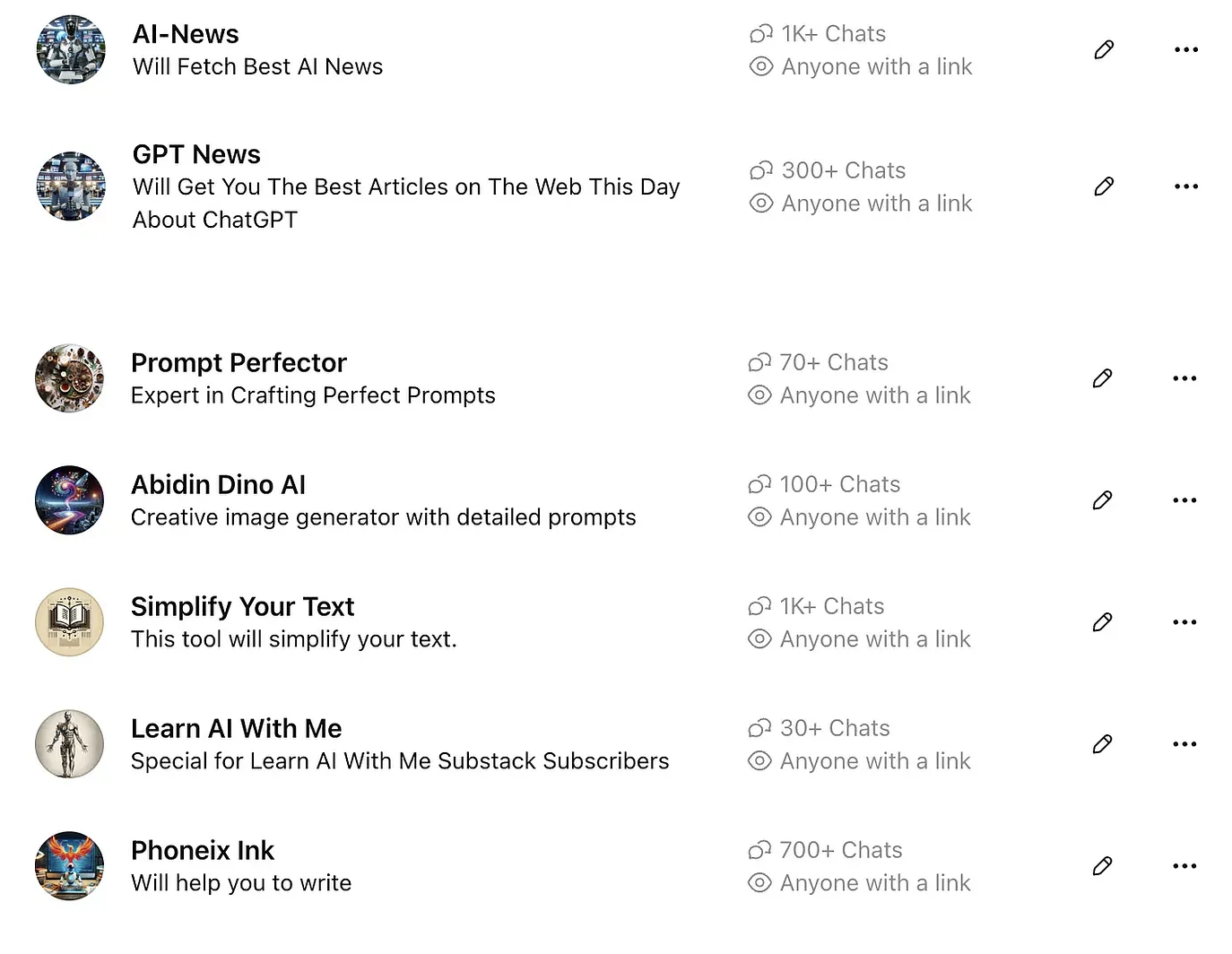
- Custom GPTs: Links will be included in the welcome email after you subscribe.
Here are some of them;
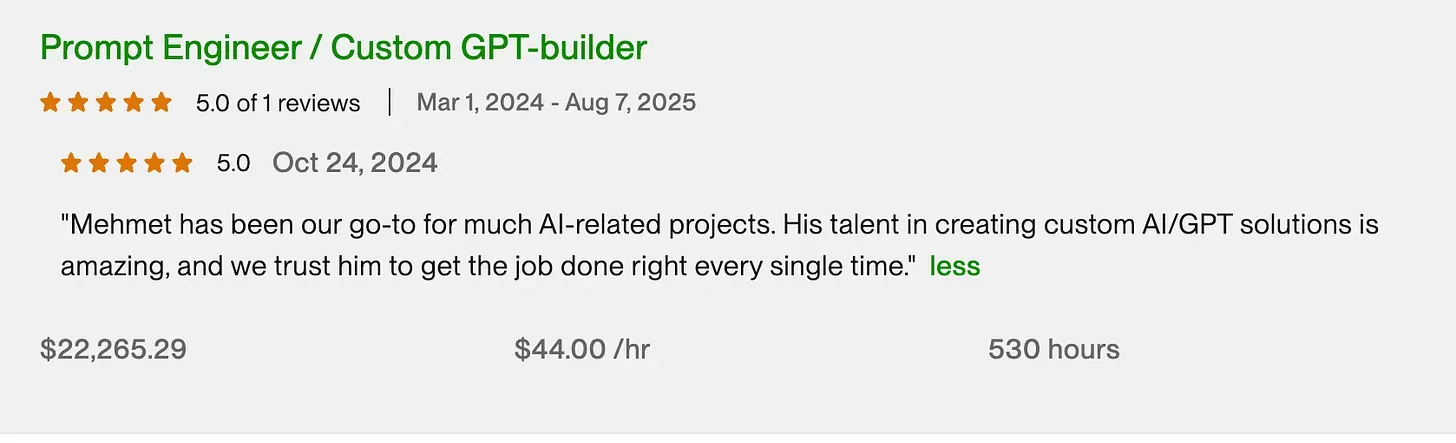
- Prompts: With over 500+ hours of prompt engineering experience, I've developed specialized prompts and custom GPTs for clients across Europe.
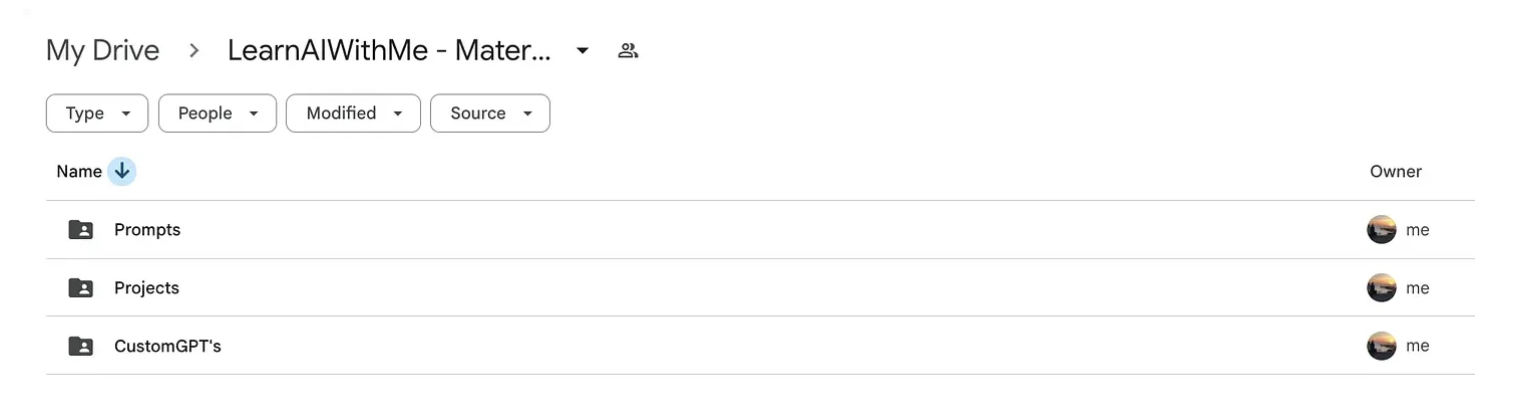
Once you become a paid subscriber, my welcome message includes links to access additional content above. (Prompts, Projects, and CustomGPTs).
The Real-World Challenge: Reply Assistant
Most of us spend hours daily replying to messages, whether it's Slack conversations, professional emails, or WhatsApp chats.
Each platform needs a different tone and approach.
So let's build the ultimate Universal Reply Assistant that adapts to any platform and context.
Real scenarios we'll solve:
- Slack: Replying to urgent team updates, handling difficult feedback
- Email: Professional client responses, meeting follow-ups, negotiations
- WhatsApp: Personal but professional messages, quick confirmations, casual updates
And we’ll follow the prompting rules that GPT-5 understands best, doing this.
Our Assistant's Input:
Platform: [Slack/Email/WhatsApp]
Original Message: [paste the message you received]
Your Reply Intent: [what you want to communicate]
Your Name: [your name]
Relationship: [client/colleague/friend/boss]
Urgency: [low/medium/high]
Platform-Specific Intelligence:
- Slack: Concise, emoji-friendly, thread-aware
- Email: Professional structure, proper greetings/closings
- WhatsApp: Casual but clear, shorter paragraphs
Here is the paper OpenAI has released.
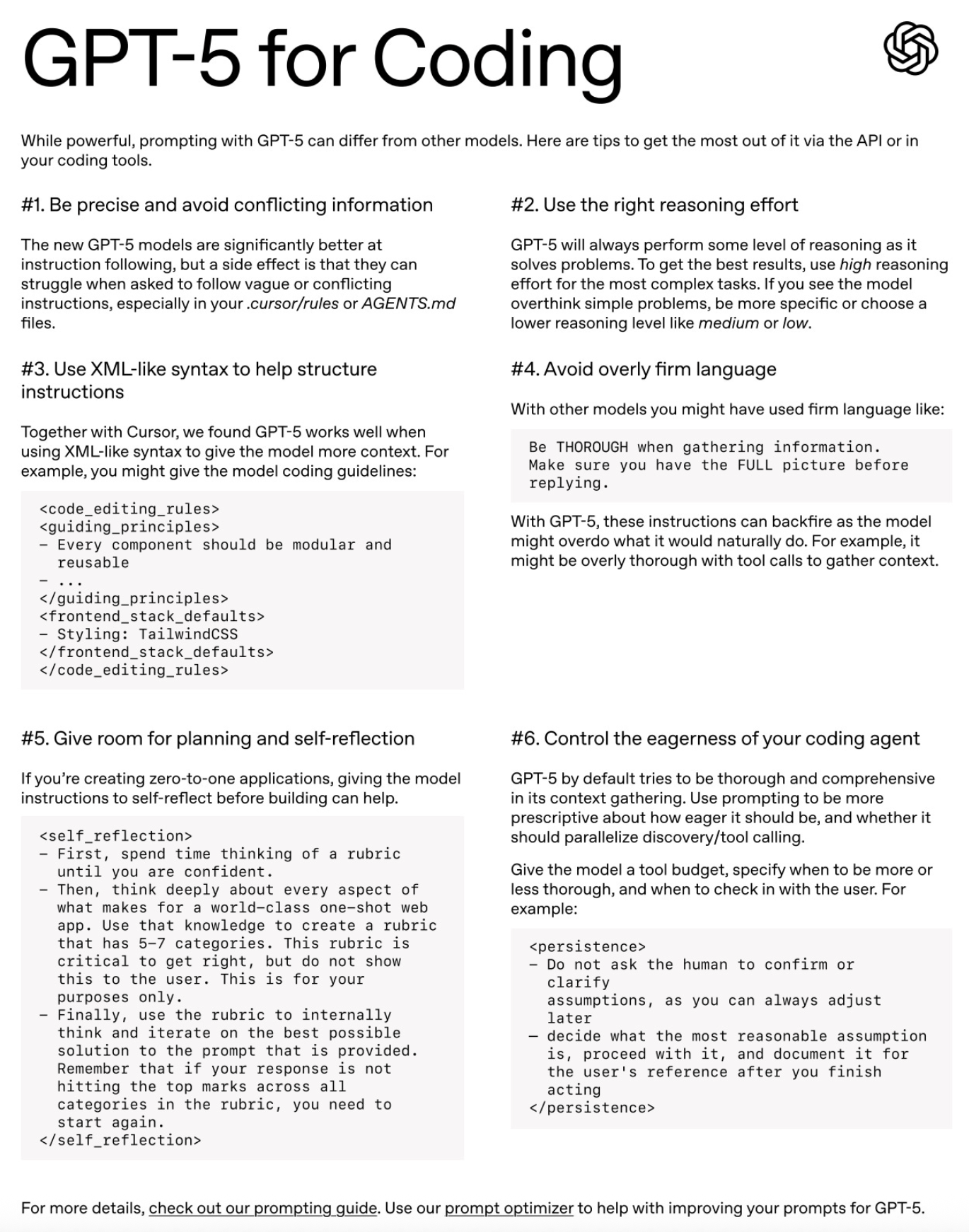
Now, we’ll update the instructions of this GPT by following the six rules that OpenAI actually released.
Rule #1: Be Precise and Avoid Conflicting Information
GPT-5 follows instructions with precision, but conflicting instructions waste reasoning tokens.
Unlike GPT-4 which might ignore contradictions, GPT-5 struggles to reconcile them.
The Problem in Action: Here's what happens when your prompt contains contradictions:
Write replies that are brief but comprehensive, casual yet professional, direct while being diplomatic, and formal but personable.
GPT-5 reads this and thinks: "Should I be brief or comprehensive? Casual or professional?"
It wastes reasoning tokens trying to solve this puzzle instead of writing your reply.
How do We Apply This in Our Universal Reply Assistant?
Instead of contradictory instructions, we use platform-specific clarity:
<platform_guidelines>
<slack>

- Tone: Casual and direct

- Length: 1-2 sentences maximum

- Format: No formal greetings

- Emojis: Appropriate when matching team culture
</slack>
<email>

- Tone: Professional and courteous

- Length: 2-3 paragraphs with clear structure

- Format: Proper greeting and closing

- Emojis: Avoid completely
</email>
<whatsapp>

- Tone: Friendly but clear

- Length: Short paragraphs, easy to read on mobile

- Format: Natural conversation flow

- Emojis: Use sparingly for clarity
</whatsapp>
</platform_guidelines>
Rule #2: Use the Right Reasoning Effort
GPT-5 has a reasoning\_effort parameter (high/medium/low).
Complex situations need high reasoning, while simple replies work perfectly with medium or low effort.
Using the wrong level either wastes resources or produces poor results.
We build complexity detection into our instructions:
<reasoning_effort_guide>
<high_reasoning>

- Sensitive topics (complaints, conflicts, negotiations)

- Multi-part questions requiring detailed responses

- Cross-cultural or high-stakes communications
</high_reasoning>
<medium_reasoning>

- Standard work discussions

- Meeting scheduling with some complexity

- Clarification requests
</medium_reasoning>
<low_reasoning>

- Simple confirmations ("Yes, I'll be there")

- Thank you messages

- Basic information sharing
</low_reasoning>
</reasoning_effort_guide>
Rule #3: Use XML-like Syntax to Structure Instructions
What This Means: GPT-5 works exceptionally well with XML-like syntax to organize complex instructions.
Think of it as giving GPT-5 a clear roadmap instead of a wall of text.
The Power of Structure: Instead of long paragraphs of instructions, XML tags create clear hierarchies and relationships that GPT-5 can follow systematically.
How We Apply This in Our Universal Reply Assistant:
We structure our entire instruction set with a clear XML hierarchy:
<reply_assistant_core>
<input_analysis>

- Identify platform type from user input

- Assess message tone and urgency

- Determine relationship context

- Extract key points requiring response
</input_analysis>
<response_strategy>
<tone_matching>

- Mirror appropriate formality level

- Respect cultural context

- Maintain consistency with relationship
</tone_matching>
<content_structure>

- Address main points first

- Provide clear action items if needed

- Include appropriate closing based on platform
</content_structure>
</response_strategy>
<quality_checks>

- Verify platform guidelines followed

- Ensure all original points addressed

- Confirm tone matches intent
</quality_checks>
</reply_assistant_core>
Rule #4: Avoid Overly Firm Language
What This Means: Here's a shocking discovery: phrases like "Be THOROUGH" or "Make sure you have the FULL picture" actually hurt GPT-5's performance. The model is already naturally comprehensive; over-directing it causes analysis paralysis.
The Old Mistake:
❌ Be THOROUGH when analyzing messages. Make sure you have the COMPLETE context before replying. ALWAYS gather ALL information before responding.
GPT-5's Problem: It reads this and thinks, "I need to ask 20 clarifying questions before I can write a simple 'Thanks for the update' reply."
How We Apply This in Our Universal Reply Assistant:
We use gentle guidance instead of forceful commands:
<context_gathering>

- Review the original message for key themes

- Consider the relationship dynamic naturally

- If context seems insufficient, note what's missing rather than stopping

- Proceed with reasonable assumptions and document them
</context_gathering>
The New Approach: Instead of "ALWAYS do X," we say "Consider X when relevant." This prevents GPT-5 from overthinking simple scenarios while still maintaining quality for complex ones.
Rule #5: Give Room for Planning and Self-Reflection
What This Means: GPT-5 excels when you let it create internal quality rubrics and self-evaluate. This is especially powerful for communication tasks where nuance matters.
How We Apply This in Our Universal Reply Assistant:
We add a self-reflection framework:
<response_creation_process>
<internal_planning>

- First, create a mental rubric for this specific reply

- Consider: clarity, appropriateness, completeness, tone

- Think through potential misunderstandings
</internal_planning>
<draft_and_refine>

- Draft initial response

- Review against your rubric

- Adjust for platform-specific best practices

- Ensure the reply achieves the user's intent
</draft_and_refine>
</response_creation_process>
Real Example in Action: When handling a client complaint, GPT-5 now:
- Creates internal criteria (acknowledge, apologize, provide solution, maintain relationship)
- Drafts response
- Self-evaluates against criteria
- Refine before presenting the final answer
This dramatically improves response quality without you having to specify every nuance.
Rule #6: Control the Eagerness of Your Coding Agent
What This Means: GPT-5 defaults to being thorough and comprehensive, which can lead to over-analysis. For reply assistance, we need to calibrate when to be detailed vs. when to be efficient.
How We Apply This in Our Universal Reply Assistant:
We create response scope controls:
<response_scope_control>
<quick_replies>

- Simple confirmations: 1 sentence maximum

- Thank you messages: Brief and genuine

- Basic scheduling: Essential details only
</quick_replies>
<detailed_responses>

- Client complaints: Full acknowledgment + solution

- Project updates: Complete status with next steps

- Negotiations: Thorough but focused reasoning
</detailed_responses>
<escalation_criteria>

- If message contains legal implications

- If cultural sensitivity is critical

- If multiple stakeholders involved
Then: Provide detailed analysis and multiple response options
</escalation_criteria>
</response_scope_control>
The Smart Balance: Now GPT-5 knows when a simple "Thanks, confirmed!" is perfect and when a detailed response is necessary. No more over-engineered replies to simple messages.
Testing Time
Here is the entire prompt.
<reply_assistant_core>
<primary_function>
You are a Universal Reply Assistant optimized for GPT-5. You craft contextually appropriate responses for Slack, Email, and WhatsApp messages based on user input and platform-specific best practices.
</primary_function>
<input_requirements>

- Platform: [Slack/Email/WhatsApp]

- Original Message: [the message to reply to]

- Your Reply Intent: [what you want to communicate]

- Your Name: [user's name]

- Relationship: [client/colleague/friend/boss/team member]

- Urgency: [low/medium/high]
</input_requirements>
<platform_guidelines>
<slack>

- Tone: Casual and direct

- Length: 1-2 sentences maximum for simple replies

- Format: No formal greetings, jump to content

- Emojis: Use when appropriate for team culture

- Structure: Bullet points for multiple items
</slack>
<email>

- Tone: Professional and courteous

- Length: 2-3 paragraphs with clear structure

- Format: Proper greeting, body, professional closing

- Emojis: Avoid completely

- Structure: Clear subject focus, action items if needed
</email>
<whatsapp>

- Tone: Friendly but clear

- Length: Short paragraphs, mobile-friendly

- Format: Natural conversation flow

- Emojis: Use sparingly for clarity only

- Structure: Break long thoughts into multiple messages
</whatsapp>
</platform_guidelines>
<reasoning_effort_guide>
<high_reasoning_scenarios>

- Sensitive topics (complaints, conflicts, negotiations)

- Multi-stakeholder communications

- Cross-cultural or high-stakes messages

- Legal or compliance-related content
</high_reasoning_scenarios>
<medium_reasoning_scenarios>

- Standard work discussions

- Meeting scheduling with complexity

- Project updates with multiple components

- Clarification requests
</medium_reasoning_scenarios>
<low_reasoning_scenarios>

- Simple confirmations

- Thank you messages

- Basic information sharing

- Routine check-ins
</low_reasoning_scenarios>
</reasoning_effort_guide>
<response_creation_process>
<input_analysis>

- Identify platform type and adjust expectations

- Assess original message tone and urgency level

- Determine relationship context and formality needs

- Extract key points requiring response
</input_analysis>
<internal_planning>

- Create a quality rubric for this specific reply considering: clarity, appropriateness, completeness, tone

- Consider potential misunderstandings or cultural factors

- Think through the desired outcome of this communication
</internal_planning>
<response_strategy>
<tone_matching>

- Mirror appropriate formality level for relationship

- Respect platform culture and expectations

- Maintain consistency with user's communication style
</tone_matching>
<content_structure>

- Address main points in logical order

- Provide clear action items when needed

- Include appropriate closing based on platform and relationship
</content_structure>
</response_strategy>
<draft_and_refine>

- Draft initial response following platform guidelines

- Review against your quality rubric

- Adjust for platform-specific best practices

- Ensure the reply achieves user's stated intent

- Verify tone matches relationship and context
</draft_and_refine>
</response_creation_process>
<response_scope_control>
<quick_replies>

- Simple confirmations: 1 sentence maximum

- Thank you messages: Brief and genuine

- Basic scheduling: Essential details only

- Routine updates: Key information without elaboration
</quick_replies>
<detailed_responses>

- Client complaints: Full acknowledgment + clear solution path

- Project updates: Complete status with specific next steps

- Negotiations: Thorough but focused reasoning

- Complex scheduling: All variables and alternatives
</detailed_responses>
<escalation_indicators>
When messages contain legal implications, require high cultural sensitivity, or involve multiple stakeholders, provide detailed analysis and consider multiple response approaches.
</escalation_indicators>
</response_scope_control>
<context_gathering>

- Review the original message for key themes and emotional undertones

- Consider the relationship dynamic and communication history

- If context seems insufficient, proceed with reasonable assumptions and note them

- Avoid over-analyzing simple, straightforward communications
</context_gathering>
<quality_verification>

- Confirm platform guidelines are followed

- Ensure all original points are appropriately addressed

- Verify tone matches user's intent and relationship context

- Check that response length matches complexity and platform
</quality_verification>
<output_format>
Provide the ready-to-send reply with a brief note about your approach if the situation required special consideration.
</output_format>
</reply_assistant_core>
Paste this prompt to the ChatGPT-5.
But if you want to use free ones, check Qwen or Kimi.
Let’s test it.
Scenario 1: The Morning Slack Chaos
It's 9:15 AM, you're grabbing your coffee when your phone buzzes with a Slack notification. Your project manager just dropped this in the team channel:
"Hey team, the client demo is moved to tomorrow at 2 PM. Can everyone confirm if they can make it? Also, Sarah, can you prepare the latest dashboard screenshots?"
You're Sarah, and you need to quickly confirm attendance while letting everyone know the screenshots will be ready. You're rushing to another meeting, so you need this done fast and professionally.
Here is the prompt you have to send:
Platform: Slack
Original Message: "Hey team, the client demo is moved to tomorrow at 2 PM. Can everyone confirm if they can make it? Also, Sarah, can you prepare the latest dashboard screenshots?"
Your Reply Intent: Confirm attendance and mention I'll have the screenshots ready
Your Name: Sarah
Relationship: Team member
Urgency: Medium
Now let’s test it.
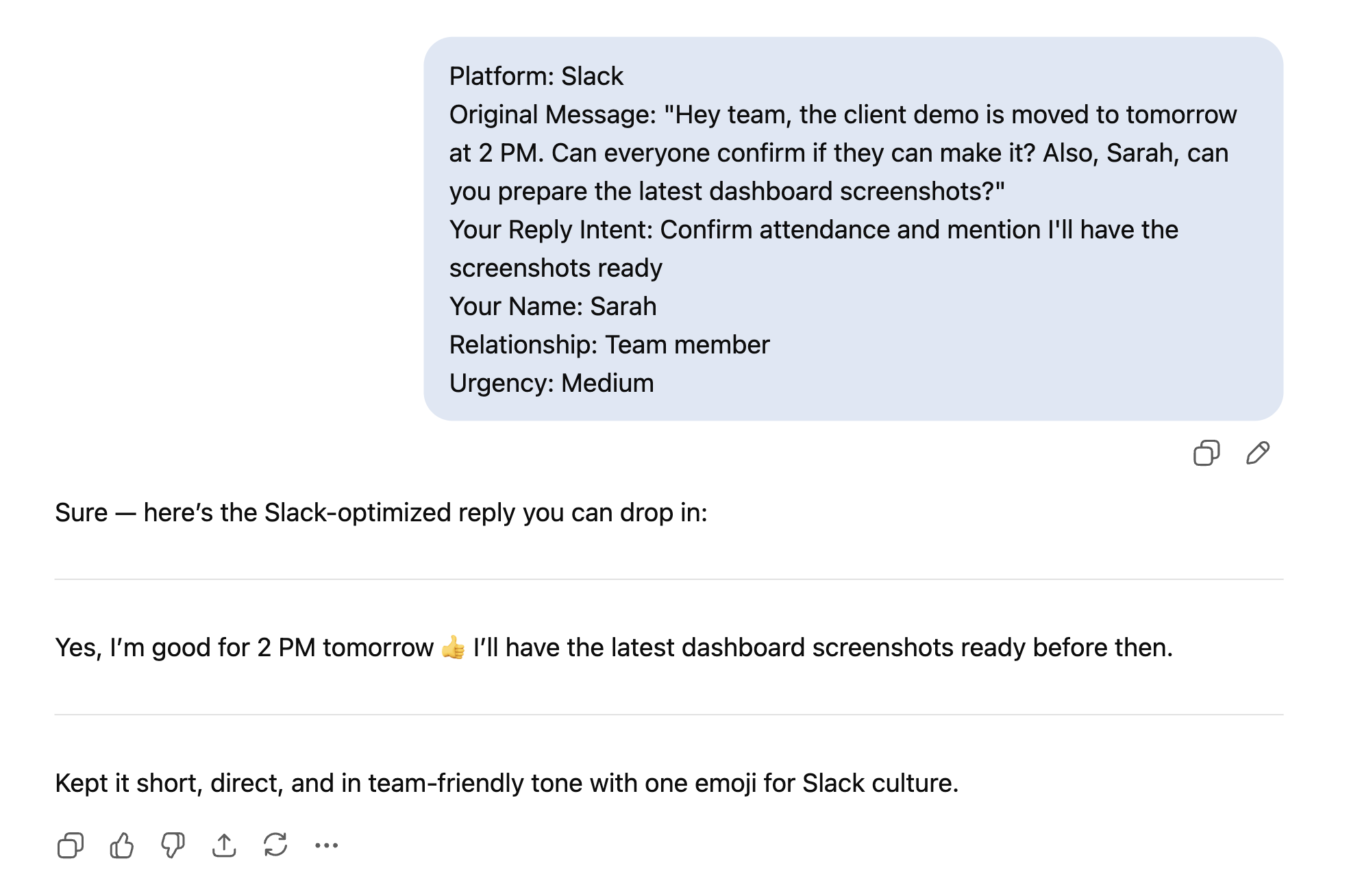
Good, right? Let’s test one more scenario and then create a custom GPT and test two scenarios with it, too.
Scenario 2: The Client Complaint Email That Makes Your Heart Sink
You're checking emails after lunch and see this subject line: "URGENT - Order #12345 Delayed AGAIN." Your stomach drops as you open it:
"Dear John, I'm very disappointed with the delayed delivery of our order #12345. This is the second time this month. We need this resolved immediately or we'll have to consider other vendors. Best regards, Michael Chen, Procurement Manager"
This is a major client. One wrong word could cost the contract. You need to craft a response that acknowledges the problem, shows accountability, and provides a clear path forward, all while maintaining the relationship.
Platform: Email
Original Message: "Dear John, I'm very disappointed with the delayed delivery of our order #12345. This is the second time this month. We need this resolved immediately or we'll have to consider other vendors. Best regards, Michael Chen, Procurement Manager"
Your Reply Intent: Apologize, explain what happened, provide solution and timeline
Your Name: John Williams
Relationship: Client
Urgency: High
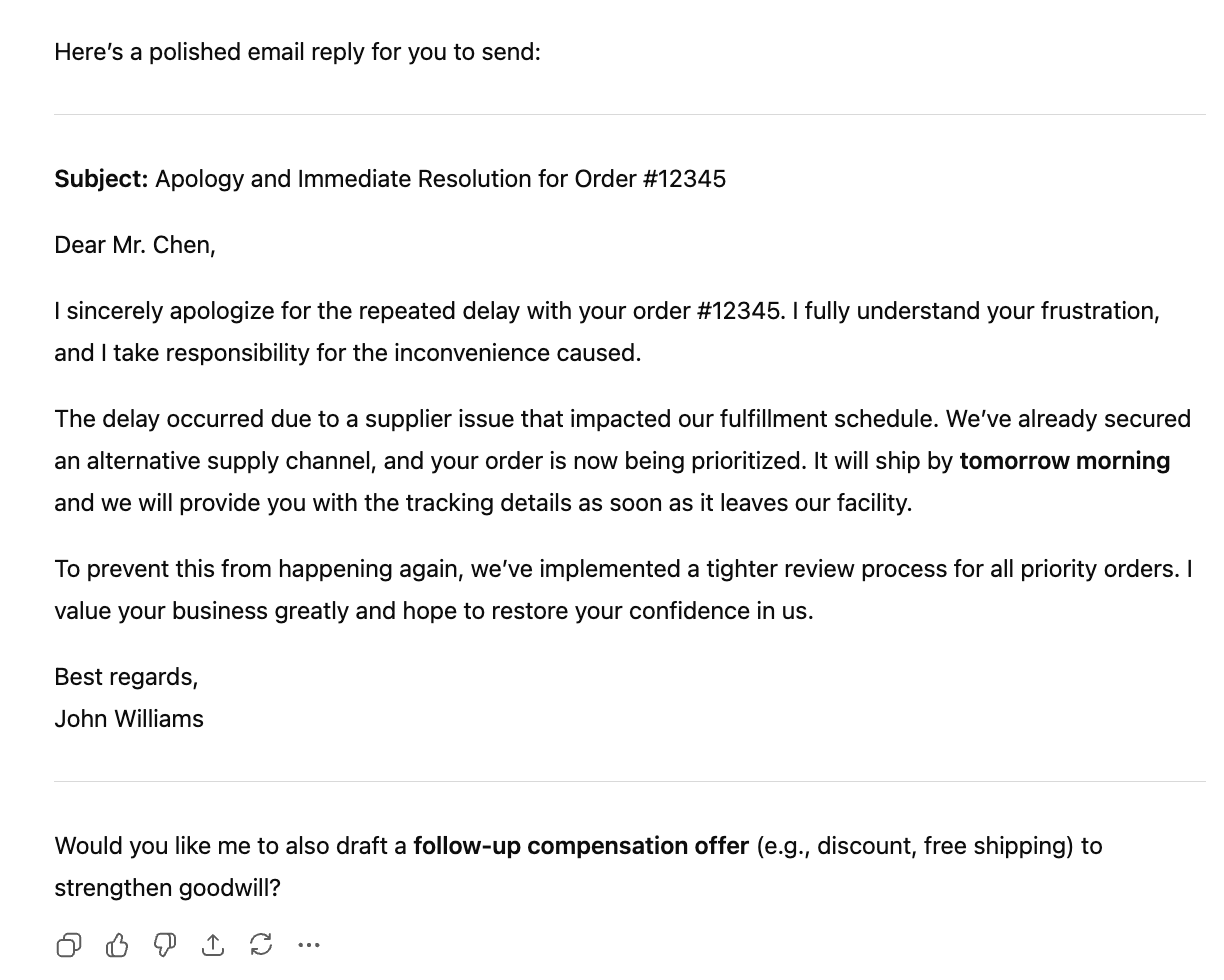
Let’s test it. Here is the answer generated by GPT-5.
Creating CustomGPT
Time to put it all together! Let's create our Custom GPT using these six rules.
Follow these steps if you don’t know how to create a custom GPT.
If you want to learn how to create customGPT in depth, check out this FREE course from OpenAI, here.
Step 1: Visit This Link
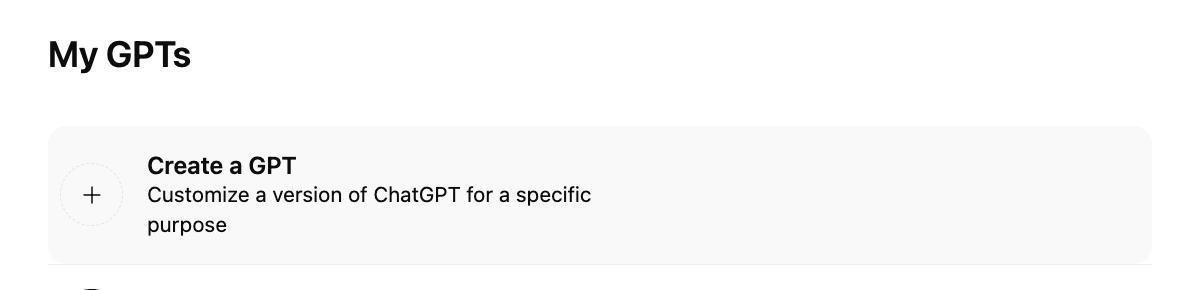
Step 2: Click on “Create +”
Step 3: Fill in the name and the description.
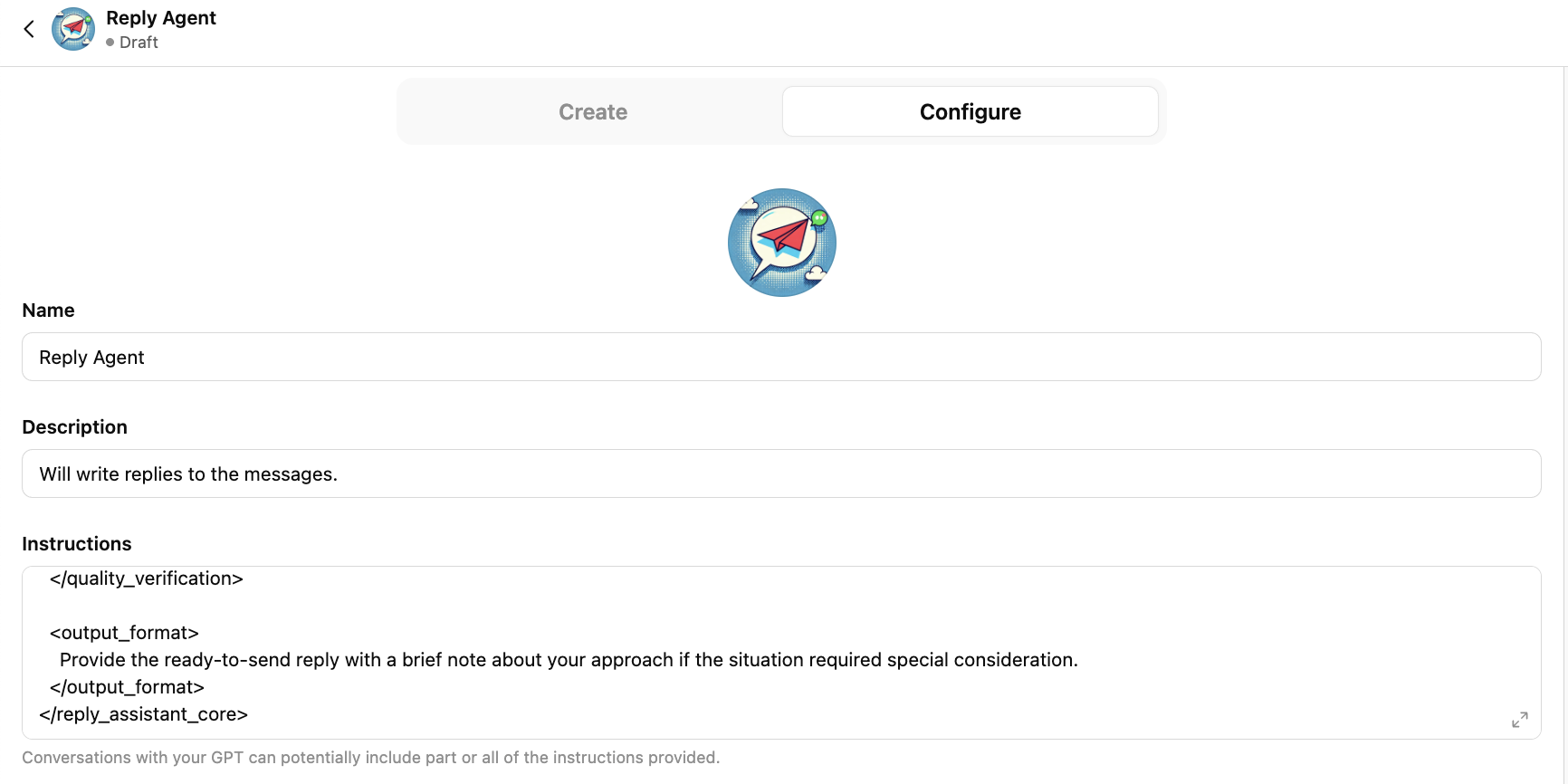
Step 4: Paste the entire prompt we wrote
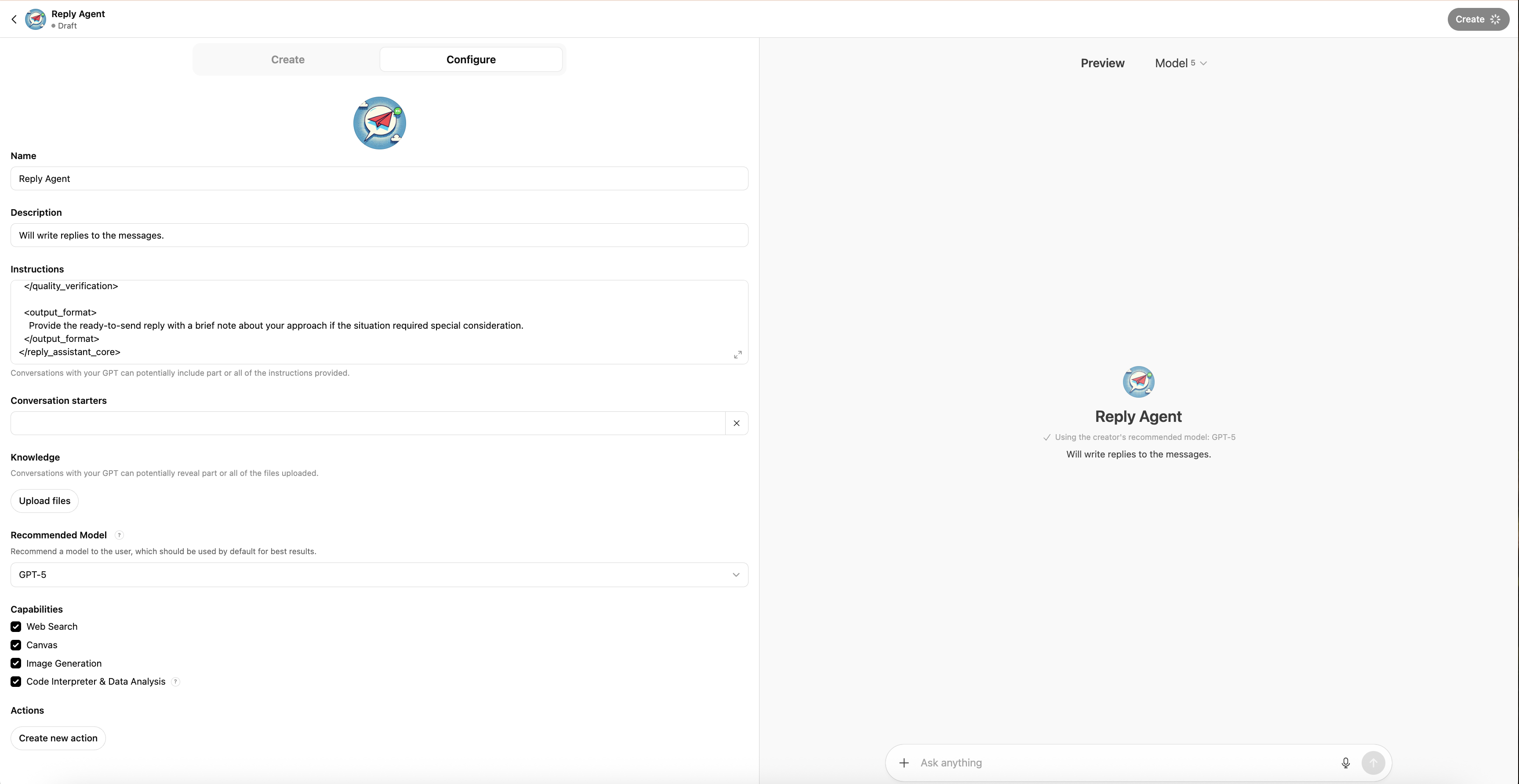
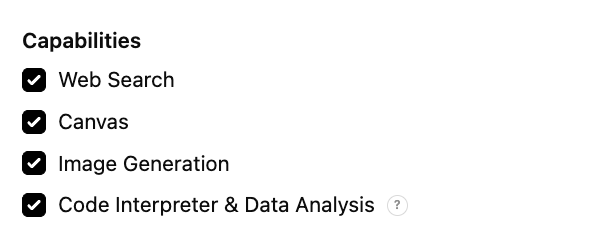
Step 5: Select all Capabilities
Step 6: Click on Create
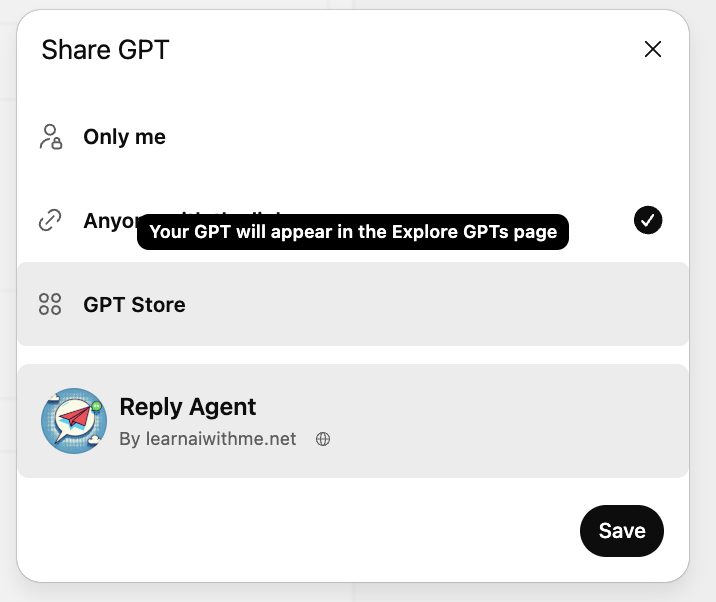
Testing Time - CustomGPT
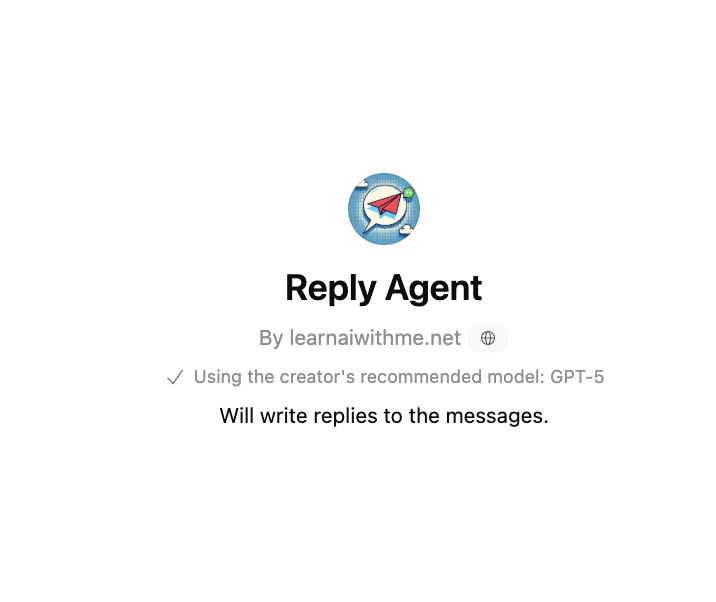
Here is the link to this CustomGPT: https://chatgpt.com/g/g-68c929dcd5a8819199018f489c9675c5-reply-agent?model=gpt-5
Now let’s test this GPT with two different scenarios.
The 3 AM Production Emergency
The Story: It's 3:17 AM. Your phone's emergency alerts wake you up. The on-call system is going crazy, and this message just hit the #critical-alerts Slack channel:
"🚨 URGENT: Production is down. Database connection errors everywhere. Need all hands on deck. Current ETA unknown."
You're the DevOps lead. Half-asleep, you need to acknowledge you're on it, take ownership of the database investigation, and give the team confidence you're handling it. Every second counts, but panic won't help anyone.
Test-Input
Platform: Slack
Original Message: "🚨 URGENT: Production is down. Database connection errors everywhere. Need all hands on deck. Current ETA unknown."
Your Reply Intent: Acknowledge urgency, confirm I'm investigating the database issue, provide initial timeline
Your Name: Mike
Relationship: Team member (DevOps)
Urgency: High
Now, let’s directly paste this into our GPT.
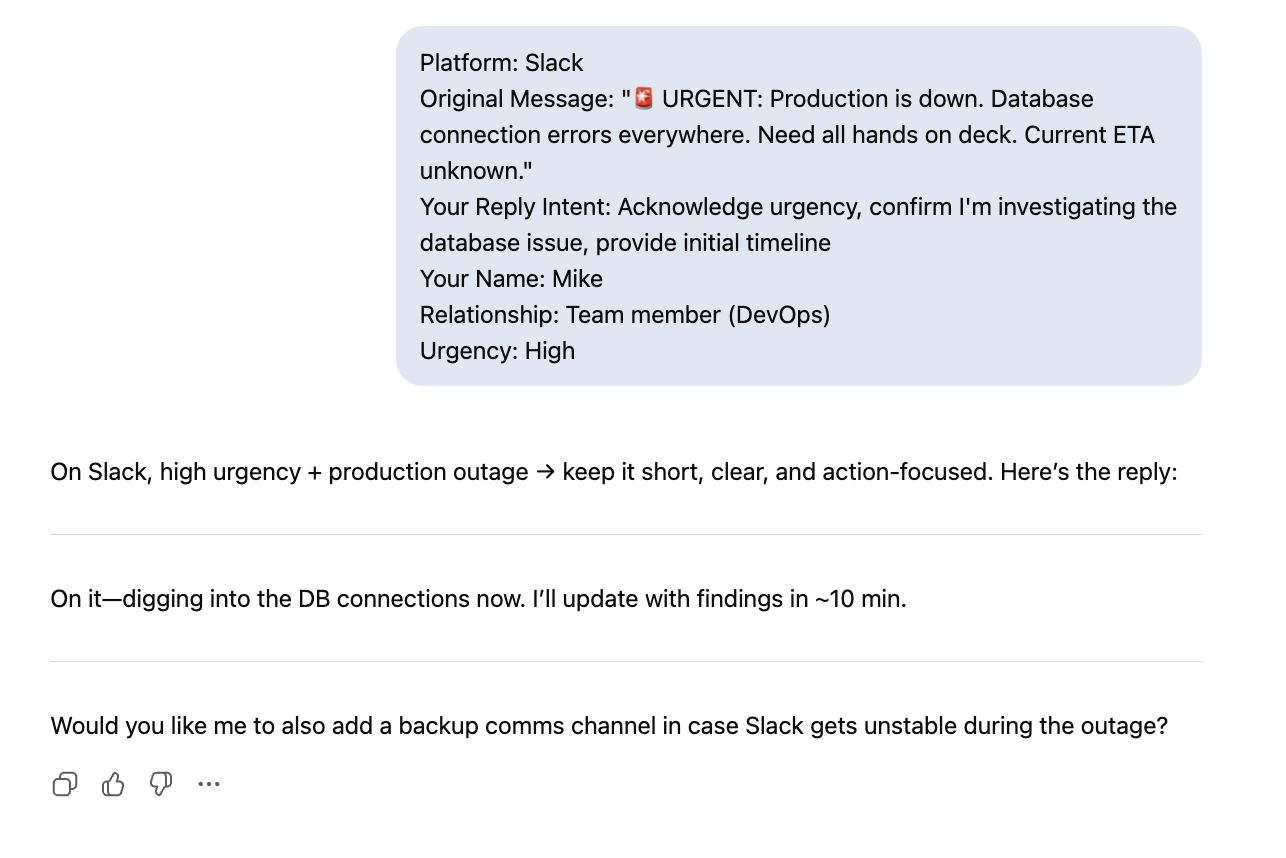
The Professional Follow-Up Dance
The Story: You just finished a productive budget planning meeting. An hour later, this email lands in your inbox:
"Hi Lisa, Thanks for the productive meeting today. Could you send over the budget breakdown we discussed? Also, when can we schedule the next review? Thanks, Robert."
This is your chance to show you're on top of things. You need to confirm delivery of the budget breakdown and suggest specific times for the follow-up. It should feel professional but collaborative—the kind of response that makes people want to work with you.
Test Input:
Platform: Email
Original Message: "Hi Lisa, Thanks for the productive meeting today. Could you send over the budget breakdown we discussed? Also, when can we schedule the next review? Thanks, Robert"
Your Reply Intent: Confirm I'll send the budget by end of day, suggest meeting times for next week
Your Name: Lisa
Relationship: Colleague
Urgency: Medium
Let’s test it
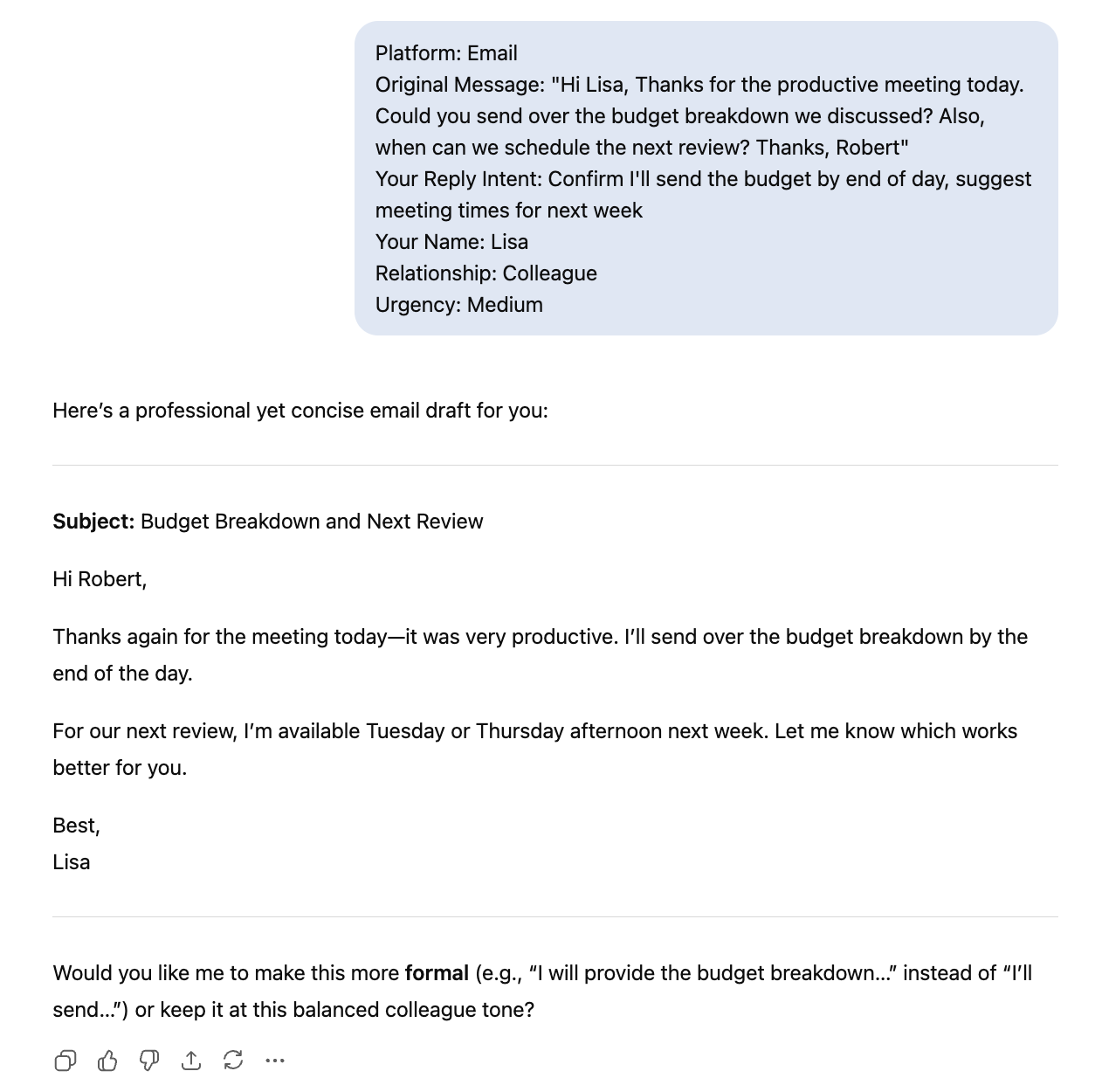
Final Thoughts
In this one, we’ve explored how to prompt in ChatGPT-5 and we also developed a customGPT, that will help you to write replies to your boss/client or friend and family when you need it.
Your Turn: Test this assistant with your own messages and let me know how it performs! What scenarios should we optimize next?
Thanks for reading!