#LearnAI
By Gencay
Published: 2025-07-24
URL: https://www.learnwithmeai.com/p/youre-using-chatgpt-wrong-7-prompt

Workers using ChatGPT completed tasks 25.1% faster and finished 12.2% more tasks, while delivering 40% higher-quality outputs, according to the BCG study.
But what if the prompt itself was the secret?
As a prompt engineer, I use these techniques daily, and my colleagues frequently ask me to share my tips. I usually don’t, but I saved them for you.
This article is part of the #LearnAI series.
In it, I’ll walk you through seven simple prompt patterns that will put you ahead of 99% of ChatGPT users.
1. ELI5

\Photo byCaleb WoodsonUnsplash\
You might have heard this phrase:
“Explain to me like I am 5 years old”.
This phrase helps explain concepts very simply, especially if you want to learn complex techniques.
Let’s test it with a really complex concept, such as “Quantum Entanglement”.
ELI5: Quantum Entanglement with two sentences.
Here is the output.
Quantum entanglement is when two particles become linked so that whatever happens to one instantly affects the other, even if they’re far apart. It’s like having two magic dice—roll one, and the other always shows the same result, no matter the distance.
Straightforward explanation, right?
2. TL;DR

\Photo bycharlesdeluvioonUnsplash\
You’ve probably seen this on Reddit or in emails:
“Too Long; Didn’t Read”
This little acronym saves time. It’s a helpful trick that enables you to summarize long texts quickly.
Let’s say you have a long article about Artificial General Intelligence. You don’t want the fluff, you just want the core idea.
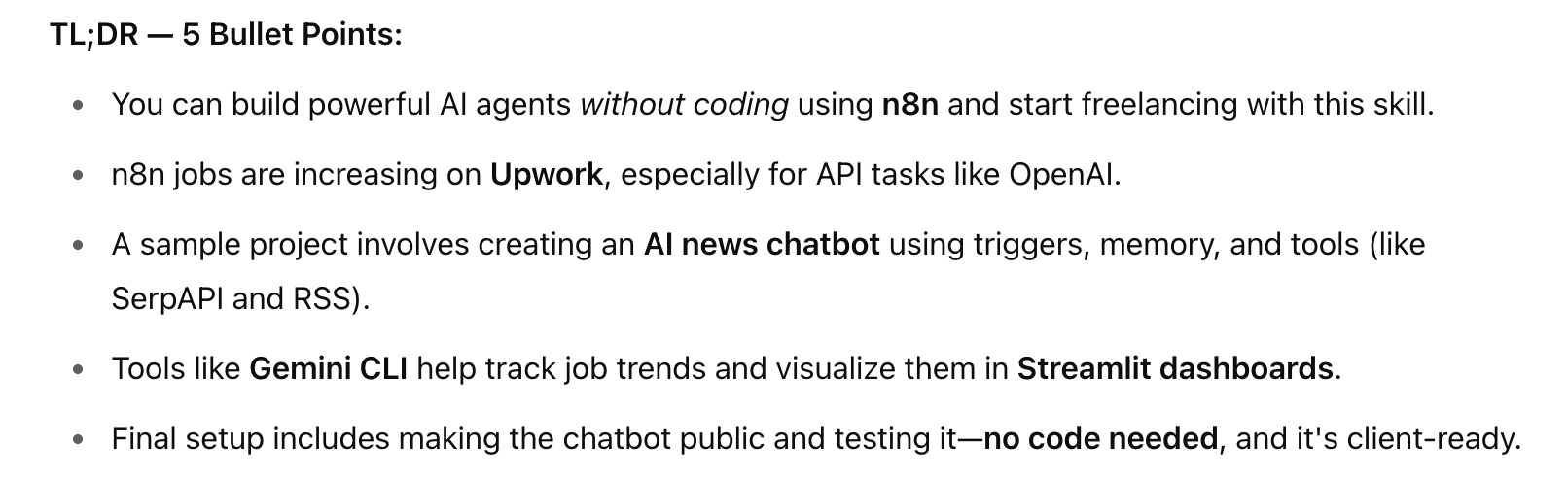
TL;DR this article [paste article or link] in 5 bullet points.
I used this article as an example.
Here is the output.
3. Jargonize

\Photo byAlexey DemidovonUnsplash\
We’ve seen how to simplify things, but what if you want the opposite?
Sometimes you want to sound like an expert. Maybe you’re writing for a professional audience, or just testing ChatGPT’s technical depth.
This is where “Jargonize” helps.
Let’s take the same topic we simplified before: Prompt Engineering.
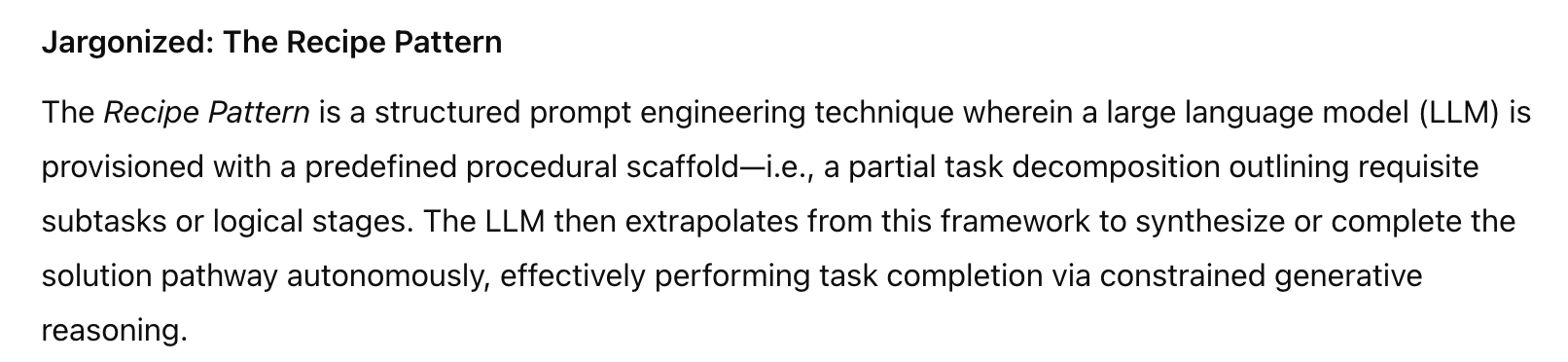
Now we’ll ask ChatGPT to explain it with full scientific terminology, as if speaking to an AI expert.
Jargonize: The Recipe Pattern
Here is the output.
4. Humanize

\Photo byBen SweetonUnsplash\
Sometimes AI responses feel... robotic. Too stiff. No soul.
Humanize is the antidote.
This prompt helps transform dry or formal content into something more warm, conversational, and relatable, like a real person wrote it.
Let’s take a stiff corporate message:
Humanize:Our team has reviewed your inquiry and determined that your request does not meet the eligibility criteria at this time.
Here is the output.

5. Diagram

\Photo byKelly SikkemaonUnsplash\
Sometimes words just aren’t enough.
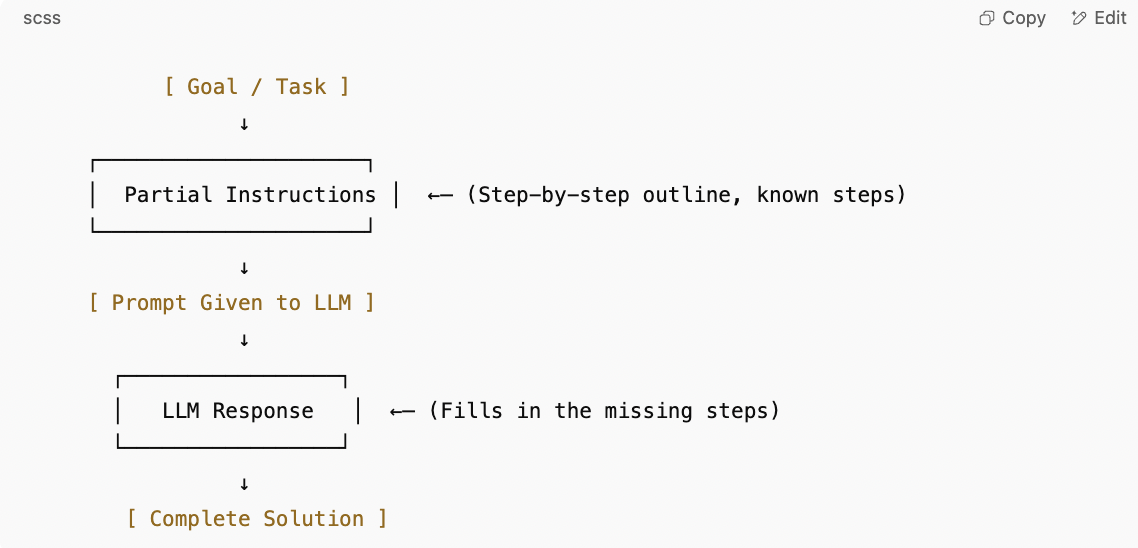
A visual can explain things more quickly, clearly, and effectively. The Diagram prompt asks ChatGPT to represent complex ideas visually.
After the conversation, just use this prompt.
diagram
Here is the output.
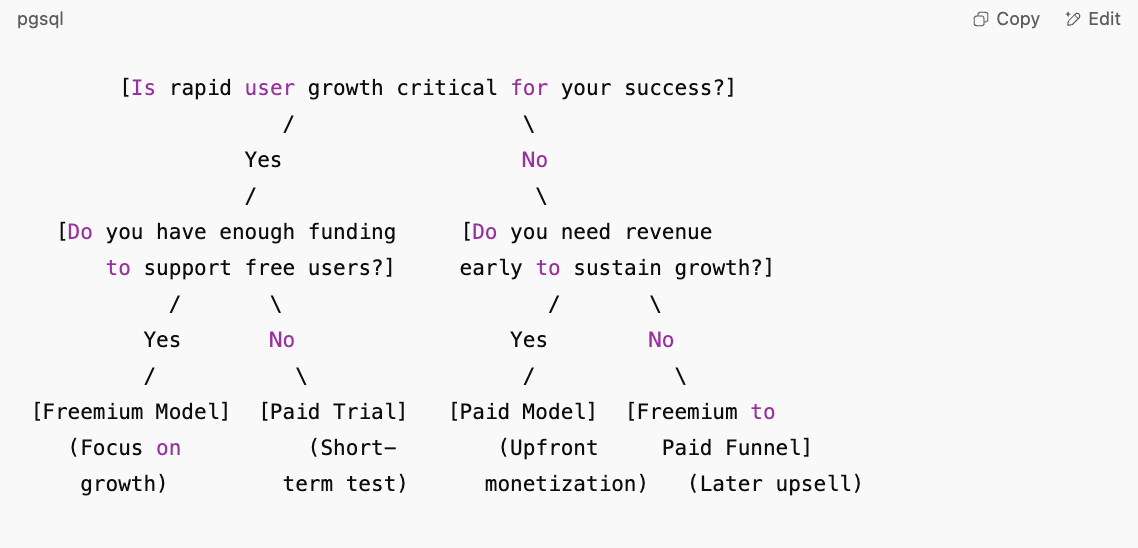
6. Decision tree
Making decisions can be hard, especially when there are multiple options, outcomes, or trade-offs.
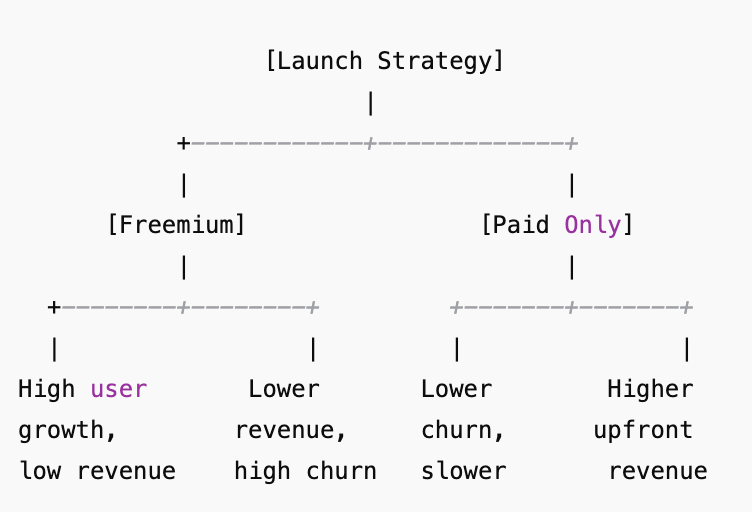
With this prompt, you can turn ChatGPT into your personal strategist. It lays out decisions step-by-step, helping you visualize consequences and choose wisely.
Let’s say you’re launching a product. You’re unsure: freemium or paid?
Decision Tree: Help me choose between a freemium or paid model for launching a new productivity app. Consider revenue, user growth, and churn risk.
Here is the output.
7. SWOT

\Photo byArjan de JongonUnsplash\
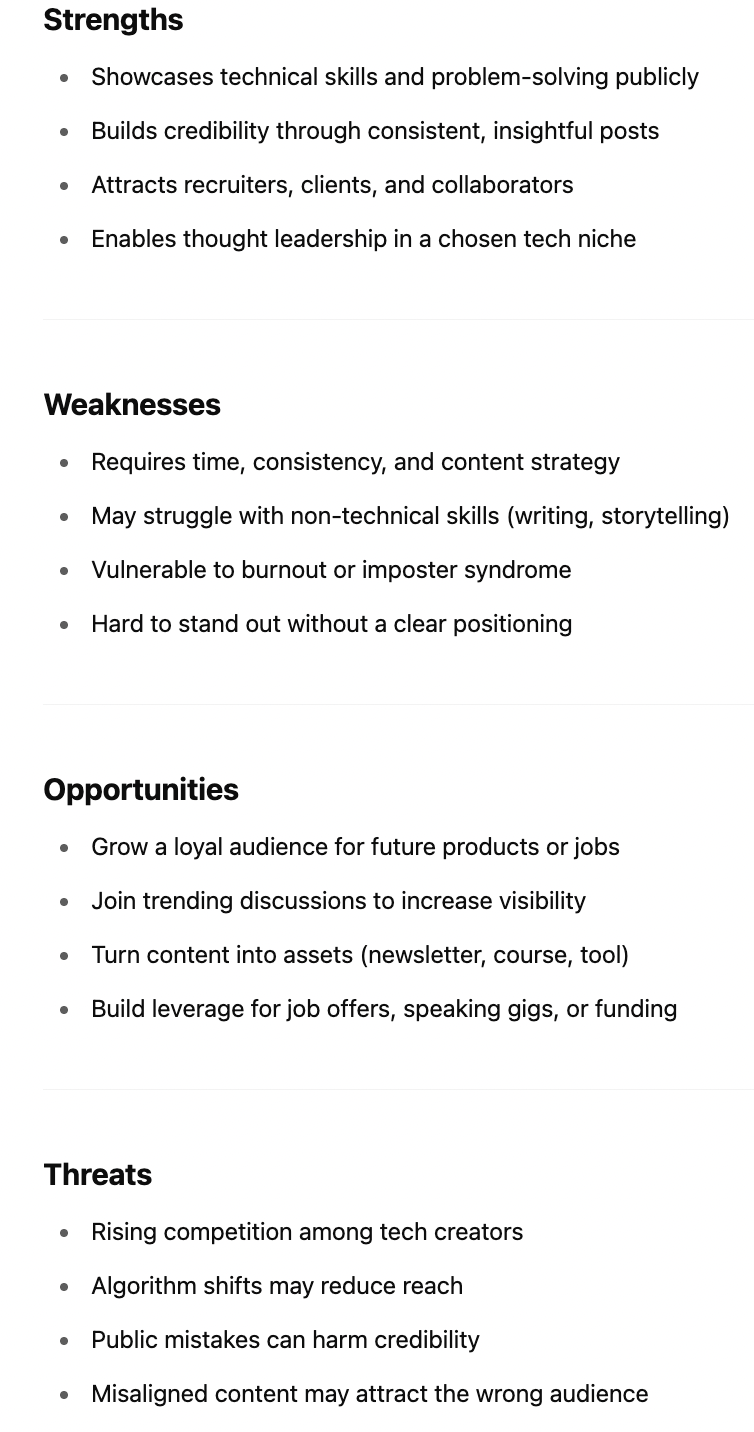
Want to analyze an idea like a strategist? Use SWOT.
This prompt helps you break down:
- Strengths
- Weaknesses
- Opportunities
- Threats
Let’s say you want to build a personal brand on LinkedIn and you want to do a SWOT analysis.
SWOT: Building a personal brand on LinkedIn as a tech professional.
Here is the output.
Final Thoughts
Thanks for reading this article, see you in the next one!