Before we count the minutes, we should ask what the technology helps students do.
By Jacob Carr
Published: 2026-09-15
URL: https://whatteachershavetosay.substack.com/p/the-screen-has-to-earn-its-time
 AI-assisted illustration generated in ChatGPT using OpenAI image generation, based on original concept, art direction, and prompt by Jake Carr.
“Too much screen time” can mean several different things, and we often talk as if they’re interchangeable. It might mean a child has spent too long sitting. It might mean a device is crowding out conversation. It might mean an activity asks for very little thought. But, those are all very different problems. A useful response has to get close enough to an underlying problem see which one we’re actually dealing with.
My frustration begins when the clock becomes the entire argument, because, when we’re honest about what’s happening, students can clock the minutes and still avoid looking at the lesson.
I think specifically about my youngest son, a sophomore in high school. For years now, we’ve battled that damn IXL grade the schools keep requiring. I can’t tell you how many times I’ve seen him mindlessly clicking around, totally disengaged from it, just to earn those required minutes so the teacher gets to check it off their list and enter a grade. I’ve also seen him not do that meaningless task, and be punished with a lowering grade. It’s one of the dumbest things.
Imagine two students with laptops open. One is moving through a sequence of questions, looking for whichever answer lets them continue. The other has written a response, compared it with a partner’s, and is deciding how to explain a disagreement.
The devices look similar from the hallway. The intellectual work could be very different.
That difference belongs in this whole conversation about device usage, but usually, it’s left out. I want technology to be economical with our students’ time. Opening a screen should have a reason. So should keeping it open. If the tool adds logins, steps, and distractions without helping the learning, we ought to be willing to close it.
What is the student responsible for thinking about?
Before choosing a tool, write down what the action the lesson requires. “Complete the activity” is too vague to guide much. “Compare these explanations and defend the stronger one” gives us something to design around. All too often, we teachers assign things without really, clearly, understanding the learning objective. I wish it weren’t true, but I’ve seen it far too many times no matter where in the world I’m at.
Once you know exactly what the learning target is, either a specific skill or content knowledge, ask where you’ll see that thinking bubble up. Will students talk? Will they write individually? Can they change an answer after considering new evidence? Or, can someone complete the task by following the surface instructions without actually wrestling with and understanding the idea?
That last question can be uncomfortable for us sometimes, but it’s also very useful.
To this point, have you seen the Education Endowment Foundation’s guidance on digital technology? It asks schools to establish the teaching and learning purpose before introducing the tool, and to plan the support needed to use it well. That is a much more demanding test than whether a resource looks modern. Read the EEF guidance.
Give the conversation a structure
Take partner work. “Discuss your answers” leaves a great deal undecided. One student may begin speaking before the other has formed an idea. A shared answer may tell us very little about either student’s understanding.
A good alternative is the CyberSandwich EduProtocol, which creates a more deliberate sequence:
-
Each student reads and records what they think matters.
-
Partners compare what they noticed.
-
They identify agreements, differences, and gaps.
-
Each student writes an individual response after the conversation.
Here’s an example from a 10th grade student team, comparing two poems. Another added benefit of being digital is the way I could prepare an entire document of paired poems that students could choose from and easilly access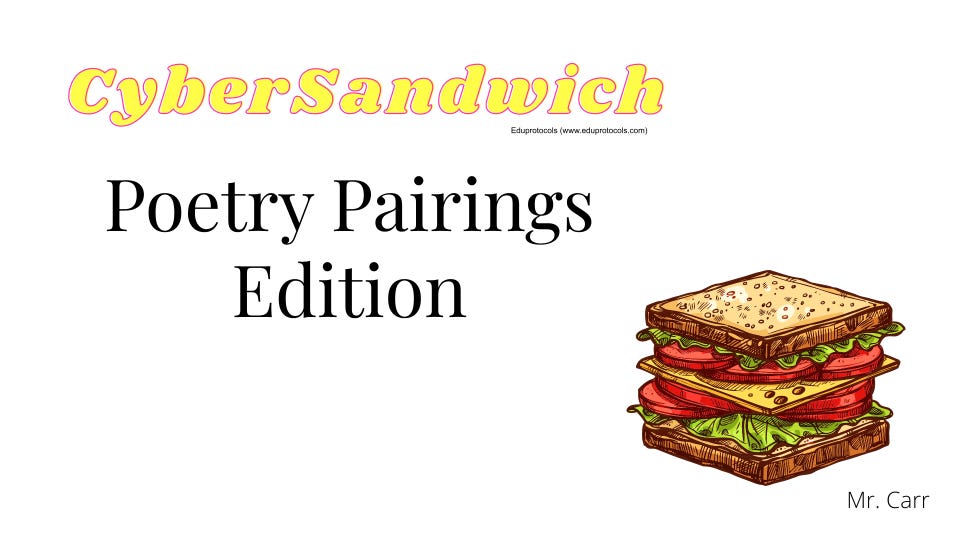 Click this link for the whole deck
.
Adam Moler did a great job describing this process in his guest post from about a year ago, “CyberSandwich: Better Than Worksheets, Easier Than You Think.” His explanation includes a line that I really liked.
“The magic isn’t in the steps. It’s in what happens between them.”
—Adam Moler
That “between” is where the screen has to earn its time.
The device gives each student access to the text and a place to capture an initial interpretation. It then helps put two students’ ideas beside each other so they can compare their thinking. Finally, it gives each student a place to develop an individual response after the conversation.
Capture → Compare →Develop
Those are three distinct jobs for the technology, and more importantly (and to our point on devices today) it’s the pedagogy that connects them and gives each one a purpose.
Without that structure, the same devices could support two isolated students copying facts into separate documents, turning it in to Google Classroom, then maybe just closing the lid and calling it ‘good’. With it, the tech (often Google Slides, Padlet, or the upcoming EduProtocols Live) helps move students systematically through the process of deconstructing, analyzing, and synthesizing the information, making individual thinking visible for examination, conversation, and revision.
Paper could support this sequence, too, and I’ve done it that way many times. That is exactly why the presence of a device cannot settle the screen-time question. We have to ask what the technology contributes to this particular lesson, with these particular students. In this case, depending on the platform, it’s the facilitation, chunked guidance, and organization of the work. People often also add another layer by having them do their summaries in Snorkl, which then gives them immediate feedback, another win.
The important question is not simply, “How long was the screen open?”
It is, “What became possible while it was open?”
Sometimes, a digital tool might make those contributions easier to organize and see, but paper might serve the purpose well, too. Or, maybe you do it all on paper, then use Snorkl to summarize it. Or maybe you do it on paper, and then students let a guard-railed chatbot debate them on their summary. I want to make that decision based on the task and the students in front of me.
UNESCO’s technology-in-education work also centers learners’ needs and the role of human interaction. The idea is to make a considered choice about when technology belongs by asking four questions first:
-
Is it appropriate?
-
Is it equitable?
-
Is it scalable?
-
Is it sustainable?
Read UNESCO’s questions for choosing technology.
Try one small audit
If you too are grappling with this, look at one activity you already teach. Finish these sentences:
-
Students need to think about…
-
I’ll see or hear that thinking when…
-
The technology helps by…
-
We can close the screen when…
If the third sentence is difficult to finish, you have something worth investigating. If the second is difficult, the task itself may need attention before you choose a different platform.
I’m applying these same questions to my own work.
This year, I’m helping develop EduProtocols Live, a digital space designed to support teaching routines built around thinking, discussion, and revision. That makes this more than a theoretical standard for me. Every feature has to justify the time and attention it asks from teachers and students.
A smoother workflow is useful when it gives students more time to think. Making their responses visible is useful when it helps them compare ideas or helps a teacher decide what to do next. Putting a familiar routine online is useful when the technology strengthens the pedagogy that made the routine valuable in the first place.
We will not settle the screen-time debate by counting devices or minutes alone. We have to look closely at what students are doing, what the technology contributes, and whether the same learning could happen more effectively another way.
Sometimes the right choice will be to open the device. Sometimes it will be to close it. Either decision should begin with the learning we want to make possible.
So, before opening the next app, assigning the next digital activity, or asking students to take out their devices, ask:
What will this screen help my students do that is worth their time?
Continue the conversation at VIBE Shift
These questions will be part of the work I’m bringing to VIBE Shift on October 17.
In my sessions, I’ll use 3xGenre and CyberSandwich to demonstrate how EduProtocols Live can support student thinking, comparison, conversation, and revision. Across the conference, presenters have been asked to begin with a recognizable classroom problem and offer a pedagogical solution.
VIBE Shift is virtual this year, so educators can attend from anywhere. Registration is $29 and includes a certificate for four hours of professional learning. Recordings, presentation decks, and speaker resources are planned for afterward.
Explore VIBE Shift and register.