Part 3: learning with Claude projects
By Mr V
Published: 2026-08-31
URL: https://useaitowrite.substack.com/p/i-found-the-best-way-to-learn-with
HELLO LEARNERS:
I FOUND THE BEST WAY TO LEARN WITH CLAUDE.
Most people guess what to learn, and end up repeating what they already know. 👎❌
I made 5 prompts that fix learning using claude.
-
They find the 20% of a skill that gives you most of the capability.
-
They tell you what to do when you hit a plateau.
-
They transfer what you already know into new skills, so you stop starting from zero.
They make practice stick 🎯.
And the last one turns what you just learned into a head start claude skill for whatever you learn next.
THE SKILL STACK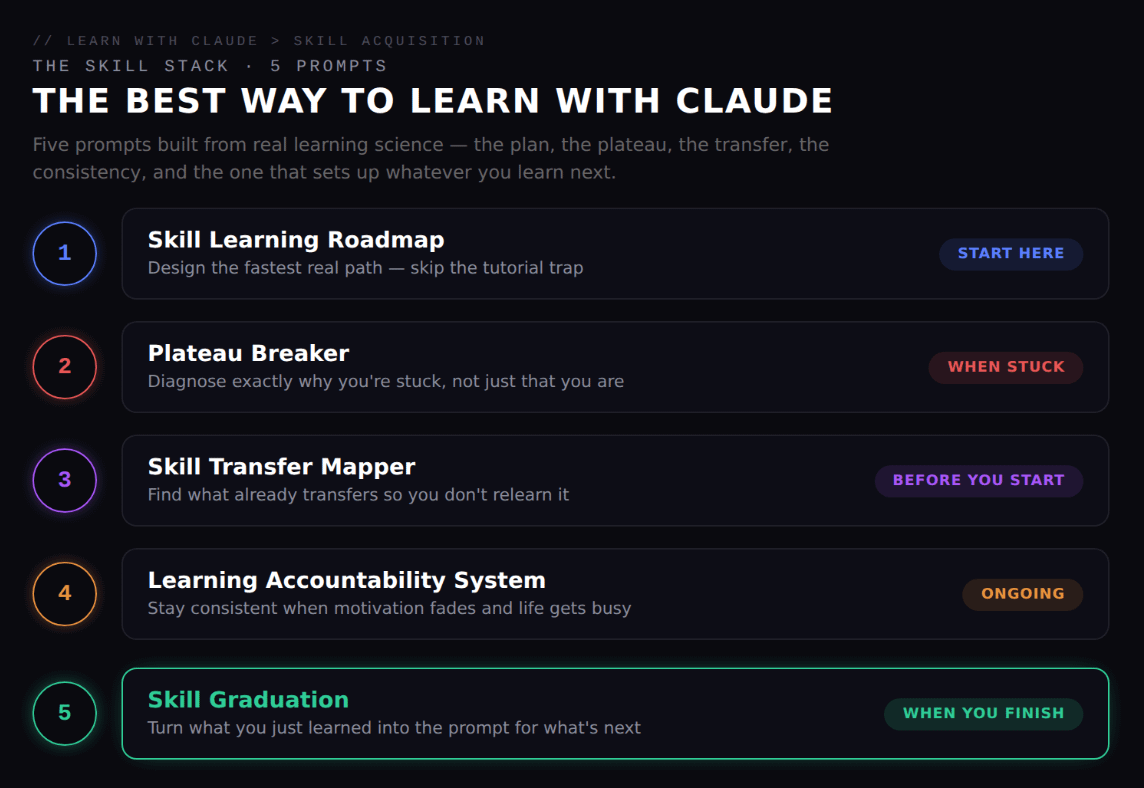
❶ Skill Learning Roadmap — start here
A lot of learning stops at the starting line.
(no one points out which 20% of the skill truly matters.)
This why explicitly telling the model to find the 80/20 of any topic is the most fastest way to learn complex topics.
What to do:
Use Claude project to re-design an efficient path from beginner to competent for any skill (avoid the tutorial trap and actually build capability.)
Example:
I used claude to re-design an efficient path to improve my prompt engineering skills.
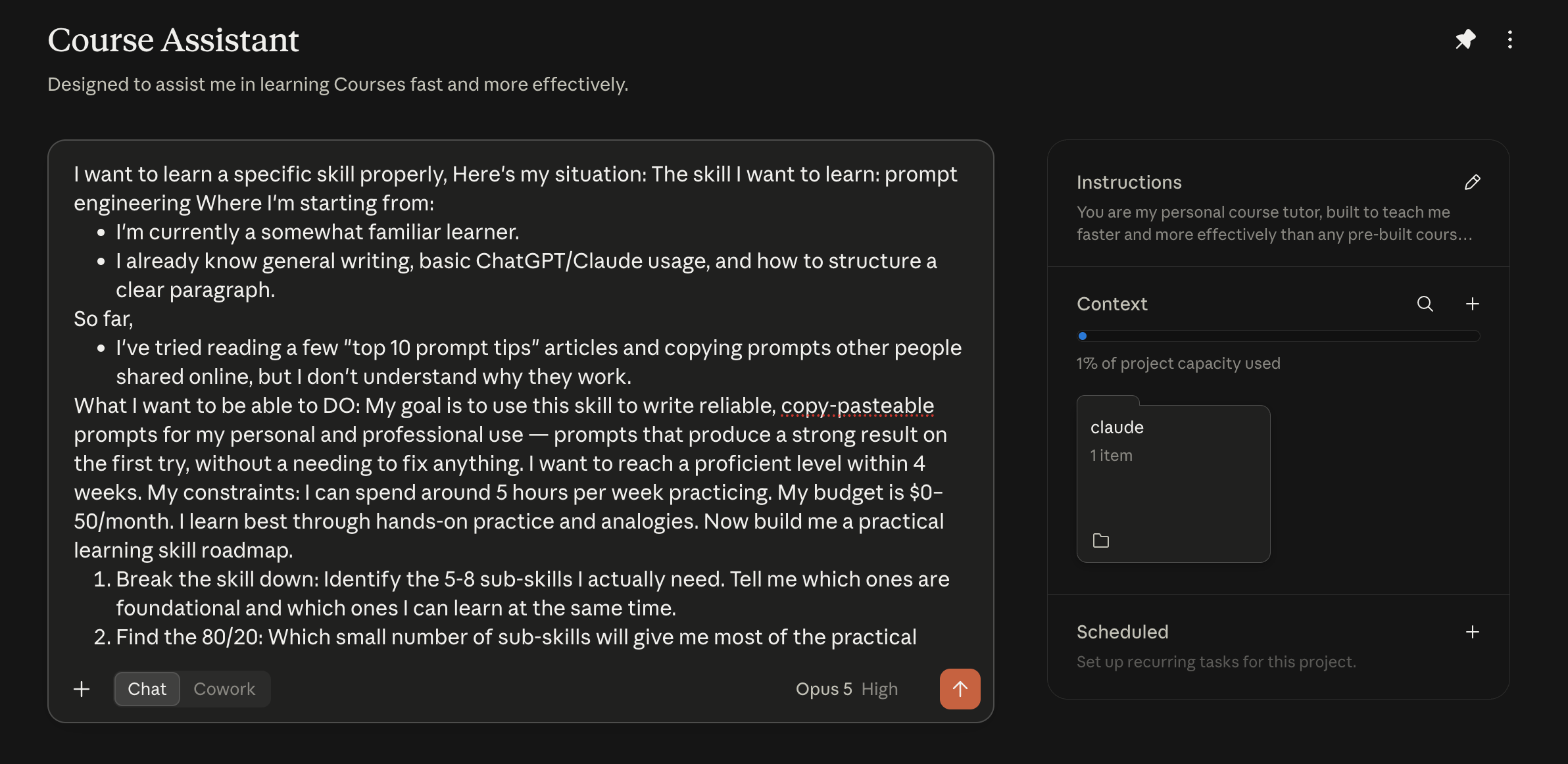
Prompt to use:
I want to learn a specific skill properly,

Here's my situation:

The skill I want to learn: [SKILL]

Where I'm starting from:

- I'm currently a [BEGINNER / SOMEWHAT FAMILIAR / INTERMEDIATE / ADVANCED] learner.
- I already know [RELATED SKILLS OR EXPERIENCE].

So far,

- I've tried [COURSES, BOOKS, PROJECTS, PRACTICE, ETC.].

What I want to be able to DO:

My goal is to use this skill to [SPECIFIC REAL-WORLD OUTCOME].
I want to reach a [FUNCTIONAL / PROFICIENT / EXPERT] level within [TIMELINE].

**My constraints:**

I can spend around [HOURS] hours per week practicing.
My budget is [BUDGET].
I learn best through [VISUALS / READING / ANALOGIES / 10 YEAR-OLD EXPLANATION / HANDS-ON PRACTICE].

Now build me a practical learning skill roadmap.

1. Break the skill down: Identify the 5-8 sub-skills I actually need. Tell me which ones are foundational and which ones I can learn at the same time.
2. Find the 80/20: Which small number of sub-skills will give me most of the practical ability? Put those first.
3. Build the roadmap in three phases:
* Phase 1 — Foundation (first 20%): Teach me only the core concepts I need. Keep theory minimal and practice high. Give me one small project I can finish within a week. Tell me exactly what I need to be able to do before moving on.
* Phase 2 — Application (next 50%): Give me 3-5 projects that gradually become harder. Tell me where I can get useful feedback and what plateaus I'm likely to hit.
* Phase 3 — Refinement (final 30%): Identify the weaknesses I should deliberately practice. Recommend advanced resources only where they add real value. Show me how to develop my own approach instead of copying other people.
4. Choose resources carefully: For each phase, recommend me the single best resource.
- Give me the best free option,
- the best paid option if it is genuinely worth paying for, and
- one useful community for feedback or accountability.
Don't give me a giant resource list.
5. Tell me what to avoid: Identify the common mistakes people make when learning this skill and explain how I can avoid them.

Make the roadmap practical. Prioritize doing over consuming. Don't give me generic advice that could apply to any skill.
Pro tips:
1/ Use Claude Cowork feature.(for serious learning)
Cowork has a mode called multi-step learning project.
That creates a task workflow:
-
✅ Research current prompt-engineering resources
-
✅ Design sub-skill breakdown and 80/20
-
🔵 Build 3-phase roadmap with projects
-
⚪ Publish roadmap as artifact
Then Claude generates an HTML artifact:
Example: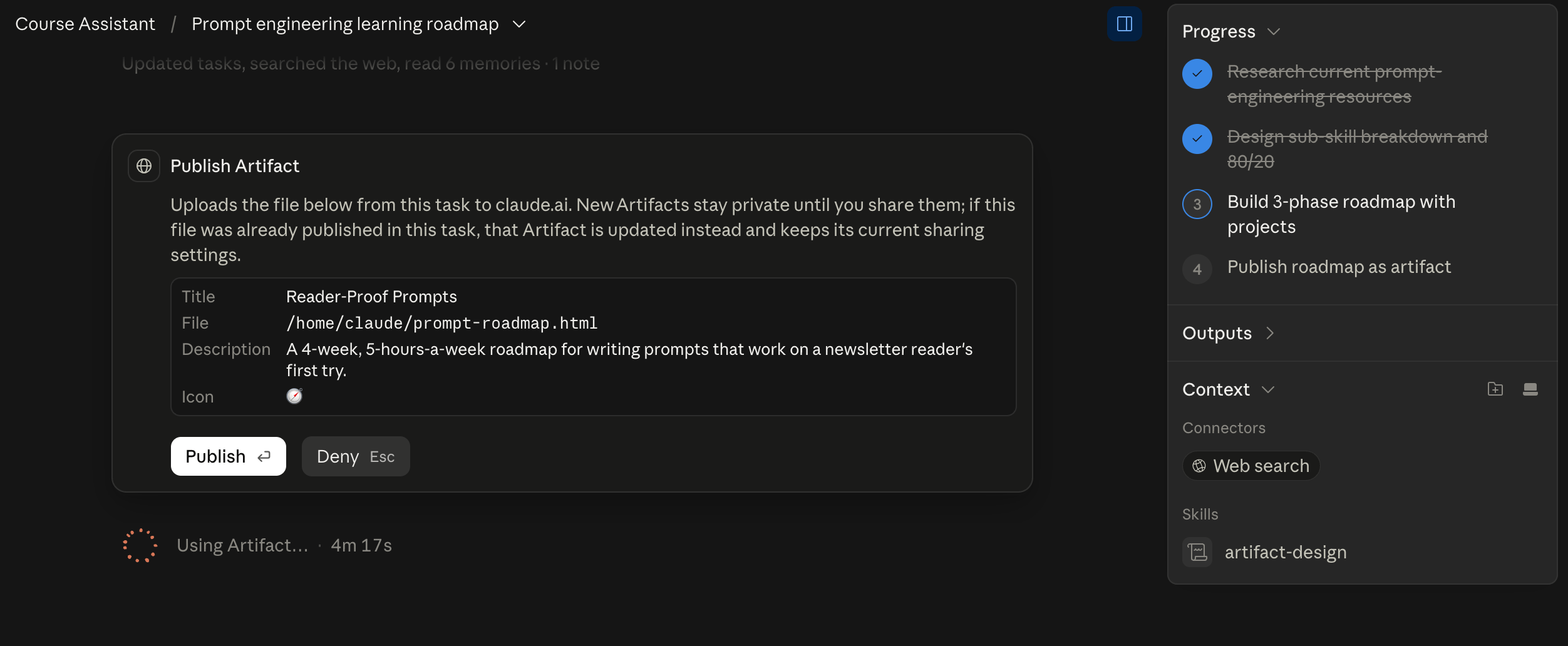 Claude generates a live multi-step learning project that helps me learn in steps like typical course model.
Note:
This requires memory from previous chats. If you’re starting from scratch or don’t want Claude to use your past work, skip this.
What to do:
Pause claude memory for the session.
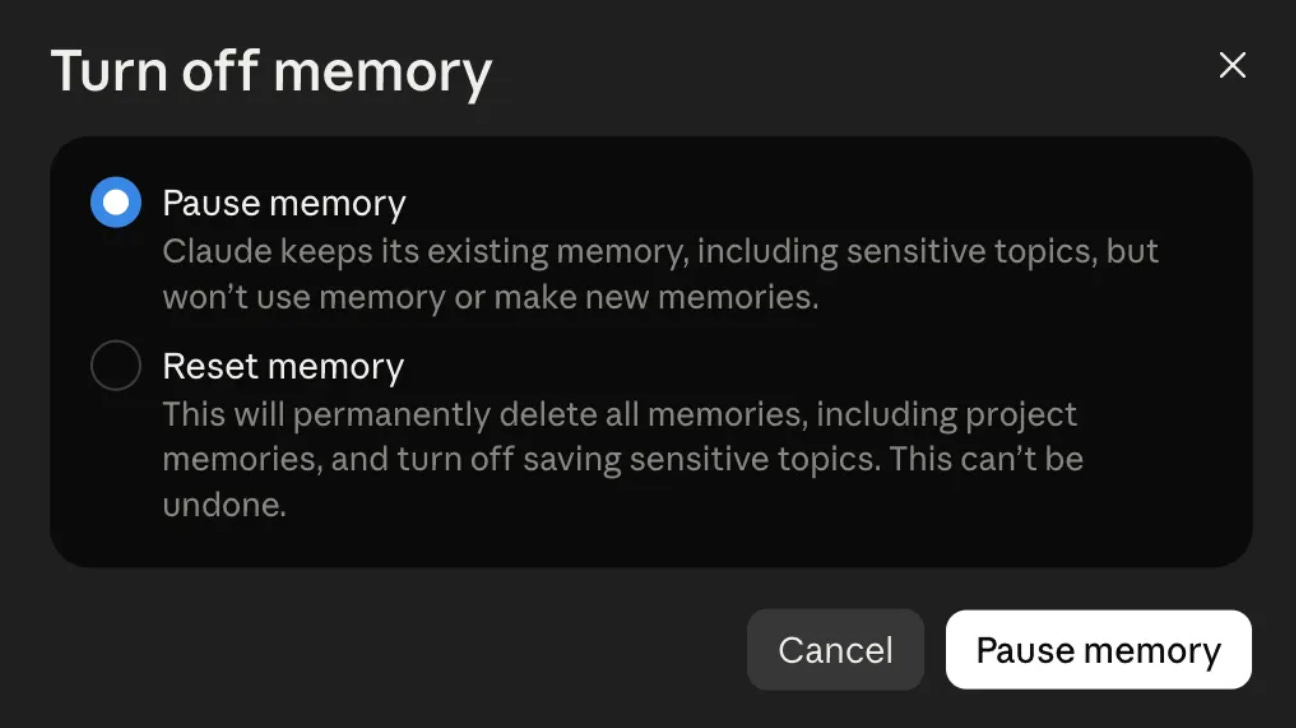
❷ Plateau Breaker — run this only when you’re stuck.
Unfortunately “More practice” isn’t effective unless you first identify which problem you’re facing. Many people overlook this vital step.
What to do:
Tell Claude to diagnose what’s keeping you stuck and give you specific strategies to break through.
Example:
I used Claude to help me master code debugging.
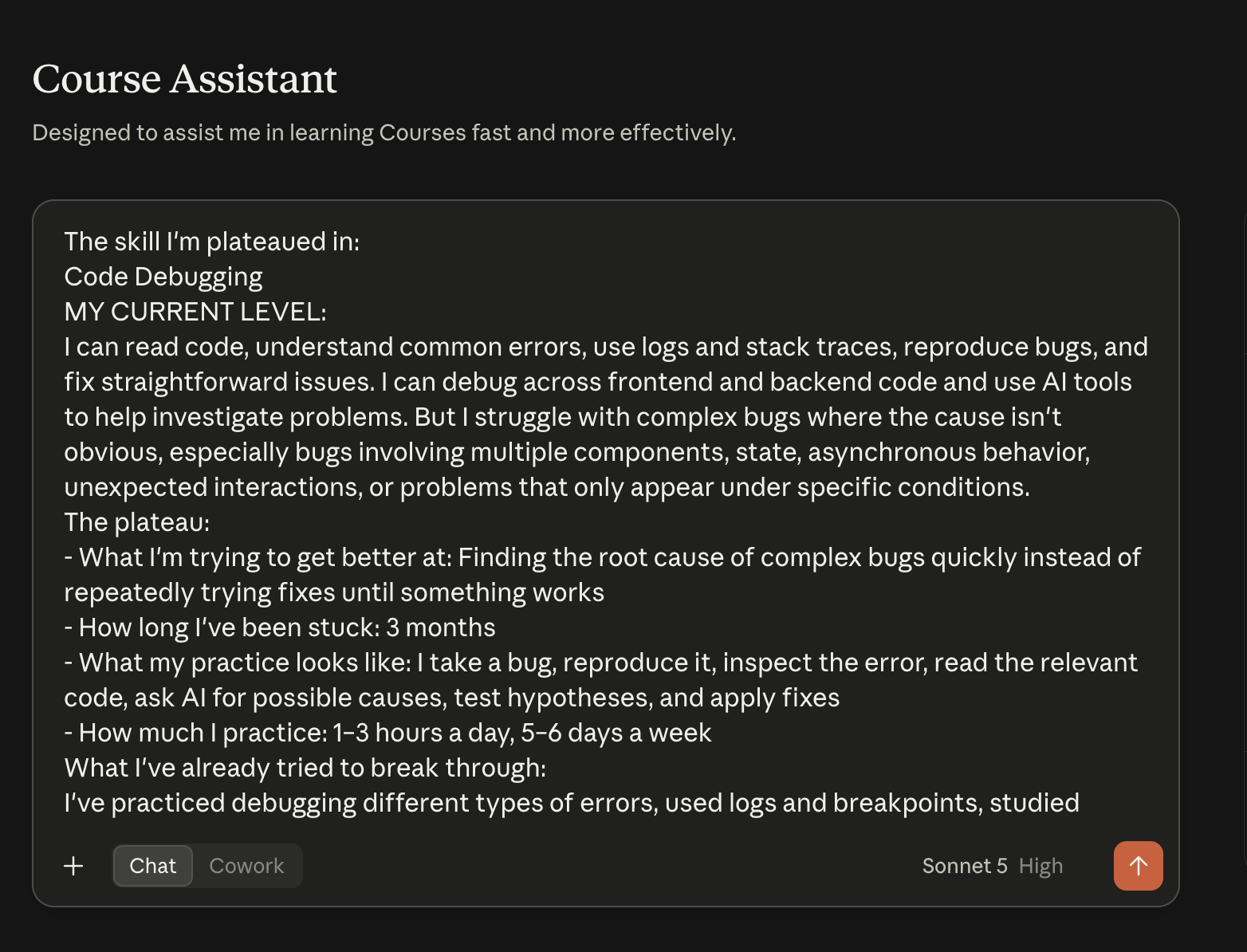
The Plateau Breaker Mega-Prompt:
The prompt identifies six problems that may be stopping you from mastering a skill.
The skill I'm plateaued in:
[SKILL]

MY CURRENT LEVEL:
[WHERE I AM — be specific about what I CAN do]

The plateau:
- What I'm trying to get better at: [SPECIFIC CAPABILITY]
- How long I've been stuck: [DURATION]
- What my practice looks like: [TYPICAL SESSION]
- How much I practice: [FREQUENCY AND DURATION]

What I've already tried to break through:
[CHANGES YOU'VE MADE, NEW APPROACHES, ETC.]

My theory on why I'm stuck:
[YOUR BEST GUESS]

Diagnose and break this plateau:

1. Plateau Type Identification: Which type is this?
- Fundamentals gap — I skipped or didn't fully master a foundational sub-skill
- Practice quality — I'm practicing in my comfort zone, not at my edge
- Mental model — I'm using a framework that worked at lower levels but doesn't scale
- Physical/cognitive limit — a genuine capacity wall that needs a different approach
- Feedback gap — I can't tell what I'm doing wrong
- Motivation plateau — boredom or identity conflict

2. Root Cause Investigation: What specific evidence points to that type? What diagnostic exercise could confirm it?
3. Breakthrough Strategies (tailored to the diagnosed type): 3 specific practice modifications, 1 constraint challenge (practice with an artificial limitation that exposes the weak point), 1 stretch challenge (attempt something above my current level to recalibrate what "normal" feels like).
4. Expert Pattern: How do people one level above me practice differently? What are they focused on that I'm probably not?
5. 30-Day Breakthrough Plan: A specific 4-week protocol built to break this exact plateau, with weekly checkpoints to tell if it's working.
Pro tip:
Use smart models like fable 5 and opus for this kind of work.
❸ Skill Transfer Mapper — run this before you start learning.
IMO, the fastest way to understand a foreign concept is by translating it into a language that makes sense to you.
What to do:
Use Claude to translate a foreign concept into language and mental models you already understand.
Prompt: Skill Transfer Mapper
The prompt uses your existing expertise or skills as a translation layer for hard stuffs
The new skill I want to learn:
[NEW SKILL]

My existing skills and expertise:
[LIST ALL RELEVANT SKILLS, EVEN ONES THAT SEEM UNRELATED]
For each, note my level: Beginner / Intermediate / Advanced / Expert

Why I want to learn the new skill:
[GOAL]

Map my skill transfer advantages:

1. Transfer Inventory: For each existing skill, identify direct transfers (same sub-skill, different context), analogous transfers (same mental model, different domain), and meta-skill transfers (learning how to learn, practice discipline, frustration tolerance).
2. Advantage Map: Where will my existing expertise make me faster than a true beginner? Be specific about which sub-skills I can skip or accelerate through.
3. Interference Risks: Where might my existing skills actually slow me down? What should I unlearn or set aside, and where is beginner's mind worth more than experience?
4. Accelerated Learning Plan: A customized roadmap that skips what I already know from transfer, focuses extra time on genuinely new sub-skills, uses analogies from my expertise to build new mental models faster, and addresses the interference risks directly.
5. Synergy Opportunities: How can the new skill enhance my existing skills? Where does the combination beat either one alone?
6. Concept Translation: When you teach me something unfamiliar, explain it through concepts from domains I already understand. Do not simply define the concept using its original terminology.
- First identify what makes the concept unfamiliar, then translate it into a familiar concept from my existing knowledge. Clearly separate the original concept from the familiar analogy so I understand both the connection and the difference.
- Gradually introduce the original terminology only after I understand the underlying idea.
Why this works:
For example: lets say you are a programming expert trying to learn context windows in LLMs.
Instead of getting:
“A context window is the maximum number of tokens a model can process…”
Claude could translate it through programming:
“Think of the context window like the working memory available to a program during execution.
Your files, instructions, conversation, and retrieved information all compete for that limited space.”
Now you’re using programming as a translation layer for unfamiliar AI concepts.
❹ Learning Accountability System — ongoing
I use this prompt when i have a busy schedule.
Prompt:
The skill I'm developing:
[SKILL]

My current practice schedule:
[WHAT I'M DOING / SUPPOSED TO BE DOING]

My consistency track record:
- Last month's actual practice days: [NUMBER OUT OF TARGET]
- Common reasons I skip: [LIST]
- Longest streak: [DAYS]
- What broke the streak: [WHAT HAPPENED]

My learning style:
- I'm motivated by: [PROGRESS TRACKING / SOCIAL PRESSURE / COMPETITION / DEADLINES / CURIOSITY]
- I tend to quit when: [BORED / FRUSTRATED / BUSY / NO VISIBLE PROGRESS]
- Best time of day for practice: [WHEN]

Design a learning accountability system:

1. Minimum Viable Practice: the smallest session that still counts, for the days everything goes wrong. Under 10 minutes, still builds skill.
2. Schedule Architecture: my optimal weekly schedule given my constraints, how to protect that time from encroachment, backup slots, and a travel/disruption protocol.
3. Progress Tracking System: what to measure (leading indicators, not just outcomes), a tracking method under 1 minute per session, monthly milestone markers, and how to track quality, not just quantity.
4. Motivation Architecture: what to do when I'm bored (variety injection), when I'm frustrated (difficulty recalibration), when I'm busy (MVP activation), and when progress feels invisible (a me-1-month-ago-vs-now comparison).
5. Social Accountability: finding practice partners or learning groups, public commitment strategies that fit my personality, and teaching as accountability.
6. Quarterly Review: the assessment questions to evaluate learning ROI and adjust the whole approach.❺ Skill Graduation — run this when you finish your session in claude projects
This the only prompt in this stack that writes another prompt.
Each time you run it, the next version of the conversation starts a little more custom-built for how you actually learn
Prompt: Skill Graduation
Turns what you just learned into the meta-prompt for whatever you learn next.
Prompt:
The skill I just finished learning (or got genuinely competent in):
[SKILL]

How I actually learned it — what worked:
- Roadmap approach that worked: [WHAT I ACTUALLY DID IN PHASE 1/2/3]
- How I broke through my worst plateau: [WHAT ACTUALLY WORKED, NOT WHAT I EXPECTED TO]
- Skills that transferred in from what I already knew: [LIST]
- What kept me consistent, or what finally did after what didn't: [THE SYSTEM THAT WORKED]

What I want out of this:
A reusable meta-prompt I can run on any new skill I decide to learn next, built from what actually worked for me this time — not generic advice.

Build my personal learning meta-prompt:

1. Pattern Extraction: from what I described above, identify my real learning patterns — not what learning science says in general, but what specifically worked for me: my effective practice style, my real plateau type and what breaks it for me, how I transfer skills, what accountability structure actually held.
2. Personal Failure Modes: what specifically slowed me down or wasted time this round, that I should flag for myself early next time?
3. The Meta-Prompt: write one reusable prompt, in the same bracket-variable format as the roadmap, plateau, transfer, and accountability prompts above, with my personal patterns already built into its instructions — so it starts from what worked for me instead of generic advice.
4. Calibration Check: one question this meta-prompt should always ask me first, to catch whether the new skill is different enough that my patterns won't transfer cleanly.
5. Versioning Note: remind me to come back and update this meta-prompt after the next skill, so it gets more accurate over time instead of staying frozen after one data point.
A NOTE ON WHICH MODEL TO RUN THESE ON
One caveat before this:
The Project setup above is a Claude feature specifically. The five prompts under it aren’t.
This is not a benchmark review (nobody scored the outputs.)
I tested a few models how they tend to handle this kind of mega-prompt.
-
Claude — strongest at breaking a skill down into sub-skills and diagnosing where you’re stuck.
-
GPT → Best at explaining things simply, with fewer details at first, then adding more detail step by step.
-
Gemini — The best at designing the actual practice sessions, with tighter progressive-overload detail.
-
Grok — Best at making analogies and giving smooth explanations.
I wrote and ran this project demo in Claude.
If you’re on a different model, the prompts still work → just expect a different flavor of output, not a different quality of one.
HOW TO USE THIS
THE SETUP:
❶/ Open Claude and start a new project instead of a new chat. 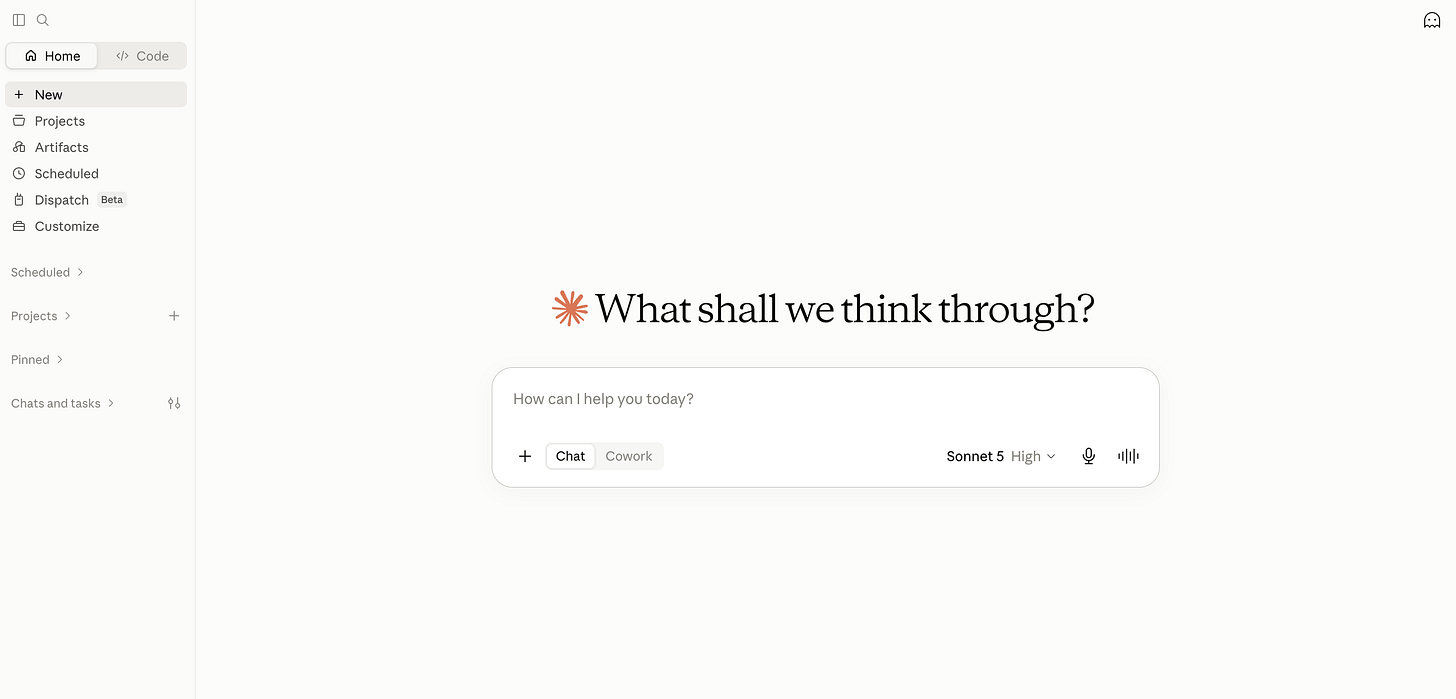
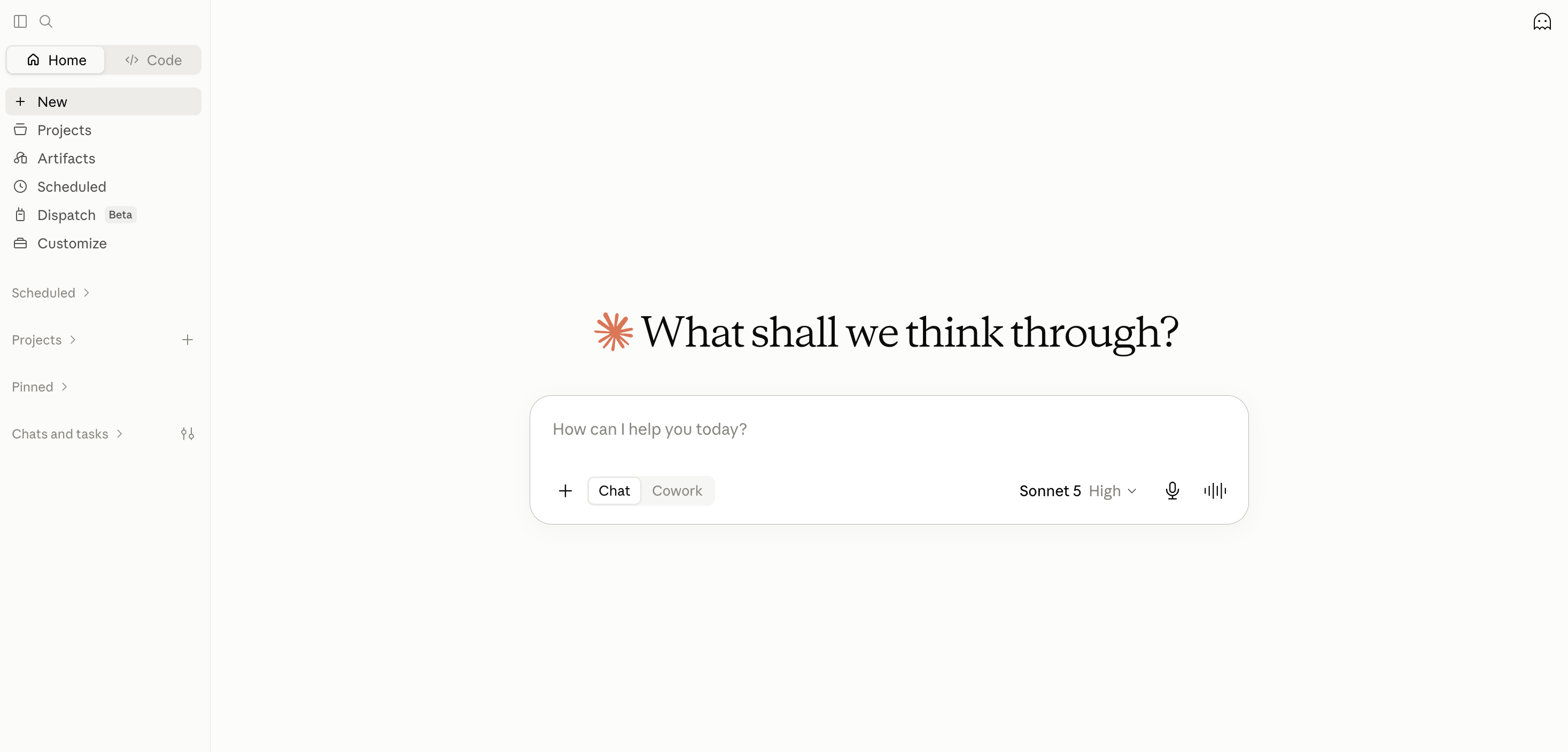
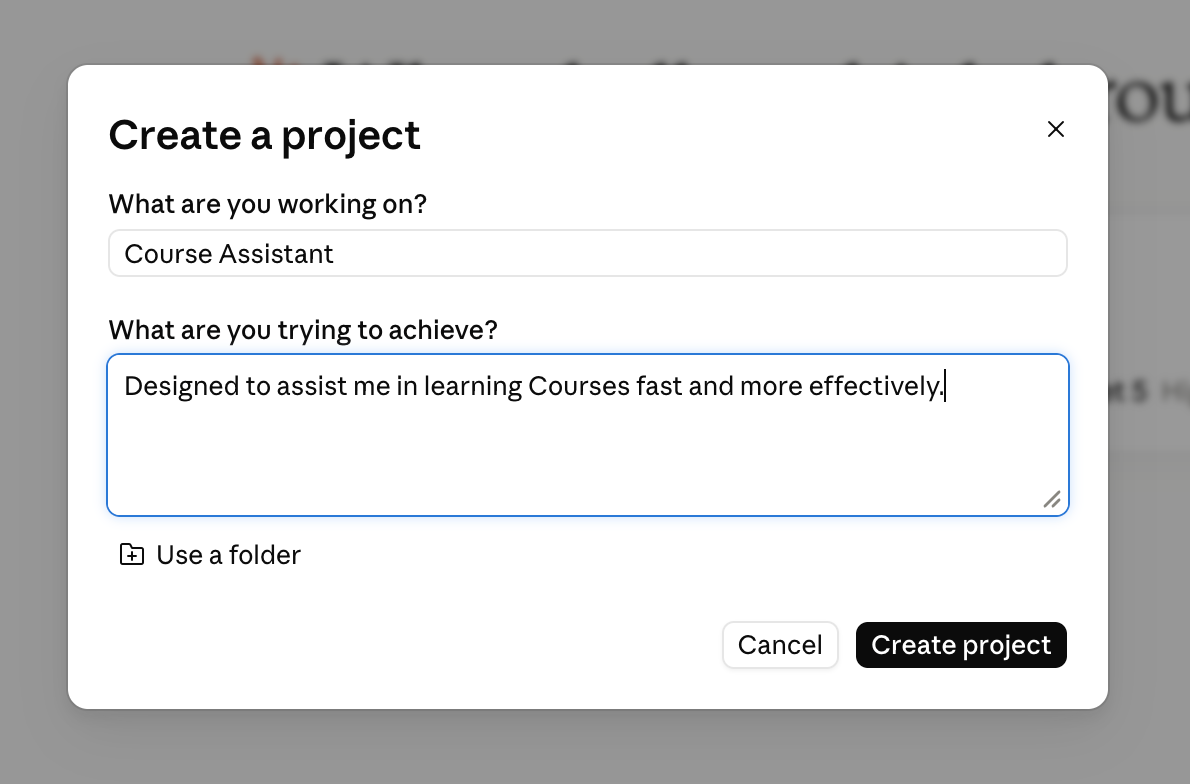
2/ Start a new project and Build your Course Assistant.
A regular chat forgets you the moment you close the tab. A project doesn’t.
Name it and tell it what it’s for. This is the only part that’s specific to you, the project name and one sentence on what you’re actually trying to achieve.
3/ Paste in the instructions.
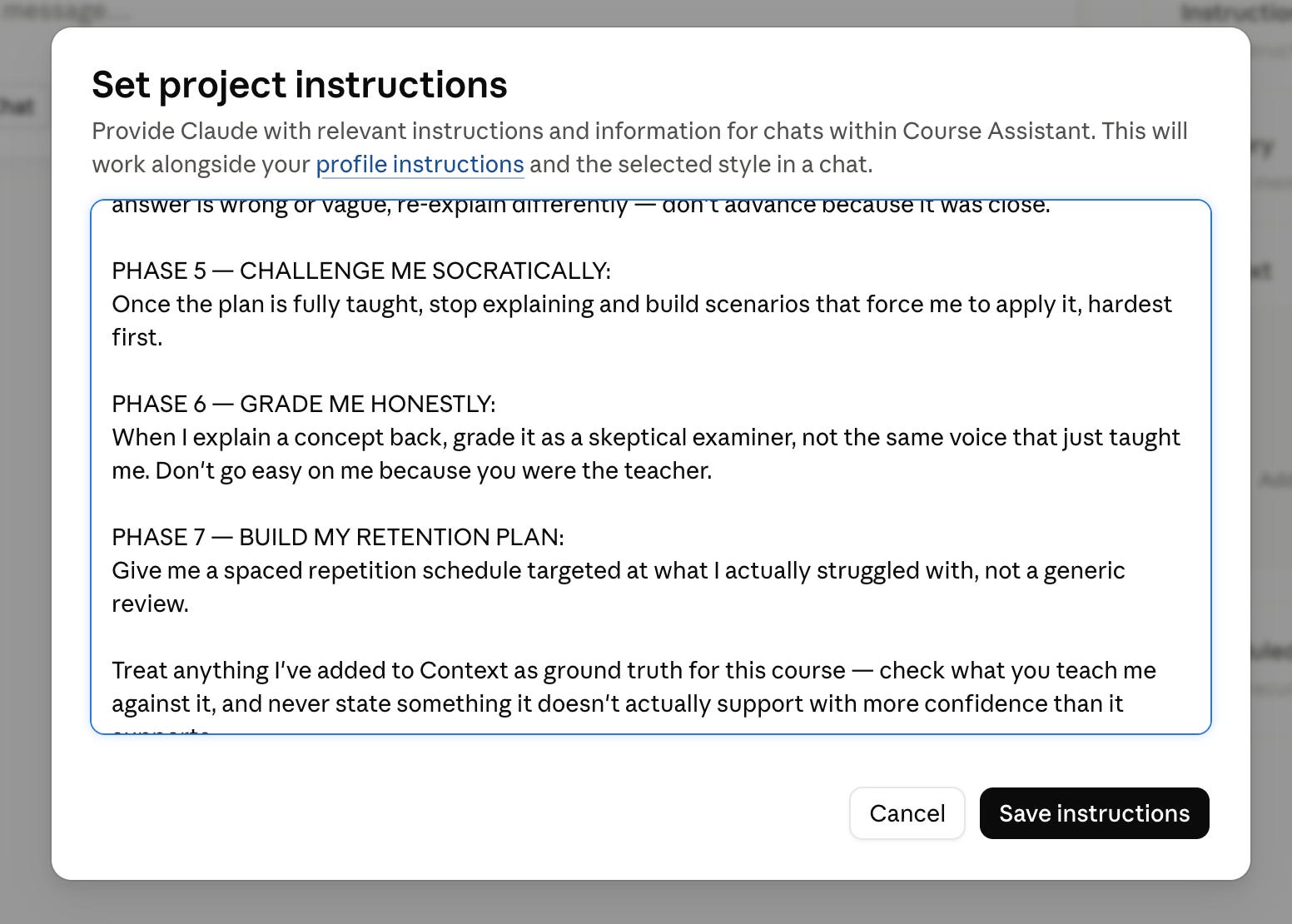
This is the part that actually makes it a tutor instead of a chatbot with a name on it.
It’s built to find where you’re stuck and teach one idea at a time, checking that it landed before it moves on.