A Guide to Clean, Extensible Code
By The Coding Gopher
Published: 2026-10-06
URL: https://thecodinggopher.substack.com/p/what-are-decorators
If you’ve spent any time reading modern codebases—especially in Python or TypeScript—you’ve likely encountered the @ symbol perched above a function or class. That is a decorator.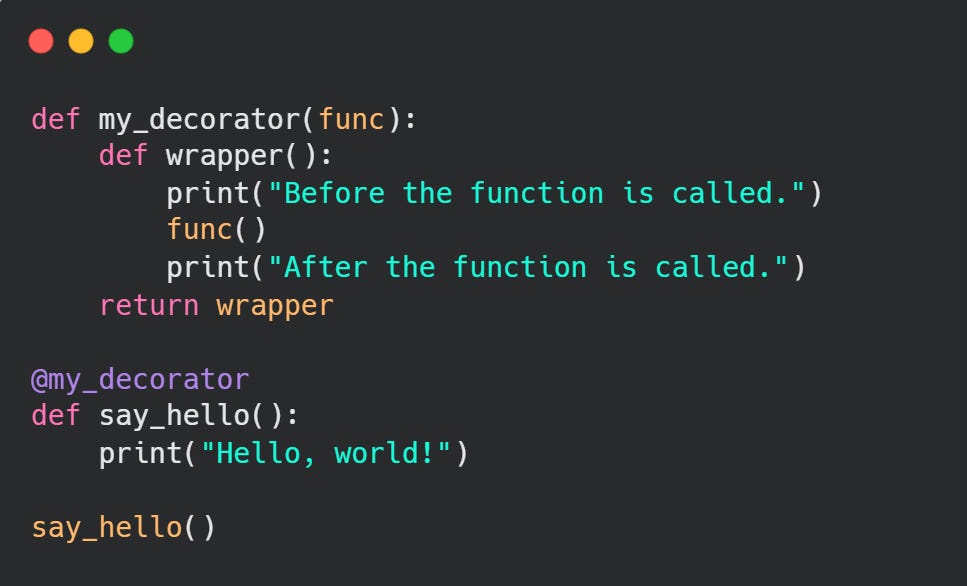 A decorator is a special design pattern or tool in programming that lets you add extra behavior to a function, method, or class without changing its original source code. It wraps around your code to modify or enhance what it does before or after it runs.
At its core, a decorator is a powerful design pattern that allows you to dynamically alter or enhance the behavior of a function, method, or class without permanently modifying its original source code. Think of it as a wrapper or a “Russian nesting doll” for your code. It intercepts a function call, executes some supplemental logic, and then hands control back to the original function.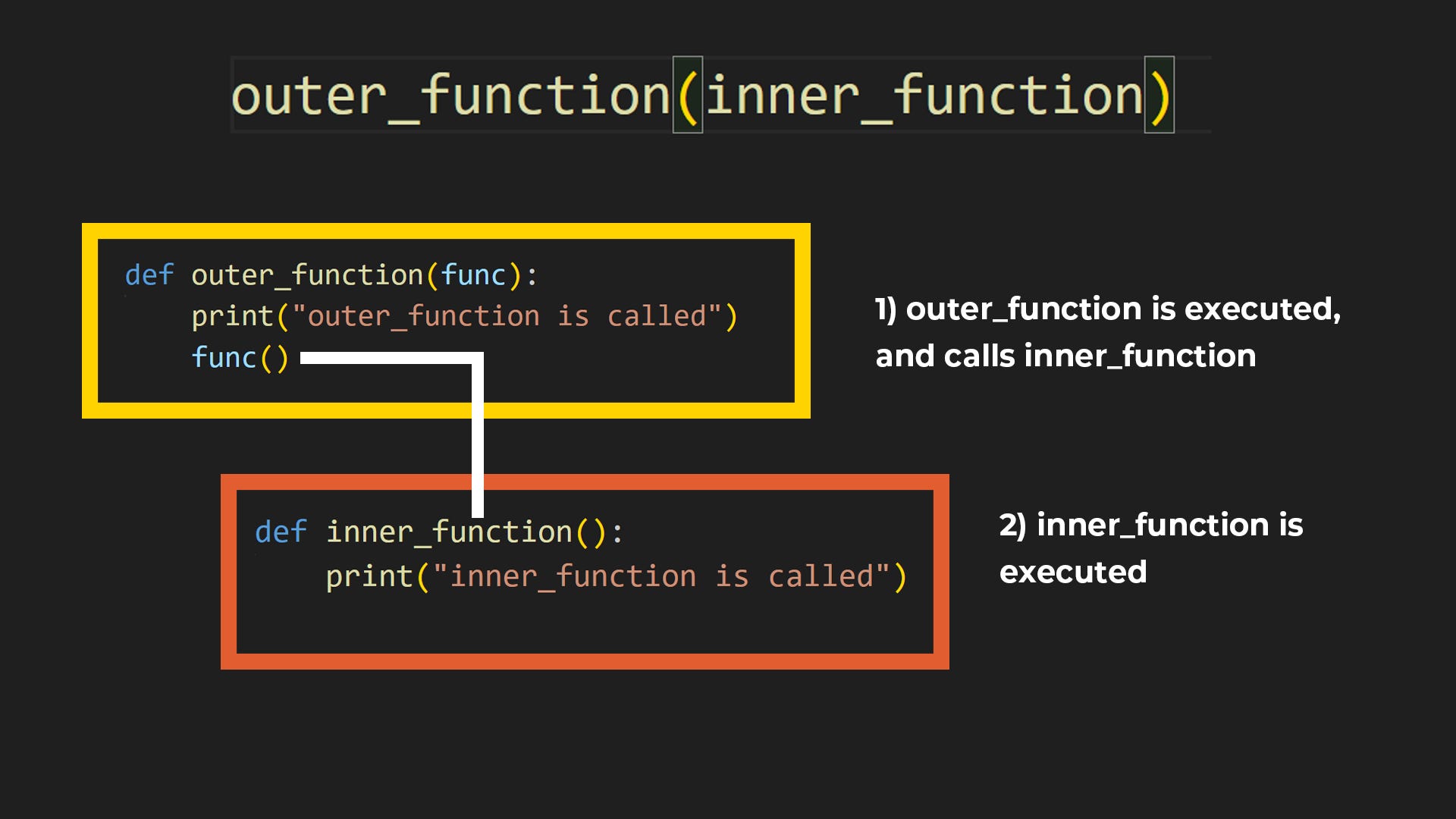
Here is a detailed look at how decorators work under the hood, why they are essential for clean architecture, and how to leverage them in your daily development.
Join a community of senior engineers. Subscribe and get FREE access to System Design deep dives.
The Problem Decorators Solve
Imagine you are building a microservice. You have a dozen different API endpoint functions, and you realize you need to log the execution time of each one for performance monitoring.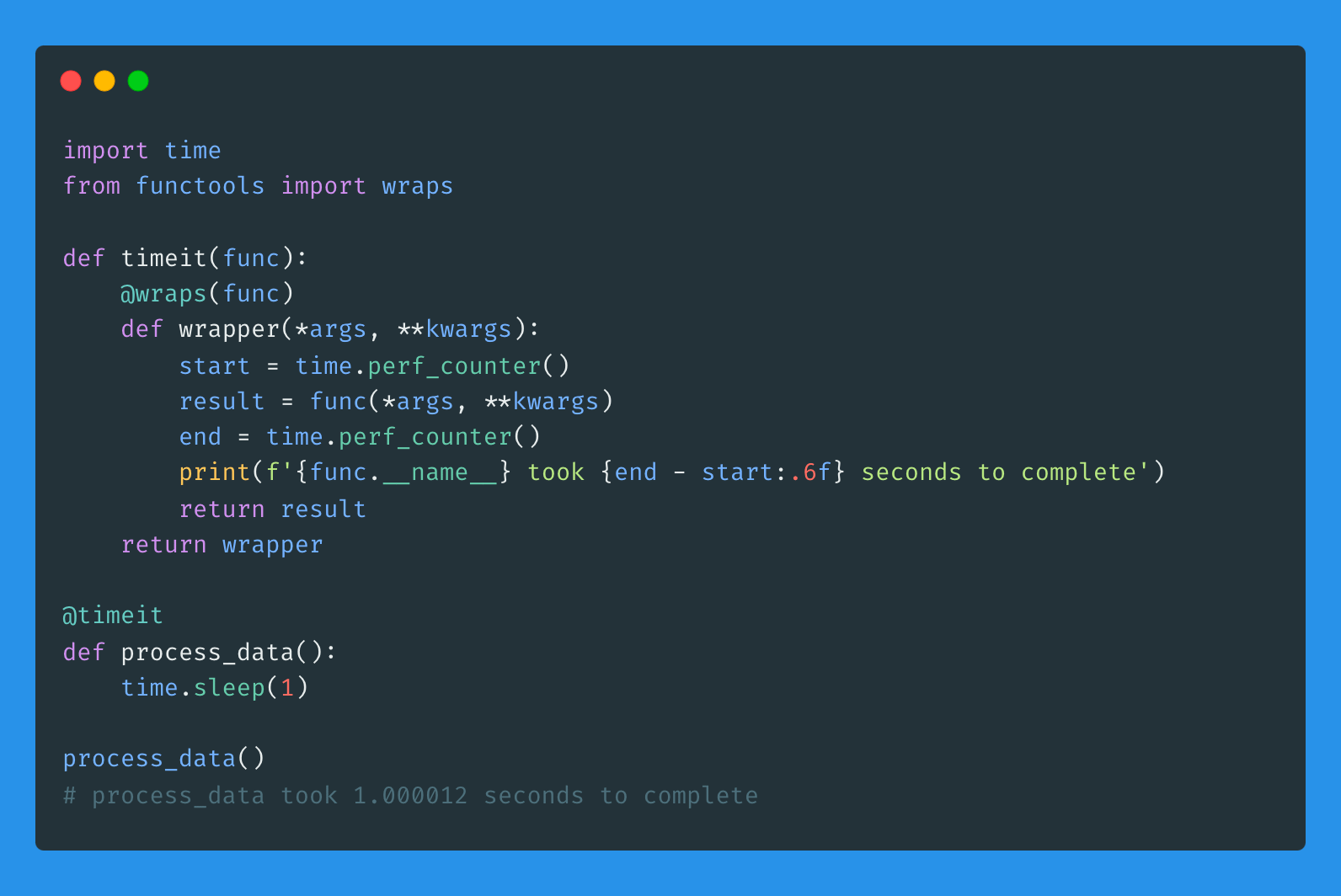 A timing decorator in Python is a helper function that measures and prints how long another function takes to run. It uses
time.perf_counter() for accuracy, wraps the target function using functools.wraps to keep metadata, and accepts any arguments via args and *kwargs.
Without decorators, you would have to insert start-time and end-time tracking logic directly inside every single endpoint function. This violates the DRY (Don’t Repeat Yourself) principle and clutters your core business logic with infrastructure concerns.
Decorators solve this by allowing you to extract that timing logic into a single, reusable wrapper. You handle the “cross-cutting concern” (logging) in one place and elegantly apply it wherever needed.
How They Work: Functions as First-Class Citizens
To understand decorators, you must first understand that in languages like Python, functions are first-class citizens. This means functions can be treated like any other variable: they can be passed as arguments to other functions, assigned to variables, and returned from other functions.
Note: In Python, functions are first-class citizens (or first-class objects), meaning they are treated like any other data type or object, such as integers, strings, or lists. This core principle allows functions to be assigned to variables, passed into other functions, returned by other functions, and stored in data structures.
Build Redis, Git, Docker & Claude Code From Scratch
Want to become a better software engineer?
Trusted by engineers at Google, NVIDIA, and Anthropic, CodeCrafters helps you rebuild technologies like Redis, Git, Docker, and Claude Code from scratch so you can deeply understand how real systems work.
We’ve partnered with CodeCrafters to give all readers an exclusive 40% lifetime discount.
💡 Engineers may expense platforms like this through their team’s learning budget.
Start Building & Unlock 40% Off
A decorator is simply a higher-order function—a function that takes a target function as input, wraps it in an inner “wrapper” function, and returns the newly wrapped function.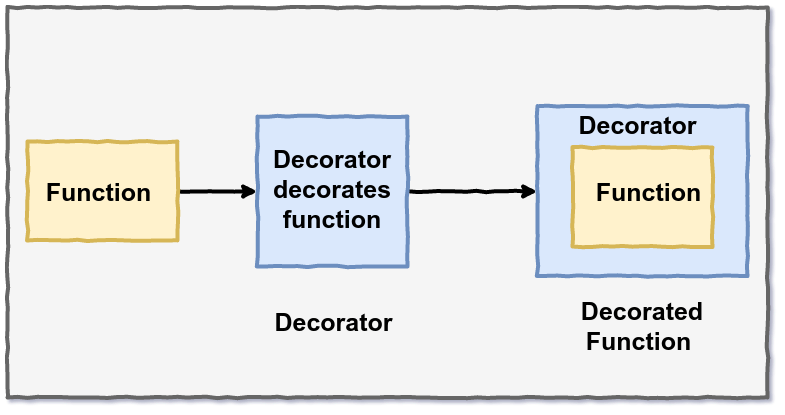
The Anatomy of a Decorator
Let’s look at a fully fleshed-out example of a timing decorator in Python:
import time
from functools import wraps

def measure_execution_time(func):
"""A decorator that prints the execution time of the function."""

@wraps(func) # Preserves the original function's metadata (name, docstring)
def wrapper(*args, **kwargs):
start_time = time.time()

# 1. Execute the original function with its arguments
result = func(*args, **kwargs)

# 2. Add the new functionality (calculating time)
end_time = time.time()
execution_time = end_time - start_time
print(f"[{func.__name__}] executed in {execution_time:.4f}s")

# 3. Return the original result
return result

return wrapper
Join a community of senior engineers. Subscribe and get FREE access to System Design deep dives.
Key components of this structure:
-
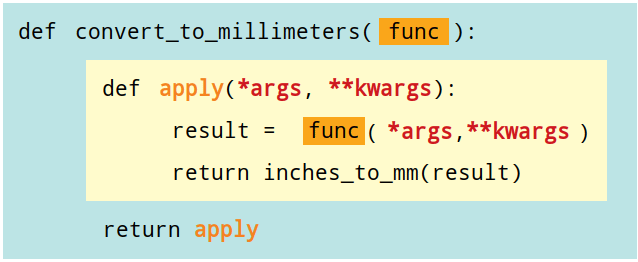
args, *kwargs: This ensures your decorator is universally applicable. It captures any positional or keyword arguments the user passes and safely forwards them to the original function.
-
@wraps(func): This is a crucial best practice. When you wrap a function, you accidentally overwrite its name and docstring with the wrapper’s name. The @wraps utility copies the original metadata over to the wrapper, ensuring debugging tools and documentation generators still work correctly.
Applying the Decorator
Instead of manually passing functions around, most languages provide syntactic sugar to apply decorators. You simply place @decorator_name above the function definition:
@measure_execution_time
def process_data(records):
"""Simulates a heavy data processing task."""
time.sleep(2)
return f"Processed {len(records)} records."

# When you call the function, the wrapper intercepts it automatically.
process_data([1, 2, 3])
Advanced Decorator Patterns
Once you master the basic wrapper, you can leverage decorators for highly complex architectures.
1. Decorators with Arguments
Sometimes you want the decorator itself to be configurable. To do this, you wrap the decorator in another layer of function—a decorator factory.
def require_permission(role):
def decorator(func):
@wraps(func)
def wrapper(user, *args, **kwargs):
if user.get("role") != role:
raise PermissionError(f"Requires {role} access.")
return func(user, *args, **kwargs)
return wrapper
return decorator

@require_permission(role="admin")
def delete_database(user):
print("Database deleted.")
Join a community of senior engineers. Subscribe and get FREE access to System Design deep dives.
2. Stacking Decorators
You can apply multiple decorators to a single function. They execute from the bottom up (the one closest to the function definition runs first).
@route("/api/v1/users")
@require_permission(role="admin")
@measure_execution_time
def get_all_users():
pass
Enterprise Use Cases
In production systems, decorators are indispensable for separating business logic from systemic requirements. Common use cases include:
-
Access Control & Authentication: Checking if a user’s session is valid before allowing an API route to execute (e.g., @login_required).
-
Caching/Memoization: Storing the results of expensive function calls and returning the cached result if the same inputs occur again (e.g., Python’s @functools.lru_cache).
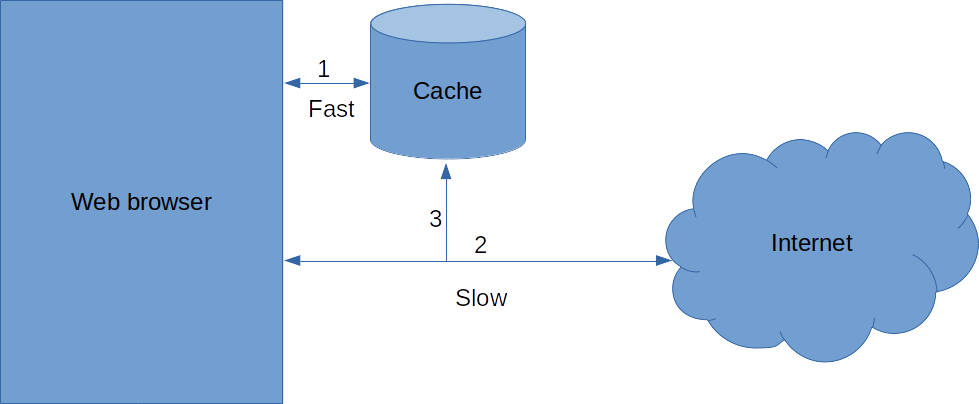
@functools.lru_cache is a built-in Python decorator that saves the results of expensive function calls in memory. When the function is called again with the identical arguments, Python skips the computation and returns the stored result instantly.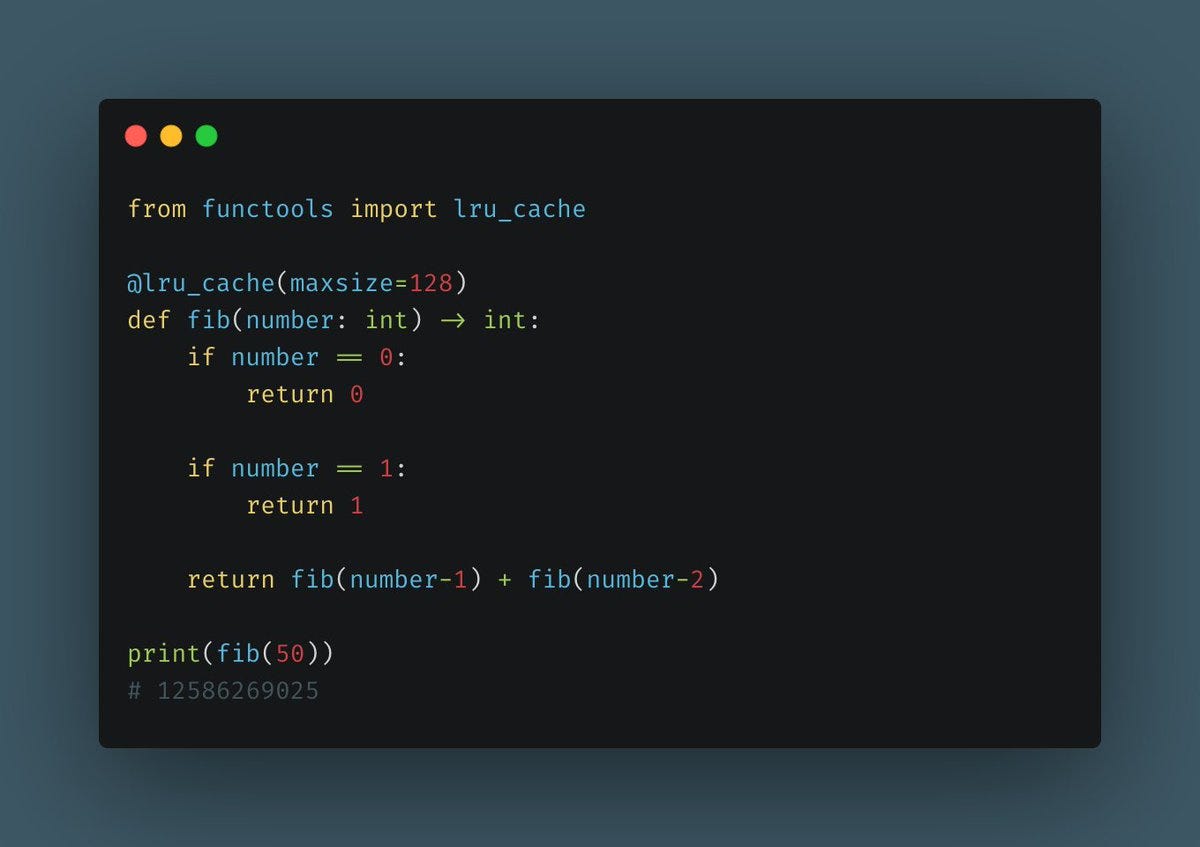
-
Retry Logic: Automatically re-attempting a function if it encounters a transient network error, keeping the retry loop out of the main logic.
-
Transactions: Automatically opening a database transaction before a function runs and committing (or rolling back) after it finishes.
Key Takeaway: Decorators encourage the Single Responsibility Principle. By moving repetitive infrastructure logic into decorators, your core functions remain small, testable, and completely focused on what they were actually built to do.
Join a community of senior engineers. Subscribe and get FREE access to System Design deep dives.