How Anthropic’s Terminal-First AI Transcends Autocomplete to Manage Entire Development Workflows
By The Coding Gopher
Published: 2026-06-25
URL: https://thecodinggopher.substack.com/p/why-claude-code-is-the-future-of
Deconstructing Anthropic’s ecosystem that turns your local environment into an autonomous AI engineer.
For the past few years, AI coding tools have followed a predictable evolutionary path. First, we had the “copy-paste” era of web-based chatbots. Then came the “autocomplete” era of IDE extensions like GitHub Copilot. Finally, we entered the “integrated workspace” era with specialized editors like Cursor.
But Anthropic disrupted this trajectory with Claude Code.
Instead of building another IDE, Anthropic built a command-line interface (CLI) tool that quickly evolved into a massive, interconnected automation ecosystem. It doesn’t just suggest code; it acts as an autonomous agent living directly inside your machine. It reads your files, runs your bash commands, executes your test suites, and can even be controlled from your phone.
Here is a look under the hood at how Claude Code fundamentally changes the developer workflow.
1. The Core Philosophy: Agentic vs. Reactive
Most AI coding tools are reactive. You write a comment, and it writes the next line. You highlight a function, and it explains it. The AI is a passenger.
Claude Code is agentic. You give it a high-level goal, such as “Write tests for the payment module, run them, and fix any failures,” and it takes the wheel.
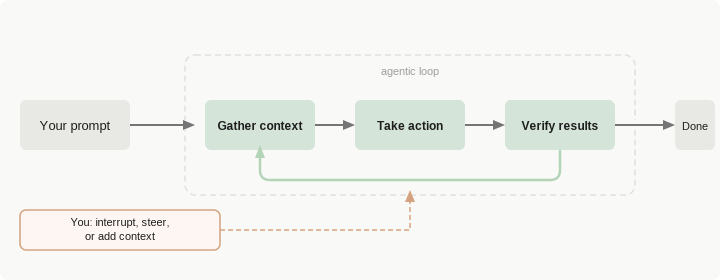
To accomplish this, Claude Code runs on a continuous, autonomous cycle known as the Agentic Loop:
- Gather Context: Claude actively searches your directory, reads your
package.json, checks your Git status, and uses regex to find relevant function definitions. You don’t have to manually highlight or tag files for it.
- Take Action: It proposes changes, creates new files, or refactors existing ones.
- Verify Results: It doesn’t just blindly assume its code works. It will run your local compiler or test suite (
npm test,cargo build, etc.), read the error logs in the terminal, and automatically rewrite the code to fix any bugs it introduced.
2. The Toolkit: Terminal as the API
By starting in the terminal, Claude Code inherited the ultimate superpower: System Access. If you can do it from the command line, Claude can do it too.
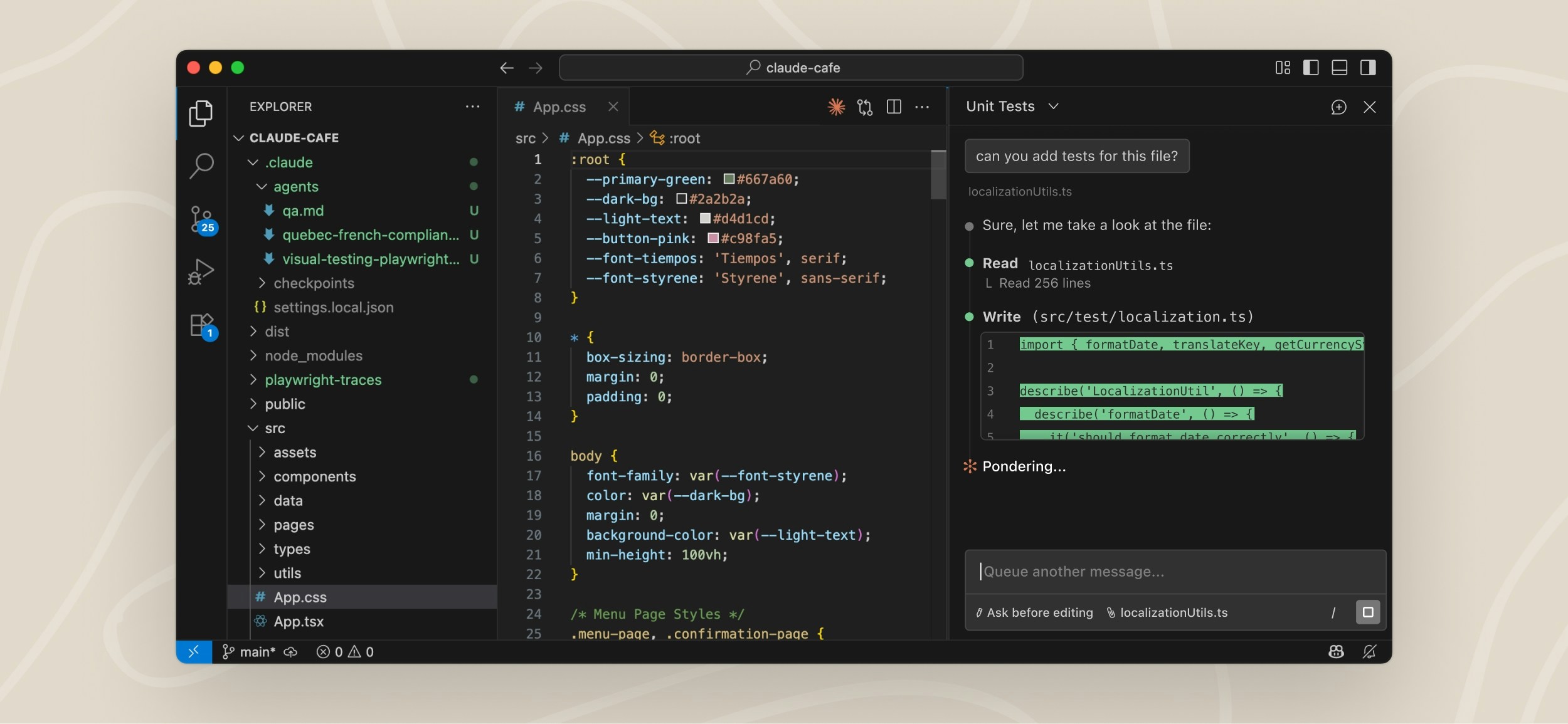
- File Operations: It can read, edit, rename, and reorganize entire directories.
- Shell Execution: It can start a local development server, pipe logs, and evaluate outputs.
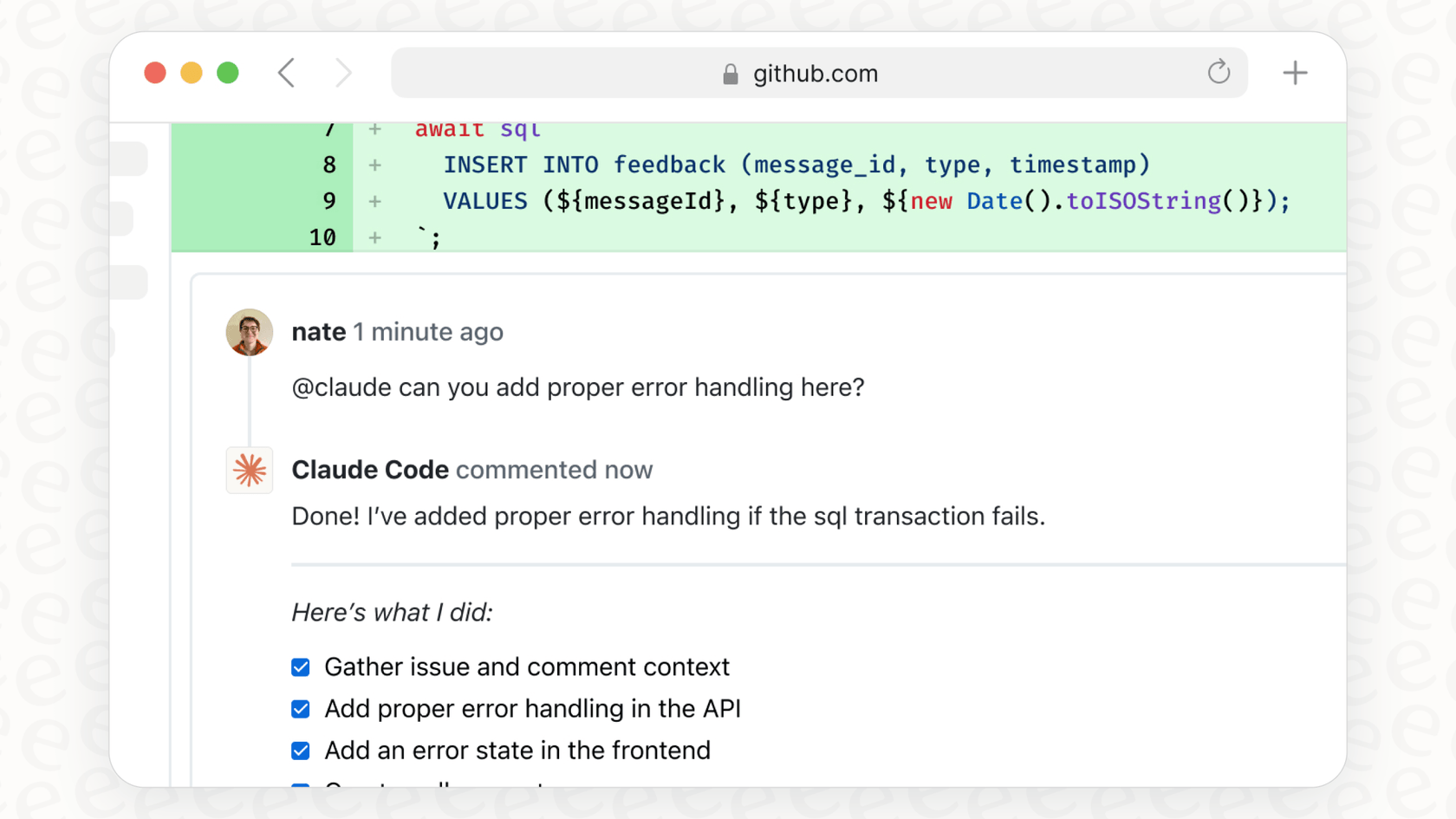
- Git Integration: Claude handles full Git workflows. You can simply type
claude "commit my changes with a descriptive message", and it will stage the files, generate a semantic commit message, and even open a Pull Request.
3. Extending the Brain: Context and MCP
A raw LLM is smart, but it doesn’t know your specific team’s engineering standards. Claude Code introduces a sophisticated configuration layer to mold the AI to your exact project needs.
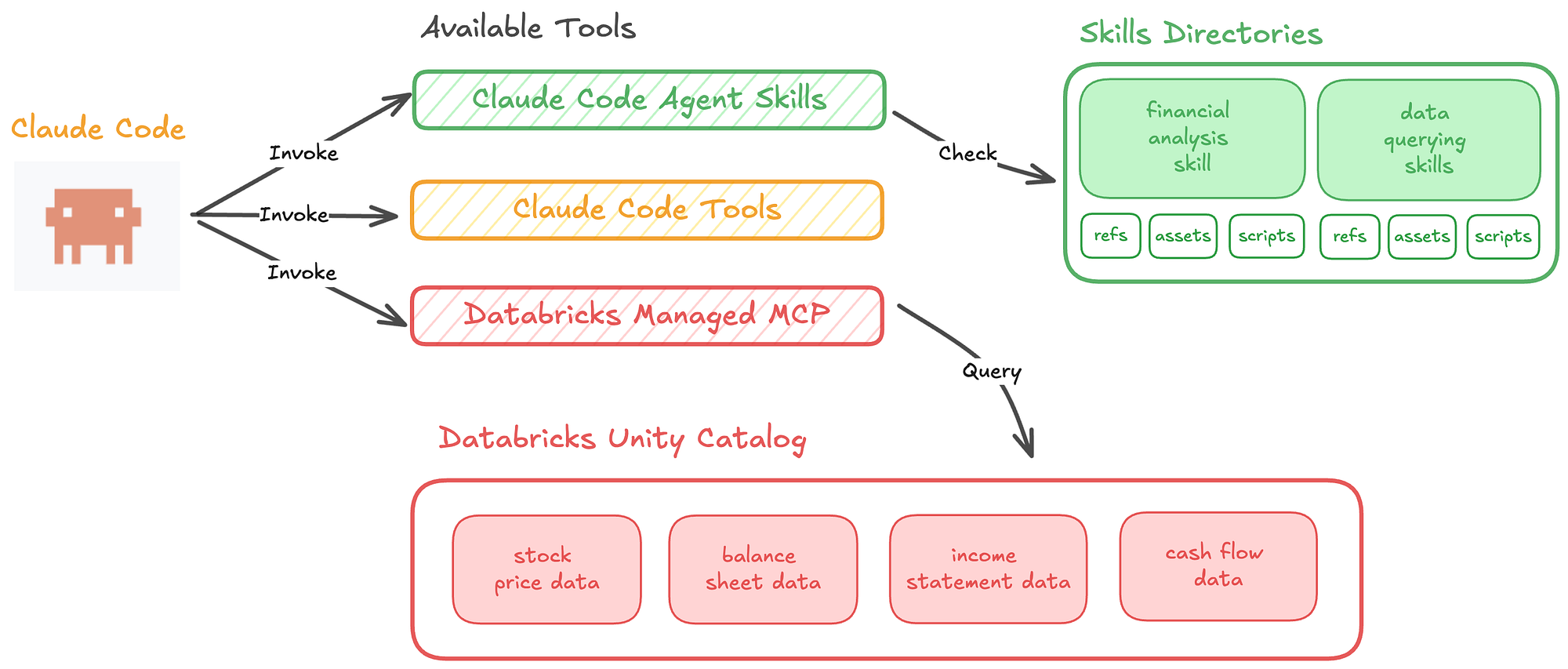
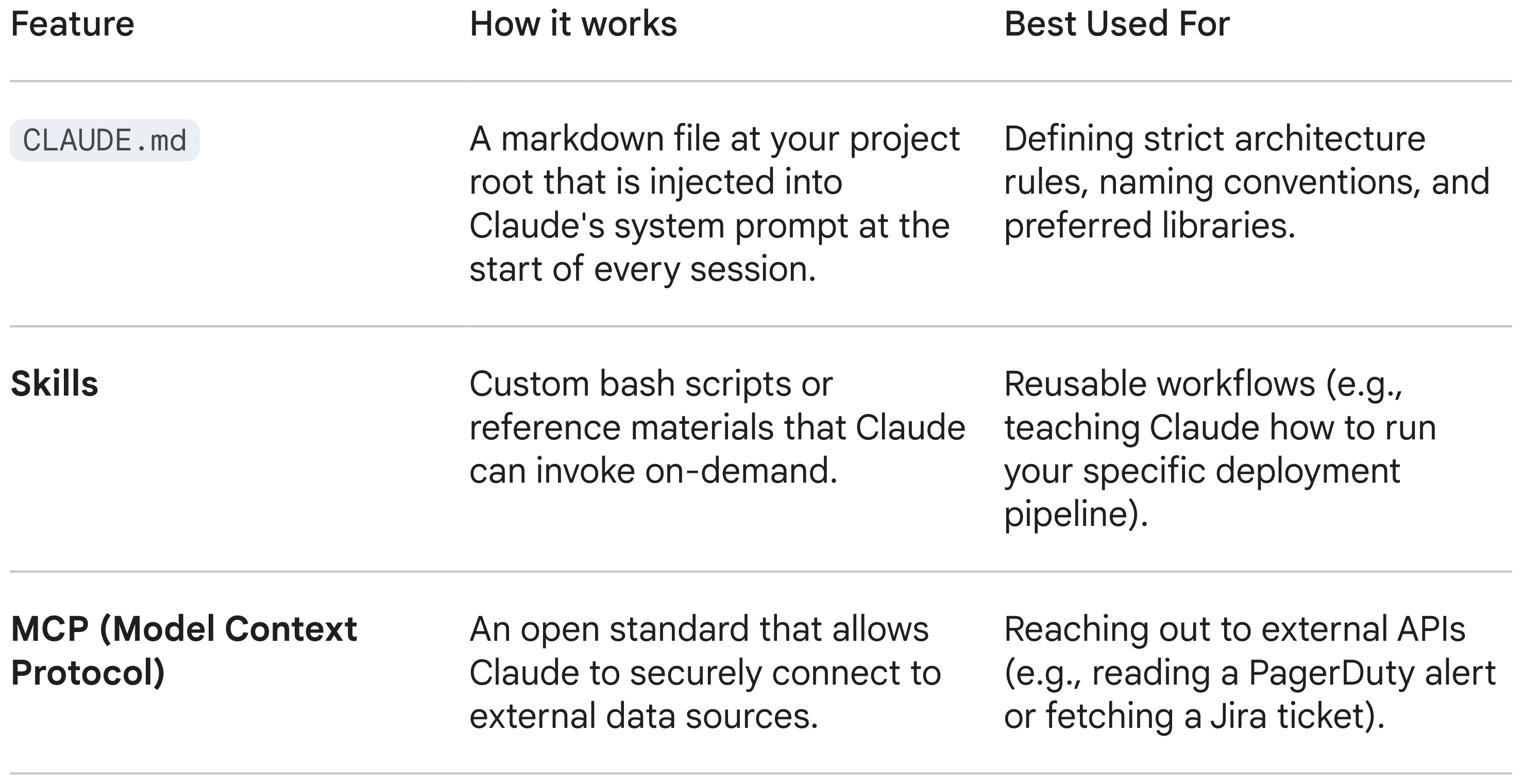
Note: Claude Code Skills are specialized, prompt-based instruction sets (packaged in folders with a skill.md file) that teach Claude how to handle specific, repeatable tasks and workflows. They allow for customizing Claude's behavior, allowing it to adopt specific coding styles, create UI designs, or automate multi-step processes.
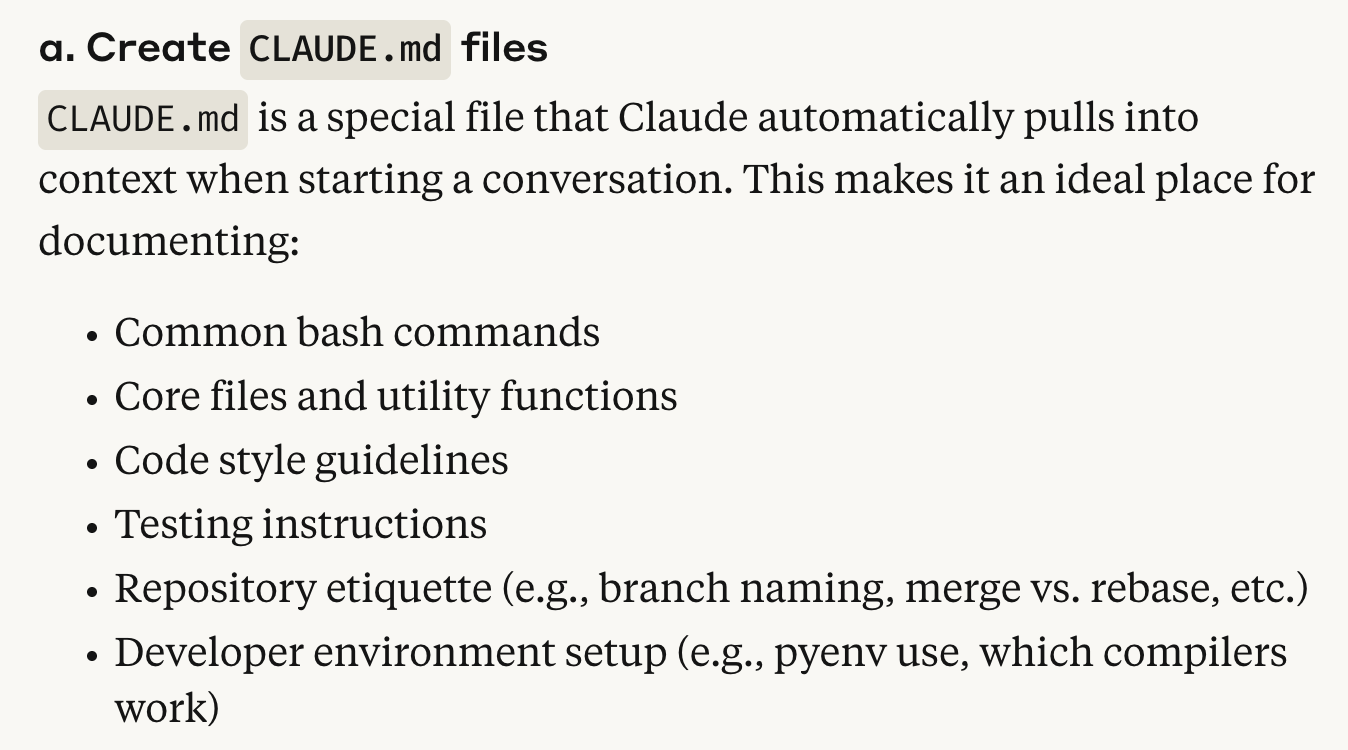 \CLAUDE.mdis a Markdown file placed in the root directory of a project that acts as a persistent memory and guide for theClaude CodeAI agent. It provides crucial context—coding standards, architectural rules, and project-specific instructions—to prevent repeating instructions every session, similar to a "system prompt" for a specific repository.\
𝐋𝐞𝐚𝐫𝐧 𝐭𝐨 𝐛𝐮𝐢𝐥𝐝 𝐆𝐢𝐭, 𝐃𝐨𝐜𝐤𝐞𝐫, 𝐑𝐞𝐝𝐢𝐬, 𝐇𝐓𝐓𝐏 𝐬𝐞𝐫𝐯𝐞𝐫𝐬, 𝐚𝐧𝐝 𝐜𝐨𝐦𝐩𝐢𝐥𝐞𝐫𝐬, 𝐟𝐫𝐨𝐦 𝐬𝐜𝐫𝐚𝐭𝐜𝐡. Get 40% OFF CodeCrafters: <https://app.codecrafters.io/join?via=the-coding-gopher>
This Substack is reader-supported. To receive new posts and support my work, consider becoming a free or paid subscriber.