AWS has essentially bridged the gap between object storage (S3) and file systems (EFS) with a native, high-performance solution.
By Basant
Published: 2026-04-08
URL: https://theautomator.substack.com/p/hello-s3-files-s3-is-now-a-real-file
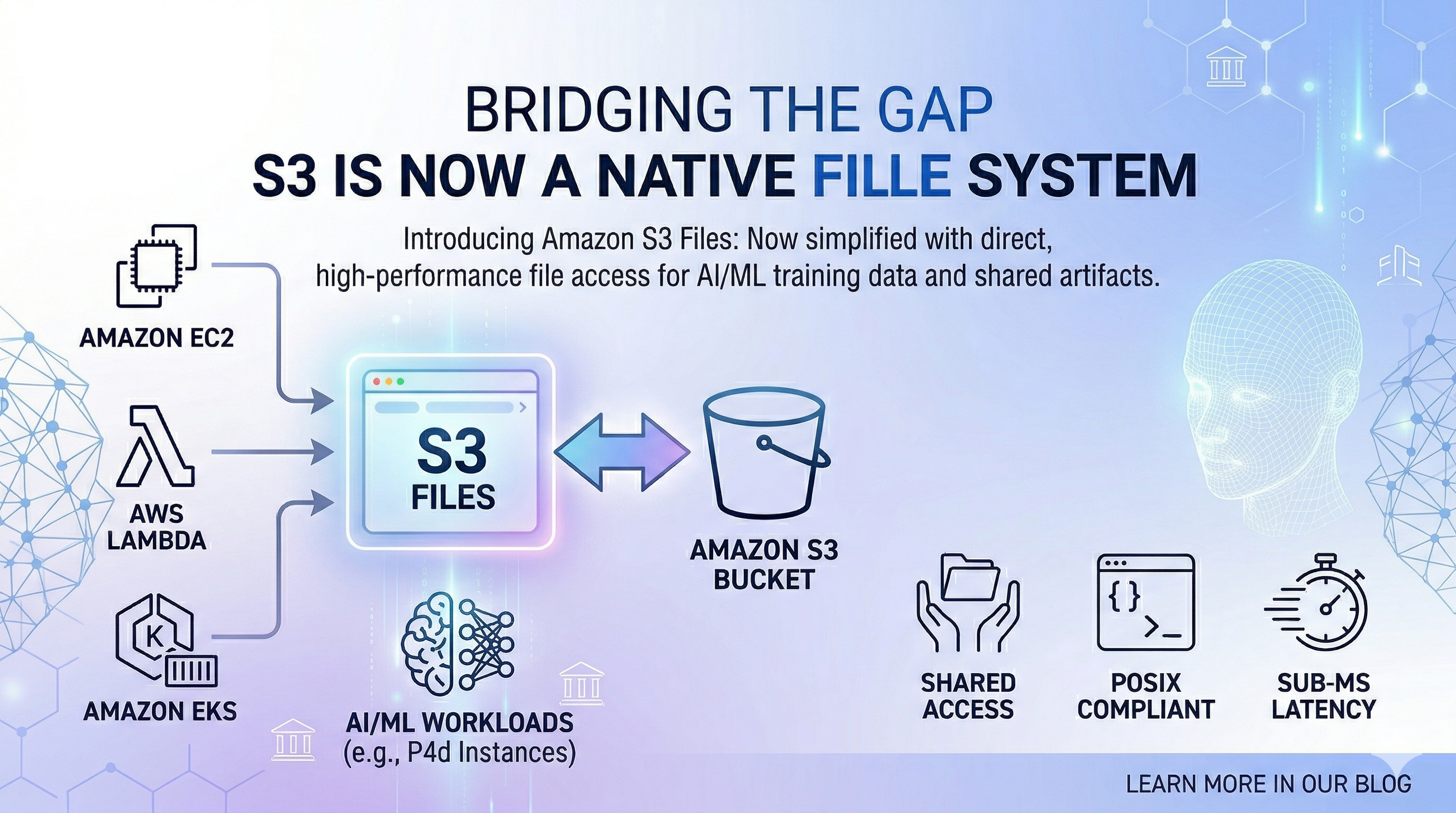
For years, cloud architects have lived by a strict rule: S3 is for objects, EFS/FSx is for files.
If you wanted to treat an S3 bucket like a local folder on your EC2 instance, you had to jump through hoops. You either used s3fs (which was slow), AWS Storage Gateway (which was heavy), or the Mountpoint for S3 (which was read-heavy and lacked full POSIX support).
Thanks for reading The Systems Notebook! Subscribe for free to receive new posts and support my work.
Last week, AWS changed the game with the launch of Amazon S3 Files.
What is S3 Files?
S3 Files is a new feature that lets you mount an S3 bucket as a native, high-performance file system. It’s not just a “wrapper”; it’s a managed service that uses the NFS v4.1 protocol to give you sub-millisecond latency for active data.
The “Magic” Sauce: Under the hood, it uses an EFS-backed cache. When you update a file in the mount, it automatically syncs back to S3. When you change an object in S3, it appears in your file system within seconds.
The Missing Link for AI and ML Workloads
While the general convenience is great, the biggest winner here is the AI/ML community. This launch directly solves two of the most persistent bottlenecks in modern machine learning pipelines: training data access and model artifact management.
1. Zero-Code ML Pipelines
Until now, data scientists had to modify their code to ingest training data directly from the S3 API (boto3.get\_object()) or manage complex pre-loading steps to local instance storage.
S3 Files removes this friction. Because it is a native mount, standard Python libraries like numpy, pandas, scikit-learn, or your custom shell scripts see the training data as local files. You can point your dataloader to /mnt/s3-data/training\_set/ without rewriting a single line of your established training logic. This drastically accelerates experimentation.
2. Massively Parallel Model Training
For large model training (e.g., training an LLM or a large vision model), workloads are distributed across massive GPU clusters (like Amazon EKS or EC2 P4d instances). The training data must be accessible to every node simultaneously.
Using standard S3 API, synchronization is complex. S3 Files provides concurrent shared access with NFS close-to-open consistency. All training nodes can mount the same S3 bucket, read the same dataset, and write checkpoints or logs to the same shared directory, eliminating data duplication and complex sync logic.
Why should you care?
- Shared Collaboration: You can mount the same S3 bucket to a cluster of EC2 instances, Lambda functions, and EKS containers simultaneously.
- No More Code Rewrites: If you have legacy Python scripts or AI agents that expect to read from
/data/my-file.txtinstead of callingboto3.get\_object(), they just work now.
- Cost-Effective Durability: You get the 11 nines of durability from S3 with the interactive speed of a file system.
Usage Example: Mounting your Bucket in 3 Steps
Let’s say you have a bucket called my-app-data and an EC2 instance. Here is how you bridge them.
1. Create the File System
In the S3 Console, there is a new “File systems” tab.
- Click Create file system.
- Select your bucket (
my-app-data).
- AWS will automatically create “Mount Targets” (network endpoints) in your VPC.
2. Install the Utilities
Ensure your EC2 instance (Amazon Linux 2023 or similar) has the latest tools:
Bash
sudo dnf install -y amazon-efs-utils
3. Mount and Train
Create a local folder and mount the S3 file system ID (e.g., fs-987xyz123):
Bash
sudo mkdir /mnt/training-data sudo mount -t s3files fs-987xyz123:/ /mnt/training-data
Now, you can run your standard training script directly:
Python
# train.py (Standard python script, no AWS SDK needed)

import pandas as pd import my_ml_library

# Read training data like a local file

dataset_path = '/mnt/training-data/v2_processed/images/' df = pd.read_csv('/mnt/training-data/v2_processed/annotations.csv') print(f"Loading {len(df)} images from {dataset_path}")

# Run training logic

model = my_ml_library.train(data=df, path=dataset_path)

# Save the trained model artifact back to the mount

model.save('/mnt/training-data/models/final_model.pkl')
Bash
# Verify the artifact is now in S3 automatically

aws s3 ls s3://ml-training-datasets/models/

# Output: 2026-04-09 10:30:00 450MB final_model.pk
l
When to use what?
- Use S3 Files if you need high-performance, shared access to S3 data for AI training, media editing, or apps that require a standard file interface.
- Use Amazon FSx if you specifically need Windows-specific features (ONTAP, OpenZFS) or Lustre for massive HPC workloads.
- Stick to S3 API (Boto3/SDK) for standard web hosting or simple object storage where you don’t need a mount.
This launch effectively turns S3 into the “Central Hub” for all data, regardless of how your application prefers to “talk” to it. It’s a massive win for simplicity.
Are you planning to migrate your EBS or EFS workloads to S3 Files? Drop a comment below!
Thanks for reading The Systems Notebook! Subscribe for free to receive new posts and support my work.