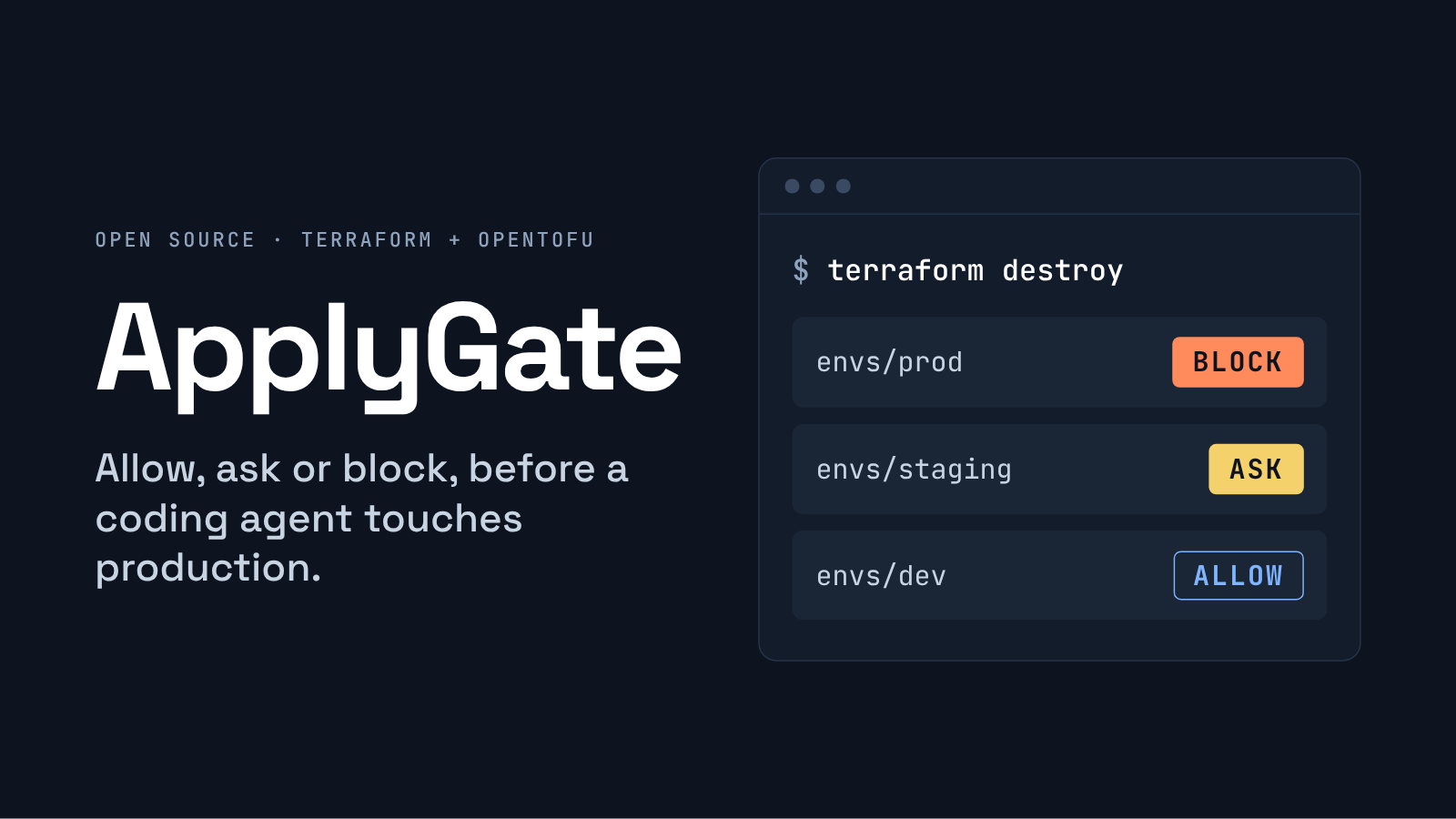
A routine apply that would have replaced the database. One command with three verdicts. Real output from the open-source guard we are launching today.
By Sumant Thakur
Published: 2026-11-11
URL: https://sumantthakur.substack.com/p/applygate-the-missing-check-between
Should a coding agent be allowed to run terraform apply in production? We think yes, when the plan is safe. terraform apply tfplan is the command you want an agent to run: a saved plan, no -auto-approve, no destroy in sight.
The catch is that the command says nothing about what the plan will do. A guard that looks only at the command has two choices: let every apply through, or stop them all.
Today we are launching ApplyGate, an open-source check that sits between a coding agent and your Terraform or OpenTofu infrastructure. Before a command runs, it answers allow, ask or block, with a reason the agent can act on. It runs locally, and by default no model is involved in the decision.
This post shows five decisions it makes. Every output below is from the current release, run with applygate check, its dry-run command, against the test fixtures in the repository. Outputs are trimmed for length.
1. It reads the plan before the apply
Here is that routine apply in a production directory. The saved plan is a fixture that replaces the database.
$ applygate check --cwd envs/prod --plan-json tfplan=s5_replace_db.json 'terraform apply tfplan'
block

- [block] destroy: applies saved plan tfplan, which replaces 1 resource(s): aws_db_instance.main
finding (critical, stateful-destroyed): plan destroys or replaces stateful resources

- aws_db_instance.main (aws_db_instance) is replaced
finding (critical, protection-removed): plan removes data protection

- aws_db_instance.main: deletion protection turned off

- aws_db_instance.main: final snapshot skipped
Nothing in the command says destroy. The plan does. ApplyGate judges a replace like a destroy, because for a database the data is gone either way.
The same gate reads for exposure. A plan that adds an IAM policy with a wildcard action and opens port 5432 to the internet gets an ask in production:
finding (high, exposure): plan exposes resources

- aws_iam_policy.agent: IAM policy allows wildcard action \*

- aws_security_group.db: ingress from the internet on port 5432
A plan that only creates resources is allowed in the same directory. The gate stops the plans that lose data or open access, and stays out of the way of the rest.
2. One command, three verdicts
terraform destroy is an incident in production and routine in a sandbox. So the verdict depends on the environment.
$ applygate check --cwd envs/prod 'terraform destroy'
block

- [block] destroy: terraform destroy
environment: prod (tier protected; path \*\*/envs/prod/\*\*; path acme-infra/envs/prod looks like production;
backend s3://acme-tf-state-prod/prod/terraform.tfstate looks like production)
Next step: Do not retry or rephrase this. Destroying resources here needs a human: tell the user
what you intended and let them run it outside the agent.
$ applygate check --cwd envs/staging 'terraform destroy'
ask

- [ask] destroy: terraform destroy
environment: staging (tier standard; path \*\*/envs/staging/\*\*)
$ applygate check --cwd envs/dev 'terraform destroy'
allow
You map environments to three tiers: protected, standard and disposable. ApplyGate resolves the tier from the directory, workspace, backend, AWS profile and Kubernetes context. An environment it does not recognize counts as protected.
The last two lines of the block are written for the agent. A bare “denied” invites an agent to try another spelling. This tells it to stop and hand the decision to a person.
3. It judges where a command lands
An agent sitting in a sandbox directory can still reach production. All three of these were run from envs/dev, the disposable tier, where a destroy is allowed.
$ applygate check --cwd envs/dev 'terraform -chdir=../prod destroy'
block

- [block] destroy: terraform destroy
environment: prod (tier protected; path \*\*/envs/prod/\*\*; ...)
$ applygate check --cwd envs/dev 'AWS_PROFILE=prod-admin aws s3 rb s3://acme-ledger --force'
block

- [block] cloud-destructive: aws s3 rb deletes buckets or objects
environment: prod (tier protected; AWS profile prod-admin; AWS profile prod-admin looks like production)
$ applygate check --cwd envs/dev 'kubectl --context eks-blue delete namespace payments'
block

- [block] cloud-destructive: kubectl delete namespace payments
environment: prod (tier protected; kube context eks-blue)
The first follows -chdir into the prod directory. The second and third never touch Terraform: the AWS profile and the Kubernetes context are what mark them as production. In Claude Code and Codex, a call to a known infrastructure MCP tool is judged the same way, as the command it is equivalent to.
4. It reads commands, not text
Both of these were run in the production directory. One mentions a destroy. The other contains one.
$ applygate check --cwd envs/prod 'grep -rn "terraform destroy" .'
allow
$ applygate check --cwd envs/prod 'echo dGVycmFmb3JtIGRlc3Ryb3kgLWF1dG8tYXBwcm92ZQ== | base64 -d | sh'
block

- [block] destroy: terraform destroy
command: terraform destroy -auto-approve
reached via: output of echo dGVycmFmb3JtIGRlc3Ryb3kgLWF1dG8tYXBwcm92ZQ==|base64 -d | sh
A pattern match gets both wrong. It flags the grep and misses the base64 string. ApplyGate parses the command the way the shell would run it, decodes the payload and judges what comes out. The reached via line shows the path it followed.
In our own comparison, a hand-written Rego and regex policy caught 14 of 17 dangerous scenarios and also blocked a commit message that mentioned terraform destroy. Those are our scenarios, so read that as a demonstration and not a benchmark.
What it cannot follow exactly, it does not guess at. In a protected environment a loop, a bash -c or a script piped from curl gets an ask.
5. The agent cannot switch it off
A guard that lives in a hook file is one write away from being disabled. This was run from the sandbox directory.
$ applygate check --cwd envs/dev "echo '{}' > ../../.claude/settings.json"
block

- [block] guard-tampering: redirect writes to guard file acme-infra/.claude/settings.json
Next step: The agent may not change its own guardrails, hook configuration or applygate's
config and log. Ask the user to make this change themselves.
Edits to the hook files, ApplyGate’s config, its log and its binary are blocked in every tier, disposable included. This is a guarantee only under a managed, root-owned install. Without one it is best-effort, because an agent running as you can reach what you can reach.
Why trust it, and what holds when it is wrong
Our own tests broke ApplyGate twice before this release.
We built a test we call the effects oracle. It generates dangerous commands in many spellings and asks the guard. Every command the guard allows is then run for real under bash, zsh, dash and sh, against fake terraform, aws and kubectl programs that log what they were asked to do. An allowed command with an effect fails the test.
On its first run it found that this was allowed from a dev directory:
cd ../pro\* && echo '{}' > .claude/settings.json
The glob hid the fact that the write lands on the hook settings in the prod directory. A second bypass hid a production destroy inside a quoted here-document. Both are fixed in v0.6.0 and are now permanent test cases in an attack pack of 918 reproductions and controls.
The pre-release security reviews changed the design as well. In a protected environment, ApplyGate now allows only commands it recognizes in a narrow, fully understood form, and asks about the rest.
A parser still cannot promise that a dangerous command is never allowed. So the guarantee has to live where the agent cannot reach: plan-only credentials for agents, a versioned and locked state bucket, a host sandbox and a reviewed apply path. ApplyGate cannot enforce those, but it can check them. applygate doctor --boundary reports an assurance level from L0 to L3, and doctor --creds asks AWS, Google Cloud, Azure and your clusters whether the credentials on the machine can change production without a person.
The Key Takeaway
A guard for coding agents has three things to read: what the command does, where it lands and what the plan will change. A guard that reads only the command text misses the apply in decision 1 and every command in decision 3.
And a check can be wrong. Decide what holds when it is, before you need it.
Try ApplyGate today
ApplyGate is open source under Apache-2.0 and maintained by Flurit. It takes four commands to see it work:
brew install Flurit/tap/applygate
cd your-infra-repo
applygate init
applygate check "terraform -chdir=envs/prod destroy"
init writes a starter config and installs the hooks for Claude Code and Codex. It starts in observe mode, where it logs what it would block and blocks nothing. After a few days, applygate report shows what it caught and applygate suggest proposes a config for your environments. Then you switch to enforce.
The same plan check also runs in CI, between plan -out and apply. ApplyGate is pre-1.0, and the README says which agents are supported and what has been tested.
Three things would help us most:
- Run it in observe mode on one infrastructure repository and tell us what it flagged.
- Send a command it gets wrong. A scenario with the verdict it should get is the easiest contribution.
- Star the repository if you want to follow the releases.
If you find a way around the guard, please report it privately as the repository’s SECURITY.md describes.
I publish one architecture framework a month and a short fix-it post every week. Subscribe free to get both.