Print Your Own Books and Sell Them from Substack
By Solo Shannon
Published: 2026-03-20
URL: https://soloshannon.substack.com/p/substack-printing-your-own-books
Spoiler alert: this isn’t about using Amazon KDP, Ingram Spark or a vanity press — it’s about printing books from home, selling them here on Substack & keeping your own profit.
I’ve been writing on Substack and publishing on YouTube for 7 months and 10 days. It’s been the best education I could’ve ever asked for in self-publishing, promoting my work with confidence and turning my real world experience into income.
At first, I thought I’d earn most of my revenue from coaching and that’s definitely where I started. But over the months, my revenue balance has shifted away from one-on-one coaching to product sales. Digital products started to outpace coaching in month 3 and by the 4th month I added in brand deals & affiliate commissions.
These were all stepping stones towards my ultimate goal — making my entire living from WRITING. I didn’t come to Substack to use it as a platform to grow a coaching business, I came here to become a better writer. To grow into an author who’s confidence comes from putting in the reps, and understanding the needs of the market I’m writing for. 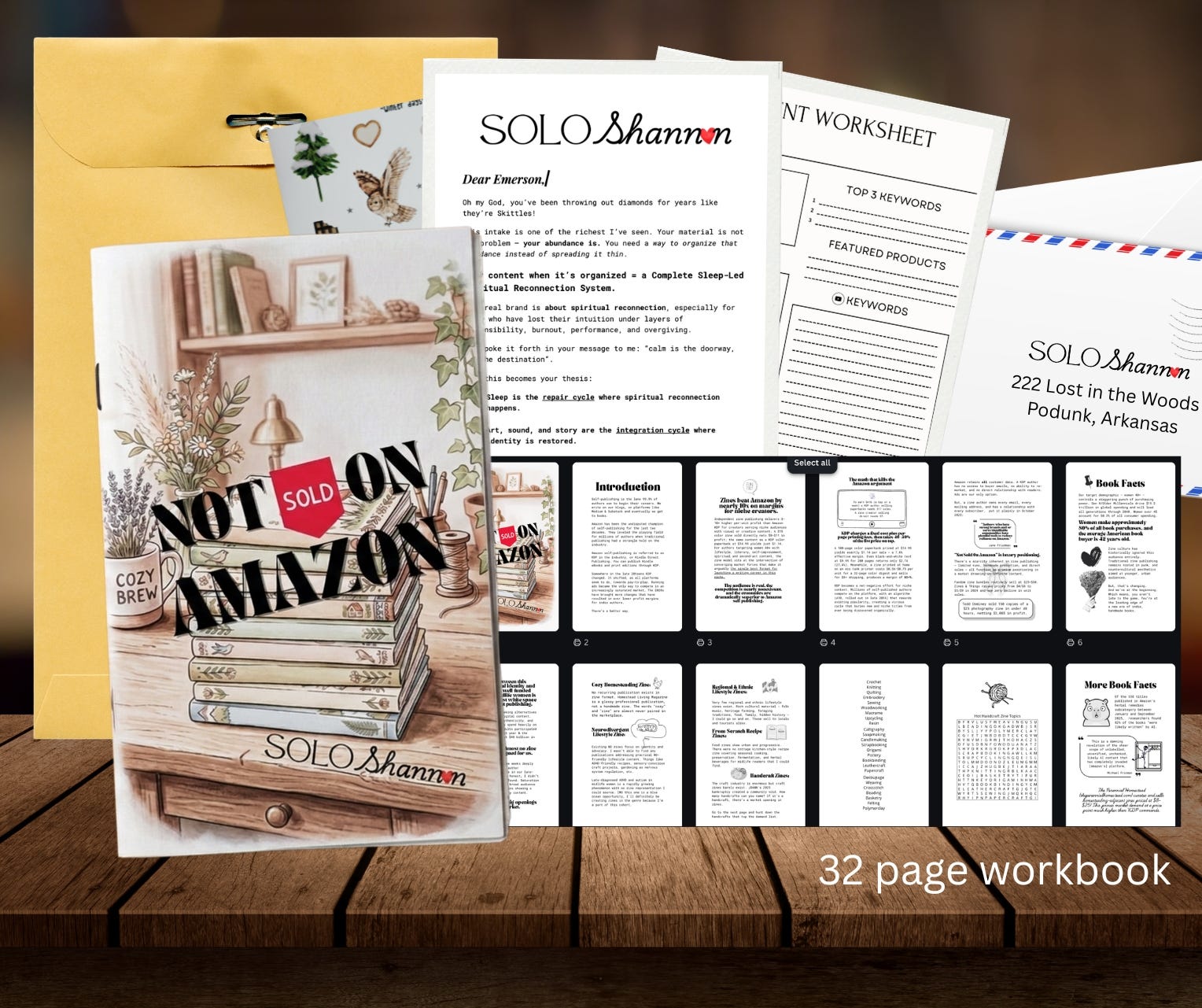
I recently wrote a small book, a zine really, about using handmade books to bypass Amazon. It inspired me to start a cozy business correspondence course instead of an online program or subscription. The 50 spots I launched with sold out in 48 hours.
The demand for physical, tangible experiences is at an all-time high. Physical book sales HAVE NOT SLOWED, and they outpace eBook sales by 3 to 1. Sales in the US alone topped 763 million copies of physical books in 2025! Do not believe anyone telling you books are dead and people don’t want them. The data doesn’t lie, but pundits selling you digital fairy tales do.
If you want to make money writing books, this is a fantastic time to become an author. Let’s walk through what you need, how much it costs and how much you can expect to earn per book.
Self-Publishing & Printing Books at Home
I’m going to assume you have a laptop or desktop computer to write & design on — a mobile device isn’t going to cut it for books.
Creating Your Books
I write everything in Ulysses (a writing app I love, it’s just a plain Jane place to write with no distractions), or in Google Docs. I use Canva and BookBolt.io (affiliate links) to layout the book, place the text on the page and insert images and graphics. (If you want me to go into more detail on using these tools to create books and how to include puzzles in your books, let me know in the comments!)
The most common size is half-letter or half-A4, which is roughly the size of a paperback book. This is the most economical to print and doesn’t require any cutting, just a single fold. It’s also the easiest to layout IMO. You simply create a 5.5 x 8.5 design and insert your text and graphics. Download the finished book in PDF format.
Printing Your Books
Open the PDF using Adobe Acrobat Reader or similar and select “Booklet” under the print options, this will automatically put the pages into the correct nesting order. I can’t tell you how much time this saves, your zine will print so that all you have to do is fold it down the center and your pages will be in exactly the right order.
Don’t miss this step, you have to print on both sides of the page. You can do this manually (flip on the short side) or if you have a duplex printer it will do it for you.
PRINTER SET UP: You don’t need an expensive printer. The interior pages can be printed on a black & white laser printer and the covers just need an inkjet color printer to look fantastic.
I tested both an older HP deskjet ($10 at a flea market) and the brand new Epson 2980 EcoTank (under $300) — both produced a beautiful cover. The older deskjet was just very slow and it uses a lot of ink from expensive cartridges, the Epson was much faster and uses refillable reservoirs.
My intention was to use a laser printer for the interior and inkjet for covers, but my old laser printer bit the dust on day one. I wound up using the new Epson for both the interiors and covers. It duplexes the pages automatically and this cuts HOURS off your production time. It only took about 3 minutes to print a 32 page zine interior, and all I had to do was take it off the printer and fold it down the middle.
Assembling Your Books
Fold your cover down the middle and put it over your folded interior. I use a bone folder to make a crisp crease, this also helps to flatten down the bulk of the interior spine.
You’ll need a stapler with a long neck or a swivel head (about $10 at office store). Use heavy duty 3/8” or 1/2” staples for best results. I used 5/8” on this first one and it’s a little too much wiggle room — I’ll go down to 1/2” for the next print run. Two staples is plenty.
Pressing Your Books
A book press is nice to have but it’s optional, you can just put a stack of heavy books on top of a stack of 10 zines for 15 minutes and get the same result. You’re just making the spine lay nice and flat for ease of reading and shipping.
Selling & Shipping Your Books
Sell your zines straight from Substack, from your website and even on Etsy. If you don’t know how to sell on Substack, read this:
Zines ship fine in a manilla envelope, they don’t need a box or rigid packaging. They’re just paper so they flex under the post office rollers and the most reliable, least expensive method is USPS first class — not media mail. This includes international shipping.
My course weighed in at 5 oz, it shipped for $3 US, $5 Canada and $8.75 International. Calculate this into your price or add it on. Use a 6x9 for a zine by itself or a 9x12 if you’re also sending anything letter size with it (my zine comes with planner pages, so I use a 9x12 envelope).
Print your own first class shipping labels and skip the post office line by using PitneyShip (free). You can NOT use most shipping websites for first class mail. PitneyShip was the only free option I found and the price is the same as the counter.
Cost Breakdown
The total material cost to produce each zine in a 50 batch run was: $0.47
-
28lb paper for the interior - 1 ream (32 page zine is 8 printed pages)
-
80/120lb linen for the cover - qty 50
-
1/8 of the ink that came with the printer - the total ink consumed to print all 50 books (interior & covers) + course material + shipping labels using the EcoTank printer was less than $4. 🤯 🔥
-
100 staples
Labor Cost
This one is a little trickier to calculate but I did my best. I did not count the time spent writing the book or creating the PDF — I have to do that whether I print it or KDP does the printing for me.
I counted the time I spent printing, assembling and shipping the book because that’s the apples-to-apples comparison against using a print-on-demand publisher.
Each zine took 5 minutes of labor when batched together. I calculated this cost at the rate I will pay the person I eventually hire to work with me (do NOT use “pay yourself first” thinking here, use the prevailing wage for an office assistant in your area — in my town that’s $25 an hour).
Labor cost per Book = $2.08
Total Cost per Book = $2.55 (labor 2.08 + material 0.47)
Total Sale Price per Book = $8.00
Total Profit per Book = $5.45
Shipping and handling is solid at $4 in the US. This will cover your envelope, labels, ink, postage and drive to the post office. Do not undercut your profit by underestimating this cost. Do not price it in on single book or zine sales!
If you want to price in shipping then you must create bundles with a price point to handle that buffer. Combine zines into a book bundle or bundle a zine into a mini-course by adding planner pages, a personal letter to your students, stickers, etc (just keep it paper and able to fit in your envelope to stay in first class shipping range).
Total Sale Price per Course = $22.00 (this is what I charged)
Total Material, Labor & Shipping/Handling Cost per US Course = $7.00
Total Profit per Course = $15.00
*These are US numbers, I charged $29 for international and cost was $14.00 with same profit.
I set a goal of $1K in sales for my first zine. I hit that in the first 48 hours and SO CAN YOU.
Books don’t have to take months or years to write and you don’t have to settle for a pittance of profit for your work. I’ll be rolling the profit I make into more printers and expanding into perfect bound books next. Stay Tuned!
If you want to see how my print run went & watch the behind the scenes of how I made it, watch this episode of my Cozy Business Diary on YouTube.
If you want to grab a copy of Not Sold on Amazon ($8 + shipping), click the button below. Allow 5-7 business days for delivery in the US/Canada and it looks like it takes about 2 weeks international. :) Sold Out.