One curriculum PDF, one short prompt, and a ready-to-teach project in five minutes
By Phillip Alcock
Published: 2026-11-20
URL: https://aiworkflowsforteachers.substack.com/p/how-to-build-your-first-3-step-micro
Most teachers love the idea of Project-Based Learning (PBL), then give up on Sunday night because planning a three-week project from a blank page takes too long. When you ask a normal AI chatbot for a project, it hands you a generic poster-making task where students copy facts off the internet. This tutorial walks you through an even simpler three-step workflow using Google NotebookLM to turn one curriculum PDF or rough note into a tight, 3-day Micro-PBL with a real Driving Question and three built-in thinking checkpoints.
AI Workflows for Teachers membership
This workflow is available to paid subscribers of AI Workflows for Teachers. Paid membership also includes access to other paid resources, including:
-
AI workflows designed for teachers.
-
Permission to reuse the workflows in training sessions.
-
13 packs from the Gumroad store at no extra cost. The packs are valued at over $200 USD and include skills and ebooks. I’ll send subscribers a Google Drive link to access them.
*Annual membership costs $50 USD. Subscribe as a paid member to access the workflows and receive the 13 packs.
Membership support helps me continue creating AI resources for teachers and growing the publication.
AI for Teachers is a reader-supported publication. To receive new posts and support my work, consider becoming a free or paid subscriber.
Free subscription
Free subscribers receive at least one free post each week, along with partnership and sponsored posts. The 130 free workflows are also available to explore.
Step 1: Drop One Curriculum File Into NotebookLM
Open Google NotebookLM and click New Notebook. Upload the one syllabus PDF, textbook spread, or messy dot-point note for the unit you are teaching next week.
Do not upload ten different files. One source is plenty to start.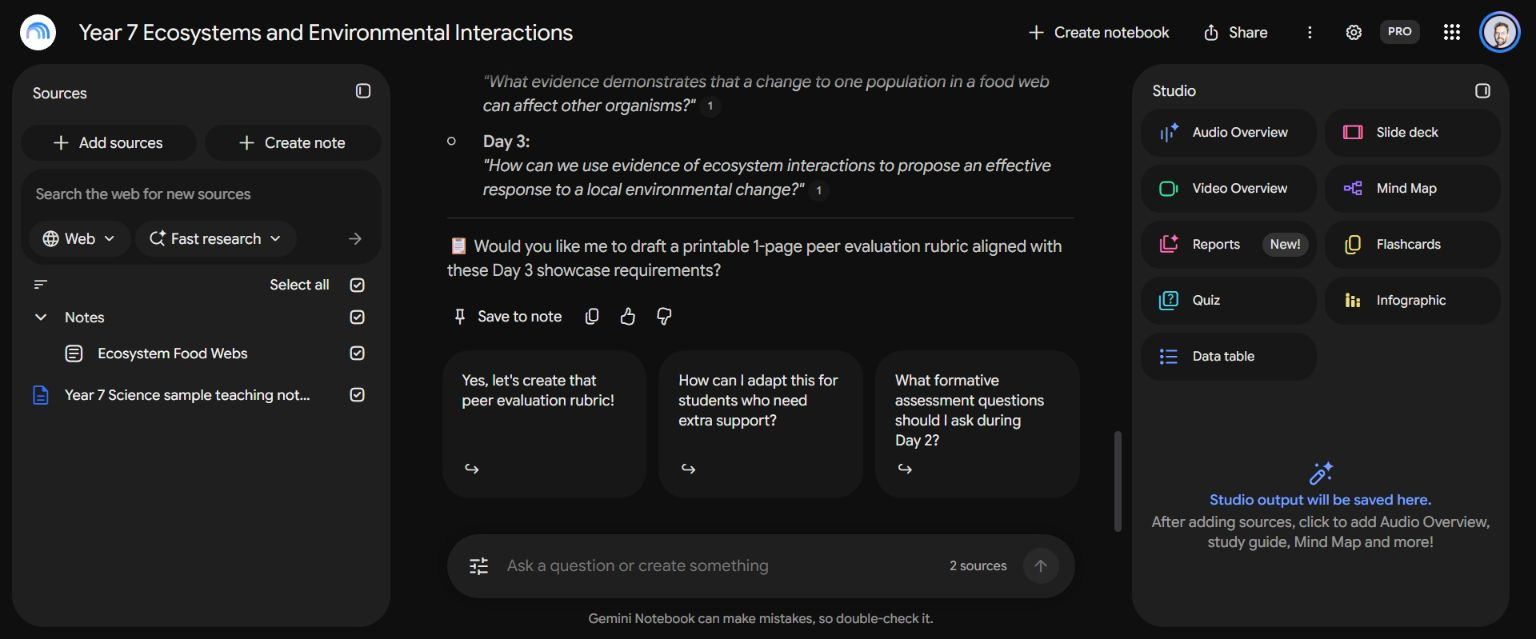
Step 2: Paste the 1-Sentence Micro-PBL Prompt
Paste this short prompt into the chat box:
Using only my uploaded source, design a simple 3-day Micro-PBL for my [Year 7 Science] class. Give me: 1. One real-world Driving Question (under 18 words), 2. Three student checkpoints (Day 1: Paper Sketch before using screens, Day 2: Evidence Check against our source, Day 3: A 2-minute spoken or visual showcase), and 3. The exact 1-sentence question I should put on the board each day.
Adjust by changing [Year 7 Science] to your own year level and subject.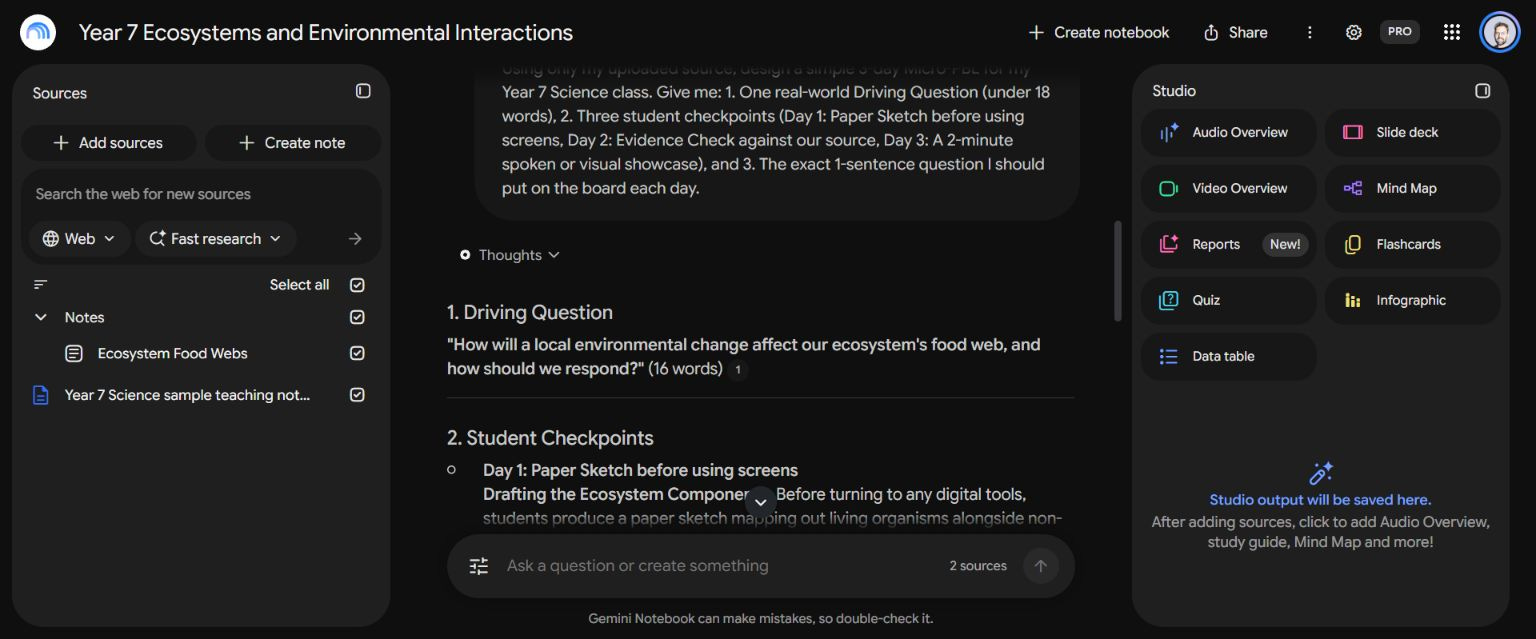
As the image shows: because NotebookLM stays locked to your source, the project stays tightly tied to what you actually need to teach this week.
Pause and reflect: Which upcoming unit in your timetable would work better as a tight 3-day Micro-PBL instead of another worksheet week?
Step 3: Export Your 1-Page Student Mission Card
Once the 3-day plan looks right, push back once if any checkpoint feels too complicated:
Simplify Day 1 and Day 2 so a tired 12-year-old knows exactly what to put on paper in the first ten minutes.
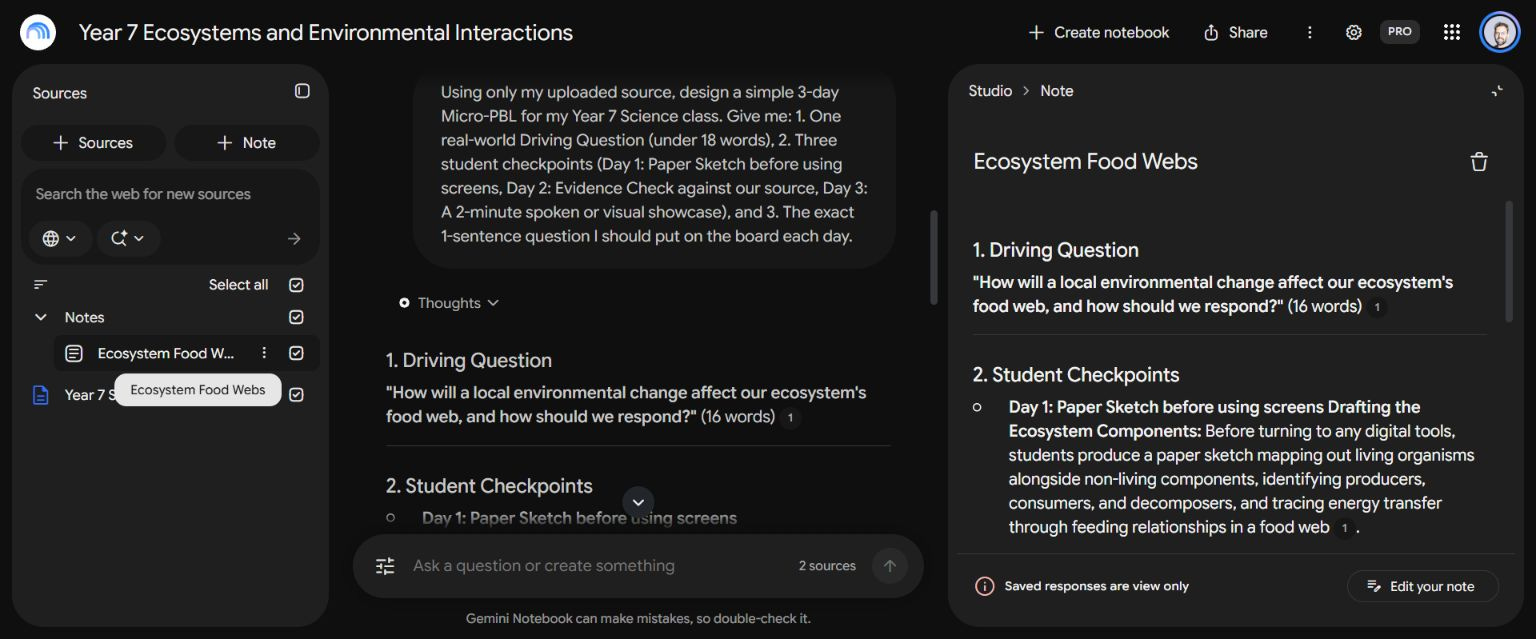
Click Save to note at the bottom right of the answer, click the three dots on that note to Convert to source, and untick your heavy PDF on the left. Now click Study Guide (or Infographic) in the right-hand Studio panel to turn your 3-day Micro-PBL into a clean, printable 1-page Student Mission Card.
What You’ve Built
You started with one curriculum file in Google NotebookLM, generated a focused Driving Question with three daily checkpoints, and turned it into a printable Student Mission Card in under five minutes.
Because Day 1 starts on paper and Day 2 requires evidence from your specific class source, students cannot skip the thinking part.
That’s the difference between a generic poster project and a functional 3-step Micro-PBL in Google NotebookLM.
Phil
Related reading: How to Build Your First Steering Document for NotebookLM Audio Overviews
PBL Future Labs works with educators globally to transform learning through AI-integrated project-based design. For consultation or professional development, contact [email protected] or visit pblfuturelabs.com.