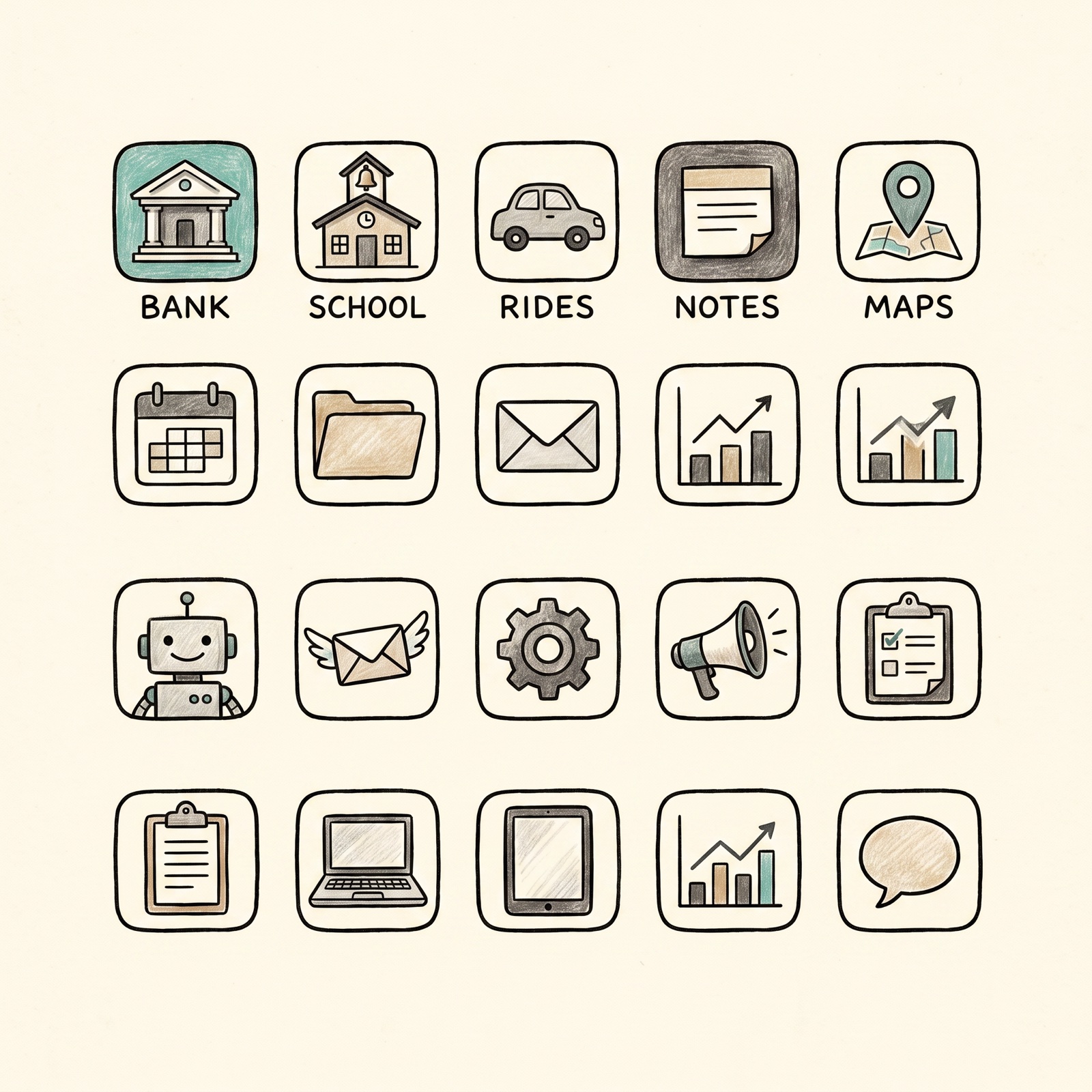
Apps taught us to open the right square. Loops are how agents start carrying the recurring work between the squares.
By Nate
Published: 2026-06-24
URL: https://natesnewsletter.substack.com/p/ai-loop-managers
We have forgotten how much work we do in the age of apps.
Not the work that shows up as one clean task. The work between tasks: remembering, checking, following up, noticing that one small change moves three other things you forgot were connected. Apps made each piece easy to reach and left the wiring between them to you. That wiring is the job. Nobody logs it as work. The school trip is not hard because packing a lunch is hard. It is hard because the email, the weather, the pickup time, the calendar conflict, and the kid who outgrew the raincoat all live in different places, and the job of connecting them lives in your head. The customer update is heavy for the same reason: what happened, what changed, who owns the next step, and what cannot be promised yet are scattered across email, Slack, and three different calls.
AI should help with that. People flinch when I say it, and they are right to. The fantasy version has been bad for years: a cartoon assistant, a nanny in a box, a cheerful agent gliding around your calendar somehow knowing what you want. I do not trust it. I do not want a system that pretends my life is simpler than it is, or one that turns a bad assumption into an action because autonomy looks good in a demo.
So when people say they want an AI assistant, I do not hear a request for another app with a chat box. I hear something simpler: stop making me be the person who remembers how all the pieces fit together. Not one giant agent running your life. Something smaller. I built it for my own work and call it a loop of loops: a set of narrow recurring jobs, each with memory, sources, safe actions, and boundaries, allowed to notice when one affects another.
A prompt helps when you know what to ask right now. A loop helps when the same obligation keeps coming back. A loop of loops helps when those obligations stop being independent, because a change in one place should wake up work somewhere else.
Here’s what’s inside:
- The hidden loop around every prompt. Typing the email takes a minute. Knowing why it exists, what it cannot promise, and who to chase next is the part nobody sees.
- How apps turned you into the integration layer. The job the home screen never learned to do, and why more AI inside more apps will not fix it.
- When your recurring jobs notice each other. Rain changes packing, a late pickup changes the calendar, and those dependencies finally live somewhere other than your head.
- The beginner-safe stack to build first. A few narrow household loops with hard edges, the kind that draft the message and stop before sending it.
- Find your first loop. Two prompts do the interviewing: one walks you to a single loop you could build this week, the other finds where those loops should notice each other and stops you before you point any of it at something you can’t undo.
You do not need to automate your life or trust a system that pretends it is simple. You need to start seeing the work the app era trained you not to count.
Subscribers get the full deep-dive and guide, plus membership to my Slack community!
LINK: [Join the Slack →]
The Slack community is live! It’s where I’ll be sharing things between articles, where you can get help on builds in real time, and where the fastest conversations in this community are already happening. I’ll see you in there!
LINK: [Grab the Prompts]
Right now, most of your loops are invisible to you, buried in the things you keep re-explaining to AI from scratch. These two prompts drag them into the light. The first interviews you until one repeating burden becomes a loop you could actually build, and the second finds the seams where your loops should be handing work to each other. Run them this week and you walk into Friday’s build already knowing what you want to hand off.
Part of the reason this is hard to see is that the app era worked so well for so long. When Steve Jobs introduced the iPhone in 2007, the miracle was not just the glass rectangle. It was the compression of many devices and behaviors into one object you could touch. A phone. An iPod. An internet communicator. Computing became direct manipulation. You touched the thing you wanted. Mail, maps, and music were all just icons. The software stopped feeling like infrastructure and started feeling like objects.
A year later, the App Store made the next move obvious: every new capability could become its own little square. The model was clean, memorable, and democratic in the best sense. If someone could build a better way to hail a ride, share a photo, split a bill, learn a language, track a run, order dinner, or check a bank balance, it could live on the home screen. For users, this was a gift. For builders, it was a new distribution system. For almost twenty years, the app was the natural unit of software imagination.
That was the right mental model for a long time. If you wanted to do something, you found the app for it. Banking, school, groceries, rides, photos, notes, maps, messages, calendars, music, work, health. The home screen became a map of our intentions, and that map was a breakthrough. It gave developers a place to build and users a place to look. It made software feel graspable.
The cost arrived slowly. Every app got better at its own surface, while the work that crossed surfaces became ours. The app era taught us to ask, “Which app do I open?” It did not teach the phone to ask, “What obligation are these pieces part of?”
The work around the prompt
The prompt is usually the moment we notice because it is where the machine enters the scene. You open the box and ask for the packing list, the draft email, the summary, the plan, the reminder, the response. The interaction feels like the unit of work because it has a beginning and an output. App life trained us to think this way: open a surface, do a thing, close the surface, move on.
In real life, the prompt often arrives late. Something already happened before you typed it. You noticed a trigger. You remembered enough context to know the trigger mattered. You found the source. You decided what mattered from last time. After the model answers, you still have to judge the answer, take the action, tell the right person, leave a record, and remember enough that the next pass does not begin from zero.
That is why prompting can be strangely tiring even when the model does the requested thing. The machine writes the email, but you still know why the email needs to exist. The machine summarizes the notes, but you still know which point is politically sensitive, which promise is real, and which open question needs a different owner. It drafts the packing list while you carry the part that matters: the raincoat may not fit, and pickup moved earlier. AI can remove the typing and leave the recurring responsibility intact.
The first wave of useful AI feels disappointing to a lot of people for exactly this reason. The outputs are impressive, while the management work grows around them. Prompt me again. Tell me what changed. Paste the source. Decide whether this is good. Explain the context from last week. Remind me which version we trust. Turn my output into your next input. A person can save time on a sentence and lose it again doing the invisible app-age work around the sentence.
The boundary has to move from the prompt to the recurring job.
Take the school trip. “Make me a packing list for this school trip” is a good prompt. The model can suggest a raincoat, lunch, water bottle, sunscreen, maybe an extra pair of socks. Useful enough. The heavy part lives around the list. You had to know the trip was happening, find the school email, and figure out whether this was the outdoor trip or the museum trip. Check the weather. Remember whether your kid still owns a raincoat that fits. Notice that pickup moved earlier and now conflicts with a meeting. Then text the other parent, move the appointment, buy what was missing, and keep enough of the story in your head that the next trip does not feel like an ambush.
The recurring responsibility around the prompt is the loop. It has a trigger, sources, memory, safe actions, judgment calls, and a record that should make the next pass smarter. The prompt is one step inside the loop. The loop is what keeps coming back.
Once you start looking for the recurring responsibility, familiar AI use cases change shape. A sales follow-up is not mainly a request for a better email. It includes the call, the objection, the promised deck, the pricing uncertainty, the overdue reply, and maybe a security question that should wake up someone else. A doctor appointment is not mainly a request for questions to ask the doctor. It includes the form, insurance card, medication list, symptom you meant to mention, note afterward, and follow-up that gets lost because life resumes. Same with the weekly update. It is less a summary than a running account of what changed, who owns what, what is blocked, what went stale, what is no longer true, and what should not be said because the source is weak.
The visible output still matters. Packing lists, emails, updates, reminders, and summaries are real artifacts. They just do not explain why the work feels heavy. The heaviness comes from carrying state across time, across apps, and across moments that no product dashboard counts as work.
Why apps made this worse
Modern software did something extraordinary and then left a hidden mess behind it. It digitized almost every piece of life, but it did not preserve the shape of the obligations those pieces belong to. It gave us better places to put things and worse ways to remember why the things were connected. The shape got lost.
Your calendar knows there is an appointment. Your email has the confirmation. The school portal has the pickup change. The grocery app has the receipt. Maps knows the drive time. Your notes app has the question you wanted to ask. Your text thread has the person who needs to know. Each app holds a piece of reality. Inside its own boundary, each one is useful.
But the obligation rarely respects the app boundary.
The appointment moves through calendar, email, forms, insurance, notes, maps, and a follow-up. The school pickup moves through the portal, your calendar, someone else’s calendar, traffic, the other parent, and the kid who cannot find shoes. The customer issue threads through email, Slack, product, engineering, support, a meeting transcript, and a promise someone made three calls ago. The thing you care about was never the app. It is the loop of responsibility moving across all of them.
For the last twenty years, the human has been the integration layer. We read the email, open the calendar, check the portal, look up the address, text the parent, move the meeting, set the reminder, and remember that the shoes were too small last time. The apps got cleaner. The human routing layer got busier. Then we stopped calling that routing work, because it felt like ordinary app use.
More apps with AI inside them would not solve the actual problem. They would make the surfaces smarter and leave the hidden work intact. The more interesting shift is toward intent. Instead of “open the calendar,” “open the school portal,” “open maps,” “open messages,” you say “help me handle pickup today.” Instead of “open the grocery app,” you ask “what should I cook before this food goes bad?” The CRM stops being a thing you open and becomes a question you ask: “what changed with this customer, and who needs to know?”
Intent is a better front door than apps, but intent by itself is not enough. If the system hears “handle pickup” and simply opens the right app, we are still in the old world. If it understands that pickup is a recurring obligation with schedule changes, traffic, another parent, a meeting conflict, a child, and a boundary around sending messages, then we have started to move into the world after apps.
This is where agents become interesting to me. Not because every agent demo is good. Many are not. A lot of them are chatbots with more permissions and a better landing page. Some are actively worse than doing the work yourself because they add uncertainty without removing responsibility. A useful agent can sit across the loop instead of living inside one app.
An app improves a surface. A loop manager improves a recurring responsibility. An app helps you write a better calendar entry, but a loop manager can ask why the calendar entry exists at all: what triggered it, which other facts belong to it, what downstream action it affects, and where the human boundary sits. It treats the forgotten coordination work as the work.
The boundary matters. A loop is not better because it never asks. An agent that never asks can be dangerous, and sometimes it is only hiding uncertainty. I want fewer questions from agents, but I want the questions to be better.
A bad agent asks because it is lost. It makes you paste context it could have gathered, and asks what changed because it did not remember. It asks whether to take the obvious next step because nobody gave it the shape of the recurring job. Mostly it asks you to supervise, because the system has confused activity with responsibility.
A better agent asks because the loop reached a real boundary. The action has consequences. The source is weak. Two reasonable choices exist and the model cannot know which one is yours. The next move belongs to judgment, taste, risk tolerance, money, privacy, or a relationship.
The useful agent frame is narrower than the fantasy: not a being, not a coworker cosplay, not a magic household brain, but a loop manager. A narrow system that can stay with a bounded responsibility over time, remember enough to notice what changed, act safely where the action is boring, and stop where your judgment matters.
A bounded loop manager solves the first layer. The next question is what happens when the work does not stay inside one recurring responsibility either.
When loops start noticing each other
A single loop already changes the experience of work because it says the same responsibility should not begin from zero every time. It should have a trigger, memory, sources, actions, checks, and a stopping rule. But the app problem repeats itself if every loop becomes its own little island.
A loop of loops begins when recurring responsibilities can notice each other without collapsing into one giant assistant.
A loop of loops can sound abstract until you compare it with the app habit we already know. In the app era, each app waited for you to arrive with intention already formed. You opened the right square, entered the right context, and did the local action. In the age of intent, the computer should be able to start from what you mean to get done. The hard part is that real intent is rarely a single action. It is a bundle of dependencies. Unfolding it has always been your job.
The school trip makes the difference easy to feel. One loop sees the trip and helps with packing. A loop of loops sees the trip and understands that packing, weather, school schedule, calendar conflict, and messaging may all be implicated. The packing loop checks what you already own. The weather loop sees rain. The school schedule loop catches that pickup moved earlier, the calendar loop flags the conflict it creates, and the message loop drafts a text to the other parent and stops before sending it.
The self-organization I trust is this modest: small recurring jobs sharing context, handing off what changed, and stopping at a boundary someone actually chose.
An AI prompting itself in a little circle is not the breakthrough. The relief comes when work can find the next relevant responsibility without requiring you to remember every dependency by hand. Rain changes packing. An earlier pickup changes the calendar. A promising candidate wakes up reference checks, scheduling, compensation thinking, and maybe a team conversation. A travel charge may belong to a trip loop, a reimbursement loop, and a client billing loop. A support bug that engineering understands still belongs to a customer communication loop until the customer actually knows what happened. A loop of loops is one way to give those forgotten dependencies somewhere to live.
We under-discuss the relationships between tasks. We talk a lot about agents doing tasks, but much of the relief comes when those relationships stop living entirely in a person’s head. The burden is as much “please remember what this affects” as “please do this.”
Normal automation is poor at that because normal automation assumes the world will hold still. Every Monday at 9, run this exact action. Fine, when the inputs are stable and the action is always safe. Real work often has messier texture. The source may be stale. The customer may already have been contacted. The spreadsheet may be missing a row. The draft may pass the checklist and still feel wrong. The right move may be to wait, ask, escalate, or wake another loop. In the age of apps, the hard part is often not doing the action. It is knowing whether the action still fits the current state.
Loop-based work begins with different questions. What is true right now? What changed since last time? Which source should be trusted? What can happen safely? Which other recurring job needs to know? Where should the system stop and ask?
Those questions are not a build guide. They are a way to see the shape of the burden before you automate anything. They are how you move from “AI, help me with this” to “here is a recurring responsibility I no longer want to carry entirely by hand.”
The part nobody covers: those questions build a loop, not a loop of loops. A single loop comes from finding pain you want gone, but a loop of loops comes from a harder question — what process you are willing to hand over whole, trusting the shape of it enough to stop holding it together yourself.
Before this starts sounding like workflow architecture, bring it back down to the loops that actually eat a week. Kids’ clothes sizing and when to re-buy. School pickups and the schedule changes around them. Doctor appointments. The “you’re running late” nudge. “Tell me when my spinach goes bad.” None of these sound like a keynote. They sound like Wednesday, which is the point.
The spinach example is almost too small, which makes it useful. The prompt version says, “Tell me when my spinach goes bad,” and the model asks when you bought it. The loop version knows the spinach was in your grocery cart on Sunday, knows spinach has a short window, and nudges you on Wednesday night to put it into dinner before it becomes a wet green apology in the back of the fridge. Nobody should confuse this with a benchmark breakthrough. It is simply one recurring burden that no longer needs to occupy a person.
The kids’ clothes example has the same shape. The prompt version asks what size to buy. The loop version remembers what fit last season, notices the weather changing, notices the school requirement, remembers that this kid grows fast, and suggests sizing up before the next trip. AI has not become a parent. A recurring piece of household state stopped depending entirely on a tired adult remembering it at the worst possible time.
These examples are not small because the idea is small. They are small because the best test of an agent is whether it helps with the unglamorous recurring load before it asks to run anything grand.
The Mary Poppins version
Put a few of those ordinary loops together and you get the beginner-safe version I keep calling “Mary Poppins.” I mean that modestly: small, safe to run, and useful before it is impressive. Not a solved life manager. A few narrow loops with hard edges.
The clothes loop watches growth, season, and upcoming needs, then asks before anything gets bought. The pickup loop watches school schedule changes and calendar conflicts, then drafts the message instead of sending it. The appointment loop gathers the form, insurance card, medication list, and question you wrote down last Tuesday. The running-late loop understands that drive time is not the same thing as the time it takes a household to leave. The food freshness loop turns a receipt and a date into one fewer spoiled ingredient.
Each loop remembers just enough and has one job. It knows the difference between a safe action, a draft, a nudge, and a decision that belongs to you.
The layer above those loops organizes attention. It can tell you what ran cleanly, what changed, what needs judgment, what woke up another loop, what stopped because a check failed, and what should not move because the source is weak.
A loop of loops only earns its keep if the top layer keeps recurring jobs from becoming a new management burden. Otherwise you have simply replaced manual app work with automation babysitting.
Inside a team, the same pattern shows up with different nouns. A hiring loop notices new candidates, removes people already reviewed, compares the rest against the role, and wakes the reference-check loop when someone looks promising. A sales loop remembers the call, objection, promised deck, and overdue follow-up, then wakes the security-answer loop when the customer asks a security question. A support loop refuses to treat “engineering understands the bug” as the same thing as “the customer has been updated.”
The household examples and business examples are not separate categories. They reveal the same structure. A recurring obligation has state. It crosses tools. It changes over time. It affects other obligations. Some parts can be carried by an agent. Some parts should remain human.
This is the everyday version of what I have been circling in my writing on agents for a while now. The vocabulary shifts depending on who I am talking to: tools, memory, goals, context, harnesses. The problem underneath never changed. An agent that does real work has to remember, stay bounded, and know what it is for. Loops are that same problem brought down to the scale of a single week. They are what memory, tools, and boundaries are actually for.
Delegation has the same structure. When I wrote about the Delegation Kit, the underlying idea was that better delegation requires more than telling someone the task. You have to transfer context, standards, constraints, and the definition of done. A loop is delegated work that returns. A loop of loops is delegated work that can coordinate with other delegated work without pretending the human disappeared.
All of that leaves me with a simple test for almost any agent demo: does this make one app better, or does it reduce the work apps made invisible?
If it sits inside one app, it may still be useful. I like useful apps. The deeper burden remains. Life and work do not respect app boundaries, and we have spent years absorbing the cost of that mismatch.
What to notice first
Before you build anything, name one loop clearly. Take one recurring thing you keep asking AI to help with and write down what starts it, what sources it checks, what it should remember from last time, what it can safely do, where it should stop, what record it should leave, and which other recurring job should know if something changes.
Start with something tedious enough to matter and safe enough to inspect. Summer camp prep. A weekly research sweep. A recurring client update. A doctor appointment packet. A trip-planning loop. The first loop does not need to prove you can automate your life. It teaches you where the boundary belongs.
For your first loop of loops, pick something you could laugh off if it derailed — tedious enough that handing it off is a relief, low enough stakes that a bad run costs an afternoon, not a paycheck. Keep it away from your bank account and point it at something low-drama: rough product notes into use cases, those into tickets, then a second loop turning the tickets into a first-draft PRD.
Once you find one loop, the more interesting question is which loops should know about each other. If the trip loop sees rain, what else changes? If the hiring loop finds a candidate, who needs to know? If the finance loop sees a charge tied to travel, does the trip loop need the receipt? If a support loop sees a customer waiting, does the weekly update need to mention risk?
The mental load starts to move when recurring work stops arriving as unrelated surprises. A loop notices what changed, remembers what happened last time, checks the source, hands off what belongs elsewhere, and stops where you need to decide. The layer above the loops tells you what needs you. The work did not disappear when apps arrived. It moved into the seams between them.
I care about agents only when they are pointed at the load people actually carry. Not the abstract future where AI does everyone’s job. The repeated work already eating the week. The state you are tired of holding in your head. The possibility that some of that state can live somewhere else without losing your judgment in the process.
Prompts are still useful. I am not trying to bury prompting. If the same burden keeps coming back, a prompt is usually only the place where you ask for help after carrying more of the job than you wanted to carry. Loops are how the help starts earlier. A loop of loops is how the help starts to understand what else changed.
For today, this is the landing point. Agents are loop managers, not magic life-managers or a nanny in a box. They take recurring work that apps scattered across the week and give it memory, checks, handoffs, and boundaries. The shift from the age of apps to the age of intent will not be measured by how many icons get smarter. It will be measured by how much hidden coordination work stops living entirely in the user’s head.
Coming Up
Friday is a build. I’ll show you the engine that runs the loops: how they hand work to each other and keep going without you standing in the middle of every step. It works the same in Claude or Codex. Bring the loop you spec from the prompts above.
Sunday, the Executive Briefing goes after the money question underneath all of this: which work truly needs the frontier model, and which can route to something cheaper, open, or local before your token bill makes the call for you.
Related Reading
If you want to go deeper on the ideas underneath the loops:
- The Definitive Guide to AI Agents in 2025: the full systems view of an agent as tools, memory, and goals working together, not just a chat box. (<https://natesnewsletter.substack.com/p/the-definitive-guide-to-ai-agents>)
- Why Your AI Agents Keep Failing: why agent projects stall when you dive at the hard core of a workflow instead of automating the boring edges first. (<https://natesnewsletter.substack.com/p/why-your-ai-agents-keep-failing-and>)
- The Memory Gap Killing Your Enterprise Agent Investments: what goes wrong when work persists but context does not. (<https://natesnewsletter.substack.com/p/executive-briefing-the-memory-gap>)
I make this Substack thanks to readers like you! Learn about all my Substack tiers here