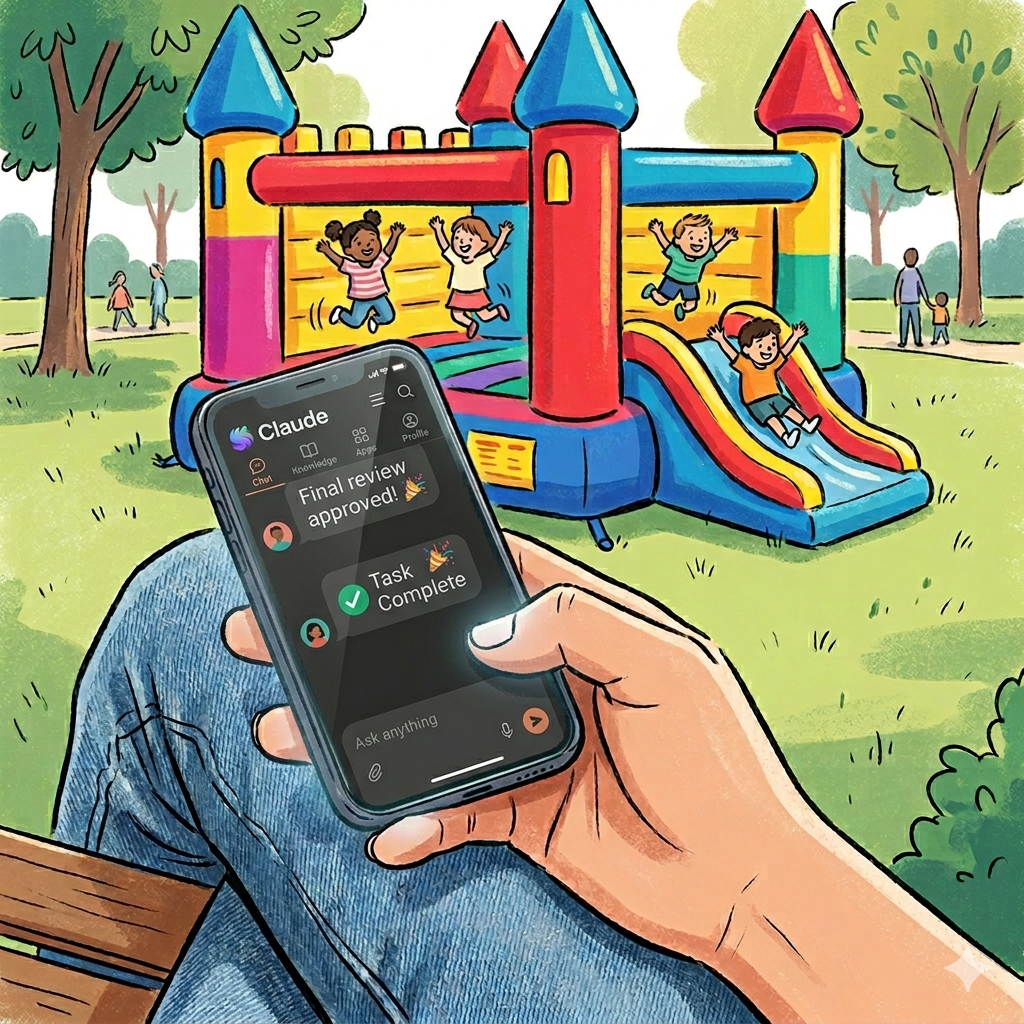
Claude Dispatch means you can delegate to your agents from anywhere--yes, even from the dentist's chair (true story).
By Nate
Published: 2026-03-28
URL: https://natesnewsletter.substack.com/p/90-of-what-you-build-on-your-ai-agent
Anthropic shipped Dispatch and computer use this week. Together, they give you something that nearly a thousand people stood in line for in Shenzhen: you text Claude from your phone, it takes over your desktop, opens apps, clicks through screens, navigates tools that have no API, and delivers finished work while you’re away. Not a summary for you to review or a draft for you to edit. The finished work, handled.
The number one mistake people are about to make with Dispatch is pointing it at simulated work. Triage reports. Email summaries. Proactive briefings that sound important but are really just another document to read. I’ve tried a lot of agents, and if the thing they want to be proactive about is a briefing before your meeting, some days that just feels like another document on the pile. The agent looks busy. Your life doesn’t change.
The distinction that actually matters is whether work lands on your desk or leaves it. This piece is about what’s actually worth building on Dispatch. The commitments that get met before they can lapse. The decisions that arrive with the information you needed but didn’t have time to gather. The three-week pattern your brain couldn’t hold that the agent connects before your competitor does. The engineering debt that ships on a second shift nobody had to hire.
Here’s what’s inside:
- The stack that works while you sleep. Cloud scheduling, persistent sessions, and parallel orchestration from your phone. What Anthropic actually built, why it’s more than “remote chat,” and the specific automations worth setting up first.
- The apps that don’t have connectors. Computer use as the fallback for the dark matter of enterprise software that will never get an API.
- Self-hosted versus managed. Why Anthropic’s answer to OpenClaw follows the exact pattern of every infrastructure shift in the last twenty years.
- The open loops that actually matter. Four categories of work that disappear from your desk instead of rearranging what’s already on it.
- The prompts that keep you honest. An audit that separates real delegation from simulated work, plus ready-to-paste briefs for Dispatch handoffs, recurring automations, and decision research that fights your own confirmation bias.
Here’s how the stack works, what it can reach now that it couldn’t before, and how to tell the difference between work that helps and work that just looks like it does.
Subscribers get all posts like these!
LINKS: Grab the guide and prompts
This piece comes with two companion resources, and they do different jobs.
The setup guide walks you through getting Dispatch and computer use running from scratch — permissions, device pairing, the toggles that matter, the constraints worth knowing before you build anything on top of them. It takes about ten minutes and gets you from zero to operational.
The prompt kit picks up where the setup leaves off: once the tools are live, the four prompts help you figure out what's actually worth pointing them at. The Open Loop Audit forces you to name what you're carrying right now — the commitments about to lapse, the decision you're making on 30% information, the recurring task you keep forgetting — and separates the work that genuinely leaves your desk from the work that just adds to it. The Dispatch Delegation Brief, Recurring Task Automator, and Decision Intelligence Brief then turn each finding into something you can paste and walk away from. Most people will get the tools running and immediately waste them on a triage summary. The guide gets you set up. The prompts keep you honest about what you build next.
Why this matters more than any single feature
I’ve been building automated systems for twenty years. Before I ran a consulting practice, before I spent years advising companies on AI strategy, I was Head of Artwork for Amazon Prime Video, where I led the ML-powered personalization system that decided what 200 million viewers saw when they opened the app.
That system ran while nobody was watching. Every night, pipelines would ingest the day’s viewing data, retrain recommendation models, re-rank the entire content catalog, and push fresh results to every device in every market by morning. The engineering team didn’t babysit it. We set the logic, we set the guardrails, we set the monitoring, and then we went home. When I arrived at my desk the next day, the system had already done eight hours of work.
That’s the primitive OpenClaw discovered. Not chatbots or copilots or AI you operate in real time. The primitive is asynchronous AI labor. Work that happens on a schedule or on a trigger, without you present, producing results you consume later.
The reason I’m spending this whole piece on three product announcements instead of covering the dozen other things that happened in AI this week is that asynchronous AI labor is the capability that changes the economics of knowledge work. Chatbots are impressive. Copilots improve throughput. But a system that works while you sleep, that finishes tasks you assigned from your phone while you were making dinner, that’s a different category. That’s not a tool. That’s labor.
And the reason nobody is talking about this clearly is that each announcement was covered individually. Cloud scheduled tasks got a thread. Dispatch got a blog post. Computer use got the flashy demo. What nobody assembled is the architecture. All three together create a complete asynchronous agent platform, and that platform delivers the same primitive that drove the fastest open-source adoption event GitHub has seen, without requiring you to run your own infrastructure.
Always-on execution without a machine running
The first thing OpenClaw’s users loved was that it ran on a server they didn’t turn off. A Mac mini in a closet, always listening. The limitation was obvious: that Mac mini had to stay on, stay connected, and stay yours. You were your own IT department.
Cloud scheduled tasks close this gap. You set a repository, a schedule, and a prompt. Anthropic’s infrastructure runs it. Not your laptop. Not a closet server. A controlled cloud environment with configurable network access, environment variables, and setup scripts.
The minimum interval is one hour through the Cowork interface, with more granular scheduling available through Claude Code. That constraint matters. This is designed for durable automation, not tight polling loops. If you need a PR queue swept every morning, CI failures analyzed overnight, and documentation synced after merges, this is exactly the right surface.
The use case Zweben published isn’t a demo. According to Zweben, it’s a Go/Python twin library used internally at Anthropic, maintained entirely by a scheduled Claude job with no human in the loop. A codebase in one language that automatically stays in sync with a codebase in another language. That’s a real production workflow that would ordinarily require a dedicated engineer spending a few hours a week on a task that is important but never urgent. Exactly the kind of work that falls through the cracks in every engineering organization I’ve ever seen.
You connect it to any MCP server you’ve already wired to claude.ai. Linear, GitHub, Slack, Google Drive, Open Brain, whatever you’ve already set up. The connectors carry over. You don’t configure them twice.
The mental model is simple: cloud scheduled tasks are cron for knowledge work. If you’ve ever written a cron job — “run this script at 2 AM every night” — you understand the concept. Except instead of a bash script, the job is a natural language prompt. And instead of running on a server you maintain, it runs on infrastructure Anthropic maintains. The prompt is the program. The schedule is the trigger. The MCP connectors are the I/O.
If you’re not a developer, this is where it gets practical. I need to keep up with AI news every morning — it is a lot of what I do for a living. Before cloud tasks, I had to hack together a pipeline to get a daily briefing working. Now it’s a basic primitive: schedule it, connect it to your Open Brain through MCP, and wake up to a parsed, researched version of whatever happened overnight. Airline prices work the same way — run the schedule hourly on a specific route, get alerted when the fare drops below your threshold. Bill payments on services that don’t support auto-pay — a scheduled check-and-notify before due dates so nothing lapses quietly.
The pattern across all three: recurring work that doesn’t require your judgment, only your attention, and the attention is the part you keep forgetting to give. One of the biggest recognitions in 2026 is how much of daily life is actually agent-shaped — problems sitting in plain sight that become solvable once these primitives exist. For developers, this is the most immediately useful of the three announcements. You can start today at claude.ai/code/scheduled.
The persistent session that survives your attention span
OpenClaw’s second primitive was persistence. It remembered your context. It carried work across sessions. You didn’t start over every time you opened the app. That continuity was a feature that felt obvious once you experienced it and that every traditional chatbot interface lacked.
Dispatch closes this gap, but not in the way most coverage suggests.
The surface-level description is “persistent chat from your phone.” That undersells what’s actually happening. When you pair your phone with Claude Desktop via a QR code, you don’t get a single thread that runs a single task. You get an orchestration layer. From one conversation on your phone, you can spawn and manage multiple Cowork task sessions running simultaneously on your desktop. Each session runs independently, its own context, its own file access, its own connectors. Your phone is the command surface. Your desktop is the execution surface. The sessions run in parallel.
It’s more than a remote control. It’s a dispatch layer in the literal sense of the word. You’re dispatching work to parallel agents from a single mobile interface. Start a competitive research task, then immediately start a draft in a separate session, then check progress on the first, redirect the second, start a third. All from one thread on your phone, all executing concurrently on your desktop in sandboxed sessions that don’t interfere with each other.
Paweł Huryn, a product manager who ran Dispatch for 48 consecutive hours on real work, documented the behavioral shift precisely: he went to a kids’ bounce house because the work ran without him. From the sidelines, phone in hand, he directed four rounds of iteration on a visual asset in one session while two other sessions ran competitor analysis and stakeholder page drafting in parallel at home. His total direction time across the day’s gaps: roughly 25 minutes. The Claude execution running in parallel: over three hours of work. He didn’t fill dead time. He restructured his day because the work no longer required him to be present at a desk. I’ve been to that bounce house (any parent has) and the idea that the work could run while you’re there instead of waiting at home changes the shape of the day.
When I was at Prime Video, we had a concept we called “overnight bake.” The recommendation models would train overnight, and by morning, every user’s home screen was rebuilt with fresh predictions. The product managers didn’t sit there watching the models train. They set the parameters, went home, and consumed the output the next morning. Dispatch gives individual knowledge workers the same pattern. Set the task. Walk away. Come back to the output.
The constraint that your computer must be awake and Claude Desktop must be open is real, and you should take it seriously before you build automation that matters. This isn’t a cloud service; it’s a desktop agent. If your laptop sleeps, the work pauses. If you close the app, the thread persists but execution stops. The practical advice: if you want Dispatch to work while you’re away, leave your machine on with the app running. A desktop at home is the natural surface. Laptop-only, keep it plugged in with the lid open. I suspect Anthropic will solve this constraint soon — all the indicators are on the wall — but it’s not here yet.
“Research preview” means research preview. Every subtask Dispatch spawns requests folder access on your desktop individually; there’s no bulk approval. You can’t attach files from your phone or receive output files back to it directly. The workaround: sync your Cowork workspace via Google Drive or Dropbox so files flow both directions automatically. Complex multi-app tasks succeed roughly half the time based on early testing from multiple independent reviewers. Simple tasks (file search, summaries, email analysis) work well. Multi-step workflows across several connectors are where it gets shaky.
This is the honest state of the product as of today. It’s improving fast, but if you go in expecting a polished consumer experience you’ll bounce off it. Go in expecting a powerful but rough capability that rewards patience, and you’ll get a lot out of it.
The deeper thing Dispatch changes is the relationship between you and the AI. Every previous interface trained you to think in synchronous interactions: I type, it responds, I type again. That’s a conversation pattern. Dispatch trains you to think in asynchronous delegations: I assign, I leave, I return to results. That’s a management pattern — and the best managers I’ve worked for operated exactly this way. They didn’t look over your shoulder. They set the parameters, went about their day, and trusted you to do the work. The worst ones hovered, and the hovering didn’t improve the output. It just made everyone slower.
The pattern Dispatch breaks — the need to be present while the tool operates — is the same pattern that every major productivity unlock in the last thirty years has broken. Email broke the need to be present for a conversation, Slack broke it for decisions, and cloud documents broke it for collaboration. Each one shifted work from synchronous to asynchronous, and each one was initially dismissed as a minor convenience before restructuring entire workflows.
The practical entry point, if you haven’t tried it yet, is smaller than you’d think. Install Claude Desktop, pair your phone, and assign something you’ve been putting off — not a strategic initiative, just a boring task that keeps sliding to tomorrow. Organizing a messy folder. Summarizing a month of PDFs you never got around to reading. Drafting responses to emails that have been sitting too long. What comes back will probably surprise you, and the distance between what you expected and what you got is the thing worth paying attention to. That’s the gap between your current mental model of these tools and where they actually are.
The apps that don’t have connectors
This is the most consequential piece for builders, and it’s worth understanding precisely how Anthropic designed the fallback.
Claude reaches for connectors first. If you’ve wired Slack, it uses the Slack MCP, not your mouse. If you’ve connected Google Calendar, it queries the API, not the browser tab. Computer use only activates when no connector exists.
That’s deliberate. Screen-scraping (pointing, clicking, scrolling, reading pixels) is the slowest, most fragile way to interact with a piece of software. Connectors are faster, more reliable, and auditable. But there are thousands of internal tools, legacy dashboards, and proprietary applications that will never have a public MCP server. MCP may be the universal USB of the AI age, but more than half the software world is still not accessible to agents through structured connectors. That’s just a reality.
I’ve spent the last year advising large enterprises on AI adoption. In every single engagement, the blocker isn’t the AI model. The blocker is integration. The company has an internal JIRA clone built in 2017. A bespoke ERP screen that runs in Internet Explorer. A compliance dashboard that only works in a specific browser with a specific plugin. A vendor portal that hasn’t been updated since the Obama administration. These tools will never get MCP servers or API integrations. They are the dark matter of enterprise software, invisible to the modern stack, critical to the daily workflow, and impervious to automation.
I’ve been the person who had to go through the agonizing process of checking two or three different antique enterprise sites for data that I then manually put into a spreadsheet. It took half the day. There is so much office work that falls into that category.
For everything in that category, Claude can now act. It opens the app. It navigates the UI. It clicks buttons, fills fields, reads results. It moves slowly and deliberately, slower than a human. But it moves.
Anthropic’s blog is explicit about the safety model: computer use triggers with explicit permission. Claude asks before accessing new applications. The system scans model activations to detect prompt injection during screen interactions. You can stop Claude at any point. Some apps are off-limits by default.
This is macOS only today. Windows support is coming.
The right application today is automating known, repetitive flows in legacy apps where the UI is consistent. Not exploratory navigation through complex interfaces. Think: “go to this internal dashboard every Monday, download the weekly report PDF, and summarize it.” Don’t think: “figure out how to use this app I’ve never shown you.” The former is reliable. The latter is a research experiment.
Pair computer use with Dispatch and you get the full loop: assign the task from your phone, Claude uses your desktop apps to complete it, you get the results when you’re back. That’s the OpenClaw experience, integrated, not bolted together.
Self-hosted versus managed is the real difference
The difference between OpenClaw and what Anthropic shipped this week isn’t safety versus danger. It’s self-hosted versus managed. And that distinction matters more than any security audit.
OpenClaw is infrastructure you run yourself. You set up the server. You configure the network. You manage the credentials. You vet the skills. You troubleshoot the WebSocket connections. You decide what the agent can access and what it can’t. For developers who want that control, it’s powerful. For everyone else, it’s a second job. The Mac mini in the closet needs to be maintained by someone, and that someone is you.
Anthropic’s stack is managed infrastructure. Cloud scheduled tasks run on their servers, not yours. Dispatch runs in a sandboxed environment where Claude accesses the files and apps you’ve explicitly shared. Computer use asks before touching new applications. You don’t configure the network. You don’t vet a skill marketplace. You don’t maintain a server.
This is the same shift that happened with email (self-hosted Sendmail to Gmail), with compute (rack servers to AWS), with CI/CD (Jenkins on your box to GitHub Actions). Every time, the self-hosted version came first and proved the category. The managed version came second and got mass adoption. The self-hosted version was right, and it’s still right for people who want the control. The managed version just lowered the bar from “you need to be your own sysadmin” to “you need to scan a QR code.”
The ceiling is different. OpenClaw gives you more raw freedom. Any LLM, any messaging platform, any extension. Anthropic’s stack only runs on Claude and only reaches what connectors and computer use can touch. For people who want to wire OpenClaw into WhatsApp and Telegram and Discord simultaneously with a local Ollama model, Anthropic doesn’t replace that.
But for the much larger group of people who stood in that Shenzhen line because they wanted the primitive, an AI that works while they sleep, and don’t want to run their own infrastructure to get it, the managed version is now complete.
This is one stack, not three announcements
Cloud scheduling, Dispatch, and computer use were covered as separate product launches this week. They aren’t separate. They’re layers of a single architecture, and the architecture only makes sense when you see how the layers connect.
The base layer is memory. If you’ve built an Open Brain, a personal knowledge database connected to Claude through MCP, the agent that wakes up via a scheduled task or responds to a Dispatch command from your phone can read and write to the same persistent knowledge store. It remembers what it learned yesterday, last week, three weeks ago. If you haven’t built one, the guides are there, it runs on Supabase for about ten cents a month, and Dispatch works without it. But the compound value of an agent that accumulates context over time is the difference between a tool and a colleague.
The nervous system is MCP. Every connector you’ve already wired — Linear, GitHub, Slack, Google Drive, Open Brain — carries over across all three surfaces. You configure it once. Cloud tasks use it. Dispatch uses it. Computer use fills in the gaps for everything MCP can’t reach.
The heartbeat is scheduling. Local loops like /loop run while your terminal is open. Cloud tasks run while your laptop is closed. Same primitive, different uptime guarantee. If you set up the /life-engine skill from the heartbeat guide (the one that checks the time, decides what you need, and evolves its own behavior), you can now also schedule a cloud version that runs your codebase maintenance overnight without your machine being on. Different cadences for different work. Local loops for things that need your files. Cloud tasks for things that need your repos.
Dispatch is the remote control. Computer use is the hands that can reach anything on your screen.
If you’ve been reading me for the last seven weeks, you’ve already built most of this. I wrote the Open Brain guide in early February, the heartbeat guide three days ago, and said explicitly that the combination of memory, proactivity, and tools was functionally an OpenClaw you control. Three days later, Anthropic shipped the zero-infrastructure version. These aren’t two separate stacks. Dispatch plugged directly into what was already there and expanded what it can reach.
If you’re new here, the point is simpler: every improvement to any layer improves the whole thing. When Opus 4.6 shipped in February with 5x context expansion and substantially improved reasoning, every scheduled task, every Dispatch workflow, every computer use session got better without you touching a thing. That’s how stacks work. Build the layers. Let them compound.
The open loops worth closing first
The real tax on knowledge workers isn’t hours or tasks. It’s the open loops — the background processes running in your head consuming attention even when you’re not actively working on them. Every promise you haven’t fulfilled. Every decision you can’t make because you’re waiting on information you haven’t had time to gather. Every pattern you’re trying to hold across weeks of noisy signals. Those open loops are why you’re thinking about work in the shower. Why you can’t be fully present at dinner. Not because you’re busy. Because things are unfinished.
This stack can close loops while you’re not present. But only if you point it at the right ones.
The commitment loop that doesn’t break. Every promise you make — in email, in Slack, in meetings — is an open loop. You told a client you’d send the revised scope by Thursday. You told your team you’d review the architecture doc before the sprint. You told a candidate you’d get back to them by end of week. Most people track maybe 60% of these. The rest don’t fail dramatically. They just quietly lapse, and the person on the other end notices. Over months, dropped commitments compound into an erosion of trust that you can’t see because nobody tells you they stopped relying on you. They just stopped calling.
An agent with Open Brain that monitors your commitments, cross-references them against your calendar and what you’ve actually done, and either fulfills them or flags them before they lapse — that goes beyond productivity. It’s relationship infrastructure. The loop closes before you have to remember it exists.
The objection I hear most often is that agent output quality isn’t good enough for real commitments. That’s a skill issue, and it’s fixable. The gap between a mediocre agent result and a good one lives in the system instructions, the context layer, and the prompt itself — not in the model’s capabilities. It is not impossible in 2026 to get a good draft of a memorandum of understanding out of AI. The people who are getting good results are the ones who learned to specify clearly. That’s a learnable skill, not a talent.
The decision that’s ready when you need it. You’re evaluating a vendor. You’re prepping for a board conversation. You’re deciding whether to enter a market, hire for a role, kill a product line. The real constraint on consequential decisions isn’t intelligence. It’s information gathered under time pressure. Most strategic calls get made on 30% of available information because gathering the other 70% takes longer than the decision window allows. You know this feeling. You’re sitting in the meeting thinking “I wish I’d had time to look into whether their enterprise pricing actually scales the way they claim.”
An agent that spends the night pulling financials, reading analyst coverage, checking competitor positioning through computer use on browser-based tools that have no API, and assembling a structured analysis, that changes the quality of the decision, not the speed of reading about it. You don’t sit down to a briefing document. You sit down already knowing the answer to the question that was going to eat the first twenty minutes of the meeting. The open loop was “I don’t have enough information to be confident.” Now you do. It closes.
But there’s a real difference between doing this badly and doing it well. The bad way is using the AI to confirm your own opinion. You already know what you think, so you ask the agent to find evidence that supports it, and it obligingly does, because that’s what language models are good at. You walk into the meeting feeling validated. You shouldn’t.
The good way is to actually push. Tell the agent: I need more data and more information than I would normally use to make this decision. Go fishing for data that would help me make a better choice, including data that might contradict what I currently believe. Maybe it’s using computer use to find the dashboard you normally wouldn’t have time to check. Maybe it’s pulling in the Excel spreadsheet from finance you normally wouldn’t bother grabbing. Maybe it’s reading the analyst coverage you bookmarked three weeks ago and never opened. If you’re normally making the decision with 30% of available information because that’s all you had time to gather, why not make it with 70%? The agent has the time you don’t. Use it for breadth, not confirmation.
Compound signal detection across weeks. This is the one that hits hardest for this audience, and it’s the one that’s impossible without memory plus proactivity working together. Your agent notices a competitor is hiring aggressively in payments. A week later, two patent filings in cross-border settlement. This morning, a partnership with a Southeast Asian bank. No single signal means anything. All three connected tell you there’s a coordinated market entry you need to respond to, and you have a week’s head start on everyone who will read about it when TechCrunch notices.
Your brain structurally cannot hold a three-week thread while also being present for what’s in front of you today. The signal from three weeks ago fell out of working memory to make room for whatever was urgent that week. That isn’t a discipline problem. Human attention works this way by design. The agent holds the thread natively, because nothing falls out. The open loop isn’t a task. It’s a pattern that would have stayed invisible. The agent makes it visible before it becomes someone else’s advantage.
Overnight engineering that ships real work. Not “run the linter.” Migrate a dependency. Improve test coverage from 0 to 80% across a module. Refactor the authentication layer your team has been meaning to fix for two quarters but never has capacity for, because there’s always something more urgent. You describe the goal before bed. The agent works the codebase for hours. You wake up to a PR with working implementations, tests passing, ready for review. Shopify’s Tobi Lütke ran this pattern, let an agent run 37 experiments overnight, woke up to a model that outperformed the human-configured version.
This isn’t exclusively for engineers. Someone I know who never wrote a line of code in her life built a complete calendar app that met her needs, something nobody else had been able to build for her for twenty years, and she did it in two weeks with zero coding experience. If you have clarity of intent, the technical piece is not the obstacle.
The open loop here isn’t a task on a to-do list. It’s the backlog guilt. The weight of knowing your team has been carrying technical debt that compounds every sprint, and that no amount of planning will create capacity to address because the sprint is always full. The agent works a second shift that doesn’t exist on your headcount plan. The thing stops sitting on the roadmap mocking you. It ships.
The design principle underneath all four is the same question: when the agent finishes, is your plate lighter or heavier? If the output is a document you now have to read, a draft you now have to edit, a triage you now have to review, your plate got heavier and you just paid for a fancier to-do list. If a commitment was met, a decision has the information it needed, a pattern surfaced before your competitor saw it, a codebase improved overnight — your plate got lighter. That’s the only test worth running.
Three things shipped this week. Separately, they’re incremental. Together, they complete the first fully functional asynchronous agent platform available without self-hosting. Meta shipped Manus, Perplexity launched its own computer agent, Google is building ambient capabilities into Gemini, and OpenAI hired the creator of OpenClaw. The next six months will determine who owns this layer. But the question that matters for you isn’t who wins the platform race. It’s something quieter.
The shift underneath
I want to close with something that’s been on my mind since I saw the Dispatch demo and felt a specific kind of recognition.
When I was at Prime Video, the hardest part of my job wasn’t the technology. It was convincing people that a system they couldn’t watch was actually working. The recommendation engine ran overnight. Nobody saw it train. Nobody watched the models update. The next morning, every user’s home screen was different, and the only evidence it happened was that engagement numbers moved. Trusting the system required trusting the process, the tests, the monitoring, the guardrails, because you couldn’t trust what you could see. There was nothing to see.
That’s the transition every knowledge worker is about to go through. Not “AI can help me work faster.” We’re past that. The transition is: I assigned work to an AI I couldn’t see, and when I came back, the work was done, and it was good. The trust required for that is different in kind from the trust required for a chatbot. A chatbot you evaluate in real time. An asynchronous agent you evaluate by its output. You have to trust the process. You have to trust the guardrails. You have to know what “good” looks like well enough to judge the result without having watched it being produced.
I have this problem too. I walk away, I use Dispatch, and I’m itchy. I want to go back. I want to make sure it’s working. Is it really working? We’re all going to need to learn to untether.
It’s not technical proficiency, and it’s not prompt engineering. It’s the ability to specify what you want clearly enough that an unsupervised system can produce it, and the judgment to evaluate whether what came back is actually right. Clarity of intent and quality of taste. Those are the bottleneck skills now, and they have been the bottleneck skills in every management role I’ve ever held. The difference is that now they’re the bottleneck skills for everyone, not just managers.
The data from Huryn’s 48-hour Dispatch test makes this concrete. Across 60-plus task sessions directed entirely from his phone, the role split was stark: thinking and strategic judgment, 90% human. Takes and opinions, 100% human. Research, formatting, and execution, 90% Claude. The AI handled speed and breadth. The human handled direction and taste. That ratio isn’t a quirk of one person’s workflow. It’s the emerging shape of knowledge work in the agent era: the human contributes the hard-to-automate parts, judgment, taste, domain knowledge, the ability to say “no, not that, this,” and the agent contributes the scalable parts.
If you have nothing worth saying before you open Claude, the agent just makes your nothing faster.
I suspect most people will set up Dispatch, point it at a triage summary or a daily briefing, feel briefly impressed, and then wonder six weeks later why their workload feels exactly the same. The ones who get something different out of this will be the ones who start with the question I keep coming back to: what am I carrying right now that I shouldn’t be? Not what’s on my to-do list. What’s running in the background, consuming attention I don’t even notice I’m spending — the commitment about to lapse, the decision I keep deferring because I don’t have the information, the three-week pattern I can feel but can’t name.
The technology to close those loops is here. The open loops are yours to name. I’d start with the one that’s been nagging you longest.
I make this Substack thanks to readers like you! Learn about all my Substack tiers here and grab my prompt tool here