Vibe design is here (and there's more to it than you think).
By Nate
Published: 2026-03-27
URL: https://natesnewsletter.substack.com/p/a-0-design-sprint-used-to-be-impossible
You’ve seen the videos. Someone types a sentence into a terminal, a design appears, a video renders, a 3D scene assembles itself. It looks like magic. And if you’re like me, you’re asking three questions that nobody making those videos seems interested in answering: How do you actually use this without the output being garbage? What changes structurally when creative tools work this way? And what does it mean for the designer, the editor, the team you’re already working with?
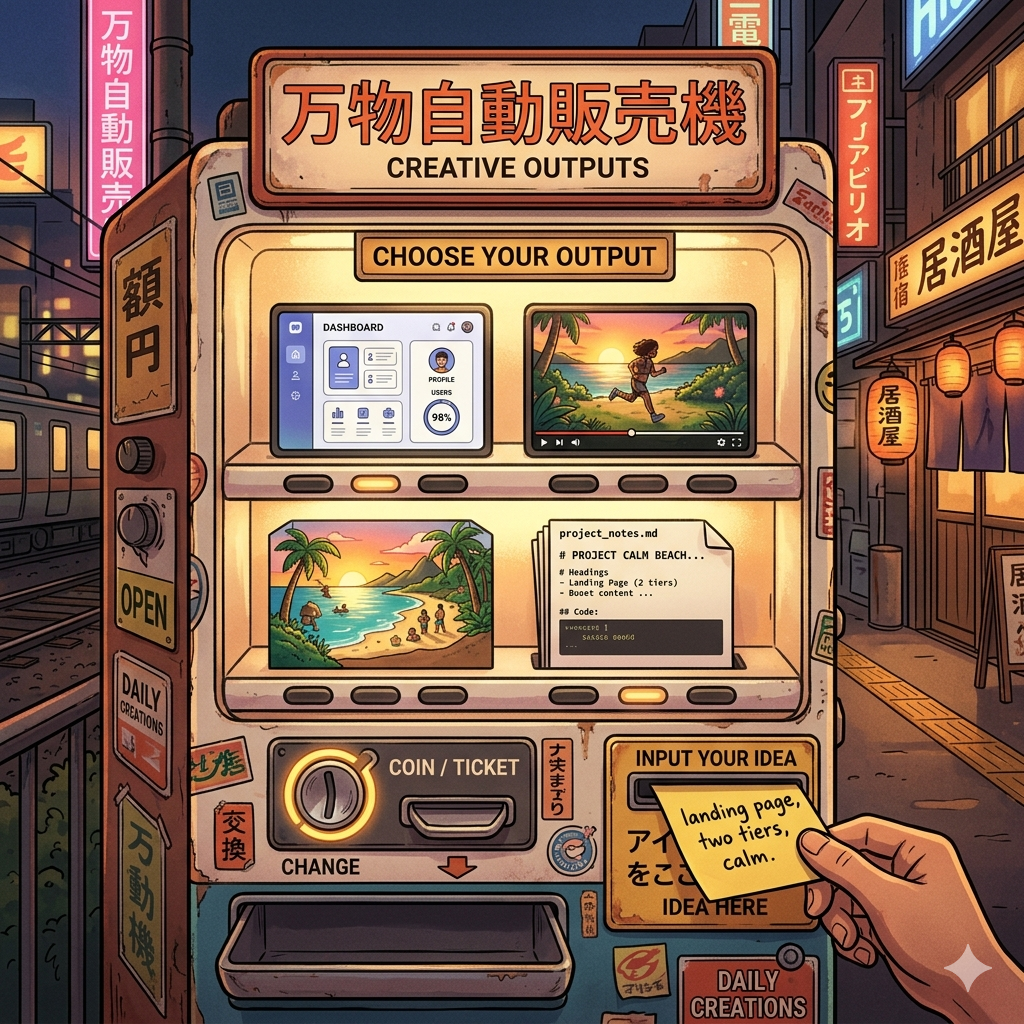
This week, three things shipped that force those questions into the open. Google redesigned Stitch into a full vibe design tool. Remotion crossed 150,000 installs as a Claude Code skill for generating video from text. And Blender MCP hit 17,000 GitHub stars, letting people build professional 3D scenes through conversation. None of these are toys. All of them connect through the same open protocol, MCP, which means the design can flow into the code which can flow into the video. One pipeline. And as of this week, you can schedule that pipeline to run on a timer while you close your laptop.
Individual AI creative tools have existed for a while. A connected creative pipeline you can chain together and automate has not. The deeper shift isn’t “AI can make stuff.” It’s that every creative tool is converging on a command line interface, and that convergence changes who does what on a product team more than any individual tool does.
Here’s what’s inside:
- The command line changes the triangle. Why the product-design-engineering dynamic that broke most teams in the 2010s is about to work differently.
- Three pipelines, tested honestly. What Stitch, Remotion, and Blender MCP actually do, where they fall short, and what the workflow looks like in practice.
- The markdown file that matters more than any tool. How DESIGN.md turns individual creative tools into a composable, lossless pipeline.
- The creative cron job. Scheduled tasks mean creative pipelines run while your laptop is closed.
- Prompts and a build guide. Four prompt builders for Stitch, Remotion, Blender MCP, and DESIGN.md, plus an open-source recipe for building your own automated video briefing pipeline.
The command line matters more than any individual tool. Here’s why.
Subscribers get all posts like these!
LINK: Grab the prompts
Every tool in this article will disappoint you if you describe what you want vaguely. That’s not a limitation of the tools. It’s the nature of working with AI creative systems: specificity is the input that produces quality. These four prompts interview you about what you’re building before you touch Stitch, Remotion, or Blender MCP. The Stitch Prompt Builder generates structured input that exploits multi-screen generation and branching. The Remotion Video Builder structures your concept scene by scene so Claude Code produces a renderable result instead of a broken first draft. The Blender MCP Scene Builder breaks your 3D concept into the incremental prompt sequence that conversational modeling actually requires. And the DESIGN.md Generator creates the portable design system file that keeps all three tools visually aligned. Run that one first if you want consistency across the pipeline.
LINK: Grab the guide: automated video briefings
If you read the Open Brain series, you’ve already seen the Life Engine, the proactive personal assistant that runs on a loop and sends you briefings via Telegram. This is what happens when you wire Remotion into that pipeline.
The Life Engine Video Briefings recipe, open-sourced in the OB1 repo, turns your Open Brain data into a 30-second animated video briefing with AI voiceover from ElevenLabs, synced subtitles, and animated data cards, rendered by Remotion and delivered to your phone. Every morning, the loop fires, gathers your calendar events, habits, and context from your Open Brain, generates a voiceover script, renders the video, normalizes the audio, and sends it to you. The whole pipeline takes about two minutes and runs while your laptop is closed. The guide includes the full data contract, every Remotion component, the rendering scripts, and the ElevenLabs integration. Built for Claude Code, but the Remotion rendering works with any capable coding agent.
The command line changes the triangle
I spent twenty years inside the product-design-engineering triangle, and the honest version is that it was hard about 90% of the time. The failure modes were almost always the same. Engineering was the brake: “we can’t build that.” Design was slow, not because designers were bad, but because pushing pixels takes time and the iteration cycle between “here’s the mock” and “here’s the build” was measured in days or weeks. Product sat in the middle pushing for action, sometimes accepting design degradation just to keep shipping.
The 10% of the time it worked? Design sat with engineering and product in the same room. We’d all huddle around a screen and mess with stuff together and see what clicked. The designer understood a bit about how JavaScript worked. The engineer understood a little about front-end polish. Product could sit there and put the two together and look at the offer and the customer. That was rare, and it required a kind of role blurring that we didn’t talk about openly, but it was the best work I’ve ever been part of.
What shipped this week makes that kind of collaboration possible without depending on the right people being in the room. When you invoke something at the command line, it is by definition buildable, because that’s how this works. If it’s not buildable, Claude Code can’t touch it. And you can bring in multiple options for design iteration quickly, which was always one of the things we struggled with.
The “AI replaces designers” narrative misses what’s actually happening. The high-class designers I’ve talked to aren’t leaving the room. They’re at the command line. They’re sitting with engineering and product, pushing through ideas into code in real time, and instead of the whole table wondering whether a design is buildable, it’s right there, generated, prototyped, exportable. The conversation shifts from “can we build this?” to “is this the right experience?” That second question is the one design was always supposed to be having. Pixel-pushing was the bottleneck that prevented it.
The exciting part isn’t replacing designers. It’s abstracting away the part of design that was never the point. The point was always the experience for the customer, the feeling, the flow, the moment when a user thinks, “this is exactly what I needed.” That judgment doesn’t get automated. It gets amplified, because now the person who has it can iterate at the speed of language instead of the speed of Figma.
This is the beginning of a shift that changes the cost structure of creative work the same way vibe coding changed the cost structure of software.
Stitch: design goes prompt-first
Google originally launched Stitch at I/O 2025 as a quiet Labs experiment, a text-to-UI generator running on Gemini that produced one screen at a time. Useful, but limited in the way most demos are limited: impressive for thirty seconds, forgettable by the next morning.
The March 18 update is different in kind, not just degree. Google redesigned the entire product around what they’re calling “vibe design,” the design equivalent of vibe coding. Instead of opening a blank canvas and placing components, you describe a business objective, a user feeling, or a product concept in natural language. Stitch generates multiple high-fidelity UI directions simultaneously: up to five screens at once, on an infinite canvas where you can drop images, text, code snippets, and competitor screenshots as context.
The market response tells you how seriously to take this. Figma shares dropped 8.8% the day of the announcement, the steepest single-day decline in over a month. Wall Street understood immediately what Google was signaling.
In practice, you open a canvas and either type or talk to it (there’s a voice mode). A prompt like “Design a landing page for an AI writing assistant, hero section with headline and CTA, features section with three benefit cards, pricing section with two tiers” produces several complete designs with real typography, color palettes, spacing, and component hierarchy. Not wireframes. Finished-looking UI.
The design agent holds the entire project context and reasons across all of it when you ask for changes. It tracks the project’s evolution the way a senior designer tracks a design system: holistically, not screen by screen. The Agent Manager lets you branch and compare design directions, like version control for creative exploration. Five approaches simultaneously, evaluated side by side, with the ability to merge the pieces you like. That matters because teams were always gated in their optionality by the time it took to make designs. You couldn’t afford to explore five directions when each one cost a designer two days. When exploration is free, you stop converging prematurely, and premature convergence was the silent killer of most product design I ever saw. Stitch even auto-generates logical next screens by reasoning about product structure, which means you can walk a prototype user journey minutes after describing the concept.
It’s free. 350 generations per month in standard mode. No credit card. That’s what happens when you’re Google and all of AI is a side bet for your advertising business.
But the feature that most coverage missed is DESIGN.md. It’s a portable, agent-readable markdown file that captures a project’s design system: colors, typography, spacing rules, component patterns. You can extract one from any URL. You can import one into a new Stitch project so the AI starts with your brand constraints baked in. And because it’s markdown, every coding agent on earth can read it.
That last part matters most. Stitch ships with an official MCP server that connects directly to Claude Code, Cursor, Gemini CLI, and Google’s own Antigravity tool. Your coding agent can read your design system while it builds. Google also shipped official Claude Code skills, which tells you something about Claude’s dominance when Google builds skills for a competitor’s tool with their own launch. The pipeline works today: a PM describes the business objective, Stitch generates the UI, the coding agent reads DESIGN.md and builds against it. The pipeline eliminates the Figma export, the handoff document, and the “the developer interpreted the design wrong” conversation that has plagued every product team I’ve ever worked with.
The limits are worth stating plainly. One experienced designer tested the new Stitch and said the output was fast but the editing was clunky, and the design quality landed somewhere between “fine for a prototype” and “I wouldn’t show this to a client.” Think of it as a magic junior designer in a box: faster and better at prototyping than anything before it, but not yet handing you a polished deliverable. The gap between generated starting point and finished product still requires human design sense. And that’s fine, because the expensive part was never the polishing. It was getting to something worth polishing in the first place.
What it does change is the economics of the divergent exploration phase, where you generate twenty directions to find the three worth pursuing. That phase used to cost thousands of dollars in designer hours. It now costs twenty minutes and zero dollars. And when you can bring your own design system into the process, the distance between good-enough and polished shrinks to something a human eye can close quickly.
Remotion: video becomes code
On January 20, Remotion, a React framework that treats video as code, launched an agent skill for Claude Code. Within days, the demo video had over 6 million views on X as of this writing, and likely more by now. Eight weeks later, the skill sat at 150,000 installs on skills.sh, the open directory for AI agent skills. It’s the number-one skill not made by a platform company like Vercel, Anthropic, or Microsoft.
You install the Remotion skill with a single terminal command, describe a video in plain English, and Claude writes the React components that define each frame, from text animations and motion graphics to data visualizations, captions, and transitions. Remotion renders those components into an MP4. The whole loop runs locally on your machine, for free beyond the Claude Code subscription.
There’s a distinction here that keeps getting lost. This is not the same thing as AI-generated video. Tools like Sora and Runway generate pixels from prompts, which can be impressive but inconsistent, hard to edit, and expensive to iterate on. Remotion generates code that renders video. Every element is a React component you can modify, version-control, and parameterize. Change one variable and re-render a hundred localized versions. Update the data source and every chart in the video updates automatically. This is programmable video, not generative video, and the distinction matters enormously for anyone producing content at scale.
What Remotion collapses is the production last mile. The person who knows what the video should communicate describes it directly. The agent handles the timeline. Because the output is code rather than a locked export, anyone on the team can modify it without re-entering the editing tool.
One creator, Sabrina.dev, documented the complete pipeline: she generated a promotional video from a single prompt, had Claude browse the web to take real screenshots of GitHub repositories for inclusion in the video, then added her headshot and background music through follow-up prompts. The whole workflow ran inside Claude Code, without Premiere, After Effects, or a timeline editor anywhere in the process.
The practical limits are real. Independent testing found that the first polished clip takes over two hours on a MacBook Pro, including setup and iteration. Complex animations with multiple overlapping elements and intricate timing break down fast. The sweet spot is clean motion graphics: text animations, data visualizations, product demos, terminal recordings, and the kind of explainer content that makes up the majority of B2B and creator video. Product demos, feature announcements, data stories, social clips, all the content that actually drives a digital business, work well from the command line in Remotion with no incremental cost beyond the Claude Code subscription.
Blender MCP: 3D gets a chat window
Blender is the nuclear reactor of creative tools. Professional-grade 3D modeling, animation, rendering, simulation, used in feature films, game studios, and architectural visualization. It is also, by universal consensus, one of the most complex pieces of software a human can attempt to learn. The interface has roughly 1,500 operators, a Python API that exposes almost every internal function, and a learning curve measured in years.
Blender MCP, created by Siddharth Ahuja, cuts through all of that. You type a natural language description, like “create a beach scene with palm trees and sunset lighting,” and the 3D environment assembles itself in real time. Objects appear, materials get applied, lighting adjusts as you watch. Claude manipulates Blender’s toolsets through a socket-based bridge, writing and executing against the Python API so you don’t have to learn any of it. I can describe an open-claw crab and drop it into the beach scene without leaving the conversation. That composability is what MCP makes possible across all of these tools.
The repo has over 17,600 GitHub stars and 1,500-plus forks. It integrates with Poly Haven for free high-quality assets like HDRIs, textures, and 3D models, with Sketchfab for a wider library. You can also connect it to Hyper3D for text-to-3D model generation, meaning you can describe a character or object, have it generated, and place it directly into your scene.
People with zero Blender experience are generating game assets and architectural mockups through conversation. When you have deterministic software this complex, the command line becomes a massive simplifier: you describe in natural language where the camera should be, what the setting should look like, what you want to appear. Instead of spending months or years learning the software, you have it built for you in seconds.
The limits are significant. Scene composition and environment setup work well, but complex organic modeling, detailed character work, and nuanced sculpting remain beyond what conversational 3D can deliver. You’ll get a beach scene. You won’t get a Pixar character. But for architecture pre-visualization, game prototyping, product mockups, or any workflow where the bottleneck is getting from concept to visual proof-of-concept fast enough for stakeholders to react to something concrete rather than arguing over a brief, this is a real capability. The distance between an idea and “the thing is right there” just collapsed to something very close to the speed of speech.
The markdown file that matters more than any tool
Almost everyone covering these tools missed the actual story. The story isn’t any individual tool. It’s the protocol underneath all three.
MCP, the Model Context Protocol, is an open standard that lets AI agents connect to external software through a common interface. When Google ships an MCP server for Stitch, that server doesn’t just work with Gemini. It works with Claude Code, Cursor, and any other agent that speaks the protocol. When Blender MCP publishes a server, any MCP-compatible client can control Blender. MCP is becoming the USB plug for AI. And the pattern repeating across every tool in this article is the same: the ones growing fastest made themselves available as MCP servers. That’s not a coincidence.
The protocol turns individual tools into a composable pipeline. And the artifact that makes that pipeline coherent is DESIGN.md, a markdown file that any agent can read, any tool can export, and any human can understand.
Consider what this enables. A product manager writes a brief. An AI design agent generates UI screens with a consistent design system, captured in DESIGN.md. A coding agent reads that file and builds the frontend against it, same colors, same spacing, same component patterns. A video agent reads the same file and generates launch videos that match the product’s visual identity. A 3D agent generates product mockups using the same palette and style language. One context file. Multiple creative disciplines. No handoff meetings.
Anyone who has worked across team boundaries knows the real gap isn’t talent or tooling. It’s context loss, the information that evaporates every time work gets handed off. Every handoff is a lossy compression. The designer’s intent gets compressed into a Figma file. The Figma file gets compressed into a developer’s interpretation. The developer’s interpretation gets compressed into code that may or may not match what anyone originally envisioned.
DESIGN.md is a lossless context format for creative intent. It’s not perfect. No specification ever fully captures intent. But it’s the first format designed from the ground up to be readable by both humans and AI agents, exportable across tools, and usable as a constraint file that keeps multiple agents aligned on the same creative direction.
That’s the real announcement this week. Not vibe design. Not voice canvases. A portable, agent-readable design system file that lets creative intent flow through an entire pipeline without degrading at every handoff.
The creative cron job
On March 20, Noah Zweben announced cloud-based scheduled tasks for Claude Code. You set a repo, a schedule, and a prompt. Claude runs it on your cadence via cloud infrastructure. Your laptop can be closed, your terminal can be off, and the work still executes.
The example he posted was developer-facing: schedule a daily job that reviews all PRs shipped since yesterday and updates the docs. Practical and useful, but the creative applications are more interesting.
A weekly job could pull your latest blog post, generate a Remotion video summarizing the key points with motion graphics, render it in three aspect ratios, and queue it for upload. A daily job could check your analytics dashboard, generate a data visualization video showing yesterday’s metrics, and send it to the team Slack channel. Or you could monitor your product’s changelog, generate updated UI screenshots via Stitch, and rebuild the marketing site’s feature gallery every time a new version ships.
That last example matters more than it sounds. The number of conversations I’ve had with marketing and documentation teams just to say “this thing launched, you need to update the site, please make sure the docs reflect the new feature” would fill a book. Those kinds of updates become trivial when you connect creative primitives to scheduling primitives.
The creative pipeline isn’t just a command line now. It’s a cron job. Vibe coding gave you the ability to build software with words. Vibe design gives you interfaces. Programmatic video gives you motion. Blender MCP gives you space. And /schedule gives you time, the ability to set it all running and walk away.
The entire pipeline from idea to shipped artifact can now be described in English, executed by agents, and scheduled to repeat autonomously. That sentence would have been science fiction eighteen months ago. It’s a product feature this week.
What to do this week
The obvious starting point depends on where you sit. Product builders should install the Stitch MCP server and generate DESIGN.md from an existing site, then open Claude Code, point it at the file, and ask it to build a component. See if the design system survives the trip from design tool to code. If it does, and it mostly does, the handoff problem you’ve been living with just got a lot smaller.
Content creators should install the Remotion skill and describe a 30-second video about something they published this week. Keep it simple: text animations, a few data points, a clean call-to-action. Don’t try to make a film. Make a social clip. For most people, the first video takes under an hour and the second takes half that.
If you manage a creative team, the more interesting exercise is mapping the first three days of your last project. How much time went to divergent exploration: generating options, debating directions, producing variations? That’s the phase these tools compress from days to minutes. The remaining time, convergent refinement, judgment calls, final polish, is where your team’s value actually lives.
And if you run a larger organization, the design-to-development handoff is one of the most expensive coordination costs in product development. DESIGN.md and the MCP pipeline don’t eliminate the need for design. They eliminate the information loss between design and everything downstream. Start measuring that cost. Then test whether the pipeline reduces it.
The judgment layer
I’ve been watching creative tools get disrupted for twenty years. Photoshop by Canva. After Effects by simpler motion tools. Sketch by Figma. Figma by AI. The pattern is always the same: a new tool lowers the floor of who can produce adequate work, incumbents panic, and then reality sets in. The floor dropped, but the ceiling didn’t move. Anyone could make a passable design, but the gap between passable and excellent remained a function of taste, judgment, and experience.
This time the floor didn’t just drop. It fell through the basement. When it’s free to generate five high-fidelity UI directions in twenty minutes, the skill that matters isn’t generating UI. It’s evaluating UI. Knowing which of the five directions actually serves the user. Knowing that the onboarding flow should feel calmer. Knowing that the color palette is communicating the wrong emotional register. Knowing that the second transition is too fast, not because you’ve internalized After Effects keyboard shortcuts, but because you’ve watched enough users interact with enough products to develop intuition about pacing and flow.
The execution layer is compressing across every creative discipline simultaneously: design, video production, 3D asset creation, all becoming cheaper, faster, and more accessible at the same time. What isn’t compressing is the judgment layer, the taste and domain knowledge that tell you whether the output is actually good, actually right for the audience, actually solving the problem it’s supposed to solve.
This is exactly what vibe coding already taught us about software. Millions of people can now generate code. The ones who build good products are the ones who know what good looks like, who can evaluate the architecture, spot the edge cases, and say “this technically works but the user experience is wrong.” Creative work is learning the same lesson, faster, because the tools are free and the MCP bridges already exist.
There’s a version of this where people say “I don’t need any of this, I make dev tooling” or “my work is technical, not visual,” and I’d push back on that. Part of the reason developers choose one tool over another is that the website is designed to be easy on the eye. That clean CLI documentation page, that well-spaced dashboard, those are functions of front-end design. Almost everybody needs something beautifully made, whether they frame it that way or not.
The tools are free. The protocols are open. The ceiling hasn’t moved. The question for every creative professional, every design leader, every content operation is the same one developers faced two years ago: how fast can you learn to describe what you want precisely enough that the machines build it right?
I am not a designer. I have never been a designer. And for the first time, when I sit down to build something visual, I feel like the distance between what I can imagine and what I can actually produce has compressed to almost nothing. That’s true whether you are a designer or not, and it changes how fast anyone can move from imagination to something real. The creative command line is here. Don’t be afraid of the terminal.
I make this Substack thanks to readers like you! Learn about all my Substack tiers here and grab my prompt tool here