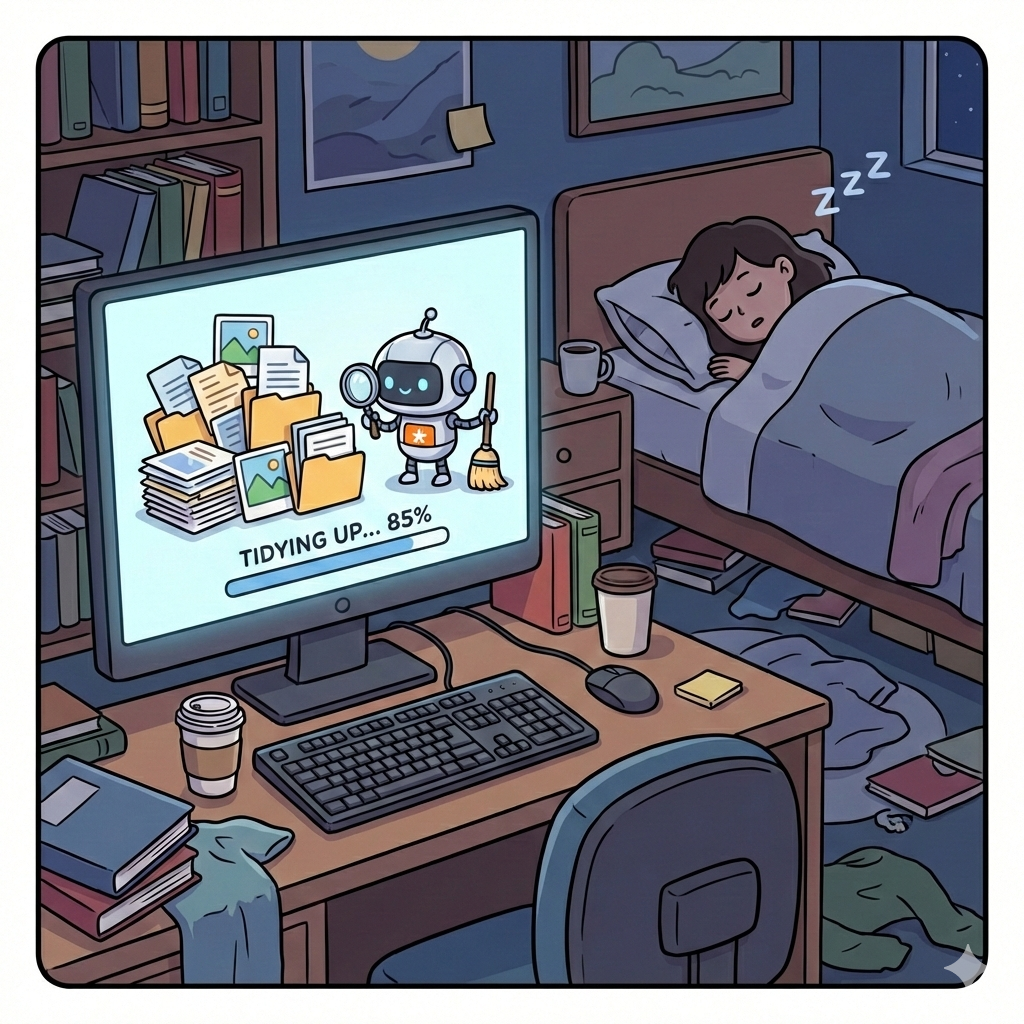
The agent has escaped the terminal! Claude Cowork ushers in the task queues era. Here's why we should all be really freakin' excited.
By Nate
Published: 2026-01-14
URL: https://natesnewsletter.substack.com/p/claude-cowork-the-10-day-launch-that
Ten days. That’s how long it took Anthropic to build and ship Claude Cowork after they noticed something their product team wasn’t expecting: developers were using their coding tool to organize expense receipts, categorize vacation photos, and prep for meetings.
And really, this story about the timeline matters more than anything else about the launch of Claude Cowork this week. It’s not that expense receipts are interesting. It’s that the timeline reveals how Anthropic and AI-native organizations operate—and how that operational velocity is becoming as much a competitive advantage as the models themselves.
Here’s what happened. Claude Code launched as a terminal-based agentic coding tool. Engineers used it to write software, debug production issues, refactor legacy codebases. The tool sat in the terminal because that’s where developers live, and it worked because the underlying architecture—a sandboxed agent that could read files, write files, execute plans, and loop humans in on progress—turned out to be genuinely reliable for production work. Anthropic’s internal data shows a 67% increase in merged pull requests per engineer per day. Engineers don’t inflate those numbers for fun. If they were using it, it was because it worked.
But then the product team noticed something in the usage patterns. People weren’t just writing code. They were pointing Claude Code at folders full of receipts and asking it to produce expense spreadsheets. They were asking it to organize messy downloads directories. They were using a coding tool for research synthesis, transcript analysis, file management—anything that could be expressed as “here are some files, here’s what I want, make it happen.”
It’s easy to imagine a product manager treating this as scope creep, something to discourage or redirect. Instead, Anthropic shipped Cowork: the same underlying agent architecture, wrapped in a UI that doesn’t require anyone to be technical at all.
Here’s what’s inside:
- The strategic bet that matters. Why Anthropic chose file-system-first over browser-first—and why that decision will force Microsoft, Google, and OpenAI to respond with their own desktop-native agents by year’s end.
- The anti-slop architecture. How Cowork’s design makes specific bets against “workslop”—and why outputs are actual Excel files with working formulas rather than markdown you clean up.
- The safety picture, honestly. What Anthropic disclosed about prompt injection risks, what the sandboxing actually protects, and why their warning to “watch for suspicious actions” assumes technical literacy the product is designed to bypass.
- The Cowork playbook. A practical guide to getting started—from low-stakes first tasks to the specific prompting patterns that produce usable deliverables across expense tracking, research synthesis, file organization, and calendar prep.
- What this means for 2026. Why task queues replace chat interfaces, how verification becomes the scarce skill, and the second-order effects on junior roles that nobody’s thinking through yet.
The chatbot was a transitional form. It existed because language models could generate text before they could reliably execute plans. That’s not true anymore. What’s emerging now is something closer to what people actually wanted all along—not a conversational partner you have to babysit through every step, but a capable worker you can hand tasks to and trust to figure out the details. The gap between “I can see what this technology does” and “I can actually use it” just got a lot smaller.
Subscribers get all posts like these!
Grab the Playbook
Cowork's power comes from specificity—but most people don't know what specificity looks like until they've failed a few times. The playbook gives you exact, copy-paste-ready prompts for five high-value use cases: expense reports that actually categorize correctly, file organization that renames based on content (not just filenames), transcript analysis that extracts action items with owners, calendar briefings that flag prep requirements, and duplicate detection that reports before deleting.
Each prompt prevents the failure modes that kill most first attempts: vague instructions that produce vague outputs, missing setup steps that force you to restart, and blind trust in results you don't know how to verify.
The Holiday Explosion
If you were anywhere near tech Twitter over the 2025 holidays, you watched Claude Code explode. Engineers posting about 10x productivity gains. Founders building entire products in a weekend. The Jaana Dogan thread hitting 5.4 million views—a Google principal engineer admitting that Claude Code prototyped in one hour what her team spent a year building. Helen Lee Kupp, a mom who voice-records ideas during morning stroller walks, writing about how she figured out how to use Claude Code anyway to build what she wanted. This wasn’t a secret. It was the story. Everyone could see what was possible.
And that was exactly the problem. Non-technical users could see the capability. They could watch engineers accomplish in hours what used to take days. They could read the threads, watch the demos, understand conceptually what Claude Code did. But it takes a special kind of non-technical user to jump into the terminal, look at the blinking cursor, not get intimidated, and just start typing commands. The capability was visible everywhere in testimonials and demos; the access was not.
What gradually emerged over the last month or two was a conviction that what made Claude Code special wasn’t the “Code” part at all. The underlying capability—an AI that can read your files, understand your instructions, make a plan, and execute a multi-step workflow—works for almost anything expressible as a task with inputs and outputs. The “Code” in the name ended up being a branding constraint that didn’t reflect what the tool actually was: the first truly general-purpose agent.
What Cowork Actually Is
Cowork keeps all the best of Claude Code—same architecture, same reliability, same agent SDK foundation—and puts it in a friendlier package. You point it at a folder using an actual interface. You click and select. You describe what you want in a chat window and walk away. It makes a plan, shows you the plan, executes the plan autonomously, and loops you in on progress. Just like Claude Code, but you’re not in the terminal.
The interface sits as a new tab in the Claude Desktop app, right next to Chat and Code. You start by granting access to a folder—this is explicit, you click and choose which folder Claude can touch—and then you describe your task. Claude creates a plan with visible steps, checkmarks appearing as each completes, and you can intervene at any point. There’s a queue button that lets you add context or redirect mid-execution without interrupting the work in progress.
You can queue up multiple tasks and let Claude work through them in parallel. This feels less like a conversation and more like leaving messages for a coworker who happens to be extremely capable and never sleeps. I think this is very much a 2026 experience. Instead of saying “I’m going to have a long-running iterative chat and try to prompt everything exactly right,” it’s more like “I have six different things I want done. I’m going to type six different messages, get six different threads going, and the agent is going to work on all of them at once.”
The Strategic Bet: File System First
Here’s where the strategic picture gets interesting, and I think most coverage is underselling this.
Microsoft Copilot lives in the browser and the cloud. Google Workspace AI lives in the browser and the cloud. DoAnything, Operator, and the rest of the browser-agent wave all live in the browser. Their interaction surface is web applications. Their value proposition is “navigate websites on your behalf.”
Cowork is different because it operates at the file system level and can also use the browser. The interaction surface is the folders on your local machine plus anything it can touch on the web. The value proposition is that it processes the work artifacts already in your world—your documents, spreadsheets, notes, receipts, recordings—and can reach out to the web when needed.
In a sense, these aren’t directly competing paradigms. They’re complementary. Anthropic knows that, which is why Cowork integrates with Claude in Chrome to bridge both modes. But the file-system-first design reflects a specific thesis about where your leverage as a knowledge worker actually lives.
Browser agents are constrained by the adversarial nature of the web. Sites can block them. CAPTCHAs stop them. Login flows break them constantly. Every interaction is mediated by interfaces designed for humans, maintained by companies that have no particular interest in making life easier for AI agents. The error surface is enormous because you’re navigating systems you don’t control.
File-system agents operate in territory that is entirely yours. Your files don’t have bot detection. Your folders don’t require authentication. The agent can read, write, and execute with permissions you explicitly grant. The environment is cooperative rather than adversarial.
The strategic implication is simple but profound once you see it: browser agents will always be somewhat brittle for high-stakes tasks because the web fights back. The web is adversarial because it needs to be from a security perspective. File-system agents can be robust because your local machine is friendly territory. Anthropic’s bet is that long-term, most valuable knowledge work lives in your files—in your docs, spreadsheets, notes, receipts, recordings, the stuff that accumulates on your hard drive or in your cloud storage—and that processing these artifacts is where the real productivity leverage sits.
This may force Microsoft’s hand. The Neuron Daily predicted Microsoft will have to launch a desktop-native general agent to compete. But I think they’re underselling it. Everyone is going to launch a desktop-native general agent in 2026. This is the year of the desktop-native agent wars, because everyone is about to get disintermediated by this handy little inbox where you can queue up work.
Think about it: wouldn’t you rather be in one place and say “hey, get me my briefing for the day; hey, get me these three metrics from my dashboards; hey, make sure my presentation is ready and give it a final polish”—all done in one place, without switching between PowerPoint and Tableau and email and Slack? Claude Cowork, for the first time, offers that kind of promise. That’s why this is such a significant launch.
Real-World Use Cases: What People Are Actually Doing
Let me get concrete about what Cowork can actually do, because the abstract descriptions undersell the practical reality. I’ve been testing this extensively, and the use cases fall into several categories that reveal how this tool actually fits into daily work.
Financial administration and expense tracking. Drop a folder of receipt screenshots—photos from your phone, PDFs from email, whatever format—and ask Cowork to create a categorized expense spreadsheet. It doesn’t produce a CSV you have to clean up. It produces an actual Excel file with VLOOKUP formulas, conditional formatting, subtotals by category, and proper column headers. The output is the deliverable. One user described pointing it at three months of accumulated receipts and getting back a formatted spreadsheet that was ready to submit to accounting without any manual cleanup.
The workflow looks like this: you create a folder, dump all your receipts into it regardless of format, grant Cowork access to that folder, and say something like “Create an expense report from these receipts. Categorize by tax-deductible versus non-deductible, flag anything over $75 for itemization, and produce an Excel file with separate tabs for each category with subtotals.” You walk away. You come back to a finished spreadsheet. The mundane financial admin that accumulates because it’s annoying enough to avoid but necessary enough to create stress—Cowork handles it.
File organization and cleanup. “Organize my Downloads folder by renaming files based on their content.” This sounds simple, but think about what it requires: the agent has to open files, understand what they contain, infer a sensible naming convention, and execute the rename across potentially hundreds of files. A script could rename files by date or extension; only an LLM can rename them by meaning. People are pointing Cowork at years of accumulated digital clutter and getting organized file systems back.
I tested this on my own Downloads folder—a graveyard of PDFs, screenshots, random documents accumulated over months. Cowork analyzed each file, created a logical folder structure (Work, Personal, Reference, Archive), renamed files to something meaningful based on their contents, and moved everything into the appropriate location. What would have taken me an afternoon of tedious clicking happened in about fifteen minutes while I did other work.
Research synthesis across sources. Simon Willison’s test is instructive. He pointed Cowork at 46 blog drafts and asked it to cross-reference each against his published site to identify which were close to being ready for publication. Claude executed 44 web searches, analyzed the results against the drafts, and produced a status report identifying which pieces needed minimal work to publish. This isn’t “summarize this document”—it’s a multi-step research workflow that would take a human an afternoon compressed into minutes.
The pattern here is powerful: you have a corpus of files, you have external information you need to cross-reference, and you need a synthesis that no single source provides. Cowork can hold the context of your local files while reaching out to the web for additional information, then produce an output that integrates both. Research assistants at consulting firms do exactly this work. Now you can queue it up alongside your other tasks.
Meeting and interview transcript analysis. Meeting notes pile up faster than anyone processes them. Cowork can extract themes, action items, and key points across a corpus of transcripts, then output structured documents. Point it at a folder of interview recordings or meeting notes and ask for a synthesis of what was discussed, what decisions were made, and what follow-ups are needed. The early reports suggest this works well because the task is well-defined and the success criteria are legible.
I’ve been pointing Cowork at folders of interview transcripts and asking for thematic analysis across all of them—what patterns emerge, what contradictions exist, what questions remain unanswered. This is qualitative research work that used to require either expensive software or hours of manual coding. The output isn’t perfect, but it’s a starting point that’s dramatically better than staring at a pile of unprocessed transcripts.
Calendar analysis and daily prep. “Look at my Google Calendar and give me an assessment of how busy I am this week, and what would be the most useful shifts to my daily routine to prepare more effectively.” Cowork connects to your calendar through the Chrome integration, analyzes your schedule, and produces practical recommendations. One user described getting feedback about defending morning focus blocks and identifying which meetings could be consolidated or eliminated.
The daily prep use case is particularly interesting because it’s not a one-time task—it’s a routine you can build. Every morning, ask Cowork to look at your calendar, identify the most important meetings, flag any preparation gaps, and suggest how to structure your pre-meeting time. This is the kind of chief-of-staff work that executives pay for and everyone else does without.
Business reporting and analysis. “Analyze this week’s revenue against historic data and create a presentation.” Point Cowork at your data files, describe what metrics matter, and get back a formatted report or slide deck. The output isn’t markdown you copy-paste; it’s an actual PowerPoint file or Excel workbook ready to share. The practical value is enormous for anyone who spends hours formatting data into presentable form.
I watched Cowork create a complete PowerPoint presentation about its own launch—conducting research, structuring slides, applying consistent formatting, adding speaker notes—while simultaneously running two other tasks. The parallelism is the thing that changes how you think about work. You’re not waiting for one thing to finish before starting another. You’re queuing up everything you need and letting the agent work through it all.
Email and communication automation. Through the Gmail connector, Cowork can draft and send messages on your behalf. “Draft the weekly report and send it to the team” becomes a single task you can queue up alongside your other work. The same applies to Slack through appropriate integrations—queue up the communication tasks, let Claude work through them, review before sending if you’ve configured it that way.
The communication use case requires trust, and Cowork is designed to build that trust incrementally. You can configure it to draft but not send, letting you review before anything goes out. As you develop confidence in the output quality, you can extend more autonomy. The tool meets you where you are rather than demanding you trust it completely from day one.
Research and competitive analysis. With the Chrome integration, Cowork can navigate websites, gather information, and compile findings into documents. “Research competitors on LinkedIn and compile findings into a doc” is a real task people are running. The browser automation has gotten significantly more reliable, and when it does hit authentication walls or CAPTCHAs, it asks for intervention rather than failing silently.
The web research capability is imperfect—the web is adversarial, and agents will always struggle with sites that don’t want to be automated—but it’s good enough for many common tasks. Company research, market analysis, gathering information from multiple sources into a synthesized document. The key is understanding where it works well (public information, sites without aggressive bot detection) and where it doesn’t (paywalled content, sites requiring complex authentication).
Creative and design work. Through the Canva connector, Cowork can create social media graphics, presentation assets, and other visual materials. The connectors transform Cowork from a file-processing tool into something closer to an operating system for work—a unified interface that can touch multiple services and coordinate outputs across them.
Personal knowledge synthesis. This is the sleeper use case that I think will matter more over time. Point Cowork at years of notes, journals, or personal documents and ask it to surface patterns you missed. “What themes recur across my journal entries from the past year?” “What projects have I started and abandoned, and what do they have in common?” The value here isn’t in the AI’s insight—it’s in the AI’s ability to actually read everything you’ve written, which you haven’t done yourself.
Duplicate detection and cleanup. “Find duplicate files in my Downloads folder.” Simple task, but enormously useful for anyone whose digital life has accumulated redundant copies of documents, photos, and downloads. Cowork can identify duplicates not just by filename but by content, flagging files that are identical or nearly identical regardless of what they’re named.
Presentation preparation. Before important meetings, ask Cowork to review the materials, identify gaps in your preparation, and suggest talking points. Point it at the documents you’ll be discussing and your notes, and get back a structured prep document. This is the kind of preparation that separates people who show up ready from people who wing it—and now it can happen in the background while you handle other work.
Toward an Anti-Slop Architecture
There’s been a lot of concern over the past year about “workslop”—AI-generated output that looks passable but shifts cognitive burden downstream. The person receiving the AI-generated memo has to do the thinking the sender skipped. The result is communication that looks like work but functions as a tax on attention. BetterUp quantified this at nearly two hours spent per piece of workslop received, which adds up to massive lost productivity across organizations.
Cowork’s design makes several specific bets against this pattern, and the more I dug into it, the more I saw thoughtfulness underneath that deserves unpacking.
First, the core output is an artifact, not a text blob. When you ask Cowork to process expense receipts into a spreadsheet, you get an Excel file with working formulas—not a CSV you then clean up, not markdown you copy-paste. The output is the deliverable. Workslop typically lives in the gap between “AI-generated draft” and “usable work product.” Cowork tries to close that gap by producing files that don’t require a human cleanup pass. If you can define your intent well enough, Claude gets it all the way done.
Second, the architecture is borrowed from a context where slop is immediately fatal. Claude Code users write production software. If the output required constant cleanup, engineers would drop it and use something else. You can still use AI tooling to review large masses of AI-produced code and get high-quality results, but the tolerance for slop in shipping code is zero. Anthropic’s thesis is that the same architecture producing trustworthy code can produce trustworthy knowledge work. Software engineers already trust Claude Code enough to ship what it produces; that same trust can transfer to knowledge work.
Third, Cowork keeps you in the steering loop rather than the editing loop. The interface is designed around task delegation with visible progress—literal checkmarks down the side as steps complete. You don’t just prompt and see more text appear. You describe an outcome, Claude makes a plan, you see the plan, you can redirect mid-execution. One particularly clever feature: you can send a message to the agent in the middle of executing, hit the queue button, and the agent picks up your context and incorporates it without interrupting the work in progress. The cognitive work is on you, but it happens upfront—articulating what you want—rather than downstream—cleaning up what you got.
Fourth, the file-system sandbox forces specificity. You cannot vaguely ask Cowork to “help with my expenses.” You must point it at real folders containing real files. You manually select which folders to grant access to. This constraint means the AI operates on real work artifacts rather than generating content in a vacuum. The input is concrete, and the output has something to be faithful to. This reduces hallucination because there’s actual source material to ground the work.
Fifth, the task queue model changes the social dynamics of AI-assisted work. In chat-based AI, you’re constantly prompting and evaluating in rapid cycles. The rhythm encourages fast, shallow interactions—you prompt, you get text, you prompt again. Cowork’s design encourages deeper thought about what you actually want and what you’re willing to step away from. The AI isn’t waiting for your next message; it’s executing a plan. This shifts the cognitive load from “what do I prompt next?” to “what do I actually need done?”—which is by far the more interesting question, and which requires the kind of thoughtfulness that produces anti-slop work.
The Safety Picture
Anthropic’s safety disclosure deserves close attention because it’s unusually direct, and the implications cut multiple ways.
From the launch materials: “You should also be aware of the risk of ‘prompt injections’: attempts by attackers to alter Claude’s plans through content it might encounter on the internet. We’ve built sophisticated defenses against prompt injections, but agent safety—that is, the task of securing Claude’s real-world actions—is still an active area of development in the industry.”
They explicitly warn that Claude “can take potentially destructive actions (such as deleting local files) if it’s instructed to” and recommend “very clear guidance” when working near anything sensitive.
Simon Willison’s response was immediate and correct: telling non-programmer users to watch for “suspicious actions that may indicate prompt injection” is unrealistic. The average person who wants to organize their downloads folder has no mental model for what a prompt injection attack looks like. The safety guidance assumes technical literacy that the product is explicitly designed to bypass.
But the honesty itself is unusual and worth noting. OpenAI recently acknowledged that prompt injection attacks are fundamentally unsolvable—a problem extending to any AI system with action permissions. Most vendors bury this in terms of service. Anthropic puts it in the launch blog post.
The file-system sandbox helps significantly. When you grant Cowork access to a folder, Simon’s investigation suggests those files are mounted into an isolated container—a secure Linux VM using Apple’s Virtualization Framework with a custom root filesystem. Claude operates inside that sandbox; it can access what you grant and nothing else. This is more protection than Claude Code offers users who run with skip-permissions flags. The sandboxing isn’t just a security feature; it’s what makes Cowork safe enough for non-technical users to trust with file access in the first place.
It looks like Anthropic has also built an intermediation layer—a summary stage between raw internet input and what the agent receives for task completion. Boris Cherny, Claude Code’s creator, confirmed that summarization when fetching web content is “partly intended as a prompt injection protection layer.” This suggests multi-layered defenses rather than a single silver bullet.
The constitutional AI principles built into Claude also help the agent make good common-sense choices. It asks permission before touching website pages. It doesn’t take actions like login or payment unless you specifically authorize them. Even on high-consequence actions like payments, it typically says “you need to do this yourself, I can’t do this.” These instincts provide a meaningful safety layer even when navigating the adversarial environment of the web.
What This Tells Us About 2026
The chatbot was a transitional form. It existed because language models could generate text before they could reliably execute plans. I don’t think that’s true anymore. Claude Code proved that agentic execution works for software engineering. Cowork is the hypothesis that it works for everything else. If that hypothesis holds—and I think we’ll know within six months—several things follow.
Task queues will replace chat interfaces, and this is more than a UX change. The Cowork model—queue up tasks, let Claude work through them in parallel, get notified on completion—is closer to email or a ticketing system than a conversation. But the deeper shift is in the relationship between human and AI. Chat interfaces position the AI as a respondent: you ask, it answers, you ask again. Task queues position the AI as a worker: you delegate, it executes, you review.
This isn’t just about asynchronous versus synchronous interaction. It’s about whether you’re having a conversation with the AI or managing it like an employee. The management framing changes what kinds of tasks feel appropriate to delegate, how much context you provide upfront, and how you evaluate the output. People manage workers differently than they converse with advisors. As AI interfaces shift toward the management model, expect usage patterns to shift accordingly.
I’ll go further: I think the task queue model is the natural end state for AI productivity tools, and chat was just where we started because it was technically easier to build. The future looks like an inbox where you deposit tasks throughout the day, an agent working through them continuously, and periodic check-ins where you review output and redirect as needed. The always-on, always-working agent becomes a background service rather than a conversational partner.
Verification becomes the scarce skill, with second-order effects on organizational structure that haven’t been thought through. When AI can execute multi-step workflows in parallel across an organization, the bottleneck shifts to knowing whether the output is correct and whether you formed the task correctly in the first place. Dogan’s point applies broadly: the tool amplifies people who already know what they’re doing while potentially misleading people who don’t.
Consider what this means for team structure. Junior roles have traditionally served as execution layers—you give them well-defined tasks, they complete them, senior people review. If AI handles execution, we’ll see continued pressure on junior roles. Firms that aren’t creative will say they don’t need juniors. Firms that are more creative will say they need AI-native juniors who can teach new patterns of work. Organizations that figure out how to develop domain expertise in an AI-augmented environment will have significant competitive advantage over those that accidentally eliminate their career development pipeline.
The skill that matters most in 2026 is the ability to specify intent clearly enough that an agent can execute correctly, combined with the domain expertise to verify that the output is actually good. This is a different skill from doing the work yourself. It’s closer to managing than executing. And it rewards people who have developed enough expertise to know what “good” looks like even if they’re not the ones producing it.
The file-system and browser convergence is inevitable, but the path matters. Cowork plus browser automation covers most knowledge work in principle. The next step is seamless handoffs: start with files, push to web services, pull results back to files, share with colleagues. The integration points between file-system agents and browser agents are where things will break. Authentication handoffs, state management across contexts, error recovery when one system succeeds and another fails. Whoever solves these integration problems elegantly owns the unified execution layer.
My guess is this takes longer than people expect. The hard part isn’t making either type of agent work in isolation. It’s making them work together reliably enough that users don’t have to think about which mode they’re in. I’ve already experienced the friction—Google Calendar doesn’t always recognize Claude, authentication flows break unpredictably, some web tasks fail while others succeed. The bones are there, but the polish isn’t.
The $200/month price point is a market test, not a positioning statement. If knowledge workers pay that much for this tool, it validates AI as a productivity investment worth real corporate budget. The Max-only launch selects for power users who can demonstrate the value and provide feedback. But Anthropic historically brings capabilities down-market quickly once they’re validated. Expect this to hit more accessible price points—and expect competitors to race to match both capability and pricing.
The Competitive Landscape
If I were watching for signals over the next twelve months, I’d focus on two things.
First, how quickly do Microsoft, OpenAI, and Google respond? If any of them ship something credible in the next month, the competitive picture remains wide open—and it signals that everyone sees this as the future of work. Claude got out in front with this initial release, but the others have distribution advantages that matter enormously. Microsoft has Copilot embedded in every Office 365 subscription. Google has Workspace integrated across the enterprise. If they ship desktop-native agents that match Cowork’s capabilities, the battle becomes about ecosystem and integration rather than pure capability.
Second, watch the pricing and unit economics. Cowork launched at Max tier only—$100-200/month—which tests price elasticity. If knowledge workers pay $200/month for this, it validates AI as a productivity investment worth real money. But Anthropic historically brings capabilities down-market quickly. If Cowork works—if users demonstrate real value in real workflows—expect rapid expansion into more accessible tiers. The first company to make file-system agents feel as normal as email will have built something very difficult to displace.
The deeper question is what happens when a product team can observe user behavior on Monday and ship a fully-fledged response by the following Thursday. That’s not just a feature of Cowork. That’s a feature of Anthropic as an organization. In a race where models are converging and the real differentiation is product execution, that kind of velocity matters more than any single launch.
Getting Started
For Max subscribers, Cowork is available now in the Claude Desktop app on macOS. Click the Cowork tab in the sidebar, grant access to a folder, and describe what you want done. Start simple—file organization, expense processing, research synthesis—and expand as you develop intuition for what works.
A few practical tips from my own testing:
Start with low-stakes tasks. Your first Cowork session shouldn’t be processing critical financial documents or sending important emails. Start with something like organizing your Downloads folder or analyzing some old notes. Build trust in the tool before extending it to higher-consequence work.
Be specific about outputs. “Create a spreadsheet” is vague. “Create an Excel spreadsheet with columns for date, vendor, amount, and category, with subtotals by category and conditional formatting to highlight anything over $100” is specific. The more precisely you can describe what you want, the more reliably Cowork delivers it.
Use the queue feature. The ability to send additional context mid-task without interrupting execution is powerful. If you realize you forgot to mention something, hit the queue button and add it. The agent incorporates the context without starting over.
Watch the plan unfold. Cowork shows you the steps it’s planning to take before it takes them. Read the plan. If something looks wrong, redirect before execution rather than cleaning up after.
Grant folder access thoughtfully. The sandbox protects you, but only for the folders you’ve granted access to. If you’re processing expense receipts, create a dedicated folder for receipts rather than granting access to your entire Documents directory.
For everyone else, the waitlist is open. Windows support and cross-device sync are coming. And if the pattern holds, broader access at lower price points will follow as Anthropic validates the use cases and iterates on the product.
The future of work is an inbox where you queue up tasks and an agent works through them in parallel while you do other things. That future arrived this week. It took ten days to build. They built it with Claude Code. And now it’s called Cowork.
I make this Substack thanks to readers like you! Learn about all my Substack tiers here and grab my prompt tool here