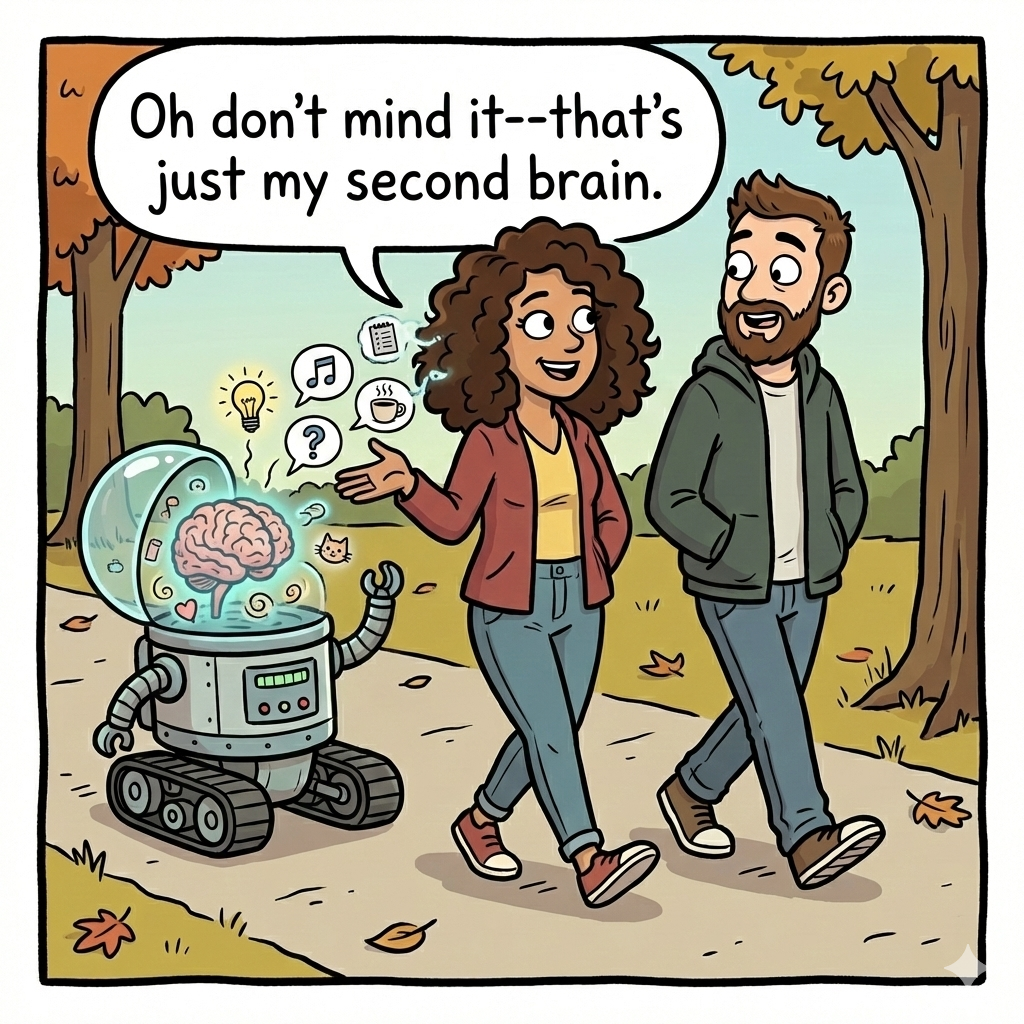
The case for building a second brain in 2026—and why the HOW matters as much as the what.
By Nate
Published: 2026-01-09
URL: https://natesnewsletter.substack.com/p/grab-the-system-that-closes-open
Most second brain systems die the same death.
You find a tool, set it up with real enthusiasm, capture notes for a few weeks. Then the pile gets messy. You stop trusting it. You stop using it. The whole thing quietly collapses, and you tell yourself you’ll try again when life calms down.
I’ve watched this pattern repeat for over a decade—in my own attempts and in hundreds of conversations with smart, motivated people who genuinely want to be organized. The problem isn’t discipline or willpower or finding the right app. The problem is that traditional systems ask you to do cognitive work at exactly the wrong moment. They want you to decide where a thought belongs when you’re rushing into a meeting. They want you to tag and categorize when all you want is relief—just get this out of my head so I can think about something else.
What changed in 2026 is the shift from AI inside your notes to AI running a loop.
That difference is enormous. A loop means the system does work whether or not you feel motivated today. You capture a thought in five seconds. The system classifies it, routes it to the right place, and nudges you every morning with what actually matters. You don’t have to remember to use it—it just shows up.
For the first time in human history, we have access to systems that don’t just store information but actively work with it while we sleep. And you don’t have to be an engineer to build one.
Here’s what’s inside:
- The cognitive tax you’re paying. Why your brain was never designed to be a storage system, and what that costs you in relationships that cool off, projects that fail in ways you predicted, and leverage that should be compounding but isn’t.
- Eight building blocks of a working second brain. The drop box, the sorter, the bouncer, the fix button—each explained in plain language alongside the engineering vocabulary that makes these patterns transferable to anything else you build.
- Twelve principles that make systems hold together. The rules experienced builders have learned the hard way, from “reduce the human’s job to one reliable behavior” to “design for restart, not perfection.”
- The multiplier insight. Why AI leverage isn’t really about prompts or tools—it’s about what you’re multiplying, and how a second brain builds the compounding context that makes that multiplier meaningful.
- A complete build guide. Four tools, three automations, 90 minutes. The tactical layer that turns these principles into something running on your phone by tonight.
This piece gives you both the strategy and the build. Let’s start with why this matters more now than it ever has before.
Subscribers get all posts like these!
An update — March 3, 2026
I want to be straightforward with you: the guide in this post is no longer the one I’d recommend building.
When I published this, the Second Brain worked well for what it was — a way to organize your knowledge so you could actually find things. But the landscape shifted faster than I expected. Models got better at reasoning over structured data. Agents started doing real work, not just answering questions. And the system I described here wasn’t designed for a world where your AI tools need to read your knowledge base, not just you.
So I rebuilt it. The new version is called the Open Brain (LINK) and the core difference is this: it’s agent-readable. Your knowledge lives in a SQL database that any tool, any agent, any workflow can query directly — no copy-pasting out of Notion, no manually feeding context into a chat window. If you want your AI to actually use what you know, that’s where this is heading anyway. I just tried to make the path there as simple as I could.
Here’s what I’d do depending on where you are:
If you haven’t built either system yet, go straight to the Open Brain post. Don’t start here — start there.
If you already built the Second Brain from this guide, that work isn’t wasted. The simplest migration path is to take the current Open Brain post and your existing system, feed both to Claude, and ask it for a migration plan. There are a number of patterns that can move your content into a SQL database, and most of them are more straightforward than you’d expect.
→ Read the Open Brain guide here
Why I’m Teaching Engineering Principles to Non-Engineers
A CTO told me something yesterday that I haven’t been able to shake.
He runs a 200-person engineering org. His job, on paper, is strategy, hiring, architecture reviews, organizational design. But he told me his greatest leverage right now is writing code himself.
Not because he’s faster than his engineers. Because he’s the founder. He knows every corner of the codebase. He’s carried the context for years. And when AI multiplies his output, it’s multiplying someone with deep domain expertise—not someone who needs to get up to speed.
That’s the insight: AI is a multiplier, and multipliers are only as powerful as what they multiply. A 10x boost to shallow knowledge produces shallow output faster. A 10x boost to someone who genuinely understands the domain produces something qualitatively different.
This is why the conversation about AI leverage has started to shift. Early on, the question was “which tools should I use?” Now the question is becoming “what am I multiplying?” The people pulling ahead aren’t the ones with the best prompts or the most subscriptions. They’re the ones who’ve built infrastructure that lets AI amplify their actual expertise—their context, their judgment, their accumulated insight.
Which brings me to why I built a complete second brain system this month, and why I’m releasing both the build guide and the engineering principles behind it.
The cognitive tax you don’t see
For 500,000 years, we’ve had essentially the same cognitive architecture. We can hold about four to seven things in working memory. There’s a reason phone numbers are roughly that length. We’re excellent at pattern recognition when the patterns are in front of us, and we’re terrible at it when the patterns are scattered across six months of half-remembered conversations.
Every productivity system ever invented has been a workaround for these limitations. Writing itself is a workaround. Filing cabinets, Rolodexes, to-do lists, journaling apps—all attempts to extend biological memory into something more reliable.
But here’s what most productivity advice misses: the cost of not having a working system isn’t just missed ideas. It’s that your work becomes less compounding. The value you create tomorrow is lower because you’re not building on yesterday’s insights as intentionally as you could be.
I call this the cognitive tax. And it shows up in ways we’ve learned to normalize.
It shows up in relationships that cool off because you forgot what someone told you that mattered to them. You had coffee with a colleague six weeks ago, they mentioned their daughter was applying to colleges, you meant to follow up, and now the moment has passed. The relationship stays transactional when it could have been something more.
It shows up in projects that fail in exactly the way you predicted. You had the insight at 11 p.m. three weeks ago—this vendor is going to miss the deadline, this architecture won’t scale, this hire isn’t working out. But you didn’t write it down, or you wrote it somewhere you couldn’t find, so you got to be right and still suffer the consequences.
It shows up in the background hum of open loops. Things you never finished that you’re always on the edge of remembering. That low-grade anxiety of don’t forget to do this running as a thread you cannot close because you never put that loop anywhere reliable.
Your brain was never designed to be a storage system. It was designed to think. Every time you force it to remember something instead of letting it work on something new, you’re paying a tax you don’t see. And in 2026, when AI can multiply what you produce, that tax is more expensive than ever.
Why 2026 is different
I’m not the person who told you to build this in early 2024 when the tools weren’t ready. I’m telling you now because something has genuinely changed.
For years, the promise of a “second brain” was essentially just better storage. You picked a tool—Notion, Obsidian, Roam, Evernote—and you captured notes. Maybe you used AI to summarize or search. And then nothing. The notes piled up. You had to keep them organized yourself or you stopped trusting them. At some point, your beautiful system became a dump of old information you never looked at. You stopped using it, and the whole thing died the death of every well-intentioned knowledge base.
I’ve watched this cycle repeat in personal systems and professional systems for over a decade. Smart people, motivated people, people who genuinely want to be organized all hit the same wall.
And the wall isn’t motivation. It’s that traditional systems ask you to do cognitive work at exactly the wrong moment.
They ask you to decide where a thought belongs when you’re walking into a meeting. They ask you to tag it when you’re driving. They ask you to name it properly when you’re about to go to bed. They ask you to choose a folder and a taxonomy and a structure. And that’s the moment when you just want relief. You want someone else to do it. You don’t want to organize—you want to capture and move on.
So most of us do what every normal person does. We stick it in Apple Notes and tell ourselves we’ll organize it later. Later never comes. We end up with a pile of notes we don’t trust, which means we stop adding notes, and the whole thing collapses.
The storage systems we have today work for about one in twenty people I talk to. And those people are typically the most organized people I know—you’d think they need it least, but they’re so organized they can make anything work. For the rest of us, it’s a losing battle against our own nature.
What’s changed in 2026 is the shift from AI inside your notes to AI running a loop.
That difference is enormous.
An AI loop means the system does work whether or not you feel motivated today. You capture a thought in five seconds. The system classifies it, routes it to the right place, extracts the relevant details, writes it into a structured database, and nudges you every morning with what matters. It reviews your week every Sunday and tells you what’s stuck, what’s moving, what you should focus on next. You don’t have to remember to use it—it just shows up.
That’s the shift from building a knowledge base to installing a behavior-changing system. The center of gravity moves from you as the person who has to keep everything on the rails to the loop helping you stay organized. You get a genuine support structure.
For the first time in human history, we have access to systems that don’t just passively store information but actively work with it while we sleep and do other things. Systems that can classify, route, summarize, surface, and nudge without us having to remember to do any of those activities.
This is not an incremental improvement. This is an entirely new capability in the history of human cognition.
Why I’m teaching engineering principles
I could have just given you the build guide. It’s four tools—Slack, Notion, Zapier, and Claude or ChatGPT—wired together in a specific way. You could set it up in 90 minutes and call it done.
But that would miss the point.
The patterns that make this system work aren’t new. Engineers have been building reliable automated systems for decades. What’s new is that in 2026, non-engineers can finally leverage these principles to build their own infrastructure without writing code.
And once you understand the principles, you can apply them everywhere.
This is what AI fluency actually looks like. Not prompting tricks. Not tool recommendations. Not the ability to chat with a language model. Real AI fluency means understanding how reliable systems work so you can build them yourself. It means knowing why a system holds together—not just following someone else’s tutorial.
When you understand these patterns, you stop being a consumer of AI tools and become someone who builds with AI. You start seeing the architecture beneath every system you use. You develop intuitions about what will scale and what will break. You become the person who designs workflows instead of the person who follows them.
That’s why I’m going to teach you both the building blocks of this second brain and the engineering vocabulary that describes them. When a technical person says “ingress point” or “source of truth” or “human-in-the-loop correction,” you’ll know exactly what they mean—and you’ll be able to use those concepts yourself.
The eight building blocks
Let me walk through the components that make this system work. For each one, I’ll give you the plain-language name I use, the technical terms engineers would use, and why it matters.
1. The Drop Box
Technical terms: capture door, ingress point, input channel
This is the one place you throw things without thinking. It has to be frictionless—if capturing a thought takes more than a few seconds, you won’t do it consistently despite your good intentions. That’s not a moral failing; it’s human nature.
In this system, the drop box is a private Slack channel called something like sb-inbox. One message per thought. No organizing, no tagging, no decisions. You type it and you hit send.
Here’s the critical constraint: you’re not allowed to have three capture points. You have one, and it requires zero decisions.
Why does this matter? Because every additional capture point is a decision you have to make in the moment. “Should I put this in my notes app or my Slack channel or my email draft?” That decision, made fifty times a day, is exhausting. It’s the kind of micro-friction that kills systems over time.
One inbox. One action. One habit. That’s it.
2. The Sorter
Technical terms: classifier, router, categorization layer
This is the AI step that decides what bucket your thought belongs in without you having to think about it. Is this about a person? A project? An idea? Some admin errand you need to run?
The sorter is why this system is different from every note-taking app you’ve abandoned.
The number one reason second brains fail is they require taxonomy work at capture time. They force you to decide where something goes. And for non-engineers, that decision is where systems go to die. It’s the blank canvas problem, the perfect structure fantasy, the slow drift into fiddling with folders instead of actually capturing thoughts.
The sorter removes all of that. You throw a raw thought at your Slack channel. Zapier picks it up and sends it to Claude or ChatGPT with a classification prompt. The AI figures out what it is, extracts the relevant details, names it something useful, and returns structured data.
Classification is a solved problem in 2026. You give the model a clear schema and examples, and it routes accurately the vast majority of the time. Let it do the sorting so you don’t have to.
3. The Form
Technical terms: schema, data contract, record structure
This is the set of fields your system promises to produce and store for each type of thing.
For a person in your People database: name, context (how you know them), follow-ups (things to remember for next conversation), and a timestamp for when the entry was last updated.
For a project in your Projects database: name, status (active, waiting, blocked, someday, done), the literal next action you need to take, and any relevant notes.
For an idea: a title, a one-liner that captures the core insight, and space for elaboration.
For an admin task: name, due date, status, notes.
Why does this matter? Because without a consistent form, you get messy notes that can’t be reliably queried, summarized, or surfaced. Claude can’t generate a useful daily digest if every entry is structured differently. The form is what makes automation possible. It’s what lets the system compound like a flywheel.
Think of the form as a contract between you and your future self. Every time you capture something, you’re promising that certain information will be there when you need it. The AI fills out the form; you benefit from the consistency.
4. The Filing Cabinet
Technical terms: memory store, source of truth, persistence layer
This is where the system writes facts so they can be retrieved later. It has to be writable by automation, readable by humans, and able to support simple filters and views.
In this system, the filing cabinet is Notion—specifically, four databases: People, Projects, Ideas, and Admin.
Why Notion? Because Notion databases are visual and easy to edit without breaking anything. You can create different views filtered by status, by date, by tags. When something goes wrong, you can see what happened and fix it directly. And critically, Notion has a solid API that Zapier can write to reliably.
This is also why I don’t recommend starting with Obsidian for this particular system, even though Obsidian is a beautiful tool. Obsidian stores everything as local markdown files, which is great for portability and ownership. But writing into local files from cloud automation introduces a layer of syncing and plumbing that engineers handle easily but often frustrates everyone else. Notion makes the automation clean. You can always migrate later if you want something local-first.
The key principle: your filing cabinet is your source of truth. When there’s a question about what’s real—what projects are active, what you promised to follow up on, what ideas you’ve captured—this is where the answer lives.
5. The Receipt
Technical terms: audit trail, ledger, activity log
This is a record of what came in, what the system did with it, and how confident it was.
The receipt matters more than you might think. You don’t abandon systems because they’re imperfect. You abandon them because you stop trusting them. And you stop trusting them because errors feel mysterious—something went wrong, but you don’t know what or when or why. You can’t predict when the next error will happen, so you give up.
The receipt fixes that.
In this system, the receipt is a Notion database called Inbox Log. Every capture gets logged there with the original text you typed, where it was filed, what it was named, and a confidence score from the AI.
Now when something looks off, you can trace it. You can see what the system decided. You can see why. Trust comes from visibility, and visibility comes from logging.
6. The Bouncer
Technical terms: confidence filter, guardrail, quality gate
This is the mechanism that prevents low-quality outputs from polluting your memory storage.
Here’s how it works: when Claude or ChatGPT classifies your thought, it also returns a confidence score between zero and one. If that confidence is below a threshold—say, 0.6—the system doesn’t file the item into People or Projects or Ideas. Instead, it logs it in Inbox Log with a status of “Needs Review” and sends you a Slack reply asking for clarification.
“I’m not sure where this goes. Could you repost with a prefix like ‘person:’ or ‘project:’ or ‘idea:’?”
This single mechanism is what keeps your second brain from becoming a junk drawer. The fastest way to kill a system is to fill it with garbage. If every half-formed thought and misclassified entry ends up in your databases, you stop trusting the data. Once you stop trusting it, you stop using it.
The bouncer keeps things clean enough that you maintain trust. And trust is what keeps you coming back.
7. The Tap on the Shoulder
Technical terms: proactive surfacing, notification layer, push mechanism
This is the system pushing useful information to you at the right time without you having to search for it.
In this system, the tap on the shoulder is a daily Slack DM that arrives at whatever time you choose—say, 7 a.m. It’s generated by a scheduled Zapier automation that queries your Notion databases, pulls your active projects, any people with noted follow-ups, and any admin tasks that are due. It sends all of that to Claude or ChatGPT with a summarization prompt and delivers a digest directly to your Slack DMs.
The digest has three parts: your top three actions for the day, one thing you might be stuck on or avoiding, and one small win to notice. It’s designed to fit on a phone screen. It’s designed to be read in two minutes, to know what matters today, and to start your day with clarity.
There’s also a weekly version. Every Sunday at 4 p.m. (or whenever you prefer), another automation runs. It queries everything from the past seven days in your Inbox Log, pulls your active projects, sends it all to Claude with a review prompt, and delivers a weekly summary. That summary tells you what happened, what your biggest open loops are, three suggested actions for next week, and one recurring theme the system noticed.
Here’s why this matters: humans don’t retrieve consistently. We don’t wake up and think, “I should search my Notion databases for relevant information about the meetings I have today.” In the advertisements for productivity tools, we do that. In real life, we don’t.
But we do respond to what shows up in front of us.
The tap on the shoulder exploits that tendency. It puts the right information in your path so you don’t have to remember to look for it. These nudges aren’t optional features—they’re what makes the system alive instead of dead.
8. The Fix Button
Technical terms: feedback handle, human-in-the-loop correction, error recovery mechanism
This is the one-step way to correct mistakes without opening dashboards or doing maintenance.
In this system, whenever Zapier files something, it replies in the Slack thread confirming what it did:
“Filed as Project: Website Relaunch. Confidence: 0.87. Reply ‘fix: [correction]’ if I got it wrong.”
If the filing was wrong, all you do is reply in the thread: fix: this should be people, not projects. The system updates the record.
Why does this matter? Because systems get adopted when they’re easy to repair.
If fixing errors feels like work—if you have to open Notion, navigate to the right database, find the entry, delete it, recreate it in the right place—you won’t do it. You’ll let errors accumulate. You’ll stop trusting the system. And then you’ll stop using it.
Corrections must be trivial or people won’t make them. The fix button makes corrections trivial.
The twelve principles
Those are the building blocks. Now let me give you the principles that make them hold together—the rules that experienced system builders have learned the hard way. When you understand these, you can build things that don’t fall apart.
Principle 1: Reduce the human’s job to one reliable behavior.
If your system requires three behaviors, you don’t have a system—you have a self-improvement program. And non-engineers won’t run self-improvement programs consistently. The honest truth is that most engineers won’t either.
The scalable move is to make the human do one thing. In this system, that one thing is: capture thoughts in Slack.
Everything else is automation. Classification is Claude doing the work. Filing is Zapier doing the work. Surfacing is a scheduled automation. The human’s job is just to throw thoughts at the channel. That’s it.
Every time you’re tempted to add a manual step—”and then you review the entries weekly” or “and then you tag things by priority”—stop and ask: can I automate this instead? The answer is usually yes.
Principle 2: Separate memory from compute from interface.
This is the single most important architectural principle for building something that lasts.
Memory is where truth lives. In this system, that’s your Notion databases.
Compute is where logic runs. That’s Zapier and Claude.
Interface is where the human interacts. That’s Slack.
Why separate them? Because it makes everything portable and swappable.
You can change your interface from Slack to Microsoft Teams without rebuilding your databases. You can swap Claude for GPT without touching your storage. You can move from Notion to Airtable if your company mandates it.
Every layer has one job, and they connect through clear boundaries. When something breaks, you know which layer to look at. When you want to upgrade something, you can do it without rebuilding everything else.
Engineers call this “separation of concerns.” It’s the difference between a system that evolves gracefully and one that becomes a tangled mess you’re afraid to touch.
Principle 3: Treat prompts like APIs, not like creative writing.
A scalable agentic prompt is a contract. It has a fixed input format, a fixed output format, and no surprises.
You give Claude or ChatGPT a schema—”here are the exact fields I need.” You give it rules—”status must be one of these five values.” You tell it to return JSON only, with no explanation and no markdown.
That feels restrictive. That’s the point.
You don’t want the model to be helpful in uncontrolled ways. You don’t want it to add a friendly note or restructure the output because it thinks that would be better. You want it to fill out a form. Reliably. Every time.
The prompt specifies exactly what fields to return, exactly what values are valid, and exactly how to handle ambiguous cases. When the model can’t classify something confidently, it returns a specific status code, not a paragraph explaining its uncertainty.
Reliable beats creative in production systems. Save the creative prompting for brainstorming. When you’re building infrastructure, you want boring and predictable.
Principle 4: Build trust mechanisms, not just capabilities.
A capability is: the bot files notes.
A trust mechanism is: I believe the filing enough to keep using it, because I can see what happened.
Trust comes from the Inbox Log that shows you everything the system did. Trust comes from confidence scores that tell you how sure the AI was. Trust comes from the fix button that makes corrections trivial.
Without these small additions, the system would still function. But errors would compound invisibly. You’d file something wrong and not notice for weeks. You’d stop trusting the data. And once trust is gone, adoption follows.
Every time you build a system, ask: what would make someone trust this? Then build that thing explicitly.
Principle 5: Default to safe behavior when uncertain.
A real agentic system has to know how to fail gracefully.
When Claude or ChatGPT isn’t sure how to classify something, the worst thing it can do is guess. A wrong classification pollutes your database with bad data. Bad data erodes trust. Eroded trust kills the system.
The safest default is: when uncertain, don’t act. Log the item, flag it for review, and ask the human for clarification.
That’s exactly why we have a confidence threshold. When confidence is below 0.6, the system doesn’t file. It holds. It asks.
This might seem overly cautious. It’s not. It’s essential. The goal isn’t to automate everything—it’s to automate the things the system can handle reliably, and gracefully hand off the things it can’t.
Principle 6: Make outputs small, frequent, and actionable.
Non-engineers don’t want a weekly 2,000-word analysis. They want a top-three list that fits on a phone screen. Frankly, most engineers want that too.
The daily digest should be under 150 words. The weekly review should be under 250 words. That’s intentional.
Small outputs reduce cognitive load. They increase the chance you’ll actually read them. They increase the chance you’ll act on them.
Agentic systems scale when they produce outputs that are small, useful, and reliable on a set cadence. Each delivery is a breadcrumb of value that builds trust. Over time, you start depending on those nudges—not because you have to, but because they’ve earned it.
Principle 7: Use “next action” as the unit of execution.
Most project notes fail because they store intentions, not actions.
“Work on the website” is an intention. It’s not executable. When you see it on a list, you have to think about what it actually means—and that thinking is friction.
“Email Sarah to confirm the copy deadline” is an action. It’s specific. It’s concrete. You can do it without additional interpretation.
That’s why the Projects database has a field called “Next Action.” And that’s why the classification prompt is tuned to extract specific actions from vague statements. When you dump “need to make progress on the website redesign” into your inbox, the AI should return something like “Next Action: Schedule kickoff meeting with design team.”
If your project entries don’t have concrete next steps, your daily digest will feel motivational rather than operational. “You have three active projects!” is not helpful. “Email Sarah, review the mockups, call the vendor” is helpful.
Principle 8: Prefer routing over organizing.
Humans hate organizing. Or more precisely, most humans hate organizing. The 5% who genuinely enjoy building taxonomies are already well-served by existing tools. Everyone else needs a different approach.
Here’s the good news: AI is excellent at routing. You give it a small set of buckets and clear criteria, and it sorts things into the right buckets reliably.
The principle is: don’t make users maintain structures. Let the system route into a small set of stable buckets.
That’s why this system has only four categories: People, Projects, Ideas, Admin. More categories can feel more precise, but they’re harder to scale. Each additional category creates more decision surface—for the AI and for you when you’re reviewing. Four buckets is enough for most knowledge work. You can always add more later if you discover a genuine need.
Principle 9: Keep categories and fields painfully small.
This is counterintuitive for smart people. We want richness. We want nuance. We want to capture every dimension of an idea or a project or a relationship.
But richness creates friction. And friction kills adoption.
The People database has five fields. The Projects database has six fields. The Ideas database has five fields. That’s it.
You might think: but what about priority levels? What about project phases? What about linking ideas to projects?
You can add all of that later. But you shouldn’t add it at the start.
Start simple. Stay simple until you feel genuine pain that a new field would solve. “This would be cool” is not pain. “I keep losing track of X and it’s costing me” is pain.
Minimal fields mean faster entry, easier maintenance, and fewer things to go wrong. You can always add sophistication. You can’t undo abandonment.
Principle 10: Design for restart, not perfection.
A scalable system assumes users will fall off.
Life happens. You get sick. You travel. You have a brutal week at work. You forget to capture anything for ten days. That’s normal.
The question is: what happens when you come back?
If missing a week creates a backlog monster—if you have to “catch up” on everything you missed, reconcile inconsistent entries, and rebuild trust in the data—you won’t restart. You’ll just feel bad about yourself. And the system will stay abandoned.
That’s why the operating manual for this system explicitly says: don’t catch up. Just restart.
Do a 10-minute brain dump into your inbox. Whatever’s in your head right now. Don’t worry about the last ten days. Resume tomorrow.
The automation keeps running whether you engage or not. The daily digests still arrive. The system waits for you. It’s patient. It doesn’t judge. It’s just there when you’re ready to come back.
Principle 11: Build one workflow, then attach modules.
The temptation is to build everything at once. Voice capture and email integration and calendar sync and birthday reminders and meeting prep and—
Don’t.
Build the core loop first. Capture to Slack, file to Notion, get a daily digest, get a weekly review. That’s the minimum viable system. Get it running. Use it for a month. Trust it.
Then, once the core loop is solid, you can add modules. Voice capture through Slack’s mobile app. Email forwarding to your inbox channel. Meeting prep by integrating with your calendar. Birthday reminders from your People database.
Each module attaches to the core loop without modifying it. If a module breaks, the core keeps running. If you decide you don’t need a module, you remove it without disrupting anything else.
This is how professional systems are built. A stable core with optional extensions. The extensions can be experimental; the core must be reliable.
Principle 12: Optimize for maintainability over cleverness.
The engineering temptation is to build a beautiful system. Elegant abstractions. Sophisticated logic. Clever automations that handle every edge case.
The real-world reality is that moving parts are failure points.
Every additional tool is something that can break. Every additional step in your automation is something that can fail. Every clever conditional is something you’ll have to debug at 9 p.m. when it stops working.
Optimize for fewer tools, fewer steps, clear logs, easy reconnects.
When your Zapier automation stops because your Slack token expired—which will happen, every few months—you want to fix it in five minutes, not debug it for an hour. When Notion permissions get weird, you want to reconnect and move on.
That’s maintainability. That’s what makes a system last for years instead of weeks.
The leverage argument
Let me return to that CTO.
His insight wasn’t just that AI makes him more productive. It was that AI multiplies whatever you bring to the table—and he brings more context than anyone else in his organization. He’s been with the codebase since the beginning. He knows why decisions were made. He knows where the bodies are buried. When AI amplifies his output, it’s amplifying decades of accumulated understanding.
That’s the real insight about AI leverage: it’s not just about tools or techniques. It’s about what you’re multiplying.
If you have shallow context, AI gives you faster shallow output. If you have deep expertise, AI gives you something qualitatively different—judgment and pattern recognition applied at scale.
The second brain I’ve described isn’t really about productivity in the conventional sense. It’s about building the kind of compounding context that makes AI leverage meaningful.
Every relationship you track, every project you document, every idea you capture and retrieve—that’s context. That’s the raw material that AI can multiply. Without it, you’re starting from scratch every time. With it, you’re building on everything you’ve learned.
For the first time in human history, you have access to systems that work for you while you sleep. Systems that classify your thoughts without you deciding. That surface the right information without you searching. That nudge you toward the goals you’ve set without you having to remember them.
And you don’t have to be an engineer to build this. You just have to understand the patterns.
What this will feel like
Let me tell you what happens when this system is running.
You’ll feel lighter. Not because you’re more productive in some measurable way, but because you’re closing the open loops that live in your head. You’ll notice yourself thinking “I should remember that”—and instead of trying to hold it, you’ll post it to your inbox and move on. Your head will get clearer.
You’ll show up with more continuity for the people who matter to you. You’ll remember what they told you. You’ll follow up on things you promised. You’ll be the person who pays attention, because you have a system that pays attention for you.
Your projects will develop patterns you can see. Over time, you’ll notice what gets stuck, what moves smoothly, what you avoid. That visibility is the beginning of being able to change it.
Your anxiety—if you’re someone who tries to remember everything—won’t magically disappear. But it will change character. It stops being the background hum of all your untracked commitments and starts being a small set of next actions you can actually take.
It’s a factory for turning anxiety into action.
That’s the shift. From open loops to closed loops. From vague unease to concrete actions. From a brain that’s trying to store everything to a brain that’s free to think.
The invitation
I’m going to be honest with you.
Most people who read this won’t build the system. Not because it’s hard—it’s genuinely not. But because we’ve normalized the leakage that comes from being busy. We scroll through YouTube, we read another article, we tell ourselves we’ll get to it later. Later never comes.
Here’s what I want you to consider: the cost of a system you don’t build isn’t just missed ideas. It’s that your work becomes less compounding. The value you create in 2026 is lower because you’re not building on that value as intentionally as you could be.
If you’re thinking about what project might actually change your year, consider this one. You’re not building a productivity system to feel good about yourself. You’re giving your brain a support structure that helps it do what it was actually designed to do: think.
And in 2026, when AI multiplies whatever you bring to the table, that might be the highest-leverage investment you can make.
The guide is below. The principles are in your head now. The only question is whether you’ll build it.
GRAB THE GUIDE
This guide walks through every step: creating the Slack channel, setting up the five Notion databases, connecting Zapier, building the three automations, configuring the prompts. Total build time is 90 minutes if you’re comfortable with no-code tools, maybe two hours if you’re learning as you go.
The system is three Zapier automations, five Notion databases, and one Slack channel. The cost is roughly $20/month for Zapier plus a few dollars for API calls.
But here’s what I want you to understand: the guide is the tactical layer. What I’ve given you in this piece is the strategic layer—the principles that make the system work and that you can apply to anything else you build with AI.
When you understand why the bouncer exists, you’ll add confidence filters to every automation you build. When you understand why the receipt matters, you’ll log everything. When you understand why the fix button is essential, you’ll build easy correction mechanisms into every system.
That’s the real leverage. Not one second brain, but the ability to build infrastructure like this whenever you need it.
I make this Substack thanks to readers like you! Learn about all my Substack tiers here and grab my prompt tool here