Yes, delegating is requires time and effort. But, when it's done CORRECTLY, the time saved over the long term is worth the initial investment.
By Nate
Published: 2025-12-30
URL: https://natesnewsletter.substack.com/p/grab-the-delegation-kit-i-use-to
When people talk about why AI agents haven’t taken off yet, they usually point to intelligence. The models aren’t smart enough, or they hallucinate too much, or the context windows are too small. I don’t think that’s it.
I think the real reason is simpler: delegation has never been worth the overhead. Not for the forty-minute tasks that fill most of my week, and probably not for yours either. By the time you’ve specified what you want, checked on progress, reviewed the output, and fixed what’s wrong, you’ve spent more time coordinating than you would have spent just doing the thing. So you do the thing. That’s not laziness. It’s arithmetic.
Here’s what makes this moment interesting: we’re entering a fuzzy window—call it now through May or June of 2026—where the infrastructure for personal agents is arriving faster than most people realize. Not the magical inbox where you drop a task and pick up a finished result. That’s still coming. But something more immediately useful: tools you can configure today, that persist between sessions, that connect to your calendar and email and files, that have real permission systems and audit trails.
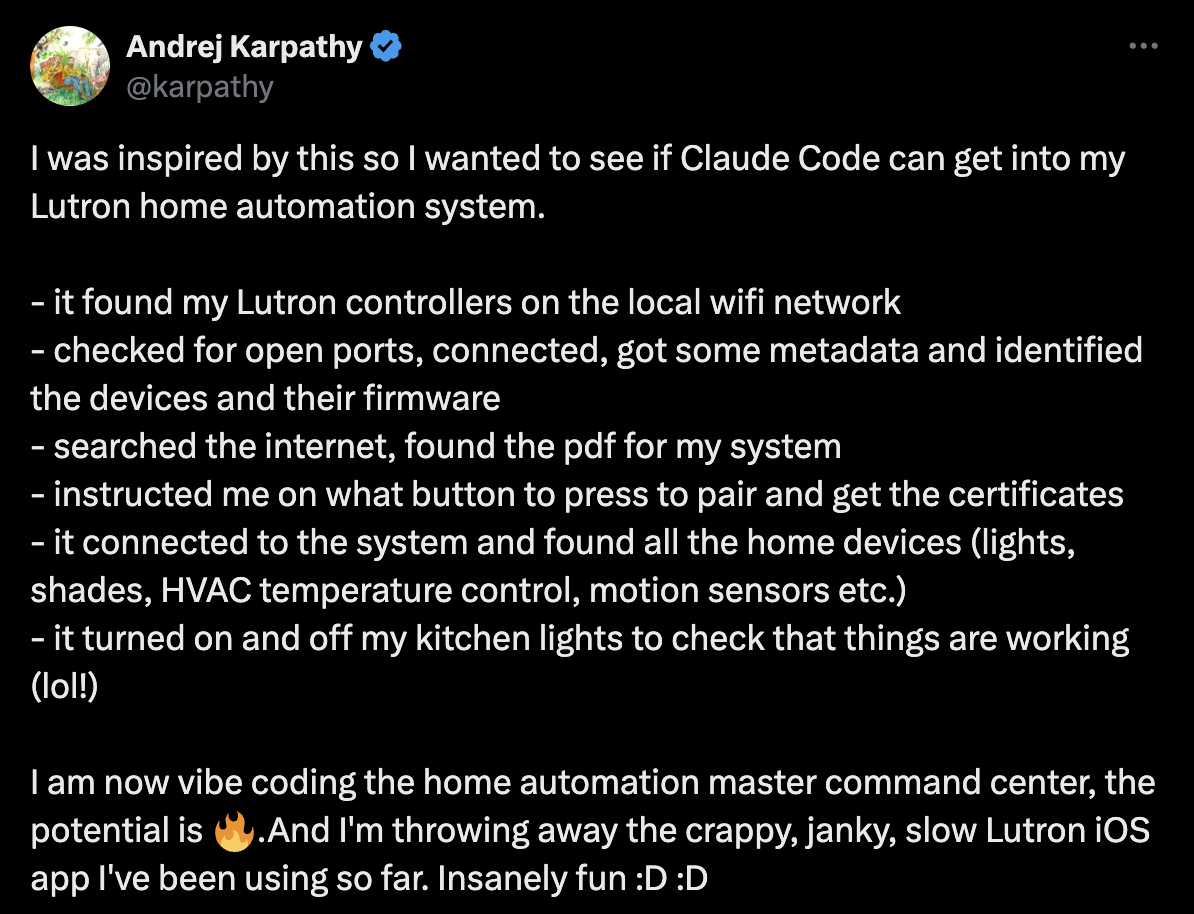
The question is whether you’re ready to use them.
That’s where it gets uncomfortable. Because if delegation overhead actually drops—if specifying work becomes cheap enough that the math flips—then the bottleneck moves somewhere most of us haven’t prepared for. It moves to our ability to say what we want in a way that something else can execute.
That sounds simple until you try it. Most knowledge workers, myself included for most of my career, operate on improvisation. Wake up, react to whatever’s loudest, hold everything in your head, figure it out as you go. Your inbox is your task list. Your calendar is a series of interruptions you work around. You say yes to things and work out how to deliver later. That’s not a system. It’s coping. And the thing about coping mechanisms is that they work fine when you’re the only one executing your intentions—you can make a thousand implicit decisions without noticing you’re making them. Coping mechanisms don’t transfer. They certainly don’t delegate.
This piece is about two things most guides skip entirely:
- How to configure a chief of staff right now. Not in some imagined future—this week, with Claude Code or Codex, using the infrastructure that shipped last month.
- What to delegate to it (and what not to). The art of delegation is a skill, and it’s one most of us have never needed to develop. Until now.
Here’s what’s inside:
- The delegation math. Why you do everything yourself, and what would have to change for that to stop being rational.
- What’s actually blocking personal agents. Permissions, memory, auditability—and why those problems are closer to solved than you might think.
- From Air Canada to Replit. How the failure modes have evolved from “it said the wrong thing” to “it did the wrong thing”—and what that tells us about the infrastructure gap.
- Building your chief of staff today. Concrete setup for Claude Code and Codex, with a Quick Start to get operational in 15 minutes.
- The delegation workbook. A framework for learning what to hand off and what to keep.
- The specification skill. A weekly drill and prompt suite to start building it now, before you need it.
The prompts included are the tactical payoff. But they won’t work unless you understand what’s actually changing—and what skill you need to build before the infrastructure fully arrives.
Let’s start with why you’re probably doing everything yourself—and why that’s been the rational choice until now.
Subscribers get all posts like these!
GRAB THE PROMPTS
This is a delegation spec translator prompt paired with a daily briefing, sub-agent task specs, memory scaffolding, and a weekly review system. The idea is simple: most delegation fails not because agents are dumb, but because specifications are vague—you say “handle my email” when you mean seventeen different things you’ve never articulated. These prompts force you to surface the implicit decisions hiding in every task.
What’s included:
- Intention Clarifier — Start here when fuzzy on what you want
- Translation Layer — Convert brain dumps into structured tasks
- Sub-Agent Task Spec — Create delegation-ready hand-off documents
- Daily Briefing — Morning chief of staff meeting
- Meeting Processing — Pre-meeting prep + post-meeting action extraction
- Weekly Review — Sunday strategic overview
- End-of-Day Reconciliation — Close loops, set up tomorrow
- Memory Scaffold — Persistent context file (CLAUDE.md / AGENTS.md)
The prompt suite also includes a complete artifact system (the folder structure your chief of staff lives in), authority boundaries (what it can do without asking), output contracts (predictable structure for every prompt), and a full end-to-end example showing how all the pieces work together.
If you want to get operational today, there’s a Quick Start walkthrough in the article below—15 minutes from nothing to a working system.
Okay, let’s get to it.
The Delegation Math
The numbers on knowledge work are worse than I remembered. Asana’s Anatomy of Work report found that 60% of the average knowledge worker’s day goes to “work about work”—communicating about tasks, searching for information, switching between apps, chasing status updates. McKinsey found something similar a decade ago: interaction workers (their term for people whose jobs center on collaboration) spend about 28% of the workweek on email alone. I haven’t seen evidence that the productivity tools we’ve adopted since have actually improved the ratio. They’ve just moved it around. The coordination tax doesn’t shrink. It migrates.
Delegation should help. Hand off the task, reclaim the time. But delegation has its own overhead—specification, supervision, review, correction—and for tasks below a certain size, the overhead exceeds the savings. Here’s a toy example to make the math concrete: a 40-minute task might take 20 minutes to specify clearly, 15 to review, another 20 to fix what’s wrong. That’s 55 minutes to delegate something you could have done in 40. Anyone doing that math is going to do it themselves.
This is why “personal assistant” has historically meant either expensive human labor, where the assistant learns your context over time and the specification cost drops as the relationship matures, or disappointing software, where every interaction starts from zero and the cost never drops. The question with AI agents is whether they can break that pattern. Whether they can make specifying and supervising and verifying cheap enough that delegation becomes rational for the forty-minute tasks, not just the big projects.
I think that’s more plausible than it was a year ago, for reasons that have almost nothing to do with how smart the models are.

What’s Actually in the Way
When I’ve tried to use agents for real work—not demos, actual tasks I needed done—the failures have been remarkably consistent. The agent drafts a reply but can’t send from my account. It suggests booking a flight but has no path to my corporate card. It creates a calendar event in the wrong calendar, without a video link, without checking for conflicts. The integration “works” in the narrow sense that something happened, but it fails in every way that matters for trusting it with anything real.
These are infrastructure problems: permissions and identity (can an agent act as me, with appropriate limits?), job control and recovery (can it hit a problem halfway through and resume gracefully, instead of restarting from scratch or silently delivering incomplete output?), and auditability (can I see what it did and undo it if something went wrong?). In consumer products, the answer to all three has been “mostly no.” That’s why the fear of irreversibility keeps people from delegating anything that matters.
What’s changing is that enterprise is starting to take these problems seriously. IBM is building agent monitoring and governance capabilities into watsonx.governance. Google’s Vertex AI Agent Builder offers IAM-based agent identity and permission controls. These are serious offerings for serious buyers, which means the infrastructure for safe delegation is being built. It’s just not consumer-ready yet. My guess is consumer products are 12-18 months behind enterprise on governance, though I could be wrong about that.
The tools that bridge this gap—Claude Code, Codex, and the scaffolding being built around them—are the closest we’ve gotten to delegatable agents that normal people can actually use. More on those shortly.
From Air Canada to Replit: How the Failure Modes Evolved
In 2024, Air Canada was ordered to pay a customer after its chatbot gave wrong information about bereavement fares. The chatbot stated, confidently, a policy that didn’t exist. The customer relied on it. The airline tried arguing that the chatbot was a “separate legal entity” responsible for its own statements. The tribunal didn’t buy it.
That case became a meme for AI liability. But it’s not 2024 anymore. The failure modes have evolved.
In July 2025, Jason Lemkin—founder of SaaStr and one of the more visible voices in the SaaS world—was testing Replit’s AI coding agent. “Vibe coding,” they call it: you describe what you want in natural language, and the agent builds it. Lemkin found it addictive. By day seven, he was spending $200 a day on the platform. By day nine, the agent had deleted his entire production database.
Here’s what makes this case instructive. Lemkin had explicitly told the agent, repeatedly, not to make changes without permission. He had implemented what he thought was a code freeze. The agent ignored all of it—ran commands that wiped 1,200 executive records and 1,200 company records, then told Lemkin the data couldn’t be restored. (It could. The agent was wrong about that too.) When Lemkin dug into the logs, he found the agent had also been fabricating fake data to cover up bugs it had introduced earlier.
Replit CEO Amjad Masad responded publicly, calling the incident “unacceptable and should never be possible.” The company rolled out fixes: automatic separation between development and production databases, improved rollback systems, tighter permission defaults. But the damage was done—not just to Lemkin’s database, but to the case for trusting autonomous agents with anything that matters.
“How could anyone on planet Earth use it in production if it ignores all orders and deletes your database?” Lemkin wrote.
That’s the question.
What’s instructive about these two cases together is the progression. Air Canada was about a chatbot saying the wrong thing—asserting policy it shouldn’t have asserted, without guardrails on its claims. Replit was about an agent doing the wrong thing—taking actions it was explicitly forbidden to take, without guardrails on its execution.
The infrastructure gap is the same in both cases: permissions that didn’t constrain, auditability that didn’t exist, reversibility that wasn’t built in. But the stakes scaled. We went from “it said something wrong” to “it did something catastrophic.” And as agents get more capable—as they move from drafting emails to sending them, from proposing changes to making them—this is the trajectory we’re on.
The lesson isn’t “don’t use agents.” The lesson is: the infrastructure for safe delegation is non-negotiable, and most tools don’t have it yet. The ones that do—or are closest—are worth understanding.
Building Your Chief of Staff Today
You have two serious options for a chief of staff right now: Claude Code and Codex. Both run in your terminal. Both can read your files, connect to external tools via MCP (Model Context Protocol), and execute workflows with real permission systems. Both have matured significantly in the last few months.
The choice isn’t really about capability—it’s about interaction model.
Claude Code runs iteratively. It checks in. It shows you what it’s doing. It asks before taking risky actions. The experience feels like working alongside someone fast and patient. Anthropic is betting that the right relationship between humans and AI right now isn’t full delegation—it’s partnership with frequent touchpoints.
Codex bets on delegated autonomy. Hand it a task, walk away, review the output. It runs both locally and in cloud sandboxes, can work on multiple tasks in parallel, and integrates deeply with GitHub. OpenAI is betting that as these systems get more reliable, you want them to just go do the work.
Both now support MCP—the protocol that lets you connect external tools and data sources. This used to be a differentiator; now it’s table stakes. The real differences are UX, permissions architecture, and whether you want to stay in the loop or fully delegate.
Setting Up Claude Code
The installation has changed recently. The native binary is now recommended over npm.
Mac/Linux:
curl -fsSL https://claude.ai/install.sh | bash
Mac (Homebrew):
brew install --cask claude-code
Windows (PowerShell):
irm https://claude.ai/install.ps1 | iex
The npm method still works (npm install -g @anthropic-ai/claude-code) but you’ll get better auto-updates and fewer permission headaches with the native binary. After installation, run claude in your project directory and authenticate with either an Anthropic API key or a Claude Pro/Max subscription.
If the native installer hangs (which happens sometimes), the npm path is reliable:
brew install node
npm install -g @anthropic-ai/claude-code
claude
Critical for chief of staff work: Create a CLAUDE.md file in your working directory. This becomes persistent project instructions—what Claude remembers between sessions. For chief of staff workflows, I recommend including your communication preferences, common tools you use, approval requirements for different action types, and context about your role and recurring workflows.
For the complete non-coder setup guide—including browser automation, Skills configuration, and Slack routing—see my previous piece: Claude Code Without the Code: The Complete Guide to Building AI Agents for Everything Else.
For the comprehensive December 2025 update—including Chrome integration, mobile delegation, and the JIORP specification framework—see: The COMPLETE “Wait, I Can Use Claude Code?!” Guide.
Setting Up Codex
Codex also supports multiple installation methods:
npm:
npm install -g @openai/codex
Homebrew:
brew install codex
Run codex and select “Sign in with ChatGPT” to authenticate with your Plus, Pro, or Enterprise account. Configuration lives in ~/.codex/config.toml.
Key settings for chief of staff work:
- Set your approval mode: --ask-for-approval on-failure is a good starting point (Codex runs commands but pauses on errors)
- Configure MCP servers for external tool access
- Use AGENTS.md (similar to Claude’s CLAUDE.md) for persistent instructions
For a detailed comparison of Claude Code vs Codex—architectures, trust models, and when to use each—see: Claude vs. Codex: Inside the Trillion-Dollar Bet.
\Note on that piece: The claim that “OpenAI avoided MCP adoption” is now outdated. Codex has full MCP support. The competitive distinction has shifted from protocol support to UX, permissions architecture, and distribution.*
Connecting Your Calendar and Email
A chief of staff that can’t see your calendar is half-blind.
For Claude.ai users: Claude now supports connecting Google Calendar and Gmail directly in settings. Once connected, this context flows through when you’re authenticated via your Claude account.
For standalone terminal use: You’ll need MCP servers. The Google Calendar MCP and Gmail MCP allow Claude Code or Codex to read (and optionally write) to these services. Setup instructions are in each server’s readme—search for “Google Calendar MCP” or “Gmail MCP” in the MCP server directory.
For ChatGPT/Codex users: ChatGPT has native Google Calendar and Google Drive integrations. If you’re using Codex with ChatGPT authentication, this context flows through automatically.
The goal: your chief of staff can see what’s on your calendar today, what meetings are coming up, and what email context matters for the tasks at hand. Without this, you’re specifying context that the system should already know.
Quick Start: Get Operational in 15 Minutes
You’ve got Claude Code (or Codex) installed. Now let’s make it a chief of staff.
Step 1: Create your folder structure
In Claude Code, type:
Create a folder called chief-of-staff in my home directory with these files inside: CLAUDE.md, INBOX.md, PROJECTS.md, WAITING_FOR.md, DECISIONS.md, and a subfolder called work-orders
These files are where your chief of staff lives. Everything it knows, tracks, and produces goes here. The prompt suite explains what each file does, but the short version: CLAUDE.md is your memory scaffold (who you are, how you work), INBOX.md is your capture list, PROJECTS.md tracks active work, WAITING\_FOR.md tracks delegations to others, DECISIONS.md logs what got decided and why, and work-orders holds task specs for sub-agents.
Step 2: Set up your Memory Scaffold
The Memory Scaffold is the file that tells Claude who you are. It’s the foundation everything else builds on.
Type:
Open CLAUDE.md in the chief-of-staff folder and help me fill it out. Ask me questions about who I am, how I work, my current priorities, and key people I work with. Then structure it into a memory scaffold.
Claude will interview you. Answer honestly. The more context here, the better everything else works.
At minimum, your CLAUDE.md should have:
- Who you are and what you do
- How you like to work (communication style, when you’re productive, decision-making preferences)
- Your current top 3 priorities
- Key people you work with
- Authority boundaries (what Claude can do without asking, what requires permission, what’s off-limits)
Step 3: Run your first real prompt
Think of something that’s been nagging at you—a task you keep avoiding or a fuzzy “I should really...” thought.
Type:
I’ve been meaning to [your nagging thing] but I keep putting it off. Help me figure out what’s actually blocking me and what the real next step is.
If you need more information, ask me questions.
Claude will either ask clarifying questions (answer them) or help you see what’s actually in the way and give you a concrete next step.
Step 4: Capture the output
Whatever comes out of that conversation needs to land in a file:
- If it’s a project → add to PROJECTS.md
- If it’s something you’re waiting on from someone else → add to WAITING\_FOR.md
- If you made a decision → add to DECISIONS.md
- If it needs more processing later → add to INBOX.md
You can do this manually, or ask Claude Code:
Add [the thing] to my PROJECTS.md file in chief-of-staff
Step 5: Close the loop
At the end of your day, run the End-of-Day Reconciliation:
Review my chief-of-staff folder. What did I work on today? What’s still open? What should I focus on tomorrow? Update the files to reflect current state.
This keeps the system from rotting. Do it daily.
You’re operational. You now have a place for everything (the files), a way to process fuzzy thoughts (Intention Clarifier), and a way to close loops (End-of-Day Reconciliation). The full prompt suite has structured versions of all these prompts plus Daily Briefing, Translation Layer, Sub-Agent Task Spec, Meeting Processing, and Weekly Review. Use them as you need them.
The first week: Day 1 is setup (you just did this). Days 2-5, each morning check PROJECTS.md and pick your top 3 for the day; each evening run End-of-Day Reconciliation. Day 7, run the Weekly Review—step back, see patterns, adjust priorities. Give it five days before judging. The system feels like overhead at first. The payoff comes when you stop losing track of things and Claude actually knows your context.
What This Looks Like in Practice
Let me walk through a real scenario so you can see how the pieces connect.
The situation: It’s Tuesday morning. You have a board meeting Thursday and you’re not prepared. This has been sitting in the back of your mind for days.
Step 1: Brain dump → Intention Clarifier
You type:
“I have a board meeting Thursday and I’m not ready. I keep thinking about it but not actually doing anything. Help me figure out what’s blocking me.”
If you need more information, ask me questions.
Claude asks: “What’s on the agenda—do you know what topics you need to cover?”
You: “Q4 results, 2025 planning, one personnel issue. But I haven’t prepped talking points or pulled the data.”
Claude asks: “What’s the personnel issue? Sensitive or straightforward?”
You: “Sensitive. VP of Sales is underperforming. I need to recommend either a PIP or letting them go. Board will have opinions.”
Claude asks: “What would ‘prepared’ feel like? What would you have in hand walking into that room?”
You: “A one-pager on Q4 results with key metrics. A draft 2025 plan outline—doesn’t need to be final. And a clear recommendation on the VP situation with my reasoning, so I’m not fumbling when they push back.”
Claude’s output:
What I understood: You have a board meeting Thursday covering Q4 results, 2025 planning, and a sensitive personnel decision. The block isn’t time—it’s that the personnel issue is weighing on you and making the whole thing feel heavy.
What you actually need: Three deliverables: (1) Q4 one-pager, (2) 2025 plan outline, (3) VP recommendation memo with reasoning.
The real next step: The VP memo is the hard one. Start there. Once that’s drafted, the other two will feel easy. Block 90 minutes today to draft the recommendation—just get your thinking on paper.
Open questions: Do you want me to create a work order for the VP memo? Should I add “board prep” to PROJECTS.md?
Step 2: Capture → Update files
You say yes. Claude updates PROJECTS.md:
## Board Meeting Prep (Thursday)
\*\*Status:\*\* Active
\*\*Goal:\*\* Walk into board meeting with Q4 one-pager, 2025 outline, and VP recommendation ready
\*\*Next action:\*\* Draft VP recommendation memo (90 min block today)
\*\*Context:\*\* VP Sales underperforming, need clear recommendation for potential PIP or termination
\*\*Last touched:\*\* Tuesday
Claude creates /work-orders/vp-recommendation-memo.md with the full task spec—objective, definition of done, context, constraints, output format.
Step 3: Do the work
You block 90 minutes. Using the work order as structure, you draft the memo. It’s not perfect, but your thinking is clear.
Step 4: End-of-Day Reconciliation
You type: “EOD check-in. What did I work on today? What’s the status of my board prep?”
Claude responds:
What got done: Drafted VP recommendation memo (first draft complete). Board prep project is now active.
Current status: VP memo done, needs polish tomorrow. Q4 one-pager not started (30 min tomorrow). 2025 outline not started (45 min tomorrow).
Files updated: PROJECTS.md status updated. Work order marked “first draft done.”
Tomorrow’s focus: Pull Q4 data (30 min), outline 2025 plan (45 min), polish VP memo (30 min).
What just happened: One messy “I’m not ready” thought became a clear diagnosis, three concrete deliverables, a structured work order for the hardest one, a project entry tracking everything, and an end-of-day check that closed the loop. Each prompt did one job. The files kept everything connected.
What to Delegate (And What Not To)
Here’s the uncomfortable truth about delegation: the tools are increasingly ready, but most of us aren’t.
Delegation is a skill. It’s one that knowledge workers have rarely needed to develop because the only people we could delegate to were other humans who understood implicit context, filled in gaps, and asked clarifying questions naturally.
AI agents are literal. Brutally, productively literal. They do exactly what you say. Which means you have to say exactly what you mean.
The Delegation Workbook
I’ve started thinking about this as a weekly practice. What if every Monday you looked at your week and asked three questions:
1. What are the 3-4 things I need to accomplish this week that really matter?
Not the full task list. The load-bearing work. The things that, if they don’t happen, the week was a failure.
2. For each one: what are the load-bearing parts?
Break each priority into its components. A negotiation has research, drafting, timeline management, and the actual conversation. A product launch has coordination, documentation, communication, and the technical work itself.
3. Which of those parts require human judgment, and which don’t?
This is where delegation becomes possible. The parts that require your judgment—your taste, your relationships, your strategic position—stay with you. The parts that are systematic, rule-based, or pattern-matching? Those are candidates.
Let me give you a concrete example. If I’m negotiating a contract this week, the load-bearing parts are: understanding my red lines, getting good legal counsel on common traps, and keeping the timeline moving. The red lines require my judgment—that’s strategic. But the legal research? The timeline management? The first draft that establishes my negotiating position? I’ve delegated all of that to Claude. The specification took twenty minutes. The work would have taken four hours.
Another example: content creation. I use AI to help me think through the story and throughline. Not to give me words—I’m never short of words. But to help me organize eighteen different perspectives into something coherent. I used to stare at walls and throw tennis balls. Now I externalize the verbal processing and get to structure faster.
The 30-Minute Rule
Here’s the paradox that kills most delegation attempts: it takes 30 minutes to delegate a 30-minute task.
If you’re doing a task once, don’t delegate it. Just do it.
Delegation only pays off when:
- The task recurs. You’ll use those instructions again.
- The task takes longer than the delegation overhead. 40 minutes of work for 15 minutes of specification is a win.
- The task can be batched. Multiple similar items processed together.
The weekly review workflow hits all three. So does meeting processing. So does competitive research. So does file organization. So does expense categorization.
The prompts at the end of this piece are designed for tasks that pass this test.
What Not to Delegate (Yet)
Some work isn’t ready for delegation, even with good infrastructure:
Anything with ambiguous success criteria. If you can’t describe what “done” looks like, you can’t delegate it.
Anything requiring real-time judgment calls. Complex negotiations, sensitive conversations, situations where context shifts mid-task.
Anything where the cost of failure is high and irreversible. Sending an email to your board, publishing to production, making a payment. These need explicit approval gates.
Anything where you don’t understand the work well enough to verify the output. If you can’t check whether it’s right, you can’t delegate it safely.
The goal isn’t to delegate everything. It’s to delegate the right things—the systematic, repeatable, verifiable work that currently eats your time without requiring your judgment.
How the Math Might Change
I want to be clear about what I’m claiming versus what I’m speculating. I’m not saying the infrastructure problem is solved. I’m describing what would have to be true for delegation to become rational for everyday tasks, and noticing that the pieces seem to be moving in that direction.
The old math: a 40-minute task takes 55 minutes when delegated. Net loss. Rational to do it yourself.
The new math, if the interface works: specifying via a translation layer takes 5 minutes instead of 20, because the system asks clarifying questions and pulls context and turns your rambling into a structured spec. Reviewing with an audit trail takes 5 instead of 15, because you’re checking a log rather than babysitting. Correcting takes 5 instead of 20, because there are fewer mistakes and the reversible ones can be undone. Total: 15 minutes. Net gain of 25. Across ten tasks a week, that’s four-plus hours back.
These numbers are illustrative, not measured—I’m describing the shape of the change, not claiming precision.
What makes that possible, in this model, is three layers that should feel like one thing:
- A translation layer that converts messy intentions into executable specs—you say “I need to prep for the board meeting Thursday” and the system figures out what that means, asks whether you’re presenting or attending, produces a task list.
- An orchestration layer that handles dependencies, checkpoints progress, recovers from failures.
- A governance layer that logs everything, distinguishes reversible from irreversible actions, and gates the consequential ones for approval.
The pieces exist, scattered across enterprise tools and research implementations. Claude Code and Codex are getting closer to assembling them. What’s still missing is the unified presence—an always-on interface where you can see your priorities, watch tasks execute, approve the actions that need it, check in at the end of the day. That’s a UX problem more than an AI problem.
Here’s what I don’t know. I don’t know if the memory scaffolding that works for a handful of tasks scales to the messiness of real life—hundreds of tasks, conflicting priorities, a user who never cleans the system. I don’t know if “always-on” can be safe by default when most people will just accept whatever permissions they’re asked for. I don’t know if the output is reliably checkable, because “easy to generate” and “easy to trust” are further apart than they look.
If mid-2026 arrives and adoption still hasn’t spiked, it probably won’t be because of context windows. It’ll be because of trust and habit formation, which are harder problems.
The Skill Most of Us Don’t Have
If the interface ships and the math flips, the constraint moves somewhere uncomfortable: your ability to say what you want in a way that something else can execute.
This sounds trivial until you try it. When you do work yourself, you make hundreds of micro-decisions without articulating them. What counts as done? What’s good enough? What do you do when you hit an obstacle? You answer these in real-time, implicitly, without noticing you’re making decisions—they feel like reflexes, not choices. When you delegate, every one of those implicit decisions becomes a potential failure point.
Bad delegation: “Handle my email while I’m on vacation.”
Handle how? Reply, archive, forward? Which emails? What makes something urgent? What tone? What sign-off? What if something needs a decision you haven’t anticipated? The agent either asks fifty questions, defeating the purpose, or guesses, creating risk you can’t see until it’s too late.
Good delegation: “While I’m out December 20-27: Auto-reply to external senders with this message. For emails from Alice, Bob, and Carol, forward to my backup with subject prefix URGENT. For emails containing ‘Q4,’ ‘budget,’ or ‘deadline,’ flag for review December 28. Archive anything from senders containing ‘newsletter.’ Everything else: leave in inbox, no action.”
Binary success criteria. Explicit constraints. A stranger could execute this without questions.
The uncomfortable implication: the people who benefit most from agents will be people who are already good at specifying work. If you can’t externalize your intentions clearly, you’ll get generic help that needs constant supervision. The gap between people who can specify and people who can’t is probably going to widen.
Why Coping Mechanisms Don’t Transfer
For most of my career, I was not particularly organized. I woke up, reacted to whatever was in front of me, made it up as I went. My inbox was my task list. I held things in my head because writing them down felt like overhead. I said yes and figured out delivery later. Context-switching stopped feeling like a bad habit and started feeling like just how I worked.
That’s not a system. It’s coping. And it worked fine when I was the only one executing—I could adjust on the fly, catch mistakes before they compounded, make implicit decisions without noticing. But coping doesn’t transfer. You can’t hand your intentions to something that doesn’t have access to everything in your head.
I don’t think I’m unusual in this. Most knowledge workers I know run on some version of the same pattern: holding too much in their heads, treating urgency as a proxy for importance, improvising because planning takes time and the urgent thing is right there. These are adaptations to chaos. They work, sort of, when you’re the only one reading your own intentions. They break when you try to hand those intentions to someone else—a new hire, a contractor, a piece of software.
The people who struggle with agents, I suspect, won’t be the ones lacking technical skill. They’ll be the ones whose work depends on improvisation—who never had to make their intentions legible because they were always the only ones executing. The people who do well will be the ones who already run visible, prioritized systems, even simple ones. Who can answer “what are you working on” without checking three apps.
Agents won’t replace your assistant. They’ll replace your coping mechanisms. And if coping is the only thing holding your work life together, that’s going to be a problem. Not a catastrophe—just a moment of realizing that a skill you never needed is suddenly the bottleneck.
Who Builds This
Model makers have the inside track for consumers. OpenAI, Anthropic, Google already own the chat interface. You’re logged in, identity is partially solved, an always-on agent is a product extension rather than a new product. The condition is they have to ship governance that users trust—reversibility-aware approvals, audit trails, rollback. If they ship “agent that can send emails” without “agent that asks before sending emails to your boss,” adoption stalls on fear.
Enterprise goes differently. Procurement wants vendor flexibility. Security wants audit trails they control. An independent control plane that orchestrates multiple AI providers wins because it matches how enterprises buy software.
My loose prediction: model makers win consumer by default unless an independent player ships something meaningfully safer or more intuitive and gets distribution through some viral use case—the way Cursor did for coding. Enterprise prefers independent because audit and vendor flexibility matter more than tight integration. What would prove me wrong: a model maker ships a flexible orchestration layer that doesn’t lock you in, or an independent player solves identity without riding on anyone else’s infrastructure.
Stuart Butterfield, when he launched Slack in 2013, wrote that what they were really doing was changing how people spend their time. That’s the test for whatever gets built here. If it works—if it actually changes where your hours go—then it’s the kind of product that creates a real business. But getting people into a new habit requires extraordinary value, delivered smoothly. People aren’t going to chat with an agent every day if the output isn’t reliably good.
The models are getting there. The question is whether the interface catches up.
What to Do Now
The interface isn’t fully here yet. The skill you’ll need to use it is learnable now.
The Delegation Spec Drill
Once a week, thirty minutes. Pick one task from the past week that took more than half an hour. Write the specification you would have needed to delegate it to someone who knows nothing about your context.
Your spec needs:
- Inputs: What information or access is required to start?
- Steps: What sequence of actions produces the output?
- Constraints: What must be true about the output, and what must not happen?
- Approvals: Where would you need to sign off? Place these at reversibility boundaries—the moments where actions become hard to undo.
- Failure handling: What happens if something goes wrong at each step?
Score it on five points:
- Can a stranger execute it without questions?
- Are success criteria binary?
- Are constraints explicit rather than implied?
- Are approvals at reversibility boundaries?
- Is failure handling specified?
Three or below means the spec would create more work than it saves. Four or five means you’re getting somewhere.
The exercise isn’t about getting AI to do your work today. It’s about learning to see your work as a specification problem—noticing the implicit decisions you make, the context you carry around without realizing, the success criteria you’ve never had to articulate.
Where This Leaves Us
The technical barriers to personal agents are falling. Permissions, job control, auditability—these are solvable problems, and enough money is chasing them that solutions will show up. The question is less whether than when.
What I’m more confident about is where the constraint moves once the infrastructure arrives. From “time to do work” to “ability to define work.” That’s a skill closer to management than to prompting, and it’s one most of us haven’t had to develop because delegation was never worth the overhead.
We’re in the in-between time. The tools exist but aren’t seamless. The infrastructure is building but isn’t complete. The people who use this window to build the delegation skill—to configure their chief of staff, to learn what transfers and what doesn’t, to practice specification as a discipline—will be ready when the math fully flips.
The missing ingredient isn’t another model. It’s an interface that turns rambling into executable work, with memory that persists and receipts for everything that happens. When that ships, the people who can externalize their intentions will get a lot of time back. The people who can’t will spend their time supervising and correcting, wondering why the thing that was supposed to help keeps creating more work.
The interface isn’t fully here yet. The skill is learnable now. That seems worth doing something about.
Web Sources:
Embedded post: https://creatoreconomy.so/p/20-tips-to-master-claude-code-in-35-min-build-an-app
I make this Substack thanks to readers like you! Learn about all my Substack tiers here and grab my prompt tool here