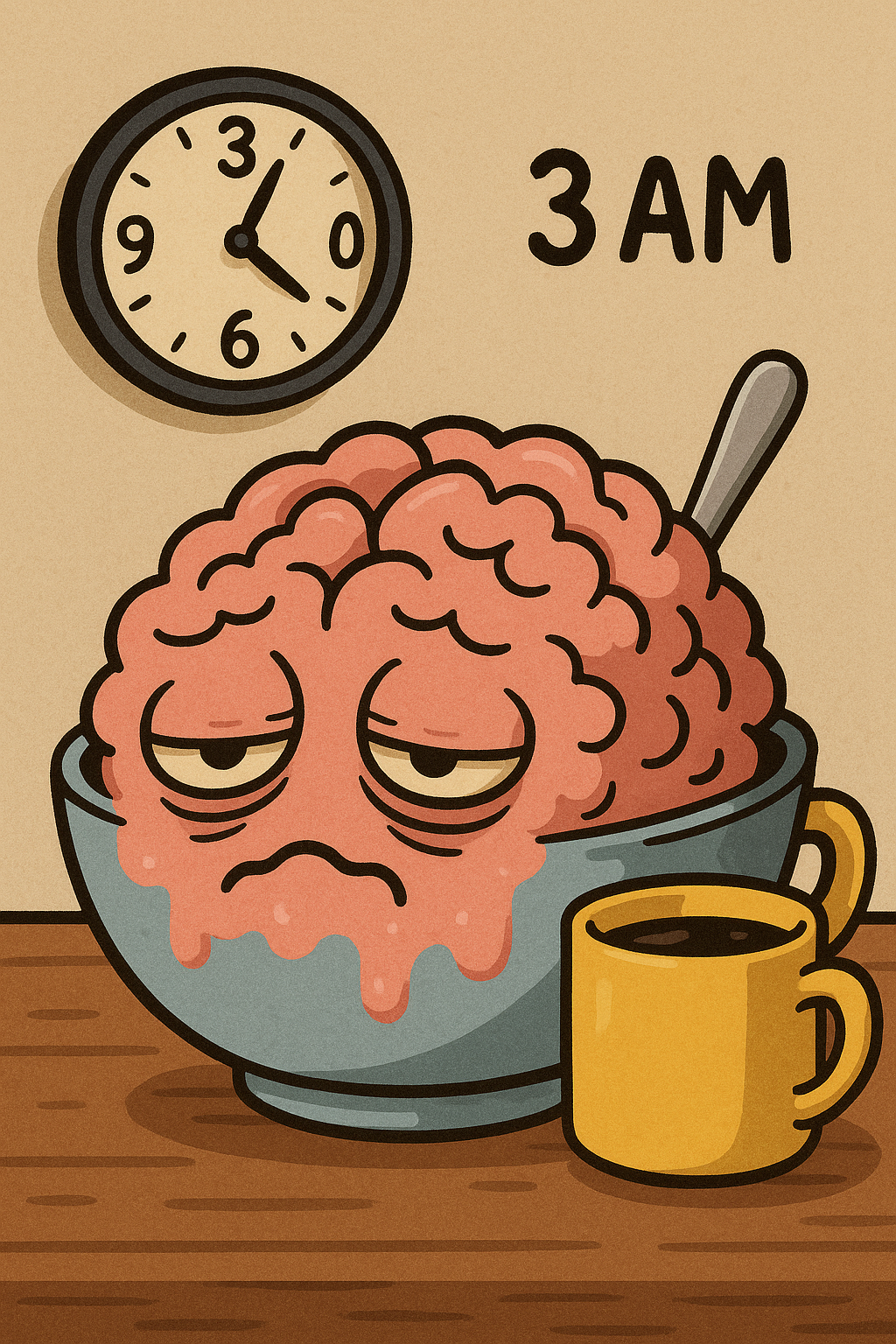
The one prompt technique that actually works when you're exhausted, overwhelmed, and can barely think straight—bonus, it also helps you think about other prompts better too!
By Nate
Published: 2025-06-16
URL: https://natesnewsletter.substack.com/p/how-to-use-ai-when-your-brain-is
You know sometimes I get a sort of apologetic grin when people get on the phone (or zoom or google meet). “Nate, I don’t use those fancy prompts, I know they’re good. I just don’t have time.”
Don’t worry lol your secret is safe with me. I sometimes use the short ones too. But even if you’re using short prompts there are still ways to prompt that work better than others. And yes you can remember them at 3AM (although this is my obligatory PSA to please try to avoid ChatGPT at 3AM).
Anyway, kidding aside I wrote this guide for when you’re sleep deprived or busy and so obviously I made it super scannable and easy to follow.
And I’ll let you in on a little secret now—the key is what almost no one writes about: how you get specific. Prompting is the art of getting specific and naming work. But most of the stuff in places like r/promptengineering still treats prompts as fancy magic words. And the stuff that admits that it’s more complex than that still won’t tell you how to get specific. Especially if your brain is tired.
And that’s what we do here. Give you some specific techniques (the irony) on how to get specific enough to be useful when you’re tired, and also some places where you want to still put the time in and write a longer and more thoughtful prompt. Those guardrails are just as important as the individual prompts.
Just for fun, there’s more than 11 quick prompts here that all fit this same get-specific framework. At the end I link out to some of my other fave prompting articles I’ve written as well, so you get the complete package. Have fun!
Subscribers get all these pieces!
It's 2:47 AM. Production is down. Your phone won't stop buzzing with Slack notifications. You need AI to help you write an incident update, debug this mess, or just think straight for five f\*cking minutes.
Every prompt engineering guide tells you to "be specific" and "provide context." Here's the problem: when your brain is scrambled eggs, you literally can't think through what "specific" even means. You stare at the ChatGPT box, type "help me fix this," delete it, start over, and waste 10 minutes crafting the perfect prompt while customers are screaming. HA! Lies.
We don’t actually write perfect prompts when the customer has us under pressure, do we? No what you really do is you swear and write help me fix this lots of times without getting very far.
There's a better way. And it works precisely because it's designed for when you can barely think.
The Problem Everyone Has But Nobody Talks About
The internet tends to pretend we're supposed to aspire to be rational prompt engineers, carefully structuring our requests with clear objectives and detailed context. Bullsh\*t.
When everything's on fire, you don't have the mental bandwidth for prompt engineering. You have about three brain cells left, and they're all focused on not getting fired.
The current advice is useless:
- "Be specific about your requirements" ← What requirements? I don't even know what's broken
- "Provide relevant context" ← Everything feels relevant when you're panicking
- "Structure your prompt logically" ← Logic left the building two hours ago
When you need it most, you can’t prompt your best. Here's what actually works when you're running on fumes and spite.
The Exhausted Person's Prompt
Stop trying to be a perfect prompt engineer. Make the AI do that work for you.
Instead of torturing yourself with this:
"I need to optimize our database performance issues that started around 3 PM EST affecting approximately 15% of users with increased latency in the checkout flow, specifically the payment processing endpoint which is showing elevated response times in our monitoring dashboard..."
Just say this:
"Database is slow, customers complaining. Ask me 3 questions to figure out what's wrong."
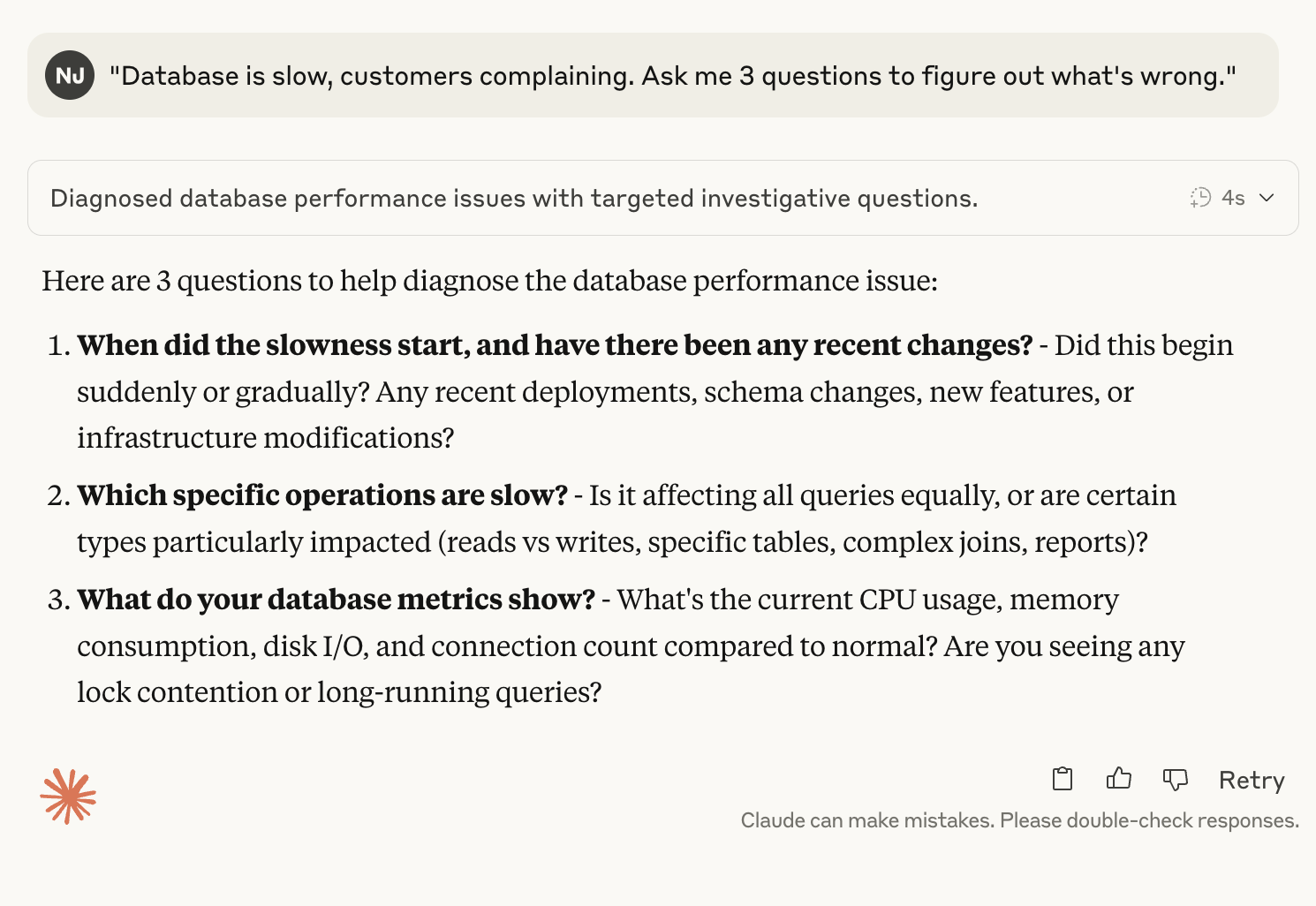
That's it. Let the AI be specific. Your job is to dump the mess and ask for questions.
The magic phrase: "Ask me what you need to know."
A Few Examples
Incident Response:
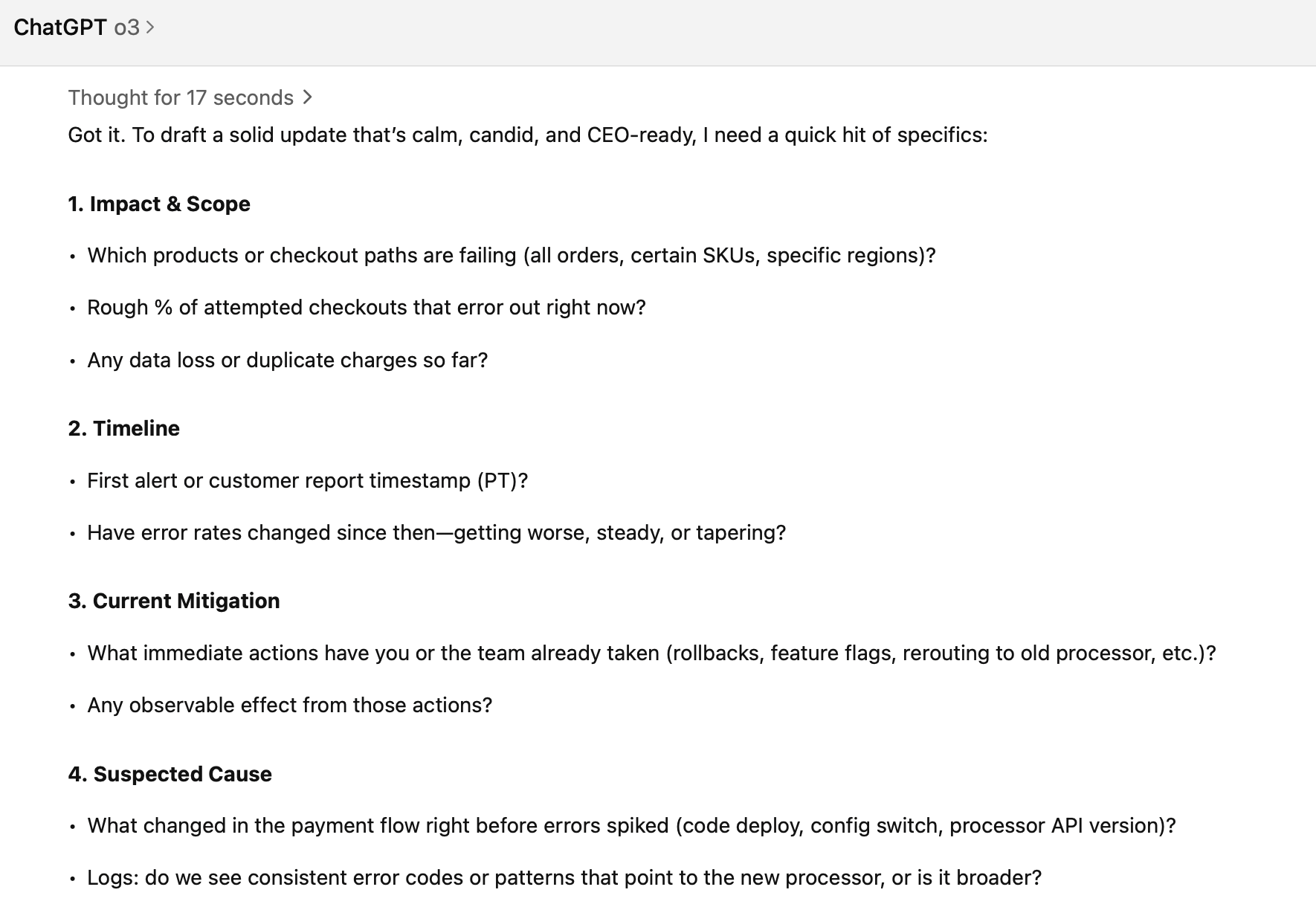
"Shit's broken, customers are pissed, CEO is asking questions, I think it's the new payment processor but not sure. Ask me what you need to know."
Customer Communication:
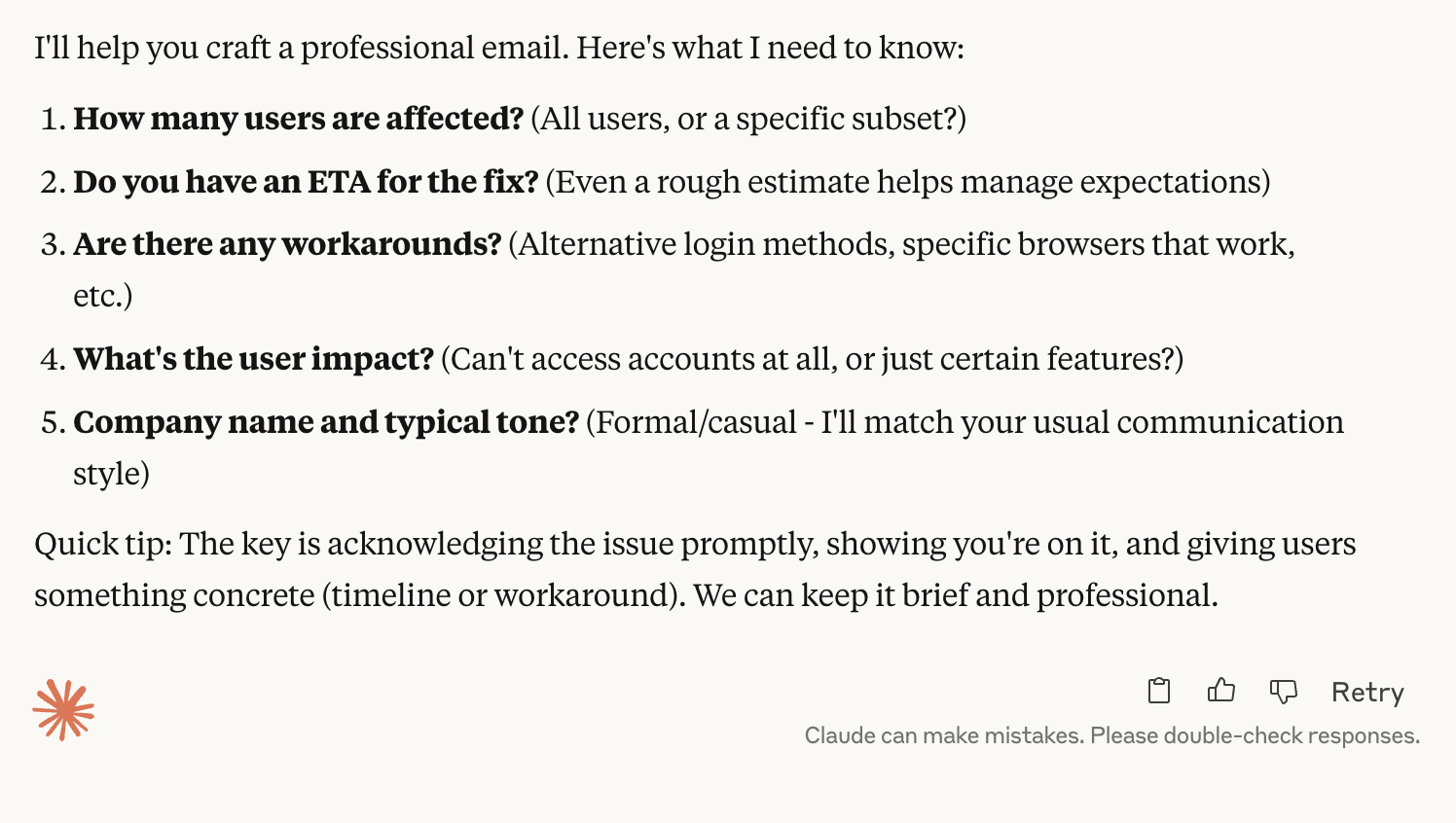
"We screwed up the deploy, users can't log in, need to email them something that doesn't make us sound like morons. What do you need to know?"
Debug Session:
"Deploy failed, logs are a mess, deadline is tomorrow, everything's on fire. Ask me 3 questions to help debug this."
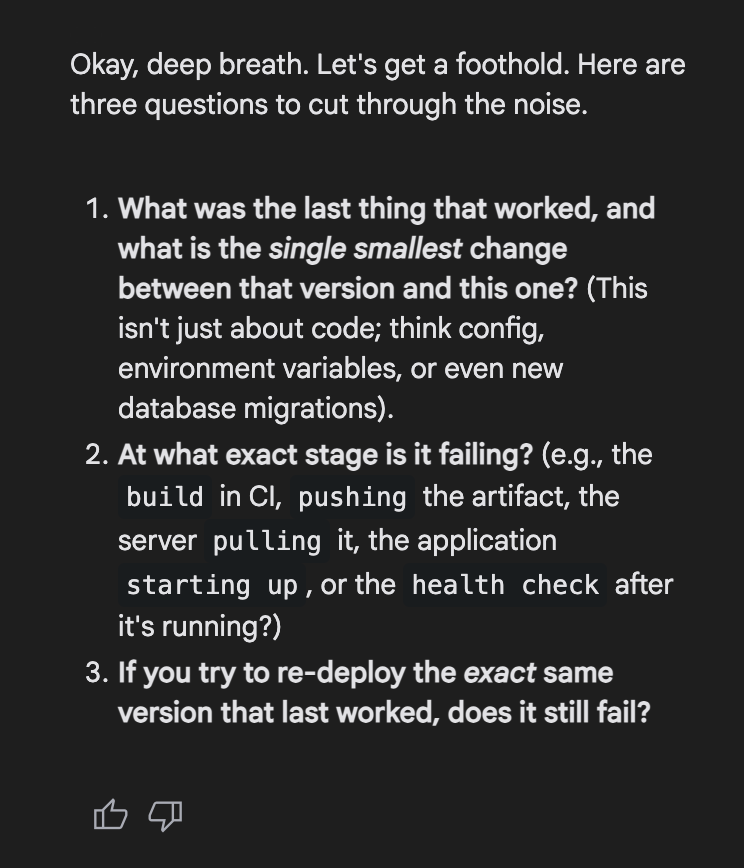
Notice the pattern? Messy brain dump → Ask for questions → Get actual help
As you can see, this works regardless of model.
This works because you're not pretending to have mental clarity you don't possess. You're being honest about the chaos and letting AI organize it for you.
A Few (More) Examples
So I want to have a few that aren’t so tech-heavy.
Marketing/Communications:
"CEO wants social media response to the bad review that's going viral. Don't sound defensive, don't make excuses, keep it under 280 characters. Ask me what you need to know."
Customer Service:
"Angry customer called about late delivery, wants refund, threatening to post everywhere. Don't admit fault until I check shipping, stay professional but empathetic. What do you need to know?"
Project Management:
"Client meeting in 30 minutes, project is behind, team lead just quit, need talking points that don't make us look incompetent. Don't promise impossible timelines. Ask me what you need."
HR/People Stuff:
"Employee complained about manager, need to document this properly for legal, can't reveal who told me. Don't use legal jargon, keep it factual. What do you need to know?"
Sales:
"Big prospect went cold after demo, competitor might have swooped in, need follow-up email that doesn't sound desperate. Don't mention the competitor, keep it value-focused. Ask me what happened."
These hit the same "everything's on fire but I need to sound professional" energy.
A Few Personal Life Examples
A few personal life examples too. Because we all know we don’t just use ChatGPT (or your LLM of choice) for work.
Dealing with difficult conversations:
"Need to tell my roommate they're being a slob without starting World War 3. Don't sound like their mom, don't bring up the dishes from last week, keep it chill. Ask me what you need to know."
Family drama:
"Sister is mad about Thanksgiving plans, mom is caught in the middle, need to text something that fixes this without throwing anyone under the bus. Don't sound fake-nice, don't rehash old stuff. What do you need to know?"
Dating disasters:
"Went on terrible date, they want to meet again, need to say no without being mean or leading them on. Don't make excuses about being busy, keep it honest but kind. Ask me what happened."
Money awkwardness:
"Friend owes me $200 from vacation, it's been 3 months, need to bring it up without ruining friendship. Don't sound desperate, don't be passive-aggressive. What do you need to know?"
Parenting chaos:
"Kid's teacher wants meeting about behavior issues, need to respond to email without sounding defensive or like bad parent. Don't make excuses, show I care but stay calm. Ask me what you need."
Neighbor situations:
"Upstairs neighbor's dog barks all night, need to talk to them without starting neighbor war. Don't sound accusatory, don't threaten to call landlord yet. What do you need to know?"
These hit that same "my life is a mess but I need to handle this like an adult" energy that everyone can relate to.
Why This Actually Works (When Nothing Else Does)
When you're exhausted, three things happen to your brain:
- Decision fatigue kills your judgment - Every choice feels overwhelming
- Working memory goes to sh\*t - You can't hold multiple pieces of information in your head
- You default to familiar patterns - Complex new processes become impossible
Traditional prompt engineering fights all three of these. It demands decisions, complex thinking, and new cognitive patterns when you have none of those available.
This technique works WITH your tired brain:
- No decisions needed - Same format every time, muscle memory kicks in
- AI does the cognitive work - You just answer simple questions instead of structuring complex thoughts
- Predictable pattern - One template to remember, not fifty prompt engineering rules
The Raw Feedback Loop (Because AI Will Get It Wrong)
AI will miss the mark on the first try. That's fine. When you're tired, you don't have patience for polite feedback anyway.
Just tell it straight:
- "No, too corporate"
- "Cut it in half"
- "Less bullshit"
- "Make me sound competent"
- "Try again but don't mention the vendor"
- "That sounds like I don't know what I'm doing"
Remember: Iron sharpens iron. You don't need to beat around the bush when you're dead tired and everything's burning. Brutal honesty gets you to the right answer faster than diplomatic revision requests.
It looks a lot like this:
You: "Need incident update for customers, payment system is down, ETA unknown."
AI: "Here's a professional update about our temporary service disruption..."
You: "Too corporate. Make it sound human."
AI: "We're having issues with payments right now. Here's what's happening..."
You: "Better. Add that we're sorry and fix the timeline part."
AI: "We're sorry - payments aren't working right now. We're on it and will update you in 30 minutes."
You: "Perfect. Send it."
Three brutal rounds, way faster than trying to craft the perfect initial prompt. And yes sometimes it’s easier to get AI to help you write that than to write it yourself.
Essential Guardrails For When Your Judgment Is Shot
When you're exhausted, your judgment is compromised. See if you can bake in these constraints to save yourself from saying something stupid. Heck you can print this out on a flashcard or something. Helps when you’re tired and can’t remember.
For incident updates:
- "Don't promise timelines we can't hit"
- "Don't blame other teams"
- "Don't mention root cause until we're sure"
- "Keep it under 100 words"
For customer communication:
- "Don't make us sound incompetent"
- "No corporate speak"
- "Acknowledge the problem without oversharing"
- "Sound sorry but not panicked"
For debugging:
- "Show your reasoning"
- "Flag anything that could break other things"
- "Ask before suggesting destructive changes"
- "Explain it like I'm tired"
These constraints are your safety net. When your brain can't evaluate whether something sounds professional or not, let the rules do it for you.
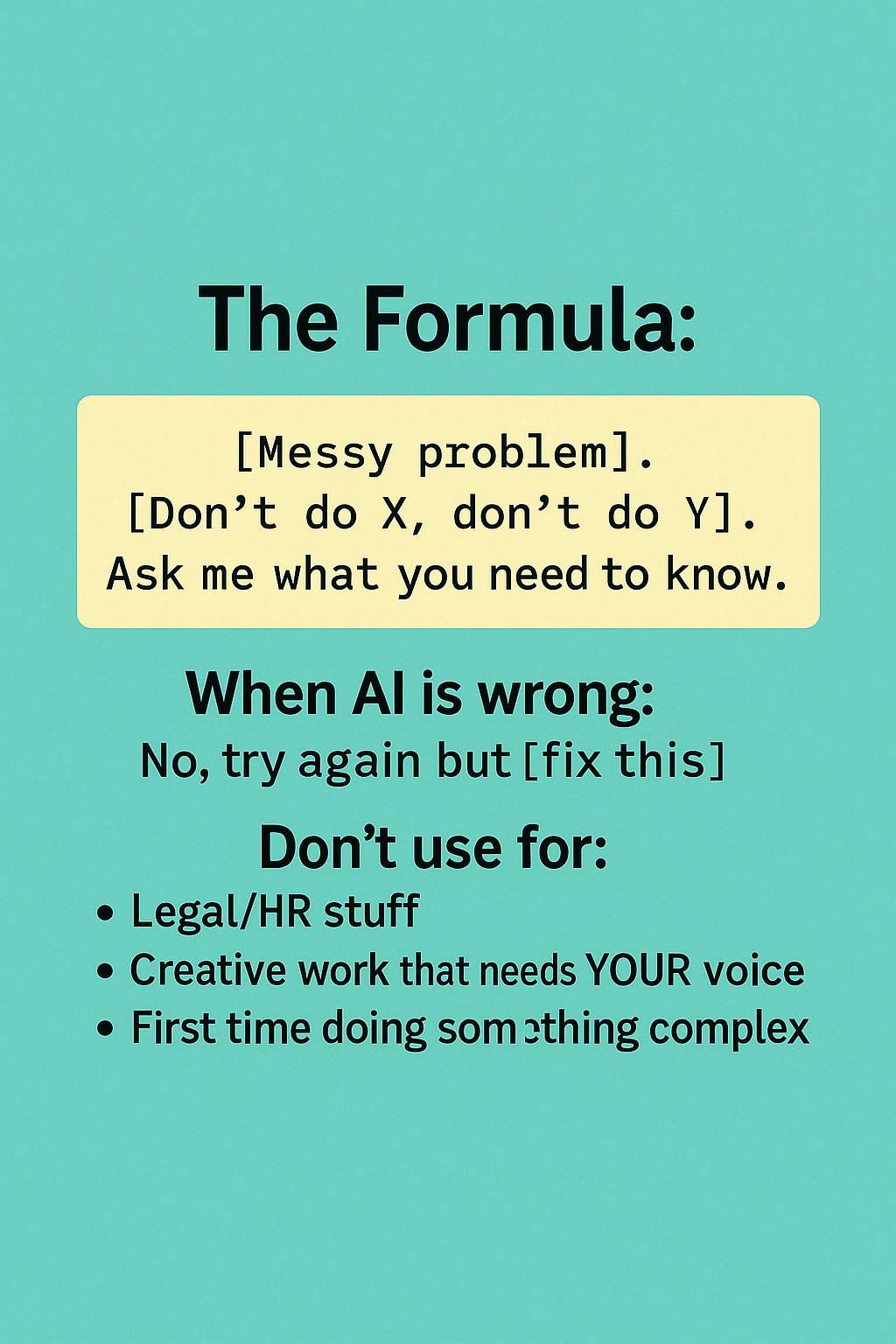
The Complete Dead-Tired Formula
Here's the template that works when you can barely think:
- Dump your mess: Raw, honest, however it comes out of your brain
- Ask for questions: "Ask me what you need to know"
- Add guardrails: 2-3 "don't do X" constraints
- Iterate with brutal honesty: "Nope, try again but [specific fix]"
Example in action:
"API is returning 500s, users can't checkout, CEO is asking questions, I think it's the new payment processor integration but hell I don’t know. Don't promise specific fix times, don't blame the vendor, don't make me sound clueless. Ask me what you need to know to write a customer update."
The AI then asks smart questions like:
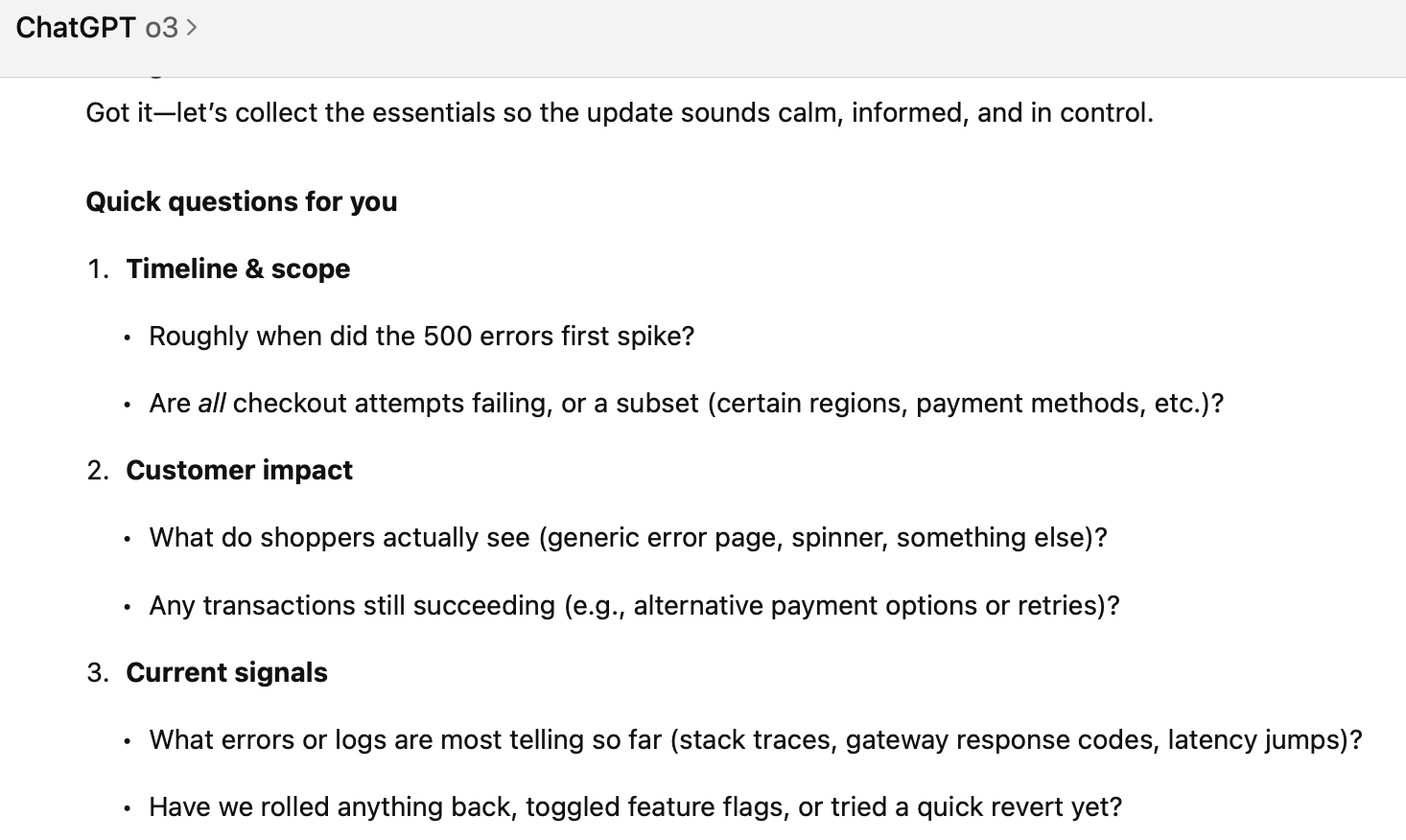
You answer with fragments. The AI builds something coherent. You iterate until it's right.
Beyond Emergencies: When Your Brain Actually Works
This technique isn't just for 3 AM disasters. It scales up beautifully when you have actual cognitive bandwidth:
Creative work when you're stuck:
"Need marketing copy for our new API product, audience is backend developers, brand voice is direct but not aggressive. Show me 3 different directions and ask what to refine."
Complex technical decisions:
"Evaluating whether to migrate to microservices, constraints are 6-month timeline, team of 4, can't break existing integrations. Walk me through the tradeoffs and ask what I'm missing."
Team handoffs:
"Need to explain our authentication system to the new frontend dev. Ask me what they need to know and what might confuse them coming from React."
When you have time to iterate properly:
- Initial dump → AI asks clarifying questions
- Quick answers → AI gives you a solid draft
- "Close but fix [specific thing]" → AI revises
- Done (way faster than starting from scratch)
The pattern stays the same, but the quality bar rises when you're not running on pure adrenaline.
Know When NOT to Use This
Skip this technique for:
- Legal or compliance stuff (you need precision, not speed)
- First-time complex implementations (you actually need to think through edge cases yourself)
- Anything going to C-suite without review (the stakes demand perfection)
- Creative work that needs your unique voice (this gets you unstuck, but you still need to make it yours)
The quality spectrum:
- Emergency mode: Good enough to not get fired
- Normal work: Good enough to ship with minor tweaks
- Important stuff: Good foundation that you then polish yourself
This is a power tool for getting unstuck and moving fast. It's not a replacement for actually thinking when thinking is required.
When Teams Use This
What happens when this spreads:
- Someone creates prompt templates for common scenarios
- Everyone uses the same "ask me questions" format
- Way easier to hand off AI conversations mid-stream
- Less "prompt engineering expertise" needed per person
Example team templates:
"[INCIDENT] Something's broken: [description]. Don't promise timelines, don't blame other teams, don't speculate on root cause. Ask me what you need for the customer update."
"[CUSTOMER ISSUE] User complaint about [problem]. Don't admit fault until we investigate, keep it empathetic but professional, under 150 words. Ask me what happened."
"[DEBUG] Code isn't working: [error/behavior]. Show reasoning, flag risky changes, explain like I'm tired. Ask me what you need to help troubleshoot."
Teams that adopt this spend way less time crafting prompts and way more time getting shit done. The barrier to using AI drops to basically zero.
This Wins When Nothing Else Does
All those MECE acronyms and 8-step prompt engineering processes? Useless when you can barely think.
This works because it's designed for your actual mental state when everything's falling apart:
- Fuzzy thinking → AI asks the clarifying questions you can't think of
- Poor judgment → Constraints prevent you from saying something stupid
- No patience → Raw feedback gets you there faster than diplomatic iteration
- Muscle memory → Same pattern every time, works even when you're zombified
It's not about being a better prompt engineer. It's about being honest that sometimes you're too fried to engineer anything at all.
Printable Cards
Try It Out
Pick something you need AI help with but can't think straight about. Maybe it's explaining a complex technical concept, writing that email you've been putting off, or debugging something that makes no sense.
Use this exact format:
"[Messy description of what you need]. [2-3 constraints about what NOT to do]. Ask me what you need to know."
Watch how much easier it is than trying to structure the perfect prompt when your brain feels like static.
The secret isn't becoming a prompt engineering expert. It's admitting when you're too tired to be one and letting AI fill the gap.
This technique has saved my ass more times than I can count. When it’s late and my brain isn’t working. On Friday afternoon when I’m trying to figure out what’s broken in the code. During those brutal weeks when multiple fires break out at the same time.
It works because it's designed for how humans actually function under stress - messy, honest, and desperately needing something that just works.
For more on AI, subscribe and share!
Just for fun, some other prompting articles
How to prompt with wake words: Using variables to prompt with AI
<https://natesnewsletter.substack.com/p/how-to-prompt-with-wake-words-in?r=1z4sm5>
AI System prompts: What to put in those system prompt boxes
<https://natesnewsletter.substack.com/p/write-once-save-100-prompts-mastering?r=1z4sm5>
Anatomy of the Prompt: How to think about prompts structurally
<https://natesnewsletter.substack.com/p/the-universal-anatomy-of-the-prompthow?r=1z4sm5>
Prompts for Automated Workflows: Build automated workflows with prompts
<https://natesnewsletter.substack.com/p/turn-chatgpt-into-a-sushi-conveyor?r=1z4sm5>
Prompting o3 and o4-mini: How to build a prompt carefully, like a good product
<https://natesnewsletter.substack.com/p/your-prompt-is-the-product-working?r=1z4sm5>
My prompt stack for work: My favorite 16 prompts
<https://natesnewsletter.substack.com/p/my-prompt-stack-for-work-16-prompts?r=1z4sm5>
The Vibe Coding Bible: A complete guide to getting started with Vibe Coding
<https://natesnewsletter.substack.com/p/the-vibe-coding-bible-how-to-build?r=1z4sm5>
12 Advanced Prompting Techniques: When you’ve mastered the basics, try these!
<https://natesnewsletter.substack.com/p/the-prompt-spellbook-12-advanced?r=1z4sm5>
7 Production Grade Prompt Patterns from Claude 4’s System Prompt:
<https://natesnewsletter.substack.com/p/surfing-the-guardrails-7-production?r=1z4sm5>