This one is for anyone who's ever had trouble picking an AI model. Now you can! I have printable cue cards, exercises for kids and adults alike, and an overview of the 16 best models in the world!
By Nate
Published: 2025-06-03
URL: https://natesnewsletter.substack.com/p/learn-ai-the-easy-way-a-complete
I want to make you a promise: at the end of this guide, you won’t be confused by which model is which, and which model to pick for what task. You’ll actually know.
This is a bit of an unusual piece. I’ve received several requests from teachers for some material that will help in the classroom. Ages vary, so I have to think about ages roughly 10-99 when trying to tackle this.
Also, I’ve had a ton of requests from people who want to understand which model they should pick. In fact “which model does this?” is like one of my top questions I get via email, DM, carrier pigeon, sonic spacehat vibe, etc.
And you know what, even though I’ve written about it—here, here, here, and here—the models keep changing. That makes it hard for educators to keep up. It makes it hard for learners here on Substack to keep up. When I want to send someone a piece I feel like I have to update it.
And everyone is left pulling out their hair because the model names are terrible. Like ffs who decided o3 was smarter than 4o? What kind of parallel universe is this and where can I get a better one. And what are these models good at? It should not take 10,000 words to explain.
Below is the vibe for model makers these days when they introduce yet another model with a name I do not understand—and most people are more confused than me lol

\teachers don’t print this one\
So what’s a Nate to do? Give up? Not my jam. I stay with it until I find a solution. And I think I have one now. It’s time to play cards. Yep. I made actual printable model cards that look like playing cards (if that’s your thing), or maybe a touch tarot, or maybe a bit of a baseball card vibe. You get the concept.
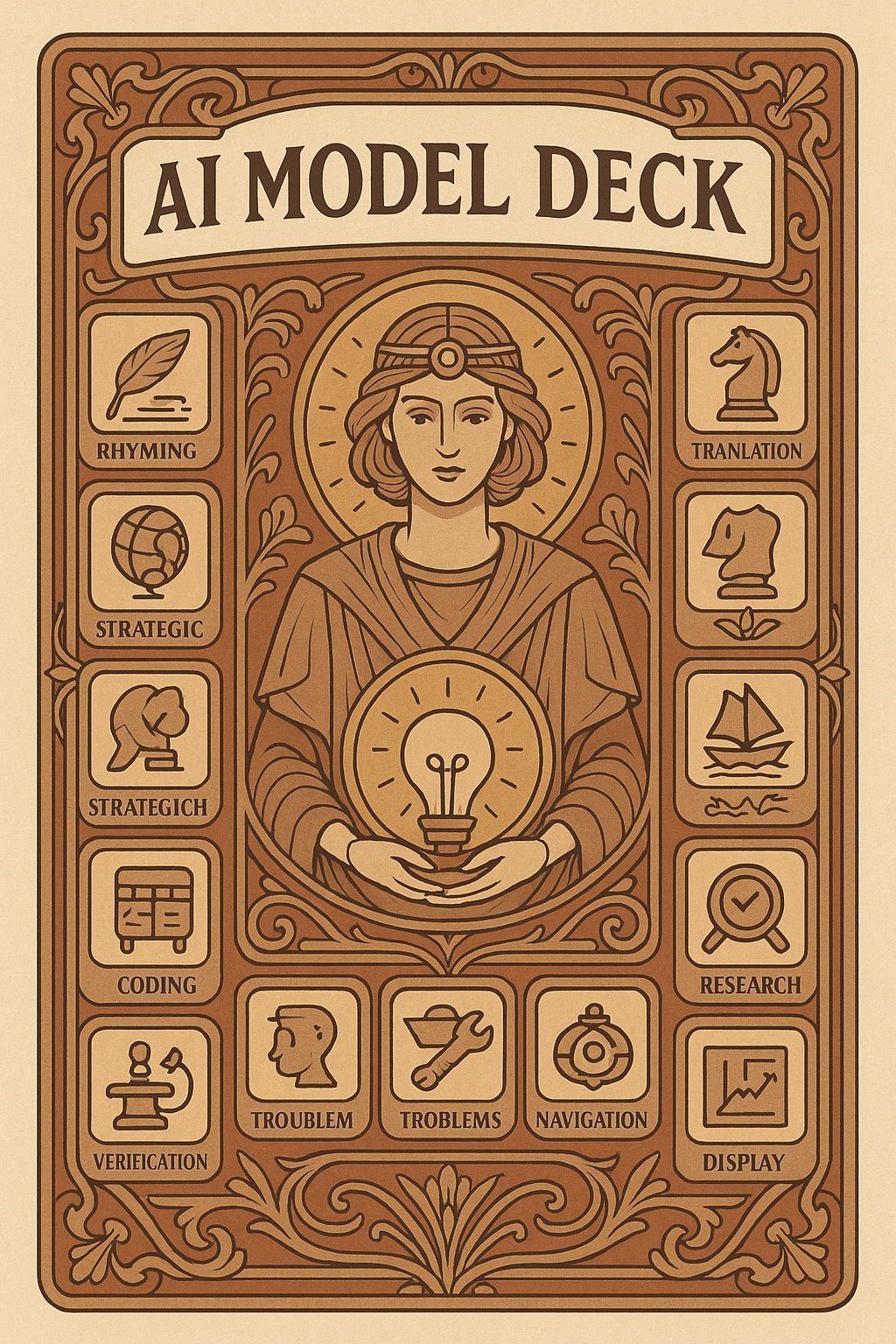
\The subtle typos are vintage AI lol\
I figured it was just easier with visuals. Each card has a single word that expresses what that model is really good at, plus there’s a model card with it that gives you a brief summary of key model facts. And that’s not enough! I also grabbed tables of stuff to try for grownups and big kids, and gave you my own personal model stack too. Plus I wrote a special introduction for folks new to AI that can be printed by teachers for kids and grownups.
Because why shouldn’t we have fun learning about models? Why can’t we play games?! We get to have fun around here.
And you know what’s fun? This is an extensible system. Sort of like those geeky card games some of us enjoy. So when a new model comes along, I can just create a new card for the deck and update you all! And then we can play the game of adding cards to (and discarding card from) our personal stacks.
So which cards do we have? Well there are hundreds of AI models, so I had to stop somewhere. But I do have a card for every single one of the top 15 models on the AI arena leaderboards. These include some models I don’t talk about often, and I love that these cards are giving me a way to introduce some of the more obscure top 15 in ways that are hopefully really easy to digest.
So let’s play cards!
Subscribers get all these pieces!
Let’s lay out the cards shall we?
Teachers, below is a two-page introduction you can paste at the very top of any slide deck, hand-out, or PDF. And if you’re new to AI, this also works for you! This Page 1 handout answers the three questions beginners always ask:
- “What exactly is an AI model?”
- “Why are there so many of them?”
- “How do I stay safe and get good answers?”
Feel free to trim or re-order, but everything here fits on ± one sheet of paper and keeps jargon to a minimum.
Page 1 – Welcome to Your Model Deck
1. What’s a “model” in plain English?
Think of a large-language model (LLM) as a very smart autocomplete.
Feed it words, and it predicts what comes next—over and over—until a full answer appears. Each model is trained on different data, tuned for different skills, and hosted by different companies.
2. Why do we have 16 cards?
No single model is best at everything—just like no single tool in a toolbox can tighten every screw and cut every board.
Artificer excels at heavy reasoning; Scout is built for lightning-fast fact checks. The deck lets you pick the right “specialist” for the job.
3. How to use a card
- Identify your need (e.g., “I must translate this email”).
- Find the matching card in the table.
- Copy the starter prompt into the model’s chat box.
- Run the next-level prompt if you want to dig deeper.
- Answer the reflection question—that’s where real learning happens.
4. A minute on safety & etiquette
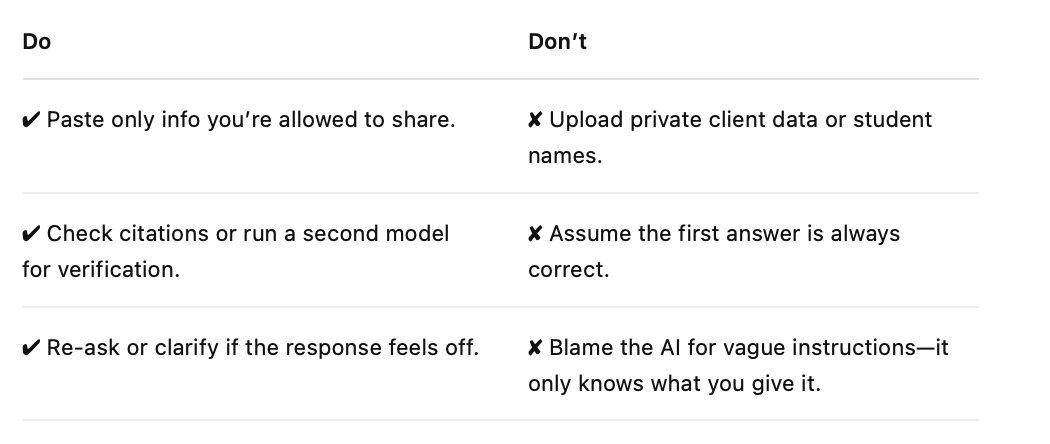
Rule of thumb: If you wouldn’t put the text on a public website, don’t paste it into a free AI chat box.
Page 2 – Quick Glossary & Troubleshooting
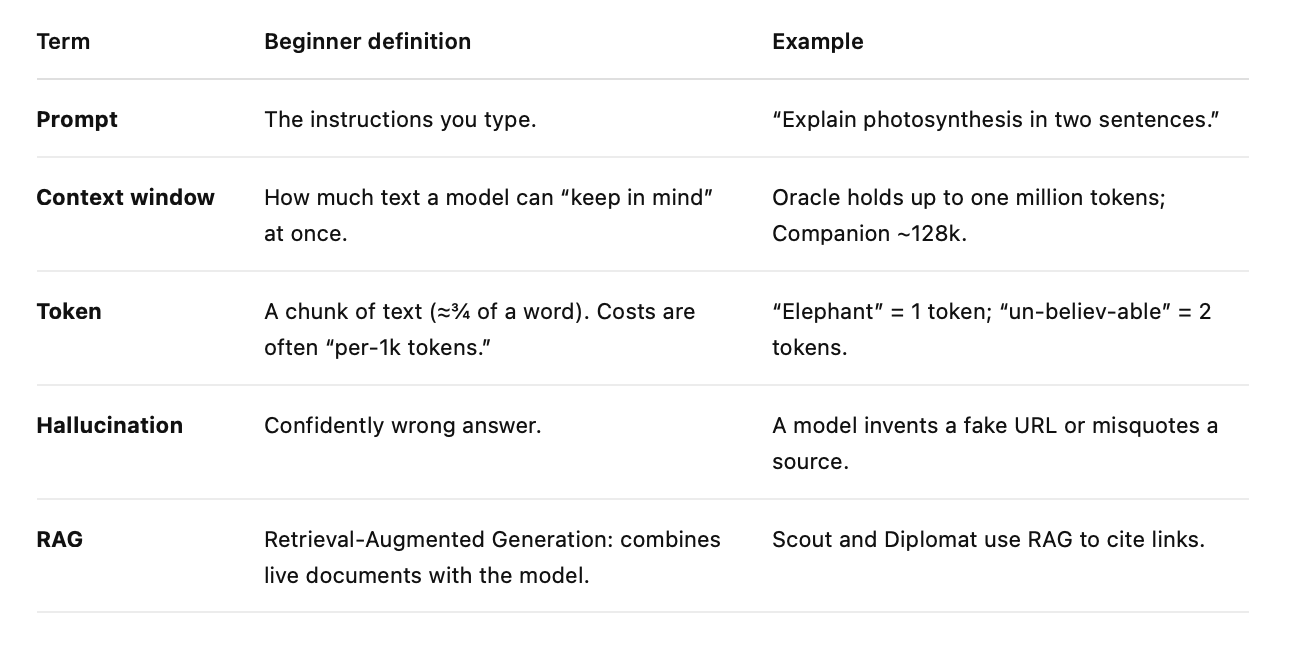
Not sure what Scout and Diplomat mean yet? Stay tuned, you soon will!
“It didn’t work—now what?”
- Too short or generic? → Add specifics: audience, style, length.
- Factually weird? → Ask, “Cite your sources” or run Scout/Oracle for confirmation.
- Stuck or repeating? → Refresh the chat or break the task into smaller pieces.
Where to find each model (free or demo)
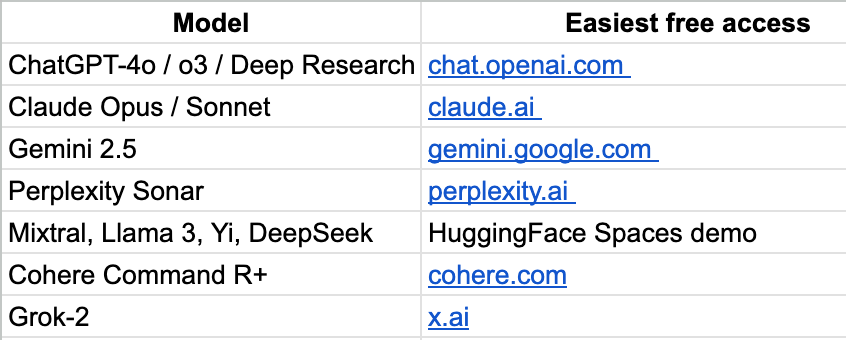
Tip: Quotas reset daily—if the free site says you’re out of messages, switch models or wait until tomorrow.
Ready?
Flip your first card, paste a prompt, and see what happens. Every model responds a little differently—that’s the fun and the lesson.
Teachers, that’s it!
Put these two pages in front of the table and cards, and adult learners (or curious teens) have everything they need to start experimenting safely and productively. Spreadsheet link here.
A cheatsheet to the cards…
Use this table to refer to each of the cards you’ll see below. Each one has its own uses and personality, as you’ll see!
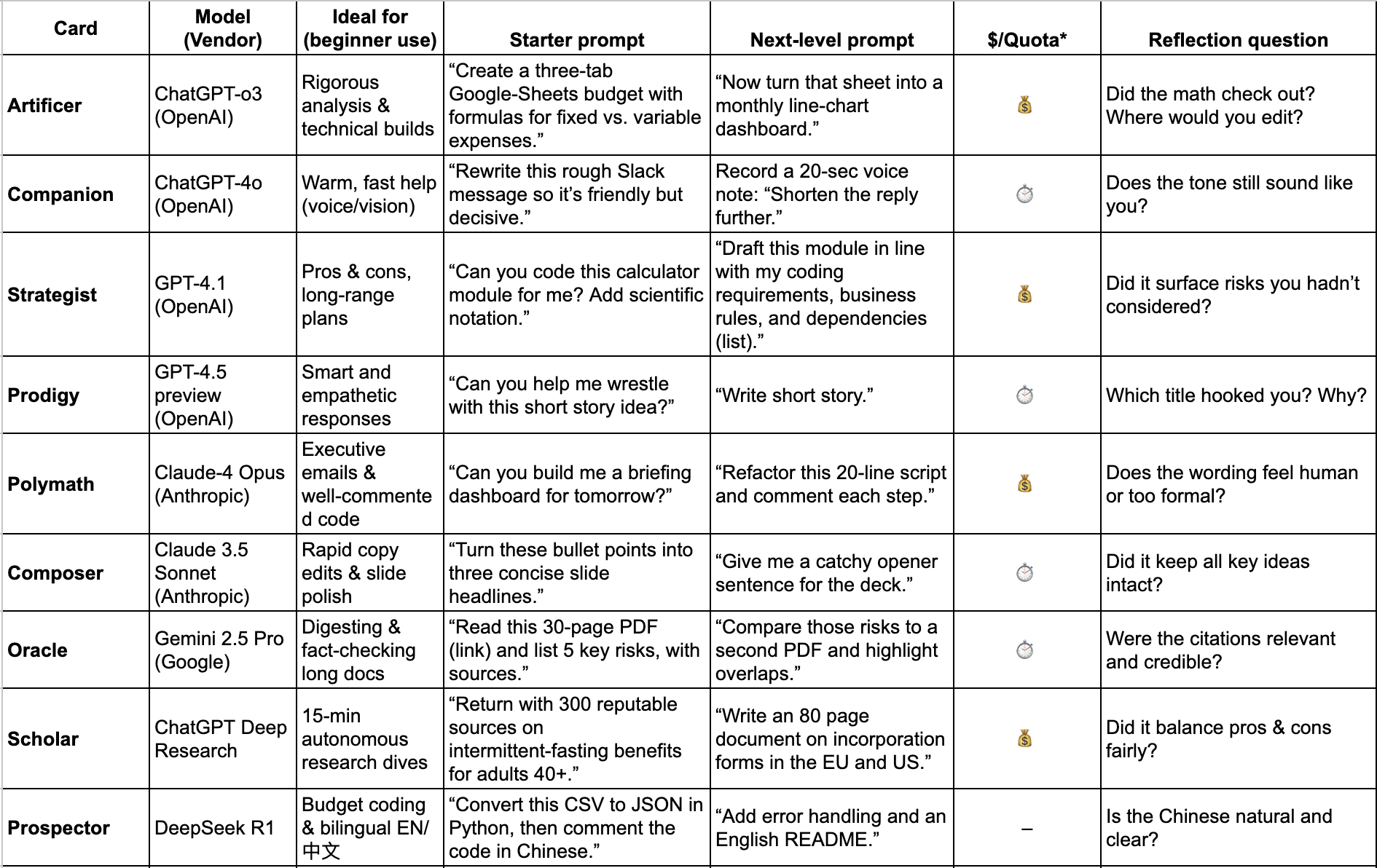
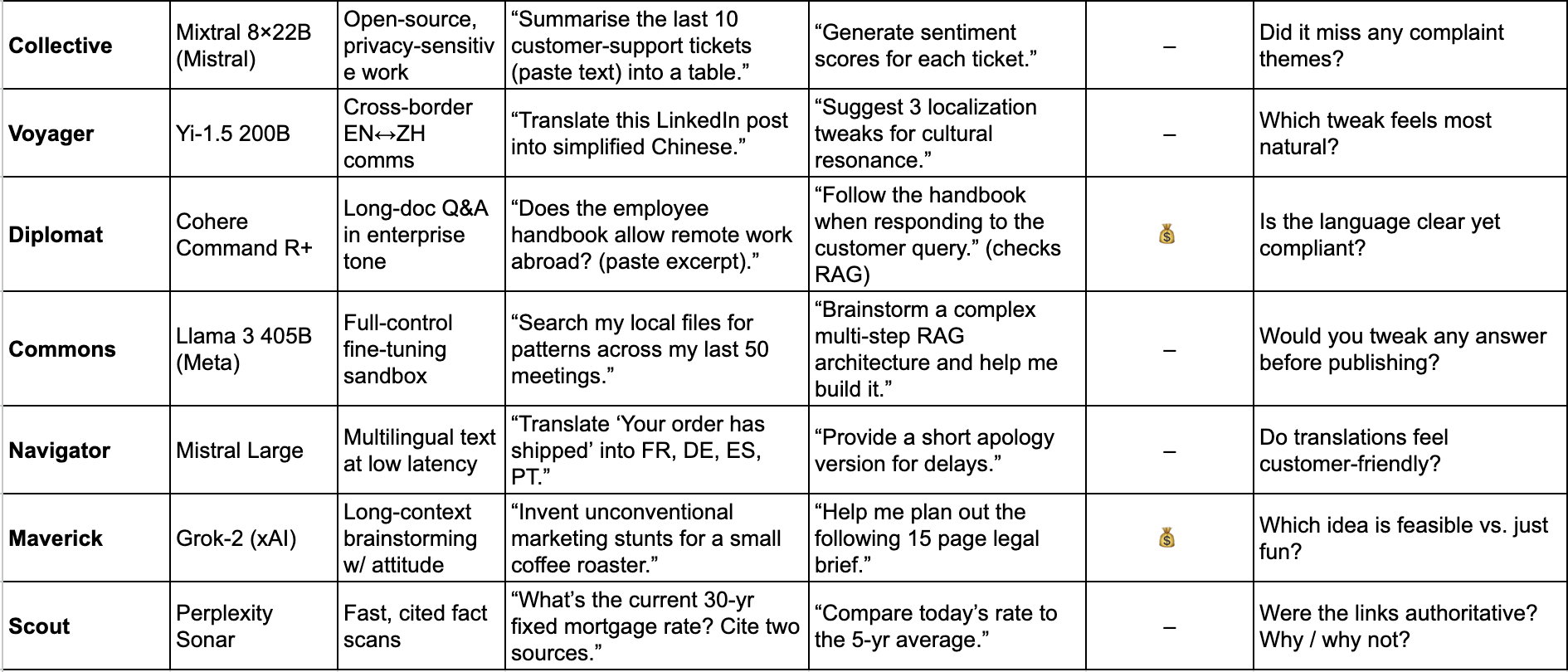
\* Legend 💰 = token-based cost (paid tier) ⏱️ = free daily quota/limits – = open/free demo or self-host option.
How to use the table
- Pick the need (“I need quick translations”).
- Scan the ‘Ideal for…’ column and choose that card/model.
- Copy the Starter prompt into the model’s chat box.
- Optionally run the Next-level prompt to push skills further.
- Answer the Reflection question to cement learning.
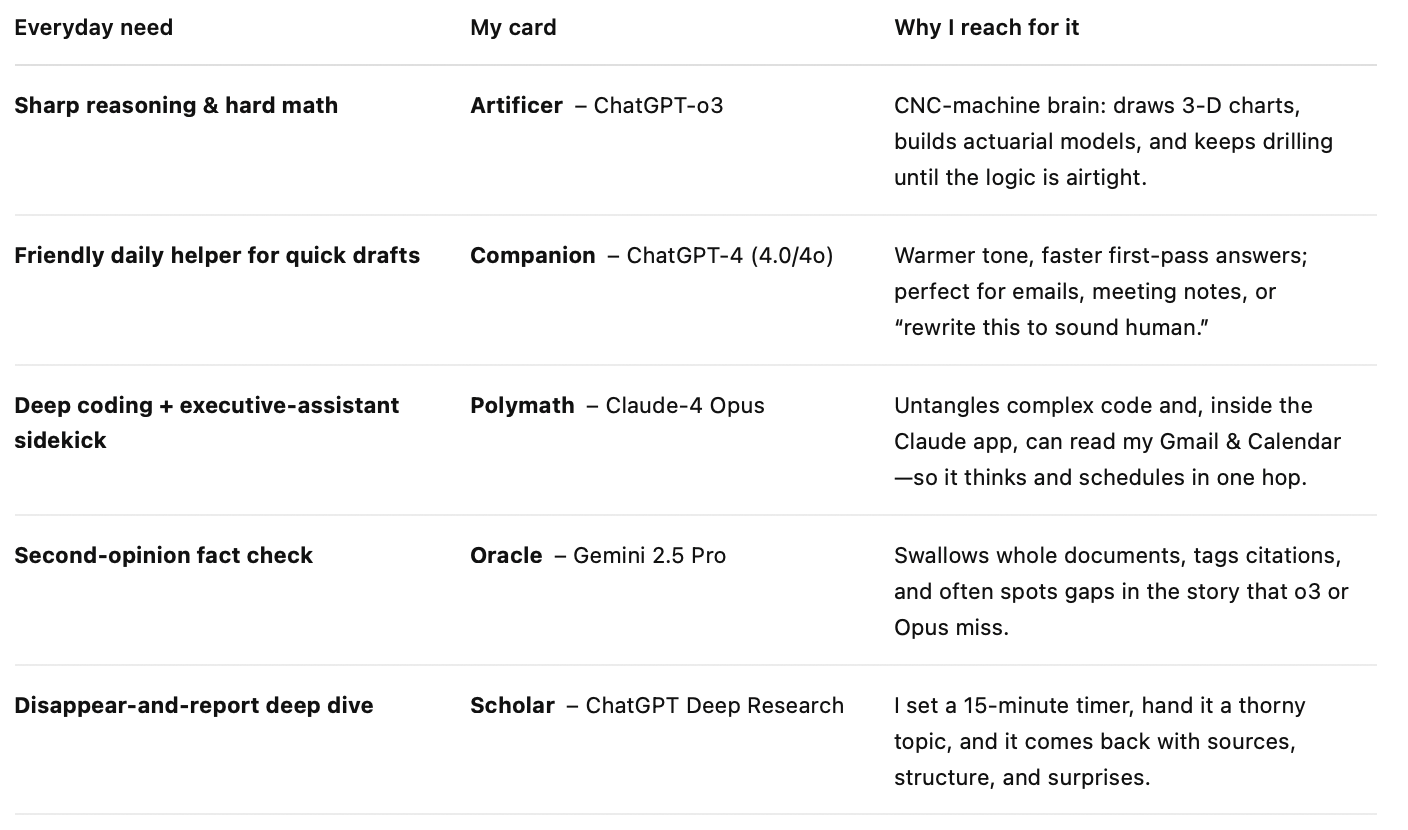
Nate’s stack
Yep I have a personal model stack. And I’m sharing it here so you get a sense of how a real model stack looks and works in the wild. Your job is to start to play with AI enough that you can pick your own personal stack with confidence!
Finally, the cards!
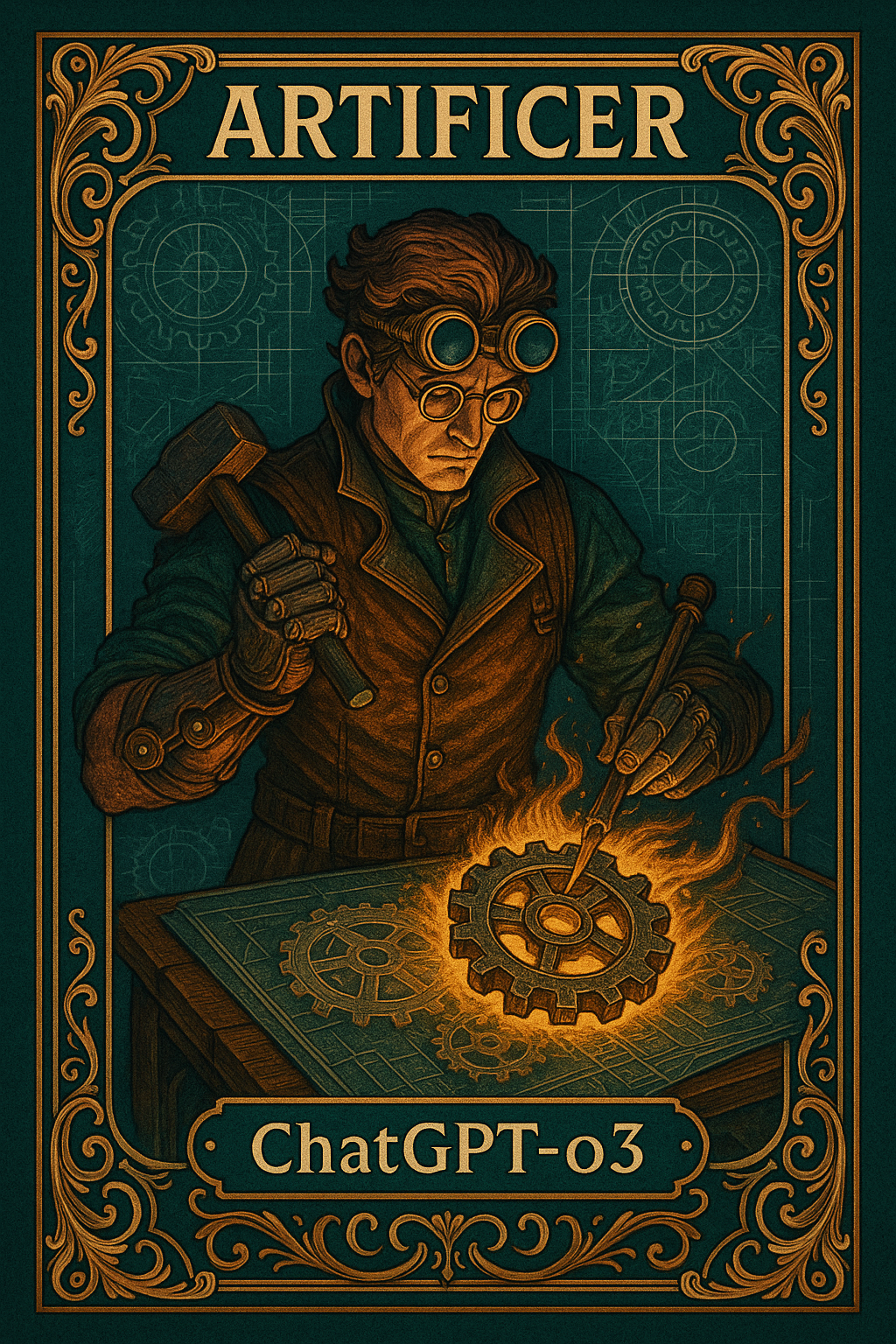
Artificer — ChatGPT-o3
What it is. OpenAI’s “o3” is the most reasoning-dense model available to the public. Think of it as a CNC mill for ideas: feed it a fuzzy problem, and it iteratively carves out logic, equations, or code until the edges are sharp.
Why it made the deck. You rely on it as a daily driver for hard things—actuarial tables, SQL migrations, multi-stage prompt chains. Nothing else packs this much reliability into a single call.
When to play it. • Designing data schemas • Debugging opaque stack traces • Writing memos where wrong math is reputationally fatal.
Watch-outs. Slower and pricier than mid-range models; best used when the extra IQ will be noticed.
Companion — ChatGPT-4o
What it is. The “o” stands for omni: text, voice, and vision in one lightweight wrapper. It trades raw depth for latency and warmth.
Why included. It’s the friend who answers on the first ring—perfect for rapid notes, screen-share brainstorming, or photo-based quick fixes.
Sweet spots. • Annotating screenshots • Explaining a diagram by voice • Tossing together a polite reply before you board a plane.
Limitations. Doesn’t sweat edge cases; for rigorous analysis hand the baton back to Artificer or Strategist.

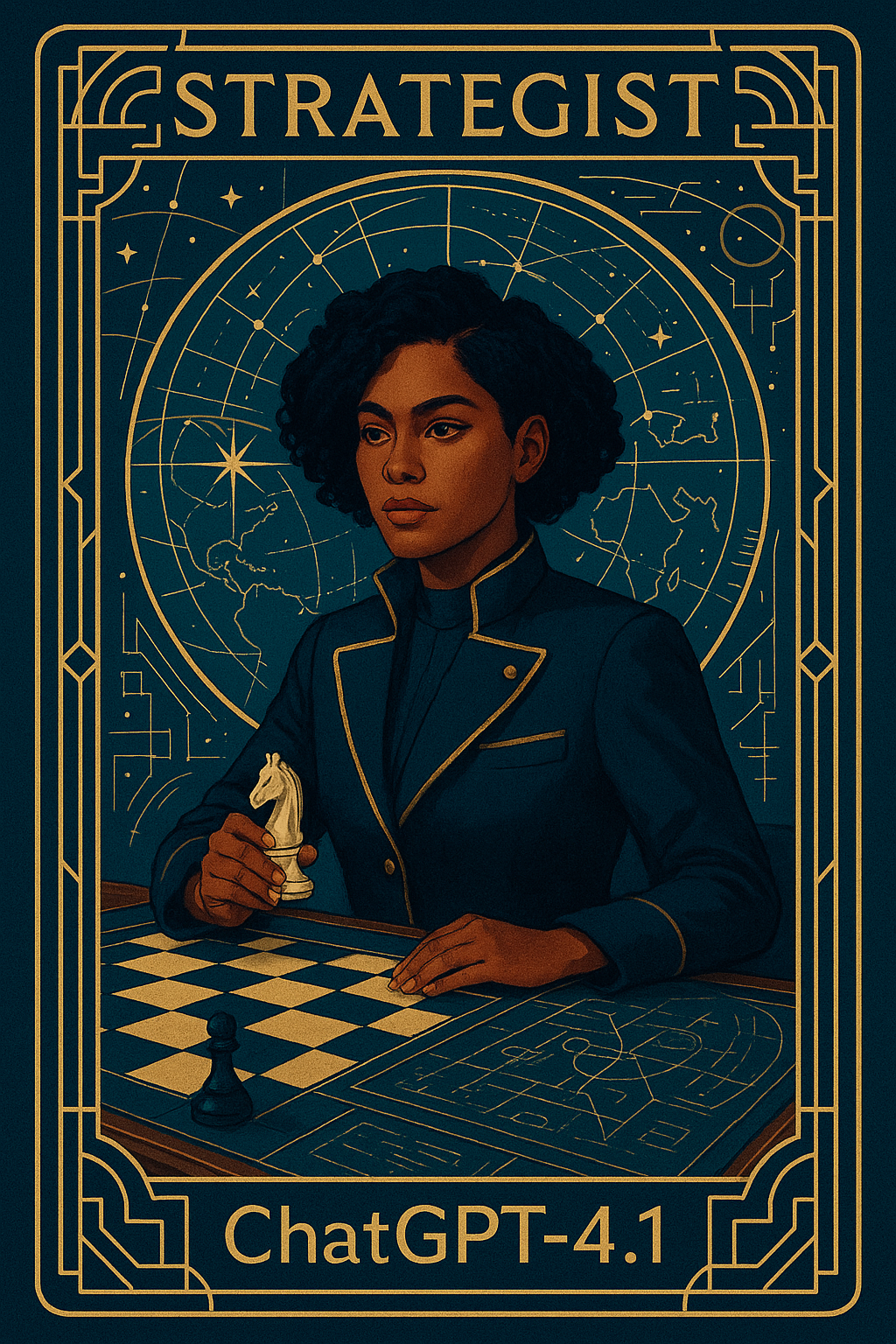
Strategist — GPT-4.1
What it is. The flagship successor to GPT-4 Turbo. Same calm prose, sharper long-range sense-making.
Why included. You keep reaching for it when the shape of a solution matters more than the pixels—product road-maps, proposal trade-offs, scenario planning.
Plays well with. • Causal diagrams • OKR roll-downs • Competitive-landscape memos.
Caveats. Costlier tokens than 4o; context still capped at 256 k, so ultra-long docs belong to Oracle.
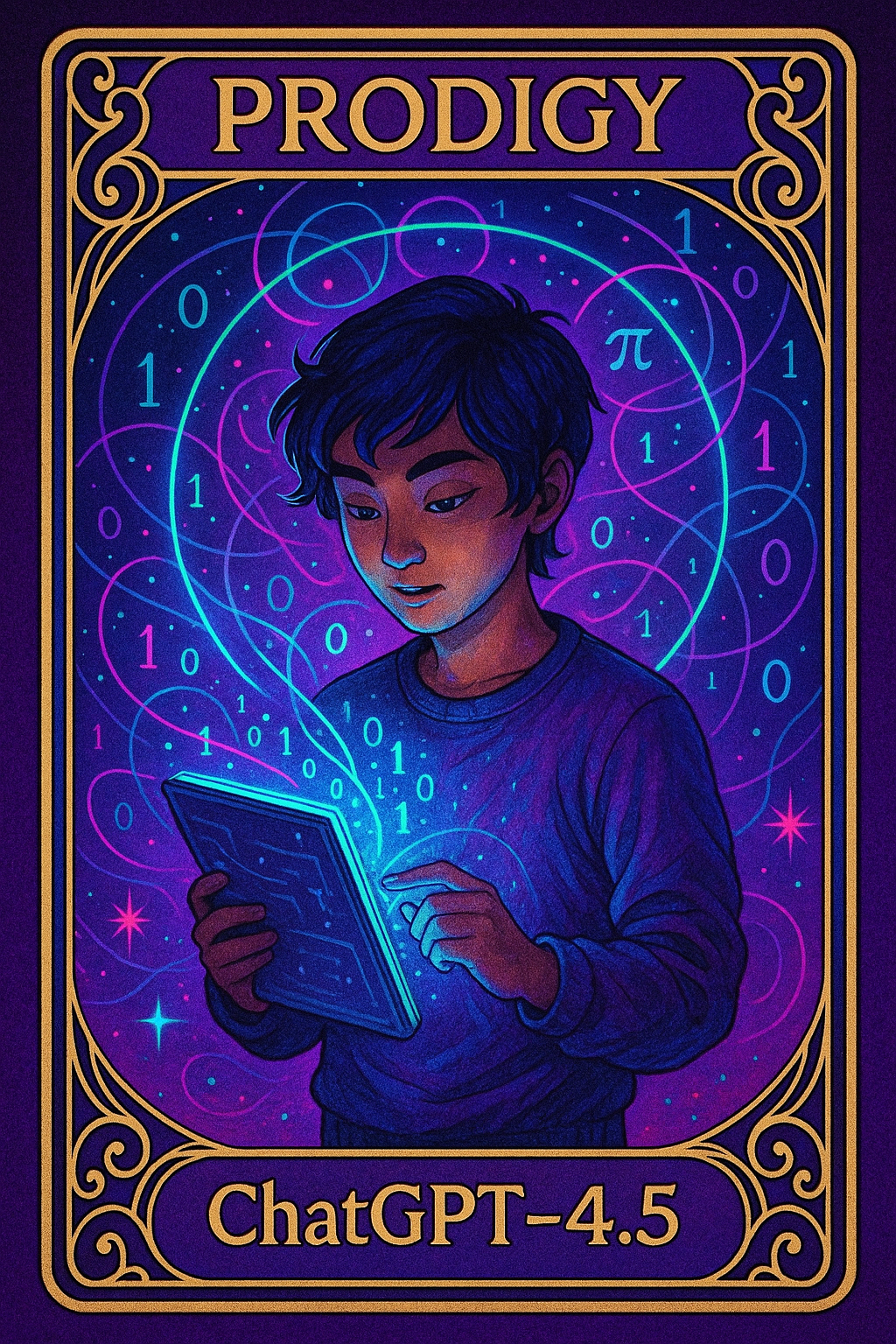
Prodigy — GPT-4.5 preview
What it is. An early peek at OpenAI’s 4.5—smart, capable, expensive and getting retired soon! Not for long though—expect this to be the backbone of the rumored GPT-5.
Why included. Take a peek at the future before ChatGPT-5!
Use cases. • Creative writing • EQ conversations • Writing critique.
Gotchas. Preview means it won’t always be here, so enjoy it while it lasts.
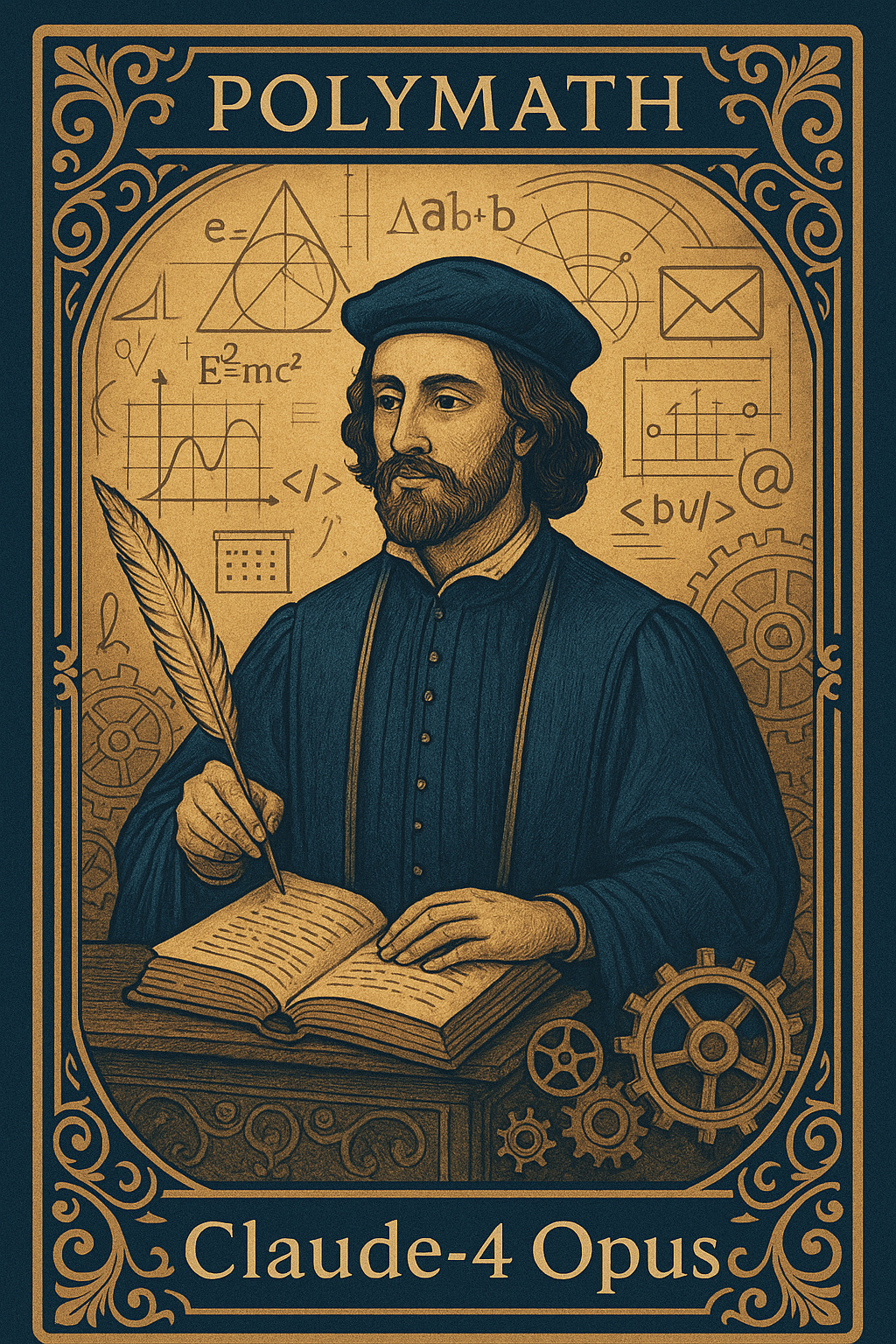
Polymath — Claude-4 Opus
What it is. Anthropic’s largest model, famous for graceful prose and strong coding ability, especially complex coding problem-solving.
Why included. It threads the needle between technical rigor and executive polish—and plugs straight into Gmail/Calendar in the Claude app.
Shines at. • Complex refactors written like a consultant’s playbook • Policy drafts that actually sound human.
Limits. Slightly narrower tool-calling APIs than OpenAI; can stall in long chats.
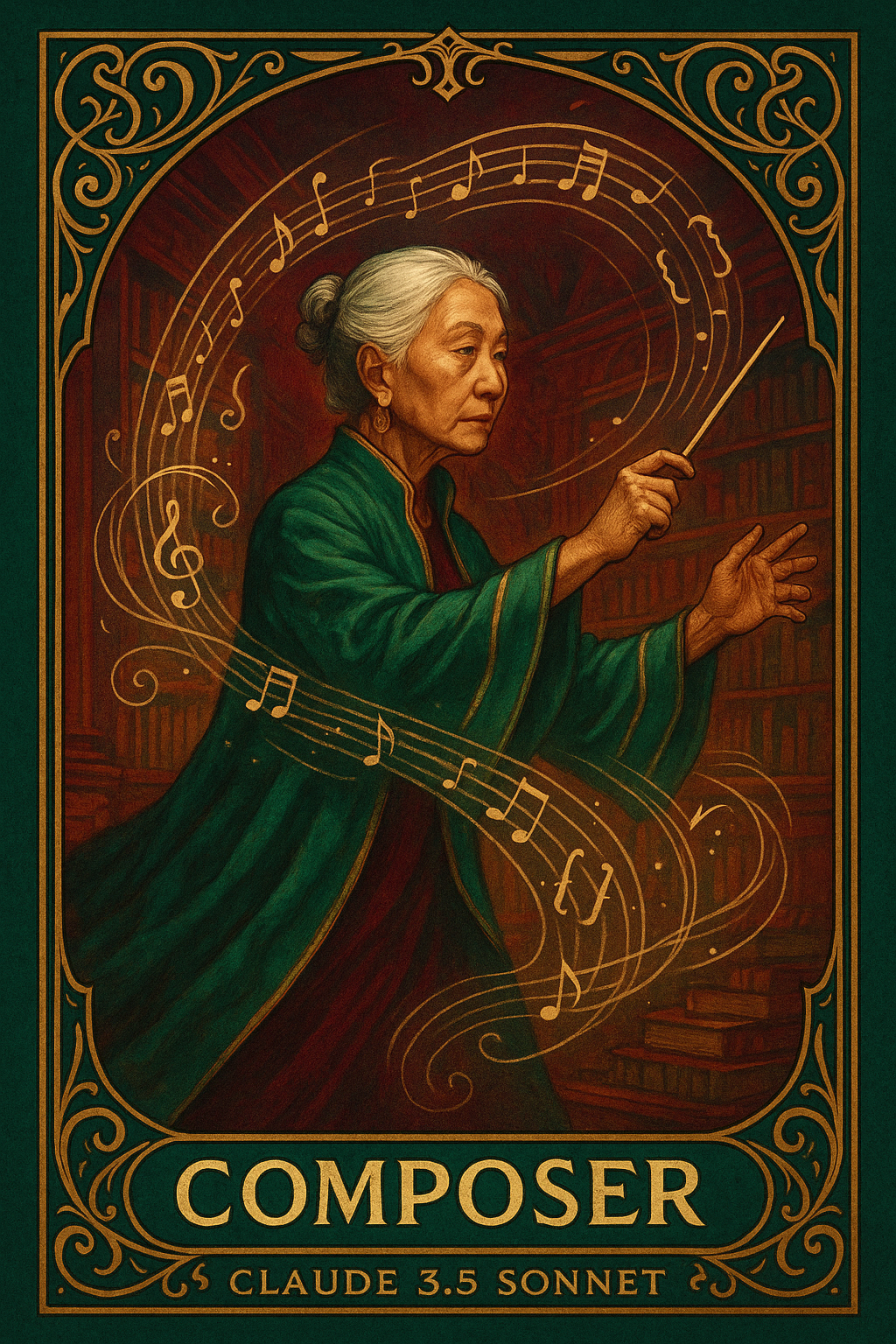
Composer — Claude 3.5 Sonnet
What it is. Anthropic’s “middle-weight” model: smaller than Opus, faster than anything its size, and trained to keep a lyrical, on-brand voice. Brilliant at composing code.
Why included. It’s the go-to when you need speed plus style—edit copy live on a call, polish slides minutes before the meeting, or refactor 200 lines of code while stakeholders watch.
Sweet spots. • Real-time writing coach • Tone-matching executive summaries • Rapid code patches with clean explanations.
Watch-outs. Hard problems still belong to Opus or Artificer; token context tops out sooner than you want.
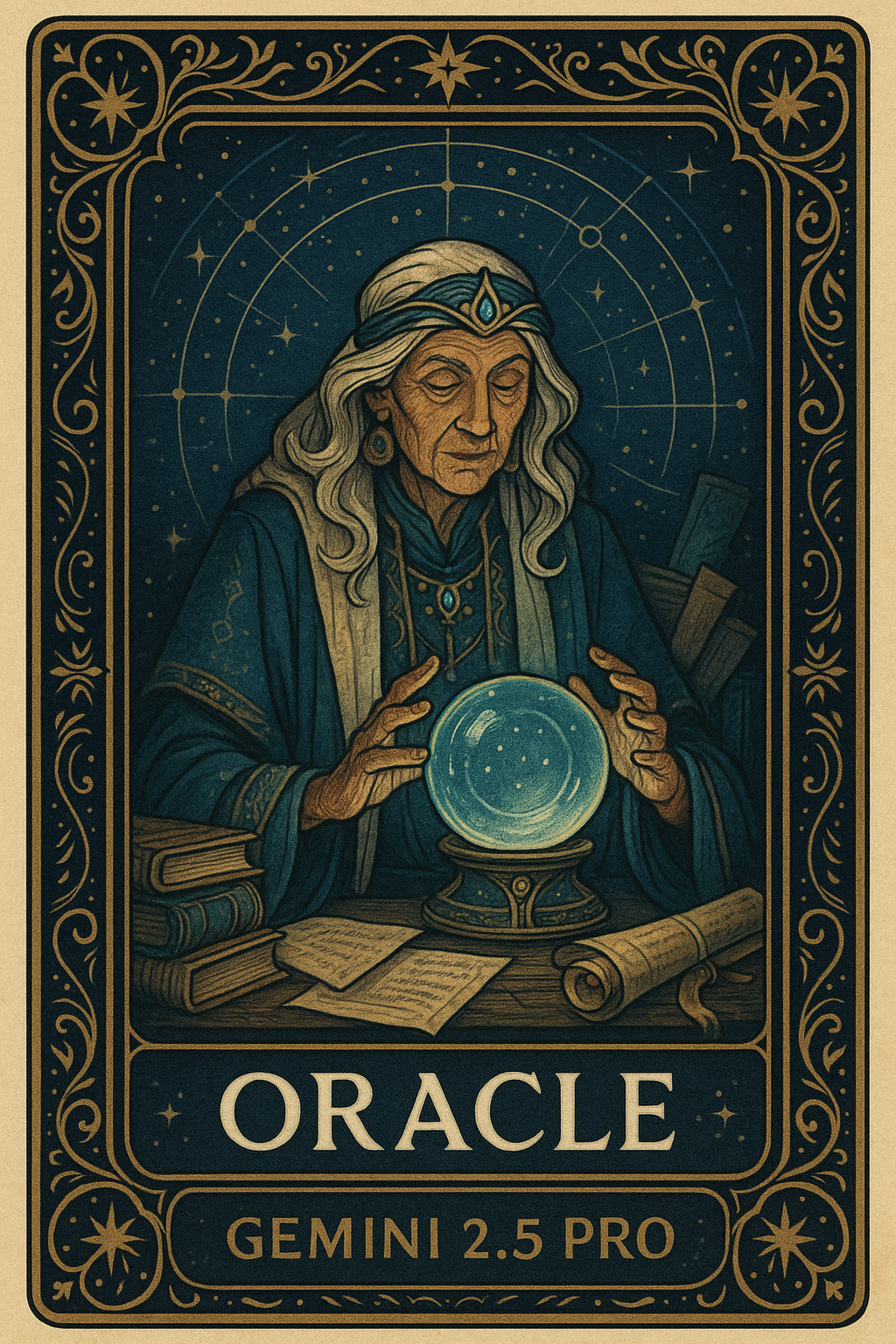
Oracle — Gemini 2.5 Pro / Ultra
What it is. Google’s flagship with million-token context and a strong fact-checking layer.
Why included. When the brief is “read this mountain of stuff and tell me what’s true,” Oracle is the only model that can swallow the whole mountain in one bite.
Shines at. • Cross-checking stats • Summarising litigation troves • Ingesting entire wikis for “one-pager” outputs.
Limits. Thinks more than 4o, occasionally overly cautious, has a little bit of fuzziness following some instructions—have Strategist tighten conclusions.
Scholar — ChatGPT Deep Research
What it is. A special OpenAI variant tuned for long, self-directed research runs (10–20 minutes).
Why included. It’s your personal grad-student: disappear, scour the web & PDFs, return with citations and a mini-literature review.
Sweet spots. • Competitive landscapes • Historical chronologies • “Explain this like I’m new, with sources.”
Watch-outs. Not interactive in real time—hand the baton back to Companion for quick Q&A.

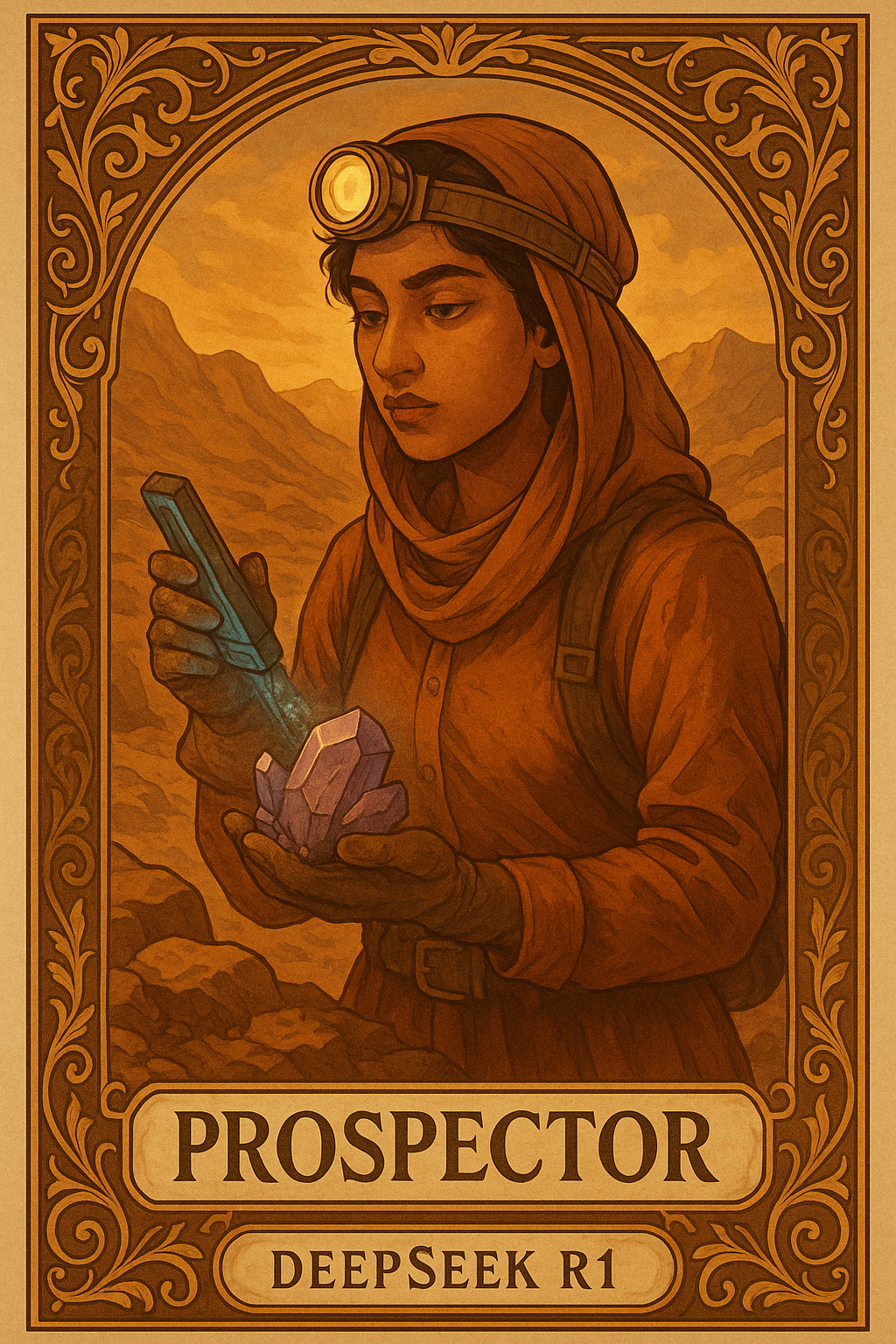
Prospector — DeepSeek R1
What it is. A Chinese-led open model that just cracked the top-10 in code benchmarks—at a fraction of Big-Tech inference cost.
Why included. Perfect for high-volume generation when you can’t afford GPT pricing or need strong Mandarin ability.
Use cases. • Bulk code stubs • STEM problem sets • Bilingual chatbot demos.
Caveats. Slightly lower on scores than o3. More importantly, the Terms of Service aren’t friendly to most US or EU business use-cases.
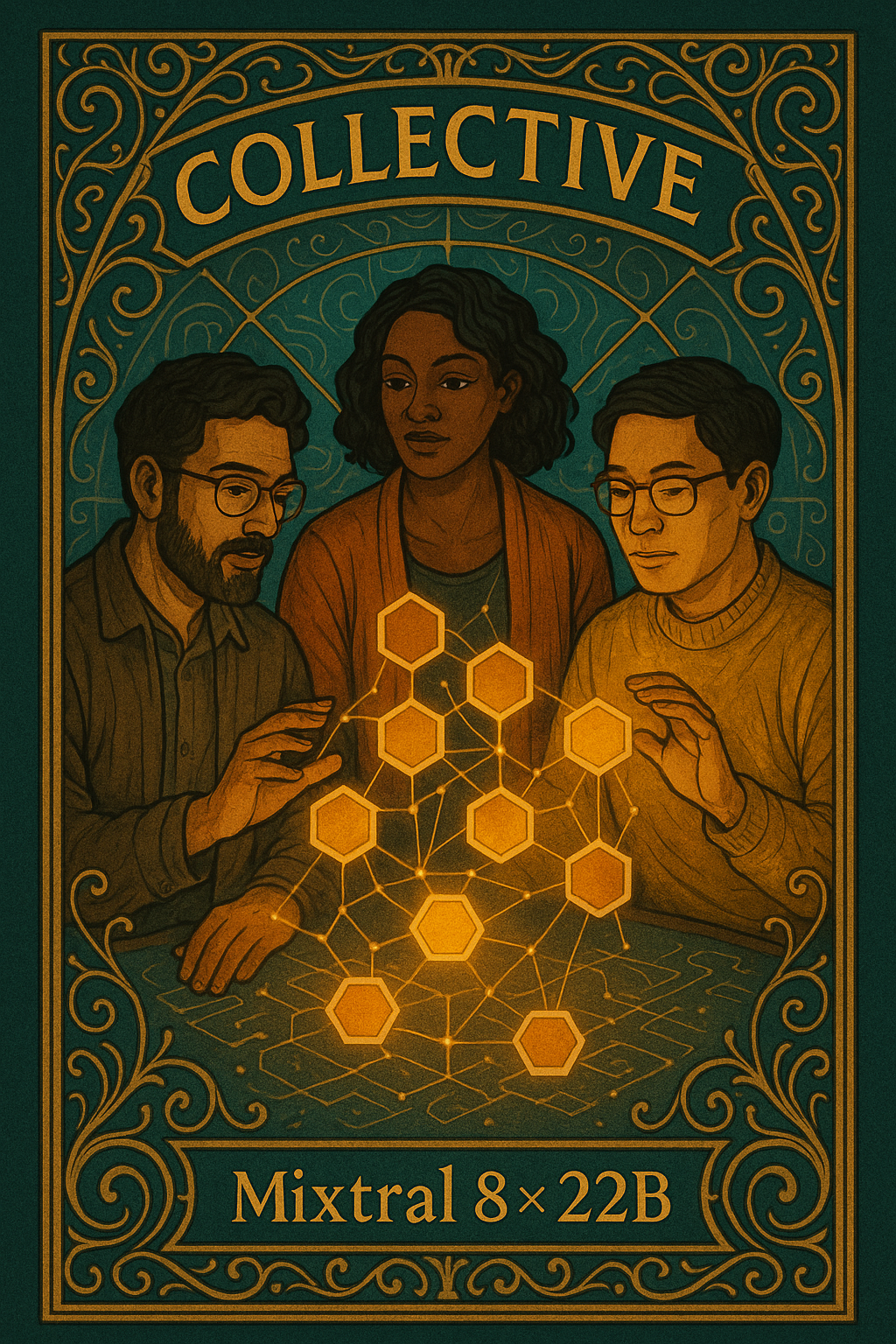
Collective — Mixtral 8 × 22B
What it is. An open Mixture-of-Experts (MoE): eight specialist subnetworks “vote” on every token.
Why included. It delivers near-Claude quality while staying fully open-weight—ideal for privacy-sensitive or air-gapped deployments.
Shines at. • Self-hosted knowledge bots • On-prem RAG stacks • Fast fine-tunes with low GPU budgets.
Limits. MoE routing sometimes misfires on niche queries; heavier model-loading logistics than plain Llama.
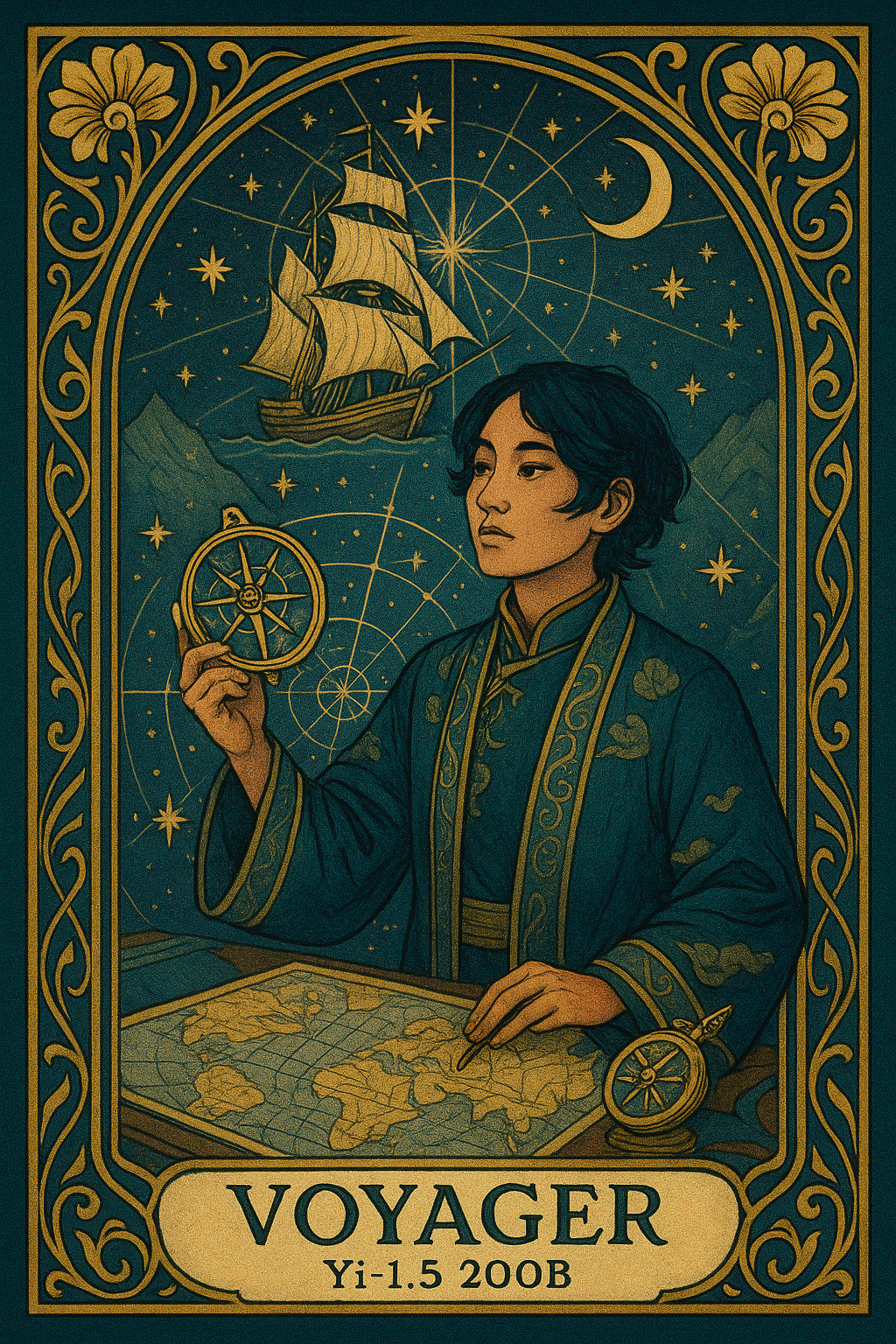
Voyager — Yi-1.5 200B
What it is. 01.AI’s large bilingual model, fluent in English and Chinese and permissively licensed.
Why included. The best bridge when you need to serve both EN and ZH users without juggling two vendors.
Sweet spots. • Cross-border product copy • Dual-language knowledge bases • Fine-tunes for APAC markets.
Watch-outs. High GPU memory footprint; English style slightly stiffer than Opus—polish with Composer if tone matters.
Diplomat — Cohere Command R+
What it is. Cohere’s enterprise-tuned model, optimised for Retrieval-Augmented Generation (RAG) and multi-step tool use.
Why included. It plugs straight into long corporate docs, and is set up to play nicely with corporate workflows from the start.
Plays well with. • Internal knowledge bots • Compliance summaries • Multi-step workflows.
Limits. Designed for workflows more than writing; for marketing copy pair with Companion or Composer.

Commons — Llama 3 405B
What it is. Meta’s largest open model—basically “ChatGPT-3.5 quality, but yours to tinker with.”
Why included. It’s the default choice for universities, startups, and hobbyists who want strong performance and full control.
Use cases. • Private-cloud assistants • Domain-specific fine-tunes • Academic experiments.
Caveats. No built-in tools API; connect external RAG or function-calling layers yourself.

Navigator — Mistral Large
What it is. A large model cousin to Mixtral; designed for intelligence inference and coding abilities.
Why included. An EU-friendly model with strong multi-lingual capabilities.
Shines at. Instruction following abilities, strong at coding and inference.
Limits. Not a true top 3 model; for heavy analysis use Artificer or Strategist.

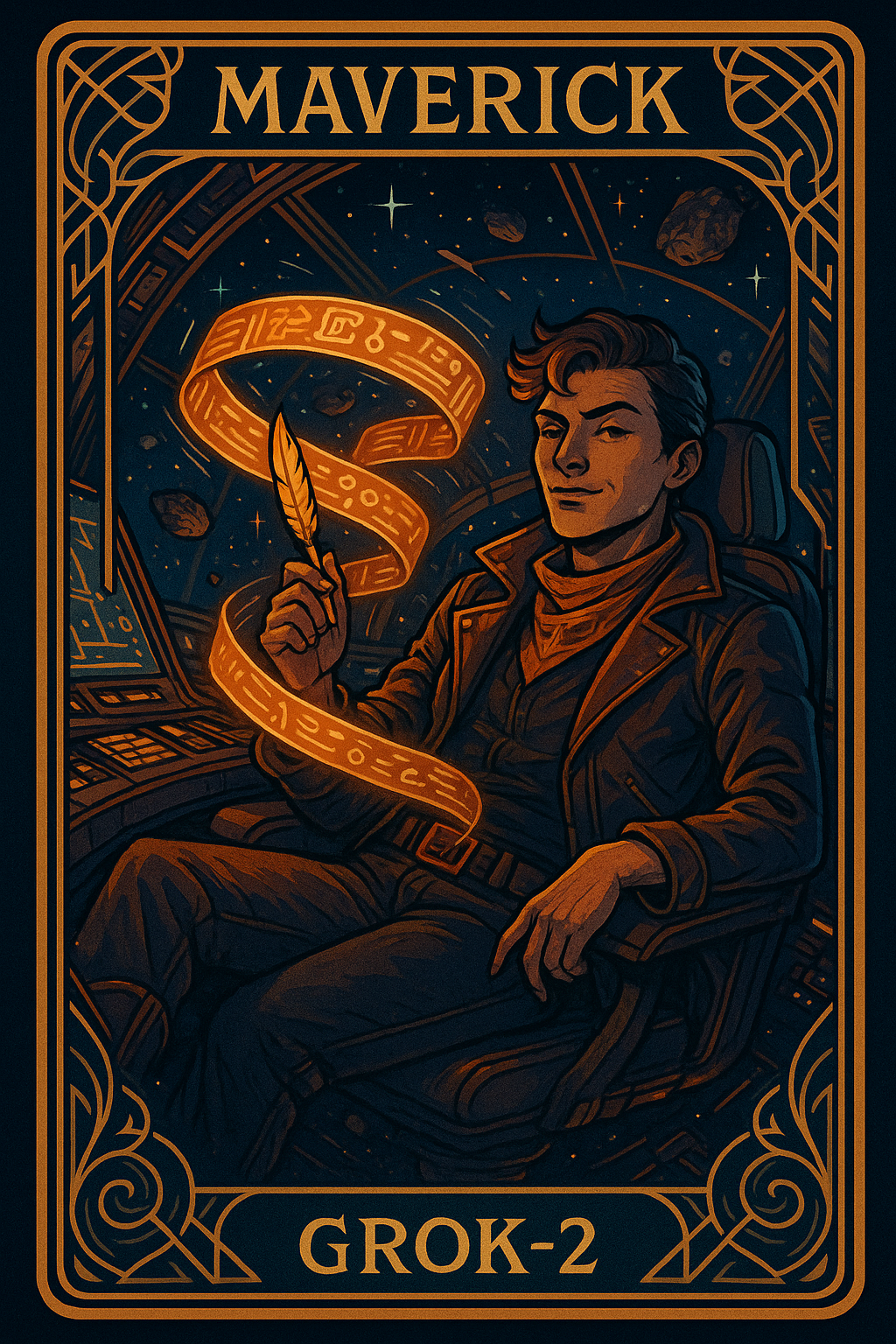
Maverick — Grok-2
What it is. xAI’s second generation, personality-forward model with a cheeky tone and access to real-time information.
Why included. Great for free-wheeling ideation and keeping up to date on X (where it gets tagged all the time).
Sweet spots. • Brainstorm sessions • Solid coding abilities • Good creative problem-solving sense
Watch-outs. Can veer informal; run final drafts through Composer for polish. No published model card and a number of prominent model alignment issues.
Scout — Perplexity Sonar
What it is. A retrieval-native model that always cites sources—think “AI search-engine in a box.”
Why included. Fastest path to a sourced bullet list when you don’t have time to double-check links yourself.
Use cases. • Quick news briefs • “Show me five recent papers on…” • Pre-meeting fact scouting.
Caveats. Depends on live web access, purpose-built for search.

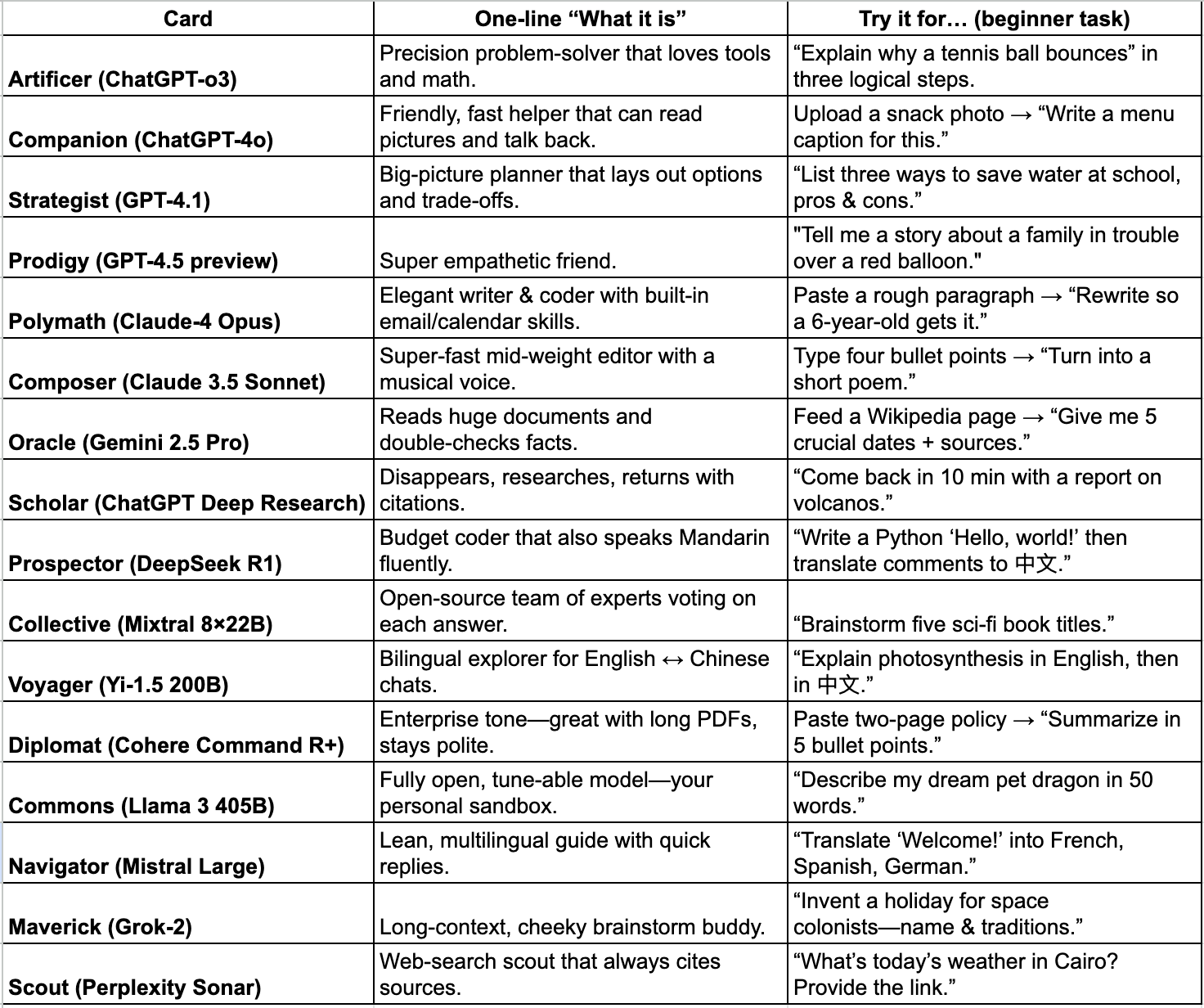
A model reference sheet for kids (and beginners)
If you want something simpler, try out this reference sheet.
Quick classroom activity (10 minutes)
- Pick a card. Each student chooses any one card that sounds fun.
- Run the sample prompt. They copy the “beginner task” into the real model (most have free or demo versions).
- Share-back. In pairs, students read each other’s outputs and answer:
What did the model do well? What felt weird?
- Sticky-note wall. Post takeaways under two headings: “Great for…” and “Careful with…”.
Closing – Keep the Deck Alive
The deck you’re holding is designed to evolve. New models arrive, old favorites level-up, and entirely new use-cases appear almost weekly. When the next models arrive, I’ll be making updates to the deck (or honestly you can make them yourself).
If you feel like a DIY card update:
- Give it a one-word persona. Short, vivid, and true to the model’s edge.
- Write two test prompts. One beginner-friendly, one “stretch” challenge.
- Slip the new card into your pocket table. Note where it outshines—or replaces—an older pick.
- Share your findings. Pin them on the classroom wall, the team Slack, or the community forum so everyone’s deck stays current.
Treat the collection like a living toolbox, not a finished set. The more you remix it, the sharper your AI intuition becomes—and the easier it is for newcomers to jump in right behind you. Now go deal a fresh hand, and let the next round of learning begin. I’ll be dropping new cards periodically as the AI continues to evolve!
For more on AI, subscribe and share!