Livestreaming made easy: everything you need before, during, and after your first live (+ Zoom link for Friday Live Meetup about the NEW Recording Studio included)
By Kristina God, MBA
Published: 2026-10-02
URL: https://www.onlinewritingclub.com/p/the-ultimate-guide-to-going-live
Going live on Substack is the fastest way for readers to really get to know you.
On a Live they hear your voice, see your smile, and ask you questions in real time. And you don’t need a studio, a shiny mic, or any tech skills or headaches.
Most of us never press the button because we think it’s complicated but it’s not.
At my very first Live, I expected nobody. More than 80 people joined. When and I went live last week, 29 people were already in the room after only a few seconds.
Here’s your step-by-step guide, from “I’m nervous” to “I did it, Kristina”
-
Before: the setup takes 2 minutes
-
During: the first two minutes and the chat
-
After: Substack does the editing for you
In our weekly Live I showed you livestreaming, click by click:
-
where Live video is in your dashboard
-
the only requirement you need to go live
-
why your Wi-Fi matters more than your mic or camera
-
how to pick the audience: everyone, all subscribers, or paid only
-
why you should schedule your Live so people get an RSVP
-
how to invite a co-host, even if they’re not on Substack yet
-
the 15-minute rule and the 2-minute rule
-
what to do with your recording, thumbnail, and clips afterwards
Invest in yourself! Join the Club + Substack for Beginners Group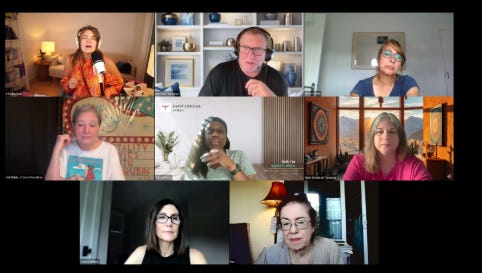
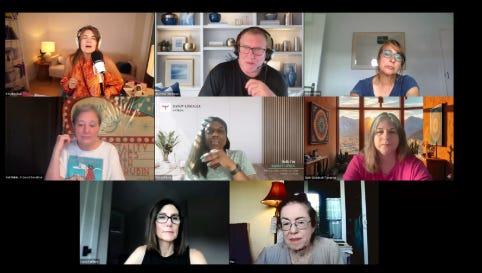
This week: FRIDAY, 2 pm Berlin · 1 pm UK · 8 am ET · 5 am PT
Topic: Substack’s NEW Recording Studio
We’ll cover:
-
where to find the NEW Recording Studio
-
how to get into the studio and record yourself
-
how to invite a guest and co-host a show
-
how to share your screen
-
how to add your branding to the recording
-
how to do voice-overs
-
how to go “faceless” if you’d rather not be on camera
-
how to promote your recording
-
how to share clips and create a video post
-
3 modes to pick from
-
tips and tricks from my recordings
-
how to monetize on-demand videos
BONUS: Frankfurt Book Fair BTS, booth parties, meeting Substackers, Substack insiders and more
Grab your FRANKFURT BOOK FAIR offer https://substackcdn.com/image/fetch/$s!8RLa!,fauto,qauto:good,flprogressive:steep/https%3A%2F%2Fsubstack-post-media.s3.amazonaws.com%2Fpublic%2Fimages%2Fd3d2007e-e6ab-4a33-9246-89166b06f22e_432x288.jpeg)
-
Link behind the paywall, in the comments and in the paid chat.
Please upgrade via your computer!
-
Need 1:1 support, just upgrade to Founding member (BEYOND member) or book a session here.
Can’t make it live? Come anyway. Every session is recorded.
🔗 Grab the Zoom link below the paywall 👇🏻