The AI slop buttons are spreading. Pinterest and Medium have one too
By Kristina God, MBA
Published: 2026-08-07
URL: https://www.onlinewritingclub.com/p/linkedin-and-substacks-ai-slop-radar
If you like it or not, AI slop is the hottest topic on all social media platforms “for which human connection is central”.
Take Arianna Huffington1 for instance. She’s asking how accurate we think the AI-slop-radar-detectors are: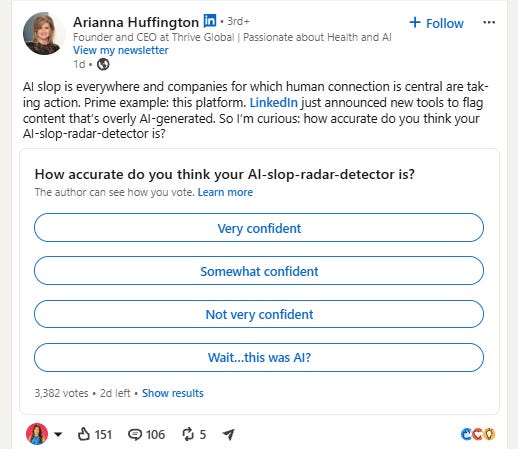 Arianna Huffington on LinkedIn
To give this a forum, we talk right now about AI slop, + ALL new features in the Substack editor + personalization in today’s Friday LIVE Meetup!
Get access to the Friday LIVE Meetup today and EVERY Friday NOW👇🏻👇🏻👇🏻 for only $70/year
This time, you’ve got the chance to also meet the Substack for Authors crew and the yoda for indie publishers: .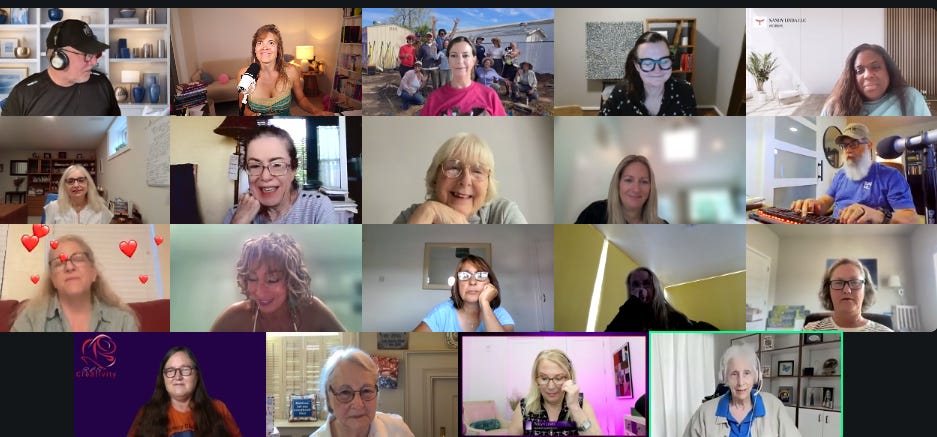
But now let’s talk about, of course (!), AI slop and its hunt.
On Substack, now the machine decides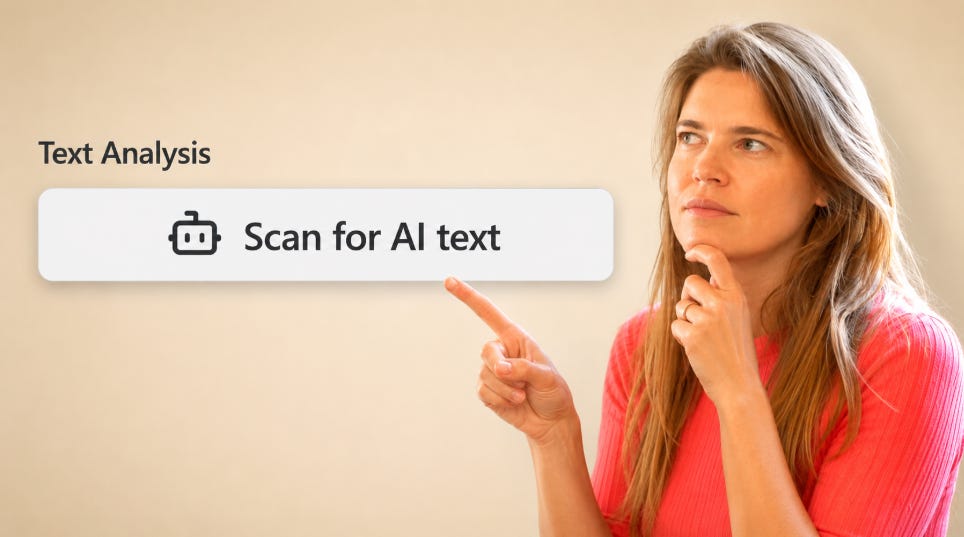
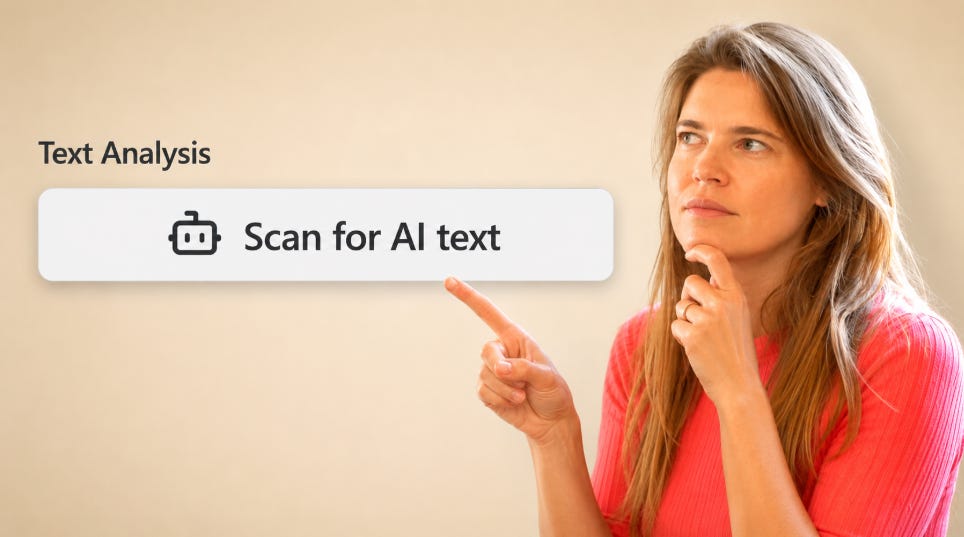
Remember my post from a few days back?
Online Writing Club lawyer informed us that Substack quietly updated our Publisher Agreement BEFORE they announced the Pangram integration.
It grants Substack a license to run your writing through automated tools, including AI detectors.
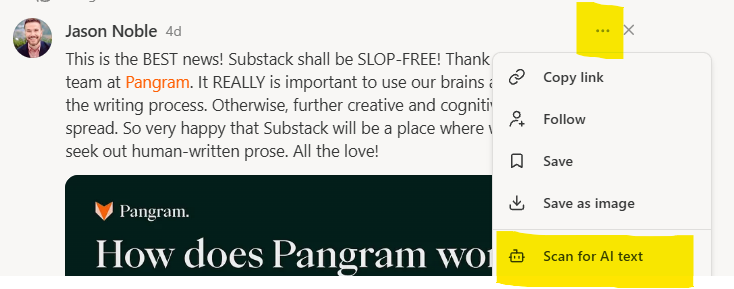
Since then we do have a new button we can use on Substack Notes (short form) and every newsletter (long form or poetry):
-
three dots, top right of a post and
-
then “Scan for AI text.”
ℹ️This is the popular post to go deeper and join the 100+ comments (pls bear with me with answering!).
Based on ALL the comments, DMs, emails and the converation with who even got cited with his take on the Subsatck x Pangram collab, the #1 thing users on Substack want is:
-
giving the users a forum to talk about the AI changes
-
more transparency
-
open dialogue
Some love it. Some hate it. Good thing? Bad Thing. You decide. But to do, here’s also what’s going on on other platforms Club members read or write on:
On LinkedIn the crowd decides
Since LinkedIn is as relational, social and based on human interactions as Substack, also Linkedin, as the fastest growing platform on the internet, reacted to ALL the AI slop that’s driving people crazy, and super fast also shipped a button to press.
Same as on Substack,
-
you hit the three dots at the top right of a post a
-
click on: “Seems like AI slop.” Rolling out to some users, not all.
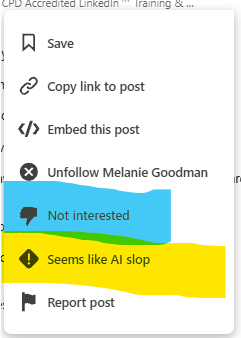
Whereas, we don’t know exactly what happens on Substack, we know from LinkedIn, when you click the post disappears from your feed and you get a confirmation. In my opinion, that’s similar to the “not interested” button.
What the “Seems like AI slop” button does NOT do.
It does not:
❌ Delete the post
❌ Send it to human moderation from LinkedIn
❌ Put a strike on the author’s account
❌ Notify the author that you think it’s AI slop
❌ Automatically downrank the post for everyone else
What the “Seems like AI slop” button DOES do:
The best is we can hear it directly from Chief Product Officer Hari Srinivasan2 as someone pointed me to a few hours back.
He even apologized for not being as transparent as the platform users wanted.
I think that’s AMAZING.
And here’s what he shares: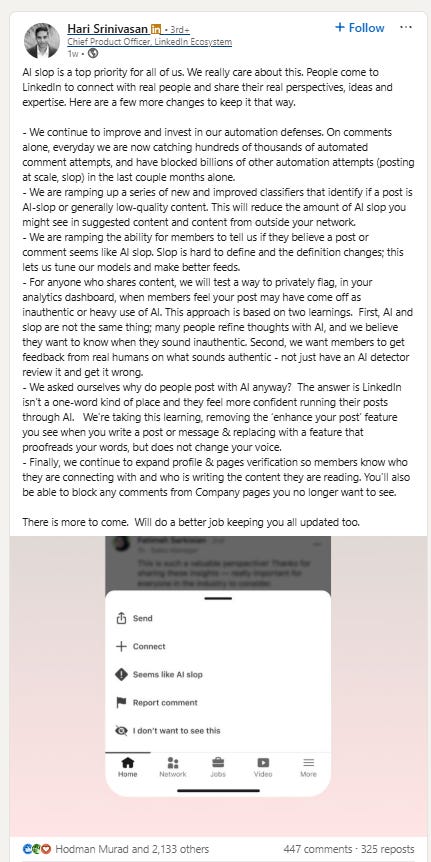
I asked our CTO , AI specialist and compute engineer, he told me the button works as training signal for AI. It’s one input among a series of classifiers LinkedIn is rolling out. Humand inform AI about what they think is “AI slop”.
But what’s AI slop anyway? In my popular post a few days back we talked already about the definition on Substack.
Now Sam Corrao Clanon3, who leads Creator Product, shares its own definition of AI slop in a video not live text (which means you can’t really find it except you’re really searching for his name and the keyword AI slop as it’s not written as live text but only as video, shares Club CTO Patrick with us):
content that looks polished or sophisticated but lacks substance.
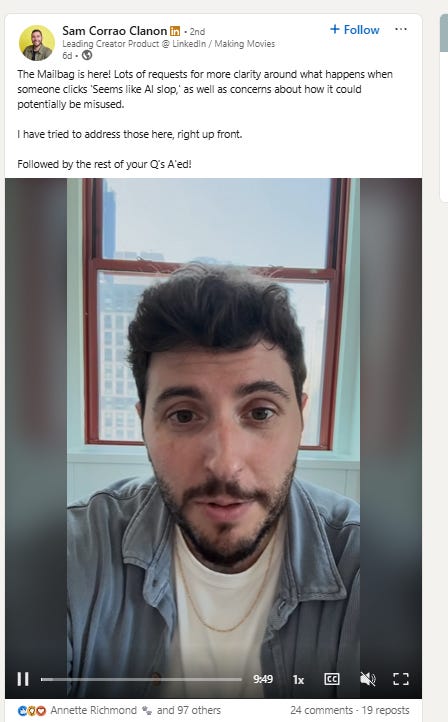
That’s a good definition but it’s not the definition most people pressing the button will use, right?
Also interestingly the “Write with AI” and “Enhance your post” buttons they introduced werde gone once the new button arrived!
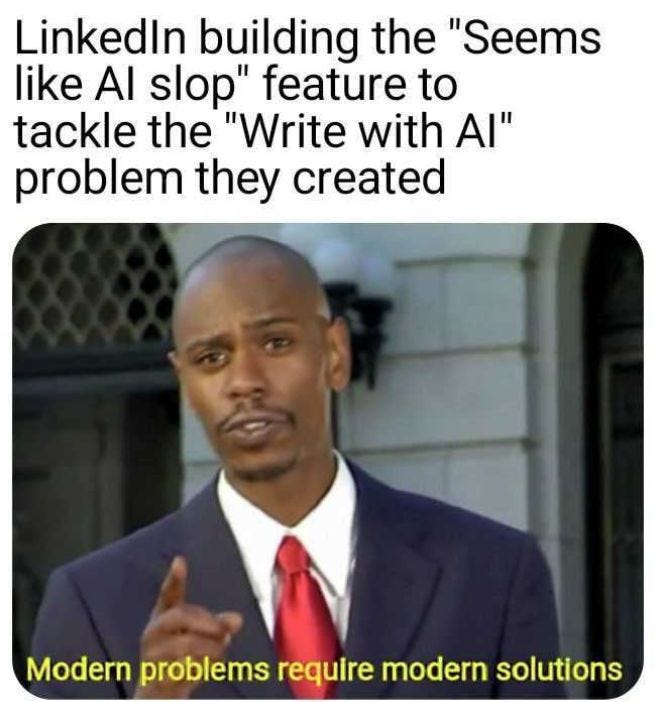
3 things that also came out of CPO’s Srinivasan’s LinkedIn update:
-
A private flag: If LinkedIn’s models read your writing as inauthentic, you’ll see it in your own analytics. But where? Maybe LinkedIn pro or expert can tell us.
-
“Enhance your post” is dead: It’ll be replaced by a limited proofreading function meant to fix grammar without changing your voice. As I’m in Germany/Europe I can’t who yous a screenshot. Maybe you can. I don’t have access yet.
-
It’s (coming to or is already in the) comments which is where the worst automation actually lives and make solopreneur Justin Welsh come to Substackfor a bit. He told me in our conversation he hated all the AI slop in the comments where there are no humans interacting anymore. Meanwhile he quit his paid newsletter on Substack and moved on. Here’s our conversation:
Also, LinkedIn says it blocks:
-
100,000+ automated comment attempts every day
-
billions of automation attempts in recent months
On Pinterest and Medium
Since many of you are using Pins on Pinterest to drive traffic to Substack or their other socials, I wanted to share with you what solo and mo Elan Cain shared:
Pinterest is testing a control that appears while you scroll:
“adjust AI content in your feeds.”
But it’s not a report button which helps you to turn the volume down on AI content in your own feed. Elna shared, there’s no confirmation yet that it becomes permanent.
And how about the place I once called my online writing home, the biggest blogging platform in the world?
Medium already lets you report a long form story or comment as AI slop by clicking the three dots. It calls it “AI-generated”.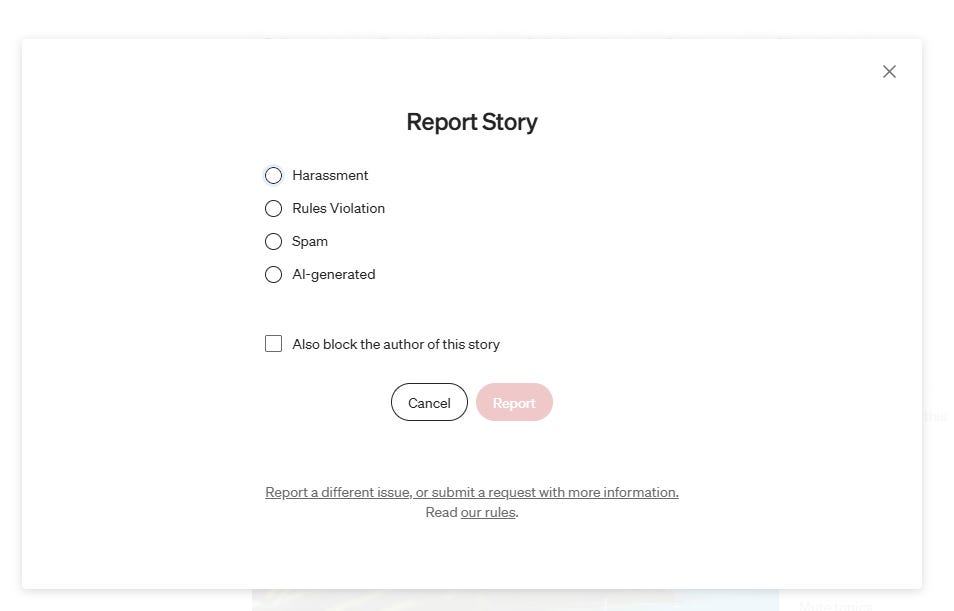
I’m running out of time as I soon will meet you inside today’s LIVE but here are some more thoughts:
What each platform should steal from the others
Substack from LinkedIn:
-
the private, author-facing signal. Tell me what readers thought before it costs me reach. I love that. But again, we have no clue what EXACTLY it means when Pangram says it’s an AI written or assited post or note.
-
Company employees explaining everything and apologizing for not being transparent or open for a chat enough. Would be lovely chatting abou the future of Substack with AI and the updated Publisher Agreement
LinkedIn from Substack:
-
the “How I Make This” disclosure and a written dispute right. Substack put contestability into the Publisher Agreement…if an automated label changes how your work shows up, you can challenge it. LinkedIn has nothing equivalent.
Everyone from Pinterest:
-
a dial beats a verdict. “Less of this” (As it all started on Medium with the “witch hunt” for “meta content” is a healthier instruction than “this writing is fake.”
Substack from its own users users:
-
a publication-level off switch :) as I know it’s annoying to click the button every single time
Comments open
👉🏻Have you scanned yourself and did it get you right?
👉🏻Would you press “Seems like AI slop” on someone’s post?
👉🏻Honestly? Do you want a scan button on LinkedIn, or is that the nightmare scenario?
We meet every Friday at 2 PM Berlin. 1 PM London. 8 AM New York. 5 AM LA.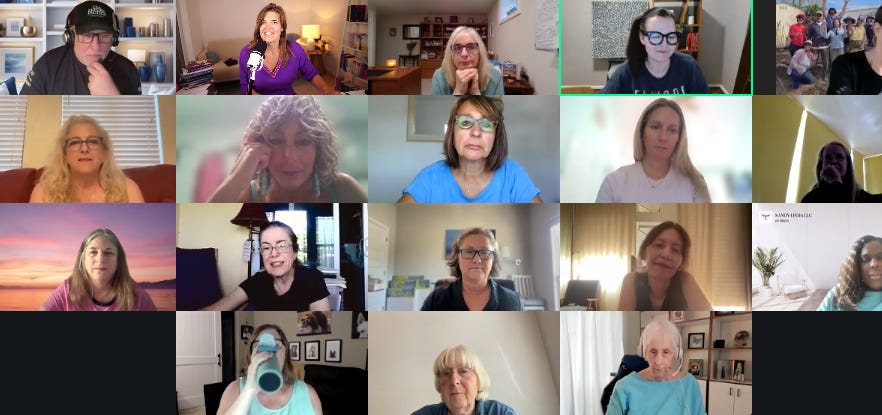
Get access to the Friday LIVE Meetup today and EVERY Friday NOW👇🏻👇🏻👇🏻 for only $70/year
♻️ Restack this so writers and users understand these buttons before they start pressing them. ♻️
Would be lovely to hear from people who spend A LOT of time on LinkedIn like or ! Or as he got even featured in the media re the new SubstackAI detection. Thanks a ton.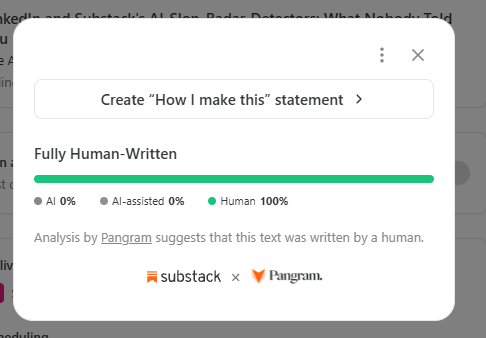
Arianna Huffington on LinkedIn2