How 40+ companies turn usage data into renewals, referrals, and upsells
By Tom Orbach
Published: 2025-10-30
URL: https://www.marketingideas.com/p/why-grammarly-shows-your-word-count
Last week, I got an email from Grammarly that said “26.7 million words analyzed”.
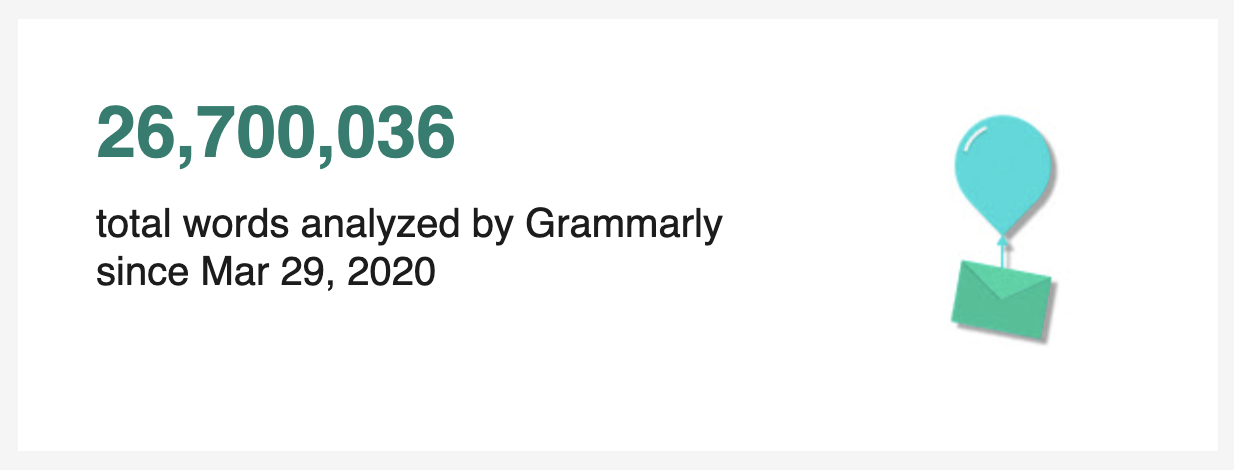
HOLY SH\*T. That’s like writing 300 novels.
I stared at it for a second and thought “damn, I’m actually a writer…”
And right then I realized: I’d never cancel Grammarly (now called Superhuman).
Customers leave if they don’t feel successful ❌
Your customers aren’t leaving because your product sucks.
They’re leaving because they don’t feel successful.
Think about it: Your customer signs up excited → Uses your product for a few weeks → Gets results. But they can’t see it.
Renewal email hits: “Wait, is this actually worth $99/month?”
So they cancel.
Your product didn’t fail - you just never showed them they were winning.
The companies with the best retention rates send ONE email ✅
They show customers how successful they are! They send an email called a ✨ value reminder ✨ and it’s the smartest retention hack I’ve seen.
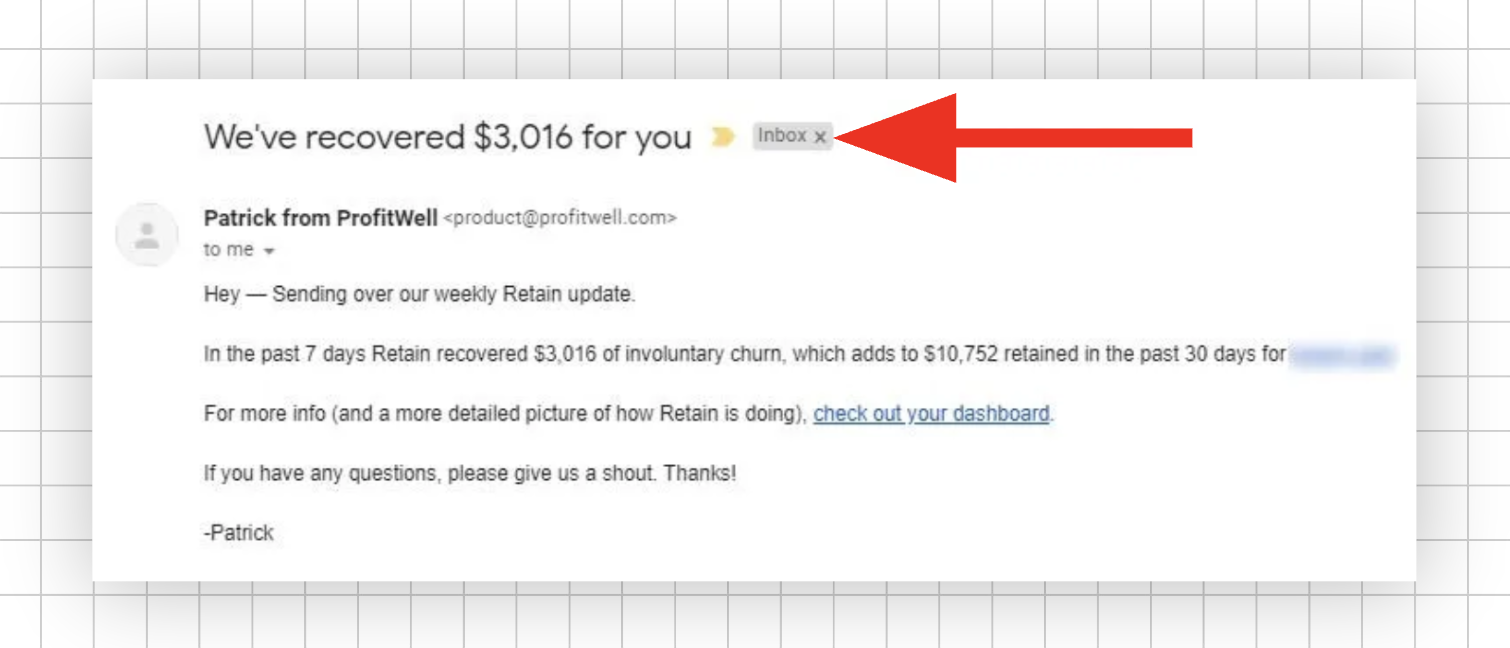
ProfitWell emails me: “$3,016 recovered from failed payments”:
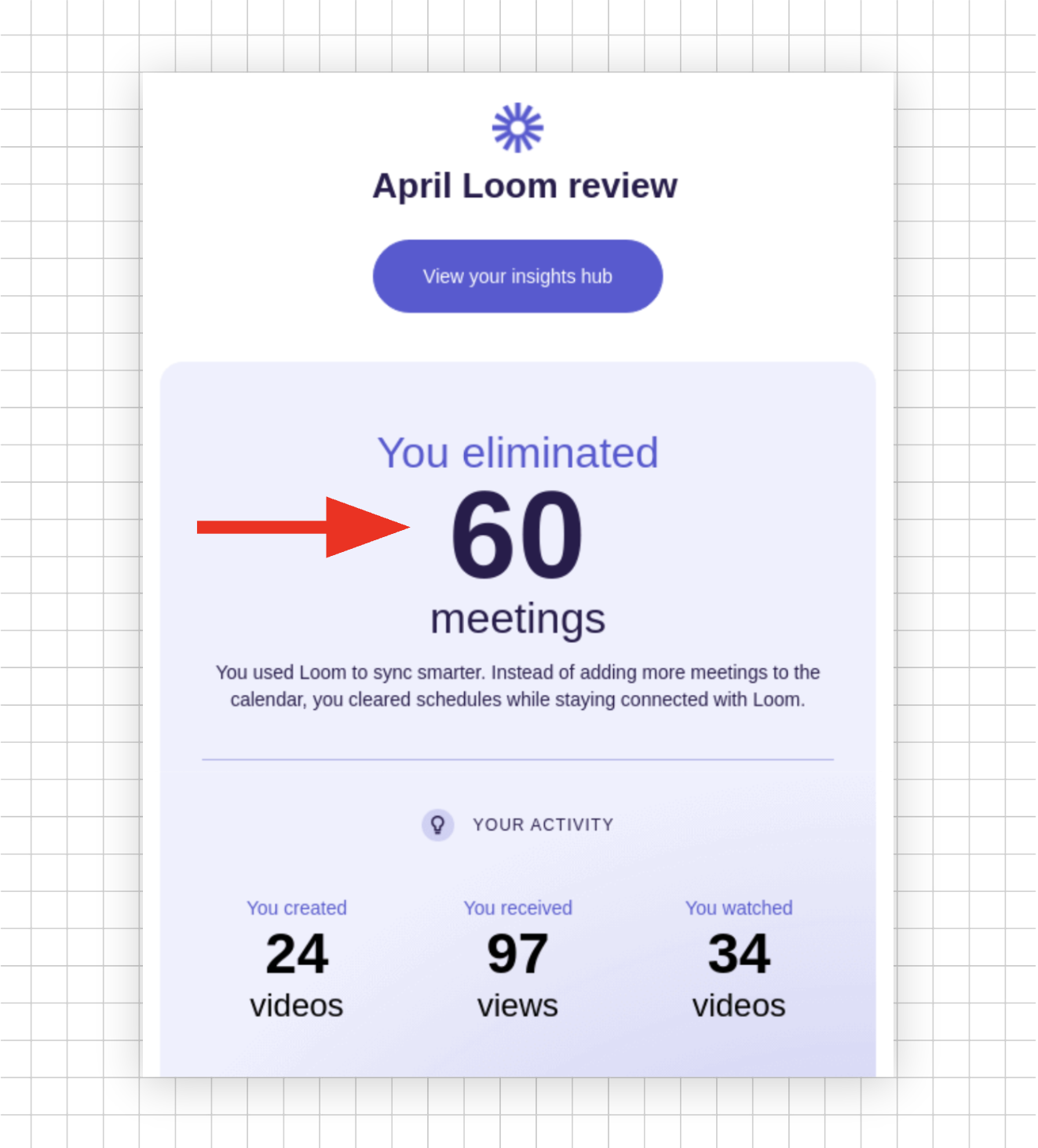
Loom emails me: “You avoided X meetings this month”:
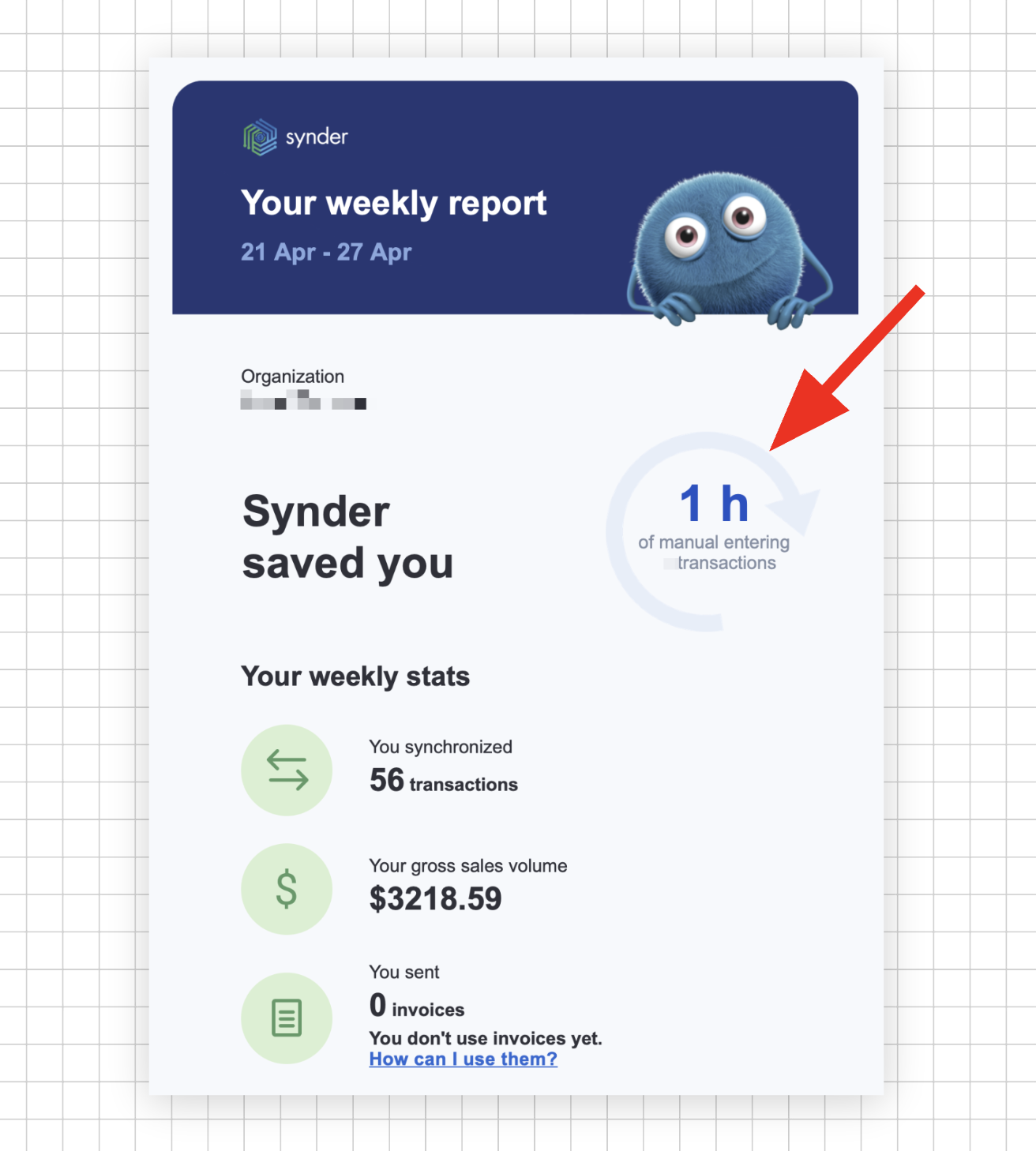
An accounting automation platform called Snyder shows “hours saved”:
See it now?
People don’t buy products (they buy bragging rights) 🙋♀️
If I screenshot “$3,016 recovered” and send it to my team → I look smart.
Someone posts “Avoided 23 meetings with Loom” on LinkedIn. They look productive.
Give your customers proof they made a good decision. They’ll stay forever.
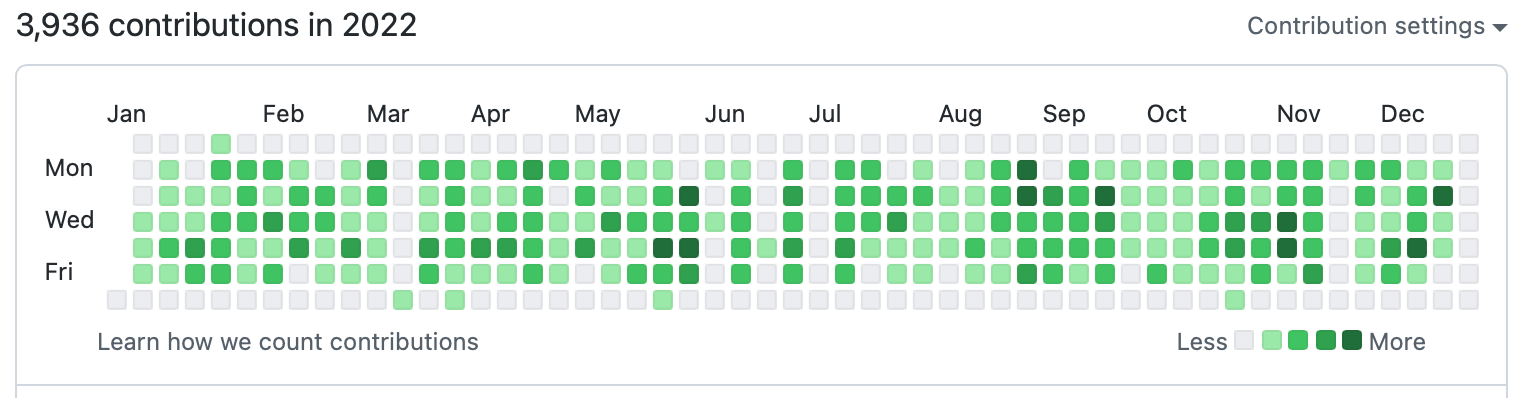
This is why Grammarly shows word counts and GitHub shows contribution streaks. They give users social currency = something worth sharing that makes them look good.
What I’ve learned from 40+ examples 🧠
I’ve torn apart 40+ of these value reminder emails. Found the pattern. The psychology behind it. Which numbers actually work. When to send them.
Most marketers have zero idea this exists.
Here’s what I’ve found:
- 🧠 The psychology trick that makes this work - once you see it, you can’t unsee it
- 📊 The 7 numbers people screenshot and share - I reverse-engineered which metrics end up on LinkedIn
- ⏰ When to send (timing is everything) - get this wrong and nobody opens it
- 🎯 Copy-paste templates that work - you can send them tomorrow
- 📈 How to turn these into upgrades - without being pushy