Tell Claude or ChatGPT your job and it opens the skills, prompts and courses for it. Here is the free link, and the skill that builds yours.
By Gencay
Published: 2026-11-20
URL: https://www.learnwithmeai.com/p/mcp-for-claude
I built 48 Claude Skills over the last 6 months.
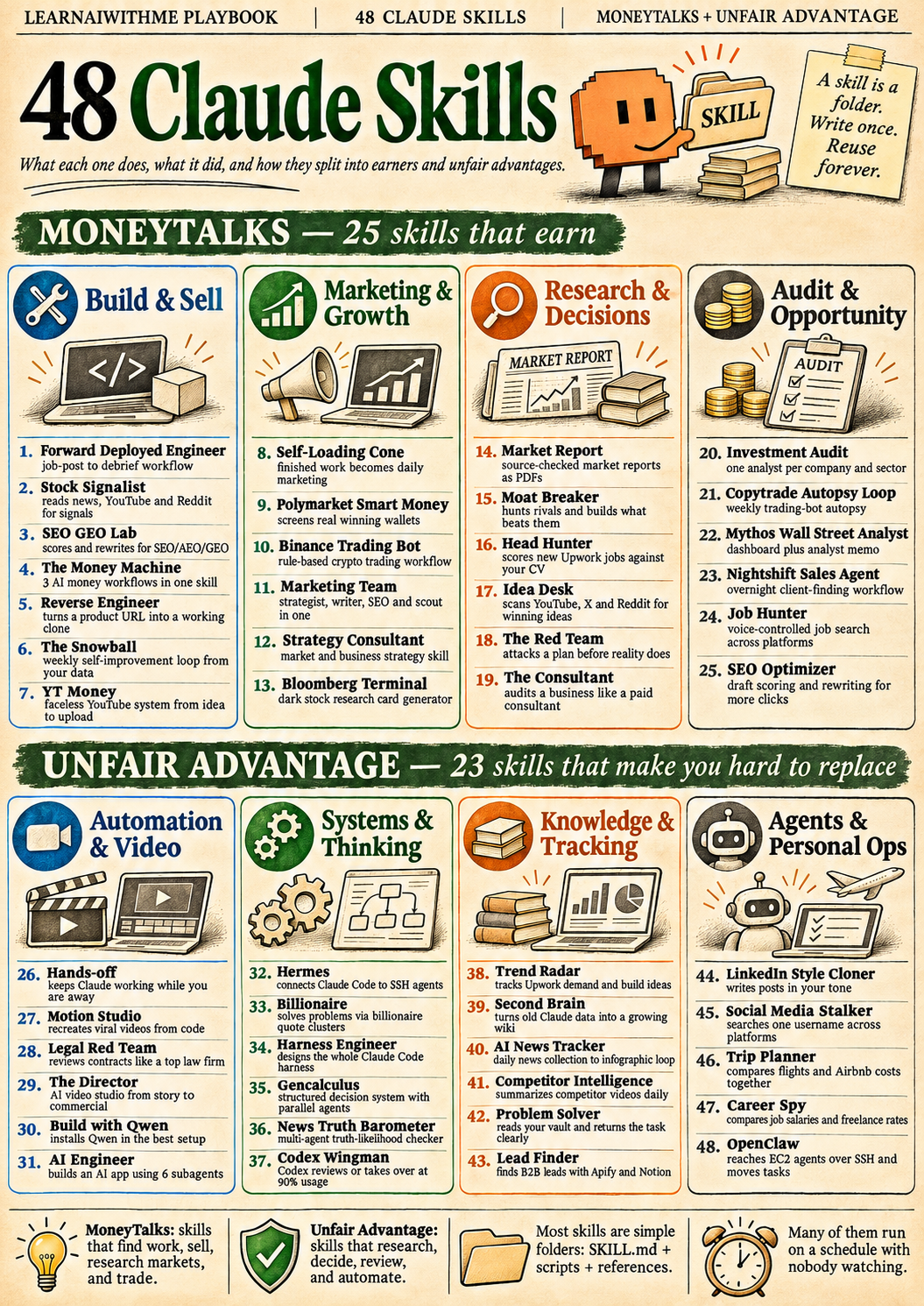
One boosts my SEO clicks 6x in 60 days. Others create motion videos, build entire marketing teams, or launch faceless YouTube channels, all with Claude.
However, even some of my paid subscribers don’t know about most of them.
I needed to fix that, and while looking for solutions, I came across this job post on Upwork.
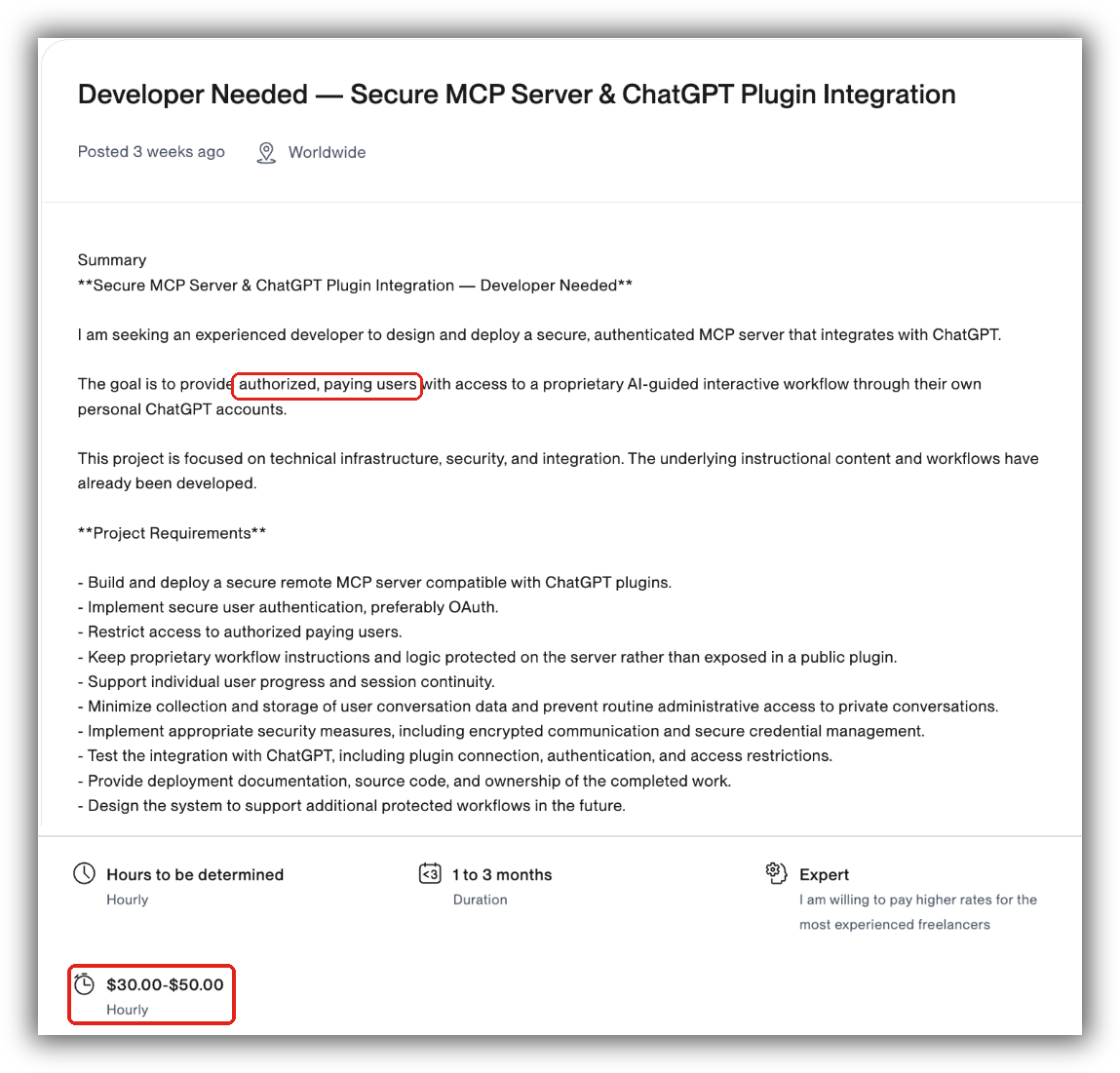
\The posting. Paying users open a private library from their own ChatGPT.\
MCP’s can connect your data through Claude and ChatGPT.
Just add a link to your AI, authorize access, and you’re all set.
This is exactly what I’ve been looking for.
And believe it or not, it took me less than 2 hours to build the LearnAIWithME MCP using Claude.
Now my paid subscribers can access all 56 skills, 1,000+ prompts, loops, and courses right inside Claude Code, ChatGPT, or pretty much any AI agent you use.
What the MCP Looks Like in Claude and ChatGPT
I connected it to Claude and typed one sentence.
Using the LearnAIWithMe connector: I'm a lawyer who reviews contracts. What do you recommend?
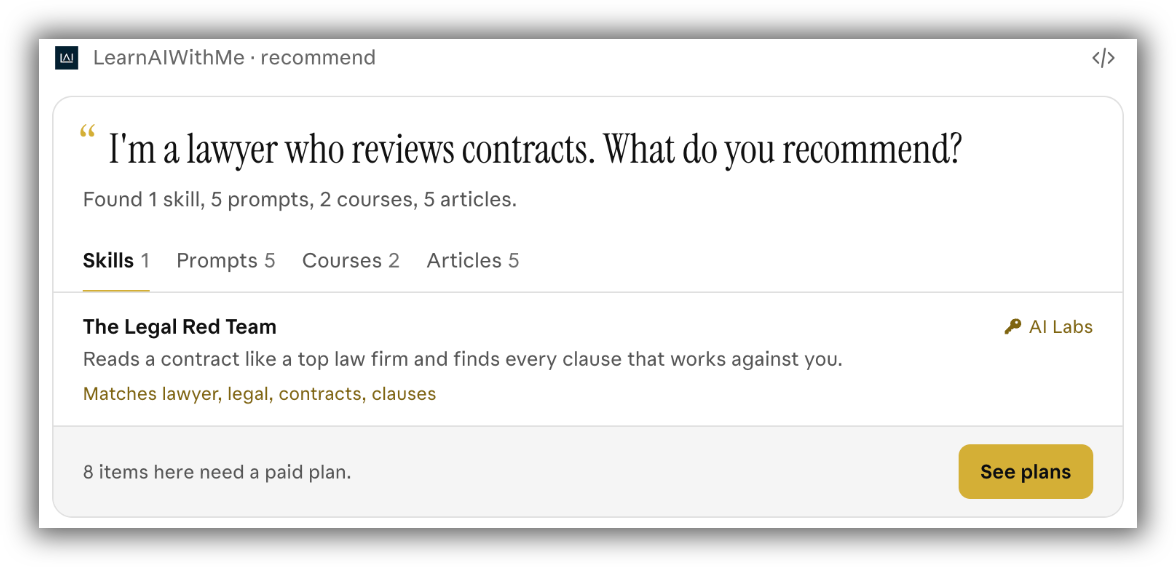
\Inside Claude. One sentence, and the library sorts itself for that person.\
It found 1 skill, 5 prompts, 2 courses, and 5 articles, as clickable cards in the chat.
The skill at the top was The Legal Red Team, and it shows why it came up.
It matched lawyer, legal, contracts, and clauses.
You can say a job, a field, a topic, or a goal.
The agent turns it into search words, and the library answers.
ChatGPT opens the same cards.
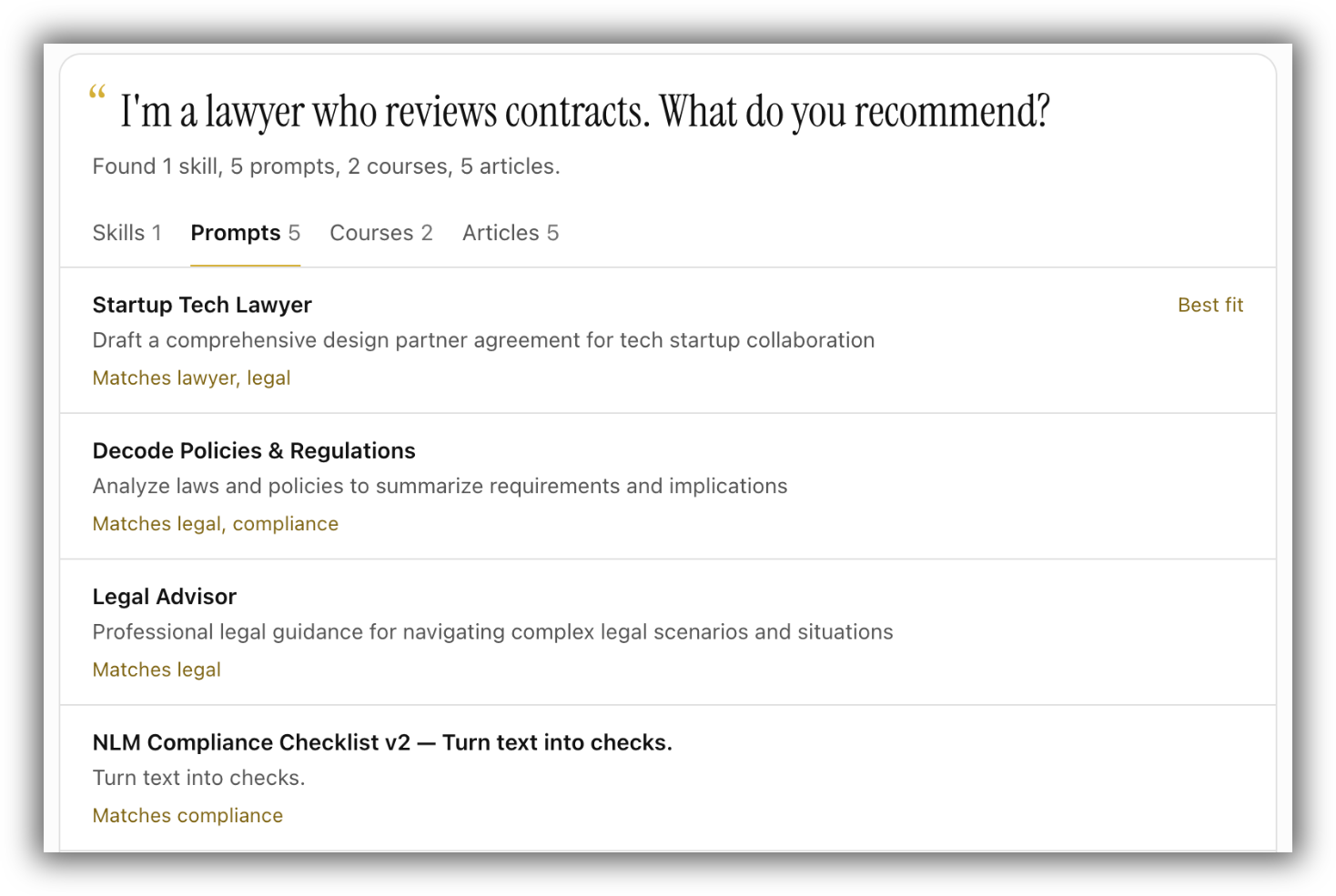
\The same request in ChatGPT.\
Click a prompt, and you get the full text, with one button to run it and one to copy it.
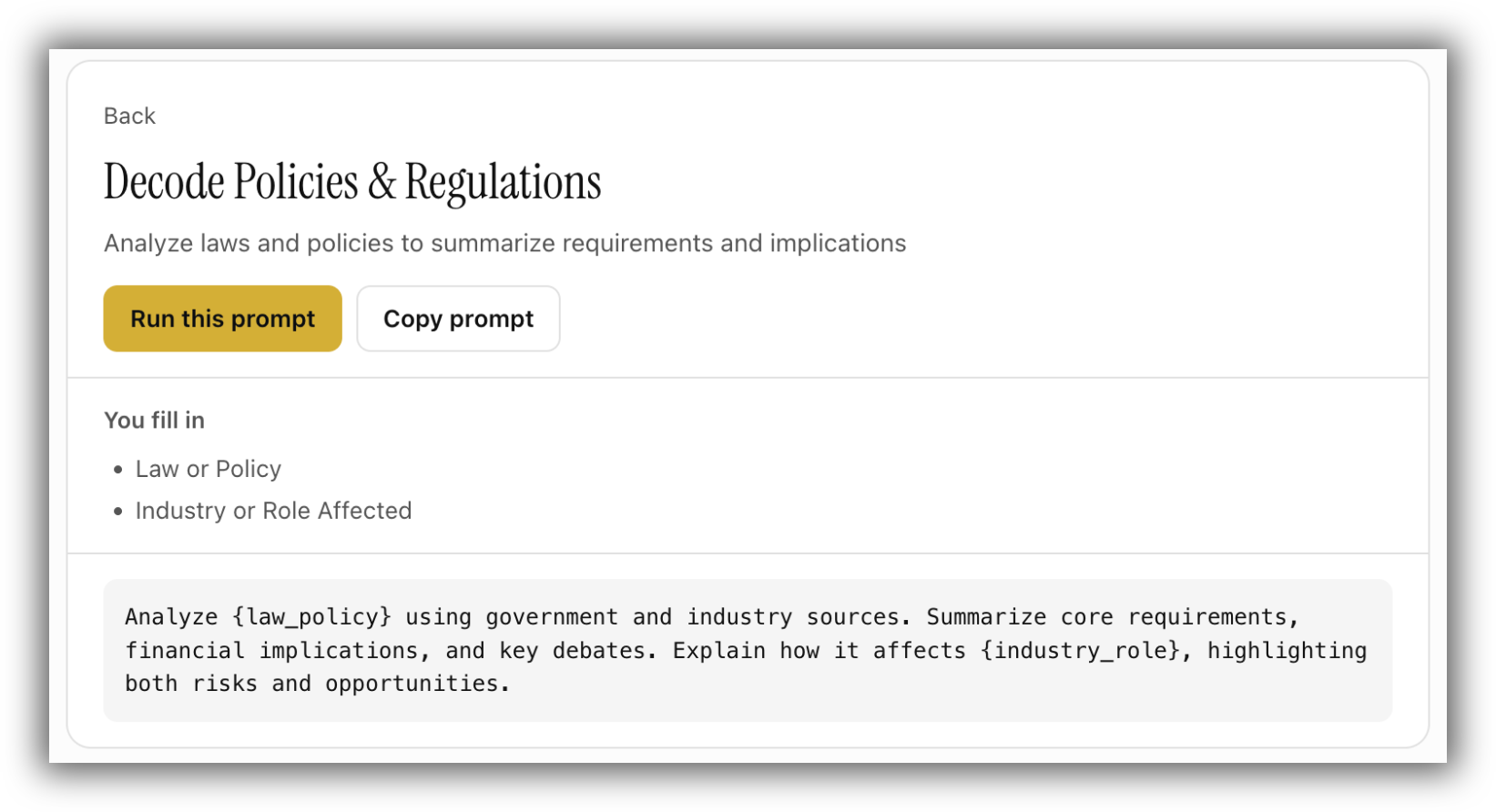
\A prompt opened from the card, right there in the chat.\
Click a skill, and you get what it needs: its ready-made prompts and its files.
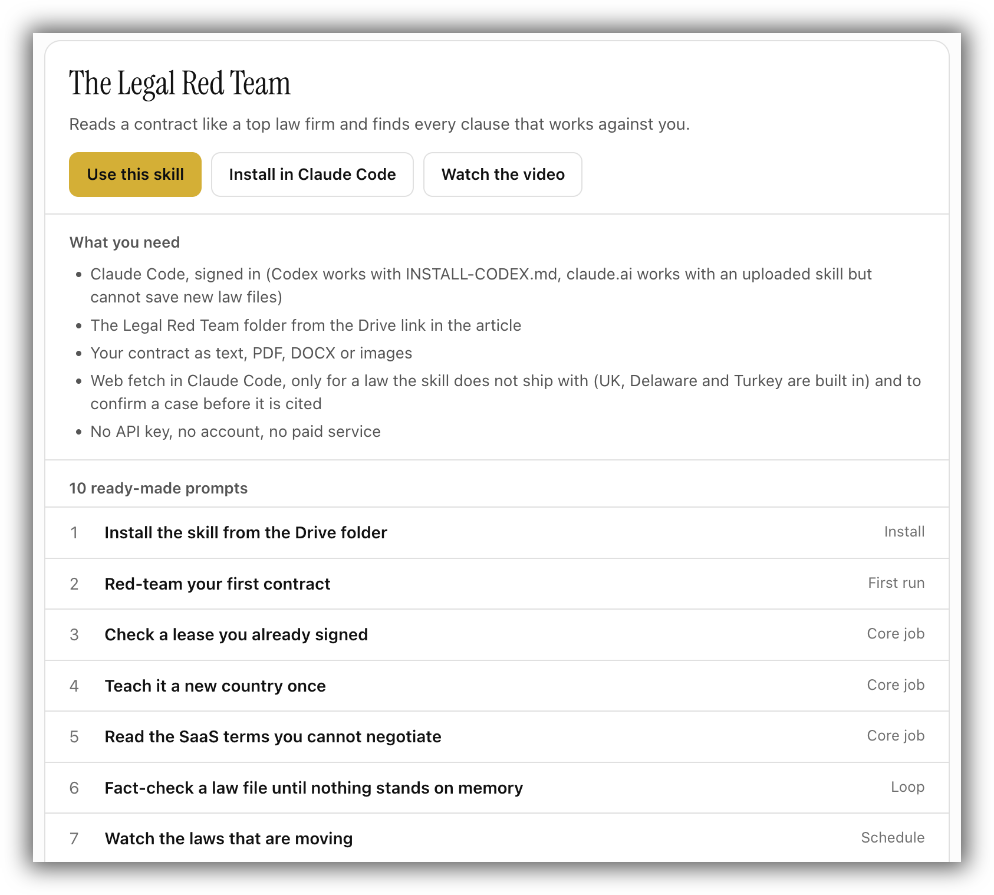
\The Legal Red Team, with 10 ready-made prompts and 14 files.\
I pressed "Use this skill" in ChatGPT.
It loaded the skill into the chat and asked the five intake questions the skill starts with, with nothing to install.
What Is Inside the MCP
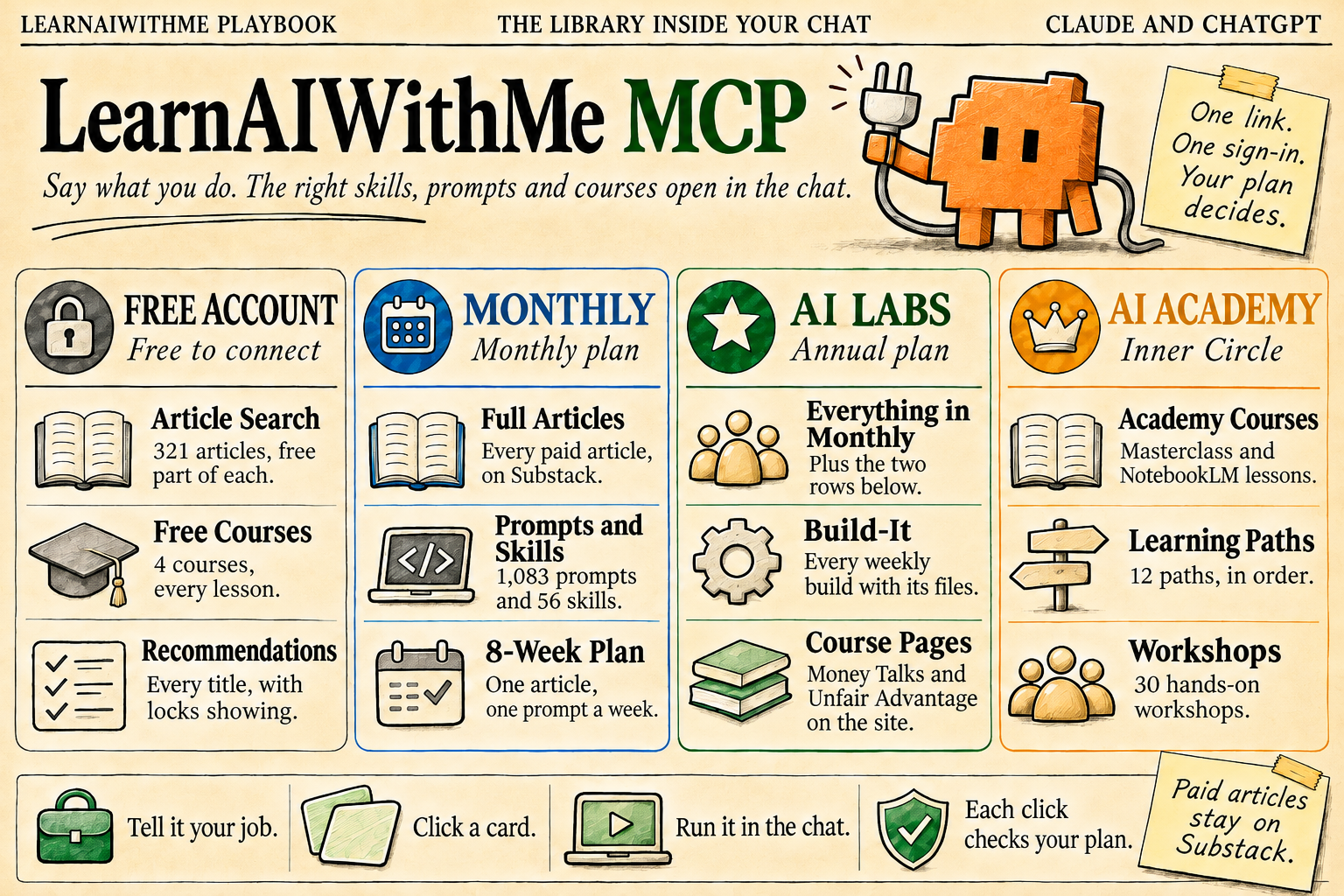
\Everything the connector can reach.\
- 56 Claude skills. The agent suggests the one that fits and runs it with you. You can install it in Claude Code too. Many of them are in this list.
- 1,083 prompts. Search by topic, then run or copy.
- An 8-week plan. Tell it your goal, and you get one article and one prompt a week. In a new chat, ask what to do this week, and it opens your plan.
- 14 courses, including the Claude Code course. Lesson titles stay readable on every plan.
- Learning paths and workshops, with the order to take them in.
- 321 articles. New posts show up on their own.
Paid articles stay on Substack.
The connector gives your agent the free part and the link, whatever your plan is.
What Opens on Which Plan
- Free account. Article search, the free part of each article, 4 free courses and the titles of everything else.
- Monthly. Every full article on Substack, every prompt, every skill and the 8-week plan.
- AI Labs (annual plan). All of that, plus the prompts & loops.
- AI Academy (Inner Circle). All of that, plus the Academy courses, learning paths, and workshops.
A free account still gets the recommendation.
The locked rows name the plan that opens them.
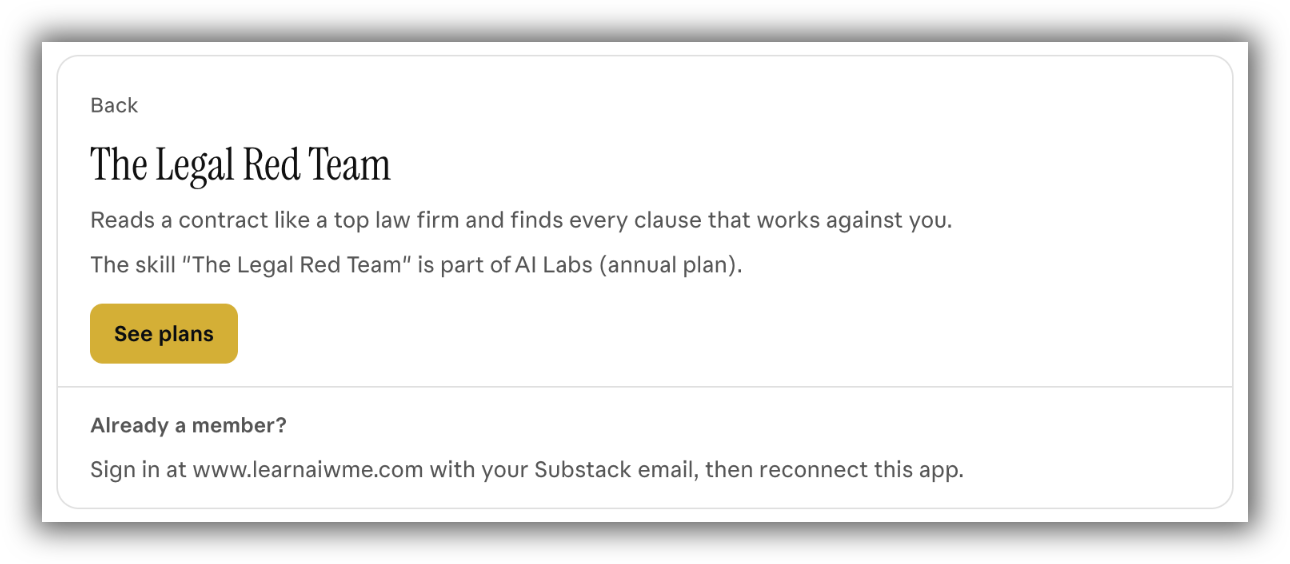
\What a free account sees when it opens a locked skill.\
Each click checks your plan again.
I tested it with a free account in Claude and asked for a paid skill file by name.
It came back locked, with no text.
(The monthly plan is $15. Until December 1, the annual plan with AI Labs is $100 a year and Inner Circle with AI Academy is $200. See the plans.)
How Do You Connect the MCP?
Here is the link.
https://www.learnaiwme.com/mcp
If you are a paid member, sign in to the vault with the email you pay with.
That email is how it finds your plan.
In Claude:
- Open Customize, then Connectors.
- Click Add, then Add custom connector.
- Name it LearnAIWithMe, add the link, and click Continue.
- Leave the options as they are, then click Add.
- Click Connect and allow access.
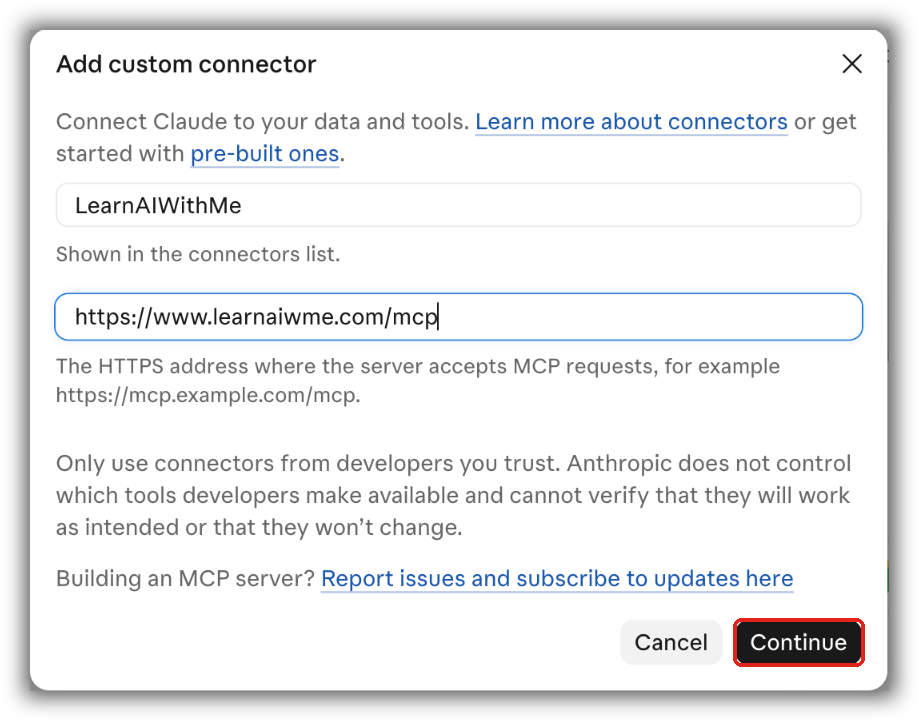
\Name it, add the link, and Claude finds the sign-in settings by itself.\
In ChatGPT:
- Open chatgpt.com/plugins.
- Click Add, then Add custom MCP server.
- Name it LearnAIWithMe and add the link.
- Tick the risk line and click Create as a plugin.
- Click Connect and allow access.
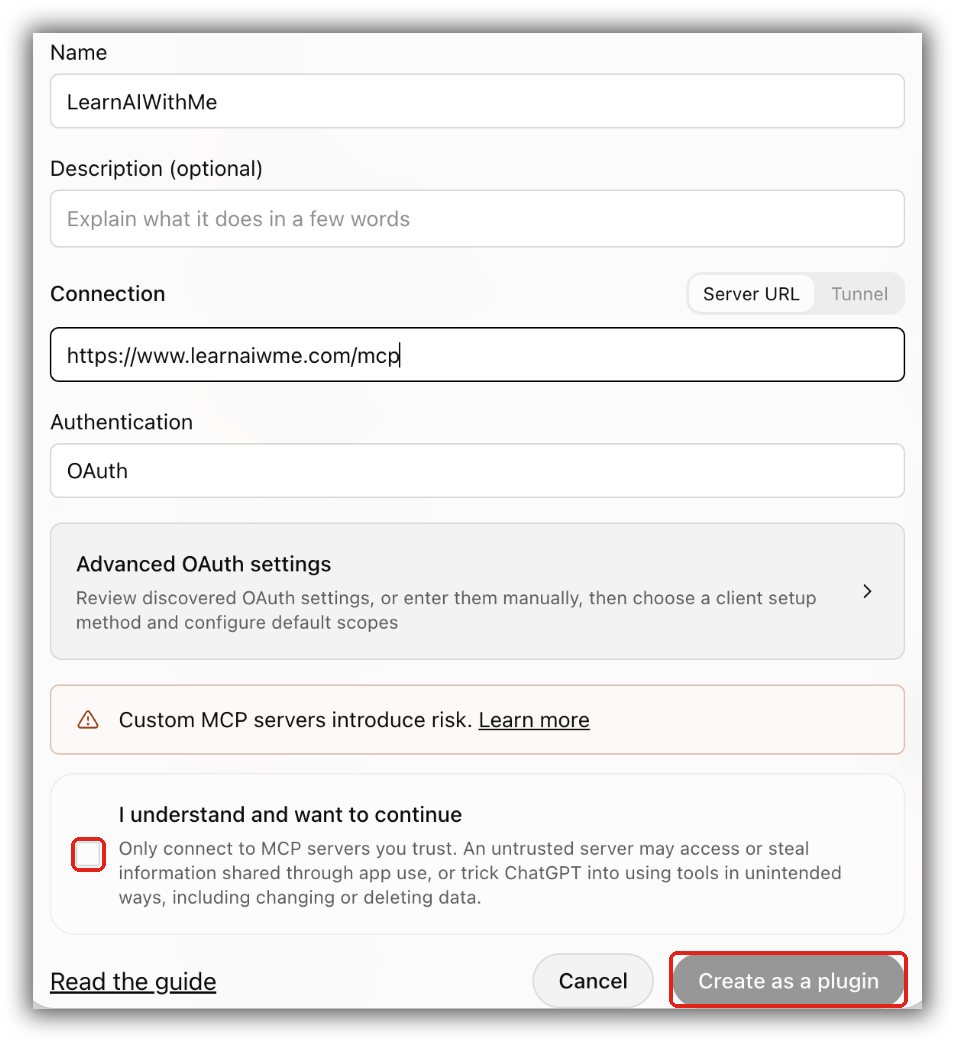
\ChatGPT warns you about custom servers, so read the line before you tick it.\
Then use one of these prompts.
Using LearnAIWithMe, I run marketing for a small SaaS. What do you recommend?
Using LearnAIWithMe, which course should I start with for NotebookLM?
Open The Legal Red Team skill from LearnAIWithMe and run it with me.
MCP Builder, the Skill I Built on the Way
The connector took a couple of hours.
I hit every wall once.
So, I packed the build into a skill called MCP Builder, which asks 5 questions about your library, builds the connector on your site, tests every plan, and walks you through going live.
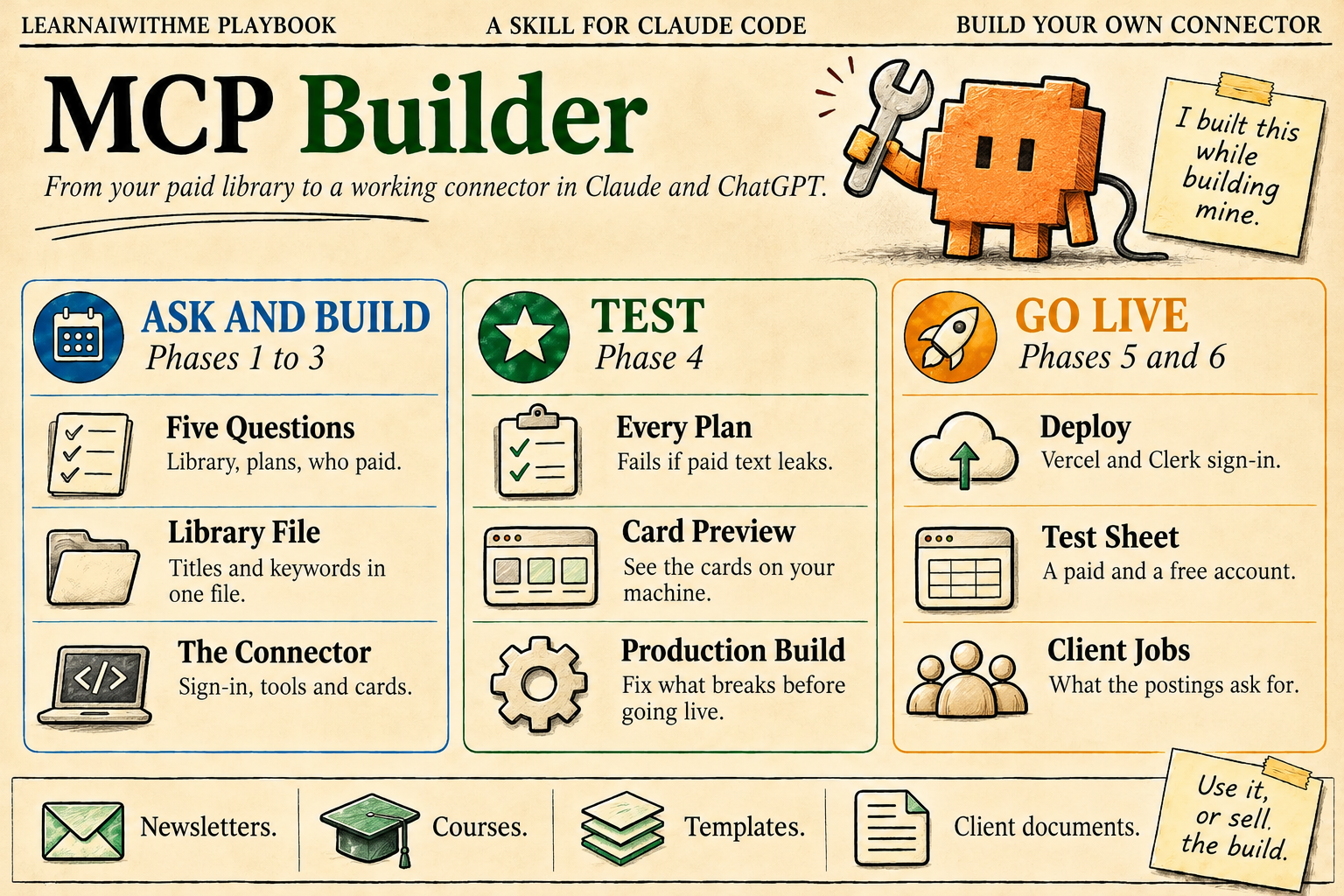
\MCP Builder, from your library to a working connector.\
How to make money from building MCP?
If you sell a newsletter, a course, templates, or client documents, it builds your version.
If you sell your time, it is the job from the top of this article.
Another posting on Upwork wants an MCP developer at $30 to $50 an hour, full-time, for 3 to 6 months.
After the paywall, you get MCP Builder, what broke in my build, and how to answer that job's screening questions.