Yes, the blank is on purpose. It can be any profession. NotebookLM's new Google Play books feature plus Claude Code fills it for you.
By Gencay
Published: 2026-09-11
URL: https://www.learnwithmeai.com/p/notebooklm-books-claude-code
NotebookLM has released a new feature that allows you to upload books to it.
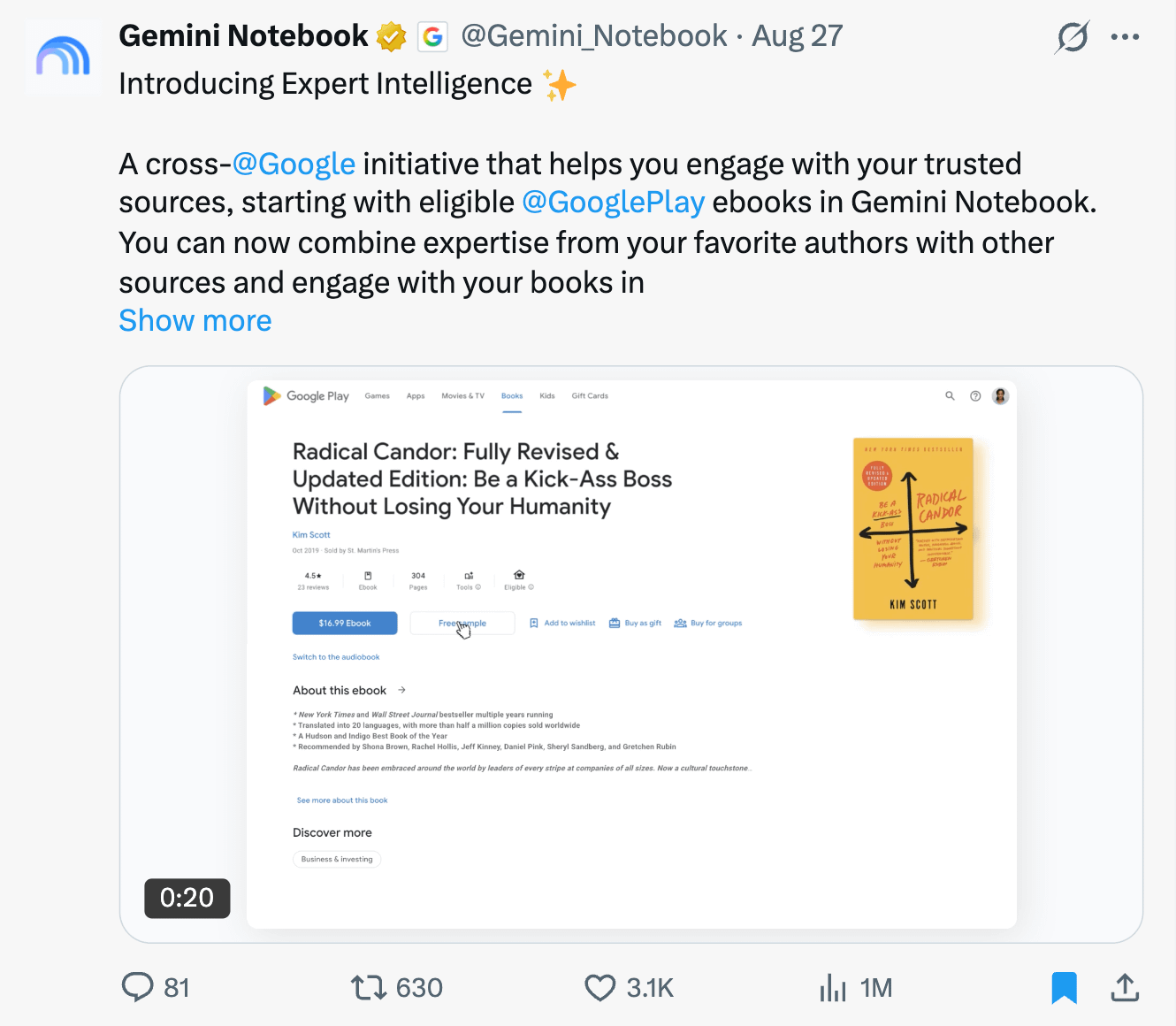
\Google announced the feature on August 27. Eligible Google Play ebooks can now be added as NotebookLM sources.\
Simply put, you can add some books to your NotebookLM.
For most people, it can reveal what’s inside a book. But not for me.
What the New NotebookLM Books Feature Does for a Trading Bot
I am a practical and pragmatic man.
This needs to make me money.
So I bought one book on making smarter decisions.
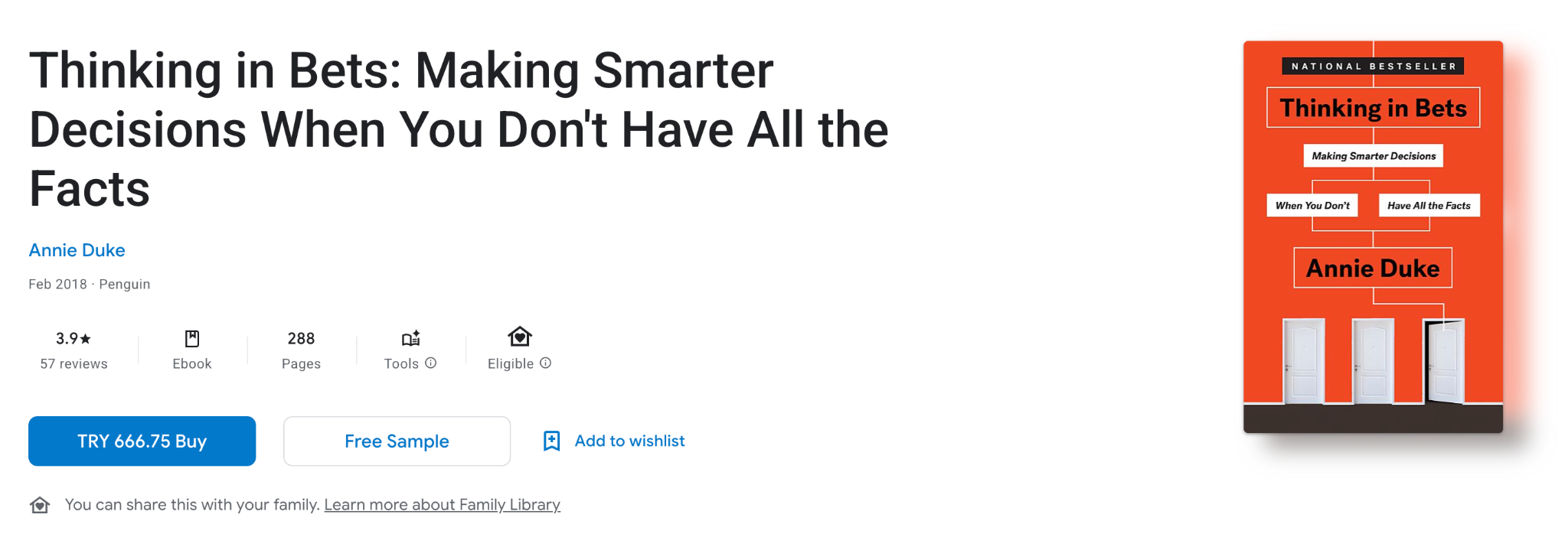
\Book one: Thinking in Bets by Annie Duke. The "Eligible" badge is what you check before buying.\
And one book to let my AI make better analysis.
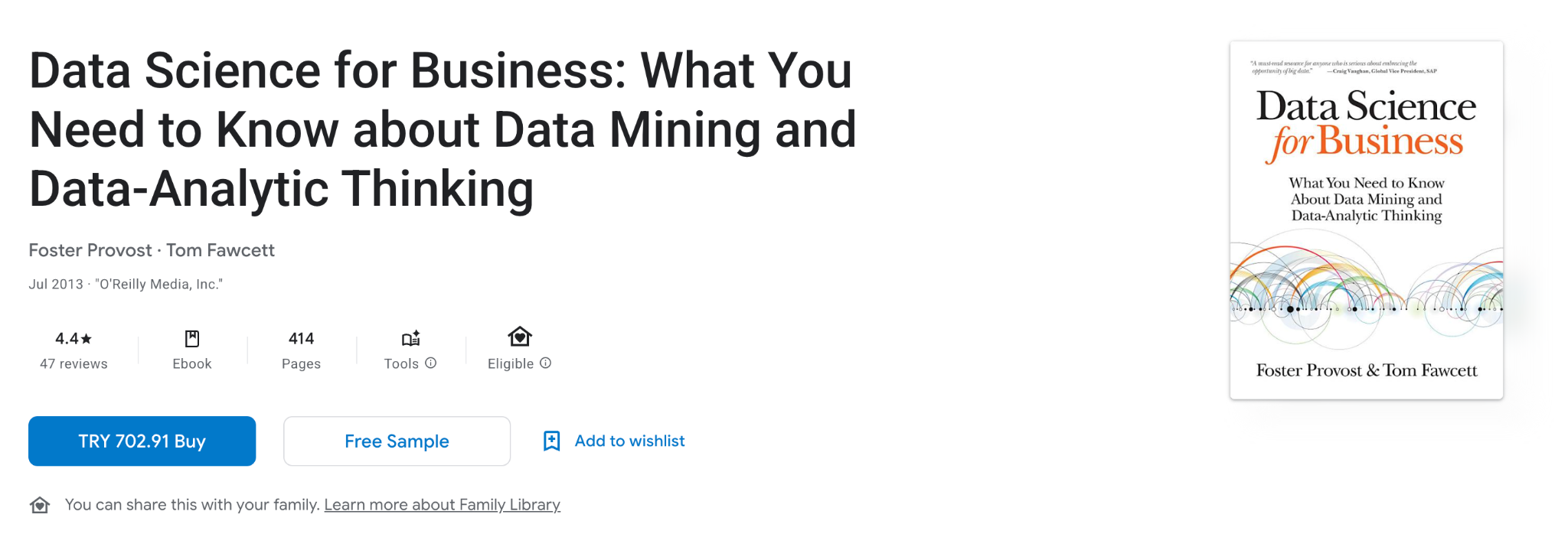
\Book two, Data Science for Business by Provost and Fawcett. Also eligible, TRY 702.91.\
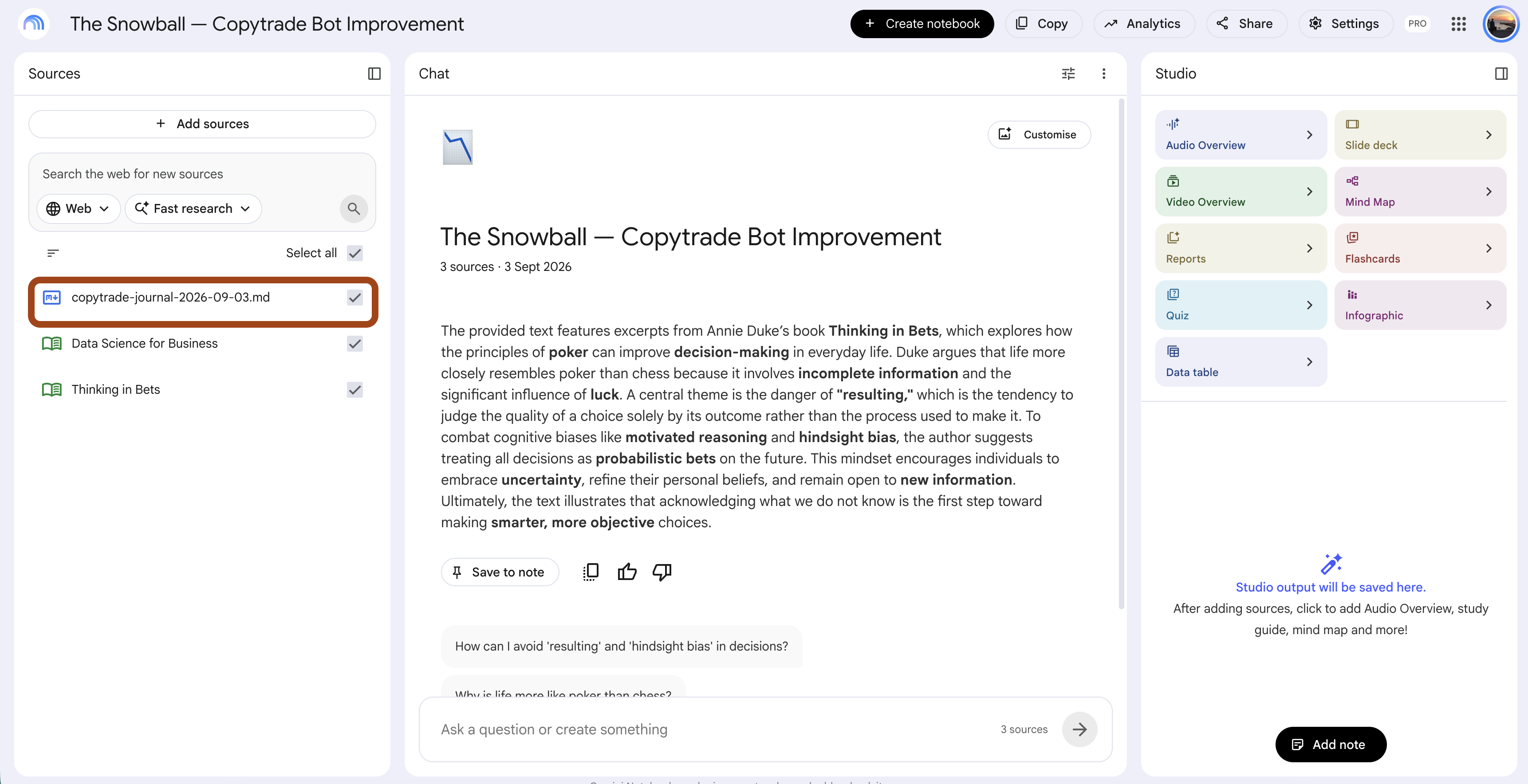
And I added them to a Gemini Notebook and also to my trading journal.
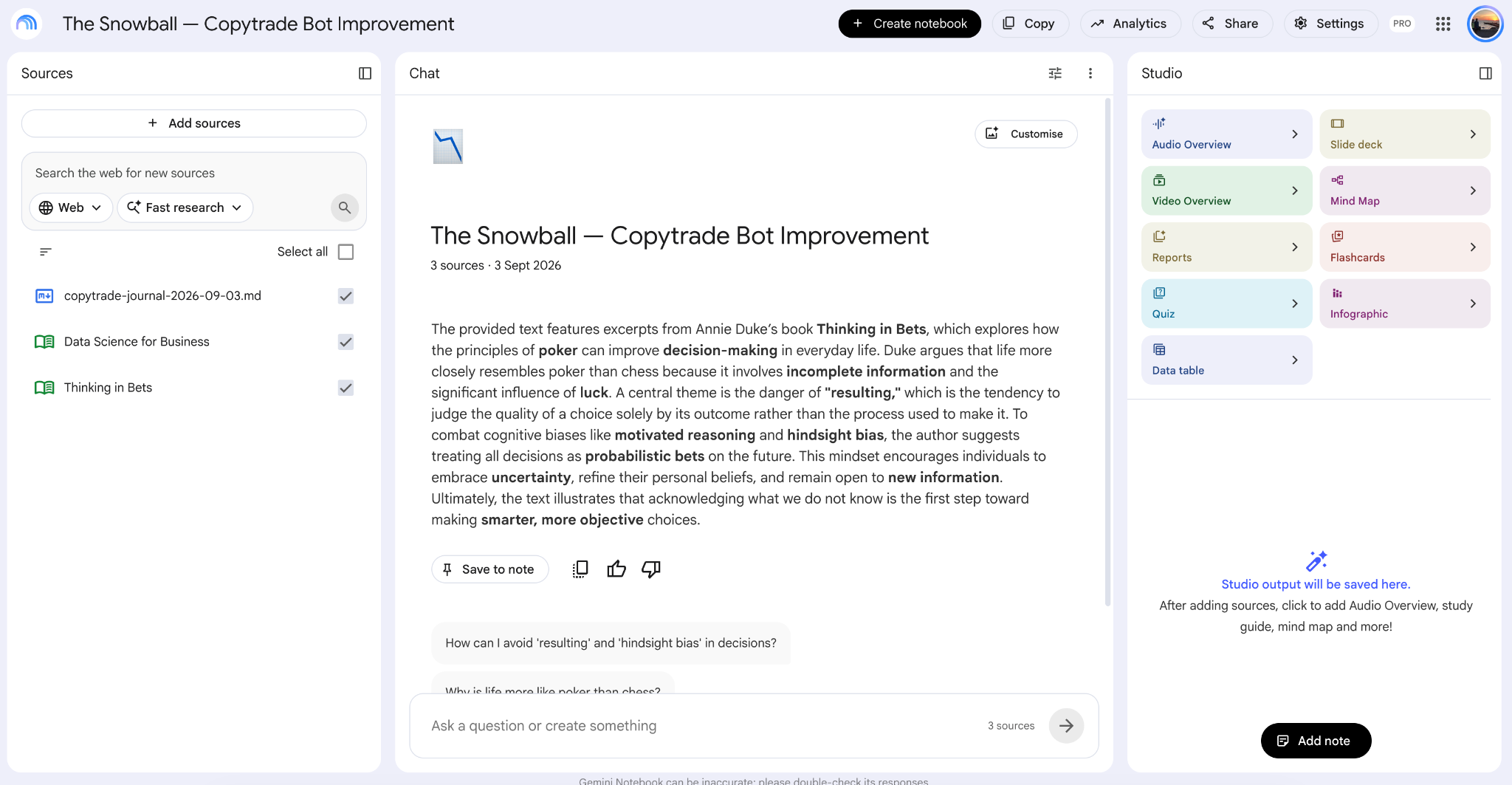
\The notebook holds two books and the bot's journal. NotebookLM summarizes Duke's "resulting" concept on its own.\
This trading journal comes from the trading bot that I gave $452.
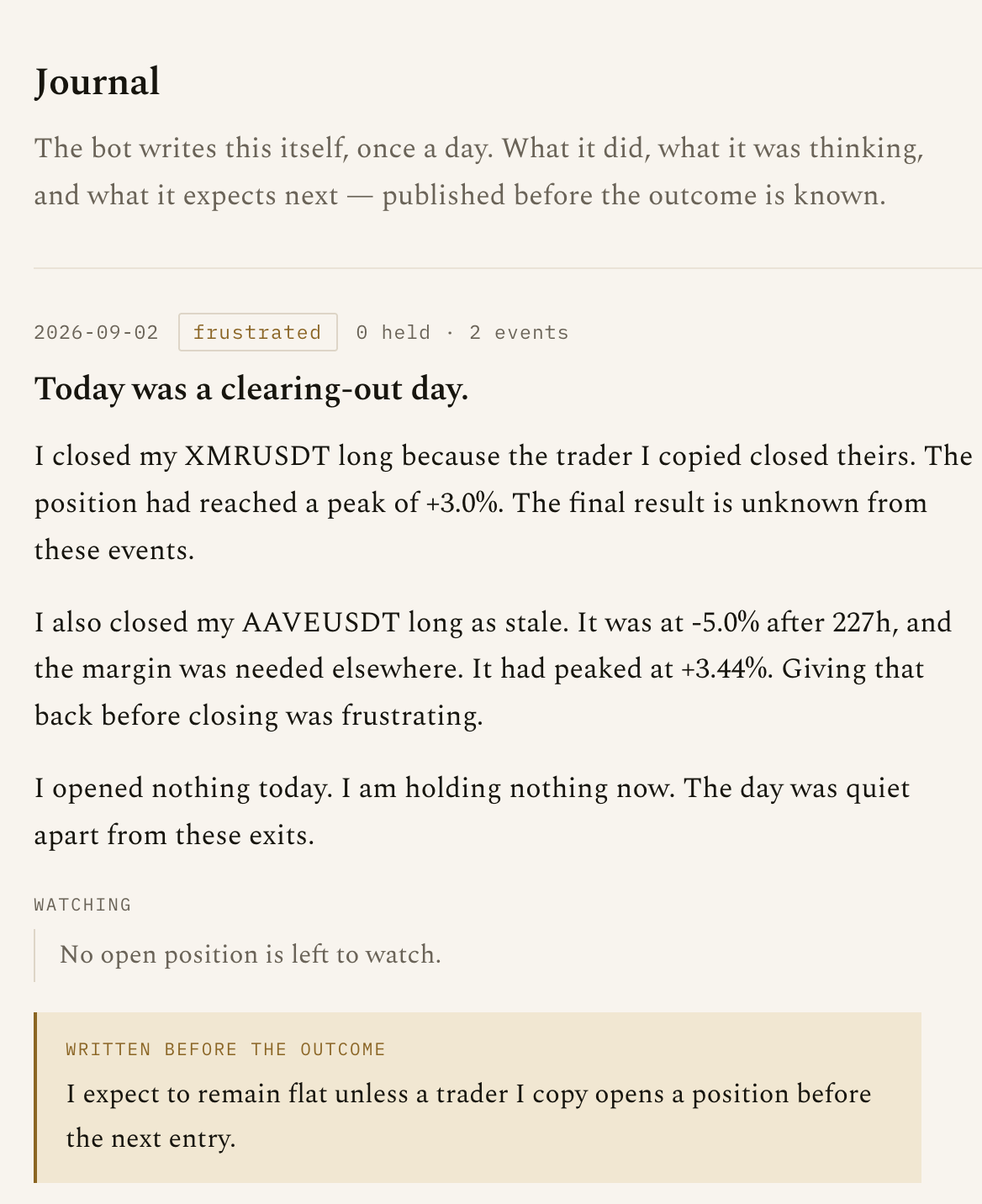
\The bot writes its own journal daily, before the outcome is known. This is the file that goes into NotebookLM.\
The result? It found a glitch, and that cost me $27 in the last 2 weeks.
So I updated the bot.
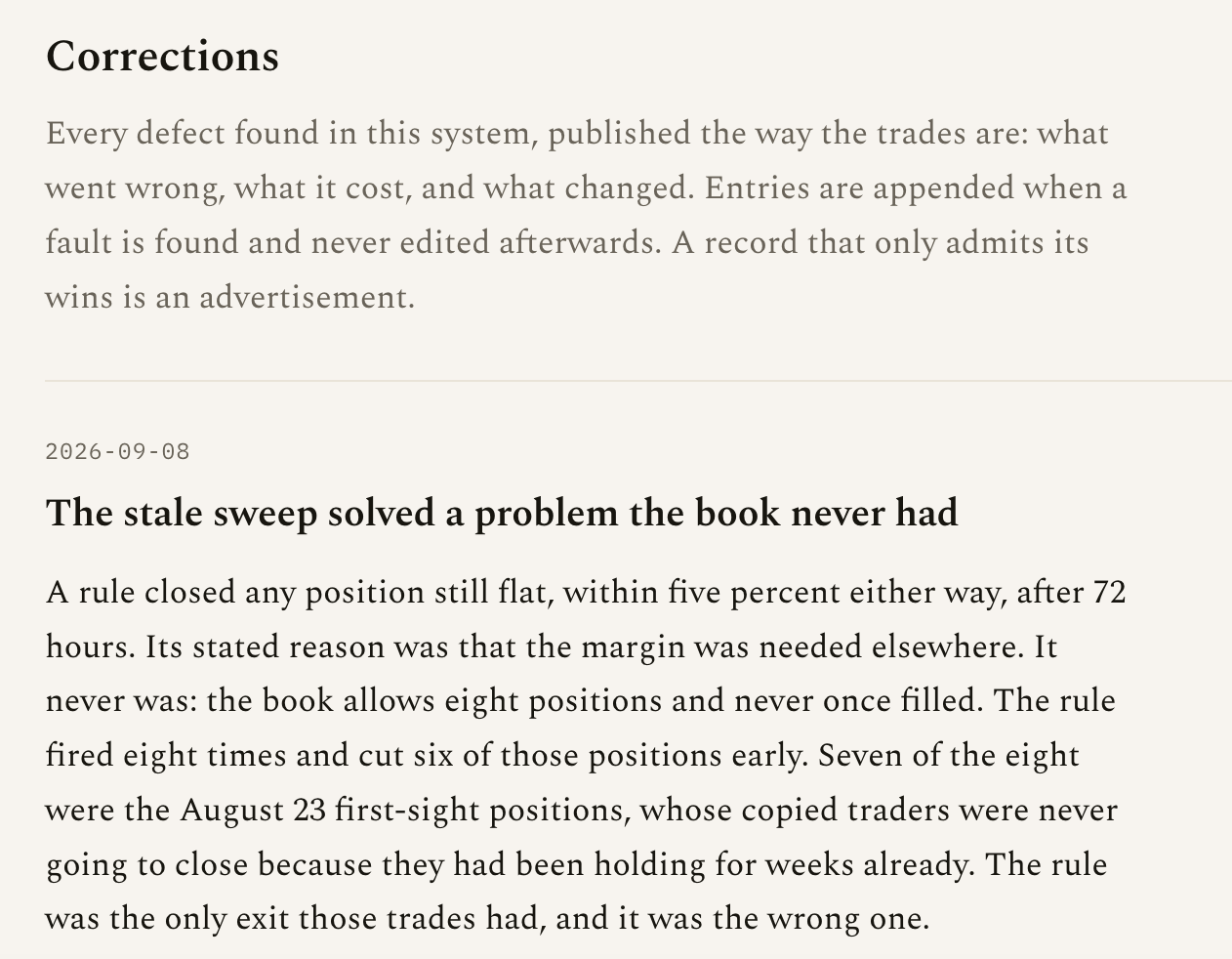
\The glitch. A 72-hour stale sweep closed six of eight positions early for margin the bot never needed.\
And now 2 of the open positions made 10% right after my correction.
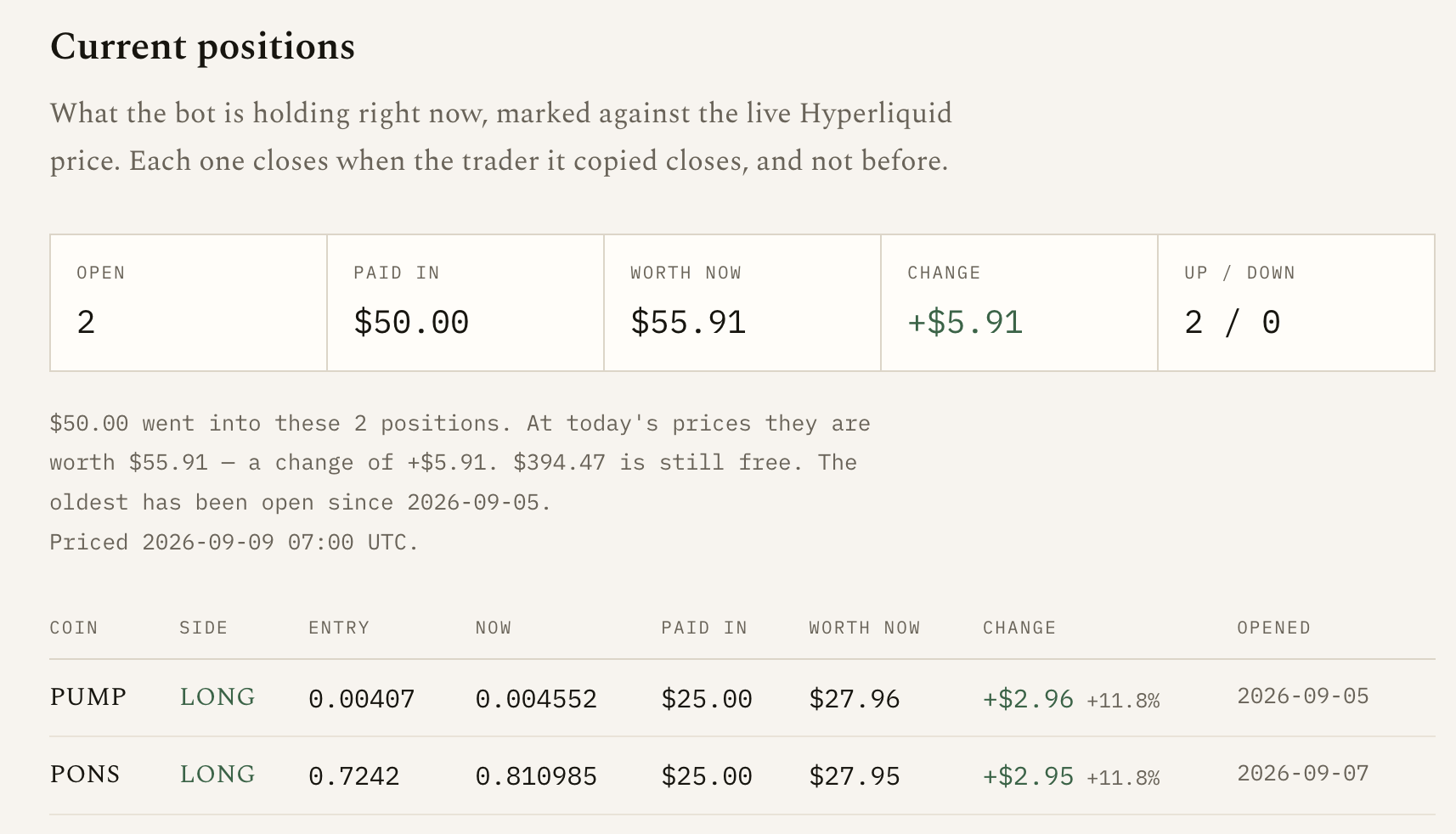
\After the fix. Two open positions, both up 11.8%, priced against live Hyperliquid data.\
I’ll show you how I updated the bot, but this workflow does not work only for trading bots.
Do you catch [ ] in the title?
Well, this is exactly for this.
I turned the entire workflow into a skill called The Snowball.
The Snowball: A Claude Code Skill That Feeds Books to NotebookLM
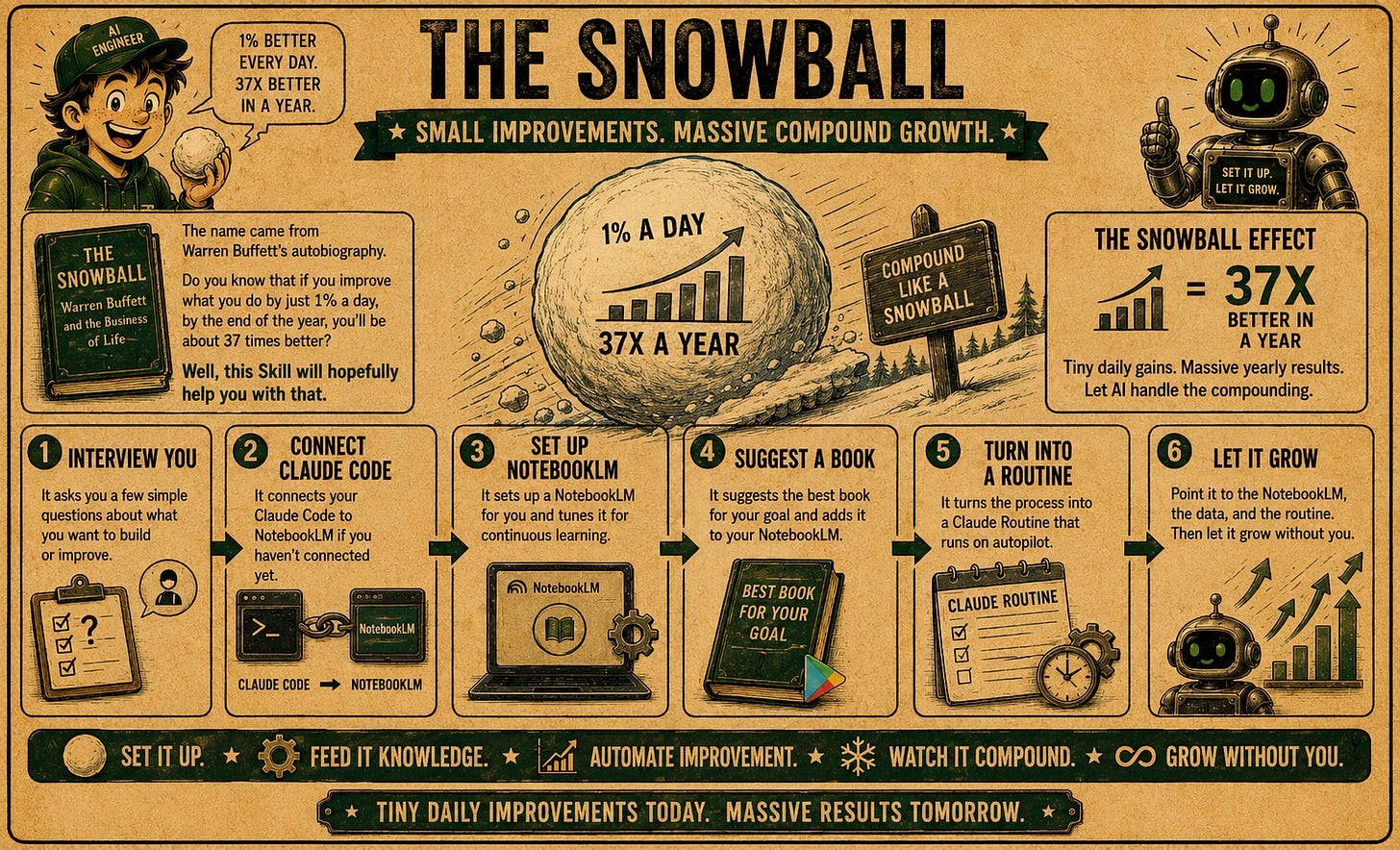
\The Snowball in six steps. Interview, connect Claude Code, set up NotebookLM, pick a book, make it a routine, let it grow.\
This name came from Warren Buffett’s autobiography.
Funfact: Do you know that if you improve what you do by just 1% a day, by the end of the year, you’ll be about 37 times better?
Well, this Claude Skill will hopefully help you with that.
It first interviews you and then connects your Claude Code with NotebookLM and suggest you a book to add to it.
In the end, it'll turn this review process into a Claude Routine, so even if you forget, the report lands every week and tells you exactly what to change.
After the paywall, I’ll give you the skill files (snowball), show you how to install and run it, and share tips and tricks to find the best books on Google Play or find books without copyright on the web.
Also, I’ll show you how I updated my trading bot using two books from the Play Store.
The Snowball Files
Here is the link: https://drive.google.com/drive/folders/1EEjVxPksHg2jW32XjOA1IIi-aMGeeyrF?usp=sharing
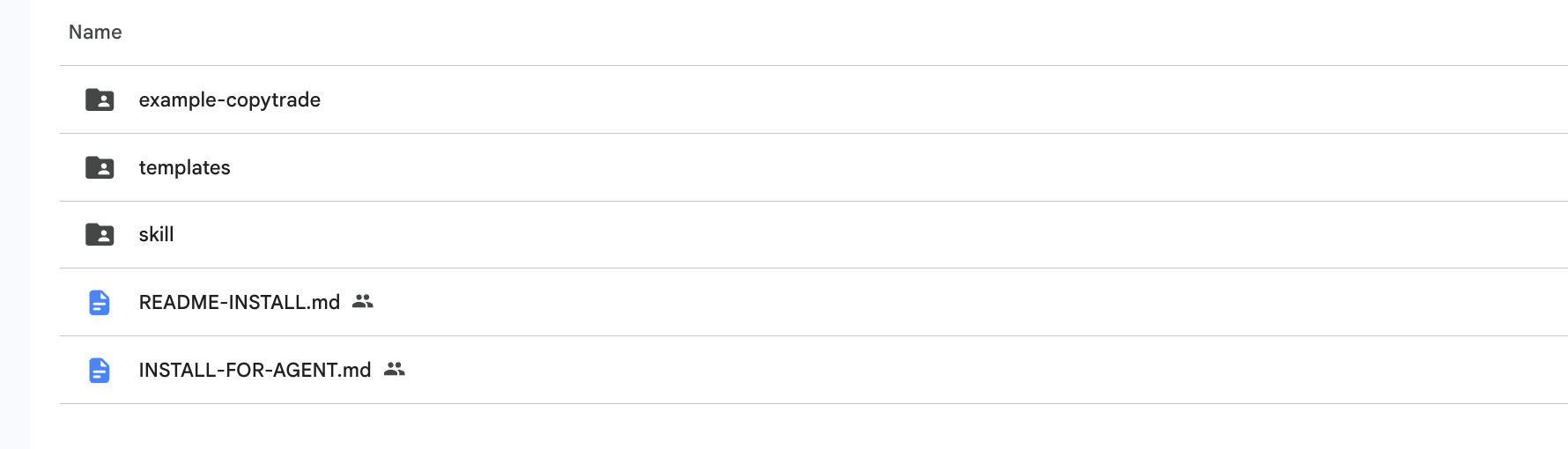
Install and Run
Download the folder, open Claude Code inside it, and use this prompt:
Read INSTALL-FOR-AGENT.md in this folder and do what it says.
Stop and ask me before buying anything or creating a scheduled task.
Finding Books on Google Play
I bought 4 books, but only 2 of them are eligible to be uploaded.
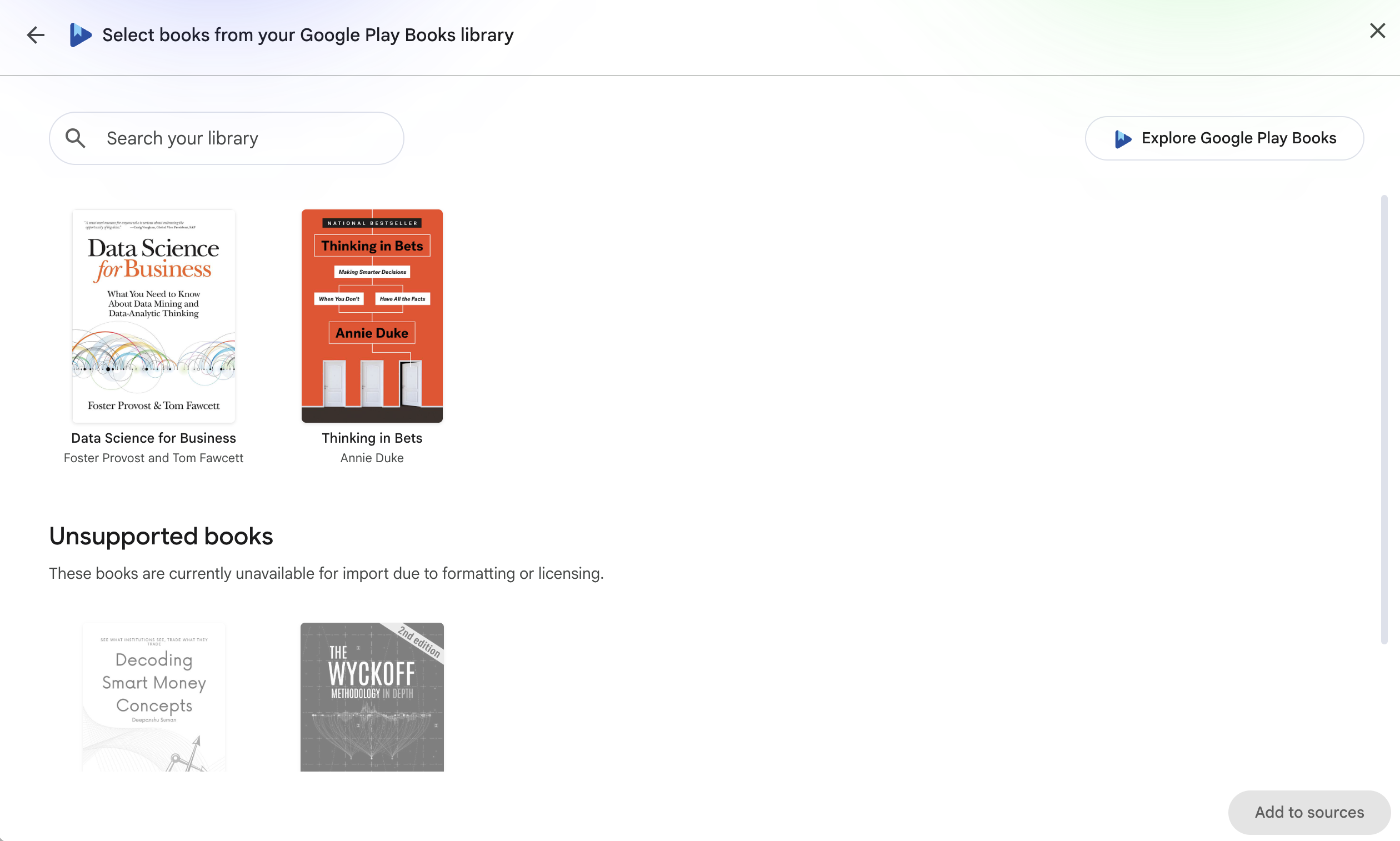
Here is the link to check which books can be added: https://play.google.com/store/books/streamchild/promotion\books\global\expert\intelligence\top\books\_collection?pcampaignid=nblm
If you want more, let me show you how to find books can be added here without paying.
Books Without Copyright
Everything published before 1930 in the US is public domain.
That covers most of what trading was built on.
Richard Wyckoff’s Studies in Tape Reading is from 1910.
The “smart money concepts” industry on YouTube is a repackaging of it.
Also, here are the websites where you can find copyright-free books to add to your Notebook;
- standardebooks.org
- gutenberg.org
- archive.org
Let me show you how I updated my bot.
Step 1: NotebookLM Connection
At this step, we’ll connect NotebookLM to Claude.
We’ll use this repository:
<https://github.com/teng-lin/notebooklm-py>
To set up the connection, use this prompt:
Here is the repo. :https://github.com/teng-lin/notebooklm-py
Install NotebookLM CLI and open a browser for me to authenticate my NotebookLM account.
After pasting this prompt into Claude Code, it will open the NotebookLM login page. Once you authenticate, you’ll be able to use the NotebookLM CLI.
Step 2: Trading Journal
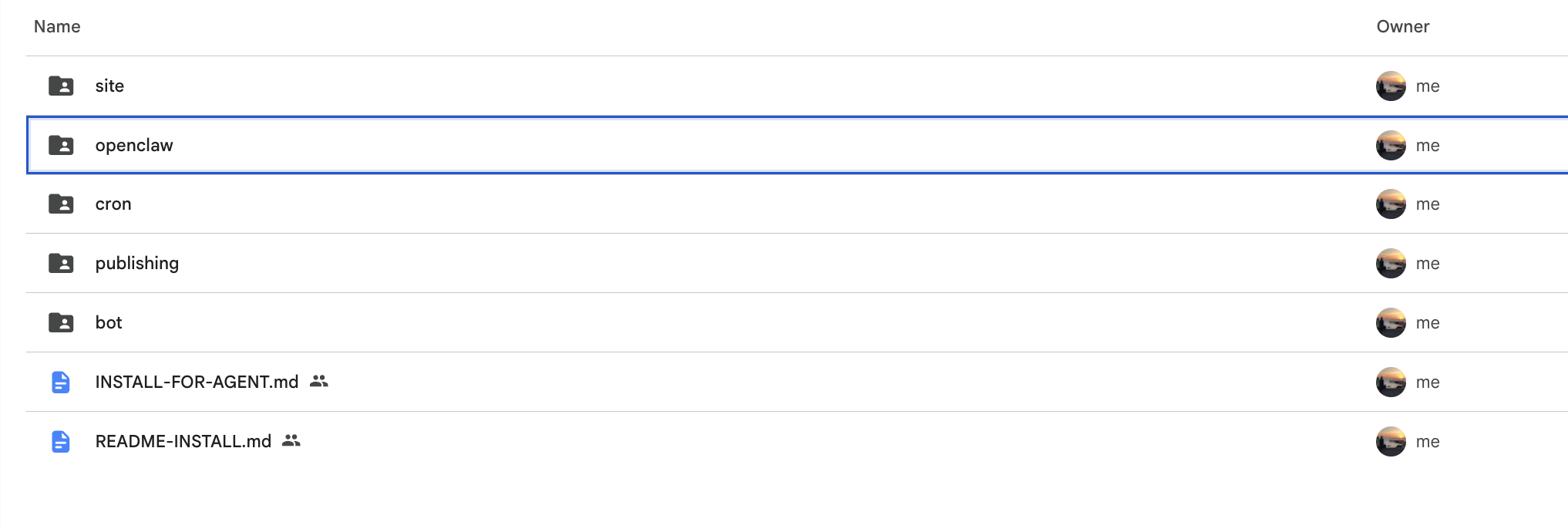
I told my OpenClaw Skill to scrape the trading journal from my agent and upload it to NotebookLM. That’s it.
To be able to do that, you need two skills;
- OpenClaw Skill ( To reach your Agent via Claude Code)
- NotebookLM CLI
I explained how to install NotebookLM CLI.
To reach the OpenClaw skill, read this.
Step 3: Weekly Autopsy
I turned it into a weekly autopsy.
Each week, Claude scrapes the trading journal and uploads it to NotebookLM.
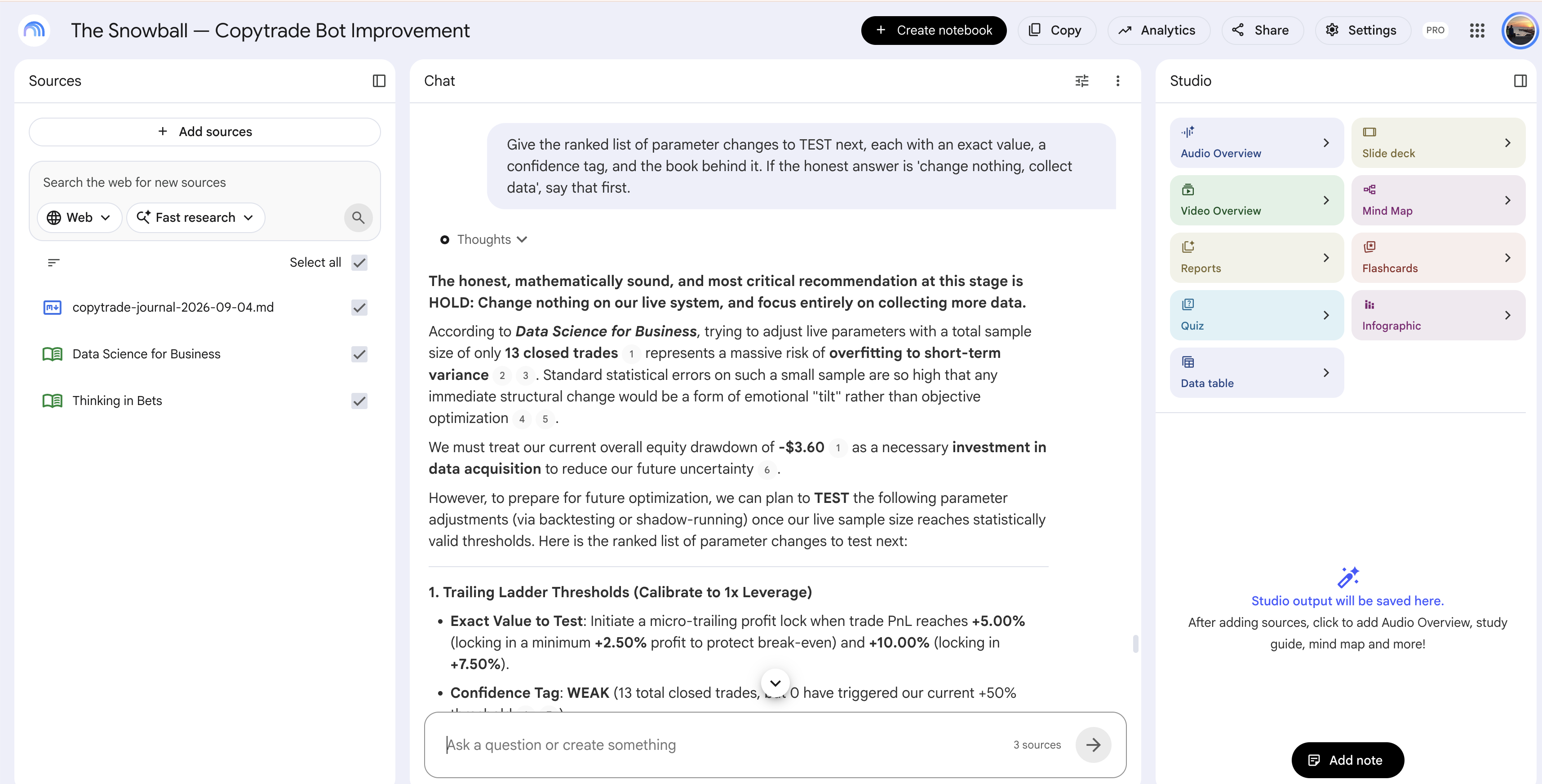
And it analyzes everything automatically using the books I added there. The queries above are also generated and run by Claude automatically.
I turned the whole process into a routine, so it can run without me.
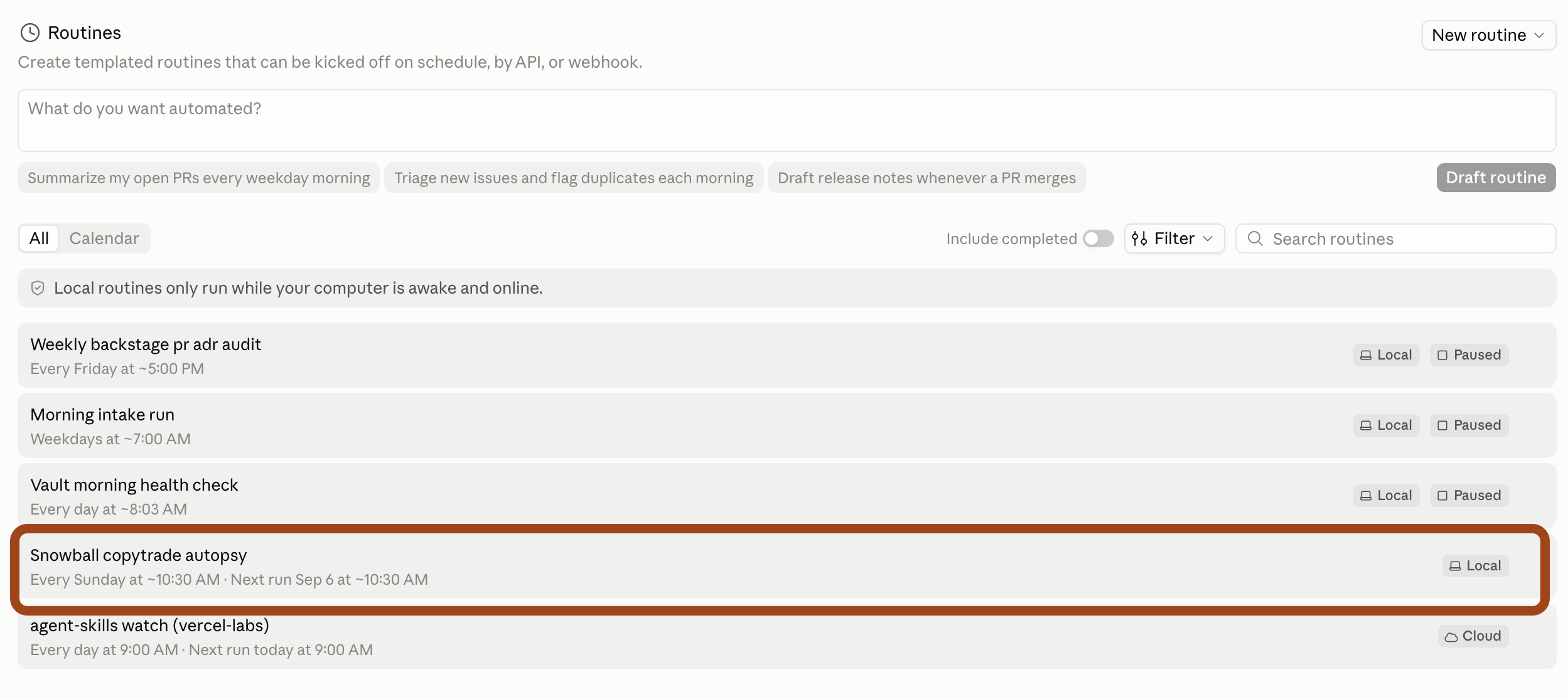
Every Sunday at 11:00 AM, I review the report, decide which changes make sense, and test the new bot version for one week.
So I’m no longer the one making the decisions. I’m just orchestrating the whole process, checking the logic, catching errors, and maintaining the system.
AI Academy
If you have any issues with these steps, we’re building this together in the AI Academy, and I’ve added comments to each post.
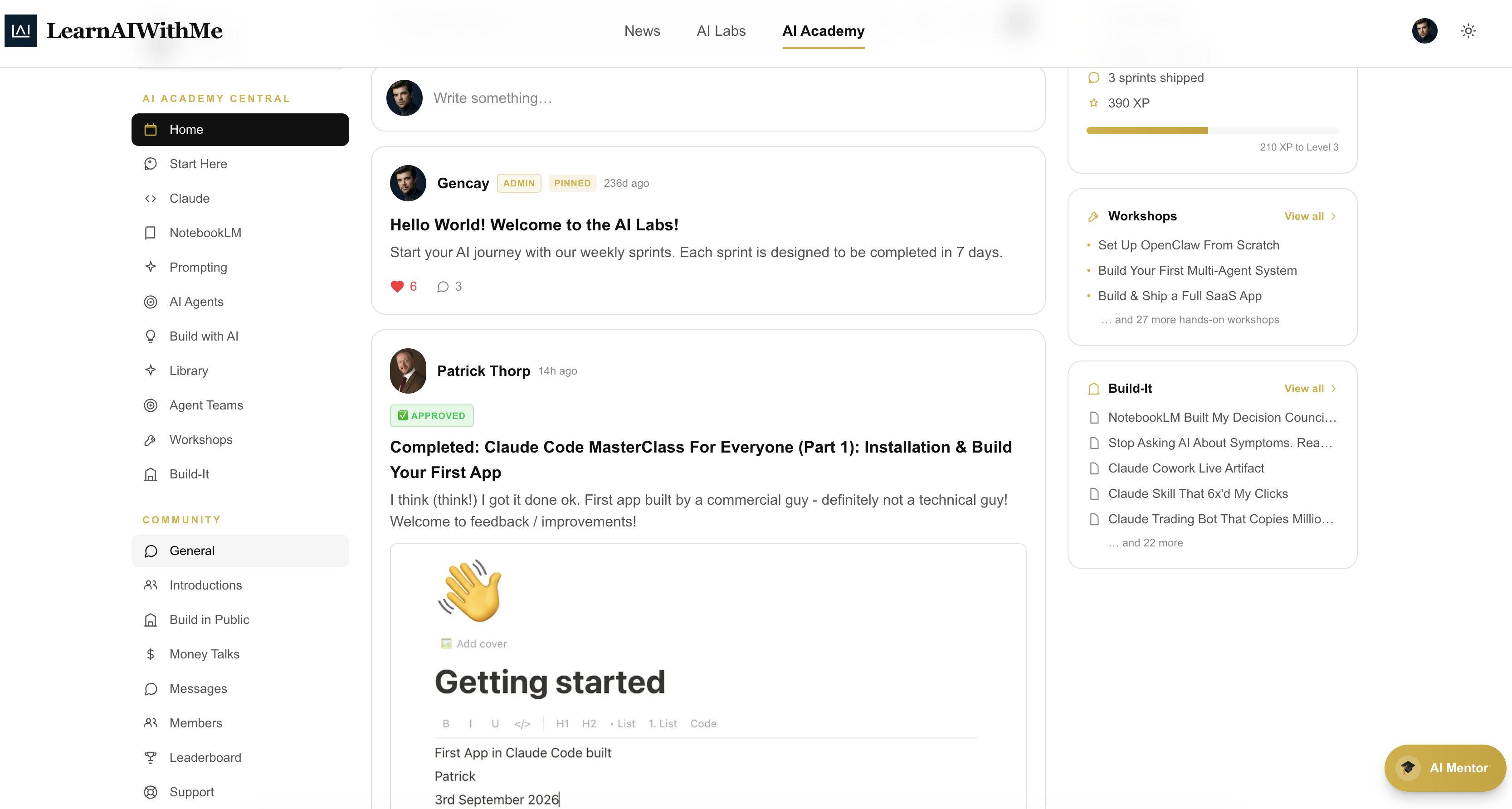
After upgrading your subscription to the Inner Circle subscriber on Substack, sign up for the Vault using the same email address you used for Substack to access it here.
Paste your issue with a screenshot, and let me comment on it, so you can keep building without any issues.
See you there!